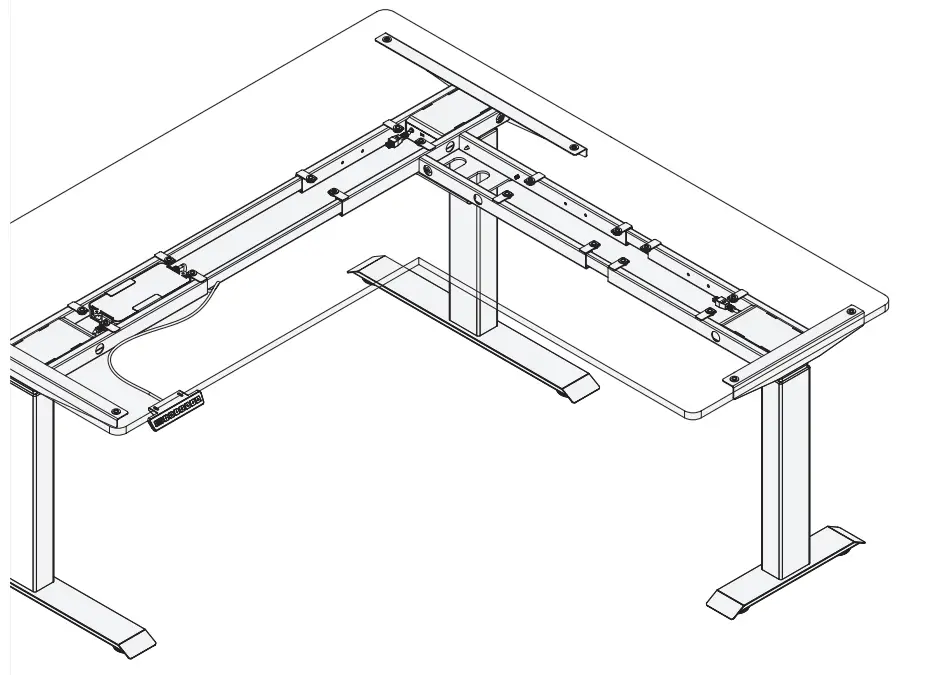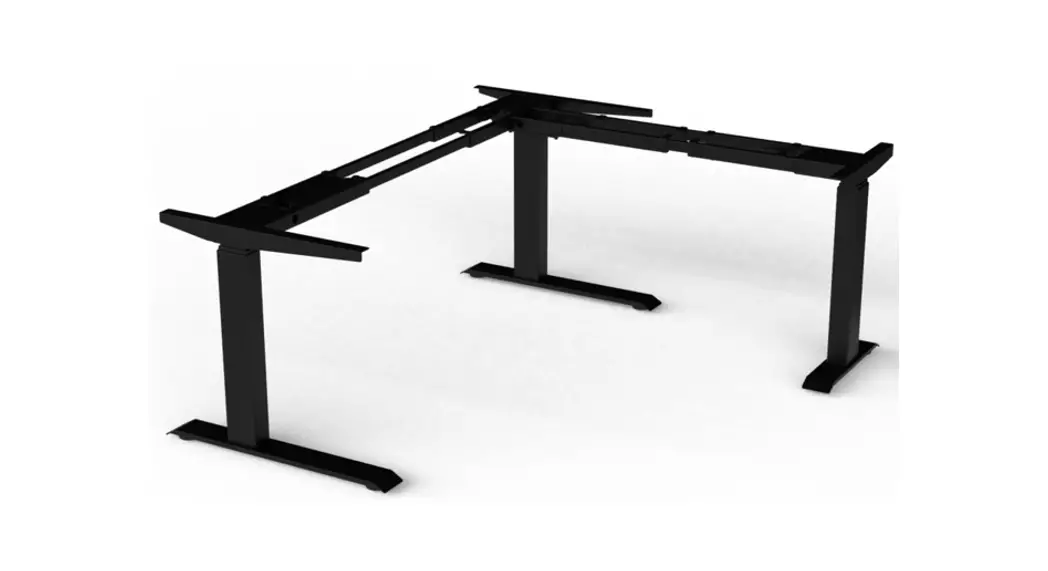
 10457786 E-Corner 90 Table Frame
Instruction Manual
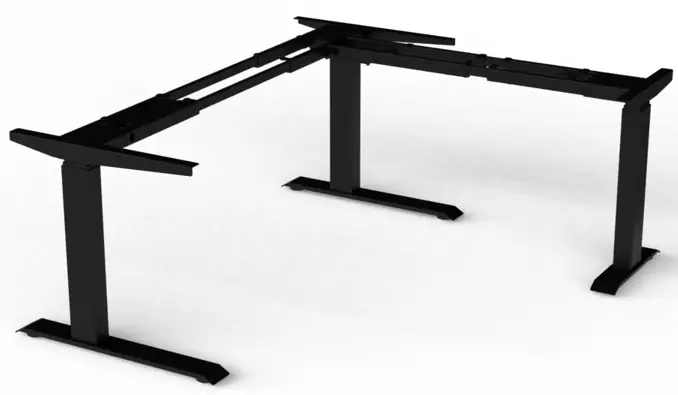
E-CORNER 90
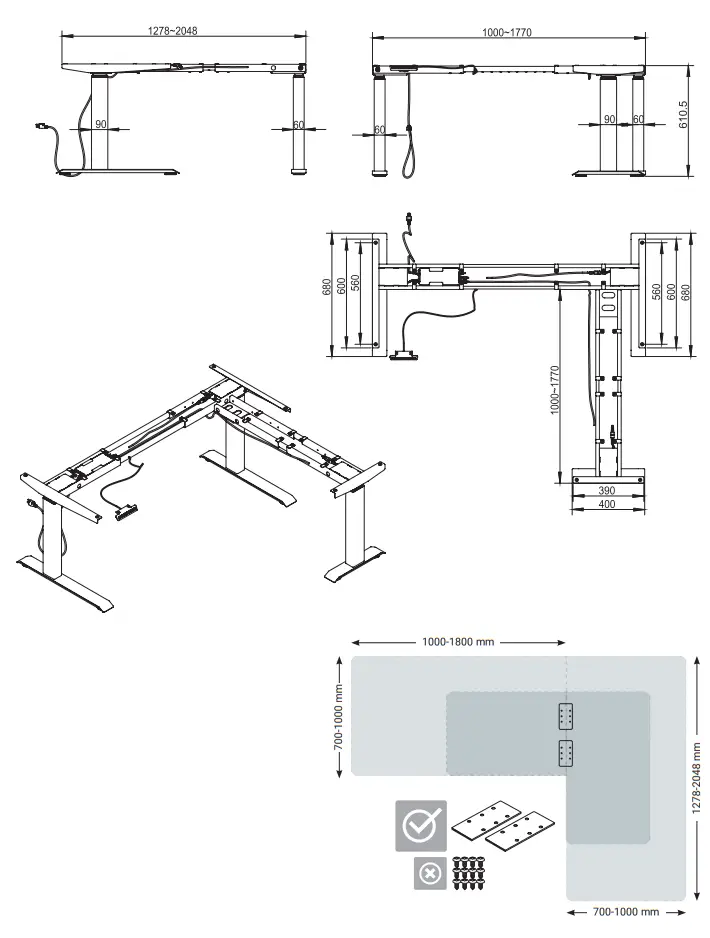
Assembly Instructions: Electrical Height Adjustable Desk Frame
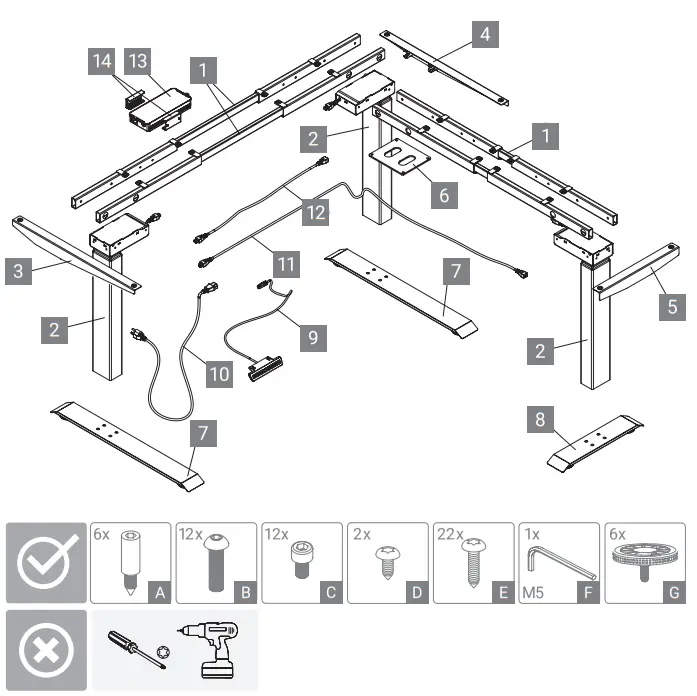
| 1 | 301 121966 |
| 2 | 301 121973 |
| 3 | 301 123688 |
| 4 | 301 123709 |
| 5 | 301 122043 |
| 6 | 301 122400 |
| 7 | 301 121987 |
| 8 | 301 122351 |
| 9 | 301 122008 |
| 10 | 301 109324 |
| 11 | 301 122414 |
| 12 | 301 109331 |
| 13 | 301 123261 |
| 14 | 301 123254 |
| A-F | 301 123072 |
| G | 301 123513 |
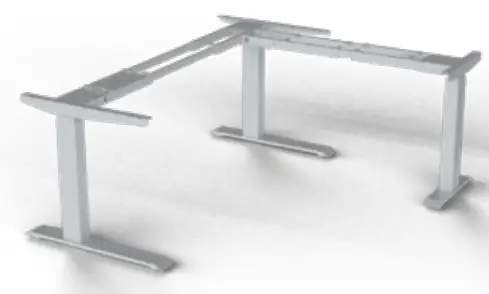
| 1 | 301 121910 |
| 2 | 301 122393 |
| 3 | 301 123681 |
| 4 | 301 123702 |
| 5 | 301 122036 |
| 6 | 301 122400 |
| 7 | 301 121931 |
| 8 | 301 122337 |
| 9 | 301 122008 |
| 10 | 301 109324 |
| 11 | 301 122414 |
| 12 | 301 109331 |
| 13 | 301 123261 |
| 14 | 301 123254 |
| A-F | 301 123072 |
| G | 301 123513 |
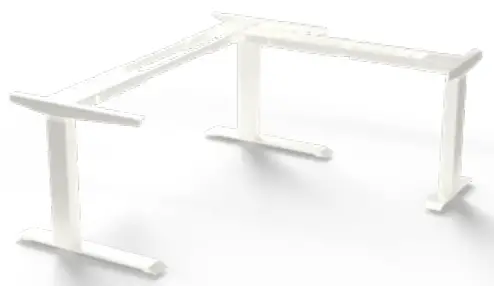
| 1 | 301 121938 |
| 2 | 301 121945 |
| 3 | 301 123674 |
| 4 | 301 123695 |
| 5 | 301 122029 |
| 6 | 301 122400 |
| 7 | 301 121959 |
| 8 | 301 122316 |
| 9 | 301 122008 |
| 10 | 301 109324 |
| 11 | 301 122414 |
| 12 | 301 109331 |
| 13 | 301 123261 |
| 14 | 301 123254 |
| 15 | 301 123072 |
| 16 | 301 123513 |
E-CORNER 90
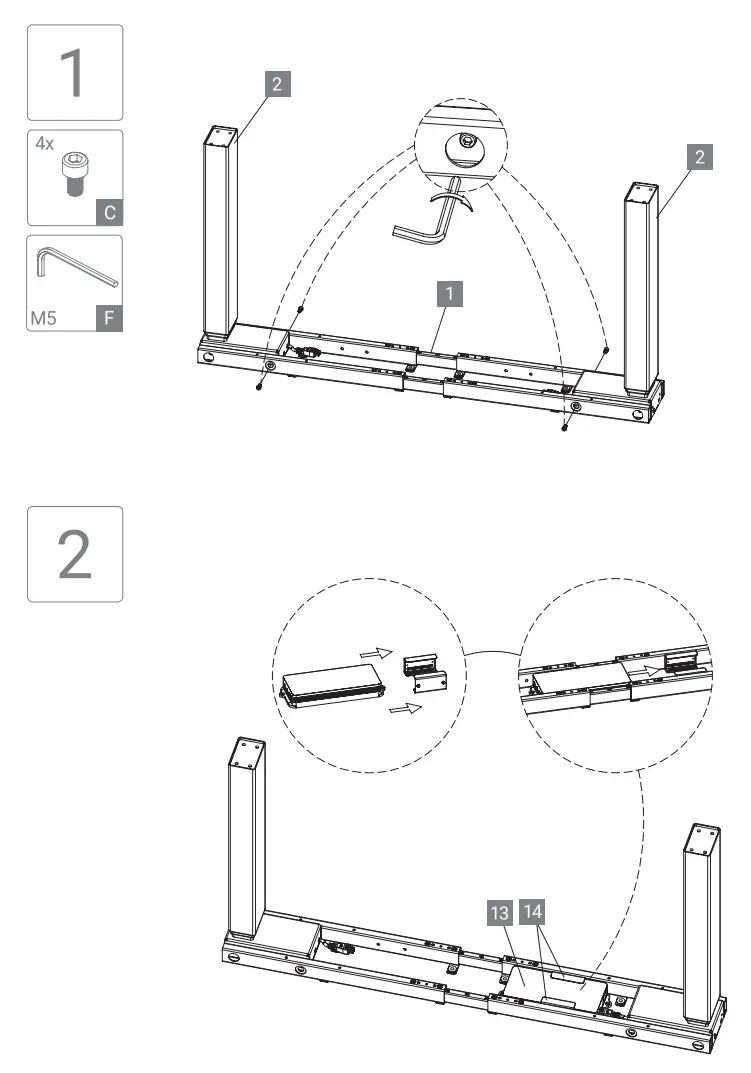
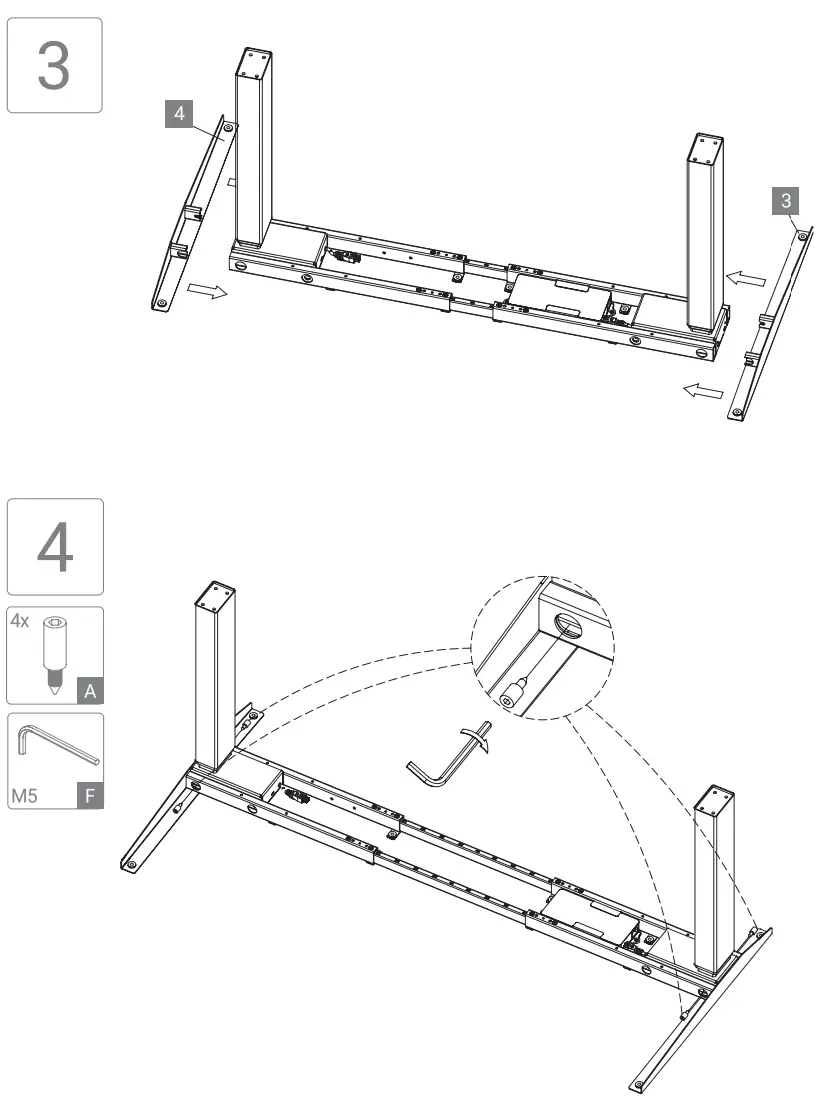
TECHNICAL SPECIFICATIONS

1. Electric Components:
| Input Voltage | 100-240V, 50/60 Hz |
| Duty cycle: | 10% max 2min on 18 min off Automatic power off, low energy consumption |
2. Desk Frame
Anti-Collision
Built-in load limit switch
| Dynamic load: | 160 KG max. |
| Static load: | 180 KG max. |
| Speed: | 30 mm/s |
SAFETY AND WARNING!
This product can be used by children aged 8 years and older, persons with reduced physical, sensory or mental capacity as long as they have been given proper instructions and training on how to use the product in a safe way and understand the hazards involved. Children shall not play with the product.
CORRECT DISPOSAL
 This sign indicates that this product must not be disposed of through regular household waste within the European Union. To prevent possible harm to the environment or human health from uncontrolled waste disposal, recycle it responsibly to promote the sustainable reuse of material resources. To return your used device, please use the return and collection systems or contact the retailer where the product was purchased. There you can obtain all information necessary to dispose of this product properly. (WEEE-Reg.-Nr. DE: 52242201)
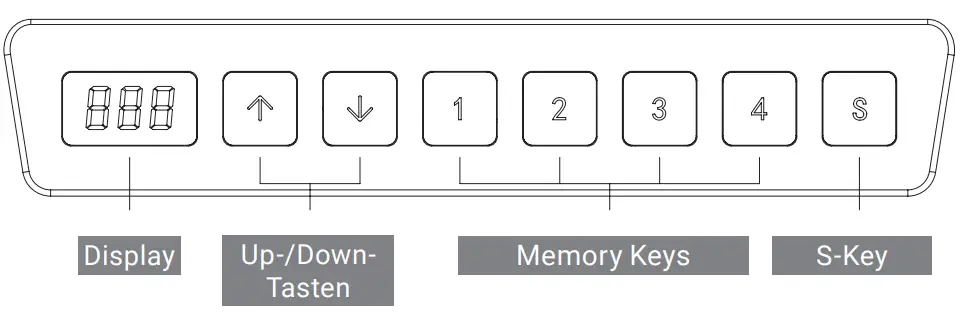
HANDSET
- Up / Down Keys
To adjust the height of the desk, keep pressing the “up” or “down” key until the tabletop reaches the desired position. - Display Screen
Display the height value of the desk.
- Memory Key (1 / 2 / 3 / 4)
After setting memory keys, the desk will move automatically to the saved position.
How to set a memory key: Please select the desired position. Then press the S-key. Then press the S-Key, the display will show an “S” and flashes. Whenever a programmed memory key is pressed, the tabletop will automatically adjust to the entered/saved height. - Set Key
The set key saves all changed settings. - Anti-collision function
When the desktop encounters reverse resistance while moving, the desk will stop and move slightly in the opposite direction. - Reset Procedure
1. When the display showsRSEpress the DOWN key until the frame reaches its lowest position, you hear a “beep” and the frame rebounds slightly. Now the reset is complete.
2. To force a re-set you have to move the frame to its lowest position by pushing the DOWN key release the DOWN key briefly and push it again for about 5 seconds until you hear a “beep” and the frame rebounds slightly. The re-set is done. To restore the factory settings (e.g., when a controller is replaced) press the UP and DOWN button simultaneously until you hear a first “beep” after 5 seconds and a second “beep” after 10 seconds. Once the display shows “RST” proceed as described under 1. Above.
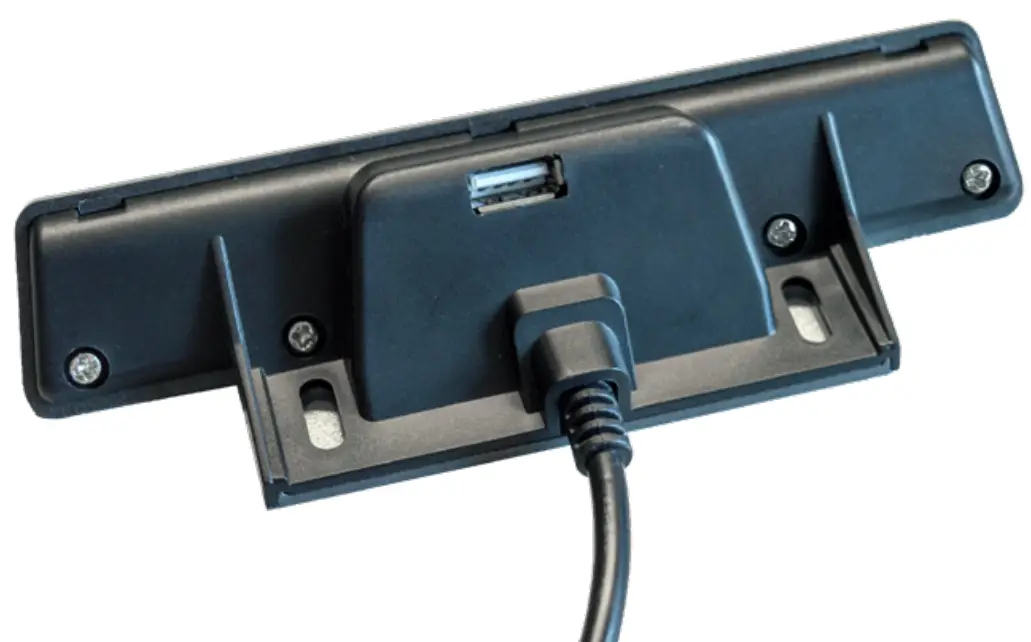
USB-Slot
With charging function on the back
- Lock / Unlock
Press the “up” and “S” keys for 5 seconds, Screen displays “LOC”, the system is locked up. Press the “down” and “S” key for 5 seconds, the screen display ”LOC” turn to height, the system is unlocked.
HOW TO ADJUST SETTINGS BY USING THE HAND CONTROL SETS
Press the “S” key for 5 seconds to select between the different settings by using the UP or DOWN key. After you changed a the setting, you have to save the new setting by pressing the “S” key again.
| S-1 Unit of measure | Press “S” and then select: 0 for cm, 1 for inches |
| S-2 Gyroscope sensor | Press “S” and then select: 0 = off, 1 = least sensitive to 8 = most sensitive |
| S-3 Anti-collision sensitivity moving up | Press “S” and then select: 0 = off (not recommended), 1 = least sensitive to 8 = most sensitive |
| S-4 Anti-collision sensitivity moving down | Press “S” and then select: 0 = off (not recommended), 1 = least sensitive to 8 = most sensitive |
| S-5 Display height | Press “S” and then using the up / down keys you can change the display height if necessary |
| S-6 frame operating mode | Press “S” and then select: 0 = constant touch or 1 = one-touch |
| S-7 Duty cycle | To deactivate the overheating protection – please do not change it! |
| S-8 frame tilt sensitivity | Press “S” and then select 0 = off, 1 = 0.5°, 2 = 1.0°, 3 = 1.5°, 4 = 2.0°, 5 = 2.5°, 6 = 3.0°, 7 = 3.5°, 8 = 4.0° |
After adjusting all settings you have to press the “S” key again to return to the main menu.
Minimum /Maximum height
To select a minimum height do the following: Move the frame to the desired minimum height. Press the UP & Down key simultaneously for about 5 seconds. A beep indicates
that the minimum height has been set. (IMPORTANT: You can only select a minimum height that is below 96 cm)
To remove the minimum height please move the frame to the programmed minimum height, then press the Up & Down key simultaneously until you hear a beep indicating that the minimum height was deleted. To set/delete the maximum height please proceed the same way. The maximum height must be more than 97 cm.
TROUBLESHOOTING
| Error Code | Possible Cause | How To Correct |
| E1, E6, E7 | Power failure | Reconnect power – switch power source |
| E2 | Lifting columns out of synch | Perform a reset as described under 1 . |
| E4 | Handset fault | Unplug and plug in the cable of the handset |
| E5 | Anti-collision warning | standard function, no corrective action required |
| E8 | Desktop not level | Level the table |
| E11, E21 | Motor fault | Check the motor wire connections |
| E12, E22 | Control box failure | The control box needs to be replaced |
| E13 | Connection problem | Check cables |
| E14 – E17 | E24 – E27 | Motor failure | The motor/lifting column needs to be replaced |
| E18, E28 | Overload protection | Reduce the weight |
| HOT | Excessive use | Do not use it for 20 minutes. The system will recover automatically. |
E-CORNER 90