RoutersTR110G 4G Wireless Router
User Guide
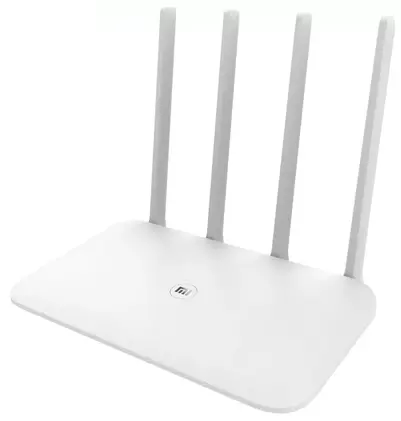
Product Overview
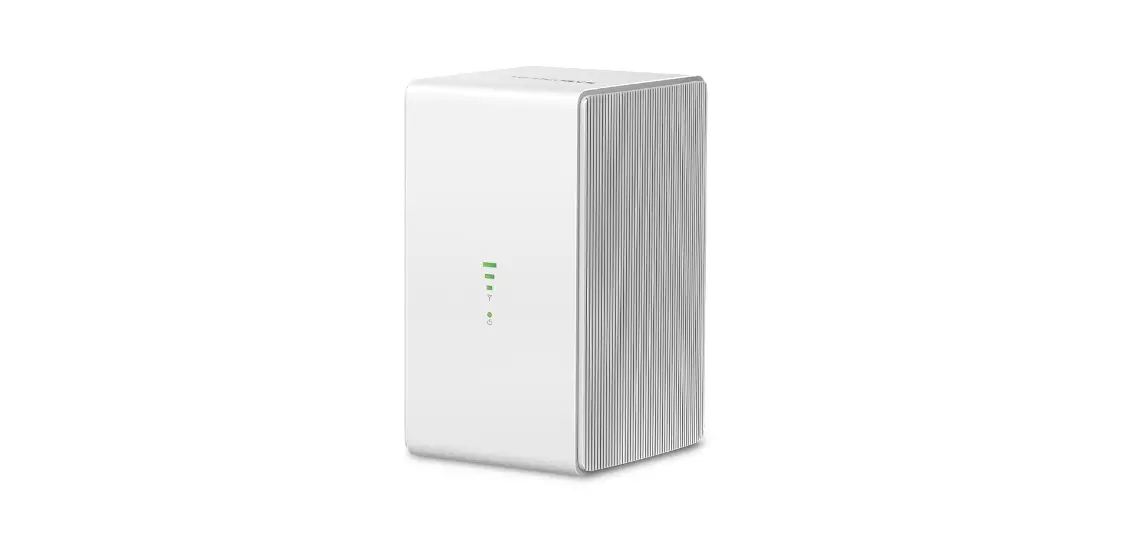
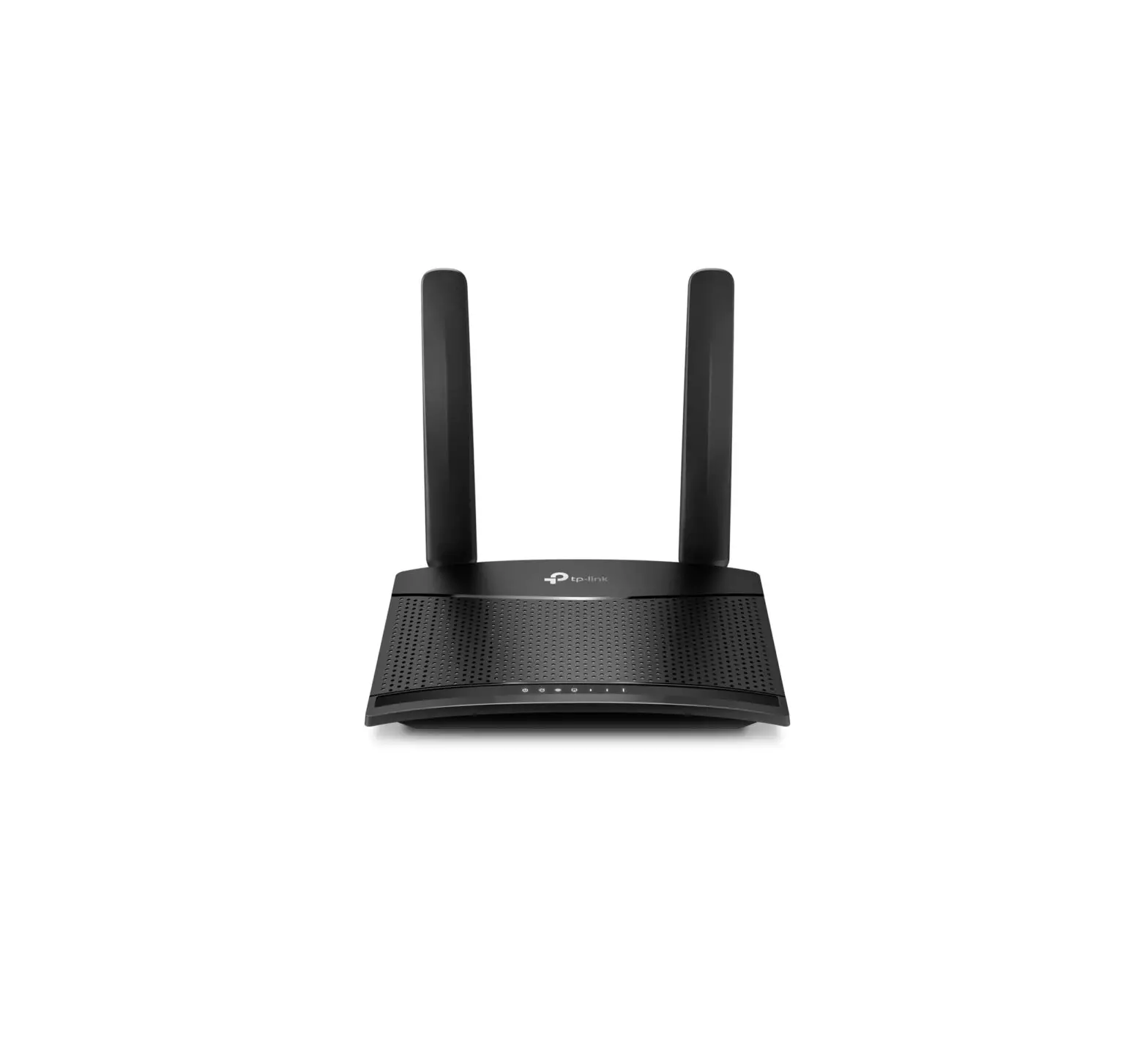
The TR110G 4G Wireless Router supports Cloud SIM technology, eliminating the need to install a physical SIM card, making it plug-and-play for a convenient user experience.
The TR110G supports multiple operators’ 4G networks , and automatically choose the best network depending on the wireless environment , providing optimal coverage.
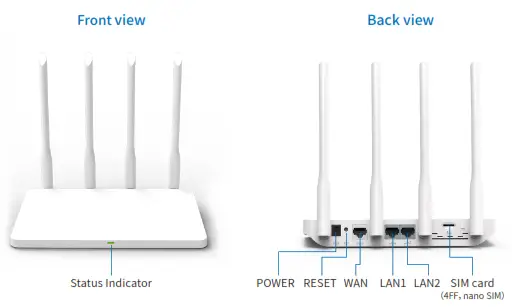
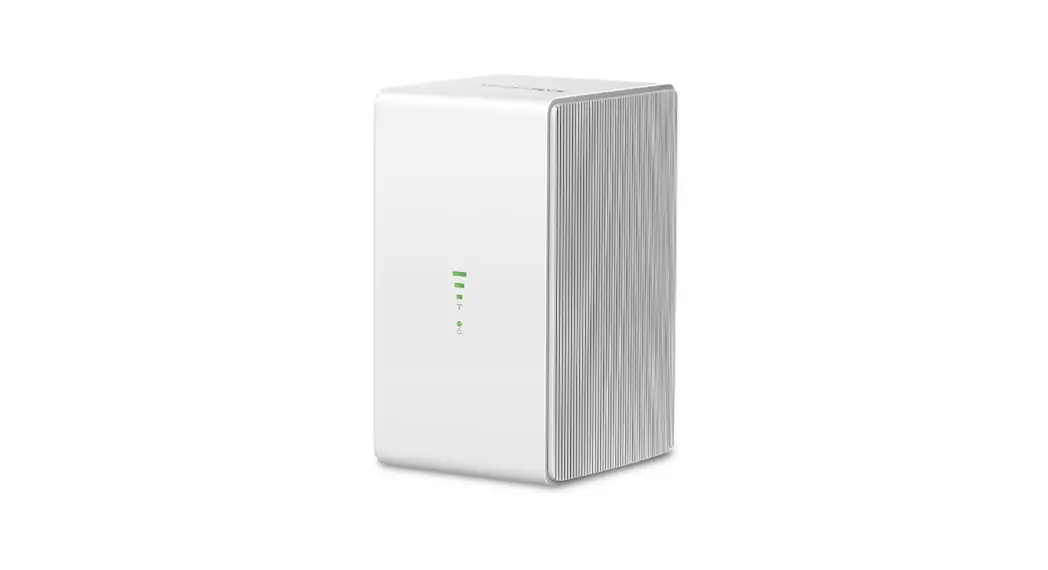
Status Indicator Description
| Red | Device is starting up |
| Yellow | In the process of establishing a network connection |
| Green | Network connection is normal |
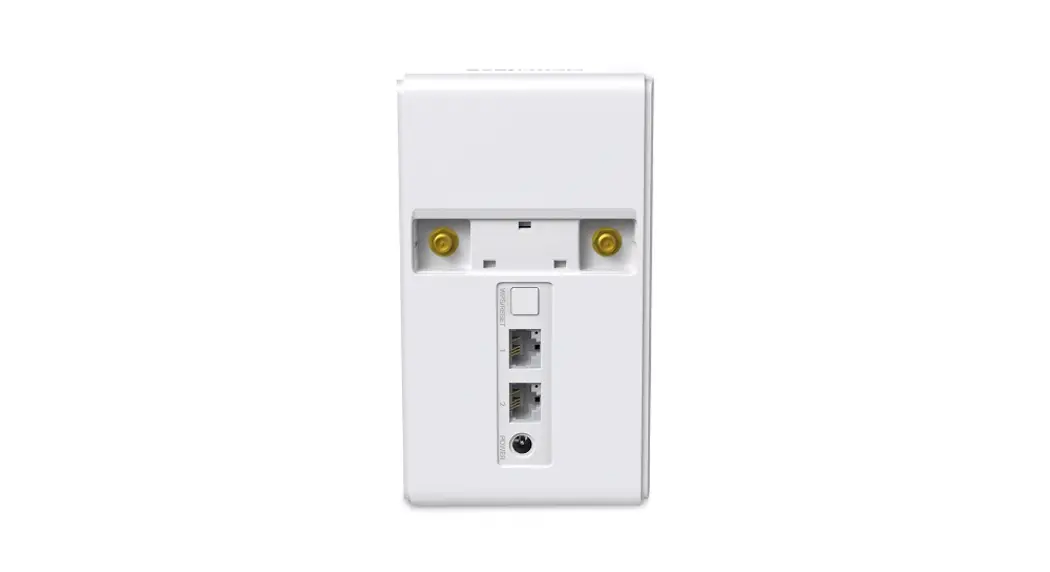
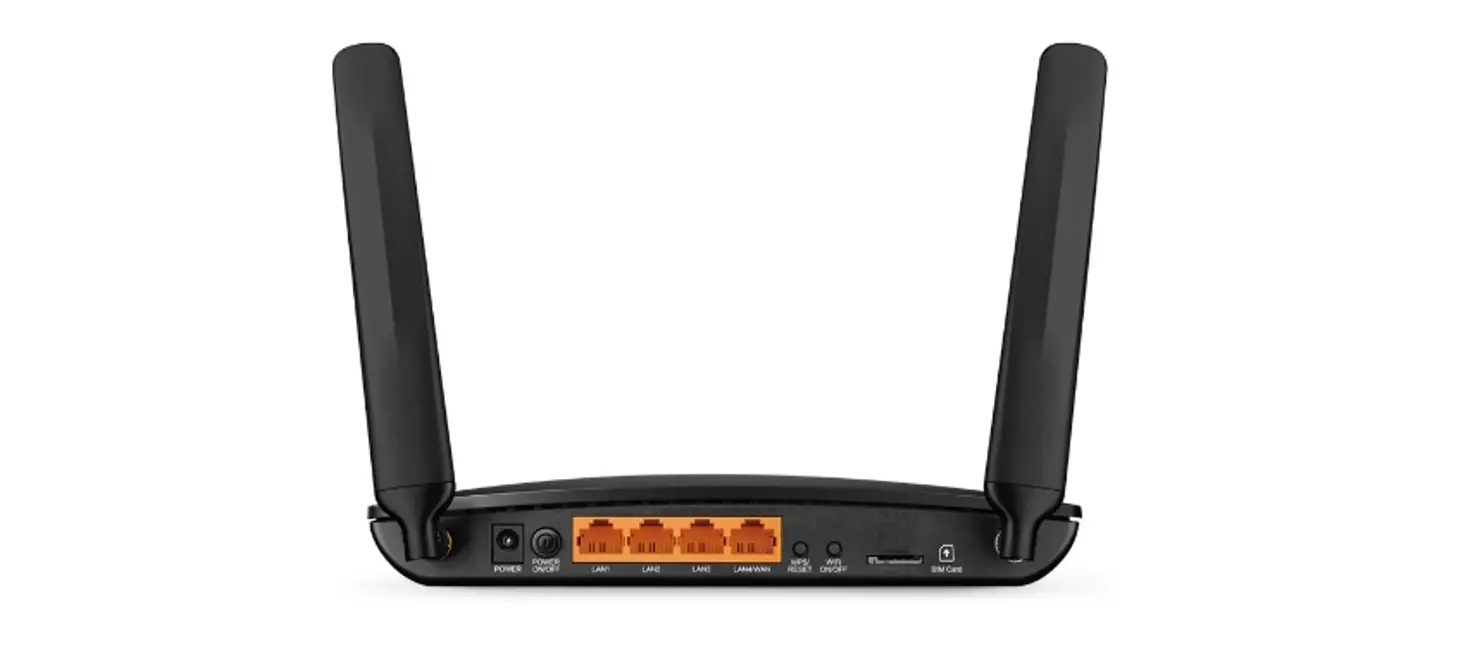
Ports and keysDC Power port connect with power adapter Reset Reset key Reset the whole wireless router WAN WAN port Connect with WAN device, such as ADSL modem, Optical router etc. LAN LAN port Connect with LAN devices, such as PC, printer etc. SIM card SIM card interface Insert physical SIM card
Product specifications
| Features | White |
| Colour | 191mmⅹ126mmⅹ27mm |
| Size | 0.54Kg |
| Weight | AC: 100V~240V,50Hz~60Hz DC: 12V/1A |
| Power | 2 100M LAN ports, 1*100M WAN interface |
| Antenna | External antenna (WiFi & wireless) |
| WiFi | 802.11 b/g/n 2.4G |
| WiFi users | 32 Concurrent connected users |
| LAN/WAN | Description |
| Support network type(TR100G)TM22G | FDD LTE: B1/B2/B3/B4/B5/B7/B8/B9/B12 /B13/B17/B18/B19/ B20/B25/B26/B28/B66 TDD LTE: B34/B38/B39/B40/B41 3G: B1/B2/B4/B5/B8 2G: B2/B3/B5/B8 |
| 4G and wired WAN mutual backup | Support the mutual backup function between 4G and wired Wan |
Note:
The above peak rate are theoretical values, actual speed rate are subject to local network environment and operator network coverage.
Login Management Interface
The default SSID for this device is 2.4G-XXXXXX ( XXXXXX is the last six digits of the device MAC) and wifi password refer to device label.
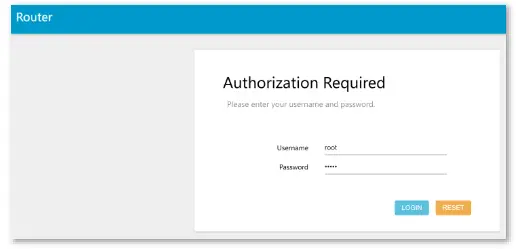
Login via admin IP
The default administrative IP address of the device is “192.168.100.1”, the user name is “root” and the password is “admin”. Open your browser and enter the default user name and password to login.
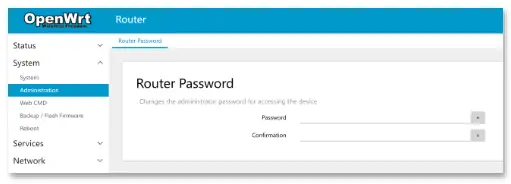
Change administrator password
Inside the administration interface, under the “System⸺Administration”page, change the administrator login password.
Change the default administrative IP address and IP address pool settings
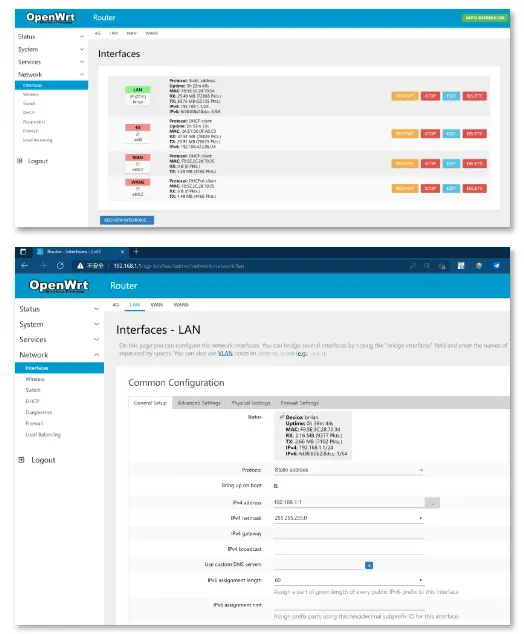
“Network⸺Interfaces⸺LAN”, The default administrative address and the range of DHCP-assigned address pools can be modified.
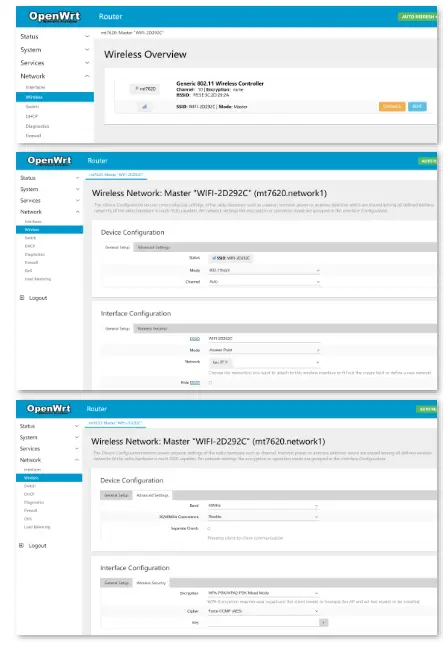
“Network⸺wireless”, click on the “Edit” button to enter the configuration page. “Interface Configuration⸺General Setup”, modify the ESSID configuration to change the SSID of the WiFi, on “Wireless Security” page to change the security related settings, such as the WiF key.
Change 4G and WAN load balance configuration
The TR110G router supports load balance and backup between 4G and WAN,and when both 4G and wired WAN connections are available, the configured policy determines which channel is used to access the internet. The default configuration is to prefer use of wired WAN, where the metric of WAN configured is less than 4G’s metric.
If 4G access is required as a priority, you need to click “Edit” in the following configuration interface and change the number of 4G‘s metirc to be less than the number of WAN‘s metric. For example, the number of 4G’s metric is set to 10 and the number of WAN‘s metric is set to
20.
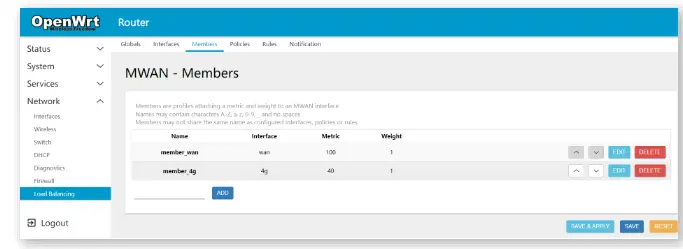
Note: Once the configuration changes have been made, you need to click on the “Save and Apply” button to have the changes saved and take effect.
Frequently Asked Questions
– The management IP address is 192.168.100.1, and the default username is “root”, password is “admin”.
– When the system is running normally, press and hold the “Reset” button on the router with a pointed object for about 8 seconds or more and wait for the device to finish rebooting.
– The default password for the router is “admin”, please try using the default password to log in. If you cannot login with the default password, please restore the factory settings and then login with the default password.
FCC Warning
This device complies with Part 15 of the FCC Rules. Operation is subject to the following two conditions:
- this device may not cause harmful interference, and
- this device must accept any interference received, including interference that may cause undesired operation.
Changes or modifications not expressly approved by the party responsible for compliance could void the user’s authority to operate the equipment.
Notes: This equipment has been tested and found to comply with the limits for a Class B digital device, pursuant to Part 15 of the FCC Rules.
These limits are designed to provide reasonable protection against harmful interference in a residential installation.This equipment generates uses and can radiate radio frequency energy and, if not installed and used in accordance with the instructions, may cause harmful interference to radio communications. However, there is no guarantee that interference will not occur in a particular installation. If this equipment does cause harmful interference to radio or television reception, which can be determined by turning the equipment off and on, the user is encouraged to try to correct the interference by one or more of the following measures:
- Reorient or relocate the receiving antenna.
- Increase the separation between the equipment and receiver.
- Connect the equipment into an outlet on a circuit different. from that to which the receiver is connected.
- Consult the dealer or an experienced radio/TV technician for help.
Notes: This device and its antenna(s) must not be co-located or operation in conjunction with any other antenna or transmitter.
This smart phone meets the government’s requirements for exposure to radio waves. The guidelines are based on standards that were developed by independent scientific
organizations through periodic and thorough evaluation of scientific studies. The standards include a substantial safety margin designed to assure the safety of all persons regardless of age or health.
This cquipment should be installed and operated with minimum distance of 0mm the radiator your body. The body-worn test distance is 0mm.