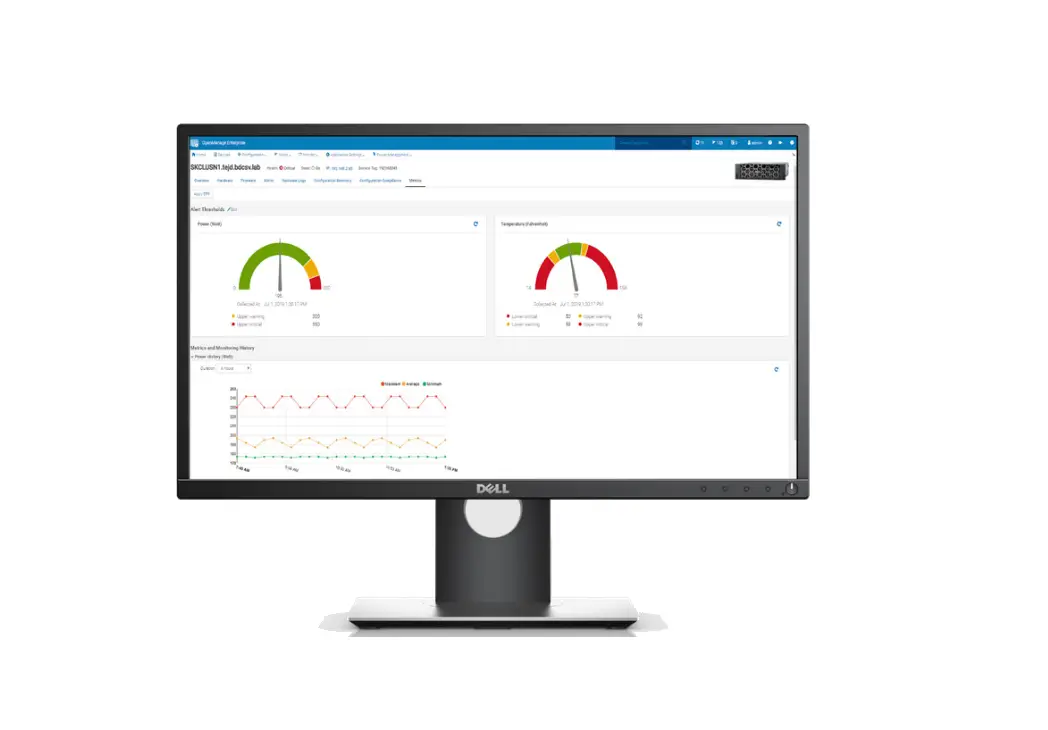
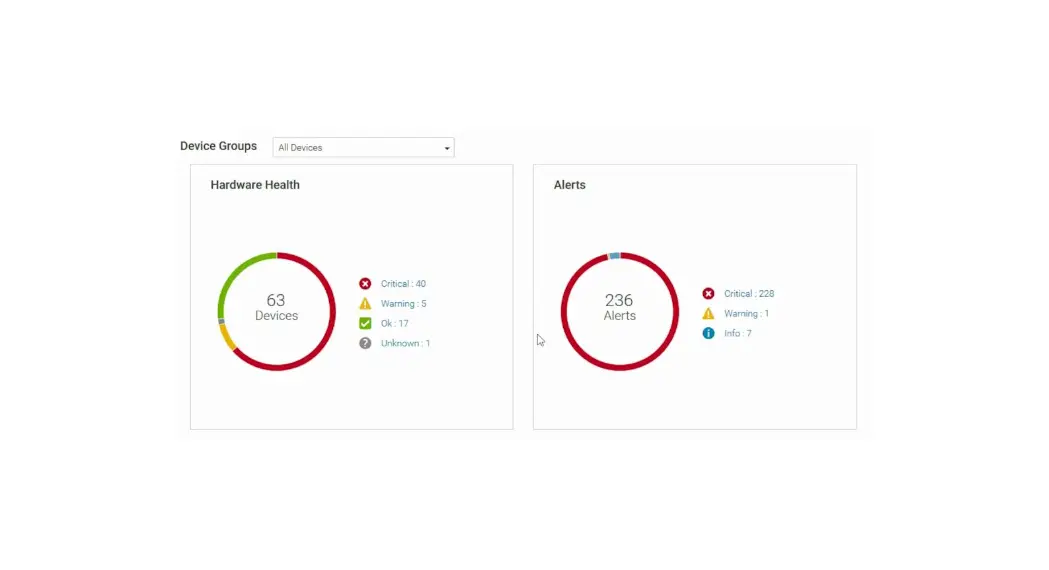
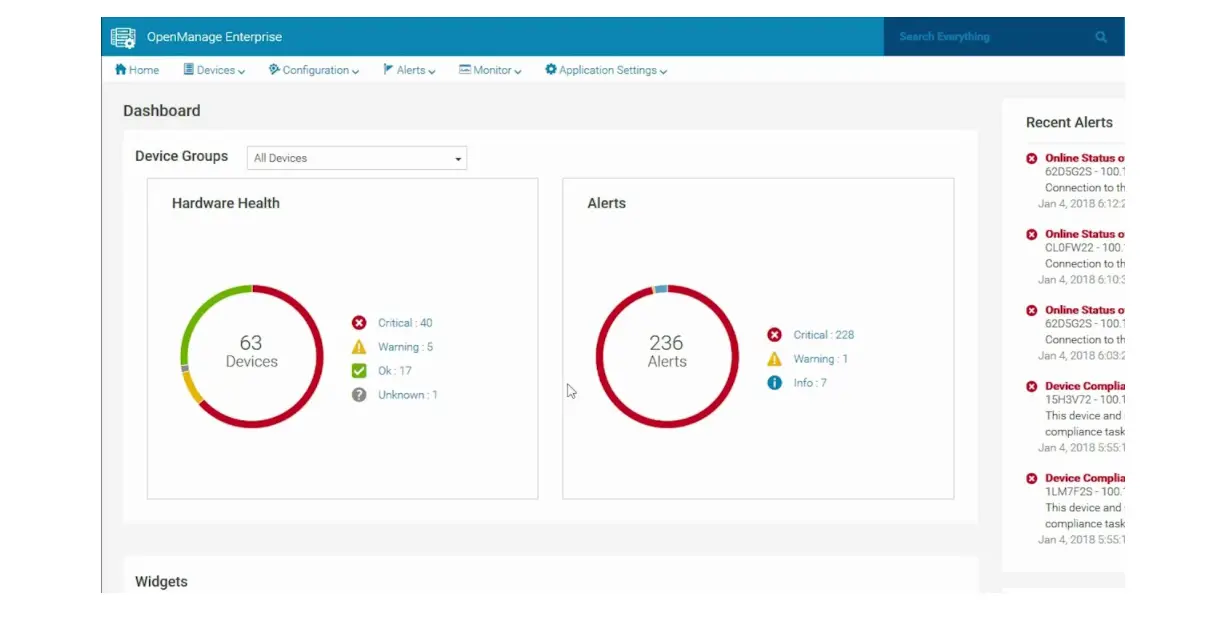
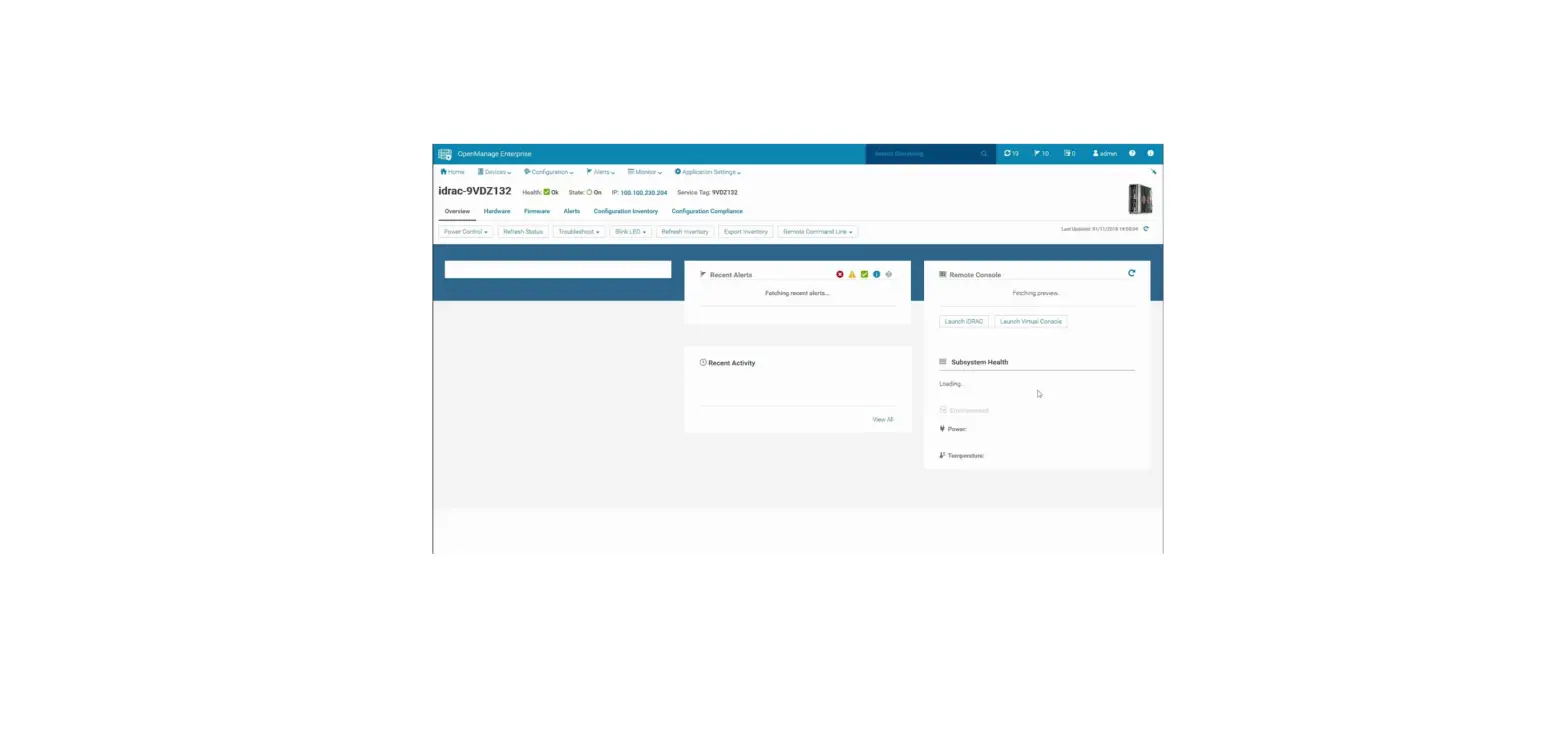
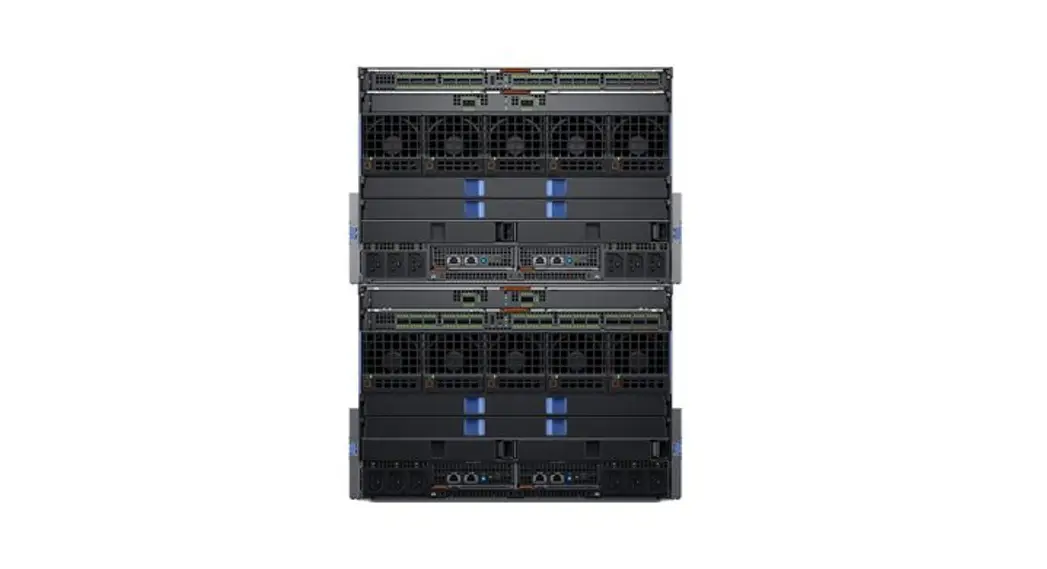
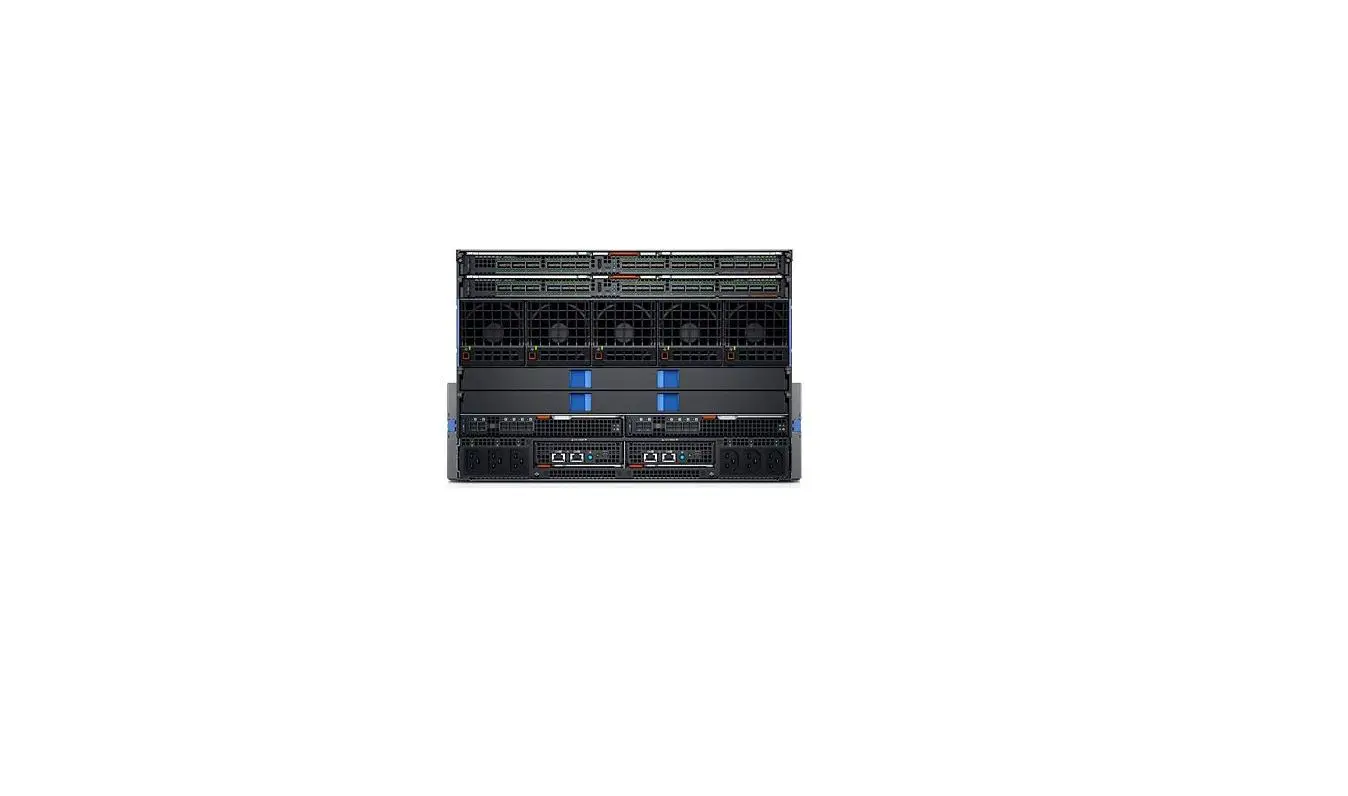
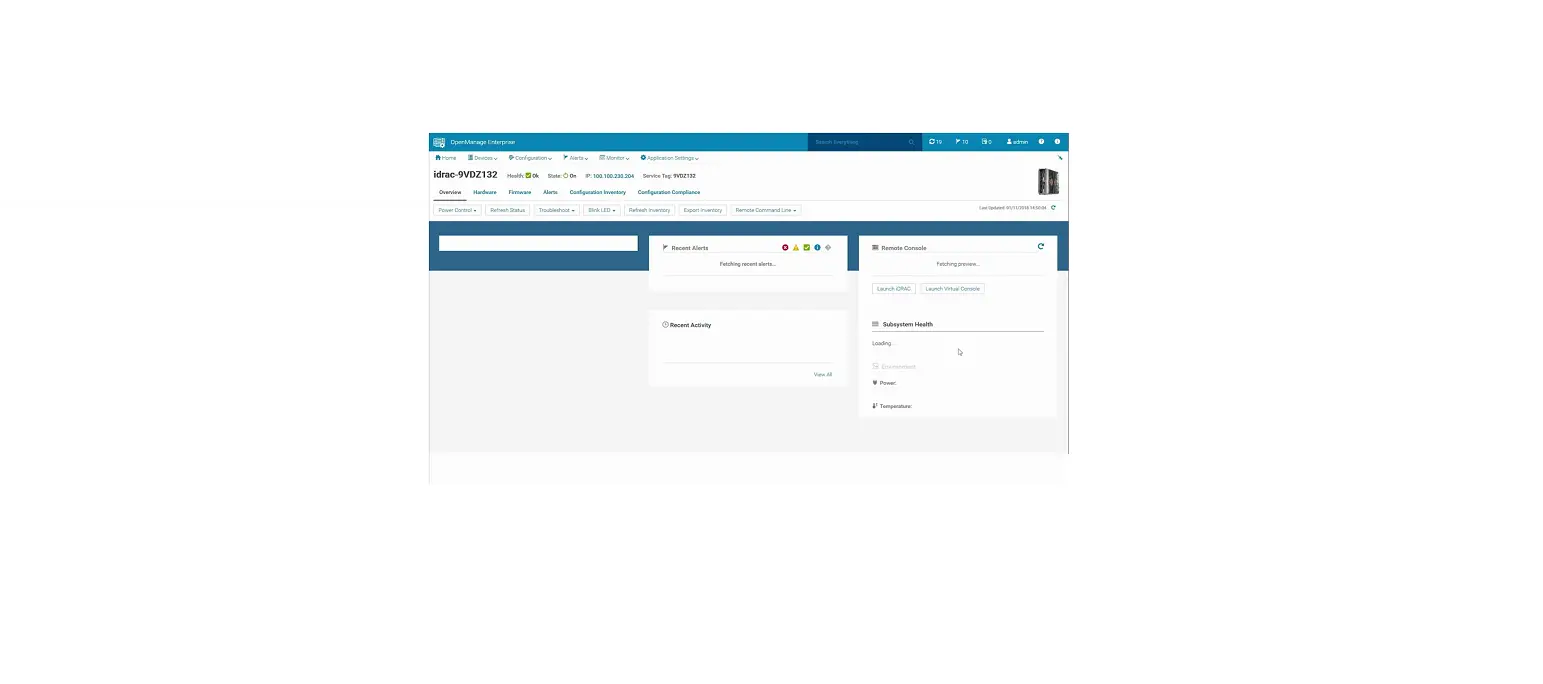
MX7000 OpenManage Enterprise
Dell EMC OpenManage Enterprise Version 3.7
The Dell EMC OpenManage Enterprise Version 3.7 is a system
management and monitoring tool that is designed for enterprise
LANs. It supports various agents and interfaces that are listed
below:
Supported agents and interfaces
The following table lists the Dell EMC system agents and
interfaces supported by OpenManage Enterprise version 3.7:
| Agents and interfaces | Supported version |
|---|---|
| Dell Chassis Management Controller (CMC) | For the PowerEdge M1000e chassis — 6.20 and later versions For the PowerEdge VRTX chassis — 3.21 and later versions For the PowerEdge FX2 and FX2s sleds — 2.21 and later versions |
| Dell EMC OpenManage Enterprise–Modular iDRAC9 | For the PowerEdge MX7000 chassis–1.2 and later versions All the YX4X (14G) and YX5X (15G) PowerEdge servers — iDRAC 4.20.xx.xx iDRAC 4.40.xx.xx iDRAC 5.00.xx.xx |
| iDRAC7 and iDRAC8 | All the YX3X (13G) and YX2X (12G) PowerEdge servers — 2.70.xx.xx 2.75.xx.xx 2.80.xx.xx |
| iDRAC6 | All the YX1X (11G) PowerEdge servers: For the monolithic systems — 1.98 and later versions For the modular systems — 3.65 and later versions |
| Dell EMC Repository Manager Networking OS | 3.0 and later versions 9.13.0.0, 9.14.0.0, 10.5.0.0 and later versions, except for: Dell Networking Z9000 — 9.7P19 and later versions Networking OS switches MX5108N, MX9116N — minimum firmware version 10.5 (OS 10) |
Note: Ensure that Express or Enterprise
licenses are available to perform firmware updates.
The following table lists the supported Dell EMC PowerEdge
servers:
| PowerEdge servers | Supported OpenManage Enterprise features |
|---|---|
| YX1X systems | Discovery and inventory Monitoring and device alerts Managing device firmware Managing device configurations and deployment |
| PowerEdge R210 II | Yes Yes No No |
| PowerEdge R515 | Yes Yes No No |
| PowerEdge R815 | Yes Yes No No |
| PowerEdge R415 | Yes Yes No No |
| PowerEdge R715 | Yes Yes No No |
| PowerEdge T110 II | Yes Yes No No |
| PowerEdge M915 | Yes Yes No No |
| YX2X systems | Discovery and inventory Monitoring and device alerts Managing device firmware Managing device configurations and deployment |
| PowerEdge M420 | Yes Yes Yes Yes |
Product Usage Instructions
To use Dell EMC OpenManage Enterprise Version 3.7, follow the
below instructions:
- Ensure that your system is connected to an enterprise LAN.
- Install the OpenManage Enterprise Version 3.7 software on your
system. - Refer to the respective product documentation available on the
support site for more information about the agents and interfaces
supported by OpenManage Enterprise. - Ensure that Express or Enterprise licenses are available to
perform firmware updates. - Refer to the above tables to check if your Dell EMC PowerEdge
server is supported by OpenManage Enterprise Version 3.7. - Use the Discovery and inventory, Monitoring and device alerts,
Managing device firmware, and Managing device configurations and
deployment features as per your requirements.
Note: OpenManage Enterprise’s system management
and monitoring is best suited for enterprise LANs and is not
recommended for usage over WANs. The appliance reports the Health
status for the monitored 11G Servers with iDRAC6 as Unknown. This
is due to the limited capability of the iDRAC6.
Dell EMC OpenManage Enterprise Version 3.7
Support Matrix
July 2021 Rev. A00
Notes, cautions, and warnings
NOTE: A NOTE indicates important information that helps you make better use of your product. CAUTION: A CAUTION indicates either potential damage to hardware or loss of data and tells you how to avoid the problem. WARNING: A WARNING indicates a potential for property damage, personal injury, or death.
© 2017 – 2021 Dell Inc. or its subsidiaries. All rights reserved. Dell, EMC, and other trademarks are trademarks of Dell Inc. or its subsidiaries. Other trademarks may be trademarks of their respective owners.
1
Introduction
OpenManage Enterprise is a systems management and monitoring web application delivered as a virtual appliance. It provides a comprehensive view of the Dell EMC servers, chassis, storage, and network switches on the enterprise network. With OpenManage Enterprise, a web-based onetomany systems management application, users can: Discover devices in a data center environment. View hardware inventory and monitor health of devices. View and manage alerts received by the appliance and configure alert policies. Monitor firmware / driver versions and Manage firmware / driver updates on devices with firmware baselines. Manage remote tasks (such as power control) on devices. Manage configuration settings across devices using deployment templates. Manage virtual identity settings across devices using intelligent identity pools. Detect and remediate configuration deviations across devices using configuration baselines. Retrieve and monitor warranty information for devices. Group devices into static or dynamic groups. Create and manage OpenManage Enterprise users.
NOTE:
OpenManage Enterprise’s system management and monitoring is best suited for enterprise LANs and is not recommended for usage over WANs.
Topics:
· Supported agents and interfaces · Supported devices · Supported hypervisors on management stations · Supported operating systems for in-band device management · Supported browsers · Supported plugins · Minimum recommended hardware · Contacting Dell
Supported agents and interfaces
NOTE: For more information about the agents and interfaces that are listed, see their respective product documentation available on the support site.
Table 1. Agents and interfaces supported by OpenManage Enterprise version 3.7
Dell EMC system agents and interfaces
Supported version
Dell Chassis Management Controller (CMC)
For the PowerEdge M1000e chassis — 6.20 and later versions
For the PowerEdge VRTX chassis — 3.21 and later versions
For the PowerEdge FX2 and FX2s sleds — 2.21 and later versions
Dell EMC OpenManage Enterprise–Modular iDRAC9
For the PowerEdge MX7000 chassis–1.2 and later versions
All the YX4X (14G) and YX5X (15G) PowerEdge servers — iDRAC 4.20.xx.xx iDRAC 4.40.xx.xx iDRAC 5.00.xx.xx
Introduction
3
Table 1. Agents and interfaces supported by OpenManage Enterprise version 3.7 (continued)
Dell EMC system agents and interfaces
Supported version
iDRAC7 and iDRAC8
All the YX3X (13G) and YX2X (12G) PowerEdge servers — 2.70.xx.xx 2.75.xx.xx 2.80.xx.xx
NOTE: Ensure that Express or Enterprise licenses are available to perform firmware updates.
iDRAC6
All the YX1X (11G) PowerEdge servers: For the monolithic systems — 1.98 and later versions For the modular systems — 3.65 and later versions
Dell EMC Repository Manager Networking OS
3.0 and later versions
9.13.0.0, 9.14.0.0, 10.5.0.0 and later versions, except for: Dell Networking Z9000 — 9.7P19 and later versions Networking OS switches MX5108N, MX9116N — minimum
firmware version 10.5 (OS 10) NOTE: For a complete list of supported networking devices, refer to the Supported Dell Networking devices– previously Dell Force10 devices on page 12.
Supported devices
Supported Dell EMC PowerEdge servers
NOTE: In the PowerEdge server name format YXXX; ‘Y’ denotes alphabets, for example M, MX, R, or T, and ‘X’ denotes numbers.
The following table lists the supported PowerEdge servers.
Table 2. Supported PowerEdge servers
Supported OpenManage Enterprise features
PowerEdge servers
Discovery and inventory
Monitoring and device alerts
Managing device firmware
Managing device configurations and
deployment
YX1X systems NOTE: The appliance reports the Health status for the monitored 11G Servers with iDRAC6 as Unknown. This is due to the limited capability of the iDRAC6.
PowerEdge R210 II
Yes
Yes
No
No
PowerEdge R515
Yes
Yes
No
No
PowerEdge R815
Yes
Yes
No
No
PowerEdge R415
Yes
Yes
No
No
PowerEdge R715
Yes
Yes
No
No
PowerEdge T110 II
Yes
Yes
No
No
PowerEdge M915
Yes
Yes
No
No
YX2X systems
PowerEdge M420
Yes
Yes
Yes
Yes
4
Introduction
Table 2. Supported PowerEdge servers (continued)
Supported OpenManage Enterprise features
PowerEdge servers
Discovery and inventory
Monitoring and device alerts
Managing device firmware
PowerEdge M520
Yes
Yes
Yes
PowerEdge M620
Yes
Yes
Yes
PowerEdge M820
Yes
Yes
Yes
PowerEdge R220
Yes
Yes
Yes
PowerEdge R320
Yes
Yes
Yes
PowerEdge R420
Yes
Yes
Yes
PowerEdge R520
Yes
Yes
Yes
PowerEdge R620
Yes
Yes
Yes
PowerEdge R720
Yes
Yes
Yes
PowerEdge R720xd
Yes
Yes
Yes
PowerEdge R820
Yes
Yes
Yes
PowerEdge R920
Yes
Yes
Yes
PowerEdge T320
Yes
Yes
Yes
PowerEdge T420
Yes
Yes
Yes
PowerEdge T620
Yes
Yes
Yes
PowerEdge FC420
Yes
Yes
Yes
PowerEdge FC620
Yes
Yes
Yes
PowerEdge FM120x4
Yes
Yes
Yes
YX3X systems
PowerEdge M630
Yes
Yes
Yes
PowerEdge M830
Yes
Yes
Yes
PowerEdge T130
Yes
Yes
Yes
PowerEdge T330
Yes
Yes
Yes
PowerEdge T430
Yes
Yes
Yes
PowerEdge T630
Yes
Yes
Yes
PowerEdge R230
Yes
Yes
Yes
PowerEdge R330
Yes
Yes
Yes
PowerEdge R430
Yes
Yes
Yes
PowerEdge R530
Yes
Yes
Yes
PowerEdge R530xd
Yes
Yes
Yes
PowerEdge R630
Yes
Yes
Yes
PowerEdge R730
Yes
Yes
Yes
PowerEdge R730xd
Yes
Yes
Yes
PowerEdge R830
Yes
Yes
Yes
PowerEdge R930
Yes
Yes
Yes
Managing device configurations and
deployment Yes Yes Yes Yes Yes Yes Yes Yes Yes Yes Yes Yes Yes Yes Yes Yes Yes Yes
Yes Yes Yes Yes Yes Yes Yes Yes Yes Yes Yes Yes Yes Yes Yes Yes
Introduction
5
Table 2. Supported PowerEdge servers (continued)
Supported OpenManage Enterprise features
PowerEdge servers
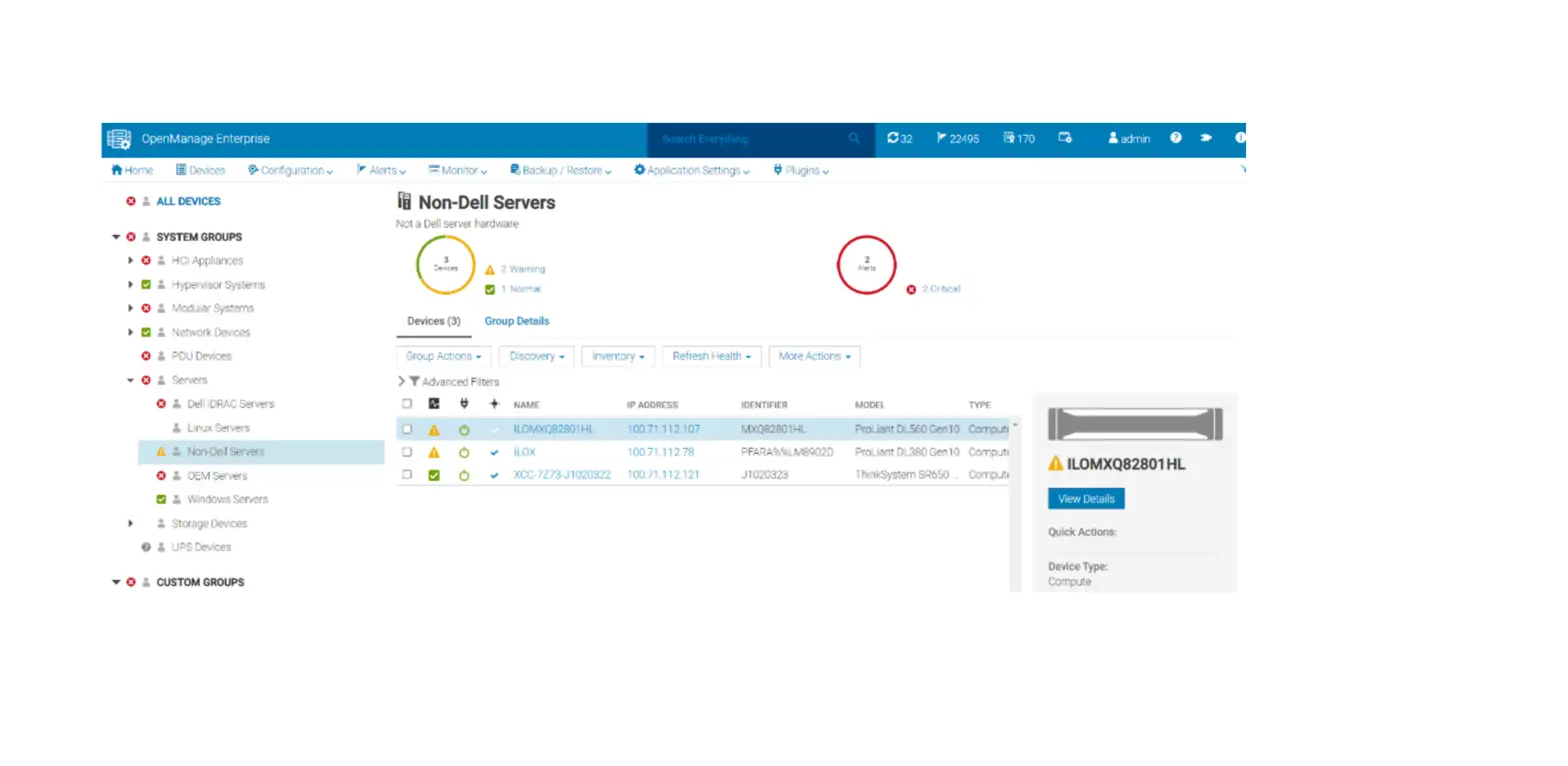
Discovery and inventory
Monitoring and device alerts
Managing device firmware
PowerEdge FC430
Yes
Yes
Yes
PowerEdge FC630
Yes
Yes
Yes
PowerEdge FC830
Yes
Yes
Yes
YX4X systems
PowerEdge M640
Yes
Yes
Yes
PowerEdge R240
Yes
Yes
Yes
PowerEdge R340
Yes
Yes
Yes
PowerEdge R440
Yes
Yes
Yes
PowerEdge R540
Yes
Yes
Yes
PowerEdge R640
Yes
Yes
Yes
PowerEdge R6415
Yes
Yes
Yes
PowerEdge R740
Yes
Yes
Yes
PowerEdge R740xd
Yes
Yes
Yes
PowerEdge R740xd2
Yes
Yes
Yes
PowerEdge R7415
Yes
Yes
Yes
PowerEdge R7425
Yes
Yes
Yes
PowerEdge R840
Yes
Yes
Yes
PowerEdge R940
Yes
Yes
Yes
PowerEdge R940XA
Yes
Yes
Yes
PowerEdge T140
Yes
Yes
Yes
PowerEdge T340
Yes
Yes
Yes
PowerEdge T440
Yes
Yes
Yes
PowerEdge T640
Yes
Yes
Yes
PowerEdge FC640
Yes
Yes
Yes
PowerEdge MX740c
Yes
Yes
Yes
PowerEdge MX840c
Yes
Yes
Yes
YX5X systems
PowerEdge R6515
Yes
Yes
Yes
PowerEdge R6525
Yes
Yes
Yes
PowerEdge R7515
Yes
Yes
Yes
PowerEdge R7525
Yes
Yes
Yes
PowerEdge R650
Yes
Yes
Yes
PowerEdge R750
Yes
Yes
Yes
PowerEdge R750xa
Yes
Yes
Yes
PowerEdge MX750c
Yes
Yes
Yes
Managing device configurations and
deployment Yes Yes Yes
Yes Yes Yes Yes Yes Yes Yes Yes Yes Yes Yes Yes Yes Yes Yes Yes Yes Yes Yes Yes Yes Yes
Yes Yes Yes Yes Yes Yes Yes Yes
6
Introduction
Table 2. Supported PowerEdge servers (continued)
Supported OpenManage Enterprise features
PowerEdge servers
Discovery and inventory
Monitoring and device alerts
Managing device firmware
PowerEdge R450 *
Yes
Yes
Yes
PowerEdge R550 *
Yes
Yes
Yes
PowerEdge R650xs *
Yes
Yes
Yes
PowerEdge R750xs *
Yes
Yes
Yes
Managing device configurations and
deployment
Yes
Yes
Yes
Yes
NOTE: * indicates device added in this release.
The following table lists the supported PowerEdge C-Series servers.
Table 3. PowerEdge C-Series servers
PowerEdge C-Series servers
PowerEdge C4130 PowerEdge C4140 PowerEdge C6320 PowerEdge C6320p PowerEdge C6420 PowerEdge C6525 PowerEdge C6520
Discovery and inventory
Yes Yes Yes Yes Yes Yes Yes
Supported OpenManage Enterprise features
Monitoring and device alerts
Managing device firmware
Yes
Yes
Yes
Yes
Yes
Yes
Yes
Yes
Yes
Yes
Yes
Yes
Yes
Yes
Managing device configurations and
deployment Yes
Yes
Yes
Yes
Yes
Yes
Yes
NOTE: * indicates device added in this release.
Supported Dell EMC XC Series Web-Scale converged appliances
The following table lists the supported XC Series Web-Scale converged appliances.
Table 4. Supported XC Series Web-Scale converged appliances
XC Series WebScale converged appliances
Discovery and inventory
Supported OpenManage Enterprise features
Monitoring and device alerts
Managing device firmware
XC6320-6
Yes
Yes
No
XC6320-6AF
Yes
Yes
No
XC430 Xpress
Yes
Yes
No
XC430-4
Yes
Yes
No
XC430-8
Yes
Yes
No
XC630-10
Yes
Yes
No
XC630-10AF
Yes
Yes
No
XC630-10P
Yes
Yes
No
Managing device configurations and
deployment No No No No No No No No
Introduction
7
Table 4. Supported XC Series Web-Scale converged appliances (continued)
XC Series WebScale converged appliances
Discovery and inventory
Supported OpenManage Enterprise features
Monitoring and device alerts
Managing device firmware
XC640
Yes
Yes
No
XC730-16G
Yes
Yes
No
XC730xd-12
Yes
Yes
No
XC730xd-12C
Yes
Yes
No
XC730xd-12R
Yes
Yes
No
XC730xd-12R Xpress
Yes
Yes
No
XC730xd-12S
Yes
Yes
No
XC730xd-24
Yes
Yes
No
XC730xd-24S
Yes
Yes
No
XC740xd
Yes
Yes
No
XC6420
Yes
Yes
No
XC6400
Yes
Yes
No
XC940
Yes
Yes
No
XC640ENT XC Core
Yes
Yes
No
XC740xdENT XC Core
Yes
Yes
No
XC940ENT XC Core
Yes
Yes
No
XC6420ENT XC Core
Yes
Yes
No
XC6400
ENCLOSURE XC
Yes
Yes
No
Core
XCXR2 Core
Yes
Yes
No
XC740xd2 Core
Yes
Yes
No
XC6515-8
Yes
Yes
No
Managing device configurations and
deployment No No No No No No No No No No No No No No
No
No
No
No
No No No
NOTE: The SATADOM-specific information is not displayed in the device inventory of OpenManage Enterprise.
Supported Dell EMC XE Series
The following table lists the supported XE Series devices.
Table 5. Supported XE Series devices
Supported OpenManage Enterprise features
XE Series Devices
Discovery and Monitoring and device
inventory
alerts
Managing device firmware
Managing device configurations and
deployment
PowerEdge XE2420
Yes
Yes
Yes
Yes
PowerEdge XE7420
Yes
Yes
Yes
Yes
PowerEdge XE7440
Yes
Yes
Yes
Yes
8
Introduction
Table 5. Supported XE Series devices (continued)
Supported OpenManage Enterprise features
XE Series Devices
Discovery and Monitoring and device
inventory
alerts
Managing device firmware
Managing device configurations and
deployment
PowerEdge XE8545 *
Yes
Yes
Yes
Yes
NOTE: * indicates device added in this release.
Supported Dell EMC XR Series
The following table lists the supported XR Series devices.
Table 6. Supported XR Series devices
Supported OpenManage Enterprise features
XR Series Devices
Discovery and Monitoring and device
inventory
alerts
Managing device firmware
Managing device configurations and
deployment
PowerEdge XR2
Yes
Yes
Yes
Yes
PowerEdge XR11
Yes
Yes
Yes
Yes
PowerEdge XR12
Yes
Yes
Yes
Yes
Supported Dell EMC chassis devices
The following table lists the supported chassis devices.
Table 7. Supported Dell EMC chassis devices
PowerEdge chassis devices
Discovery and inventory
Supported OpenManage Enterprise features
Monitoring and device alerts
Managing device firmware
PowerEdge MX7000
Yes
Yes
Yes
PowerEdge M1000e
Yes
Yes
Yes
PowerEdge VRTX
Yes
Yes
Yes
PowerEdge FX2
Yes
Yes
Yes
PowerEdge FX2s
Yes
Yes
Yes
Managing device configurations and
deployment
Yes
Yes
Yes
Yes
Yes
Supported Input/Output Aggregators (IOA)
The following table lists the chassis and the Input/Output Aggregators which support IOA template deployment.
Table 8. Supported Input/Output Aggregators (IOA)
PowerEdge chassis devices
Supported IOAs
Managing device configurations and deployment
PowerEdge M1000e
MIOA
Yes
Dell Networking OS version
OS9
PowerEdge FX2s
FN2210S
Yes
OS9
PowerEdge FX2s
FN410S
Yes
OS9
PowerEdge FX2s
FN410T
Yes
OS9
Introduction
9
Supported Dell EMC VxRail Hyper-converged appliances
The following table lists the supported VxRail Hyper-converged appliances.
Table 9. Supported VxRail Hyper-converged appliances
VxRail Hyperconverged appliances
Discovery and inventory
Supported OpenManage Enterprise features
Monitoring and device alerts
Managing device firmware
VxRail D560F
Yes
Yes
No
VxRail E460
Yes
Yes
No
VxRail E460F
Yes
Yes
No
VxRail E560
Yes
Yes
No
VxRail E560F
Yes
Yes
No
VxRail E665
Yes
Yes
No
VxRail E665N
Yes
Yes
No
VxRail G560
Yes
Yes
No
VxRail G560F
Yes
Yes
No
VxRail P470
Yes
Yes
No
VxRail P470F
Yes
Yes
No
VxRail P470N
Yes
Yes
No
VxRail P570
Yes
Yes
No
VxRail P570F
Yes
Yes
No
VxRail P675F
Yes
Yes
No
VxRail P675N
Yes
Yes
No
VxRail S470
Yes
Yes
No
VxRail S570
Yes
Yes
No
VxRail V470
Yes
Yes
No
VxRail V470F
Yes
Yes
No
VxRail V570
Yes
Yes
No
VxRail V570F
Yes
Yes
No
Managing device configurations and
deployment No No No No No No No No No No No No No No No No No No No No No No
NOTE: * indicates device added in this release.
Supported Dell Storage modules
The following table lists the supported Dell Storage modules.
Table 10. Supported Dell Storage modules
Storage module
Inventory
Supported OpenManage Enterprise features
Monitoring health
Managing device firmware
PowerEdge FD332
Yes
Yes
No
Managing device configurations and
deployment
No
10
Introduction
Table 10. Supported Dell Storage modules (continued)
Supported OpenManage Enterprise features
Storage module
Inventory
Monitoring health
Managing device firmware
PowerEdge MX5016S
Yes
Yes
Yes
Managing device configurations and
deployment
No
Supported Dell Storage devices–previously Dell Compellent devices
The following table lists the supported Dell Storage devices–previously Dell Compellent devices.
Table 11. Supported Dell Storage devices
Supported OpenManage Enterprise features
Storage devices
Discovery and inventory
Monitoring and device alerts
Managing device firmware
FS8600 version 6
Yes
Yes
No
SC4020
Yes
Yes
No
SC7020
Yes
Yes
No
SC8000
Yes
Yes
No
SCv3000
Yes
Yes
No
SC9000
Yes
Yes
No
SC5020
Yes
Yes
No
SCv3020
Yes
Yes
No
SC3020 version 7.5.1 *
Yes
Yes
No
Managing device configurations and
deployment No No No No No No No No
No
NOTE: * indicates device added in this release.
The following table lists the supported Dell storage devices grouped under the DELL PowerVault MD Series .
Table 12. Supported Dell Storage devices – PowerVault MD Series
Supported OpenManage Enterprise features
Storage devices
Discovery and inventory
Monitoring and device alerts
Managing device firmware
MD3220i
Yes
Yes
No
MD3220
Yes
Yes
No
MD3200
Yes
Yes
No
MD3200i
Yes
Yes
No
MD3800f
Yes
Yes
No
MD3820f
Yes
Yes
No
MD3860f
Yes
Yes
No
MD3800i
Yes
Yes
No
MD3820i
Yes
Yes
No
MD3400
Yes
Yes
No
Managing device configurations and
deployment No No No No No No No No No No
Introduction
11
Table 12. Supported Dell Storage devices – PowerVault MD Series (continued)
Supported OpenManage Enterprise features
Storage devices
Discovery and inventory
Monitoring and device alerts
Managing device firmware
MD3420
Yes
Yes
No
MD3460
Yes
Yes
No
MD3060e
Yes
Yes
No
Managing device configurations and
deployment
No
No
No
The following table lists the supported Dell Storage devices grouped under the DELL EMC PowerVault ME4 Series.
Table 13. Supported Dell Storage devices – DELL EMC PowerVault ME4 Series
Storage devices
ME4012 ME4024
Discovery and inventory
Yes Yes
Supported OpenManage Enterprise features
Monitoring and device alerts
Managing device firmware
Yes
No
Yes
No
Managing device configurations and
deployment
No
No
ME4084 (not in JBOD mode)
Yes
Yes
No
No
The following table lists the supported Dell Storage devices grouped under the DELL EMC PowerVault NX Series.
Table 14. Supported Dell Storage devices – DELL EMC PowerVault NX Series
Storage devices
NX3340 NX3240
Discovery and inventory
Yes Yes
Supported OpenManage Enterprise features
Monitoring and device alerts
Managing device firmware
Yes
No
Yes
No
Managing device configurations and
deployment
No
No
Supported Dell Networking devices–previously Dell Force10 devices
The following table lists the supported Dell Networking devices.
Table 15. Supported Networking devices
Networking devices
Discovery and
inventory
Supported OpenManage Enterprise features
Monitoring and device alerts
Managing device firmware
Managing device configurations and
deployment
Dell Networking OS version
MX5108N
Yes
Yes
No
No
OS10
MX9116N
Yes
Yes
No
No
OS10
MXG610S
NOTE: These
switches are
Yes
Yes
No
No
managed via OME-
M.
MXL 10/40GbE
OS9
Yes
Yes
No
No
NOTE: These
switches are
12
Introduction
Table 15. Supported Networking devices (continued)
Networking devices
Discovery and
inventory
Supported OpenManage Enterprise features
Monitoring and device alerts
Managing device firmware
Managing device configurations and
deployment
Dell Networking OS version
managed via M1000e chassis.
N3248TE
Yes
Yes
No
No
OS10.5.2.0
S3048-ON
Yes
Yes
No
No
OS9
S4048-ON
Yes
Yes
No
No
OS9
S4112F-ON
Yes
Yes
No
No
S4112T-ON
Yes
Yes
No
No
S4128F-ON
Yes
Yes
No
No
S4128T-ON
Yes
Yes
No
No
OS10
S4148F-ON
Yes
Yes
No
No
S4148FE-ON
Yes
Yes
No
No
S4148T-ON
Yes
Yes
No
No
S4148U-ON
Yes
Yes
No
No
S4248FB
Yes
Yes
No
No
OS10.5.2.0
S4248FB-ON
Yes
Yes
No
No
OS10
S4248FBL-ON
Yes
Yes
No
No
S5148F-ON
Yes
Yes
No
No
OS10
S5212F-ON
Yes
Yes
No
No
OS10
S5224F-ON
Yes
Yes
No
No
S5232F
Yes
Yes
No
No
OS10
S5248F-ON
Yes
Yes
No
No
S5296F-ON
Yes
Yes
No
No
S5296F
Yes
Yes
No
No
OS10.5.2.0
S6010
Yes
Yes
No
No
OS10.5.2.0
S6010-ON
Yes
Yes
No
No
OS10
S6100-ON
Yes
Yes
No
No
OS9
Z9100
Yes
Yes
No
No
OS10.5.2.0
Z9100-ON
Yes
Yes
No
No
OS9
Z9264F
Yes
Yes
No
No
OS10.5.2.0
Z9264F-ON
Yes
Yes
No
No
OS10
Z9332F
Yes
Yes
No
No
OS10
C9010
Yes
Yes
No
No
OS9.14.2.8
C1048
Yes
Yes
No
No
OS9.14.2.8
NOTE: * indicates device added in this release.
Introduction
13
OEM devices
Dell EMC OEM devices (rebranded or debranded PowerEdge servers), when discovered, are classified under SYSTEM GROUPS > All Devices > Servers > OEM Servers on the All Devices page. If both the server and RAC of the OEM device are discovered, they are correlated and displayed as one device under the OEM Devices group. Most of the functionality available to the PowerEdge servers–such as tasks, reports, and filters–are also available to the PowerEdge OEM servers. However, system update may not be possible if it is not supported by the OEM device module.
Supported hypervisors on management stations
NOTE: * indicates a newly-added item.
Supported VMware vSphere versions: vSphere ESXi 5.5 vSphere ESXi 6.0 vSphere ESXi 6.5 vSphere ESXi 6.5 U3 vSphere ESXi 6.7 vSphere ESXi 6.7 U1 vSphere ESXi 6.7 U3 vSphere ESXi 7.0 vSphere ESXi 7.0 U1 vSphere ESXi 7.0 U2
Microsoft Hyper-V supported on: Windows Server 2012 R2 Windows Server 2016 Windows Server 2019
KVM supported on: Red Hat Enterprise Linux 6.5 Red Hat Enterprise Linux 7.0 Red Hat Enterprise Linux 7.2 Red Hat Enterprise Linux 7.6 Red Hat Enterprise Linux 7.7 Red Hat Enterprise Linux 8.0 Red Hat Enterprise Linux 8.1 Red Hat Enterprise Linux 8.2 Red Hat Enterprise Linux 8.3 *
Supported operating systems for in-band device management
Supported operating systems on managed nodes
The following table lists the supported operating systems on the managed devices.
Table 16. Supported operating systems on managed nodes
Supported OpenManage Enterprise features
Operating systems
Discovery and Inventory
Device Alerts
Managing device configurations and
deployment
Windows 2016
Yes
Yes
No
Driver Update Yes
14
Introduction
Table 16. Supported operating systems on managed nodes (continued)
Supported OpenManage Enterprise features
Operating systems
Discovery and Inventory
Device Alerts
Managing device configurations and
deployment
Windows 2019
Yes
Yes
No
Azure Stack HCI
Yes
Yes
No
ESXi 7.0
Yes
Yes
No
ESXi 7.0 U1
Yes
Yes
No
ESXi 7.0 U2
Yes
Yes
No
ESXi 6.7 U3
Yes
Yes
No
RHEL 7.8
Yes
Yes
No
RHEL 7.9
Yes
Yes
No
RHEL 8.1
Yes
Yes
No
RHEL 8.2
Yes
Yes
No
RHEL 8.3*
Yes
Yes
No
Ubuntu 18.04.4
Yes
Yes
No
Ubuntu 20.04
Yes
Yes
No
SLES 15 SP2
Yes
Yes
No
NOTE: * indicates a newly-added item.
Driver Update
Yes No No No No No No No No No No No No No
Supported browsers
Microsoft Internet Explorer 11 and later (64-bit) Mozilla Firefox 52 and later Google Chrome 58 and later Microsoft Edge version 41.16299 and later
Supported plugins
The following table lists the supported plugins that can be enabled for additional OpenManage Enterprise monitoring and management capabilities.
Table 17. Supported Plugins
Supported Plugin
Plugin Function
Dell EMC Power Manager
Enables PowerEdge servers’ power management and allows administrators to view, measure, and control server power consumption.
Dell EMC OpenManage Enterprise Services (formerly Support Assist )
Enables proactive and predictive monitoring and management support for devices with ProSupport and ProSupport Plus entitlements.
Dell EMC Update Manager (UMP)
Enables administrators to create and manage repositories for PowerEdge devices with iDRAC or Windows that are managed in OpenManage Enterprise.
Introduction
15
Table 17. Supported Plugins (continued)
Supported Plugin
Plugin Function
Dell EMC CloudIQ
Enables administrators to register with the Dell EMC CloudIQ, select the device groups for data transfer to CloudIQ for proactive monitoring and measurement of overall health of the selected devices.
Minimum recommended hardware
This table describes the minimum recommended hardware for OpenManage Enterprise.
Table 18. Minimum recommended hardware
Minimum recommended hardware
Large deployments
Number of devices that can be managed by the appliance
Up to 8000
RAM
32 GB
Processors
8 cores total
Hard drive
400 GB
Small deployments 1000
16 GB 4 cores total 400 GB
Contacting Dell
NOTE: If you do not have an active Internet connection, you can find contact information on your purchase invoice, packing slip, bill, or Dell product catalog.
Dell provides several online and telephone-based support and service options. Availability varies by country and product, and some services may not be available in your area. To contact Dell for sales, technical support, or customer service issues: 1. Go to Dell.com/support. 2. Select your support category. 3. Verify your country or region in the Choose a Country/Region drop-down list at the bottom of the page. 4. Select the appropriate service or support link based on your need.
16
Introduction