
okdo 202-0456 5MP Camera
General
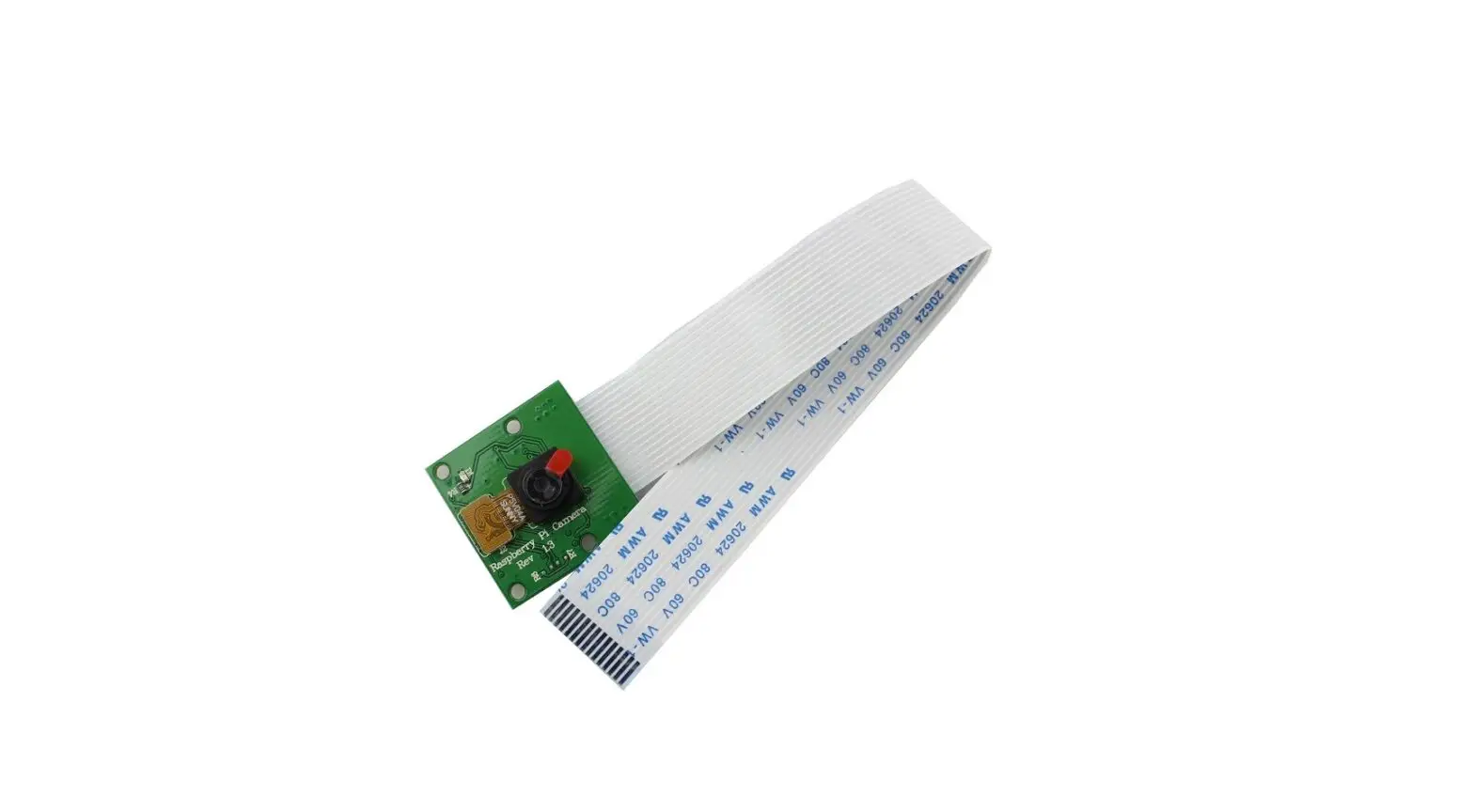
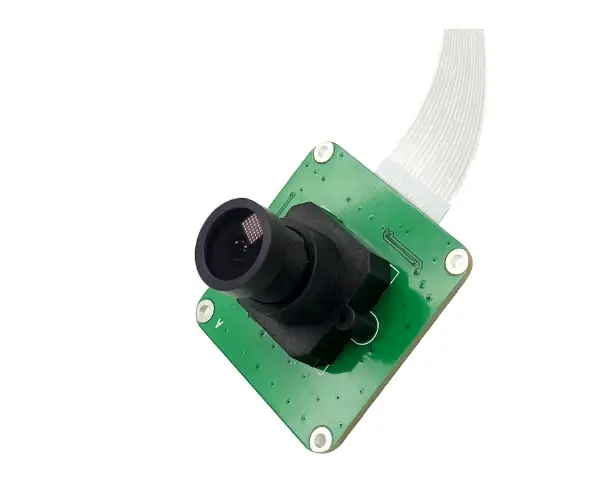
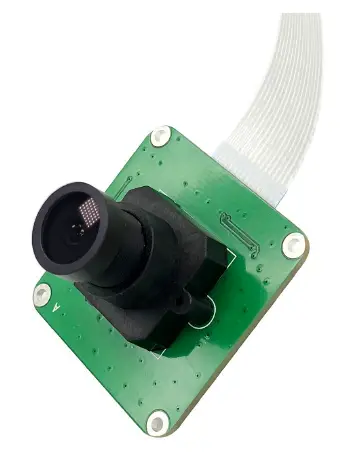
The OKdo 5MP Camera is a low-cost wider Field View camera module, designed for the whole Raspberry Pi series(P4/Pi3 B+/PI3 A+/PI3/PI ZERO/PI ZERO W/CM3+/CM3). The OKdo 5MP Camera has a 5M Pixel sensor, and connects via a ribbon cable to the CSI connector on the Raspberry Pi.
Plug and Play device, driver-free. Supports all Raspberry Pi original camera tools, such as raspistill, raspivid etc.
Features
- The OKdo 5MP Camera is a low-cost wider field view camera module that designed for Raspberry Pi 4, Pi 3 B+, Pi 3, Pi 2, Pi B+, Pi A, Pi Zero/Zero W. Comes with both ribbon cable sizes for compatibility with classic Raspberry Pi and Zero.
- Connects to the CSI connector of Raspberry Pi directly. High bandwidth communication from the camera module to the Raspberry pi.
- Sensor type: On-board OmniVision OV5647[6] Color CMOS QSXGA (5-megapixel); Video: 1080p at 30 fps with codec H.264 (AVC).
- Lens Feature: 2.8 Focal Length. F/NO: 2.2. Field Of view: D=90° H=74°. Element: 4G+IR. CRA: 10°. Relative Illumination: 52%. Focal distance is adjustable.
- Plug and Play device, driver-free for all raspberry pi boards, no need to install extra software.
Hardware Description
Overview
| Sensor type | OmniVision OV5647 Color CMOS QSXGA |
| Sensor size | 3.67 x 2.74 mm (1/4 inch) |
| Resolution | 5 million pixels |
| Field of view | Fov(D) = 90° Fov(H) = 74° |
| Pixel Count(Still Picture Resolution) | 2592 x 1944 |
| Focal Length | 2.8 mm |
| Focal Distance | Adjustable |
| F(N) /Aperture | 2.2 |
| Pixel Size | 1.4 x 1.4 um |
| Video | 1080p at 30 fps
720p at 60 fps |
| Board Size | 39 x 39 mm (not including flex cable) |
| TV DISTORTION | <-17% |
| CRA | 10° |
| Relative Illumination | 52% |
| Minimum Object Distance (M.O.D) | 0.1 meter |
| Element | 4G+IR |
| Lens Diameter | M12 |
| Lens Seat Spacing | 22 mm |
| Mounting Holes | 4x D=2.20 mm |
Size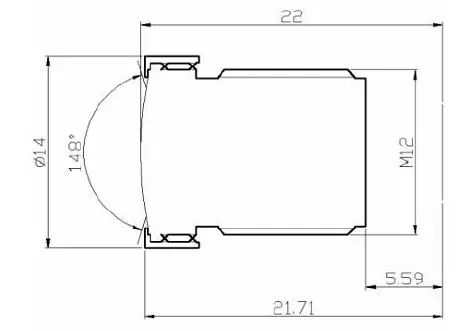
Wiring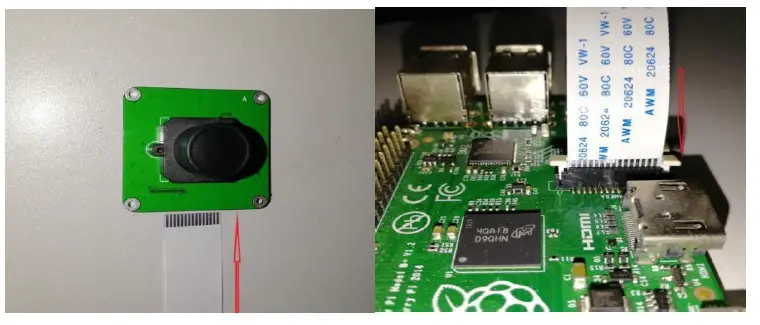
Software Description
Load image
Prepare a capacity of more than 8GB TF card and a card reader. Load the image file onto the SD card, using the instructions provided on the Raspberry Pi website for Linux, Mac, or PC:
https://www.raspberrypi.org/documentation/installation/installing-images/README.md
https://www.raspberrypi.org/downloads/
If your Raspberry Pi OS is not the latest version. You can use the below command update.
- sudo apt-get update
- Sudo apt-get upgrade
Enable Camera
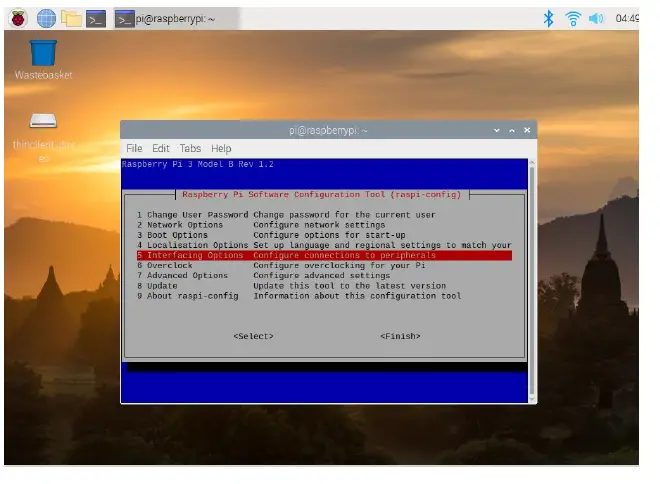
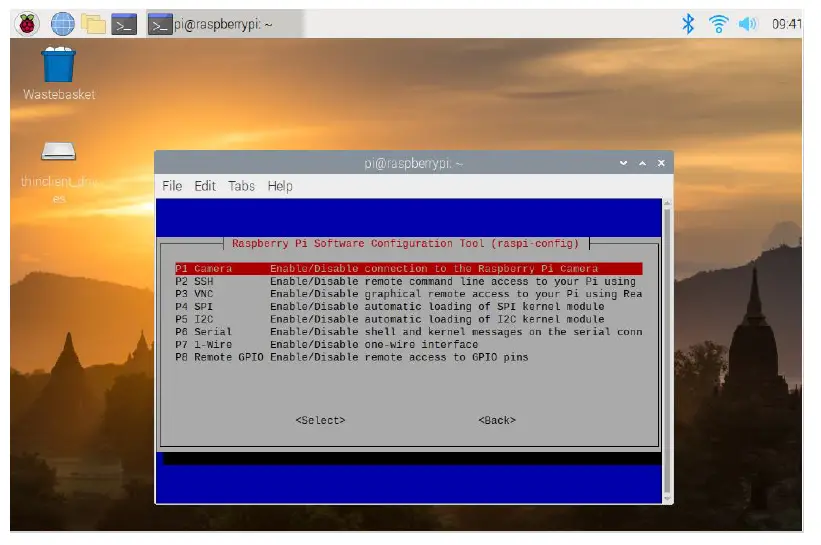
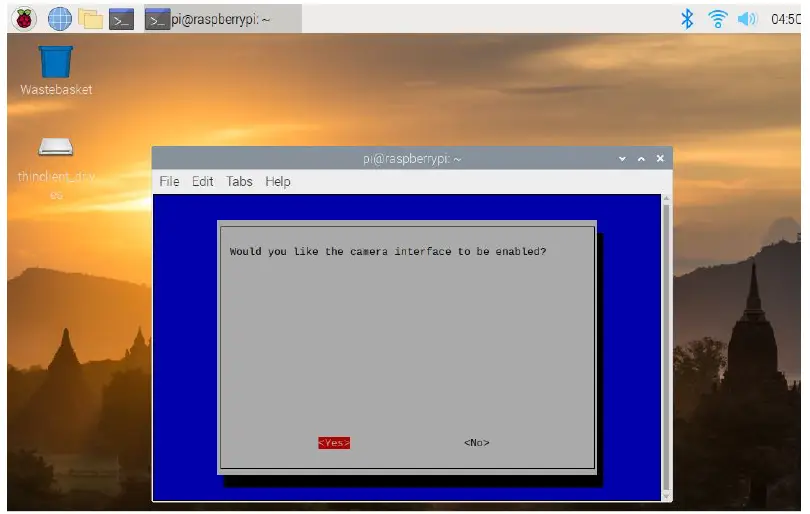
- Open the raspi-config tool when you first set up your Raspberry Pi: sudo raspi-config
- Select ‘Interfacing Options’ → ‘Camera’. and then enable camera and reboot.


Take Photos
- to take a picture name ‘test’. raspistill -o test.jpg
- take a picture name ‘test’ with resolution 640*480: raspistill -o test.jpg -w 640 -h 480
- take a picture name ‘test’ after 10 seconds(10000ms): raspistill -t 10000 -o test.jpg
- Take a picture name ‘test’ with PNG format(raw data) . If will take more time to save.: raspistill -o test.png -e png
Take H.264 Video
- to take a 10s(10000ms) video named ‘test’. : raspivid -o test.h264 -t 10000
- take a 10s(10000ms) video name ‘test’ with resolution 1280*720. raspivid -o test.h264 -t 10000 -w 1280 -h 720
Reference
The OKdo 5MP Camera can be used in the same way as a standard Pi camera. For more information, please refer to below link:
https://projects.raspberrypi.org/en/projects/getting-started-with-picamera
https://www.raspberrypi.org/forums/viewforum.php?f=43&sid=7b94c5651e50c2fc2af0a049066cdfda
References
 📧[email protected]
-
📧[email protected]
-
OKdo: Raspberry Pi | micro:bit | Arduino | Single Board Computer UK Store
-
projects.raspberrypi.org/en/projects/getting-started-with-picamera
 Raspberry Pi Documentation - Getting Started Raspberry Pi
-
Raspberry Pi OS – Raspberry Pi Raspberry Pi
-
Camera board - Raspberry Pi Forums Raspberry Pi
-
Camera board - Raspberry Pi Forums Raspberry Pi
 📧
📧 OKdo: Raspberry Pi | micro:bit | Arduino | Single Board Computer UK Store
 projects.raspberrypi.org/en/projects/getting-started-with-picamera
 Raspberry Pi Documentation - Getting Started Raspberry Pi