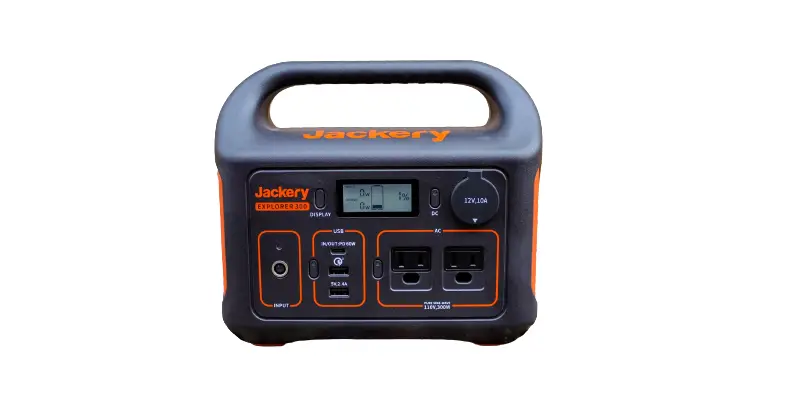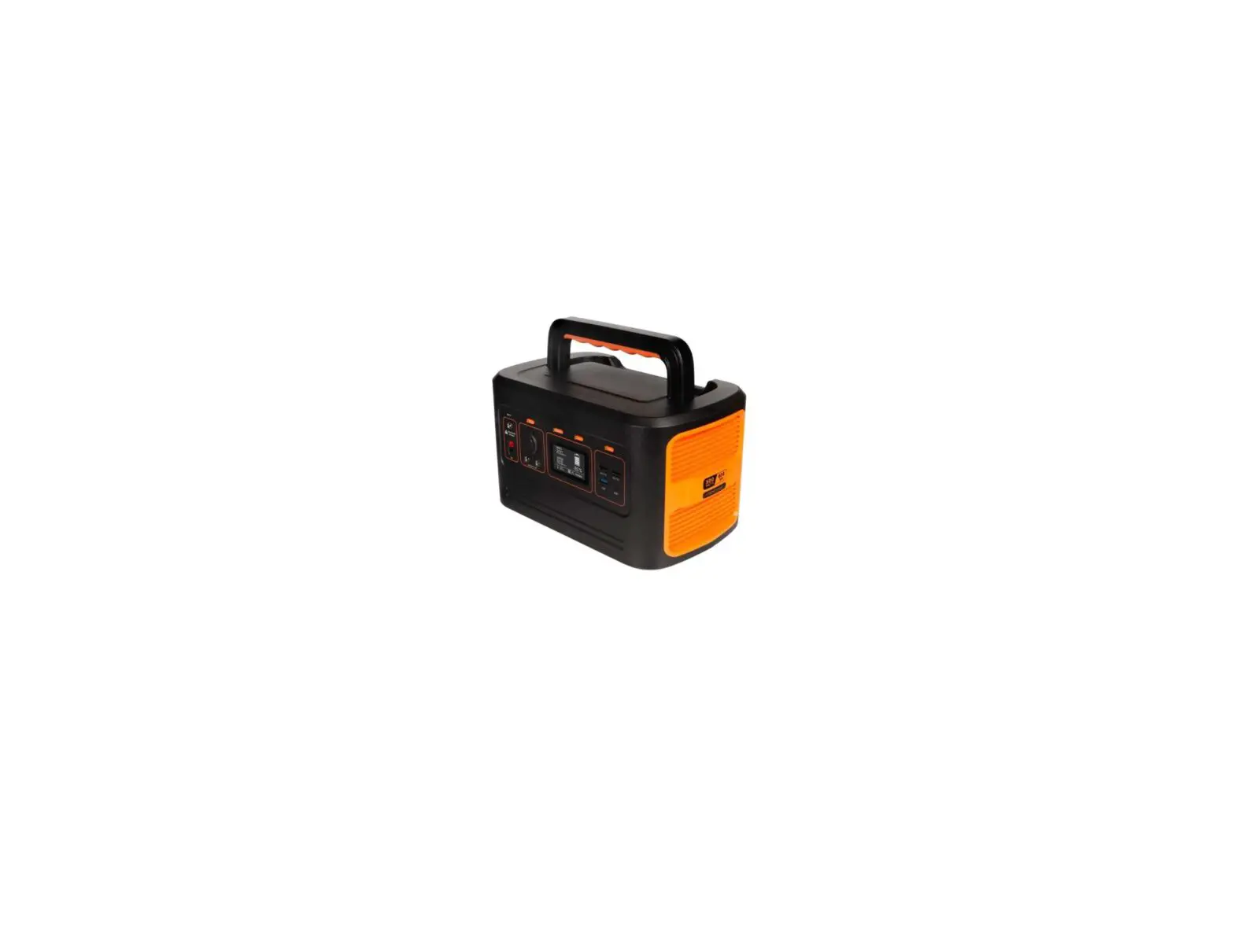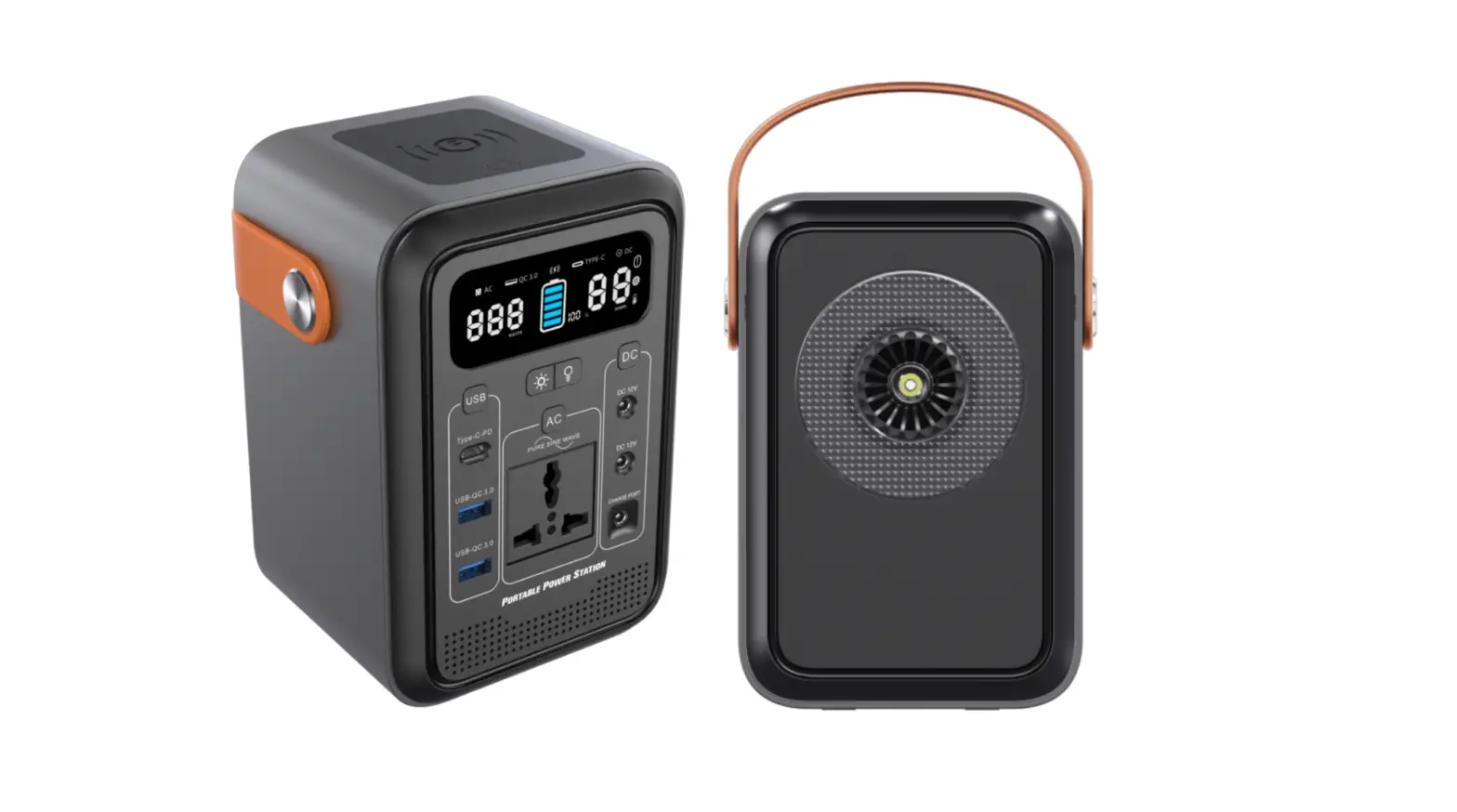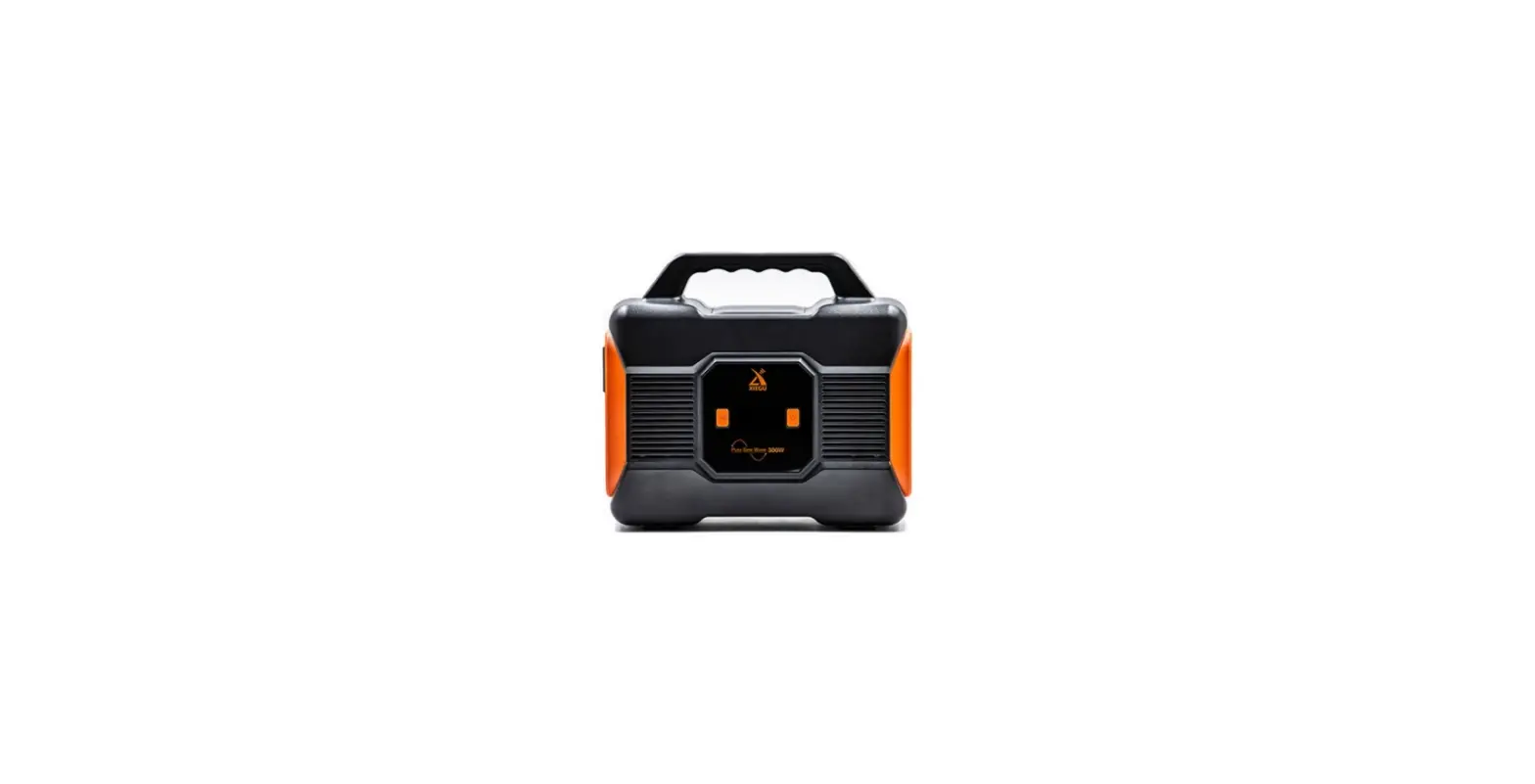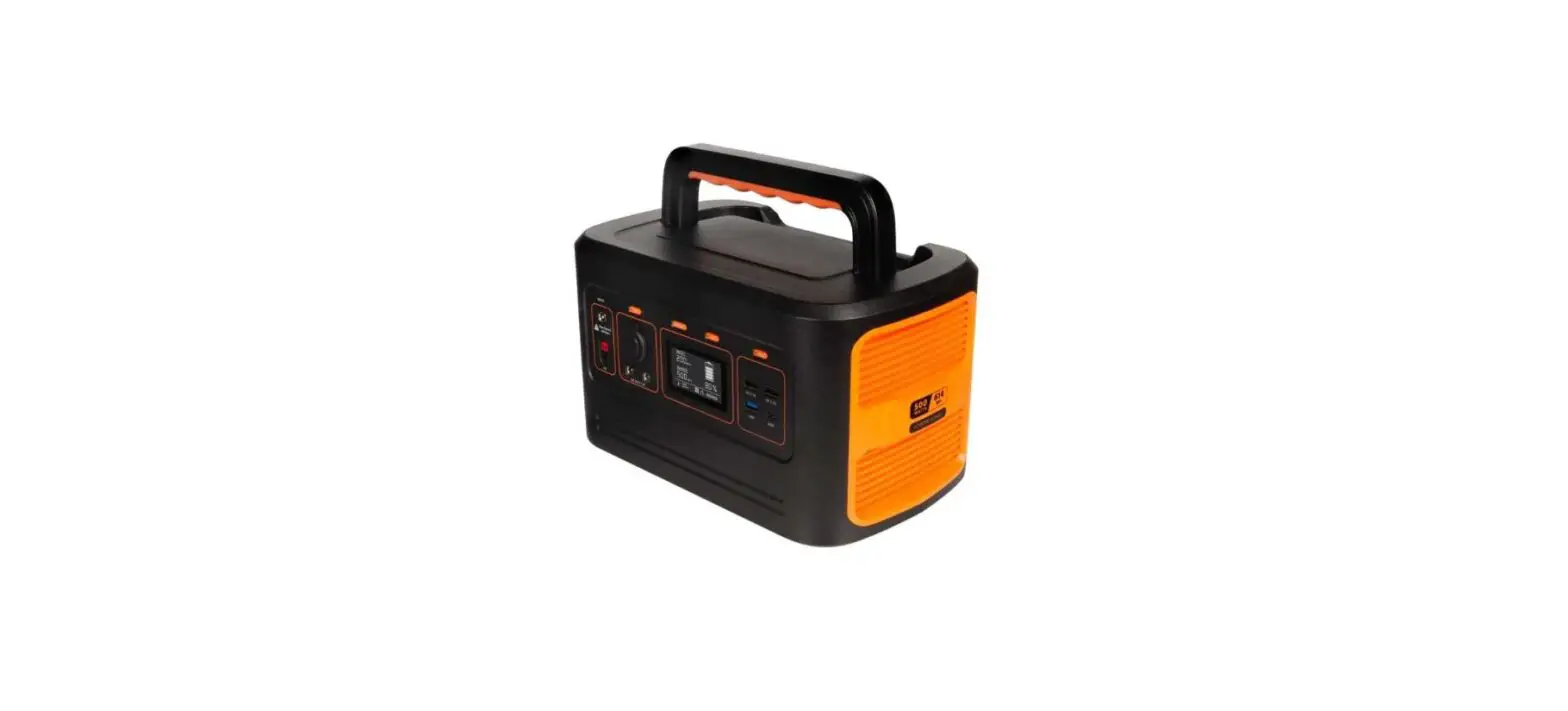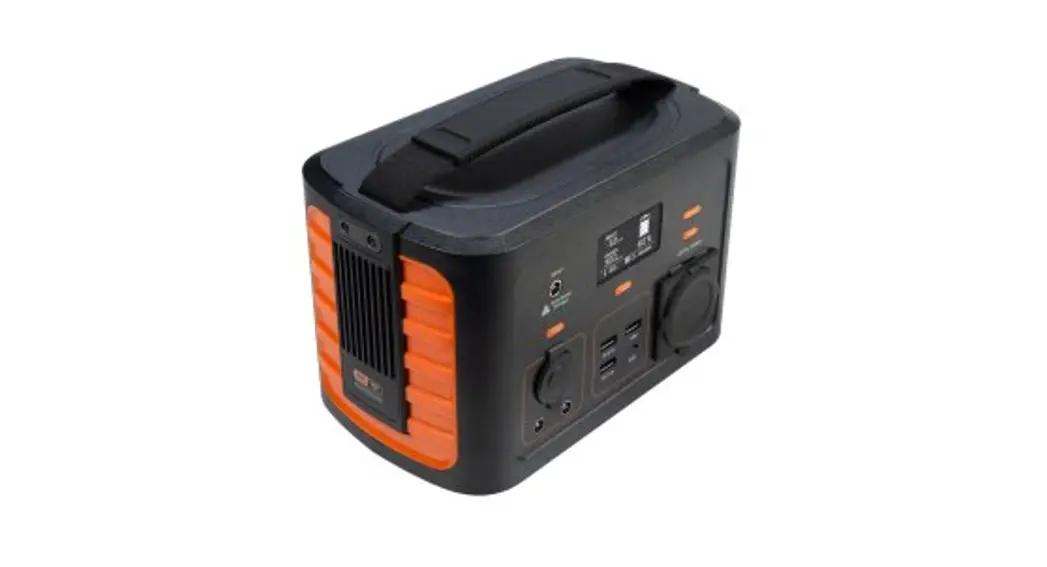
XINGYU XGH360
Power Station
User Manual
(XGH360/XGH720/XGH1000)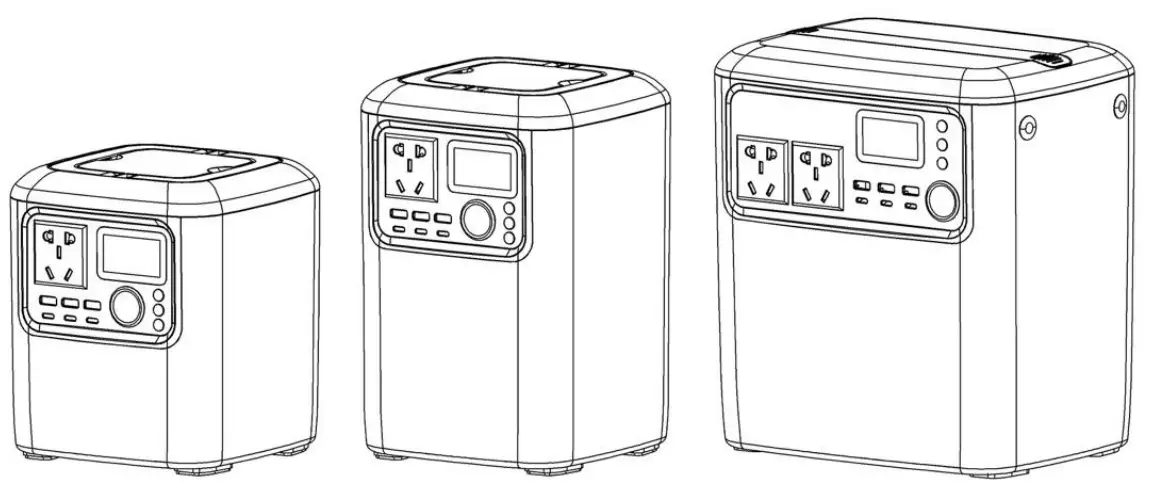
Zhejiang Xingyu Mechanical & Electrical Technology Co., Ltd.
Forewords
Thank you for choosing our power station. All contents of this manual are consistent with the latest products (when this manual is printed). Our company reserves the right to make changes without notice and without any liability. This manual is owned by our company and is not allowed to be recorded without written permission.
Pay special attention to statements preceded by the following words WARNING
This symbol is displayed that if you do not follow the correct operation of the manual, it will lead to serious personal injury or other accidents. NOTICE
This symbol is displayed that if you do not follow the correct operation of the manual, it will lead to serious personal injury or other accidents.
As long as following the instructions in this manual, the generators are safe and reliable. Be sure to read and understand the instructions before use, otherwise the wrong operation will result in personal injury or equipment damage.
If you have any questions about the generator, please contact our company for further information.
Production introduction
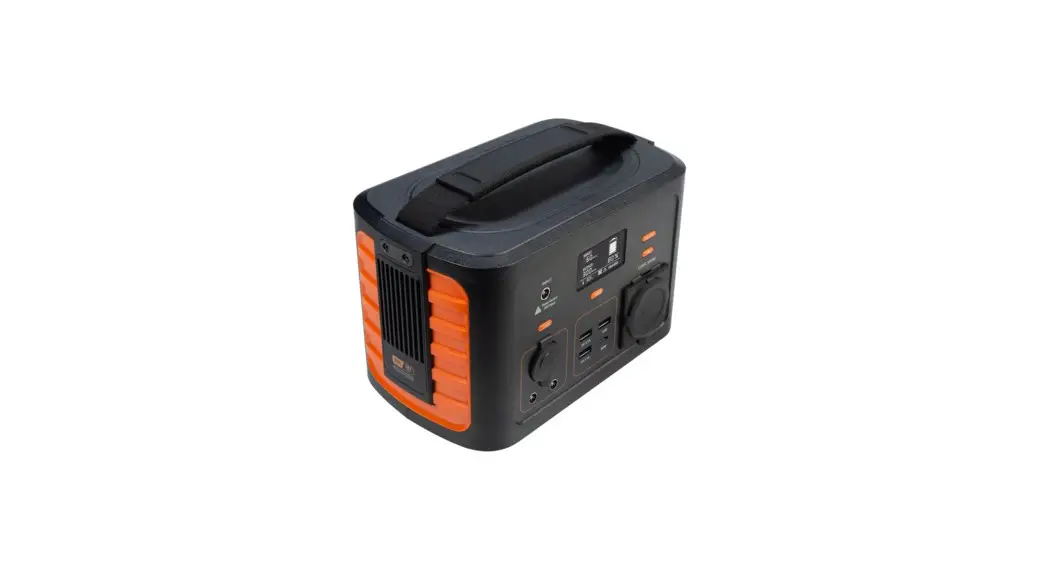
This product is a portable multi-functional energy storage power station, with a built-in imported lithium-ion battery, a safe lithium battery management system (BMS), and an efficient energy conversion circuit. It has the features of small size, large capacity, lightweight, high power, easy to carry, etc., and provides you with a simple mobile power solution. This product can be charged by solar energy, vehicle charging, and utility charging, and it can be widely used in outdoor offices, medical rescue, fire rescue, field leisure, emergency communication, environmental monitoring, and other fields.
The main functions of this series of power stations are
- AC100V~240V/50~60Hz Pure sine wave output (set according to the power standard of each country or region)
- Solar Charging System
- Vehicle charging
- Fast charging
- Auto-adapter for mains charging
- LED display, real-time digital power display, output power display
- 12V/13A car cigarette lighter output
- USB 27W/5~12V
- output TYPE-C 27W/5~12V
- output. BMS multi-stage protection system 90%-97% high conversion efficiency
- Extremely long cycle life, greater than 800 cycles
- A smart fan design system can adjust fan speed according to the working temperature.
This product can meet the electricity needs of most electrical appliances, such as electric cookers, small refrigerators, stereos, televisions, mobile phones, portable hard drives, digital cameras, tablet PCs, LED lights, laptops, outdoor lighting, water pumps, postal and telecommunications, medical equipment, etc. It can also be used in the following fields: finance, first aid, excavation, exploration, military, science, media, tourism, disaster relief, medical assistance, and widespread power shortages. Areas etc.
Safe Operation
WARNING If you operate the power station in accordance with the operating manual, it will operate as designed, safely, and reliably. Please read and understand these instructions carefully before operating the power station, otherwise, personal injury or equipment may result. WARNING
There may be high voltage inside the power supply system, please do not open the power supply system without our company or our authorized technician, otherwise, there is a risk of electric shock.
- The product outputs high voltage alternating current, please do not insert your hand or handheld metal conductor into the AC outlet.
- Do not use the product near high-temperature heat sources, such as fire, heaters, etc.
- Do not leave the product in a high-temperature environment (over 40°C) or near a fire source for long periods of time.
- Do not use the product in a humid environment or in the rain, do not immerse in water or other liquid substances.
- Do not drop, hit or scratch the product with sharp objects. To ensure that the heat dissipation, at least 5cm space around the power supply to ensure free airflow.
NOTICE
- Please use the original adapter to charge or choose the adapter that meets the manufacturer’s electrical parameters.
- Please choose the solar panel according to the manufacturer’s specified electrical parameters.
- Please charge the product at an ambient temperature of 0-40. Charging at too low a temperature will shorten the cycle life of the battery cells.
- In case of long-term storage (more than 1 month), the battery should be kept at 50% charge level, stored in a low humidity environment without corrosive gases, at -5~25.
- The battery should be charged and discharged once every 3 months during storage.
- If there is any abnormality such as a peculiar smell or fever, please stop charging or using the product immediately, and put it in an open place away from observation, after confirming the safety, contact the dealer.
NOTICE
- This product is a power supply. Select the model that corresponds to the electrical equipment. Do not use this product with excessive power or load.
- When the power is exhausted, it should be charged in time.
- There are two wires at the output of the DC power supply. Please make sure the positive and negative terminals are not reversed before connecting the DC power supply output terminal to the appliance, otherwise the circuit will be damaged.
Technical parameters
| Parameters | X01-1360 | XGH720 | XGH1000 | |
| Battery | Battery type | lithium-ion battery | ||
| Battery power | 3601AM | 720Wh | 1300Wh | |
| Battery capacity | 100000mAh | 200000mAh | 360000mAh | |
| Battery voltage | 14.8V | 14.8V | 14.8V | |
| Cycle life | 800 times | 800 times | 800 limes | |
| BMS protection | Overvoltage. Undervoltage. Overcurrent. High and Low Temperature. Shod Circuit | |||
| AC output | Output temperature | 100-240V (set according to each country’s or region’s electricity standards) | ||
| Output frequency | 50Hz-60Hz (set according to each county’s or region’s electricity standards) | |||
| Max output | 500W | 1000W | ||
| Rated output | 400W | 800W | ||
| Output waveform | Pure sine wave | |||
| Conversion efficiency | 70% loading: >90% | |||
| DC output | Cigarette lighter port | DC 14.8V 13A | ||
| Car starting output* | Output voltage | 140V | ||
| Starting current | 300-600A | |||
| USB output | USB | QC3.0 5V=3A 9V=2A 12V=1.5A. 18W(MAX) | ||
| Type-C | QC3.0 5V=3A 9V=2A 12V=1.5A. 18W(MAX) | |||
| Wireless output | Output voltage | 5V=1A 9V=1.12A 9V=1.66A . 15W(MAX) | ||
| Standard | Oi Wireless charging standards | |||
| Charging | Adapter charging | 19V5A about 6h | 19V5A about 12h | 19V5A about 21.5h |
| Fast charging’ | 19V25A about 1.5h | 19V25A about 3h | 19V25A about 5.5h | |
| Solar charging’ | 19V5A about 6h | 19V5A about 12h | 19V5A about 21.5h | |
| Standby power | Quiescent current | <100uA | ||
| Operating temperature | Charging temperature | 0-40ºC | ||
| Discharging temperature | -20-40ºC | |||
| Store temperature | -20-40ºC | |||
| Product weight | Net weight | 4.6 Kg | 7.5 Kg | 12.5 Kg |
| Gross weight | 5.6 Kg | 8.5 Kg | 13.5 Kg | |
| Product volume | Product size | 171x171x195 | 171x171x265 | 250x190x275 |
| Packing size | 230x230x285 | 230x230x355 | 310x250x365 | |
Product illustrations
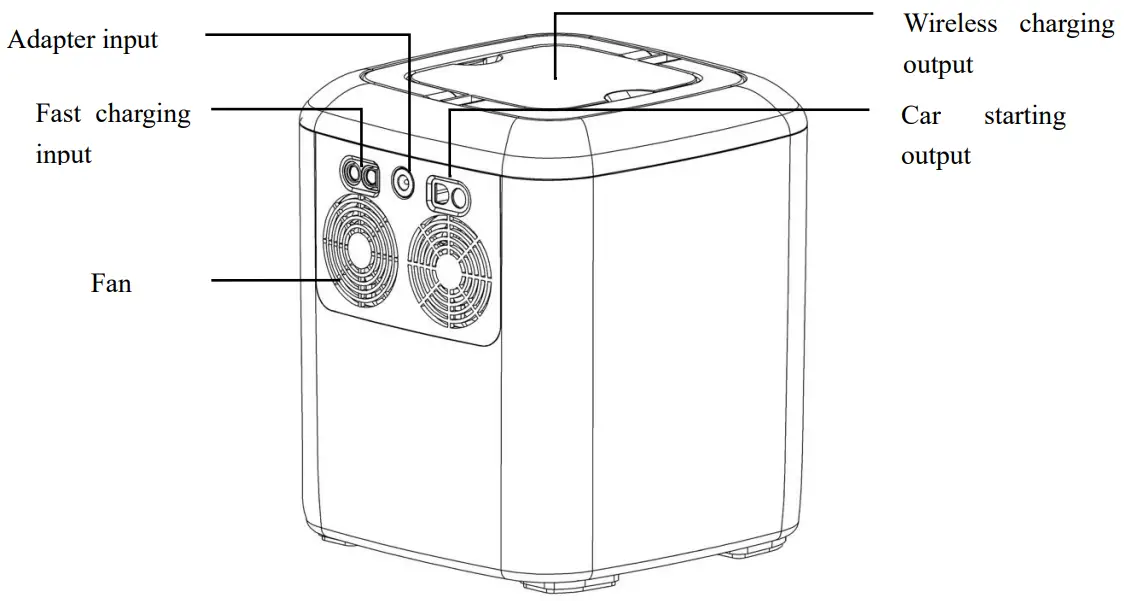
Machine diagram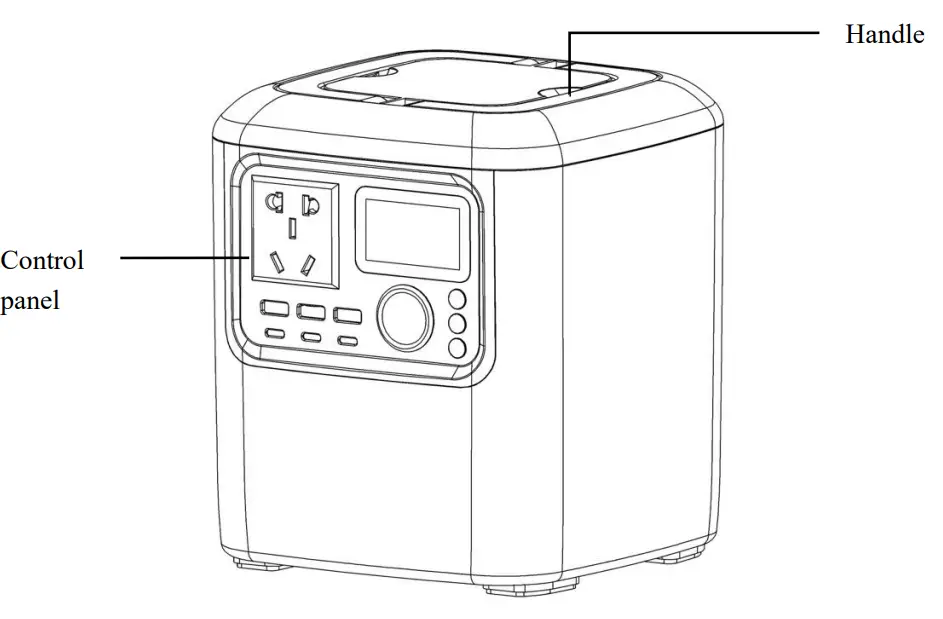
Control panel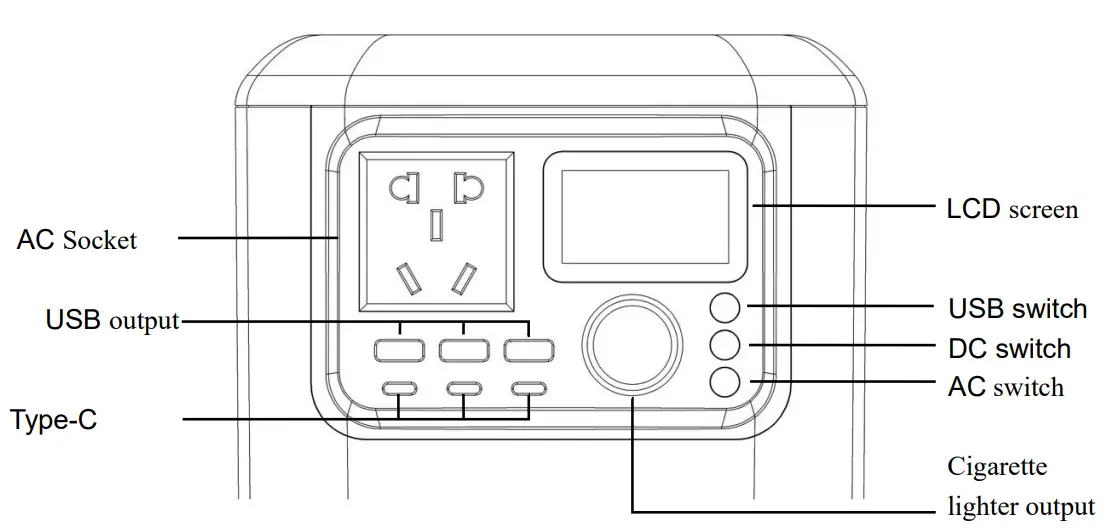
Display screen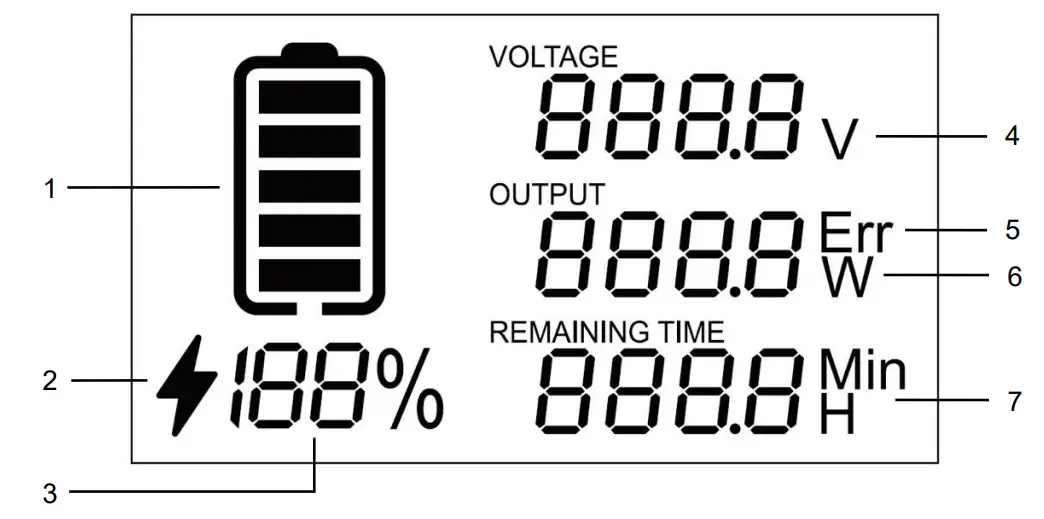
| # | Name | Function |
| 1 | Power icon | Battery level display, scrolls while charging. |
| 2 | Charging icon | Illuminates when charging, indicating charging status. |
| 3 | Remaining battery | Displays battery charge by percentage, 0%-100%. |
| 4 | AC output voltage | Digits + V combination, AC output voltage display. |
| 5 | Fault code | Digits + Err combination to display fault codes. |
| 6 | Total power used | Digits + W combination, display total output power, display “–” value when charging. |
| 7 | Remaining time | When charging, it shows the remaining time, when output, it shows the remaining time, when the remaining time is less than 60 minutes, “Min” lights up, indicating the remaining minutes, when more than 60 minutes, “H” lights up, indicating the remaining hours. |
Use of product
Power output
This product has 3 output zones, AC output, DC output, and USB output. Each area has a corresponding button to turn on and off all the interface functions of the corresponding area output. When you press any one of the control buttons in the “OFF” state, the device will turn on, the display will light up and show the real-time data, and at the same time, turn on all the interface function outputs in the area corresponding to the button you pressed, the button will light up. When the unit is on if you want to turn on the outputs for other zones, simply tap the corresponding zone button. If you need to turn off the output, just click the corresponding area button to turn it. When all areas are closed, the display will go out and the system will enter the shutdown state. NOTICE
Check the power of the load to ensure that it does not exceed the rated output power of the power supply. If it exceeds, please choose a portable energy storage power supply with a higher power.
If the load exceeds the maximum output power of this product, the protection function will be triggered, and the output will be shut off immediately.
AC output
Press the AC output switch button to turn on the AC output, the display will light up and display real-time data, the light on the button will light up, and the AC output socket can be used at this time. Press the AC output switch button again, the AC output function will be turned off.
DC output
Press the DC output switch button to turn on the DC output, the display will light up and display real-time data, the light on the button will light up, and the cigarette lighter output socket can be used at this time. Press the DC output switch button again, the DC output function will be shut down.
USB output
Press the USB output switch button to turn on the USB output, the display will light up and display real-time data, and the light on the button will light up. At this time, the USB output socket, Type-C output socket, and wireless charging output can be used. Click the USB output again Switch button, USB output function will be turned off.
Charging the power station
This product has a charging protection function. It is used in accordance with normal charging operations. After the product is fully charged, it will automatically stop charging. To avoid other accidents, it is recommended that the product is fully charged and disconnected in time. NOTICE
When the product is charging, if you need to use the product output function while charging when the output power is less than the charging power, the product will slowly fill up according to the internal battery cell capacity, if the output power is greater than the charging power, the product will slowly drain the internal battery Capacity, can be used normally after full.
The product has 2 charging ports, the 5mm adapter charging port on the left side of the air outlet and the fast charging port on the right side of the air outlet. The 5mm adapter charging port supports 19V/5A adapter charging, and the fast charging port supports 19V/ 25A fast charge (fast charging adapter needs to be purchased separately). When charging in any way, the LCD display will light up, and the charging symbol will be displayed at the same time, the battery icon will be scrolled, the power bar will display the charging power, and the remaining time bar will display the full charge remaining time.
Adapter charging
Plug the AC input plug of the adapter into the socket connected to the power grid, and then plug the DC output plug of the adapter into the 5mm adapter charging port. The LCD screen lights up, and the charging icon is displayed. The battery icon is scrolled and displayed, and the charging power and full time remain.
Fast charging
Plug the AC input plug of the fast charge charger into the socket connected to the power grid, and then plug the fast charge DC output plug into the fast charge charging port. The LCD screen lights up, the charging icon is displayed, the battery icon scrolls, and the charging power and remaining time are displayed at the same time.
Cooling system
This product is designed with an intelligent cooling system, which can monitor the internal temperature of the product in real-time, and intelligently adjust the speed of the cooling fan according to the temperature. WARNING
- The cooling air inlet of this product is designed at the bottom of the product. It should be placed in a flat place and there is no debris around it to prevent the air inlet from being blocked.
- It is strictly forbidden to cover or obstruct the cooling vent of the product and ensure that at least 5cm of space around the power supply is unobstructed.
Product Storage
The product should be stored in a clean, dry, and ventilated room with an ambient temperature of -20~40. Avoid contact with corrosive substances and keep away from fire and heat sources. The battery should be in a half-charged state of about 50%. To prevent the battery is over-discharged due to self-consumption. It is best to charge and discharge the battery once every 3 months during storage.
Troubleshooting
| # | Failure phenomenon | Solution |
| 1 | There is no response when the product is turned on, and there is no output from AC, DC, or USB | 1. Remove the product load, then charge it for 5-10 minutes, then restart. 2. Make sure that the product is currently in the normal temperature range. |
| :NJ | The product can be turned on, but there is no output for the output interface | 1. Check whether the battery power is too low, if so, please charge it in time. 2. Check whether the output power of the electrical equipment is higher than the output power of the product, which leads to protection, remove the load, and restart 3. Confirm whether the output of this product meets the power requirements of electrical equipment. 4. Check whether there is a short circuit between the output port and the electrical equipment, remove the equipment and restart. 5. Use other power supplies to see if it can be used normally. It may be caused by the incompatibility of individual devices. |
| 3 | The product shuts down unexpectedly during use | 1. The internal protection system of the product is activated, causing the product protection to shut down. 2. Check whether the electrical equipment is faulty Note: Events that can cause the protection function to start: overcharge, over-discharge, high temperature, low temperature, overcurrent, short circuit, etc. |
| 4 | The product cannot be charged | 1. Please confirm whether the charging electrical parameters are within the charging range of this product. 2. Check whether the current device has activated the temperature protection due to the high or low temperature. |
Fault code
| # | Fault code | Fault | Fault description |
| 1 | 0.00E+00 | USB overload protection | Disconnect output after Los delay |
| 2 | 0.00E+00 | USB short circuit protection | Disconnect output immediately |
| 3 | 0.00E+00 | USB failsafe | Disconnect output immediately |
| 4 | 0.00E+00 | DC overload protection | >13A. 0.5s warming, disconnect output after Los delay |
| 5 | 0.00E+00 | DC reverse connection/ short circuit protection | Disconnect output immediately |
| 6 | 0.00E+00 | AC overload protection | More than 10% of rated power, 0.5s warning, continuous 10s to disconnect output; more than 30% of rated power. disconnect output immediately |
| 7 | 0.00E+00 | AC short circuit protection | Disconnect output immediately |
| 8 | 0.00E+00 | AC low voltage protection | <85% of rated voltage value, 3s warning, disconnect output after Los |
| 9 | 0.00E+00 | AC Failsafe | <50% of rated voltage value, disconnect the output after 5S |
| 10 | 0.00E+00 | High-temperature protection | Normal below 50t, cooling fan running at 60t , failure warning at 95t, disconnecting AC output at 100t |
| 11 | 0.00E+00 | High voltage protection | Battery voltage> 17.6V, remind |
| 12 | 0.00E+00 | Low voltage protection | Battery voltage (5%, remind |
| 13 | 0.00E+00 | Charging is prohibited at low temperature | Remind |
| 14 | 0.00E+00 | Discharging is prohibited at low temperature | Disconnect output immediately |
After-sale service
Warranty
If the product fails, please follow the instructions. If the failure still cannot be eliminated, please contact our company’s after-sales service personnel. When contacting the after-sales service, please provide the following information: product model, purchase date, contact number, detailed address, and product failure description. Please cooperate with the user to answer the detailed inquiries of our company’s after-sales engineers, including on-site conditions, fault performance, whether the operating procedures are wrong, etc., so that our company’s after-sales engineers can find the cause, and then restore (or guide) the user if the product failure is resolved. If the fault still cannot be eliminated, please contact the dealer.
- The warranty period is 12 months from the date of sale;
- During the warranty period, our company will provide free repairs and replacement parts for product defects in material and workmanship and damage caused by non-human reasons. The parts belong to our company;
- During the warranty period, the following situations cannot enjoy free maintenance services:
- Unauthorized disassembly of the product;
- Damage to the surface coating and appearance is not covered by the warranty;
- The user does not use it in accordance with the instructions;
- Failure or damage caused by accident, human, environmental, and other factors (operation error, collision, unreasonable voltage, moisture, water, etc.);
- Product packaging and product accessories are not covered by the warranty.
Spare parts list
| # | Name | Parts description |
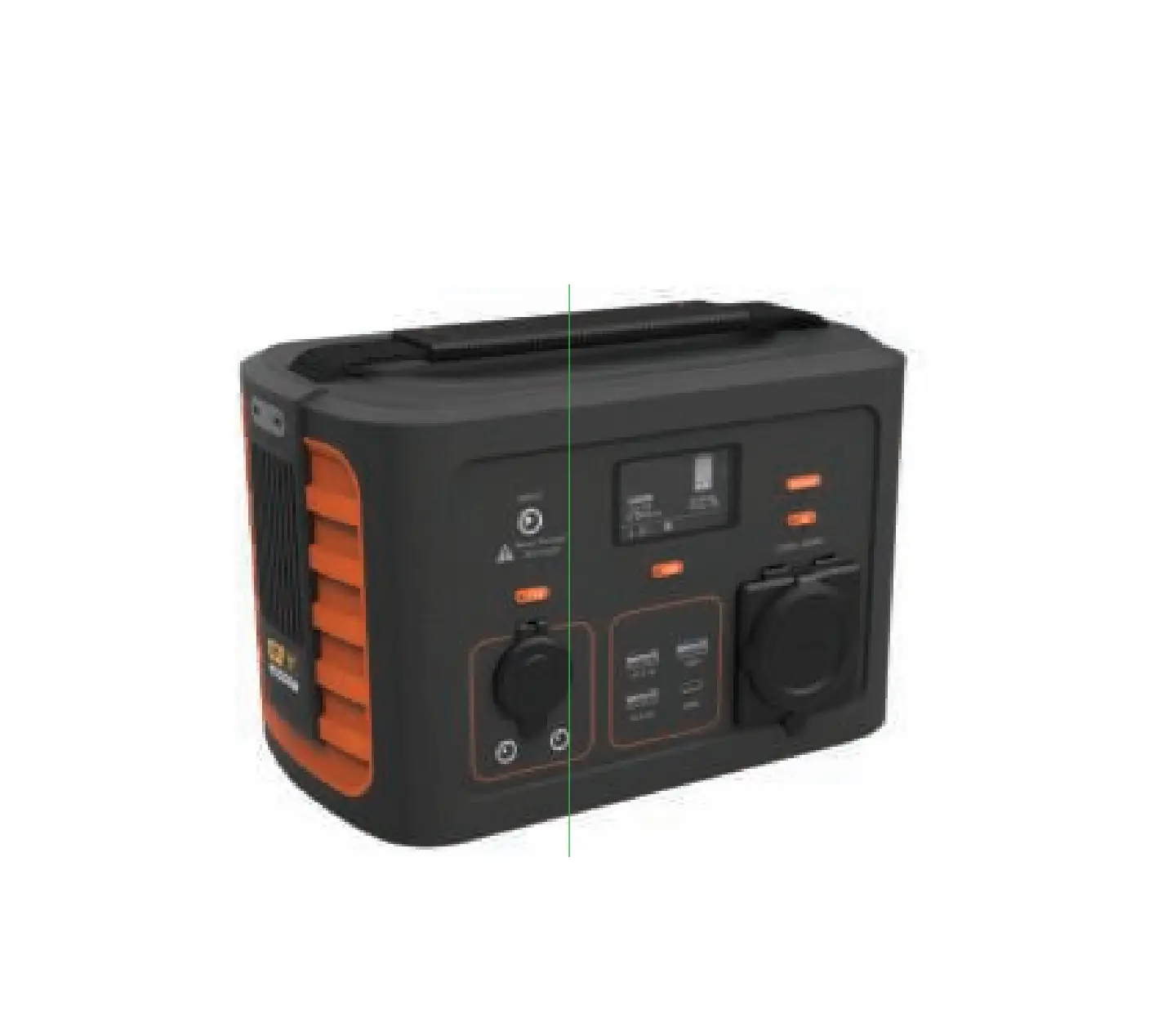
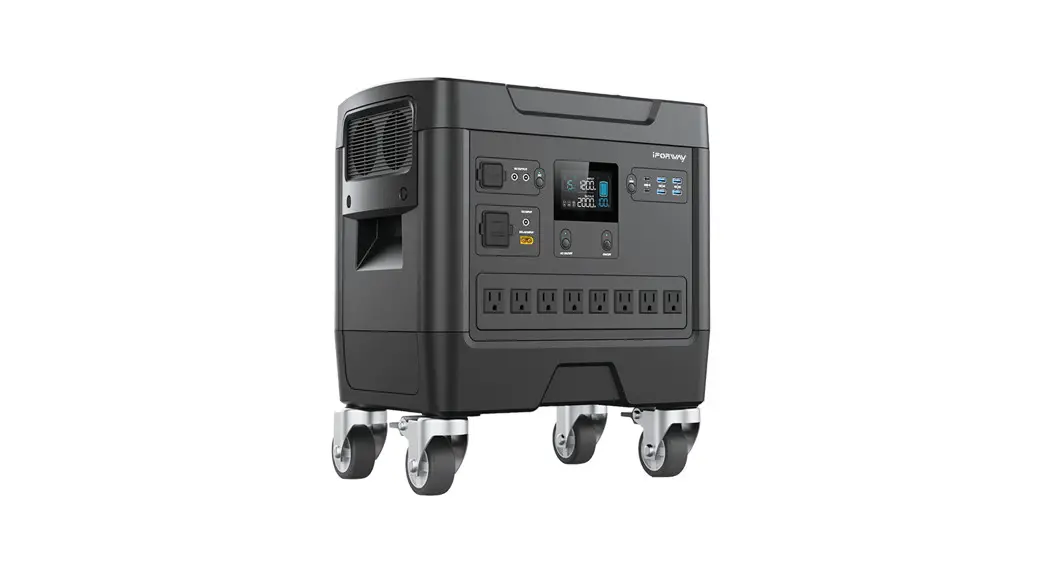
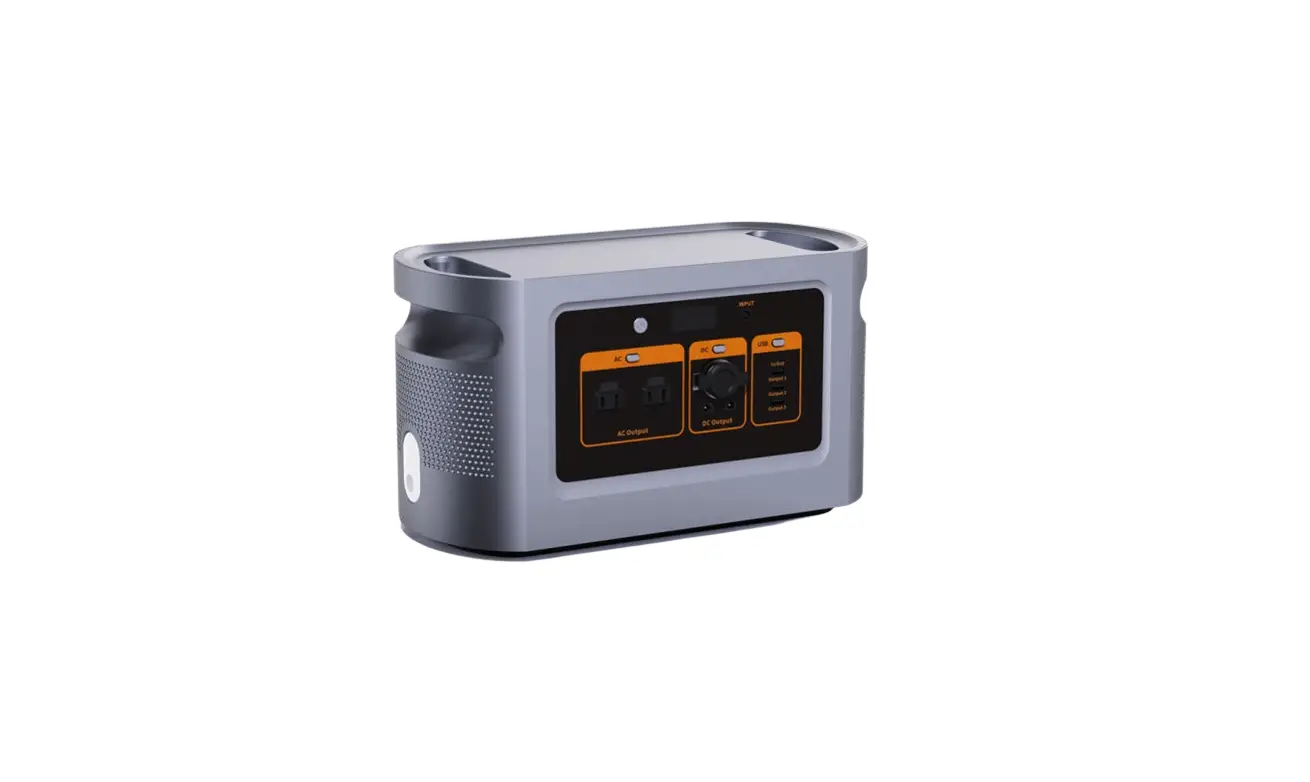
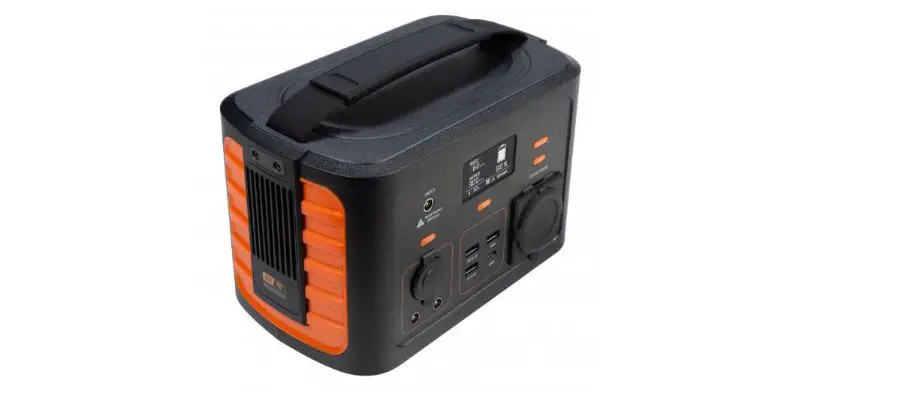
| 1 | Power station | XGH360. XGH720 and XGH1000 are different in appearance, the picture shows XGH360 |
| 2 | Adapter | Use mains power to charge the product |
| 4 | Charging cable | DC output cable |
| 5 | User manual | Operation guide |
| 6 | Optional accessories | Solar charger. car charger. fast charge. car starting output |
FCC Caution.
This device complies with part 15 of the FCC Rules. Operation is subject to the following two conditions: (1) This device may not cause harmful interference, and (2) this device must accept any interference received, including interference that may cause undesired operation. Any changes or modifications not expressly approved by the party responsible for compliance could void the user’s authority to operate the equipment.
Note: This equipment has been tested and found to comply with the limits for a Class B digital device, pursuant to part 15 of the FCC Rules. These limits are designed to provide reasonable protection against harmful interference in a residential installation. This equipment generates uses and can radiate radio frequency energy and, if not installed and used in accordance with the instructions, may cause harmful interference to radio communications. However, there is no guarantee that interference will not occur in a particular installation. If this equipment does cause harmful interference to radio or television reception, which can be determined by turning the equipment off and on, the user is encouraged to try to correct the interference by one or more of the following measures:
-Reorient or relocate the receiving antenna.
-Increase the separation between the equipment and receiver.
-Connect the equipment into an outlet on a circuit different from that to which the receiver is connected.
-Consult the dealer or an experienced radio/TV technician for help.
*RF warning for Portable devices:
The device has been evaluated to meet general RF exposure requirements. The distance between user and products should be no less than 20cm.