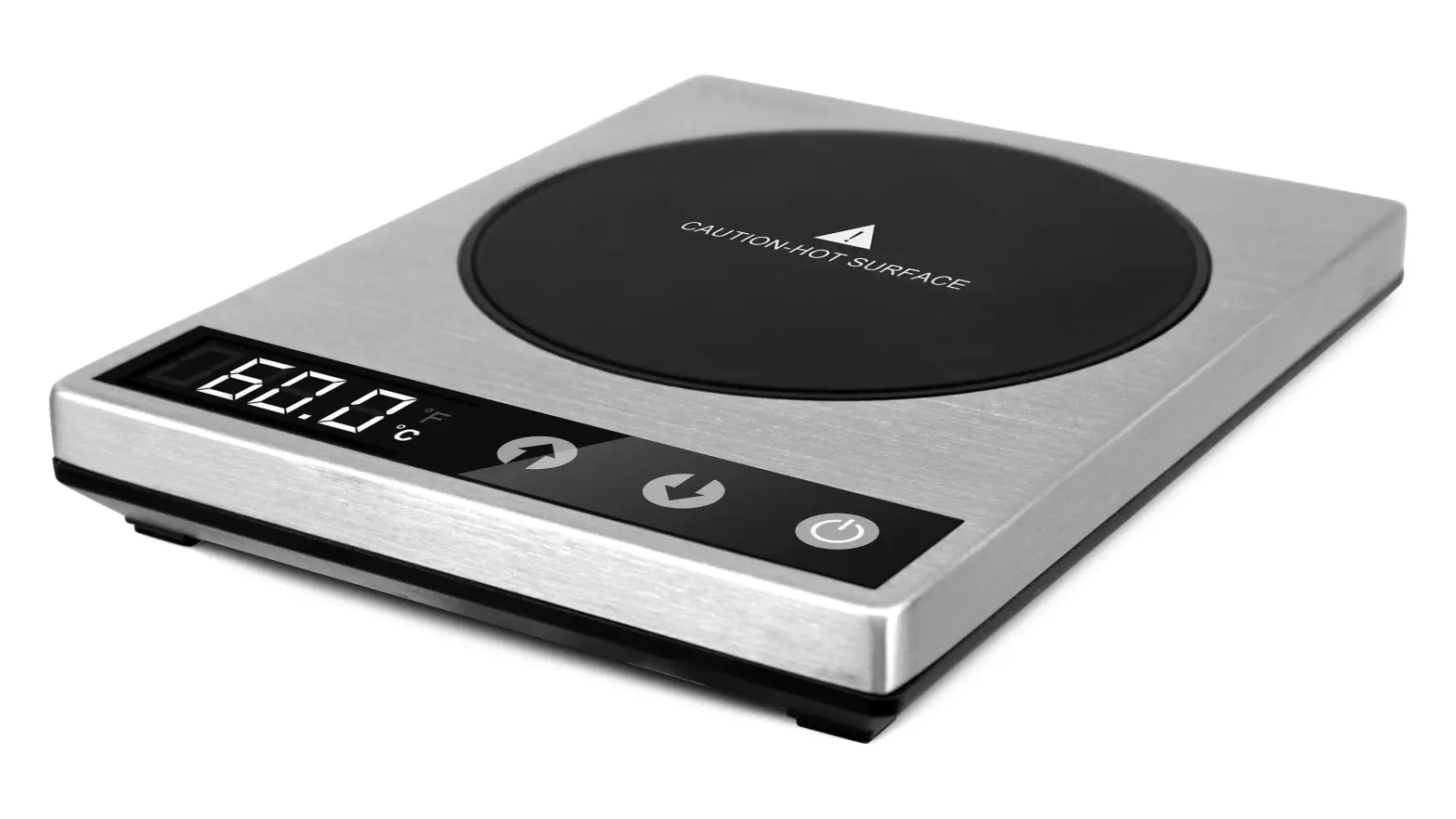
CO294-CW Original Automatic Coffee Warmer
Product Information
The Product Original Automatic Coffee Warmer, model CO294-CW, is
a high-quality coffee warmer designed to keep your coffee or other
beverages at an optimal temperature for extended periods. It
features a gravity induction switch and a heating plate that
activates when a cup weighing at least 10.4 oz / 295 g is placed on
it. The coffee warmer is equipped with a power button light
indicator for easy operation. The product is backed by a 1-year
warranty provided by Arovast Corporation.
Product Usage Instructions
- Make sure the coffee warmer is plugged into a power
source. - Check if the power button light indicator is on. If not, press
the power button to turn it on. - Place a cup on the heating plate. The cup should weigh at least
10.4 oz / 295 g to activate the gravity induction switch. - Tap the coffee warmer to turn it on and start heating your
beverage. - Monitor the temperature of your beverage and adjust as
needed.
Note: If you encounter any issues with the
coffee warmer not heating up, please follow the troubleshooting
steps below.
Troubleshooting
| Problem | Possible Solution |
|---|---|
| The coffee warmer does not heat up. |
|
CARE & MAINTENANCE
Cleaning
· Unplug the coffee warmer and allow the heating surface to completely cool before cleaning.
· Use a damp cloth to wipe down the surface of the coffee warmer. Dry immediately with a clean, dry cloth.
· Do not immerse the coffee warmer in water or liquids.
CUSTOMER SUPPORT
If you have any questions or concerns about your new product, please contact our helpful Customer Support Team.
Arovast Corporation 1202 N. Miller St., Suite A Anaheim, CA 92806
Support Hours
MondayFriday 9:00 am5:00 pm PST/PDT
Email: [email protected] Toll-Free: (888) 402-1684
*Please have your invoice and order ID ready before contacting Customer Support.
MORE COSORI PRODUCTS
If you’re happy with this coffee warmer, the line doesn’t stop here. Check out www.cosori.com for a line of all our beautiful and thoughtfully designed cookware. They might be right at home in your kitchen, too!
JJ011521AC-M1_0120CO294-CW
WARRANTY INFORMATION
Product Original Automatic Coffee Warmer
Model CO294-CW For your own reference, we strongly recommend that you record
your order ID and date of purchase. Order ID
Date of Purchase
TERMS & POLICY
Arovast Corporation (“Arovast”) warrants this product to the original purchaser to be free from defects in material and workmanship, under normal use and conditions, for a period of 1 year from the date of original purchase.
Arovast agrees, at our option during the warranty period, to repair any defect in material or workmanship or furnish an equal product in exchange without charge, subject to verification of the defect or malfunction and proof of the date of purchase.
There is no other express warranty. This warranty does not apply: · If the product has been modified from its original condition; · If the product has not been used in accordance with directions and instructions in the user manual; · To damages or defects caused by accident, abuse, misuse or improper or inadequate maintenance; · To damages or defects caused by service or repair of the product performed by an unauthorized service provider or by anyone other than Arovast; · To damages or defects occurring during commercial use, rental use, or any use for which the product is not intended; · To damages or defects exceeding the cost of the product.
Arovast will not be liable for indirect, incidental, or consequential damages in connection with the use of the product covered by this warranty.
This warranty extends only to the original consumer purchaser of the product and is not transferable to any subsequent owner of the product regardless of whether the product is transferred during the specified term of the warranty.
This warranty does not extend to products purchased from unauthorized sellers. Arovast’s warranty extends only to products purchased from authorized sellers that are subject to Arovast’s quality controls and have agreed to follow its quality controls.
All implied warranties are limited to the period of this limited warranty.
This warranty gives you specific legal rights and you may also have other rights which vary from state to state. Some states do not allow the exclusion or limitation of incidental or consequential damages, so the above limitation or exclusion may not apply to you.
If you discover that your product is defective within the specified warranty period, please contact Customer Support via [email protected]. DO NOT dispose of your product before contacting us. Once our Customer Support Team has approved your request, please return the product with a copy of the invoice and order ID.
EXTEND YOUR WARRANTY BY 1 YEAR
Register your product within 14 days of purchase at www.cosori.com/warranty to extend your 1-year warranty by an additional year.
This warranty is made by: Arovast Corporation 1202 N. Miller St. Suite A Anaheim, CA 92806
TROUBLESHOOTING
Problem
Possible Solution
The coffee warmer does not heat up.
Make sure the coffee warmer is plugged in and the power button light is on.
Place a cup that weighs at least 10.4 oz / 295 g on the heating plate to activate the gravity induction switch, then tap to turn on the coffee warmer.
Make sure the coffee warmer is on an even, level surface, so that the gravity induction switch can work properly.
Turn off the gravity induction switch. Tap to turn off the coffee warmer. Then, press and hold
, and simultaneously for 5 seconds until you hear 3 beeps.
Note: When the gravity induction switch is off, the coffee warmer will produce heat as long as it is turned on. Use caution.
TROUBLESHOOTING (CONT.)
Problem
Possible Solution
The coffee warmer doesn’t beep.
Tap to turn off the coffee warmer. Then, press and hold
and simultaneously for 3 seconds to turn the sounds on.
“E1” or “E2” appears on the display.
Internal temperature sensor is damaged or broken. Contact Customer Support.
SHOW US WHAT YOU’RE MAKING
We hope this manual has been helpful. We can’t wait to see your beautiful results, and we think you’ll want to share glam shots! Our community awaits your uploads–just pick your platform of choice below. Snap, tag, and hashtag away, Cosori chef!
Considering what to cook? Many recipe ideas are available, both from us and the Cosori community.
User Manual
Original Automatic Coffee Warmer
Model: CO294-CW
Questions or Concerns? [email protected] | (888) 402-1684
MonFri, 9:00 am5:00 pm PST/PDT
Package Contents
1 x Coffee Warmer 1 x Adapter 1 x User Manual
Specifications
Adapter Input AC 100240V, 5060Hz Output DC 12V, 2.5A
Coffee Warmer Input DC 12V, 2.5A Rated Power 24W Temperature 77°194°F / 25°90°C Range Auto-Off 8 hours Dimensions 5.4 x 4.3 x 0.7 in /
13.7 x 10.9 x 1.8 cm Weight 0.5 lb / 220 g
READ AND SAVE THESE INSTRUCTIONS
IMPORTANT SAFEGUARDS
Follow basic safety precautions when using your coffee warmer. Read all instructions.
· Do not touch hot
children. Do not
surfaces. Always use
allow children to play
caution when near
with this device.
or working with a hot · This coffee warmer is
surface.
not intended for use
· To protect against
by persons (including
electric shock, do not
children) with
immerse the coffee
reduced physical,
warmer or adapter in
sensory or mental
water or other liquid.
capabilities, or lack
· Close supervision is necessary when this appliance is being used by or near
of experience and knowledge, unless they have been given supervision
IMPORTANT SAFEGUARDS (CONT.)
or instruction by a
· Do not cook foods on
person responsible
the coffee warmer.
for their safety.
· Do not use the coffee
· Unplug the coffee
warmer outdoors.
warmer when it is not being used.
·
Do not place the coffee warmer on
· Allow the coffee
or near a hot gas
warmer to completely or electric stove or
cool down before
inside a heated oven.
cleaning or storing. · Do not let the cord
· Do not use the coffee
hang over the edge of
warmer if the cord,
a table or counter or
plug, or the coffee
near a hot surface.
warmer itself is damaged in any way. Contact Customer Support if your coffee warmer has been damaged.
·
To prevent electric shock, always connect the adapter to the coffee warmer first, then plug the adapter into a wall
· Do not try to repair or
outlet.
take apart the coffee warmer.
· Only use the coffee warmer as directed in
· Always use extreme
this manual.
caution when moving cups
· Household use only.
containing hot
liquids.
GETTING TO KNOW YOUR COFFEE WARMER
B
C D
G
E
A
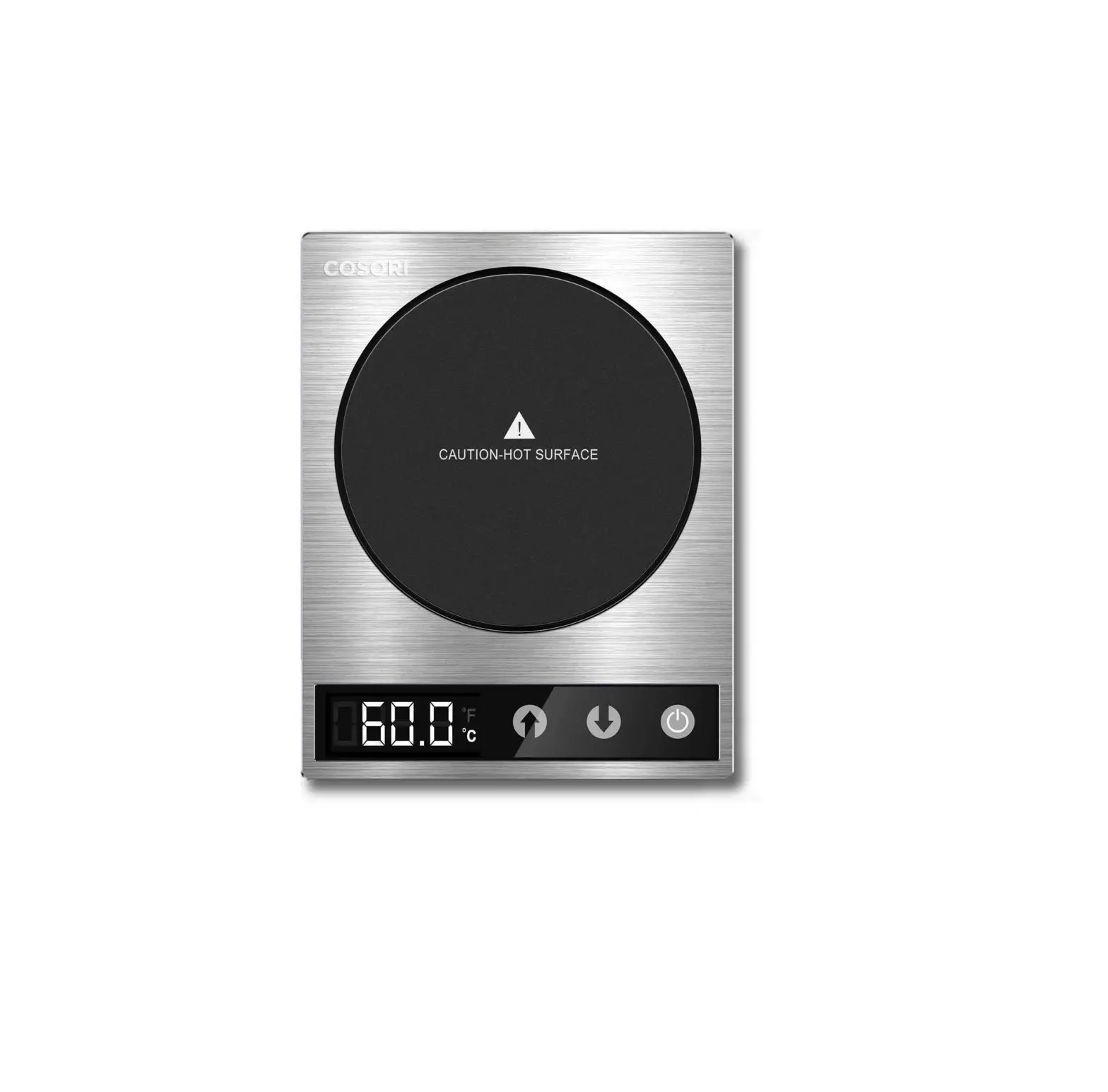
A. Heating Plate B. Temperature Display C. Increase Temperature D. Decrease Temperature
H F
underside
E. Power Button F. DC Port G. Adapter H. Gravity Induction Switch
USING YOUR COFFEE WARMER
ATTENTION The coffee warmer should only be used to keep drinks warm. The warmer cannot effectively heat up cold or lukewarm drinks. For best results, use heat-safe cups that are thin and have a flat bottom.
USING YOUR COFFEE WARMER (CONT.)
x
x
x
Flat Bottom
Recessed Bottom
Double Walled
Not HeatSafe
1. Place the coffee warmer on a flat, level surface.
2. Connect the adapter to the DC port, then plug the adapter into an outlet. The coffee warmer will beep once and the display will light up for 3 seconds. will turn red.
3. Place a heat-safe cup with a liquid that weighs at least 10.4 oz / 295 g on the heating plate to activate the gravity induction switch (see next section). Then, tap .
4. Tap or to set a custom temperature from 77°194°F / 25°90°C.
Note: The temperature on the display shows the temperature of the heating plate, not the temperature of the liquid in your cup. Set the display temperature higher than the temperature you want for your drink.
5. Tap at any time to turn off the coffee warmer.
Note: If you remove your cup from the coffee warmer, the heating plate will hold its temperature for 10 minutes before turning off automatically.
USING YOUR COFFEE WARMER (CONT.)
GRAVITY INDUCTION SWITCH The gravity induction switch is a safety feature which stops the coffee warmer from producing heat when there is no cup on the plate.
Note: The coffee warmer will continue producing heat for 10 minutes after you take your cup off the plate.
To turn the gravity induction switch on/off: 1. Tap to turn the coffee warmer off. 2. Press and hold , and simultaneously for 5
seconds until you hear 3 beeps. 3. Tap to turn the coffee warmer back on.
When the gravity induction switch is off, the coffee warmer will continue producing heat as long as it is turned on. Use caution.
Temperature Conversion
To change temperature units, turn on the coffee warmer and press and hold and simultaneously for 3 seconds.
Automatic Shutoff
The coffee warmer will automatically turn off after 8 hours.
Coffee Warmer Sounds
To turn coffee warmer sounds on/off:
1. Turn the coffee warmer off.
2. Press and hold and simultaneously for 3
seconds.
3. Tap to turn the coffee warmer back on. flip to continue
 COSORI - Air Fryers, Toaster Ovens, Food Dehydrators, Recipes and more