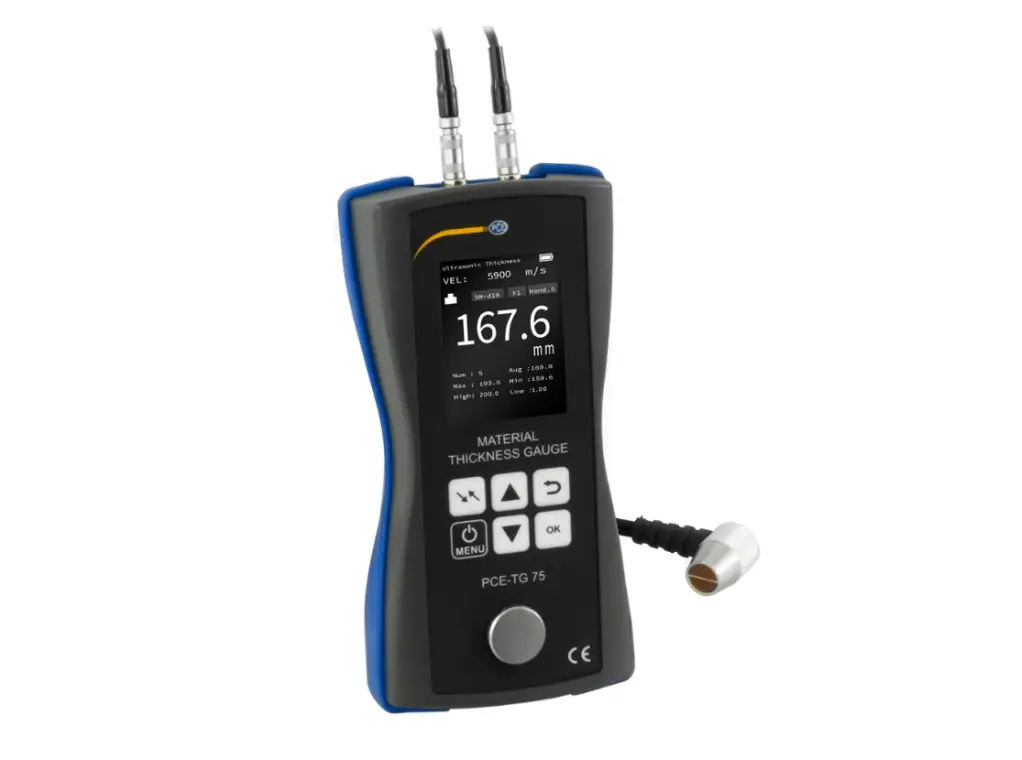
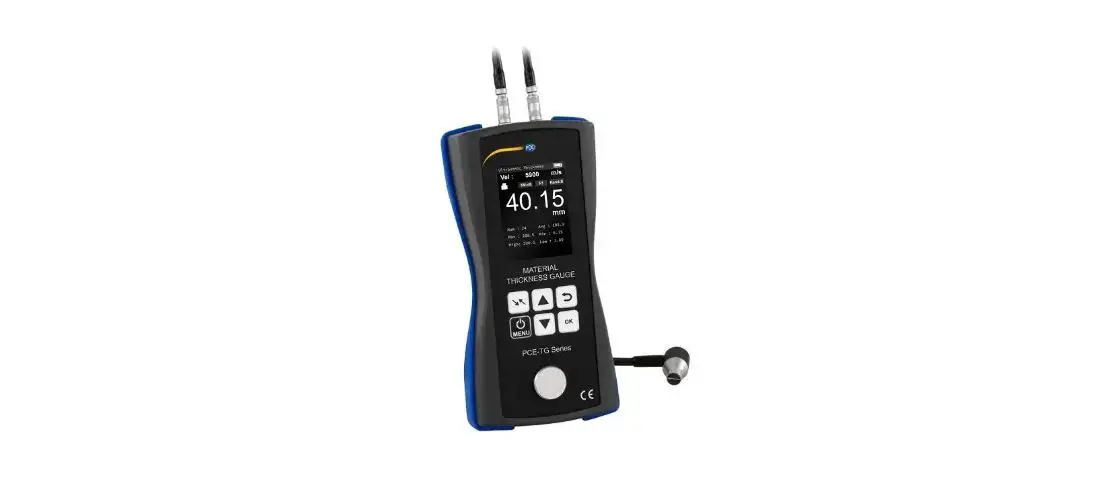
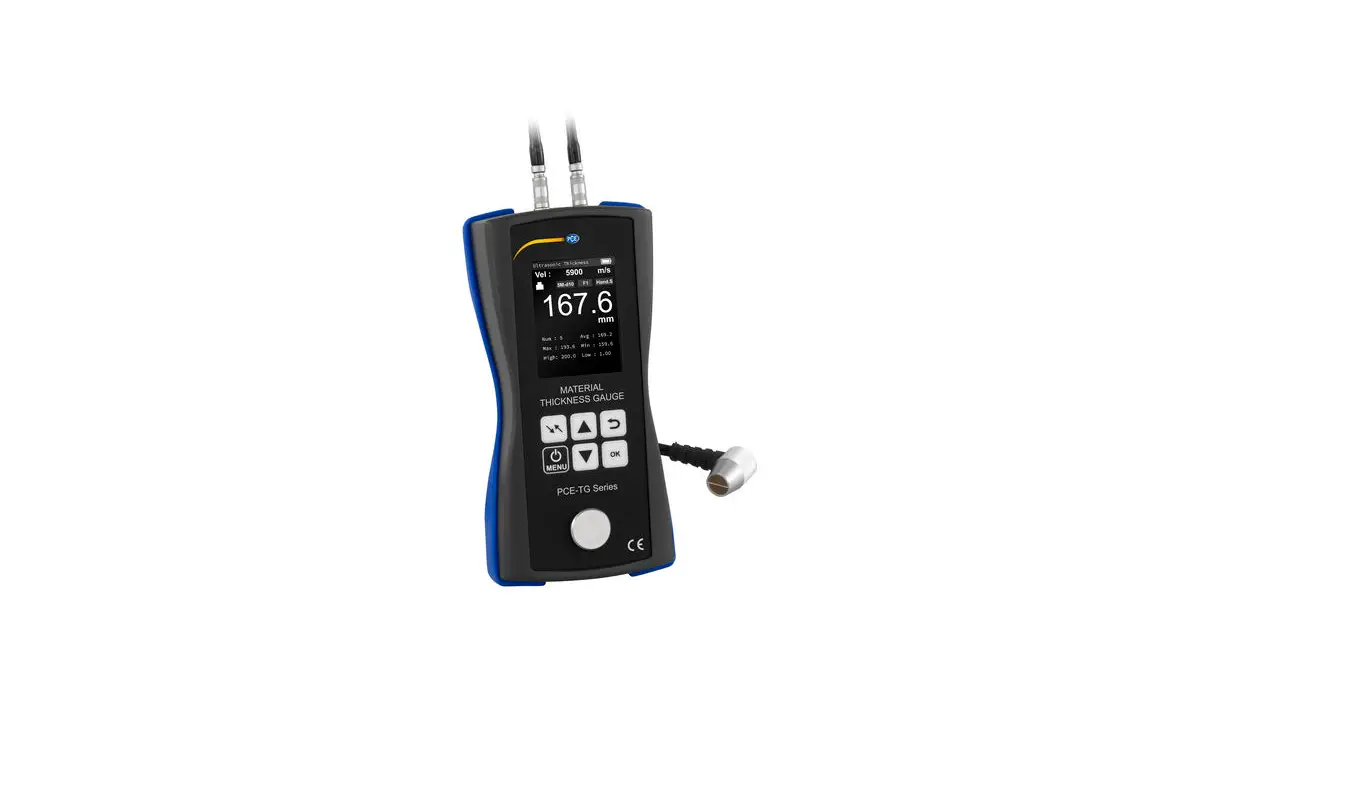
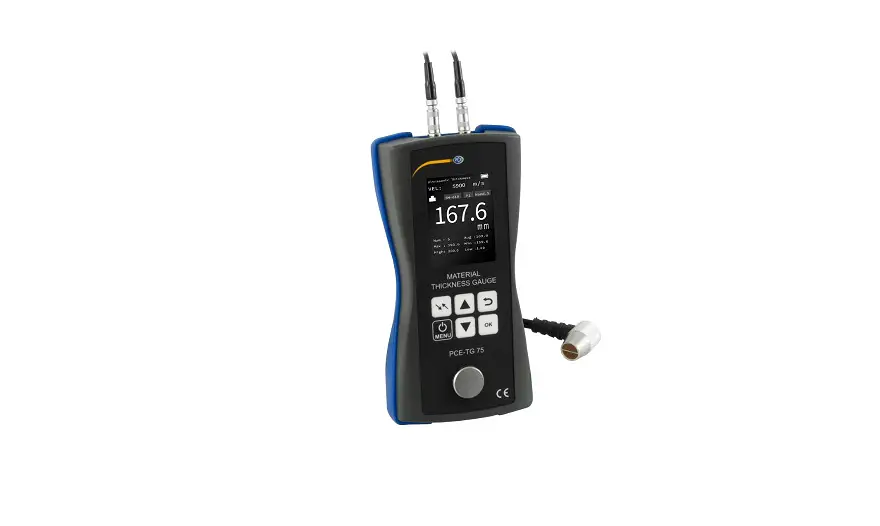
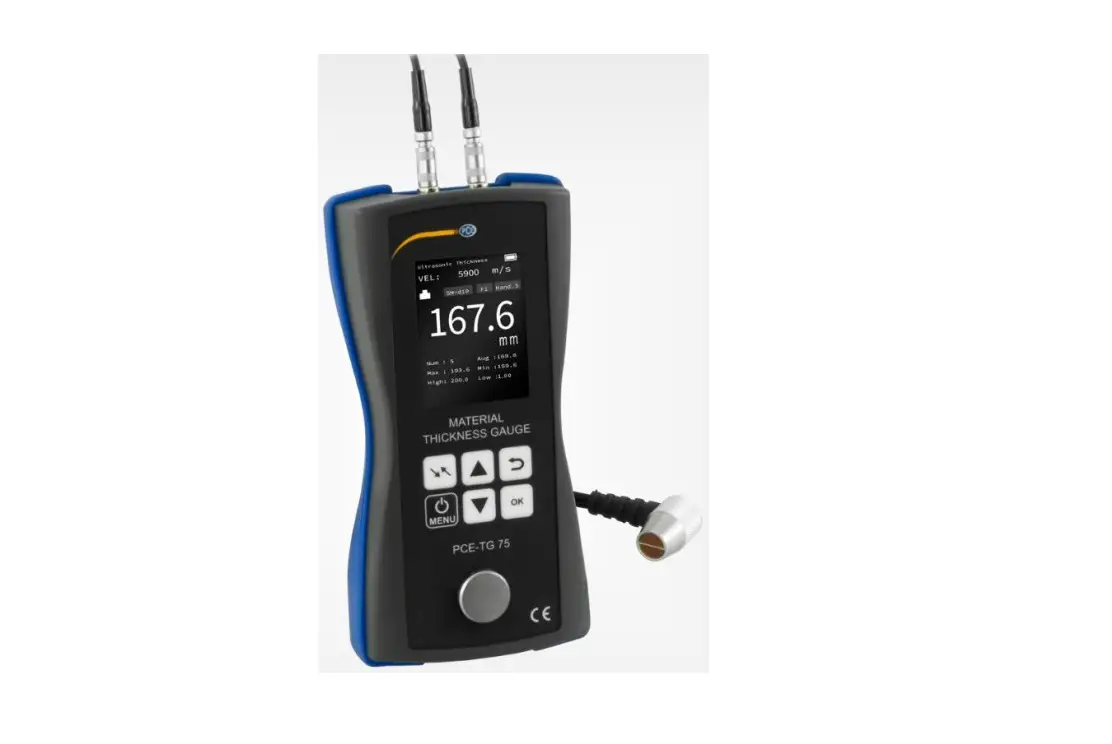
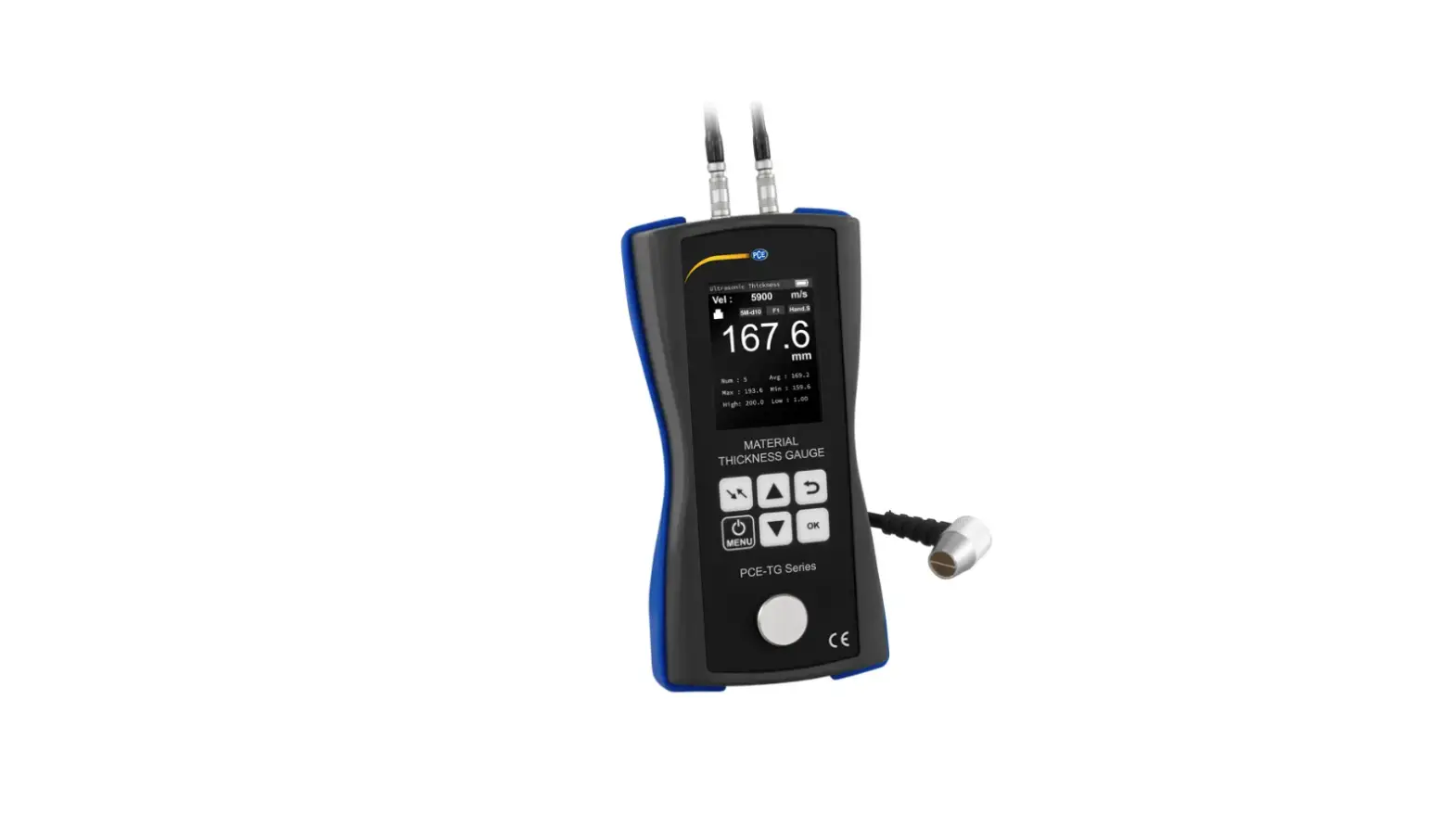
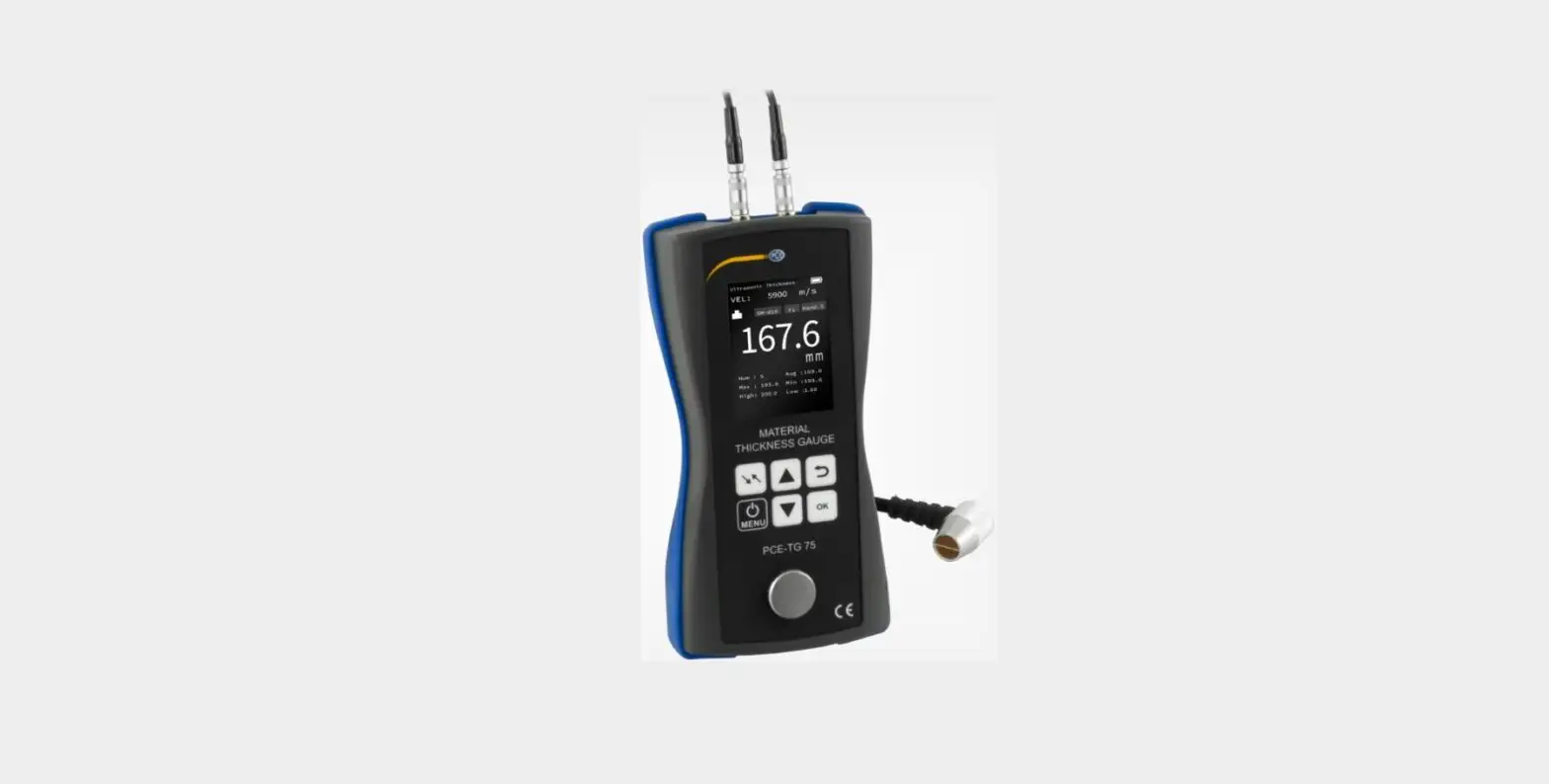
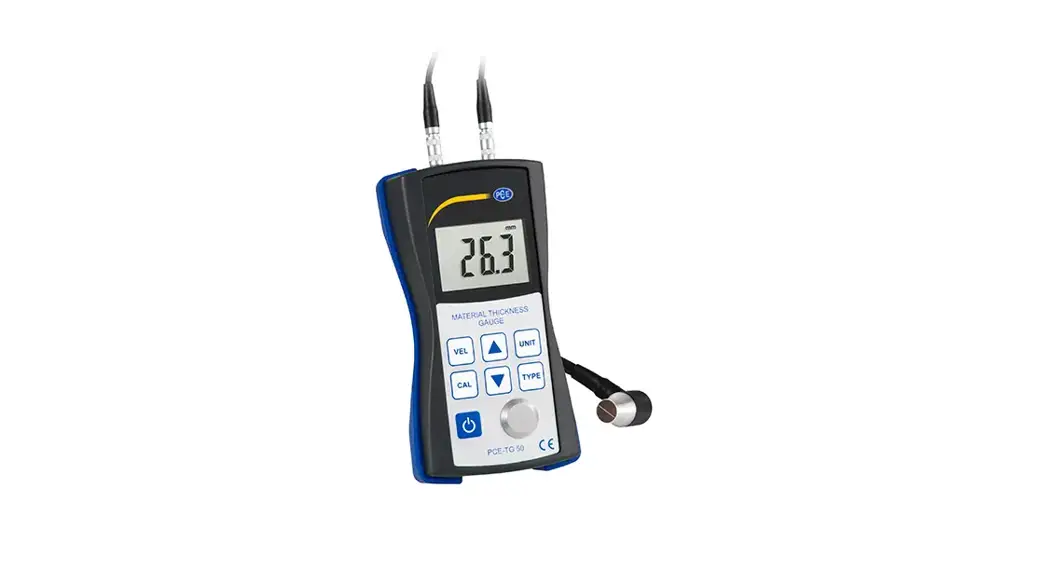
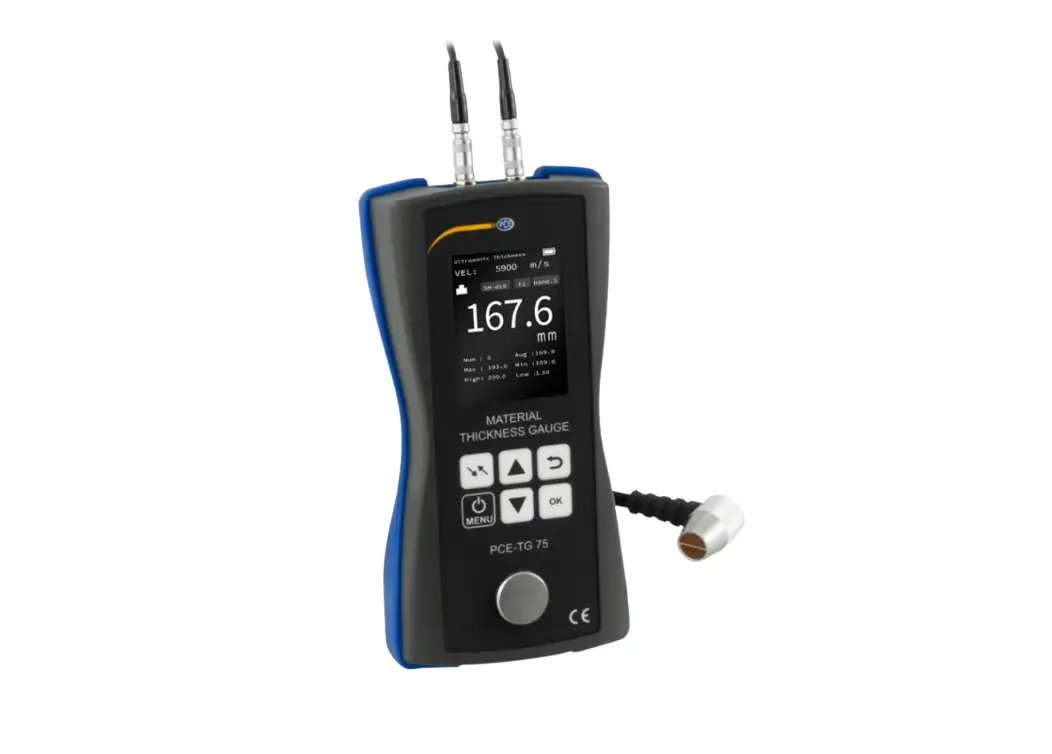
PCE-TG 300-NO5-90 Thickness Meter
Product Information: The product is a measurement device used to
determine the thickness of various materials. It operates in two
modes: Puls-Echo mode for flaw and void detection, and Echo-Echo
mode for layer thickness measurement. The device can be calibrated
for sound velocity and zero point, and offers three different
operating modes: normal mode, scan mode, and difference mode. It
features a 320 x 240 TFT LCD color display with brightness
adjustment. The device is powered by four AA batteries and has a
battery life of 100 hours in continuous operation. It also has an
adjustable automatic standby mode and automatic shutdown mode. The
product has a measurement range of 0.1 mm / 0.01 mm / 0.001 mm
(adjustable) and can measure metals, plastics, ceramics, epoxy
resin, glass, and other homogeneous materials. Product Usage
Instructions: 1. Safety Notes: – Before using the device, carefully
read and understand all safety instructions in the user manual. –
Keep the device away from water and other liquids to prevent
damage. – Do not disassemble or modify the device. – Use the device
only as instructed and for its intended purpose. 2. Specifications:
– Refer to section 2.1 of the user manual for detailed technical
specifications. – The device has a measurement range of 0.1 mm /
0.01 mm / 0.001 mm (adjustable). – It can measure metals, plastics,
ceramics, epoxy resin, glass, and other homogeneous materials. –
Calibration options include sound velocity calibration, zero point
calibration, and two-point calibration. – The device offers three
operating modes: normal mode, scan mode, and difference mode. – The
display is a 320 x 240 TFT LCD color display with brightness
adjustment. – The device operates at a temperature within a
specified range. 3. System Description: – Refer to section 3 of the
user manual for a detailed description of the system. 4. Getting
Started: 4.1 Power Supply: – Ensure the device is powered off. –
Insert four AA batteries (1.5V) into the battery compartment. –
Close the battery compartment securely. 4.2 Initial Operation: –
Press the power button to turn on the device. – Select the desired
operating mode using the menu options. – Adjust the brightness of
the display if needed. – The device is now ready for use. 5.
Operation: – Follow the specific instructions provided in section 5
of the user manual for operating the device. Note: For more
detailed information on usage, safety precautions, and other
features, refer to the complete user manual available on the
manufacturer’s website: www.pce-instruments.com.
Deutsch
English
Bedienungsanleitung User Manual
PCE-TG 300 Materialstärkenmessgerät | Thickness Meter
User manuals in various languages (français, italiano, español, português, nederlands, türk, polski,
, ) can be found by using our product search on: www.pce-instruments.com
Letzte Änderung / last change: 22 March 2019 v1.0
© PCE Instruments
Deutsch Inhaltsverzeichnis 1 Sicherheitsinformationen…………………………………………………………… 1 2 Spezifikationen ………………………………………………………………………….. 2
2.1 Technische Spezifikationen …………………………………………………………………………………. 2 2.2 Lieferumfang……………………………………………………………………………………………………… 3 2.3 Optionales Zubehör ……………………………………………………………………………………………. 3
3 Systembeschreibung…………………………………………………………………. 4
3.1 Messgerät…………………………………………………………………………………………………………. 4 3.2 Anschlüsse/Sensor …………………………………………………………………………………………….. 4 3.3 Display (Hauptbildschirm) ……………………………………………………………………………………. 5 3.4 Funktionstasten …………………………………………………………………………………………………. 6
4 Vorbereitung ……………………………………………………………………………… 7
4.1 Stromversorgung ……………………………………………………………………………………………….. 7 4.2 Inbetriebnahme………………………………………………………………………………………………….. 7
5 Betrieb ………………………………………………………………………………………. 8
5.1 Einstellungen …………………………………………………………………………………………………….. 8 5.2 Kalibrierung ………………………………………………………………………………………………………. 9 5.3 Messen…………………………………………………………………………………………………………… 11 5.4 Weitere Funktionen…………………………………………………………………………………………… 11
6 Schallgeschwindigkeit gängiger Werkstoffe …………………………….. 14 7 Garantie…………………………………………………………………………………… 15 8 Entsorgung ……………………………………………………………………………… 15
© PCE Instruments
English Contents 1 Safety notes…………………………………………………………………………….. 16 2 Specifications ………………………………………………………………………….. 17
2.1 Technical specifications …………………………………………………………………………………….. 17 2.2 Optional accessories ………………………………………………………………………………………… 18
3 System description ………………………………………………………………….. 19
3.1 Device ……………………………………………………………………………………………………………. 19 3.2 Interfaces/probe……………………………………………………………………………………………….. 19 3.3 Display (main screen) ……………………………………………………………………………………….. 20 3.4 Function keys ………………………………………………………………………………………………….. 21
4 Getting started…………………………………………………………………………. 22
4.1 Power supply …………………………………………………………………………………………………… 22 4.2 Initial operation ………………………………………………………………………………………………… 22
5 Operation ………………………………………………………………………………… 23
5.1 Settings ………………………………………………………………………………………………………….. 23 5.2 Calibration ………………………………………………………………………………………………………. 24 5.3 Measurement…………………………………………………………………………………………………… 26 5.4 Further functions………………………………………………………………………………………………. 26
6 Sound velocity of common materials ……………………………………….. 29 7 Warranty………………………………………………………………………………….. 30 8 Disposal ………………………………………………………………………………….. 30
© PCE Instruments
Deutsch
1 Sicherheitsinformationen
Bitte lesen Sie dieses Benutzer-Handbuch sorgfältig und vollständig, bevor Sie das Gerät zum ersten Mal in Betrieb nehmen. Die Benutzung des Gerätes darf nur durch sorgfältig geschultes Personal erfolgen. Schäden, die durch Nichtbeachtung der Hinweise in der Bedienungsanleitung entstehen, entbehren jeder Haftung.
· Dieses Messgerät darf nur in der in dieser Bedienungsanleitung beschriebenen Art und Weise verwendet werden. Wird das Messgerät anderweitig eingesetzt, kann es zu gefährlichen Situationen kommen.
· Verwenden Sie das Messgerät nur, wenn die Umgebungsbedingungen (Temperatur, Luftfeuchte, …) innerhalb der in den Spezifikationen angegebenen Grenzwerte liegen. Setzen Sie das Gerät keinen extremen Temperaturen, direkter Sonneneinstrahlung, extremer Luftfeuchtigkeit, Nässe, starken Magnetfeldern, korrosiven Medien oder Staub aus.
· Setzen Sie das Gerät keinen Stößen oder starken Vibrationen aus. · Das Öffnen des Gerätegehäuses darf nur von Fachpersonal der PCE Deutschland GmbH
vorgenommen werden. · Benutzen Sie das Messgerät nie mit nassen Händen. · Es dürfen keine technischen Veränderungen am Gerät vorgenommen werden. · Das Gerät sollte nur mit einem Tuch gereinigt werden. Verwenden Sie keine
Scheuermittel oder lösungsmittelhaltige Reinigungsmittel. · Das Gerät darf nur mit dem von der PCE Deutschland GmbH angebotenen Zubehör oder
gleichwertigem Ersatz verwendet werden. · Überprüfen Sie das Gehäuse des Messgerätes vor jedem Einsatz auf sichtbare
Beschädigungen. Sollte eine sichtbare Beschädigung auftreten, darf das Gerät nicht eingesetzt werden. · Das Messgerät darf nicht in einer explosionsfähigen Atmosphäre eingesetzt werden. · Der in den Spezifikationen angegebene Messbereich darf unter keinen Umständen überschritten werden. · Wenn die Sicherheitshinweise nicht beachtet werden, kann es zur Beschädigung des Gerätes und zu Verletzungen des Bedieners kommen.
Für Druckfehler und inhaltliche Irrtümer in dieser Anleitung übernehmen wir keine Haftung. Wir weisen ausdrücklich auf unsere allgemeinen Gewährleistungsbedingungen hin, die Sie in unseren Allgemeinen Geschäftsbedingungen finden. Bei Fragen kontaktieren Sie bitte die PCE Deutschland GmbH. Die Kontaktdaten finden Sie am Ende dieser Anleitung.
© PCE Instruments 1
Deutsch
2 Spezifikationen
2.1 Technische Spezifikationen
Spezifikationen des Messgeräts PCE-TG 300
Spezifikation
Erläuterung
Messbereich
Genauigkeit
Auflösung Messbare Werkstoffe Arbeitsmodi
Kalibrierung
View Modus Einheiten Datenübertragung Speicher
Betriebsdauer
Stromversorgung
P-E: Puls-Echo Modus 0,65 ~ 600 mm (Stahl) E-E: Echo-Echo Modus 2,50 ~ 60 mm ±0,04 mm (<10 mm); ±0,4% H[mm] (>10 mm); H bezieht sich auf die Materialstärke des Werkstücks
0,1 mm / 0,01 mm / 0,001 mm (einstellbar)
Metalle, Kunststoffe, Keramik, Epoxidharz, Glas und alle homogenen Werkstoffe
Puls-Echo Modus (Fehler- und Lunkererkennung) Echo-Echo Modus (Ausblenden von Schichtdicken, z. B. Lacke)
Schallgeschwindigkeitskalibrierung, Nullpunktkalibrierung, Zweipunktkalibrierung
Normalmodus, Scanmodus, Differenzmodus
mm / inch
Drucken über Bluetooth Datenübertragung über USB 2.0
Nicht-flüchtiger Speicher mit 100 Datengruppen mit je 100 Datensätzen
Dauerbetrieb 100 h Automatischer Stand-by-Modus (einstellbar) Automatischer Abschaltmodus (einstellbar)
4 x AA Batterie (DC) 1,5 V
Display
320 x 240 TFT LCD Farbdisplay mit Helligkeitseinstellung
Betriebstemperatur
Lagertemperatur Relative Feuchte Abmessungen Gewicht
0 …+50 °C
-20 …+70 °C 80% r. F. nicht kondensierend 185 x 97 x 40 mm 375 g
© PCE Instruments 2
Deutsch
Spezifikationen der wählbaren Sensoren
Modell Frequenz Ø
Messbereich
[Mhz] [mm] [mm]NO2
2,5
NO5
5
NO5 / 5
90°
NO7
7
HT5
5
P5EE 5
14 3 ~ 300
(Stahl)
3 ~ 40
(Gusseisen
HT200)
10 1 ~ 600
(Stahl)
10 1 ~ 600
(Stahl)
6
0,65 ~ 200
(Stahl)
12 1 ~ 600
(Stahl)
10 P-E: 2 ~ 600 E-E: 2,5 ~ 100
Mindestdurchmesser von Rohren [mm] (nicht für gebogene Materialien geeignet) Ø 20 x 3
Ø 20 x 3
Ø 15 x 2
30
Ø 20 x 3
Beschreibung
Für dämpfende / streuende Werkstoffe (Kunststoffe, Guss)
Normale Messung
Normale Messung
Für dünnwandige oder stark gekrümmte Rohre Für hohe Temperaturen (max. 300 °C) Normale Messung und E-E Prüfung
2.2 Lieferumfang
1 x Materialstärkenmessgerät PCE-TG 300 1 x Sensor P5EE (5 MHz) 1 x 118 ml Koppelgel 1 x Instrumentenkoffer 1 x Bedienungsanleitung 4 x AA Batterien
2.3 Optionales Zubehör
Sensor NO2 (2,5 MHz) Sensor NO5 / 90° (5 MHz) Sensor NO5 (5 MHz) Sensor NO7 (7 MHz) Sensor HT5 (5 MHz) Hochtemperaturkoppelgel PC Software mit USB Kabel Tragbarer Bluetooth-Drucker (Ladegerät, Handbuch)
© PCE Instruments 3
3 Systembeschreibung
3.1 Messgerät
Deutsch
1. TFT LCD Farbdisplay 2. Bluetooth LED 3. Kalibrierscheibe 4. Folientastatur
3.2 Anschlüsse/Sensor
5. Sensorstecker (variabel einsteckbar) 6. Batteriefach
7. Sensor
1. Empfängerbuchse
2. Impulsgeberbuchse 3. USB 2.0 Anschluss
© PCE Instruments 4
Deutsch
3.3 Display (Hauptbildschirm)
1
2
3
4
5 15
6
14
7
13
8
12
11 10
9
1. Modus: E-E (Echo-Echo Modus) oder P-E (Puls-Echo Modus) 2. Sensoranzeige
3. Schallgeschwindigkeit
4. Batteriezustand 5. Koppelstatus
6. Einheit
7. Differenzergebnis (nur im Differenzmodus) 8. Uhrzeit
9. Hauptmenü mit allgemeinen Einstellungen
10. USB und Bluetooth Kommunikationsstatus 11. Sensoreinstellung
12. Drucken
13. Name des Datensatzes der ausgewählten Datengruppe 14. Nenndicke des Werkstücks (im Differenzmodus)
15. Gemessene Materialstärke
© PCE Instruments 5
Deutsch
3.4 Funktionstasten Folientasten
Taste
Bezeichnung
Funktionen Messmodus
Menümodus
Schallgeschwindigkeiteinst.
Sensorauswahl
Ein/Aus Enter
Aus (2 s) Zurück
Aus (2 s) Zurück
Hauptmenü Eingabe
Aus (2 s) Zurück
Eingabe
Aus (2 s) Zurück
Eingabe
Auf
Ab
Null
Auswahltaste F1/F2/F3 Sichern
Kalibrierung
(Ein- o. Zweipunkt)
Auf / Plus
Auf / Plus
Auf / Plus
Kalibrierung (Ein- o. Zweipunkt)
Ab / Minus
Ab / Minus
Ab / Minus
Nullpunkt-
–
kalibrierung
Materialauswahl –
Jeweilige Symbole auf dem Display
Jeweilige Symbole auf dem Display
Jeweilige Symbole auf dem Display
Jeweilige Symbole auf dem Display
Messwert
–
–
–
sichern
Bluetooth Kommunikationsstatus
Bluetooth Modus
Master Modus
LED Status
Schnelles Blinken (150 ms) 5-mal schnelles Blinken und nach 2 Sekunden aus
Kontinuierliches Leuchten
Slave Modus
Langsamens Blinken (800 ms) Kontinuierliches Leuchten
Bluetooth Status
Suchen und verbinden Verbinden
Verbunden Verbinden Verbunden
© PCE Instruments 6
Deutsch
4 Vorbereitung
4.1 Stromversorgung
Als Stromversorgung werden vier AA-Alkalibatterien benötigt. Das Batteriefach befindet sich auf der Rückseite des Geräts und ist mit zwei Schrauben gesichert. Lösen Sie die Schrauben, heben Sie die Abdeckung ab, legen Sie die Batterien wie gekennzeichnet ein und verschließen Sie das Batteriefach wieder, indem Sie die Schrauben anziehen.
4.2 Inbetriebnahme
Starten des Instruments
Um das Gerät zu starten, drücken Sie , bis das Display reagiert. Während das Gerät die Software lädt, kann die Sprache mit der F1 Taste eingestellt werden. Das Messgerät zeigt nach dem Laden den Hauptbildschirm an. Zum Ausschalten halten Sie 2 Sekunden lang gedrückt. Das Gerät speichert alle Einstellungen und lädt diese automatisch beim nächsten Starten. Auch bei einer Batterieentnahme bleiben alle Einstellungen gespeichert.
System Einstellungen Folgende Einstellungen sind im Untermenü ,,System Einstellungen” zu finden.
Pfad:
F3
F3
Setup Hauptmenü System Einstellungen Bestätigen
Funktion
Bluetooth Tastenton Warnton LCD Helligkeit Display Standby
Auto Power Off
Einheit Datum/ Uhrzeit Menüsprache
Erläuterung
Aus / Slave Modus / Master Modus Ein / Aus Ein / Aus Einstellung der Helligkeit des Displays (0 … 100 %) Einstellung der Verzögerungszeit (5 s / 15 s / 30 s / 1 min / 2 min / Deaktivieren) Einstellung der Abschaltverzögerungszeit (2 min / 5 min / 10 min / Deaktivieren) mm / inch Einstellung des Datums und der Uhrzeit Deutsch / Englisch / Französisch / Spanisch / Italienisch
© PCE Instruments 7
Deutsch
Sensor anschließen
Schließen Sie den von Ihnen gewählten Sensor, wie in Kapitel 3.2 beschrieben, an die Impulsgeberund Empfängerbuchse an. Dabei ist es variabel, welcher Stecker mit welcher Buchse verbunden
wird. Die Stecker müssen für einen reibungslosen Betrieb ordnungsgemäß eingerastet sein. Zum
Konfigurieren schalten Sie bitte das Messgerät ein und wählen Sie
mit F2 den Sensor aus. Ihnen werden alle verfügbaren Sensoren
angezeigt. Gehen Sie mit
auf den angeschlossenen Sensor
und bestätigen Sie durch Drücken der F2 Sensor sollte nun mit Namen oben im
Hauptbildschirm angezeigt werden.
Taste die Auswahl. Der
5 Betrieb
5.1 Einstellungen Die in Kapitel 5 beschriebenen Einstellungen sind im Untermenü ,,Test Einstellungen” zu finden.
Pfad:
F3
F3
Setup Hauptmenü Test Einstellungen Bestätigen
Arbeitsmodus: Der Arbeitsmodus muss für den jeweiligen Mess- und Kalibriermodus
vorher eingestellt werden. Es ist möglich, zwischen dem Echo- Echo Modus
(E-E) und dem Puls- Echo Modus (P-E) zu wählen. Der Echo- Echo Modus sollte bei beschichteten Werkstücken genutzt werden. Dabei werden
Werkstückbeschichtungen (Lacke/Farben) ausgeblendet und so
Materialstärkenfehler verhindert. Der Puls- Echo Modus wird für alle weiteren Messungen, speziell für Fehler- und Lunkererkennung und zum
Kalibrieren des Messgeräts verwendet. Auf dem Hauptbildschirm wird der
eingestellte Modus angezeigt.
© PCE Instruments 8
Deutsch
5.2 Kalibrierung
Nullpunktkalibrierung
Hinweis: Für die Nullpunktkalibrierung muss das Gerät im Puls-Echo Modus (P-E) sein.
Bei der Nullpunktkalibrierung wird das Messgerät über die interne Kalibrierscheibe auf den korrekten Nullpunkt kalibriert. Es ist zu empfehlen, bei jedem Neustart und Sensorwechsel die Nullpunktkalibrierung durchzuführen.
Vorgehen: 1. Schließen Sie den Sensor wie in Kapitel 4.2.3 an. 2. Aktivieren Sie mit die Nullpunktkalibrierung. 3. Bringen Sie Koppelmittel auf der Kalibrierscheibe auf. 4. Drücken Sie den Sensor flach auf die Kalibrierscheibe, bis
der Fortschrittsbalken voll ist. 5. Nehmen Sie den Sensor von der Kalibrierscheibe. 6. Das Messgerät ist nun erfolgreich nullpunktkalibriert.
Schallgeschwindigkeitskalibrierung
Hinweis: Für die Ein- und Zweipunktkalibrierung müssen vor dem Kalibrieren die Lack- oder Farbschichten von dem zu messenden Werkstück entfernt werden. Folgend werden drei Möglichkeiten angeführt, die Kalibrierung durchzuführen.
5.2.2.1 Kalibrierung auf eine bekannte Schallgeschwindigkeit
Bei diesem Kalibrierverfahren wird vorausgesetzt, dass der Bediener die korrekte Schallgeschwindigkeit des zu messenden Werkstücks kennt. In Kapitel 6 ist eine Tabelle mit den Werkstoffen und den dazu gehörigen Schallgeschwindigkeiten angeführt.
Vorgehen:
1. Wählen Sie mit F1 die Geschwindigkeit aus.
2. Wählen Sie mit F1 und F2 die Dezimalstelle aus
und stellen Sie mit
die Schallgeschwindigkeit ein.
Zudem können Sie über die Taste Zero voreingestellte Schallgeschwindigkeiten aus einer Tabelle auswählen.
3. Bestätigen Sie mit F3 Ihre Eingabe.
© PCE Instruments 9
Deutsch
5.2.2.2 Kalibrierung auf eine bestimmte Materialstärke (Einpunktkalibrierung)
Bei diesem Kalibrierverfahren ist ein Werkstück von dem zu messenden Werkstoff erforderlich. Die genaue Materialstärke des Werkstücks muss bekannt sein oder ist mit einem externen Messgerät zu ermitteln.
Vorgehen:
1. Führen Sie eine Nullpunktkalibrierung wie in Kapitel 5.2.1 durch.
2. Tragen Sie Koppelmittel auf das Werkstück auf. 3. Drücken Sie den Sensor flach auf das Werkstück. (Der Koppelstatus und ein
Materialstärkenwert sollte nun angezeigt werden)
4. Nachdem Sie einen stabilen Wert erreicht haben, entfernen Sie den Sensor. Wenn sich der Wert während des Entfernens des Sensors verändert, wiederholen Sie Schritt 3.
5. Drücken Sie können.
, um die Nenndicke eingeben zu
6. Wählen Sie mit F1 und F2 die Dezimalstelle aus
und stellen Sie mit
die Materialstärke ein.
7. Bestätigen Sie mit F3 Ihre Eingabe. Das Gerät
wechselt auf den Hauptbildschirm und zeigt oben die berechnete Schallgeschwindigkeit an. Das Gerät ist nun
bereit zum Messen.
5.2.2.3 Kalibrierung auf eine bestimmte Materialstärke (Zweipunktkalibrierung)
Bei diesem Kalibrierverfahren sind zwei Werkstücke von dem zu messenden Werkstoff erforderlich. Die genauen Materialstärken der Werkstücke müssen bekannt sein oder sind mit einem externen Messgerät zu ermitteln.
Vorgehen: 1. Führen Sie eine Nullpunktkalibrierung wie in Kapitel 5.2.1 durch.
2. Tragen Sie Koppelmittel auf das Werkstück auf.
3. Drücken Sie den Sensor flach auf das Werkstück. (Der Koppelstatus und ein Materialstärkenwert sollte nun angezeigt werden)
4. Nachdem Sie einen stabilen Wert erreicht haben, entfernen Sie den Sensor. Wenn sich der
Wert während des Entfernens des Sensors verändert, wiederholen Sie Schritt 3.
5. Drücken Sie
, um die Nenndicke eingeben zu können.
6. Wählen Sie mit F1 und F2 die Dezimalstelle aus und stellen Sie mit
die
Materialstärke ein.
7. Drücken Sie Zero , um den zweiten Punkt zu kalibirieren. Gehen Sie dafür die Schritte zwei bis sechs
mit dem zweiten Werkstück durch.
8. Bestätigen Sie mit F3 Ihre Eingabe. Das Gerät
wechselt auf den Hauptbildschirm und zeigt oben die berechnete Schallgeschwindigkeit an. Das Gerät ist nun
bereit zum Messen.
© PCE Instruments 10
Deutsch
5.3 Messen Vorgehen: 1. Führen Sie zu Anfang der Messung eine Kalibrierung durch (5.2). 2. Stellen Sie den Arbeitsmodus nach den Kriterien in Kapitel 5.1 ein. 3. Tragen Sie Koppelmittel auf das Werkstück auf. 4. Drücken Sie den Sensor flach auf das Werkstück (Koppelstatus und Materialstärkenwert
sollten nun in weißer Farbe angezeigt werden). 5. Wenn keine korrekte Messung möglich ist, sollten Sie das Koppelmittel noch einmal
kontrollieren und den Sensor flach und fest auf das Werkstück drücken. Sollte der Fehler dadurch nicht behoben sein, testen Sie einen anderen Sensor (Größe / Frequenz). 6. Falls gewünscht, kann der Messwert wie in Kapitel 5.4.4 gespeichert werden. 7. Es werden vier Messungen pro Sekunde durchgeführt. Beim Entfernen des Sensors bleibt der letzte Messwert auf dem Display stehen.
5.4 Weitere Funktionen
View Modus Der Benutzer kann sich die Messwerte auf drei unterschiedlichen Arten anzeigen lassen: Normalmodus, Scanmodus, Differenzmodus
Normalmodus: Im Normalmodus wird nur der aktuelle Materialstärkenmesswert dargestellt.
Scanmodus: Der Scanmodus zeigt den Materialstärkenmesswert wie im Normalmodus an. Zusätzlich wird jedoch noch der Maximalund Minimalwert angezeigt. Mit der Ein/Aus Taste lassen sich der Maximal- und der Minimalwert zurücksetzen.
Differenzmodus: Zeigt sowohl den Materialstärkenmesswert als auch die Differenz zur eingestellten Nenndicke T0 an.
Die Nenndicke T0 des Werkstücks muss dafür im Vorfeld
eingestellt werden. Hierzu gehen Sie mit F3 Setup ins Hauptmenü und wählen ,,Test Einstellungen” aus. Dort
können Sie die Einstellung ,,Nenndicke” finden. Mit F1 und
F2 wählen Sie die Dezimalstelle und stellen mit
die
Nenndicke ein. Bestätigen sie mit F3 Ihre Eingabe.
© PCE Instruments 11
Deutsch
Grenzwerteinstellung
Um dem Anwender visuell zu zeigen, ob der Materialstärkemesswert in der Toleranz liegt, kann der obere und
untere Grenzwert eingestellt werden. Beim Überschreiten der
Grenzen wird das Messergebnis beim Absetzen des Sensors anstatt grün, rot angezeigt. Zum Einstellen der Grenzwerte gehen
Sie mit F3 Setup ins Hauptmenü und wählen ,,Test Einstellungen” aus. Dort können Sie die Einstellung ,,untere
Grenze” und ,,obere Grenze” finden. Mit F1 und F2 wählen
Sie die Dezimalstelle und stellen mit
die Grenze ein.
Bestätigen Sie mit F3 Ihre Eingabe.
Auflösung
Die Auflösung ist aus 0,1 mm / 0,01 mm / 0,001 mm zu wählen. Bei 0,001 mm sollte die Oberfläche des Werkstücks sehr glatt sein. Bei grobkörnigen Oberflächen wird eine geringe Auflösung
empfohlen. Zum Einstellen der Grenzwerte gehen Sie mit F3 Setup ins Hauptmenü und wählen ,,Test Einstellungen” aus. Dort können Sie die Einstellung Auflösung finden. Wählen Sie die gewünschte Auflösung mit F2 aus. Bestätigen Sie mit F3 Ihre Eingabe.
Speicherverwaltung
Speichern Durch Drücken der Save Taste wird der aktuelle Messwert als letzter Datensatz in die ausgewählte Datengruppe gespeichert.
Anzeigen Die gespeicherten Datensätze lassen sich auf dem Messgerät
anzeigen. Zum Anzeigen der Datensätze gehen Sie mit F3 Setup ins Hauptmenü und wählen ,,Speicher Manager” aus.
Mit den Tasten
können Sie zur Datengruppe navigieren
und druch Drücken von F3 auswählen. In der Datengruppe
werden alle Datensätze angezeigt und können mit F3
einzeln oder mit F2 gesamt gelöscht werden.
Datengruppe auswählen
Zum Auswählen der Datengruppe gehen Sie mit F3 Setup ins Hauptmenü und wählen ,,Speicher Manager” aus. Dort
navigieren Sie mit
auf die gewünschte Datengruppe
und drücken F2 . Wählen Sie im aufgehenden Menü Markieren aus. Die Messwerte werden nun in der
Datengruppe abgespeichert. In dem Menü können zusätzlich
die Gruppen oder nur eine Gruppe gelöscht werden.
© PCE Instruments 12
Deutsch
System zurücksetzen Durch Drücken von F3 Setup gelangen Sie ins Hauptmenü. Navigieren Sie zur Funktion ,,System zurücksetzen”. Bestätigen Sie das Zurücksetzen mit F3 oder beenden Sie den Vorgang mit F1
. Hinweis: Alle gespeicherten Einstellungen, Kalibrierungen und Messwerte werden beim Reset vollständig gelöscht.
Drucken über Bluetooth (nur möglich bei Zukauf des Bluetoothdruckers) Bedienschritte zum Einrichten der Bluetoothverbindung mit dem Drucker
1. Schalten Sie den tragbaren Bluetooth-Drucker ein. 2. Stellen Sie den Bluetooth-Modus (4.2.2) des Geräts auf
Master. 3. Das Gerät fragt Sie, ob Bluetooth-Drucker in der Nähe
gesucht werden sollen. Wählen sie ,,Ja”, wenn Sie den Drucker zum ersten Mal einrichten. Andernfalls wählen Sie ,,Nein”.
Das Messgerät versucht, eine Verbindung mit dem Drucker über Bluetooth herzustellen. Warten Sie einige Sekunden. Wenn die Bluetooth Status LED dauerhaft leuchtet, ist die Verbindung zwischen dem Messgerät und dem Drucker hergestellt. Hinweis: Wenn das Messgerät aus- und wieder eingeschaltet wird, ist die Bluetooth-Funktion automatisch abgeschaltet, um Strom zu sparen. Drucken
Die gespeicherten Datengruppen können im Speicher Manager über den tragbaren Bluetooth Drucker ausgedruckt werden. Wählen Sie ,,Drucken”, um die ausgewählte Datengruppe auszudrucken. Sie können auch über ,,Alle Drucken” alle gespeicherten Datengruppen drucken lassen.
Sie können zudem nach jeder Messung den aktuell aufgenommenen Messwert direkt über F1 drucken lassen.
© PCE Instruments 13
Deutsch
USB Kommunikation (nur möglich bei Zukauf der Software)
Das Messgerät kann über den USB 2.0 Mini Anschluss an den PC angeschlossen werden und kommunizieren. Dazu müssen Sie zunächst die Software und den USB Treiber für das Messgerät installieren. Danach schließen Sie das Messgerät mit dem USB-Kabel an den Computer an. Nun können Sie die Messdaten auf dem PC verwalten, formatieren, drucken oder für andere Dokumente kopieren.
6 Schallgeschwindigkeit gängiger Werkstoffe
Werkstoff
Aluminium einfacher Stahl rostfreier Stahl Messing Kupfer Eisen Gusseisen Blei Nylon Silber Gold Zink Titan Zinn Epoxidharz Eis Nickel Plexiglas Polystyrol Porzellan PVC Quarzglas Kautschuk, vulkanisiert 0,091 TeflonTM Wasser
Schallgeschwindigkeit (longitudinal)
inch / µs
m / s
0,250
6340 … 6400
0,233
5920
0,226
5740
0,173
4399
0,186
4720
0,233
5930
0,173 … 0,229 0,094
4400 … 5820 2400
0,105
2680
0,142
3607
0,128
3251
0,164
4170
0,236
5990
0,117
2960
0,100
2540
0,157
3988
0,222
5639
0,106
2692
0,092
2337
0,230
5842
0,094
2388
0,222
5639
0,091
2311
0,056
1422
0,058
1473
© PCE Instruments 14
Deutsch
7 Garantie
Unsere Garantiebedingungen können Sie in unseren Allgemeinen Geschäftsbedingungen nachlesen, die Sie hier finden:.
8 Entsorgung
HINWEIS nach der Batterieverordnung (BattV) Batterien dürfen nicht in den Hausmüll gegeben werden: Der Endverbraucher ist zur Rückgabe gesetzlich verpflichtet. Gebrauchte Batterien können unter anderem bei eingerichteten Rücknahmestellen oder bei der PCE Deutschland GmbH zurückgegeben werden. Annahmestelle nach BattV: PCE Deutschland GmbH Im Langel 4 59872 Meschede Zur Umsetzung der ElektroG (Rücknahme und Entsorgung von Elektro- und Elektronikaltgeräten) nehmen wir unsere Geräte zurück. Sie werden entweder bei uns wiederverwertet oder über ein Recyclingunternehmen nach gesetzlicher Vorgabe entsorgt. Alternativ können Sie Ihre Altgeräte auch an dafür vorgesehenen Sammelstellen abgeben. WEEE-Reg.-Nr.DE69278128
© PCE Instruments 15
English
1 Safety notes
Please read this manual carefully and completely before you use the device for the first time. The device may only be used by qualified personnel and repaired by PCE Instruments personnel. Damage or injuries caused by non-observance of the manual are excluded from our liability and not covered by our warranty.
· The device must only be used as described in this instruction manual. If used otherwise, this can cause dangerous situations for the user and damage to the meter.
· The instrument may only be used if the environmental conditions (temperature, relative humidity, …) are within the ranges stated in the technical specifications. Do not expose the device to extreme temperatures, direct sunlight, extreme humidity or moisture, strong magnetic fields, corrosive media or dust.
· Do not expose the device to shocks or strong vibrations. · The case should only be opened by qualified PCE Instruments personnel. · Never use the instrument when your hands are wet. · You must not make any technical changes to the device. · The appliance should only be cleaned with a damp cloth. Use only pH-neutral cleaner, no
abrasives or solvents. · The device must only be used with accessories from PCE Instruments or equivalent. · Before each use, inspect the case for visible damage. If any damage is visible, do not use
the device. · Do not use the instrument in explosive atmospheres. · The measurement range as stated in the specifications must not be exceeded under any
circumstances. · Non-observance of the safety notes can cause damage to the device and injuries to the
user. We do not assume liability for printing errors or any other mistakes in this manual. We expressly point to our general guarantee terms which can be found in our general terms of business. If you have any questions please contact PCE Instruments. The contact details can be found at the end of this manual.
© PCE Instruments 16
English
2 Specifications
2.1 Technical specifications
Specifications of the meter PCE-TG 300
Specification
Description
Measurement range Accuracy Resolution Measurable materials Operating modes Calibration
P-E: pulse-echo mode 0.65 ~ 600 mm (steel) E-E: echo-echo mode 2.50 ~ 60 mm
±0.04 mm (<10 mm); ±0.4 % H [mm] (>10 mm); H refers to the material thickness of the workpiece
0.1 mm / 0.01 mm / 0.001 mm (adjustable)
Metals, plastics, ceramics, epoxy resin, glass and any material with a homogeneous structure
Pulse-echo mode (fault and cavity recognition) echo-echo mode (hiding coating thicknesses, e. g. lacquers)
Sound velocity calibration, zero point calibration, two-point calibration
View mode Units Data transfer
Memory Operating time
Power supply Display Operating temperature Storage temperature Relative humidity Dimensions Weight
Normal mode, scan mode, difference mode mm / inch Printing via Bluetooth Data transfer via USB 2.0 Non-volatile memory with 100 data sets of 100 data records each Continuous operation 100 h Automatic Standby mode (adjustable) Automatic Power Off mode (adjustable) 4 x AA battery (DC) 1.5 V
320 x 240 TFT LCD colour display with adjustable brightness
0 …+50 °C
-20 …+70 °C 80 % RH, non-condensing 185 mm x 97 mm x 40 mm 375 g
© PCE Instruments 17
English
Specifications of the selectable probes
Model Frequency Ø
Measurement
[Mhz] [mm] range [mm]NO2
2.5
NO5
5
NO5 / 5
90°
NO7
7
HT5
5
14 3 ~ 300
(Steel)
3 ~ 40
(Cast steel
HT200)
10 1 ~ 600
(Steel)
10 1 ~ 600
(Steel)
6
0.65 ~ 200
(Steel)
12 1 ~ 600
(Steel)
P5EE 5
10 P-E: 2 ~ 600 E-E: 2.5 ~ 100
Minimum pipe diameter [mm]
(not suitable for curved materials)
Ø 20 x 3
Ø 20 x 3
Ø 15 x 2
30
Ø 20 x 3
2.4
Delivery contents
1 x material thickness gauge PCE-TG 300
1 x probe P5EE (5 MHz)
1 x 118 ml coupling gel
1 x carrying case
1 x user manual
4 x AA batteries
Notes
For damping / scattering materials (plastics, cast)
Normal measurement
Normal measurement
For thin-walled or strongly curved pipes For high temperatures (max. 300 °C) Normal measurement and E-E testing
2.2 Optional accessories
Probe NO2 (2.5 MHz) Probe NO5 / 90° (5 MHz) Probe NO5 (5 MHz) Probe NO7 (7 MHz) Probe HT5 (5 MHz) High-temperature coupling gel PC software with USB cable Portable Bluetooth printer (incl. charger and user manual)
© PCE Instruments 18
3 System description
3.1 Device
English
1. TFT LCD colour display 2. Bluetooth LED 3. Calibration disc 4. Membrane keypad
3.2 Interfaces/probe
5. Probe plug (pluggable in various positions) 6. Battery compartment 7. Probe
1. Receptor socket
2. Pulse generator socket 3. USB 2.0 interface
© PCE Instruments 19
English
3.3 Display (main screen)
1
2
3
4
5 15
6
14
7
13
8
12
11 10
9
1. Mode: E-E (echo-echo mode) or P-E (pulse-echo mode)
2. Probe indication
3. Sound velocity 4. Battery level
5. Coupling status
6. Unit 7. Difference (in difference mode only)
8. Time
9. Main menu with general settings 10. USB and Bluetooth communication status
11. Probe setting
12. Print 13. Name of data record of selected data set
14. Nominal thickness of workpiece (in difference mode)
15. Measured material thickness
© PCE Instruments 20
English
3.4 Function keys Membrane keys
Key
Description
Functions
Measurement mode
On/off
Off (2 s) Back
Menu mode
Off (2 s) Back
Sound velocity settings
Off (2 s) Back
Enter
Main menu
Entry
Entry
Probe selection
Off (2 s) Back
Entry
Up
Down
Zero Selection F1/F2/F3 Save
Calibration (One- or twopoint)
Up / plus
Up / plus
Up / plus
Calibration (One- or twopoint)
Down / minus Down / minus Down / minus
Zero point
–
calibration
Material
–
selection
Respective icon on the display
Respective icon on the
display
Respective icon on the
display
Respective icon on the
display
Save reading
–
–
–
Bluetooth communication status
Bluetooth mode Master mode
Slave mode
LED status
Fast flashing (150 ms) 5 x fast flashing, off after 2 seconds Continuous glowing Slow flashing (800 ms) Continuous glowing
Bluetooth status
Search and connect Connect Connected Connect Connected
© PCE Instruments 21
English
4 Getting started
4.1 Power supply
To establish power supply, four AA Alkaline batteries are needed. The battery compartment is located at the rear side of the meter and is affixed with two screws. Loosen the screws, remove the cover, insert the batteries as illustrated and close the battery cover again by tightening the screws.
4.2 Initial operation
Starting the instrument
To start the meter, press until the display reacts. While the device loads the software, the language can be set by using the F1 key. After loading, the meter will display the main screen. To switch off the meter, press and hold for 2 seconds. The meter will save all settings and automatically load these when it is switched on again. Even when the batteries are removed, all settings will remain saved.
System Configuration The following settings can be found in the sub-menu ,,System Configuration”.
Path:
F3
F3
Setup Main menu System Configuration Confirm
Function
Bluetooth Key Sound Warn Sound LCD Brightness Display Standby Auto Poweroff Unit System Date / Time Set Language
Description
Off / Slave mode / Master mode On / off On / off Display brightness setting (0 … 100 %)
Delay time setting (5 s / 15 s / 30 s / 1 min / 2 min / deactivate) Power off delay time setting (2 min / 5 min / 10 min / deactivate) mm / inch Date and time setting
English / German / French / Spanish /Italian
© PCE Instruments 22
English
Connect probe
Connect the desired probe to the receptor / pulse generator sockets, as described in chapter 3.2. It does not matter what plug is
connected to what socket. For flawless operation, make sure that
the plugs are properly engaged. To configure the meter, turn it on
and select the probe with the F2 key. All available probes will be
displayed. Go to the connected probe by using the
keys and
confirm your selection by pressing the F2 key. The name of the probe should now be shown in the main display.
5 Operation
5.1 Settings The settings described in chapter 5 can be found in the sub-menu ,,Test Settings”.
Pfad:
F3
F3
Setup Main menu Test Settings Confirm
Work Mode:
The work mode must be set in advance for each measuring
and calibration mode. You can choose either echo-echo mode (E-E) or pulse-echo mode (P-E). Echo-echo mode should be
used if you want to measure coated workpieces as the
coatings (varnishes/paints) will be ruled out to avoid material thickness errors. Pulse-echo mode is used for all other
measurements, especially for the detection of faults and
cavities and for calibration of the meter. The selected mode will be displayed on the main screen.
© PCE Instruments 23
English
5.2 Calibration
Zero point calibration
Note: For a zero point calibration, the meter must be in pulse-echo mode (P-E).
A zero point calibration is carried out by calibrating the meter to the correct zero point by using the internal calibration disc. A zero point calibration is recommended whenever the device is restarted and when the probe is changed.
Procedure: 1. Connect the probe as shown in chapter 4.2.3. 2. Press to enable zero point calibration. 3. Apply some coupling gel to the calibration disk. 4. Evenly press the probe onto the calibration disk until the
progress bar is complete. 5. Remove the probe from the calibration disk. 6. Your meter is now successfully zero point calibrated.
Sound velocity calibration
Note: Before doing a one- or two point calibration, the varnish or paint layers must be removed from the workpiece to be measured. In the following sub-chapters, you can find three possibilities to perfom the calibration.
5.2.2.1 Calibration to a known sound velocity
For this calibration procedure, the user has to know the correct sound velocity of the measured workpiece. In chapter 6, you can find a chart of materials and their sound velocities.
Procedure:
1. Press F1 to select the velocity.
2. Use the keys F1 and F2 to select the decimal place
and set the sound velocity with the keys
. You can
also select some preset sound velocities from a chart by
pressing the Zero key.
3. Press F3 to confirm your entry.
© PCE Instruments 24
English
5.2.2.2 Calibration to a certain material thickness (one point calibration)
For this calibration procedure, a workpiece of the material to be measured is needed. The exact material thickness of the workpiece must be known or must be measured with an external meter.
Procedure: 1. Make a zero point calibration as described in chapter 5.2.1.
2. Apply some coupling gel to the workpiece.
3. Evenly press the probe onto the workpiece. (The coupling status and a material thickness value should now be displayed)
4. Remove the probe when a stable value has been reached.
If the value changes while the probe is removed, repeat step 3.
5. Press
to be able to enter the nominal thickness.
6. Select the decimal place with F1 and F2 and set the
material thickness with the
keys.
7. Confirm your entry with F3 . The meter will display the main screen and show the calculated sound velocity in the
upper part of the display. The meter is now ready to
measure.
5.2.2.3 Calibration to a certain material thickness (two point calibration)
For this calibration procedure, two workpieces of the material to be measured are needed. The exact material thickness of the workpieces must be known or must be measured with an external meter.
Procedure: 1. Make a zero point calibration as described in chapter 5.2.1.
2. Apply some coupling gel to the workpiece.
3. Evenly press the probe onto the workpiece. (The coupling status and a material thickness value should now be displayed)
4. Remove the probe when a stable value has been reached. If the value changes while the
probe is removed, repeat step 3.
5. Press
to be able to enter the nominal thickness.
6. Select the decimal place with F1 and F2 and set the
material thickness with the
keys.
7. Press Zero to calibrate the second point. Then repeat steps 2 to 6 with the second workpiece.
8. Confirm your entry with F3 . The meter will display the main screen and show the calculated sound velocity in the
upper part of the display. The meter is now ready to
measure.
© PCE Instruments 25
English
5.3 Measurement Procedure: 1. Before starting a measurement, carry out a calibration (5.2). 2. set the work mode in line with the criteria described in chapter 5.1. 3. Apply some coupling gel to the workpiece. 4. Evenly press the probe onto the workpiece (the coupling status and material thickness value
should now be displayed in white letters). 5. If a correct measurement is not possible, double-check the coupling gel and evenly and firmly
press the probe onto the workpiece. If the problem persists, try a different probe (different size/ frequency). 6. If desired, you can save the measured value, as described in chapter 5.4.4. 7. Four measurements per second are made. When the probe is removed, the last reading will remain displayed.
5.4 Further functions
View Mode You have three different options to view measured values: normal mode, scan mode, difference mode
Normal mode: In normal mode, only the current material thickness value will be displayed.
Scan mode: In scan mode, the material thickness value will be displayed as in normal mode. In addition, the minimum and maximum values will be displayed. The minimum and maximum values can be reset by means of the On/off key .
Difference mode: In this mode, the material thickness value is displayed along with the difference to the set nominal thickness T0.
The nominal thickness T0 of the workpiece must be set in advance. To do so, go to the main menu by pressing F3
and select “Test Settings” where you can find the “Nominal Thickness” setting. You can select the decimal place with F1
and F2 and with
, you can set the nominal
thickness. Confirm your entry with F3 .
© PCE Instruments 26
English
Limit value setting
In order to see whether the material thickness value is within the tolerance, a top limit and a bottom limit can be set. When the limits are exceeded / fallen below, the reading will be shown in red instead of green when the probe is removed. To set the limit values, go to the main menu with F3 Setup and select “Test Settings”. Here, you can find the settings “Bottom Limit” and “Top Limit”. With F1 and F2 , you can select the decimal place and the limit can be set with
. Confirm your entry with F3 .
Resolution
You can select one of these three resolutions: 0.1 mm / 0.01 mm / 0.001. If you select 0.001 mm, the surface of the workpiece should be very smooth. When the surface is coarse, a low resolution is recommended. To set the limit values, go to the main menu with F3 Setup and select “Test Settings”. Here, you can find the resolution setting. Select the desired resolution with F2 . Confirm your entry with F3 .
Memory Manager
Save
When you press the Save last data record.
key, the current reading will be saved to the selected data set as the
View
The saved data records can be viewed on the meter’s display.
To view these records, go to the main menu with F3 Setup
and select “Memory Manager”. With the
keys, you can
navigate to the data set and select it by pressing F3 . In the data set, all data records are shown and can be deleted
individually by pressing F3 or completely by pressing F2 .
Select data set
To select a data set, go to the main menu by pressing F3 Setup and select “Memory Manager” where you can navigate
to the desired data set with the
keys and press F2 .
In the menu that opens, select “Set”. The readings will now be saved to the data set. In the menu, you can also delete the sets or an individual set.
© PCE Instruments 27
English
System Reset Press F3 Setup to enter the main menu. Navigate to the function ,,System Reset”. Confirm the reset by pressing F3 or exit by pressing F1 . Note: When you reset the meter, all settings, calibrations and readings will be deleted completely.
Printing via Bluetooth (only possible with the optional Bluetooth printer) How to set up a Bluetooth connection with the printer
1. Turn on the portable Bluetooth printer. 2. Select Master mode as Bluetooth mode (4.2.2) for the
meter. 3. You will be asked if you wish to search for Bluetooth
printers nearby. Select “Yes” if you are setting up the printer for the first time. Otherwise, select ,,No”. The meter will try to establish a Bluetooth connection with the printer. Wait for a few seconds. When the Bluetooth status LED glows continuously, this means that the meter is connected to the printer. Note: When the meter is switched off and back on, the Bluetooth function will be disabled automatically to save power. Print
In the Memory Manager, the saved data sets can be printed by using the portable Bluetooth printer. Choose ,,Print” to print the selected data set. You can also print all saved data sets via ,,Print All”.
You can also print the current measured value directly via F1 after each measurement.
© PCE Instruments 28
English
USB communication (only possible with optional software)
The meter can be connected to a PC via the USB 2.0 Mini connector for communication. To do so, first install the software and the driver for the meter. After this, connect the meter to the computer by using the USB cable. Now you can organise, format, print or copy the measuring data on your PC.
6 Sound velocity of common materials
Material
Aluminium Simple steel Stainless steel Brass Copper Iron Cast iron Lead Nylon Silver Gold Zinc Titanium Tim Epoxy resin Ice Nickel Perspex Polystyrene Porcelain PVC Quartz glass Vulcanised rubber 0.091 TeflonTM Water
Sound velocity (longitudinal) inch / µs 0.250 0.233 0.226 0.173 0.186 0.233 0.173 … 0.229 0.094 0.105 0.142 0.128 0.164 0.236 0.117 0.100 0.157 0.222 0.106 0.092 0.230 0.094 0.222 0.091 0.056 0.058
m / s 6340 … 6400 5920 5740 4399 4720 5930 4400 … 5820 2400 2680 3607 3251 4170 5990 2960 2540 3988 5639 2692 2337 5842 2388 5639 2311 1422 1473
© PCE Instruments 29
English
7 Contact
You can read our Contact terms in our General Business Terms which you can find here: https://www.pce-instruments.com/english/terms.
8 Disposal
For the disposal of batteries in the EU, the 2006/66/EC directive of the European Parliament applies. Due to the contained pollutants, batteries must not be disposed of as household waste. They must be given to collection points designed for that purpose. In order to comply with the EU directive 2012/19/EU we take our devices back. We either re-use them or give them to a recycling company which disposes of the devices in line with law. For countries outside the EU, batteries and devices should be disposed of in accordance with your local waste regulations. If you have any questions, please contact PCE Instruments.
© PCE Instruments 30
English
PCE Instruments contact information
Germany
PCE Deutschland GmbH Im Langel 4 D-59872 Meschede Deutschland Tel.: +49 (0) 2903 976 99 0 Fax: +49 (0) 2903 976 99 29 [email protected] www.pce-instruments.com/deutsch
Germany
Produktions- und Entwicklungsgesellschaft mbH Im Langel 26 D-59872 Meschede Deutschland Tel.: +49 (0) 2903 976 99 471 Fax: +49 (0) 2903 976 99 9971 [email protected] www.pce-instruments.com/deutsch
The Netherlands
PCE Brookhuis B.V. Institutenweg 15 7521 PH Enschede Nederland Telefoon: +31 (0)53 737 01 92 Fax: +31 53 430 36 46 [email protected] www.pce-instruments.com/dutch
United States of America
PCE Americas Inc. 711 Commerce Way suite 8 Jupiter / Palm Beach 33458 FL USA Tel: +1 (561) 320-9162 Fax: +1 (561) 320-9176 [email protected] www.pce-instruments.com/us
France
PCE Instruments France EURL 23, rue de Strasbourg 67250 Soultz-Sous-Forets France Téléphone: +33 (0) 972 3537 17 Numéro de fax: +33 (0) 972 3537 18 [email protected] www.pce-instruments.com/french
United Kingdom
PCE Instruments UK Ltd Unit 11 Southpoint Business Park Ensign Way, Southampton Hampshire United Kingdom, SO31 4RF Tel: +44 (0) 2380 98703 0 Fax: +44 (0) 2380 98703 9 [email protected] www.pce-instruments.com/english
Chile
PCE Instruments Chile S.A. RUT: 76.154.057-2 Calle Santos Dumont N° 738, Local 4 Comuna de Recoleta, Santiago Tel. : +56 2 24053238 Fax: +56 2 2873 3777 [email protected] www.pce-instruments.com/chile
Turkey
PCE Teknik Cihazlari Ltd.ti. Halkali Merkez Mah. Pehlivan Sok. No.6/C 34303 Küçükçekmece – stanbul Türkiye Tel: 0212 471 11 47 Faks: 0212 705 53 93 [email protected] www.pce-instruments.com/turkish
Spain
PCE Ibérica S.L. Calle Mayor, 53 02500 Tobarra (Albacete) España Tel. : +34 967 543 548 Fax: +34 967 543 542 [email protected] www.pce-instruments.com/espanol
Italy
PCE Italia s.r.l. Via Pesciatina 878 / B-Interno 6 55010 Loc. Gragnano Capannori (Lucca) Italia Telefono: +39 0583 975 114 Fax: +39 0583 974 824 [email protected] www.pce-instruments.com/italiano
Hong Kong
PCE Instruments HK Ltd. Unit J, 21/F., COS Centre 56 Tsun Yip Street Kwun Tong Kowloon, Hong Kong Tel: +852-301-84912 [email protected] www.pce-instruments.cn
China
PCE (Beijing) Technology Co., Limited 1519 Room, 6 Building Zhong Ang Times Plaza No. 9 Mentougou Road, Tou Gou District 102300 Beijing China Tel: +86 (10) 8893 9660 [email protected] www.pce-instruments.cn
© PCE Instruments 31
© PCE Instruments
User manuals in various languages (français, italiano, español, português, nederlands, türk, polski, , ) can be found by
using our product search on: www.pce-instruments.com Specifications are subject to change without notice.
© PCE Instruments
References
 France.fr : Actualités, destinations et infos du tourisme en France
-
iberica.es
 Computer Instruments | Home
 Discover Italy: Official Tourism Website - Italia.it
-
N.E.E.D.S., (Nutritional Ecological Environmental Delivery System) specializes in providing products, information, and education
-
PCE(北京)科技有é™å…¬å¸
-
Industrial Measurement Products and Solutions | PCE Instruments
-
Improtek LTDA Distribuidor oficial de PCE Instruments | PCE Instruments
-
PCE Deutschland GmbH Prüfgeräte vom Hersteller | PCE Instruments
-
PCE Brookhuis B.V. | PCE Instruments
-
PCE Americas Inc. : Test Instruments | PCE Instruments
-
PCE Iberica S.L. Instrumentación | PCE Instruments
-
PCE Instruments France | PCE Instruments
-
PCE Italia s.r.l. / Strumenti di Misura | PCE Instruments
-
PCE Teknik Cihazlar Paz. Tic. Ltd.Şti. | PCE Instruments
-
PCE Americas Inc. : Test Instruments | PCE Instruments
-
PCE Americas Inc. : Test Instruments | PCE Instruments
 France.fr : Actualités, destinations et infos du tourisme en France
 iberica.es
 Computer Instruments | Home
 Discover Italy: Official Tourism Website - Italia.it
 N.E.E.D.S., (Nutritional Ecological Environmental Delivery System) specializes in providing products, information, and education
 PCE(北京)科技有é™å…¬å¸
 Industrial Measurement Products and Solutions | PCE Instruments