V.S_L_UG_01.MU.01.23 Dreamer Sound and Light Machine
Product Information
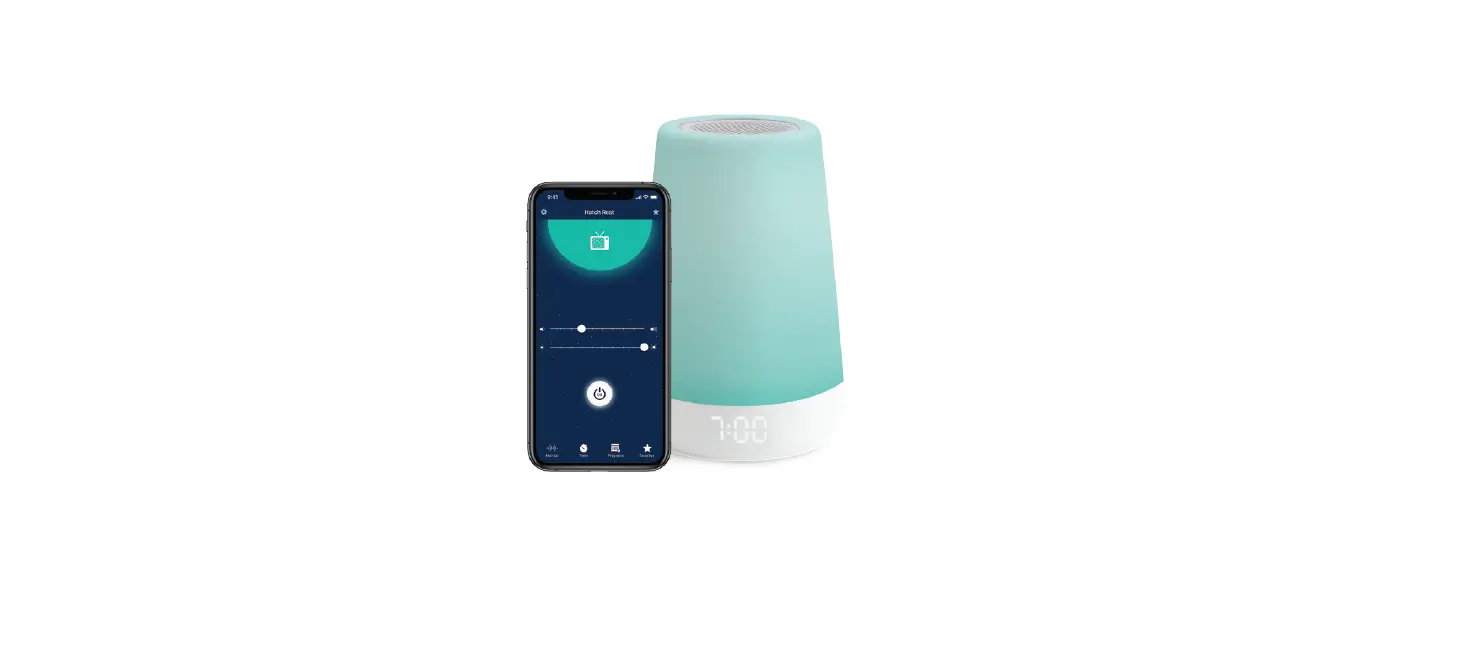
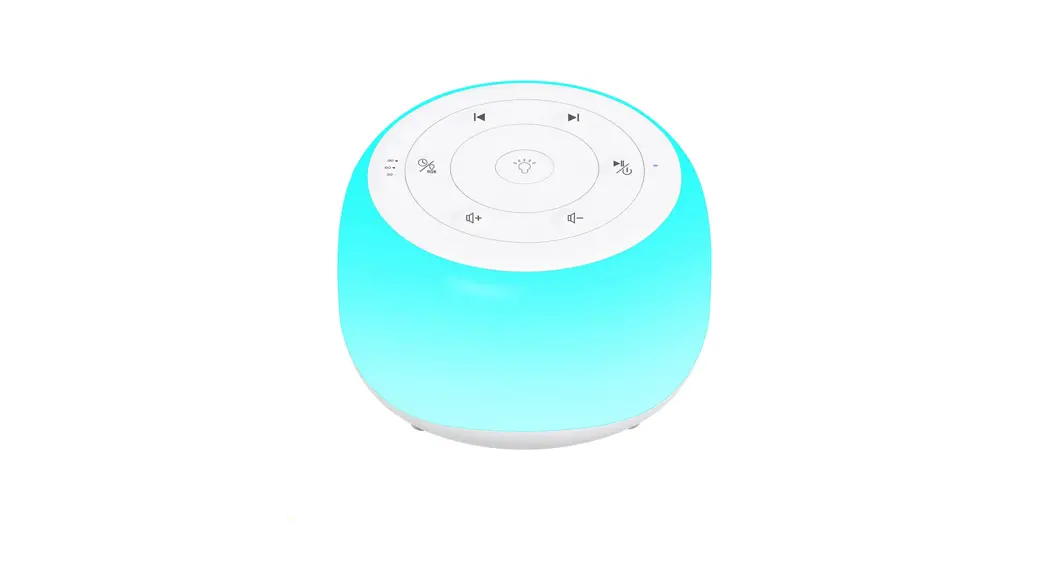
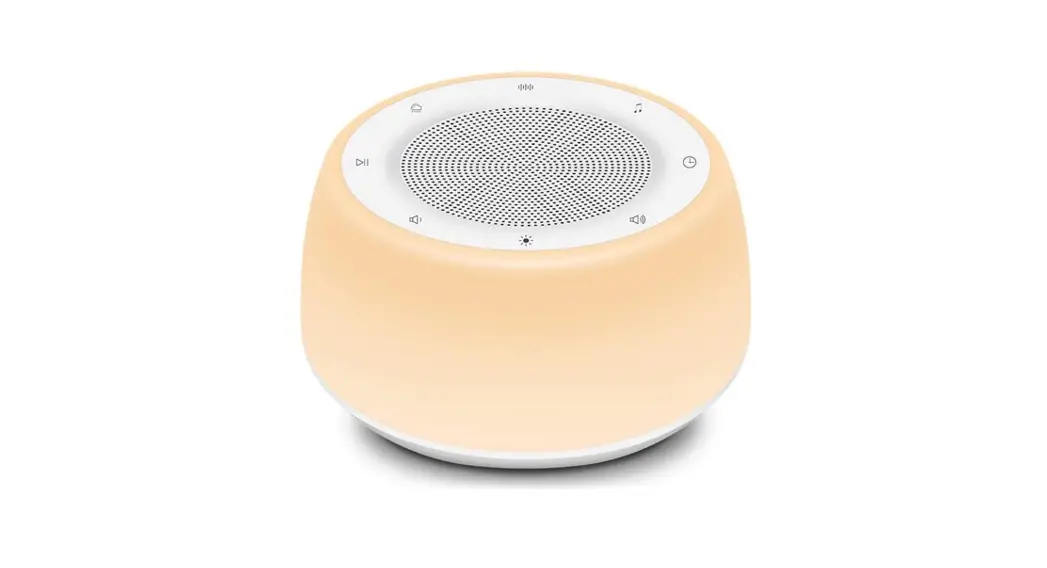
The Babysense Dreamer Sound & Light Machine is a device
designed to provide soothing sounds, ambient lighting, and a
clock/temperature display for your baby’s room. It comes with a
non-removable preinstalled battery and is compatible with 2.4GHz
networks. The device features touch buttons for controlling various
functions such as play/pause, volume adjustment, brightness
control, and color change. It also has a standby mode for
convenience.
Product Usage Instructions
1. Overview
1.1 Pack Contents:
- Device
- USB Cable
- AC Adapter
- User Manual
Note: The Dreamer is supplied with a non-removable preinstalled
battery.
1.2 Device Overview:
- Reset
- Serial Number
- Power
- Charging Port
- Charging Indicator
- Display
- Touch Buttons (Play/Pause, Previous Sound, Next Sound, Volume
Up, Volume Down, Brightness Up, Color Change, Brightness Down)
Long press the touch buttons to activate Standby Mode and short
press to reactivate and change between favorite ambiances. Use the
volume buttons to adjust the sound and the brightness buttons to
adjust the light.
2. Getting Started
Note: The Babysense Dreamer is compatible with 2.4GHz networks
only.
When turning the device on for the first time:
- The backlights on the top panel will light up.
- The Babysense Dreamer’s body will illuminate in white.
- The letter P will appear on the clock/temperature display and
will blink for 3 minutes indicating the device is in pairing
mode. - If no P appears or to reactivate pairing mode, press and hold
both volume buttons together for 5 seconds.
3. Tips for Usage
No tips for usage are provided in the user manual.
4. Troubleshooting
| Problem | Solution |
|---|---|
| The time displayed is not accurate | To accurately set the time to your time zone, please download and connect to the app. |
| The temperature reading is not correct, it is reading higher | The Dreamer LEDs warm up when the light is being used, which may result in a slightly higher temperature reading. |
| My Dreamer is nonresponsive | Reset the device by inserting a small, firm object into the reset hole (found on the bottom of the device) and press for 5 seconds. |
| Unable to connect to Wi-Fi | Ensure your Wi-Fi is on. The device only supports 2.4GHz networks. |
5. Warnings and Safety Instructions
Follow these safety precautions to prevent fire, injury, or
damage to the product:
- Read and keep all safety and operating instructions before
operating the Babysense Dreamer Sound & Light Machine. - Retain your purchase receipt for warranty service.
5.1 Important:
No specific information is provided under this section.
5.2 Safety Instructions for AC Power Adapter:
No specific information is provided under this section.
5.3 Safety Instructions for Li-ion battery (Non-removable
pre-installed battery):
No specific information is provided under this section.
5.4 Information on disposal of product:
Always dispose of your product (with the non-removable
preinstalled battery) in an environmentally responsible way and in
accordance with your local waste disposal requirements. Recycle all
cardboard and paper packaging materials according to your local
council waste regulations.
Thank you for choosing the Babysense Dreamer Sound & Light
Machine.
Dreamer
Sound & Light Machine
For any product related question please contact us at: [email protected] www.babysensemonitors.com
ENG 02-16
Dreamer
Sound & Light Machine By
GER 61-76
ITA 46-60
FRA 17-30
SPA 31-45
Imported by Hisense Ltd., 27 Shaked Street, Hevel Modi`in Industrial Park, 731990 ISRAEL Tel: +(972) 3 956 66 04
www.babysensemonitors.com
ENG
1. Overview 1.1 Pack Contents
Device
USB Cable AC Adapter User Manual
Note: The Dreamer is supplied with a non-removable preinstalled battery.
1.2 Device Overview
Reset Serial Number
Power
Charging Port
Charging Indicator
Display
3
ENG
Touch Buttons
Play/Pause Previous Sound Next Sound
Volume Up Volume Down Brightness Up
Color Change
Brightness Down
Long press to activate Standby Mode & short press to reactivate and change between favorite ambiances
Note: · Brightness Control Press the Brightness Up or Brightness
Down button to increase or decrease the brightness of the light. When the main light is off, pressing these buttons will increase or decrease the brightness level of the clock and/or temperature display.
· Color Control Press the C button to cycle through the colors: you can select a solid color or the rainbow options where the colors automatically switch every 5 seconds. Long press to switch the light off.
4
ENG
2. Getting Started
Step 1: · Connect the power cable to the Dreamer and then plug it
into your electrical power outlet. · Press power button to switch the Dreamer on (Illustration 1.2)
Step 2: · Ensure your cellular device’s Bluetooth and WiFi is ON · Download the app: Use the QR Code below or search for
Babysense app in the Apple App Store or Google Play Store and download to your cellular device. · Follow app installation instructions
Note: The Babysense Dreamer is compatible with 2.4GHz networks only.
5
ENG
Note: When turning the device on for the first time the following will occur: 1.The backlights on the top panel will light up. 2.The Babysense Dreamer’s body will illuminate in white 3.The letter P will appear on the clock/temperature display
and will blink for 3 minutes indicating the device is in pairing mode. If no P appears or to reactivate pairing mode press and hold both and buttons together for 5 seconds.
3. Tips for Usage
· Charge Dreamer until the charging indicator changes from red to green.
· When the battery is low and needs to be recharged, LO will be seen on the display.
· The clock can be displayed in either 12hr or 24hr or you can select to switch the time display off, through the app.
· The temperature can be displayed in either Fahrenheit or Celsius or you can select to switch the temperature display off, through the app.
6
ENG
4. Troubleshooting
Problem
The time displayed is not accurate
Solution
To accurately set the time to your time zone please download and connect to the app.
The temperature reading is not correct, it is reading higher
The Dreamer LEDs warm up when the light is being used which may result in the temperature reading being slightly higher.
My Dreamer is nonresponsive
Reset the device by inserting a small, firm object into the reset hole (found on the bottom of the device) and press for 5 seconds.
Unable to connect to Wi-Fi
Ensure your Wi-Fi is on. Only supports 2.4GHz networks.
7
ENG
5. Warnings and Safety Instructions
Follow these safety precautions to prevent fire, injury or damage to the product. Read and keep instructions: It is very important that you read all the safety and operating instructions before the Babysense Dreamer Sound & Light Machine is operated. Please retain your purchase receipt as you will need to produce it if warranty service is required.
5.1 Important:
· Strangulation Hazard: Children can become entangled in cords. Make sure the Sound & Light machine’s power adaptor cable is kept out of reach of your baby and other young children at all times.
· Choking Hazard: This product contains small parts which may cause choking. Exercise care when unpacking and assembling the product and keep the small parts away from children.
· Risk Of Suffocation: Keep all packaging materials out of reach of children.
8
ENG
· Do Not Handle Roughly, Drop Or Throw: Babysense Dreamer Sound & Light Machine is a high-quality electronic device which must be handled with care.
· This Product Is Not A Toy: It should be kept out of children’s reach.
· Water And Moisture: The product should not be exposed to rain, moisture, or splashing. Never use or place the product in or near moisture or water. This product is designed for INDOOR USE ONLY. If the product becomes dirty, use a soft cloth to wipe surfaces.
· Keep Away From Sources Of Heat: This unit should not be exposed to direct heat sources such as a candle, stove, radiator, heat register or other appliance that emit heat.
· Power Source: This product should only be used with the AC power adapter supplied by the manufacturer, as included in this package.
· Ventilation: This product should not be used on a bed, sofa, rug or similar surface that may block the ventilation or speaker openings, or be placed in an enclosed area, such as a bookcase or drawer that may impede air flow. Never cover the product with clothes, towels, blankets or any other item.
9
ENG
· Damage Requiring Service: This product should be serviced by qualified personnel only.
· Do Not Try To Open And Repair The Product: If you have any problems with the product, please contact the authorized distributor or manufacturer. In case of unusual noises or smells originating from the device, immediately disconnect the product from the power outlet and contact the authorized distributor or manufacturer.
5.2 Safety Instructions for AC Power Adapter
· The adapter should not be exposed to direct heat sources such as a candle, stove, radiator, heat register or other appliance that emit heat.
· During continual use, the power adapters may become warm to the touch. This is normal and should not be a cause of concern. Examine intactness of the power cord and its plug.
· The adapter must be handled with care: Do not handle roughly, drop or throw.
· When removing the power adapter from the wall outlet, hold and pull from the receptacle.
10
ENG
· Do not pull on the cable itself or bend the cable as that will put additional stress on the cable and could lead to damages.
· Do not touch the power adapter with wet hands or allow liquids to spill on it.
· Make sure the mains adaptor cables are kept out of reach of your baby and other young children at all times. To avoid possible danger from power cords, the cords should be secured and never be hung on or near the crib.
· Do not replace the plugs or cable on your power adapter. · Never cut, damage or bend the power cord. · Do not put any objects on top of the power cord, which could
cause overheating, damage, combustion and electrocution. · Do not leave the power adapter connected to the wall outlet
when it is not plugged into the Sound and Light Machine. · Do not remove the warning label from the power cable.
WARNING: · Do not replace the power cord with non-original substitutes.
Improper connection may cause electrocution. · Do not place the AC adaptor cable in a high wear and tear
location. Never use a frayed or compromised cord.
11
ENG
5.3 Safety Instructions for Li-ion battery (Non removable pre-installed battery)
· Do not attempt to open the device and replace the preinstalled battery, as improper use may present a risk of fire, explosion, or other hazards, and will invalidate the warranty.
· Do not attempt to repair or adjust any of the electrical or mechanical functions of the unit.
· Do not dismantle, cut, open, crush, bend, puncture, or shred cells or batteries.
· If a battery leaks, do not let the battery liquid touch skin or eyes. If this happens, immediately flush the affected areas with water, and seek medical assistance.
· The battery should not be exposed to direct sunlight or heat sources such as a candle, stove, radiator, heat register or other appliance that emit heat.
· Do not modify, remanufacture, attempt to insert foreign objects into the battery, or immerse or expose it to water or other liquids. Batteries may explode if damaged.
· If you believe the battery is damaged, remove product from the charger and stop using the product.
· Never use a damaged battery.
12
ENG
5.4 Information on disposal of product
Always dispose of your product (with the non-removable preinstalled battery) in an environmentally responsible way and in accordance with your local waste disposal requirements. All cardboard and paper packaging materials should be recycled in accordance with your local council waste regulations.
Thank you for choosing the Babysense Dreamer Sound & Light Machine.
6. FCC Statements
This device complies with part 15 of the FCC Rules. Operation is subject to the following two conditions:
(1)This device may not cause harmful interference. (2)This device must accept any interference received, including
interference that may cause undesired operation. NOTE 1: This equipment has been tested and found to comply
13
ENG
with the limits for a Class B digital device, pursuant to part 15 of the FCC Rules. These limits are designed to provide reasonable protection against harmful interference in a residential installation. This equipment generates, uses and can radiate radio frequency energy and, if not installed and used in accordance with the instructions, may cause harmful interference to radio communications. However, there is no guarantee that interference will not occur in a particular installation. If this equipment does cause harmful interference to radio or television reception, which can be determined by turning the equipment off and on, the user is encouraged to try to correct the interference by one or more of the following measures: · Reorient or relocate the receiving antenna. · Increase the separation between the equipment and
receiver. · Connect the equipment into an outlet on a circuit different
from that to which the receiver is connected. · Consult the dealer or an experienced radio/TV technician for
help.
14
ENG
NOTE 2: Any changes or modifications to this unit not expressly approved by the party responsible for compliance could void the user’s authority to operate the equipment.
7. Specifications
Model No Frequency Input Voltage Power Adapter Operational Environment
Working Voltage Dynamic Current Static Current Size Speaker Diameter Sound Level Battery Battery Operating Time
MBZ221 2.4GHz WiFi DC5V/1A Input AC 100-240V <50/60Hz; Output: 5V/1A Indoor use only; Temperature: 32-104°F / 0-40°C Humidity: 5% to 90% rh. (relative humidity) 3.7V
light off<200MA / light on<600MA 20uA 110*110*108mm 40mm 4 3W 40dB~110dB 2600MA rechargeable battery Up to 8 hours
15
ENG
8. Warranty Terms
We take quality very seriously. This is why all of our products come with a one-year warranty from the original purchase date against defects in workmanship and materials. Please register your warranty online. If you have warranty or support issues, please contact our customer service.
[email protected]
9. Customer Support
If you have any further questions about using the product, please contact us via:
Email – [email protected] US Toll-Free number (833) 568-2229 (USA ONLY)
Website – www.babysensemonitors.com
Please retain your purchase receipt and attach to the back page of this user manual as you will need to produce this if warranty service is required.
16
Dreamer
Appareil Son & Lumière
Pour toute question relative à ce produit veuillez nous contacter à [email protected]
www.babysensemonitors.com | www.hisense.co.il
FRE
1. Présentation 1.1 Contenu de l’emballage
Appareil
Câble USB
AC Adaptateur
Guide De L’utilisateur
REMARQE: L’ Dreamer est fournie avec une batterie Li-ion rechargeable intégrée.
1.2 Présentation de l’appareil
Réinitialisation Serial Number Power
18
DC Jack
Indicater de Charge
Affichera
Boutons Tactiles
FRE
Lecture / Pause Son précédent Son suivant
Volume haut Volume bas Luminosité haut
Changement de couleur
Luminosité bas
Appuyez longuement pour activer le mode veille & appuyez brièvement pour réactiver et basculer entre vos ambiances préférées
REMARQE: · Contrôle de la luminosité Appuyez sur le bouton de
luminosité vers le haut ou vers le bas pour augmenter ou diminuer la luminosité. Lorsque la lumière principale est éteinte, en appuyant sur ces boutons vous augmenterez ou diminuerez le degré de luminosité de l’affichage de l’horloge et/ou de la température.
· Contrôle de la couleur Appuyez sur le bouton C pour parcourir les couleurs : vous pouvez sélectionner une couleur unie ou les options d’arc-en-ciel où les couleurs permutent automatiquement toutes les 5 secondes. Appuyez longuement pour éteindre la lumière.
19
FRE
2. Prise en Main
Etape 1: · Raccordez le câble d’alimentation au Dreamer puis
branchez-le à votre prise électrique. · Appuyez sur le bouton Marche pour allumer le Dreamer
(Illustration 1.2)
Etape 2: · Vérifiez que le Bluetooth et que le WIFI de votre appareil
cellulaire est sur ON. · Télécharger l’application : Utilisez le QR code ci-dessous ou
cherchez l’application Babysense dans la boutique Apple App ou la boutique Google Play et téléchargez sur votre appareil cellulaire. · Suivez les instructions d’installation de l’application
REMARQE: Le Dreamer Babysense est compatible uniquement avec les réseaux 2.4GHz.
20
FRE
REMARQE: Lorsque vous allumez l’appareil pour la première fois, il se produira ce qui suit: 1.Le rétroéclairage du panne supérieur s’allumera. 2.Le corps du Dreamer Babysense s’éclairera en blanc. 3.La lettre P apparaîtra sur l’écran d’affichage de l’horloge/
température et clignotera pendant 3 minutes pour indiquer que l’appareil est en mode de couplage. Si aucun P n’apparait ou pour réactiver le mode de couplage, appuyez et maintenez les deux pendant 5 secondes.
3. Conseils d’utilisation
· Chargez le Dreamer jusqu’à ce que l’indicateur de charge passe du rouge au vert.
· Lorsque la batterie est faible et a besoin d’être rechargée, LO s’affichera à l’écran.
· L’horloge peut être affichée soit sur 12h soit sur 24h ou alors, vous pouvez choisir de désactiver l’affichage de l’heure au moyen de l’application.
· La température peut être affichée en degrés Farenheit ou Celsius ou alors, vous pouvez choisir d’éteindre l’affichage de la température, au moyen de l’application.
21
FRE
4. Résolution des Problems
Problème
Cause possible/Solution
L’heure affichée n’est pas précise
Pour régler avec précision l’heure de votre fuseau horaire, veuillez télécharger et vous connecter à l’application.
La lecture de la température est inexacte, elle apparait plus élevée
Les ampoules Led du Dreamer se réchauffent lorsque la lumière est utilisée ce qui peut expliquer une lecture de température légèrement supérieure.
Mon Dreamer ne réagit pas
Réinitialisez l’appareil en insérant un petit objet résistant dans le trou de réinitialisation (qui se trouve en bas de l’appareil) et appuyez pendant 5 secondes.
Impossible de se connecter au Wi-Fi
Vérifiez que votre Wi-Fi est allumé. Ne prend en charge que les réseaux 2.4 GHz.
22
FRE
5. Avertissements et Consignes de sécurité
Suivez ces consignes de sécurité pour éviter tout risque d’incendie, de blessure ou de dommage au produit.
Lisez ces instructions et conservez-les: Il est très important que vous lisiez les consignes de sécurité et d’utilisation avant d’utiliser votre Dreamer Appareil Son & Lumière.
Veuillez conserver votre ticket de caisse, il vous sera demandé en cas de recours à la garantie.
5.1 AVERTISSEMENTS:
· RISQUE D’ÉTRANGLEMENT: Les enfants peuvent s’emmêler dans les cordons. Assurez-vous que les unités Bébé et Parents et que les prinipaux cordons restent à tout moment hors de portée de votre bébé et d’autres jeunes enfants, soit à deux mètres de distance au moins.
· RISQUE D’ÉTOUFFEMENT: Ce produit contient des pièces de petites dimensions qui peuvent provoquer un étouffement. Soyez vigilant en déballant et en assemblant ce produit et veillez à ce que les pièces de petites dimensions restent hors de portée des enfants.
23
FRE
· RISQUE DE SUFFOCATION: Tenez tous les éléments d’emballages et autres films de protection hors de portée des enfants.
· NE PAS MANIPULER BRUTALEMENT, JETER OU LAISSER TOMBER: Babysense Dreamer Appareil Son & Lumière est un appareil électronique de haute qualité qu’il convient de manipuler avec précaution.
· CE PRODUIT N’EST PAS UN JOUET:Il devrait être gardé hors de la portée des enfants.
· EAU ET HUMIDITÉ: Ce produit ne doit pas être exposé à la pluie, à l’humidité, aux éclaboussures. Ne jamais utiliser ni placer ce produit dans, ou à proximité, d’atmosphères humides ou dans l’eau. Ce produit est conçu pour une utilisation en intérieur uniquement. Si le produit se salit, utilisez un chiffon doux pour nettoyer les surfaces.
· TENIR ÉLOIGNÉ DES SOURCES DE CHALEUR: Ne pas exposer ce produit à des sources directes de chaleur. Ce produit ne doit pas être laissé à côté de bougie, poêle, radiateur ou tout autre appareil produisant de la chaleur, ni exposé à la lumière directe du soleil.
· SOURCE D’ALIMENTATION: Ce produit doit être utilisé uniquement avec les adaptateurs secteur fournis par le fabricant et inclus dans l’emballage.
24
FRE
· VENTILATION: Ne pas utiliser ce produit dans un lit, sur un canapé, un tapis ou toute autre surface du même type, qui peut obturer les ouvertures des haut-parleurs ou de la ventilation, ne pas le placer dans un endroit confiné comme une bibliothèque ou un tiroir, susceptible de gêner la circulation de l’air. Ne pas le recouvrir de vêtement, servietie, couverture ou tout autre objet.
· RÉPARATION: Ce produit doit être réparé uniquement par un technicien qualifié.
· NE PAS ESSAYER DE RÉPARER CE PRODUIT, NE PAS L’OUVRIR:Si vous rencontrez un quelconque problème avec ce produit, veuillez contacter le distributeur agréé.
5.2 Consignes de Sécurité pour L’adaptateur Secteur
· L’adaptateur secteur ne doit pas être exposé à des sources directes de chaleur comme bougie, poêle, radiateur ou tout autre appareil produisant de la chaleur.
· Lors d’une utilisation prolongée, l’adaptateur secteur peut être chaud au toucher. Cela est normal et ne doit pas vous préoccuper.
· Contrôlez le bon état du cordon d’alimentation et de sa prise. 25
FRE
· L’adaptateur doit être manipulé avec précaution : ne le maniez pas brutalement, ne le jetez pas, ne le laissez pas tomber.
· Quans vous débranchez l’adaptateur du secteur, saisissez-le par sa prise pour le retirer de la prise murale.
· Ne pas tirer directement sur le cordon, ne pas le plier, car cela pourrait exercer un surcroît de contrainte et risquerait de l’endommager.
· Ne pas toucher l’adaptateur avec des mains humides, ne pas laisser de liquide s’y répandre.
· Assurez-vous que les cordons d’alimentation sont à tout moment hors de portée de votre bébé comme d’autres jeunes enfants. Afin d’éviter tout risque lié aux cordons d’alimentation, ceux-ci doivent être fixés et ne doivent jamais être suspendus au-dessus ou près du berceau de bébé.
· Ne pas remplacer la prise ni le cordon de votre adaptateur secteur. Ce produit doit être utilize uniquement avec les adaptateurs secteur fournis par le fabricant et inclus dans l’emballage.
· Ne pas plier, abîmer, couper le cordon d’alimentation. · Ne rien poser sur le cordon d’alimentation, ceci pourrait
provoquer une surchauffe, un dommage, une combustion et une électrocution.
26
FRE
· Ne pas laisser l’adaptateur branché à la prise murale quand il n’est pas connecté à une Unité Bébé ou Parents.
AVERTISSEMENTS :: · Ne pas remplacer le cordon d’alimentation par un autre,
d’une autre origine. Une mauvaise connecti on peut provoquer une électrocution. · Ne pas utiliser un adaptateur secteur très usé. Ne jamais utiliser un cordon abîmé ou effiloché. · Destiné seulement à un usage à l’intérieur.
5.3 Consignes de Sécurité pour la Batierie Li-ion (Batterie fixe préinstallée)
· Ne pas essayer de réparer ou d’adapter les éléments mécaniques ou électriques de l’unité.
· Ne pas démonter, couper, ouvrir, écraser, plier, percer, ou détruire les capteurs ou les batieries.
· Si une batierie fuit, évitez que le liquide entre en contact avec votre peau ou vos yeux. Si cela se produit, rincez immédiatement la partie touchée à grande eau, puis consultez un médecin.
27
FRE
· La batierie ne doit pas être exposée à la lumière directe du soleil ou à des sources de chaleur comme bougie, poêle, radiateur ou tout autre appareil produisant de la chaleur.
· Ne pas modifier ni remodeler la batierie, ne pas essayer d’y introduire des corps étrangers, ne pas l’immerger ou l’exposer à l’eau ou à d’autres liquides. Une batierie endommagée peut exploser.
· N’utiliser que les batieries fournies avec le produit ou du même type que celles-ci, vendues par le fabricant ou ses distributeurs agréés. Un mauvais usage, ou un usage inapproprié des batieries, peut présenter un risque d’incendie, d’explosion, ou d’autres dangers, et cela peut annuler la garantie.
· Si vous pensez qu’une batierie est endommagée, débranchez-la de son chargeur et cessez de l’utiliser.
· Ne jamais utiliser une batierie endommagée.
5.4 Information sur L’élimination de la Batierie et du Produit
Vous devez éliminer votre produit en fin de vie, d’une manière écologiquement responsable, et conformément aux
28
FRE
dispositions locales concernant l’élimination des déchets. Tous les cartons et papiers d’emballage seront recyclés conformément aux dispositions déterminées par votre municipalité.
Merci d’avoir choisi Babysense Dreamer Appareil Son & Lumière.
6. Caractéristiques
Model No Fréquence Tension d’entrée Adaptateur secteur Environnement de fonctionnement
Tension de fonctionnement Electricité dynamique Electricité statique Dimension Diamètre du haut-parleur Niveau sonore Batterie Durée de fonctionnement de la batterie
MBZ221 2.4GHz WiFi DC5V/1A Input AC 100-240V <50/60Hz; Output: 5V/1A Utilisation uniquement à l’intérieur. Température de fonctionnement : de 32 à °104F, soit de 0 à °40C. Humidité : de 5 à 90 % d`humidité relative. 3.7V light off<200MA / light on<600MA 20uA 110*110*108mm 40mm 4 3W 40dB~110dB 2600MA rechargeable battery Jusqu’à 8 heures
29
FRE
7. Conditions de Garantie
Nous prenons les questions de qualité très au sérieux. C’est pourquoi tous nos produits sont garantis un an après leur date d’achat contre tout défaut de fabrication et de matériaux. Si vous avez des questions de garantie ou de service après vente, veuillez contacter notre service client.
[email protected]
8. Service Client
Si vous avez d’autres questions sur l’utilisation du produit, veuillez nous contacter via :
Email – [email protected] Website – www.babysensemonitors.com
Veuillez conserver votre ticket de caisse atiaché à la dernière page de ce guide, car vous devrez le fournir en cas de recours à la garantie.
30
Dreamer
Máquina de Luz y Sonido
Ante cualquier duda o consulta relacionada con el producto, por favor contáctenos a [email protected]
www.babysensemonitors.com | www.hisense.co.il
SPA
1. Descripción General 1.1 Contenido del Paquete
Dispositivo
Cable USB Adaptador de CA Manual de usuario
Nota: El Dreamer se suministra con una batería preinstalada no extraíble.
1.2 Descripción general del dispositivo
Reinicie Serial Number Power
32
Conector DC
Indicador de carga
Display
Botones táctiles
SPA
Reproducir / Pausar Sonido anterior Siguiente sonido
Volumen Arriba Volumen Abajo Brillo Arriba
Cambio de color
Brillo Abajo
Presione prolongadamente para activar el Modo de Espera y presione brevemente para reactivar y cambiar entre los ambientes favoritos
Nota: · Control de brillo Presione el botón Subir Brillo o Bajar
Brillo para aumentar o reducir el brillo de la luz. Cuando la luz principal está apagada, presionar estos botones hará aumentar o reducir el nivel de brillo de la exhibición del reloj y/o la temperatura.
· Control de color Presione el botón C para recorrer los colores: usted puede seleccionar un color sólido o las opciones arcoíris en la cual los colores cambian automáticamente cada 5 segundos. Presione prolongadamente para apagar la luz.
33
SPA
2. Primeros pasos
Paso 1: · Conecte el cable de alimentación al Dreamer y luego
enchúfelo en su toma de corriente eléctrica. · Presione el botón de encendido para encender el Dreamer
(Ilustración 1.2).
Paso 2: · Asegúrese de que el Bluetooth y el WiFi de su dispositivo
celular estén encendidos. · Descargue la aplicación: Utilice el Código QR de más abajo
o busque la aplicación Babysense en la Apple App Store o en Google Play Store y descárguela la su dispositivo cellular. · Siga las instrucciones de instalación de la aplicación.
Nota: El Dreamer Babysense es compatible solamente con redes de 2.4GHz.
34
SPA
Nota: Al encender el dispositivo por primera vez esto es lo que ocurrirá 1.Las luces de fondo del panel superior se encenderán. 2.El cuerpo del Dreamer Babysense se iluminará en blanco. 3.La letra P aparecerá en la exhibición del reloj / la temperatura y parpadeará durante 3 minutos indicando que el dispositivo está en modo de emparejamiento. Si no aparece la P o para reactivar el modo de emparejamiento presione y mantenga apretados juntos los botones durante 5 segundos.
3. Consejos para el uso
· Cargue el Dreamer hasta que el indicador de carga pasa de rojo a verde
· Cuando la batería está baja y requiere ser recargada, aparecerá en la pantalla LO
· El reloj se puede mostrare en 12 horas o 24 horas, o usted puede seleccionar apagar la exhibición de la hora a través de la aplicación.
· La temperatura puede ser exhibida en grados Fahrenheit o Celsius, o usted puede seleccionar apagar la exhibición de la temperatura a través de la aplicación.
35
SPA
4. Résolution des Problems
Problema
La hora exhibida no es exacta
Posible causa y solución
Para fijar con precisión la hora de su zona horaria, sírvase descargar y conectarse a la aplicación.
La lectura de temperatura no es correcta, indica más alta
Los LEDs del Dreamer se calientan cuando se usa la luz, lo que puede causar que la lectura de la temperatura sea levemente elevada.
Mi Dreamer no responde
Reinicie el aparato insertando un pequeño objeto firme en el agujero de reinicio (se encuentra en la parte inferior del aparato) y presione durante 5 segundos.
No se puede
Asegúrese de que su Wi-Fi está activado.
conectar a Wi-Fi Sólo admite redes de 2.4GHz
36
SPA
5. Advertencias e Instrucciones de Seguridad
Siga estas instrucciones de seguridad para evitar incendios, lesiones o daños en el producto. Lea y guarde las instrucciones:Es muy importante que lea todas las instrucciones de seguridad y operación antes de operar el Dreamer Máquina de Luz y Sonido de Babysense. Conserve el recibo de compra, ya que deberá presentarlo para servicio en garantia.
5.1 ADVERTENCIAS:
· PELIGRO DE ESTRANGULACIÓN: Los niños pueden enredarse en cuerdas. Asegúrese de que la Unidad del Bebé, la Unidad de Padres y los cables del adaptador de red estén, en todo momento, fuera del alcance de su bebé u otros niños pequeños. Mantenga una distancia mínima de 6 pies.
· PELIGRO DE AHOGO: Este producto contiene piezas pequeñas que pueden causar asfixia. Tenga cuidado al desempacar y ensamblar el producto y mantenga las partes pequeñas alejadas de los niños.
37
SPA
· RIESGO DE ASFIXIA: Mantenga todos los materiales de embalaje y las láminas de plástico fuera del alcance de los niños.
· NO MANIPULE BRUSCAMENTE, LO DEJE CAER NI ARROJE: El Dreamer Máquina de Luz y Sonido de Babysense es un dispositivo electrónico de alta calidad que debe manejarse con cuidado.
· ESTE PRODUCTO NO ES UN JUGUETE: Debe mantenerse fuera del alcance de los niños.
· AGUA Y HUMEDAD: El producto no debe exponerse a la lluvia, la humedad o salpicaduras de líquidos. Nunca use o coloque el producto en o cerca de agua ni en ambientes húmedos. Este producto está diseñado para USO EN INTERIORES SOLAMENTE. Si el producto se ensucia, use un paño suave para limpiar las superficies.
· MANTENGA ALEJADO DE FUENTES DE CALOR: Esta unidad no debe exponerse a fuentes de calor directas, como velas, estufas, radiadores, calefactores u otros aparatos queemitan calor. La unidad no debe dejarse en la luz solar directa.
· FUENTE DE ALIMENTACIÓN: Este producto solo se debe utilizar con los adaptadores de alimentación de CA,
38
SPA
suministrados por el fabricante, como se incluye en este paquete.. · VENTILACIÓN: Este producto no debe usarse en una cama, sofá, alfombra o superficies similares que puedan bloquear la ventilación o las aberturas de los altavoces, ni colocarse en áreas cerradas, estanterías o cajones que puedan impedir el flujo de aire. Nunca cubra el producto con ropa, toallas, frazadas o cualquier otro articulo. · DAÑOS QUE REQUIEREN REPARACIÓN: Este producto debe ser reparado únicamente por personal calificado. · NO INTENTE ABRIR O REPARAR EL PRODUCTO: Si confronta algún problema, contacte su distribuidor autorizado. En caso de ruidos u olores inusuales, originados en el dispositivo, desconecte inmediatamente el producto de la toma de corriente y contacte su distribuidor autorizado.
5.2 Instrucciones de Seguridad para el Adaptador de Corriente de CA
· El adaptador no debe exponerse a fuentes de calor directas, tales como velas, estufas, radiadores, calefactores u otros aparatos que emitan calor.
· Durante el uso continuo, los adaptadores de alimentación
39
SPA
pueden calentarse al tacto. Esto es normal y no debe ser motivo de preocupación. · Examine la integridad del cable de alimentación y su enchufe. · El adaptador debe manipularse con cuidado: no lo manipule bruscamente, lo deje caer ni arroje. · Cuando retire el adaptador de corriente de la toma de corriente de la pared, sostenga y tire del receptáculo. · No tire ni doble el cable, ya que eso ejercería una presión adicional sobre el cable y podría provocar daño. · No toque el adaptador de corriente con las manos mojadas ni permita que se derramen líquidos sobre él. · Asegúrese de que los cables estén fuera del alcance de su bebé u otros niños pequeños en todo momento. Para evitar posibles riesgos con los cables de alimentación estos se deben asegurar y nunca colgarse sobre la cuna ni cerca de ella. · No reemplace los enchufes o el cable de su adaptador de corriente. Este producto sólo se debe utilizer con los adaptadores de alimentación de CA suministrados por el fabricante, como se incluye en este paquete. · Nunca corte, dañe ni doble el cable de alimentación.
40
SPA
· No coloque ningún objeto encima del cable de alimentación, ya que podría causar sobrecalentamiento, daños, combustión y electrocución.
· No deje el adaptador de corriente conectado a la toma de corriente cuando no esté enchufado a la Unidad del Bebé o de padres.
ADVERTENCIA: · No reemplace el cable de alimentación con reemplazos
no originales. La conexión incorrecta puede causar electrocución. · No coloque el cable del adaptador de CA en ubicaciones de alto desgaste. Nunca use un cable deshilachado o defectuoso. · Destinado sólo para uso en interiores.
5.3 Instrucciones de Seguridad para la batería de ión de Litio (Baterías no removible instalada)
· No intente reparar o ajustar ninguna de las funciones eléctricas o mecánicas de la unidad.
41
SPA
· No desmonte, corte, abra, aplaste, doble, perfore o triture celdas o baterías.
· Si la batería tiene fugas, no permita que el goteo líquido de una batería esté en contacto con la piel o los ojos. Si esto sucede, lave de inmediato las áreas afectadas con agua y solicite asistencia médica.
· La batería no debe exponerse a la luz solar directa ni a fuentes de calor tales como velas, estufas, radiadores, rejillas de calefacción u otros aparatos que emitan calor.
· No modifique, re manufacture o intente insertar objetos extraños en la batería. Tampoco la sumerja ni exponga al agua u otros líquidos. Las baterías pueden explotar si están dañadas.
· Use únicamente el paquete de baterías suministrado con el producto o el mismo tipo, provisto por el fabricante o sus distribuidores autorizados. El uso inadecuado o el uso de baterías no aprobadas pueden presentar un riesgo de incendio, explosión y otros peligros que pueden invalidar la garantia.
· Si considera que la batería está dañada, retire el producto del cargador y deje de usarlo.
· Nunca use una batería dañada.
42
SPA
5.4 Información sobre la eliminación de y el producto
Siempre deseche el producto (con las baterías no removible instalada) al final de su vida útil de una forma ambientalmente responsable y de acuerdo con los requisitos locales de liquidación de desechos. Todos los materiales de embalaje de cartón y papel se deben reciclar según las regulaciones locales sobre desechos.
Gracias por elegir el el Dreamer Máquina de Luz y Sonido de Babysense.
43
SPA
6. Especificaciones
Model No Frecuencia Voltaje de alimentación daptador de alimentación Ambiente de operación
Voltaje de trabajo Corriente dinámica Corriente estática Tamaño Diámetro del parlante Nivel de sonido Batería Tiempo de funcionamiento de la batería
MBZ221 2.4GHz WiFi DC5V/1A Input AC 100-240V <50/60Hz; Output: 5V/1A
Solamente para uso en interiores; Temperature: 32-104°F / 0-40°C Humedad: 5% a 90% hr. (humedad relativa) 3.7V light off<200MA / light on<600MA 20uA 110*110*108mm 40mm 4 3W 40dB~110dB 2600MA rechargeable battery Hasta 8 horas
44
SPA
7. Condiciones de Garantia
Tomamos la calidad muy en serio Esta es la razón por la cual todos nuestros productos tienen garantia de un año contra defectos de mano de obra y materiales a partir de la fecha de compra original. Para consultas sobre la garantia o apoyo técnico, consulte nuestro Servicio de Atención al Cliente.
[email protected]
8. Asistencia al Cliente
Si tiene más preguntas sobre el uso del producto, después de revisar los recursos mencionados anteriormente, comuníquese con nosotros a través de:
Email – [email protected] Website – www.babysensemonitors.com
Conserve el recibo de compra y adjúntelo a la última página de esta guía de usuario, ya que deberá presentarlo si se requiere servicio de garantia.
45
Dreamer
Dispositivo di Luce e Suoni
Per ogni domanda relativa al prodotto non esitate a contattarci su: [email protected] www.babysensemonitors.com | www.hisense.co.il
ITA
1. Descrizione 1.1 Pacchetto Contiene
Dispositivo
Cavo USB Adattatore CA
Manuale d`uso
Nota: L’Dreamer viene fornito con una batteria preinstallata non rimovibile.
1.2 Panoramica del dispositivo
Resettare Serial Number
Power
DC Jack
Indicatore di carica
Display
47
ITA
Pulsanti a Sfioramento
Play/Pausa Suono precedente
Alzare il volume Abbassare il volume
Suono successivo
Alzare il Luminosità
Cambio di colore
Abbassare il Luminosità
Premere a lungo per attivare la modalità di standby e brevemente per riattivare e cambiare fra gli ambienti preferiti
Nota: · Controllo di luminosità premere il pulsante Incrementa
la luminosità o Diminuisci la luminosità per incrementare o diminuire la luminosità della luce. Quando la luce principale è spenta, premendo questi pulsanti il livello di luminosità dell’orologio e/o del display della temperatura aumenterà o diminuirà. · Controllo del colore Premere il pulsante C per passare in modo ciclico fra i colori: è possibile selezionare un colore unico o le opzioni di arcobaleno dove i colori cambiano automaticamente ogni 5 secondi. Premere a lungo per spegnere la luce.
48
ITA
2. Iniziamo
Passaggio 1: · Connettere il cavo di alimentazione al Dreamer e poi inserirlo
nella presa elettrica. · Premere il pulsante di accensione per accendere il Dreamer
(illustrazione 1.2)
Passaggio 2: · Assicurarsi che Bluetooth e WiFi del dispositivo cellulare siano
accesi. · Scaricare l’app: usare il codice QR sotto riportato o cercare
l’app Babysense nell’Apple App Store o Google Play Store e scaricarla sul dispositivo cellulare. · Seguire le istruzioni per l’installazione dell’app.
Nota: Il Babysense Dreamer è compatibile solo con reti a 2.4GHz.
49
ITA
Nota: Quando si accende il dispositivo per la prima volta si verificherà quanto segue: 1. La retroilluminazione sul pannello superiore si accenderà.
2. Il corpo del Babysense Dreamer si illuminerà con una luce bianca.
3. La lettera P apparirà sull’orologio / il display della temperatura e lampeggerà per 3 minuti indicando che il dispositivo è in modalità di abbinamento. Se non appare una P o per riattivare la modalità di abbinamento premere e tenere premuti insieme i pulsanti per 5 secondi.
3. Consigli per l’uso
· Caricare il Dreamer fino a quando l’indicatore di ricarica cambia da rosso a verde.
· Quando la batteria è debole e deve essere ricaricata, sul display si vede LO.
· L’orologio può essere visualizzato in formato di 12 ore o 24 ore, o è possibile selezionare di spegnere il display dell’ora, usando l’app.
· È possibile visualizzare la temperatura in gradi Fahrenheit o Celsius, oppure selezionare di spegnere il display della temperatura, per mezzo dell’app.
50
ITA
4. Risoluzione problem
Problema
L’ora visualizzata non è precisa
Possibile causa e soluzione
Per impostare l’ora in modo accurato secondo il proprio fuso orario scaricare e connettere l’app.
Se la lettura della temperatura non è corretta, è più elevata Il mio Dreamer non è reattivo
Impossibile connettersi a Wi-Fi
I LED del Dreamer si scaldano quando la luce è in uso, cosa che può causare una lettura della temperatura leggermente più alta.
Reimpostare il dispositivo inserendo un piccolo oggetto solido nel foro di reimpostazione (che si trova sulla parte inferiore del dispositivo) e premere per 5 secondi.
Assicurarsi che il Wi-Fi sia acceso. Supporta solo reti a 2.4GHz
51
ITA
5. Avvertimenti e istruzioni di sicurezza
Seguire attentamente le seguenti istruzioni per prevenire l’incendio, gli infortuni e/o il danneggiamento del prodotto. Leggere e custodire il Manuale: E` molto importante che l’utente legga tutte le istruzioni di sicurezza e uso prima di accendere il Babysense Dreamer Dispositivo di Luce e Suon. Conservare la ricevuta di acquisto, poiché essa deve essere presentata nel caso di reclamo del prodotto nel corso della validità della garanzia.
5.1 AVVERTIMENTI:
· PERICOLO DI STRANGOLAMENTO:I fili possono aggrovigliarsi intorno ai bambini. Assicurarsi che l’unità Bambini, l’unità Genitore e i cavi principali del adattatore siano sorvegliati lontano dalla portata del bambino o da altri bambini piccoli, a distanza minima di 6 piedi.
· PERICOLO DI SOFFOCAMENTO: prodotto contiene piccole parti che possono causare il soffocamento. Aprire il pacchetto ed assemblare il prodotto con cura tenendo le parti piccole lontano dalla portata desi bambini.
52
ITA
· PERICOLO DI SOFFOCAMENTO: Tenere tutto il materiale d’imballaggio e la carta stagnola protettiva lontano dalla portata dei bambini.
· MANEGGIARE IL PRODOTTO CON CURA, NON FARLO CADERE, NON LANCIARLO:il Babysense Dreamer Dispositivo di Luce e Suon è un dispositivo elettronico di alta qualità e deve essere maneggiato con cura.
· IL PRODOTTO NON È UN GIOCATOLO: Deve essere tenuto lontano dalla portata dei bambini.
· ACQUA E UMIDITA’: Il prodotto non deve essere esposto alla pioggia, all’umidità, all’acqua sgocciolante oppure agli schizzi di acqua. Non utilizzare né posizionare il prodotto vicino alla fonte di acqua o umidità. Questo prodotto è destinato SOLO ALL`USO INTERNO. Se il prodotto si sporca, utilizzare un panno morbido per pulire le superfici.
· TENERE LONTANO DALLE FONTI DI CALORE: Questa unità non deve essere diretamente esposta alle fonti di calore quali candela, fornello, radiatore o altri dispositivi che emettono il calore. L’unità non deve essere esposta ai raggi direti del sole.
· ALIMENTAZIONE: Il prodotto può essere utilizzato solo con gli adattatori a corrente alternata forniti dal produtiore in dotazione.
53
ITA
· VENTILAZIONE:Il prodotto non può essere utilizzato sul lettino, divano, tappetino o su una superficie simile che potrebbe otturare le aperture di ventilazione e/o di microfono, o collocato in uno spazio ristretto come libreria o cassetto, che potrebbe impedire la circolazione dell`aria. Non coprire mai il prodotto con vestiti, asciugamani, coperte o altro.
· DANNEGGIAMENTO/MALFUNZIONAMENTO DEL PRODOTTO: Il prodotto può essere riparato solo ed esclusivamente da un personale qualificata
· NON TENTARE DI APRIRE E DI RIPARARE IL PRODOTTO: Nel caso di problemi rivolgersi ad un centro di assistenza autorizzato. Nel caso di insoliti rumori e/o odori generati dall’apparecchio staccarlo immediatamente dalla rete e rivolgersi ad un distributore autorizzato.
5.2 Istruzioni di Sicurezza per l’Adatatore di Alimentazione a Corrente Alternata
· L’adattatore non deve essere esposto alle fonti di calore quali candela, fornello, radiatore, o altri dispositivi che emettono il calore.
· Durante l’uso l’adattatore può risultare caldo a contatto. Si tratta di un fenomeno normale.
54
ITA
· Controllare l’integrità del cavo di alimentazione e della sua spina.
· Maneggiare l’adattatore con cura: non farlo cadere, non lanciarlo.
· Allo staccare l’adattatore dalla rete prendere la spina in mano ed estrarla dalla presa.
· Non tirare il cavo né piegarlo per evitare il suo danneggiamento
· Non toccare l’adattatore di alimentazione con le mani umide né rovesciare i liquidi sopra.
· Assicurarsi che i cavi di alimentazione dell’adattatore sono in qualsiasi momento tenuti lontano dalla portata sia del bambino sorvegliato che di altri bambini piccoli per vitare ogni eventuali pericoli che possono generare i cavi di alimentazione. I cavi devono essere tenuti al sicuro e non devono mai essere appesi sul lettino del bambino.
· Non sostituire mai le spine o i cavi dell’adattatore. Il prodotto può essere utilizzato solo ed esclusivamente con gli adattatori a corrente alternata forniti dal produttore in dotazione.
· Non tagliare né piegare né danneggiare il cavo di alimentazione.
55
ITA
· Non porre alcun oggetto sul cavo di alimentazione per non provocare il surriscaldamento, danneggiamento, infiammazione o elettricizazione.
· Non tenere l’adattatore di alimentazione connesso alla rete se non è collegato all’unità Bambino o all’unità Genitore.
AVVERTIMENTO: · Non sostituire il cavo di alimentazione co5n uno non
originale. Una connessione inappropriata può essere causa di elettricizazione. · Non posizionare il cavo dell’adattatore a corrente alternata in un posto esposto al logorio. Non utilizzare mai il cavo usurato o altrimenti compromesso. · Destinato solo all`uso interno.
5.3 Istruzioni di Securezza per la Batteria Liion (Batteria preinstallata non rimovibile)
· Non tentare di riparare o modificare nessuna delle funzioni elettriche e/o meccaniche dell’unità.
· Non smontare, tagliare, aprire, schiacciare, piegare, bucare o distruggere gli elementi o le batterie.
56
ITA
· Se la batteria perde, avere cura che il liquido uscente dalla batteria non entri a contatto con la pelle o non entri negli occhi. Se comunque succede, sciacquare immediatamente le zone interessate con l’acqua e rivolgersi al medico.
· La batteria non deve essere esposta ai raggi diretti del sole o alle fonti di calore quali candela, fornello, radiatore o altri dispositivi che emettono il calore.
· Non modificare, manomettere o cercare di introdurre degli oggetti estranei nella batteria, non immergere né esporre la batterie all’acqua o agli altri liquidi. La batteria danneggiata potrebbe esplodere.
· Utilizzare esclusivamente la batteria (integrata) fornita con il prodotto. L’uso improprio e l’utilizzo delle batterie non approvate possono essere causa del rischio d’incendio, esplosione o di altri pericoli, e saranno comunque motivo dell’invalidità della garanzia.
· Se la batteria integrata nel prodotto risulta danneggiata, togliere il prodotto dal caricabatterie e non utilizzarlo più.
· Non utilizzare mai una batteria danneggiata.
57
ITA
5.4 Informazioni sullo Smaltimento del Prodotto
Gestire sempre il prodotto (con la batteria preinstallata non rimovibile) stesso alla fine della loro vita in modo idoneo per l’ambiente e nel rispetto delle leggi locali regolanti lo smaltimento dei rifiuti. Il cartone e la carta d’imballo devono essere riciclati in conformità a quanto tablespoons le leggi locali regolanti lo smaltimento dei rifiuti.
Grazie per aver scelto il Babysense Dreamer Dispositivo di Luce e Suon.
58
ITA
6. Caratteristiche
Model No Frequenza Tensione d’ingresso Adattatore di alimentazione Ambiente di utilizzo
Tensione di funzionamento Corrente dinamica Corrente statica Dimensioni Diametro dell’altoparlante Livello del suono Batteria Tempo di funzionamento della batteria
MBZ221 2.4GHz WiFi DC5V/1A Input AC 100-240V <50/60Hz; Output: 5V/1A
Solo per uso interno; Temperatura: °104-32F / °40-0 C Umidità: dal %5 al %90 rh. (umidità relativa) 3.7V
light off<200MA / light on<600MA 20uA 110*110*108mm 40mm 4 3W
40dB~110dB 2600MA rechargeable battery Fino a 8 ore
59
ITA
7. Condizioni di Garanzia
Per noi la qualità è un aspetto molto importante. Per questo motivo tutti i nostri prodotti sono coperti da un anno di garanzia dalla data di primo acquisto. La garanzia si riferisce ai difetti di produzione e dei materiali. Nel caso delle domande riguardo la garanzia e/o l’assistenza rivolgersi al nostro centro di assistenza clientti.
[email protected]
8. Assistenza Clienti
Nel caso di ulteriori chiarimenti riguardo l’uso del prodotto accessori contattarci tramite:
Email – [email protected] Website – www.babysensemonitors.com
Conservare la ricevuta di acquisto e allegarla alla retropagina della copertina del presente manuale, poiché essa deve essere presentata nel caso di richiesta dell’intervento nel periodo di garanzia.
60
Dreamer
Klang und Lichtmaschine
Für Fragen zu Produkten kontaktieren Sie uns bitte an: [email protected]
www.babysensemonitors.com | www.hisense.co.il
GER
1. Übersicht 1.1 Packungsinhalt
Gerät
USB-Kabel
Netzteil
Benutzerhandbuch
HINWEIS: Der Dreamer wird mit einem nicht entfernbaren vorinstallierten Akku geliefert.
1.2 Geräteübersicht
Zurücksetzen Serial Number Power
62
DC-Buchse
Ladeanzeige
Display
TouchTasten
GER
Wiedergabe/Pause
Lautstärke Auf
Vorheriger Ton
Lautstärke Ab
Nächster Ton
Helligkeit nach oben
Farbe ändern
Helligkeit nach unten
Langes Drücken, um den StandbyModus zu aktivieren, und kurzes Drücken, um ihn wieder zu aktivieren und zwischen den bevorzugten Umgebungen zu wechseln
HINWEIS: · Helligkeitsregelung Drücken Sie die Tasten Helligkeit auf
oder Helligkeit ab, um die Helligkeit des Lichts zu erhöhen oder zu verringern. Wenn das Hauptlicht ausgeschaltet ist, kann durch Drücken dieser Tasten die Helligkeit der Uhr und/ oder der Temperaturanzeige erhöht oder verringert werden. · Farbsteuerung Drücken Sie die Taste C, um durch die Farben zu schalten: Sie können eine feste Farbe oder die Regenbogenoptionen wählen, bei denen die Farben automatisch alle 5 Sekunden wechseln. Durch langes Drücken schalten Sie das Licht aus.
63
GER
2. Erste Schritte
Schritt 1: · Schließen Sie das Netzkabel an den Dreamer an und stecken
Sie ihn dann in die Steckdose. · Drücken Sie den Netzschalter, um den Dreamer
einzuschalten (Abbildung 1.2)
Schritt 2: · Vergewissern Sie sich, dass Bluetooth und WiFi Ihres
Mobilgeräts eingeschaltet sind. · Laden Sie die App herunter: Verwende den unten stehenden
QR-Code oder suche im Apple App Store oder Google Play Store nach der Babysense-App und lade sie auf dein mobiles Gerät herunter. · Folgen Sie den Anweisungen zur Installation der App.
HINWEIS: Der Babysense Dreamer ist nur mit 2,4GHzNetzwerken kompatibel.
64
GER
HINWEIS: Wenn Sie das Gerät zum ersten Mal einschalten, geschieht Folgendes:
Die Hintergrundbeleuchtung auf der Oberseite des Geräts 1. leuchtet auf. 2. Das Gehäuse des Babysense Dreamer leuchtet weiß. 3. Der Buchstabe P erscheint auf der Uhr/Temperaturanzeige
und blinkt 3 Minuten lang, um anzuzeigen, dass sich das Gerät im Pairing-Modus befindet. Wenn kein P erscheint oder um den Pairing-Modus zu reaktivieren, halten Sie die Tasten
gleichzeitig 5 Sekunden lang gedrückt.
3. Tipps zur Verwendung
· Laden Sie Dreamer auf, bis die Ladeanzeige von rot auf grün wechselt.
· Wenn der Akku schwach ist und aufgeladen werden muss, wird LO auf dem Display angezeigt.
· Die Uhr kann entweder in 12 oder 24 Stunden angezeigt werden oder Sie können die Zeitanzeige über die App ausschalten.
· Die Temperatur kann entweder in Fahrenheit oder Celsius angezeigt werden, oder Sie können die Temperaturanzeige über die App ausschalten.
65
GER
4. Fehlerbehebung
Problem
Die angezeigte Zeit ist nicht genau
Mögliche Ursache / Lösung
Um die Zeit genau auf Ihre Zeitzone einzustellen, laden Sie bitte die App herunter und verbinden Sie sich mit ihr.
Die Temperaturanzeige ist nicht korrekt, sie ist höher
Die LEDs des Dreamer erwärmen sich, wenn das Licht verwendet wird, was dazu führen kann, dass die Temperaturanzeige etwas höher ist.
Mein Dreamer spricht nicht an
Keine Verbindung zum Wi-Fi möglich
Setzen Sie das Gerät zurück, indem Sie einen kleinen, festen Gegenstand in das Reset-Loch (an der Unterseite des Geräts) stecken und 5 Sekunden lang drücken.
Vergewissern Sie sich, dass Ihr Wi-Fi eingeschaltet ist. Unterstützt nur 2.4GHz Netzwerke
66
GER
5. Warnungen und Sicherheitshinweise
Befolgen Sie diese Sicherheitsvorkehrungen, um das Risiko eines Feuers, Verletzungen oder Produktschäden zu vermeiden. Lesen Sie und bewahren Sie die Anweisungen auf: vermeiden. Lesen Sie und bewahren Sie die Anweisungen auf: Es ist sehr wichtig, dass Sie alle Sicherheits- und Bedienungsanleitungen lesen, bevor die Babysense Dreamer Klang und Lichtmaschine in Betrieb genommen wird. Bitte bewahren Sie Ihren Kaufbeleg auf, da Sie diesen benötigen, wenn ein Garantieservice erforderlich ist.
5.1 WARNUNGEN:
· STRANGULATIONSGEFAHR:Kinder können sich in den Kabeln verwickeln. Vergewissern Sie sich, dass sich die Babyeinheit, die Elterneinheit und das Netzadapterkabel für Ihr Baby und andere kleine Kinder immer in einem Abstand von mindestens 6 Fuß befinden.
67
GER
· ERSTICKUNGSGEFAHR:Dieses Produkt enthält kleine Teile, die ein Ersticken verursachen können. Seien Sie vorsichtig beim Auspacken und Zusammenbauen des Produkts und halten Sie die kleinen Teile von Kindern fern.
· ERSTICKUNGSRISIKO:Alle Verpackungsmaterialien und Schutzfolien von Kindern fernhalten.
· NICHT GROB UMGEHEN, WERFEN SIE NICHT UND LASSEN SIE NICHT FALLEN:Der Babysense-Dreamer Klang und Lichtmaschine ist ein hochwertiges elektronisches Gerät, das mit Vorsicht zu behandeln ist.
· DIESES PRODUKT IST KEIN SPIELZEG: Es muß außerhalb der Reichweite von Kindern aufbewahrt werden.
· WASSER UND FEUCHTIGKEIT:Das Produkt darf nicht dem Regen, Feuchtigkeit oder Wasserspritzern ausgesetzt werden. Verwenden Sie das Produkt niemals im Wasser oder in der Feuchtigkeit, oder in der Nähe von Feuchtigkeit oder Wasser. Dieses Produkt ist NUR für den Einsatz in INNENRÄUMEN KONZIPIERT. Wenn das Produkt schmutzig wird, verwenden Sie ein weiches Tuch, um Oberflächen abzuwischen.
· HALTEN SIE VON WÄRMEQUELLEN FERN: Dieses Gerät darf
68
GER
keinen direkten Wärmequellen ausgesetzt werden. Das Gerät darf nicht direktem Sonnenlicht ausgesetzt werden, wie zum Beispiel einer Kerze, einem Ofen, einem Heizkörper, einem Heizregister oder einem anderen Gerät mit intensiver Wärmeeinstrahlung. · STROMQUELLE: Dieses Produkt darf nur mit den vom Hersteller gelieferten AC Netzadaptern verwendet werden, die in diesem Paket enthalten sind. · BELÜFTUNG: Dieses Produkt darf nicht auf einem Bett, Sofa, Teppich oder ähnlichen Oberflächen verwendet werden, die die Belüftung oder den Lautsprecheröffnungen blockieren könnten; oder es darf nicht auch in einem umschlossenen Raum wie etwa in einem Bücherregal oder einer Schublade verwendet werden, wo der Luftfluss beeinträchtigt werden könnte. Decken Sie niemals dieses Produkt mit Kleidung, Handtüchern, Decken oder anderen Gegenständen ab. · FALLS REPARATUREN ANFALLEN: Dieses Produkt darf nur von qualifiziertem Personal gewartet werden.
69
GER
· VERSUCHEN SIE NICHT, DAS PRODUKT ZU ÖFFNEN UND ZU
REPARIEREN: Falls Sie Probleme mit dem Produkt haben, wenden Sie sich bitte an den autorisierten Händler. Bei ungewöhnlichen Geräuschen oder Gerüchen, die vom Gerät ausgehen, trennen Sie das Produkt sofort von der Steckdose und wenden Sie sich an einen autorisierten Händler.
5.2 Sicherheitshinweise für AC Netzadapter
· Der Adapter darf keinen direkten Wärmequellen ausgesetzt werden, wie zum Beispiel einer Kerze, einem Ofen, einem Heizkörper, einem Heizregister oder einem anderen Gerät mit intensiver Wärmeeinstrahlung.
· Während eines ständigen Betriebs wird der Netzadapter spürbar warm. Dies ist normal und sollte keinen Grund zur Besorgnis sein.
· Überprüfen Sie die Unversehrtheit des Stromkabels und des Steckers.
70
GER
· Der Adapter ist mit entsprechenden Sorgfalt zu behandeln: Bitte nicht grob umgehen, nicht werfen und nicht fallen lassen.
· Beim Entfernen des Netzadapters aus der Wandsteckdose, ziehen Sie den Stecker aus der Buchse.
· Ziehen Sie nicht an den Kabeln oder biegen Sie das Kabel nicht, da dadurch ein zusätzlicher Druck auf Kabel entsteht und dies zu Schäden führen könnte.
· Berühren Sie den Netzadapter nicht mit feuchten Händen oder lassen Sie keine Flüssigkeiten auf ihn gießen.
· Vergewissen Sie sich, dass die Hauptadapterkabel für Ihr Baby und andere kleine Kinder nie zugänglich sind. Um mögliche Gefahren durch Stromkabel zu vermeiden, sollten die Kabel gesichert und niemals an oder in der Nähe des Kinderbettchens aufgehängt werden.
· Ersetzen Sie nicht die Stecker oder Kabel Ihres Netzadapters. Dieses Produkt darf nur mit den vom Hersteller gelieferten AC Netzadaptern verwendet werden, die in diesem Paket enthalten sind.
· Niemals schneiden Sie, beschädigen Sie oder biegen Sie das
71
GER
Stromkabel. · Legen Sie keine Gegenstände auf das Stromkabel, welche
Überhitzung, Beschädigung, Verbrennung und Stromschlag verursachen können. · Lassen Sie den Netzadapter nicht an der Wandsteckdose angeschlossen, wenn er nicht an die Baby- oder Elterneinheit angeschlossen ist.
WARNUNG: · Ersetzen Sie das Stromkabel nicht durch andere als
Originalersatzteile. Ein unsachgemäßer Anschluss kann einen Stromschlag verursachen. · Platzieren Sie das AC Netzadapterkabel nicht an einem Ort mit hohem Verschleiß. Verwenden Sie niemals ein ausgefranstes oder beschädigtes Kabel. · Nur zum Gebrauch in Innenräumen bestimmt.
5.3 Sicherheitsanweisungen für Li-IonenBatterie (Nicht entfernbare vorinstallierte Batterie)
72
GER
· Versuchen Sie nicht, die elektrischen oder mechanischen Funktionen des Geräts zu reparieren oder einzustellen.
· Zerlegen, schneiden, öffnen, zerquetschen, biegen, durchlöchern oder zerkleinen Sie keine Zellen oder Batterien.
· Wenn die Batterie ausläuft, lassen Sie die Batterieflüssigkeit nicht mit Haut oder Augen in Berührung kommen. Wenn dies passiert, spülen Sie sofort die betroffenen Bereiche mit Wasser ab und suchen Sie einen Arzt auf.
· Die Batterie (Akku) darf keinem direkten Sonnenlicht oder Wärmequellen ausgesetzt werden, wie zum Beispiel einer Kerzen, einem Öfen, einem Heizkörper, einem Heizregister oder einem anderen Gerät mit intensiver Wärmeeinstrahlung.
· Versuchen Sie keine Fremdkörper in die Batterie einzufügen, oder sie zu modifizieren, zu erneuern, und versuchen Sie auch nie, die Battery (Akku) in Wasser oder andere Flüssigkeiten tauchen oder diesem aussetzen. Batteries können bei Beschädigung explodieren.
· Verwenden Sie nur die mit dem Produkt gelieferte Batterie oder denselben Typ, der vom Hersteller oder seinen
73
GER
autorisierten Händlern verkauft wird. Die unsachgemäße Verwendung oder Verwendung nicht zugelassener Batterien kann Brände und Explosionen oder andere Gefahren zur Folgen haben und kann zum Erlöschen der Garantie führen. · Wenn Sie der Meinung sind, dass die Batterie (Akku) beschädigt wurde, entfernen Sie das Produkt aus dem Ladegerät und stellen Sie die Nutzung des Produktes ein. · Verwenden Sie niemals eine beschädigte Batterie (Akku).
5.4 Informationen zur Entsorgung von Produkt
Entsorgen Sie die Produkt (Nicht entfernbare vorinstallierte Batterie) immer am Ende ihrer Dauerhaltbarkeit auf eine umweltgerechte Art und Weise und in Übereinstimmung mit den örtlichen Abfallentsorgungsanforderungen. Alle Karton- und Papierverpackungsmaterialien sollten gemäß den Abfallvorschriften der örtlichen Behörden recycelt werden.
Vielen Dank, dass Sie sich für den Babysense-Dreamer Klang und Lichtmaschine.
74
GER
6. Spezifikationen
Produktmodell Frequenz Eingangsspannung Netzadapter
Betriebsumgebung
Betriebsspannung Dynamischer Strom Statischer Strom Größe LautsprecherDurchmesser Lautstärke Batterie Betriebsdauer der Batterie
MBZ221 2.4GHz WiFi DC5V/1A Eingang AC 100-240V <50/60Hz; Ausgang 5V/1A Nur zum Gebrauch in Innenräumen; Temperatur: 32 bis 104 ° F / 0 bis 40 ° C Luftfeuchtigkeit: 5% bis 90% rF (relative Luftfeuchtigkeit) 3.7V light off<200MA / light on<600MA 20uA 110*110*108mm 40mm 4 3W
40dB~110dB 2600MA rechargeable battery Bis zu 8 Stunden
75
GER
7. Garantiebedingungen
Wir nehmen das Thema Qualität sehr ernst. Aus diesem Grund haben alle unsere Produkte ab dem ursprünglichen Kaufdatum eine einjährige Garantie auf Fertigungs- und Materialfehler. Wenn Sie Garantieprobleme oder technische Unterstützung aller Art benötigen, wenden Sie sich bitte an unseren Kundendienst
[email protected]
8. Kundenbetreuung
Wenn Sie nach der Überprüfung der oben abgegebenen Ressourcen immer noch weitere Fragen zur Verwendung des Produkts haben, kontaktieren Sie uns bitte per:
Email – [email protected] Website – www.babysensemonitors.com
Bitte bewahren Sie den Kaufbeleg auf und fügen Sie ihn auf der Rückseite dieses Benutzerhandbuchs bei, da Sie diesen benötigen, wenn Garantieservice erforderlich ist.
76
V.S&L(UG)01.MU.01.23
 Babysense Baby Monitors
 Hisense - our Babysense monitors helping protect millions of babies