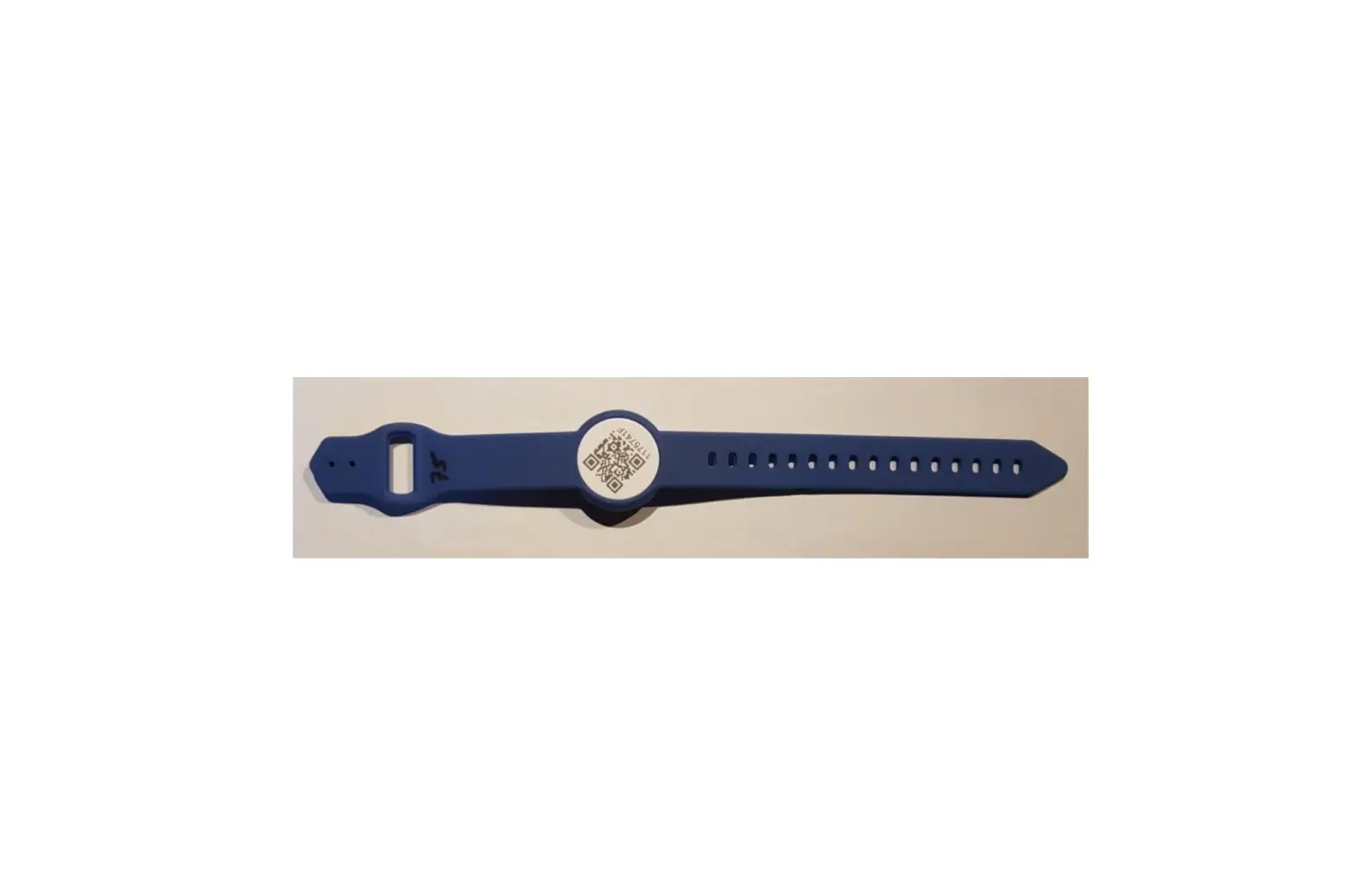

EPSON WB-L Series Wrist Band 
Thank you very much for purchasing this Epson product.
To use the wristband safely and correctly, read the usage and safety instructions in this sheet, and also read the User’s Manual for the printer.
Usage Precautions
- Do not use the wristband when a user has a skin problem or wound on a part where the wristband is to be put.
- Do not use the wristband for the person whose skin is extremely weaker.
- In order to secure breathability, please put on the wristband with the margin of two or more fingers.
- Depending on user’s constitution (such as allergic or hypersensitive tendency) and body part, a skin abnormality such as eczema or irritation may be found. In such case, immediately stop using the wristband, and consult a physician.
- Especially for putting the wristband on a newborn, use it with careful attention to the skin condition.
- During MRI tests, the part where the wristband is put may feel hot due to sweating or other such reasons.
Place a dry towel, gauze, or the like in between to make sure the wristband does not directly touch the skin. - Check the skin condition once or twice a day while using the wristband.
- When using the wristband continuously for a long period, check the dirt, damage or printed condition on the wristband and
replace it with a new one appropriately. - Do not open the snap forcibly once you fix it. Doing so may injure your finger or nail. Also, do not reuse the snap once you fix it.
- Keep the wristband away from small children.
- Be careful not to put the wristband in your mouth or let it touch your eyes and mucous membranes directly.
- The wristband will cut out for safety, if it pulls by strong power. Be careful not to hang of clothes, a hard thing, etc.
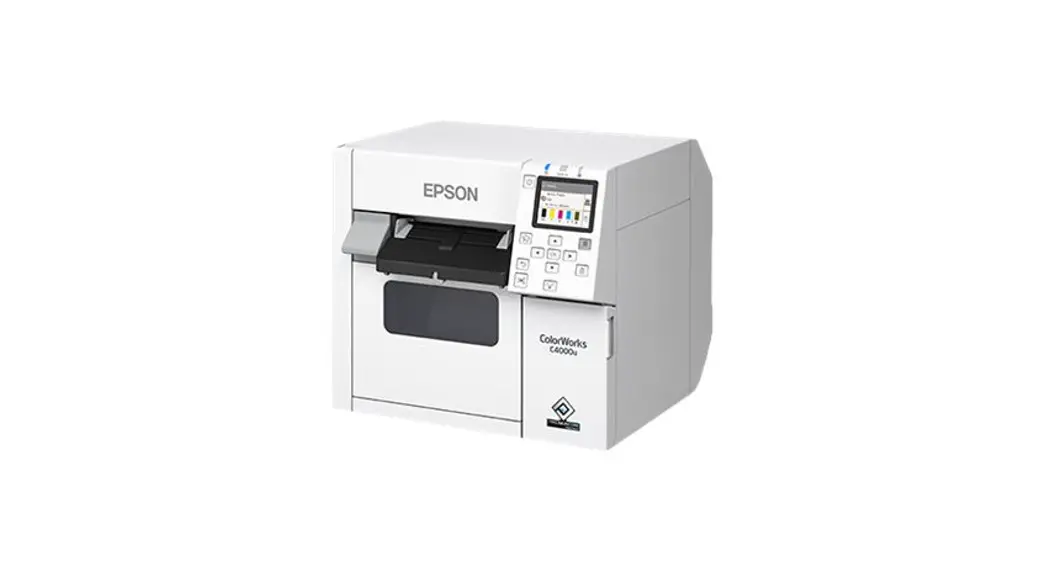
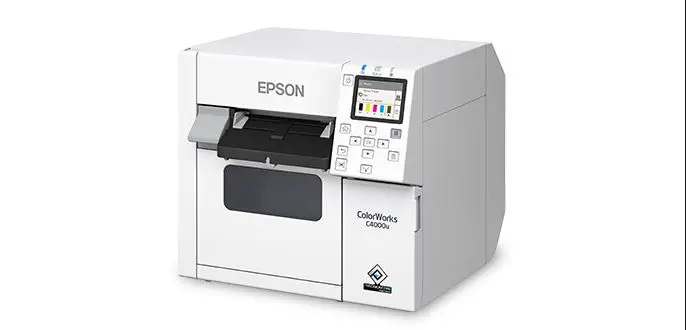
- This wristband is dedicated for the TM-C3400 series printer (firmware; Ver.WSN00170 or later, printer driver: Ver.1.2.0.0 or later) and
TM-C3500/CW-C4000 series printer.
Recommended Print Setting
Print setting:
| Setting items | TM-C3400 series | TM-C3500 series | CW-C4000 series |
| Media Type | Wrist Band Type 2 | Wristband | Wristband paper |
| Media Source | Roll Media | Roll paper | Roll paper |
| Media Position Detection | Detect Blackmarks on Continuous Paper | Black Mark Continuous Paper | Black mark detection |
| Media Form | Black mark receipt (Receiptwith black marks) | Continuous paper (Black mark) | Wristband (black mark detection) |
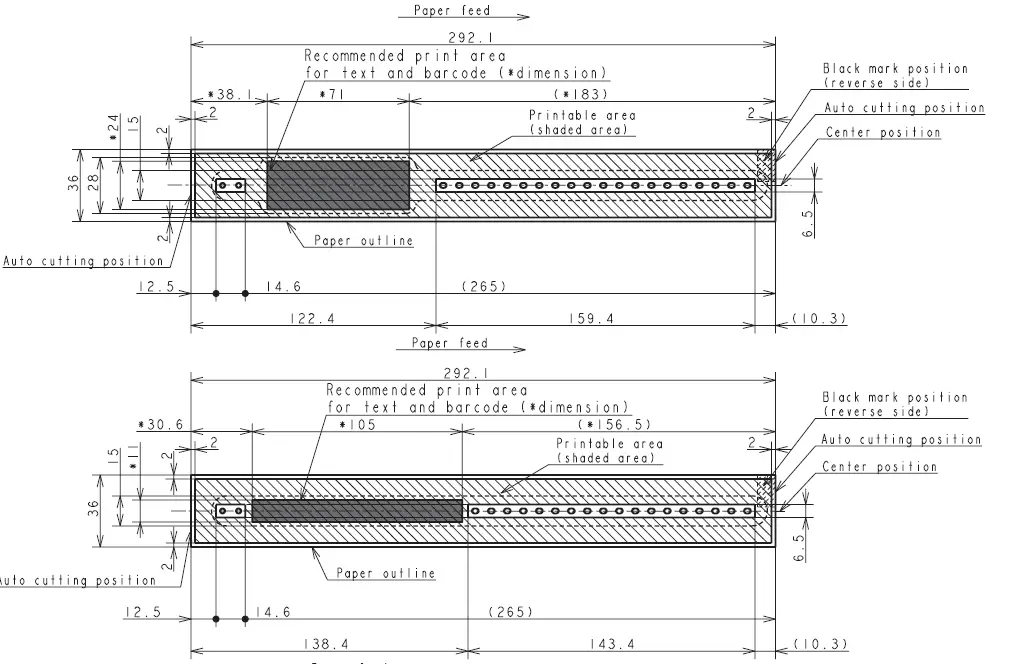
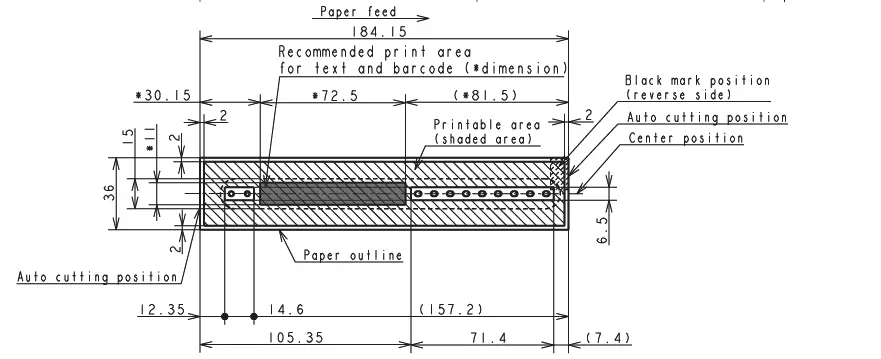
Print area: Lay out print data so that it fits in the shaded area of the illustration below.
<CAUTION: Do not print outside of the print area. Doing so may damage the printer or contaminate the inside of the printer.>
- WB-L series
- WB-M series

- WB-S series

How to Use the Wristband
- Install an attachment for a wristband to the printer.
<CAUTION: For how to install it, see the Attachment for Wristband User’s Manual.> - Cut the label that fixes the end of the rolled wristband to make it available.
Do not use an outer circumference of the roll, for it is wrapped for protection.
<CAUTION: Peeling off the label forcibly may tear off the wristband or cause the printer to malfunction by remaining glue on the printing
surface.> - Set the wristband to the printer.
<CAUTION: For how to set it, see the User’s Manual for the printer.> - Print necessary information on the wristband.
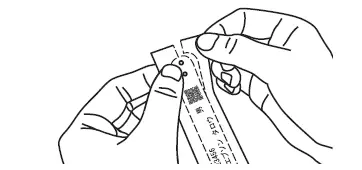
<CAUTION: For print setting of the printer, see “Recommended Print Setting” on the reverse page.> - Cut the printed wristband off from the edge by pulling it to both sides

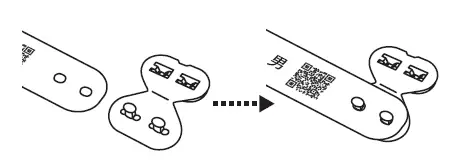
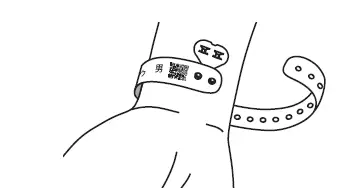
- Insert 2 pins on the snap into 2 holes (in one end of the wristband) to the base of the pins.

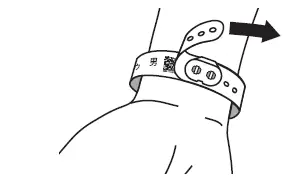
- Wrap the wristband around where you attach it, and whlie leaving proper space (of about one or two fingers), close and fix the snap firmly by inserting the pins on the snap into the holes.
<CAUTION: Wrapping the wristband too tightly may get the skin sweaty or cause a skin abnormality. Ensure vantilation while using it.>
- After closing the snap, check whether the snap is firmly fixed by pulling the end of the wristband.
<CAUTION: If the wristband is not fixed, insert each pin on the snap into the hole in the wristband and fix it.>
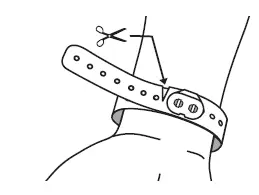
- Cut the surplus wristband using scissors or a similar tool.

Notes After Use
After using the wristband, cut it off using scissors or a similar tool.
<CAUTION: Be careful not to hurt the skin.>
<CAUTION: Do not open the snap forcibly once you fix it. Doing so may injure your finger or nail.>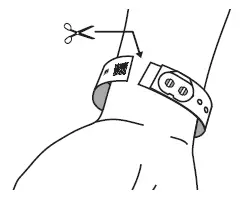
Product Materials
| Product | Material |
| Wristband | PET+PE |
| Snap | PE |
The wristband and the snap are antibacterial.
Dermatologically tested (by the closed skin patch test).
Notes on Storage
Do not store the wristbands in locations subject to direct sunlight and high humidity.
Store in an individual box in a cool dark place after opening.