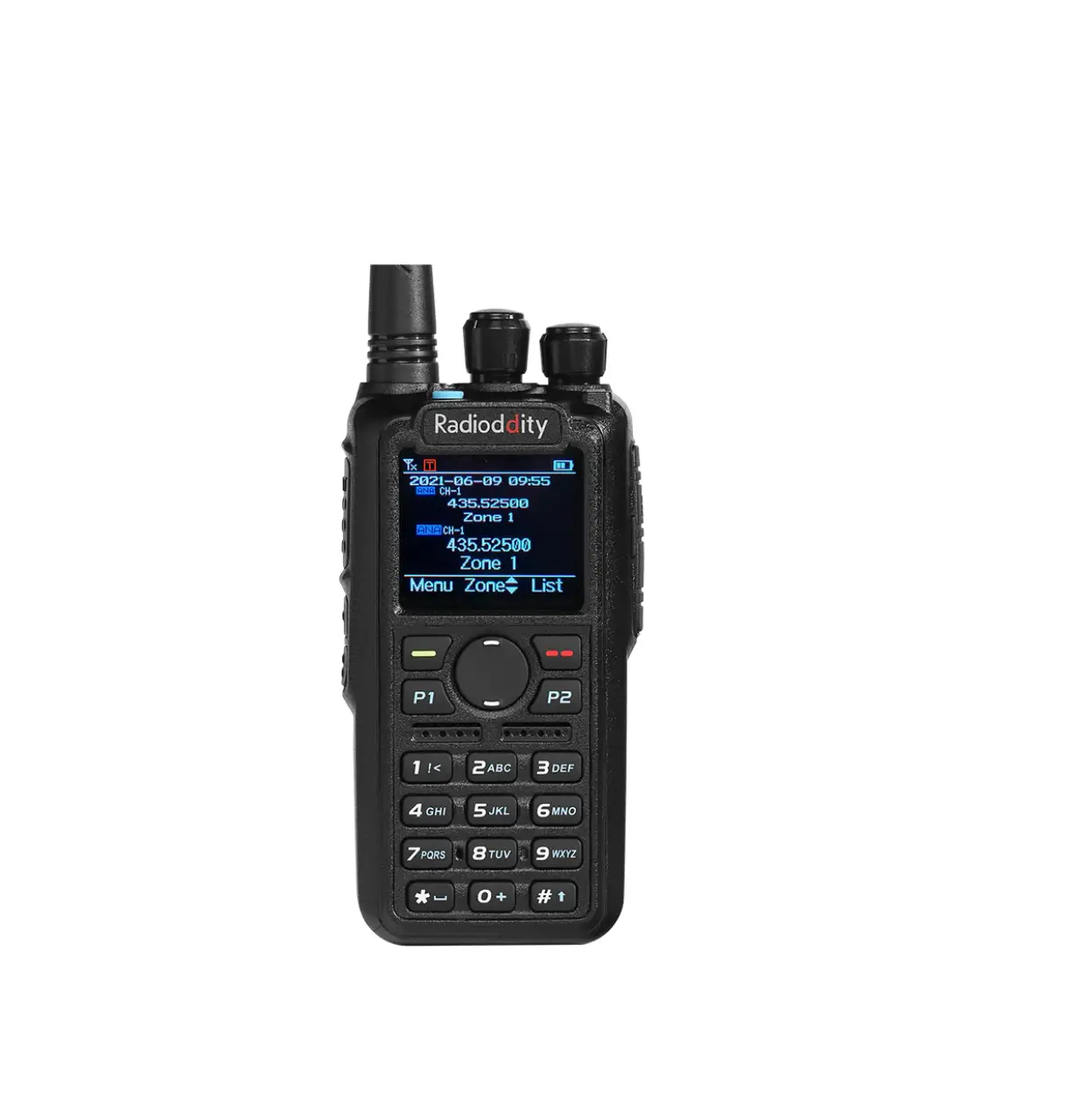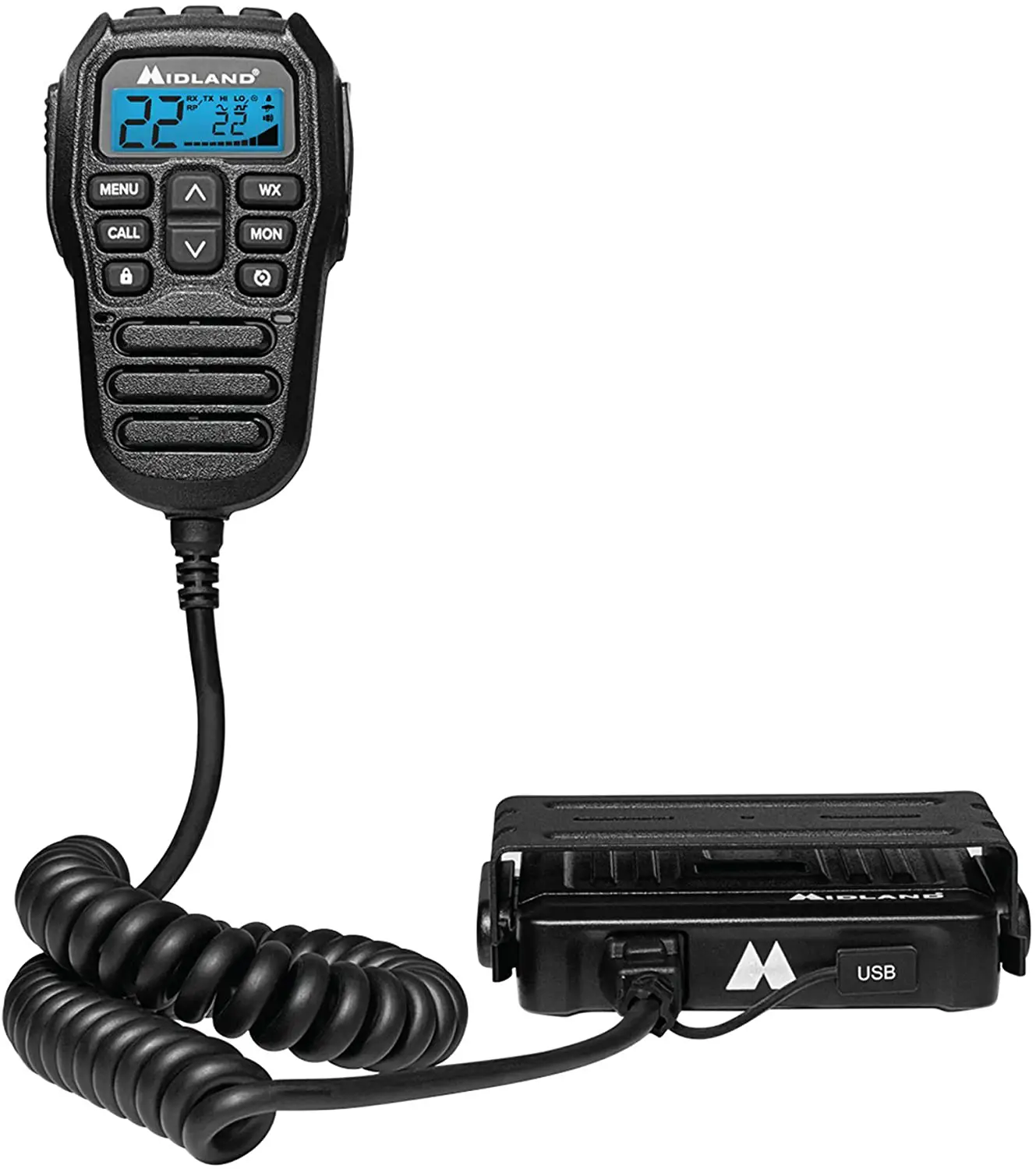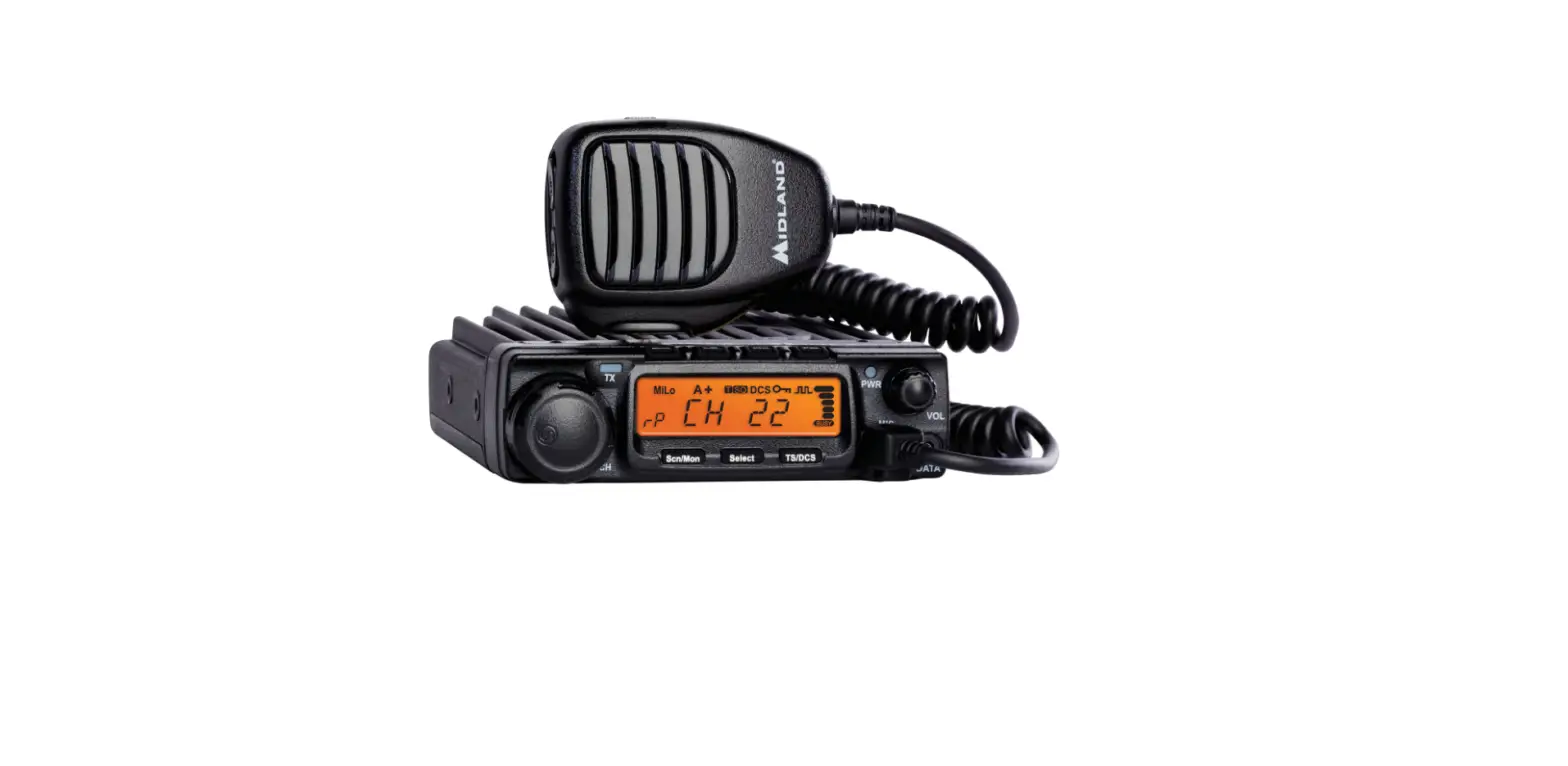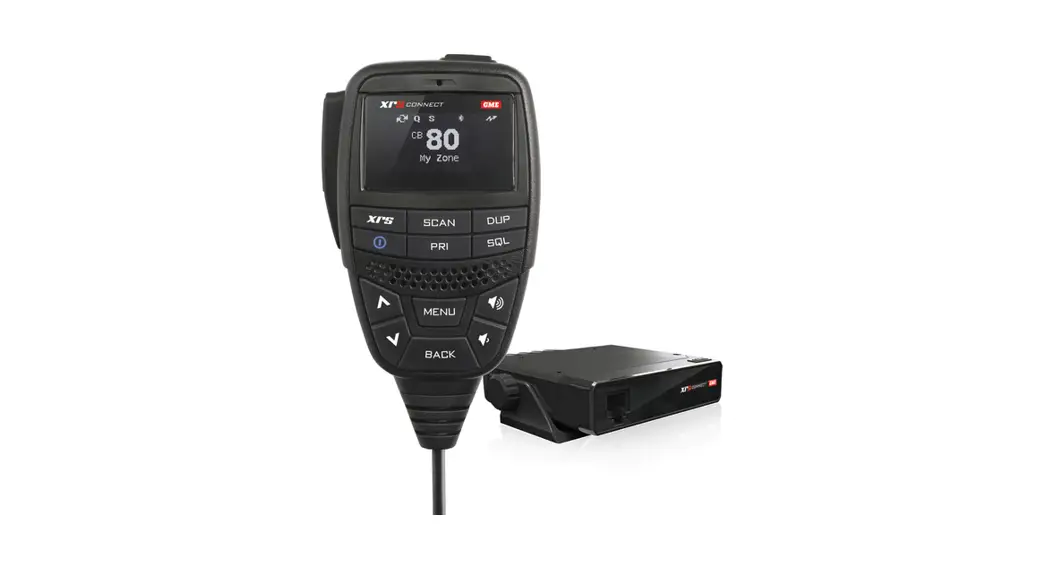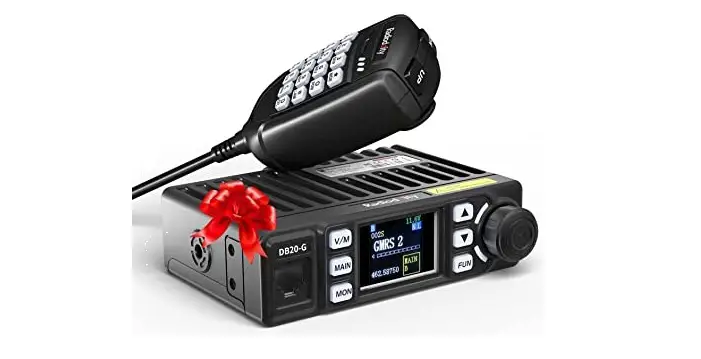
Radioddity DB20-G GMRS-Transceiver and NOAA-Receiver User Manual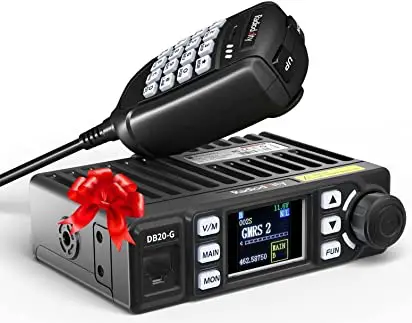
QUICK GUIDING
Prepare Work
- DC power supply: 12-14V, ≥10A
- Car antenna: 136-174, 400-490MHz, ≥20w, SL16 connector
- Majestic sucker
Quick Use
- Open package , take out DB20-G radio and spares.
- Connect power supply, microphone and antenna.
- Turn on power supply, then turn DB20-G volume knob to power on DB20-G.
- Choose wanted GMRS channel by DB20-G or its microphone to start communication.
ACCESSORIES
3Standard Accessories
- Transceiver

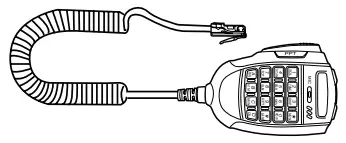
- Microphone
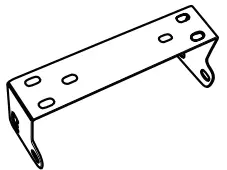
- Mobile Bracket

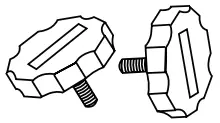
- Adjusting screws

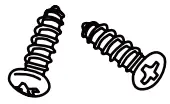
- Screws

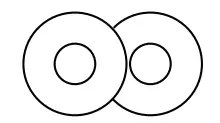
- Pads

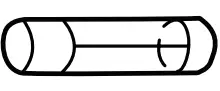
- Fuse (10A 250V)

- non-slip mat
- manual

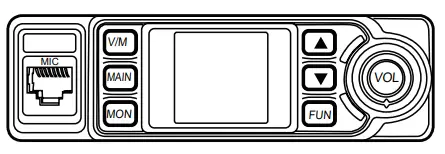


GETTING ACQUAINTED
Front panel
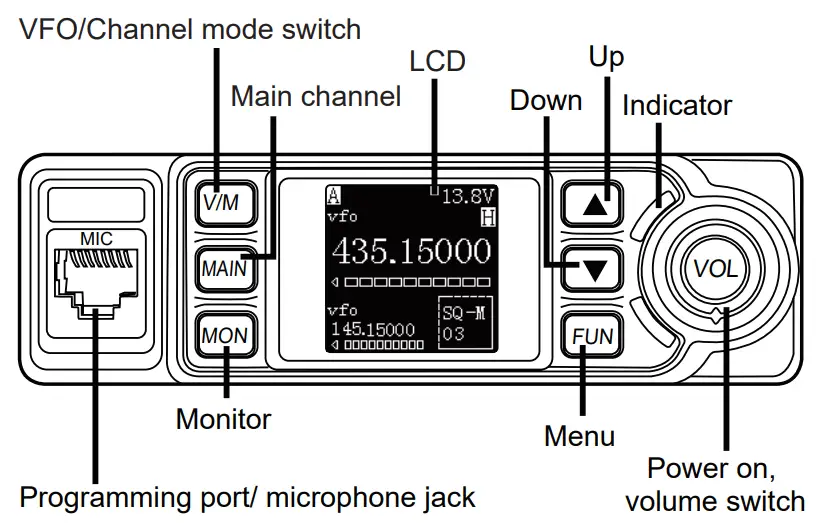
Rear panel
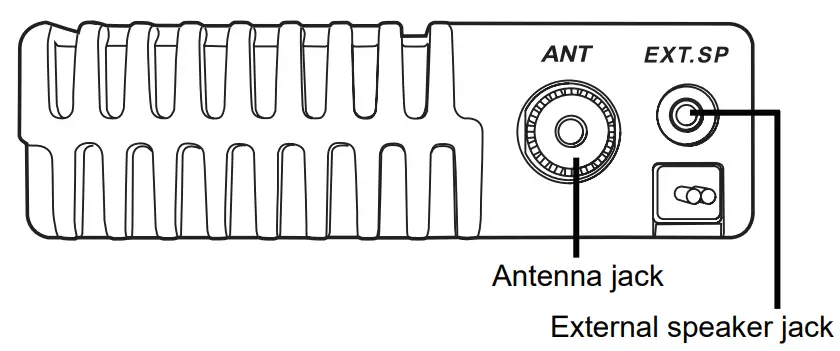
Microphone
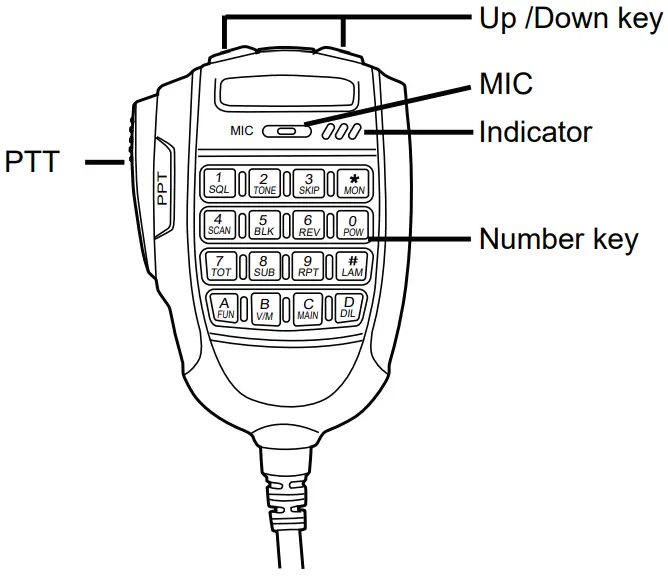
BASIC OPERATIONS
Power On/Off
- Turn the Volume knob clockwise to turn on the radio, the radio LCD will display programmed text and emit a beep sound.
- Power Off: Turn volume knob anti-clockwise until you hear “click” to turn off the radio.
Adjusting the Volume
Turn volume knob clockwise to increase the “audio level” and anti-clockwise to reduce it.
Switch between Main Channel and Sub Channel
In standby status, press the microphone  key or front panel
  key to switch between main channel and sub channel. The top left corner of LCD will display current main channel.
Adjust Channel
- Press microphone
 key or front panel
  key to switch the radio to channel mode, press microphone
  key or front panel key
  to select a channel upward or downward.
 - In channel mode, input three numbers by number key for its direct selection (eg: 001 for channel 1).
 key or front panel
  to select a channel upward or downward.
Store channel
In standby status, press the microphone  key, the top left corner will display “Func”, then press
  KEY, the LCD bottom left corner will display Save to XXX, now press
  key to select a channel number, hold
  key to store the new frequency and return to standby
 XXX reflects for the channel number, if LCD displays “Null” under “Save TO XXX”, means that the current channel is empty
Channel Delete
In channel mode, press microphone key, then press  key, the LCD displays “Delete XXX” and frequency, press key to select the channel to be deleted, then hold
  key for deleting the current channel.
“XXX” reflects for the channel number, the LCD displays “Null” after the channel is deleted.
Receiving
Select a receiving channel or frequency for receiving call, if the RX signal is week, hold front panel  key or microphone key to monitor weak signals. RX frequency range.
- GMRS channel: GMRS frequency
- UHF/VHF Full band: 136-174/400-490MHz
- FM radio 65-108Mhz: available in frequency mode only. user can input frequency by microphone number key like 8,8,,0,0,0,0,0, is 88Mhz.
When the RX icon and field strength flashes, but can not hear the calling, it means current channel receive a matching carrier but un matching signaling. Refer to CTCSS/ DCS CODE or Optional Signaling setup)
Transmitting
Hold [PTT] and speak into microphone. the radio start transmit, the screen shows red TX and field strength. Hold the microphone approximately 2.5-5.0cm from your lips and speak into the microphone at your normal voice level: it will help to transfer best audio signal.
Note:
- According to FCC Part 95E standard, CH8-CH14are for 0.5W FRS channels, DB20-G minimum power 5W, maximum power 20W, so CH8-CH14 not allow
transmitting. - Follow Part 95E rule, DB20-G only allow transmitting on GMRS frequencies.
Squelch Off
In standby, press microphone key or front panel key to turn off squelch, the radio will monitor weak signal.
Emergency Alarm
In standby, hold key, release it until the LCD displays ALARM, the alarm function turns on. Program emergency alarm rule shall be programmed by PC software.
Keypad Lockout
In standby, hold  key or key, the radio emit Du sound, the LCD displays LOCK.
Now release the key, the keypad is locked. To turn off key lock, hold key or key until a “Du Du” tone signal is heard, the LOCK icon disappears, now you may release the key.
Transmit Tone Pulse Frequency
Hold PTT and [DN] key will transmit selected Pre-programmed tone pulse frequency
VFO Scan and Channel Scan
- VFO scan: In VFO mode, press microphone
 key or
  key to start VFO scan. If the radio has program PL1, PH1, PL2, PH2, frequency (in the bottom of channel list), VFO scan will between PL1-PH1 and PL2-PH2.
Note:
PL and PH is valid when current working frequency is within PL1-PH1 or PL2-PH2. - Channel Scan: In channel mode press microphone key and then press key to start channel scan. Channel scan setting shall be programmed by PC software.
 key to start VFO scan. If the radio has program PL1, PH1, PL2, PH2, frequency (in the bottom of channel list), VFO scan will between PL1-PH1 and PL2-PH2.
VOX On/Off control
In standby, hold  key until LCD displays VOX icon, repeater this step or repower on radio to turn off VOX function.
Before turn on VOX, please set VOX level in 26th menu.
How to Install Driver and Start Programming
- After install PC software, click “Start “menu in computer, under “ALL PROGRAMS” menu, choose and click “USB To Com port” in DB20-G program, install “USB To Com port” driver by indication.
- Connect the optional USB Programming cable.
- Click “DB20-G” program under “ALL PROGRAMS” menu. click “OK” to start programming software.
SHORTCUT OPERATION
Press microphone key and then press number key to fast enter following functions, then press key to select the value. Press  key or key for storing.
Function list
| No. | Function name | Combination Key |
| 1 | Squelch level setting |
|
| 2 | Optional signaling setting |
|
| 3 | Scan Skip |
|
| 4 | Scan |
|


| No. | Function name | Combination Key |
| 5 | Busy channel lockout |
|
| 6 | Time out timer |
|
| 7 | Sub channel on/off switch |
|
| 8 | Function Menu |
|
| 9 | LCD brightless |
|
| 10 | DTMF Code check |
|


In DTMF check mode
When check DTMF code, press PTT will send current DTMF code.
To revise DTMF code, press key and then press key to enter edit mode.
Input DTMF code by number keys , then press PTT to transmit the code and store.
FUNCTION SETTING
By Front Panel Key
- Press key to enter main menu.
- Press key or
 key to choose function.
 - Press key to choose value.
- Press key or
 key to store and exit
When setting DCS code, key is for switch between positive and inverse code.
By Microphone Key
- Press key and then press
 key to enter menu.
 - Press key or
 key to choose function.
 - Press key to choose value.
- Press
 key to store and exit.
 key to store and exit.
 When setting DCS code,  key is for switch between Positive and inverse code.
 key is for choose special DCS.
Function list
| No. | Function name | Setting value |
| 1 | TX/RX CTC/DCS | 67Hz~254.1Hz, 000N~777I |
| 2 | RX CTC/DCS | 67Hz~254.1Hz, 000N~777I |
| 3 | TX/RX CTC/DCS | 67Hz~254.1Hz, 000N~777I |
| 4 | Optional signaling | OFF, DTMF, 2Tone, 5Tone |
| 5 | Squelch mode | SQ, CT/DCS, Tone, C&T, C/T |
| 6 | Step size | 2.5K~50K |
| 7 | Band width | WIDE (25K), NARROW (12.5K) |
| 10 | Busy channel Lock | OFF, REPEATER, BUSY |
| 11 | Channel name | 0~z |
| 12 | TX OFF | ON,OFF |
| 15 | Commander | ON,OFF |
| 16 | NC(Noise reduction) | ON、OFF |
| 17 | 5 Tone | 1~100, Press PTT to transmit |
| 18 | 2 Tone | 1~32, Press PTT to transmit |
| 19 | Sub channel display | FREQ、VOLT、OFF |
| 20 | Key beep | ON、OFF |
| 21 | Time out timer | 1~30Min、OFF |
| 22 | DMTF transmit time | 50ms~500ms |
| 23 | Squelch level | OFF、1~9 |
| 24 | Scan pause time | 5ST、10ST、15ST、2SP |
| 25 | LCD brightness | 1~5 |
| 26 | VOX level | OFF, 1-9 |
| 27 | VOX delay | 0.5-5 Second |
| 28 | Tone burst frequency | 1750Hz, 2100Hz 1000Hz, 1450Hz |
| 29 | Channel display | FREQ, CH, NAME |
| 30 | Reset | FACTORY? INITIALIZE? |
Reset Factory Default
If your radio seems to be malfunctioning because of wrong operation or setup, this function will resume all setup and channels to factory default.
- Press front panel key to enter main MENU list.
- Press or key to choose 30th function, the LCD display reset options.
- Press key to chooe “FACTORY?”
- Hold key, until the radio re-power on.
After reset, all channel and function setting will resume default value.
If choose “INITIALIZE?”, only function setting value will resume to default setting.
SPECIFICAITONS
GENERAL | ||||||
| Frequency Range | TX1: 462.5625-462.7125MHz (5W) | |||||
| TX2: 462.550-467.725MHz | ||||||
| RX: 136-174MHz, 400-480MHz 65-108MHz | ||||||
| Channel Spacing | 12.5K/25K | |||||
| Channel Number | 500 channels | |||||
| Operating Voltage | DC 13.8V±15% | |||||
| Squelch | Carrier/ CTCSS/DCS/5Tone/2Tone/DTMF | |||||
| Frequency Stability | ±2.5ppm | |||||
| Operating Temperature | -20℃ ~ +60℃ | |||||
| Dimensions(mm) | 124x101x36m | |||||
| Weight | 0.45kg (main unit) | |||||
RECEIVER | ||||||
| Wide band | Narrow band | |||||
| Sensitivity (12dB Sinad) | ≤ 0.25μV | ≤ 0.35μV | ||||
| Adjacent Channel Selectivity | ≥ 70dB | ≥ 60dB | ||||
| Audio Response | +1~-3dB(0.3~3KHz) | +1~-3dB(0.3~2.55KHz) | ||||
| Hum & Noise | ≥ 45dB | ≥ 40dB | ||||
| Audio distortion | <3% | |||||
| Audio power output | >2W@10% | |||||
TRANSMITTER | ||||||
| Wide band | Narrow band | |||||
| Power – USA version | 462.5625-462.7125MHz (5W) ; 462.550-467.725MHz (18W) | |||||
| Modulation | 16KΦF3E | 11KΦF3E | ||||
| Adjacent Channel Powe | ≥ 70dB | ≥ 60dB | ||||
| Hum & Noise | ≥ 40dB | ≥ 36dB | ||||
| Spurious Emission | ≥ 60dB | ≥ 60dB | ||||
| Audio Response | +1~-3dB (0.3~3KHz) | +1~-3dB (0.3~2.55KHz) | ||||
| Audio Distortion | ≤ 5% | |||||
ATTACHED CHART
51 groups CTCSS Tone Frequency(Hz)
| No. | Freq. Hz) | No. | Freq.(Hz) | No. | Freq.(Hz) | No. | Freq.(Hz) | No. | Freq.(Hz) | No. | Freq.(Hz) | No. | Freq.(Hz) |
| 1 | 62.5 | 9 | 85.4 | 17 | 110.9 | 25 | 146.2 | 33 | 173.8 | 41 | 199.5 | 49 | 241.8 |
| 2 | 67.0 | 10 | 88.5 | 18 | 114.8 | 26 | 151.4 | 34 | 177.3 | 42 | 203.5 | 50 | 250.3 |
| 3 | 69.3 | 11 | 91.5 | 19 | 118.8 | 27 | 156.7 | 35 | 179.9 | 43 | 206.5 | 51 | 254.1 |
| 4 | 71.9 | 12 | 94.8 | 20 | 123.0 | 28 | 159.8 | 36 | 183.5 | 44 | 210.7 | ||
| 5 | 74.4 | 13 | 97.4 | 21 | 127.3 | 29 | 162.2 | 37 | 196.2 | 45 | 218.1 | ||
| 6 | 77.0 | 14 | 100.0 | 22 | 131.8 | 30 | 165.5 | 38 | 189.9 | 46 | 225.7 | ||
| 7 | 79.7 | 15 | 103.5 | 23 | 136.5 | 31 | 167.9 | 39 | 192.8 | 47 | 229.1 | ||
| 8 | 82.5 | 16 | 107.2 | 24 | 141.3 | 32 | 171.3 | 40 | 196.6 | 48 | 233.6 |
1024 groups DCS Code
| Code No. | DSC (Octal) | Code No. | DSC (Octal) | Code No. | DSC (Octal) | Code No. | DSC (Octal) | Code No. | DSC (Octal) | Code No. | DSC (Octal) | Code No. | DSC (Octal) | Code No. | DSC (Octal) |
| 1. | 000 | 2. | 001 | 3. | 002 | 4. | 003 | 5. | 004 | 6. | 005 | 7. | 006 | 8. | 007 |
| 9. | 010 | 10. | 011 | 11. | 012 | 12. | 013 | 13. | 014 | 14. | 015 | 15. | 016 | 16. | 017 |
| 17. | 020 | 18. | 021 | 19. | 022 | 20. | 023 | 21. | 024 | 22. | 025 | 23. | 026 | 24. | 027 |
| 25. | 030 | 26. | 031 | 27. | 032 | 28. | 033 | 29. | 034 | 30. | 035 | 31. | 036 | 32. | 037 |
| 33. | 040 | 34. | 041 | 35. | 042 | 36. | 043 | 37. | 044 | 38. | 045 | 39. | 046 | 40. | 047 |
| 41. | 050 | 42. | 051 | 43. | 052 | 44. | 053 | 45. | 054 | 46. | 055 | 47. | 056 | 48. | 057 |
| 49. | 060 | 50. | 061 | 51. | 062 | 52. | 063 | 53. | 064 | 54. | 065 | 55. | 066 | 56. | 067 |
| 57. | 070 | 58. | 071 | 59. | 072 | 60. | 073 | 61. | 074 | 62. | 075 | 63. | 076 | 64. | 077 |
| 65. | 100 | 66. | 101 | 67. | 102 | 68. | 103 | 69. | 104 | 70. | 105 | 71. | 106 | 72. | 107 |
| 73. | 110 | 74. | 111 | 75. | 112 | 76. | 113 | 77. | 114 | 78. | 115 | 79. | 116 | 80. | 117 |
| 81. | 120 | 82. | 121 | 83. | 122 | 84. | 123 | 85. | 124 | 86. | 125 | 87. | 126 | 88. | 127 |
| 89. | 130 | 90. | 131 | 91. | 132 | 92. | 133 | 93. | 134 | 94. | 135 | 95. | 136 | 96. | 137 |
| 97. | 140 | 98. | 141 | 99. | 142 | 100. | 143 | 101. | 144 | 102. | 145 | 103. | 146 | 104. | 147 |
| 105. | 150 | 106. | 151 | 107. | 152 | 108. | 153 | 109. | 154 | 110. | 155 | 111. | 156 | 112. | 157 |
| 113. | 160 | 114. | 161 | 115. | 162 | 116. | 163 | 117. | 164 | 118. | 165 | 119. | 166 | 120. | 167 |
| 121. | 170 | 122. | 171 | 123. | 172 | 124. | 173 | 125. | 174 | 126. | 175 | 127. | 176 | 128. | 177 |
| 129. | 200 | 130. | 201 | 131. | 202 | 132. | 203 | 133. | 204 | 134. | 205 | 135. | 206 | 136. | 207 |
| Code No. | DSC (Octal) | Code No. | DSC (Octal) | Code No. | DSC (Octal) | Code No. | DSC (Octal) | Code No. | DSC (Octal) | Code No. | DSC (Octal) | Code No. | DSC (Octal) | Code No. | DSC (Octal) |
| 137. | 210 | 138. | 211 | 139. | 212 | 140. | 213 | 141. | 214 | 142. | 215 | 143. | 216 | 144. | 217 |
| 145. | 220 | 146. | 221 | 147. | 222 | 148. | 223 | 149. | 224 | 150. | 225 | 151. | 226 | 152. | 227 |
| 153. | 230 | 154. | 231 | 155. | 232 | 156. | 233 | 157. | 234 | 158. | 235 | 159. | 236 | 160. | 237 |
| 161. | 240 | 162. | 241 | 163. | 242 | 164. | 243 | 165. | 244 | 166. | 245 | 167. | 246 | 168. | 247 |
| 169. | 250 | 170. | 251 | 171. | 252 | 172. | 253 | 173. | 254 | 174. | 255 | 175. | 256 | 176. | 257 |
| 177. | 260 | 178. | 261 | 179. | 262 | 180. | 263 | 181. | 264 | 182. | 265 | 183. | 266 | 184. | 267 |
| 185. | 270 | 186. | 271 | 187. | 272 | 188. | 273 | 189. | 274 | 190. | 275 | 191. | 276 | 192. | 277 |
| 193. | 300 | 194. | 301 | 195. | 302 | 196. | 303 | 197. | 304 | 198. | 305 | 199. | 306 | 200. | 307 |
| 201. | 310 | 202. | 311 | 203. | 312 | 204. | 313 | 205. | 314 | 206. | 315 | 207. | 316 | 208. | 317 |
| 209. | 320 | 210. | 321 | 211. | 322 | 212. | 323 | 213. | 324 | 214. | 325 | 215. | 326 | 216. | 327 |
| 217. | 330 | 218. | 331 | 219. | 332 | 220. | 333 | 221. | 334 | 222. | 335 | 223. | 336 | 224. | 337 |
| 225. | 340 | 226. | 341 | 227. | 342 | 228. | 343 | 229. | 344 | 230. | 345 | 231. | 346 | 232. | 347 |
| 233. | 350 | 234. | 351 | 235. | 352 | 236. | 353 | 237. | 354 | 238. | 355 | 239. | 356 | 240. | 357 |
| 241. | 360 | 242. | 361 | 243. | 362 | 244. | 363 | 245. | 364 | 246. | 365 | 247. | 366 | 248. | 367 |
| 249. | 370 | 250. | 371 | 251. | 372 | 252. | 373 | 253. | 374 | 254. | 375 | 255. | 376 | 256. | 377 |
| 257. | 400 | 258. | 401 | 259. | 402 | 260. | 403 | 261. | 404 | 262. | 405 | 263. | 406 | 264. | 407 |
| 265. | 410 | 266. | 411 | 267. | 412 | 268. | 413 | 269. | 414 | 270. | 415 | 271. | 416 | 272. | 417 |
| 273. | 420 | 274. | 421 | 275. | 422 | 276. | 423 | 277. | 424 | 278. | 425 | 279. | 426 | 280. | 427 |
| Code No. | DSC (Octal) | Code No. | DSC (Octal) | Code No. | DSC (Octal) | Code No. | DSC (Octal) | Code No. | DSC (Octal) | Code No. | DSC (Octal) | Code No. | DSC (Octal) | Code No. | DSC (Octal) |
| 281. | 430 | 282. | 431 | 283. | 432 | 284. | 433 | 285. | 434 | 286. | 435 | 287. | 436 | 288. | 437 |
| 289. | 440 | 290. | 441 | 291. | 442 | 292. | 443 | 293. | 444 | 294. | 445 | 295. | 446 | 296. | 447 |
| 297. | 450 | 298. | 451 | 299. | 452 | 300. | 453 | 301. | 454 | 302. | 455 | 303. | 456 | 304. | 457 |
| 305. | 460 | 306. | 461 | 307. | 462 | 308. | 463 | 309. | 464 | 310. | 465 | 311. | 466 | 312. | 467 |
| 313. | 470 | 314. | 471 | 315. | 472 | 316. | 473 | 317. | 474 | 318. | 475 | 319. | 476 | 320. | 477 |
| 321. | 500 | 322. | 501 | 323. | 502 | 324. | 503 | 325. | 504 | 326. | 505 | 327. | 506 | 328. | 507 |
| 329. | 510 | 330. | 511 | 331. | 512 | 332. | 513 | 333. | 514 | 334. | 515 | 335. | 516 | 336. | 517 |
| 337. | 520 | 338. | 521 | 339. | 522 | 340. | 523 | 341. | 524 | 342. | 525 | 343. | 526 | 344. | 527 |
| 345. | 530 | 346. | 531 | 347. | 532 | 348. | 533 | 349. | 534 | 350. | 535 | 351. | 536 | 352. | 537 |
| 353. | 540 | 354. | 541 | 355. | 542 | 356. | 543 | 357. | 544 | 358. | 545 | 359. | 546 | 360. | 547 |
| 361. | 550 | 362. | 551 | 363. | 552 | 364. | 553 | 365. | 554 | 366. | 555 | 367. | 556 | 368. | 557 |
| 369. | 560 | 370. | 561 | 371. | 562 | 372. | 563 | 373. | 564 | 374. | 565 | 375. | 566 | 376. | 567 |
| 377. | 570 | 378. | 571 | 379. | 572 | 380. | 573 | 381. | 574 | 382. | 575 | 383. | 576 | 384. | 577 |
| 385. | 600 | 386. | 601 | 387. | 602 | 388. | 603 | 389. | 604 | 390. | 605 | 391. | 606 | 392. | 607 |
| 393. | 610 | 394. | 611 | 395. | 612 | 396. | 613 | 397. | 614 | 398. | 615 | 399. | 616 | 400. | 617 |
| 401. | 620 | 402. | 621 | 403. | 622 | 404. | 623 | 405. | 624 | 406. | 625 | 407. | 626 | 408. | 627 |
| 409. | 630 | 410. | 631 | 411. | 632 | 412. | 633 | 413. | 634 | 414. | 635 | 415. | 636 | 416. | 637 |
| 417. | 640 | 418. | 641 | 419. | 642 | 420. | 643 | 421. | 644 | 422. | 645 | 423. | 646 | 424. | 647 |
| Code No. | DSC (Octal) | Code No. | DSC (Octal) | Code No. | DSC (Octal) | Code No. | DSC (Octal) | Code No. | DSC (Octal) | Code No. | DSC (Octal) | Code No. | DSC (Octal) | Code No. | DSC (Octal) |
| 425. | 650 | 426. | 651 | 427. | 652 | 428. | 653 | 429. | 654 | 430. | 430. | 431. | 656 | 432. | 657 |
| 433. | 660 | 434. | 661 | 435. | 662 | 436. | 663 | 437. | 664 | 438. | 438. | 439. | 666 | 440. | 667 |
| 441. | 670 | 442. | 671 | 443. | 672 | 444. | 673 | 445. | 674 | 446. | 446. | 447. | 676 | 448. | 677 |
| 449. | 700 | 450. | 701 | 451. | 702 | 452. | 703 | 453. | 704 | 454. | 454. | 455. | 706 | 456. | 707 |
| 457. | 710 | 458. | 711 | 459. | 712 | 460. | 713 | 461. | 714 | 462. | 462. | 463. | 716 | 464. | 717 |
| 465. | 720 | 466. | 721 | 467. | 722 | 468. | 723 | 469. | 724 | 470. | 470. | 471. | 726 | 472. | 727 |
| 473. | 730 | 474. | 731 | 475. | 732 | 476. | 733 | 477. | 734 | 478. | 478. | 479. | 736 | 480. | 737 |
| 481. | 740 | 482. | 741 | 483. | 742 | 484. | 743 | 485. | 744 | 486. | 486. | 487. | 746 | 488. | 747 |
| 489. | 750 | 490. | 751 | 491. | 752 | 492. | 753 | 493. | 754 | 494. | 494. | 495. | 756 | 496. | 757 |
| 497. | 760 | 498. | 761 | 499. | 762 | 500. | 763 | 501. | 764 | 502. | 502. | 503. | 766 | 504. | 767 |
| 505. | 770 | 506. | 771 | 507. | 772 | 508. | 773 | 509. | 774 | 510. | 510. | 511. | 776 | 512. | 777 |
Menu List
| Menu No. | Menu | Selection | Description & Default settings |
| Default: OFF | |||
| OFF | CTCSS/DCS codes are privacy codes, Only when the code of the transmit frequency and receive frequency is matching you can transmit or receive the signal on the same channel. | ||
| 01 | T-CDC | 67Hz-254.1Hz | The setting is for turning off or activating CTCSS/DCS code in transmit frequency. |
| 000N-777I | Press 1 on the mic to select the type of CTCSS/DCS: 67Hz-254.1Hz, 000N-777I. | ||
| Press DN or UP on the mic to select CTCSS/DCS code. | |||
| OFF | Default: OFF CTCSS/DCS codes are privacy codes, Only when the code of the transmit frequency and receive frequency is matching you can transmit or receive the signal on the same channel. | ||
| 02 | R-CDC | 67Hz-254.1Hz | The setting is for turning off or activating CTCSS/DCS code in receive frequency. |
| 000N-777I | Press 1 on the mic to select the type of CTCSS/DCS: 67Hz-254.1Hz, 000N-777I. | ||
| Press DN or UP on the mic to select CTCSS/DCS code. | |||
| Menu No. | Menu | Selection | Description & Default settings |
| 03 | RT-CDC | OFF | Default: OFF CTCSS/DCS codes are privacy codes, Only when the code of the transmit frequency and receive frequency is matching you can transmit or receive the signal on the same channel. The setting is for turning off or activating same CTCSS/DCS codes in transmit and receive frequencies. Press 1 on the mic to select the type of CTCSS/DCS: 67Hz-254.1Hz, 000N-777I. Press DN or UP on the mic to select CTCSS/DCS code. |
| 67Hz-254.1Hz | |||
| 000N-777I | |||
| 04 | ONEDEC | DTMF | Default: OFF It is an Optional Signaling, this feature is similar to CTCSS/DCS. When the receiver adds optional signaling, the caller shall transmit matching signaling. DTMF and 5Tone signaling can be applied for other advanced features such as ANI, PTT ID, group call, select call, remotely stun, remotely kill waken etc.. Note: Only available in Channel Mode |
| 5Tone | |||
| 2Tone | |||
| OFF | |||
| Menu No. | Menu | Selection | Description & Default settings |
| 05 | SIGNAL | SQ | Default: SQ This transceiver has 5 squelch modes available. Squelch function is used for increasing the level of filtering unwanted signal, and free from disturb. SQ: You can hear the calling once receives matching carrier CTSS/DCS: You can hear the calling when receives matching carrier and CTCSS/DCS code. TONE: You can hear the calling when receives matching carrier +optional signaling. CT*TO: You can hear the calling when receives matching carrier + CTCSS/DCS + optional signaling. CT/TO: You can hear the calling when receives any matching carrier or CTCSS/DCS or optional signaling. |
| CTSS/DCS | |||
| 06 | STEP | 2.5/5.0/6.25/10.0 /12.5/20.0/25.0 /30.0/50.0 KHz | Default: 2.5K You can select the desired frequency step. *Note: Only available in Frequency Mode |
| 07 | W/N | Wide: 25KHz, Narrow: 12.5KHz | Default: Wide (25KHz) This function is used to set the working bandwidth of the radio. |
| Menu No. | Menu | Selection | Description & Default settings |
| 11 | RPLOCK | CTCSSS /DCS | Default: OFF CTCSSS /DCS: Channel Busy and lock. When the radio receives a matched carrier, transmission is prohibited. OFF: Always allow transmitting no matter what status of receiving REPEATER: Signaling Busy and lock. When the radio receives a matching carrier, but CTCSS/DCS does not match, the transmission is prohibited. BUSY: Channel Busy and lock. When the radio receives a matched carrier, transmission is prohibited. |
| OFF | |||
| REPEATER | |||
| BUSY | |||
| 12 | CHANNEL NAME | ——– | Default: Current channel name *Note: Only available in Channel Mode |
| a-z | |||
| A-Z | |||
| 0-9 | |||
| 13 | TX INHIBIT | Default: OFF Prohibit the current channel to transmit | |
| Menu No. | Menu | Selection | Description & Default settings |
| 15 | COMP | ON | Default: OFF TX Noise Compander Compander function will filter the background noise to enhance audio clarity, especially in long range communication. Recommend turn on this function when the signal is weak. |
| OFF | |||
| 16 | NC | ON | Default: OFF RX Noise Compander Block some background noise while receiving, it is obvious when the signal is weak. Recommend turn on this function when the signal is weak. |
| OFF | |||
| 17 | 5TONE | 1-100 | See the Menu 04 Enable to select the group you pre-programmed. |
| 18 | 2TONE | 1-32 | See the Menu 04 Enable to select the group you pre-programmed. |
| 19 | DSPSUB | OFF | Default: FREQ The content display at the place of sub-channel OFF: The sub-channel is empty. VOLT: Display the current volt FREQ: Display the current frequency |
| VOLT | |||
| FREQ | |||
| Menu No. | Menu | Selection | Description & Default settings |
| 20 | BEEP | ON | Default: OFF Turn on or turn off the Key beep. |
| OFF | |||
| 21 | TOT | FF | Default: OFF The TOT function is used to prevent a long transmission and limits the transmit time, TOT is ability to temporarily stops the transmission if the radio has been used beyond the max pre-set time.OFF: The TOT function is off. |
| 1Min-30Min | |||
| 22 | DTMF | 50ms~500ms | The time lag of DTMF transmit time |
| 3 | SQL | -9 | Default: 3 SQL means Squelch, the ability to receive weak signal. Level 0: Squelch off Level 1-9: Level 1 is the lowest squelch level, level 9 is the highest squelch level. If the squelch is set to the 9, the radio will receive the strongest signals only. |
| 24 | SCAN | 2SP | Default: 5ST Scan pause time 2SP: The time lag from the active signal end to the next signal start. 5ST, 10ST, 15ST: The time lag from the active signal start to the selected time end. |
| 5ST | |||
| 10ST | |||
| 15ST | |||
| Menu No. | Menu | Selection | Description & Default settings |
| 25 | LIGHT | 1-5 | Default: 3 You can adjust the LCD screen backlit brightness from 1 to 5. |
| 26 | VOX | OFF, 1-9 | Default: OFF This function allows hands-free conversations, just speak to the microphone closely and the communication will be automatically activated. You can choose among 11 levels: Off, 1-9. 1 is the highest level, 9 is the lowest level. If this option is set to Off, the VOX function is turned off. Note: the higher level, the more eminent sensitivity of the microphone. The VOX function is disabled in SCAN and FM radio mode. |
| 27 | VOX- DELAY | 0.5-5s | The time lag between the moment of the sound detected to the sound play. |
| 28 | TBST | 1000Hz, 1450Hz | Default: 1750Hz TBST means Repeater tone. You can select different repeater tone to connect the GMRS repeater. |
| 1750Hz, 2100Hz | |||
| 29 | P- CHANNEL | Name | Default: FREQ Channel display settings Name: Display channel name FREQ: Display frequency CH: Display channel number |
| FREQ | |||
| CH | |||
| Menu No. | Menu | Selection | Description & Default settings |
| 30 | RESTORE | FACTORY | Set back to the factory default settings. FACTORY :Reset back to the factory settings of menu INITIALIZE: Reset back to the factory settings of menu and channel. |
| INITIALIZE |
01: T-CDC
The setting is for turning off or activating CTCSS/DCS code in transmit frequency.
Press 1 on the mic to select the type of CTCSS/DCS: 67Hz-254.1Hz, 000N-777I.
02: R-CDC
The setting is for turning off or activating CTCSS/DCS code in receive frequency.
Press 1 on the mic to select the type of CTCSS/DCS: 67Hz-254.1Hz, 000N-777I.
Press DN or UP on the mic to select CTCSS/DCS code.
03: RT-CDC
CTCSS/DCS codes are privacy codes, Only when the code of the transmit frequency and receive frequency is matching you can transmit or receive the signal on the same channel. The setting is for turning off or activating same CTCSS/DCS codes in transmit and receive frequencies.
04: TONEDEC (Optional Signaling)
It is an Optional Signaling, this feature is similar to CTCSS/DCS. When the receiver adds optional signaling, the caller shall transmit matching signaling. DTMF and 5Tone signaling can be applied for other advanced features such as ANI, PTT ID, group call, select call, remotely stun, remotely kill waken etc..
Note: Only available in Channel Mode
05: SINGAL
This transceiver has 5 squelch modes available. Squelch function is used for increase the level of filtering unwanted signal, and free from disturb.
SQ: You can hear the calling once receives matching carrier.
CTSS/DCS: You can hear the calling when receives matching carrier and TCSS/DCS code.
TONE: You can hear the calling when receives matching carrier +optional signaling.
CT*TO: You can hear the calling when receives matching carrier + CTCSS/DCS + optional signaling.
CT/TO: You can hear the calling when receives any matching carrier or CTCSS/DCS or optional signaling.
06: STEP
You can select the desired frequency step.
The selectable steps are the following: 2.5/5.0/6.25/10.0/12.5/20.0/25.0/30.0/50.0 KHz
Note: Only available in Frequency Mode.
07: W/N
This function is used to set the working bandwidth of the radio.
You can choose between wide or narrow bandwidth.
Wide: 25KHz, Narrow: 12.5KHz
11: RPLOCK
CTCSSS /DCS: Channel Busy and lock. When the radio receives a matched carrier, transmission is prohibited.
OFF: Always allow transmitting no matter what status of receiving.
REPEATER: Signaling Busy and lock. When the radio receives a matching carrier, but CTCSS/DCS does not match. the transmission is prohibited.
BUSY: Channel Busy and lock. When the radio receives a matched carrier, transmission is prohibited.
12: CHANNEL NAME
Note: Only available in Channel Mode You can edit the name for the current channel.
13:TX INHIBIT
Prohibit the current channel to transmit
15: COMP (Commander)
Commander function will decrease the background noise and enhance audio clarity, especially in long range communication.
TX Noise Compander:
Compander function will filter the background noise to enhance audio clarity, especially in long range communication.
Recommend turn on this function when the signal is weak.
16: NC (RX noise compander setting)
RX Noise Compander
Block some background noise while receiving, it is obvious when the signal is weak.
Recommend turn on this function when the signal is weak.
17: 5TONE / 18: 2TONE
Those signaling function similar to CTCSS/DCS signaling. When the receiver adds an optional signaling, the caller ID, group call, select call, remotely stun, remotely kill waken etc..
It is an Optional Signaling, this feature is similar to CTCSS/DCS. When the receiver adds optional signaling, the caller shall transmit matching signaling. DTMF and 5Tone signaling can be applied for other advanced features such as ANI, PTT ID, group call, select call, remotely stun, remotely kill waken etc..
Note: Only available in Channel Mode
19: DSPSUB
The content display at the place of sub-channel OFF: The sub-channel is empty.
VOLT: Display the current volt
FREQ: Display the current frequency
20: BEEP
Turn on or turn off the Key beep.
21: TOT
The TOT function is used to prevent a too long transmission and limits the tx time: TOT temporarily stops the transmission if the radio has been used beyond the max pre-set time (for example 15s, 30s, 45s, etc).
22: DTMF
It is an Optional Signaling, this feature is similar to CTCSS/DCS. When the receiver adds optional signaling, the caller shall transmit matching signaling. DTMF and 5Tone signaling can be applied for other advanced features such as ANI, PTT ID, group call, select call, remotely stun, remotely kill waken etc..
Note: Only available in Channel Mode.
23: SQL
SQL means Squelch, the ability to receive weak signal.
Level 0: Squelch off
Level 1-9: Level 1 is the lowest squelch level, level 9 is the highest squelch level.
If the squelch is set to the 9, the radio will receive the strongest signals only.
24: SCAN (Scan pause time)
2SP: The time lag from the active signal end to the next signal start.
5ST, 10ST, 15ST: The time lag from the active signal start to the selected time end.
25: LIGHT
You can adjust the LCD screen backlit brightness from 1 to 5.
26: VOX
This function allows hands-free conversations, just speak to the microphone closely and the communication will be automatically activated.
You can choose among 11 levels: Off, 1-9. 1 is the highest level, 9 is the lowest level.
If this option is set to OFF, the VOX function is turned off.
Note: the higher level, the more eminent sensitivity of the microphone. The VOX function is disabled in SCAN and FM radio mode.
27: VOXDELAY
The time lag between the moment of the sound detected to the sound play
8:TBST
TBST means Repeater tone.
You can select different repeater tone to connect the GMRS repeater.
With this function you can select 1000Hz, 1450Hz, 1750Hz, 2100Hz repeater tone.
29:DSPCHANNEL (Channel display settings)
Name: Display channel name
FREQ: Display frequency
CH: Display channel number
30:RESTORE
Set back to the factory default settings.
FACTORY : Reset back to the factory settings of menu
INITIALIZE: Reset back to the factory settings of menu and channel.
Appendix A. – GMRS Frequency Chart (MHz)
| CH.No | CH.Freq.(MHz) | Name | CH.No | CH.Freq.(MHz) | Name |
| 1 | 462.5625 | GMRS-1 | 12 | 467.6625 | GMRS-12 |
| 2 | 462.5875 | GMRS-2 | 13 | 467.6875 | GMRS-13 |
| 3 | 462.6125 | GMRS-3 | 14 | 467.7125 | GMRS-14 |
| 4 | 462.6375 | GMRS-4 | 15 | 462.5500 | GMRS-15 |
| 5 | 462.6625 | GMRS-5 | 16 | 462.5750 | GMRS-16 |
| 6 | 462.6875 | GMRS-6 | 17 | 462.6000 | GMRS-17 |
| 7 | 462.7125 | GMRS-7 | 18 | 462.6250 | GMRS-18 |
| 8 | 467.5625 | GMRS-8 | 19 | 462.6500 | GMRS-19 |
| 9 | 467.5875 | GMRS-9 | 20 | 462.6750 | GMRS-20 |
| 10 | 467.6125 | GMRS-10 | 21 | 462.7000 | GMRS-21 |
| 11 | 467.6375 | GMRS-11 | 22 | 462.7250 | GMRS-22 |
| CH.No | CH.Freq.(MHz) | Name | CH.No | CH.Freq.(MHz) | Name |
| 23 | 462.5500 / 467.5500 | RPT-1 | 27 | 462.6500 / 467.6500 | RPT-5 |
| 24 | 462.5750 / 467.5750 | RPT-2 | 28 | 462.6750 / 467.6750 | RPT-6 |
| 25 | 462.6000 / 467.6000 | RPT-3 | 29 | 462.7000 / 467.7000 | RPT-7 |
| 26 | 462.6250 / 467.6250 | RPT-4 | 30 | 462.7250 / 467.7250 | RPT-8 |
 Radioddity | Choose Connectivity, Choose Radioddity