
hama 00014168 Bluetooth Receiver for Cars with AUX-IN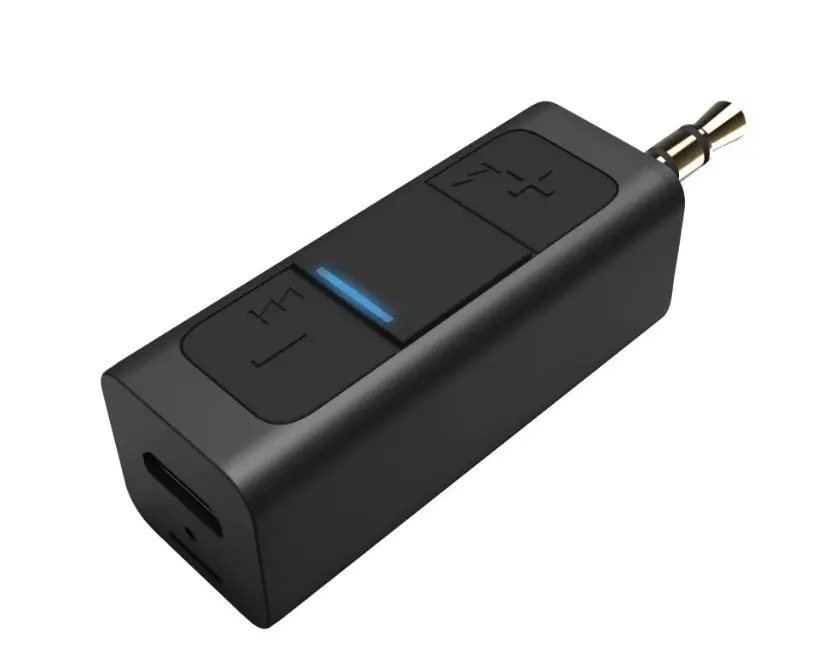
OVER VIEW 
Operating instruction
Thank you for choosing this
Hama product!
Take your time and read the following instructions and information completely.
Please keep these instructions in asafe place for future reference.
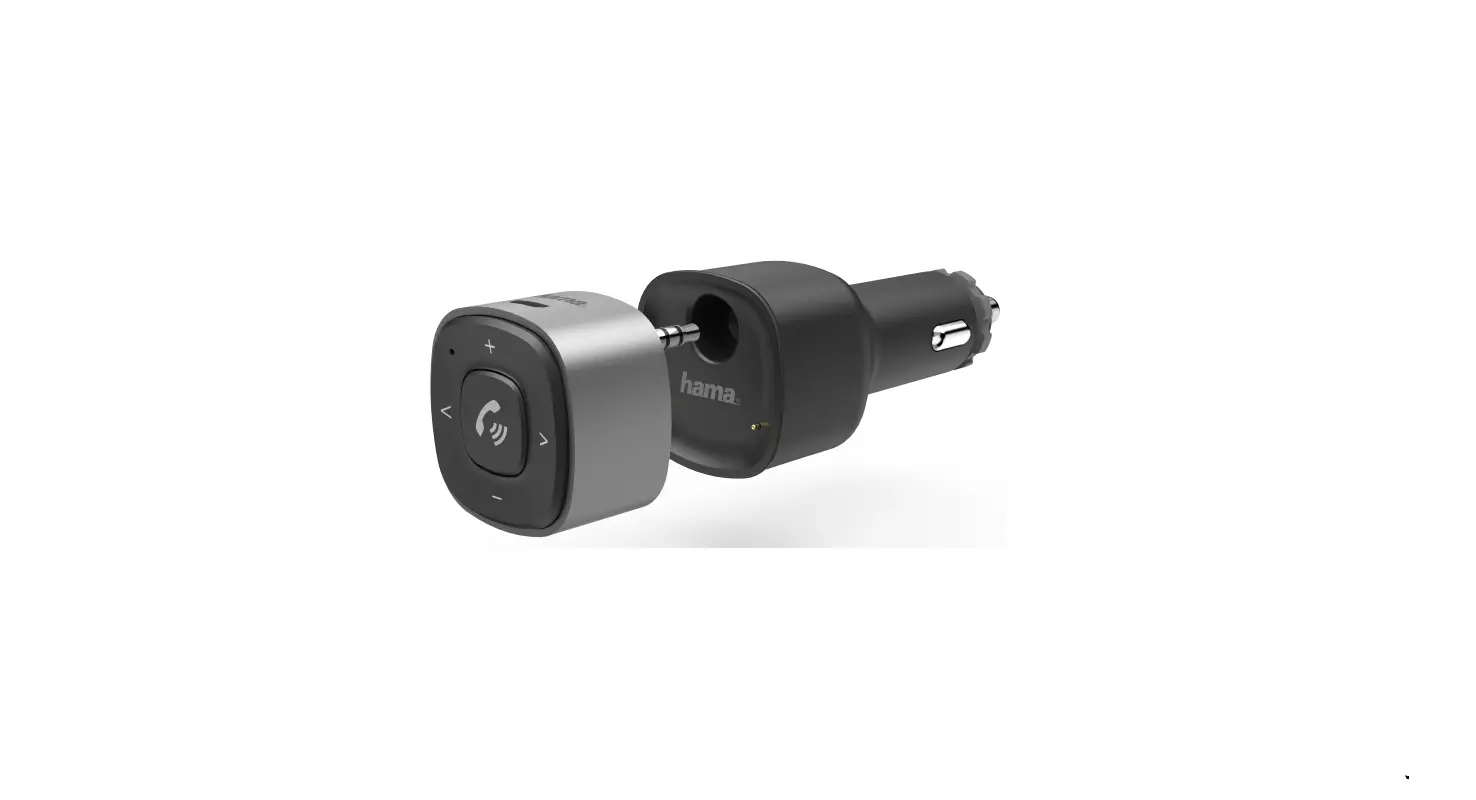
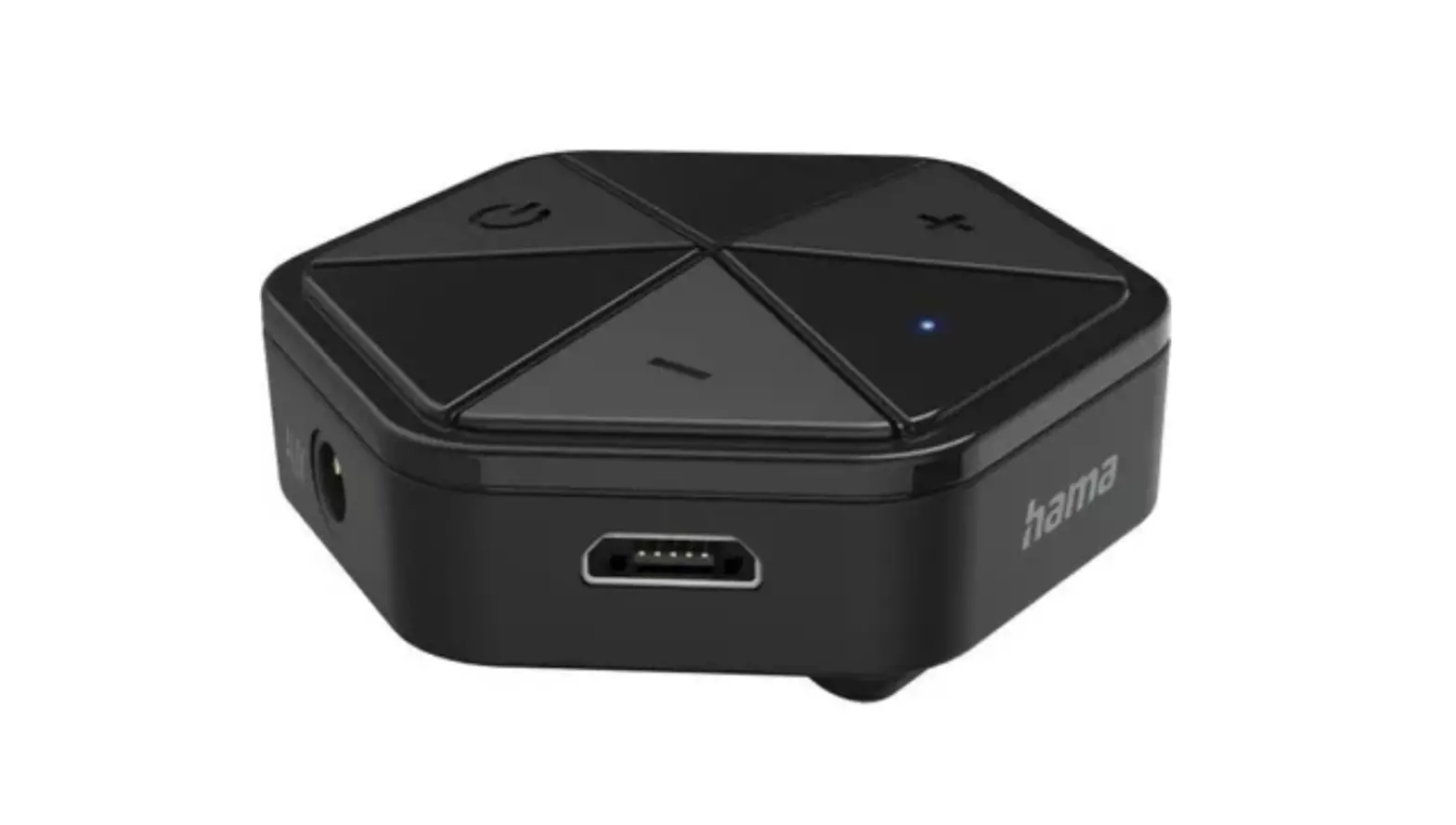
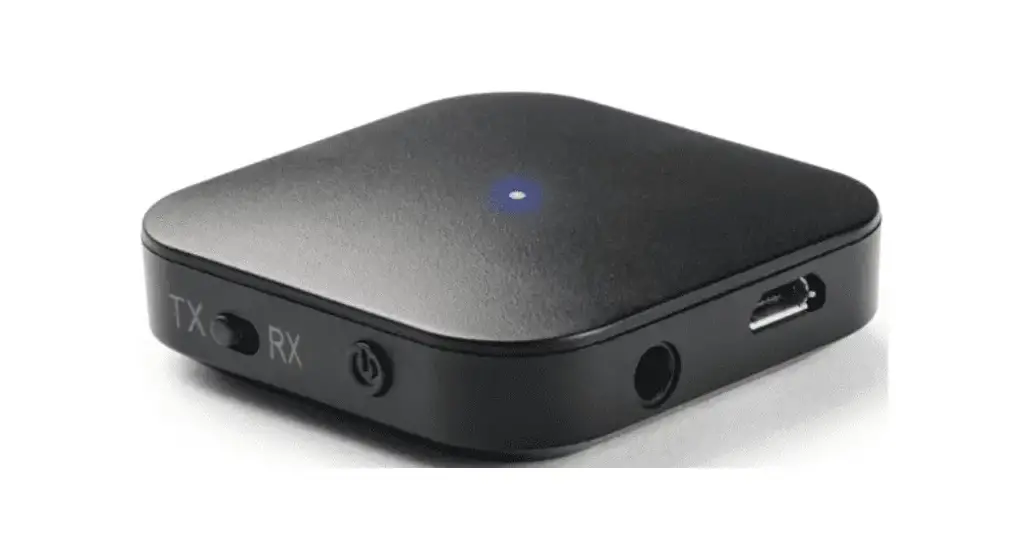
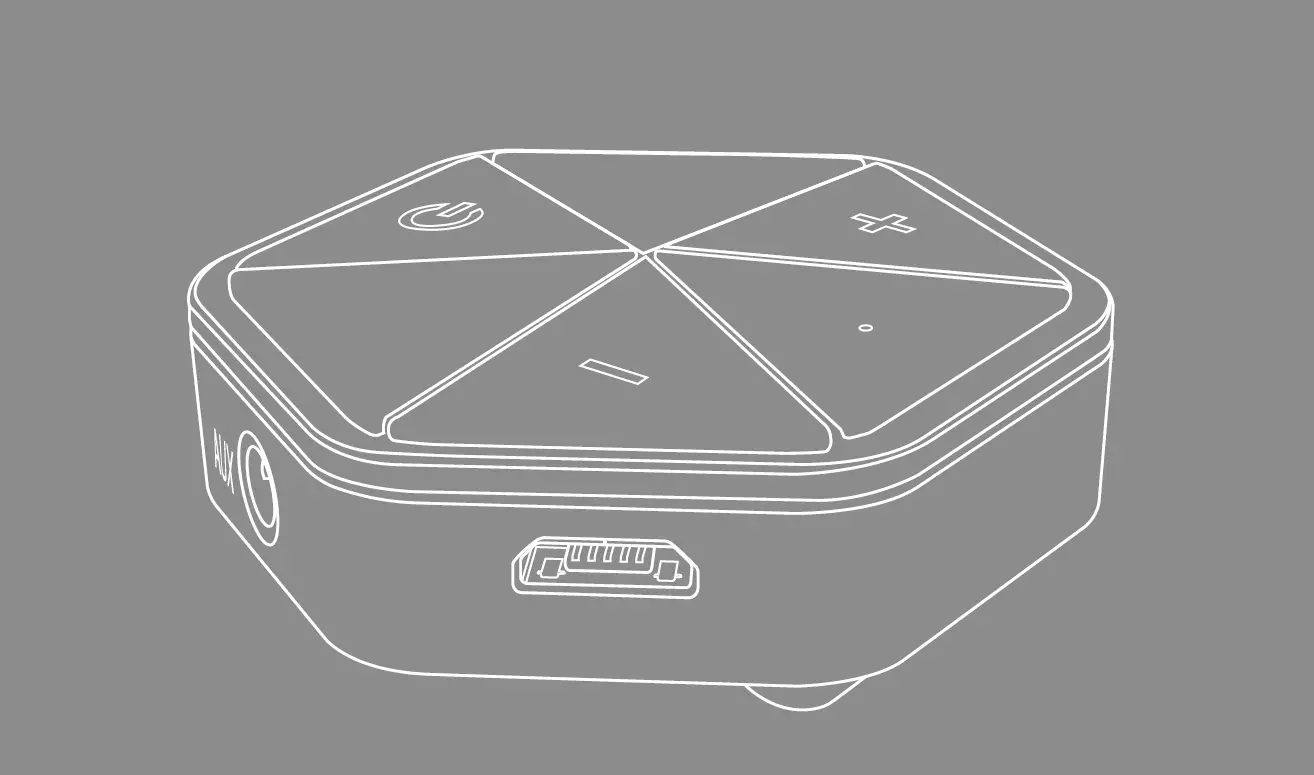
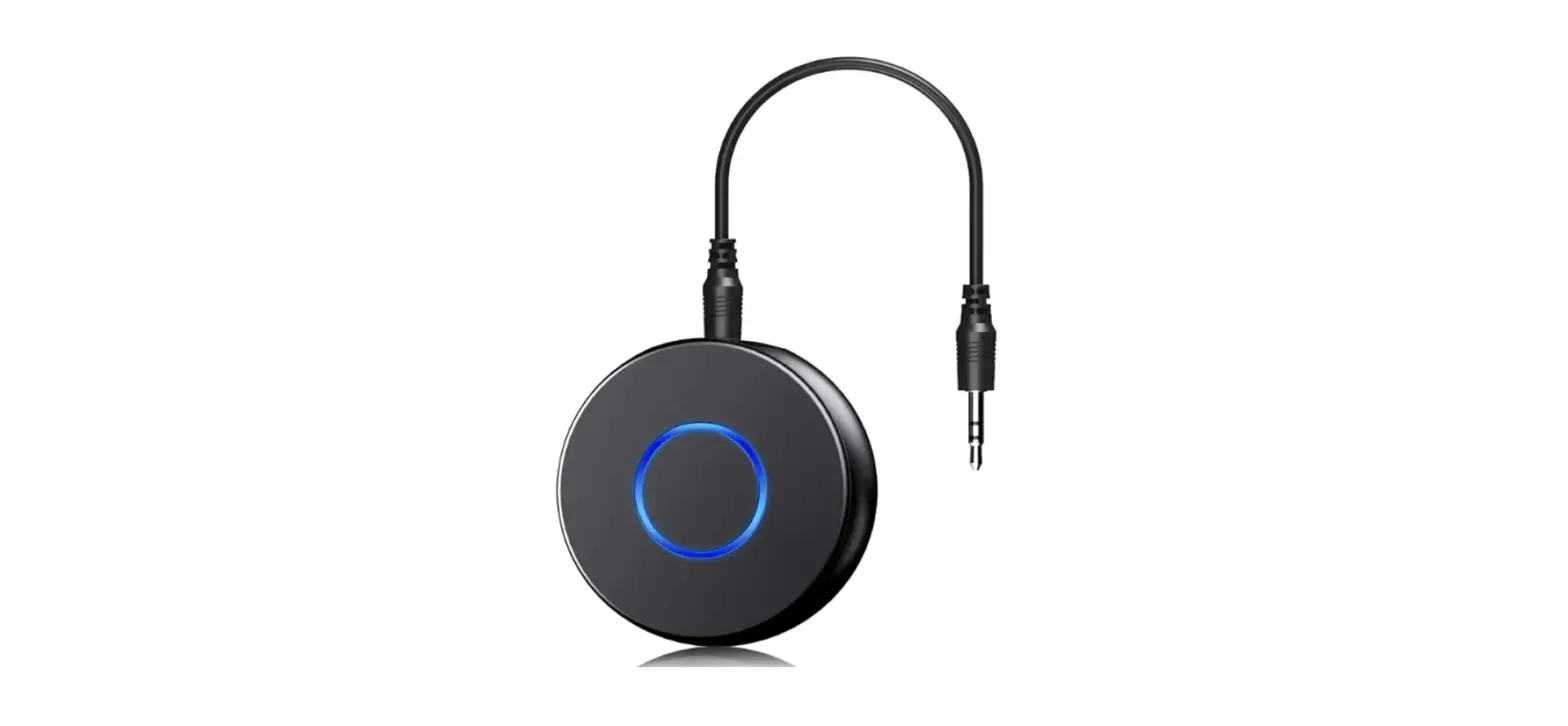
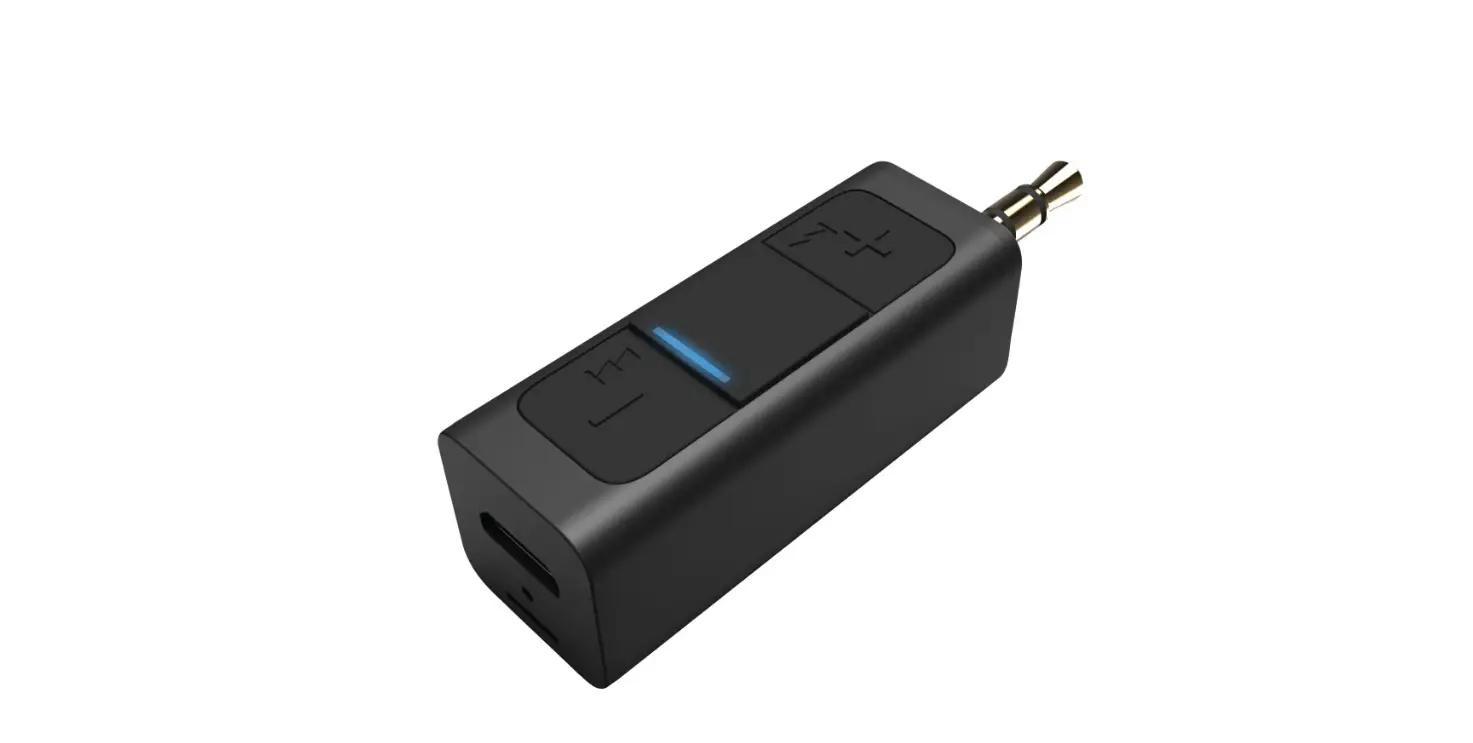
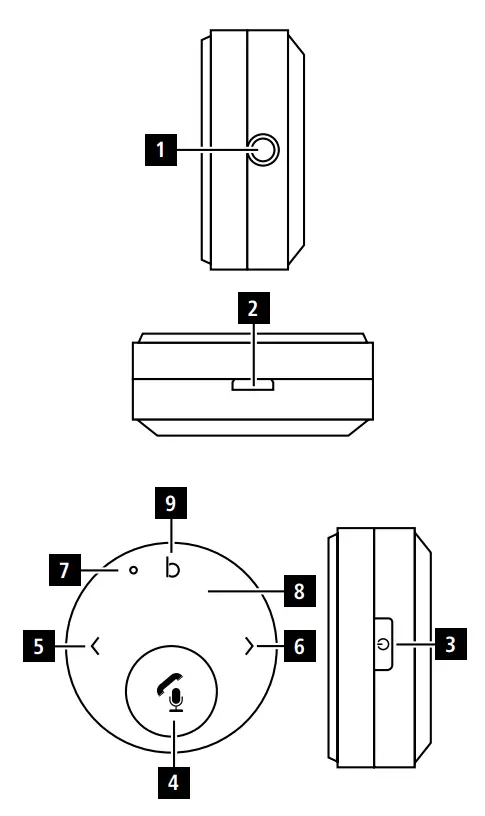
Controls and displays
- 3.5 mm audio socket
- Micro-USB charging socket
- On/Off button
- Play/Pause and telephone button (call pick-up /termination)
- <button (previous track) and -button (quieter)
- >(next track) and +button (louder)
- Microphone
- Status LED
- Button for bass amplification
Explanation of warning symbols and notes
Warning
- This symbol is used to indicate safety instructions or to draw your attention to specific hazards and risks.
- This symbol is used to indicate additional information or important notes.
Package contents
- Bluetooth receiver
- Micro-USB cable
- Audio adapter,3.5 mm plug -3.5 mm plug
- Operating instructions
Safety instructions
- Use the product only for the intended purpose.
- Protect the product from dirt, moisture and overheating and use it in dry environments only.
- Donot use the product in the immediate vicinity of heaters, other heat sources or in direct sunlight.
- Only use the article under moderate climatic conditions.
- Donot operate the product outside the power limits given in the specifications.
- Donot use the product in areas in which electronic products arenot permitted.
- The battery is permanently installed and cannot be removed; dispose of the product as awhole in accordance with the statutory regulations.
- Donot open the device or continue to operate it if it becomes damaged.
- Donot attempt to service or repair the product yourself.Leave any and all service work to qualified experts.
- While driving acar or using sports equipment, do not allow yourself to be distracted by your product and keep an eye on the trafficsituation and your surroundings.
- Ensurethat the product is securely mounted before every journey.
- Take carethat components such as airbags, safety areas, controls, instruments, etc. and visibility are not blocked or restricted.
- Aswith all electronic products, this product should be kept out of the reach of children.
- Donot use the product in adamp environment and avoid splashing water.
- Donot drop the product and do not expose it to any major shocks.
- Donot incinerate the battery or the product.
- Donot tamper with or damage/heat/disassemble the batteries/rechargeable batteries.
- Donot modify the product in any way.Doing so voids the warranty.
- Keep the packaging material out of the reach of children due to the risk of suffocation.
- Dispose of packaging material immediately in accordance with the locally applicable regulations.
rechargeable battery
- Only use suitable charging devices or USB ports to charge the product.
- Donot use defective chargers or USB ports and do not attempt to repair them.
- Donot overcharge the product or allow the battery to completely discharge.
- Avoid storing, charging and using in extreme temperatures and at extremely low atmospheric pressures (such as at high altitudes).
- When stored over along period of time, batteries should be charged regularly (at least every three months).
- Donot charge and discharge the product at the same time.
Getting started
- The Bluetooth® receiver has an integrated Li-Po rechargeable battery.Beforeusing it for the first time, fully charge the Bluetooth® receiver using the supplied micro-USB cable at asuitable power source (USB charger or USB port on aPC/notebook).
- The status LED lights up solid redduring the charging process.
- The charging process begins and ends automatically.
- Once the charging process is complete, the status LED goes out -the battery is fully charged.
Operation
Initial connection via Bluetooth® (pairing)
Note
- Ensurethat the Bluetooth®-enabled device is switched on and that the Bluetooth® function is activated.
- Please refer to the operating instructions of your device for more information.
- Connect the Bluetooth® receiver using the included 3.5 mm plug -3.5 mm plug audio adapter to the 3.5 mm jack socket (or AUX) on the receiver device (e.g. car radio).
- Press and hold the On/Off button (3) for around 3 seconds to switch the Bluetooth® receiver on and to activate search mode (LED (8) flashes blue).
- Then activate Bluetooth® function on your transmitting device (e.g. smartphone) and select the device “BT13R”.
- The status LED (8) lights up solid blue -the device is paired and ready to use.
Bluetooth® password
- Some devices requireapasswordinorder to connect to another Bluetooth® device.
- Ifyour device requests apasswordtoconnect, enter the password0000, 1234, 1111 or 8888.
Terminating the connection
Press and hold On/Off button (3) for around 3 seconds to terminate the connection and switch off the device.
Automatic connection
- For afurther connection with Bluetooth® receiver, you simply need to switch the device on. The last transmitting device is pre-set to ensurefast connectivity.
- Ifthis does not work, establish anew connection (see Point 5.1 Initial connection via Bluetooth®). 6.4 Call pick-up /termination
- Pressing the call pick-up button (4) once allows you to accept acall.
- Toend it, press the button again.
- Torejectacall, press and hold the multi-function button for around 3seconds.
- Abrief second press on the call pick-up button (4) automatically establishes aconnection to the last number dialled.
Power-saving
- If the Bluetooth® receiver is not connected to a Bluetooth® device, it switches itself off within 10 minutes of not being used in order to protect the integrated rechargeable battery.
Activating Siri/Google Assistant - Alonger press (approx. 3-4 seconds) on the call pick-up button (4) activates the voice assistants Siri or Google Assistant on your connected smartphone
Bass amplification
- To activate the bass amplification function, press the button (9). Pressing it again deactivates this function again.
Device
| Device | |
| Switch on | button (3): Long press 3 sec. |
| Switching off | button (3): Long press 3 sec. |
Call
| Call | |
| Accept calls | button: brief press |
| Reject | button: long press |
| Hang up | button: brief press |
Music control
| Music control | |
| Increase volume | > button: long press |
| Decrease volume | < button: long press |
| Next track | >: brief press |
| Previous track | <: brief press |
| Play/Pause | Multi-function button: Brief press |
Status LED
| Status LED | |
| In operation / connected | Solid blue |
| Battery below 10% | Flashes red |
| Attempting to connect | Flashes blue |
| Charging | Solid red |
| Fully charged | Light off |
Care and maintenance
- Only clean this product using alint-free, slightly damp cloth and do not use any harsh cleaners.
- Ensurethat no water is able to enter the product.
Warranty disclaimer
Hama GmbH &CoKG assumes no liability and provides no warranty for damage resulting from improper installation/mounting, improper use of the product or from failure to observe the operating instructions and/or safety notes.
Technical data
| Connection | 3.5 mm jack plug |
| Max. range | 7m |
| Power supply | Integrated Li-Po 150 mAh rechargeable battery |
| Bluetooth® version | 5.1 |
| Max. operating time | Max. 10 hours |
| Frequency band(s) | 2.40 GHz – 2.48 GHz |
| Maximum radio-frequency power transmitted | Max. 4 dBm |
Declaration of conformity
Hama GmbH &CoKG hereby declares that the radio equipment type [00014168] is in compliance with Directive 2014/53/EU.The full text of the EU declaration of conformity is available at the following Internet address:
www.hama.com -> 00014168 -> Downloads.
 hama.com