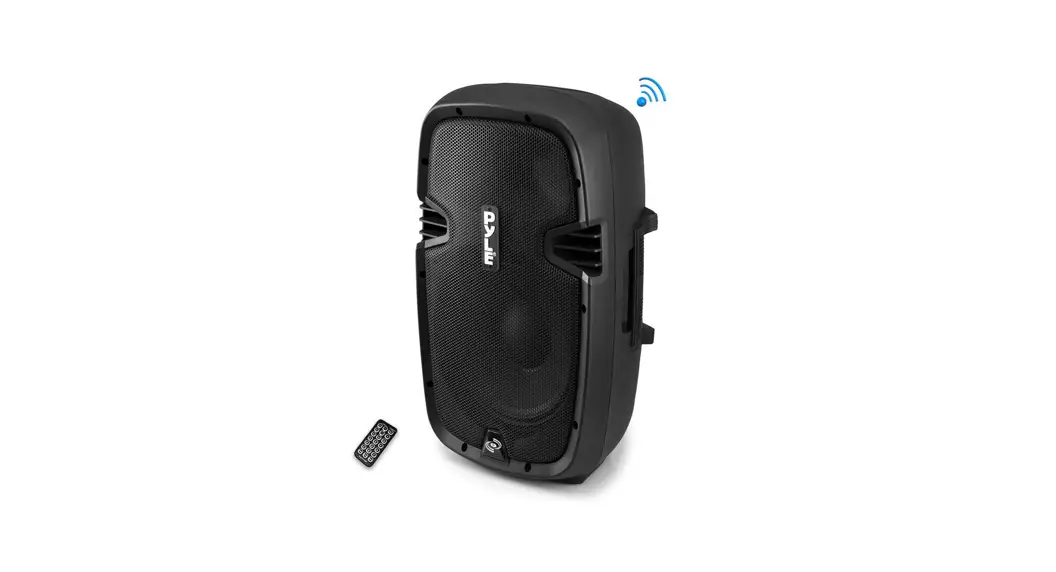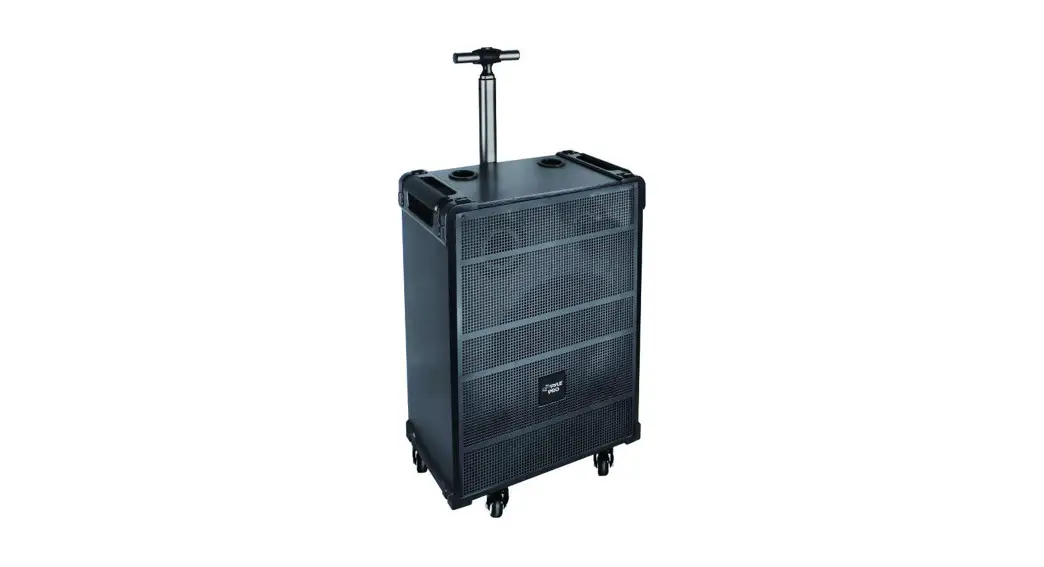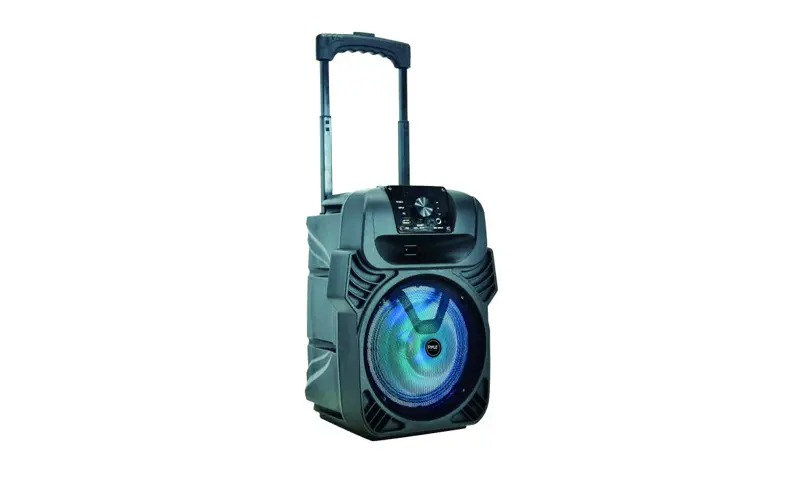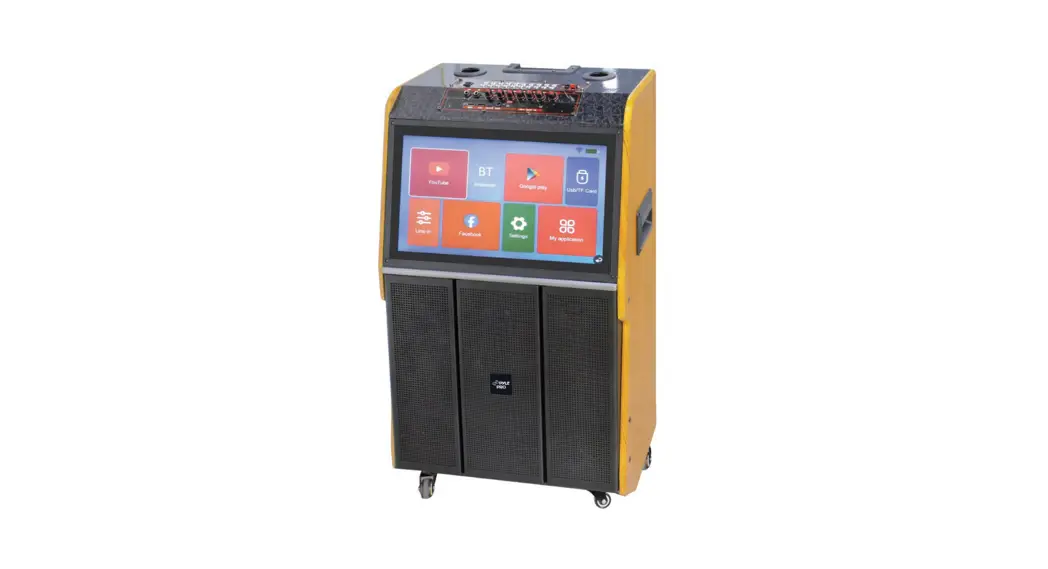
 PMDJAND10 Portable Wireless BT Streaming Loudspeaker
User Guide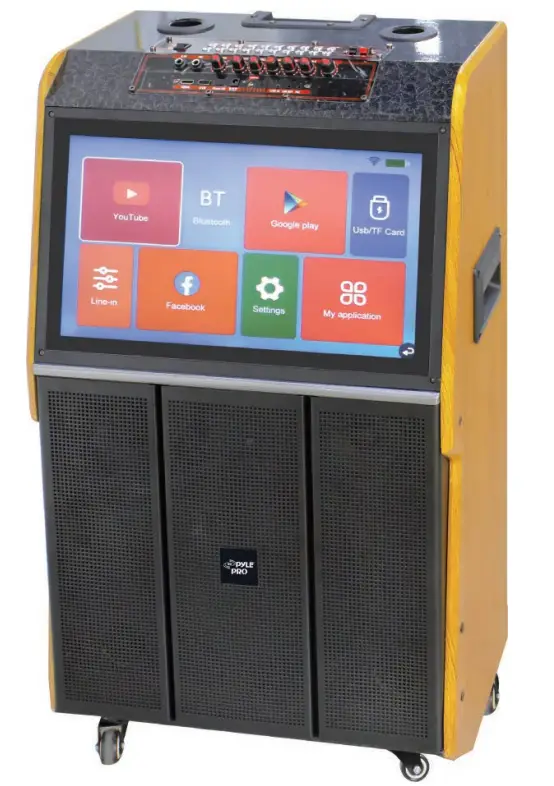
PIMIAND10
Portable Wireless BT Streaming Loudspeaker
with a Touch screen and Wireless Microphone, with Wheels and Handle Bar,
Supports USB/SD/MMC/PC/TV/MP3/Mobile Phone, etc.
PMDJAND10 Portable Wireless BT Streaming Loudspeaker
WARNING
This device complies with Part 15 of the FCC Rules. Operation is subject to the following two conditions: (1) this device may not cause harmful interference, and (2) this device must accept any interference received, including interference that may cause undesired operation.
Changes or modifications not expressly approved by the party responsible for compliance could void the user’s authority to operate the equipment.
NOTE: This equipment has been tested and found to comply with the limits for a Class B digital device, pursuant to Part 15 of the FCC Rules. These limits are designed to provide reasonable protection against harmful interference in a residential installation. This equipment generates, uses, and can radiate radio frequency energy and, if not installed and used in accordance with the instructions, may cause harmful interference to radio communications. However, there is no guarantee that interference will not occur in a particular installation.
If this equipment does cause harmful interference to radio or television reception which can be determined by turning the equipment off and on, the user is encouraged to try to correct the interference by one or more of the following measures:
- Reorient or relocate the receiving antenna.
- Increase the separation between the equipment and the receiver.
- Connect the equipment to an outlet on a circuit different from that to which the receiver is connected.
- Consult the dealer or an experienced radio/TV technician for help.
NOTE: This device and its antenna(s) must not be co-located or operated in conjunction with any other antenna or transmitter.
RF Exposure Statement
To maintain compliance with FCC’s RF Exposure guidelines. This equipment should be installed and operated with a minimum distance of 20cm from the radiator of your body. This device and its antenna(s) must not be co-located or operated in conjunction with any other antenna or transmitter.
IMPORTANT SAFETY MEASURES
Before using this machine, please read all the safety and operating instructions. Meanwhile, please observe all the indications about safe operation.
- Protection of electric power supply line: Be aware that the electric power supply line is not tramped, or pressed by heavy objects. Pay special attention to the plug of the power supply line and outlet on the machine. DO NOT lengthen the electric shock, and DO NOT pull or drag the power supply line.
- Ventilation: This set must be put in ventilated place. DO NOT put the disk on it or cloth to cover it. The distance away from the wall should not be less than 10 centimeters. DO NOT put this set on the bed, sofa, carpet, or other objects with a similar surface in case of good ventilation.
- Casing Dismantling: DO NOT dismantle the casing. If one touches the inner components, he will probably get a serious electric shock.
- Unusual smell: When you discover an unusual smell and smoke, cut power supplies immediately and pull out the plug from the outlet on the wall. Contact the sell shop or nearest repair center.
PRODUCT FEATURES
- Wi-Fi KTV Speaker
- Portable Karaoke Machine Wireless BT Streaming Speaker
- 15.4” High-Definition Screen
- Function: USB/Micro SD/BT/WIFI Touch Screen/Remote Control/HDMI/LINE IN/ LINE OUT/MIC/DC12V
- Application: Home Theater/ Karaoke/ Party/ Disco/ Outdoor Dancing
- Full-function Remote Control
- Stereo Surround, Durable, and Easy Maintenance
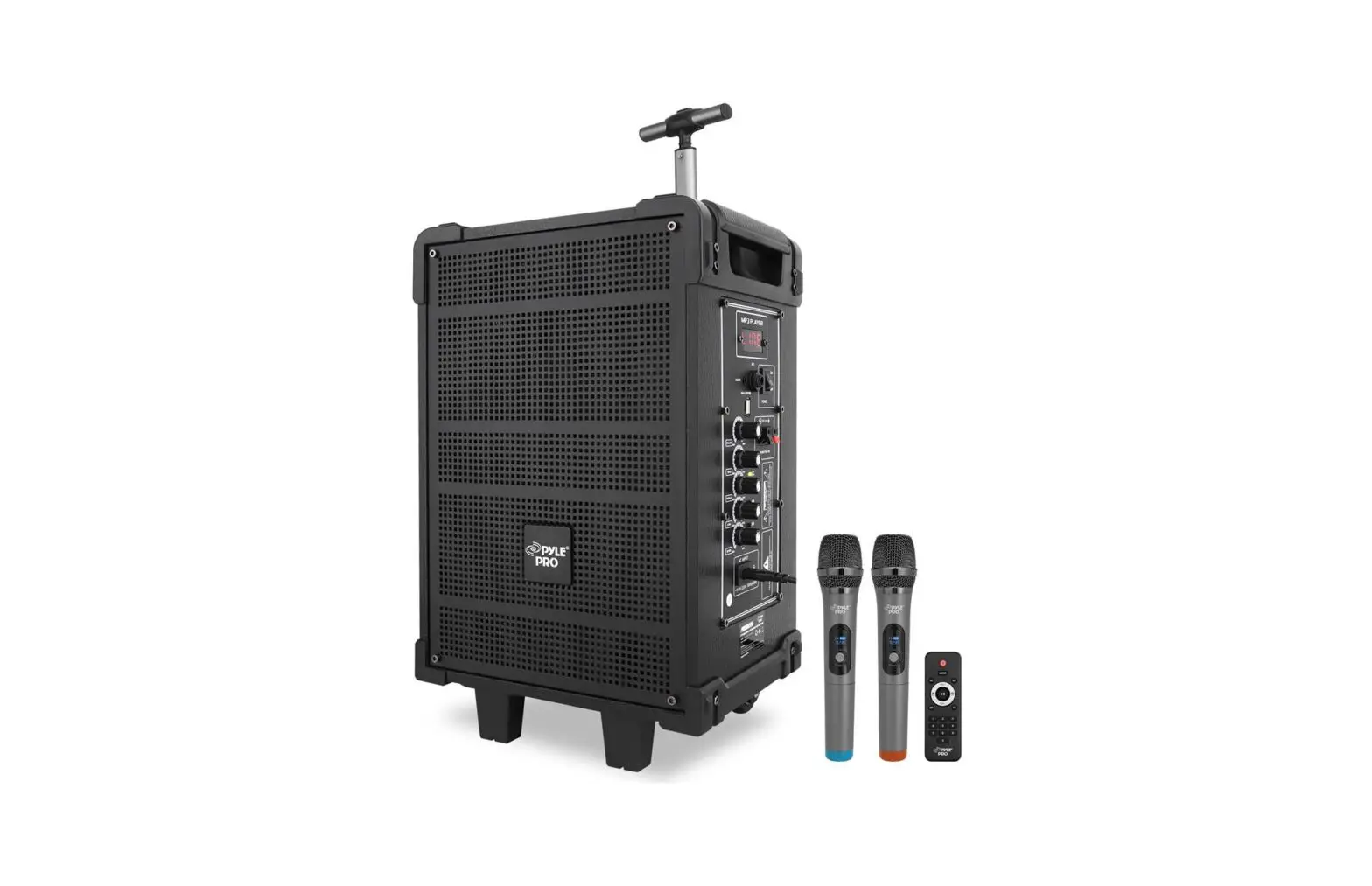
- Dual Wireless Microphone
- For Indoor/Outdoor Activities
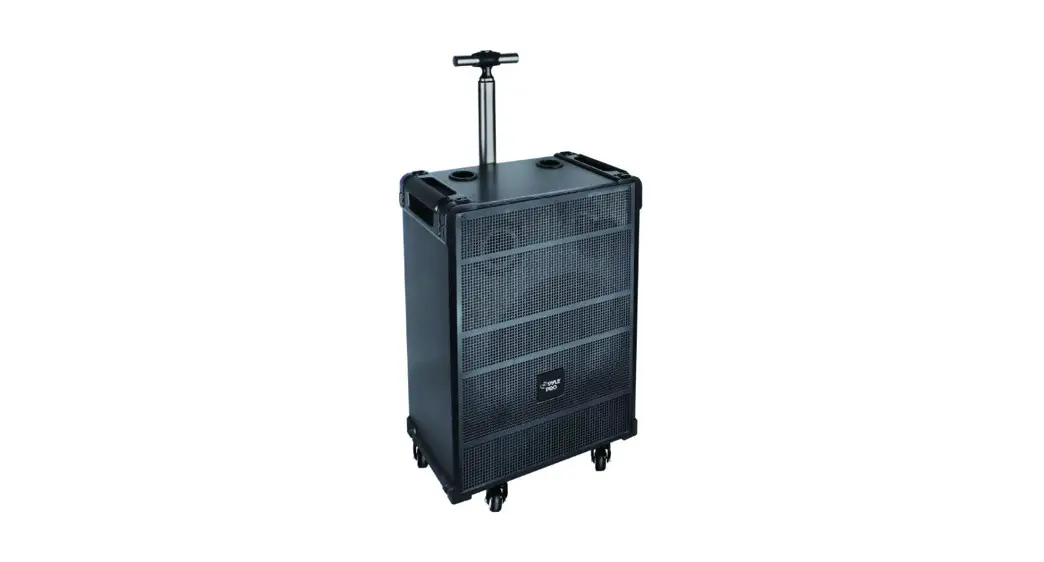
- With Trolley and Rollers for Easy Transportation
- Record Voice, USB/Micro SD Card Compatible
- Built-in rechargeable 12V 7AH Lead Acid Battery
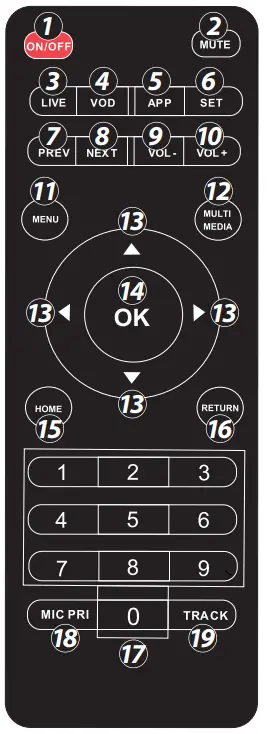
REMOTE CONTROL FUNCTIONS
- SWITCH SCREEN: (Press and hold the Standby Power button)
- MUTE: Mute the sound. Press again to restore the sound.
- LIVE
- VOID
- APP
- SET
- PREVIOUS
- NEXT
- VOL -: Decrease volume

- VOL +: Increase volume
- MENU: select, menu play/repeat all/single repeat
- MULTI-MEDIA: Video/Audio
- UP/DOWN/LEFT/RIGHT: Move the selection up, down, left, and right.
- OK,
- RETURN: To return to the previous screen
- HOME: Returns to the Home Screen
- 0~9: 0~9 play the video and input the password
- MIC PRE: MIC PRIORITY
- TRACK: SOUNDTRACK: audio tracks used in video playback
PANEL DESCRIPTION
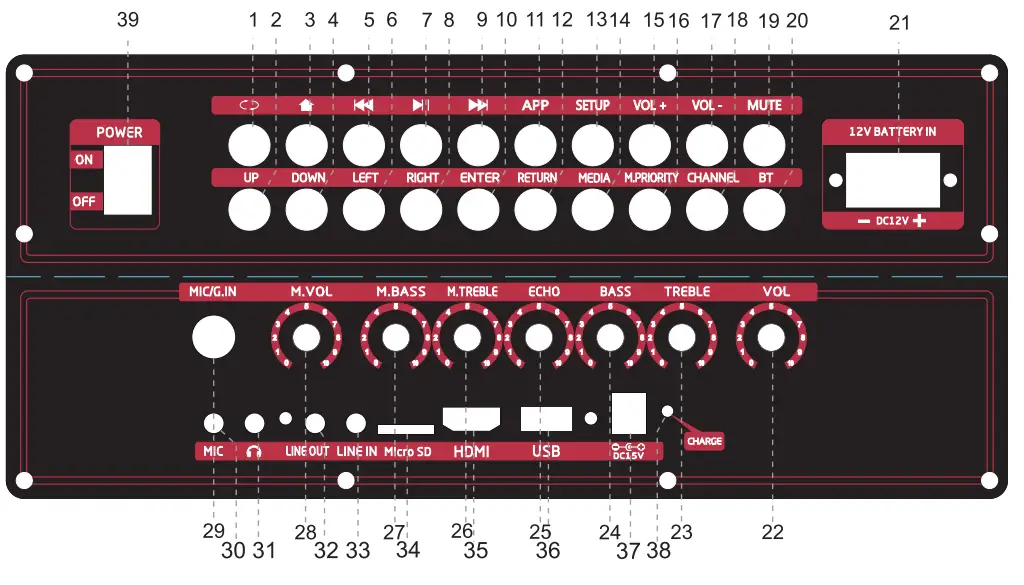
| 1. : SELECT MENU PLAY/REPEAT 2. UP 3.  : Home page : Home page4. DOWN 5.  : Previous song : Previous song6. LEFT 7.  : PLAY/PAUSE Button : PLAY/PAUSE Button8. RIGHT 9.  : Next song : Next song10. ENTER 11. APP 12. RETURN: Returns to the previous screen 13. SETUP: Setting 14. MEDIA: MEDIA/VIDEO/MUSIC 15. VOL +: Increase volume 16. M.PRIORITY: Microphone priority 17. VOL – : Decrease volume 18. CHANNEL: Track 19. MUTE: Press to mute/unmute 20. BT: Wireless BT Streaming ON/OFF | 21. INPUT DC 12V 22. VOL: Master volume knob 23. TREBLE: Treble control knob 24. BASS: Bass control knob 25. ECHO: Echo effect knob (for microphone) 26. M.TREBLE: Microphone Treble control knob 27. M.BASS: Microphone Bass control knob 28. MIC.VOL: Microphone Volume knob 29. MIC\G. IN: Microphone/Guitar input 30. MIC: Microphone input 31.  : Earphone output : Earphone output32. LINE OUT: Audio output 33. LINE IN: Audio input 34. MICRO SD 35. HDMI: HDMI output 36. USB: USB interface 37. 15V IN: DC15V Charging interface 38. CHARGE: Charging indicator light 39. POWER ON/OFF |
GETTING STARTED
- Ensure the Portable Loudspeaker is turned off. Ensure all volume controls are turned all the way down. Next, connect one side of the included power cable to the Portable Loudspeaker’s power inlet and the other to a grounded power outlet.
- Ensure that the power supply complies with the power requirements listed on the identification sticker located on the bottom of your product. Turn ON the power to the Portable Loudspeaker using the power switch.
- Slowly turn up the function keys until the desired level is reached.
WIRELESS BT CONNECTION
Switch the Portable Wireless BT Streaming Loudspeaker to MODE, then switch to BT (BT MODE) pairing mode and connect to a new BT device using BT Network Name: `PyleUSA’.
WARNING:
To prevent the risk of fire or electric shock, do not expose this appliance to rain or moisture. To prevent electric shock do not remove the cover. No user-serviceable parts inside. Refer servicing to qualified service personnel.
SAFETY:
Prior to connecting mains, ensure that the supply voltage is correct and the mains lead is in good condition. Avoid ingress of water or particles into the enclosure.
PLACEMENT:
Keep the unit out of direct sunlight and away from heat sources.
Place the unit in an upright position during use and storage.
Keep the unit away from moisture or dusty environments.
CLEANING:
Use a soft cloth with a neutral detergent to clean the cabinet, panel, and controls. To avoid damage, do not use solvents to clean this equipment.
WHAT’S IN THE BOX:
- Portable Wireless BT Streaming Loudspeaker
- Remote control
- (2) Wireless Handheld Microphone
- 1 Set of Charger
TECHNICAL SPECS:
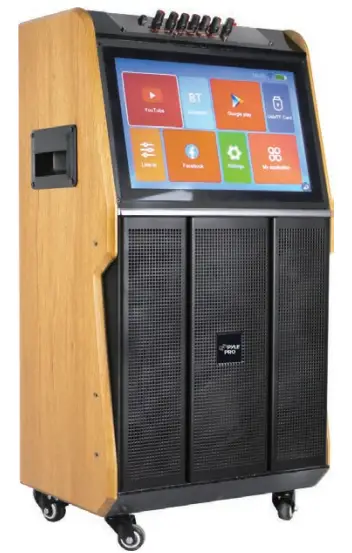
- Power Supply: 30W
- Working Voltage:110/240V 50/60
- Sub-woofer Size: 10” -inches Woofer
- 40” HQ quantity: 383pcs
- Speaker Type: Active
- Construction Material: Wooden & ABS
- Power Source (AC):110/240V-50/60 Hz±10%
- Direct Current: external input DC 12V
- Frequency Response: 40Hz-18KHz
- Internal Storage: 1G RAM +8G ROM
- Android Version: 7.1
- Screen: 15.4” -inches High-Definition Screen
- Resolution: 1200 x 800
- Speaker: 10” -inches Bass + 4” -inches Midrange Unit + 80 Magnetic Horn Treble
- Remote Control Battery Operated, requires (2) x ‘AAA’ Batteries (Not Included)
- Battery Type: 12V 7AH Lead Acid Battery
- Battery Life: Up to 2+ Hours
- Mic Nominal Current Drain: < 100mAh
- Battery Operated Mics require (2) x `AA’ Batteries each (Not Included)
- Charging Time: 4-8 Hours
- Product Dimensions (L x W x H): 19.69” x 15.35” x 35.83” -inches
California Prop 65 Warning
WARNING: This product contains Nickel carbonate which is known to the state of California to cause cancer birth defects and other reproductive harm.
Do not ingest. For more info go to: www.P65warnings.ca.gov
 VISIT US ONLINE:
Have a question?
Need service or repair?
Want to leave a comment?
PyIeUSA.com/ContactUs
Questions? Issues?
We are here to help!
Phone: (1) 718-535-1800
Email: [email protected]
www.PyleUSA.com
 Pyle USA Electronics | Home Audio | Car Audio & More