SA100 User Manual
Introduction
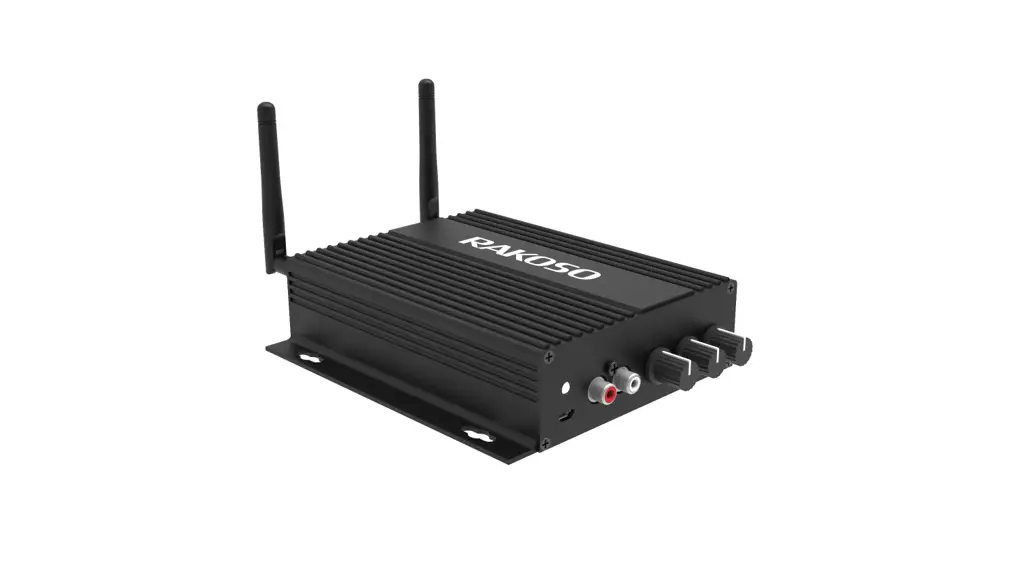
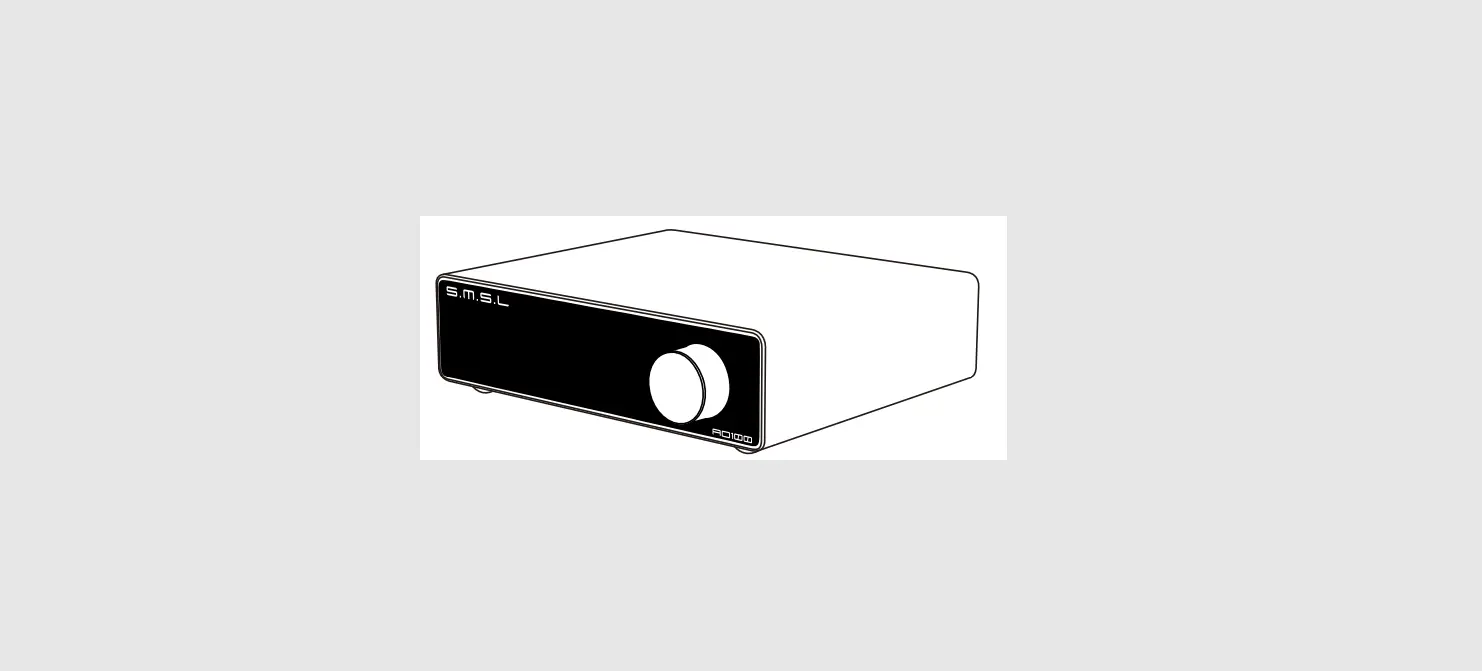
This class D digital amplifier is of great performance and specially designed to meet the high demand of the installation market. This power amplifier can drive and make your traditional passive speaker smart. With the free iOS and Android applications, you can easily control your smart audio system. You can stream the same music to all zones or different music to different zones, no matter the music from the local storage like cell phone memory, NAS, USB flash disk and hard disk or online streaming services such as Spotify, Tidal, TuneIn, iHeartRadio, Napster and so on.
Contents
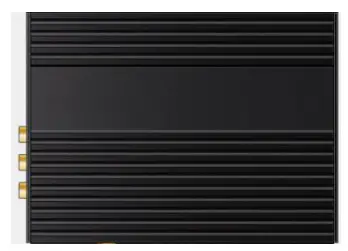
- SA100 x1
- Power supply x1
- RCA cable x2
- Antennas x2
- QSG x1
Interface and Functions
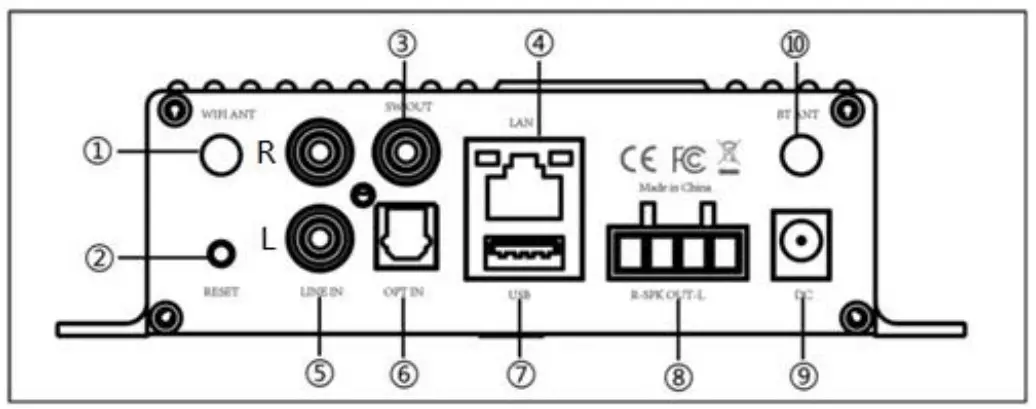
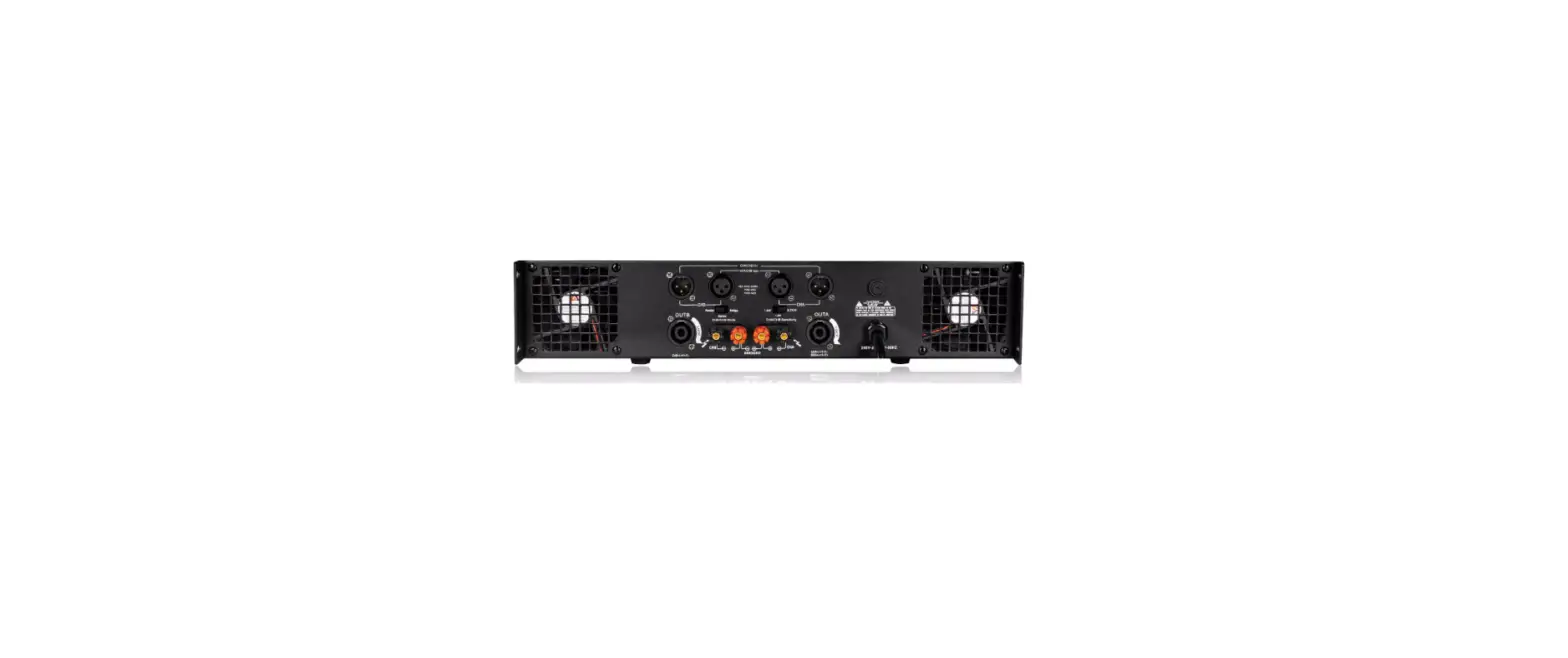
- WiFi Antenna: Used for WiFi connection
- Reset: Used to reset the device if you have a problem with your WiFi connection
- Subwoofer out: Used to connect to an active subwoofer
- Network connection: RJ45 used to connect to a wired Ethernet network
- Line input: Analog input used to connect audio devices via an RCA cable
- Optical: Used to provide digital input from a 2.1 optical equipped device
- USB input: Used to connect local storage devices
- Speaker terminals: Phoenix speaker terminal used to connect to 8 Ohms speakers
- Power input: DC power input used to connect the power adaptor
- Mobile wireless antenna: Used to pair with mobile devices using a popular wireless service

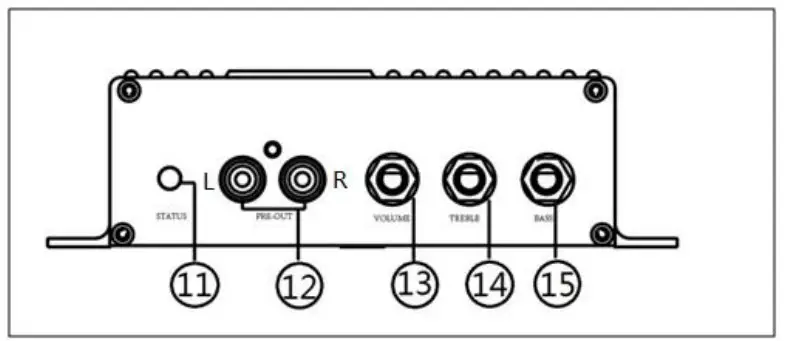
- LED: Indicates the status of the device
Blinking White: Power on or Network Connecting
Solid White: Network connected, WiFi and USB streaming
Solid Blue: Wireless Input Active
Solid Green: Line Input Active
Solid Purple: Optical Input Active - Pre-out: Used to provide an analog signal to another amplifier
- Volume: Used to manually tune the device volume
- Treble: Used to manually tune the treble
- Bass: Used to manually tune the bass
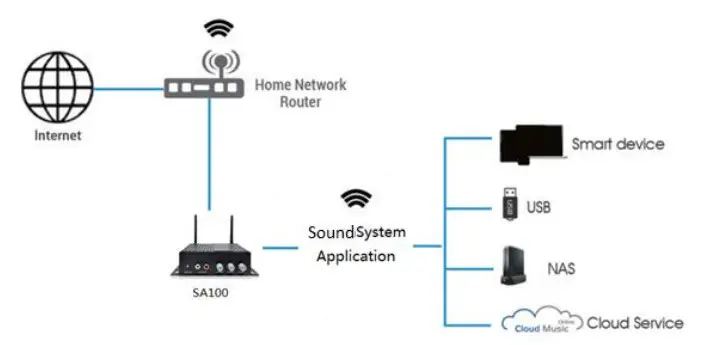
How it works
Installation Guide
- Unpack
Verify all the accessories are included in the package. - Place
Fix the amplifier at a safe and proper location. An integrated mounting bracket allows mounting to a wall or surface, but we suggest making sure you complete all installation steps before permanently mounting. - Connect
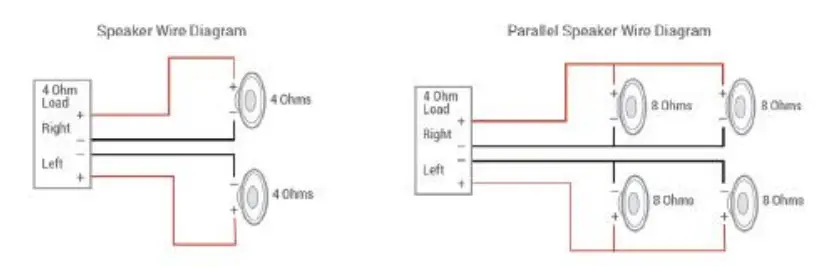
Speaker Wiring Diagrams (SA100 can handle speakers from 4-16ohms impedance)
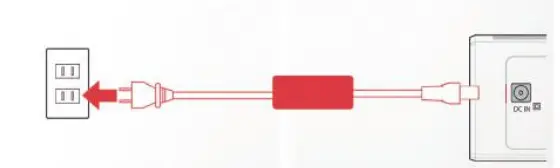
Speaker Wire Connection Properly wire the male phoenix connectors on the amplifier, noting positive and negative terminals match with the positive and negative terminals on your speaker. Power connection Power the amplifier with the power adapter included in the accessories.
- Download the App
Download the MUZO application from the App Store for iOS and Google Play for Android.
- Configure
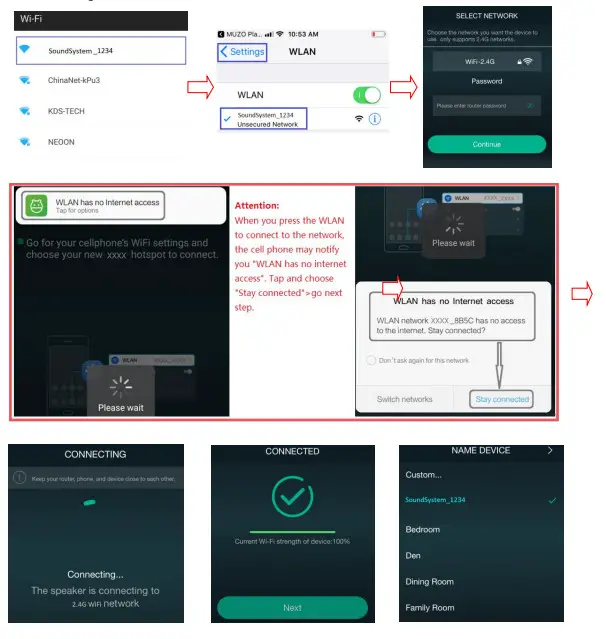
Option 1- Configuration via app
-Connect your mobile devices to your network.
-Open the application> press Add Device(+)>choose settings> choose the SoundSystem_xxxx
hotspot> after connected, press the ‘turn back on your WLAN settings> the app will jump to
the configuration step>choose the 2.4G network and enter the password>wait for the device to be configured.

Option 2- Configuration via Web console
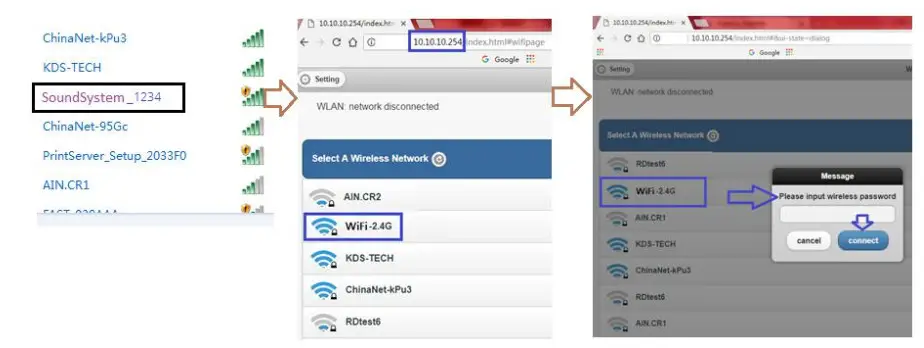
-1. Power the device.
-2. Choose the hotspot(SoundSystem_xxxx) in the WiFi setting on your cell phone or computer and connect to it.
-3. Open the browser and enter 10.10.10.254
-4. Go for WiFi>choose your 2.4G router>enter the password> click connect> wait for the device to be configured.
Option 3-Connection via LAN
-Power the device
-Plugin the wired cable to the RJ45 Ethernet, the device will show on the app in about 10 seconds.
App Photo Gallery:
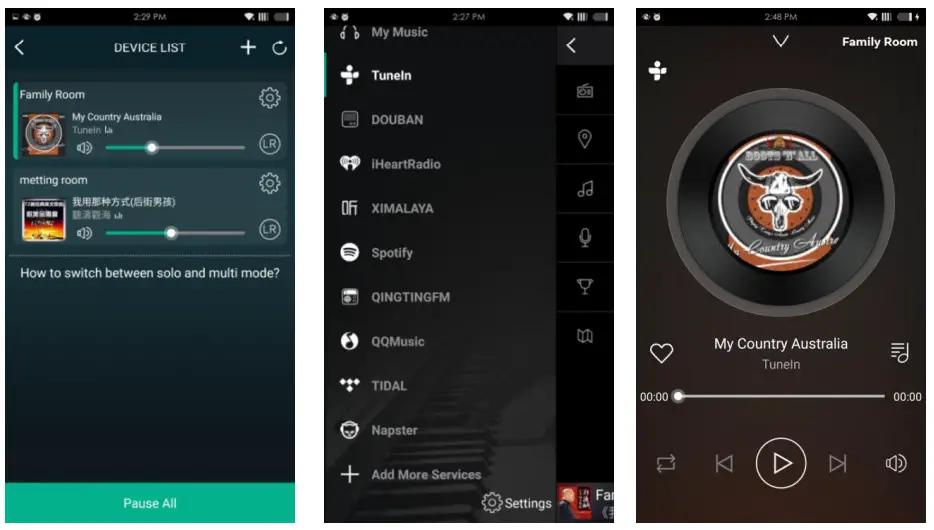
Playback Your Device List will show all available zones. Press a zone to see the information on the current source. While on the view for the source, swipe right to reveal the available sources. From there, you can select what source you want to hear next, or swipe left to return to the currently playing source.
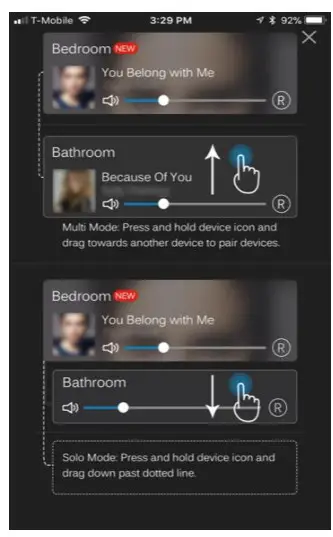
You also have the ability to combine zones so that each zone is playing the same source at the same time.
Just press your finger on the zone you want to play what another zone is playing until it indicates it is ready to merge. Then, drag it on top of the master zone and release it.
In roughly 30 seconds, the zones will combine.
To separate zones, repeat the process, but this time drag the zone you want to free below the dotted line.
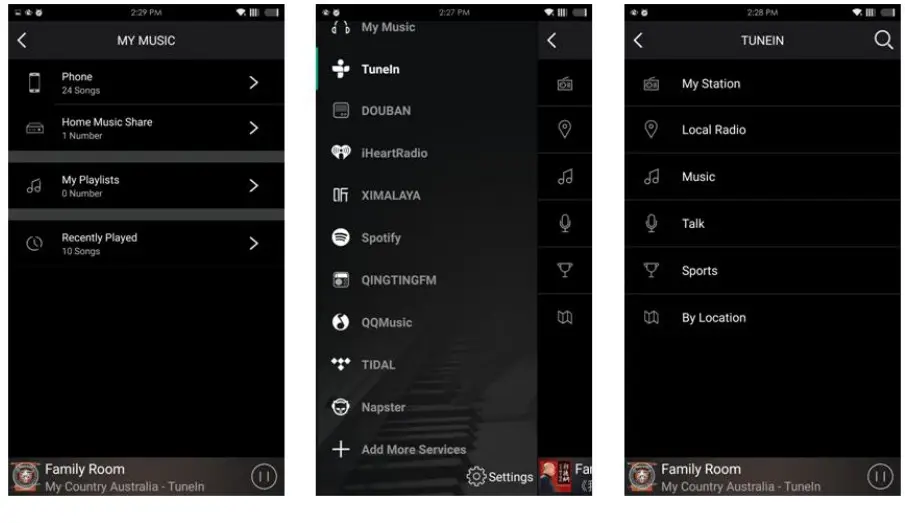
Streaming from Cell phone memory/NAS/Online Music Services
These screens let you access your available music, whether it be hard files on your network or connected to your a-live hardware, or what streaming options you’ve selected to be available.
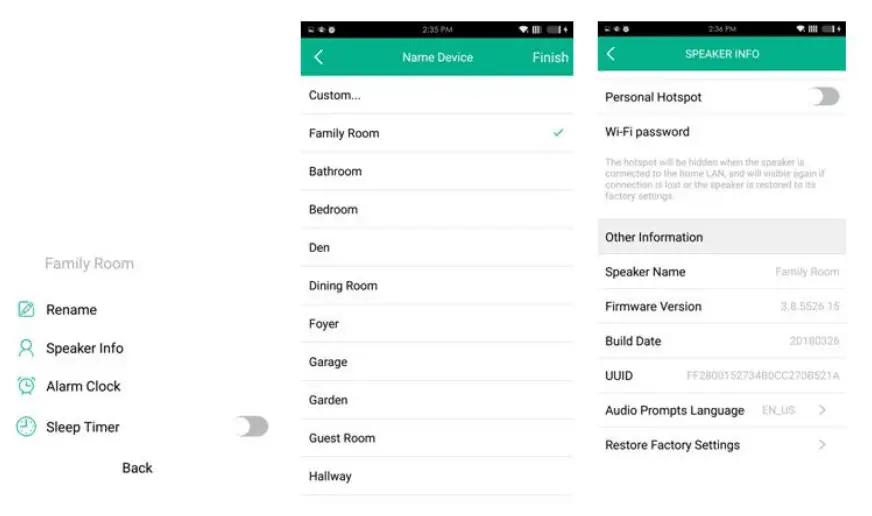
Device Settings:
Through device settings, you can set an alarm clock or sleep timer, get technical information on your speaker, or rename it.
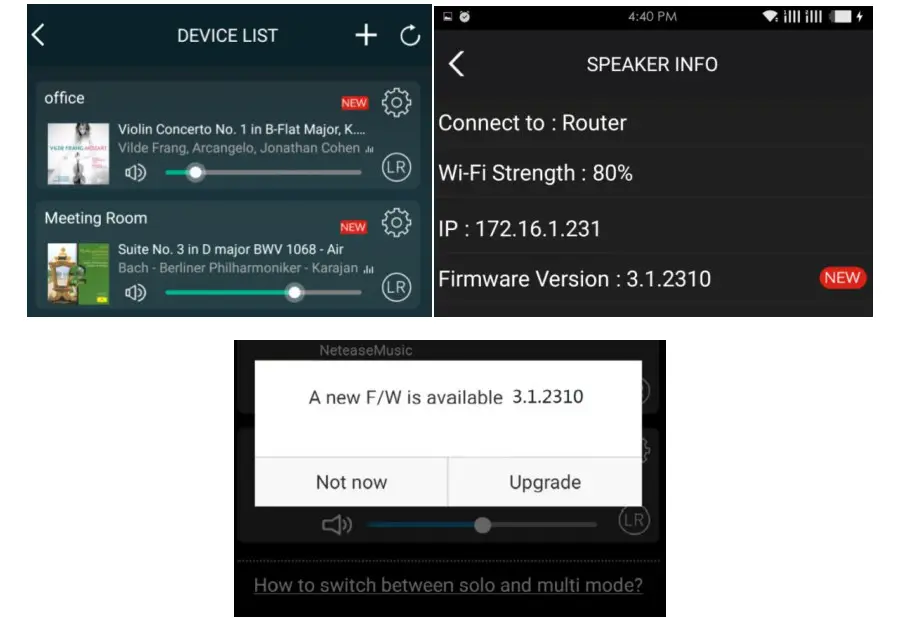
Firmware update
RAKOSO will notify you in your app when there is a new firmware version available. It’s recommended to update the firmware whenever available as this might not only
correct bugs or improve security, but could also add new features or services.
Technical Specifications
| Connectivity | Wireless network | IEEE802.11 b/g/n 2.4G |
| LAN | single 10/100M R145 | |
| Bluetooth | 4.0 | |
| Frequency Response | 20Hz to 20kHz | |
| Power input | DC 24V, 6A | |
| Audio Source Input | USB 2.0, Analog RCA, Optical(2.1) | |
| Audio Source Output | Analog RCA, Subwoofer | |
| Treble | Yes | |
| Bass | Yes | |
| Volume Knob | Yes | |
| Dimensions: | 6.25 ” L x 5.75 ” W x 1.6 ” H(15.8×14.6x4CM) | |
| Weight | 1.2 Lbs(0.54kg) | |
| Music format | MP3/AAC/AAC+/ALAC/APE/WAV | |
| Decoding | Up to 24bit/192kHz | |
FAQ
Q: Do your devices support airplay and third-party DLNA apps?
A: Yes. They support airplay and third-party apps like BubbleUPNP…
Q: How many zones can you group in one system?
A: 12 rooms is the maximum, while 8 zones are recommended.
Q: What distance can your wireless audio system cover?
A: Once the system is connected to your WiFi router, you can stream your music anywhere there is a WiFi signal.
Q: Can it play high-resolution music?
A: Yes. Our devices can play APE and RAC within the normal bit rate range. They also support decoding 24bit/192kHz music files.
Q: How many languages do you support?
A: Our devices will auto-detect your mobile device language and change automatically. Currently, we support English, French, German, Spanish, Chinese, Portuguese, Korean and Japanese, and more on the way.
Q: What online music services do you support?
A: Spotify, Tidal, iHeartRadio, TuneIn, Napster, and more, with more pending.
Q: Can I play local music?
A: Yes. You can play music from “MY MUSIC” on the application from local storage devices such as mobile device storage, USB thumb drives, portable hard disk and NAS.
Q: Can RAKOSO work with Windows devices?
A: The Windows application is not available at the moment, but on the Windows PC, users can use iTunes, Foobar2000 and Spotify connect as a line input.

@Copyright 2018 by RAKOSO. All Rights Reserved.
The information contained in this guide is believed to be accurate and reliable. RAKOSO assumes no responsibility for any errors contained in this guide. RAKOSO reserves the right to make changes in the specifications and/or design of the above-mentioned product without prior notice.
The diagrams contained in this guide may also not fully represent the product that you are using
and they are for illustration purposes. RAKOSO assumes no responsibility for any differences
between the product mentioned in this guide and the product you may have.