Operation Instruction for Sveaverken
Smart Neck -Tag
SCN100

Sveaverken Svea Agri AB

Hogmossevagen 11
SE-641 39 Katrineholm
Tel: +46-150-48 77 00,
Fax: +46-150-48 77 77
www.sveaverken.com
Safety Precautions
Routine

- Please read the operation instruction before the installation, adjustment, inspection and maintenance of the smart neck-tag and other work. Improper installation and operation may lead to serious injury, for which the manufacturer shall assume no responsibility.
- The smart neck-tag must be matched with the corresponding gateway; otherwise it cannot be used normally.
Warning
- Protective equipment is required for the installation, adjustment, inspection and maintenance of the smart neck-tag.
- Long-term use may lead to neck-tag fall-out or wear and tear. Please adjust and replace the neckband in time to avoid physical injury to cows.
- Regular inspection and maintenance are essential for the normal operation of the device.
- If the device has to be used by children aged 8 and above, people with relatively weak extremity, sensory or mental capacity and people lacking experience and expertise, relevant personnel must receive guidance and training on safety usage specifications for the device and relevant hazardous matters.
- This device is not a toy for children!
- The cleaning and maintenance of device must not be handled by children without supervision.
- For safety, damaged device must be replaced by the manufacturer, its service agent or other qualified personnel,
Danger
- The smart neck-tag contains battery. Please avoid heavy extrusion and hitting.
- Please keep the smart neck-tag away from fire!
Product Introduction
Based on analysis of data on cow activities and relative temperature variation, Sveaverken smart neck-tag identifies individual cows which may be in estrus and with abnormal physiological activity, thus helping to improve the herd estrus detection rate and identify cows of abnormal health in advance.
It collects physiological data on cows through built-in sensors and generates the optimal management plan with intelligent algorithm to guide the production activity of pasture.
The smart neck-tag is capable of herd estrus detection and health management, so as to help users to reduce labor cost, minimize waste and loss of resources, increase milk production, and improve the welfare of human and livestock at the same time.
Executed standard number:
| Product model | Executed standard number |
| SCN100 | Q/FJZN 008-2020 |
Product Specifications
Specifications of Sveaverken Smart Neck-Tag | |
| Model | SCN100 |
Size of sensor unit (length*width*height) | 110*70*35 (mm) |
| Weight of sensor unit | 240g |
Size of clump weight (length*width*height) | 86*66*30 (mm) |
| Weight of clump weight | 350g |
Protection grade | IP67 |
| Battery life | 5 years+ |
Communication mode | Low power consumption IoT technology |
| Communication distance | ≤1km (depending on the specific coverage and building conditions) |
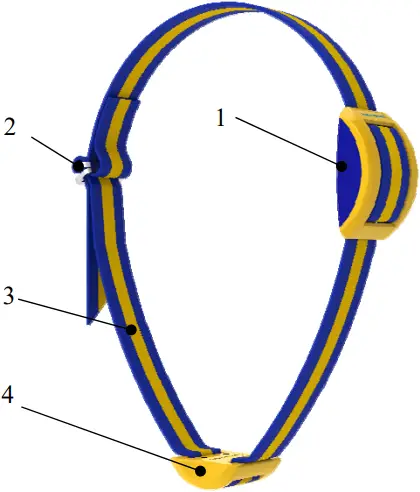
Structural composition of smart neck-tag:
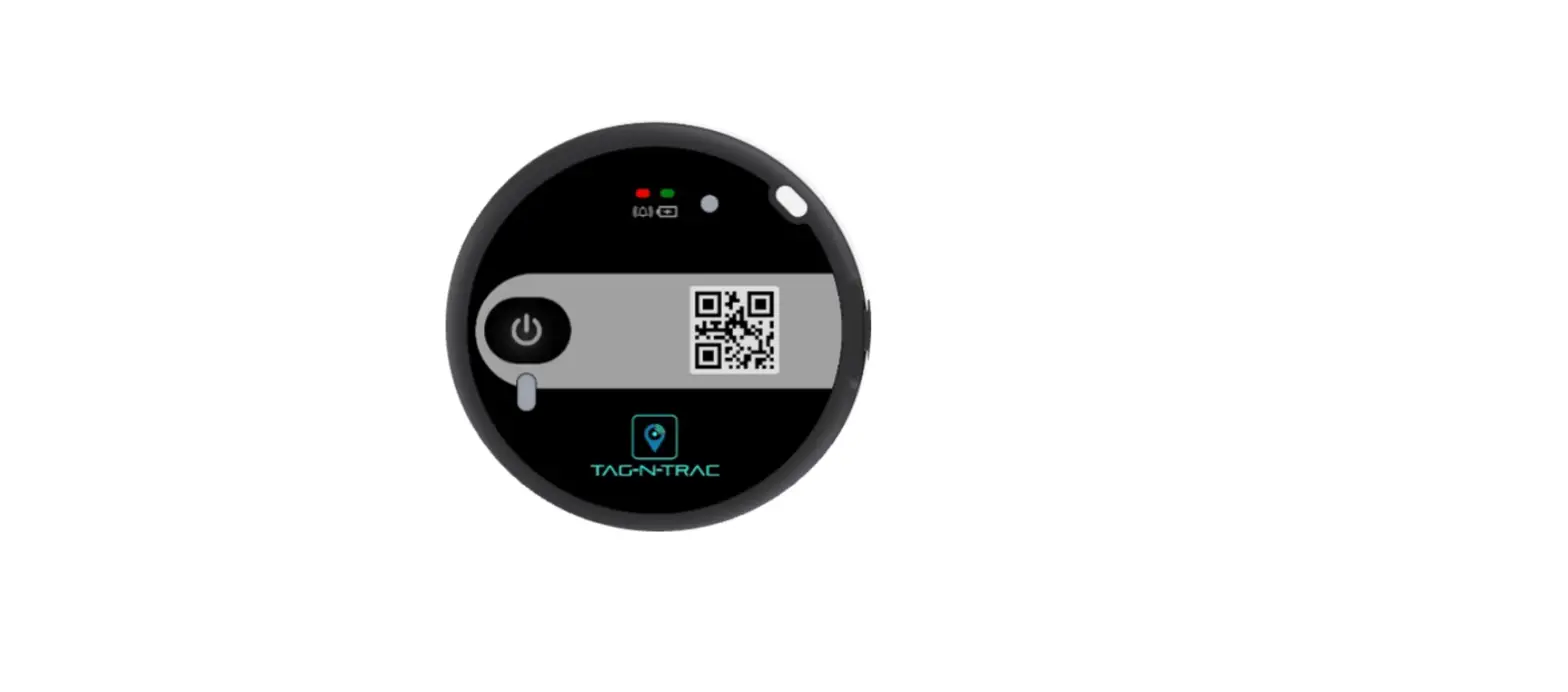
- Sensor unit
- Buckle
- Neckband
- Clump weight
Device Installation
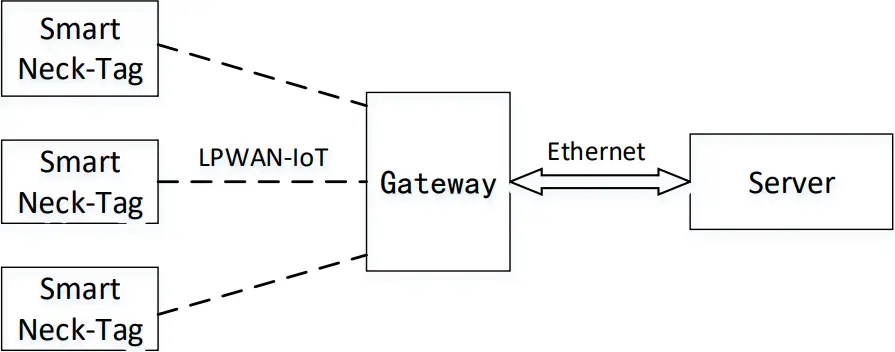
1. The smart neck-tag is for indoor use only. It must be matched with a gateway and used in an Ethernet environment. Below is the network connection method:
2. A smart neck-tag set includes a neckband with a metal buckle, a sensor unit and a clump weight. Open the package, and take out the above components.
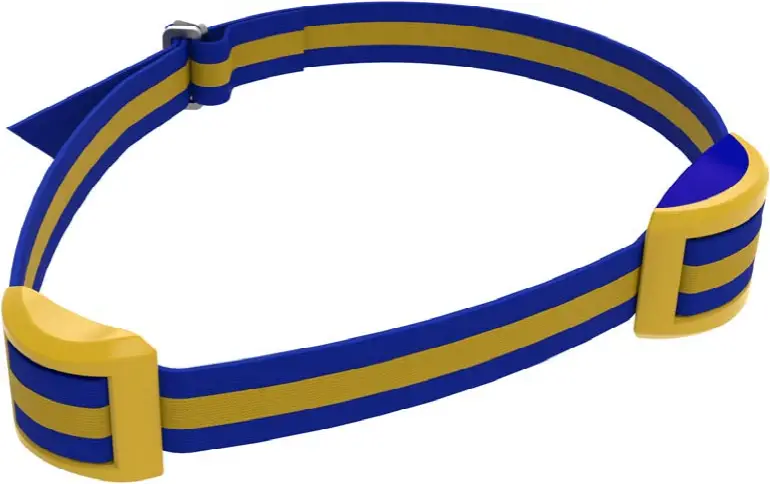
3. The device shall be preassembled before wearing. Put the sensor unit and the clump weight on the neckband, and then put the entire device on the neck of cow. First put the sensor unit on the neckband and then the clump weight. See below for the preassembled state of device. Please note the following:
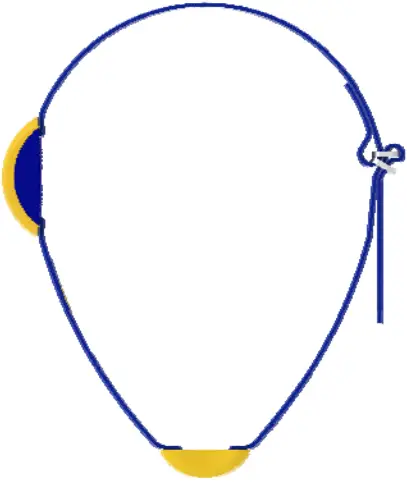
4. The picture below shows the state of device on the neck of cow, with the tail of neckband fastened by the metal buckle to form a circle. In the preassembled state, the tail of neckband is not fastened by the metal buckle.
5. When the device is put on, the logo side of the sensor unit shall be the top side, and the arrow on the back shall face upwards (the arrow on the back points to the metal ring).
6. When the device is put on, the folded part of the neckband near the buckle shall towards the inside, while the sensor unit and the flat side of clump weight also towards the inside.
7. The relative position of the sensor unit and the clump weight on the neckband should be adjusted according to the neck circumference. After the neck-tag is put on the neck of cow, fasten the neckband. The sensor unit shall be on one side of the neck, the clump weight right below the neck, and the buckle on the other side.
8. After the neckband is fastened, there should be space left between the neckband and the neck of cow, otherwise it may be uncomfortable for the cow. Under serious circumstances it may even lead to injury. The space between the neckband and the neck should be enough to fit an adult’s fist in (about 8cm).

Instructions of APP
APP installation
- APP for Android
(1) Open Google Chrome browser (or another browser).
(2) Enter: https://www.sveaverken.com/cn/smartNecKTag/appDownload.
(3) Scan code to down and install APP. - APP for iOS:
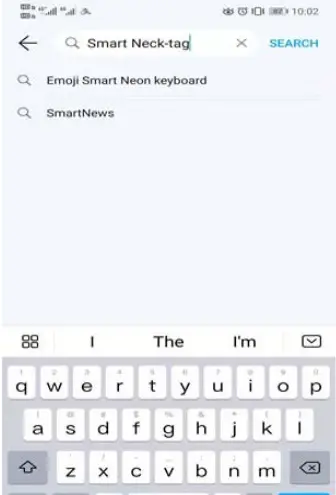
(1) Open App Store.
(2) Search for “Smart Neck-Tag” application.
(3) Download and install.
Login
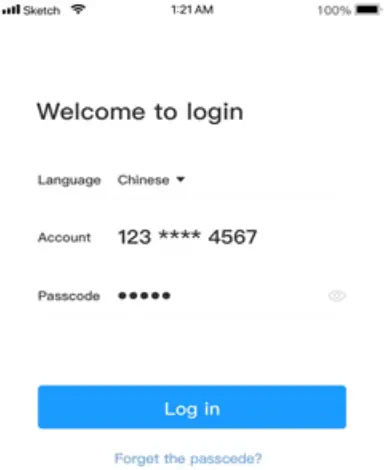
- Obtain user name and password from the manufacturer or the dealer.
- Enter the correct user name and password.
- Click “Login” to enter the APP.
Language switch
- Click the language switch button to go to the language switch page.
- Select a language and confirm.

Pasture statistics
- After login, the statistics of all cows of the user can be viewed on the home page.
- Click to switch between home page and Personal Center.
- Click to add cows and cow information.
- Click to check suspected estrus, suspected disease, recovering cows, estrus records and case history.
- Warnings identified and pushed based on AI algorithm is displayed in a scrolling column.
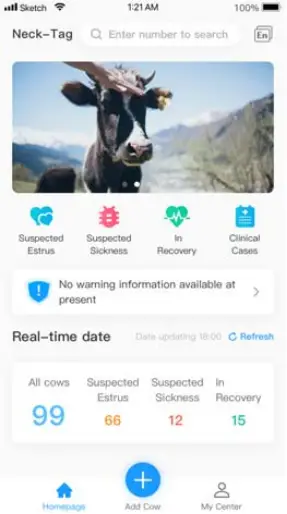
Warnings
- When the neck-tag detects emergency situations, warnings will be pushed by rolling display in the warning column.
- Click warning message to jump to the corresponding list page.
Suspected estrus
1. Click “Suspected Estrus” to go to the status list.
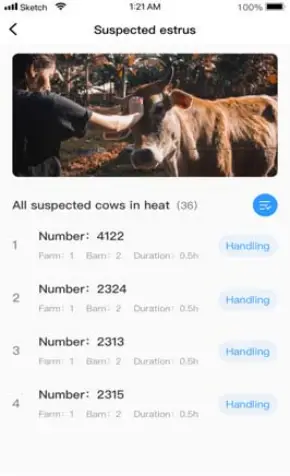
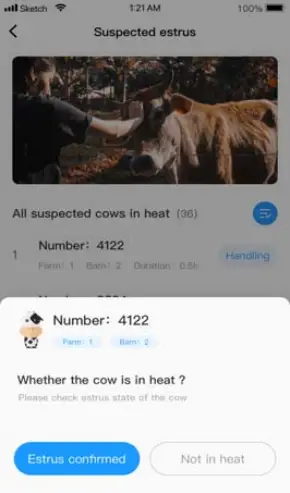
2. Click to confirm one by one.
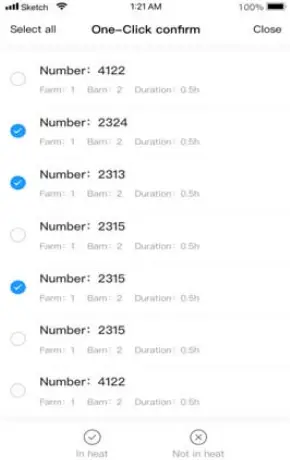
3. Confirmation can also be made in batches.
4. Click a record to view details.
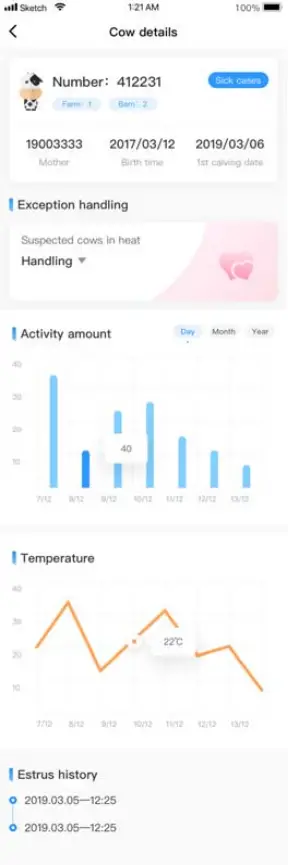
Suspected disease
1. Click “Suspected Disease” to go to the status list.
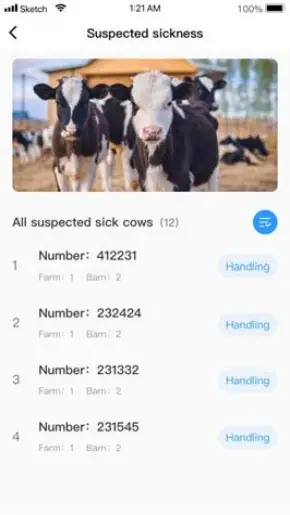
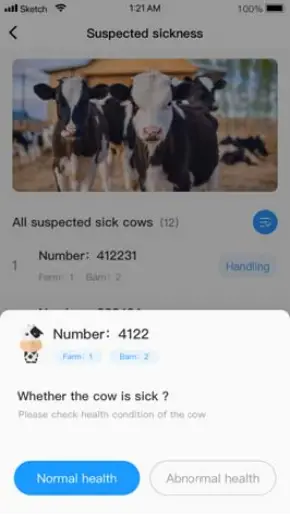
2. Diseased cows can be confirmed one by one or in batches. Same as estrus confirmation.
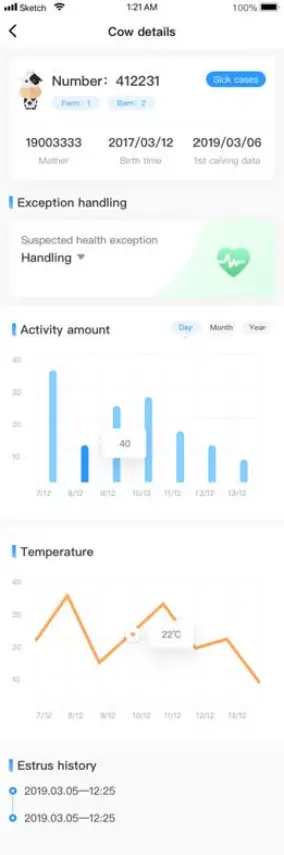
3. Click a cow number to view the status information.
Add cows
1. Click “+” at the bottom menu to start adding cows. Cows can be added through 4 ways as QR code recognition, device code entry, manual addition of cow information and RFID recognition (coming soon).
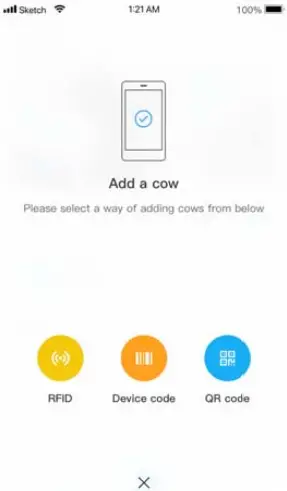
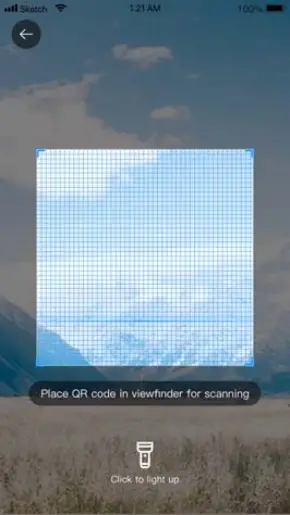
2. Turn on the camera to scan QR code. Recognized device number can be read directly. Then fill in the cow number to match relevant information.
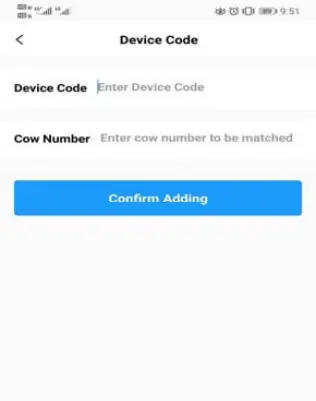
3. Or, click “Device Code” to enter device code manually, and then fill in the cow number to match relevant information.
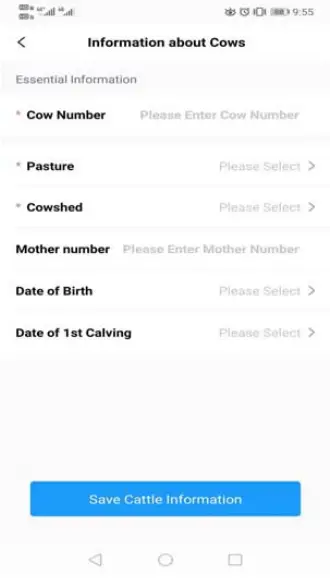
4. If information on this cow cannot be found in the system, it can be added through APP, and then bound to device number.
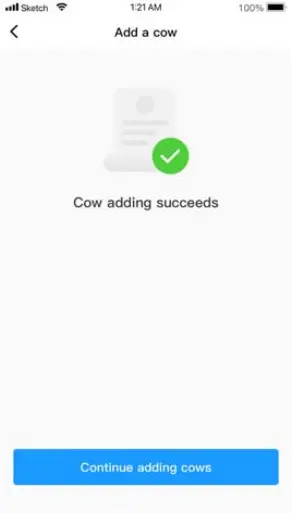
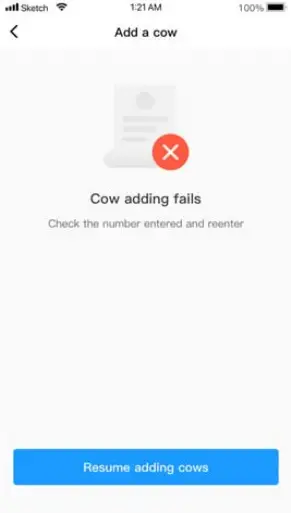
5. User will be notified of whether the cow is successfully added.
Quick search
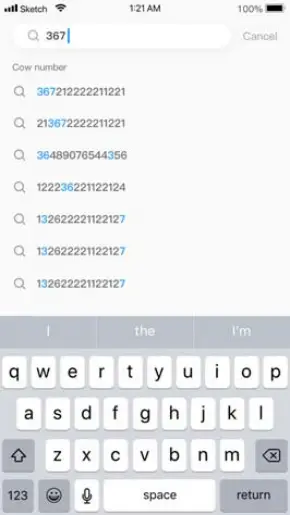
- Click “Search” to go to the quick search page.
- Enter number, and a list of relevant numbers will pop up.
- Click a record to view details of the cow.
Personal Center
- Click “My Center” at the bottom to go to Personal Center page.
- Proceed with password change, language switch, version information or other operation.

Password change
- Click “Account Management” to reset password or log out.
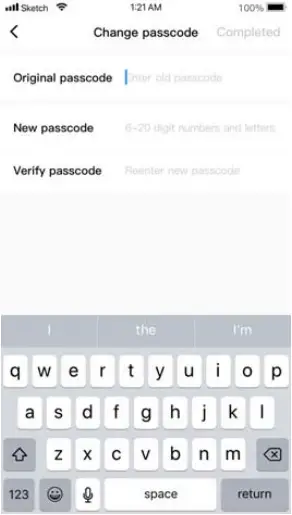
- Click “Password Change”, enter the original password and the new password, confirm, click “Complete”, and log in again.
Inspection and Maintenance
- Check neckband wear, and replace neckband when necessary.
- Check the smart neck-tag, and re-fasten the neck-tag if it’s loose.
- Check the shell of sensor unit for damage. Damaged shell should be removed immediately, and the manufacturer or service agent should be contacted immediately.
FCC statements:
This device complies with part 15 of the FCC rules. Operation is subject to the following two conditions:
(1) this device may not cause harmful interference, and
(2) this device must accept any interference received, including interference that may cause undesired operation.
NOTE: The manufacturer is not responsible for any radio or TV interference caused by unauthorized modifications or changes to this equipment. Such modifications or changes could void the user’s authority to operate the equipment.
NOTE: This equipment has been tested and found to comply with the limits for a Class B digital device, pursuant to part 15 of the FCC Rules. These limits are designed to provide reasonable protection against harmful interference in a residential installation. This equipment generates uses and can radiate radio frequency energy and, if not installed and used in accordance with the instructions, may cause harmful interference to radio communications. However, there is no guarantee that interference will not occur in a particular installation. If this equipment does cause harmful interference to radio or television reception, which can be determined by turning the equipment off and on, the user is encouraged to try to correct the interference by one or more of the following measures:
– Reorient or relocate the receiving antenna.
– Increase the separation between the equipment and receiver.
-Connect the equipment into an outlet on a circuit different from that to which the receiver is connected.
-Consult the dealer or an experienced radio/TV technician for help.
The device has been evaluated to meet general RF exposure requirement, The device can be used in portable exposure condition without restriction.
FCC ID: 2A3NS-SCN100