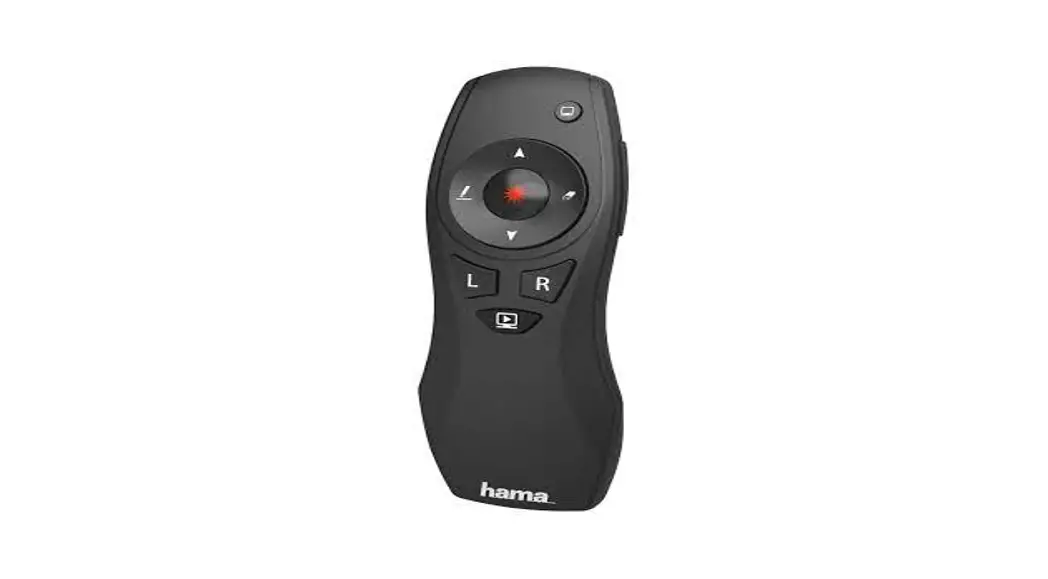
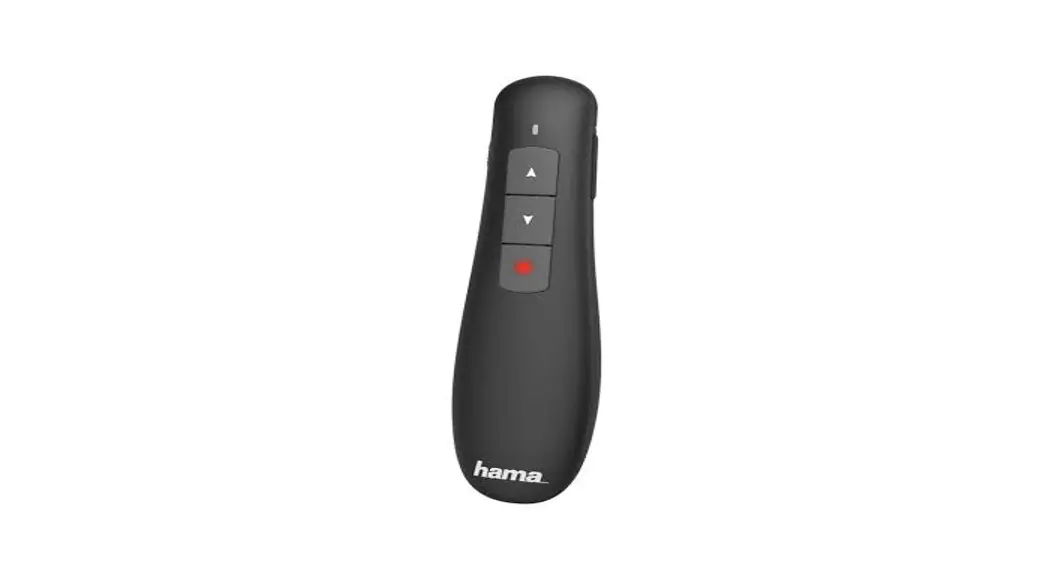
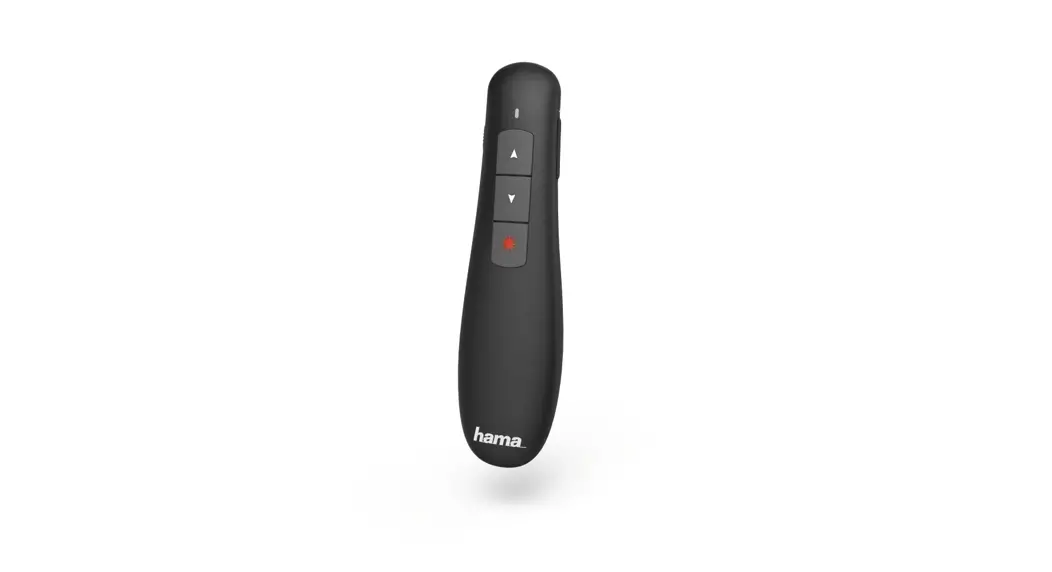
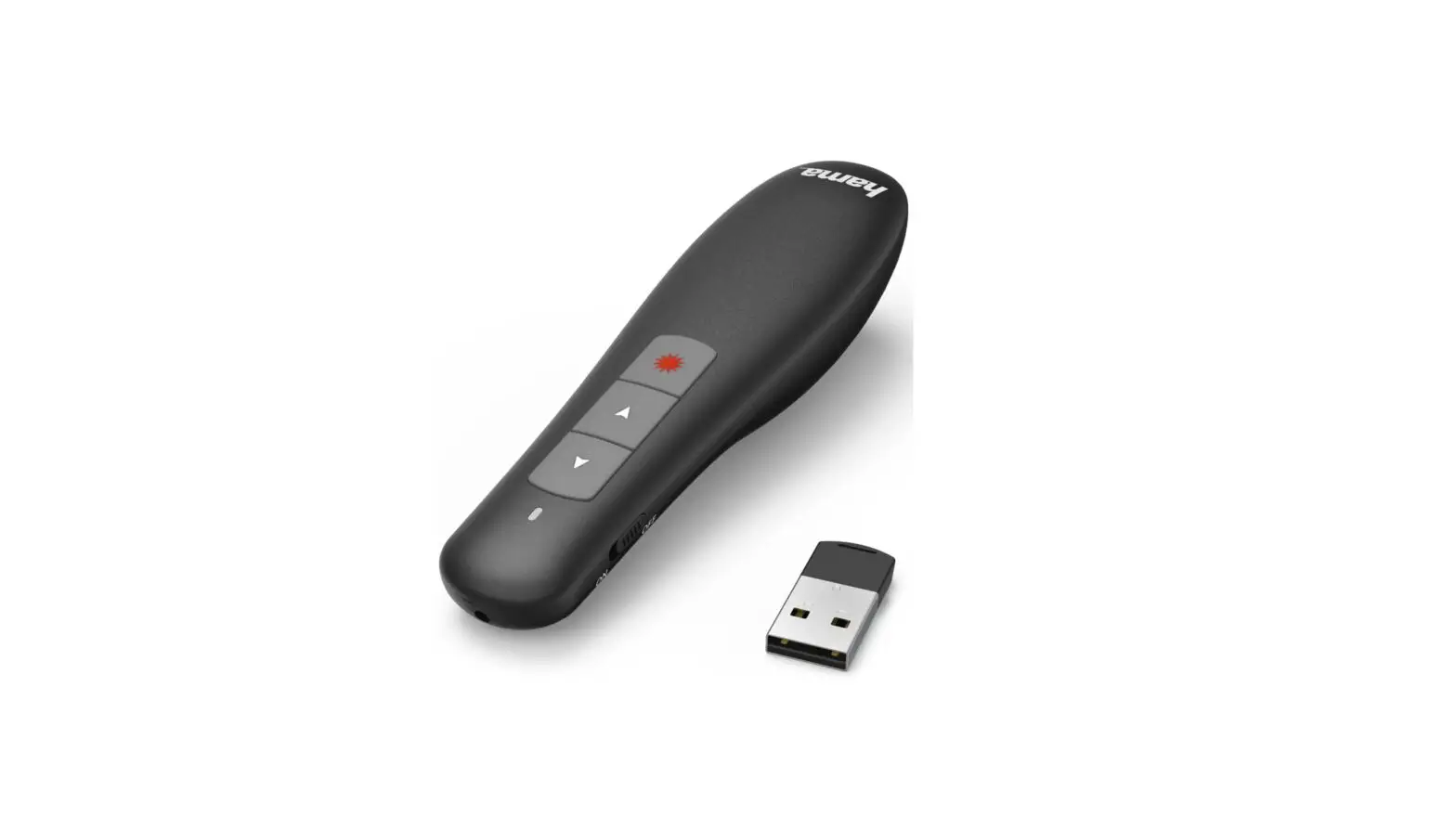
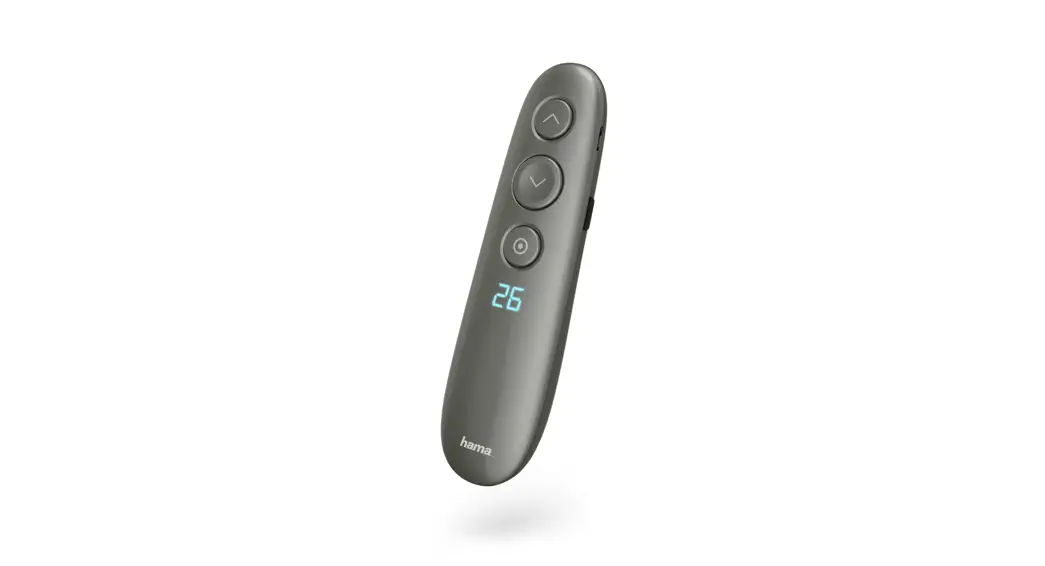
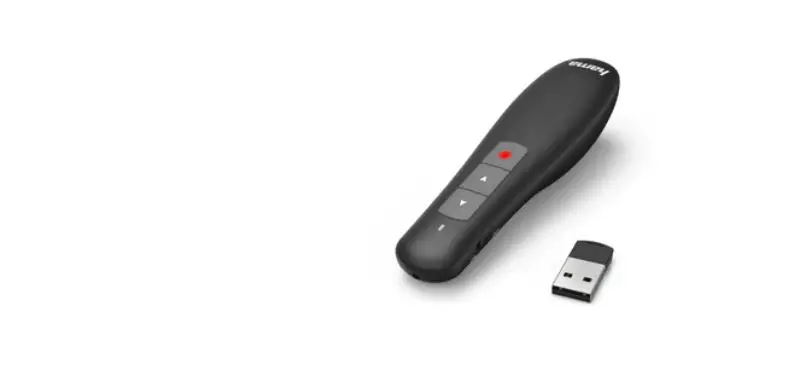
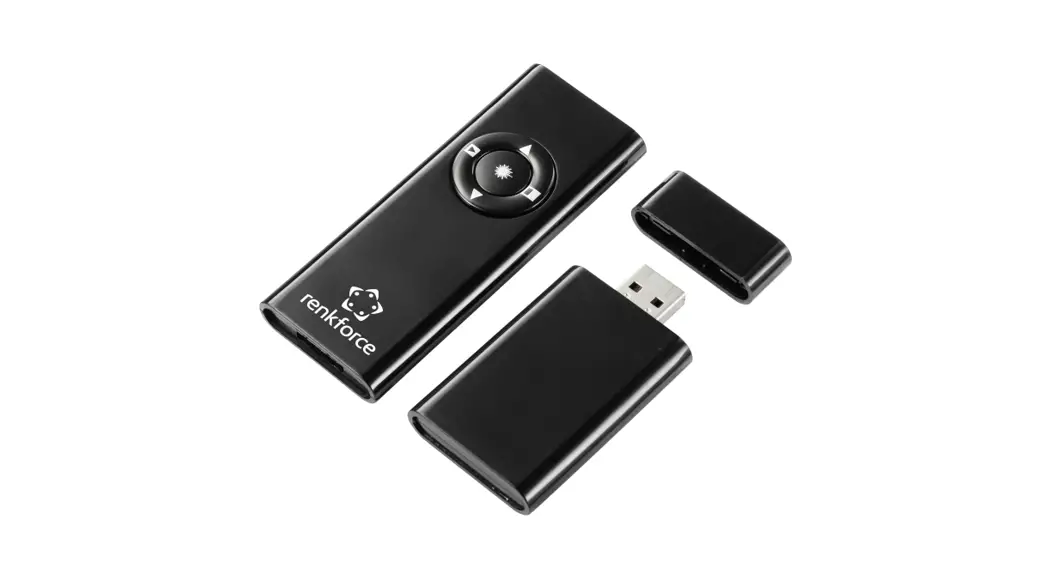
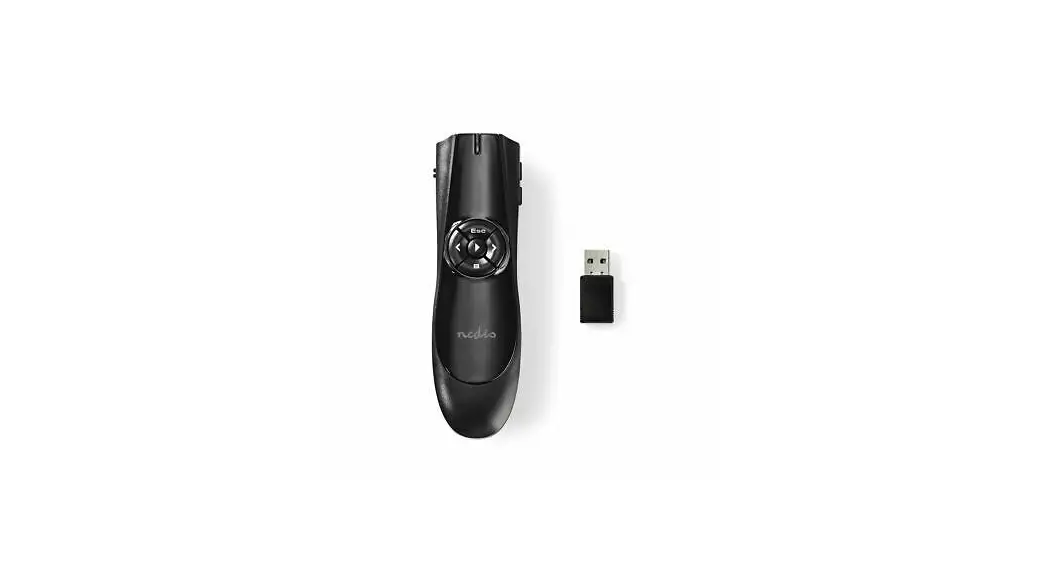
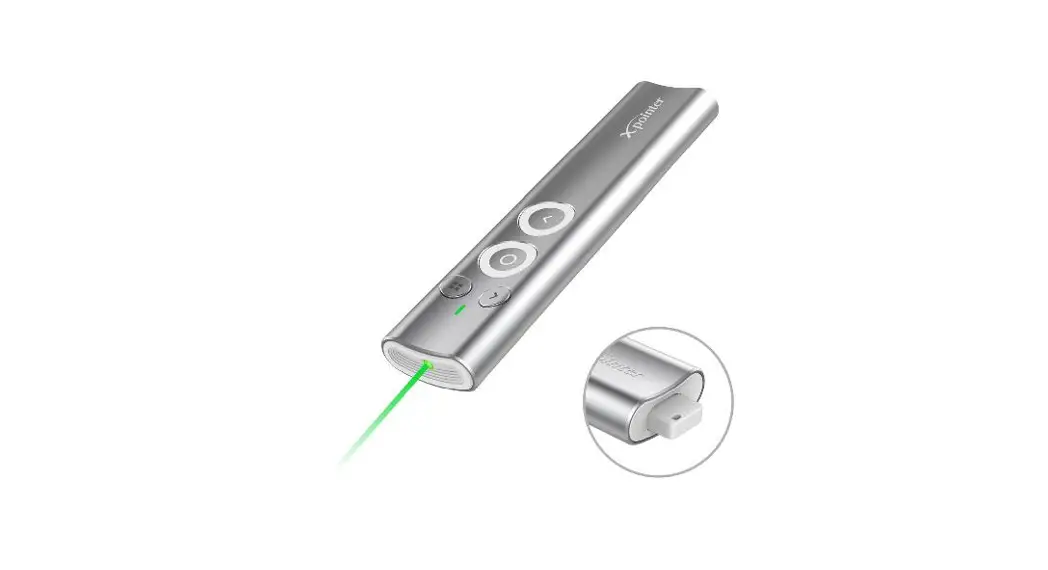
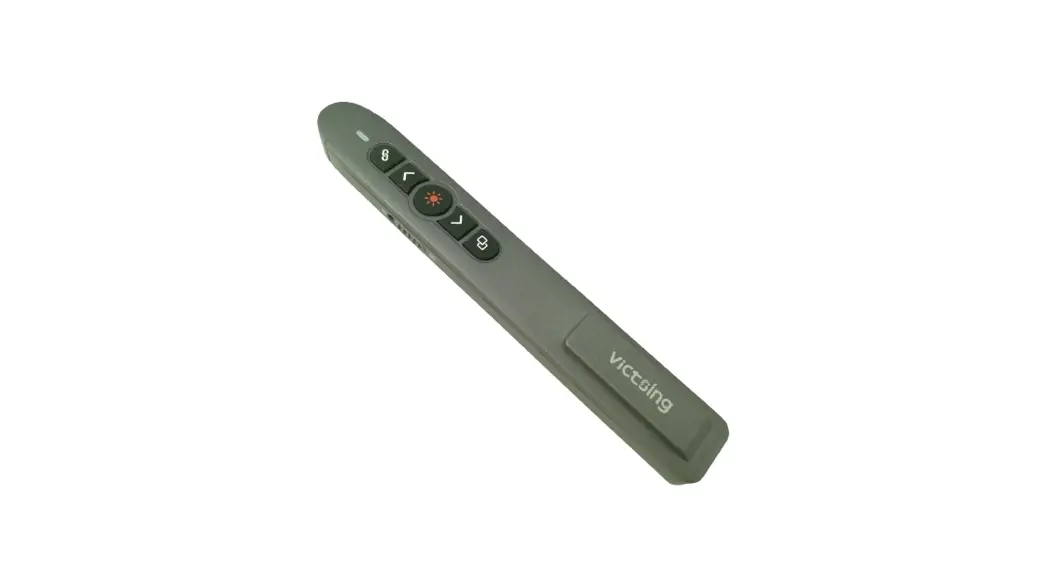
00139916 X-Pointer 6 In 1 Wireless Laser Presenter
Detailed Product Information:
Product Name: Wireless Laser Presenter X-Pointer 6in1 Wireless
Laser Presenter
Model Number: V2 00 139916
Manufacturer: Hama GmbH & Co KG
Operating Range: 15 meters
Laser Output Power: < 0.39 mW
Wavelength: 650nm
Connection: USB Type-A
Power Supply: 2 AAA batteries
Size: 121 x 45 x 30 mm
Weight: Approximately 55 g
System Requirements: Windows 11 / 10 / 8, MAC OS 10.10 or
higher
Product Usage Instructions:
- Package Contents:
- Wireless Laser Presenter X-Pointer
- Battery Cover
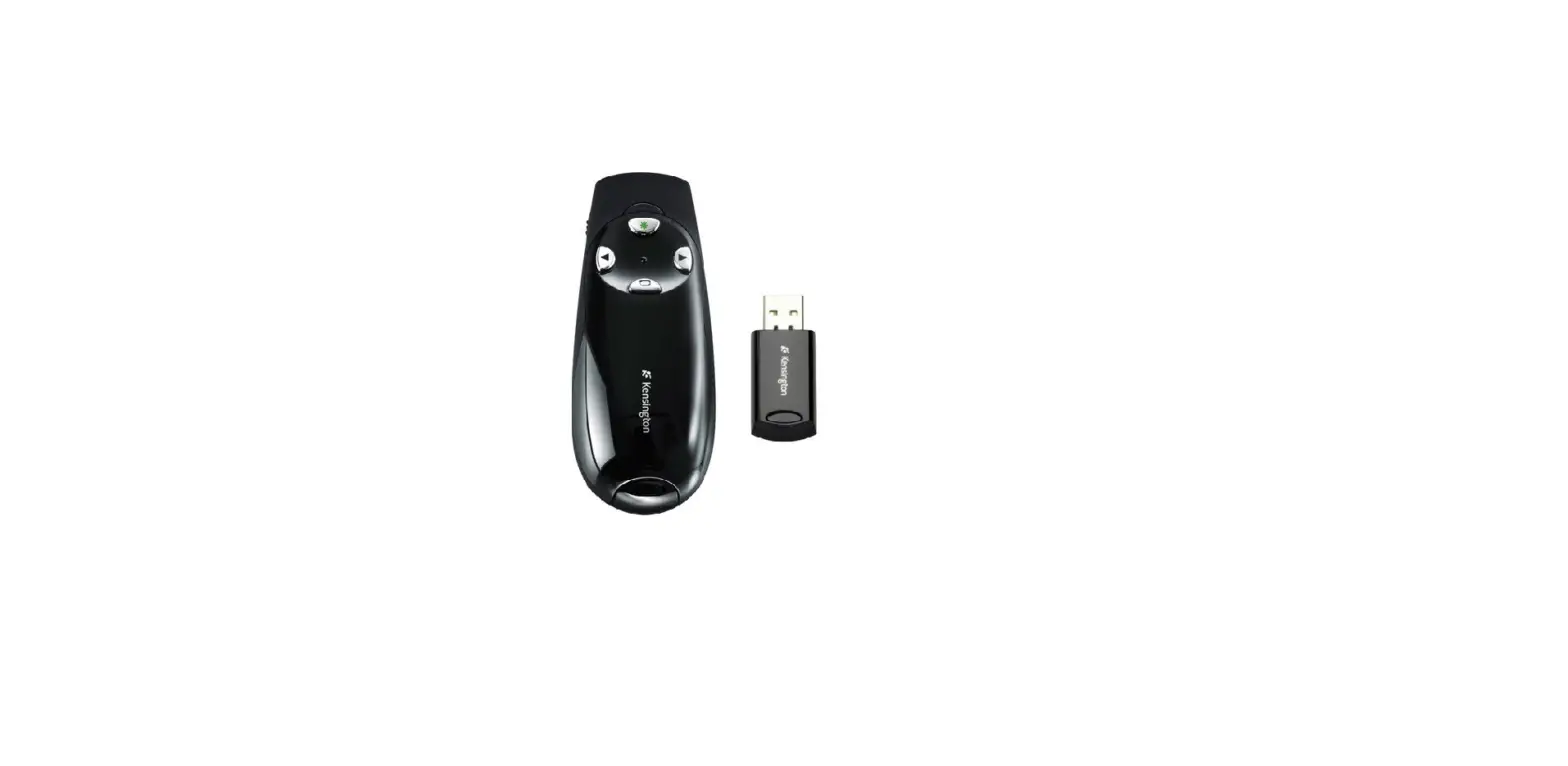
- Receiver
- User Manual/Operating Instructions
- Please read the user manual and safety notes carefully before
using the product. - Do not disassemble the product or attempt any repairs by
yourself. - Avoid exposing the product to extreme temperatures or high
humidity. - Keep the product away from water and other liquids.
- Do not use aggressive cleaning agents to clean the
product.
- Open the battery cover located at the bottom of the presenter
by pressing it upwards. - Insert two AAA batteries into the battery compartment, ensuring
correct polarity. - Close the battery cover securely.
- Connect the receiver to your computer’s USB Type-A port.
- Laser Point Activation: Press the designated button to activate
the laser pointer. - Air Mouse Activation: Press the designated button to activate
the air mouse function. - Page Up: Press the designated button to move to the previous
page. - Page Down: Press the designated button to move to the next
page. - Full Screen Playback: Press the designated button to enter/exit
full screen mode. - Digital Ink/Print Function: Press the designated button to use
digital ink or print function. - Remove Black Track/Mark Track: Press the designated button to
remove black track or mark track. - Left (PC) Mouse Button: Press the designated button to perform
left-click action on a computer. - Right (PC) Mouse Button: Press the designated button to perform
right-click action on a computer. - ON/OFF: Press and hold the designated button to turn the
presenter on/off. - Volume +: Press the designated button to increase volume.
- Volume -: Press the designated button to decrease volume.
- Clean the product with a slightly damp, lint-free cloth.
- Avoid using aggressive cleaning agents.
- Do not let water enter the product.
Hama GmbH & Co KG does not provide warranty for damage
resulting from improper installation/mounting, improper use of the
product, or failure to observe the operating instructions and/or
safety notes.
V2 00 139916
Wireless Laser Presenter X-Pointer 6in1 Wireless Laser Presenter
Operating Instructions GB Bedienungsanleitung D
Mode d`emploi F Instrucciones de uso E
Istruzioni per l`uso I Gebruiksaanwijzing NL
Instrukcja obslugi PL Használati útmutató H
Návod k pouzití CZ Návod na pouzitie SK Manual de instruções P Manual de utilizare RO
Pic. 1
Bottom behind
Pic. 2
Battery cover upwards withheld
Battery and receiver operation
Cloth pressed into the battery
Flip the battery cover removed
Receiver
Pic. 3
LR
ON/OFF
Laser Point activation Air Mouse activation/ Press to black display
Page Up Page Down Full screen playback Digital Ink / Print function Remove black track / mark track L Left (PC) mouse button R Right (PC) mouse button ON/OFF ON/OFF by long Press
VOL+ Volume + VOL- Volume –
VOL –
VOL +
G Operating instruction
Thank you for choosing a Hama product. Take your time and read the following instructions and information completely. Please keep these instructions in a safe place for future reference. If you sell the device, please pass these operating instructions on to the new owner.
1. Explanation of Warning Symbols and Notes
Warning This symbol is used to indicate safety instructions or to draw your attention to specific hazards and risks.
Note This symbol is used to indicate additional information or important notes.
2. Package Contents
· `X-Pointer 6in1′ laser presenter · 2 AAA batteries · Set with warning labels · These operating instructions
3. Safety Notes
· The product is intended for private, non-commercial use only.
· Protect the product from dirt, moisture and overheating, and only use it in a dry environment.
· Do not drop the product and do not expose it to any major shocks.
· Do not operate the product outside the power limits given in the specifications.
· Do not continue to operate the device if it becomes visibly damaged.
· Children are not permitted to play with the device. · Dispose of packaging material immediately according
to locally applicable regulations. · Do not modify the product in any way. Doing so voids
the warranty.
Warning Batteries
· When inserting batteries, note the correct polarity (+ and – markings) and insert the batteries accordingly. Failure to do so could result in the batteries leaking or exploding.
· Only use batteries (or rechargeable batteries) that match the specified type.
· Always choose the battery size and grade that best suits the intended purpose. Keep these operating instructions in a safe place for future reference, as they provide information about choosing the right battery.
· Replace all the batteries in a set at the same time. · Do not short-circuit batteries. · Do not charge batteries. · Do not throw batteries in a fire. · Keep batteries out of the reach of children. · Do not allow children to change batteries without
supervision. · Remove the batteries from products that are not
being used for an extended period. · Immediately remove and dispose of dead batteries
from the product. · Before you insert the batteries, clean the battery
contacts and the polar contacts.
Warning – Laser
· Do not look directly at the laser beam! Close your eyes and turn your head away if your eyes meet the laser beam.
· Do not shine light at persons using binoculars or telescopes!
· Do not look directly at the laser beam! Do not look directly at the laser beam using optical instruments!
· This product contains a class 1 consumer laser in accordance with EN50689:2021.
2
4. Operation Inserting the battery (Fig. 1) · Use only AAA batteries (alkaline / zinc carbon). · To insert or change the battery/batteries, insert the
AAA battery/batteries with the correct polarity into the battery compartment.
Operation · Insert the USB receiver into an unused USB port on
your PC (Fig. 2). · Press the laser button to activate the built-in
laser.
5. Controls (Fig. 3)
6. `Air mouse’ mode · Press the function button to start/exit the mode. · Now control the mouse pointer by moving the
presenter. · In this mode, the and function buttons
correspond to the commands of the left and right mouse buttons.
7.Care and Maintenance Only clean this product with a slightly damp, lint-free cloth and do not use aggressive cleaning agents. Make sure that water does not get into the product.
8. Warranty Disclaimer Hama GmbH & Co KG assumes no liability and provides no warranty for damage resulting from improper installation/mounting, improper use of the product or from failure to observe the operating instructions and/ or safety notes.
9. Technical Data
Connection Operating range Laser output power Wavelength Connection Power supply Size Weight
System requirements
2.4 Ghz < 15 m < 0,39 mW 650nm USB Type-A 2 AAA batteries 121 x 45 x 30 mm Approx. 55 g Windows 11 / 10 / 8, MAC OS 10.10 or higher
10. Declaration of Conformity
Hereby, Hama GmbH & Co KG declares that the radio equipment type [00139916] is in compliance with Directive 2014/53/EU. The full text of the EU declaration of conformity is available at the following internet address: www.hama.com -> 00139916 -> Downloads.
Frequency band(s)
2402 2476 MHz
Maximum radio-frequency power transmitted
-12.42 dBm e.i.r.p
3
D Bedienungsanleitung
Vielen Dank, dass Sie sich für ein Hama Produkt entschieden haben! Nehmen Sie sich Zeit und lesen Sie die folgenden Anweisungen und Hinweise zunächst ganz durch. Bewahren Sie diese Bedienungsanleitung anschließend an einem sicheren Ort auf, um bei Bedarf darin nachschlagen zu können. Sollten Sie das Gerät veräußern, geben Sie diese Bedienungsanleitung an den neuen Eigentümer weiter.
1. Erklärung von Warnsymbolen und Hinweisen
Warnung Wird verwendet, um Sicherheitshinweise zu kennzeichnen oder um Aufmerksamkeit auf besondere Gefahren und Risiken zu lenken.
Hinweis Wird verwendet, um zusätzlich Informationen oder wichtige Hinweise zu kennzeichnen.
2. Packungsinhalt · Laser Präsenter “X-Pointer 6in1” · 2* AAA Batterie · Set mit Warnaufklebern · diese Bedienungsanleitung
3. Sicherheitshinweise · Das Produkt ist für den privaten, nicht-gewerblichen
Haushaltsgebrauch vorgesehen. · Schützen Sie das Produkt vor Schmutz, Feuchtigkeit
und Überhitzung und verwenden Sie es nur in trockenen Räumen. · Lassen Sie das Produkt nicht fallen und setzen Sie es keinen heftigen Erschütterungen aus. · Betreiben Sie das Produkt nicht außerhalb seiner in den technischen Daten angegebenen Leistungsgrenzen. · Betreiben Sie das Produkt nicht weiter, wenn es offensichtlich Beschädigungen aufweist. · Kinder sollten beaufsichtigt werden, um sicherzustellen, dass sie nicht mit dem Produkt spielen. · Entsorgen Sie das Verpackungsmaterial sofort gemäß den örtlich gültigen Entsorgungsvorschriften. · Nehmen Sie keine Veränderungen am Gerät vor. Dadurch verlieren sie jegliche Gewährleistungsansprüche.
4
Warnung Batterien
· Beachten Sie unbedingt die korrekte Polarität (Beschriftung + und -) der Batterien und legen Sie diese entsprechend ein. Bei Nichtbeachtung besteht die Gefahr des Auslaufens oder einer Explosion der Batterien.
· Verwenden Sie ausschließlich Akkus (oder Batterien), die dem angegebenen Typ entsprechen.
· Wählen Sie stets die richtige Batteriegröße und Güteklasse, die sich für den vorgesehenen Verwendungszweck am besten eignet. Bewahren Sie diese Bedienungsanleitung zum späteren Nachschlagen auf, sie enthält Hinweise für die richtige Batteriewahl.
· Wechseln Sie alle Batterien eines Satzes gleichzeitig. · Schließen Sie die Batterien nicht kurz. · Laden Sie Batterien nicht. · Werfen Sie Batterien nicht ins Feuer. · Bewahren Sie Batterien außerhalb der Reichweite
von Kindern auf. · Gestatten Sie Kindern nicht ohne Aufsicht das
Wechseln von Batterien. · Entfernen Sie Batterien aus Produkten, die längere
Zeit nicht benutzt werden. · Entfernen und entsorgen Sie verbrauchte Batterien
unverzüglich aus dem Produkt. · Reinigen Sie vor dem Einlegen der Batterien die
Batteriekontakte und die Gegenkontakte.
Warnung – Laser
· Blicken Sie nicht direkt in den Laserstrahl! Schließen Sie die Augen und wenden Sie den Kopf ab, wenn der Laserstrahl Ihre Augen treffen sollte.
· Unterlassen Sie, Benutzer von Ferngläsern oder Fernrohren zu bestrahlen!
· Betrachten Sie den Laserstrahl nicht direkt mit optischen Instrumenten!
· In diesem Produkt ist ein Laser der Klasse 1 für Endverbraucher nach EN50689:2021 eingebaut.
4. Betrieb Batterie einlegen (Pic.1) · Verwenden Sie nur AAA Batterien (Alkaline/Zinc-
Carbon). · Zum Einlegen/Auswechseln der Batterie(n) legen
Sie die Batterie(n) des Typs AAA polrichtig in das Batteriefach ein.
Betrieb · Stecken Sie den USB Receiver in einen freien USB Port
an ihrem PC (Pic.2) · Drücken Sie den Lasertaster um den eingebauten
Laser zu aktivieren
5. Bedienungselemente (Pic. 3)
6. “Air-Mouse” Modus · Drücken Sie die Funktionstaste um den Modus zu
starten / beenden · Steuern Sie nun den Mauszeiger durch Bewegungen
mit dem Präsenter · Die Funktionstaste und entsprechen in diese
Modus den Befehlen der ,,Linken” oder ,,Rechten” Maustaste
7. Wartung und Pflege Reinigen Sie dieses Produkt nur mit einem fusselfreien, leicht feuchten Tuch und verwenden Sie keine aggressiven Reiniger.Achten Sie darauf, dass kein Wasser in das Produkt eindringt.
8. Haftungsausschluss Die Hama GmbH & Co KG übernimmt keinerlei Haftung oder Gewährleistung für Schäden, die aus unsachgemäßer Installation, Montage und unsachgemäßem Gebrauch des Produktes oder einer Nichtbeachtung der Bedienungsanleitung und/oder der Sicherheitshinweise resultieren.
9. Technische Daten
Verbindung Funktionsreichweite Laserleistung Wellenlänge Anschluss Stromversorgung Größe Gewicht Systemvoraussetzungen
2.4 Ghz < 15 m < 0,39 mW 650nm USB Type A 2* AAA Batterien 121 x 45 x 30 mm ca. 55g Windows 11 / 10 / 8, MAC OS 10.10 oder höher
10. Konformitätserklärung
Hiermit erklärt die Hama GmbH & Co KG, dass der Funkanlagentyp [00139916] der Richtlinie 2014/53/EU entspricht. Der vollständige Text der EU-Konformitätserklärung ist unter der folgenden Internetadresse verfügbar: www.hama.com -> 00139916 -> Downloads.
Frequenzband/Frequenzbänder 2402 2476 MHz
Abgestrahlte maximale Sendeleistung
-12.42 dBm e.i.r.p
5
F Mode d`emploi
Nous vous remercions d’avoir choisi un produit Hama. Veuillez prendre le temps de lire l`ensemble des remarques et consignes suivantes. Veuillez conserver ce mode d`emploi à portée de main afin de pouvoir le consulter en cas de besoin. Transmettez-le au nouveau propriétaire avec l’appareil le cas échéant.
1. Explication des symboles d`avertissement et des remarques
Avertissement Ce symbole est utilisé pour indiquer des consignes de sécurité ou pour attirer votre attention sur des dangers et risques particuliers.
Remarque Ce symbole est utilisé pour indiquer des informations supplémentaires ou des remarques importantes.
2. Contenu de l`emballage
· Présentateur laser “X-Pointer 6in1” · 2 piles LR03/AAA · Kit avec autocollants d’avertissement · Mode d’emploi
3. Consignes de sécurité
· Ce produit est destiné à une installation domestique non commerciale.
· Protégez le produit de toute saleté, humidité, surchauffe et utilisez-le uniquement dans des locaux secs.
· Protégez le produit des secousses violentes et évitez tout choc ou toute chute.
· N`utilisez pas le produit en dehors des limites de puissance indiquées dans les caractéristiques techniques.
· Cessez d`utiliser le produit en cas de détérioration visible.
· Ne laissez pas les enfants jouer avec l`appareil. · Recyclez les matériaux d’emballage conformément aux
prescriptions locales en vigueur. · N’apportez aucune modification à l’appareil. Des
modifications vous feraient perdre vos droits de garantie.
Avertissement concernant le piles
· Sélectionnez des piles de dimensions et de classe de qualité les plus adaptées à la destination envisagée. Veuillez conserver ce mode d`emploi à portée de main afin de pouvoir le consulter en cas de besoin ; il contient des informations concernant le type de piles adapté.
· Remplacez toutes les piles usagées du kit simultanément.
· Vérifiez que les piles sont correctement insérées (indications de polarité + et -).
· Ne court-circuitez pas les piles. · Ne tentez pas de recharger les piles. · Ne jetez pas de piles au feu. · Conservez les piles hors de portée des enfants. · N`autorisez pas à des enfants de remplacer les piles
d`un appareil sans surveillance. · Retirez les piles des produits que vous ne comptez
pas utiliser pendant un certain temps. · Retirez les piles usagées immédiatement du produit
pour les recycler.
Avertissement concernant le laser
· Ne regardez en aucun cas directement vers le rayon laser. Fermez vos yeux et tournez la tête dans le cas où le rayon laser arriverait dans vos yeux.
· Ne dirigez pas le rayon laser vers des personnes utilisant des jumelles ou une longue-vue.
· Ne regardez en aucun cas directement vers le rayon laser.
· Ce produit intègre un laser pour utilisateur final de classe 1 selon la norme EN50689:2021.
6
4. Fonctionnement Insertion des piles (fig. 1) · Utilisez exclusivement des piles LR03/AAA (alcalines,
carbone-zinc). · Pour insérer/remplacer la/les pile(s), placez la/les
pile(s) de type LR03/AAA dans le compartiment conformément aux indications de polarité.
Fonctionnement · Insérez le récepteur USB dans un port USB libre de
votre ordinateur (fig. 2) · Appuyez sur la touche Laser pour activer le laser
intégré
5. Éléments de commande (fig. 3)
6. Mode “Air Mouse” · Appuyez sur la touche de fonction pour démarrer
/ quitter le mode · Vous pouvez piloter le pointeur de la souris en
bougeant le présentateur · Dans ce mode, les touches de fonction et
correspondent aux commandes “touche gauche” et “touche droite” de la souris
7. Soins et entretien Nettoyez la balance uniquement à l’aide d’un chiffon non fibreux légèrement humide ; évitez tout détergent agressif. Veillez à ce qu’aucun liquide ne pénètre dans le produit.
8. Exclusion de garantie La société Hama GmbH & Co KG décline toute responsabilité en cas de dommages provoqués par une installation, un montage ou une utilisation non conformes du produit ou encore provoqués par un non respect des consignes du mode d`emploi et/ou des consignes de sécurité.
9. Caractéristiques techniques
Connexion Portée de fonctionnement Puissance du laser Longueur d’onde Branchement Alimentation en électricité Dimensions Poids
Configuration requise
2.4 Ghz
< 15 m
< 0,39 mW 650nm USB Type A
2 piles LR03/AAA
121 x 45 x 30 mm env. 55 g Windows 11 / 10 / 8, MAC OS 10.10 u version ultérieure
10. Déclaration de conformité
Le soussigné, Hama GmbH & Co KG, déclare que l`équipement radioélectrique du type [00139916] est conforme à la directive 2014/53/UE. Le texte complet de la déclaration UE de conformité est disponible à l`adresse internet suivante: www.hama.com -> 00139916 -> Downloads.
Bandes de fréquences
2402 2476 MHz
Puissance de radiofréquence maximale
-12.42 dBm e.i.r.p
7
E Instrucciones de uso
Le agradecemos que se haya decidido por un producto de Hama. Tómese tiempo y léase primero las siguientes instrucciones e indicaciones. Después, guarde estas instrucciones de manejo en un lugar seguro para poder consultarlas cuando sea necesario. Si vende el aparato, entregue estas instrucciones de manejo al nuevo propietario.
1. Explicación de los símbolos de aviso y de las indicaciones
Aviso Se utiliza para caracterizar las indicaciones de seguridad o para llamar la atención sobre peligros y riesgos especiales.
Nota Se utiliza para caracterizar informaciones adicionales o indicaciones importantes.
2. Contenido del paquete · Presentador láser “X-Pointer 6in1” · 2* pilas AAA · Set de adhesivos de aviso · Estas instrucciones de uso
3. Instrucciones de seguridad · El producto es para el uso doméstico privado, no
comercial. · Proteja el producto de la suciedad, la humedad y el
sobrecalentamiento y utilícelo sólo en recintos secos. · No deje caer el producto ni lo someta a sacudidas
fuertes. · No opere el producto fuera de los límites de potencia
indicados en los datos técnicos. · No siga utilizando el producto si presenta daños
visibles. · Los niños no deben jugar con el aparato. · Deseche el material de embalaje en conformidad con
las disposiciones locales sobre el desecho vigentes. · No realice cambios en el aparato. Esto conllevaría la
pérdida de todos los derechos de la garantía.
Aviso pilas
· Observe siempre la correcta polaridad (inscripciones + y -) de las pilas y coloque éstas de forma correspondiente. La no observación de lo anterior conlleva el riesgo de derrame o explosión de las pilas.
· Utilice exclusivamente pilas recargables (o pilas) que sean del mismo tipo.
· Utilice siempre pilas cuyos tamaño y calidad sean los más adecuados para el fin del uso. Guarde estas instrucciones de uso para poder consultarlas posteriormente, contienen información sobre la correcta elección de las pilas.
· No cortocircuite las pilas. · No cargue las pilas. · No arroje las pilas al fuego. · Mantenga las pilas fuera del alcance de los niños. · No permita a los niños cambiar las pilas sin la
supervisión de una persona adulta. · Saque las pilas de los productos que no se vayan a
utilizar durante un periodo prolongado de tiempo. · Retire y deseche de inmediato las pilas gastadas
del producto. · Antes de colocar las pilas, limpie los contactos y los
contra-contactos de éstas.
Aviso Láser
· No mire nunca directamente al rayo láser. Cierre los ojos y retire la cabeza si el rayo láser le alcanza en los ojos.
· No apunte a usuarios de prismáticos o telescopios. · No mire nunca directamente al rayo láser. · Este producto incorpora un láser de usuario final de
clase 1 de acuerdo con la norma EN50689:2021.
8
4. Funcionamiento Colocación de la pila (fig. 1) · Utilice únicamente pilas AAA (alcalinas/cinc-carbono). · Para colocar/cambiar la(s) pilas, desatornille el
producto y coloque pila(s) del tipo AAA con la correcta polaridad en el compartimento de las pilas.
Funcionamiento · Enchufe el receptor USB en un puerto USB libre de su
PC (fig. 2) · Oprima el pulsador láser para activar el láser
integrado
5. Elementos de manejo (fig. 3)
6. Modo “Air-Mouse” · Pulse la tecla de función para iniciar / finalizar
el modo · Controle ahora el puntero del ratón mediante
movimientos con el presentador · Las teclas de función y corresponden en
este modo a los comandos de la tecla «izquierda» o «derecha» del ratón.
7. Mantenimiento y cuidado Limpie este producto sólo con un paño ligeramente humedecido que no deje pelusas y no utilice detergentes agresivos. Asegúrese de que no entre agua en el producto.
8. Exclusión de responsabilidad Hama GmbH & Co KG no se responsabiliza ni concede garantía por los daños que surjan por una instalación, montaje o manejo incorrectos del producto o por la no observación de las instrucciones de manejo y/o de las instrucciones de seguridad.
9. Datos técnicos
Conexión
Alcance de funcionamiento
Potencia láser
Longitud de onda
Conexión
Alimentación de corriente
Tamaño
Peso
Requisitos del sistema
2,4 Ghz
< 15 m
< 0,39 mW 650nm USB Type A
2* pilas AAA
121 x 45 x 30 mm aprox. 55 g Windows 11 / 10 / 8, MAC OS 10.10 o superior
10. Declaración de conformidad
Por la presente, Hama GmbH & Co KG, declara que el tipo de equipo radioeléctrico [00139916] es conforme con la Directiva 2014/53/UE. El texto completo de la declaración UE de conformidad está disponible en la dirección Internet siguiente: www.hama.com -> 00139916 -> Downloads.
Banda o bandas de frecuencia 2402 2476 MHz
Potencia máxima de radiofrecuencia
-12.42 dBm e.i.r.p
9
I Istruzioni per l`uso
Grazie per avere acquistato un prodotto Hama! Prima della messa in esercizio, leggete attentamente le seguenti istruzioni e avvertenze, quindi conservatele in un luogo sicuro per una eventuale consultazione. In caso di cessione dell`apparecchio, consegnate anche le presenti istruzioni al nuovo proprietario.
Spiegazione dei simboli di avvertimento e delle indicazioni
Attenzione Viene utilizzato per contrassegnare le indicazioni di sicurezza oppure per rivolgere l`attenzione verso particolari rischi e pericoli.
Avvertenza Viene utilizzato per contrassegnare informazioni supplementari o indicazioni importanti.
2. Contenuto della confezione
· Puntatore laser “X-Pointer 6in1” · 2* batterie AAA · Set con autoadesivi di avviso · Queste istruzioni per l’uso
3. Indicazioni di sicurezza:
· Il prodotto è concepito per l’uso domestico privato, non commerciale.
· Proteggere il prodotto da sporcizia, umidità e surriscaldamento e utilizzarlo solo in ambienti asciutti.
· Non fare cadere il prodotto e non sottoporlo a forti scossoni!
· Non mettere in esercizio il prodotto al di fuori dei suoi limiti di rendimento indicati nei dati tecnici.
· Non mettere in esercizio il prodotto se presenta danni visibili.
· Non acconsentire ai bambini di giocare con l`apparecchio.
· Smaltire immediatamente il materiale d`imballaggio attenendosi alle prescrizioni locali vigenti.
· Non apportare modifiche all’apparecchio per evitare di perdere i diritti di garanzia.
Attenzione batterie
· Attenersi sempre alla corretta polarità (scritte + e -) delle batterie e inserirle di conseguenza. La mancata osservanza comporta la perdita di potenza o il rischio di esplosione delle batterie.
· Utilizzare unicamente accumulatori (o batterie) conformi al tipo indicato.
· Scegliere sempre la misura e il tipo di batterie corrette e più idonee per lo scopo previsto. Conservare queste istruzioni per l`uso per una successiva consultazione, poiché contengono indicazioni per la scelta corretta delle batterie.
· Sostituire tutte le batterie di un set contemporaneamente.
· Non cortocircuitare le batterie. · Non caricare le batterie. · Non gettare le batterie nel fuoco. · Conservare le batterie al di fuori della portata dei
bambini. · I bambini possono sostituire le batterie solo sotto la
sorveglianza degli adulti. · Togliere sempre le batterie dai prodotti che non
vengono utilizzati per un lungo periodo. · Rimuovere e smaltire immediatamente le batterie
scariche. · Prima di inserire le batterie, pulire i contatti e i
controcontatti.
Attenzione Laser
· Non guardare mai direttamente nel raggio laser! Se il raggio laser dovesse incrociare gli occhi, chiuderli e girare via la testa.
· Evitare di puntare il raggio laser su utilizzatori di occhiali da vista o cannocchiali!
· Non guardare mai direttamente nel raggio laser! · Il prodotto è dotato di un laser di classe 1 per utenti
finali secondo EN50689:2021.
10
4. Funzionamento Inserire le batterie (fig.1) · Utilizzare solo batterie AAA (alcaline/carbonio di
zinco). · Per inserire/cambiare la batteria/le batterie, inserire la
batteria/le batterie con la polarità corretta nel vano batterie.
Funzionamento · Inserire il ricevitore in una porta USB libera del proprio
computer (fig.2) · Premere il tasto del laser per attivare il laser
incorporato
5. Elementi di comando (fig. 3)
6. Modalità “Air-Mouse” · Per attivare/interrompere la modalità premere il tasto
di funzione . · Comandare ora il segnale del mouse muovendo il
puntatore · In questa modalità i tasti di funzione e
corrispondono ai comandi “destra” e “sinistra” del taso del mouse.
7. Cura e manutenzione Pulire il prodotto unicamente con un panno che non lascia pelucchi e appena inumidito e non ricorrere a detergenti aggressivi. Fare attenzione a non fare penetrare acqua nel prodotto.
8. Esclusione di garanzia Hama GmbH & Co KG non si assume alcuna responsabilità per i danni derivati dal montaggio o l`utilizzo scorretto del prodotto, nonché dalla mancata osservanza delle istruzioni per l`uso e/o delle indicazioni di sicurezza.
9. Dati tecnici
Collegamento Raggio di funzionamento Potenza del laser Lunghezza d’onda Attacco Alimentazione elettrica Dimensioni Peso
Requisiti del sistema
2.4 Ghz
< 15 m
< 0,39 mW 650nm USB tipo A
2* batterie AAA
121 x 45 x 30 mm ca. 55 g Windows 11 / 10 / 8, MAC OS 10.10 o superiore
10. Dichiarazione di conformità
Il fabbricante, Hama GmbH & Co KG, dichiara che il tipo di apparecchiatura radio [00139916] è conforme alla direttiva 2014/53/ UE. Il testo completo della dichiarazione di conformità UE è disponibile al seguente indirizzo Internet: www.hama.com -> 00139916 -> Downloads.
Bande di frequenza
2402 2476 MHz
Massima potenza a radiofrequenza trasmessa
-12.42 dBm e.i.r.p
11
N Gebruiksaanwijzing
Hartelijk dank dat u voor een product van Hama heeft gekozen. Neem de tijd om de volgende aanwijzingen en instructies volledig door te lezen. Berg deze gebruiksaanwijzing vervolgens op een goede plek op zodat u hem als naslagwerk kunt gebruiken. Op zodat u hem als naslagwerk kunt gebruiken. Mocht u het toestel verkopen, geeft u dan ook deze gebruiksaanwijzing aan de nieuwe eigenaar.
1. Verklaring van waarschuwingssymbolen en instructies
Waarschuwing Wordt gebruikt voor veiligheidsinstructies of om de aandacht te trekken op bijzondere gevaren en risico`s.
Aanwijzing Wordt gebruikt voor extra informatie of belangrijke informatie.
2. Inhoud van de verpakking
· Laser presenter “X-Pointer 6in1” · 2* AAA batterij · Set met waarschuwingsstickers · Deze bedieningsinstructies
3. Veiligheidsinstructies
· Het product is bedoeld voor niet-commercieel privegebruik in huiselijke kring.
· Bescherm het product tegen vuil, vocht en oververhitting en gebruik het alleen in droge omgevingen.
· Laat het product niet vallen en stel het niet bloot aan zware schokken of stoten.
· Gebruik het product niet buiten de in de technische gegevens vermelde vermogensgrenzen.
· Gebruik het product niet meer als het zichtbare beschadigingen vertoont.
· Kinderen mogen niet met het product spelen. · Het verpakkingsmateriaal direct en overeenkomstig de
lokaal geldende afvoervoorschriften afvoeren. · Verander niets aan het toestel. Daardoor vervalt elke
aanspraak op garantie.
Waarschuwing batterij
· Let absoluut op de correcte polariteit (opschrift + en -) van de batterijen en plaats deze dienovereenkomstig in het batterijvakje. Indien de batterijen verkeerd worden geplaatst kunnen deze gaan lekken of zelfs exploderen.
· Gebruik uitsluitend accu’s (of batterijen), welke met het vermelde type overeenstemmen.
· Selecteer altijd de juiste batterijgrootte en kwaliteitsklasse, welke voor het beoogde toepassingsgebied het beste geschikt zijn. Bewaar deze bedieningsinstructies als naslagwerk voor op een later tijdstip, zij bevat aanwijzingen voor de juiste batterijselectie.
· Vervang alle batterijen van een set tegelijkertijd. · De batterijen niet kortsluiten. · De batterij niet opladen. · De batterijen niet in vuur werpen. · Batterijen buiten het bereik van kinderen opbergen. · Laat kinderen nooit zonder toezicht batterijen
vervangen. · Verwijder batterijen uit producten welke gedurende
langere tijd niet worden gebruikt. · Lege batterijen direct uit het product verwijderen
en afvoeren. · Reinig vóór het plaatsen van de batterijen de
batterijcontacten en de contacten in het product.
Waarschuwing laser
· Kijk niet direct in de laserstraal! Sluit de ogen en wend uw hoofd af, indien de laserstraal uw ogen zou treffen.
· Het is niet toegestaan, gebruikers van verrekijkers of telescopen te bestralen!
· Kijk niet direct in de laserstraal! · In dit product is een laser van klasse 1 voor
consumenten overeenkomstig EN50689:2021 ingebouwd.
12
4. Gebruik en werking Batterijen plaatsen (afb.1) · Gebruik uitsluitend AAA-batterijen (alkaline/zink-
koolstof). · Voor het plaatsen/vervangen van de batterij(en) plaatst
u de batterij(en) van het type AAA met de polen in de juiste richting in het batterijvak.
Gebruik en werking · Sluit de USB-receiver op een vrije USB-poort van uw
pc aan (afb. 2) · Druk op de laserknop om de ingebouwde laser
te activeren
5. Bedieningselementen (afb. 3)
6. “Air-Mouse” modus · Druk op de functietoets om de modus te starten /
beëindigen · Bestuur nu de muiscursor door bewegingen met de
presenter · De functietoetsen en vertegenwoordigen
in deze modus de commando`s van de ,,linker” of ,,rechter” muisknop.
9. Technische specificaties
Verbinding Functioneel bereik Laservermogen Golflengte Aansluiting Spanningsvoorziening Afmetingen Gewicht
Systeemvoorwaarden
2,4 Ghz < 15 m < 0,39 mW 650nm USB Type A 2* AAA batterij 121 x 45 x 30 mm ca. 55g Windows 11 / 10 / 8, MAC OS 10.10 of hoger
10. Conformiteitsverklaring
Hierbij verklaar ik, Hama GmbH & Co KG, dat het type radioapparatuur [00139961] conform is met Richtlijn 2014/53/EU. De volledige tekst van de EU-conformiteitsverklaring kan worden geraadpleegd op het volgende internetadres: www.hama.com -> 00139961 -> Downloads.
Frequentieband(en)
2402 2476 MHz
7. Onderhoud en verzorging
Reinig dit product uitsluitend met een pluisvrije, licht vochtige doek en maak geen gebruik van agressieve reinigingsmiddelen. Let erop dat er geen water in het product binnendringt.
Maximaal radiofrequent vermogen
-12.42 dBm e.i.r.p
8. Uitsluiting van garantie en aansprakelijkheid
Hama GmbH & Co KG aanvaardt geen enkele aansprakelijkheid of garantieclaims voor schade of gevolgschade, welke door ondeskundige installatie, montage en ondeskundig gebruik van het product ontstaan of het resultaat zijn van het niet in acht nemen van de bedieningsinstructies en/of veiligheidsinstructies.
13
P Instrukcja obslugi
Dzikujemy za zakup naszego produktu! Przed pierwszym uyciem naley dokladnie przeczyta instrukcj obslugi. Instrukcj naley przechowa, gdy moe by jeszcze potrzebna.
1. Objanienie symboli ostrzegawczych i wskazówek
Ostrzeenie Uywane w celu zwrócenia uwagi na szczególne niebezpieczestwo lub ryzyko.
Wskazówki
Uywane w celu zwrócenia uwagi na szczególnie przydatne informacje.
2. Zawarto opakowania · Wskanik laserowy ,,X-Pointer X 6in1″ · 2 baterie AAA · Zestaw nalepek ostrzegawczych · Niniejsza instrukcja obslugi
3. Wskazówki bezpieczestwa · Produkt jest przeznaczony do prywatnego,
niekomercyjnego uytku domowego. · Chroni produkt przed zanieczyszczeniem, wilgoci
i przegrzaniem oraz stosowa go tylko w suchym otoczeniu. · Chroni produkt przed upadkiem i silnymi wstrzsami. · Nie stosowa produktu poza zakresem mocy podanym w danych technicznych. · Nie uywa produktu, gdy jest widocznie uszkodzony. · Dzieciom nie wolno bawi si tym urzdzeniem. · Materialy opakowaniowe naley natychmiast podda utylizacji zgodnie z obowizujcymi przepisami miejscowymi. · Nie modyfikowa urzdzenia. Prowadzi to do utraty wszelkich roszcze z tytulu gwarancji.
Ostrzeenie baterie
· Wkladajc baterie, zwróci koniecznie uwag na wlaciwe podlczenie biegunów (znak + i -). Nieprzestrzeganie grozi wyciekiem lub wybuchem baterii.
· Uywa wylcznie akumulatorów (lub baterii) odpowiadajcych podanemu typowi.
· Zawsze dobiera prawidlowy rozmiar i klas jakoci baterii, aby jak najlepiej nadawala si do przewidzianego przeznaczenia. Przechowywa niniejsz instrukcj obslugi do póniejszego uytku; zawiera ona wskazówki dotyczce doboru wlaciwych baterii.
· Wymienia jednoczenie wszystkie baterie kompletu. · Nie zwiera baterii. · Nie ladowa baterii. · Nie wrzuca baterii do ognia. · Przechowywa baterie poza zasigiem dzieci. · Nie pozwala dzieciom na wymian baterii bez
nadzoru. · Jeeli produkt nie jest uywany przez dluszy czas,
naley wyj z niego baterie. · Natychmiast usun z produktu zuyte baterie i
podda je utylizacji. · Przed wloeniem baterii wyczyci styki baterii i
przeciwlegle styki.
Ostrzeenie laser
· Nie patrze bezporednio w wizk laserow! Zamkn oczy i odwróci glow, jeeli promie laserowy zostanie skierowany na oczy.
· Nie kierowa promienia na osoby korzystajce z lornetek lub lunet!
· Nie patrze bezporednio w wizk laserow! · W ten produkt wbudowany jest laser klasy 1 dla
urzdzenia kocowego wg EN50689:2021.
14
4. Obsluga Wkladanie baterii (rys. 1) · Stosowa wylcznie baterie AAA (alkaliczne/cynkowo-
wglowe). · W celu wloenia/wymiany baterii umieci baterie
AAA w przewidzianym do tego schowku, zgodnie z oznaczeniem biegunów.
Obsluga · Wpi odbiornik USB do wolnego gniazda USB
komputera (rys. 2). · Wcisn przycisk lasera w celu wlczenia
podlczonego lasera.
5. Elementy obslugi (rys. 3)
6. Tryb ,,Air-Mouse” · W celu wlczenia/wylczenia tego trybu wcisn
przycisk funkcyjny . · Teraz mona sterowa kursorem poprzez poruszanie
wskanikiem. · Przyciski funkcyjne i odpowiadaj w tym
trybie poleceniom realizowanym przez ,,lewy” i ,,prawy” przycisk myszy.
9. Dane techniczne
Polczenie Zasig dzialania Moc lasera Dlugo fali Przylcze Zasilanie elektryczne Wymiary Masa Wymagania systemowe
2,4 Ghz < 15 m < 0,39 mW 650nm USB Type A 2 baterie AAA 121 x 45 x 30 mm ok. 55 g Windows 11 / 10 / 8, MAC OS 10.10 lub nowszy
10. Deklaracja zgodnoci
Hama GmbH & Co KG niniejszym owiadcza, e typ urzdzenia radiowego [00139916] jest zgodny z dyrektyw 2014/53/UE. Pelny tekst deklaracji zgodnoci UE jest dostpny pod nastpujcym adresem internetowym: www.hama.com -> 00139916 -> Downloads.
Czstotliwo transmisji
2402 2476 MHz
7. Czyszczenie
Czyci produkt tylko przy uyciu niestrzpicej si, lekko zwilonej szmatki i nie stosowa agresywnych detergentów. Uwaa, aby do wntrza produktu nie wniknla woda.
Maksymalna moc transmisji -12.42 dBm e.i.r.p
8. Wylczenie odpowiedzialnoci
Hama GmbH & Co KG nie udziela gwarancji ani nie odpowiada za szkody wskutek niewlaciwej instalacji, montau oraz nieprawidlowego stosowania produktu lub nieprzestrzegania instrukcji obslugi i/lub wskazówek bezpieczestwa.
15
H Használati útmutató
Köszönjük, hogy ezt a Hama terméket választotta! Kérjük, hogy felszerelés eltt szánjon rá idt és olvassa el végig az alábbi útmutatót. A késbbiekben tartsa biztonságos helyen ezt a füzetet, hogy ha szükség van rá, bármikor megtalálja. Ha eladja ezt a terméket, vele együtt adja tovább ezt az útmutatót is az új tulajdonosnak.
1. Figyelmeztet szimbólumok és elírások ismertetése
Figyelmeztetés Figyelmeztet jeleket használunk a biztonsági tényezk bemutatására, ill. felhívjuk a figyelmet a különleges veszélyekre és kockázatokra.
Hivatkozás
Az itt látható figyelmeztet jeleket használjuk fel, ha kiegészít információkat közlünk vagy fontos tudnivalókra hívjuk fel a figyelmet.
2. A csomag tartalma
· Lézer pointer ,,Y-Pointer 6in1″ · 2 db AAA elem · figyelmeztet címkés szett · ez a kezelési útmutató
3. Biztonsági elírások
· A termék a magánháztartási, nem üzleti célú alkalmazásra készül.
· Óvja meg a terméket szennyezdéstl, nedvességtl és túlmelegedéstl, és kizárólag zárt környezetben használja.
· Ne ejtse le a terméket és ne tegye ki heves rázkódásnak.
· Ne üzemeltesse a terméket a mszaki adatokban megadott teljesítményhatárain túl.
· Ne üzemeltesse tovább a terméket, ha nyilvánvaló sérülés látható.
· A gyermekek nem játszhatnak a készülékkel. · Azonnal ártalmatlanítsa a csomagolóanyagot a
helyileg érvényes ártalmatlanítási elírások szerint. · Ne végezzen módosítást a készüléken. Ebben az
esetben minden garanciaigény megsznik.
Figyelmeztetés elem
· Feltétlenül ügyeljen az elemek megfelel polaritására (+ és – felirat), és ennek megfelelen tegye be ket. Ennek figyelmen kívül hagyása esetén az elem kifolyásának vagy felrobbanásának veszélye áll fenn.
· Kizárólag a megadott típusnak megfelel akkumulátort (vagy elemet) használjon.
· Mindig a megfelel méret és minség elemet válassza, ami a legjobban megfelel a tervezett felhasználási célnak. rizze meg ezt a kezelési útmutatót a késbbi fellapozáshoz, mert ez tartalmazza a helyes elemválasztás szempontjait.
· Egy készlet elemeit egyidejleg cserélje ki. · Ne zárja rövidre az elemeket. · Ne töltse fel az elemeket. · Ne dobja tzbe az elemeket. · Az elemeket gyermekek számára elzárt helyen
tárolja. · Ne engedje meg a gyermekeknek az elemcserét
felügyelet nélkül. · Távolítsa el az elemeket azon termékekbl,
amelyeket hosszabb ideig nem használ. · Haladéktalanul távolítsa el a lemerült elemeket a
termékbl, majd ártalmatlanítsa ket. · Az elem behelyezése eltt tisztítsa meg az
elemérintkezket és az ellenérintkezket.
Figyelmeztetés lézer
· Ne nézzen bele közvetlenül a lézersugárba! Ha a lézersugár szemét éri, csukja be a szemét és fordítsa el a fejét.
· Kerülje távcshasználók közvetlen besugárzását! · Ne nézzen bele közvetlenül a lézersugárba! · Ebbe a termékbe 1. osztályú lézer van beépítve
EN50689:2021 szerint.
16
4. Használat Elem behelyezése (1. ábra) · Csak AAA alkáli elemet használjon (alkáli/cink-karbon). · Az elem(ek) behelyezéséhez/cseréjéhez helyezze be az
AAA típusú elemeket az elemfiókba helyes polaritással.
Használat · Csatlakoztassa az USB vevt a számítógép egyik
szabad USB portjához (2. kép) · Nyomja meg a lézer gombot a beépített lézer
aktiválásához
5. Kezelelemek ( 3. ábra)
6. ,,Air-Mouse” mód · Nyomja meg a funkciógombot az üzemmód
elindításához/leállításához · Ezután irányítsa az egérmutató mozgását a pointerrel. · A és funkciógombok ebben a módban
megfelelnek a ,,bal” vagy ,,jobb” egérgombok parancsainak.
7. Karbantartás és ápolás Ezt a terméket csak szöszmentes, kissé benedvesített kendvel tisztítsa, és ne használjon agresszív tisztítószert. Ügyeljen arra, hogy ne jusson be víz a termékbe.
8. Szavatosság kizárása A Hama GmbH & Co KG semmilyen felelsséget vagy szavatosságot nem vállal a termék szakszertlen telepítésébl, szerelésébl és szakszertlen használatából, vagy a kezelési útmutató és/vagy a biztonsági elírások be nem tartásából ered károkért.
9. Mszaki adatok
Összeköttetés Mködési tartomány Lézer teljesítménye Hullámhossz Csatlakoztatás Tápellátás Méret Súly
Rendszerfeltételek
2.4 GHz < 15 m < 0,39 mW 650nm USB A típus 2 db AAA elem 121 x 45 x 30 mm ca. 55 g Windows 11 / 10 / 8, MAC OS 10.10 vagy újabb
10. Megfelelségi nyilatkozat
Hama GmbH & Co KG igazolja, hogy a [00139916] típusú rádióberendezés megfelel a 2014/53/EU irányelvnek. Az EU-megfelelségi nyilatkozat teljes szövege elérhet a következ internetes címen: www.hama.com -> 00139916 -> Downloads.
Az(ok) a frekvenciasáv(ok)
2402 2476 MHz
Maximális jelersség
-12.42 dBm e.i.r.p
17
C Návod k pouzití
Dkujeme, ze jste si vybrali výrobek Hama. Pectte si, prosím, vsechny následující pokyny a informace. Uchovejte tento text pro pípadné budoucí pouzití. Pokud výrobek prodáte, pedejte tento text novému majiteli.
1. Vysvtlení výstrazných symbol a pokyn
Upozornní Tento symbol oznacuje bezpecnostní upozornní, které poukazuje na urcitá rizika a nebezpecí.
Poznámka
Tento symbol oznacuje dodatecné informace nebo dlezité poznámky.
2. Obsah balení · laserový prezentér ,,X-Pointer 6v1″ · 2* baterie AAA · sada s výstraznými stítky · tento návod k obsluze
3. Bezpecnostní pokyny · Výrobek je urcen k nekomercnímu pouzití v
domácnosti. · Výrobek chrate ped znecistním. Nepouzívejte ve
vlhkém prostedí a zabrate styku s vodou. Pouzívejte pouze v suchých prostorách. · Výrobek chrate ped pádem a velkými otesy. · Pístroj nepouzívejte mimo rozsah pedepsaných hodnot v technických údajích. · V pípad viditelného poskození produkt jiz dále nepouzívejte. · Výrobek není hracka. · Vybité baterie bez odkladu vymte a zlikvidujte dle platných pedpis. · Výrobek zádným zpsobem neupravujte, ztratíte tím nárok na záruku.
Upozornní baterie
· Pi vkládání baterií vzdy dbejte na správnou polaritu (+ a -). Pi nesprávné polarit hrozí nebezpecí vytecení baterií nebo exploze.
· Pouzívejte výhradn akumulátory (nebo baterie) odpovídající udanému typu.
· Pouzívejte vzdy správnou velikost a typ baterií, které se ke stanovenému úcelu nejlépe hodí. Uchovávejte tento návod k obsluze pro dalsí pouzití, obsahuje informace týkající se výbru správných baterií.
· Vzdy vymte vsechny baterie najednou. · Baterie nepemosujte. · Baterie nenabíjejte. · Baterie nevhazujte do ohn. · Baterie uchovávejte mimo dosah dtí. · Výmnu baterií dtmi vykonávejte pouze pod
dohledem dosplé osoby. · Vyjmte baterie, pokud se výrobek nebude delsí
dobu pouzívat. · Vybité baterie bez odkladu vymte a zlikvidujte dle
platných pedpis. · Ped vlozením baterií vycistte vsechny kontakty.
Upozornní Laser
· Nikdy se nedívejte pímo do laserového paprsku! Pokud laserový paprsek zasáhne oci, zavete je a otocte hlavu z dosahu paprsku.
· Nemite na osoby pouzívající dalekohledy nebo teleskopy!
· Nikdy se nedívejte pímo do laserového paprsku. · V produktu je vestavn laser tídy 1 pro koncové
spotebitele podle normy EN50689:2021.
18
4. Provoz Vlození baterie (obr. 1) · Pouzívejte pouze baterie AAA (alkalické / zinko-
uhlíkové). · Pi vlození/výmn baterie(í) vlozte baterii(e) typu AAA
se správným pólováním do pihrádky na baterie.
Provoz · Zapojte USB pijímac do volného USB portu na svém
PC (obr. 2) · Stisknte tlacítko pro aktivaci integrovaného
laseru
5. Ovládací prvky (obr. 3)
6. Rezim ,,Air-Mouse” · Stisknte funkcní tlacítko pro zahájení/ukoncení
rezimu · Nyní ovládejte ukazatel mysi pohyby prezentéru · Funkcní tlacítka a v tomto rezimu odpovídají
pokynm ,,levého” nebo ,,pravého” tlacítka mysi
7. Údrzba a cistní Tento výrobek cistte pouze mírn navlhceným hadíkem nepoustjícím vlákna a nepouzívejte agresivní cisticí prostedky. Dbejte na to, aby se do výrobku nedostala voda.
8. Vyloucení záruky Hama GmbH & Co KG nepebírá zádnou odpovdnost nebo záruku za skody vzniklé neodbornou instalací, montází nebo neodborným pouzitím výrobku nebo nedodrzováním návodu k pouzití a/nebo bezpecnostních pokyn.
9. Technické údaje
Pipojení
2,4 GHz
Funkcní dosah
< 15 m
Výkon laseru
< 0,39 mW
Vlnová délka
650nm
Pípojka
USB typ A
Napájení
2* baterie AAA
Velikost
121 × 45 × 30 mm
Hmotnost
cca 55 g
Systémové pozadavky
Windows 11 / 10 / 8, MAC OS 10.10 nebo vyssí
10. Prohlásení o shod
Tímto Hama GmbH & Co KG prohlasuje, ze typ rádiového zaízení [00139916] je v souladu se smrnicí 2014/53/EU. Úplné znní EU prohlásení o shod je k dispozici na této internetové adrese: www.hama.com -> 00139916 -> Downloads.
Kmitoctové pásmo (kmitoctová pásma)
2402 2476 MHz
Maximální radiofrekvencní výkon vysílaný
-12.42 dBm e.i.r.p
19
Q Návod na pouzitie
akujeme, ze ste sa rozhodli pre výrobok Hama. Precítajte si vsetky nasledujúce pokyny a informácie. Uchovajte tento návod na pouzitie pre prípadné budúce pouzitie. Pokia výrobok predáte, dajte tento návod novému majiteovi.
1. Vysvetlenie výstrazných symbolov a upozornení
Upozornenie Tento symbol oznacuje bezpecnostné upozornenie, ktoré poukazuje na urcité riziká a nebezpecenstva.
Poznámka
Tento symbol oznacuje dodatocné informácie, alebo dôlezité poznámky.
2. Obsah balenia · Laserové prezentacné zariadenie ,,X-Pointer 6v1″ · 2* batérie typu AAA · Súprava s výstraznými nálepkami · Tento návod na obsluhu
3. Bezpecnostné upozornenia · Výrobok je urcený na nekomercné pouzitie v
domácnosti. · Výrobok chráte pred znecistením. Nepouzívajte vo
vlhkom prostredí a zabráte styku s vodou. Pouzívajte iba v suchých priestoroch. · Výrobok chráte pred pádmi a vekými otrasmi. · Prístroj nepouzívajte mimo rozsahu predpísaných hodnôt v technických údajoch. · V prípade viditeného poskodenia výrobok alej nepouzívajte. · Výrobok nie je hracka. · Obalový materiál zlikvidujte poda platných predpisov o likvidácii. · Výrobok ziadnym spôsobom neupravujte, stratíte tým nárok na záruku.
Upozornenie batérie
· Pri vkladaní batérií vzdy dbajte na správnu polaritu (+ a -). Pri nesprávnej polarite hrozí nebezpecenstvo vytecenia batérií alebo explózie.
· Pouzívajte výhradne akumulátory (alebo batérie) zodpovedajúce udanému typu.
· Vzdy pouzívajte správnu vekos a typ batérií, ktoré sa na stanovený úcel najlepsie hodia. Tento návod na pouzitie uschovajte pre alsie pouzitie, obsahuje informácie týkajúce sa výberu správnych batérií.
· Vzdy vymete vsetky batérie naraz. · Batérie nenabíjajte. · Batérie úplne nevybíjajte. · Batérie nevhadzujte do oha. · Batérie uchovávajte mimo dosahu detí. · Deti smú vymiea batérie iba pod dohadom
dospelej osoby. · Ak sa výrobok nebude dlhsí cas pouzíva, vyberte z
neho batérie. · Vybité batérie bezodkladne vymete a zlikvidujte
poda platných predpisov. · Pred vlozením batérií vycistite vsetky kontakty.
Upozornenie Laser
· Nikdy sa nepozerajte priamo do laserového lúca! Ak laserový lúc zasiahne oci, zavrite ich a otocte hlavu z dosahu lúca.
· Nemierte na osoby pouzívajúce alekohady alebo teleskopy!
· Nikdy sa nepozerajte priamo do laserového lúca. · V tomto produkte je vstavaný laser triedy 1 pre
konecného spotrebitea poda EN50689:2021.
20
4. Prevádzka Vlozenie batérie (obr. 1) · Pouzívajte iba batérie typu AAA (alkalické/zinkovo-
uhlíkové). · Pri vkladaní/výmene batérie(í) vlozte batériu(e) typu
AAA do batériovej priehradky so správnou polaritou.
Prevádzka · Zasute USB prijímac do voného USB portu na vasom
pocítaci (obr. 2) · Stlacte tlacidlo lasera na aktiváciu zabudovaného
lasera
5. Ovládacie prvky (obr. 3)
6. Rezim ,,Air-Mouse” · Stlacte funkcné tlacidlo na spustenie/ukoncenie
rezimu. · Ovládajte kurzor mysi prostredníctvom pohybov
prezentacného zariadenia. · Funkcné tlacidlo a zodpovedajú v tomto
rezime príkazom ,,avého” alebo ,,pravého” tlacidla mysi.
7. Údrzba a starostlivos Na cistenie tohto výrobku pouzívajte len navlhcenú utierku, ktorá nepúsa vlákna a nepouzívajte ziadne agresívne cistiace prostriedky. Dbajte na to, aby do výrobku nevnikla voda.
8. Vylúcenie záruky Firma Hama GmbH & Co KG nerucí/nezodpovedá za skody vyplývajúce z neodbornej instalácie, montáze alebo neodborného pouzívania výrobku alebo z nerespektovania návodu na pouzívanie a/alebo bezpecnostných pokynov.
9. Technické údaje
Spojenie Funkcný dosah Výkon lasera Vlnová dzka Prípojka Napájanie Vekos Hmotnos
Systémové poziadavky
2,4 Ghz < 15 m < 0,39 mW 650nm USB typ A 2* batérie typu AAA 121 × 45 × 30 mm cca 55 g Windows 11 / 10 / 8, MAC OS 10.10 alebo vyssia verzia
10. Vyhlásenie o zhode
Hama GmbH & Co KG týmto vyhlasuje, ze rádiové zariadenie typu [00139916] je v súlade so smernicou 2014/53/EÚ. Úplné EÚ vyhlásenie o zhode je k dispozícii na tejto internetovej adrese: www.hama.com -> 00139916 -> Downloads.
Frekvencné pásmo resp. pásma 2402 2476 MHz
Maximálny vysokofrekvencný -12.42 dBm e.i.r.p
21
O Manual de instruções
Agradecemos que se tenha decidido por este produto Hama! Antes de utilizar o produto, leia completamente estas indicações e informações. Guarde, depois, estas informações num local seguro para consultas futuras. Se transmitir o produto para um novo proprietário, entregue também as instruções de utilização.
1. Descrição dos símbolos de aviso e das notas
Aviso É utilizado para identificar informações de segurança ou chamar a atenção para perigos e riscos especiais.
Nota
É utilizado para identificar informações adicionais ou notas importantes.
2. Conteúdo da embalagem · Ponteiro laser “X-Pointer 6 em 1” · 2* pilhas AAA · Conjunto com autocolantes de advertência · Este manual de instruções
3. Indicações de segurança · O produto está previsto apenas para utilização
doméstica e não comercial. · Proteja o produto contra sujidade, humidade e
sobreaquecimento e utilize-o somente em ambientes secos. · Não deixe cair o produto nem o submeta a choques fortes. · Não utilize o produto fora dos limites de desempenho indicados nas especificações técnicas. · Não utilize o produto se este apresentar danos visíveis. · As crianças não devem brincar com o aparelho. · Elimine imediatamente o material da embalagem em conformidade com as normas locais aplicáveis. · Não efectue modificações no aparelho. Perda dos direitos de garantia.
Aviso pilhas
· Ao colocar as pilhas, tenha em atenção a polaridade correcta (inscrições + e -). A não observação da polaridade correcta poderá levar ao derrama das pilhas ou explosão.
· Utilize exclusivamente baterias (ou pilhas) que correspondam ao tipo indicado.
· Escolha sempre pilhas de tamanho e qualidade adequados para os fins para os quais o produto foi construído. Guarde estas instruções de uso para consultas futuras. Estas contêm indicações sobre a escolha correcta das pilhas.
· Substitua sempre todas as pilhas. · Não curto-circuite as pilhas. · Não recarregue as pilhas. · Não deite as pilhas para chamas. · Mantenha as pilhas fora do alcance das crianças. · Não deixe crianças substituir as pilhas sem
vigilância. · Remova as pilhas do produto se este não for
utilizado durante um longo período de tempo. · Retire imediatamente pilhas gastas do produto e
elimine-as adequadamente. · Antes de colocar as pilhas, limpe os contactos das
pilhas e os contactos do compartimento.
Aviso Laser
· Não olhe directamente no feixe laser! Feche os olhos e mova a cabeça para fora da área de alcance se o feixe laser atingir os seus olhos.
· Não aponte o feixe laser para utilizadores de binóculos ou monóculos!
· Não olhe directamente no feixe laser! · Neste produto está integrado um laser da classe 1
para consumidores finais, de acordo com a norma EN50689:2021.
22
4. Operação Colocar a pilha (fig. 1) · Utilize apenas pilhas AAA (alcalinas/zinco-carbono). · Para colocar/substituir a(s) pilha(s), insira a(s) pilha(s)
do tipo AAA no compartimento das pilhas, com a polaridade correta.
Operação · Conecte o recetor USB a uma porta USB livre do seu
computador (fig. 2) · Prima o botão laser para ativar o laser
incorporado
5. Elementos de comando (fig. 3)
6. Modo “Air-Mouse” · Prima o botão de função para iniciar/parar o
modo · Controle agora o cursor do rato através dos
movimentos do ponteiro · Neste modo, os botões de função e
correspondem aos comandos do botão “esquerdo” ou “direito” do rato
7. Manutenção e conservação limpe o produto apenas com um pano sem fiapos ligeiramente humedecido e não utilize produtos de limpeza agressivos. Certifique-se de que não entra água para dentro do produto.
9. Especificações técnicas
Ligação Alcance Potência do laser Comprimento de onda Conexão Alimentação elétrica Dimensões Peso
Requisitos do sistema
2.4 Ghz < 15 m < 0,39 mW
650nm
USB tipo A 2* pilhas AAA 121 x 45 x 30 mm aprox. 55 g Windows 11 / 10 / 8, MAC OS 10.10 ou superior
10. Declaração de conformidade
O(a) abaixo assinado(a) Hama GmbH & Co KG declara que o presente tipo de equipamento de rádio [00139916] está em conformidade com a Diretiva 2014/53/UE. O texto integral da declaração de conformidade está disponível no seguinte endereço de Internet: www.hama. com -> 00139916 -> Downloads.
Banda(s) de frequências
2402 2476 MHz
Potência máxima transmitida -12.42 dBm e.i.r.p
8. Exclusão de garantia
A Hama GmbH & Co KG não assume qualquer responsabilidade ou garantia por danos provocados pela instalação, montagem ou manuseamento incorrectos do produto e não observação do das instruções de utilização e/ou das informações de segurança.
23
M Manual de utilizare
V mulumim c ai optat pentru un produs Hama. Pentru început v rugm s v lsai puin timp i s citii complet urmtoarele instruciuni i indicaii. V rugm s pstrai manualul de utilizare la loc sigur pentru o consultare ulterioar în caz de nevoie. În caz de înstrinare a aparatului v rugm s predai i acest manual noului proprietar.
1. Explicarea simbolurilor de avertizare i indicaii
Avertizare Se folosete la marcarea instruciunilor de siguran sau la concentrarea ateniei în caz de pericol i riscuri mari.
Instruciune
Se folosete pentru marcarea informaiilor i instruciunilor importante.
2. Coninutul pachetului
· Indicator laser “X-Pointer 6 în 1” · Baterie 2* AAA · Set etichete adezive de avertizare · Acest manual de utilizare
3. Instruciuni de siguran
· Produsul este conceput numai pentru utilizare privat i nu profesional.
· Protejai produsul de impuriti, umiditate, supraînclzire i utilizai-l numai în mediu uscat.
· Nu lsai produsul s cad i nu îl supunei trepidaiilor puternice.
· Nu exploatai produsul în afara limitelor de putere indicate în datele tehnice.
· Nu utilizai produsul în continuare dac prezint cazuri evidente de deteriorri
· Copiii nu au voie s se joace cu aparatul. · Reciclarea materialului pachetului se execut comform
normelor locale de salubrizare în vigoare. · Nu executai modificri la aparat. În acest fel pierdei
orice drept la garanie.
Avertizare Baterie
· Atenie în mod obligatoriu la polaritatea corect (marcajele + i -) i introducei-le corespunztor cu acestea. În cazul nerespectrii v expunei pericolului scurgerilor sau exploziei bateriilor.
· Utilizai numai acumulatoare (sau baterii) corespunztoare tipulului indicat.
· Alegei mereu mrimea corect i categoria de calitate a bateriei care se potrivete cel mai bine scopului pentru care a fost conceput. V rugm s pstrai acest manual pentru consultare ulterioar, cuprinde informaii pentru alegerea bateriilor corecte.
· Îndeprtai simultan toate bateriile unui set. · Nu scurtcircuitai bateriile. · Bateriile nu se încarc. · Nu aruncai bateriile în foc. · Pstrai bateriile astfel încât s nu fie la îndemâna
copiilor. · Nu permitei copiilor s schimbe bateriile
nesupravegheai. · Dac aparatele nu sunt întrebuinate pe perioade
mai îndelungate este recomandat scoaterea bateriilor. · Îndeprtai i salubrizai imediat bateriile folosite din produs. · Naintea introducerii bateriilor v rugm s curai contactele acestora precum i contactele contrare.
Avertizare Laser
· Nu privii direct în raza laser! Închidei ochii i întoarcei capul dac raza laser urmeaz s întâlneasc ochii dumneavoastr.
· Nu expunei utilizatorii de binocluri sau telescoape la raze laser!
· Nu privii direct în raza laser! · În acest produs este încorporat un laser clasa 1
pentru utilizatorul final, conform EN50689:2021.
24
4. Funcionare Introducei bateria (Fig. 1) · Utilizai numai baterii AAA (alcaline/zinc-carbon). · Pentru plasarea/înlocuirea bateriei/bateriilor introducei
bateria/bateriile tip AAA cu polaritatea corect în compartimentul respectiv.
Funcionare · Conectai receptorul USB cu un port USB liber de la
PC (Fig. 2). · Pentru activarea laserului instalat apsai butonul
laserului .
5. Elemente de deservire (Fig. 3)
6. Regim “Air-Mouse” · Pentru pornirea/oprirea regimului apsai tasta de
funcii . · Conducei cursorul mausului prin micarea
indicatorului. · Tastele de funcii i corespund în acest
regim comenzilor tastelor ,,Stânga” sau ,,Dreapta” ale mausului.
9. Date tehnice
Conectare Raz de aciune Putere laser Lungime de und Racord Alimentare cu curent Dimensiuni Greutate
Cerine de sistem
2.4 Ghz < 15 m < 0,39 mW 650nm USB tip A Baterie 2* AAA 121 x 45 x 30 mm cca 55g Windows 11 / 10 / 8, MAC OS 10.10 sau superior
10. Declaraie de conformitate
Prin prezenta, Hama GmbH & Co KG, declar c tipul de echipamente radio [00139916] este în conformitate cu Directiva 2014/53/UE. Textul integral al declaraiei UE de conformitate este disponibil la urmtoarea adres internet: www.hama.com -> 00139916 -> Downloads.
7. Întreinere i revizie
Curai acest produs numai cu o cârp fr scame, puin umed i nu folosii detergeni agresivi. Avei grij s nu intre ap în produs. Avei grij s nu intre ap în produs.
Banda (benzile) de frecvene Puterea maxim
2402 2476 MHz -12.42 dBm e.i.r.p
8. Excludere de garanie
Hama GmbH & Co KG nu îi asum nici o rspundere sau garanie pentru pagube cauzate de montarea, instalarea sau folosirea necorespunztoare a produsului sau nerespectarea instruciunilor de folosire sau/i a instruciunilor de siguran.
25
Hama GmbH & Co KG 86652 Monheim / Germany
Service & Support www.hama.com +49 9091 502-0 DG
00139916/11.22
www.hama.com/nep
22
PAP Raccolta Carta
All listed brands are trademarks of the corresponding companies. Errors and omissions excepted, and subject to technical changes. Our general terms of delivery and payment are applied.
 hama.com