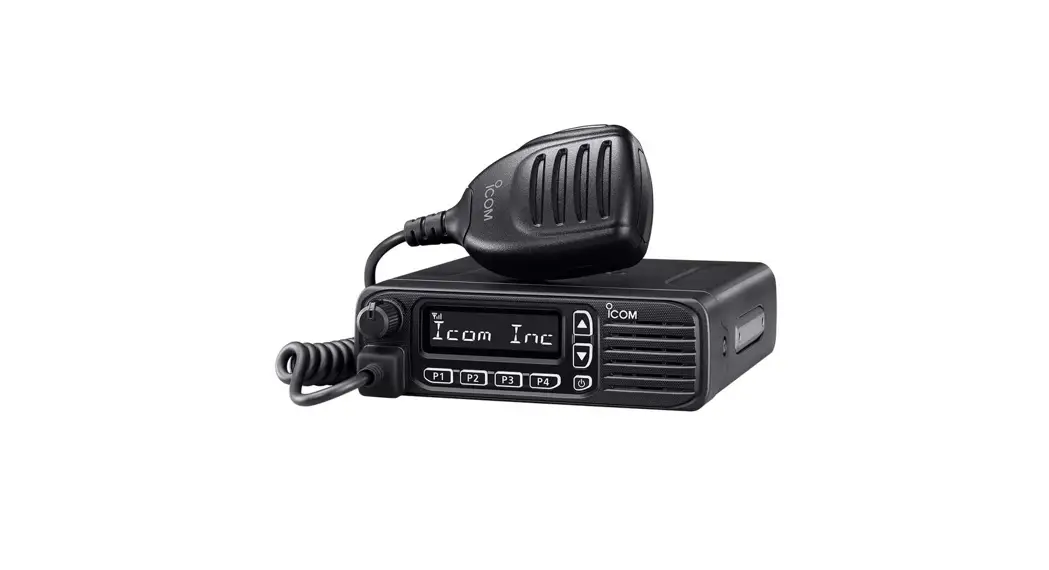
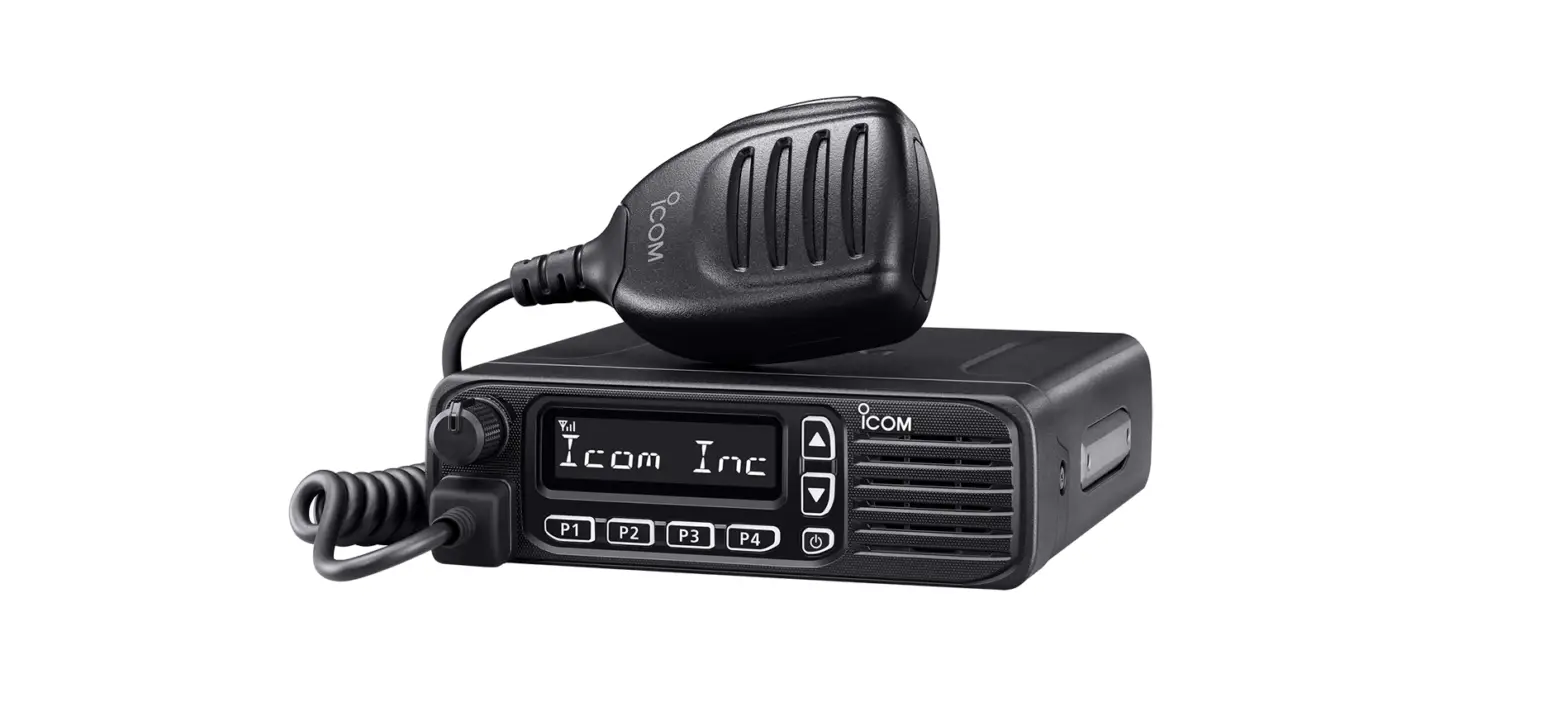
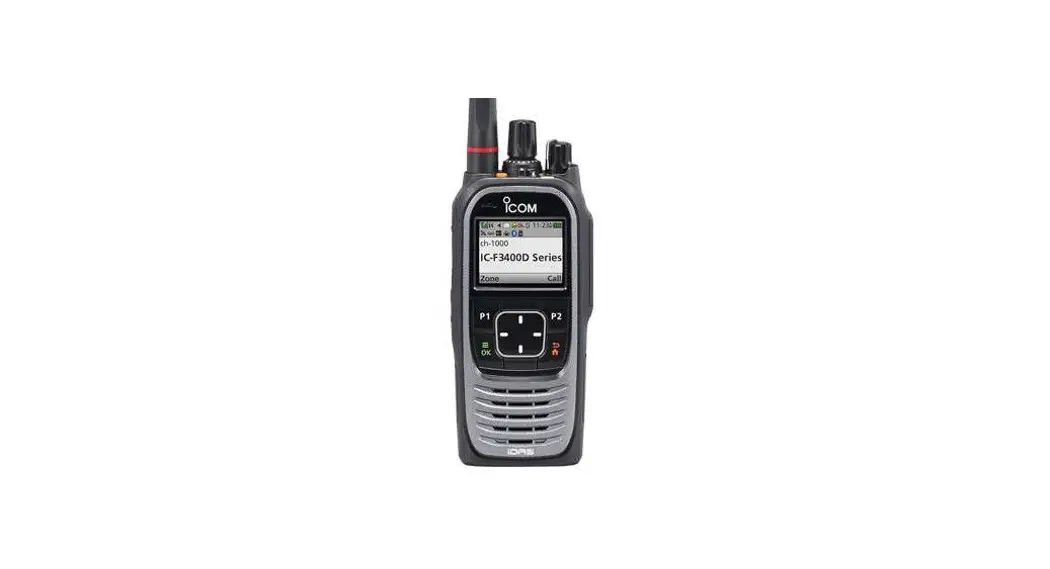
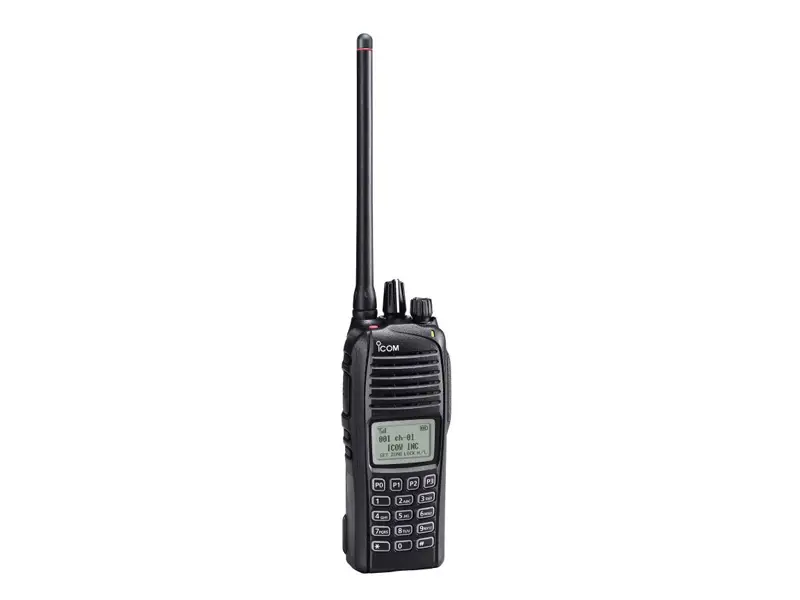
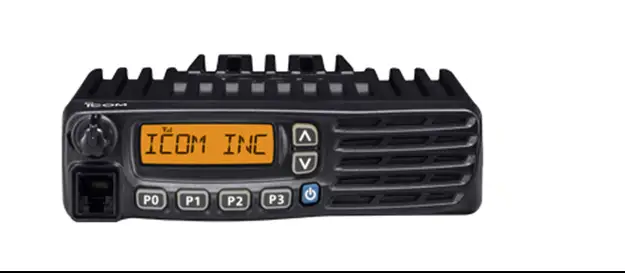
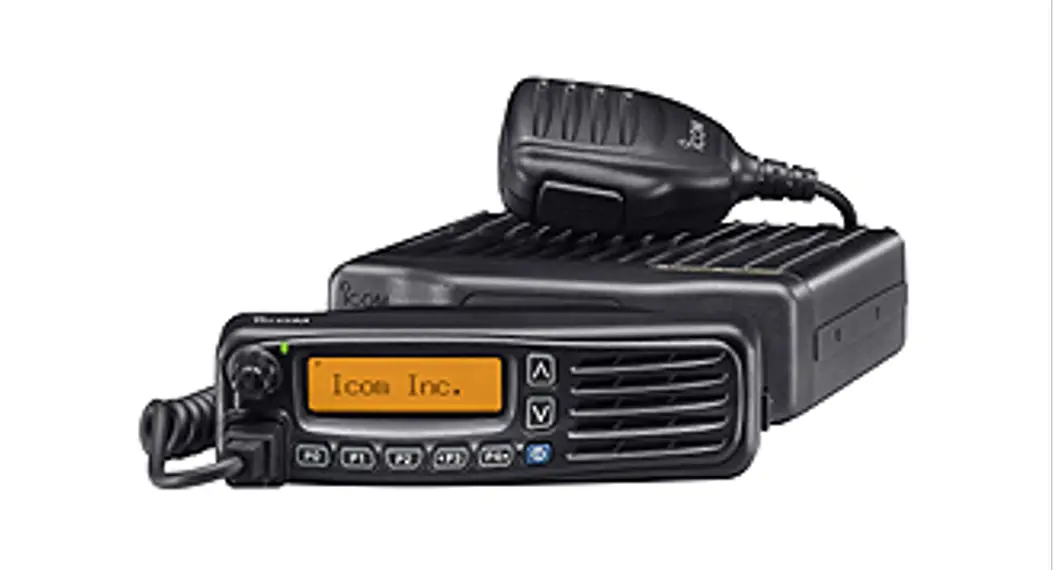
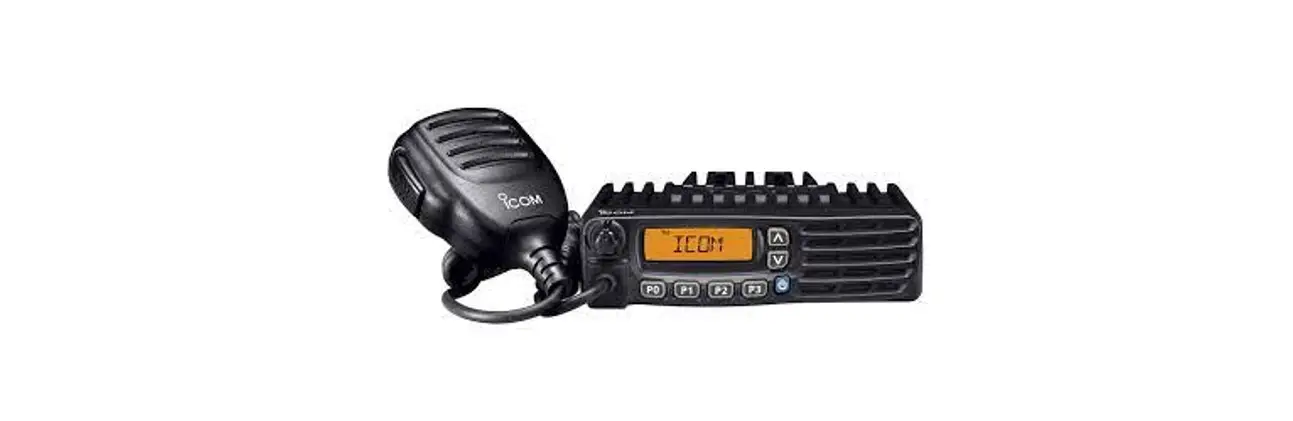
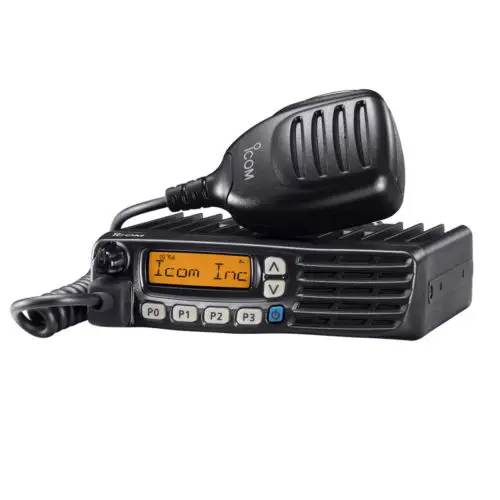
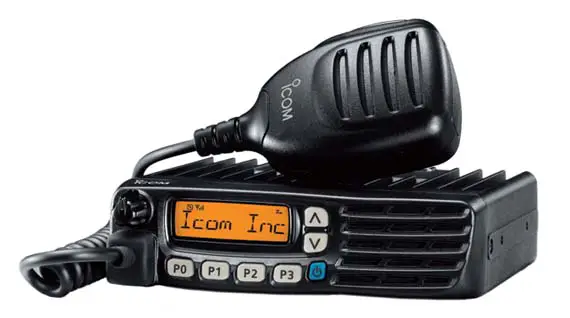
IC-F5330D VHF UHF Digital Transceiver
Product Information
This product is a VHF and UHF digital transceiver manufactured
by Icom. It is designed for communication purposes and operates on
VHF and UHF frequency bands.
Features:
- Digital transceiver
- VHF and UHF frequency bands
Important Notes:
- This product comes with a user manual that contains basic
operating instructions. - Some functions may only be usable if preset by the dealer.
- Additional functions and operations may exist that are not
described in the user manual. Please consult your dealer for more
information.
Product Usage Instructions
Precautions:
- Danger: Never touch an antenna or antenna connector
while transmitting as it may cause electrical shock or burn. - Danger: Do not operate the transceiver near unshielded
electrical blasting caps or in an explosive atmosphere to avoid
explosion and death. - Danger: Never place the transceiver where air bag
deployment may be obstructed during mobile operations. - Warning: Do not connect the transceiver to an AC outlet
as it may pose a fire hazard or result in an electric shock. - Warning: Do not operate the transceiver during a
lightning storm to avoid electric shock, fire, or damage to the
transceiver. Always disconnect the power source and antenna before
a storm. - Warning: Avoid letting metal, wire, or other objects
contact the transceiver inside or make incorrect contact with
connectors on the rear panel to prevent electric shock or damage to
the transceiver. - Warning: Do not place the transceiver where the
vehicle’s normal operation may be hindered or where it could cause
bodily injury. - Warning: If you notice an abnormal odor, sound, or
smoke, immediately turn off the power and remove the DC power
cable. Contact your Icom dealer or distributor for advice. - Warning: Do not put the transceiver in an unstable place
where it may suddenly move or fall, as it could cause injury or
damage to the transceiver. - Caution: Do not connect the transceiver to a power
source of more than 16 V DC, such as a 24 V battery, as it may
damage the transceiver. - Caution: Do not cut the DC power cable between the DC
plug and fuse holder to avoid incorrect connections that may damage
the transceiver. - Caution: Do not expose the transceiver to rain, snow, or
any liquids, as they could damage the transceiver and
microphone. - Caution: Do not use a non-specified microphone, as other
microphones may have different pin assignments and may damage the
transceiver. - Caution: Avoid placing or leaving the transceiver in
excessively dusty environments, as this could damage the
transceiver. - Caution: Do not use harsh solvents such as Benzine or
alcohol when cleaning, as they could damage the equipment surfaces.
If the surface becomes dusty or dirty, wipe it clean with a soft,
dry cloth. - Caution: Do not reverse the DC power cable polarity, as
it may damage the transceiver.
INSTRUCTIONS
VHF DIGITAL TRANSCEIVER
|F5330D
UHF DIGITAL TRANSCEIVER
|F6330D
Thank you for choosing this Icom product. READ ALL INSTRUCTIONS carefully and completely before using this product.
Icom is not responsible for the destruction, damage to, or performance of any Icom or non-Icom equipment, if the malfunction is because of: · Forcemajeure,including,butnotlimitedto,fires,
earthquakes,storms,floods,lightning,othernatural disasters, disturbances, riots, war, or radioactive contamination. · The use of Icom transceivers with any equipment that is not manufactured or approved by Icom. Icom and the Icom logo are registered trademarks of Icom Incorporated (Japan) in Japan, the United States, the United Kingdom, Germany, France, Spain, Russia, Australia, New Zealand, and/or other countries. AMBE+2 is a trademark and property of Digital Voice Systems Inc. The Bluetooth® word mark and logos are registered trademarks owned by Bluetooth SIG, Inc. and any use of such marks by Icom Inc. is under license. All other products or brands are registered trademarks or trademarks of their respective holders.
IMPORTANT
SAVE THESE INSTRUCTIONS– This instruction sheet contains basic operating instructions for the transceiver.
This instruction sheet includes some functions that are usable only when your dealer presets them. The transceiver may have other functions and operations that are not described in this instruction sheet. Ask your dealer for preset function details.
EXPLICIT DEFINITIONS
WORD
DEFINITION
R DANGER!
Personal death, serious injury or an explosion may occur.
R WARNING!
Personalinjury,firehazardorelectric shock may occur.
CAUTION Equipment damage may occur.
NOTE
If disregarded, inconvenience only. No
riskofpersonalinjury,fireorelectric shock.
PRECAUTIONS
R DANGER HIGH RF VOLTAGE! NEVER touch an antenna or antenna connector while transmitting. This could cause an electrical shock or burn.
R DANGER! NEVER operate the transceiver near unshielded electrical blasting caps or in an explosive atmosphere. This could cause an explosion and death.
R DANGER! NEVER place the transceiver where air bag deployment may be obstructed during mobile operations.
R WARNING! NEVER connect the transceiver to an AC outlet.Thismayposeafirehazardorresultinanelectric shock.
R WARNING! NEVER operate the transceiver during a lightning storm. It may result in an electric shock, cause afireordamagethetransceiver.Alwaysdisconnectthe power source and antenna before a storm.
R WARNING! NEVER let metal, wire, or other objects contact the transceiver inside or make incorrect contact with connectors on the rear panel. This could cause an electric shock or damage the transceiver.
R WARNING! NEVER place the transceiver where the vehicle’s normal operation may be hindered or where it could cause bodily injury.
R WARNING! NEVER operate the transceiver if you notice an abnormal odor, sound, or smoke. Immediately turn OFF the power and remove the DC power cable. Contact your Icom dealer or distributor for advice.
R WARNING! NEVER put the transceiver in an unstable place where the transceiver may suddenly move or fall. This could cause an injury or damage the transceiver.
CAUTION: DO NOT connect the transceiver to a power source of more than 16 V DC such as a 24 V battery. This could damage the transceiver.
CAUTION: DO NOT cut the DC power cable between the DC plug and fuse holder. If an incorrect connection is made after cutting, the transceiver might be damaged.
CAUTION: DO NOT expose the transceiver to rain, snow or any liquids. They could damage the transceiver and microphone.
CAUTION: DO NOTusethenon-specifiedmicrophone. Other microphones have different pin assignments and may damage the transceiver.
CAUTION: DO NOT use the transceiver in areas with temperatures below 30°C (22°F) or above +60°C (+140°F), or in areas subject to direct sunlight, such as the dashboard.
CAUTION: DO NOT place or leave the transceiver in excessively dusty environments. This could damage the transceiver.
CAUTION: DO NOTuseharshsolventssuchasBenzine or alcohol when cleaning. This could damage the equipment surfaces. If the surface becomes dusty or dirty, wipe it clean with a soft, dry cloth.
CAUTION: DO NOT reverse the DC power cable polarity. This could damage the transceiver.
NEVER place the transceiver in an insecure place to avoid inadvertentusebyunauthorizedpersons.
NEVER operate the transceiver without running the vehicle’s engine. The vehicle’s battery will quickly run out when the transceiver transmits while the vehicle’s engine is OFF.
BE CAREFUL! The transceiver may become hot after continuously transmitting for long periods of time.
For the European versions:
CAUTION: Hot surfaces. DO NOT touch the transceiver’s surface after continuously transmitting for long periods of time. The transceiver’s chassis radiates heat, and it will become hot to protect the power amplifierunitfromoverheating.Touchingit may cause a burn.
About E-marking: Detailed installation notes for Icommobiletransceiverstobefittedintovehiclesare available. Please contact your Icom dealer or distributor.
ABOUT GPS/GLONASS RECEIVER
DO NOT install the GPS antenna near the transceiver or the antenna. A GPS or GLONASS receiver may not work if the transceiver transmits or receives in the frequency ranges as shown below.
FortheIC-F5330D GPS Receiver
Transmit 142.850 ~ 142.860 157.135 ~ 157.145
Receive 146.845 ~ 147.110
(Unit:MHz) GLONASS Receiver
145.275 ~ 145.945 159.805 ~ 160.540 149.745 ~ 150.790
FortheIC-F6330D GPS Receiver
Transmit Receive 443.545 ~ 444.065
(Unit:MHz) GLONASS Receiver
400.000 ~ 401.343 449.335 ~ 451.425
VOICE CODING TECHNOLOGY
The AMBE+2TM voice coding Technology embodied in this product is protected by intellectual property rights including patent rights, copyrights and trade secrets of Digital Voice Systems, Inc. This voice coding Technology is licensed solely for use within this Communications Equipment. The user of this Technology is explicitly prohibited from attempting to extract, remove, decompile, reverse engineer, or disassemble the Object Code, or in any other way convert the Object Code into a human-readable form. U.S. Patent Nos. #8,359,197, #7,970,606, and #6,912,495 B2.
ABOUT CE AND DOC
Hereby, Icom Inc. declares that the versions of IC-F5330D and IC-F6330D which have the “CE” symbol on the product, comply with the essential requirements of the Radio Equipment Directive, 2014/53/EU, and the restrictionoftheuseofcertainhazardoussubstancesin electrical and electronic equipment Directive, 2011/65/EU. The full text of the EU declaration of conformity is available at the following Internet address: https://www.icomjapan.com/support/
DISPOSAL
The crossed-out wheeled-bin symbol on your product, literature, or packaging reminds you that in the European Union, all electrical and electronic products, batteries, and accumulators (rechargeable batteries) must be taken to designated collection locations at the end of their working life. Do not dispose of these products as unsorted municipal waste. Dispose of them according to the laws in your area.
1-1-32 Kamiminami, Hirano-ku,
A7656D-1EX-5
Osaka 547-0003, Japan
Printed in Japan
Apr. 2023
© 20212023 Icom Inc.
SAFETY TRAINING INFORMATION
Your Icom radio generates RF electromagnetic energy during transmit mode. This radio is designed for and classifiedas”OccupationalUseOnly,” meaning it must be used only during the course of employment by individuals awareofthehazards,andthewaysto minimizesuchhazards.Thisradiois NOT intended for use by the “General Population” in an uncontrolled environment.
For compliance with FCC and IC RF Exposure Requirements, the transmitter antenna installation shall comply with the following three conditions:
1. The transmitter antenna gain shall not exceed 0 dBi. 2. IC-F5330D:
The antenna is required to be located outside of a vehicle and kept at a distance of 57 centimeters (23 inches) or more between the transmitting antenna of this device and any persons during operation. For small vehicle as worst case, the antenna shall be located on the roof top at any place on the center line along the vehicle in order to achieve 57 centimeters (23 inches) separation distance. In order to ensure this distance is met, the installation of the antenna must be mounted at least 57 centimeters (23 inches) away from the nearest edge of the vehicle in order to protect against exposure to bystanders. 2. IC-F6330D: The antenna is required to be located outside of a vehicle and kept at a distance of 41 centimeters (17 inches) or more between the transmitting antenna of this device and any persons during operation. For small vehicle as worst case, the antenna shall be located on the roof top at any place on the center line along the vehicle in order to achieve 41 centimeters (17 inches) separation distance. In order to ensure this distance is met, the installation of the antenna must be mounted at least 41 centimeters (17 inches) away from the nearest edge of the vehicle in order to protect against exposure to bystanders. 3. IC-F5330D: Transmit only when people outside the vehicle are at least the recommended minimum distance of 136 centimeters (54 inches) away from the properly installed antenna. This separation distance will ensurethatthereissufficientdistancefromaproperly installed externally-mounted antenna to satisfy the RF exposure requirements in the applicable RF exposure compliance standards. 3. IC-F6330D: Transmit only when people outside the vehicle are at least the recommended minimum distance of 117 centimeters (47 inches) away from the properly installed antenna. This separation distance will ensurethatthereissufficientdistancefromaproperly installed externally-mounted antenna to satisfy the RF exposure requirements in the applicable RF exposure compliance standards.
To ensure that your exposure to RF electromagnetic energy is within the FCC and IC allowable limits for occupational use, always adhere to the following guidelines:
· DO NOT operate the radio without a proper antenna attached, as this may damage the radio and may also cause you to exceed FCC and IC RF exposure limits. A proper antenna is the antenna supplied with this radiobythemanufactureroranantennaspecifically authorizedbythemanufacturerforusewiththisradio.
· DO NOT transmit for more than 50% of total radio use time (“50% duty cycle”). Transmitting more than 50% of the time can cause FCC and IC RF exposure compliance requirements to be exceeded. The radio is transmitting when the status indicator lights red. You can cause the radio to transmit by pressing the [PTT] switch.
Electromagnetic Interference/Compatibility During transmissions, your Icom radio generates RF energy that can possibly cause interference with other devices or systems. To avoid such interference, turn off the radio in areas where signs are posted to do so. DO NOT operate the transmitter in areas that are sensitive to electromagnetic radiation such as hospitals, aircraft, and blasting sites.
FCC INFORMATION
This equipment has been tested and found to comply with the limits for a Class A digital device, pursuant to part 15 of the FCC Rules. These limits are designed to provide reasonable protection against harmful interference when the equipment is operated in a commercial environment. This equipment generates, uses, and can radiate radio frequency energy and, if not installed and used in accordance with the instruction manual, may cause harmful interference to radio communications. Operation of this equipment in a residential area is likely to cause harmful interference in which case the user will be required to correct the interference at his own expense.
This device complies with Part 15 of the FCC Rules. Operation is subject to the condition that this device does not cause harmful interference.
CAUTION:Changesormodificationstothistransceiver, not expressly approved by Icom Inc., could void your authority to operate this transceiver under FCC regulations.
Internal Bluetooth unit information: (For only the transceiver with the Bluetooth function)
FCC ID: AFJ387300
IC:
202D-387300
SUPPLIED ACCESSORIES
PoE compatible Microphone (Self grounding type)
Microphone hanger and screw (4×16 mm)
Mounting bracket
DC power cable
Bracket bolts (M4×8 mm)
Mounting screws (M5×12 mm)
Self-tapping screws (5×20 mm)
Flat washers (M5)
Spring washers (M5)
Nuts (M5)
NOTE: Some accessories are not supplied, or the shape is different, depending on the transceiver version.
OPTIONS
· SP-30/SP-35/SP-35L EXTERNAL SPEAKERS
Input impedance: 4 ø
SP-35/SP-35L: Rated input 5 W, Maximum input 7 W
SP-30:
Rated input 20 W, Maximum input 30 W
· OPC-1939/OPC-2078 ACC CABLES Used to connect an external device. OPC-1939: D-sub 15-pin, an external level converter (user supplied) is required. OPC-2078: D-sub 25-pin, built-in level converter
· OPC-2478/OPC-2479 DC POWER CABLES
· VS-3 Bluetooth® HEADSET (For only the transceiver with the Bluetooth function) The Bluetooth headset with a [PTT] switch.
· About the third party Bluetooth® headsets: (For only the transceiver with the Bluetooth function) Icom has checked the PTT operation with some 3M Peltor headsets such as the WS Headset XP, WS ProTac XP and WS Alert XP. (Compatibility not guaranteed.)
REPLACING FUSES
Fuses are installed in the supplied DC power cable. If a fuse blows, track down the source of the problem, repair it, and replace the damaged fuse with a new rated one. L The shape of fuses and its cases are different,
depending on the supplied DC power cable. L Fuse rating: 32 V, 20 A for the OPC-2478
250 V, 10 A for the OPC-2479
NOTE:Useonlyspecifiedfuses(10Aor20A). 25 W transceiver: 10 A, 45 W or 50 W transceivers: 20 A
OPC-2478
OPC-2479
Fuse Coding explanation:
OPC-2478
Fuse Coding: Fuse Voltage Rating: Fuse Current Rating:
FUSE 32 V 20 A 32 Volts 20 Amperes
OPC-2479
Fuse Coding: Fuse Voltage Rating: Fuse Current Rating:
FUSE 250 V 10 A 250 Volts 10 Amperes
ANTENNA
A key element in the performance of any communication system is the antenna. Contact your dealer for information regarding antennas and how to install them.
PANEL DESCRIPTION D Microphone
[Emer]*
Microphone [PTT] [P1]* [F1]*
Vol Up [+]* Vol Down []*
[P3]*
Speaker
Power key [ ]
Status indicator
[Up]/[Down]/ [Right]/[Left]* [P2]* [P4]*
Ten-Keypad
*The assigned function may differ, depending on the presetting. Ask your dealer or the transceiver’s administrator for details.
Status indicator: Lights red: Transmitting Lights green: Receiving or squelch is open.
D Main unit
Microphone connector
Power key [ ]+ Power indicator Status indicator
Microphone connector: PoE output voltage: 54 V PoE output current: 0.6 A
Power indicator: Lights orange: Lights green: Lights red:
Power ON Connected with the microphone. Disconnected from the microphone.
Status indicator: Lights red: Lights green:
Transmitting Receiving or squelch is open.
FUNCTION DISPLAY
1
2
3
1 ICON AREA Displays the icons, as shown below.
Displays the relative receive signal strength level.
Displayed when the low output power is selected.
Displayed when the Shift function is ON. The user can use a Dealer Assignable key’s secondary function in the Shift mode. Ask your dealer for details.
Displayed when the channel is in the audible (unmuted) mode.
Blinks after messages (Message or Status Message) have been received.
Displayed when a matching signal is received, depending on the presetting.
(For only the transceiver with the Bluetooth function) · Blinks when the Bluetooth function is ON. · Displayed when the transceiver is paired
with a Bluetooth device.
· Blinks while scanning. · Displayed when a scan is paused.
Displayed when the channel is selected as a scan target channel.
· Displayed when the Encryption function is ON.
· Blinks when decoding an encrypted signal.
· Displayed when valid position data is received.
· Blinks when searching for satellites.
Displayed when the Talk Around function is ON.
Displayed when the Lone Worker function is ON.
2 ALPHANUMERIC READOUT Displays messages such as channel text.
3 DEALER ASSIGNABLE KEY ICONS Displayed while the function assigned to [P1], [P2], [P3], or [P4] is operating. L May not be displayed, depending on the assigned function.
BASIC OPERATION
D Turning ON the transceiver z Hold down [ ] for more than 2 seconds until the Status
indicator or Power indicator lights orange.
NOTE: Entering the password may be required to turn ON the transceiver, depending on the presetting. Ask your dealer or the transceiver’s administrator for details.
D Receiving 1. Push [Up] or [Down] to select a channel. 2. When a call is received, the Status indicator lights green.
L Push [+] or [] to adjust the audio output level to a comfortable listening level.
CONNECTIONS
D Transmitting
CAUTION: DO NOT transmit without an antenna.
1. Wait until the channel is clear to avoid interference. 2. While holding down [PTT], speak at your normal voice
level. 3. Release [PTT] to receive.
IMPORTANT: Tomaximizethereadabilityofyoursignal: 1. After pushing [PTT], pause briefly before you start
speaking. 2. Hold the microphone 5 ~ 10 cm (2 ~ 4 inches) from
your mouth, then speak at your normal voice level.
Antenna 1
Optional speaker
2 3
5
Screw (4×16 mm)
4
R WARNING! NEVER remove the fuse holders from the DC power cable.
Fuse holders
Black Red
12 V Battery
1 ANTENNA CONNECTOR Connect an antenna. Contact your dealer about antenna selection and placement.
2 ACC CABLE CONNECTOR Attach an optional ACC cable to connect an external device through D-Sub 15 pin or 25 pin cable. Contact your dealer about the cable attachment.
3 EXTERNAL SPEAKER JACK Connecta4~8externalspeaker.
6
NOTE: Use the terminals as shown below for the cable connections.
Crimp
Solder
4 MICROPHONE HANGER The microphone ON/OFF hook function is usable without the vehicle’s ground.
5 DC POWER CONNECTOR Connect a 12 V DC battery. Pay attention to polarities. CAUTION: DO NOT connect to a 24 V battery. This will damage the transceiver.
6 IGNITION LEAD Connects to an ignition line.
MOUNTING THE TRANSCEIVER
Mountthetransceiveronaflatsurfaceusingthemountingbracketsuppliedwithyourtransceiver.
1. Drill 4 holes on a flat surface where you want to install the mounting bracket. L When using the supplied nuts: Approximately 5.5 ~ 6 mm (d) L When using the supplied self-tapping screws: Approximately 2 ~ 3 mm (d)
2. Attachthemountingbracketontheflatsurfaceusingthesuppliedscrews,nuts,andwashers. 3. Attach the transceiver to the mounting bracket using the supplied bracket bolts.
Mounting example:
Bracket bolt (M4×8 mm)
Mounting screws (M5×12 mm)
Spring washer (M5)
Self-tapping screws (5×20 mm)
Flat washer (M5) Nut (M5)
TECHNICAL INFORMATION
IC-F5330D VHF Digital transceiver:
Frequency Range
Output Power
136 174 MHz
25 W
· Channel spacing: 6.25 kHz*, 12.5 kHz, 20 kHz, 25 kHz *For only the Digital mode
A7656W-10EU
TECHNICAL INFORMATION
IC-F6330D UHF Digital transceiver:
Frequency Range
Output Power
400 520 MHz
25 W
· Channel spacing: 6.25 kHz*, 12.5 kHz, 20 kHz, 25 kHz *For only the Digital mode
A7656W-4EU-2
 American Communication Systems | Two-Way Radio Dealer