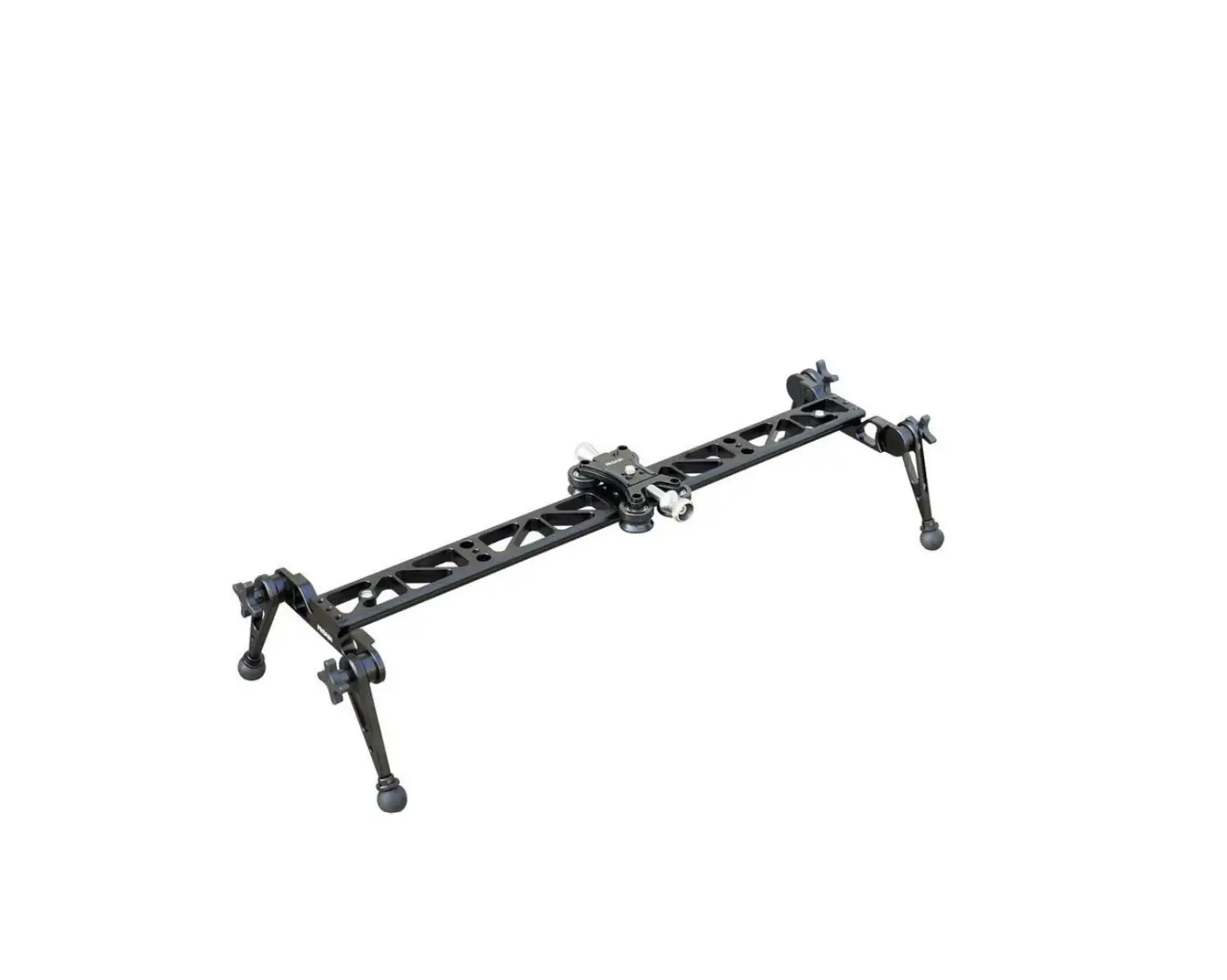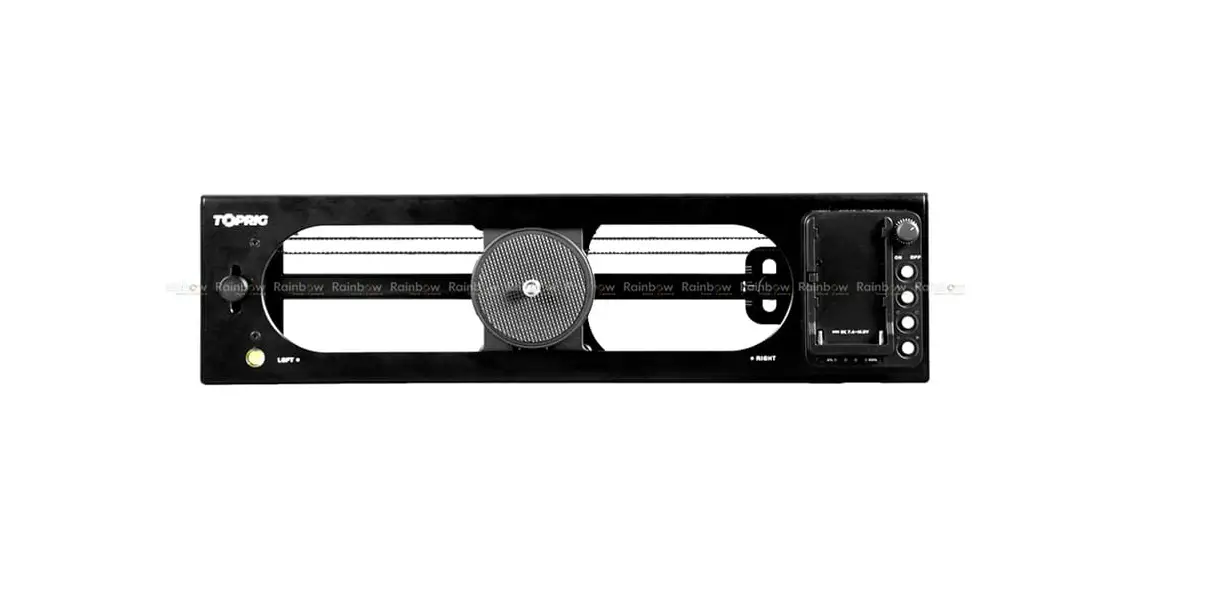

User Manual
V1.0

_________________________
0.1 General Information
1.1 In the Box
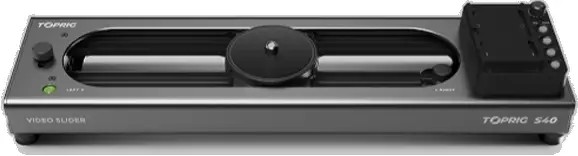
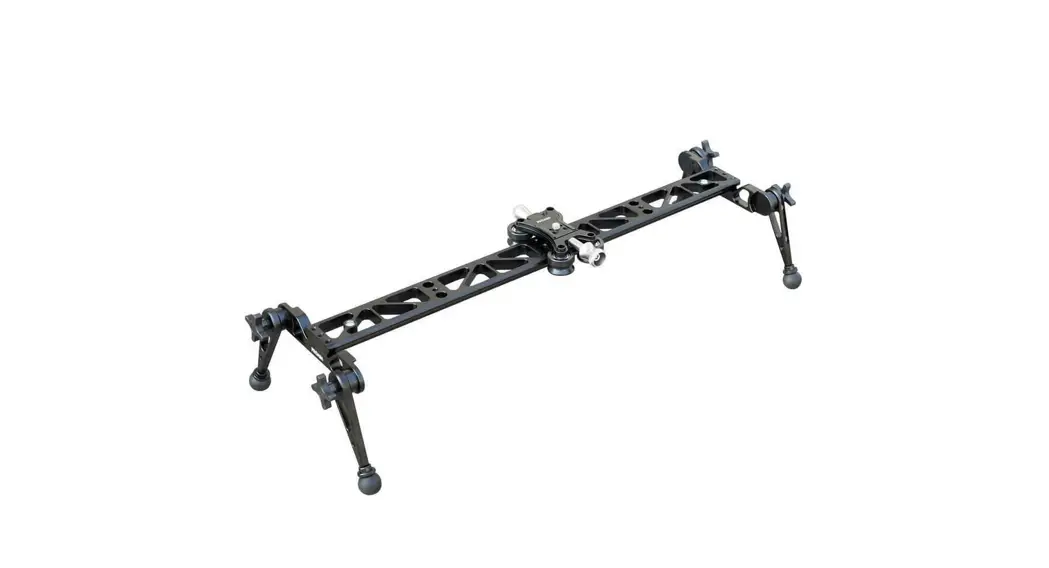
Slider × 1 Hexagon Wrench × 1 Replacement Belt × 1
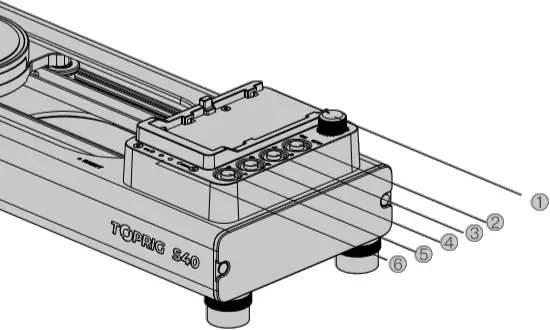
(1) Speed Control (2) Loop Mode
(3) Power On/Off (4) Start/Stop
(5) AB Setting (6) Power Indicator
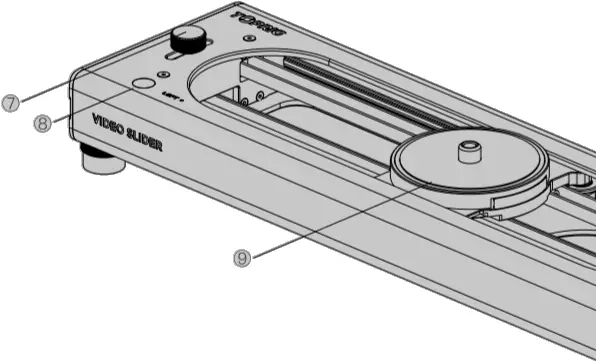
(7) Panoramic Setting Knob
(8) Spirit Level
(9) Slider Platform
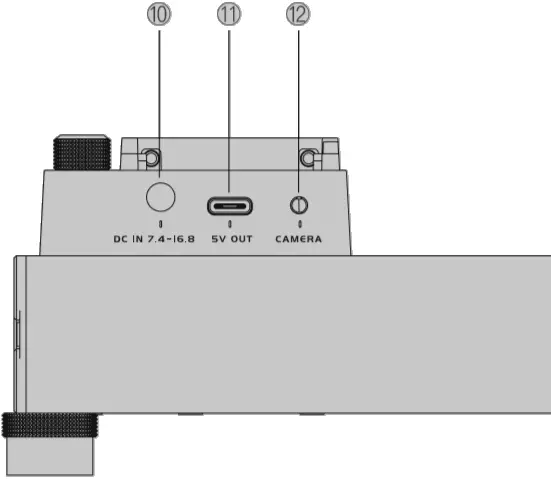
(10) DC
(11) 5V Output
(12) Shutter Release Port
1.3 Key Features
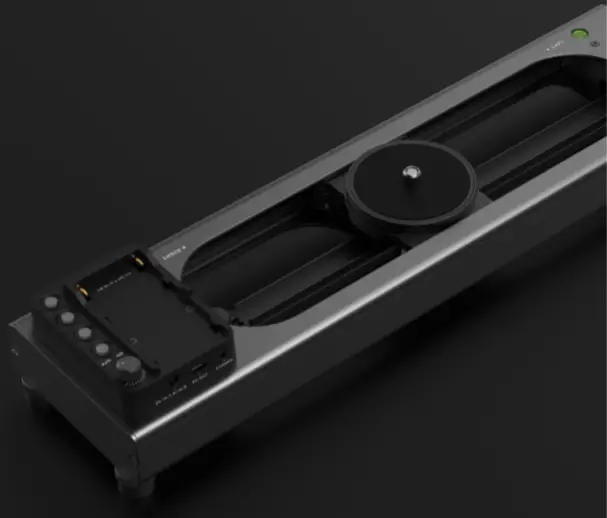
- Brushless Motor
- Stable
- Adjustable speed
- Dual-axis camera motions
- App control
- AB point setting
- Time-lapse
- Silent
1.4 Installation
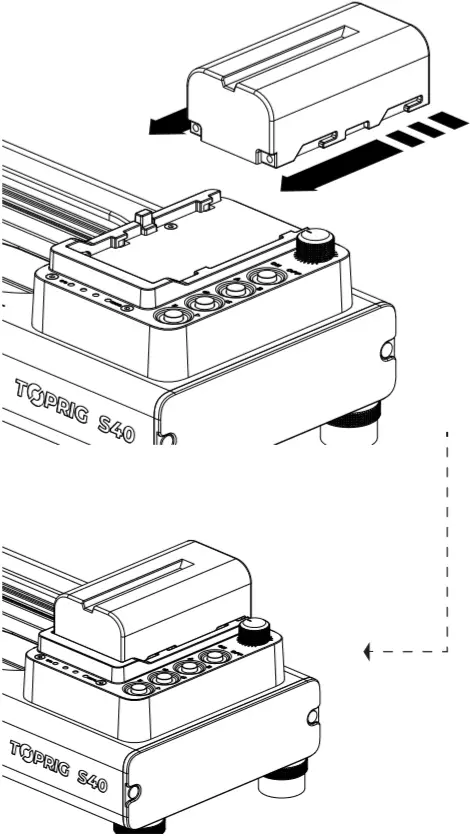
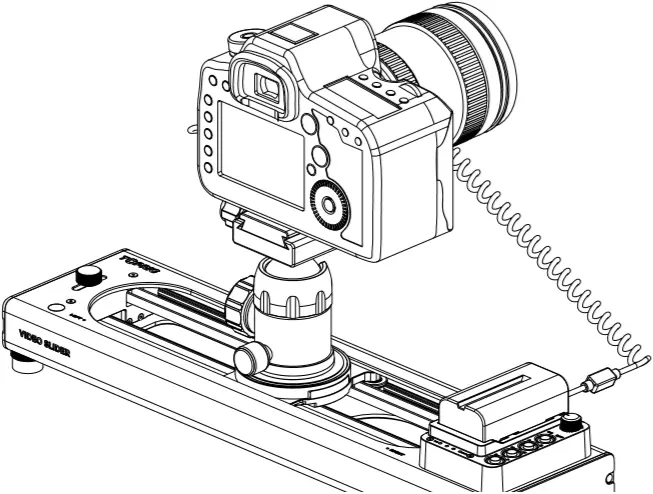
Step 1 Install battery (not included)
Battery compatibility: NP-F550/NP-F750/NP-F950
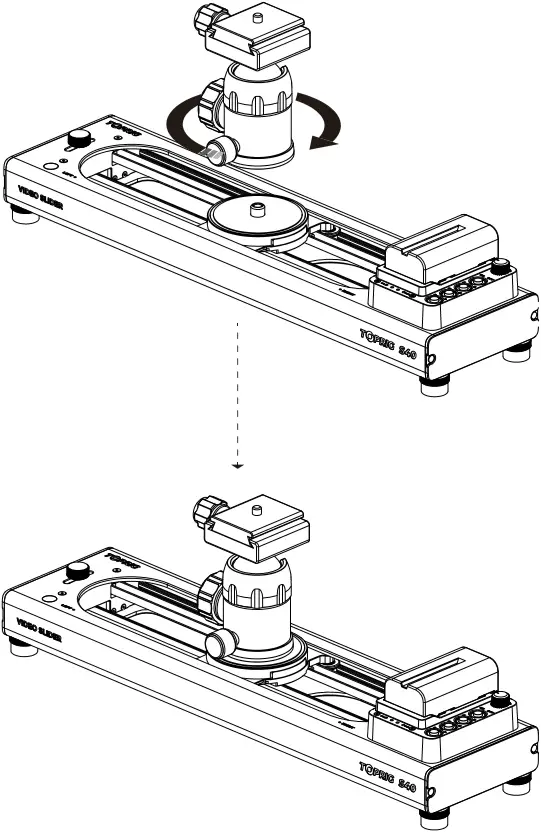
Step 2 Install the tripod ball head (not included) onto the slider
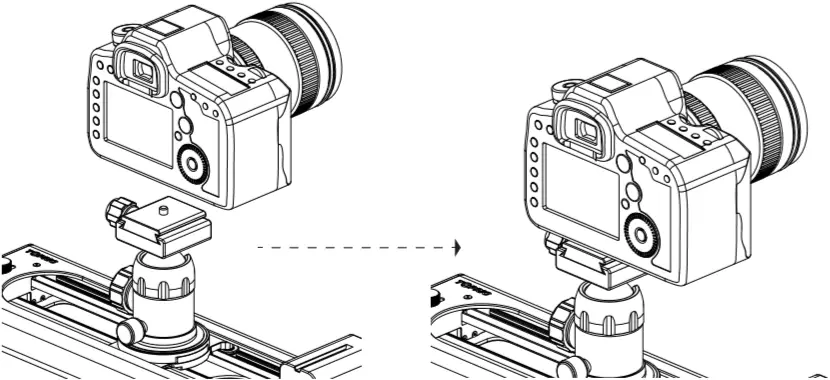
Step 3 Install the camera
Step 4 Connect the shutter extension cable(not included)
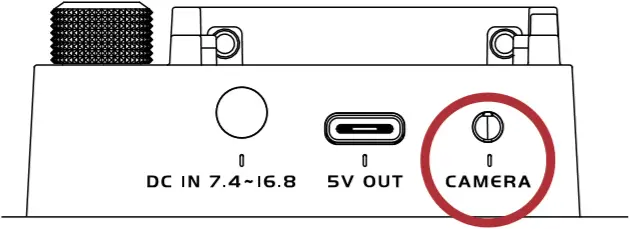
Shutter Release Port
0.2 Functions
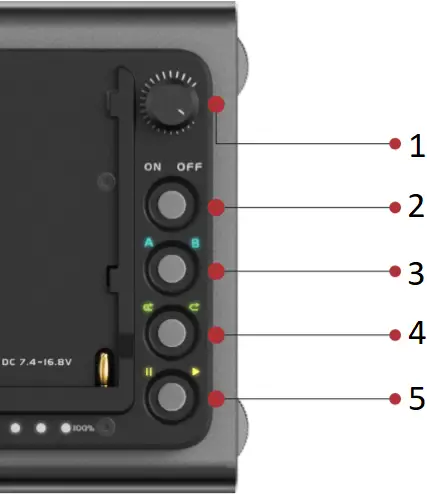
- Speed Control
- Power On/Off
- AB Setting
- Loop Mode
- Start/Stop
2.1 Power On/Off
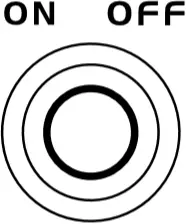
Power On: Press the power button
Power Off: Press and hold the power button for 2 seconds
2.2 Calibration
Please calibrate the slider before use.
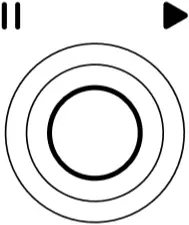
How to calibrate:
Press the Start/Stop button after powering on and the slider will automatically complete the calibration.
2.3 AB Point Setting
1.Default AB point
The Default AB point of the slider upon powering on is shown below:
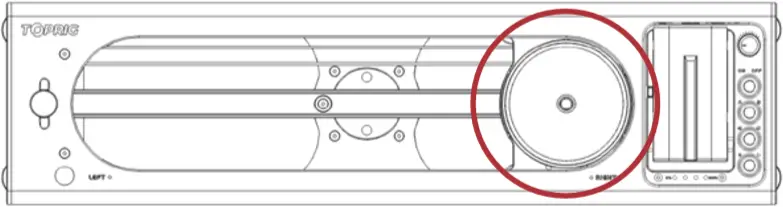
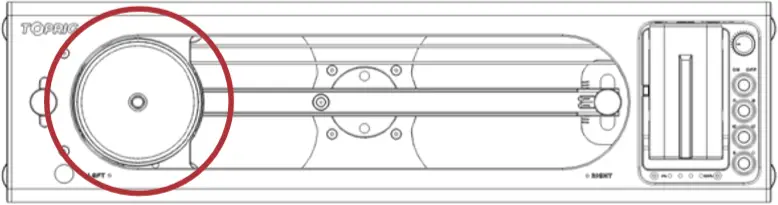
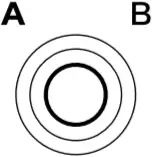
2.Customize AB point
(1) Move the slider to the 1st position
(2) Press the AB point setting button to set point A (indicator light A on)
(3) Move the slider to the 2nd position
(4) Press the AB point setting button to set point B (indicator light B on)
(5) Setting complete
Note: After setting the point A, If there is no further operation within 10 seconds, the setting will be invalid.
3.Cancel AB point setting
After the AB point setting is completed, press the AB point setting button again to cancel the AB point. The indicator lights A and B will both be turned off.
2.4 Loop Mode
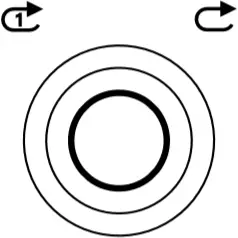
Slider S40 supports Single-loop mode and Infinite-loop mode. with single-loop being the default mode.
Setting: Press the loop mode button to switch between the two modes.
2.5 Speed Control
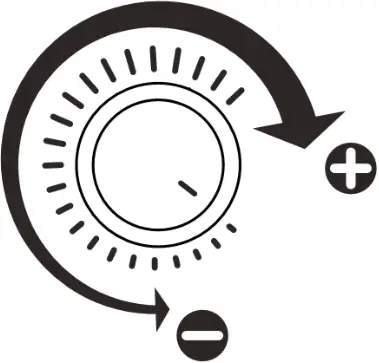
Speed control range: 0.1-5.0cm/s
Control the speed of the slider by rotating the Speed Control knob.
2.6 Stationary Object Tracking & Panoramic Mode Setting
2.6.1 Pan shooting mode: Adjust the knob to the center as shown below.
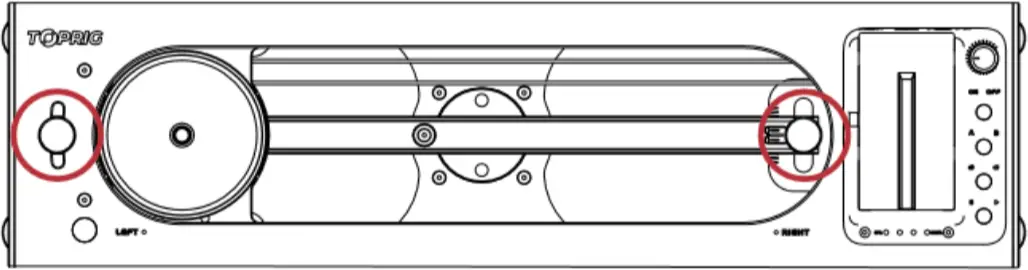
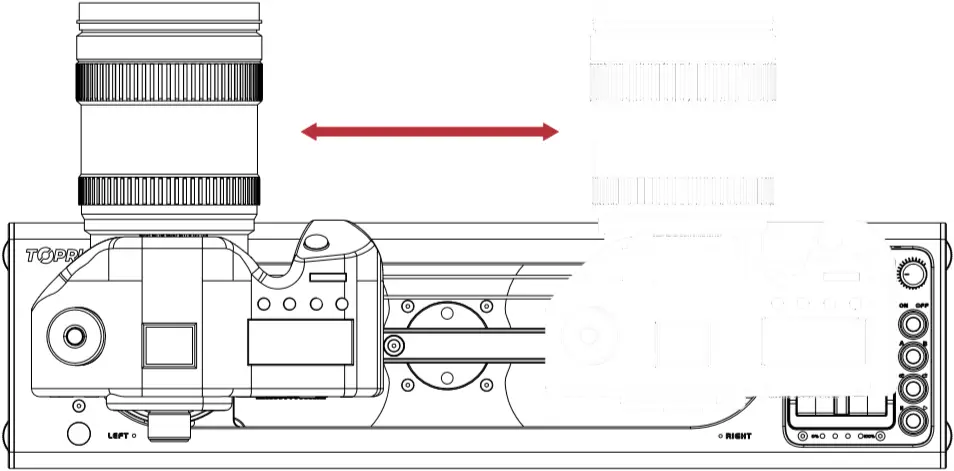
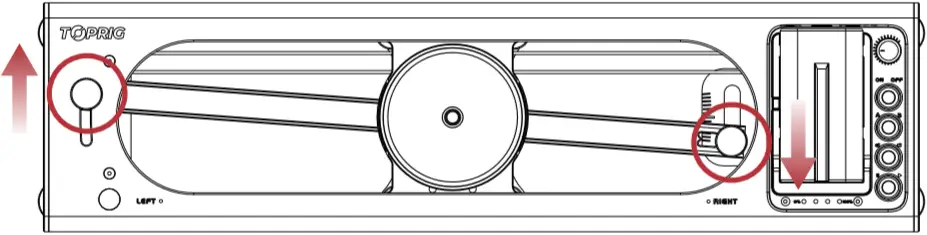
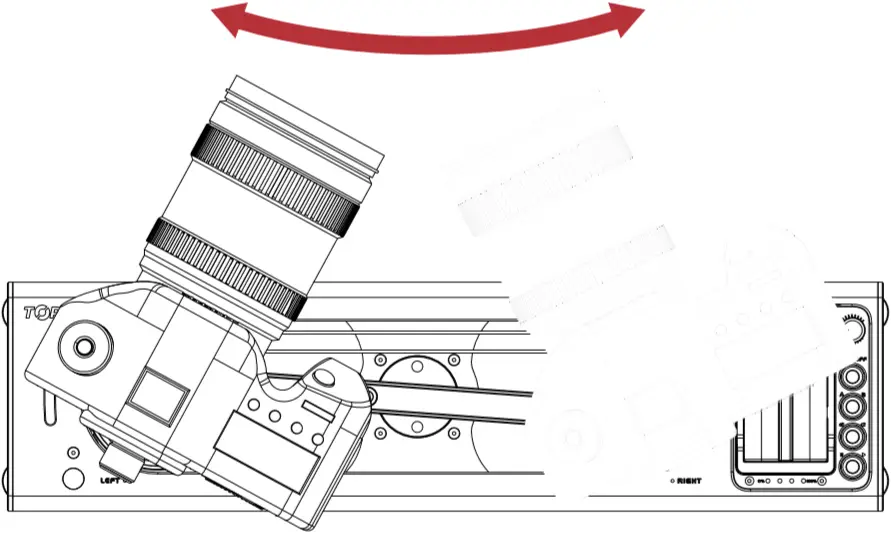
2.6.2 Focus shooting mode: Adjust the knob to the upper left and lower right as shown below.
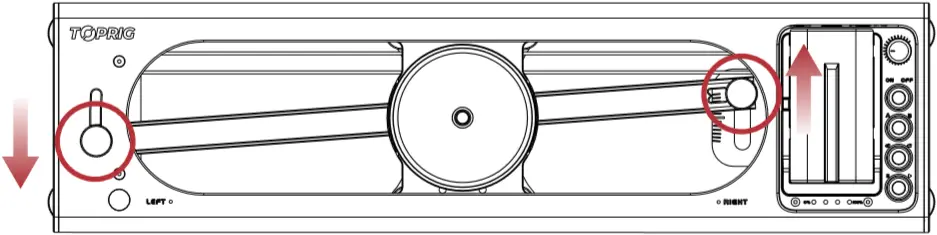
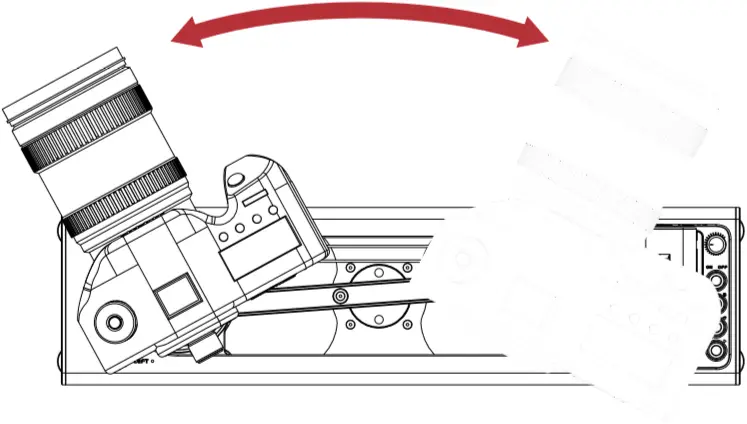
2.6.3 Panoramic Shooting mode: Adjust the knob to the lower left and upper right as shown below.
0.3 App
Toprig App contains the following features
- Calibration
- AB Point Setting
- Loop Mode
- Video Shooting
- Time-Lapse
- Firmware Updates
3.1 App Connect
TopRig App connects to Slider S40 via Bluetooth. To use the TopRig App, please enable Bluetooth on your mobile device.
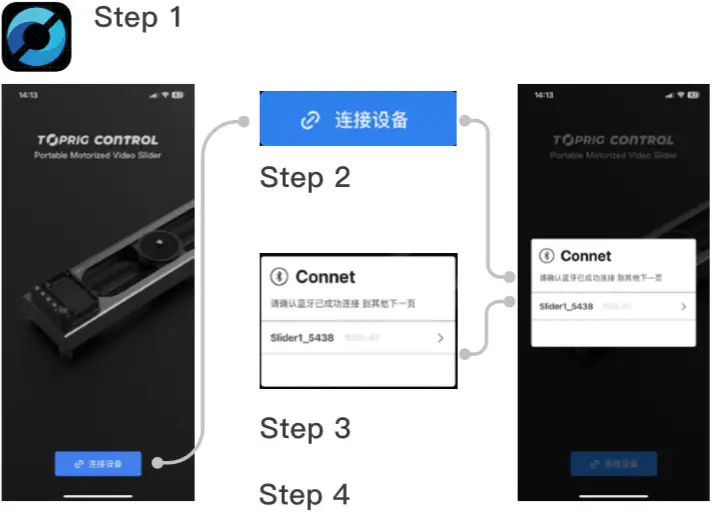
Step 1
Open the TopRig App
Step 2
Tap「Connect Device」
Step 3
Select the device ‘Slider_****’
Step 4
Tap 「OK」
3.2 Calibration
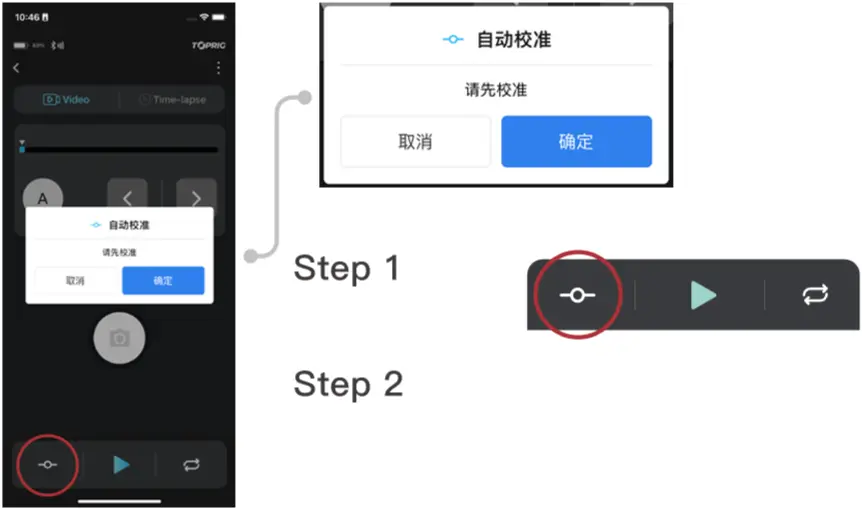
Step 1
Tap 「calibration」
Step 2
Tap 「OK」
The slider will automatically complete the calibration.
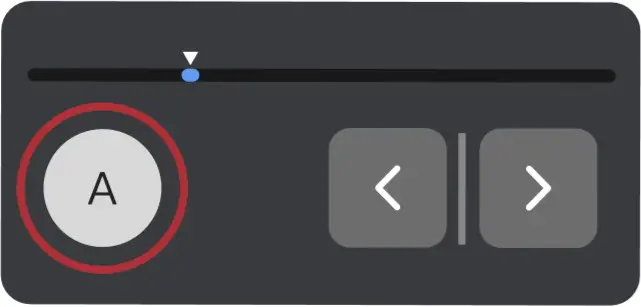
AB point setting
Tap the arrow button to move the slider to the 1st position Tap 「A」
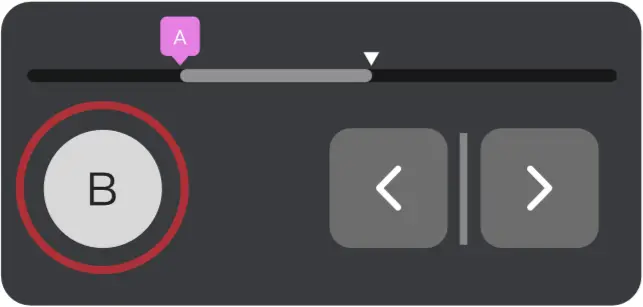
Set point B
Tap the arrow button to move the slider to the 2nd position Tap 「B」
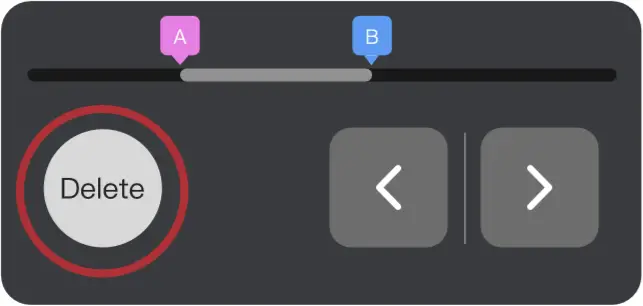
Cancel AB point
Tap 「Delete」
3.4 Loop Mode
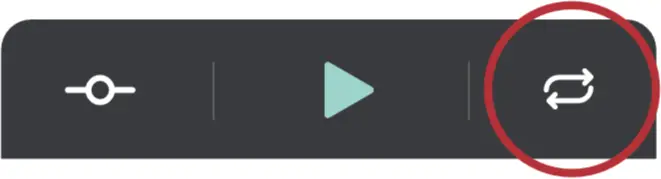
Switch the loop modes by tapping the loop button.
3.5 Video Shooting
Note: A camera control cable is needed for this function.

Step 1
Once all parameters are set, tap 「Shoot」
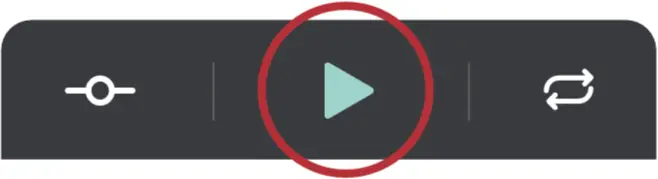
Step 2
tap 「Start」 to start video shooting
3.6 Time-lapse
Note: A camera shutter cable is needed for time-lapse.
Users can customize the AB point setting based on different shooting needs.
3.6.1 参数设置
Shooting Time: Defines how long the shoot lasts. (User setting required)
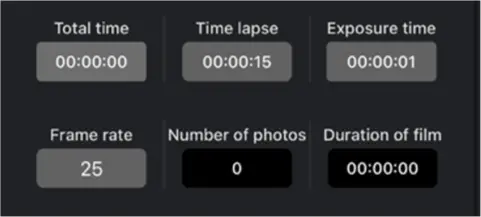
Interval Time: Defines how long it lasts between each photo shot. Interval time must be longer than exposure time. (User setting required)
Exposure Time: Defines how long the slider remain stationary. Must be longer than the camera’s exposure time. (User setting required)
Frame Rate: Defines the frame rate of the final video. (User setting required)
Number of Shots: The total number of photo shots for reference.
Video length: The final length of the video for reference.
3.6.3 Start/Stop Time-lapse
Start
Step 1
After the parameter setting, tap 「Start」.
Stop
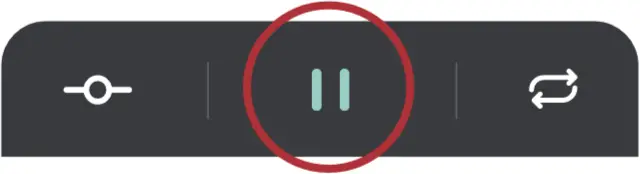
Step 1
Tap 「Stop」
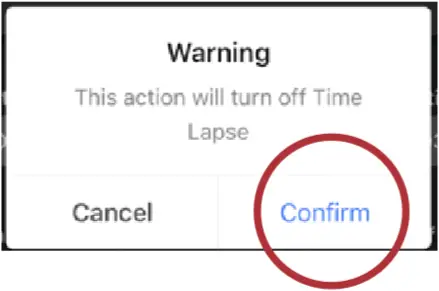
Step 2
Tap 「Confirm」
3.7 Firmware Update
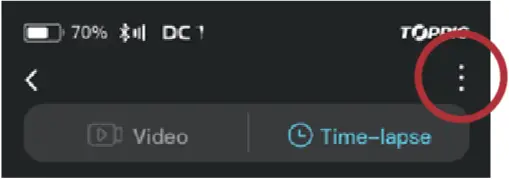
Step 1
Tap 「 」
」
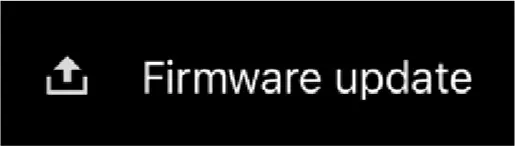
Step 2
Select 「Firmware Upgrade」
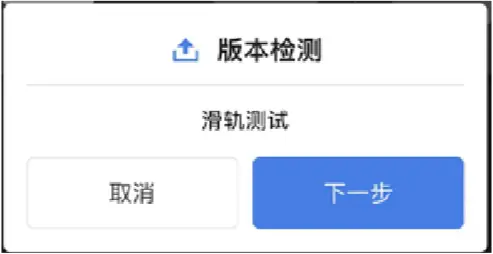
Step 3
Tap 「Next」
0.4 Specs
| Name | Specifications |
Rated Voltage | 7.4 -16.8V |
| Max.Horizontal Load | 4.0kg |
Max.Vertical Load | 2.5kg |
| Max.Operating Speed | 5cm/s |
Stationary Object Tracking Panoramic Angle | 55° |
| Max.Travel Distance | 225mm |
Power Supply | DC 9-16.8V NP-F Battery |
| Max.Power | 30W |
Dimensions | 410 x 106 x 71.3mm |
| Weight | 1.4Kg |
FCC Warning
This device complies with part 15 of the FCC Rules. Operation is subject to the following two conditions: (1) This device may not cause harmful interference, and (2) this device must accept any interference received, including interference that may cause undesired operation.
Any Changes or modifications not expressly approved by the party responsible for compliance could void the user’s authority to operate the equipment.
Note: This equipment has been tested and found to comply with the limits for a Class B digital device, pursuant to part 15 of the FCC Rules. These limits are designed to provide reasonable protection against harmful interference in a residential installation. This equipment generates uses and can radiate radio frequency energy and, if not installed and used in accordance with the instructions, may cause harmful interference to radio communications. However, there is no guarantee that interference will not occur in a particular installation. If this equipment does cause harmful interference to radio or television reception, which can be determined by turning the equipment off and on, the user is encouraged to try to correct the interference by one or more of the following measures:
-Reorient or relocate the receiving antenna.
-Increase the separation between the equipment and receiver.
-Connect the equipment into an outlet on a circuit different from that to which the receiver is connected.
-Consult the dealer or an experienced radio/TV technician for help.
This equipment complies with FCC radiation exposure limits set forth for an uncontrolled environment. This equipment should be installed and operated with minimum distance 20cm between the radiator & your body.