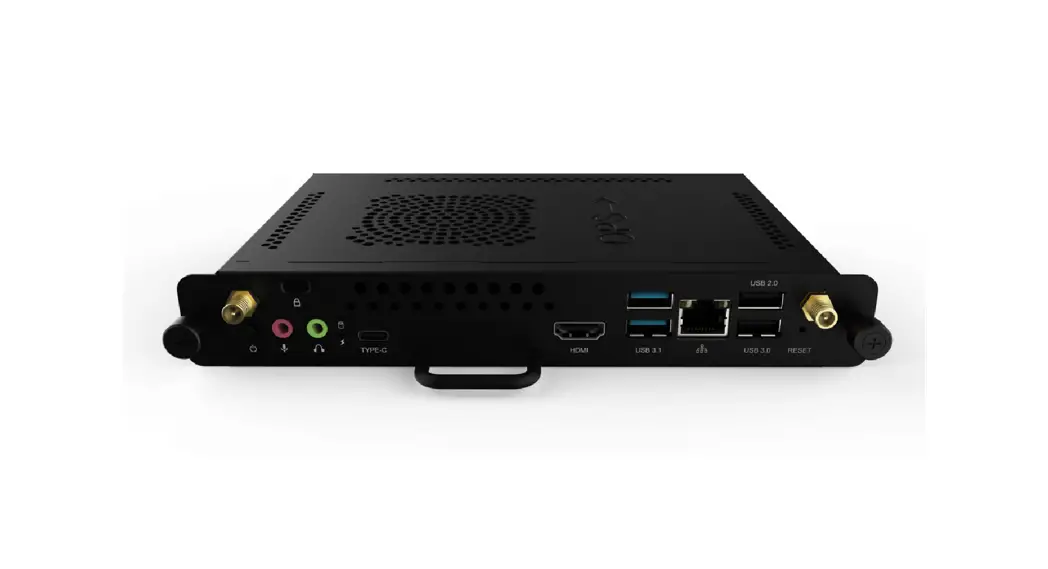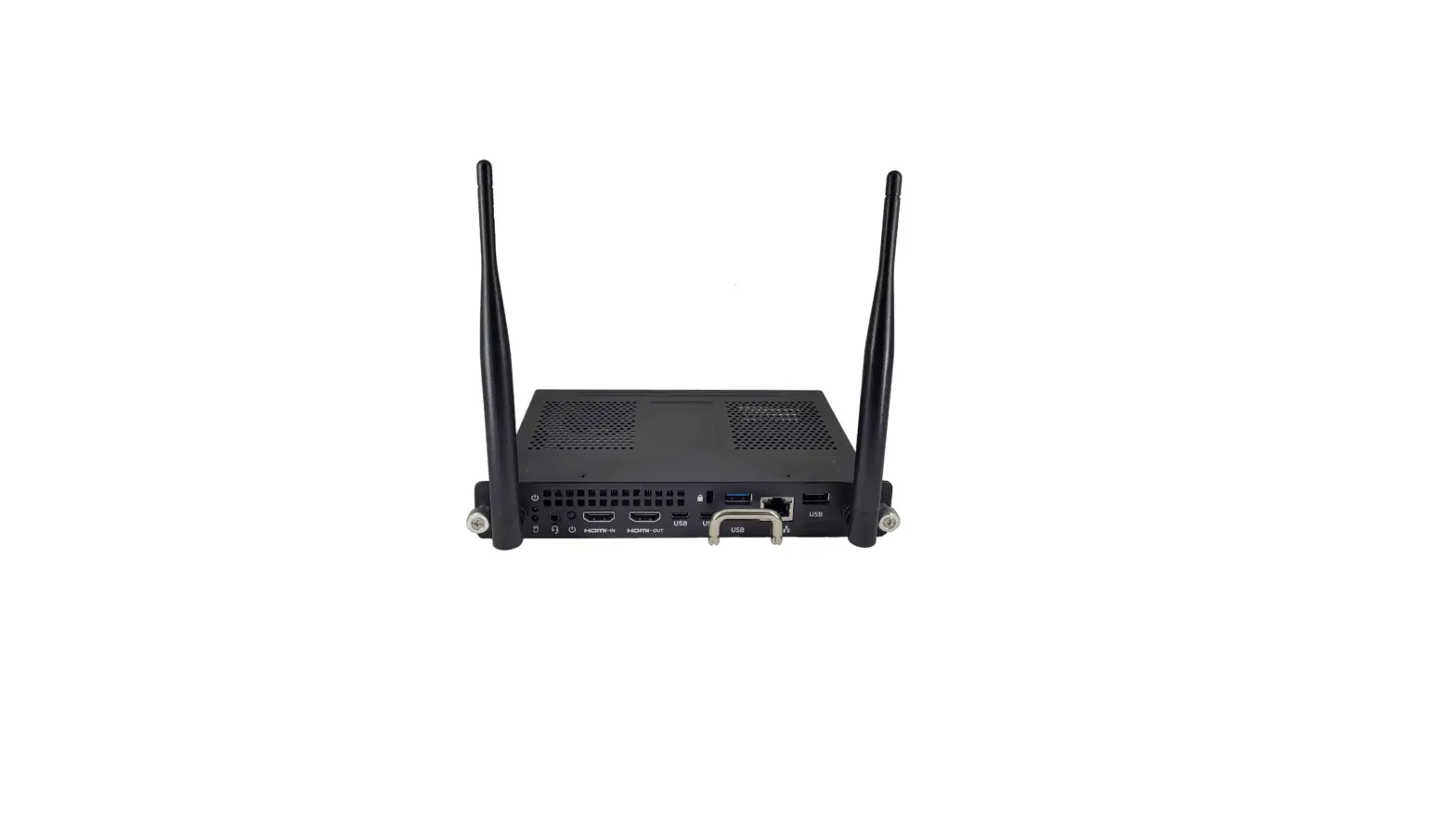

iiyama TGLOPS09 OPS PC Module
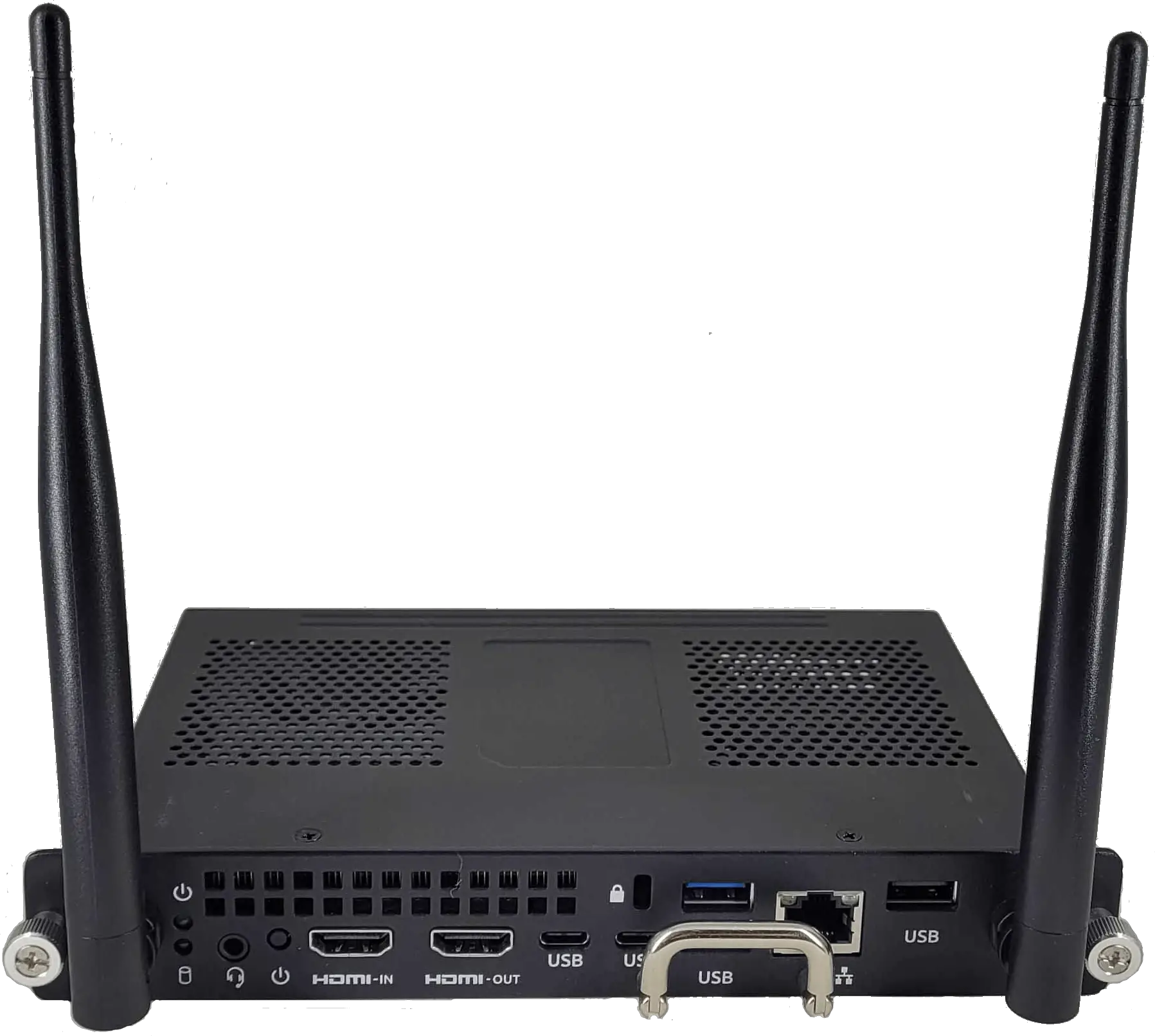
Product Information
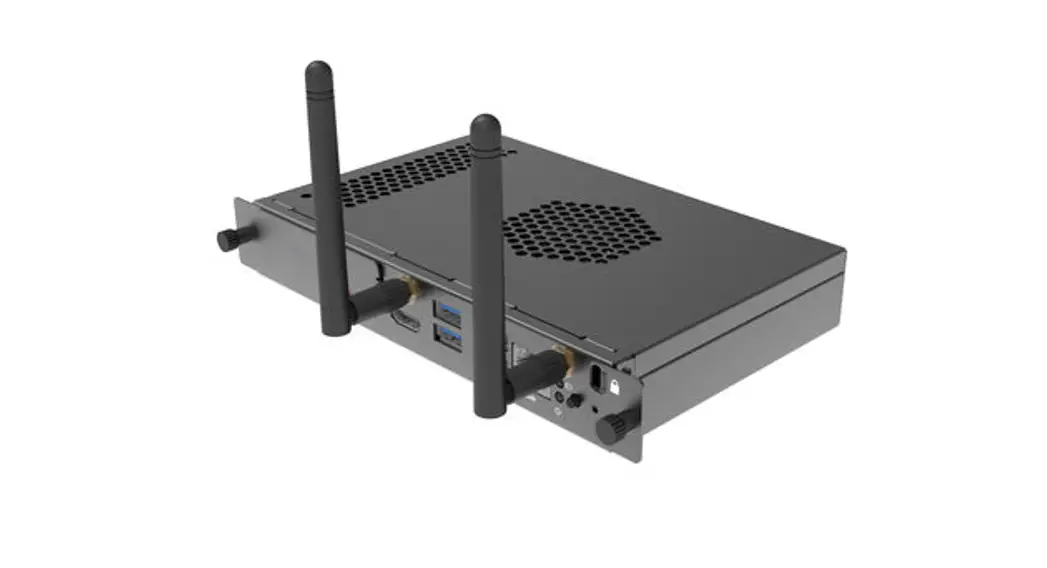
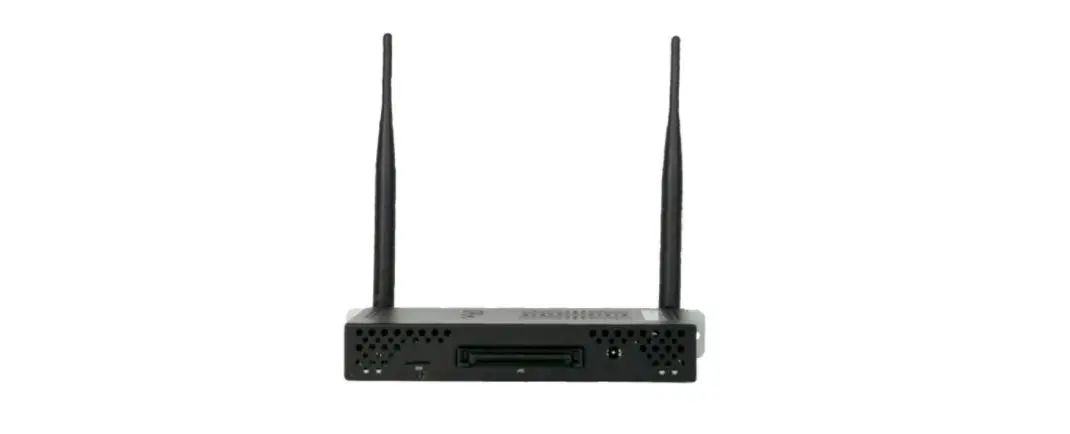
The OPS PC Module is a device that enables a monitor to function as a computer. It has WiFi, Bluetooth, and BLE functions and operates on various frequencies ranging from 2400-5850 MHz. The maximum output power (EIRP) varies depending on the frequency, with the highest being 21.52 dBm. It complies with Directive 2014/53/ EU Radio Equipment Directive, 2011/65/EU RoHS Directive, Radio Equipment Regulation 2017, and The Restriction of the Use of Certain Hazardous Substances in Electrical and Electronic Equipment Regulations 2012. The device is not water-resistant and should be kept away from heat sources and sharp objects. If the device needs maintenance, professional personnel should be called.
Product Usage Instructions
Before using the OPS PC Module, please read and comply with the safety precautions to prevent accidents or mal-operations. The device should not be used in dusty or wet conditions to prevent internal circuit failure. Keep it away from heat sources and out of reach of children. The normal working temperature for the product should be maintained, and it should be kept dry. Do not insert any sharp or pointed object into the device and prevent it from falls and collisions with other objects that may cause damages. To install the OPS PC Module, follow the steps below:
- Disconnect the power cable of the monitor before installation.
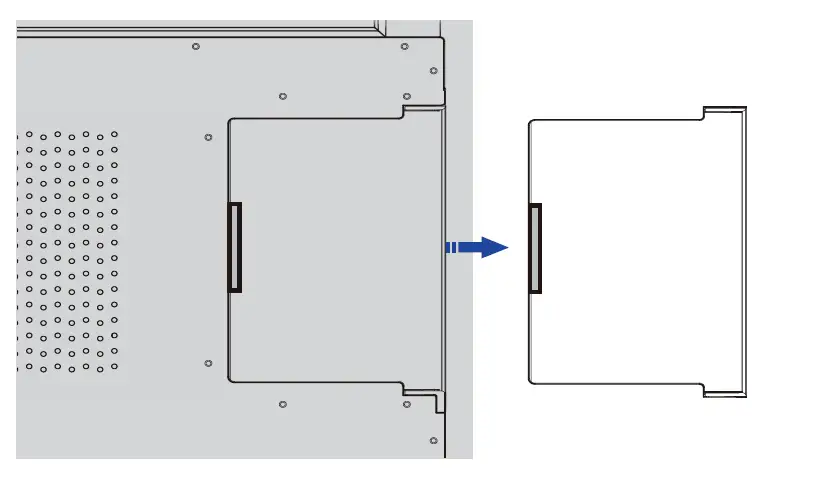
- Remove the OPS PC Module backplane.
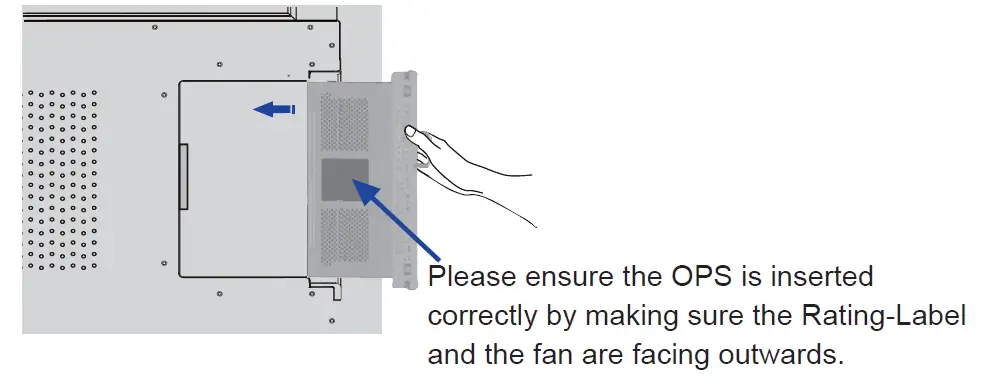
- Insert the OPS PC Module into the panel slot.
- Fix the screws or mounting ears and tighten them.
- Ensure the OPS is inserted correctly by making sure the Rating-Label and the fan are facing outwards.
- Press the power button to turn it on and operate it like a regular computer.
If the screen is blurred, flickering, or has no signal after booting, the OPS PC Module may not be installed correctly. Please check the installation status or reinstall it.
RF & POWER
| Function | Frequency | Maximum Output Power (EIRP) |
|
WiFi | 2400-2483.5 MHz | 19.61 dBm |
| 5150-5350 MHz | 21.52 dBm | |
| 5470-5725 MHz | 21.52 dBm | |
| 5725-5850 MHz | 12.47 dBm | |
| Bluetooth | 2400-2483.5 MHz | 14.01 dBm |
| BLE | 2402-2480 MHz | 9.31 dBm |
Here, Shenzhen Decenta Technology Co., Ltd. declares that the OPS PC Module complies with Directive 2014/53/EU Radio Equipment Directive, 2011/65/EU RoHS Directive, Radio Equipment Regulation 2017 and The Restriction of the Use of Certain Hazardous Substances in Electrical and Electronic Equipment Regulations 2012.
The full text of the EU and UK declaration of the conformity is available at the following internet address: https://iiyama.com
Please refer to https://iiyama.com to download the User manual and driver.
SAFETY WARNING
- Before using and operating this device, please read thoroughly and comply with the following precautions in order to prevent accidents or mal-operations.
- Do not charge or use the device in dusty or wet conditions, to prevent internal circuit failure.
- Keep the device away from heat sources such as an electric heater.
- This device and its parts may contain some small components, so keep the product out of reach of children to prevent accidents.
- This device is not water-resistant, please keep it dry.
- The normal working temperature for the product is 0°C~40°C, and the normal working humidity is 10%~95%.
- Please contact professional service personnel for maintenance services.
- Do not insert any sharp or pointed object into the device.
- Prevent the device from falls and collisions with other objects, which may cause damages.
- There are heating hole on back cover, do not spray water to it or use damp cloth for cleaning;
- Please call professional personnel for maintenance service.
STATEMENT
The image shown in this manual is indicative only. If there is an inconsistency between the image and the actual product, the actual product shall govern.
CHECKING THE CONTENTS OF THE PACKAGE
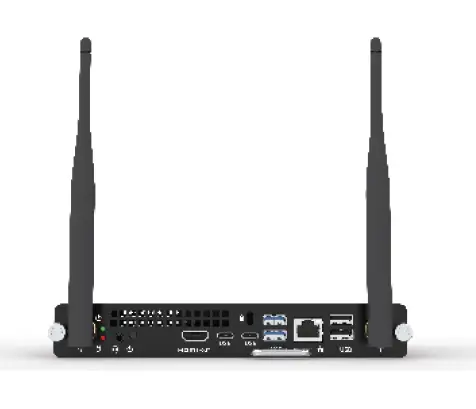
- OPS PC Module x 1
- Installation manual x 1 (this document)
INSTALLATION PROCEDURE
NOTE
- Before mounting and using the Monitor, please follow the steps below to install the OPS PC Module.
The installation should be performed by at least two adult persons to avoid danger and injuries. - Please make sure the power cable of the Monitor is disconnected before installation.
- Do not plug or unplug the OPS PC Module while the monitor is powered on. OPC PC module may be broken.
- When using for the fi rst time, if the screen is blurred, fl ickering, no signal, etc. after booting, OPS PC Module may not be installed correctly; please check the installation status or reinstall it.
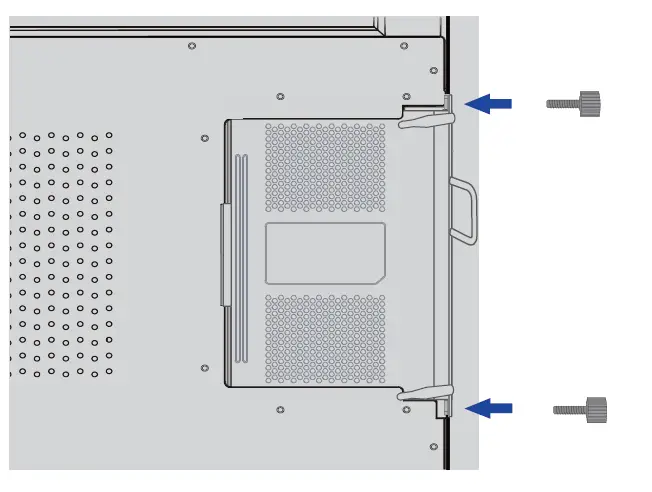
- Remove OPS PC Module backplane

- Insert OPS PC Module into the panel slot

- Fix the screws or mounting ears and tighten it

- Press the power button to turn it on and operate like a regular computer
OPS PC MODULE SPECIFICATION
| Product Specification | ||
| Type | OPS PC Module | |
| CPU | Gen11 i5-11300H | |
| RAM | DDR4 3200MHz 8GB, Max. 32GB | |
| SSD | PCIe 256GB, Max. 1T | |
| Graphics | Integrated Intel® Iris® Xe Graphics 80EU | |
| Sound Card | Integrated High Definition Audio | |
| Ethernet Card | Integrated 10 M /100M /1000M Adaption Intel I219-V | |
| Wi-Fi | Intel AX200/AX201 + BT5.2 Support 802.11a/b/g/n/ac/ax (Wifi 6) Speed: 2.4Gbps | |
| Bluetooth | 5.2 | |
| Operating system | Windows 11 IoT Enterprise (SAC) 64Bit | |
| Security Device Support | TPM2.0 | |
| I/O Port | ||
| Antenna | 2 | |
| USB2.0 (DC5V, 500mA) | 2 | |
| USB3.0 (DC5V, 900mA) | 2 | |
| Thunderbolt 4 (DC5V, 3A) (Support DP ALT mode) | 2 | |
| HDMI OUT (Max resolution 3840 x 2160 60Hz) | 1 | |
| Audio IN and OUT combo | 1 | |
| RJ45 | 1 | |
| HDD LED (Running : green LED blinking) | 1 | |
| I/O Port | ||
| POWER LED (Power on : red LED) | 1 | |
| 80 PIN | Support | |
| Kensington Lock | 1 | |
| Power Button | 1 | |
| Power | ||
| Power Requirements | 12-19Vdc, 60W | |
| Max Power | 95W | |
| Standby Power | 0.5W | |
| Physical Specification | ||
| Dimension | 180.0 x 119.0 x 30.0 mm (L x W x H) | |
| Dimension(package) | 267.0 x 215.0 x 65.0 mm (L x W x H) | |
| Net Weight | 0.75kg | |
| Gross Weight | 0.95kg | |
| Environmental Condition | ||
| Operation Temperature | 0to 40 | |
| Operation Humidity | 10% to 95% RH (non condensing) | |
| Storage Temperature | -10 to 50 | |
| Storage Humidity | 10% to 95% RH (non condensing) | |
We recommend recycling of used product. Please contact your dealer or iiyama service center. Recycle information is obtained via the Internet, using the address:
https://iiyama.com
You can access the Web page of diff erent countries from there.
xx: RAM and SSD size control code
 iiyama