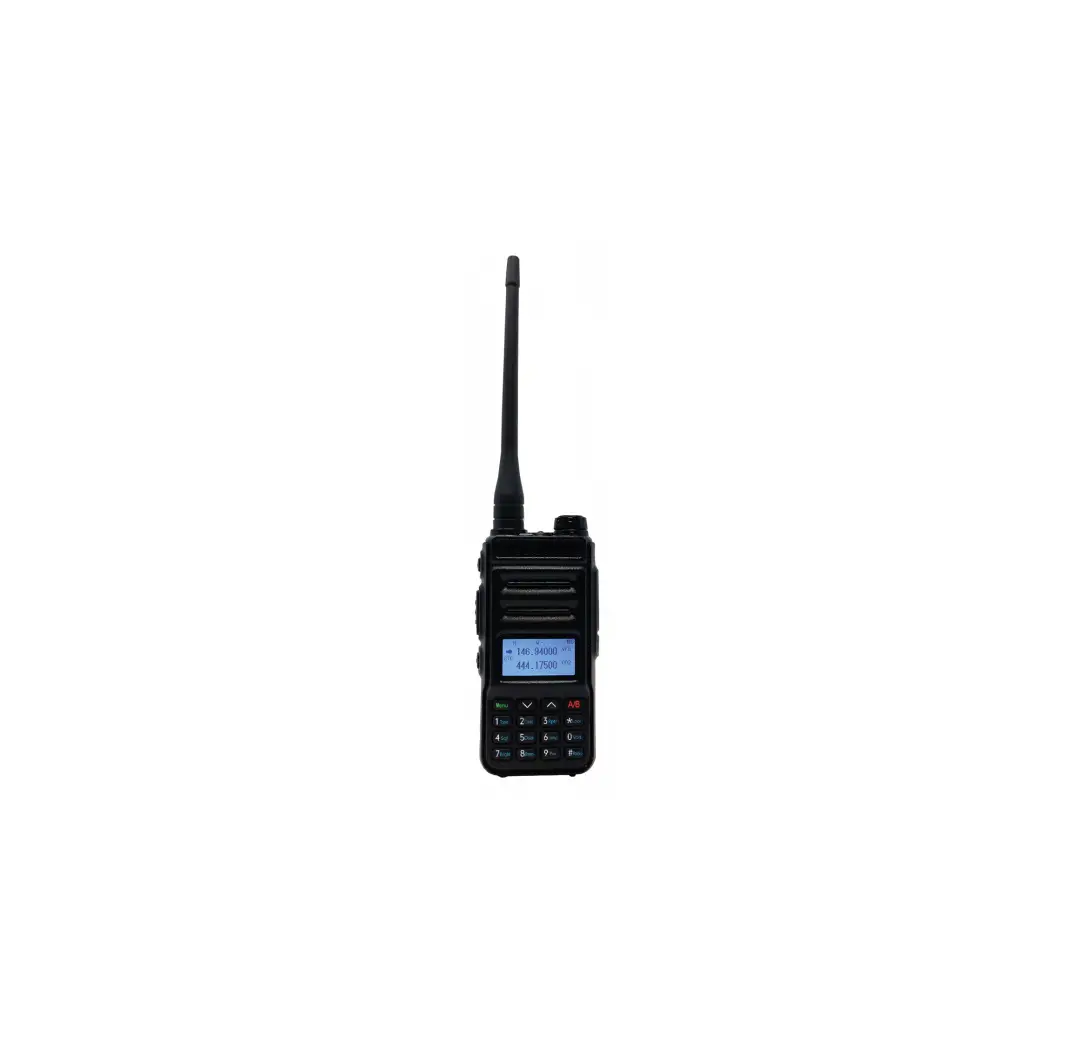
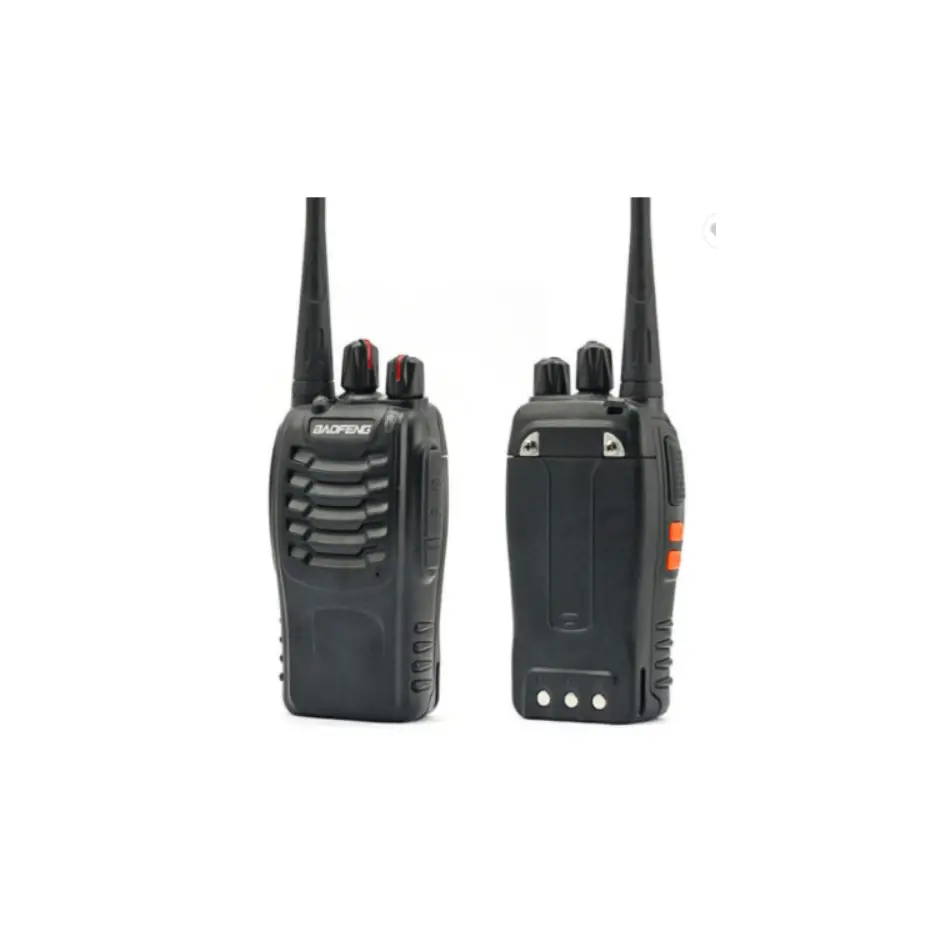
T-S6 Mini Vhf Handheld FM Transceiver
Product Information
The FM Transceiver is a portable two-way radio device that
allows communication over a specified frequency range. It comes
with various accessories including a belt clip, Li-ion battery,
charger/adapter, and an English manual. The transceiver has a power
switch/volume control, PTT switch for transmitting and receiving
audio, up and down keys for channel selection, and a side key for
additional functions. It also has a speaker/microphone jack for
connecting external audio devices.
Main Specifications
- Frequency range: [Frequency Range]
- Output power: [Output Power]
- Memory channel: [Number of Memory Channels]
- Rated voltage: [Rated Voltage]
- Dimension: [Dimension]
- Weight: [Weight]
Product Usage Instructions
Charging the Transceiver
- Take out the transceiver charger with (100-240V) 50/60Hz AC and
plug it into a power source. The green light should turn on. - Insert the Li-ion battery into the charger, ensuring reliable
contact with the charging cradle terminals. - The red indicator light will turn on, indicating that charging
has started. The charging time depends on the battery capacity.
Once fully charged, the green indicator light will turn on.
Installing/Removing the Battery Pack
- To install the battery pack, release the lock on the base of
the transceiver and slide the battery pack along the back of the
transceiver. - To remove the battery pack, apply pressure on the battery
buckle and slide the battery out.Warning: Do not disassemble or throw the battery into the
fire.
Installing the Belt Clip
If necessary, attach the belt clip to the screw holes on the
back of the transceiver. To remove the clip, simply unscrew the two
screws.
Installing the Optional Speaker/Microphone
Open the rubber plug on the transceiver and connect the optional
speaker/microphone to the speaker/microphone jack.
Common Faults and Exclusion Method
- Power on no response: [Exclusion Method]
- Battery usage time is short after charging: [Exclusion
Method] - Cannot communicate: [Exclusion Method]
- Other sounds appear: [Exclusion Method]
FM TRANSCEIVER USER’S MANUAL
WARNING:
y Pls do not use the transceiver when you are in the explosing place (such as gas, dust smoke etc).
y Pls turn off the transceiver while your car is being refueled or parked at gas station.
y Government law prohibits the operation of unlicensed radio transmitters with territories under government control.
y Illegal operation is punishable by fine or imprisonment y Refer service to qualified technicians only.
UNPACKING AND CHECKING EQUIPMENT
Pls open the packing box before use, checking the transceiver body and accessories. If radio or accessories damage, please contact with local dealer.
Item Qty.
Belt Clip 1
Li-ion Battery
1
Charger/ Adapter
1
EN Manual 1
2 ways Charger
(Optional)
~ 1 ~
FAMILIAR TRANSCEIVER
B A
F C D
PREPARE OPERATION
CHARGER THE TRANSCEIVER
1. Take out the transceiver charger with (100-240V) 50/60Hz AC. Then
the green light turn on.
2. Put the battery inside the charger, Confirm the battery pack and
charging cradle terminal and reliable contacts.
3. Red indicator light, charging starts. The charging time depends on the
E
capacity of the battery. After charging, the green indicator light, said
the charge is full.
A. Status Indicator: Upon receiving the green light signal, emitting red light. B. Power switch/Volume control: Turn the volume switch clockwise,
radio power on and adjust the volume, turn the volume switch counter-clockwise, the radio power off. C. PTT switch: After pressing the PTT button to call the other side into the microphone, then release to listen to each other talk. D. Up key & Down key: short press to select channel. E. Side key 1: short press, select channel; long press, MONI function. F. Speaker/microphone rubber plug: Covered when not connected to an external speaker and microphone.
MAIN SPECIFICATION
Frequency range Output Power Memory channel Rated voltage Dimension weight
462.550MHz~462.7125MHz467.5625MHz~467.7125MHz 2W/0.5W 16 channels DC 4.2V (Li-ion battery) 89mm×49mm×31mm (without volume switch) 175g
~ 2 ~
2 ways charger (optional)
WARNING! y If the battery is fully charged, do not recharge. Otherwise it will
shorten the battery life and reduce battery performance. y After the purchase or long-term storage (more than 2 months) after
the first charge of the battery pack can not usually reach its capacity, charge and discharge should be repeated twice in order to achieve a normal battery capacity.
~ 3 ~
INSTALL/REMOVE BATTERY PACK
1. The battery pack release brake down the intercom on the base lock up along the back of the transceiver. (such Figure 1)
2. To remove the battery pack, battery buckle under pressure to exit the battery. (such Figure 2)
Figure 1
WARNING!
y Do not disassemble the battery; y Do not throw the battery into the
fire;
Figure 2
wq q
INSTALLING THE BELT CLIP
If necessary, the random configuration clip locks into the screw holes on the back of the walkie-talkie, easy to carry. To remove the clip, simply unscrew the two screws can be.
INSTALLING THE OPTIONAL SPEAKER/ MICROPHONE Open rubber plug the speaker/microphone to the speaker / microphone jack.
~ 4 ~
COMMON FAULTS AND EXCLUSION METHOD
Fault phenomenon Power on no response After charging the battery, use of time is not long. Can not communication Appear other sounds
Short distance
Method of exclusion
The battery may be exhausted, please replace or recharge. The battery is not installed, remove and reinstall the battery.
Close to the battery life, replace the new battery.
Exceed the talking range, frequency or CTCSS or DCS different, Please reset.
Please change the DCS CTCSS setting,
Make sure the antenna is good contact, confirm whether the wife antenna, battery voltage is normal, adjust the squelch point level.
ASSIST FUNCTION
VOICE PROMPT Transceiver with Chinese/ English two type voice prompt, can change the voice prompt via software.
NOTE: There is a mute in the handover, that no voice prompt.
MONITOR
When the monitor is turned on, if no signal is present, the intercom squelch circuit automatically makes speaker muffler. Therefore, you will not hear background noise. To turn off mute circuit, hold the MONITOR button. This when you want to adjust the power level or the need to receive weak signals useful.
~ 5 ~
TOT TOT is to prevent the speaker too long continuous use of a channel, radio transmit continuously for too long, the body heat. If you continuously transmit radio, loom over the set TOT transmit time, the transceiver will stop transmitting. Down PTT, press the PTT switch again will return to launch. NOTE: TOT can setting via software. BATTERY SAVING Start battery saving function intercom connected to the signal or no operation reduce (not key goods rotary switch), the battery power consumption. When the intercom signal is not received or no operation lasted more than five seconds, the battery saving function is activated. Upon receipt of the signal or operation, battery power is automatically turned off.
~ 6 ~
BASIC OPERATION POWER ON
Turn the power/volume switch channel colockwise, until a voice “du”, prompt the channel number.
VOLUME CONTROL Adjust the volume by rotating the Volume control.
CHANNEL SWITCH Short press side key 1 & side key 2, choose the channels number follow the voice prompt.
PTT SWITCH To make a call, press and hold the PTT switch, indicator light, with the usual speech sound speak into the microphone. NOTE: Keep the microphone away from
the lips 3cm to 5cm.
~ 7 ~
FCC Warning
This device complies with part 15 of the FCC rules. Operation is subject to the following two conditions: (1) this device may not cause harmful interference, and (2) this device must accept
any inte rference received, including interference that may cause undesired operation.
Changes or modifications not expressly approved by the party responsible for compliance could void the user’s authority to operate the equipment. To comply with the corresponding
requirements, transmitter adjustments should be made only by or under the supervision of a person certified as technically qualified to perform transmitter maintenance and repairs in the
private land mobile and fixed services as certified by an organization representative of the user of those services.
Replacement of any transmitter component (crystal, semiconductor,etc.) not authorized by the local government radio management dep-artments equipment authorization for this radio
could violate the rules.
NOTE: This equipment has been tested and found to comply with the limits for a Class B digital device, pursuant to part 15 of the FCC Rules. These limits are designed to provide
reasonable protection against harmful interference in a residential installation. This equipment generates uses and can radiate radio frequency energy and, if not installed and used in
accordance with the instructions, may cause harmful interference to radio communications. However, there is no guarantee that interference will not occur in a particular installation. If this
equipment does cause harmful interferenceto radio or television reception, which can be determined by turning the equipment off and on, the user is encouraged to try to correct the
interference by one or more of the following measures:
·
Reorient or relocate the receiving antenna.
·
Increase the separation between the equipment and receiver.
·
Connect the equipment into an outlet on a circuit different from that to which the receiver is connected.
·
Consult the dealer or an experienced radio/TV technician for help.
·
DO NOT operate the radio without a proper antenna attached, as this may damage the radio and may also cause you to exceed RF exposure limits. A proper antenna is the
antenna supplied with this radio by the manufacturer or an antenna specifically authorized by the manufacturer for use with this radio, and the antenna gain shall not exceed the specified
gain by the manufacturer declared.
·
DO NOT transmit for more than 50% of total radio use time, more than 50% of the time can cause RF exposure compliance requirements to be exceeded.
·
During transmissions, your radio generates RF energy that can possibly cause interference with other devices or systems. To avoid such interference, turn off the radio in areas
where signs are posted to do so.
·
DO NOT operate the transmitter in areas that are sensitive to electromagnetic radiation such as hospitals, aircraft, and blasting sites.
·
Portable Device, this transmitter may operate with the antenna(s) documented in this filing in Push-to-Talk and body-worn configurations. RF exposure compliance is limited
to the specific belt-clip and accessory configurations as documented in this filing and the separation distance between user and the device or its antenna shall be at least 2.5 cm.Highest
Reported SAR 0.363W/Kg for Front of face,Highest Reported SAR 0.425W/Kg for Body worn.
General population/uncontrolled Radio, this radio is designed for and classified as “General population/un-controlled Use
GUARANTEE CARD
Thank you for purchasing this product, we will do our best to provide more stable, clear,
efficient wireless communications services. In order to offer more excellent after ser-
vice, please pay attention to the following information as follow:
This product starts from the date of purchase to calculate the warranty period, under
the normal state of the warranty period of use of the product caused by the fault, un-
der the terms of this warranty (radio body12 months warranty, accessories (batteries,
Chargers) 6 months of free warranty service), production of this warranty card original
and purchase invoices, in the designated authorized repair Station to enjoy the warranty
service , during the warranty period, the following conditions will be implemented with
paid maintenance services:
(1) can not provide the warranty card and purchase invoices.
(2) The card has altered traces or inconsistent with the product.
(3) due to un-normal use, fill water, negligence caused by defects or damage.
(4) by unauthorized repair, demolition caused by defects or damage
(5) Failure or damage caused by force majeure,
(6) wear under normal use.
(7) The defect or damage caused by the use of the product in abnormal or unconven-
tional circumstances
(8) due to improper testing, operation, maintenance, installation, modification or adjust-
ment caused by defects or damage, please send the walkie-talkie and the warranty
card and purchase invoices together with the maintenance of the designated autho-
rized repair station, transport costs by the user.
Please keep the warranty card, the loss does not fill.
Model Number:
Serial Number
User’s Name
Telephone
User’s Address
Post Code
Purchasing Date
Invoice number
Name of sales (valid seal)
Contacts
Contact number
Remark: (1) this warranty card is only applicable to the above mentioned model and number of
interphone warranty service. (2) the warranty card is an important certificate for the end user to enjoy the warranty
service, please keep it properly. (3) the warranty card shall be completed by the seller and the sales stamp shall be
completed before the entry into force.
MAINTENANCE RECORD
Repair date Finish date Fault description Maintenance Project Repairman