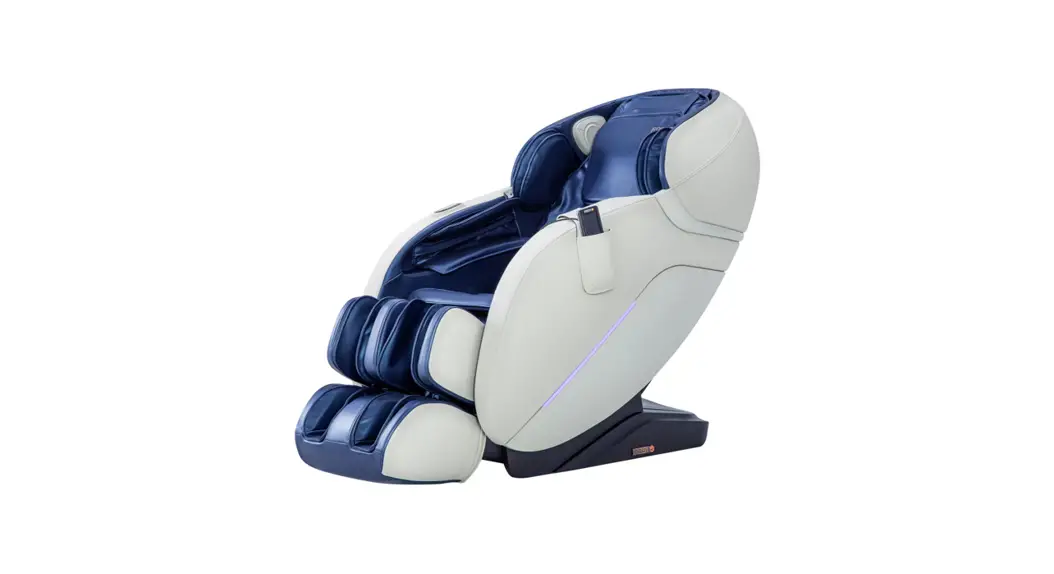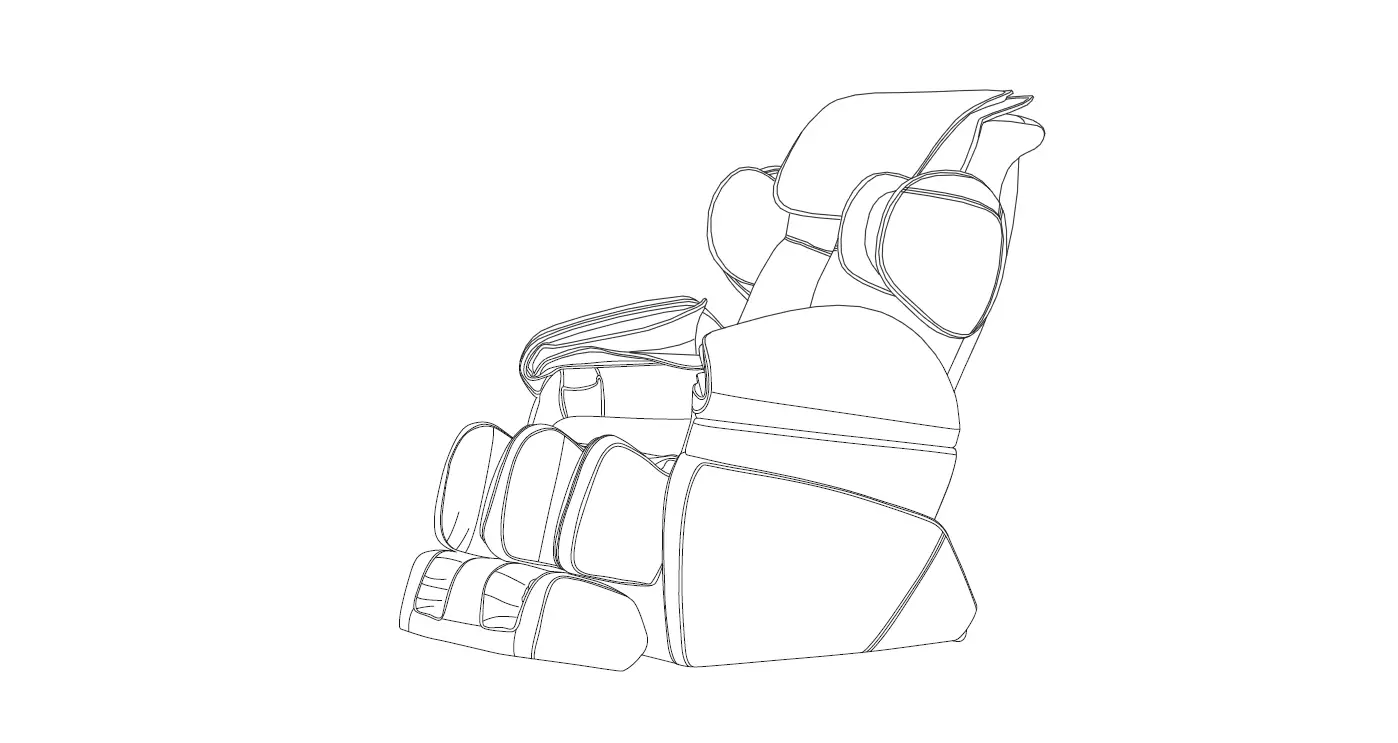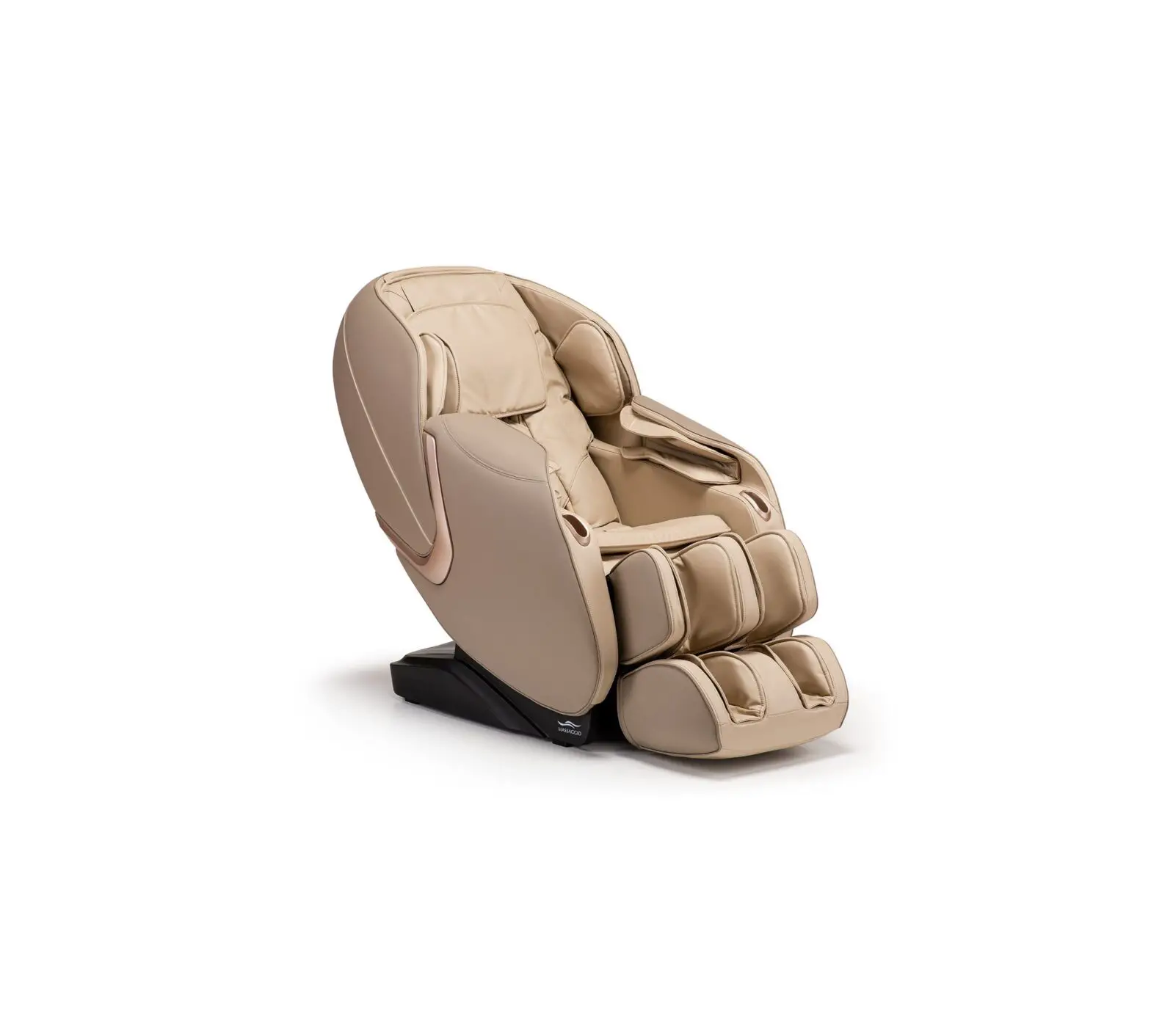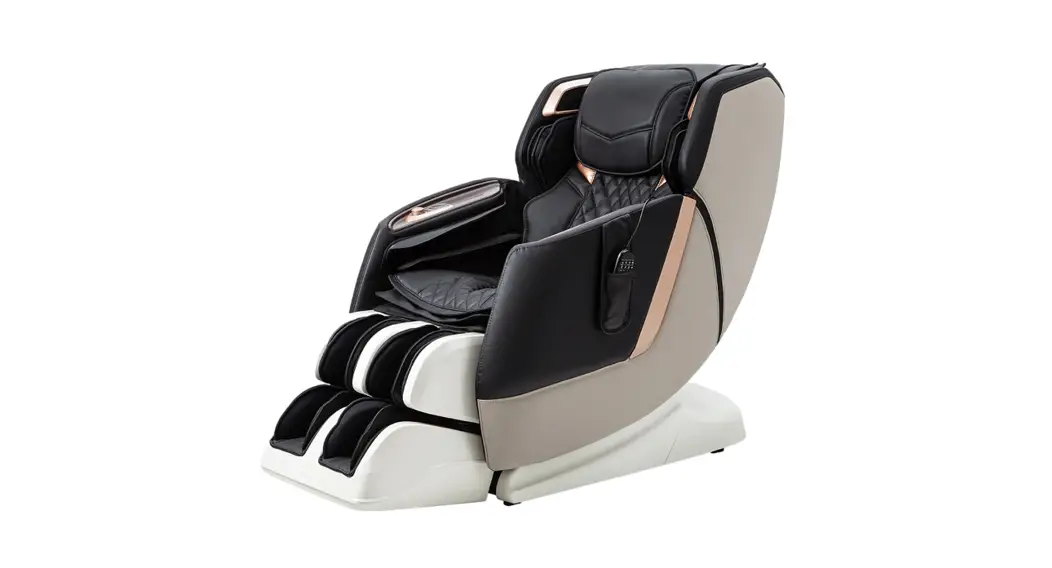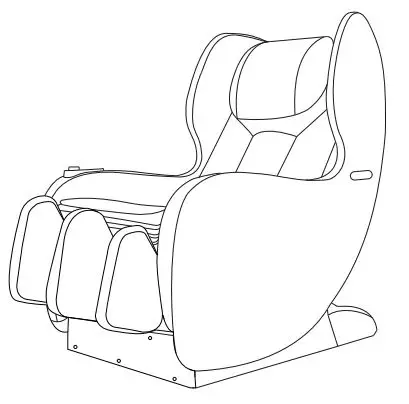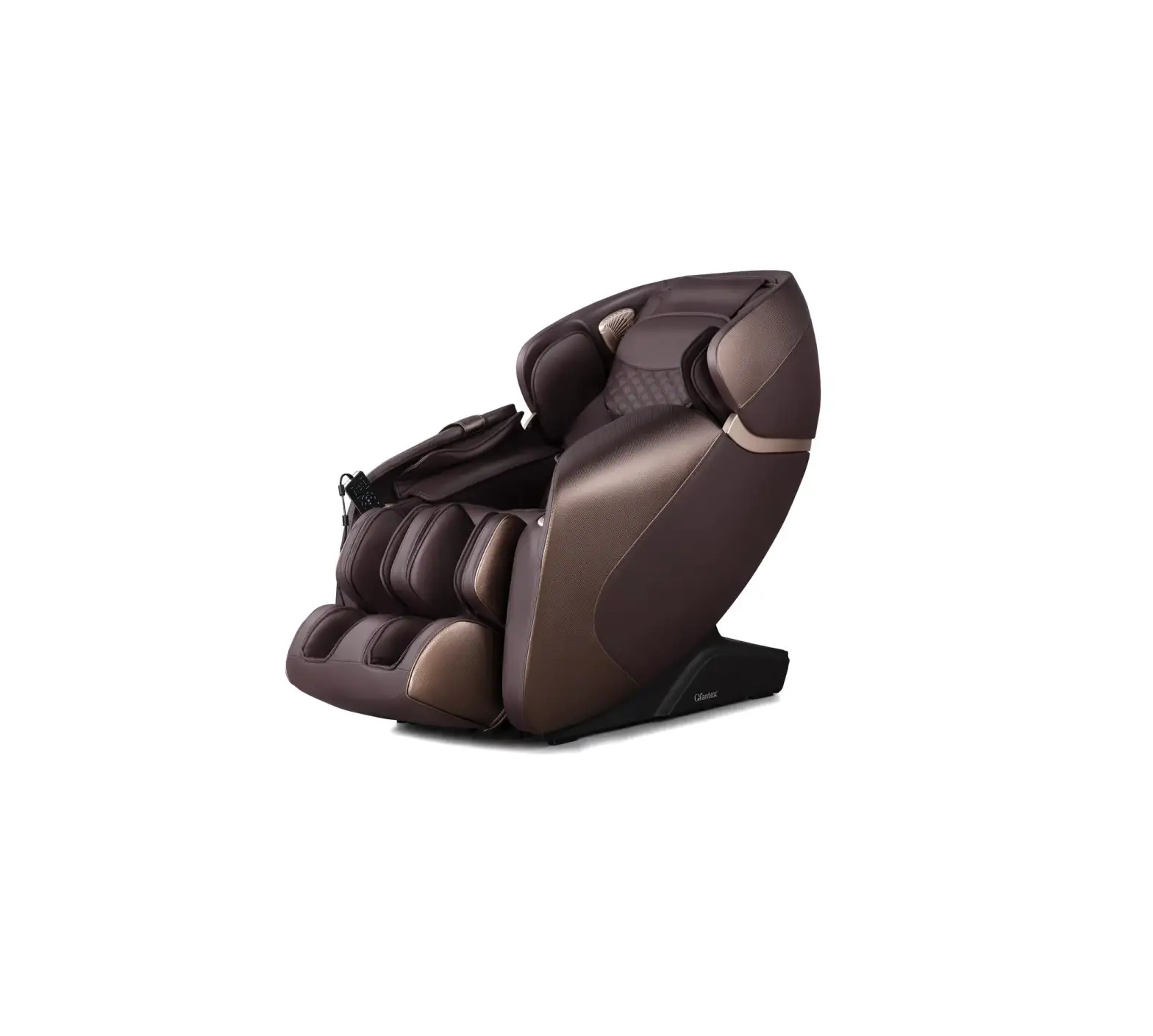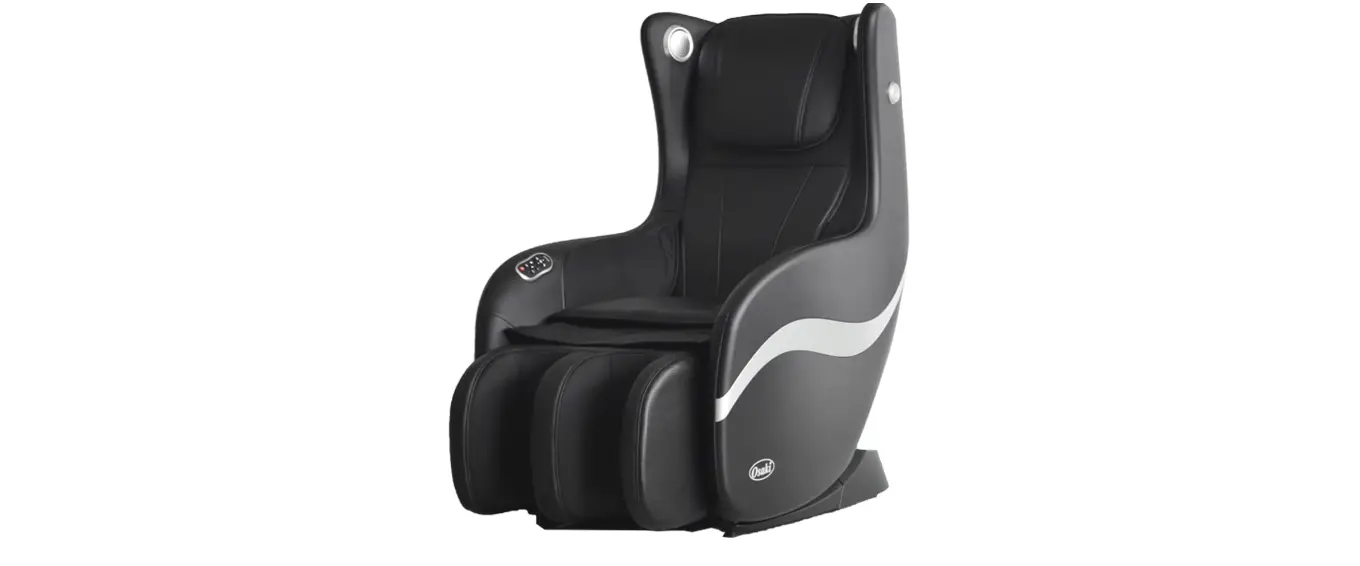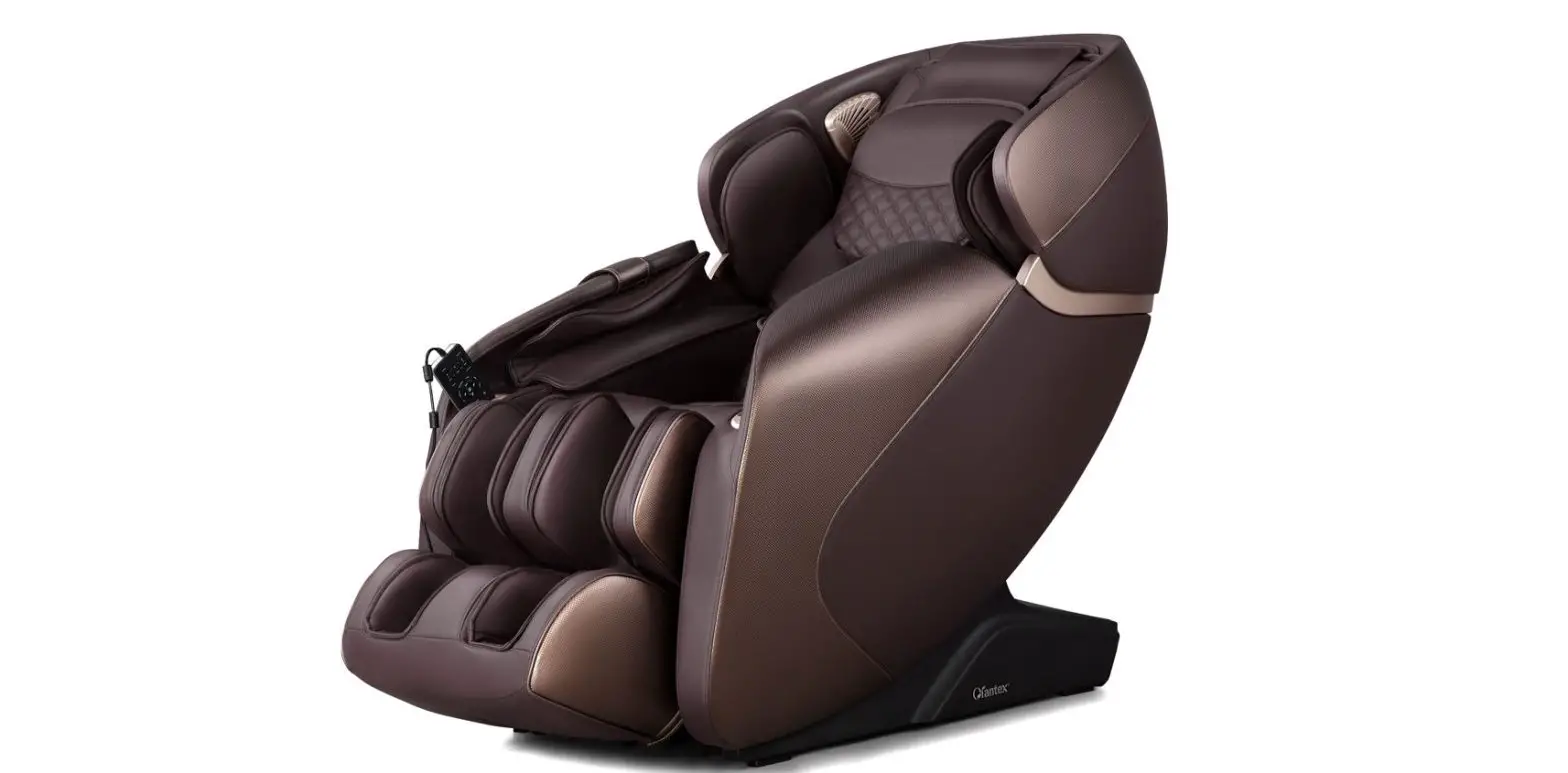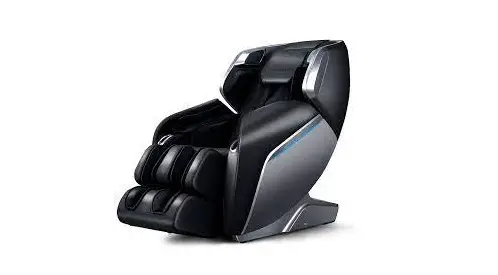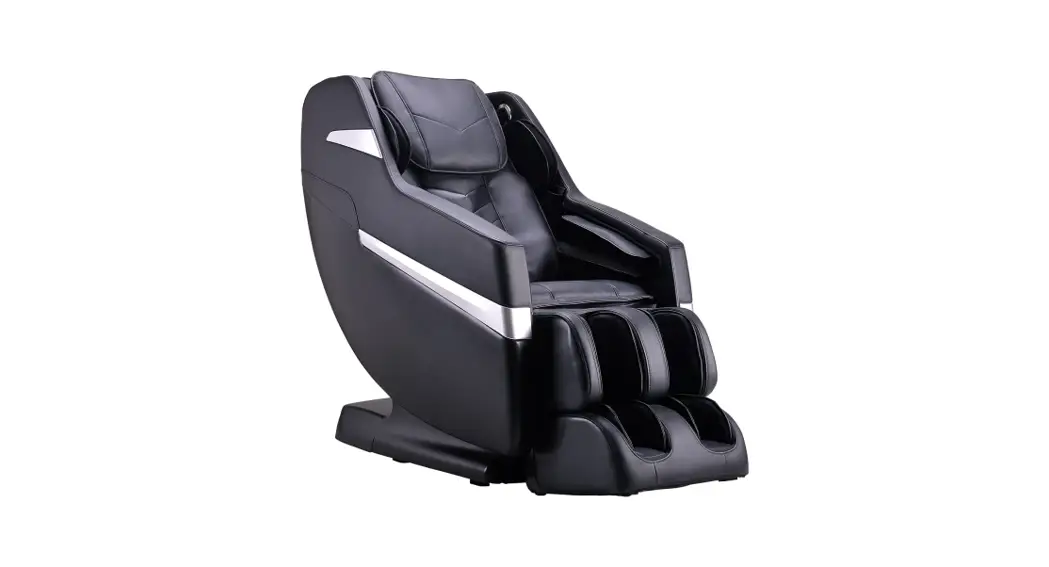

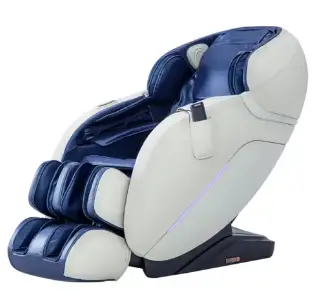
MassaMAX MD906 Intelligent Massage Chair
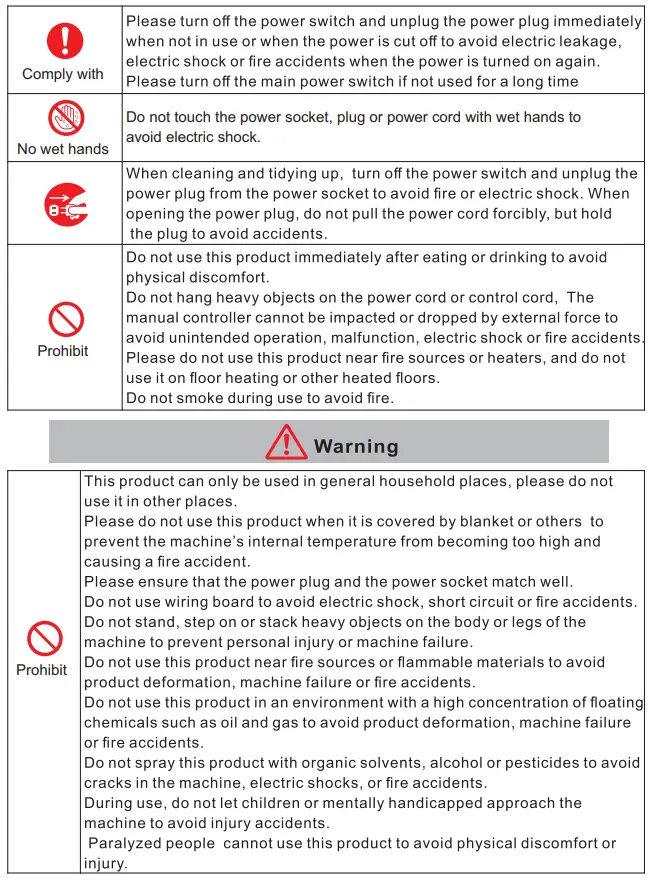
Safety Precautions
WARNING
| Prohibit | The following people are not allowed to use the massage chair. Thrombosis (blood disease, toxic aneurysm, acute vein tumor), various skin diseases or skin infections (including inflammation of subcutaneous tissue), etc. |
|
Comply with | Please consult your doctor before using the massage chair: Patients with implantable medical devices in their bodies who are easily injured by electromagnetic influences. Patients with malignant tumors Patients with heart disease Women in pregnancy or menstrual cycle Patients with diabetes and peripheral circulatory disorders. Perceptually impaired. Persons with trauma in the massage site. Those with a fever over 38°C, such as acute inflammation (typhoid fever, high blood pressure). Those who are severely ill and physically weak. Patients ith fractures and acute bone pain Patients with muscle sprains and muscle inflammation. In addition, if you feel unwell or need to be quiet, please use it with caution. |
| The massage procedure of this product will cycle for 15 minutes. Please avoid continuous massage on the same part. If you need to continue to use it, please wait for more than 30 minutes to avoid excessive stimulation of the muscles or nervous system. |
 No wet hands | Never use it when your body is wet to avoid electric shock or machine failure. |
 No humidity | This product can not be immersed in water or other liquids, and can not be used and stored in a humid environment such as a bathroom to avoid electric shock or mechanical failure. |
| Must follow |
| Disassembly prohibited | It is forbidden to disassemble or repair this product, cord, hand controller and other components by yourself to avoid electric shock, fire accident or machine failure. When the power cord is damaged, it is prohibited to disassemble and replace it privately,It must be repaired or replaced by the manufacturer or qualified professionals. |
| Prohibit | Do not use damaged power cords. Do not forcibly bend, pull, twist, or damage the power cord, and do not hang heavy objects on the power cord. A damaged power cord may cause electric shock, short circuit or fire accidents. |
|
Prohibit | The massage chair will automatically change its angle during the automatic program. It is forbidden to come close to cracks and gaps to avoid injury. |
| Do not allow children to ride or play on this product to avoid injury or cause malfunction of the machine. | |
| When adjusting the chair back and seat and adjusting the leg lift, make sure that there are no other persons, pets or objects behind the back and under the leg. During the adjustment process, do not place any part of the body, including hands and feet, in the gap between the backrest and seat, backrest and armrest, armrest and shoulder, seat and armrest cover to prevent injury. | |
| Do not use this product naked to avoid skin damage. | |
| Please be sure to use this product according to the instruction described in this manual, and do not sit directly on the legs or armrest parts to avoid injury or accidents. | |
| The chair cannot be used to avoid injury or accidents when the body cover is disassembled or damaged. |
Product component name
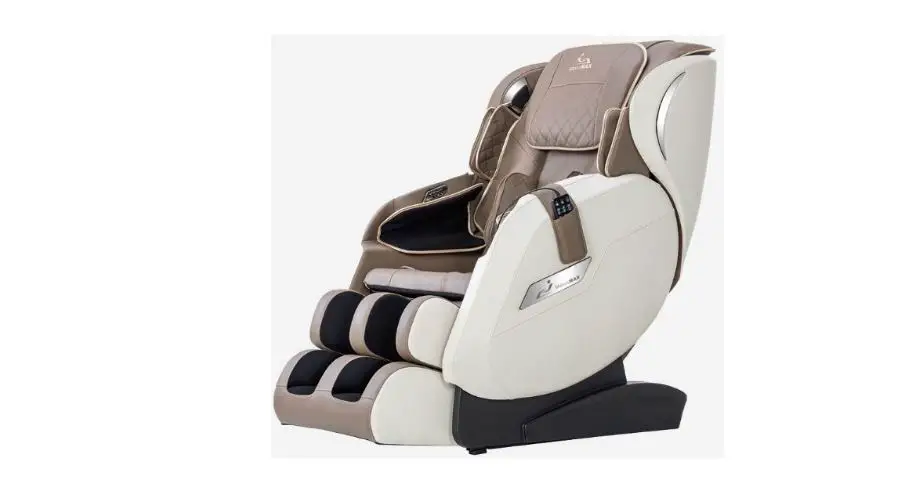
Product Appearance
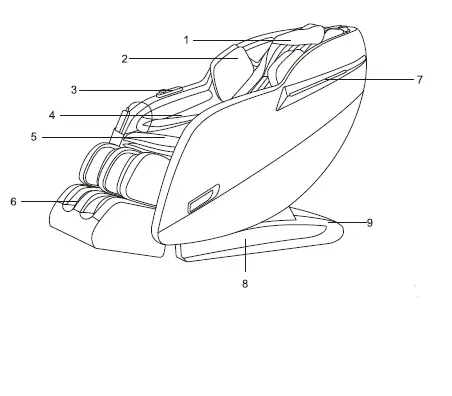
- Pillow
- Shoulder airbag
- Shortcut keys
- Arm airbag
- Seat cushion
- Legrest
- Atmosphere lights
- Side plate
- Chair base

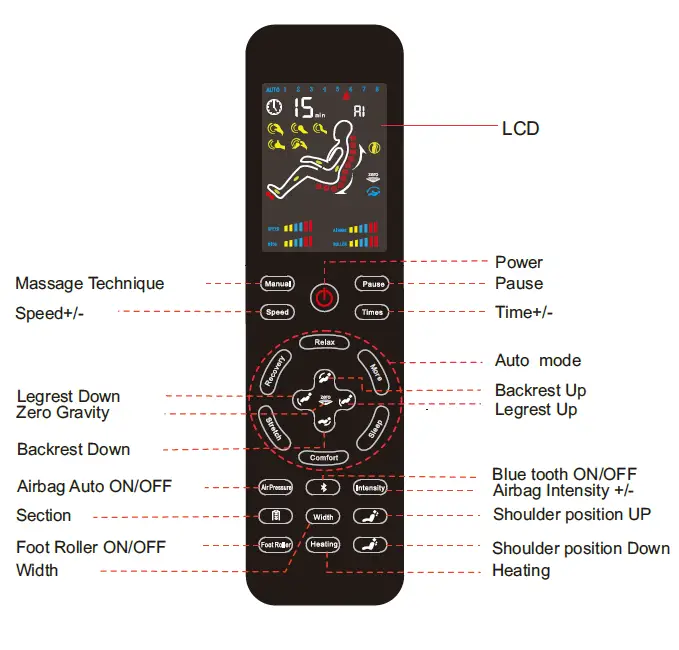
Hand controller display
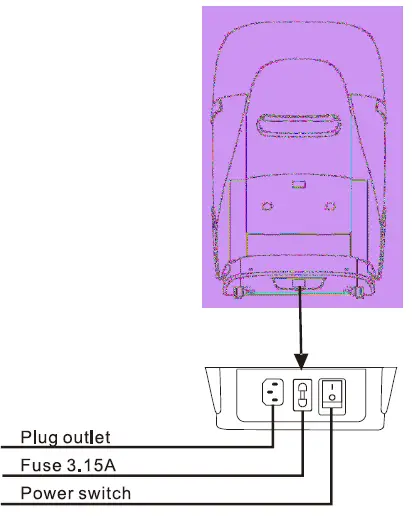
Before use, you need to connect the hand controller and make sure the power supply is OFF.
- Do not spill water or other liquids on massage chairs or the hand controller.
- Do not install it with wet hands.
- “Do not sit on the hand controller, or fall off or trample it, and do not forcibly pull the wires.
- Do not press the LCD screen with sharp or hard objects. (Or it may cause damage)


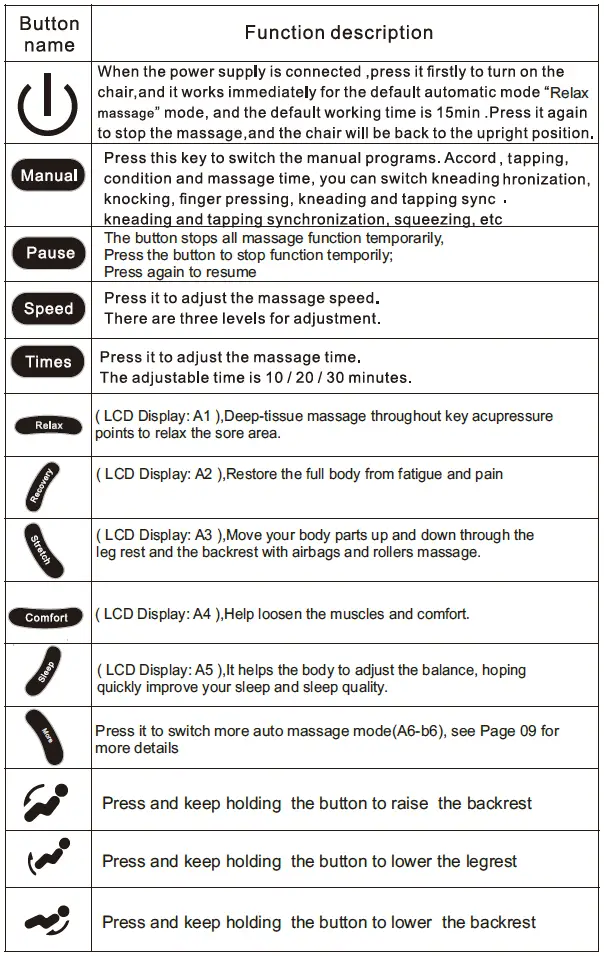
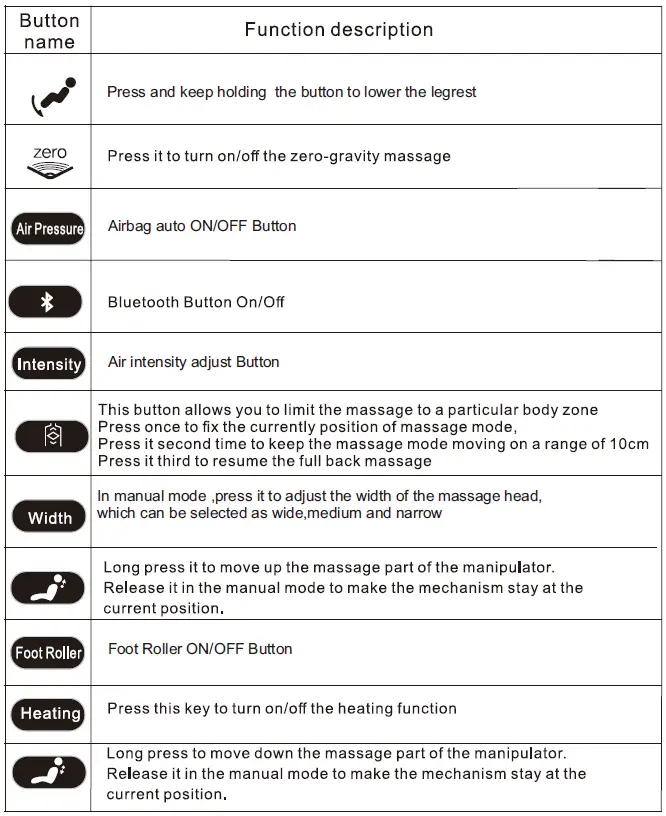
PS: The chair will not reset by default after the “Auto Mode finished press the “ “button can the chair be reset and turned off.
Function description
Automatic Modes
| Mode Name | Program features | LCD display |
| Relax | Deep-tissue massage throughout key acupressure points to relax the sore area. | A1 |
| Recovery | Restore the full body from fatigue and pain | A2 |
| Stretch | Move your body parts up and down through the leg rest and the backrest with airbags and rollers massage. | A3 |
| Comfort | Help loosen the muscles and comfort | A4 |
| Sleep | It helps the body to adjust the balance, hoping quickly improve your sleep and sleep quality. | A5 |
|
More | Relief:Quickly relieve fatigue in the back and limbs | A6 |
| Shoulder & Neck:Focus on the shoulder and neck massage. | b1 | |
| Back & Waist:Focus on the back and waist massage. | b2 | |
| Waist & Hips:Focus on the waist and hips massage | b3 | |
| Office regimen:Powerful massage for sore areas common to office workers. | b4 | |
| Lady:Effective massage on fatty areas, supplemented by full body relaxtion to help shape your body. | b5 | |
| Older:Gently massage the entire body to help relax the mind and body | b6 |
PS: After turning on the massage chair, there will be three “Di-Di-Di”prompt tones, which means the chair will enter the shoulder detection. At this time, you can long press the” button to adjust the shoulder position of the machine. After releasing, the chair will be on the first automatic program “relax “mode after another three “Di-Di-Di”prompt tones.
Functions that can still be used in automatic mode:
Foot roller button, Zero button,Heating button, Backrest up button, Backrest down button, Time button, Airbag strength button, Intensity air pressure button.
Manual Procedure
Press the manual mode button and enter the manual massage mode.
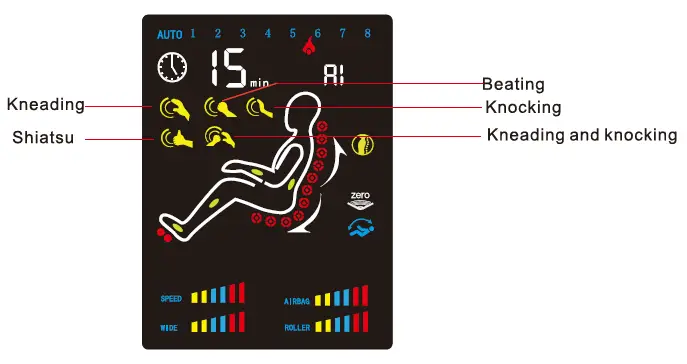
Press the “Manual “ button to switch massage techniques. The upper left corner of the screen shows the current massage technique. Entering manual mode, all functions can be adjusted and operated following by the button functions of hand controller.
Bluetooth connection instructions
Turn on the Bluetooth on the mobile phone to search for Bluetooth, find the local Bluetooth (Massage), match successfully, turn on the Mobile Music and play music.
INSTALLATION
The Legrest Installation
Step 1
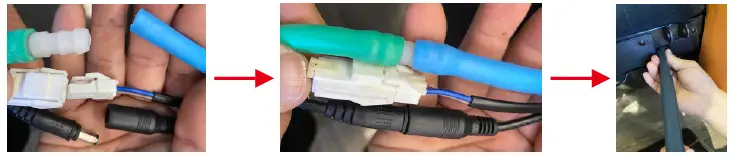
- Connect the wires and the air hose between chair seat and the leg rest, confirm whether the docking is in place.
- Unfasten the black pipe belt and insert the connecting part into the seat frame. P.SAvoid tracheal dying when entering.

Step 2
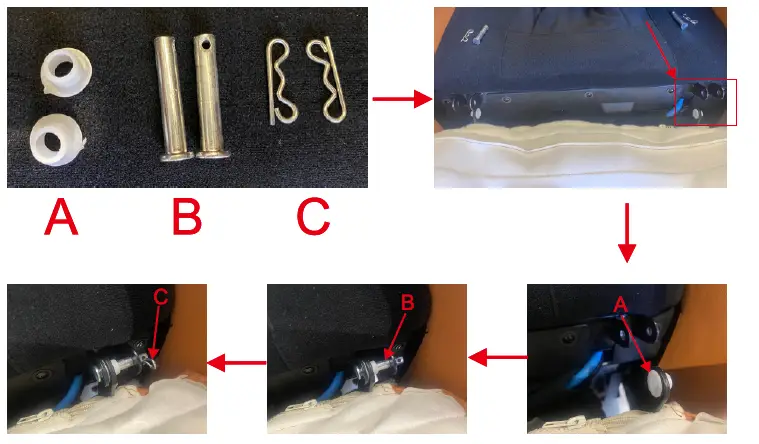
- Fetch the parts (A/B/C) from bag
- Place partA insert legrest l eft and right sides.
- Place part B insert the hole, from inside to outside.
- Insert part C into the hole of part B.
- P.S Hide the parts after install the legrest.

- If the aisle width is less than 90cm, the massage chair cannot be moved normally.
- If the massage chair cannot be moved normally, please contact the dealer who sold it.
- Please do not drop the massage chair when moving in and out due to the heavy height of the massage chair,
- Please do not move the massage chair when man is on that.
- Please unplug the power plug from the socket before moving the massage chair. (The power plug may be damaged, cause fire or electric shock.)

A. When deciding where to place your chair, consider the following:
- Place the unit on a flat surface, away from direct sunlight or any other direct heat source (to avoid fading).
- If you wish to place the unit on a hard surface, it is recommended that you place a piece of carpet or a soft mat underneath it to avoid damaging the floor .
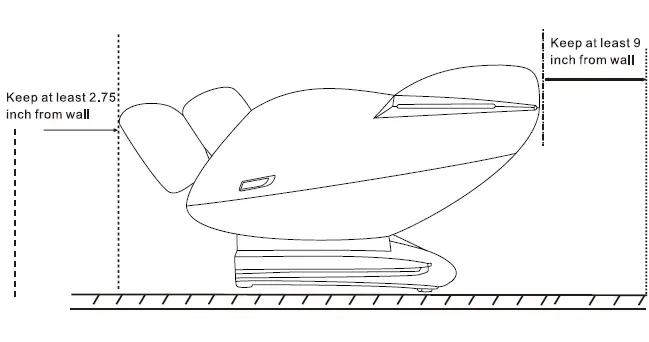
- To accommodate the footrest when deployed, make sure the area at back of the chair is clear for at least 9 inchs.
- Do not to use it in the places with heavy humidity such as bathrooms or saunas.
Care and maintenance
To keep your product working and looking its best, please follow these simple care guidelines.
WARNING
- Remind the power cord from the electrical outlet before cleaning.
- When cleaning the remote control or power switch, use a dry cloth only. Never use a damp cloth to clean any electrical component.
CAUTION:
- Be sure to test any cleaning solution on a small, inconspicuous part of the product to ensure that the color does not fade before using the solution on the entire product surface.
- Do not use benzene, thinner or any other solvents on your product.
- Cleaning Code Standard for SofHyde or Cloth: W
- To maintain your product in optimum condition, dust it frequently and/or vacuum it with a soft brush vacuum extension. If your product becomes dirty, use a
water-based upholstery cleaner only. To treat stains, spot clean with an upholstery shampoo or a mild detergent foam.
Maintenance and Repair:
- The mechanics of this product are specially designed and constructed to be maintenance free. No periodic lubrication or servicing is required.
- A service representative should only service your chair.
Use and Storage Environment:
- Do not place the chair in direct or reflected sunlight, as ultraviolet rays will quickly fade the upholstery color and cause SofHyde upholstery to rapidly deteriorate rapidly.
- Operate your chair in a room temperature between 5 to 35 degrees Celsius with humidity levels of 20% to 80%; free of corrosive gases, and a well-ventilated room.
- To prevent damage to the upholstery, please ensure that there are no sharp objects in your pockets before sitting on the chair. No metal buttons and zippers can reach the chair.
- Do not place the chair where there is too much dust and pet hair;they will migrate into the electrical and mechanical parts of the chair,which may cause malfunction.
- When not used for a long time, please recommend wrapping the power cord, covering the chair,and placing the product in a dust-free and moisture-free environment.
- Storage room temperature:-5℃ to 35℃.Relative humidity(RH)between 20% and 80%; free of corrosive gases,and a well-ventilated room.
- Do not store in or near an open flame.
Self-inspection
If your chair has no power
- Check the power cord – Make sure the power cord connection to the chair is secure and that the power cord is not damaged.
- Check the wall outlet – Plug a known working device into the outlet to ensure the outlet is working.
- Replace the fuse – Use a flat-head screwdriver to turn the fuse holder (located next to the power switch) counter-clockwise until it pops out. Replace the fuse with one of the spare fuses that came with your chair, or any 250V, 3.15A fuse. Just like with any other electronics, this simple reset sequence will resolve many issues. If, however, your issue remains, Please contact us.
Reference parameters
| Operating Voltage | AC120V/60Hz |
| Power | 140W |
| Working time | The default 15minutes/time,adjustable choose the 5/10/15/20/25 to 30min |
| Auto mode | 12 Modes |
| Chair Size(Upright) | 58 “L×29.92″W×44″H |
| Chair Size(Reclined) | 69″L×29.92″W×34″H |
| Required Recline Clearance | 9″ |
FCC Statement
This equipment has been tested and found to comply with the limits for a Class B digital device, pursuant to Part 15 of the FCC Rules. These limits are designed toprovide reasonable protection against harmful interference in a residential installation. This equipment generates uses and can radiate radio frequency energy and, if not installedand used in accordance with the instructions, may cause harmful interference to radiocommunications. However, there is no guarantee that interference will not occur in a particular installation. If this equipment does cause harmful interference to radio or television reception, which can be determined by turning the equipment off and on, the user is encouraged to try to correct the interference by one or more of the following measures:
- Reorient or relocate the receiving antenna.
- Increase the separation between the equipment and receiver.
- Connect the equipment into an outlet on a circuit different from that to which the receiver is connected.
- Consult the dealer or an experienced radio/TV technician for help.
Changes or modifications not expressly approved by the party responsible for compliance could void the user’s authority to operate the equipment.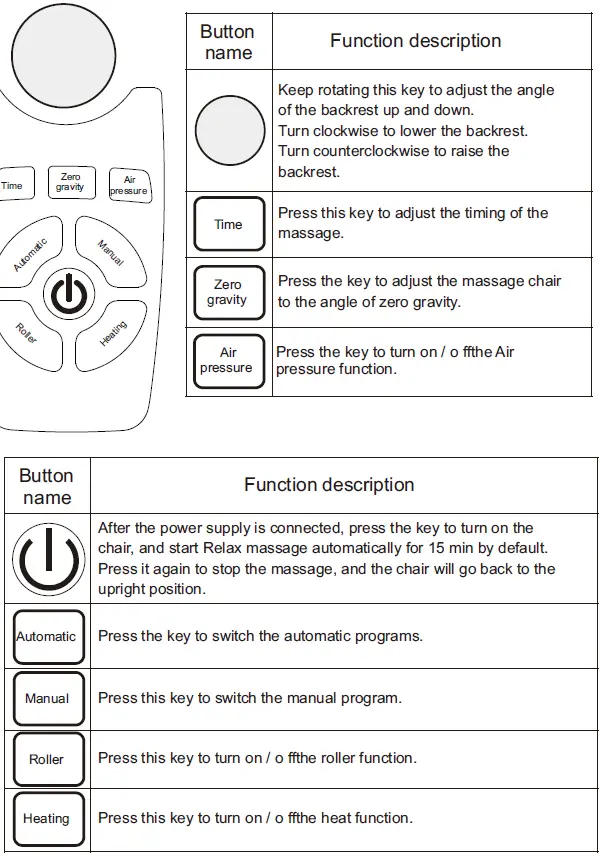
Voice Control Instruction
- When the massage chair is turned on or in standby mode, the sound “Hi Alfi” will be used to enable the voice control function.
- After such function is enabled successfully, the massage chair will reply, “I am here.” Please enter your desired action within 6 seconds. After the massage chair responds, you can achieve the massage mode you want;
- Note: Please use English when the voice control function wakes up. The speech rate is moderate; Voice commands should follow up the Voice entry.
| Voice Control Entry | |
| Entry :“Hi Alfi”, Answer:I am here. | |
| Voice control Entry | Answer Entry |
| Massage on | OK,Massage on |
| Massage stop | OK,Massage stop |
| Relax massage | OK,Relax massage |
| Stretching massage | OK,Stretching massage |
| Neck and shoulder massage | OK,Neck and shoulder massage |
| Back and waist massage | OK,Back and waist massage |
| Sleep massage | OK,Sleep massage |
| Air massage on | OK,Air massage on |
| Air massage stop | OK,Air massage stop |
| Up the seat position | OK,Up the seat position |
| Down the seat position | OK,Down the seat position |
| Change the other mode | OK,Change the other mode |
| Go little down | OK,Go little down |
| Go little up | OK,Go little up |
| Turn on the heat | OK,Turn on the heat |
| Turn o ffthe heat | OK,Turn o ffthe heat |
Note: When waking up the voice function, please use English, speak at a moderate rate, and give voice commands in accordance with the voice-activated entry; if there is voice response from the massage chair, it means that the voice command has been implemented. If the there is no response from the massage chair, the voice needs to be re-spoken instruction.
FCC Warning
This equipment has been tested and found to comply with the limits for a Class B digital device, pursuant to part 15 of the FCC Rules. These limits are designed to provide reasonable protection against harmful interference in a residential installation. This equipment generates, uses and can radiate radio frequency energy and, if not installed and used in accordance with the instructions, may cause harmful interference to radio communications. However, there is no guarantee that interference will not occur in a particular installation. If this equipment does cause harmful interference to radio or television reception, which can be determined by turning the equipment off and on, the user is encouraged to try to correct the interference by one or more of the following measures:
- Reorient or relocate the receiving antenna.
- Increase the separation between the equipment and receiver.
- Connect the equipment into an outlet on a circuit different from that to which the receiver is connected.
- Consult the dealer or an experienced radio/TV technician for help.
Caution: Any changes or modifications to this device not explicitly approved by manufacturer could void your authority to operate this equipment. This device complies with part 15 of the FCC Rules. Operation is subject to the following two conditions: (1)This device may not cause harmful interference, and (2) this device must accept any interference received, including interference that may cause undesired operation. This equipment complies with FCC radiation exposure limits set forth for an uncontrolled environment. This equipment should be installed and operated with minimum distance 20cm between the radiator and yours body.