
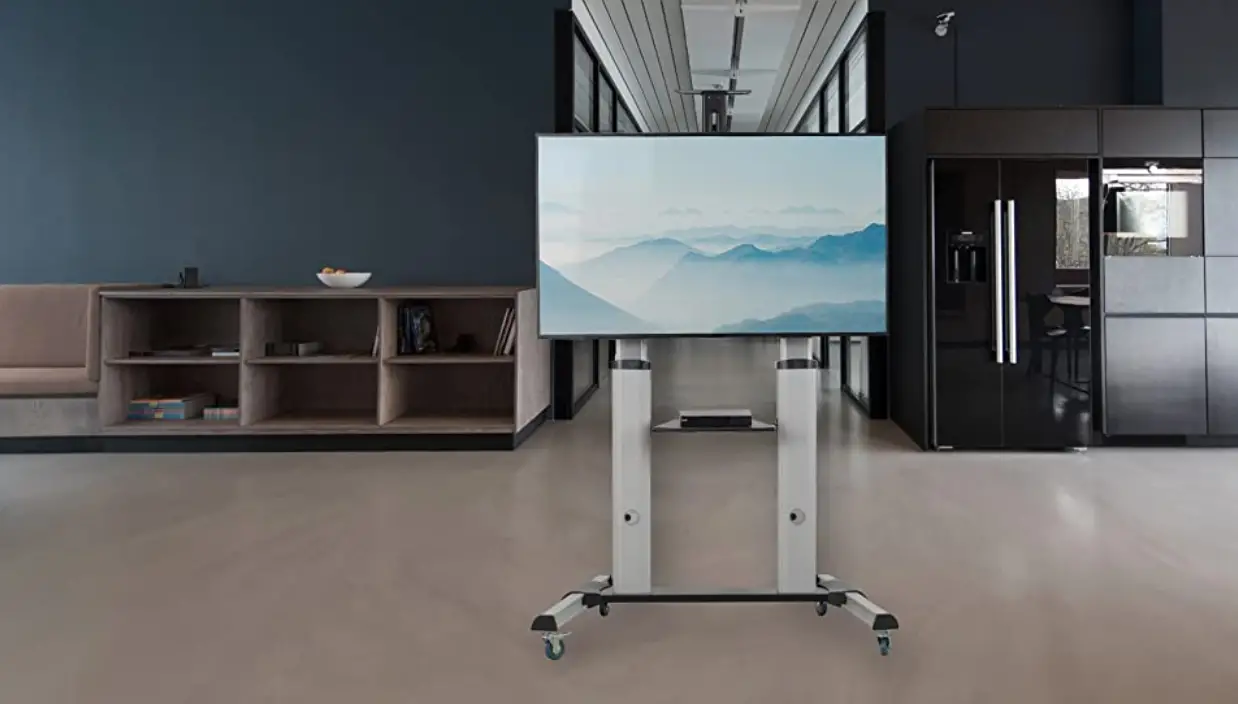

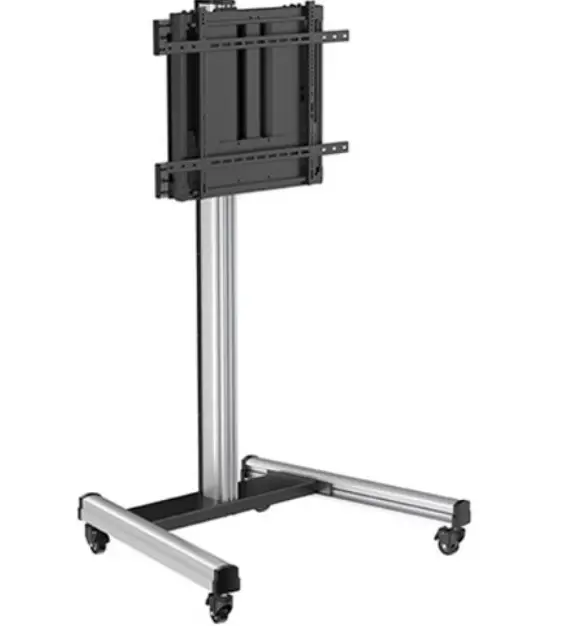
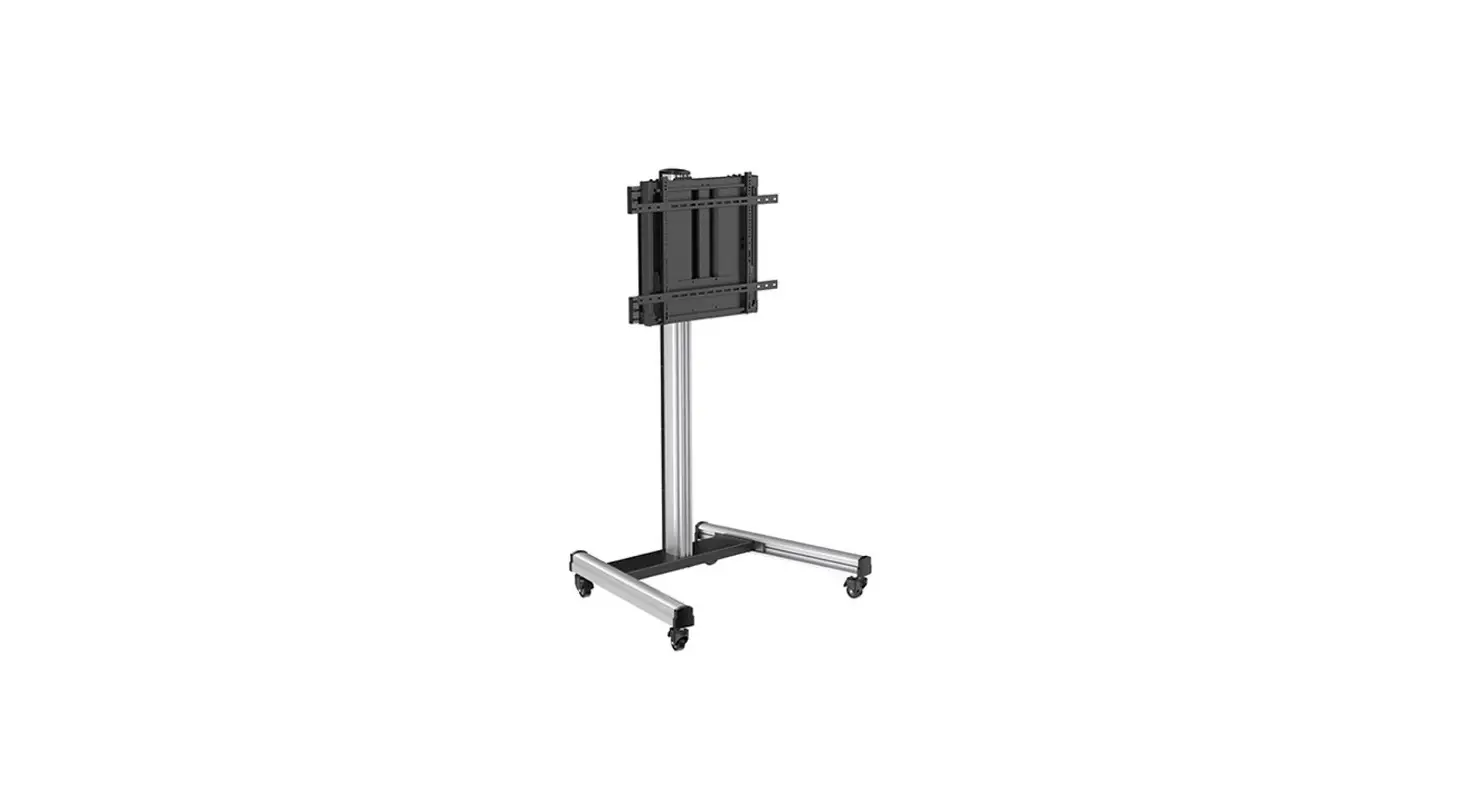
Quantum Sphere QTF09H-90FW Heavy Duty Aluminum Mobile TV
Read the entire instruction manual before you start installation and assembly. If you have any questions regarding any of the instructions or warnings, please contact your local distributor for assistance.
CAUTION
- Use with products heavier than the rated weights indicated may result in instability causing possible injury.
- Please closely follow the assembly instructions. Improper installation may result in damage or serious personal injury.
- Safety gear and proper tools must be used. This product should only be installed by professionals.
- Make sure that the supporting surface will safely support the combined weight of the equipment and all attached hardware and components.
- Use the mounting screws provided and DO NOT OVER TIGHTEN mounting screws.
- This product contains small items that could be a choking hazard if swallowed. Keep these items away from children.
- This product is intended for indoor use only. Using this product outdoors could lead to product failure and personal injury.
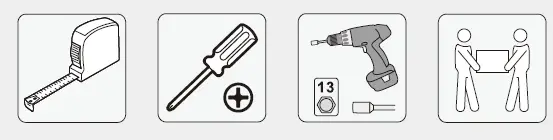
Required for Installation
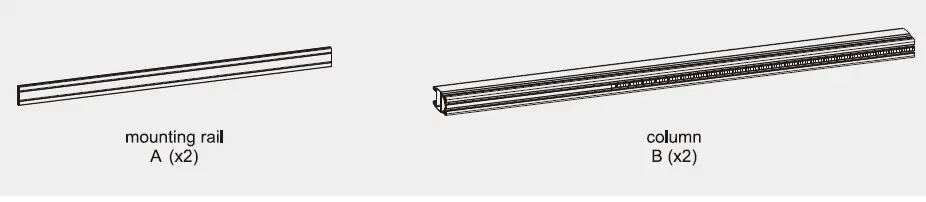
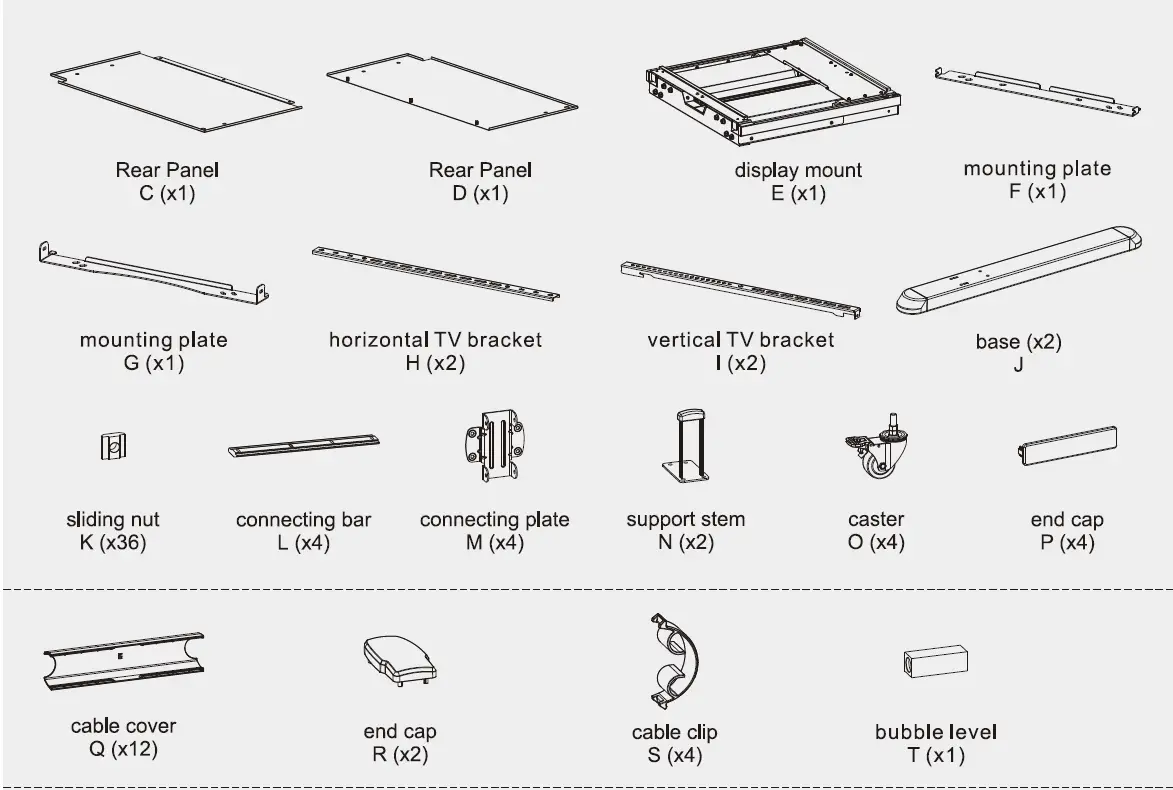
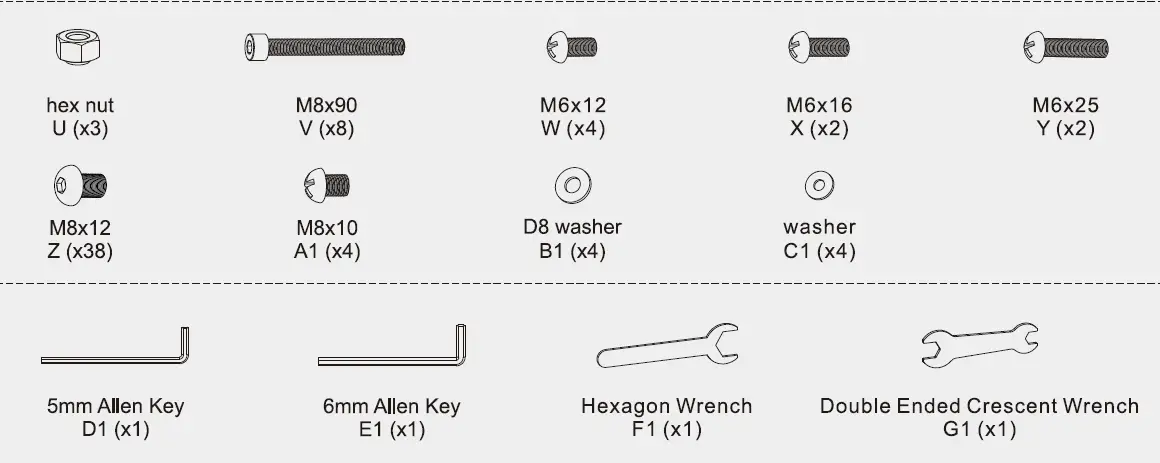
Component Checklist
IMPORTANT: Ensure that you have received all parts according to the component checklist prior to installation. If any part s are missing or faulty, contact your place of purchase for a replacement.
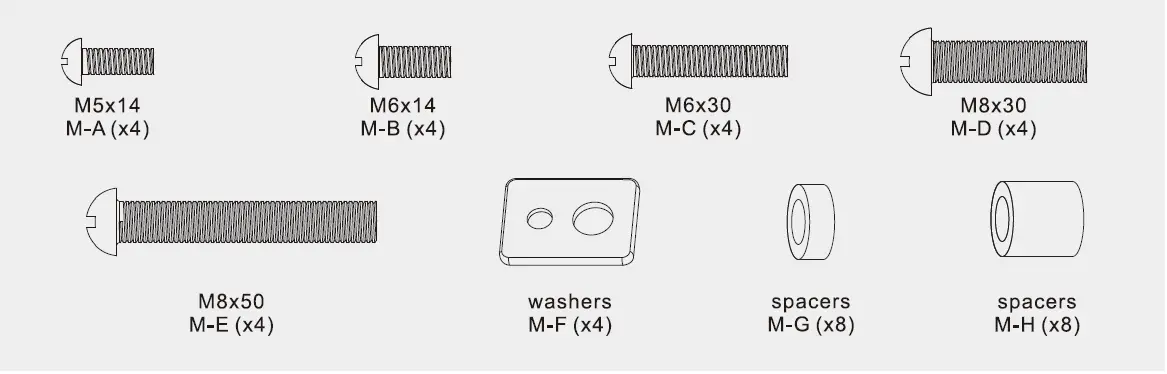
Package M
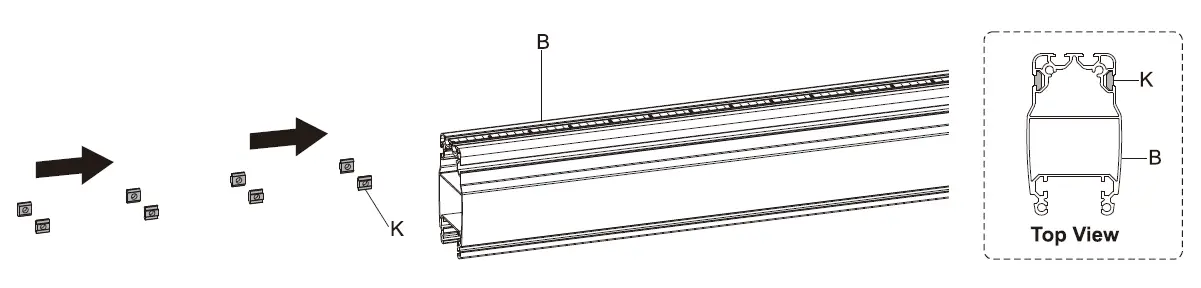
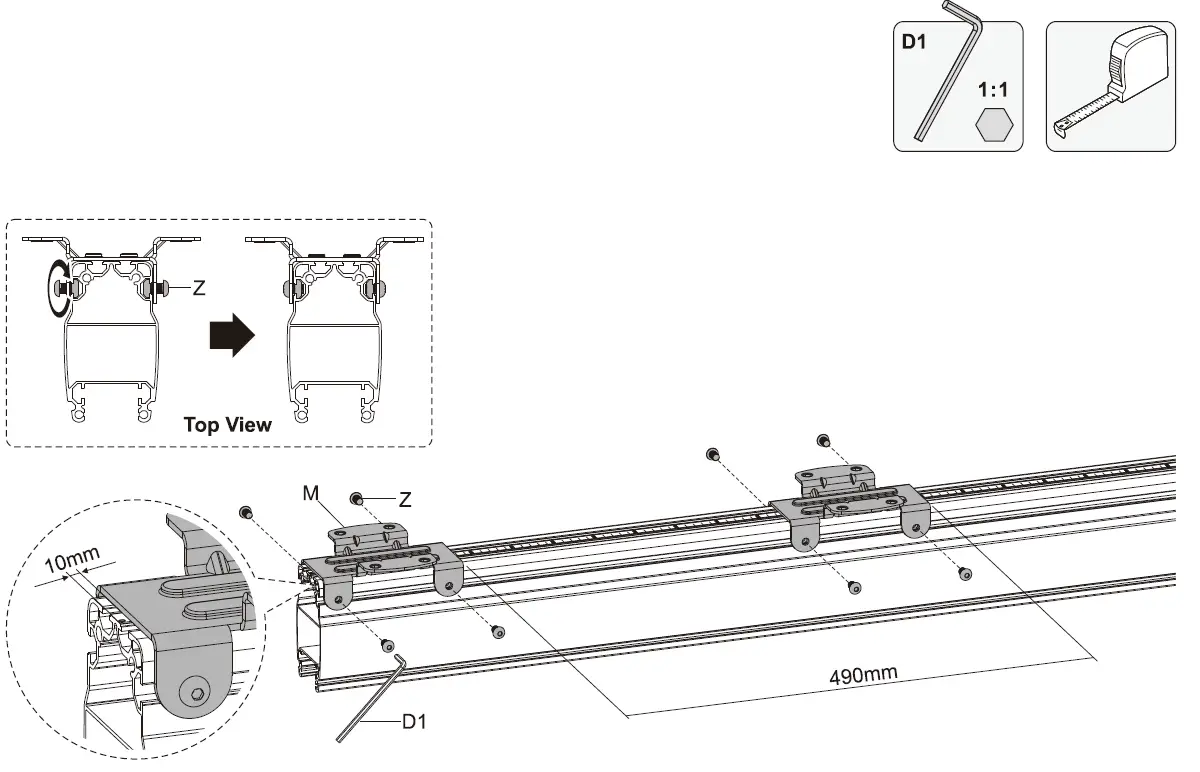
Attach Connecting Plate to the Column
Insert 8 Siding Nuts(K) into the slots on both sides of each Column(B) as shown in Figure Top View.
- Align the mounting holes on sliding nuts to the holes found on the connecting plate as shown in the Top View illustration below. Attach the Connecting Plate(M) to the Column(B). You will not tighten the Screws(Z) in this step.
- Use the tape measure(not included) to set the distance between the bottom of connecting plates on the column. Make sure the distance is 490mm(19.3″). Once set, tighten the Screws(Z).
Note: Leave at least 10mm gap at the top of the column for the end cap.
Attach Column to the Mounting Rail
- Lay Mounting Rails(A) on the floor with the two slots side facing upward.
- Insert 8 Sliding Nuts(K) into 2 slots on each mounting rail as shown in Figure Side View and position the nuts centrally on the rails.
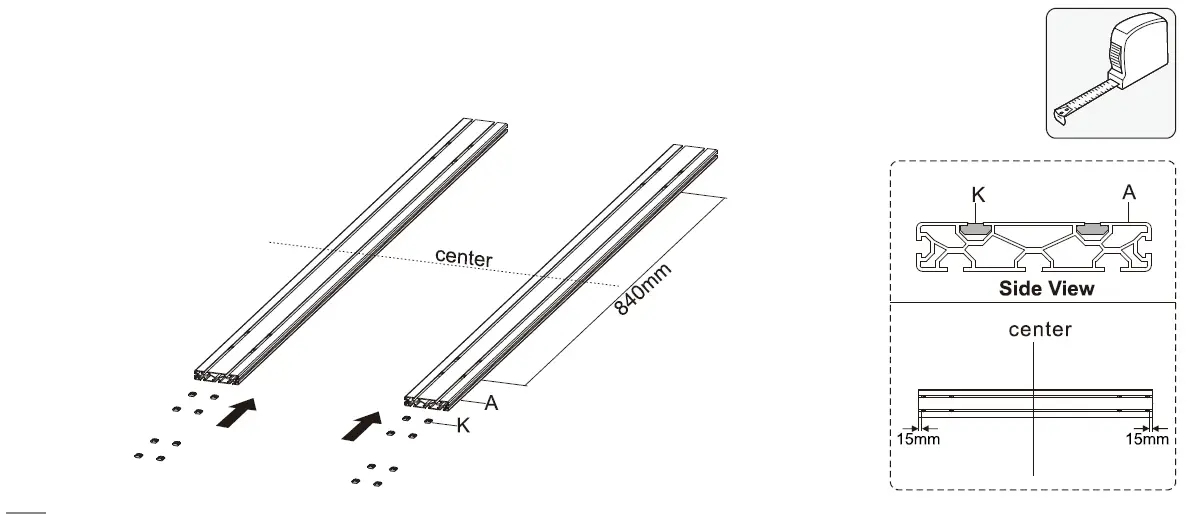
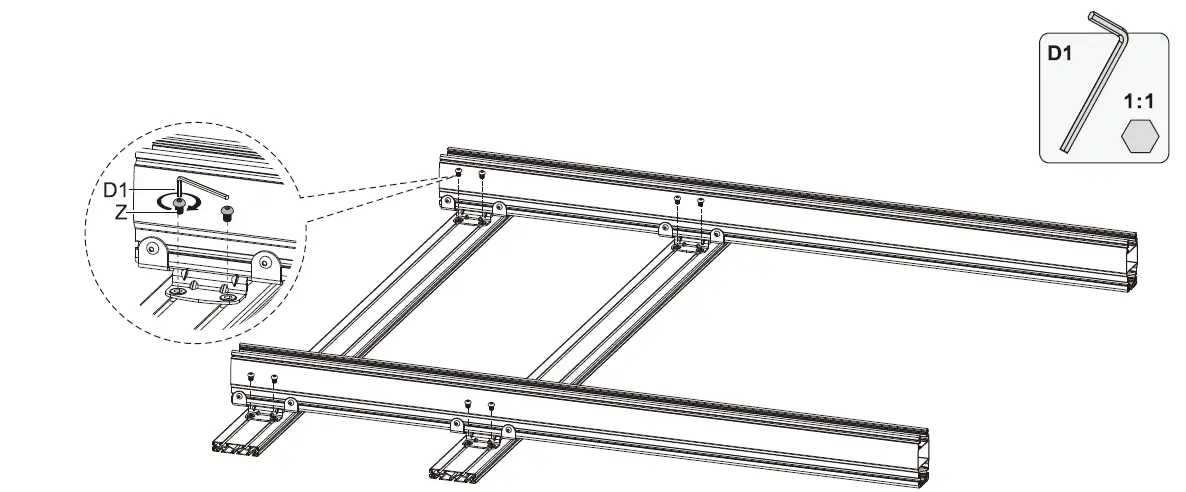
- Align the mounting holes on sliding nuts to the holes found on the connecting plate.
- Attach the assembled column to the Mounting Rails(A) with Screws(Z). Use the tape measure to make sure the position of mounting rails are parallel.
Install the End Cap
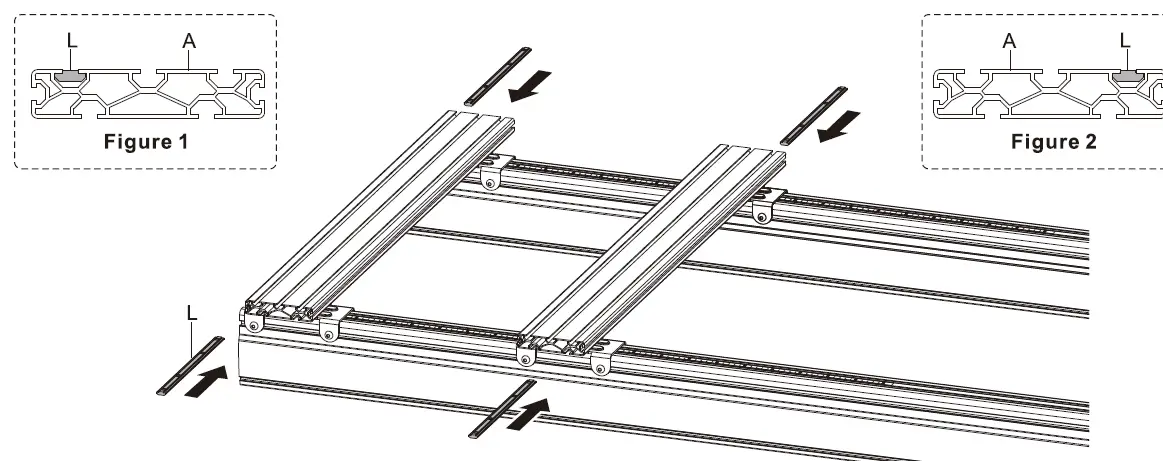
- Insert 2 Connecting Bar(L) to the top slot of the nse p rail as shown in the Figure 1.
- Insert 2 Connecting Bar(L) to the bottom slot of the bottom rail as shown in the Figure 2.
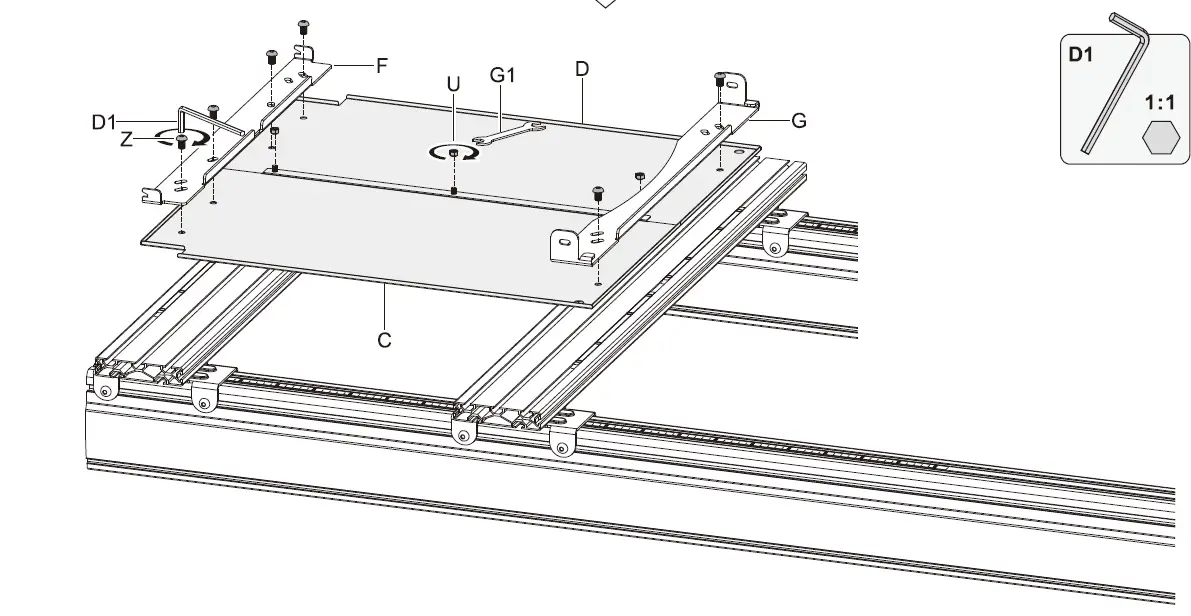
- Assemble the Rear Panels(C) and (D) with Hex Nuts(U).
- Align the mounting holes on the assembled rear panel to the holes found on the mounting rails and the Mounting Plate(F) and (G) as shown.
- Attach the rear panel to the rails with 6 Screws(Z).
Attach the End Cap
Insert 2 Sliding Nuts(K) into the middle slot on each mounting rail as shown in the illustration below and position the nuts to the ends of the rails.
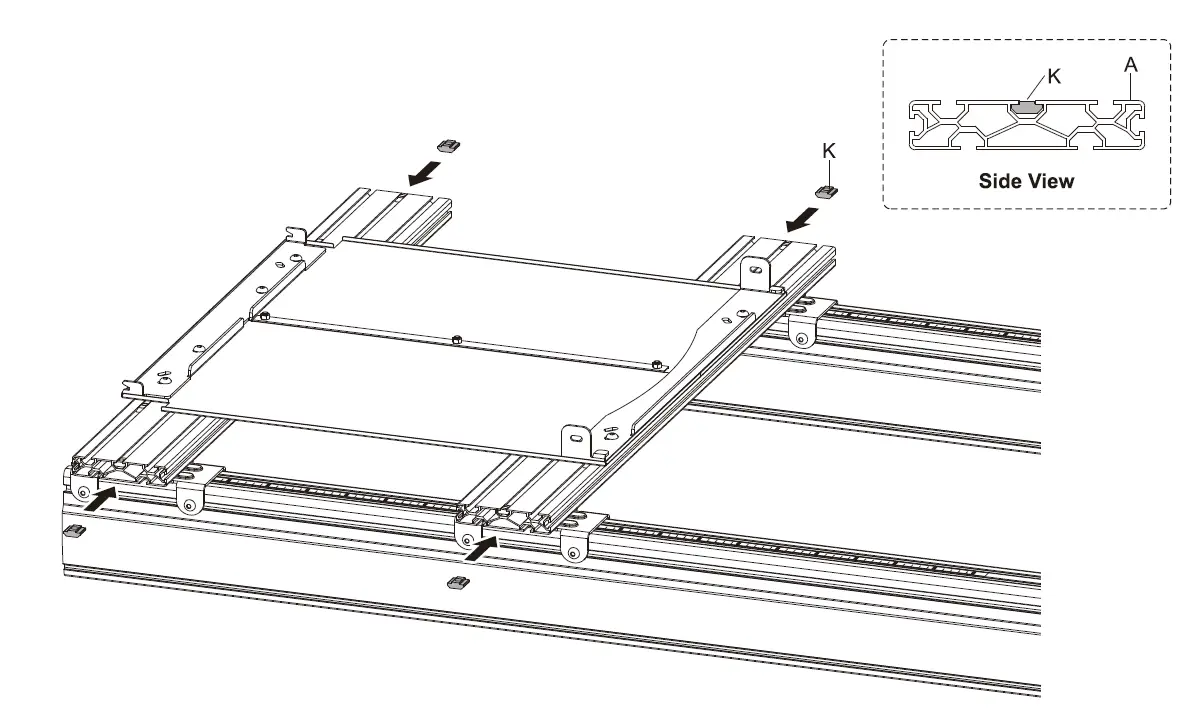
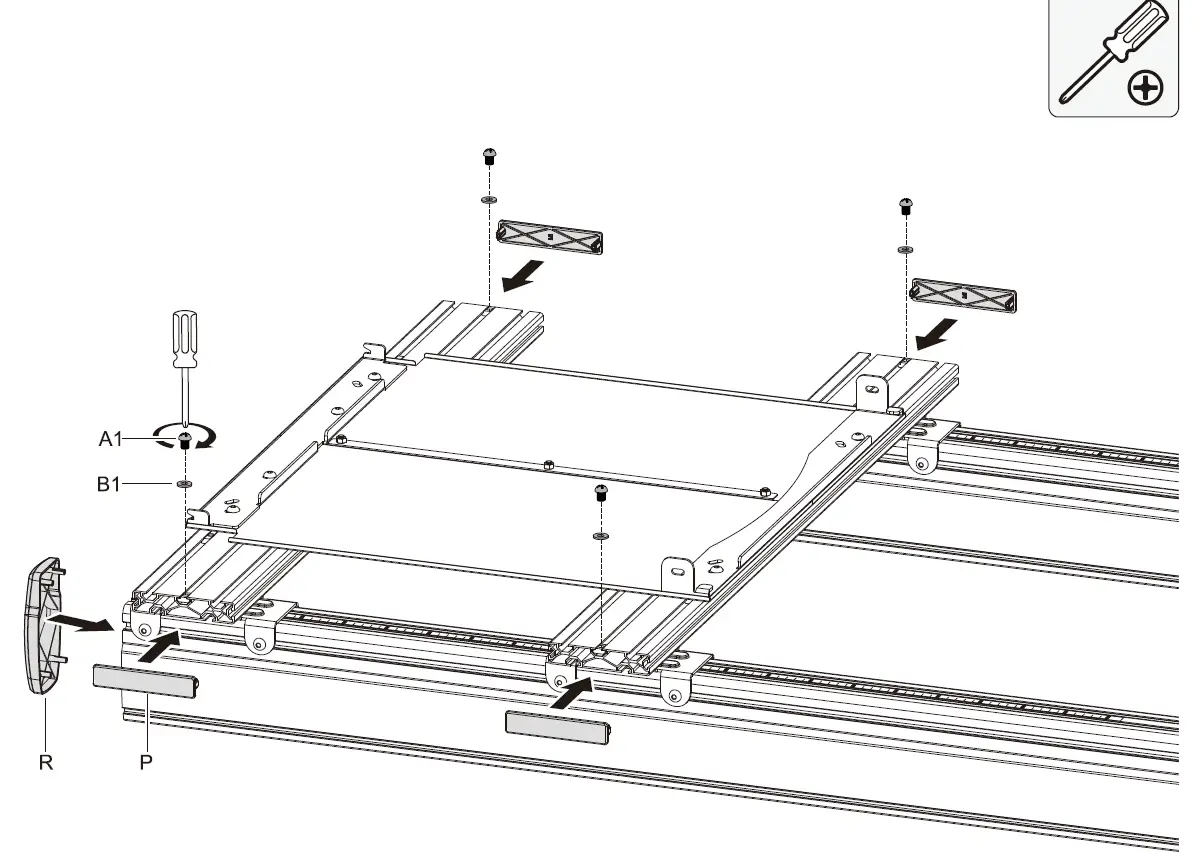
- Fix the nuts using Screws(A1) and Washers(B1).
- Attach the End Caps(P) to the ends of the top rail.
Attach the End Caps(R) to the top of each column.
Assemble the Base
- Remove the end cap from the Support Stem(N).
- Attach column to the Foot Base(J) using support stem and Screws(V).
Note: We recommend to place an unit under each column as shown in the illustration below when installation.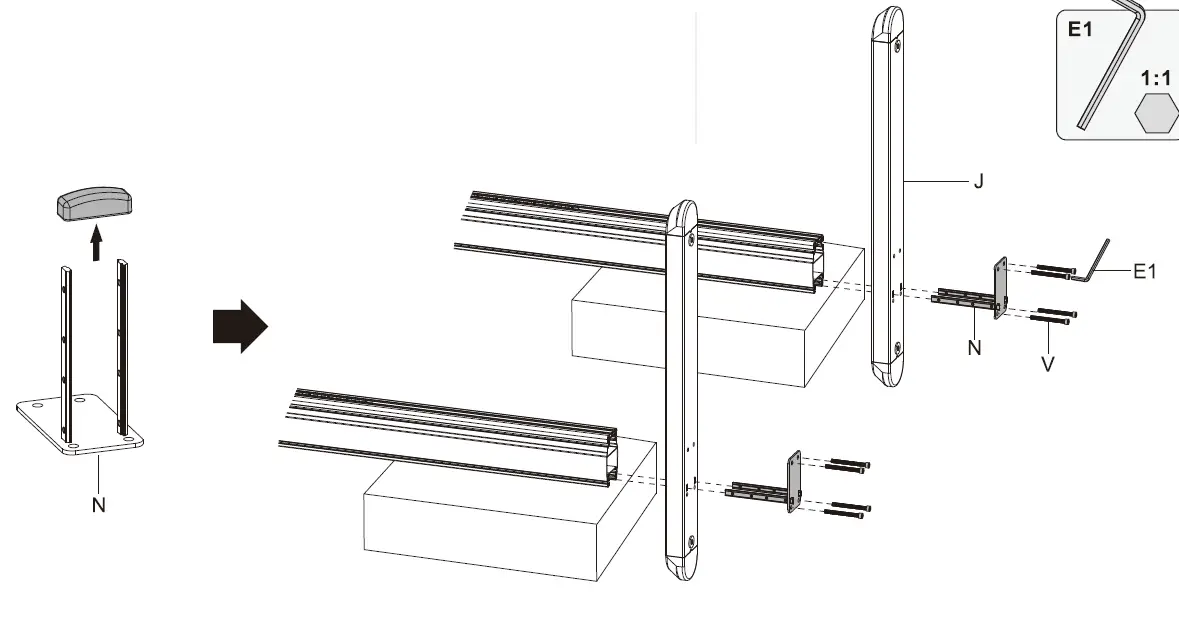
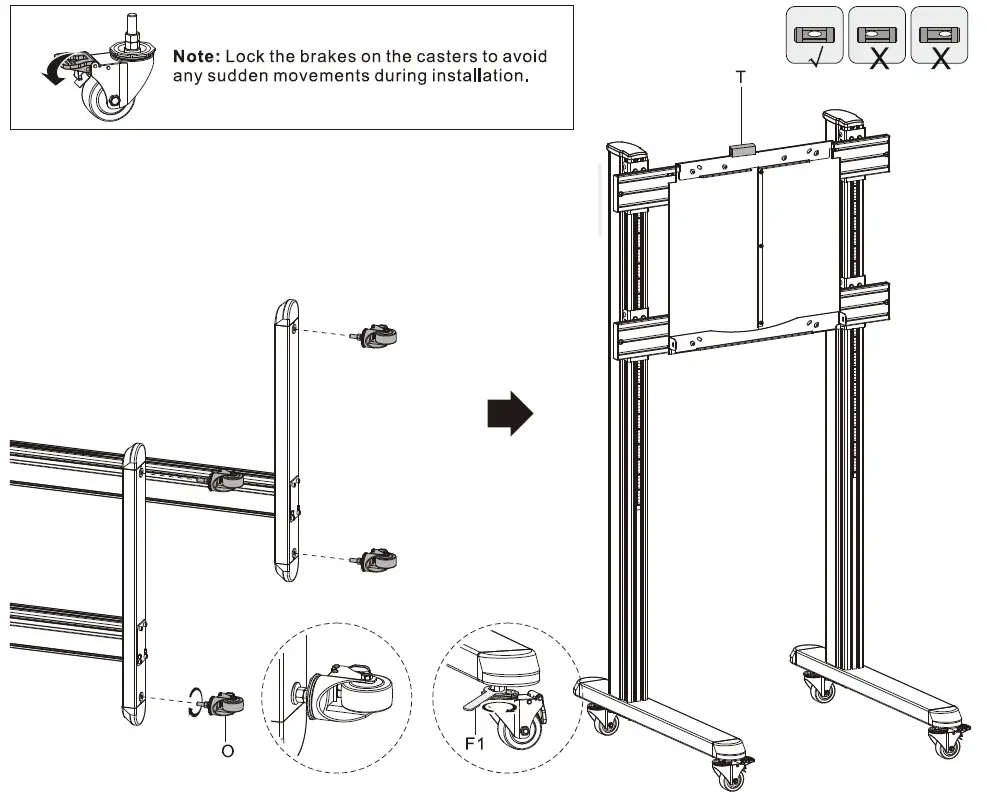
- Screw the lockable Caster(0) into the foot base with Crescent Wrench(F1)
- Turn the stand to upright position, using the Bubble Level(T) to check if the stand is even.
Attach TV Bracket
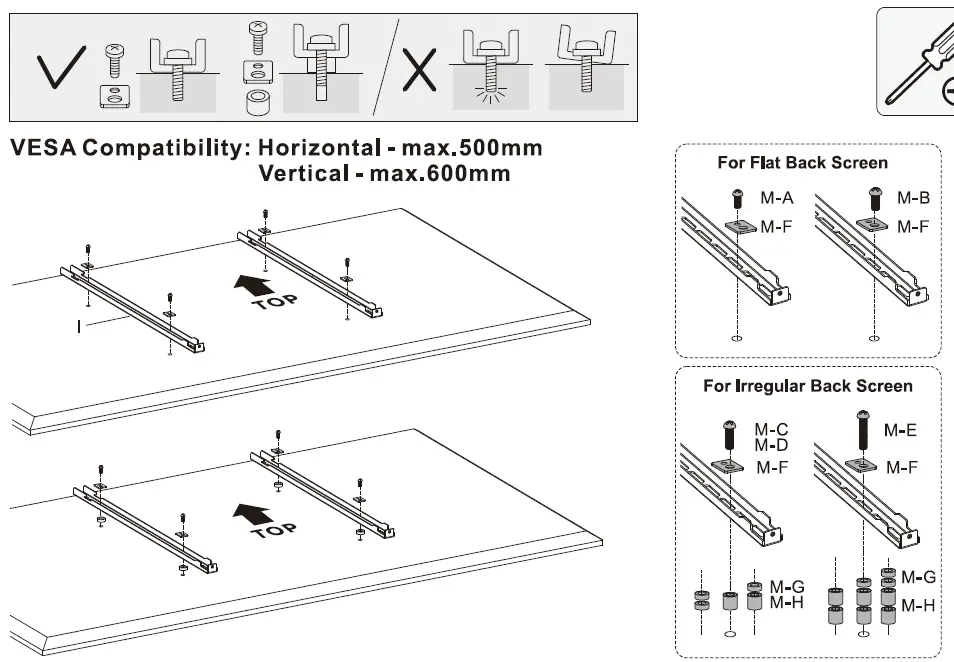
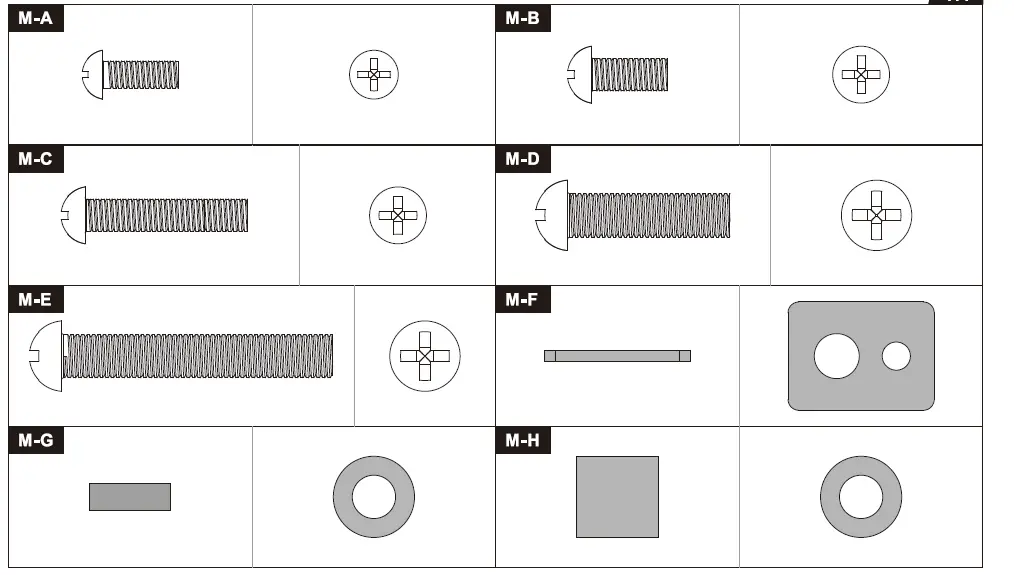
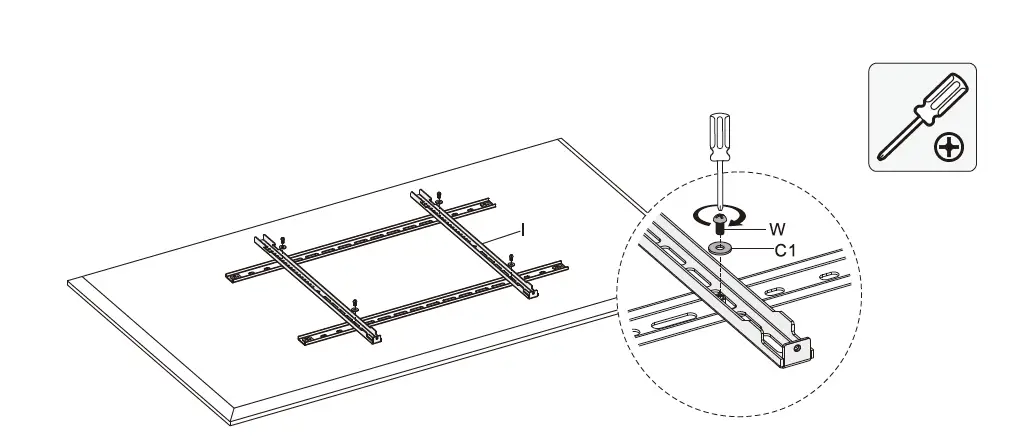
- Note: Choose the appropriate screws, washers and spacers (if necessary) according to the type of screen.
- Position the adapter brackets as close as possible to the center of the display.
- Screw the adapter brackets onto the display.
Tighten all screws but do not over tighten.
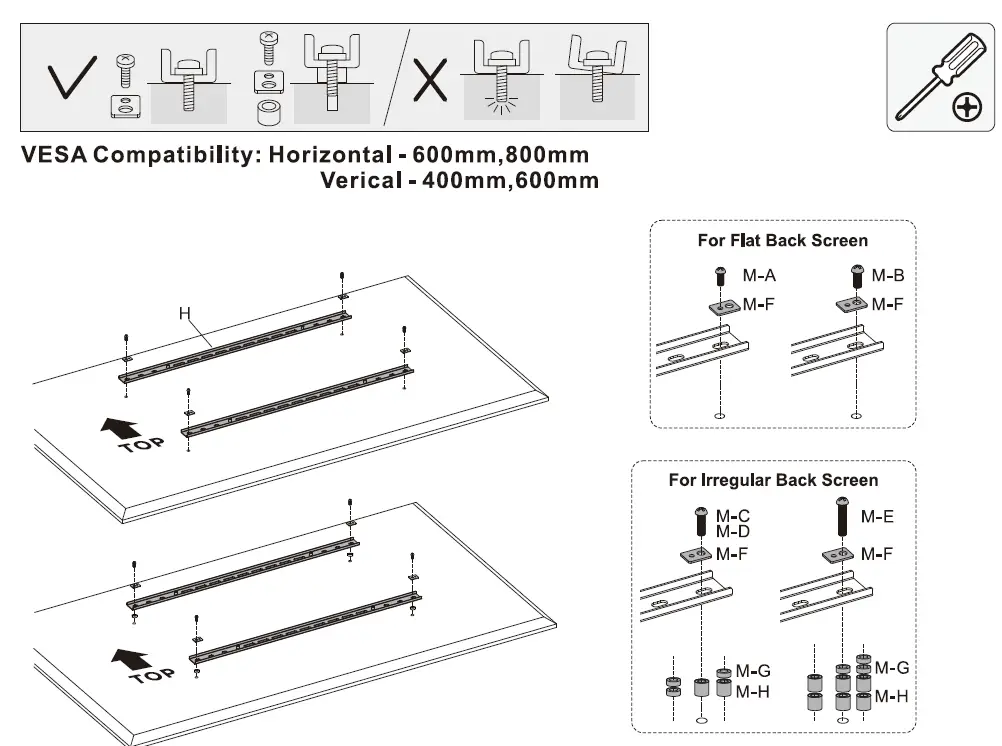
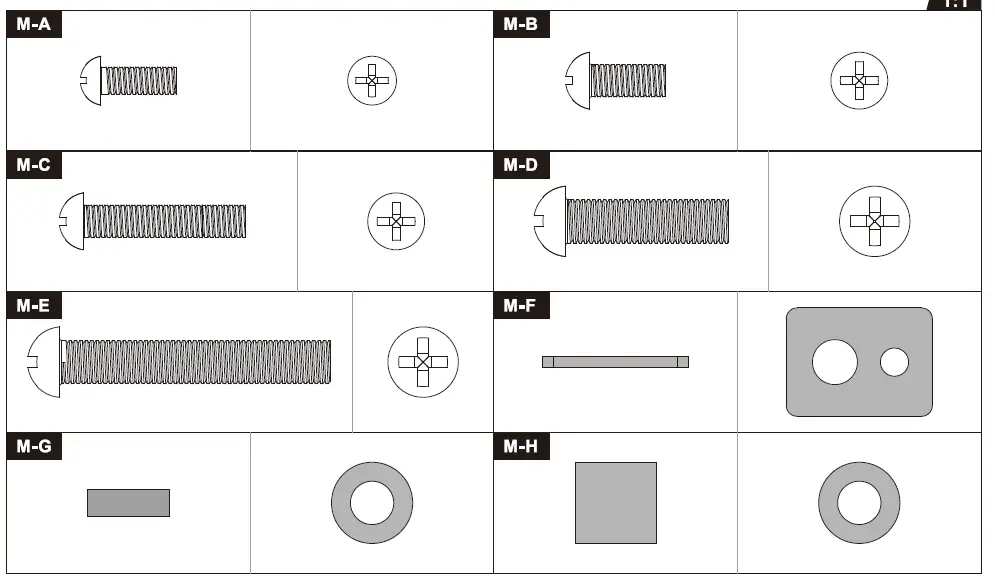
Note: Choose the appropriate screws, washers and spacers (if necessary) according to the type of screen.
- Position the adapter brackets as close as possible to the center of the display.
- Screw the adapter brackets onto the display.
Tighten all screws but do not over tighten.
Attach the Vertical Brackets(1) to the horizontal brackets. Make sure the distance between vertical brackets is less than 500mm(19.6″).
Weight Balance Adjustment
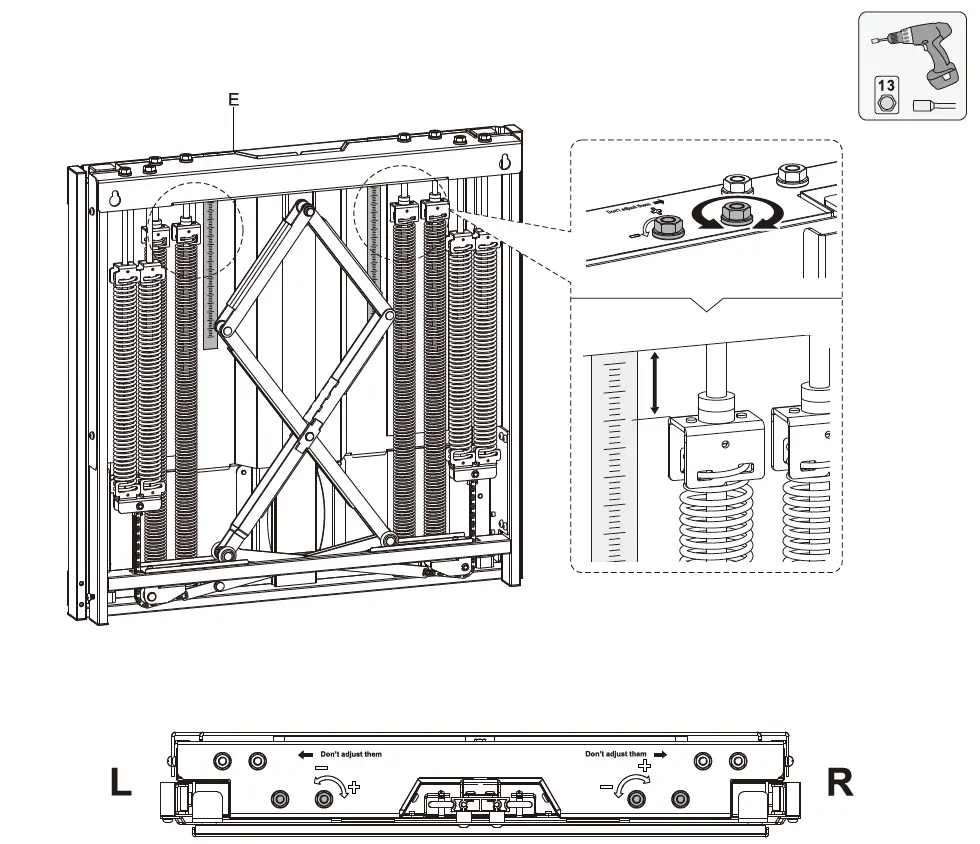
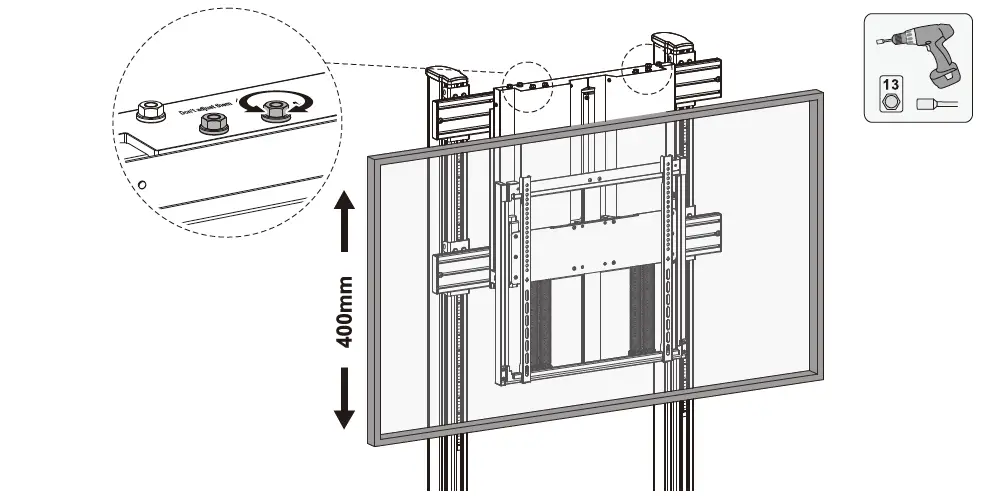
The mount arrives with a default balance setting. Adjust to the number found on the scale that matches the weight of the display. To properly balance the unit, use a drill with a nut-driver to adjust the four balance bolts (two located on each side, left and right). Alternate between each side until it has achieved a perfect balance.
Hang the Screen
- Hook the Display Mount(E) to the stand.
- Secure the mount with Screws(X).
- 2 people required.
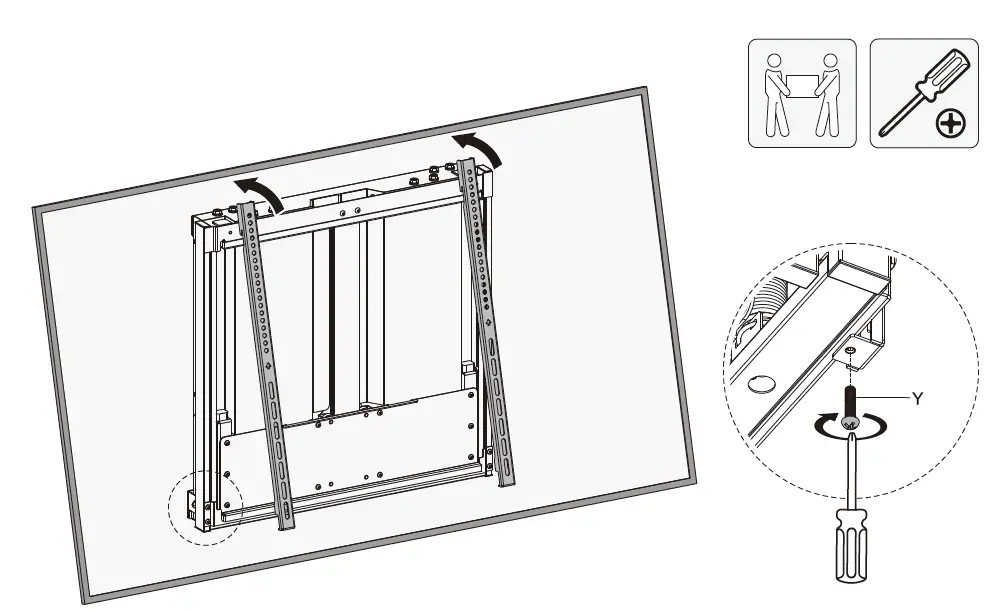
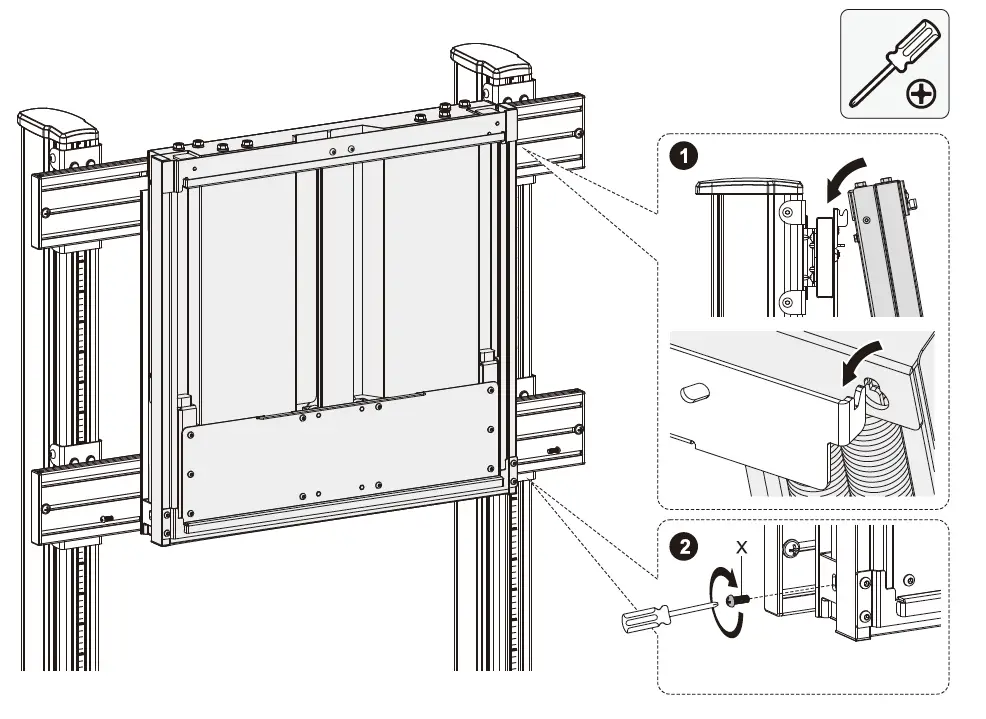 Tighten the safety screws found on the bottom of each bracket to secure the TV to the stand.
Weight Balance Adjustment
Make a fine adjustment to ensure a perfect balance.
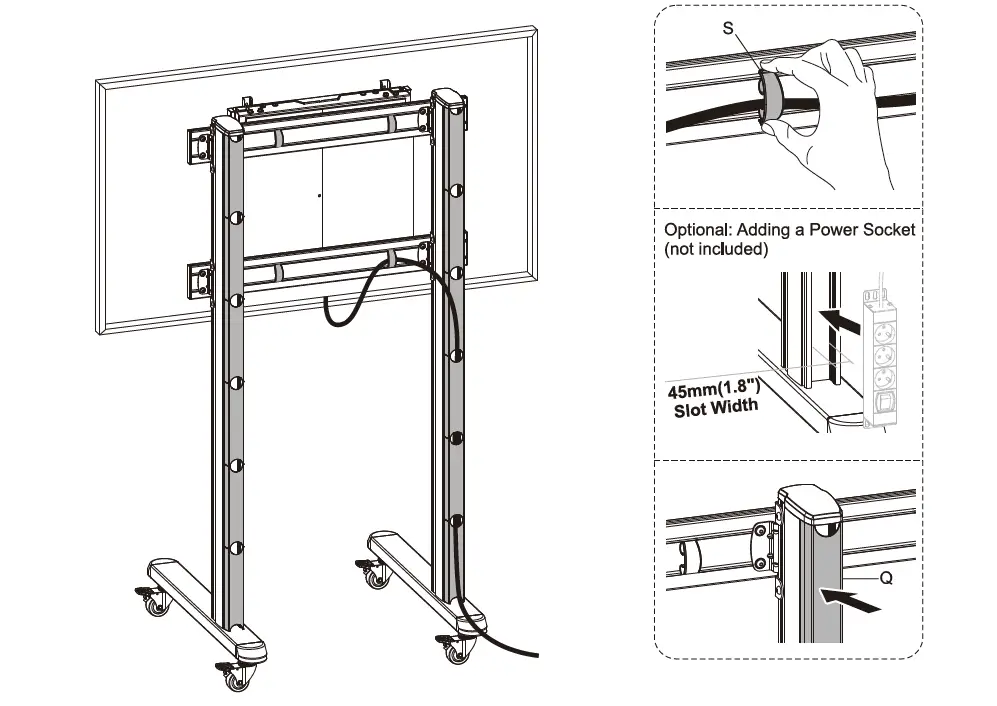
Cable Management
Maintenance
- Check that the bracket is secure and safe to use at regular intervals(at least every three months).
- Contact your place of purchase should you have any questions or need assistance.
![Hisense H8 Quantum Series Android Tv [75h8g Quantum] Specifications Manual](https://static-data1.manualsee.com/1/img/100/32523/2020/12/Hisense-H8G-Quantum1-M75h8g.png "Hisense H8 Quantum Series Android Tv [75h8g Quantum] Specifications Manual")

![Hisense H8 Quantum Series Android Tv [65h8g Quantum] Specifications Manual](https://static-data1.manualsee.com/1/img/114/35768/2021/01/Hisense-H8-Quantum-Series-Android-TV-featured-1568x932.jpg "Hisense H8 Quantum Series Android Tv [65h8g Quantum] Specifications Manual")
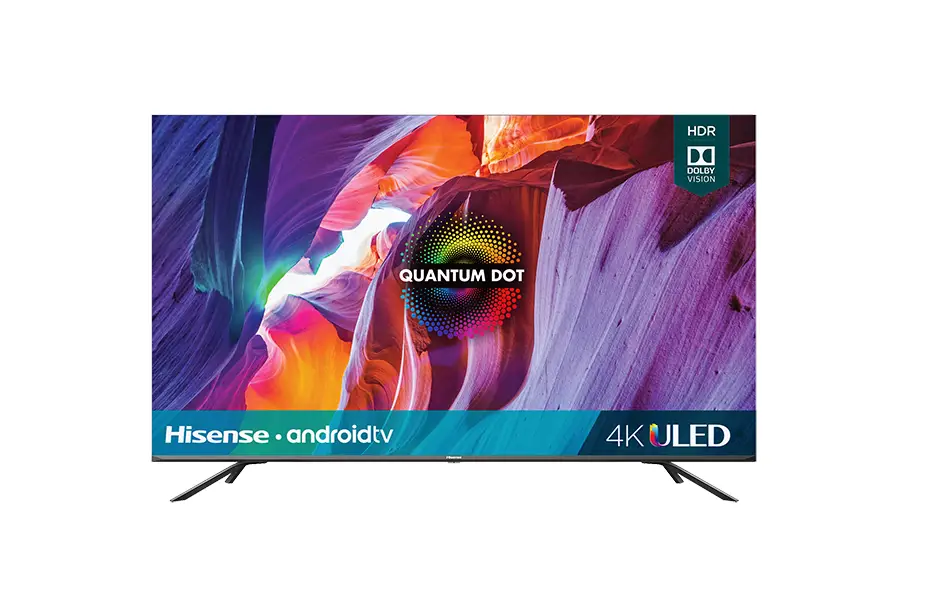
![H8 Quantum Series Hisense Android Tv User Manual[55h8g Quantum]](https://static-data1.manualsee.com/1/img/139/56726/2021/02/H8-Quantum-Series-Hisense-Android-TV-User-Manual55H8G-Quantum.jpg "H8 Quantum Series Hisense Android Tv User Manual[55h8g Quantum]")