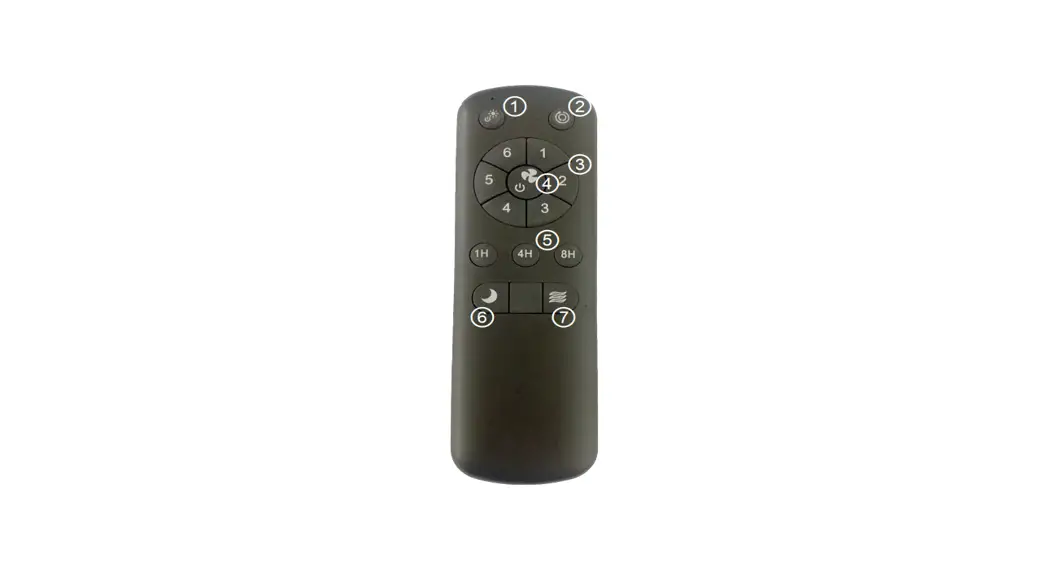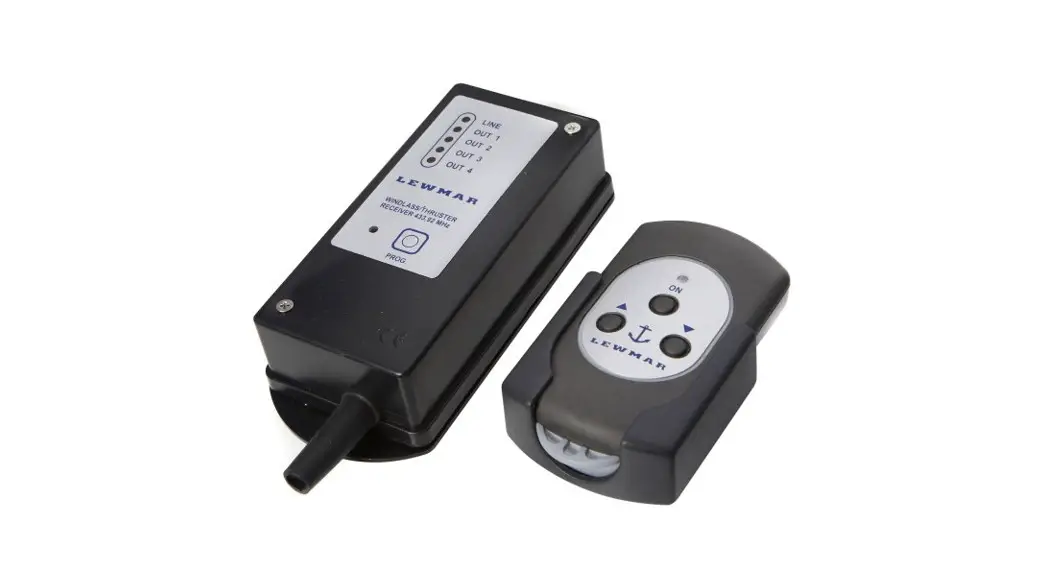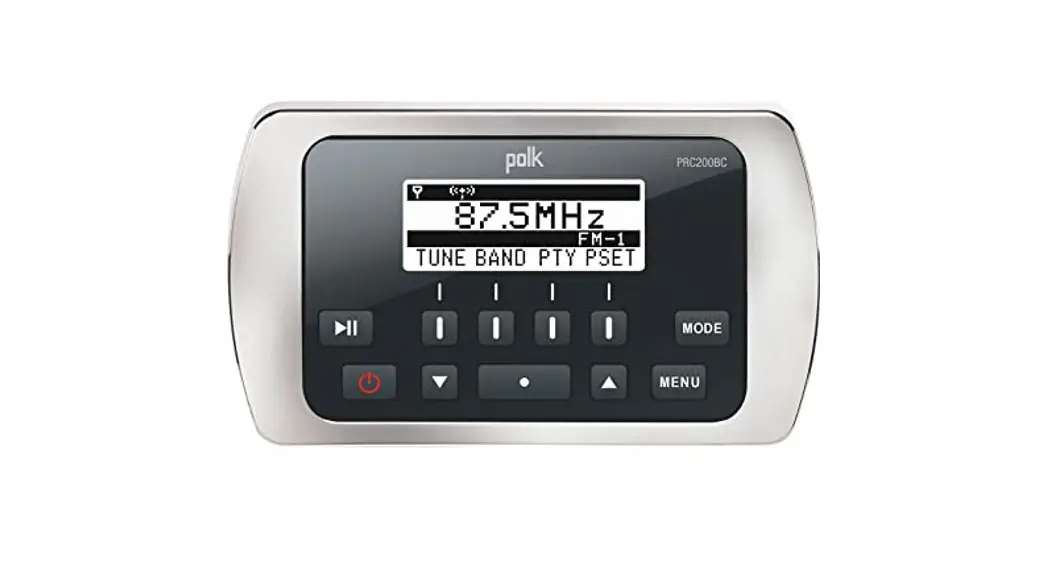

PRC200BC Marine Remote Control Installation and Operation Guide
Introduction
Thank you for choosing a Polk product. The PRC200BC marine remote control allows the convenient operation of compatible Polk marine source units. Operation includes power on/off, volume adjustment, mode selection, and basic functions of available sources such as AM/FM tuner, Weather Band, Bluetooth, USB, iPod/iPhone, and SiriusXM satellite radio.
Up to three Polk marine remote controls (PRC100BC and/or PRC200BC) can be connected to a compatible Polk marine source unit by using a remote control Y-cable (Part #: PRCYC1, sold separately). One Y-cable is required for each additional remote control (e.g.: One Y-cable for two remote controls total, two Y-cables for three remote controls total.)
Installation
- Choose a smooth, flat, sturdy mounting location that has been verified safe. Also, verify there is enough room to route the connection cable to the source unit. Important: Do not choose a mounting location where the remote control can become submerged.
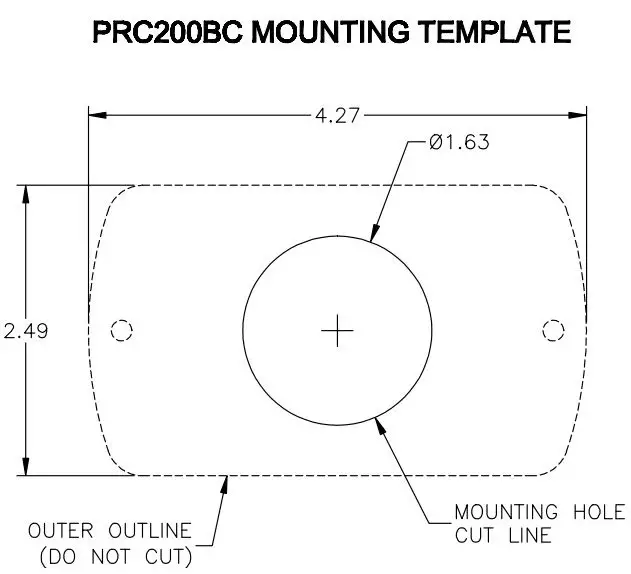
- Carefully cut a 1.63 diameter hole in the chosen mounting surface. A mounting template is supplied on the last page.
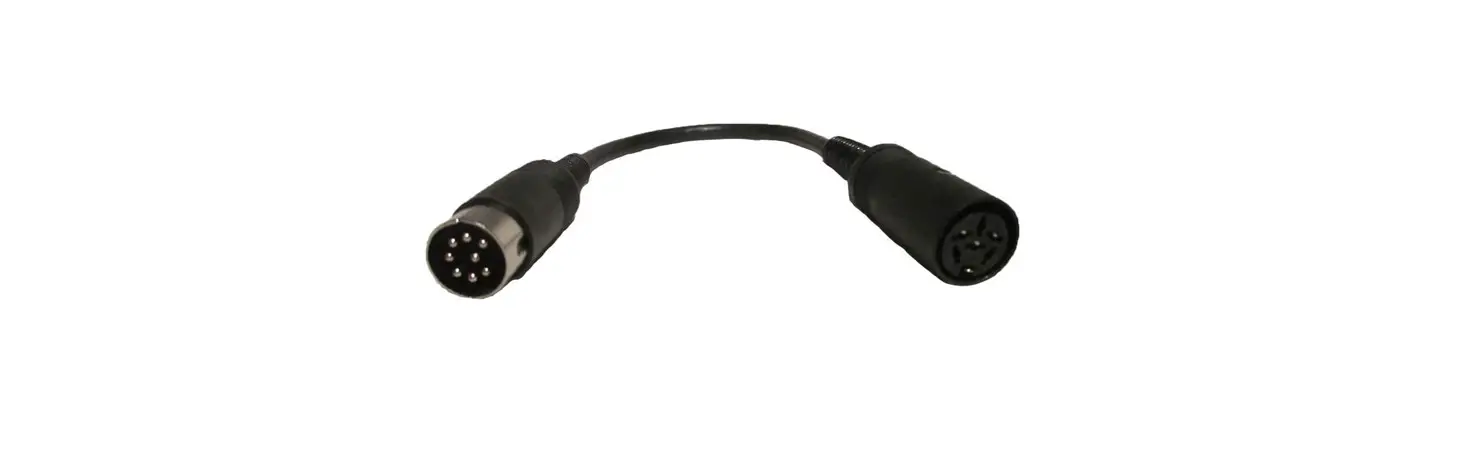
- Route the supplied 18 extension cable from remote control to source unit making sure the correct sex of plugs is in the correct direction.
Connect the extension cable to the source unit and remote control.
If a longer cable length is needed or additional remote controls are added, up to two additional 18 extension cables (Part #: PRCEC18, sold separately) can be connected for a total of 54 .
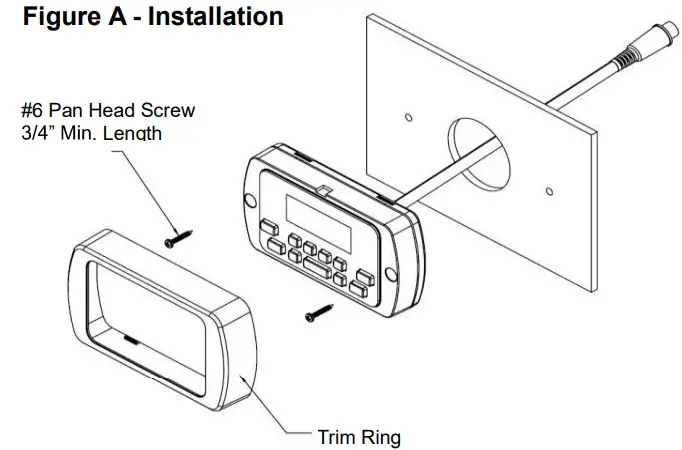
Important: Ensure that the route between the source unit and remote control does not have any sharp, abrasive edges, excessively tight bends or areas that can pinch the extension cable as this can negatively affect performance and/or cause damage to connected devices. - Insert the remote control into the hole from the front of the mounting surface, align the face to the desired position, and secure to the mounting surface using #6 stainless steel pan head screws with a minimum length of 3/4 (not included) as detailed in Figure A.
Operation
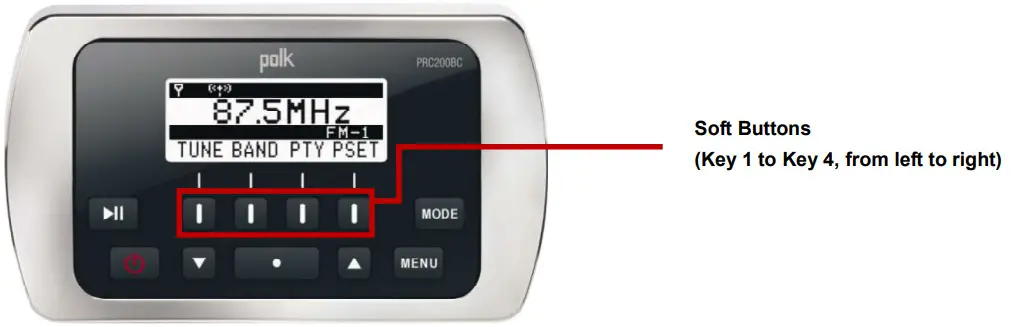
Main Buttons
| Control | Action | Standby | Radio | USB | iPod | AUX | Bluetooth | SiriusXM | Weather Band |
 | Press | Turn System On | Turn System to Standby mode | Turn System to Standby mode | Turn System to Standby mode | Turn System to Standby mode | Turn System to Standby mode | Turn System to Standby mode | Turn System to Standby mode |
 | Press | — | Volume Increase | Volume Increase. Directory search mode: navigate up the list. | Volume Increase. Directory ry search mode: navigate up the list. | Volume Increase | Volume Increase | Volume Increase | Volume Increase |
| I laid | — | MENU State  : Select UP items. Press : Select UP items. PressENTER button to select a different item. Press ENTER again to make selection. | MENU State : Select UP items. Press ENTER button to select a different item. Press ENTER again to make selection. | MENU State : Select UP items. Press ENTER button to select a dtferent item. Press ENTER again to make selection. | MENU State : Select UP items. Press ENTER button to SVOCI a different item. Press ENTER again to make selection. | MENU State : Select UP kerns. Press ENTER button to select a different item. Press ENTER again to make selection. | MENU State : Select UP items. Press ENTER button to select a different kern. Press ENTER again to make selection. | MENU State : Select UP kerns. Press ENTER button to select a different dent Press ENTER spin to make selection. | |
 | Press | – | Volume Decrease | Volume Decrease. search mode: navigate down the list | Volume Decrease. Directory ry search mode: navigate down the list. | Volume Decrease | Volume Decrease | Volume Decrease | Volume Decrease |
| Hold | — | MENU State  : Select DOWN items. Press ENTER button to select a different item. Press ENTER again to make : Select DOWN items. Press ENTER button to select a different item. Press ENTER again to makeselection. | MENU Sate : Select DOWN items. Press ENTER button to select a different item. Press ENTER again to make selection. | MENU State : Select DOWN items. Press ENTER button to select a diferent item. Press ENTER again to make selection. | MENU Sate : Select DOWN items. Press ENTER button to select a different item. Press ENTER again to make selection. | MENU State : Select DOWN items. Press ENTER button to select a different item. Press ENTER again to make selection. | MENU State : Select DOWN items. Press ENTER button to select a different item. Press ENTER again to make selection. | MENU State : Select DOWN items. Press ENTER button to select a different tern. Press ENTER again to make selection. |
 Play / Pause | Press | — | Mute | Play / Pause | Play / Pause | Mute | Play / Pause | Mute | Mute |
 Enter | Press | — | Enter | Enter | Enter | Enter | Enter | Enter | Enter |
|
Menu | Press | — | AUDIO MENU: Press the  button to change the button to change thedisplayed information: Bass > Treble > Balance > Fader. Then press ENTER to make a selection. | AUDIO MENU: Press the button to change the displayed information: Bass > Treble > Balance > Fader. Then press ENTER to make a selection. | AUDIO MENU: Press the button to change thedisplayed information: Bass > Treble > Balance > Fader. Then press ENTER to make a selection. | AUDIO MENU: Press the button to change thedisplayed information: Bass > Treble > Balance > Fader. Then press ENTER to make a selection. | AUDIO MENU: Press the button to change thedisplayed information: Bass > Treble > Balance > Fader. Then press ENTER to make a selection. | AUDIO MENU: Press the button to change thedisplayed information: Bass > Treble > Balance > Fader. Then press ENTER to make a selection. | AUDIO MENU: Press the button to change thedisplayed information: Bass > Treble > Balance > Fader. Then press ENTER to make a selection. |
| Hold | — | Enters the System Menu. | |||||||
 Mode | Press | – | Press the MODE button to display available modes including Radio, iPod, USB, BT, SiriusXM (SXM), Auxiliary (Aux), and Weather Band (WB) | — | |||||

| Mode | User Interface Page | Key 1 | Key 2 | Key 3 | Key 4 |
| Radio | Default | Tune Enter tune page | Band Toggle between AM/FM (RBDS) | PSET Enter preset page | Return Return to the default page |
| Tune | I<< Press: tune down Hold: tune seek down | >>1 Press: tuneup Hold: tune seek up | — | Return Return to the default page | |
| PSET | AS Auto-scan and store strongest stations in preset list | PS Scan stations stored in the current preset list | LIST Display the preset list | Return Return to the default page | |
| PSET List | SAVE Save currently tuned station to highlighted preset location | — | — | Return Return to the default page | |
| PTY | – | – | – | Return Return to the default page |
| Mode | User Interface Page | Key 1 | Key 2 | Key 3 | Key 4 |
| USB / IPod | Default | 1,4‹ Press: previous track Hold: Rewind | »1 Press: next track Hold: Fast4onvard | RRI Enter RRI (Repeat. Random. Intro) page | LIST Browse files/folders in the device |
| RRI | RPT Toggle repeat function | RNLI Toggle random function | INT Toggle intro function (USB only) | Return Return to the default page | |
| LIST | — | — | BACK Reverse navigate to previous level directory | Return Return to the default page | |
| Bluetooth | Default | I” Previous track | »I Next track | 101 Connect I disconnect device | INFO Display device name |
| SiriusXM | Default | p« Press: tune down Hold: fast tune down | »I Press: tuneup Hold: fast tune up | PET Enter preset page | INFO Display information: NAME (artist) > SONG (title) > INFO (content. if available) > CAT (Category) |
| PSET | PS Scan stations stored in preset list | — | LIST Display the preset list | Return Return to the default page | |
| PSET List | SAVE Save currently tuned station to a highlighted preset location | – | INFO Display information: NAME (artist) > SONG (title) > INFO (content, if available) > CAT (Category) | Return Return to the default page | |
| Weather Band | Default | !« Tune to previous station |
| – | — |
Remark: Maximum Operation Temperature: 65℃
www.asaelectronlcs.com
v.062713
© C2013