amazon Category Style Guide Clothing and Accessories Summary

Your success on Amazon.co.uk also depends on the quality of your product pages. Listings in a consistent format with accurate and detailed product information will drive traffic to your pages and can favourably influence the customer’s purchasing decision. Please note that non-compliance with Amazon requirements may result in your products being hidden (suppressed) from search and browse and your selling privileges revoked for this category. For further information, please refer to the respective section in the Style Guide.
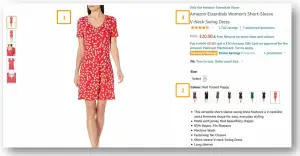
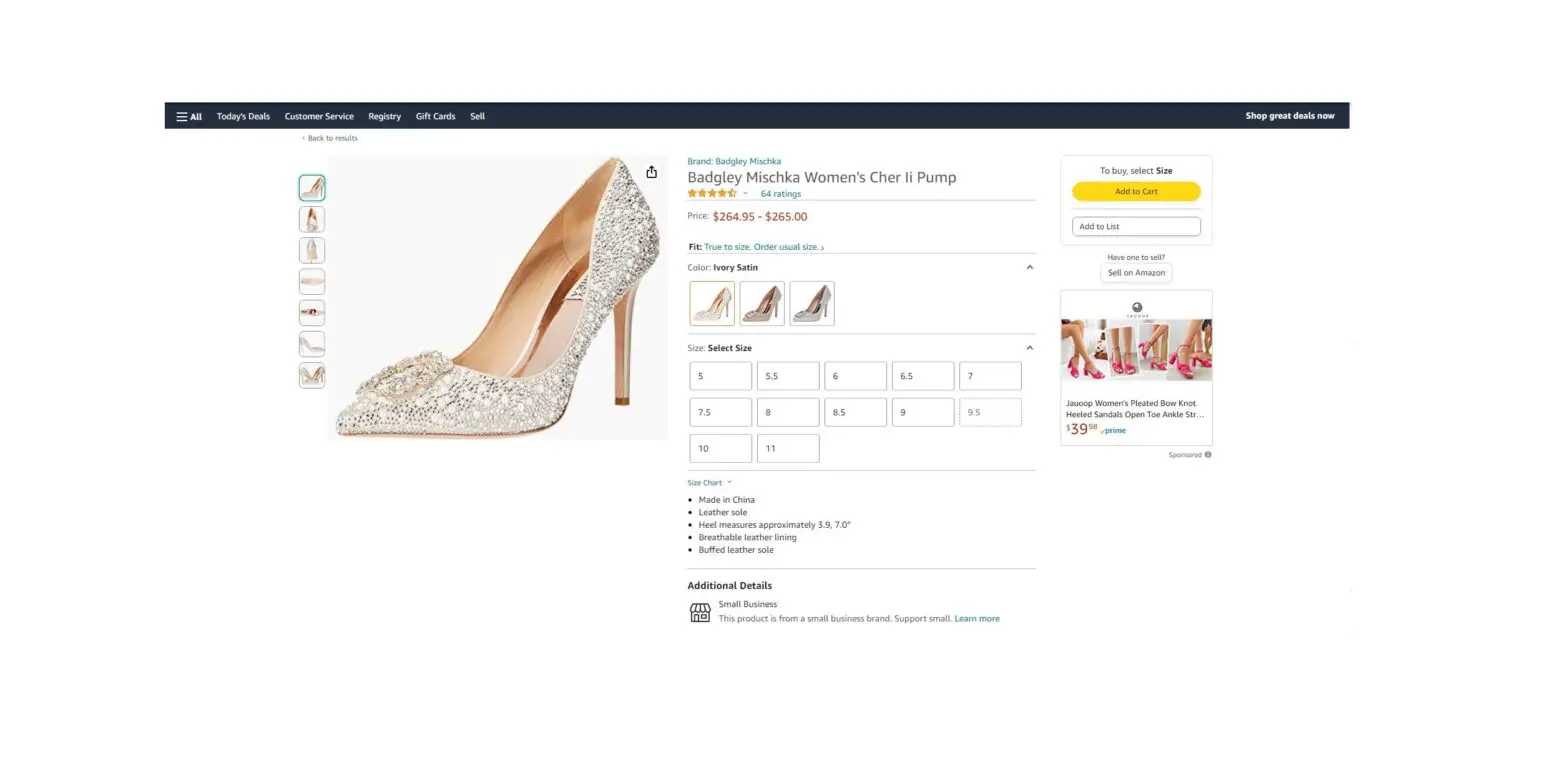
The above dress is an example of what a compliant product listing on Amazon should look like. In the section below, you will find the basic requirements for setting up similar compliant listings for your products.
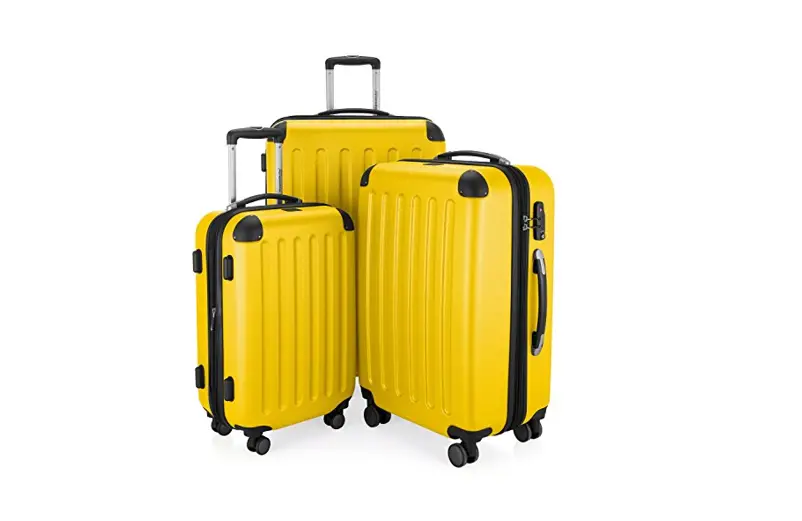
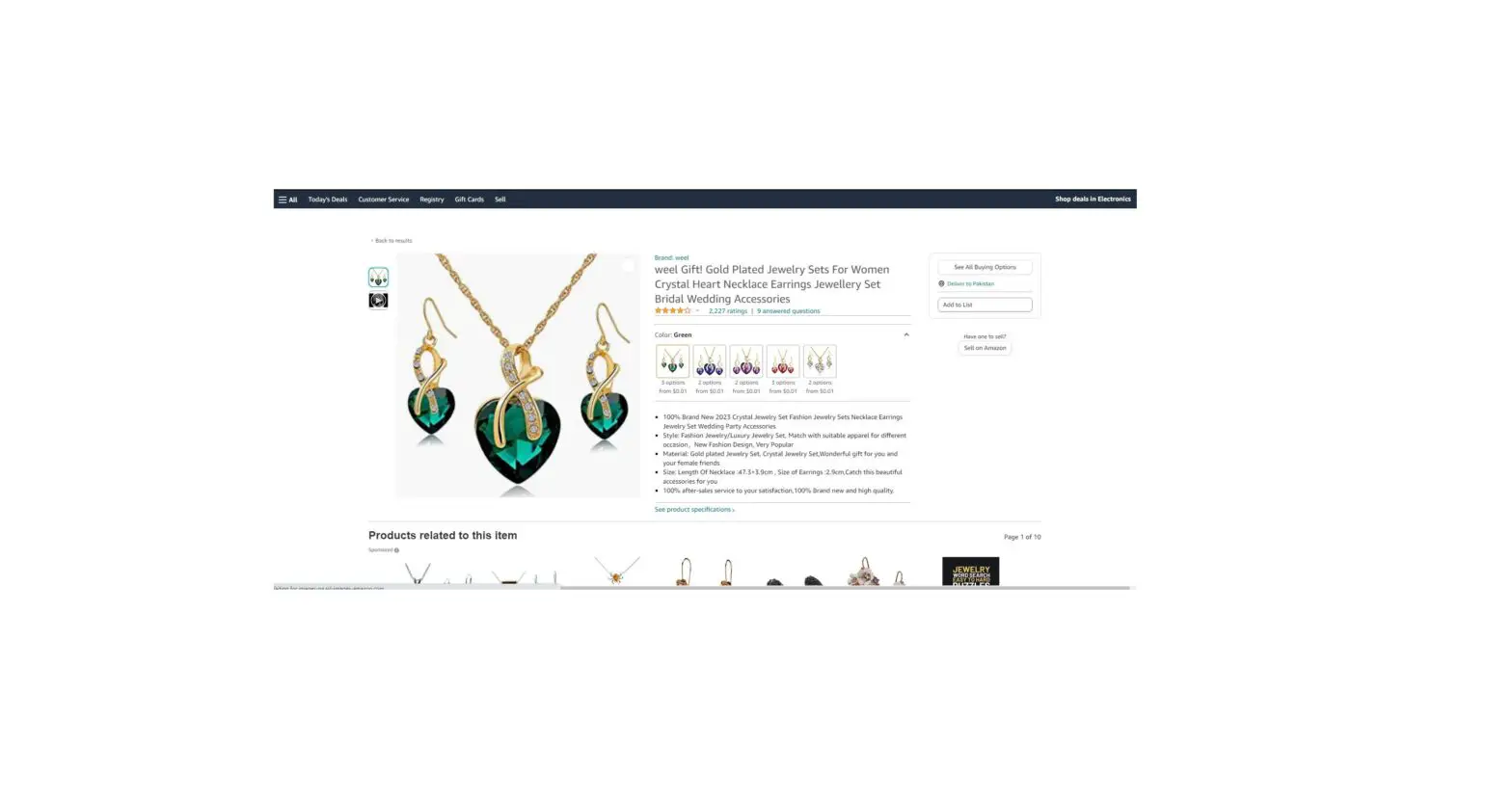
- Images must be 1,600 pixels or larger in either height or width (to allow for zoom functionality), be on a pure white background, show only the product for sale, show a front product view, have an aspect ratio close to 3:4 (Width:Height), occupy at least 85% of the image area and show a real representation of the product (no sketches) without extra text or graphics. Each colour variation needs an image and for the majority of product types, the product should be worn on a model (except for accessories, transparent products, and clothing for children). Images need to be saved in .jpg, .png, .tif or .gif. For more information, please check down below and visit the full Image Style Guide.
- All variations of a style of product must be placed in one listing under a parent product. In the above example, we have a size dropdown and three colours. The customer can easily see and select all the sizes and colours available without having to change the page. As each customer visit to a variation will be counted under the parent product detail page, this will increase your chances to sell a product (no. of detail page views is one of the criteria used to determine what appears at the top of search results). For more information, please check down below of the Clothing style guide.
- Good product titles build customer trust in you as a seller. The format for titles must be as follows: For Parent ASIN:
[brand_name]+[department_name]+[style_name]+[product_name] [model_name]+[opacity]+“pack of”+[number of items], For Child ASINs: [Parent ASIN Name] + [color_name] + [size_name].
There is a length limit that will suppress products with titles longer than 150 characters. Example of compliant parent title is “oodji Women Boyfriend Jeans Distressed”, example of compliant child title is “oodji Women Boyfriend Jeans Distressed Blue 25W / 32L”. For more information, please see page 7 of the Clothing style guide.
This guide aims to help you to create your catalogue easily and maximise your sales.
Your success on Amazon.co.uk largely depends on the quality of your product pages. Listings in a consistent format with accurate and detailed product information will drive traffic to your pages and can favourably influence the customer’s purchasing decision.
How you present your product information on our site is something we take very seriously for the benefit of customers and sellers on Amazon. Please read the guidelines below to find out how we expect sellers to list titles and display images. Failure to comply with these rules may result in your Clothing listings being removed and your selling privileges revoked for this category.
Images
In an online store, the product image is one of your most valuable marketing tools. Listings with low quality or few images suffer poor conversion rates and over time will appear less and less frequently in search rankings.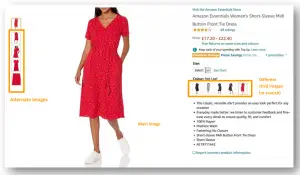
Please watch this training video to learn how applying 12 simple tips can help you optimize your images and visit the full Image Style Guide to understand requirements across all different apparel product categories.
Important: Listings may be deprioritized in or suppressed from search if they do not meet all required imaging standards.
These listings will continue to be visible in your Seller Central account and accessible from the Suppressed Listings view in Manage Inventory, where you can upload compliant images and information. We recommend you to regularly check your Listing Quality and Suppressed Listing Report to identify opportunities, which Amazon detects for you so you can work on improving your listing quality.
| Do’s | MAIN images: |  Shot on a model (except for childrenswear, accessories, or transparent clothes). Shot on a model (except for childrenswear, accessories, or transparent clothes).
|
| MAIN and alternate images: | Images must be high-resolution professional photos with 1,600 pixels or larger in either height or width to activate the zoom feature.
be covered. For this purpose, the model must be wearing clothes under the item. | |
| Don’ts | MAIN images: |  Listings without MAIN images or with placeholders (e.g. “no image available”) are prohibited. Listings without MAIN images or with placeholders (e.g. “no image available”) are prohibited.
|
| MAIN and alternate images: | Images, which are blurry, pixelated or with jagged edges.
violence, child exploitation, human tragedy etc.). |
Please refer to the full image style guide to see examples of compliant images
EAN
EAN (European Article Number or now the International Article Number) is a unique 13 digit code given to individual articles and is used to identify the product.
Amazon expects each seller to have EANs for their products, which should be provided by the manufacturer.
Important: Listings with missing or wrong EANs (external_product_id) will be suppressed if those listings are for brands with known EANs. These listings will continue to be visible and accessible in your Seller Central account from the Suppressed Listings view in Manage Inventory where you can upload the appropriate images and information.
If you are the brand owner of products without an EAN (manufacturer – including of customized and hand-made products, private label brand owner or producer of branded white-label products), you can apply for the Amazon Brand Registry. Brands registered here get a Global Catalogue Identifier (GCID), a unique # digit code created by Amazon and recognizable in all Amazon marketplaces worldwide.
If your products do not qualify for the Amazon Brand Registry, they may still be eligible for an EAN exemption. For more information, log in to Seller Central and search on the keywords “Brand Registry”.
For products already selling on Amazon.co.uk, please make sure to list against an existing ASIN. Do not create an existing product with a new barcode, as this will duplicate the listing on Amazon. Any duplicates will eventually be removed to ensure we keep the site clean for the best customer experience
Variations
We call the different size and colours for the same product “variations”. Variations allow customers to find alternative desired colours or sizes for a product on one detail page.
To create a variation, you must create a product called a “parent” without any colour or size that links to all the “children” products, i.e. all the different colour/size combinations of the product available. All variations related to the same reference must be added to the same product page.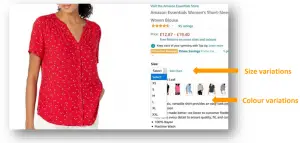
In the above example, the parent product is a ¾ sleeve blouse shirt and the variations are all the sizes and colours available for this top (6 colours and 5 sizes). All sizes and colours have been created on the same product page using variations. It is important to link all the variations of the same “parent” product for two reasons:
- The customer can easily see all the sizes and colours available without having to change the page. A more fluid navigation will lead more often to a purchase, as it is easier to see the different choices.
- Each customer visit to one of the “children” detail pages will be counted under the “parent” detail page. This will ultimately increase your chances to sell a product, as the number of detail page views is one of the criteria used to determine what appears at the top of search results.
Variation creation rules
| Required | for Parent ASINs: |
|
| for Child ASINs: |
|
Important: Please note that non-compliance of the variation principle can lead to a suppression of your ASINs.
Sizes
Clean sizes helps customers to discover your products, simplify making buying decision and reduce product returns due to poor fits.
We believe that customers are entitled to shop in sizes they understand. Unintelligible sizes clutter the size dropdown and lead to duplicate products. In addition, products with clean sizes are discoverable via size and width browse refinements and show better sales conversion compared to products with size defects. Amazon is committed to helping you to meet the data quality bar by providing detailed guidelines during all steps of the listing process. Therefore Amazon standardizes size inputs to facilitate a more consistent customer experience.
Amazon will provide a series of values to guide selling partners to provide standardized sizes for each attribute. For example, an attribute may require you to designate if the apparel size is for an Adult or Toddler (under the Age Range Description attribute). Based on the selected option, the later attributes will consolidate to a limited list of applicable values.
For more details on this logic, visit Apparel Product Listing Experience .
Important: Non-compliance with the below size requirements may result in your listings being hidden (“suppressed”) from search and browse. “Suppressed” listings are not visible to customers.
More size related attributes
To improve your products discoverability, please also make sure to provide valid values in all other size related attributes applicable for your product type, because values of these attributes are also used in size browse refinement filters:
- For all Clothing products: size_map
- For Bras: cup_size, band_size_num, band_size_num_unit_of_measure
- For Pants: inseam_length, waist_size, inseam_legth_unit_of_measure, waist_size_unit_of_measure, waist_style
- For Shirts: fit_type, neck_size, neck_size_unit_of_measure
- For Dresses, Skirts and Outerwear: item_length_description
- For Belts: belt_length_derived, belt_length_unit_of_measure
- For all Clothing products when applicable: special_size_type
For all mentioned attributes you must use valid values available in drop down (if any).
Recommendations on how to reduce product returns because of poor sizes
If you follow the correct syntax for size_name values for your Clothing products, but customers still often return your products because of poor fit, we recommend you to make sizing information on your product detail pages as accurate and visible to customers as possible. Follow the following recommendations:
- Use the last alternate image for your Child ASINs to show a size mapping chart, accurate and specific for your brand / product
a. Include label size
b. Include body measurements
c. Mention model measurements and what size they wear
d. Include information with other region sizes if available
e. Mention if product usually runs smaller or larger
f. Information on image must be applicable worldwide (because images are global and not marketplace specific) - Use bullet points and/or product description to provide important sizing information:
Manufacturer Label size, Model Measurements, What size a model shown on images wears, Size mappings. - If you are a Brand Registered Seller, provide brand specific size mapping chart for all departments you sell (by reaching out to Seller Support).
You will find more details and examples on the best practices to reduce product returns in this document.
Colours
The product colour is one of the key information customer will use to make a buying decision and one of the ways by which customers will judge your quality and professionalism as a seller.
To keep colours concise and informative, make sure you are following the below guidelines for color_name attribute:
| Do’s: | Provide the Colour as given by the brand
| Examples:
|
| Don’ts: | Do not add additional information about the product (i.e. do not add material, multipack, department name, fit type, sleeve type or waist style information)
| Examples:
|
Titles
Good product titles build customer trust in you as a seller.
The product title is the first impression customers will have of your product, but it is also one of the ways by which customers will judge your quality and professionalism as a seller. Keep titles concise, informative and accurate and make sure you are following the syntax Amazon requires. ASINs with non-compliant titles may be suppressed from the website.
Remember that on Amazon each unique product has just one product detail page, even if more than one seller has an offer against that unique product. Therefore, product titles should never contain information that is specific to just one seller, even if that seller initially created the listing. Failure to comply with the below title requirements may result in the removal of your Clothing listings and your Clothing selling privileges being revoked.
Title creation rules
| Required |
|
| Prohibited |
|
Compliant Parent ASIN Example: oodji Women Boyfriend Jeans Distressed
Compliant Child ASIN Example: oodji Women Boyfriend Jeans Distressed Blue 25W / 32L
Increasing discoverability
Products created with accurate and complete data will be found more easily by the customer and will therefore be sold more often.
In addition to your product images, variations and titles, your success on Amazon depends on the quality of the information provided on the product detail page. This is especially true for clothes, as customers very often filter by size, colour or season to narrow the search results. You will find detailed information about required attributes in the inventory file for Clothing products.
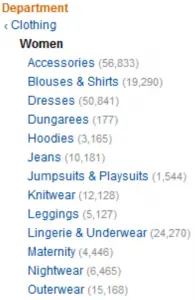
1. Browse node
The browse node allows the product to be classified in the Amazon catalogue. It is comparable to a department in a supermarket.
Each department has a node number that you can find in the Browse Tree Guide. If you do not assign a node number to your product, the product will not be found on the website.
| Required |
|
2. Search filters
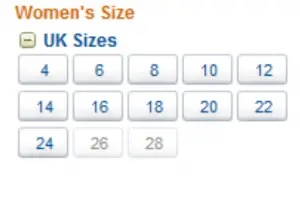
To search for a product, customers can use either the search bar or the refinements (filters) available in the left navigation bar. For each filter, there is a field in the inventory file template. If you do not fill in the fields, your products will not appear in the results when the customer selects one of these criteria and you will miss the opportunity to increase your sales.
Main search filters
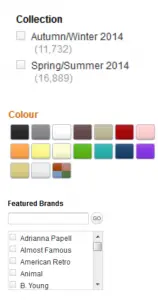
| Collection Since Clothing and Accessories are often seasonal items, you need to input the “season” since many of our customers use this filter to narrow search results. Colour refinement “colour map” Depending on the models and brands, colour names can vary widely. Blue for a particular item/brand can be renamed light blue or navy blue. In order to facilitate specific searches, you have to fill in the “color_map” field with authorised values. (“Color_name” is a free field that provides a scrolling menu with your specific colour names on the product page – for more information, refer to the Variation section). Important: Listings will be suppressed if they have a missing colour value (color_name, color_map). Brand: see Brand section Main material The customer is given the opportunity to filter products by main material. Therefore, it is essential to complete this field correctly (outer_material_type). Important: Please adhere to the legal textile labelling regulations regarding “material_composition” in the respective locale, e.g., the Consumer Goods Act, and the Washington protection of endangered species agreement (CITES). Size: see Size section |
3. Other important attributes for Clothing
We recommend that you provide as much information as possible and regularly check Seller Central for the latest version of the inventory file template because the above refinements and valid values change periodically. Some other attributes will serve the display of bullet points next to the main image, some will enable international localization. You can download the file to update your catalogue with the new valid values, especially for the following attributes:
- care_instructions
- closure_type
- collar_style
- department_name
- fit_type
- outer_material_type, inner_material_type, material_composition
- inseam_length, waist_size and fabric_wash (for Pants)
- item_length_description (for Dresses, Skirts and Outerwear)
- lifestyle
- model_name
- neck_style
- pattern_type
- sleeve_type
- style_name
- top_style and bottom_style (for Swimwear)
- waist_style (for Pants)
4. Brand
This field helps customers who search using the Amazon search bar or external search engines. It is important that you use the official spelling of the brand for this reason. The brand name must be alphanumeric with at least 1 character and a maximum of 50 characters in length. If your product does not have any brand, you can use the name of the vendor in this field or label it “generic”.
Products with labels that have been cut out may not be sold under the original brand name. No reference to the original brand name may be made for these products, whether in the title, bullet points, search keywords or product description. In addition, the product description must clarify that the label has been removed or is missing.
Important: Listings may be suppressed if they have a missing brand value
5. Product description
The product description allows you to write a detailed description of your product and should replace the sales pitch. You can publish general information about the brand or information about the style or the material.
| Required |
|
| Prohibited |
|
6. Search Keywords
Often the title and the existing search filters are not enough to describe all the aspects of your product. Additional information can be given using search keywords. Search keywords make your products appear during free search. Using the fashion trend, the cut, the material or additional details can increase the visibility of your products. The title is already listed as a search keyword, so it is not necessary to repeat that information. Note that it is prohibited to use search keywords in the title.
| Required |
|
| Prohibited |
|
amazon Category Style Guide Clothing and Accessories Summary – Download [optimized]
amazon Category Style Guide Clothing and Accessories Summary – Download