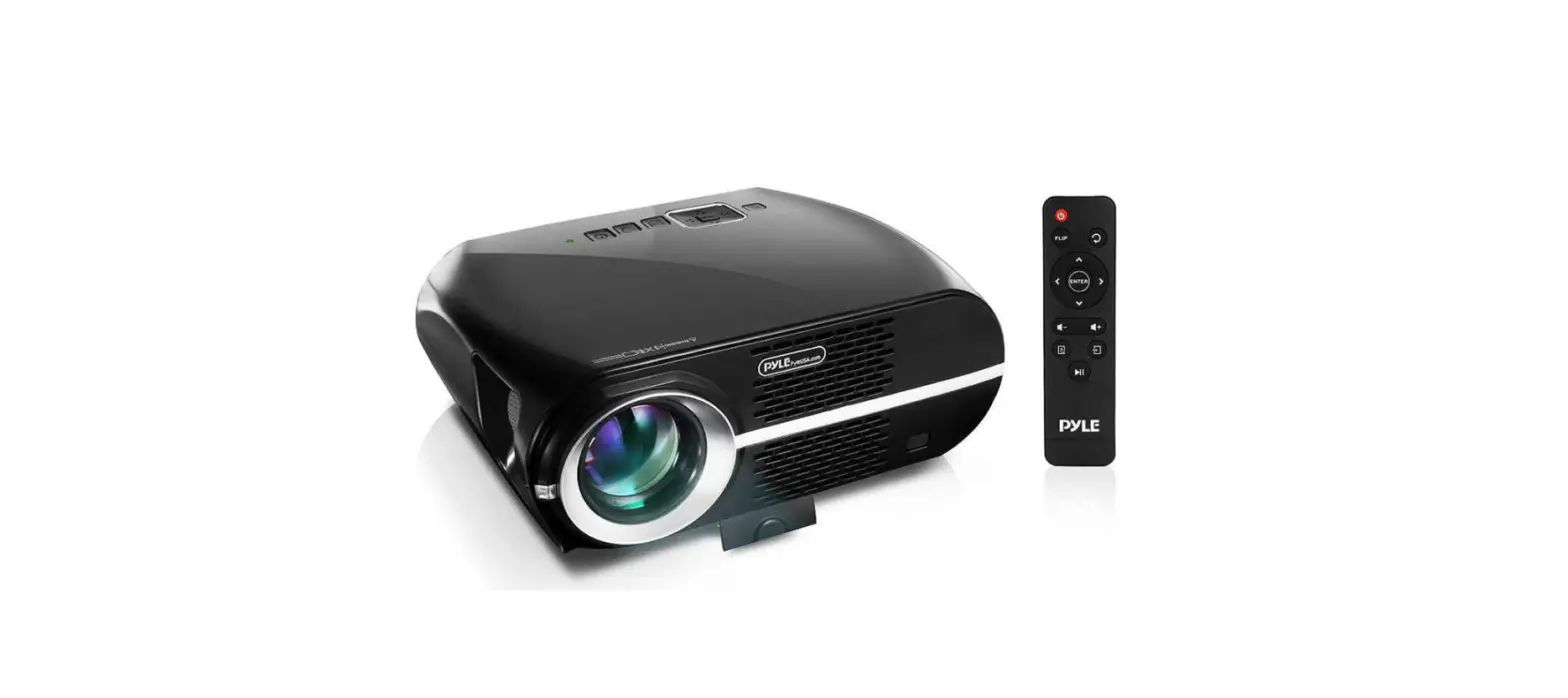
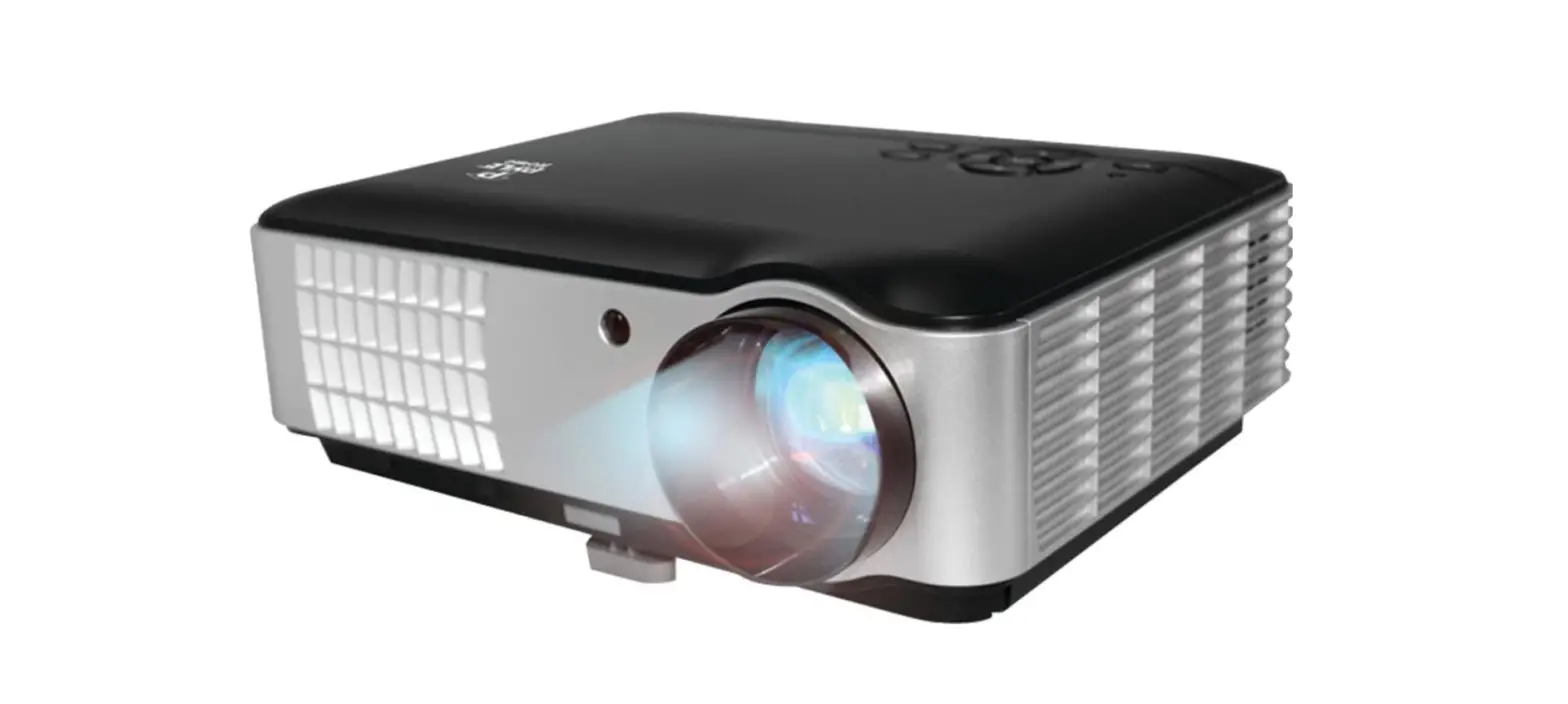
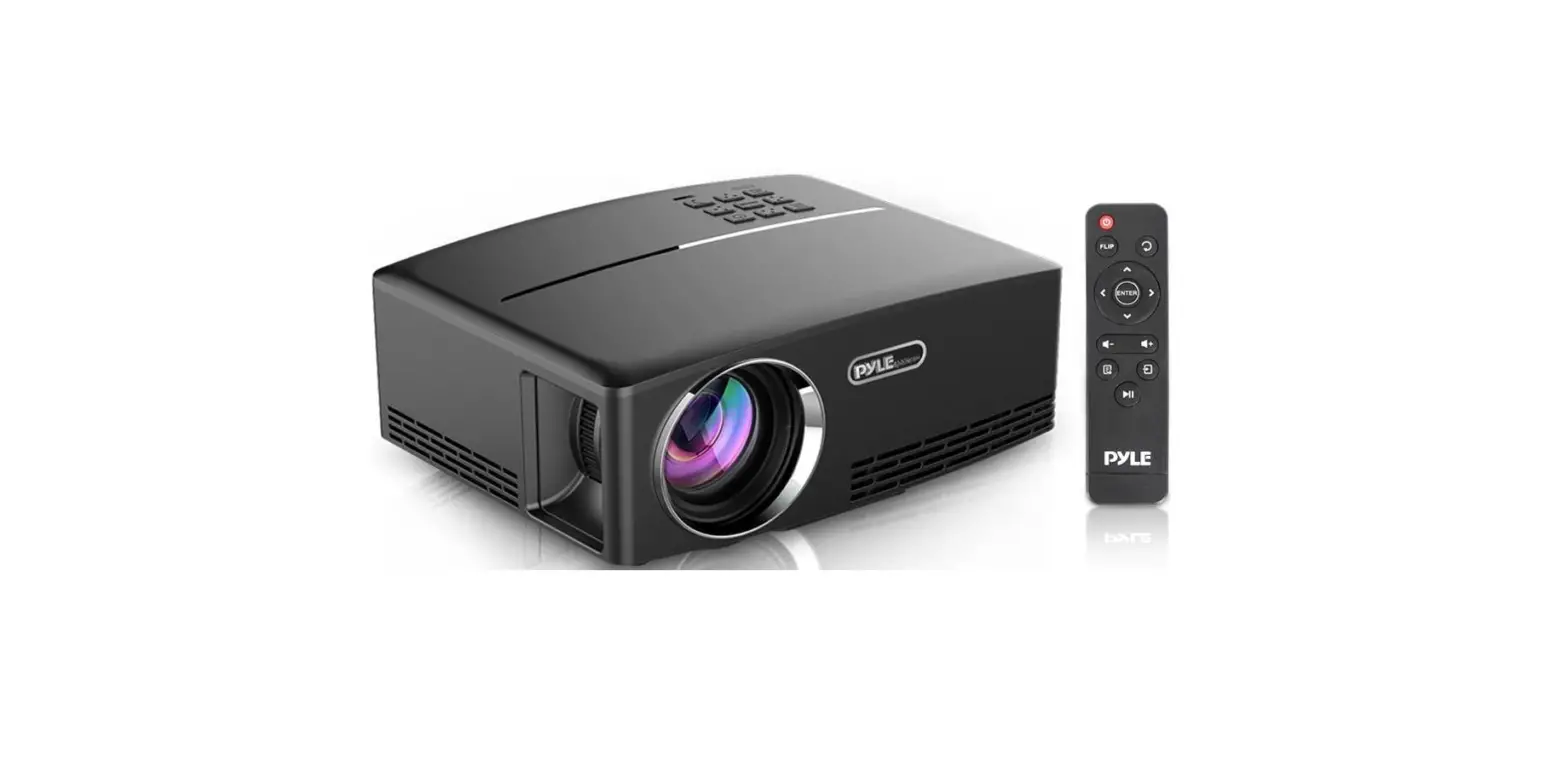
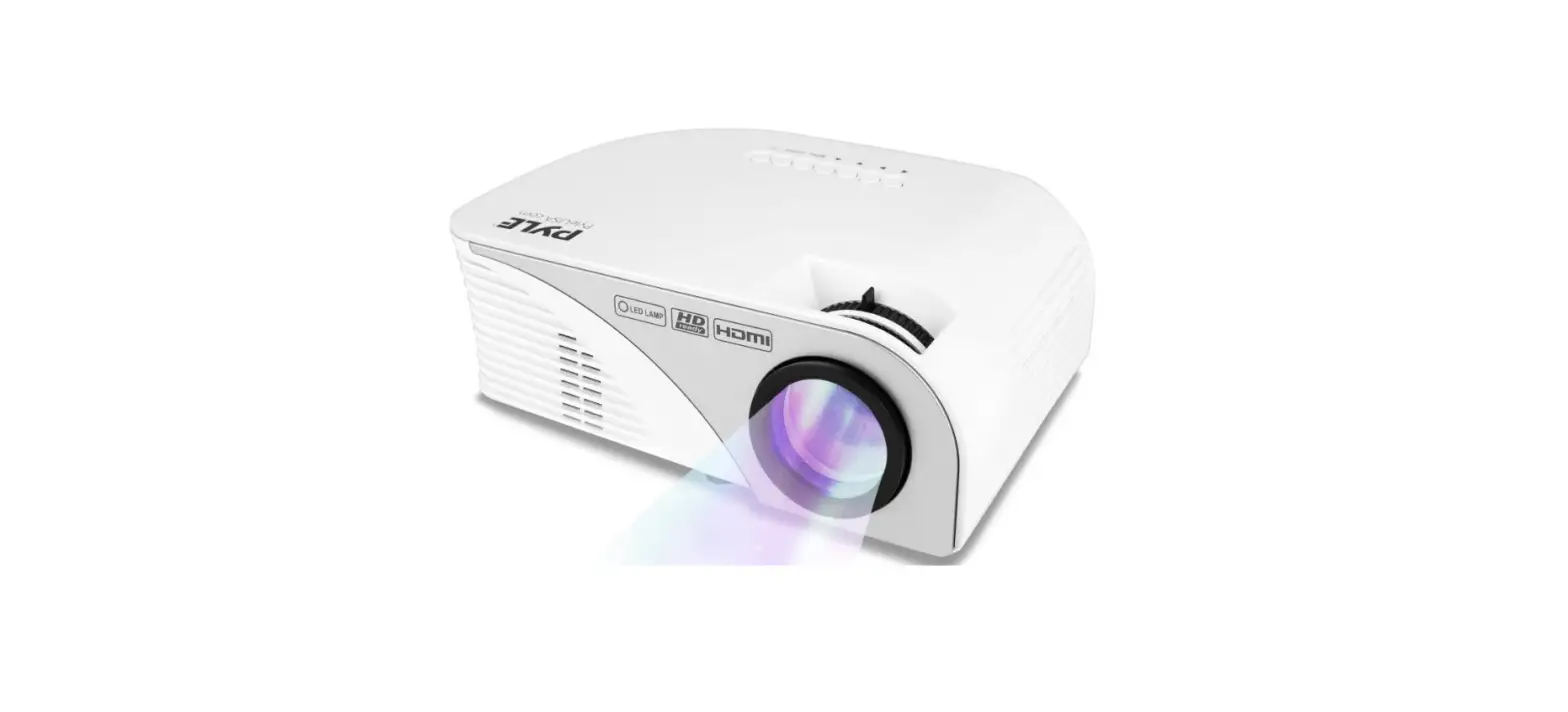
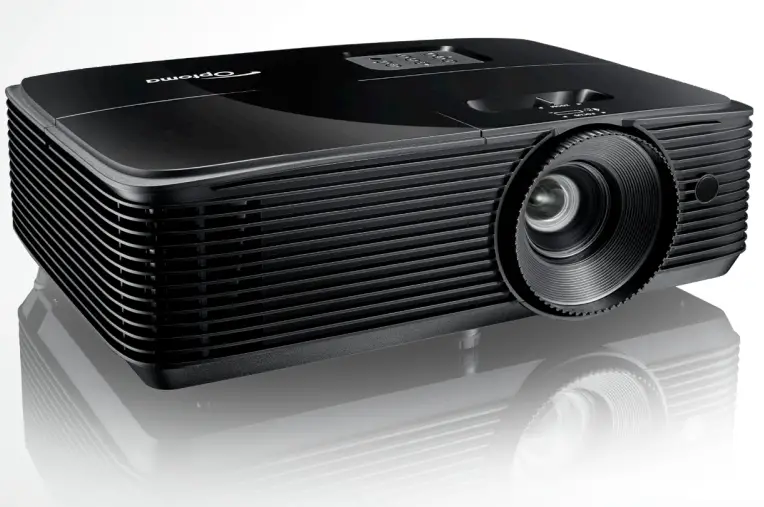
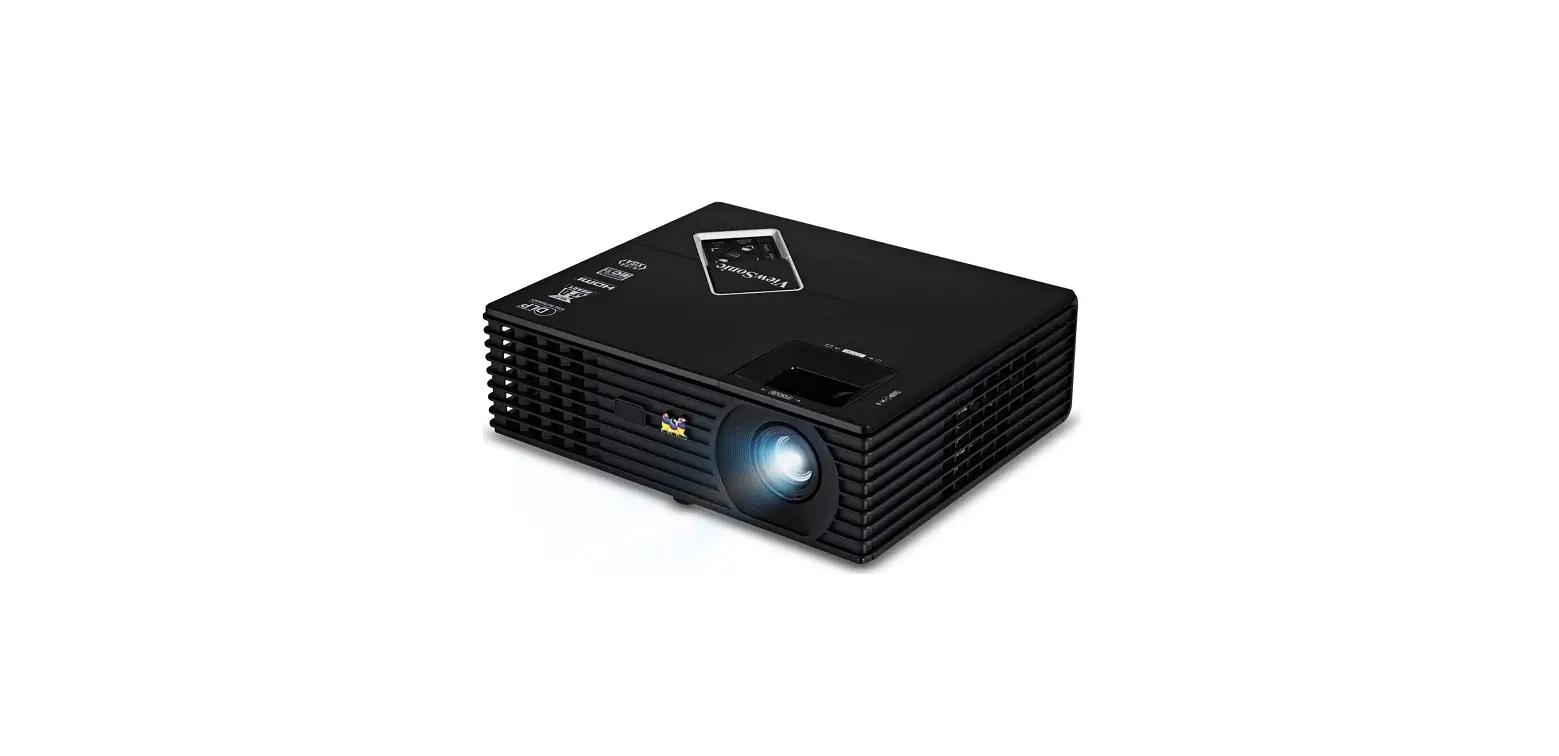
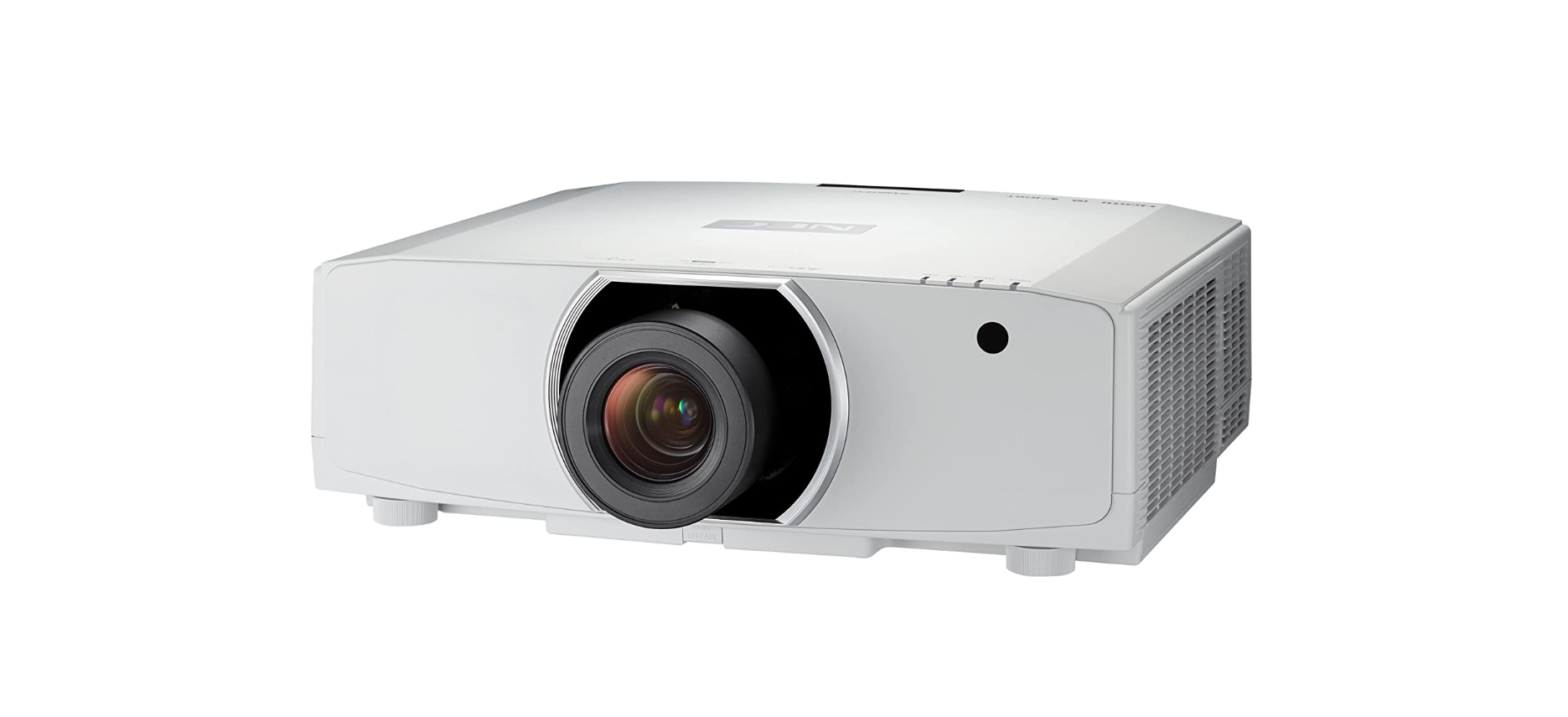
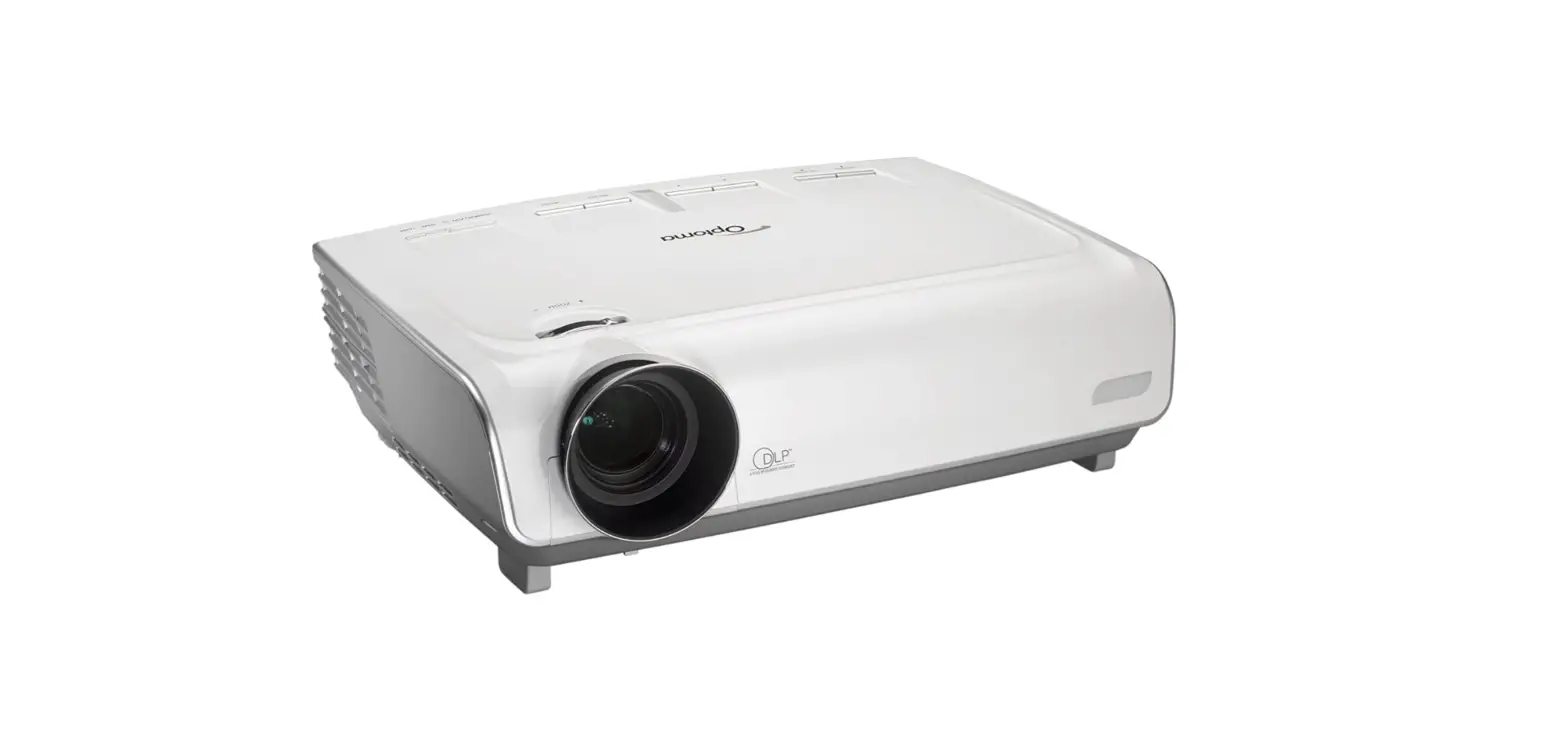
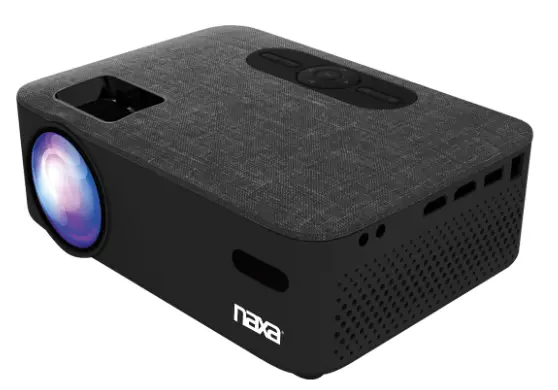
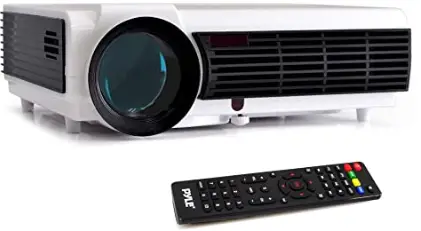
Pyle PRJD903 1080P-Full HD Cinema Home Theater Projection
Safety precautions
Warning;
when using this projector, please read this manual carefully. If the wrong operation, it will cause electric shock or fire. so when using and repairing this projector, please comply with the following points.
- Read manual
Before using this projector, please read the full manual carefully and operate it according to this manual instruction - Clear
when clear this projector, please pull out the power cable. Use the wet cloth to clear,not the cleasner - Accessory
please use our recommended accessory. Or it will damage the projector. - Use the environment
Donot place the projector in wet environment - installation and’fix
please place this projector in the stable table. - Ventilation
the ventilation in the projector is best for the projector work stably. Do not let the dust wall up the filter. Or it will cause the projector high-temperature protected. So please use the water to clear the filter per month. - Power
please make sure the power same as your projector inquiry specification. (220 V or llOV) - Earthing wire
this projector has earthing Wire. It is three pin plug. - protect the power cable
Please confirm the power cable are perfect when connecting the projector. - Thunder
when the thunder happens or long time no use, please pull the power cable out of the projector. - Repairment
As the high voltage inside, please do not open or try to repair the projector by yourself. . Please ask a professional technician to repair the projector. - Far away Heat device
please make sure this projector is far away from another heating device. It will damage the projector’s service life.
Caution
About the installation
- In order to improve the projector service life, It should not place in wet and ventilation conditions
- Donat put the projector under the sunshine directly
- Projector working temperature: 0°C ~+35°C O
- Projector store temperature: -20°C ~+ 70°C o
- Donat block the ventilation window of the projector. If the projector’s interior temperature is too hot, the machine will be shut off automatically. This is hot protected system. So please clean the filter of the projector per month. It is very important. Don’t let the dust cover the filter.
- About Open and closing the projector
- when close the projector, press the power key again. And then the lamp shut off. But the fans still work until 5minutes later. When close the projector, do not pull out the power cable directly. After 5 minutes, the projector will shut off automatically.
Packing list &Accessories
Please confirm the following after you open the package
Packing list
- Projector—————————1
- Lens lid—————————–1
- Remote control——————–1
- Power cable————————-1
- AV cable————————–1
- User manual———————–1
- Extra fuse————————1
- Len cleaner————————-1
Optional accessories
- Projector screen(Matt White, Electric)
- Ceiling Mounts
Specification
| LCD | Type | 5.8″TFT Matrix RGB |
| Input signal | video
Audio | Component video(Ypbpr),VGA,HDMI USB,
Stereo |
| Output signal | Audio | 2W*2 Speaker |
| LCD | Native resolution Contrast ratio | 1280X800 support 1080P
2000∶1 |
| Lens | Aperture Focus | 3.8
190mm |
| Lamp | LED
Color-temputure Life Continuous working time | 180W
9300K > 20000hours < 24hours |
| Image | Size Brightness Keystone | 60~120inch 3000 Lumens
±15 degree |
| Power | Voltage
Power consumption | 110-220V~ 50-60Hz
200W |
| Working condition | Temperature Humidity | +5℃~+35℃ 10%~65% |
| Store condition | Temperature Humidity | -10℃~+60℃ 10%~90% |
| Remote control | Frequency | 38KHz |
| Machine | Size Weight | 325*245*140mm 3Kg |
Introductions
Projector Description
The projector is able to connect signals: HDMI,Y/Pb/Pr,VGA and TV(optional),as well as stereo audio input. Please connect in reference to the following diagrams
Front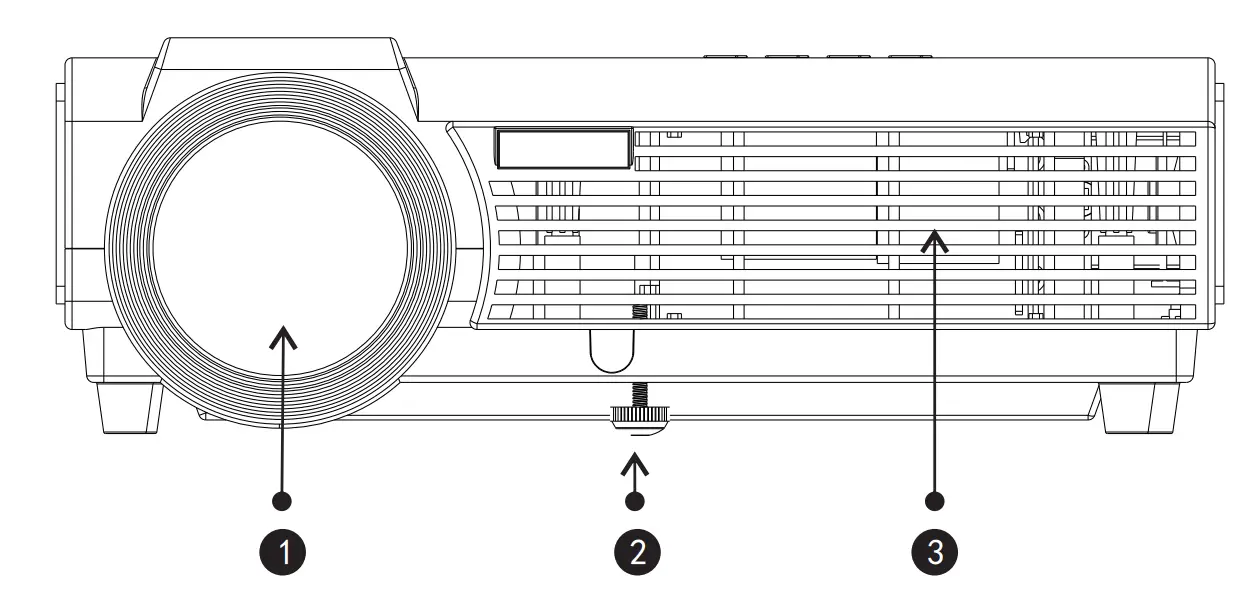
- Focus lens
- Hight-feet adjustment
- Cool winds Input Ventilation
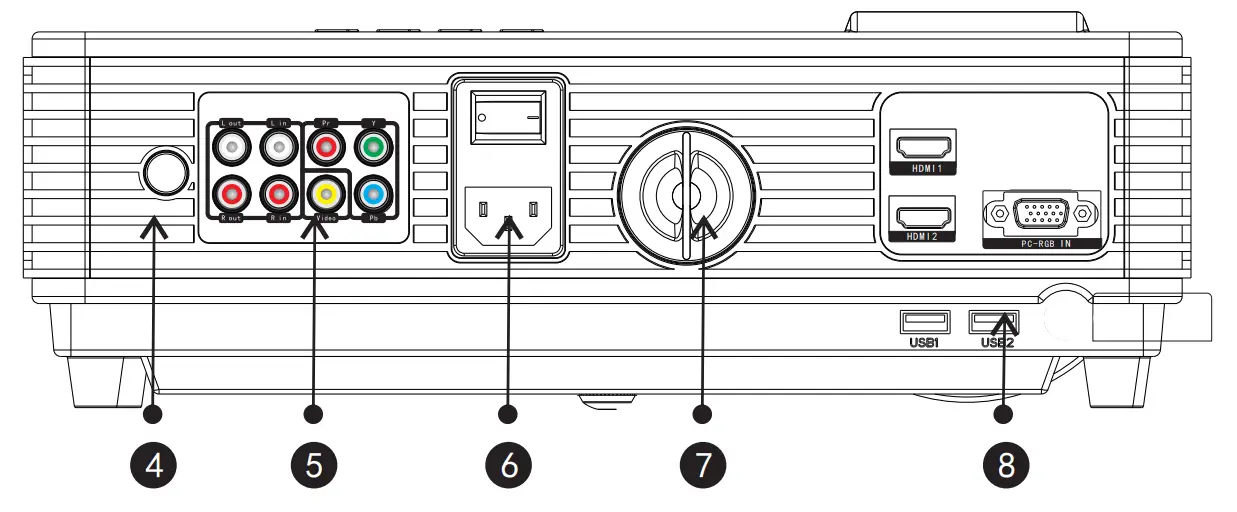
Back
- IR receiver
- Input terminals
Details on page 10,11 - Power switch
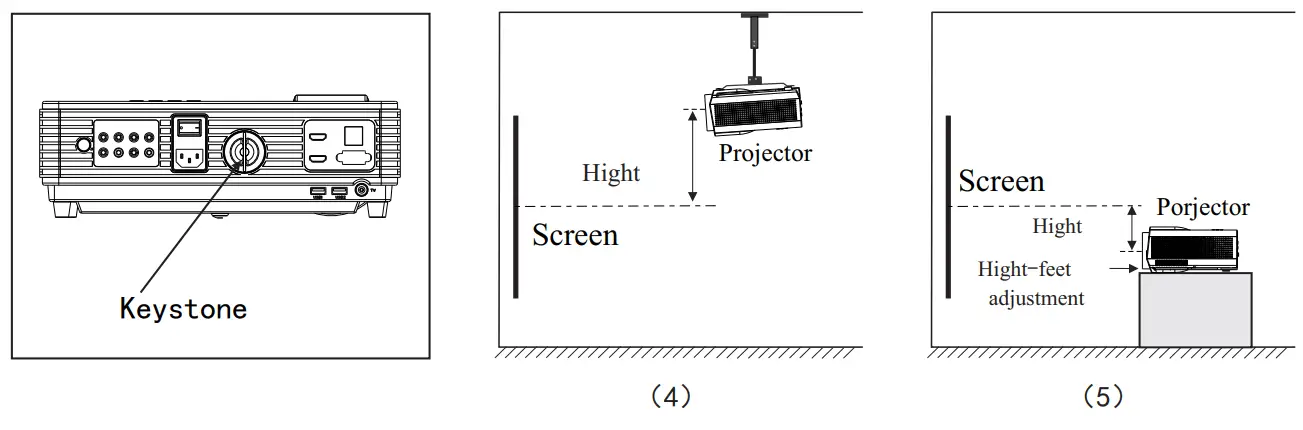
- Keystone adjustment
Details on page 16
Right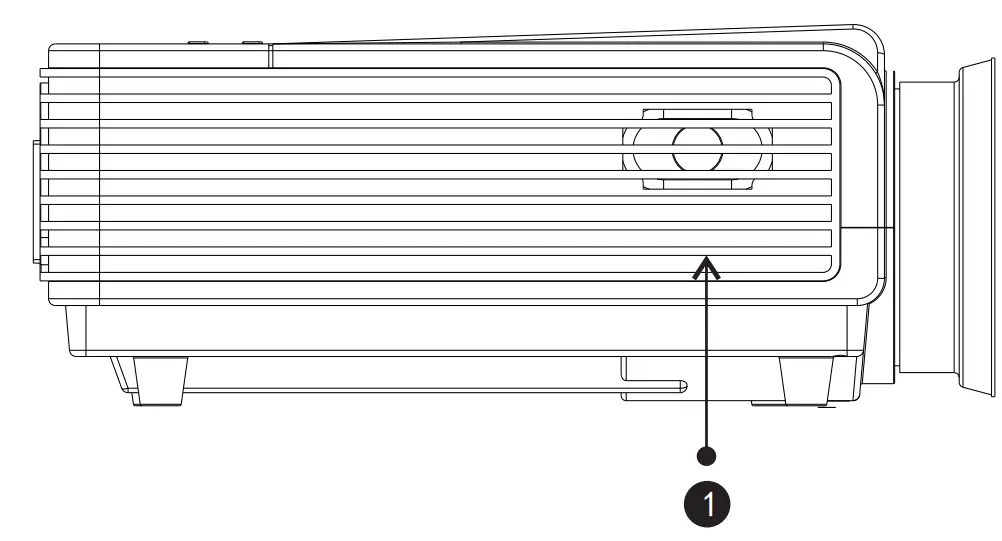
- Right channel speaker
Left
- Cool wind input ventilation
- Left channel speaker
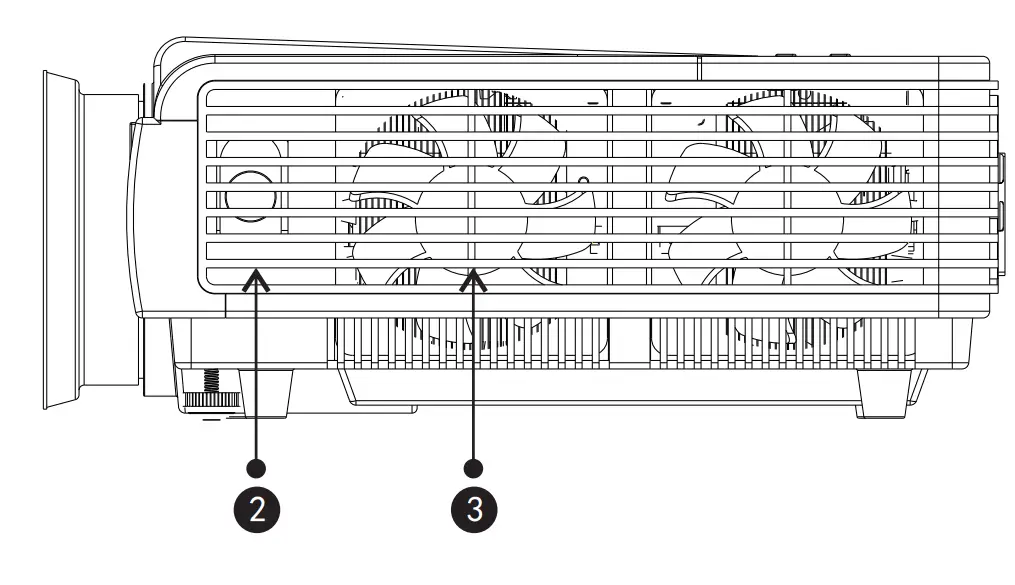
TOP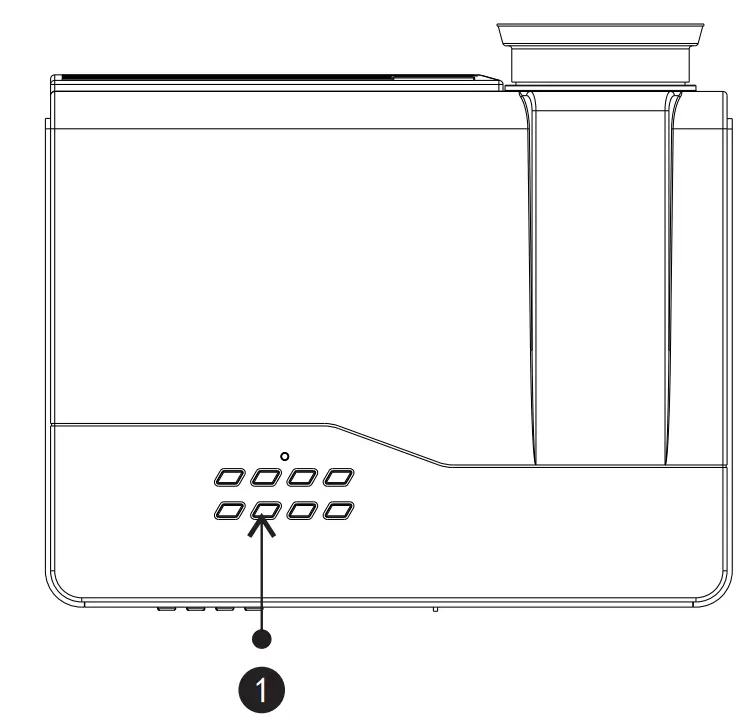
- Control panel
Details at page 14
Bottom
- Hight-feet adjustment
- Projector mount hole(4holes)
Fix with M4x8mm。 - Label
- Cold wind input ventilation system
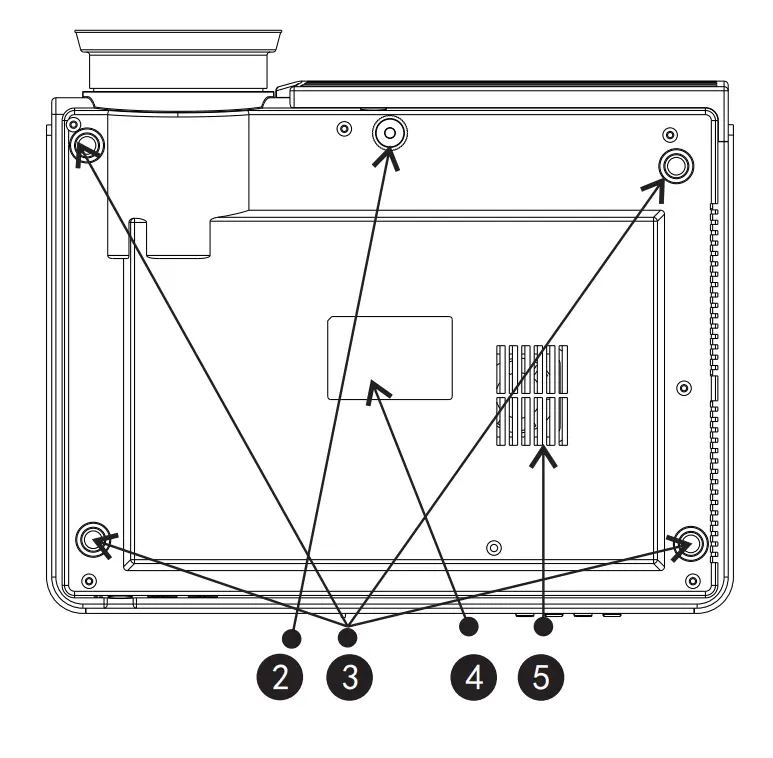
Projector Installation
Projector Installation
Please install in reference to the instruction below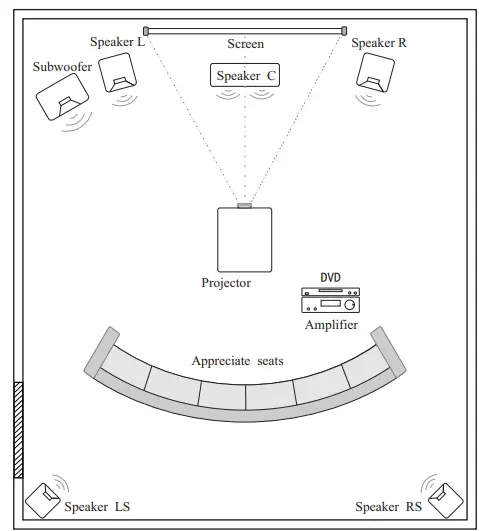
In order to get a good image quality, do not expose the projector to the sunshine or other strong light, close the curtain if you use the projector in daytime.
Standard setting(Front projection)
Please refer to the below sheet, install the projector in distance according to the screen size. Please make sure the projector is placed on stable mount, Take care of the ventilation condition (nothing near 30cm blocking ).
| Distance | 4:3 | 16:9 |
| 60″ | 2.5m | 2.16m |
| 84″ | 3.43m | 2.97m |
| 100″ | 4.05m | 3.5m |
| 120″ | 4.77m | 4.15m |
The data may have 3% error, due to the image size according to the projector and screen. If the distance is less than 2M or more than 5M ,the image may appears unclear.
Warning
Please check the following pictures for the trapezoid adjustment.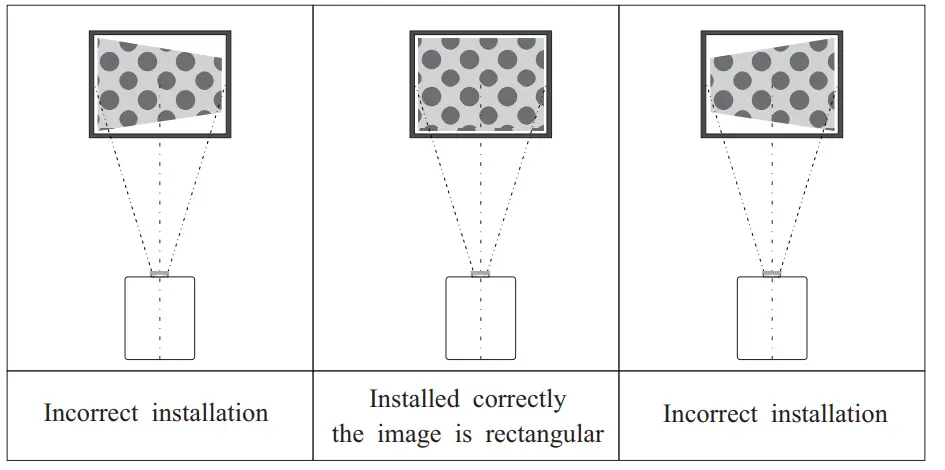
Installation method
Contact a professional service man to mount this projector to a ceiling
Follow the instruction below for the correct projector positions: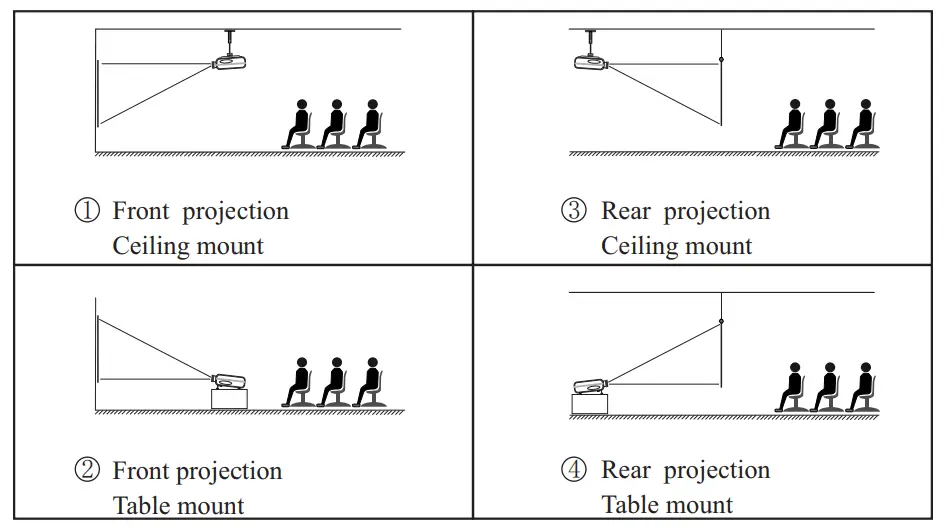
Warning:
- This projector might damage beyond repair when it is incorrectly mounted on a ceiling or when it is in correctly installed on a surface or installed on a incorrect surface. It may also inflict damage to people nearby
- This projector can only be used in an environment with a temperature not exceeding the range of 0-35 degree.The projector may malfunction if temperatures vary outside the normal operating rage
- The sharpness of the screen might be interrupted when the projector is being used in a dusty,wet, moist or smoke-filled environment.
The projector might malfunction in a moist or wet environment - Take care of sufficient ventilation around the projector.
Otherwise, this projector might overheat and cause life-threatening situations - The first operation of the projector may cause an unclear image,
Please refer to the image adjustment for help
Input terminals
Signal terminals description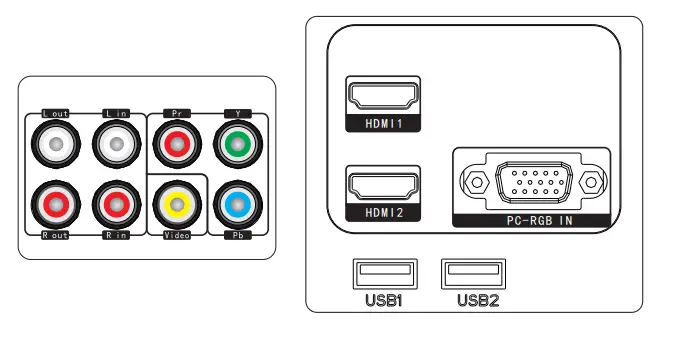
| Name | Description |
| Y/Pb/Pr | Conponent video input |
| Video | AV input |
| Lout、Rout | Audio output |
| Lin、Rin | Audio input |
| PC-RGB IN | VGA input |
| HDMI 1、HDMI 2 | HDMI Signal input |
| USB1、USB2 | USB signal input |
CAUTION
- Turn off the power of projector and the device before connecting, Either on may cause a breakdown of machine
- Check the shape of the plug,DO NOT try the wrong plug
Remote control


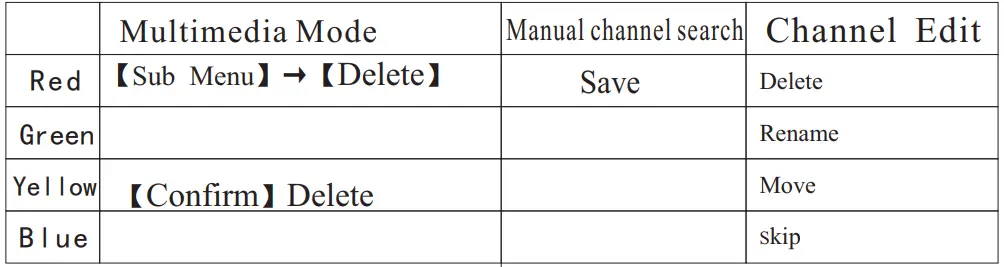
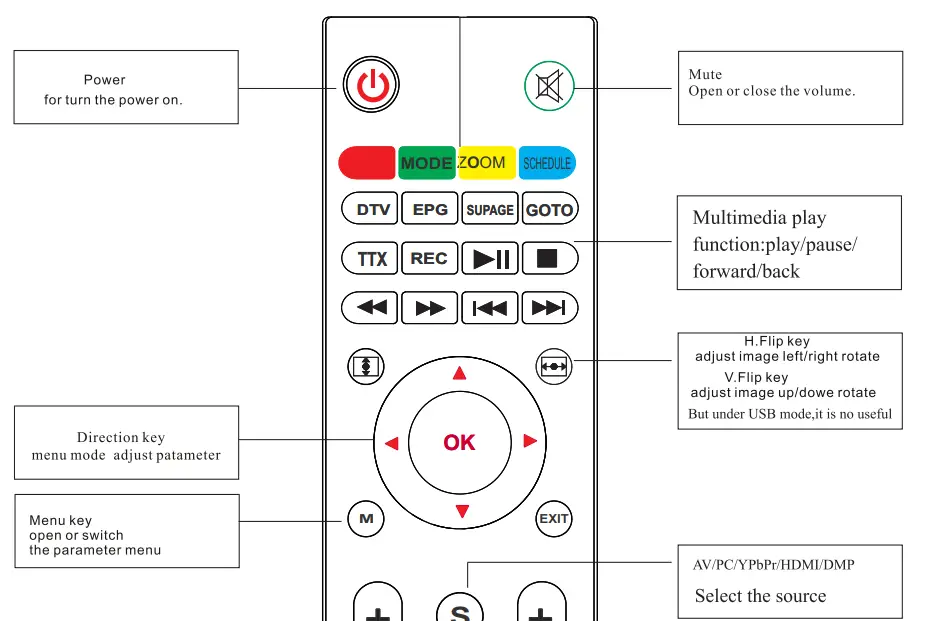
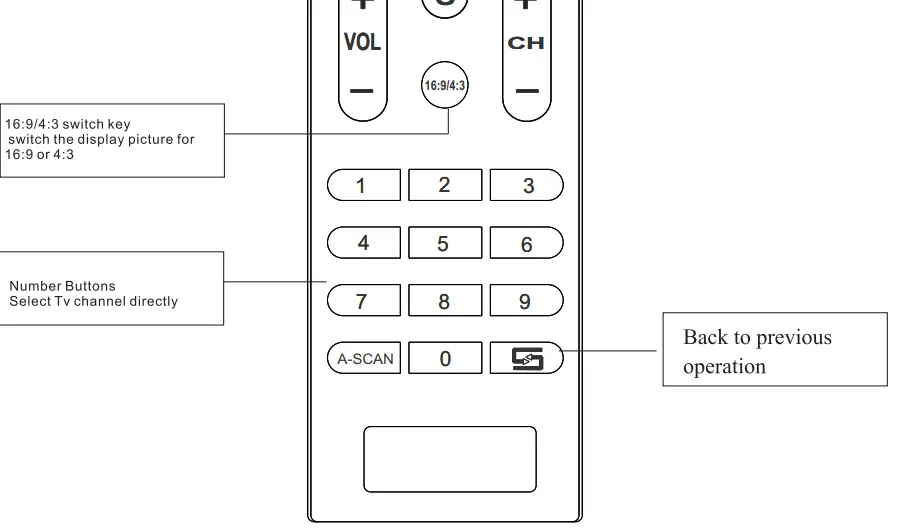
Remote control instruction
Cautions
- DO NOT mix-use the new and old battery
- Make sure nothing stands in the middle of remote and IR
- void the light shine on the IR directly
- point the remote right to IR within 6m,and 30 degrees
- Pull out the battery if you are not going to use it for a long time
- Please change new battery when the remote malfunctions.
- Do not place the remote in wet or heat condition
Panel instruction
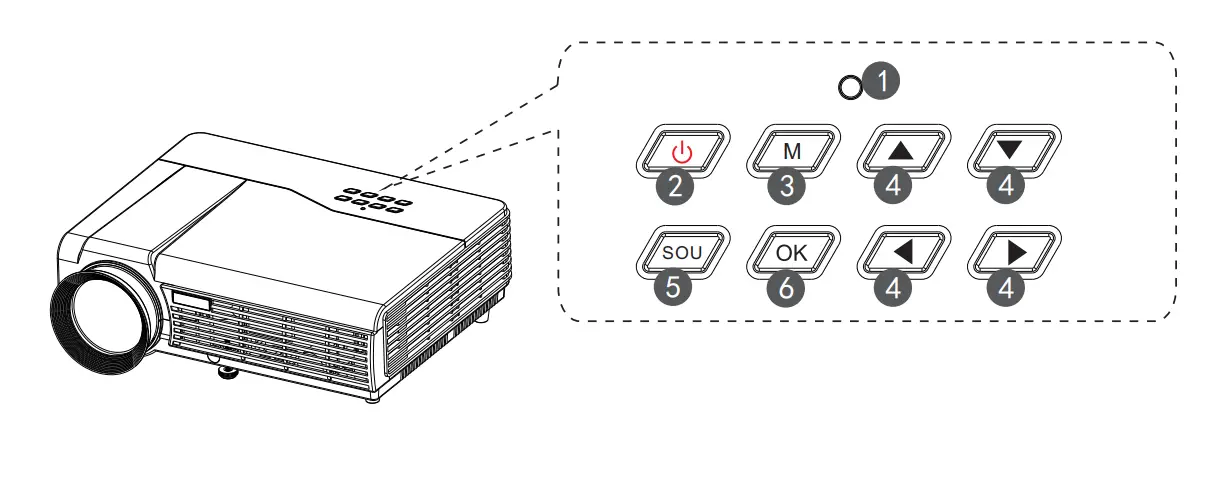
- Indicator light
Red: Standby mode
Green: Working mode - Power KEY
This button can lead the projector to work/standby mode - Menu
open or close the Menu - Direction key
Adjust with parameters, the same function as the remote control - SOU-KEY
Source key (VGA, HDMI, etc.) - OK KEY
Confirm
Turn on/shut down
If the projector is a new one, please read the “projector install chapter, place the projector and connect the cables,follow the below steps to turn on/off
Turn on
- Put in two 7-size batteries in the remote control before using
- Pull the power switch on the backboard as the power light turns red

- Press the power key on the remote or panel, the indicator light turns green
- The lamp start working 2 seconds later, the image projected on the screen the machine is working smoothly
- The new projector may have problems like image unclear or trapezoid distortion, Please read the “image adjustment” chapter
- After the image is clear , you may enjoy the program, in the meantime , you can still setup the system or adjust the parameters
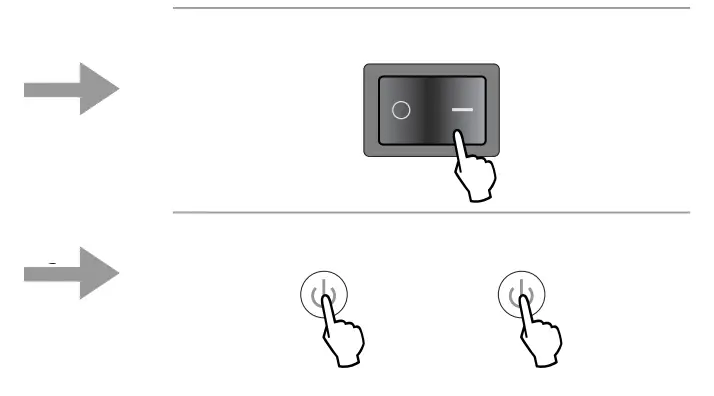
Turn off
- Press the power button during use will lead the projector to standby mode
- when the projector switch into standby mode, the light will turn green from red
Image adjustment
When you use the projector for the first time. It normally will appear image faintness or the image is trapezoid. This is caused by the wrong lens focus or trapezoid correction
Please follow the below steps to correct:
Focus adjustment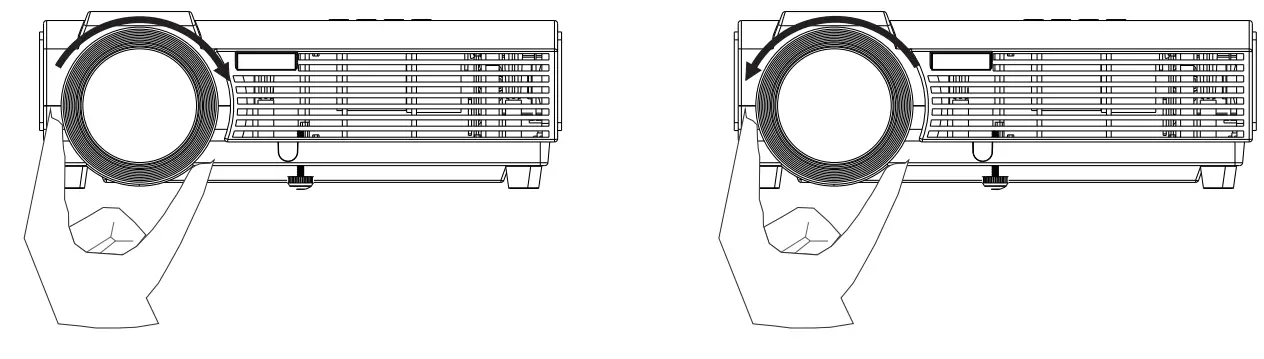
- rotate the lens into the projector, then rotate it out slowly. At the same time, look at the resolution point carefully. When the image is clear, it is the best situation of the lens
Keystone
- If a projected picture has keystone distortion, correct the image with Keystone adjustment. The image becomes a trapezoid shape when the screen or projector is not leveled. Please reposition the projector to improve its angle to the screen. However, the circumference of the image may not be focused.

Menu setting method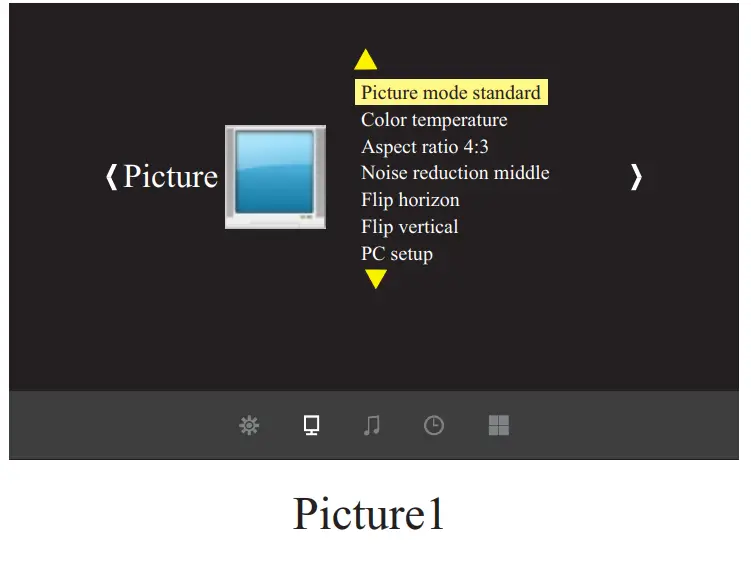
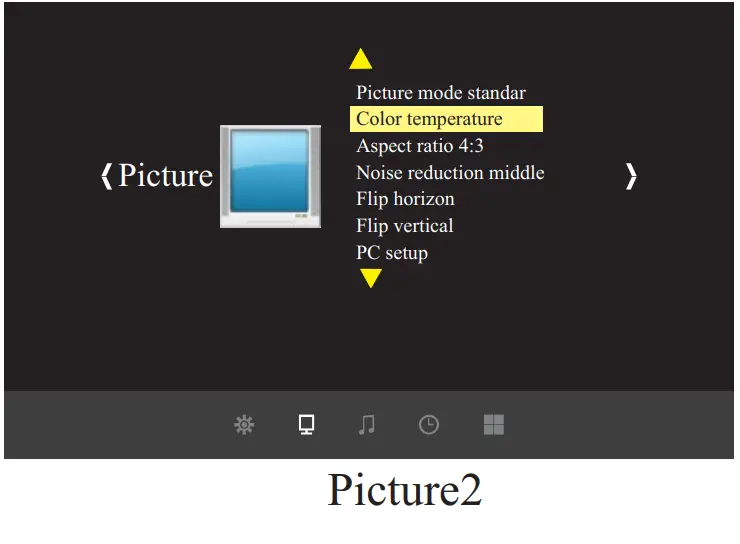
- Using the projector, press“menu”. The picture display on the screen to adjust the menu(picture I)
- Press the “◀/▶” key, the menu in turn circles into“picture”>“sound” >“time”>“system”
- Select the adjust interface, and use“▲/▼” key to choose the wanted item (picture II)
- Press“OK” or“◀/▶” to adjust the item parameter.
- Finished the elected item parameter, press the “menu” key again, exit the page Repeat operating step 2~5, till you finished all the parameters, press“exit” and exit the menu page, otherwise, the menu page will auto-exit after a period time
Parameter adjustment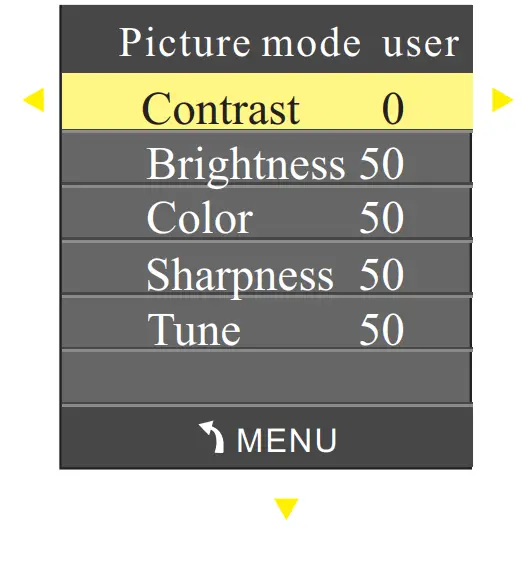
- Press the “menu” key, until displaying the above picture of the menu;
- Press the “▲/▼” key,elect the option that need to adjust
- Press the “OK” key,use the “◀/▶”button to adjust the certain parameters
- Press the “menu” key again exit the menu page parameter adjust station。
Picture Menu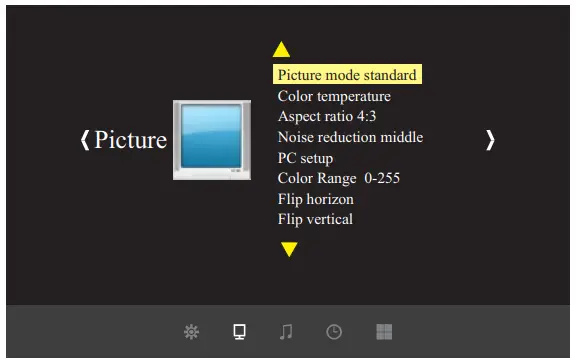
| Picture Menu | |
| Picture Mode | Standard/warm/user(Appendix 1)/Dynamic |
| Color temperature | Standard/warm/cool |
| Aspect | Auto/4:3/16:9 …( Appendix 2) |
| Noise reduction | OFF/LOW/MID/HIGH |
| Color Range | 0-255/16-235 |
| Flip horizon | OFF/ON |
| Flip vertical | OFF/ON |
| Picture | ||
| Contrast | 0 ~ 100 | Image contrast adjustment |
| Brightness | 0 ~ 100 | Image brightness adjustment |
| HUE | 0 ~ 100 | Image hue adjustment |
| Sharpness | 0 ~ 100 | Image sharpness adjustment |
Sound Menu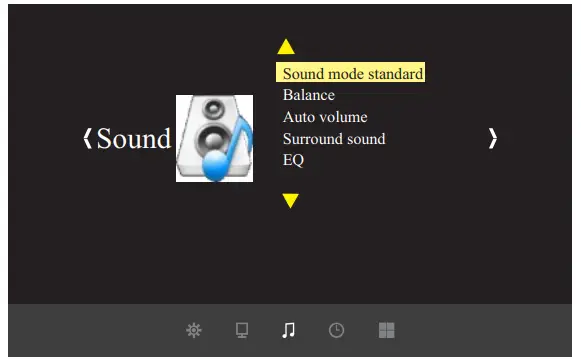
| Sound Menu | |
| Sound mode | Music/Movie/Sport/User/Standard |
| Balance | (- 50~50) |
| Auto-volume | OFF/On |
| Surround Sound | OFF/Surround |
| Balance | (120/500/1.5K/5K/10K) Hz 50 |
Time Menu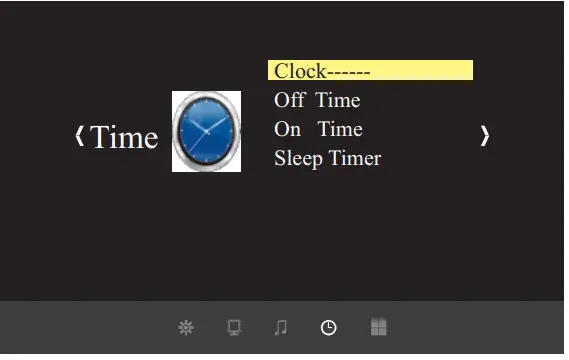
| Time Menu | |
| Clock — — — | Date–/Month–/Year–/Hr–/Min– |
| OFF Time | OFF/Once/every day/Monday~/Sunday |
| On-Time | OFF/Once/every day/Monday~/Sunday |
| Sleep Timer | OFF/10Mins/20Mins/30Mins/60Mins/90Mins |
Menu setting method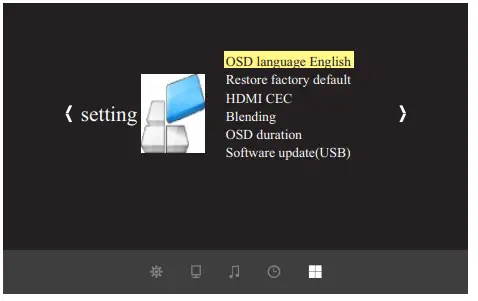
| Menu setting | |
| Language | Pycck /Arabic/ CN |
| Restore default | YES/ NO |
| HDMI CEC | OFF/ON |
| Blending | OFF/LOW/ MID/ HIGH |
| OsdDuration | OFF/5S/ 10S/ 15S |
| Upgrate(USB) | Software update |
multimedia menu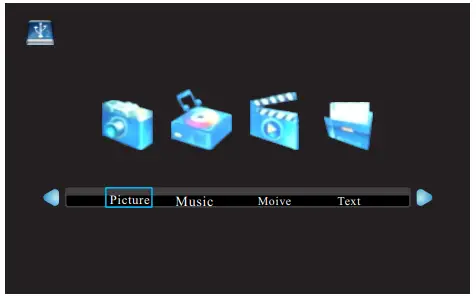
| Multimedia Menu | |
| Picture | View the photos in gallery |
| Music | Play an album |
| Movie | Watch a movie |
| TXT | Read the book |
Note:
The signal source multimedia 1 mode, you can operate on USB1 interface disk;
The signal source multimedia 2 mode, you can operate on USB2 interface disk;
CAUTIONS:
- The usb interface support USB1.1 and USB2.0, including hard drive and fresh drives
- The max. Storage supported is 400Gb
- The system format supported:
FAT16、FAT32、NTFS - The usb interface can support most drives but is not universal, any unknown device problem is caused by the device drive
- The total voltage of the connected devices shall not be over 1200mAh,the problems casued by the wrong operation will not be warranted
| Task | Format | Video Decode | Audio Decode |
|
MOVIE | . avi | Div X, Xvid, MPEG- 4 |
MP 3 , WMA, AAC |
| . mpg | MPEG- 1 , MPEG- 2 | ||
| . dat | MPEG- 1 | ||
| .rm/rmvb | Real Media, video | ||
| . mov/ mkv | H. 264 | ||
| MUSIC | . mp 3 | — | Mp 3 |
| . wma | — | WMA | |
| . m 4 a/. aac | — | AAC | |
|
PICTURE | . jpg/ jpeg | Progressive JPEG Baseline JPEG | — |
| . bmp | BMP | — | |
| . png | Non- interlaced Interlaced | — |
Troubleshooting
The projector is so easy to use as the TV. While some problems my occur because of the environment and voltage. Please try to recognize the fake malfunction before refer to the technicians.
| Problem | The possibility reason |
| 1.when turn on the power switch, the indicator light do not work | ◎The power can does not connect well
◎The power switch fuse is burned ◎Check the over-heat protection system |
| 2.The remote control can not turn on the projector | ◎The power switch turn on or off?
◎The remote control out of battery? ◎Something stands between the remote and IR ◎Strong light on IR directly |
|
3.No image on the screen | ◎Is the channel setup correct?
◎Is there an input signal? ◎Is the input cable plugged well? ◎Under PC model,is the refresh rate >75KHz? ◎When the projector connect with the notebook, set the screen as VGA mode |
| 4.Auto-off after working for a while | ◎The projector ventilation is block
◎The voltage is not stable ◎The over-heat protection system |
Warranty card Ⅰ
Warning
Warning
- Please remember the model and series number of the projector in case of loss.
Please carefully check all accessories with the pack list before throwing the package away. When you use this projector, please carefully read user manual. - High-brightness lamp!
Avoid staring or looking directly at the light, especially for children. - Avoid placing the projector in wet condition in case of electric shock danger.
- It indicates there is a instruction for an important operation
- It indicates there is a dangerous Voltage inside that may cause shock
- Warning: As an A-class product, the projector may cause radio interference Users shall take effective measures to deal with it.
About the remote control battery
- The remote control battery should be fixed correctly Otherwise, it will be damaged for overheat
- Make sure the remote control is out of children’s reach
Warranty clause
- warranty range
All projector is purchased by our distributor or agent, we offer the warranty service during valid warranty time. - warranty time
From the date of production on the projector label, we offer 12 month warranty period for the projector. But the halogen lamp only has 6-month warranty; the LED lamp has a 24months warranty - warranty condition( except for the following status)
- warranty card or purchased invoice are lost.
- alter or dilacerate the date of production in the projector 1able
- the user does not operate the projector according to use manual and damages the projector
- the projector is out of warranty time
- Flood fire natural disasters and all the factors force major damage
- to warranty service
if your projector is broken during the warranty period, please contact the distributor where you bought it. They will offer you the required service.
Maintenance record
FAQs
Does this Unit truly produce 1080p or just 1080i
It is 1080 compatible, that means it will not show an error when playing a video recorded with 1080p resolution.
Can it work in the family room during the afternoon time? Does it work in rooms that are not
completely dark?
Our screen is up against the window of our living room with a blackout curtain over the window. At any time of day we’re able to see the picture just fine. Even with daylight, room lights, etc. The room will need to be dimmer than normal, but not completely dark by any means.
Would this be good enough for a small home theater and some gaming?
Yes it is
Will this do front and rear projection or just front?
Just front
How many lumens does it have?
2000
There are no step by step instructions to set this up in the instruction manual. Can someone pointme to an online instruction sheet for set up?
Check the pyleaudio.com website – they might have a manual for this model that you could download.
Can this be mounted
Yes it has special mounting holes that match most universal mounts
Can it be hooked up to coax from the cable company?
No. It doesn’t have a built in tuner. You have to put a video source to it. HDMI , VGA, etc.
can this projector be used for business presentations?
Yes.it has multiple input options including HDMI for a PowerPoint presentations
Is it possible to hook up external speakers?
Yes you can send the audio portion of whatever you are displaying back out through the Red and White OUTPUT connectors on the back of the projector. **PLEASE NOTE** If you connect your speakers through these outputs, you will not have surround sound you will only have stereo sound. If you are using an HDMI, you may want to connect the device to a surround sound receiver then connect the receiver to the projector. That way the audio stays in surround sound format and the receiver will then push the video to the projector. Even more, if you are using an HDMI device, you DO NOT want this projector in the first place, it only displays a picture about as good as your old 1990’s tube TV so you are not getting the HDMI quality you pay for and deserve.
Would this work with a translucent screen to project Halloween images onto a window?
Yes. The projector can also adjust photo projections from small to large at exactly 60″ to 120” with a brightness of 2000 lumens and can flip image at a full 360 degrees.