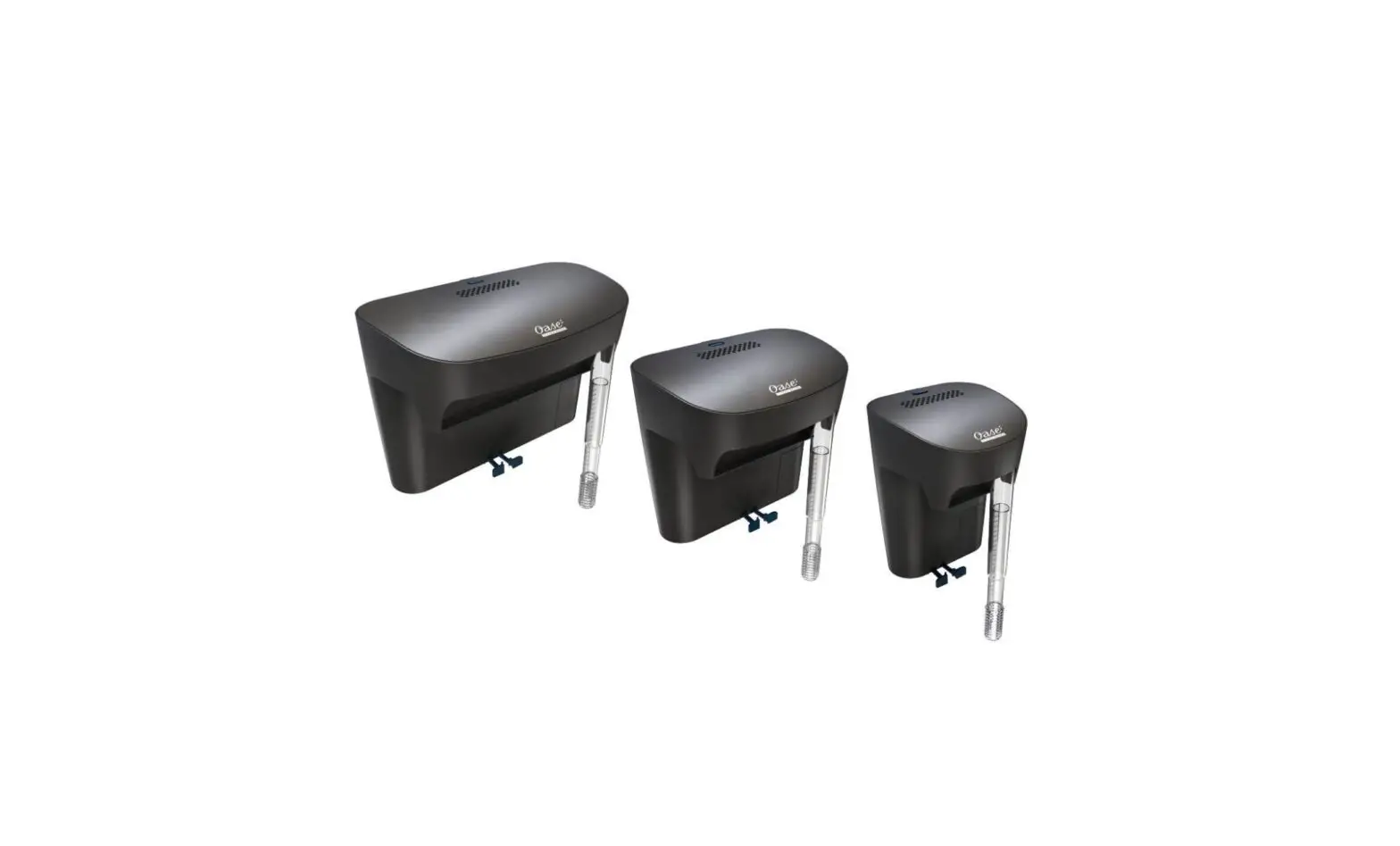
oase 75, 115, 180 BioStyle Hang On Back Filter Owner’s Manual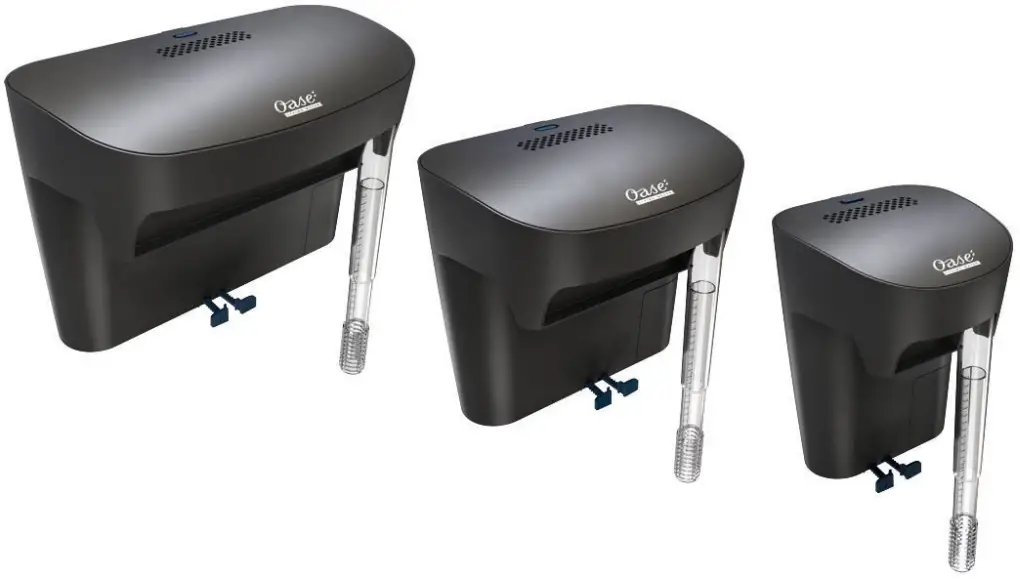
 WARNING
- Disconnect all electrical units in the water from the power supply before reaching into the water. Otherwise there is a risk of injuries or death by electrocution.
- Disconnect the power plug before carrying out any work on the unit.
- This unit can be used by children aged 8 and above and by persons with reduced physical, sensory or mental capabilities or lack of experience and knowledge if they are supervised or have been instructed on how to use the unit in a safe way and they understand the hazards involved. Do not allow children to play with the unit. Only allow children to carry out cleaning and user maintenance under supervision.
Safety information
Electrical connection
- Only connect the unit if the electrical data of the unit and the power supply match.
- Only plug the unit into a correctly fitted socket.
- Protect open plugs and sockets from moisture.
Safe operation
- Do not use the unit, if electrical lines or the housing are damaged.
- A damaged connection cable cannot be replaced. Dispose of the unit.
- Do not carry or pull the unit by its power cable.
- Route lines so that they are protected from damage and nobody can trip over them.
- Should problems occur, please contact the authorized customer service or OASE.
Product description
Overview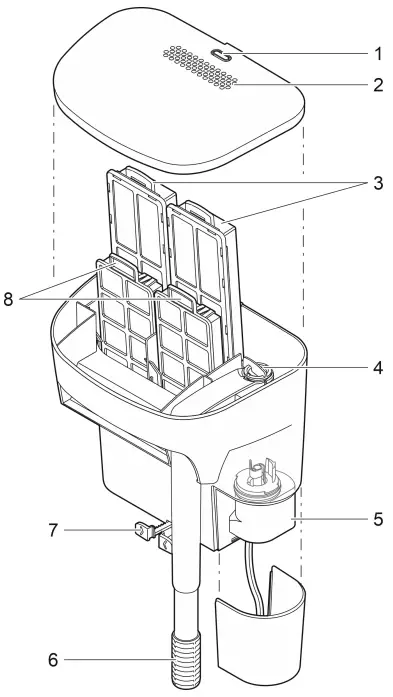
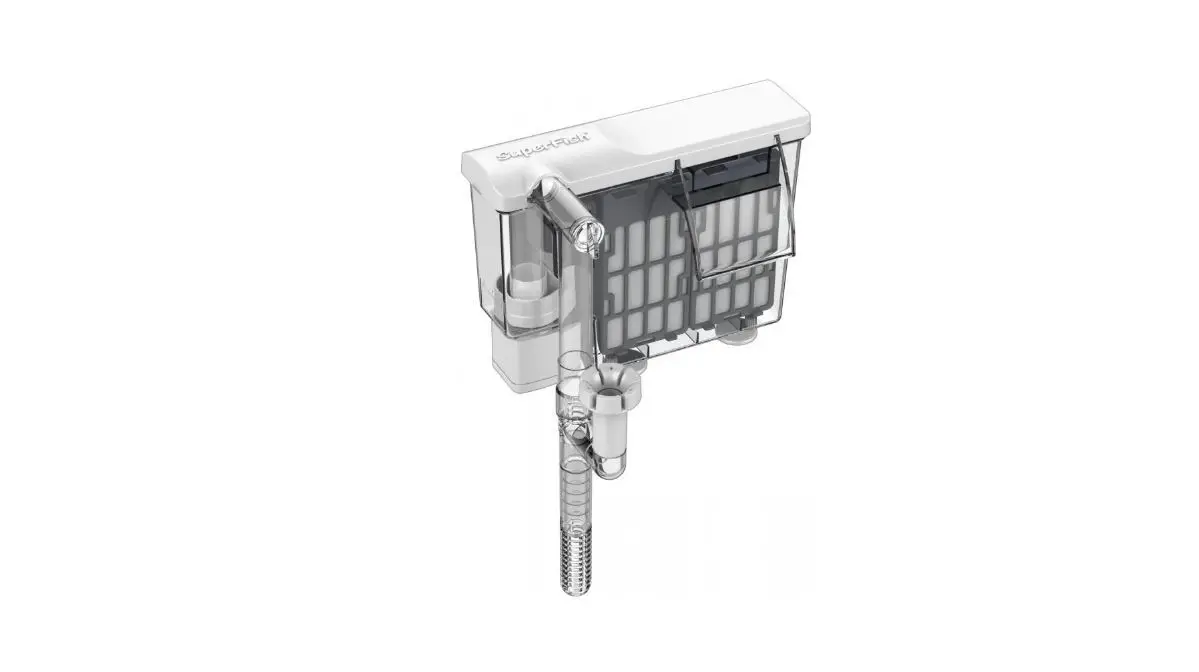
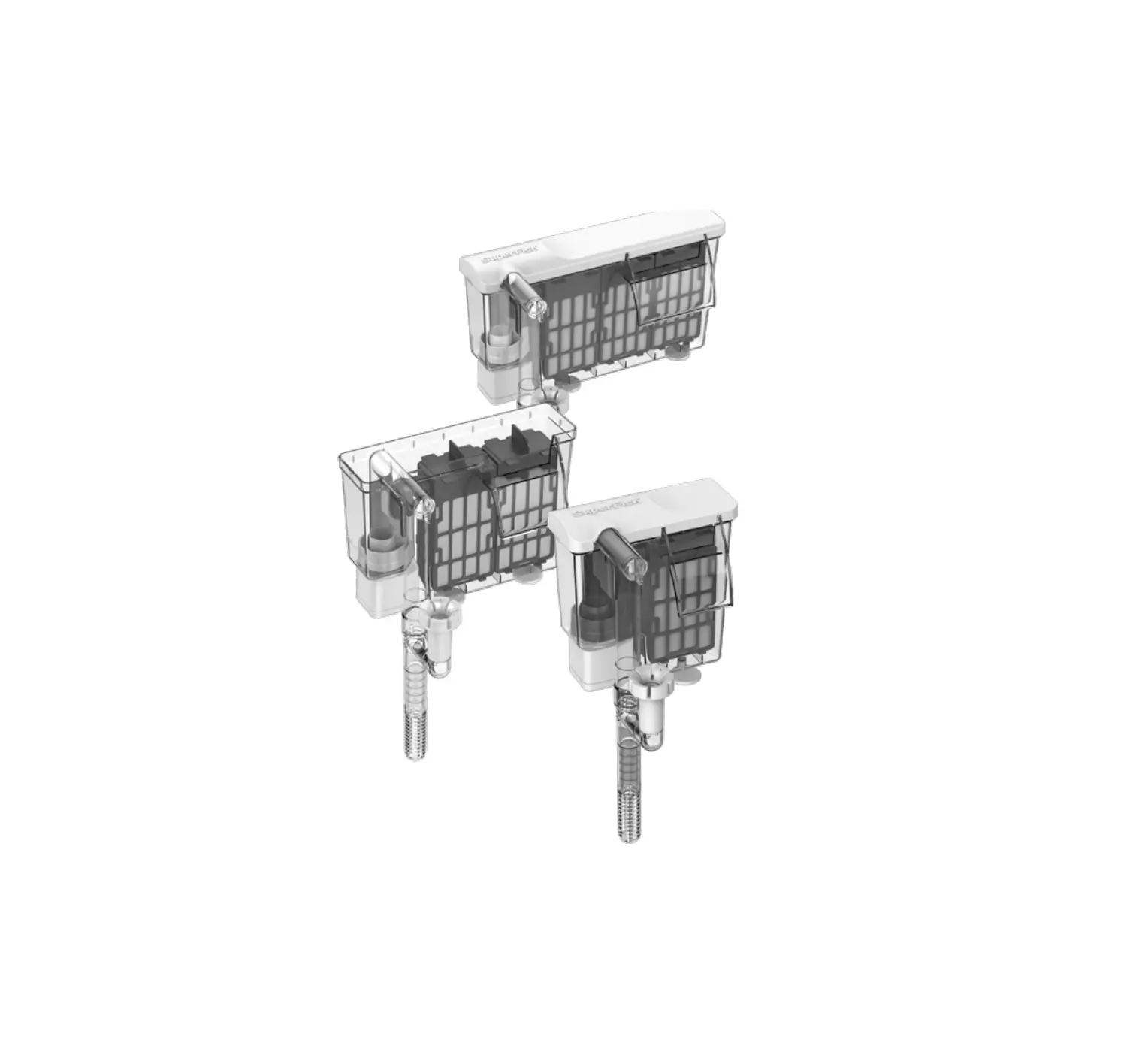
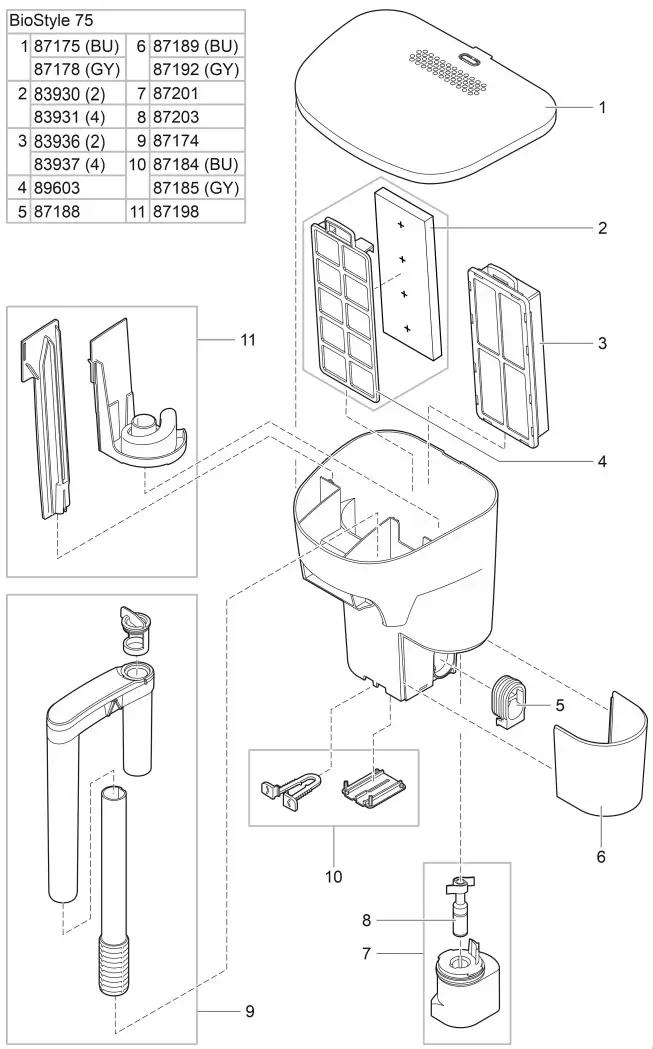
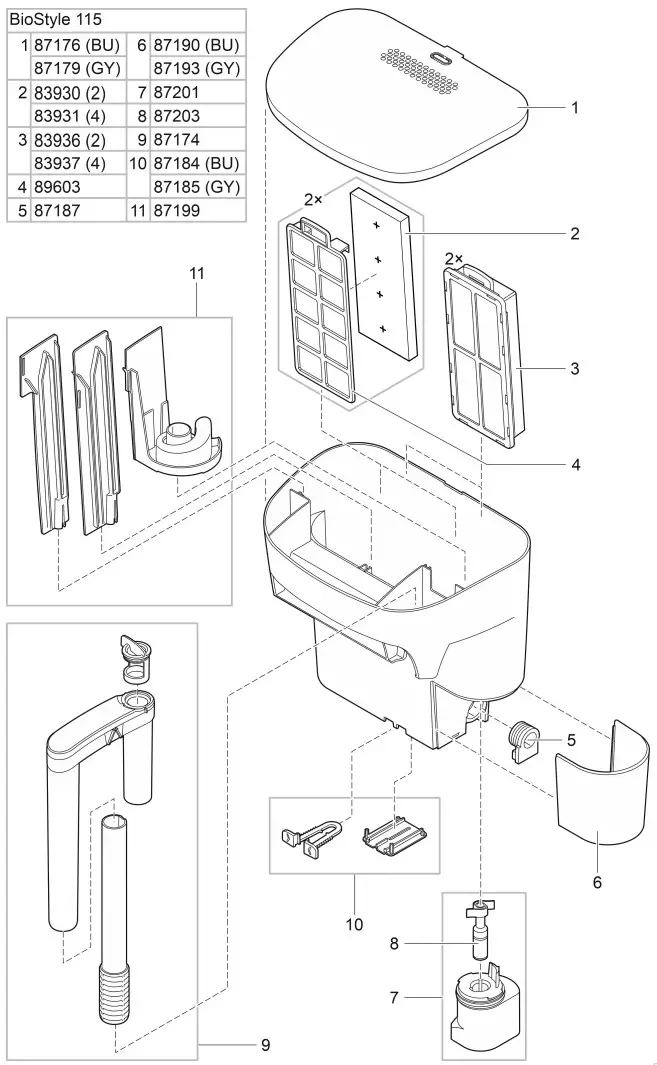
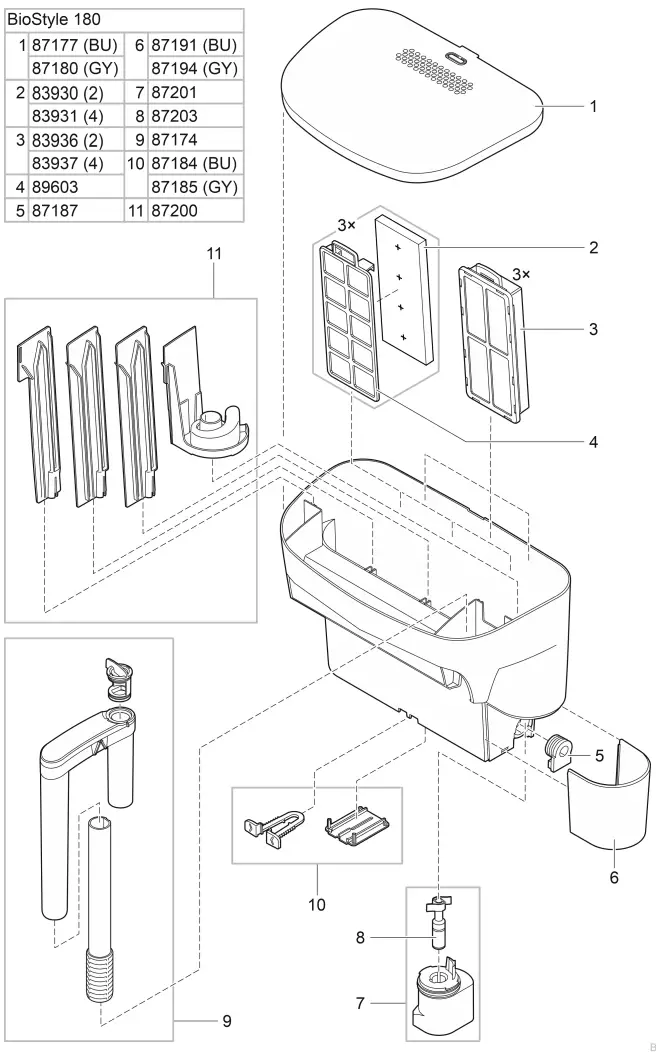
- Maintenance display, shows when to replace or clean filter media
- Ventilation openings
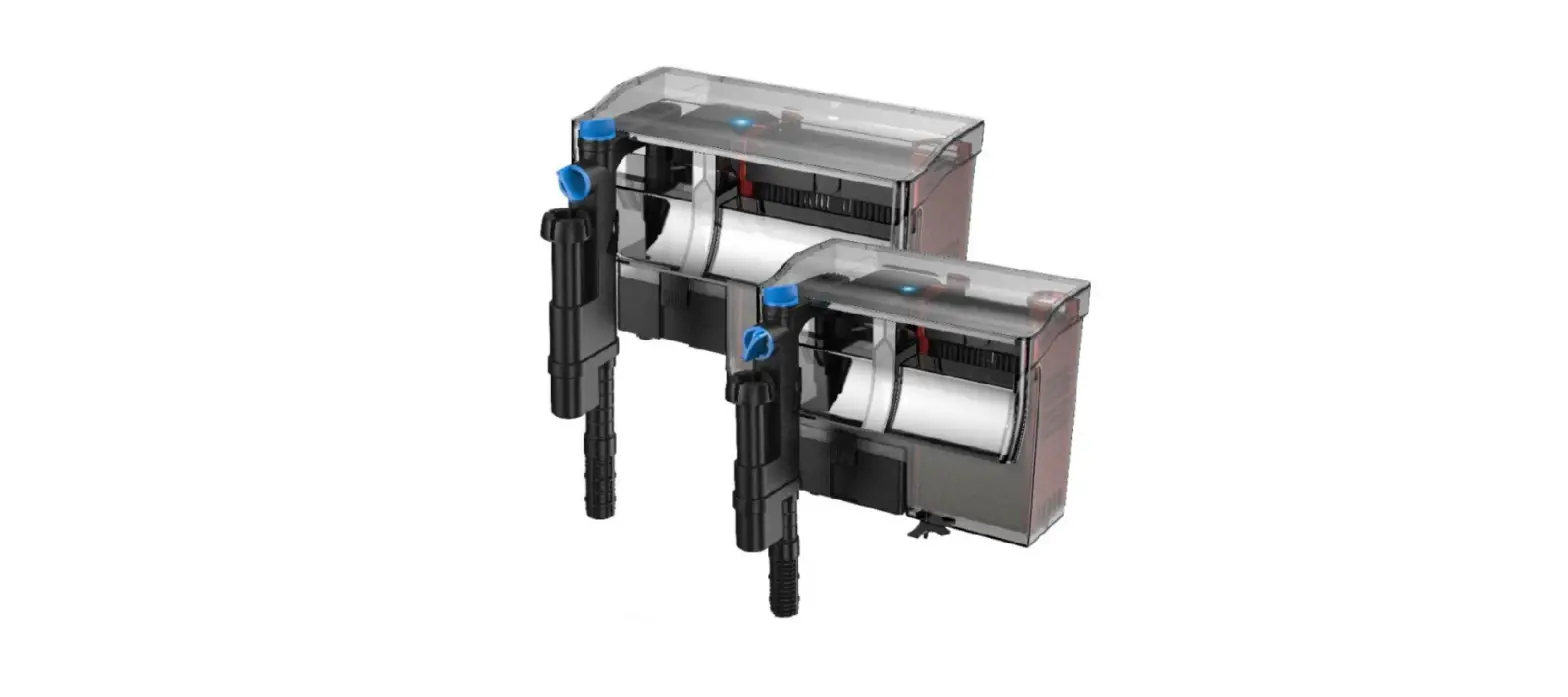
- Filter cartridge (BioStyle 75: 1×, BioStyle 115: 2×, BioStyle 180: 3×)
- Flow regulator, adjustment of the water volume flowing through the filter
- Pump
- Intake pipe with intake screen, adjustable in length
- Spacer, adjustable, for aligning and stabilizing the filter
- Filter foam (BioStyle 75: 1×, BioStyle 115: 2×, BioStyle 180: 3×)
Symbols on the unit
 The unit is protected against the ingress of splash water.
- Use the device indoors only.

- Do not dispose of the unit with normal household waste.

- Read the operating instructions.

 The unit is protected against the ingress of splash water.
Intended use
Only use the product described in this manual as follows:
- Filter and circulate water.
- Operate the product in compliance with the technical data. (→ Technical data)
The following restrictions apply to the unit:
- Never use the unit with fluids other than water.
- Never run the unit without water.
- Do not use for commercial or industrial purposes
Installation
Prepare filter cartridge
Thoroughly rinse all filter materials with warm water before the first use. Do not open the Multi-stage filter cartridges.
Attach filter
How to proceed: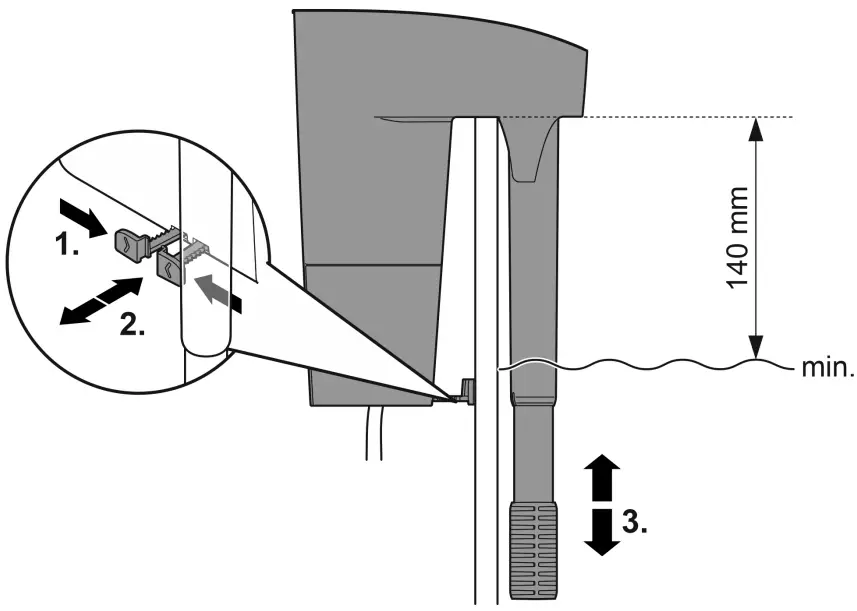
- Place the filter on the aquarium rim so that the filter hangs vertically on the side of aquarium.
- Use the adjustable leveler to align the filter.
- The adjustable leveler holds the filter vertically and supports it against the aquarium wall.
- Extend the telescopic intake to the desired height.
- Make sure that no aquarium substrate (e.g. sand) is sucked in.
Requirements for reliable water intake:
- Do not let the water level drop more than 5.5 in from the aquarium rim. This will ensure that the pump draws in the water safely, e.g. after a power failure.
- Fill the filter housing completely with water (before the first start-up and after cleaning the filter housing).
Commissioning/start-up
If there is air in the telescopic intake, it may take up to 3 minutes for the pump to deliver water.
- Switching on: Plug the power plug into the outlet.
- The unit switches on immediately.
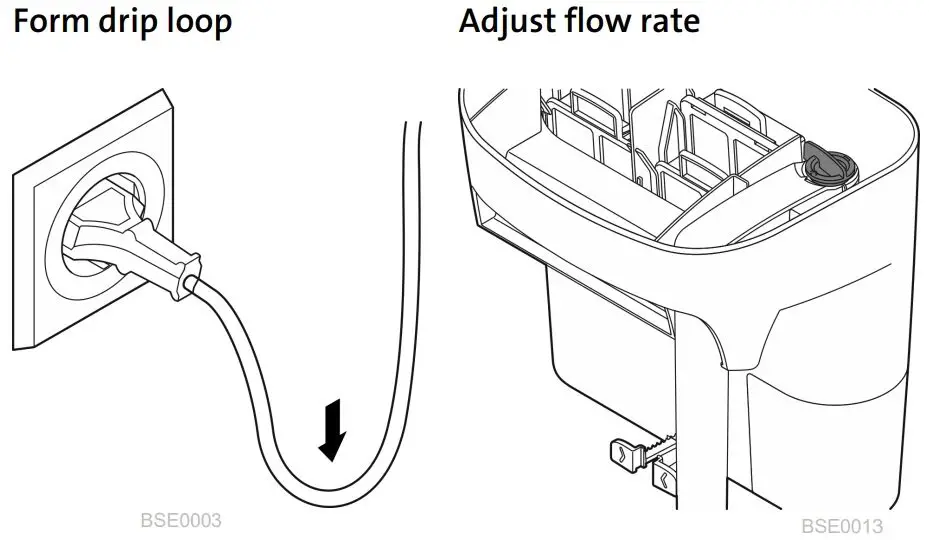
- Lay the power supply cord so that a drip loop is formed and the lowest point is below the socket. This prevents dripping water from entering the socket.
- Set the desired flow rate.
- Switching off: Pull the power plug from the outlet.

Maintenance and cleaning
NOTE
Do not use aggressive cleaning agents or chemical solutions. These agents can damage the housing, impair the function of the device and harm animals, plants and the environment.
- Clean the unit only with clean water and a soft brush or sponge.
Replace filter media
If the cleaning indicator has risen high enough that the line is visible, the filter capacity is no longer sufficient. You must replace or clean the filter media.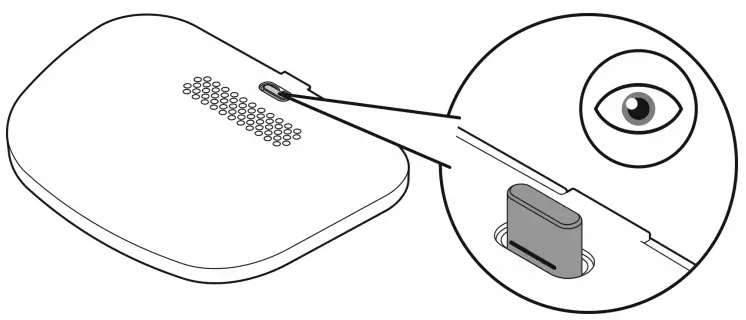
Cleaning the filter housing
For thorough cleaning of the filter housing, remove all filter media, the telescopic intake, and the partition wall.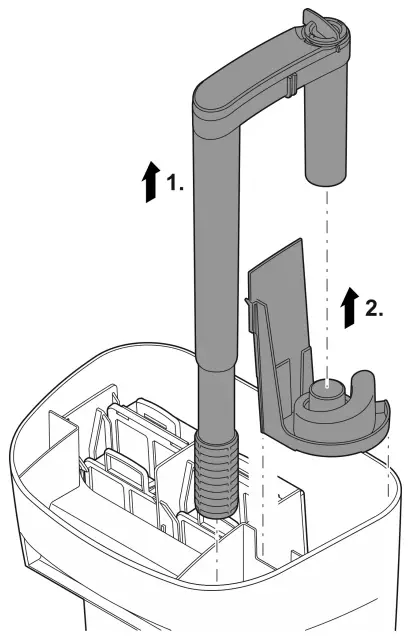
Cleaning/replacing the impeller unit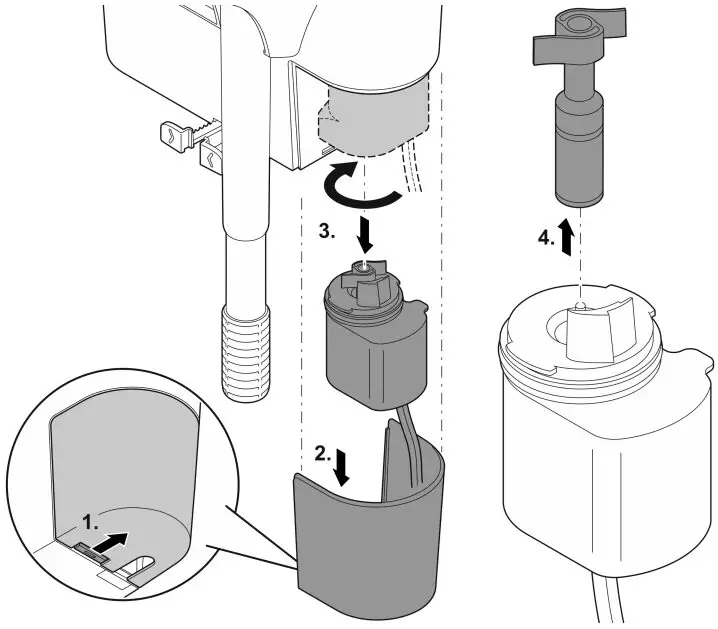
Troubleshooting
Malfunction | Possible cause | Remedy |
| Pump does not start up | Insufficient power | Check the power supply cord |
| Impeller unit blocked | Cleaning | |
| Insufficient water flow | Filter housing or running unit dirty | Cleaning |
| Impeller unit worn out | Replace impeller unit | |
| Filter media dirty | Replace filter media | |
| Telescopic intake blocked | Clean telescopic intake | |
| Telescopic intake and partition wall not assembled correctly | Assemble telescopic intake and partition wall correctly | |
| Filtration insufficient | Filter media soiled or worn | Replace filter media |
| Filter housing clogged | Clean filter housing |
Technical data
| BioStyle | 75 | 115 | 180 | |
| Rated voltage, pump | AC V | 230 | 230 | 230 |
| Pump supply frequency | Hz | 50 | 50 | 50 |
| Pump power consumption | W | 3.5 | 4.0 | 4.5 |
| Length of connection cable, pump | Ft | 4.9 | 4.9 | 4.9 |
| Max. pump conveying performance | gal/h | 92.5 | 145.3 | 237.8 |
| Max. aquarium size | gal | 19.8 | 30,0 | 50.2 |
| Dimensions :Length | inch | 5.98 | 8.5 | 10.98 |
| Width | inch | 5.23 | 5.98 | 6.73 |
| Height | inch | 8.5 | 8.5 | 8.5 |
| Weight | lbs | 1.98 | 2.42 | 2.86 |
Wear parts
- Filter media
- Impeller unit
Disposal
NOTE
Do not dispose of this unit with domestic waste.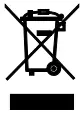
- Dispose of the unit by using the return system provided for this purpose.
- Disable the unit by cutting off the cables.
Inductions
Support
OASE GmbH
Postfach 2069 • 48469 Hörstel
Tecklenburger Straße 161 • 48477 Hörstel
Germany
www.oase.com
[email protected]
Hotline: +49 5454 93 39 49 20

 OASE Consumer