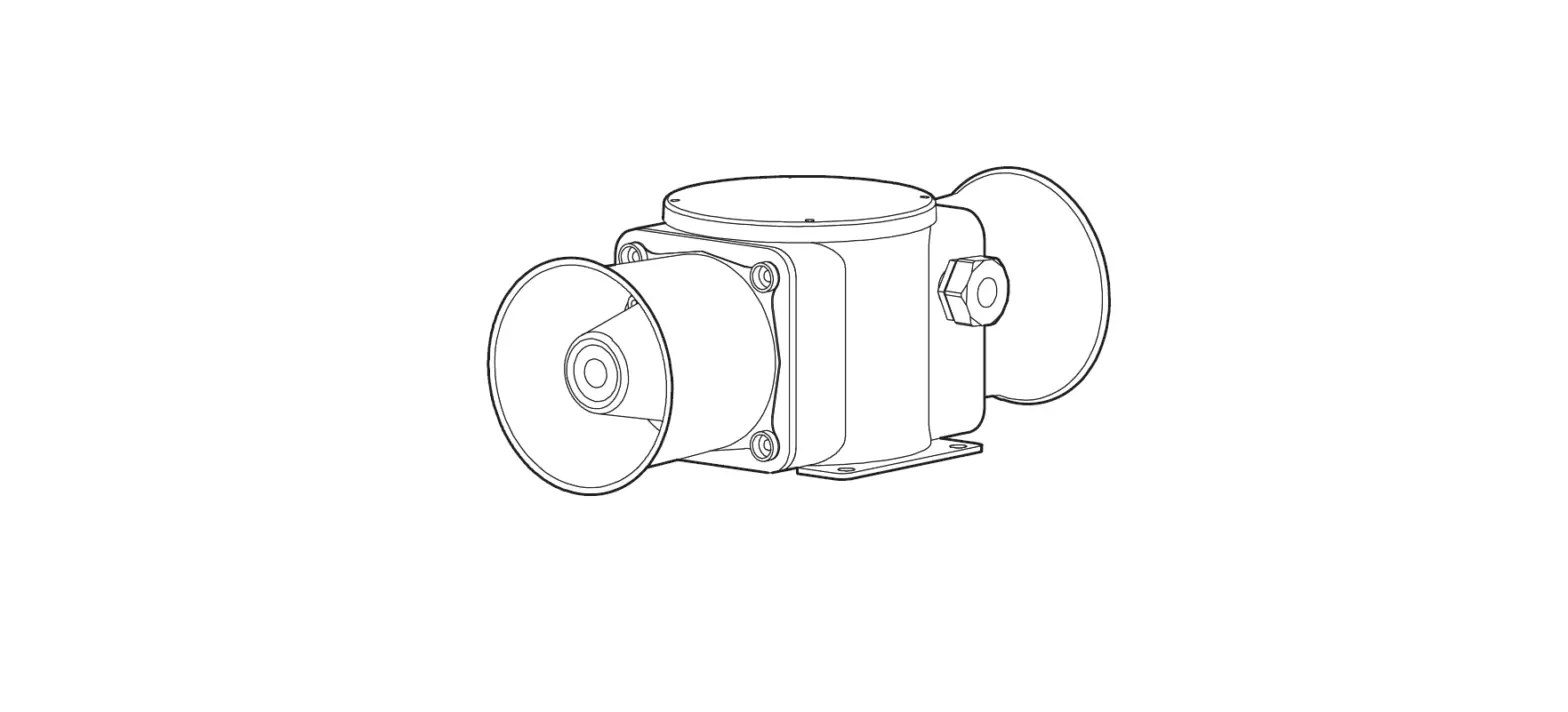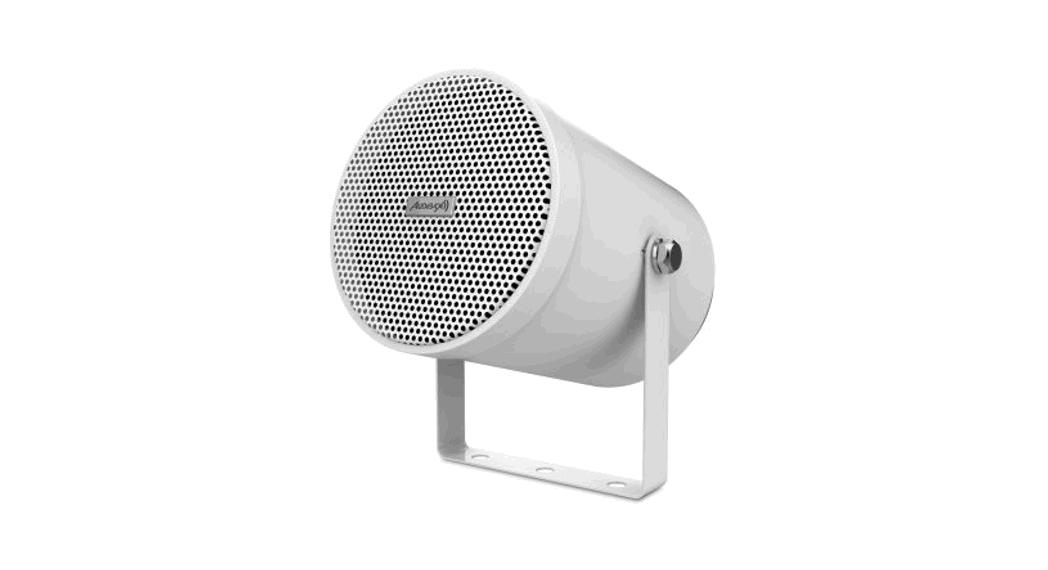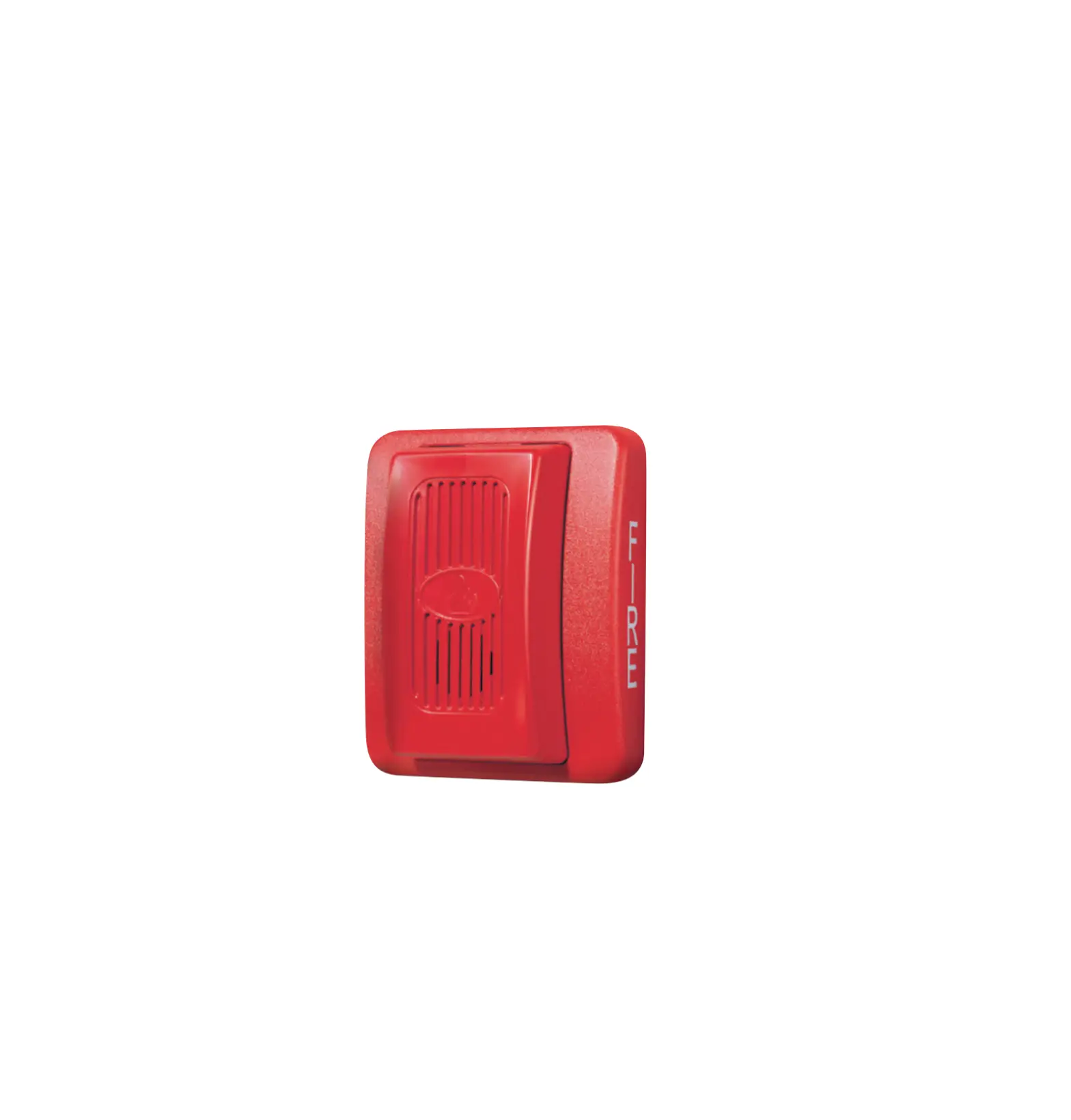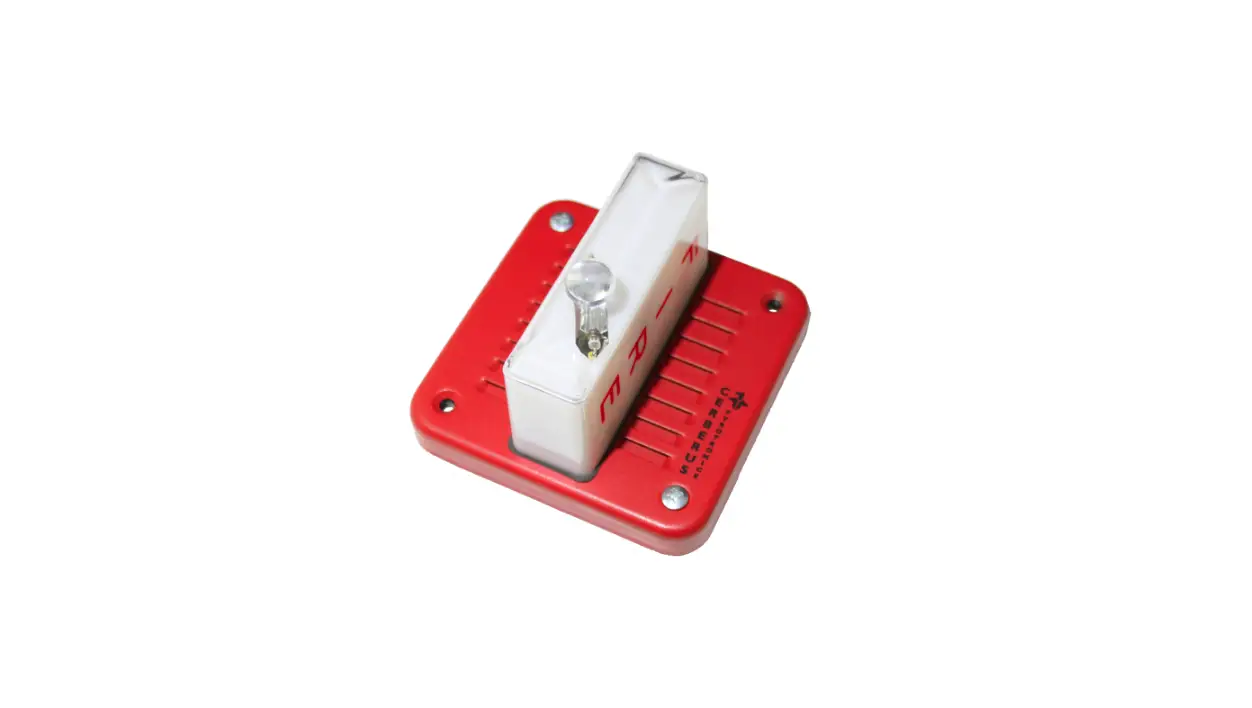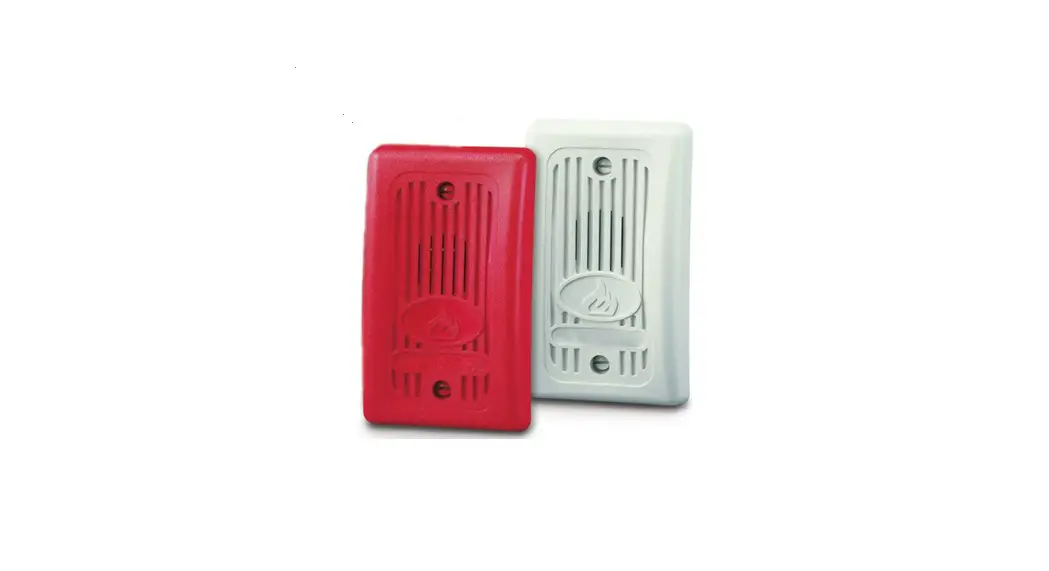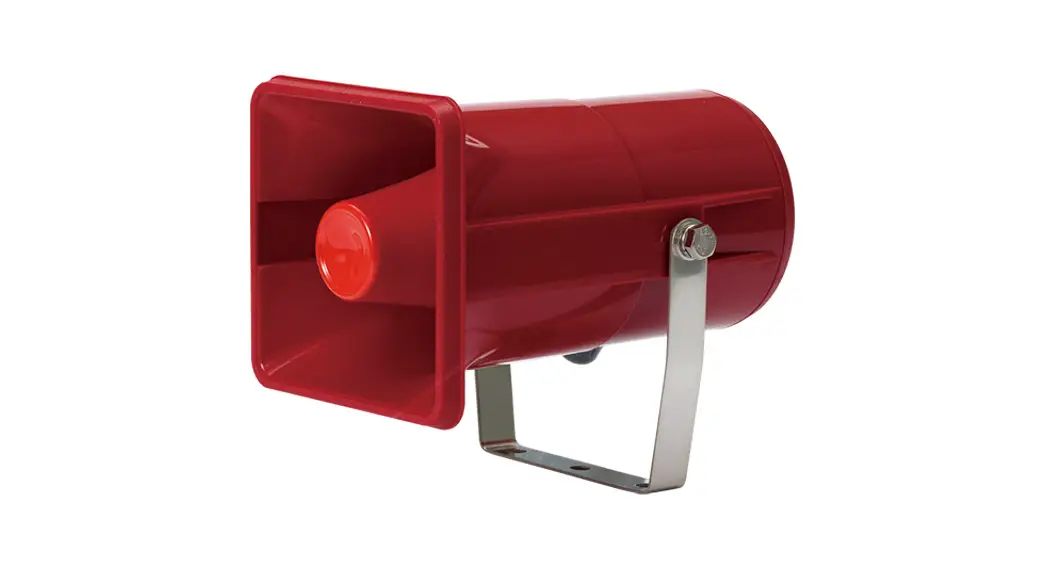
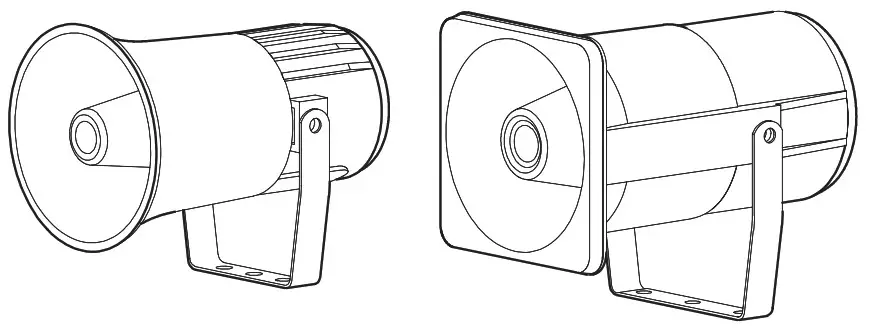
 General Electric Horn
SRN/ SEN15/ SEN25

Thank you for purchasing Qlight’s products. Please read this user manual carefully prior to installation and operation to ensure safe and correct use.
 Precautions for Safety
Failure to follow the instructions below may cause a loss of life or serious physical injury.
- During wiring or maintenance, please completely turn off the power of the product. (Failure to follow this may lead to an electric shock.)
- Do not install the product in locations that subjects it to excessive dust or water other than the conditions designated by the IP protection ratings indicated for each product. (Failure to follow these instructions may cause a fire to the product, electric shock, physical injury, malfunction or damage to the product.)
- Do not alter or repair this product. If maintenance or repair service is required, please contact your local Qlight contact point. (Failure to follow these instructions may lead to fire, electric shock, or product damage.)
- Please apply the correct voltage to the product. (Failure to follow these instructions may lead to fire, electric shock, or product damage.)
- When the product is applied to a condition that may impact lives or property, please make sure to have a double safety device. (Failure to follow this may cause damage to property, fire, electric shock and loss of life.)
Precautions for Correct Use
Failure to follow the proper instructions may cause damage to property, the product, and or malfunction of the product that would void the warranty.
- Please remove any objects that can interrupt ventilation around the product.
- Please turn off the power of the product immediately if it fails to operate properly.
- Carefully wire the product according to each product’s specification.
- Please be careful in preventing chemicals such as thinner, benzene, etc. in contact with the surface of the product.
- Do not apply excessive force/impact to the product.
- Failure to follow any of the instructions above may cause malfunction or damage to the product, fire, and electric shock.
Ordering Specifications
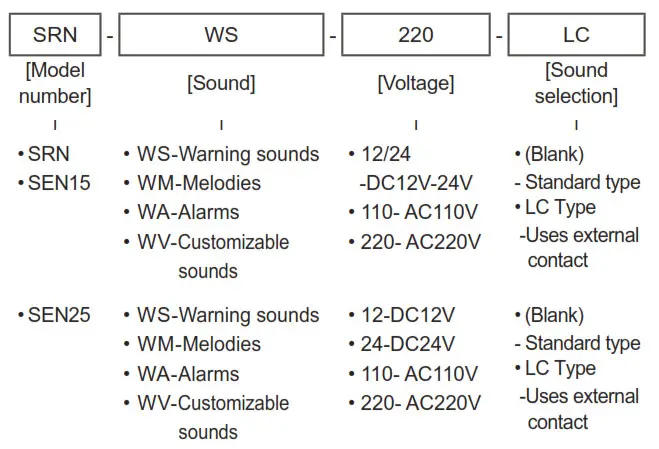
Product Specifications
| Model number | Voltage | Current | Sound pattern | Certificates | Weight |
| SRN | DC12-24V | Max. 020A .3 | WS – 5 Warning sounds WM – 5 Melodies WA- 5 Alarms WV – 5 Customizable sounds | 0.72kg | |
| AC110V | 0.075A | 0.98kg | |||
| AC220V | 0.035A | ||||
| SEN15 | DC12-24V | Max. 0.370A | 0.76kg | ||
| AC110V | 0.080A | 1.03kg | |||
| AC220V | 0.040A | ||||
| SEN25 | DC12V | 2.211A | 0.95kg | ||
| DC24V | 1.022A | ||||
| AC110V | 0.226A | 1.23kg | |||
| AC220V | 0.113A |
※ CE compliant : DC12V-24V(SRN)
DC12V-24V, AC100V/220V(SEN15/SEN25)
- Protection rating : IP55
- Ambient operating temperature : -25°C to +50°C
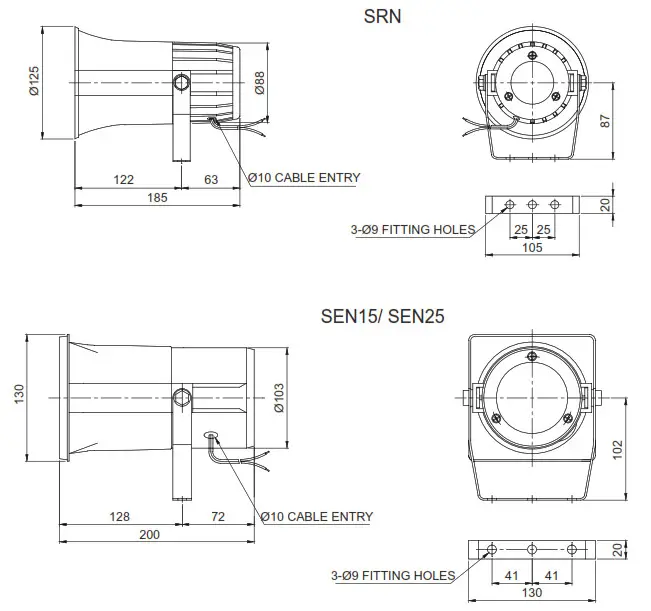
Dimensions
Sound Selection and Wiring Instructions
- Standard : Internal switch
Internal switch allows to choose sound pattern for SRN/ SEN15/ SEN25 models
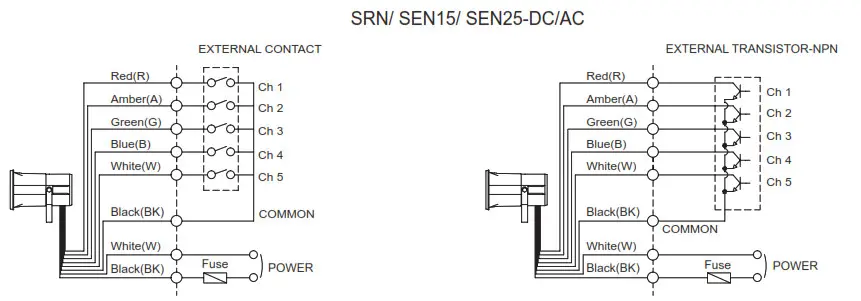
- External power line – VCTF(0.75sq x 2C) x 400mm
- External signal line – UL1007 AWG22(0.3sq) 400mm
- This product can be wired regardless of polarity.
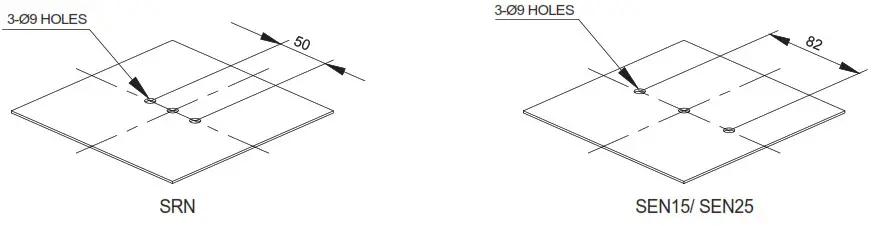
Mounting Hole Specifications
- Machine holes on the mounting surface referring to the diagram below.
Sound Selection
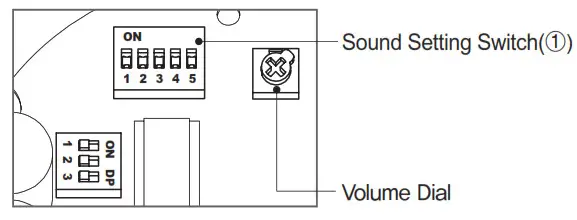
- Standard unit has 5 built-in sound tones.
Select different built-in sounds using the sound setting switch(①).
Sound Type by Group
| Category | Sound S pattern | Channel | Sound tone | Volume (Max.) | |
| SRN, SEN15 | SEN25 | ||||
| WS | 5 Warning sounds | Ch1 | Fire.A-ANG | 108dB | 115dB |
| Ch2 | Emergency WA-U | ||||
| Ch3 | Ambulance PI-PO | ||||
| Ch4 | Machinery Fault | ||||
| Ch5 | High Expansion | ||||
| WM | 5 Melo- dies | Ch1 | Sweet Home | 108dB | 115dB |
| Ch2 | For Elise | ||||
| Ch3 | Cuckoo’s Waltz | ||||
| Ch4 | Piano Sonata | ||||
| Ch5 | Turkish March | ||||
| WA | 5 Alarms | Ch1 | Beep Intermittent | 105dB | 113dB |
| Ch2 | Door Chime | ||||
| Ch3 | Phone Ring | ||||
| Ch4 | PI.PI.PI Short | ||||
| Ch5 | Tripping Beat | ||||
| WV | 5 Cus- itemizable sounds | Chi- Ch5 | Available upon request (customized voice type) | 98dB | 108dB |
Volume Adjustment
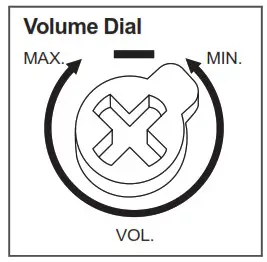
- The volume output of this product is adjustable.
- Turn the volume dial clockwise to increase the volume, and turn counter clockwise to decrease the volume.
- There will be no sound when the dial is put at MIN.
Parts Definition/ Installation
Parts Definition
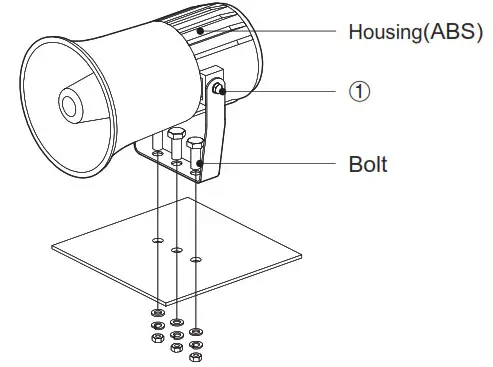
■ Installation
- First, machine holes on the mounting surface
- The mounting hole of this product is 9mm in diameter.
- If the tap is machined, fasten the bolt through the mounting hole of the product.
- When machining holes, insert the bolt through the hole of the product, and tighten the nut from the opposite side of the mounting surface.
Adjusting the Angle of the Horn Housing
- When adjusting the phase and lower angle of the mixed housing after product cancellation Loosen the bracket fixing bolts(①) on the side of the product slightly to adjust the desired angle.
Precautions for installation
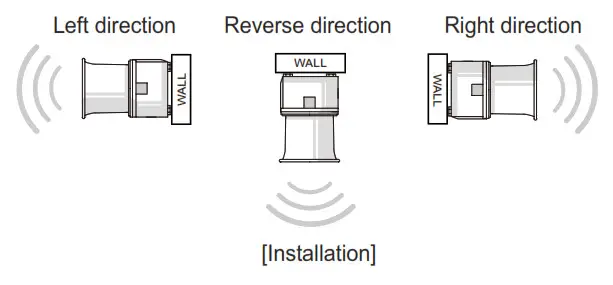
- In case of outdoor applications, install the product in the upright position. Do not install the product horizontal or upside-down positions where water can potentially penetrate into the product and impact it’s operation.
Installation Environment and Protection Rating
- This product is designed for use with protection rating of IP55.
- If the product is installed in locations that subject it to excessive dust or water other than the designated IP protection rating indicated(IP55), it may cause malfunction or damage to the product.
- For further information, please visit our website (www.qlight.com).
For your safety
Specification and dimensions listed in this catalogue subject to change without notice for product quality improvement.
The newest product information is available on our website.(www.qlight.com)
Please read the instruction manual attached to the product carefully before installation and use.
Qlight Co., Ltd. www.qlight.com | [email protected]
Head Office | Suite #1510, STX-V Tower, 128 Gasan digital 1-ro, Geumcheon-gu, Seoul, Korea
Tel. +82-2-2679-6152(Toll free. +82-80-328-2222) Fax. +82-2-2679-6154
Factory | 185-25, Mobbing-ro, Sangdong-myeon, Gimhae-si, Gyeongsangnamdo, Korea Tel. +82-55-328-1111(Toll free. +82-80-328-1111)
Light Overseas Sales Dept | 704 Nakdong-daero, Sasang-gu, Busan, Korea(Eomgung-Dong) Tel : +82-51-620-4100
Qlight Public Relations & Marketing Team Office | 704 Nakdong-daero, Sasang-gu, Busan, Korea(Eomgung-Dong) Tel. +82-51-245-0017
Qlight USA, Inc. www.qlight.com www.qlightusa.com | [email protected]
3003 North First Street, Suite #341, San Jose, CA 95134 USA Tel. +1 – 408 – 519 – 5740 Fax. +1 – 408 – 519 – 5739
SHANGHAI Qlight Electronic Co., Ltd. www.qlight.com www.qlightcn.com | [email protected]
China Factory/ Shanghai Sales Office | #19, Nanda Road, Baoshan Area, Shanghai, China Tel. +86 – 21 – 6651 – 7100 Fax. +86 – 21 – 6315 – 3929
China Factory Site 2 (Qidong) | #33, Haiyan Road, Qidong High-tech Industrial Development Zone, Qidong, Jiangsu Province, China
Tel +86- 513- 8384- 9999 Fax +86- 513- 8384- 9910
Product Operation Inquiry / Customer Support +82-51-620-4100
You can expect prompt service if you have exact information such as model name, symptom, telephone number and address.
※ALL PRODUCT, PRODUCT SPECIFICATIONS AND DATA ARE SUBJECT TO CHANGE WITHOUT NOTICE TO IMPROVE
RELIABILITY, FUNCTION OR DESIGN OR OTHERWISE.
Head office : Suite #1510, STX-V Tower, 128 Gasan digital 1-ro, Geumcheon-gu, Seoul, Korea (Postal Code : 08507)
Factory : 185-25, Mukbang-Ro, Sangdong-Myeon, Gimhae-Si, Gyeongsangnam-Do, Korea (Postal Code : 50805)
www.qlight.com
EN – SRN – 2201A https://www.qlight.com/en/products/?qpcateid=36
 Qlight - Warning Light, Beacon, Audible & Visual Signal, Tower Light
 可莱特(Qlighte)_专注多层信号灯、声光报警器,防爆警示灯,机床照明灯等产品的生产和销售
 Signal Tower Lights, Warning Lights & Electric Horns, Fully Enclosed Products, Explosion proof Products, LED Work Lights-Qlight