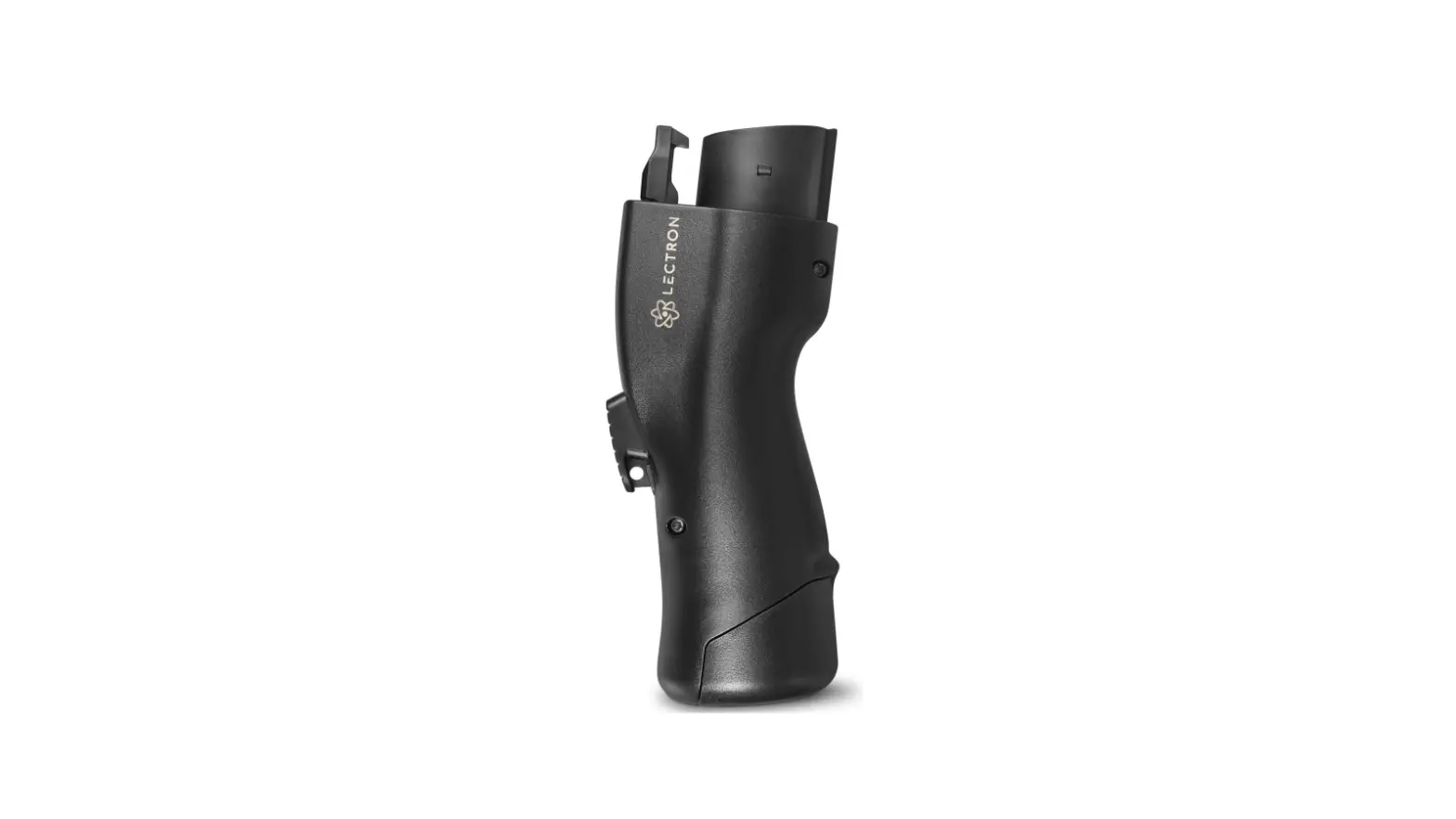
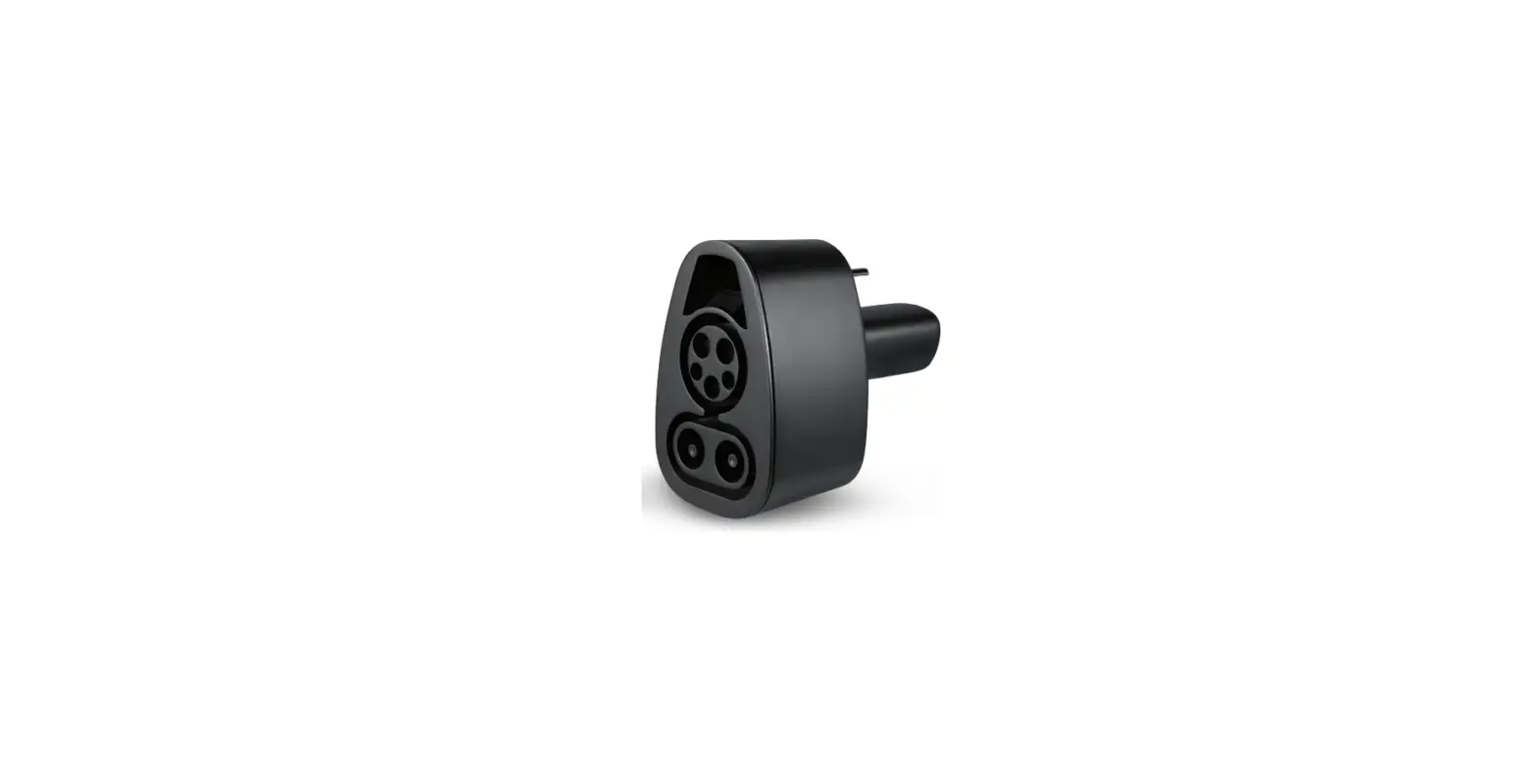
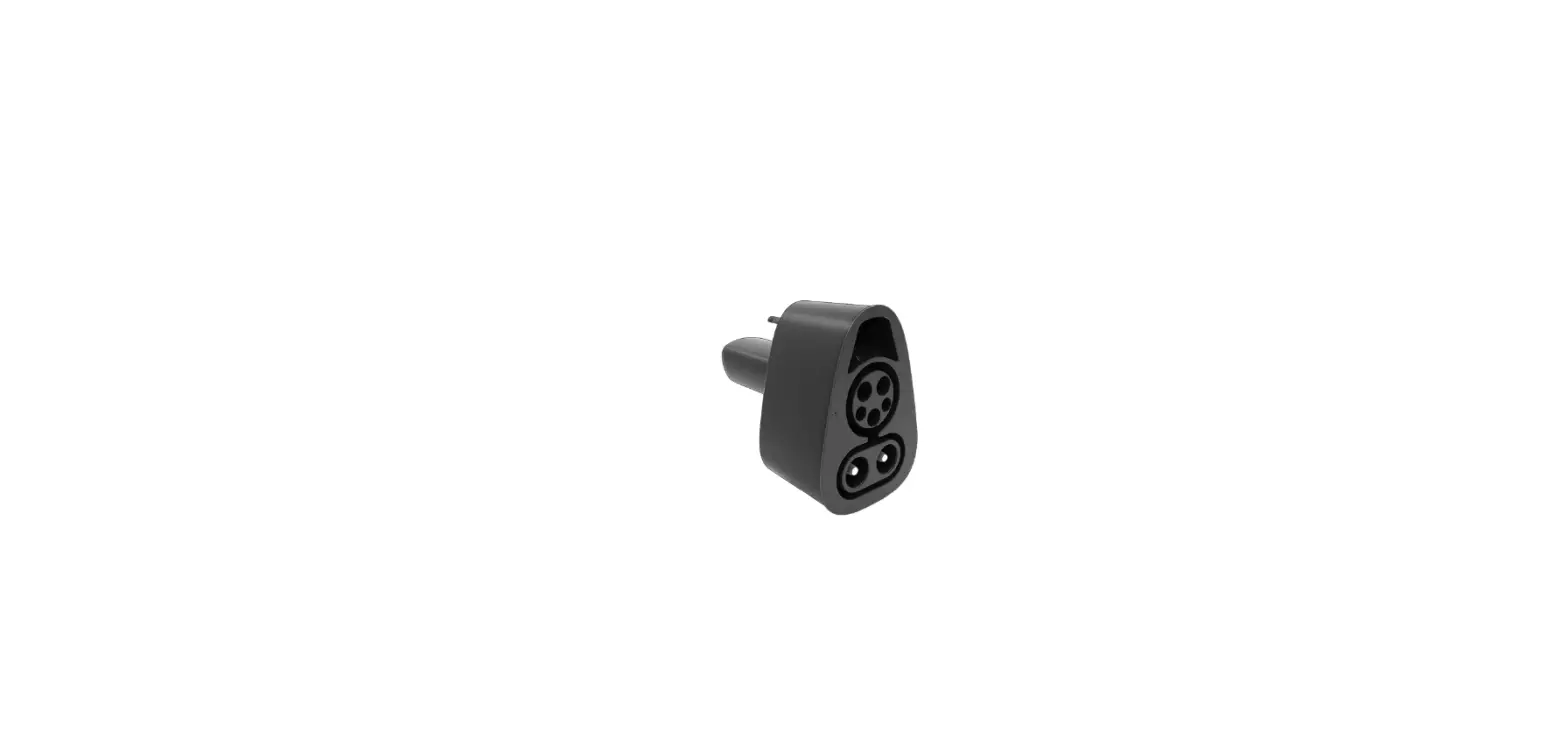
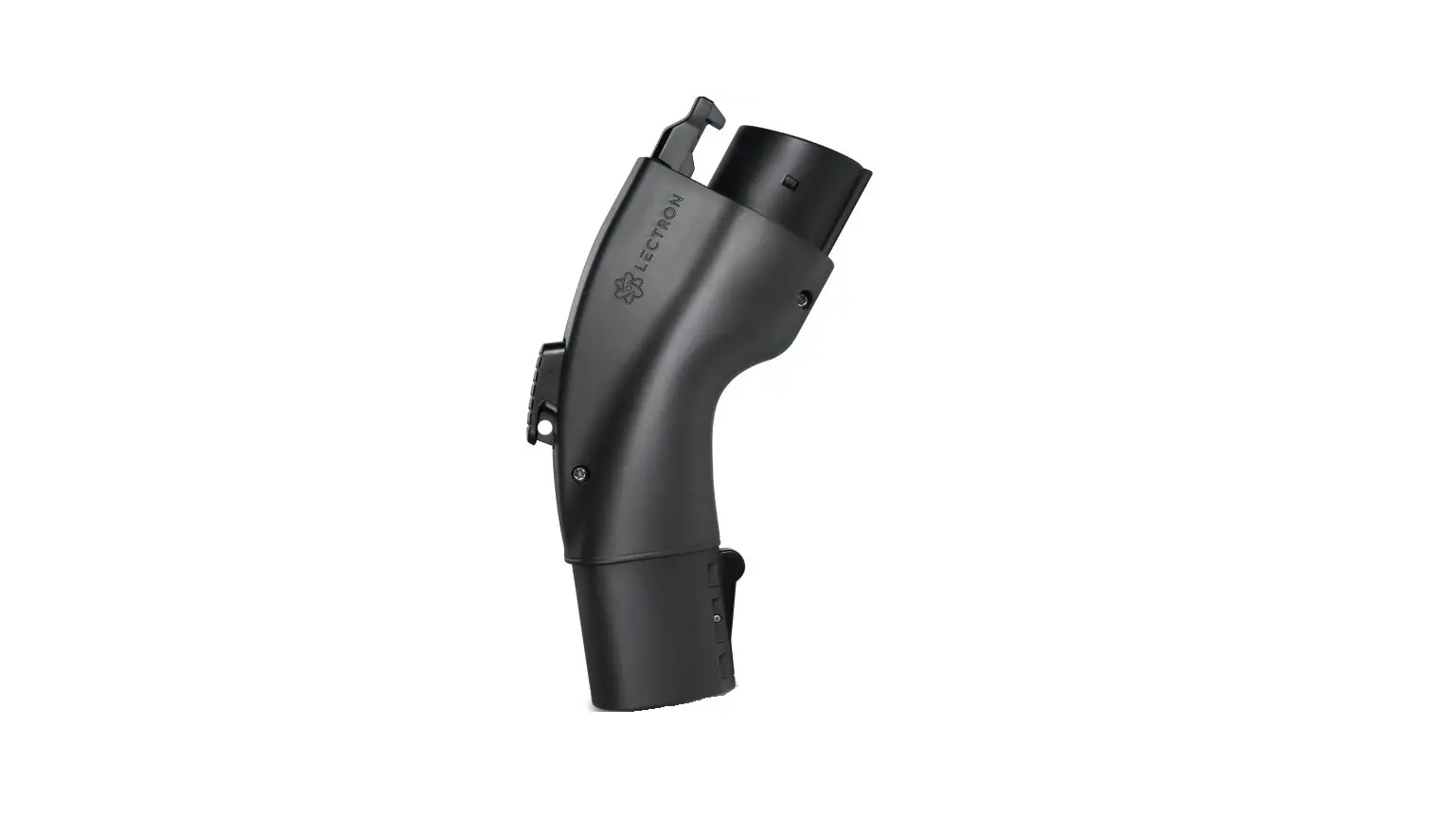
CCS Combo 2 to Type 2 Adapter
Product Information
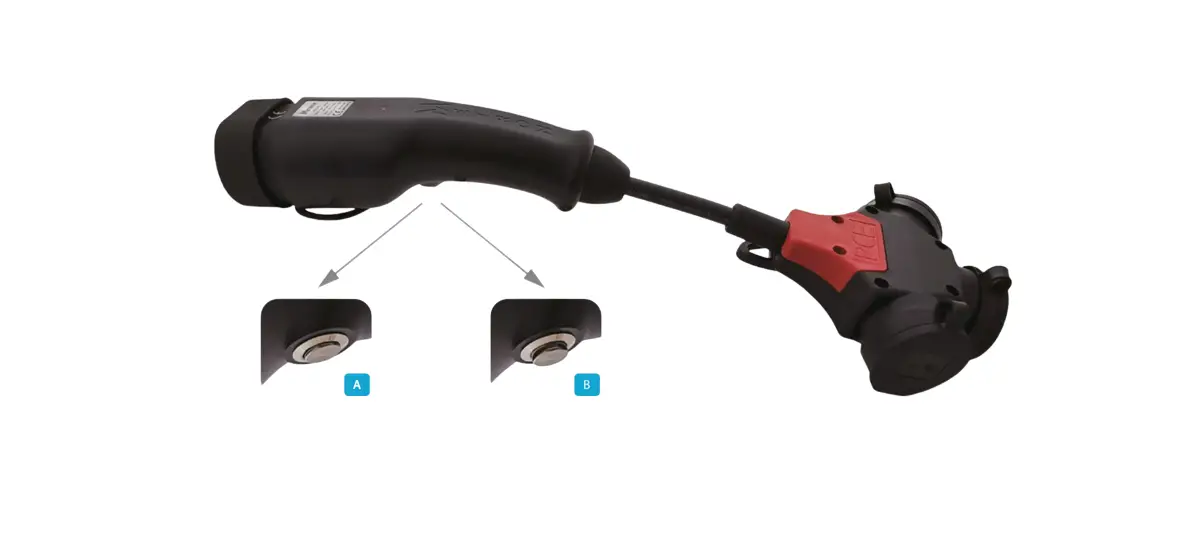
The CCS Combo 2 to Type 2 Adapter is a device that allows you to
connect your electric vehicle to a charging station with a
different connector type. It is designed to provide a safe and
efficient charging experience for your vehicle.
In the Box
- 1 x CCS Combo 2 to Type 2 Adapter
Warnings
Before using the CCS Combo 2 to Type 2 Adapter, please read and
follow the instructions and warnings in this user manual to ensure
safe operation:
- Read this document before using the adapter to avoid fire,
electrical shock, or serious injury. - Do not use the adapter if it appears defective, damaged, or
fails to operate. - Do not attempt to open, repair, or modify the adapter. Contact
Lectron Customer Support for any repairs. - Do not disconnect the CCS Combo 2 Adapter while charging the
vehicle. - Protect the adapter from moisture, water, and foreign objects
at all times. - Handle the adapter with care when transporting to prevent
damage to its components. - Inspect the adapter for damage before each use and avoid using
sharp objects on it. - Do not use cleaning solvents to clean the adapter.
- Operate and store the adapter within the specified temperature
ranges listed in its specifications.
Specifications
- Input/Output: 200A – 410V DC
- Voltage: 2000V AC
- Enclosure Rating: IP54
- Dimensions: 13 x 9 x 6 cm
- Materials: Copper alloy, Silver Plating, PC
Troubleshooting
If you encounter any issues with your vehicle not charging,
please refer to the troubleshooting section in the user manual for
assistance.
Get More Support
For additional support, you can scan the QR code provided or
email us at [email protected]. You can also visit our website
at www.ev-lectron.com for more information.
Made in China
Product Usage Instructions
Charging Your Vehicle
- Connect the CCS Combo 2 Adapter to the charging station cable,
ensuring a secure attachment.Note: After connecting the adapter to the charging station,
wait at least 10 seconds before plugging the adapter into your
vehicle. - Open the charging port of your vehicle and plug the CCS Combo 2
Adapter into it. - Follow the instructions on the charging station to start
charging your vehicle.
Unplugging CCS Combo 2 Adapter
- Follow the instructions on the charging station to stop
charging your vehicle. - If there are instructions on the charging station asking you to
unplug the charging cable and start a new session, disconnect the
adapter from both the charging cable and your Type 2 inlet. - Unplug the CCS Combo 2 Adapter from the charging station’s
cable and store it in an appropriate location (e.g., glove
box).
Important: After finishing charging, press the Power button
on the CCS Combo 2 Adapter to unlock it. It is NOT recommended to
interrupt the charging process by pressing the Power button while
your vehicle is being charged.
CCS Combo 2 to Type 2 Adapter
USER MANUAL
In the Box
1 x CCS Combo 2 to Type 2 Adapter
Warnings
SAVE THESE IMPORTANT SAFETY INSTRUCTIONS. This document contains important instructions and warnings that must be followed when using the CCS Combo 2 Adapter. Only use to connect the charge cable on a CCS Combo 2 charging station to a Tesla Model S or Model X vehicle that is capable of Combo 2 DC charging. Note: Vehicles built before May 1, 2019 are not equipped with CCS charging capability. To install this capability, please contact Tesla service. Charging Time Charging time varies based on the power and current available from the charging station, subject to various conditions. Charging time also depends on ambient temperature and vehicle’s Battery temperature. If the Battery is not within the optimal temperature range for charging, the vehicle will heat or cool the Battery before charging begins. For the most up-to-date information on how long it takes to charge your Tesla vehicle, go to the Tesla website for your region.
Page 1
Safety Information
1. Read this document before using the CCS Combo 2 to Type 2 Adapter. Failure to follow any of the instructions or warnings in this document can result in fire, electrical shock, or serious injury.
2. Do not use it if it appears defective, cracked, frayed, broken, damaged or fails to operate.
3. Do not attempt to open, disassemble, repair, tamper with, or modify the adapter. Contact Lectron Customer Support for any repairs.
4. Do not disconnect the CCS Combo 2 Adapter while charging the vehicle. 5. Protect from moisture, water, and foreign objects at all times. 6. To prevent any damage to its components, handle with care when
transporting. Do not subject to strong force or impact. Do not pull, twist, tangle, drag, or step on it. 7. Do not damage with sharp objects. Always inspect for damage before each use. 8. Do not use cleaning solvents to clean. 9. Do not operate or store in temperatures outside the ranges listed in its specifications.
Introduction to Parts
CCS Combo 2 to Type 2 Adapter
Charging Your Vehicle
1. Connect the CCS Combo 2 Adapter to the charging station cable, ensuring that the adapter is fully attached.
Note: After connecting the adapter to the charging station, wait at least 10 seconds before plugging the adapter into your vehicle.
To Tesla
CCS Combo 2 Charging Station
Cable
2. Open the charging port of your vehicle and plug the CCS Combo 2 Adapter into it.
To CCS Combo 2 Charging Station
To Tesla Page 2
Page 3
3. Follow the instructions on the charging station to start charging your vehicle.
2. Unplug the CCS Combo 2 Adapter from the charging station’s cable and store it in appropriate location (i.e. glove box).
If there are instructions on the charging station asking you to unplug the charging cable and start a new session, disconnect the adapter from both the charging cable and your Type 2 inlet.
Unplugging CCS Combo 2 Adapter 1. Follow the instructions on the charging station to stop charging your vehicle.
After you finish charging, press the Power button on the CCS Combo 2 Adapter to unlock it. It is NOT recommended to interrupt the charging process by pressing the Power button while your vehicle is being charged.
1
Page 4
2
Troubleshooting
My vehicle is not charging
· Check the display on your vehicle dashboard for information about any error that may have occurred.
· Check the status of the charging station. Although the CCS Combo 2 Adapter is designed to work with all CCS Combo 2 charging stations, it may be incompatible with some models.
Specifications
Input/Output:
200A – 410V DC
Voltage:
2000V AC
Enclosure Rating:
IP54
Dimensions:
13 x 9 x 6 cm
Materials:
Copper alloy, Silver Plating, PC
Operating Temperature: -30°C to +50°C (-22°F to +122°F)
Storage Temperature: -40°C to +85°C (-40°F to +185°F)
Page 5
Get More Support
Scan the QR code below or email us at [email protected].
For more information, visit: www.ev-lectron.com Made in China
Adaptador CCS Combo 2 a Tipo 2
MANUAL DE USUARIO
En la Caja
1 x Adaptador CCS Combo 2 a Tipo 2
Advertencias
GUARDE ESTAS IMPORTANTES INSTRUCCIONES DE SEGURIDAD. Este documento contiene instrucciones y advertencias importantes que deben seguirse al utilizar el Adaptador CCS Combo 2. Utilícelo solo para conectar el cable de carga en una estación de carga CCS Combo 2 a un vehículo Tesla Modelo S o Modelo X con capacidad de carga Combo 2 DC. Nota: Los vehículos fabricados antes del 1 de mayo de 2019 no están equipados con capacidad de carga CCS. Para instalar esta capacidad, póngase en contacto con el servicio de Tesla. Tiempo de Carga El tiempo de carga varía en función de la potencia y la corriente disponibles en la estación de carga, según diversas condiciones. El tiempo de carga también depende de la temperatura ambiente y de la temperatura de la Batería del vehículo. Si la Batería no está dentro del rango de temperatura óptimo para la carga, el vehículo calentará o enfriará la Batería antes de comenzar la carga. Para obtener la información más actualizada sobre el tiempo de carga de su vehículo Tesla, visite el sitio web de Tesla correspondiente a su región.
Página 1
Información de Seguridad
1. Lea este documento antes de utilizar el adaptador CCS Combo 2 a Tipo 2. El incumplimiento de cualquiera de las instrucciones o advertencias de este documento puede provocar un incendio, una descarga eléctrica o lesiones graves.
2. No lo utilice si parece defectuoso, agrietado, deshilachado, roto, dañado o no funciona.
3. No intente abrir, desmontar, reparar, manipular o modificar el adaptador. Póngase en contacto con el servicio de atención al cliente de Lectron para cualquier reparación.
4. No desconecte el adaptador CCS Combo 2 mientras carga el vehículo. 5. Proteja en todo momento de la humedad, el agua y los objetos extraños. 6. Para evitar cualquier daño a sus componentes, manipule con cuidado al
transportarlo. No lo someta a una fuerza fuerte o a un impacto. No tire, retuerza, enrede, arrastre o pise. 7. No lo dañe con objetos afilados. Inspeccione siempre los daños antes de cada uso. 8. No utilice disolventes para la limpieza. 9. No utilice ni almacene el aparato a temperaturas distintas de las indicadas en sus especificaciones.
Introducción a las Piezas
Adaptador CCS Combo 2 a Tipo 2
Cómo Cargar su Vehículo
1. Conecte el Adaptador CCS Combo 2 al cable de la estación de carga, asegurándose de que el adaptador esté completamente conectado.
Nota: Después de conectar el adaptador a la estación de carga, espere al menos 10 segundos antes de conectar el adaptador a su vehículo.
A Tesla
Cable de la Estación de carga CCS Combo 2
2. Abra el puerto de carga de su vehículo y conecte el adaptador CCS Combo 2 en él.
A Estación de carga CCS Combo 2
A Tesla Página 2
Página 3
3. Siga las instrucciones de la estación de carga para comenzar a cargar su vehículo.
2. Desenchufe el adaptador CCS Combo 2 del cable de la estación de carga y guárdelo en un lugar adecuado (por ejemplo, la guantera).
Si hay instrucciones en la estación de carga que le piden que desconecte el cable de carga e inicie una nueva sesión, desconecte el adaptador tanto del cable de carga como de su entrada Tipo 2.
Desconectar el Adaptador CCS Combo 2 1. Siga las instrucciones de la estación de carga para dejar de cargar su vehículo.
Cuando termine de cargar, pulse el botón de encendido del adaptador CCS Combo 2 para desbloquearlo. NO se recomienda interrumpir el proceso de carga pulsando el botón de encendido mientras su vehículo se está cargando.
1
2
Solución de Problemas
Mi vehículo no carga
· Compruebe en la pantalla del tablero de su vehículo la información sobre cualquier error que pueda haberse producido.
· Compruebe el estado de la estación de carga. Aunque el Adaptador CCS Combo 2 está diseñado para funcionar con todas las estaciones de carga CCS Combo 2, puede ser incompatible con algunos modelos.
Specifications
Entrada/salida: Voltaje: Clasifi. de la caja: Dimensiones: Materiales: T. de trabajo: T. de almacenamiento:
200A – 410V DC 2000V AC IP54 13 x 9 x 6 cm Aleación de cobre, chapado en plata, PC -30°C a +50°C (-22°F a +122°F) -40°C a +85°C (-40°F a +185°F)
Página 4
Página 5
Obtenga Más Ayuda
Escanee el código QR que aparece a continuación o envíenos un correo electrónico a [email protected].
Para más información visite: www.ev-lectron.com Made in China
Adaptateur CCS Combo 2 vers Type 2
GUIDE D’UTILISATION
Contenu de la boîte
1 x Adaptateur CCS Combo 2 vers Type 2
Avertissements
CONSERVEZ CES IMPORTANTES CONSIGNES DE SÉCURITÉ. Ce document contient des instructions et des avertissements importants qui doivent être respectés lors de l’utilisation de l’adaptateur CCS Combo 2. À utiliser uniquement pour connecter le câble de charge d’une station de recharge CCS Combo 2 à un véhicule Tesla Modèle S ou Model X capable d’effectuer une recharge CC Combo 2. Remarque : les véhicules construits avant le 1er mai 2019 ne sont pas équipés de la capacité de charge CCS. Pour installer cette capacité, veuillez contacter le service après-vente Tesla. Temps de charge Le temps de charge varie en fonction de la puissance et du courant disponibles à la station de charge, sous réserve de diverses conditions. Le temps de charge dépend également de la température ambiante et de la température de la batterie du véhicule. Si la batterie n’est pas dans la plage de température optimale pour la charge, le véhicule chauffera ou refroidira la batterie avant de commencer la charge. Pour obtenir les informations les plus récentes sur le temps de charge de votre véhicule Tesla, consultez le site Web Tesla de votre région.
Page 1
Informations relatives à la sécurité
1. Lisez ce document avant d’utiliser l’adaptateur CCS Combo 2 vers Type 2. Le non-respect de l’une des instructions ou des avertissements de ce document peut entraîner un incendie, une décharge électrique ou des blessures graves.
2. Ne l’utilisez pas s’il semble défectueux, fissuré, effiloché, cassé, endommagé ou ne fonctionne pas.
3. N’essayez pas d’ouvrir, de démonter, de réparer, d’altérer ou de modifier l’adaptateur. Contactez le service clients de Lectron pour toute réparation.
4. Ne débranchez pas l’adaptateur CCS Combo 2 pendant la charge du véhicule.
5. Protégez-le à tout moment de l’humidité, de l’eau et des objets étrangers. 6. Pour éviter tout dommage à ses composants, manipulez-les avec précaution
lors du transport. Ne le soumettez pas à une force importante ou à un choc. Ne pas le tirer, le tordre, l’emmêler, le traîner ou le piétiner. 7. Ne l’endommagez pas avec des objets pointus. Vérifiez toujours l’absence de dommages avant chaque utilisation. 8. N’utilisez pas de solvants pour le nettoyage. 9. Ne pas faire fonctionner ni stocker l’appareil à des températures situées en dehors des plages indiquées dans ses spécifications.
Présentation des composants
Adaptateur CCS Combo 2 vers Type 2
Recharge de votre véhicule
1. Connectez l’adaptateur CCS Combo 2 au câble de la station de charge, en vous assurant que l’adaptateur est bien fixé.
Note: Après avoir connecté l’adaptateur à la station de charge, attendez au moins 10 secondes avant de brancher l’adaptateur à votre véhicule.
Vers Tesla
Câble de Station de charge CCS Combo 2
2. Ouvrez le port de charge de votre véhicule et branchez-y l’adaptateur CCS Combo 2.
Station de charge CCS Combo 2
Vers Tesla Page 2
Page 3
3. Suivez les instructions de la station de charge pour commencer à charger votre véhicule.
2. Débranchez l’adaptateur CCS Combo 2 du câble de la station de charge et rangez dans un endroit approprié (par exemple, dans la boîte à gants).
Si des instructions sur la station de charge vous demandent de débrancher le câble de charge et de commencer une nouvelle session, déconnectez l’adaptateur du câble de charge et de votre entrée Type 2.
Débrancher l’adaptateur CCS Combo 2 1. Suivez les instructions de la station de charge pour arrêter la charge de votre
véhicule. Une fois la charge terminée, appuyez sur le bouton Power de l’adaptateur CCS Combo 2 pour le déverrouiller. Il n’est PAS recommandé d’interrompre le processus de charge en appuyant sur le bouton Marche/Arrêt pendant la charge de votre véhicule.
1
Page 4
2
Résolution des problèmes
Mon véhicule ne se charge pas
· Vérifiez l’affichage sur le tableau de bord de votre véhicule pour obtenir des informations sur toute erreur qui aurait pu se produire.
· Vérifiez l’état de la station de charge. Bien que l’adaptateur CCS Combo 2 soit conçu pour fonctionner avec toutes les stations de charge CCS Combo 2, il peut être incompatible avec certains modèles.
Caractéristiques
Entrée/Sortie:
200A – 410V DC
Voltage:
2000V AC
Indice de Protection:
IP54
Dimensions:
13 x 9 x 6 cm
Matériaux:
Alliage de cuivre, plaquage argent, PC
Température de fonctionnement : -30°C à +50°C (-22°F à +122°F)
Température de stockage :
-40°C à +85°C (-40°F à +185°F)
Page 5
Obtenir plus d’assistance
Scannez le QR code ci-dessous ou envoyez-nous un email à [email protected].
Pour plus d’information, consultez : www.ev-lectron.com Fabriqué en Chine
CCS Combo 2 auf Typ 2 Adapter
BENUTZERHANDBUCH
Paket enthält
1 x CCS Combo 2 auf Typ 2 Adapter
Warnhinweise
BEWAHREN SIE DIESE WICHTIGEN SICHERHEITSHINWEISE AUF. Dieses Dokument enthält wichtige Anweisungen und Warnungen, die bei der Verwendung des CCS Combo 2-Adapters beachtet werden müssen. Nur für den Anschluss des Ladekabels an einer CCS Combo 2-Ladestation an ein Tesla Model S oder Model X Fahrzeug, das mit Combo 2 DC geladen werden kann. Hinweis: Fahrzeuge, die vor dem 1. Mai 2019 gebaut wurden, sind nicht mit der CCS-Ladefunktion ausgestattet. Um diese Fähigkeit zu installieren, wenden Sie sich bitte an den Tesla-Service. Ladezeit Die Ladezeit hängt von der Leistung und dem Strom ab, die an der Ladestation zur Verfügung stehen, und ist von verschiedenen Bedingungen abhängig. Die Ladezeit hängt auch von der Umgebungstemperatur und der Temperatur der Fahrzeugbatterie ab. Wenn sich die Batterie nicht im optimalen Temperaturbereich für den Ladevorgang befindet, heizt oder kühlt das Fahrzeug die Batterie vor Beginn des Ladevorgangs. Die aktuellsten Informationen darüber, wie lange es dauert, Ihr Tesla-Fahrzeug aufzuladen, finden Sie auf der Tesla-Website für Ihre Region.
Seite 1
Informationen zur Sicherheit
1. Lesen Sie dieses Dokument, bevor Sie den CCS Combo 2 zu Typ 2 Adapter verwenden. Die Nichtbeachtung der Anweisungen oder Warnungen in diesem Dokument kann zu Feuer, Stromschlag oder schweren Verletzungen führen.
2. Verwenden Sie das Gerät nicht, wenn es defekt, rissig, ausgefranst, kaputt oder beschädigt zu sein scheint oder nicht funktioniert.
3. Versuchen Sie nicht, den Adapter zu öffnen, zu zerlegen, zu reparieren, zu manipulieren oder zu modifizieren. Wenden Sie sich im Falle einer Reparatur an den Lectron-Kundendienst.
4. Trennen Sie den CCS Combo 2-Adapter nicht, während Sie das Fahrzeug aufladen.
5. Schützen Sie den Adapter stets vor Feuchtigkeit, Wasser und Fremdkörpern. 6. Gehen Sie beim Transport vorsichtig vor, um Schäden an den Komponenten
zu vermeiden. Setzen Sie ihn keinen starken Kräften oder Stößen aus. Nicht daran ziehen, ihn verdrehen, biegen oder darauf treten. 7. Nicht mit scharfen Gegenständen beschädigen. Überprüfen Sie das Gerät
vor jedem Gebrauch auf Schäden. 8. Verwenden Sie zum Reinigen keine Lösungsmittel. 9. Betreiben oder lagern Sie das Gerät nicht bei Temperaturen außerhalb der in
den technischen Daten angegebenen Bereiche.
Vorstellung der Einzelteile
CCS 2 auf Typ 2 Adapter
Ihr Fahrzeug aufladen
1. Schließen Sie den CCS Combo 2-Adapter an das Kabel der Ladestation an und stellen Sie sicher, dass der Adapter richtig befestigt ist.
Hinweis: Warten Sie nach dem Anschluss des Adapters an die Ladestation mindestens 10 Sekunden, bevor Sie den Adapter an Ihr Fahrzeug anschließen.
Zu Tesla
CCS Combo 2 Ladestation Kabel
2. Öffnen Sie den Ladeanschluss Ihres Fahrzeugs und schließen Sie den CCS Combo 2-Adapter daran an.
Zur CCS Combo 2 Ladestation
Zu Tesla Seite 2
Seite 3
3. Befolgen Sie die Anweisungen an der Ladestation, um mit dem Laden Ihres Fahrzeugs zu beginnen.
2. Ziehen Sie den CCS Combo 2-Adapter vom Kabel der Ladestation ab und bewahr Sie ihn an einem geeigneten Ort auf (z. B. im Handschuhfach).
Wenn die Ladestation Sie auffordert, das Ladekabel zu entfernen und eine neue Sitzung zu beginnen, trennen Sie den Adapter sowohl vom Ladekabel als auch von Ihrem Typ-2-Anschluss.
Entfernen des CCS Combo 2-Adapters 1. Befolgen Sie die Anweisungen an der Ladestation, um den Ladevorgang
Ihres Fahrzeugs zu beenden. Drücken Sie nach Abschluss des Ladevorgangs den An-/Aus-Schalter am CCS Combo 2-Adapter, um ihn zu entsperren. Es wird NICHT empfohlen, den Ladevorgang durch Drücken des An-/Aus-Schalters zu unterbrechen, während Ihr Fahrzeug geladen wird.
1
Seite 4
2
Fehlersuche
Mein Fahrzeug lädt nicht
· Überprüfen Sie die Anzeige auf dem Armaturenbrett Ihres Fahrzeugs auf Informationen über einen eventuell aufgetretenen Fehler.
· Überprüfen Sie den Status der Ladestation. Obwohl der CCS Combo 2-Adapter für die Verwendung mit allen CCS Combo 2-Ladestationen ausgelegt ist, kann er mit einigen Modellen nicht kompatibel sein.
Spezifikationen
Eingang/Ausgang: Spannung: IP Schutzklasse des Gehäuses: Abmessungen: Materialien: Betriebstemperatur: Lagertemperatur:
200A – 410V DC 2000V AC IP54 13 x 9 x 6 cm Kupferlegierung, Silberbeschichtung, PC -30°C to +50°C (-22°F to +122°F) -40°C to +85°C (-40°F to +185°F)
Seite 5
Mehr Unterstützung erhalten
Scannen Sie den nachstehenden QR-Code oder senden Sie uns eine E-Mail an [email protected].
Weitere Informationen finden Sie unter: www.ev-lectron.com Hergestellt in China
 Lectron Electric Vehicle Charging — Lectron EV