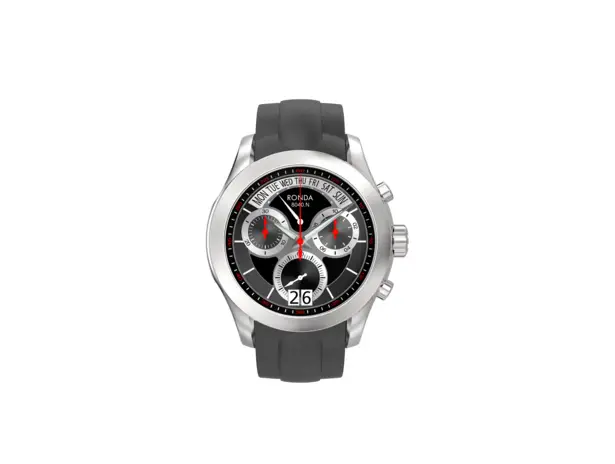
RONDA 8040.N Mastertech Smartwatch User Manual
You have decided to buy a watch, which was assembled by a watchmaker using a Ronda movement. Please note that no watches are produced or distributed under the Ronda brand.
In case of repairs, guarantee claims and questions concerning the functioning of a watch, purchasers and consumers should contact their retailer or the watch manufacturer, for which the relevant information can be found in the sales or guarantee documentation provided with the watch.
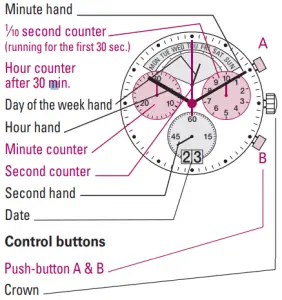
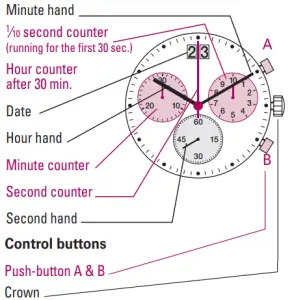
- Display elements 8040.N

- Display elements 8040.B

Setting the time
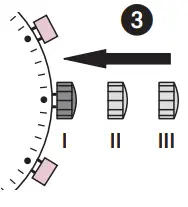
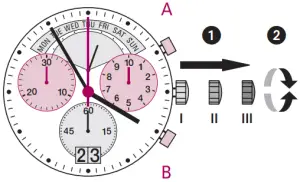
- Pull out the crown to position III (the watch stops).
- Turn the crown until you reach the correct time 8:45.

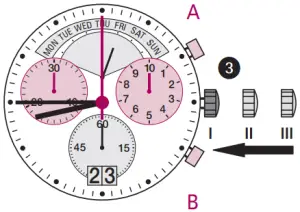
- Push the crown back into position I.

Please note:
- In order to set the time to the exact second, (1) must be pulled out when the second hand is in position «60».
- Once the hour and minute hands have been set, (3) must be pushed back into position I at the exact second.
Setting the date (quick mode)
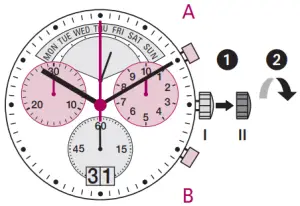
- Pull out the crown to position II (the watch continues to run).
- Turn the crown anticlockwise until the correct date 01 appears.

- Push the crown back into position I.

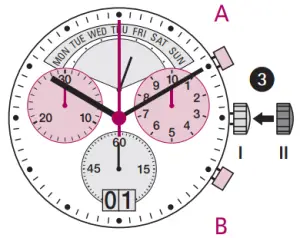
Please note:
- During the date changing phase between approx. 8 PM and 12 PM; the date must be set to the date of the following day.
- An extreme acceleration in setting the date with quick mode can induce a false date indication. The synchronization is re established by setting the date from 01 till 31 (crown in position II).
Setting the date, day of the week (8040.N), time
Example:
- Date / time on the watch: 17 / 01:25/ MON
- Present date / time: 23 / 20:35/ SAT
- Pull out the crown to position III (the watch stops).
- Turn the crown until yesterday’s day of the week FRI appears.

- Push the crown to position II.
- Turn the crown anticlockwise until yesterday’s date appears 22 .

- Pull out the crown to position III(the watch stops).
- Turn the crown until the correct date 23 and day of the week SAT appears.
- Continue to turn the crown until the correct time 8:35 PM appears.
- Push the crown back into position I.

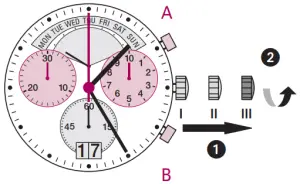
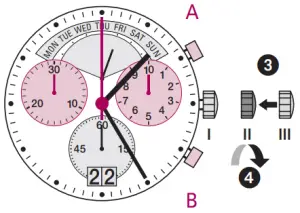
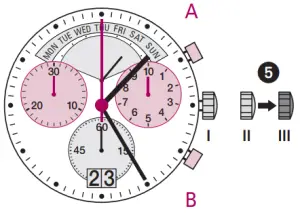
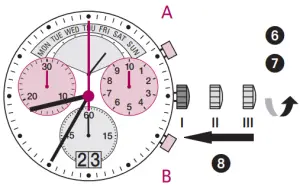
Please note:
- To set your watch to the exact second, please refer to the chapter entitled «setting the time».
- Please observe the AM/PM clock rhythm.
Chronograph: Basic function
(Start / Stop / Reset)
Example:
- Start: Press push-button A.
- Stop: to stop the timing, press push-button A once more and read the chronograph counters: 4 min/38 sec/ 7⁄10 sec

- Zero positioning:
 Press push-button B.(The chronograph hands will be reset to their zero positions.)
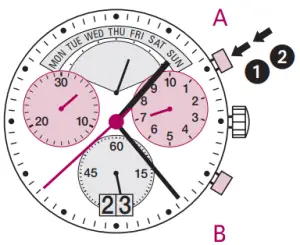
 Press push-button B.(The chronograph hands will be reset to their zero positions.)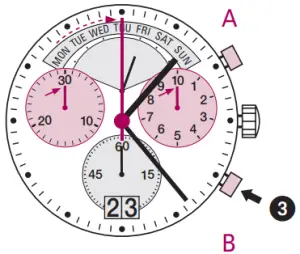
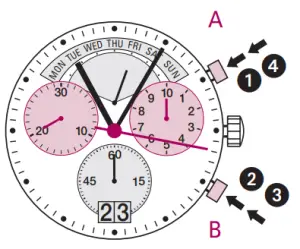
Chronograph: Accumulated timing
Example:
- Start: (start timing)
- Stop: (e.g. 15 min 5 sec following (1) )
- Restart: (timing is resumed)
- Stop: (e.g. 5 min 12 sec following (3)) = 20 min 17 sec (The accumulated measured time is shown)

- Reset: The chronograph hands are returned to their zero positions.

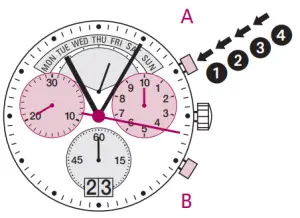
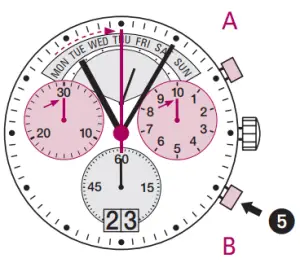
Please note:
- Following (4), the accumulation of the timing can be continued by pressing push-button A (Restart / Stop, Restart / Stop, …).
Chronograph: Intermediate or interval timing
Example:
- Start: (start timing)
- Display interval :e.g. 20 minutes 17 seconds (timing continues in the background)
- Making up the measured time:(the chronograph hands are quickly advanced to the ongoing measured time.)
- Stop: (Final time is displayed)

- Reset: The chronograph hands are returned to their zero position.

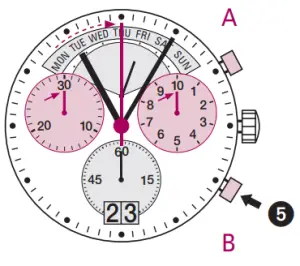
Please note:
- Following (3), further intervals or intermediates can be displayed by pressing push-button B (display interval / make up measured time, …).
Adjusting the chronograph hands to zero position
Example:
One or several chronograph hands are not in their correct zero positions and have to be adjusted (e.g. following a battery change).
- Pull out the crown to position III (all chronograph hands are in their correct or incorrect zero position.)

- Keep push-buttons A and B depressed simultaneously for at least 2 seconds (the second counter hand rotates by 360° → corrective mode is activated.)

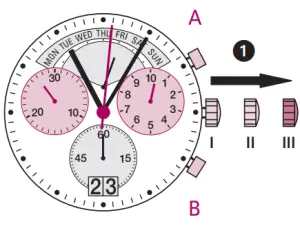
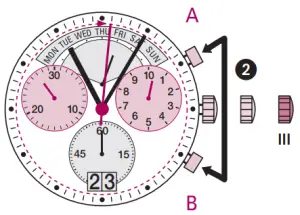
Adjusting the second counter hand
- Single step
 1 x short
 - Continuous
 long
long - Adjusting the next hand


 1 x short
 long
long
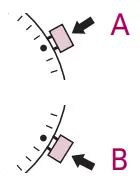
Adjusting the 1⁄10 second counter hand (position 3h)
- Single step 1 x short
- Continuous long
- Adjusting the next hand
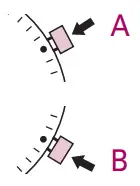
Adjusting the minute counter hand (position 9h)
- Single step 1 x short
- Continuous long

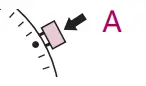
Returning the crown to position I
Termination of the chronograph hands adjustment (can be carried out at any time).