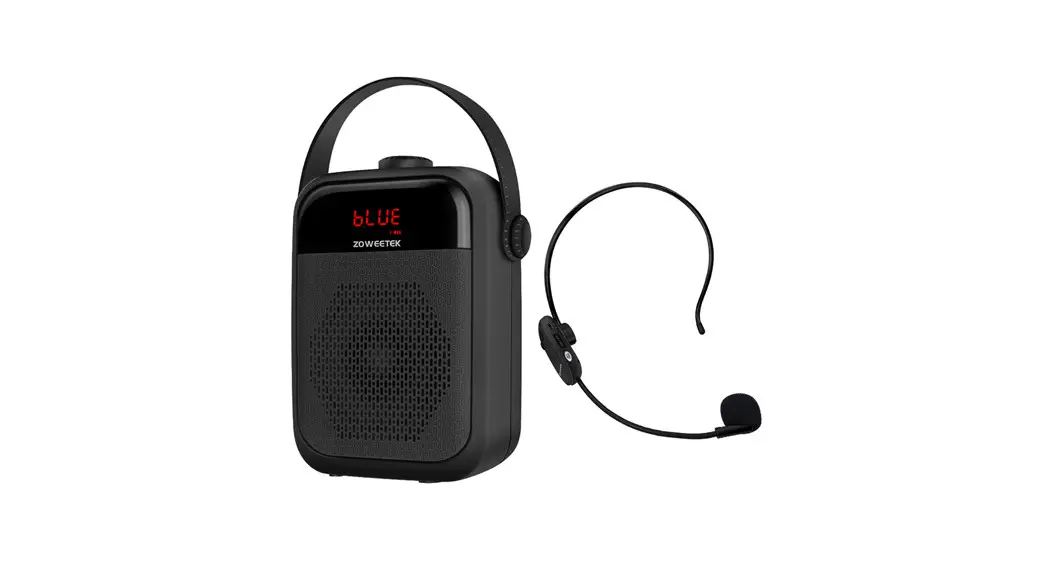

POWERTEC ORIGINAL SOUND Voice Amplifier
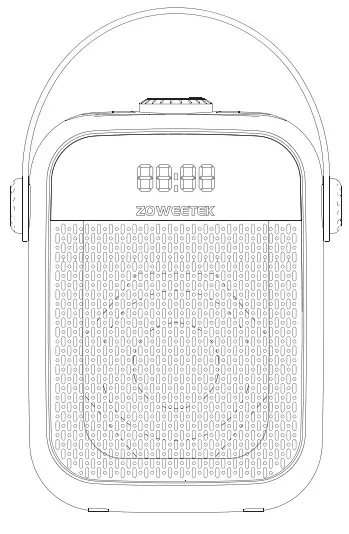 ZW-H6
ZW-H6
USER MANUAL
Zoweetek Guarantee:
100% Zoweetek Guaranteed Product Satisfaction.
We provide operational guidance and render a 1 year warranty. If you have any questions, please feel free to contact us.
We will try our best to provide you with the best service.
Official website: www.zoweetek.cn
Email:[email protected]
About Speaker Charging:
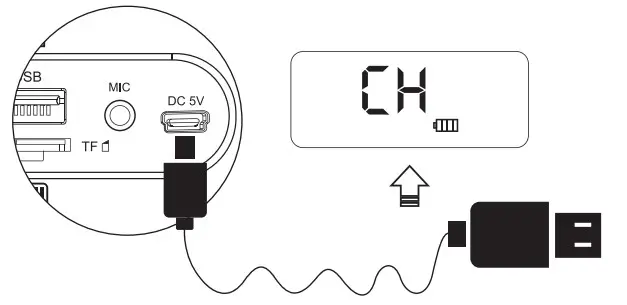
- When working, the battery icon on the screen flash continuously, indicating that the battery is low, please charge it in time. Please use the standard adapter. Please unplug the adapter timely after fully charged the charging time is normally 4-5 hours. When charging, the screen battery icon will flash continuously. When fully charged, the battery icon will stop flashing and remain in the long-light state.
- In order to achieve the best effect when using the speaker for the first time, it is recommended to be fully charged before use.
- Please use the standard 5V 2A charger to charge the device.
UHF Wireless Microphone:
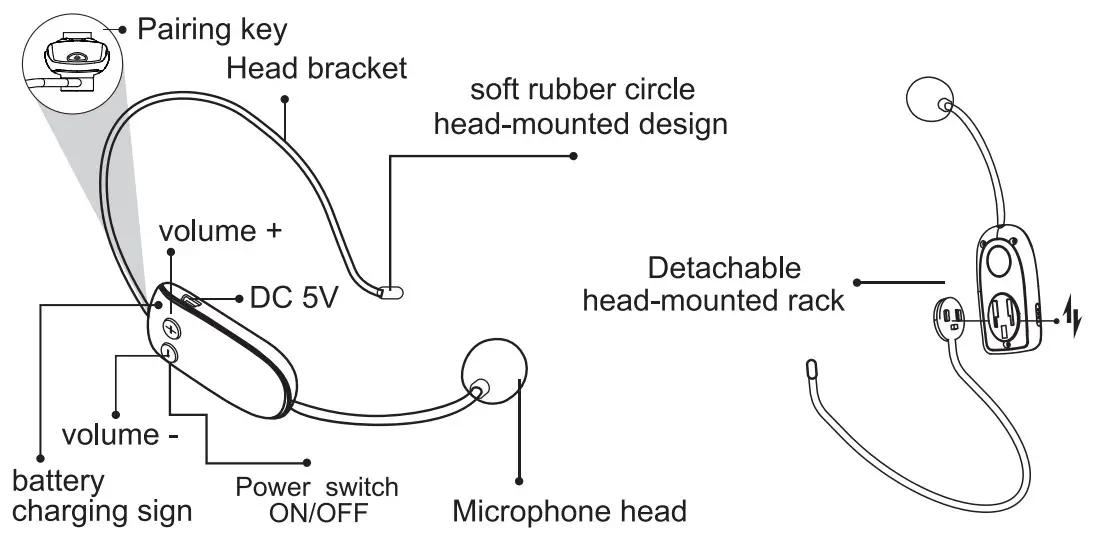
UHF Wireless Microphone Operation:
Step 1: Turn on the speaker, switch to UHF mode, and long press
“M” 5s to enter into UHF wireless pairing status with a voice prompt “UHF is waiting for connection”.
Step 2: Switch on the UHF wireless MIC and long press ”  ” for 5s, pairing is successful with the voice prompt “UHF is connected”. Then you can amplify your voice with wireless MIC.
Note: During the use of a wireless microphone, short press ” +” to increase the microphone volume and short press ” – ” to reduce the microphone volume. Long press “” to disconnect the wireless microphone with the voice prompt “UHF is disconnected”, repeat steps 1 and step 2 to pair the wireless microphone manually.
About UHF Wireless Microphone Charging:
When the blue light blinks, it means the battery in the headset is low, Please push the switch to the ” OFF ” state to close the microphone, connect one end of the Micro USB connector to the DC 5V interface of the microphone, and connect the other end to the charger to the power socket. When charging, the red light will be on all the time; it will go out when the battery is fully charged. Unplug the charger as soon as it is charged.
Wireless Microphone Technical Parameters:
| Frequency response: | 30Hz-23KHz | Output resistance: | 52.2K0 |
| Sensitivity: | -41dBt1dB (OdB=1V/Pa) | Recharging voltage: | DC 5V 500mA+ |
| Working time: | 3-5hours | Charging time: | 2-3 hours |
Caution And Trouble Shooting:
- Aim at the MIC capsule when speaking and keep the distance between the voice amplifier and MIC longer than 60cm avoids howling.
- No sound out from the speaker after the UHF Mic is paired. The connection between Mic and the speaker may be lost. You should re-pair it as mentioned in the previous paragraph.
- Don’t insert or plug the connector frequently to avoid the looseness of the socket or a bad connection.
- Recharge timely when battery power is low.
- Original accessories are suggested if they need to be replaced.
- The non-professional technician is not allowed to dismantle or repair the product, please contact the local agent if there is any question or service requirement.
- The amplifier should be kept in a dry and ventilated area, rain, water, and thump should be avoided.
- Please keep the product and accessories far away from children.
- This product needs to use the power adapter (DC 5V, 2A) to charge. After charging, please remember to unplug the power cord or power socket. We suggest stopping other operations under the charging mode. Please cut off the power supply first if you need to use it.
- If you don’t need to use it, please switch off the speaker to avoid the loss of power.
Solve some normal problems by yourself:
| Switch on the speaker but no sound | 1. the Main machine is running out of battery | Please recharge it to switch it on. |
| 2.No audio input | Please use other better audio files. | |
| 3. Haven’t turned on the volume | Please adjust the volume properly. | |
| With sound distortion | 1. The volume is too high | Please turn down the volume. |
| 2. The speaker is broken | Please contact us for maintenance. | |
| No sound with Karaoke | 1. Haven’t inserted the wired MIC properly | Please insert the MIC. |
| 2. Haven’t switched on the MIC | Please turn on the MIC properly. | |
| 3. Haven’t turned on the MIC volume | Please turn on the MIC volume. | |
| 4. The UHF wireless is disconnected or wireless MIC is low battery | Please pair the UHF wireless microphone again. Please recharge the wireless MIC. | |
| No sound with MP3 playing | 1. The audio format in the USB flash drive or TF card is wrong | Please turn the format to MP3. |
| 2. Chaotic procedure with wrong | Please restart the speaker. | |
| 3. Haven’t inserted the USB flash drive/TF card properly | Please insert the USB/TF card properly. | |
| The music is staccato when playing | May exceed the distance range nge or too many obstacles | Please check whether the distance is beyond the effective range of 33 ft. Clear any barriers between your device and speaker. |
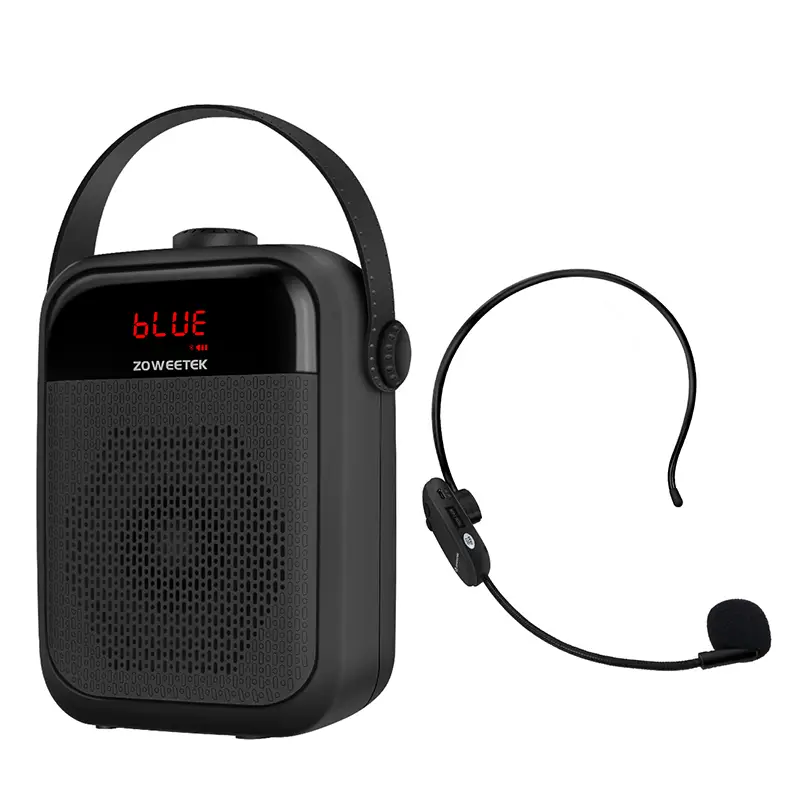
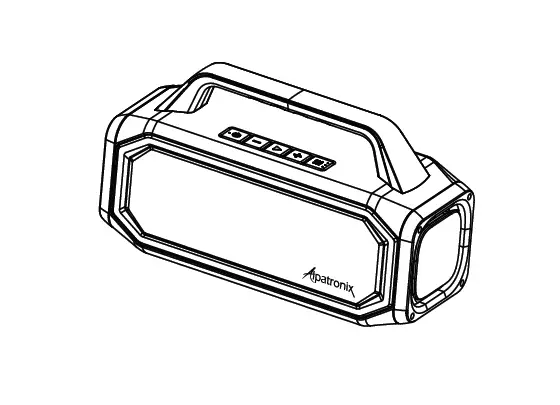
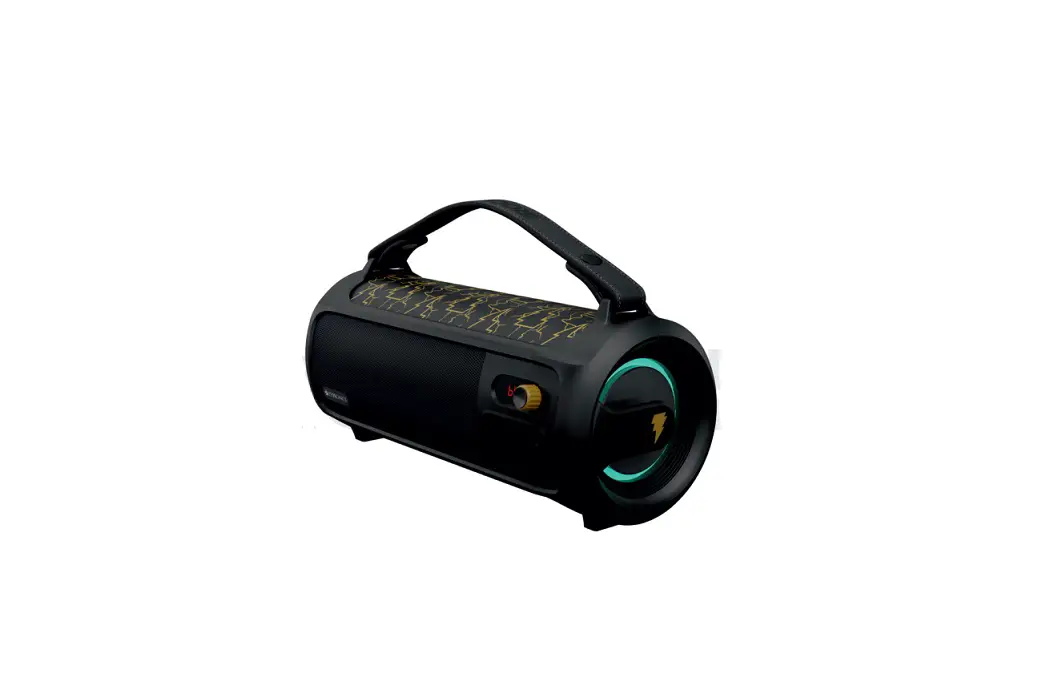
ZW-H6 UHF Wireless Portable PA System Loud Speaker with Headset. ZW-H6 UHF is a highly integrated system with many features. It is a public address system that amplifies your voice with HD sound quality. You can use a wired microphone or one wireless headset microphone to talk into it. It is a Music Player. You can play music from a TF card or USB flash disk. Support FM and REC functions. It’s not just a voice amplifier, it’s also a portable Bluetooth speaker.
Please read the instructions carefully before using them.
Features:
- POWERTEC patented appearance;
- Bluetooth 5.0 which can support sync music play and wireless Bluetooth connection distance is up to 33 ft;
- Supports TWS wireless Bluetooth connection;
- Supports FM and REC functions;
- UHF Wireless through-wall technology, high sensitivity Moving-Coil microphone, stable signal, and clear sound;
- Super MP3 audio encoding technology — support TF card & USB flash disk and 3.5mm AUX audio input;
- Output power 25W with 4 inch Bass Speaker and 1.5-inch Treble Speaker, sound coverage up to 2000m2;
- Built-in 2’2000 mAh lithium battery. Built-in intelligent power management module;
- Power double magnetic trumpet — more clear and penetrating;
- Adopt ZOWEETEK Acoustic amplification electroacoustic system;
- Equipped with ZOWEETEK special acoustic microphone— Loud and clear original sound amplification.
Specifications:
| Output power: | 25W | Frequency response: | 801-1z-18KHz |
| Output Impedance: | 4Ω | Work temperature: | -10°C – 45°C |
| Charging voltage: | DC 5V 2A | Amplify time: | 8-10 hours |
| Charging time: | 4-5 hours | Music-play time: | 3-7 hours |
| Sensitivity: | 550 ± 30mV | SIN ratio: | ≥70db |
| Support TF card: | ≤ 32G | Battery: | 2*2000mAh |
Function illustration:
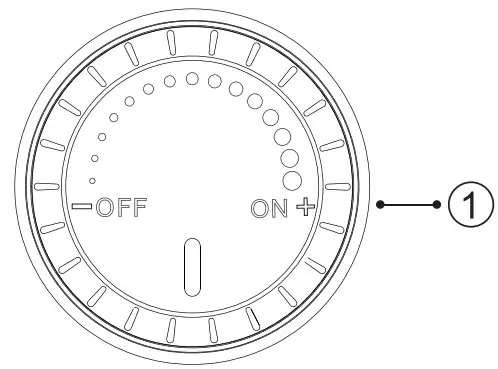
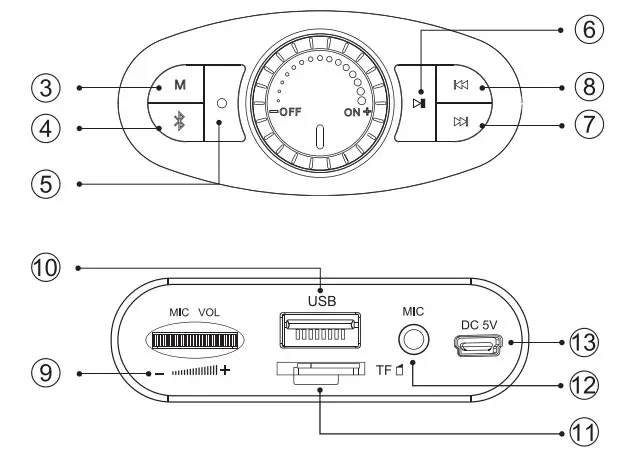
- PowerNolume: Rotate the knob to “on ” till the display light up to turn on the speaker. During start-up status, rotate the knob clockwise to ” +” to continuously increase the volume; rotate the knob to” – “to decrease the volume. Rotate the knob to” off ” to tum off the device.

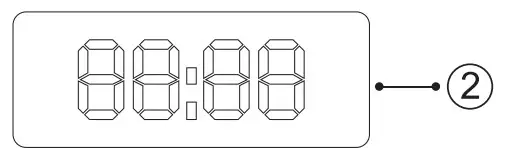
- Digital display screen: Support FM radio frequency display, and music playtime display.

- Mode selection: Short press” M ” to select TF card mode/USB flash drive mode/Bluetooth mode/FM mode/UHF mode.
- One Key Bluetooth
- REC Function:
(1). Connected with a wireless or wired microphone, in any mode, long press” • “when the time on the screen began to beat to enter into REC mode to record with inserting storage USB flash drive or TF card (maximum 32GB). After recording, short press” • “again to stop recording and save the audio files and start to play the recordings.
(2), In music mode, short press” • “to enter into recordings play mode with inserting storage (which has recordings). It will play the last recording by default and please press the “ ” or
” or  ” button to select the previous and next recordings.
 - Play/Pause:
A. In music play mode, short press it to pause; short press it again to play ;
B. In any mode, double press the” button to close the voice prompt of the speaker, and double press the “ button again to turn on the voice prompt of the speaker.
 - Next: Short press” “to select the next audio file. Long press to fast forward.
- Previous: Short press “ to select the previous audio file. Long press to fast rewinding.
- MIC volume: Rotate the knob clockwise to ” + ” to continuously increase the volume; rotate the knob to ” – ” to decrease the
- USB port: Support USB flash drive play, with a voice prompt “USB flash driver playing “.Maximum support 32GB USB flash drive with MP3 /WAV /WMA format.
- TF card slot: Support TF card play, with a voice prompt “TF card playing “.Maximum support 32GB TF card with MP3 /WAV /WMA format.
- MIC jack: Insert the wired microphone with a 03.5mm plug.
- DC 5V: Please use the DC 5V=2A power adapter to charge the
TF card/USB flash drive function instruction:
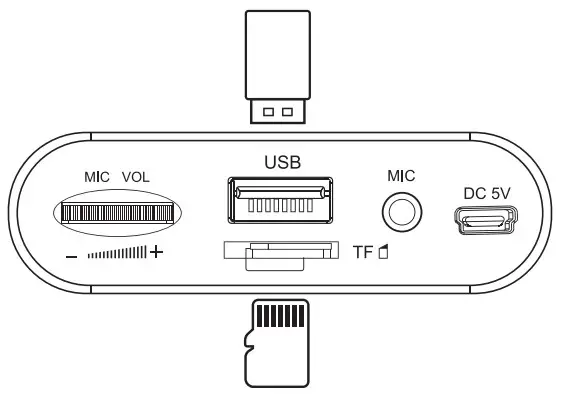
After inserting the TF card /USB flash drive into the slot of the TF card /USB flash drive according to the direction of the speaker identification, the speaker will automatically play the music file of the TF card /USB flash drive, and the previous song and the next song can be selected by pressing the “or” ” button.
Bluetooth Function:
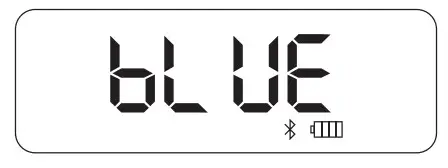
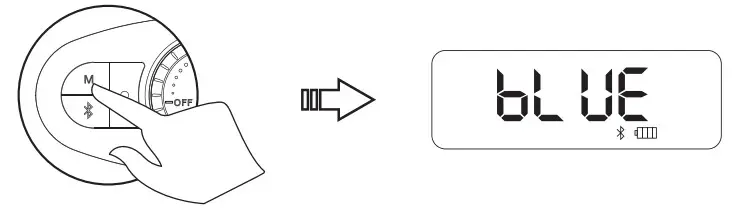
Step l. Switch on the speaker and press “ to enter into Bluetooth mode. (The Bluetooth mode is ready with the voice prompt “Bluetooth is waiting for connection ” and ” ” on the screen keep flashing).
Step2. Turn on the Bluetooth function of your mobile phone and search ” ZW-1-16 “. Click and it will be connected successfully with a voice prompt “Bluetooth is connected “.
Step3. After a successful connection, it can play the audio files.
True Wireless Stereo Function
Step l: Switch on two speakers and both press “ to enter into Bluetooth mode. Long press” M “of one speaker to enter into pairing status, when Bluetooth icon of another speaker stops flashing, which means this two-speaker connected successfully.
Step2: Turn on the Bluetooth function of your device and search ” ZW-H6 “.Click and it will be paid successfully. Two devices will play simultaneously.
Step3: Long press the” M “on one speaker to exit this function.
FM Function:
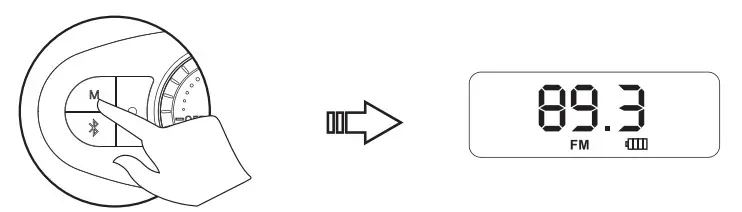
Switch on the speaker, short press ” M ” to choose the FM mode with the screen showing radiofrequency; Long press ”  ” to enter into automatic channels searching, after searching successfully, the device will save the channel automatically. Please press “or” ” to choose the saved channels.
FCC Warning
This device complies with part 15 of the FCC Rules. Operation is subject to the following two conditions: (1) This device may not cause harmful interference, and (2) this device must accept any interference received, including interference that may cause undesired operation.
Any Changes or modifications not expressly approved by the party responsible for compliance could void the user’s authority to operate the equipment.
Note: This equipment has been tested and found to comply with the limits for a Class B digital device, pursuant to part 15 of the FCC Rules. These limits are designed to provide reasonable protection against harmful interference in a residential installation. This equipment generates uses and can radiate radio frequency energy and, if not installed and used in accordance with the instructions, may cause harmful interference to radio communications. However, there is no guarantee that interference will not occur in a particular installation. If this equipment does cause harmful interference to radio or television reception, which can be determined by turning the equipment off and on, the user is encouraged to try to correct the interference by one or more of the following measures:
-Reorient or relocate the receiving antenna.
-Increase the separation between the equipment and receiver.
-Connect the equipment into an outlet on a circuit different from that to which the receiver is connected.
-Consult the dealer or an experienced radio/TV technician for help.
This equipment complies with FCC radiation exposure limits set forth for an uncontrolled environment. This equipment should be installed and operated with a minimum distance of 20cm between the radiator & your body.
Shenzhen Zoweetek Electronics Limited
www.zoweetek.cn