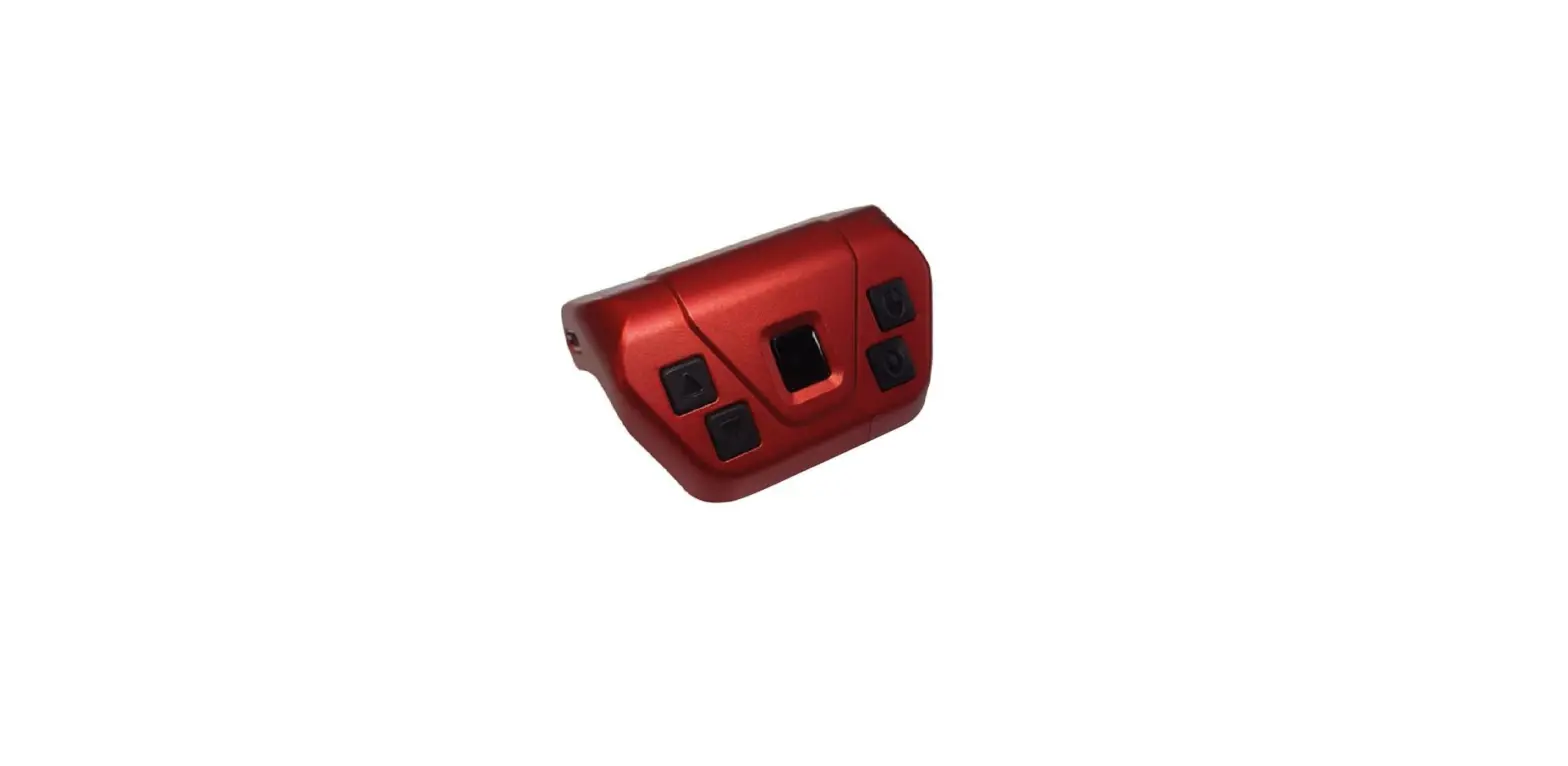

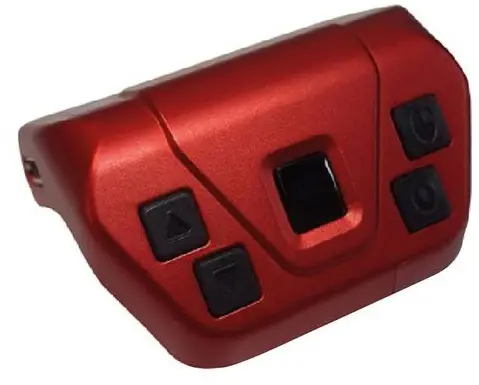
HITRONS SOLUTIONS INC B07ZZKB5NH Wireless Wearable Finger Mouse
APPLICATION
This is a wearable mouse that can apply to your Smartphone, tablet PC, Laptop, Smart TV and etc. You can use it as a remote control for selfies/camera/e-Book/YouTube /Netflix for your smartphone, tablet, and mouse for laptop in your comfortable position. Also, You can use it as a Presentation pointer for your lecture. You don’t have to install an application or program, just connect to Bluetooth.
Button functions and Pointer Settings
- Button action in mobile
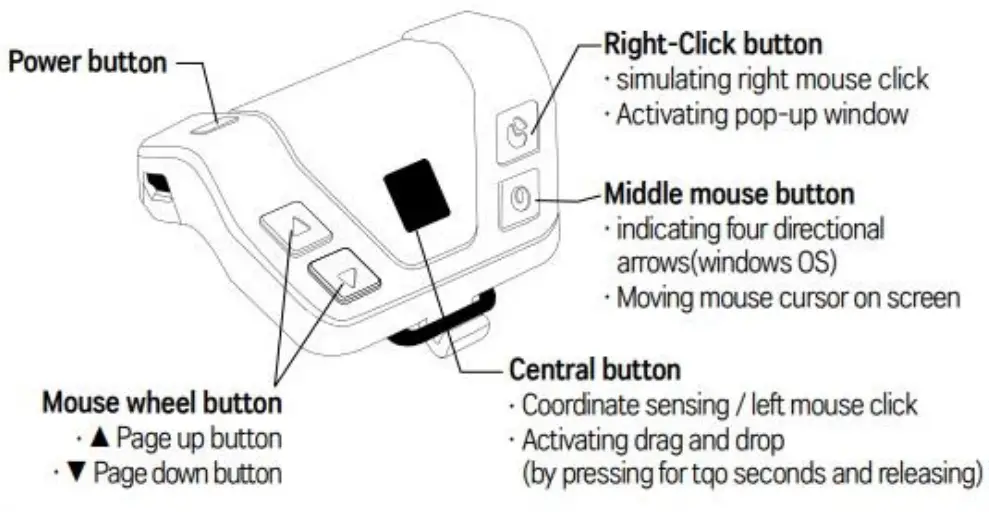
- Right-Click button: ‘Back key’ function
- Mouse wheel button: “Home key function
- Home key’ function works in Samsung/Apple Smartphone, Tablet.
- How to adjust Pointer speed &size (Android)
- Pointer speed : Settings> General management>
- Language and input > Adjust the sensitivity at ‘Pointer Speed
- Pointer size: Settings> Accessibility> Visibilty enhancements(Vision)
- Activate Large mouse/ touchpad pointer(cursor)
- Applying Assistant menu:
- Functions such as volume control and screenshot can be used remotely
- Reading mouse function
- it reads all the text where the cursor moves on. * Refer to a back page ‘How to Connect & Apply to Android 5.0 or higher device(smartphone/tablet)
PRODUCT DESCRIPTION
PRODUCT COMPOSITION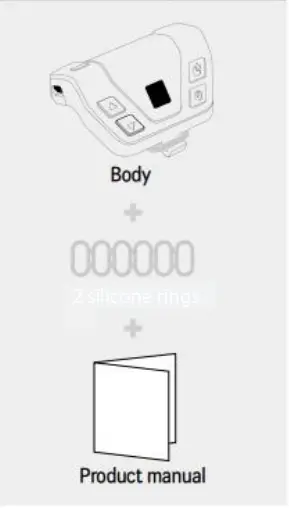
BASIC PRODUCT INFORMATION
- Compatible Specification
- Windows 8 and 10 or higher, Mac i0S, Android, iOS 5.0 or higher
- Connection via Bluetooth V4.1
- Use the dongle for desktops or laptops that does not support Bluetooth
- How to recharge
- Micro 5-pin charger cable When LED on body’s upper side turns blue, the device is fully charged
- N/OFF
- The LED lights will be lighted when you press the button to tum the device on
- Press the power button for two seconds to tum it off
- Sleep mode
- The cursor in a device vanishes if you do not use your product in 1-3 minutes it may vary depending on your device.
Button functions and Pointer Settings
- Button action in mobile
- Right-Click button: “Back key function
- Mouse wheel button: “Home key’ function
- ‘Home key function works in Samsung /Apple Smartphone, Tablet.
- How to adjust Pointer speed & size (Android)
- Pointer speed : Settings> General management>
- Language and input > Adjust the sensitivity at Pointer Speed
- Pointer size : Settings> Accessibility > Visibility enhancements(Vision)
- Activate Large mouse/ touchpad pointer(cursor)
- Applying Assistant menu:
- Functions such as volume control and screenshot can be used remotely
- Reading mouse function
- it reads all the text where the cursor moves on.
Refer to a back page How to Connect & Apply to Android 5.0 or higher device(smartphone/tablet)
Safety Precautions
- Please read the following information carefully before using this product
- Accidents may be caused by fire and explosion.
- Do not cause shock or damage to the product
- Be careful that conductive materials (metal, liquid, etc.) get contacted on charger connector or
Connection terminal.
- Do not touch the product with wet hands or use it in a humid environment (toilet, swimming pool, water-shore, etc.).
The product may be damaged or the human body may be injured.
Be careful that infants and pets suck or bite the product - Proper usage and storage temperature of our product is 10-35 degrees (Celsius) and the use under other temperature range may damage the product or shorten the battery life.
- Do not use the product in the following environment.
- (Microwave Oven, fireplace, sauna, electric pad, inside the vehicle in the summer, etc.)
- Place the product in a dry place free from moisture or humidity.
- Do not use the product outdoors when thunder or lightning strike.
- While driving, comply with the relevant laws or road safety regulations regarding the use of the product
- Using the product may cause damage to peripheral devices and equipment.
- Do not use the product near vehicles, aircraft, hospital or medical device which may be afected by Bluetooth communication frequency
- Electromagnetic waves from the product may affect medical devices or electronic navigation equipment
- Do not use the product within 15 cm from the pacemaker because electromagnetic waves from the product may affect the pacemaker when connecting to other devices using the Bluetooth function. Be sure to keep 15cm distance from the pacemaker tf a product must be used.
Cleaning and Maintenance Precautions
- Do not use strong chemicals or detergents to clean the product
- (The outside of the product may be discolored or corroded)
- Gently clean the product with a soft cloth and be careful not to scratch the user modifies, dissembles, or repair the product arbitrarily, the warranty will be void.
- If the product is damaged, do not use the product in a damaged condition
- (Be sure to use the product after consulting with Hitron’s Customer Service Center, for it may cause hand or tace injury.)
- Do not discard the product in a fire or place the product near heat source fireplace, microwave, etc.), heating cooker, and high-pressure vessel
- Do not puncture the product (t may stop functioning or damage the human body).
WARRANT POLICY
| Product Name | Wireless Wearable Finger Mouse | Agency Name | Hitrons Solutions Inc. |
| Model Name | GMT-001BP | Agency E-Mail | [email protected] |
| Color | Black Pearl | Agency lei | 1-800-515-3430 (Mon – Fri 9am-5pm EST) |
| Agency Address | 88 Portland Avenue Suite M Bergenfield, NJ 07621 |
SPECIFICATION
| Product Name | Wireless Wearable Finger Mouse |
| Size | 46 (W) x 45(D) x 25(H) mm |
| Weight | 17g |
| Sensor Method | Optical Sensor |
| Wireless Specifications | Bluetooth V 4.1 Low Energy / Frequency Range 2,402 MHz ~ 2,480 MHz ~ / Output Power -1.5 dBm +_ 1 dB |
| Battery Type | Lithium Polymer 3.7 V / 80mA |
| Charging Time | 15~40 min |
| Charging Method | Micro-USB 5PIN (5V) / 1A |
| Connection Method | Bluetooth V4.1 over |
| Receive Distance | 5 ~10 Meters |
|
Operating Systems | Windows 10 Mac OS, Chrome OS, Android 5.0 over iOS 13 iPad OS over |