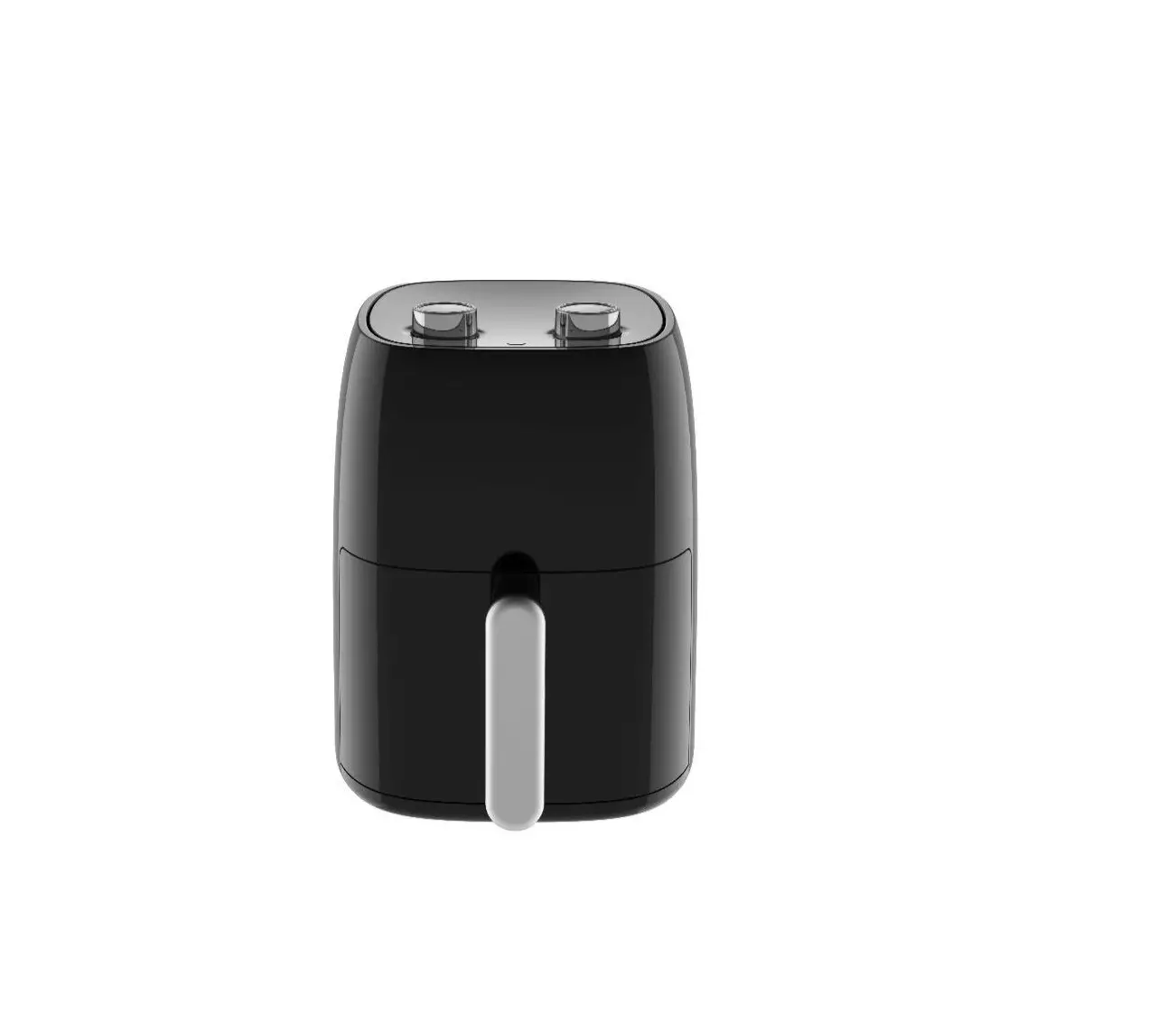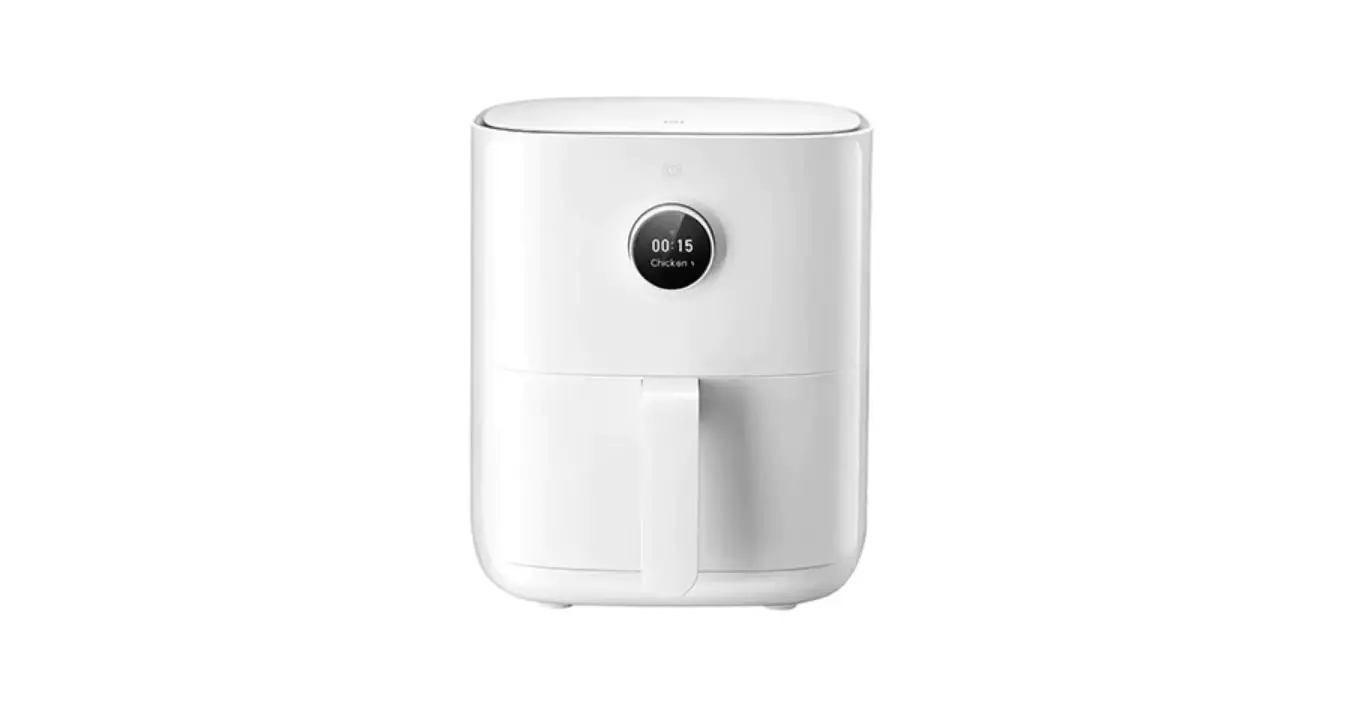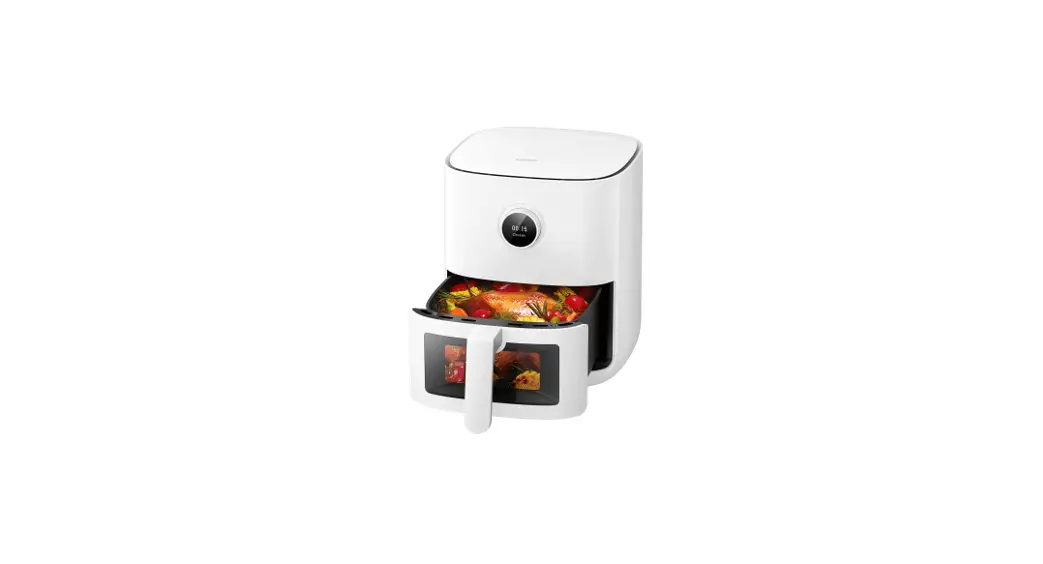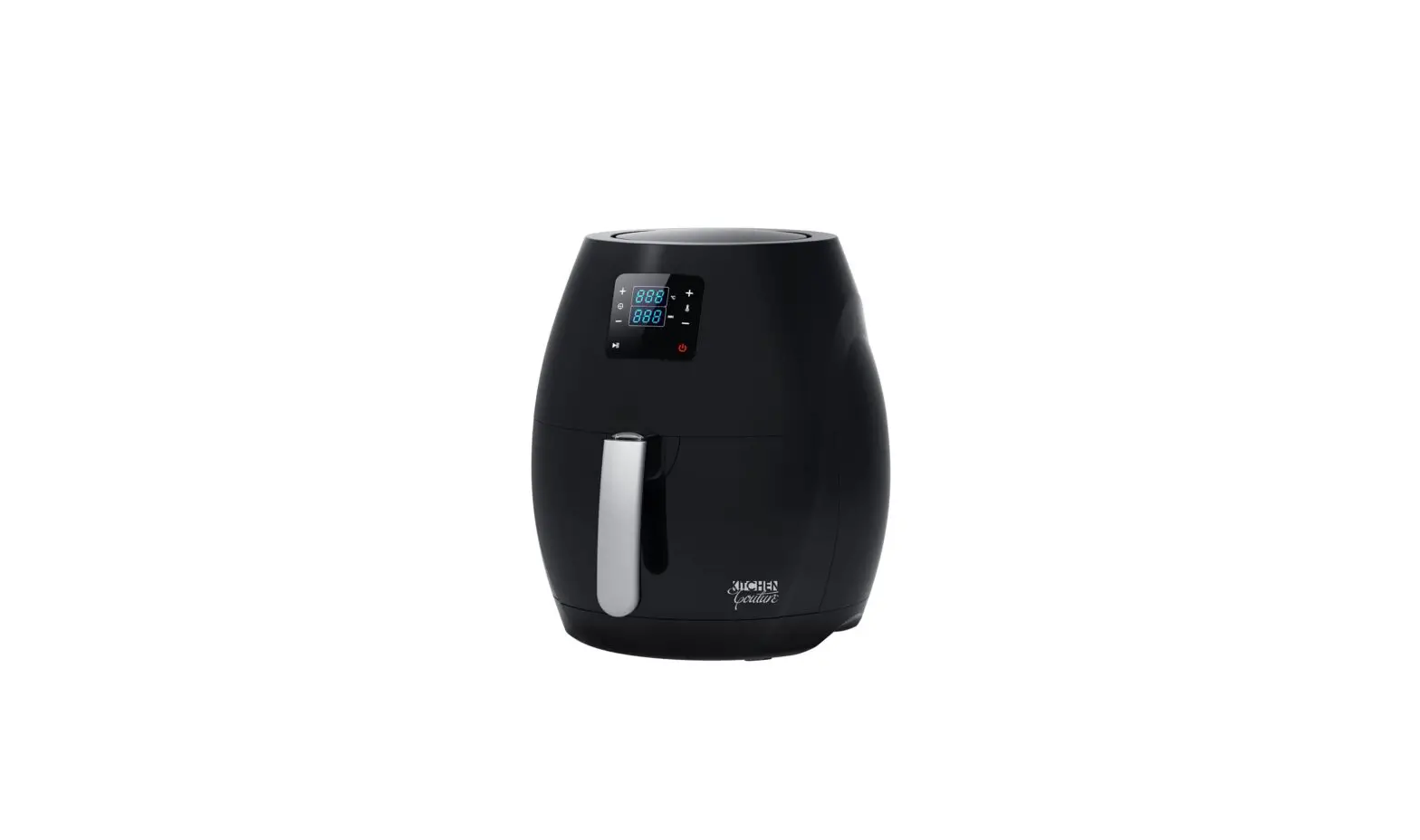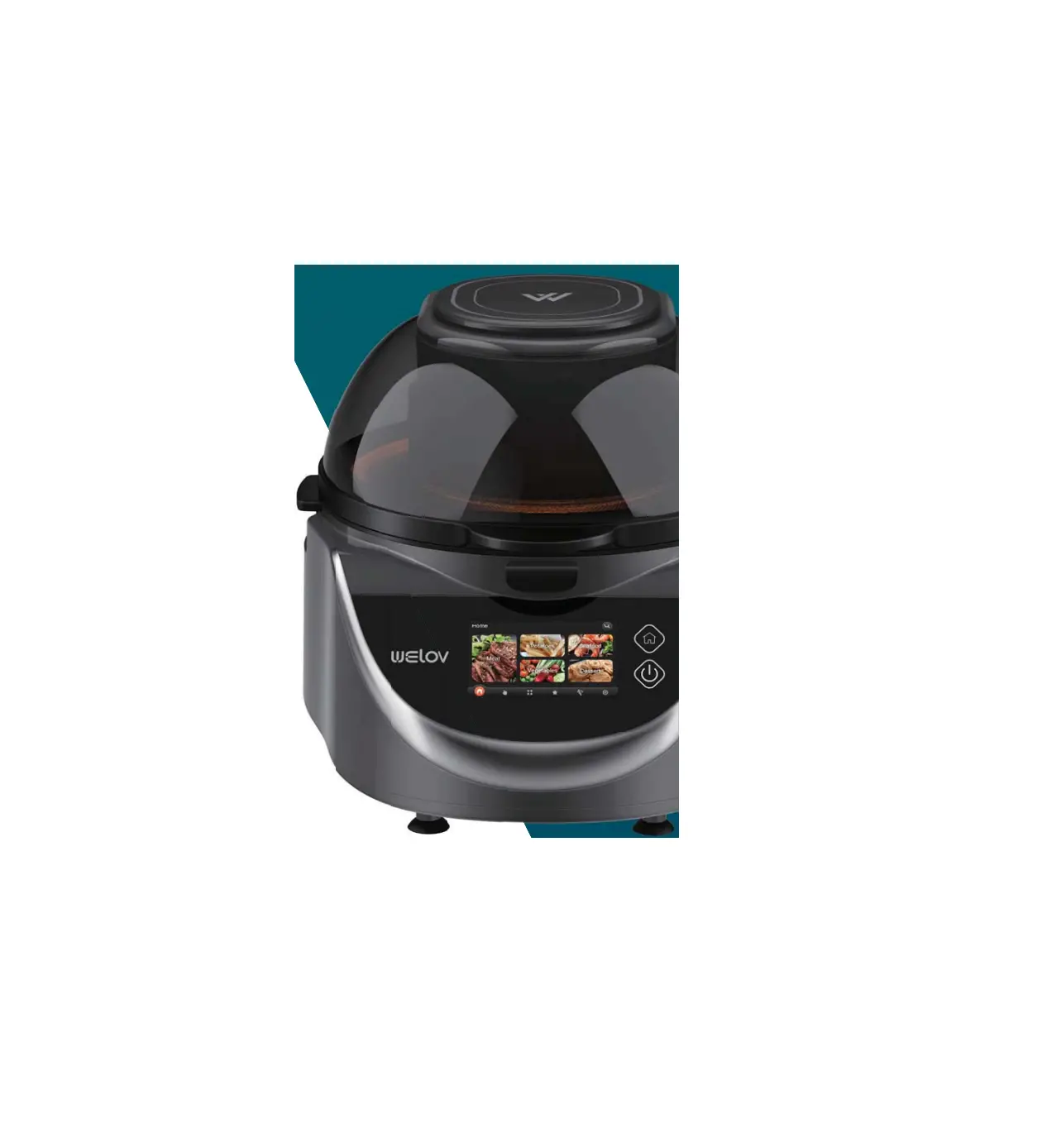
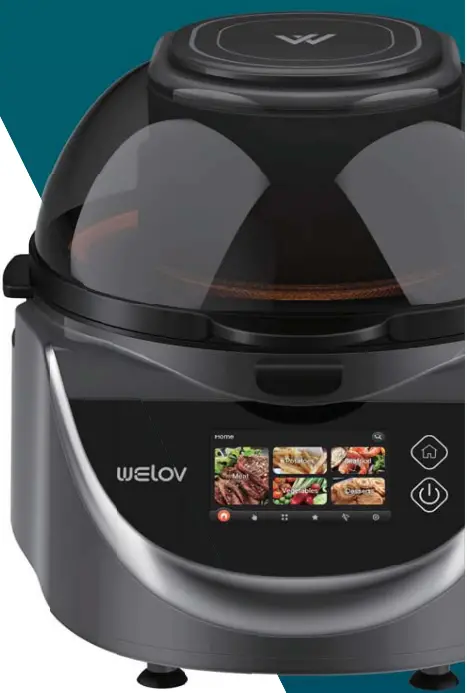
Welov X1S Smart Air Fryer
Please read all theinstructions before usingand keep it for futurereference.
IMPORTANT SAFETY INSTRUCTIONS
- Read all instructions prior to using the air fryer and its accessories.
- To eliminate a choking hazard for young children, discard all packaging materials immediately upon unpacking.
- This appliance can be used by persons with reduced physical, sensory or mental capabilities or lack of experience and knowledge if they have been given supervision or instruction concerning use of the appliance in a safe way and understand the hazards involved.
- Take inventory of all contents to ensure you have all parts needed to properly and safely operate your air fryer.
- NEVER leave the air fryer unattended while in use.
- NEVER use outlet below counter.
- DO NOT let cord hang over edges of tables or counters or touch hot surfaces, including stoves and other heating air fryers.
- Keep the appliance and its cord out of reach of children.
- DO NOT allow the appliance to be used by children.Close supervision is necessary when used near children.
- DO NOT use an extension cord. A short power-supply cord is used to reduce the risk of children grabbing the cord or becoming entangled and to reduce the risk of people tripping over a longer cord.
- DO NOT place any object directly onto the heating elements and DO NOT cover any part of the air fryer with metal foil. This will cause the air fryer to overheat or cause a fire.
- To protect against electrical shock DO NOT immerse cord, plugs, or main unit housing in water or other liquid.
- DO NOT use the air fryer with damage to the power cord or plug. Regularly inspect the air fryer and power cord. If the air fryer malfunctions or has been damaged in any way, immediately stop use and call Customer Service.
- DO NOT cover the air intake vents or air outlet vents while unit is operating.Doing so will prevent even cooking and may damage the unit or cause it to overheat.
- DO NOT insert anything in the intake and ventilation slots and DO NOT obstruct them.
- DO NOT use accessory and attachments not recommended or sold by the Designated supplier.
- DO NOT place items on top of surface while unit is operating except for authorized recommended accessories.
- Before placing any accessories into the air fryer ensure they are clean and dry.
- Intended for countertop use only. DO NOT place the air fryer near the edge of a countertop. Ensure the surface is level, clean and dry,
- This air fryer is for household use only ,DO NOT use outdoors. DO NOT use in moving vehicles or boats.
- DO NOT use this air fryer for anything other than its intended use. Misuse may cause injury.
- DO NOT store any materials, other than supplied accessories, in this air fryer when not in use.
- When using this air fryer, provide adequate space above and on all sides for air circulation.
- Afire may occur if the air fryer is covered or touching flammable material, including curtains, draperies, walls, or the like when in operation.DO NOT place anything on the air fryer during operation.
- DO NOT use the unit without the pot installed. Ensure food residue are removed and the tray is cleaned before each use.
- DO NOT use the air fryer without the Sear Plate, wire rack, or air fry basket installed.
- DO NOT spray any type of aerosol spray or flavoring inside the air fryer while cooking.
- Use caution when inserting and removing anything from the air fryer, especially when hot.
- Voltages can vary, affecting the performance of your product. To prevent possible illness, use an external thermometer to check that your food is cooked to the temperatures recommended.Prevent food contact with heating elements. Excessive food loads may cause personal injury or property damage or affect the safe use of the air fryer.
- DO NOT place any of the following materials in the air fryer: paper, cardboard, plastic, roasting bags and the like.
- Extreme caution should be exercised when using containers constructed of any materials other than metal or glass.
- DO NOT touch hot surfaces. Air fryer surfaces, especially the Sear Plate, are hot during and after operation. To prevent burns or personal injury, Always use protective hot pads or insulated air fryer mitts and use available handles and knobs.
- Spilled food can cause serious burns.Extreme caution must be used when the air fryer contains hot food. Improper use may result in personal injury.
- Please refer to the Cleaning &Maintenance section for regular maintenance of the air fryer.
- Cleaning and user maintenance shall not be made by children.
- Press the power button to turn air fryer off and allow to cool completely before cleaning, moving and flipping for storage.
- Unplug from outlet when not in use. To unplug, grasp the plug by the body and pull from the outlet. Never unplug by grasping and pulling the flexible cord.
- DO NOT clean with metal scouring pads. Pieces can break off the pad and touch electrical parts, causing a risk of electrical shock.
- DO NOT use the air fryer as a source of heat or for drying.on the plug blade. The entire supply cord is not suitable for replacement. If damaged, please contact us for service.
- DO NOT place appliance on a stovetop or hot surfaces or near gas or electric burner or in a heated air fryer.
- This appliance has important markings.
 | Indicates to read and review instructions to understand operation and use of product. |
 | Indicates the presence of a hazard that can cause personal injury, death or substantial property damage if the warning included with this symbol is ignored. |
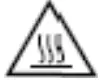 | Take care to avoid contact with hot surface. Always use hand protection to avoid burns. |
 | For indoor and household use only. |
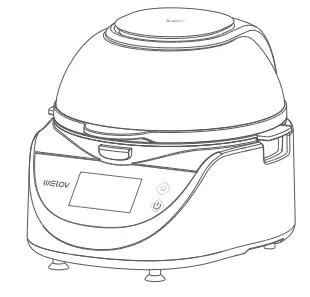
KNOWING YOUR AIR FRYER
AIR FRYER
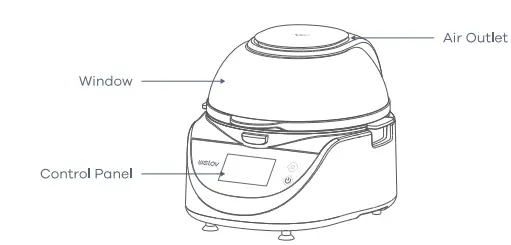
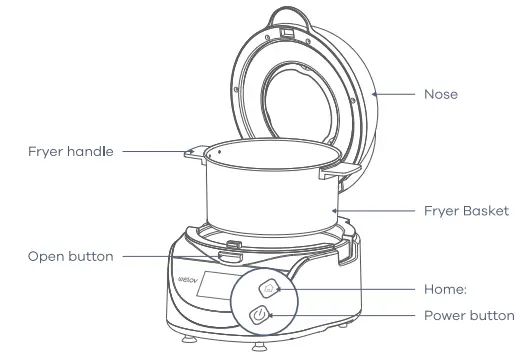
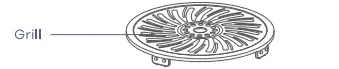
GETTING STARTED
- Remove all the packaging materials, stickers and labels from the air fryer.
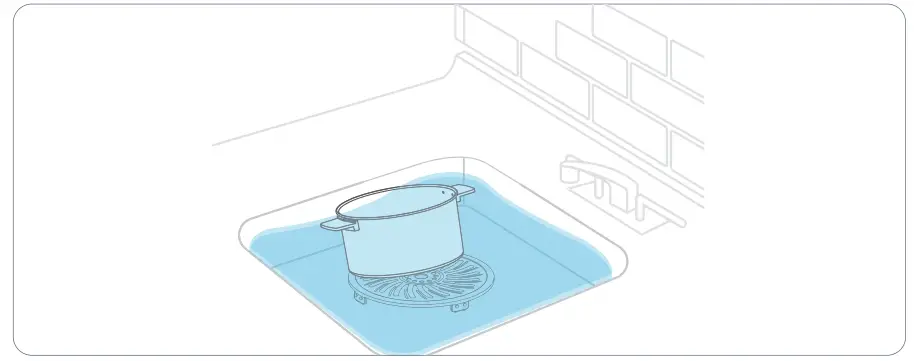
- Draw out the Fryer Basket; wash the Fryer Basket and the Crisper Plbate in warm, soapy water or in a dishwasher, then rinse and dry thoroughly.

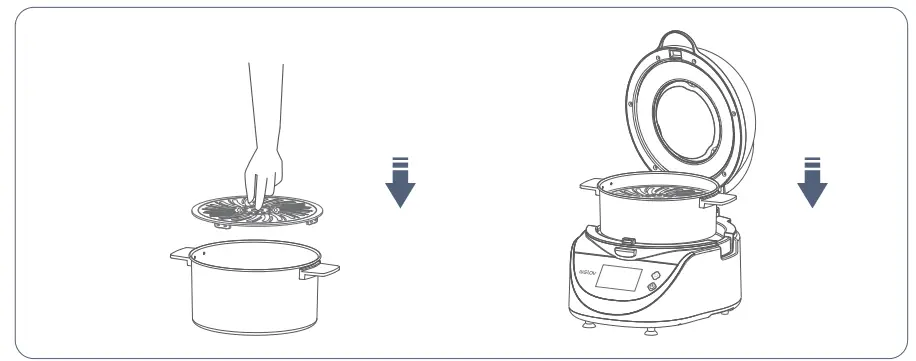
- Place the Crisper Plate into the Fryer Basket, then push back the Fryer Basket into the air fryer.
- Place the air fryer on a stable, level and heat-resistant surface. Keep it away from places that can be damaged by steam.

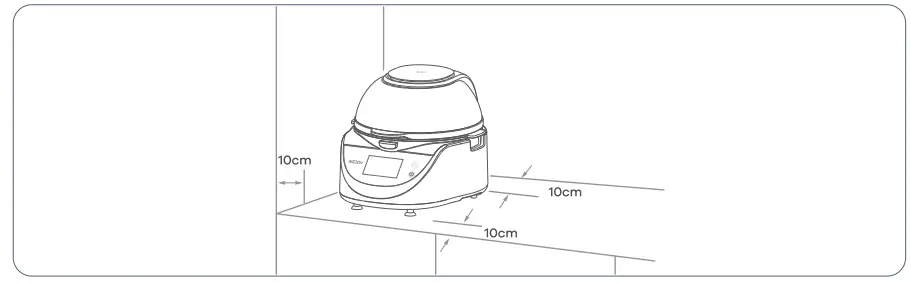
| Note: This product must be placed at a distance of more than 85cm from the ground. During normal use, air must be circulated around the product. The top of the product should be kept open, and no obstructions should be placed. The left and right walls should be left with a gap of more than 10cm, and the rear wall should be kept. A gap of more than 10cm, do not block the ventilation openings, keep the use environment clean, and prevent cockroaches and other reptiles from entering the cavity. |
- Do not block the exhaust port, otherwise it may cause product failure, please maintain it frequently to avoid garbage and dust blocking the exhaust port.
- Please do not place the product in a place with high temperature and humidity, such as a gas stove, a live area or beside a sink, etc.
- The product must be placed flat.
- If the indoor humidity is too high, this product cannot be used.
- Do not let the lid of the product bear excessive pressure.
USING YOUR AIR FRYER
POWERING ON
Step 1:
Plug the air fryer into the outlet and you will hear a “beep”. The button and the screen will light up, and the text pop-up window will pop out after the screen animation. After a countdown of 3 seconds, it will automatically enter the Home interface;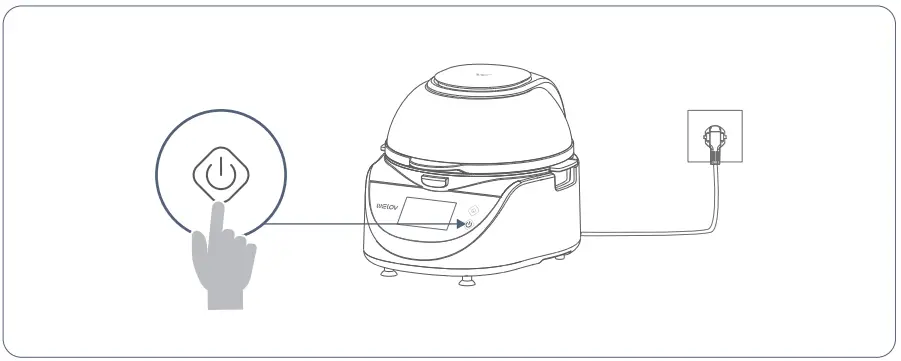
Step 2:
According to your needs, choose the functions you need;
Note:
|
PREHEATING
Step 1:
Enter the AUTO interface, click the PREHEAT button, the machine beep 1 times and starts to start;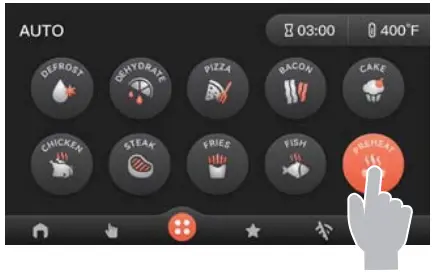
Step 2:
The default preheat temperature is 400°F; the default preheat time is 3MIN. Customize the temperature and time according to your needs.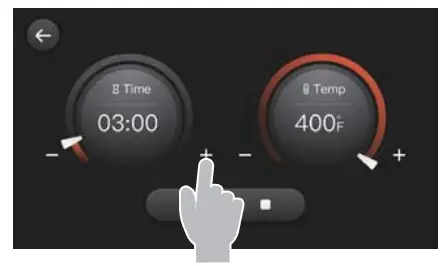
Note:
|
Step 3:
When there are only 2 seconds left in the preheating time, the air fryer will beep 3 times, and then a pop-up window will indicate that the preheating is complete
SELECTING PROGRAMS
HOME
Step 1:
You can choose your favorite recipes from Meat/Potatoes/SeafoodNegetables/Des-serts to cook.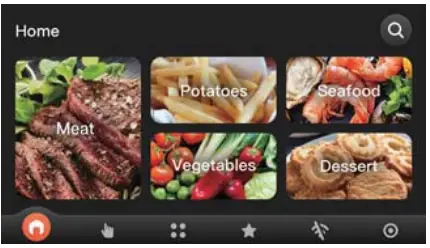
| Tip: You can also quickly search for your favorite recipes for cooking according to the search box in the upper right corner. |
Step 2:
Click on Meat, choose your favorite recipe, click Start.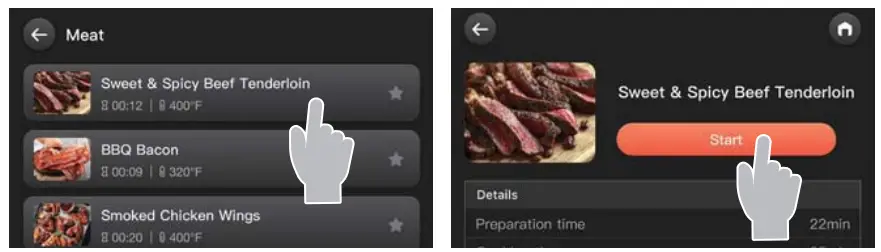
| Tip: For a more delicious taste of the food, please read the recipe steps carefully before clicking Start. |
Step 3:
- Click Make to execute the current step and enter the current step interface.
- Click
 current step paused, click ■ stop current step, click
  Go to the next production step
 current step paused, click ■ stop current step, click
Note:
|
 to return to the Home interface.
 |
| to enter the operation page of the current step. If there is no operation step, there will be no floating box.
Step 4:
The current step is completed, click the button to enter the next step operation interface.
Step 5:
Repeat step 3 until the recipe is completed, click OK to return to the Home interface.
Tip:
|
Step 6:
- When not in use for a long time or going out, please turn off the power Arst. After turning it off, unplug the power cord, otherwise failure or danger may occur.
- After use, it is necessary to clean the fryer and grill to prevent the remaining powder residue, oil stains, etc. from smoking or catching Are during the next baking.
- After cleaning, be sure to dry all ports, especially the heating coil.
AUTE
Step 1:
You can select the program you want from DEFROST/DEHYDRATE/PIZZA/ BACON/ CAKE/CHICKEN/STEAK/FRIES/FISH/PREHEAT and refer to the above steps forcooking.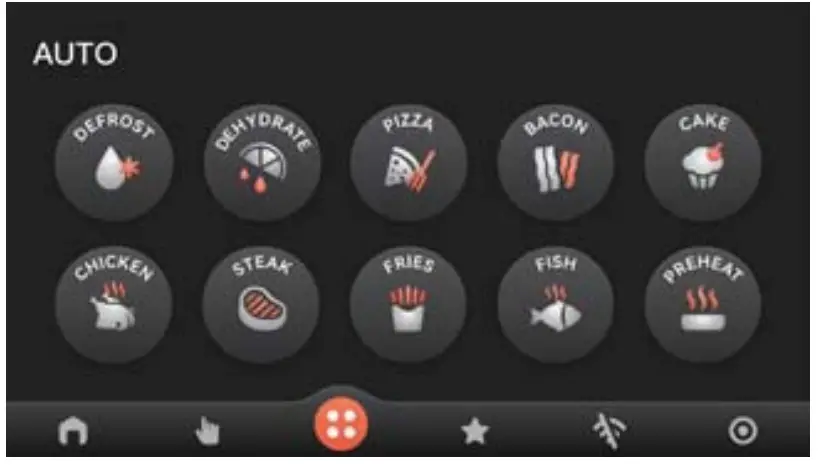
Step 2:
Refer to the table below for the default temperatures and times for the 10 preset programs.
| ICON | PROGRAM | DEFAULT TEMPERATURE | DEFAULT TIM E |
 | DEFROST | 300°F | 5min |
 | DEHYDRATE | 130 °F | 60min |
 | PIZZ A | 365°F | 9m in |
 | BACO N | 400°F | 8min |
 | CAKE | 320°F | 25min |
 | CHIC KEN | 40 0 °F | 15min |
 | STEAK | 355 “F | 13min |
 | FRIES | 400°F | 15min |
 | FISH | 400°F | 15min |
 | PREHEAT | 400 °F | 3min |
| Note: When the built-in menu is entered, the default temperature and time are displayed, and the temperature and time can be adjusted according to personal habits, food status or ambient temperature. |
OPERATE
- Click the
 button page of the main menu to enter the operation page.
 - Use the fine-tuning Time round button/+ – button to customize the increase/ decrease time. Use the fine-tuning Temp knob/+ – button to customize the increase/de crease temperature.

 button page of the main menu to enter the operation page.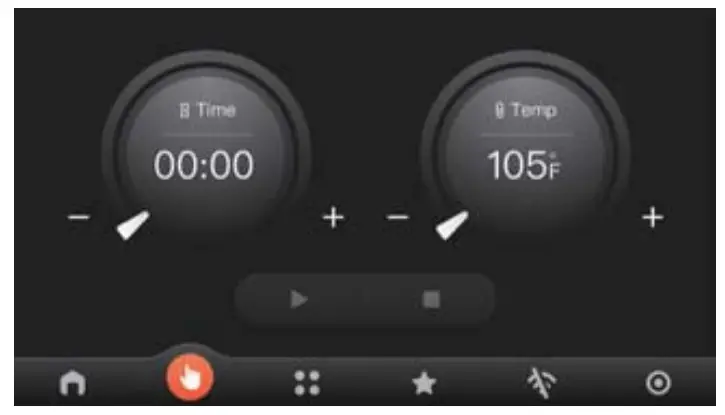
Tip:
|
Favorites
- Find the recipe you like in Home, click the
 to save, the
  will light up, Click again to unfavorite.
 - Click the Favorite button, you can see the favorite recipe, or you can cancel the favorite and the recipe disappears.
Tip:
Favorites can save up to 50 recipes, and there will be a pop-up prompt when the number of favorites exceeds 50.
 to save, the
  will light up, Click again to unfavorite.
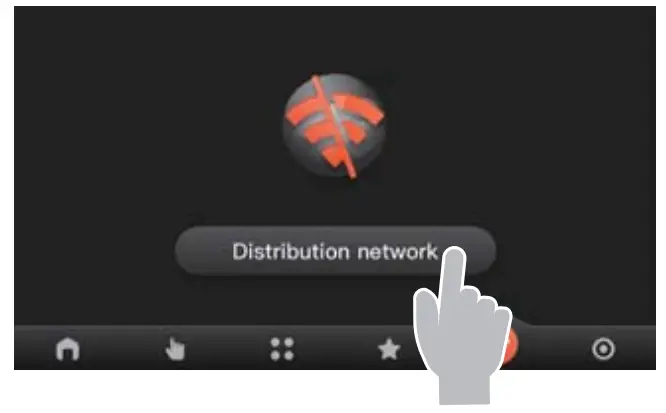
WIFI
Click Enter the Distribution network interface.
- 1f there is no AiDOt, you con download Ai Dot through the operation guide of the Distribution Network interface or refer to the third port of the manual to download AiDot.
- if you have downloaded Ai Dot before, you can scan the code to connect to the machine directly.

SERVICES
Click  You con view the four parts of User Manual/Warning/Settings/After-soles.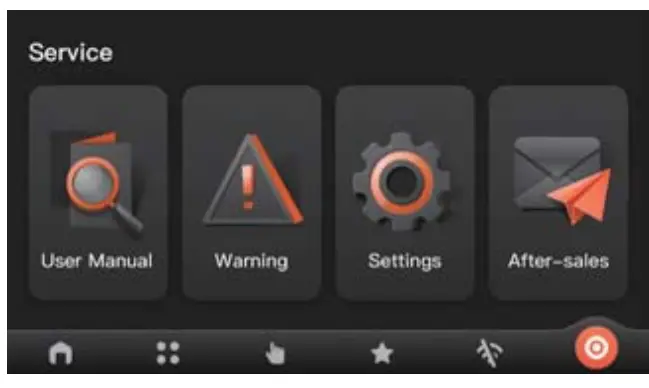
User Manual
Click Start to go to the next page to start reading the software manual.
Warning
Precautions, please read all the contents before using the machine for the first time.
Settings
Contains three parts
- Device Information: Display the basic information of the device.
- Unbind the device: you can reconnect to other apps and control the device.
- Restore factory settings: Clear all data and restore the device to the original state.
After-sales
It contains after-sales service terms and after-sales emails.
Tip:
|
OVERHEAT PROTECTION
When the temperature of the air fryer reaches 440°F, the thermal protector inside the air fryer will automatically power off and the fryer will stop working. Please contact our after-sales service in time.
COOKING TIPS
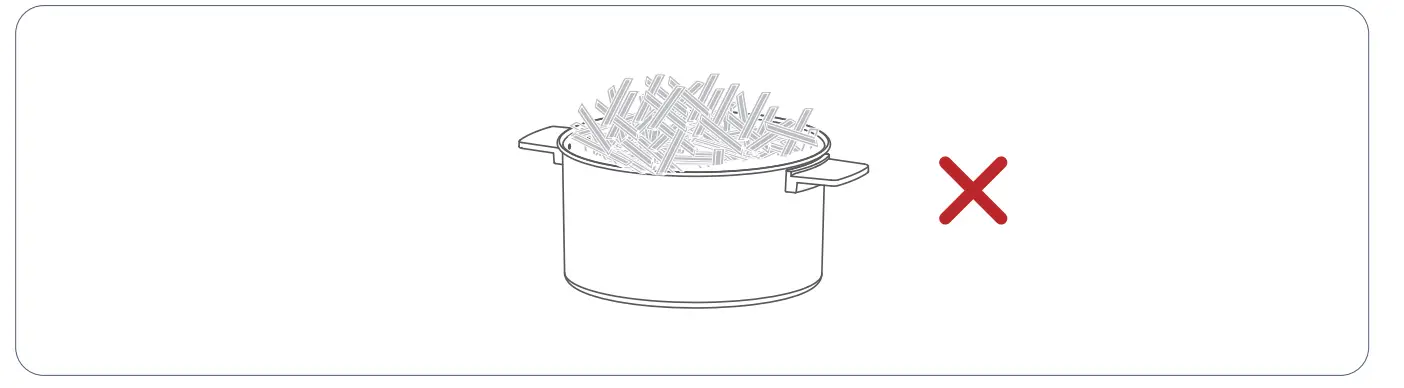
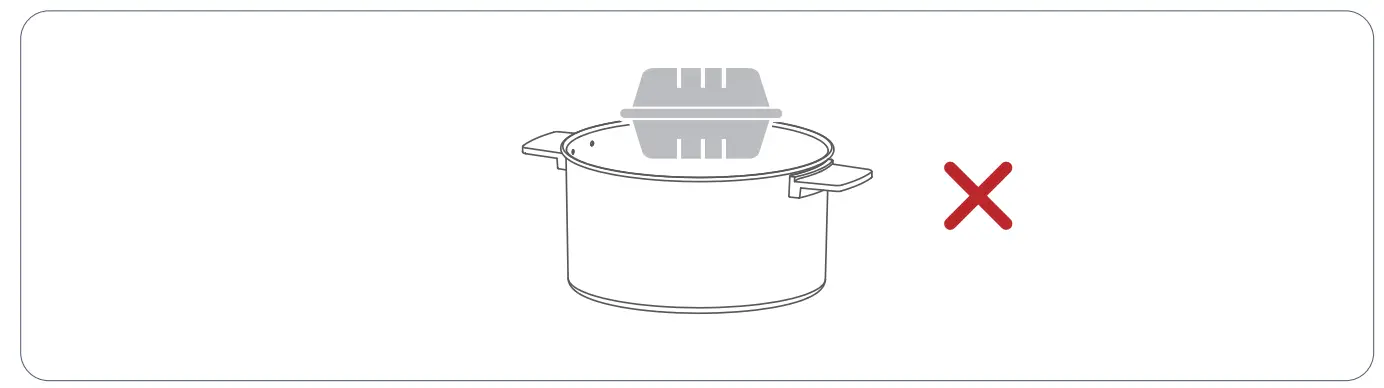
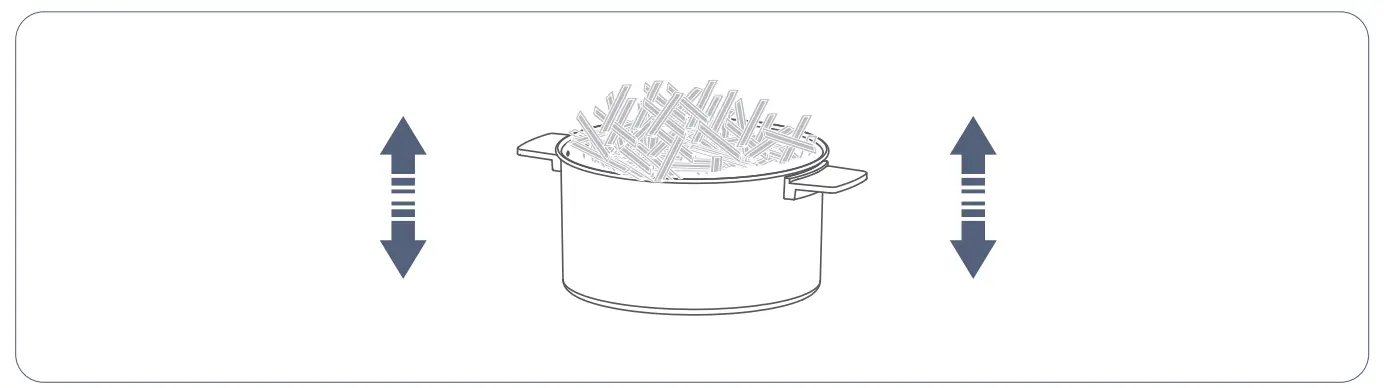
- Ensure that the height of the food does not exceed the height of the fryer basket

- Do not put paper or plastic containers that are not heat-resistant into the air fryer.

- It is recommended to check the food through the window during the cooking process and pull out the basket to shake the food if necessary.
- For more tips and directions, check out the on line recipes in Ai Dot App!
USER GUIDE FOR AIDOT APP
APP Downloading and Installation
Option 1:
Search for AiDot from App Store/Google Play, then download and install it on your mobile device.
Option 2:
Scan the QR codes below to download and install.
APP Registration and Login
Start the ADot APP and register with a valid email address for the Arst time to log in.
| Note: For a successful connection, please allow AiDot APP to use your WLAN & Cellular Data when running it. |
CONNECTION MODE
IMPORTANT:
For the air fryer:
Make sure the air fryer has been plugged into a socket and powered on.
For WiFi network:
- Before connecting, please turn on location service/GPS on your phone and grant all the permissions required by AiDot APP.
- Make sure your mobile device is connected to a 2.4GHz WiFi.
- Make sure you’ve entered the correct WiFi name and password when connecting.
- Make sure the air fryer, your phone and your router are close enough when connecting.
CONNECTION STEPS
- Enter the Air Fryer Distribution network interface.
- Start the AiDot APP and tap Add Device.
- Choose to add Manually.
- Select Appliance, And the air fryer, then select the model.
- Scan the QR code of the distribution network in the air fryer.
- After entering, click Next.
- Turn on WIFI, Bluetooth and location access on your mobile device.
- Confirm that the WiFi and password are correct.
- click Next.
- click Connect.
- The connection is successful, and the icon shows that the device is on line.
Status
You can check the machine status through the APP.
Menus
Recipes can be viewed on line.
MAINTENANCE AND CARE
IMPORTANT
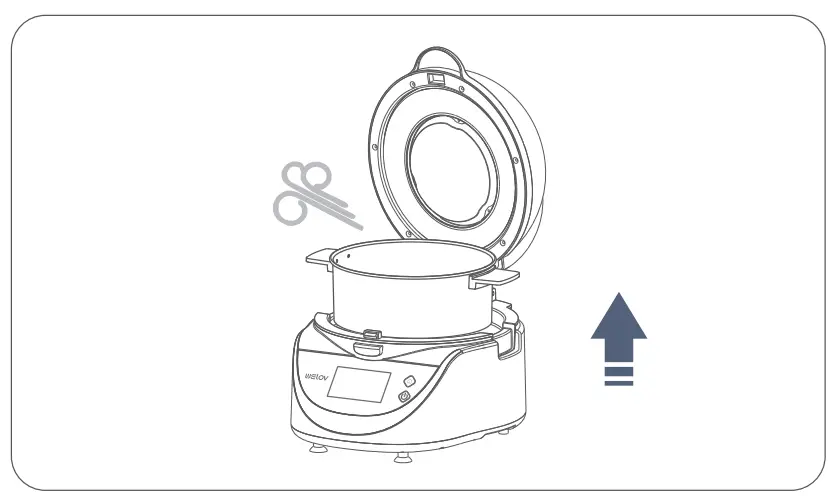
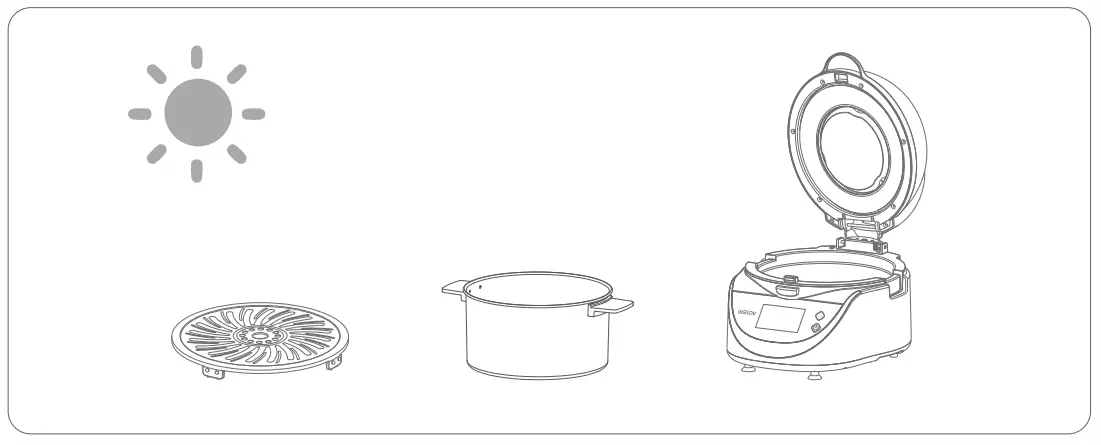
- Before cleaning, unplug your air fryer and wait until it cools completely. You may draw out the fryer basket for faster cooling.

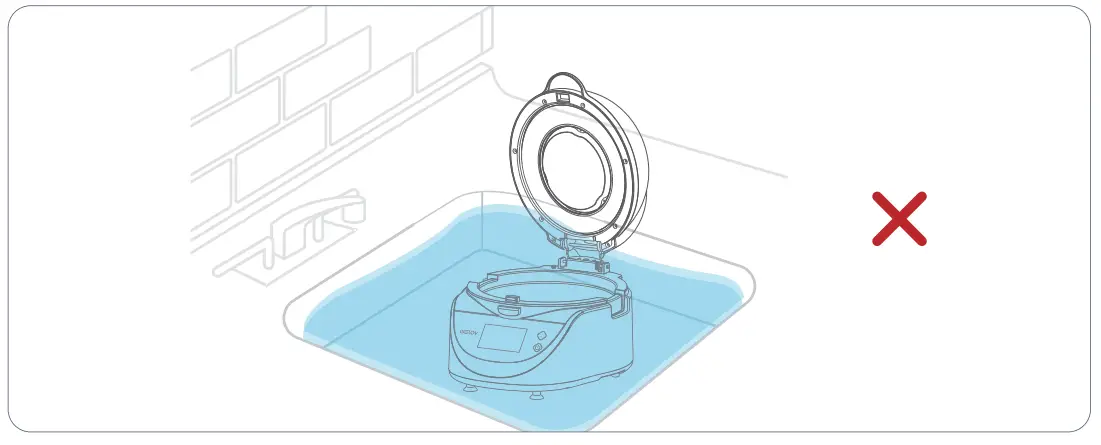
- Do not immerse the whole air fryer in water or any other liquid.

- After cleaning, always remember to dry all the parts, especially the heating coil.
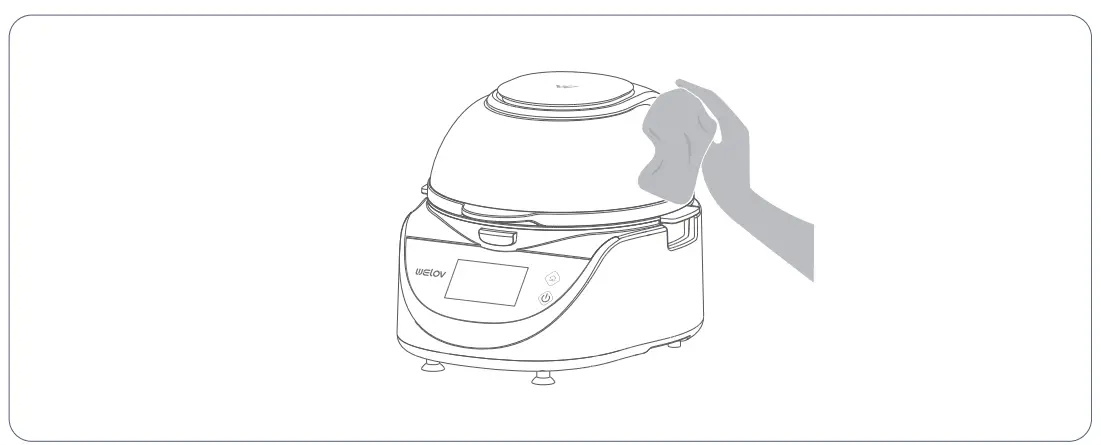
- Use a clean and damp cloth to wipe the exterior of the air fryer.
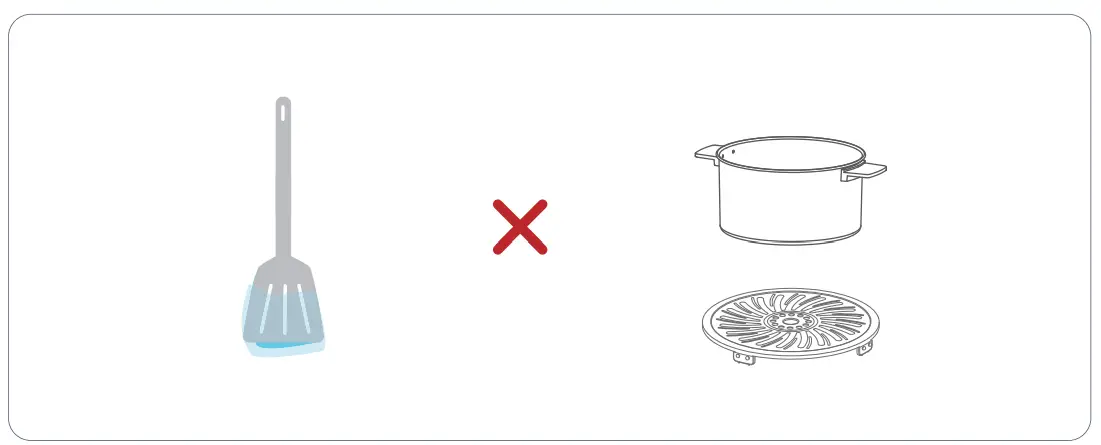
- Dishwasher safe. Do not use metal utensils or abrasive cleaning materials to clean the nonstick coating.
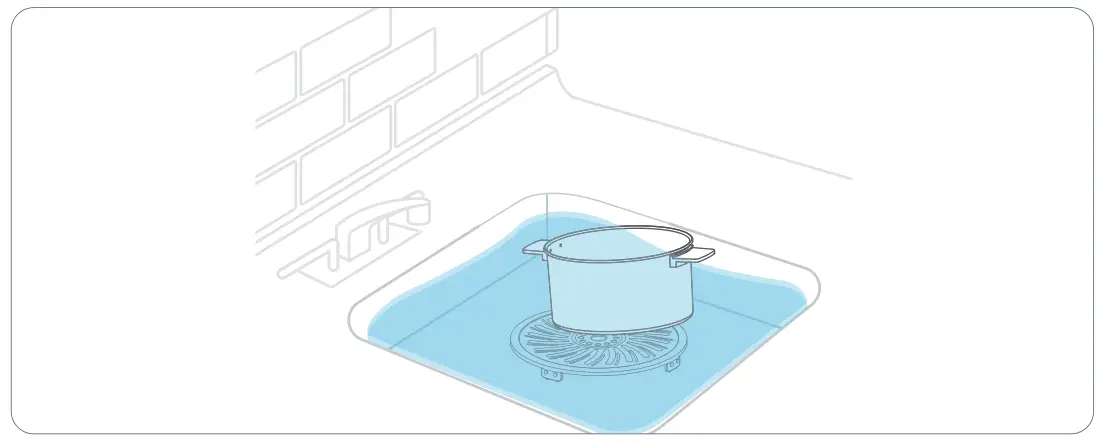
- Clean the food residue stuck on the basket and the plate by soaking in warm and soapy water.
PACKING LIST
- Air Fryers

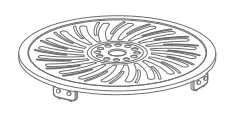
- Nonstick Crisper Plate

- User Manual

TROUBLESHOOTING GUIDE
| Fault Phenomeno | Cause Analysis | Solution |
| product not working | Power not plugged in | Insert the power plug into a grounded outlet |
| bod power board | After-soles maintenance | |
| no fried food | Too much food on the grill | If there ore too many ingredients, put them on the grill in batches |
| The set temperature is too low | Adjust the temperature to t he desired | |
| Cooking time is too short | Increase cooking time | |
| Fried food is not crispy | No traditional fried ingredient s | Appropriate fried snacks can be used. if there is no fried food, lightly brush a layer of oil on the surface. |
| Unable to put the grill into the fryer smoothly | There is an object interfering inside the fryer | Install the grill correctly adjust the height of the food and place the food according to the specified capacity |
| Too much food on the grill to close the lid | ||
| white smoke | cooking greasy food | There will be a lot of smoke leakage when roasting greasy food, which is a norm al phenomenon |
| There is still grease residue left in the fryer from the last bake | Be sure to clean the fryer after each bake | |
| Control panel displays abnormally | Damaged control panel | Please contact the after-sales service unit for processing |
| Damaged circuit board electronic components | ||
| touch failure | Damaged circuit board electronic components | Please contact the after- sales service unit for processing |
| Damaged electronic screen | ||
| Poor internal wire contact |
WARRANTY POLICY
Your appliance has the benefit of our guarantee which covers the product for 18 months from the date of original purchase. This gives you the reassurance that if within that time, your appliance is proven to be defective because of either workmanship or materials, we will at our discretion either repair or replace your appliance. The appliance must be correctly installed, located, and operated in accordance with the instructions contained in the user manual. The guarantor disclaims any liability for accidental or consequential damage.
The Guaranteed conditions
- Documentary proof of the original purchase date is provided.
- The appliance has been installed and operated correctly and in accordance with our operating and maintenance instructions.
- The appliance is used only on the electricity supply on the rating plate.
- The appliance has only been used for normal domestic purposes.
- The appliance has not been altered, serviced, dismantled or otherwise interfered with by any person.
- Any parts removed during repair work or any product that has been replaced become our property.
- The guarantee is not transferrable if the product is resold.
The Guarantee does not cover
- Accidental damage, misuse, or abuse.
- Replacement of any consumable item or accessories.
- Repairs or replacements are required as a result of authorized repairs or inexpert installation that fails to meet the requirements contained in the user guide or instruction book.
- Repairs to products used in commercial or non-residential household premises.
After sales service
Please keep your purchase receipt or other proof of purchase in a safe place as you will need to show us this document if your product requires attention within the guarantee periods. Please also record your product details below, which will allow you to access our services more quickly and help us identify your product. Model number S/N number Purchased from Date of Purchase.
This device complies with part 15 of the FCC Rules. Operation is subject to the following two conditions:
- This device may not cause harmful interference, and
- this device must accept any interference received, including interference that may cause undesired operation.
CONFORMS TO UL STD.1026&CERTIFIED TO CSA STD.C22.2 N0.60335-1&60335-2-9&CAN ICES-003(8)/NM B-003(B)
Welov Life Limited 6/F., Manulife Place, 348 Kwun Tong Road, Kowloon, Hong Kong
welovhome.com
| FCC Warning Changes or modifications to this unit not expressly approved by the party responsible for compliance could void the user’s authority to operate the equipment. NOTE: This equipment has been tested and found to comply with the limits for a Class B digital device, pursuant to Part 15 of the FCC Rules. These limits are designed to provide reasonable protection against harmful interference in a residential installation. This equipment generates uses and can radiate radio frequency energy and, if not installed and used in accordance with the instructions, may cause harmful interference to radio communications. However, there is no guarantee that interference will not occur in a particular installation. If this equipment does cause harmful interference to radio or television reception, which can be determined by turning the equipment off and on, the user is encouraged to try to correct the interference by one or more of the following measures:  Reorient or relocate the receiving antenna.Increase the separation between the equipment and receiver.Connect the equipment into an outlet on a circuit different from that to which the receiver is connected.Consult the dealer or an experienced radio/TV technician for help. Reorient or relocate the receiving antenna.Increase the separation between the equipment and receiver.Connect the equipment into an outlet on a circuit different from that to which the receiver is connected.Consult the dealer or an experienced radio/TV technician for help.This equipment complies with FCC radiation exposure limits set forth for an uncontrolled environment. This equipment should be installed and operated with a minimum distance of 20cm between the radiator & your body. This transmitter must not be co-located or operating in conjunction with any other antenna or transmitter. IC warning This device contains licence-exempt transmitter(s)/receiver(s) that comply with Innovation, Science and Economic Development Canada’s licence-exempt RSS(s). Operation is subject to the following two conditions:
This equipment complies with FCC’s and IC’s RF radiation exposure limits set forth for an uncontrolled |
CUSTOMER SUPPORT
[email protected]
www.welovhome.com