
DH07
REAL GEAR FOR REAL GAMERS
PRODUCT NAME
DH07 (SLIM 7-PORT DOCKING HUB)
SYSTEM REQUIREMENTS
- Windows 10
- macOS 11.0 or higher
INSTRUCTION
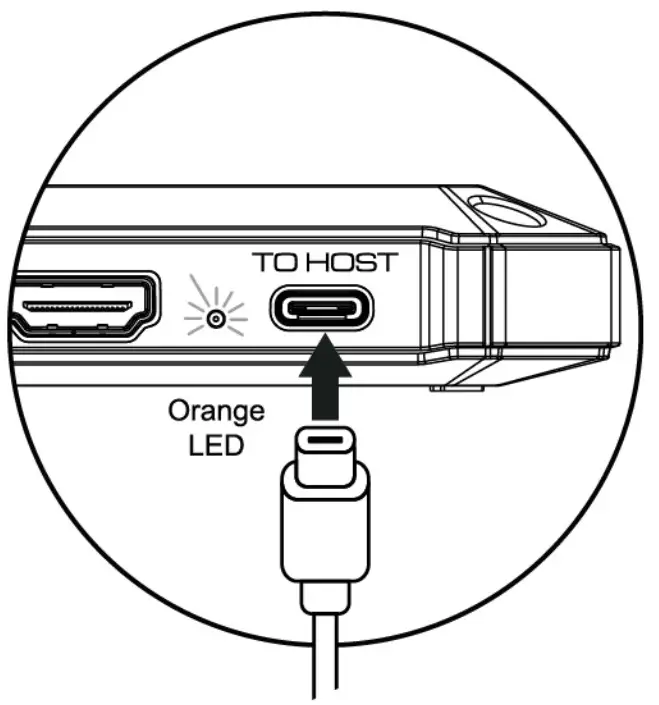
Connect to your host computer through a USB Type-C port with the designated cable from the package. All ports are automatically detected by inserting the connector or device
NOTIONS
- If you have the delay or sudden restart of DH07 as different devices are running simultaneously. You must connect a power adapter to the power delivery port of DH07 to solve the problem.
- Not all USB Type-C can apply for extending or synchronizing the monitor signals. Before using the HDMI function, please make sure that the USB Type-C of your device can support the function.
- Please use the designated cable from the package to connect the COUGAR docking unit.
- If you want to make both HDMI outputs in 4K/60Hz simultaneously, the computer needs to feature USB Gen 2.
CONTENTS
- COUGAR DH07 Docking Hub Unit
- Designated USB Type-C to Type-C Cable, 30cm Length
- User Manual
WARRANTY INFORMATION
Please fill in relevant information to ensure your legal rights:
User name: Seller name:
Contact: Contact:
Warranty:

| Function | Description | |
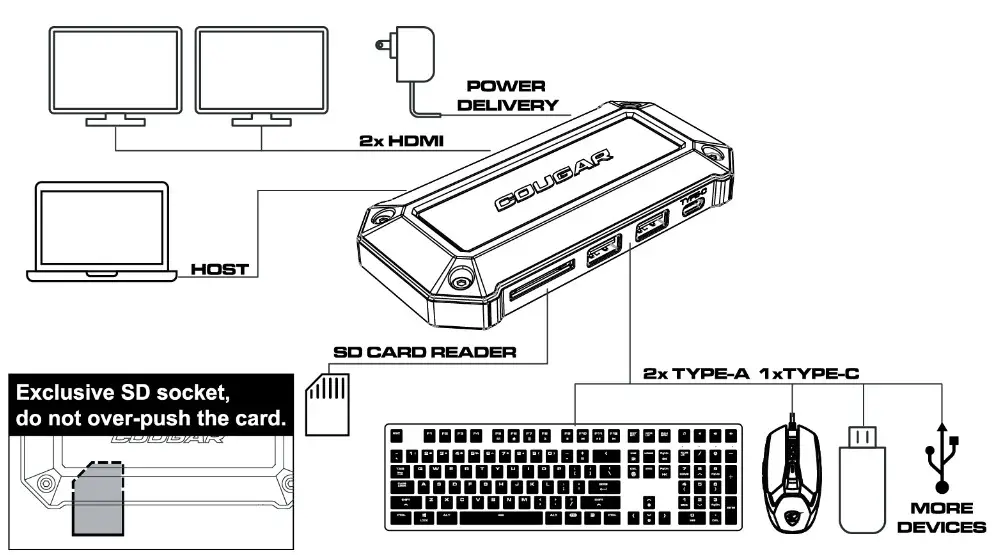
PowerA | Power Delivery Only The port connects by the power adapter through USB Type-C, and the maximum wattage is up to 90W. | |
HDMI2B | HDMI X 2 With a single connection, the display is up to 41Q60Hz. With the dual HDMI connection, the displays are up to 4K/30Hz. | |
To HostB | Host Computer Linkage Only The port connects to your computer. | |
| SD Card Reader | The reader supports SD, SDHC/XC cards with UHS-I specifications. | |
| USB Type-A | Gen.2 | X 2, USB 3.1 |
| USB Type-C | Gen,2 | Data Transfer Only X 1, USB 3.1 |
A The power the adapter does not include in the standard package.B Not all USB Type-C ports support the complete functionality of the USB Type-C standard. USB Type-C host computer may not support extended display to external monitors.