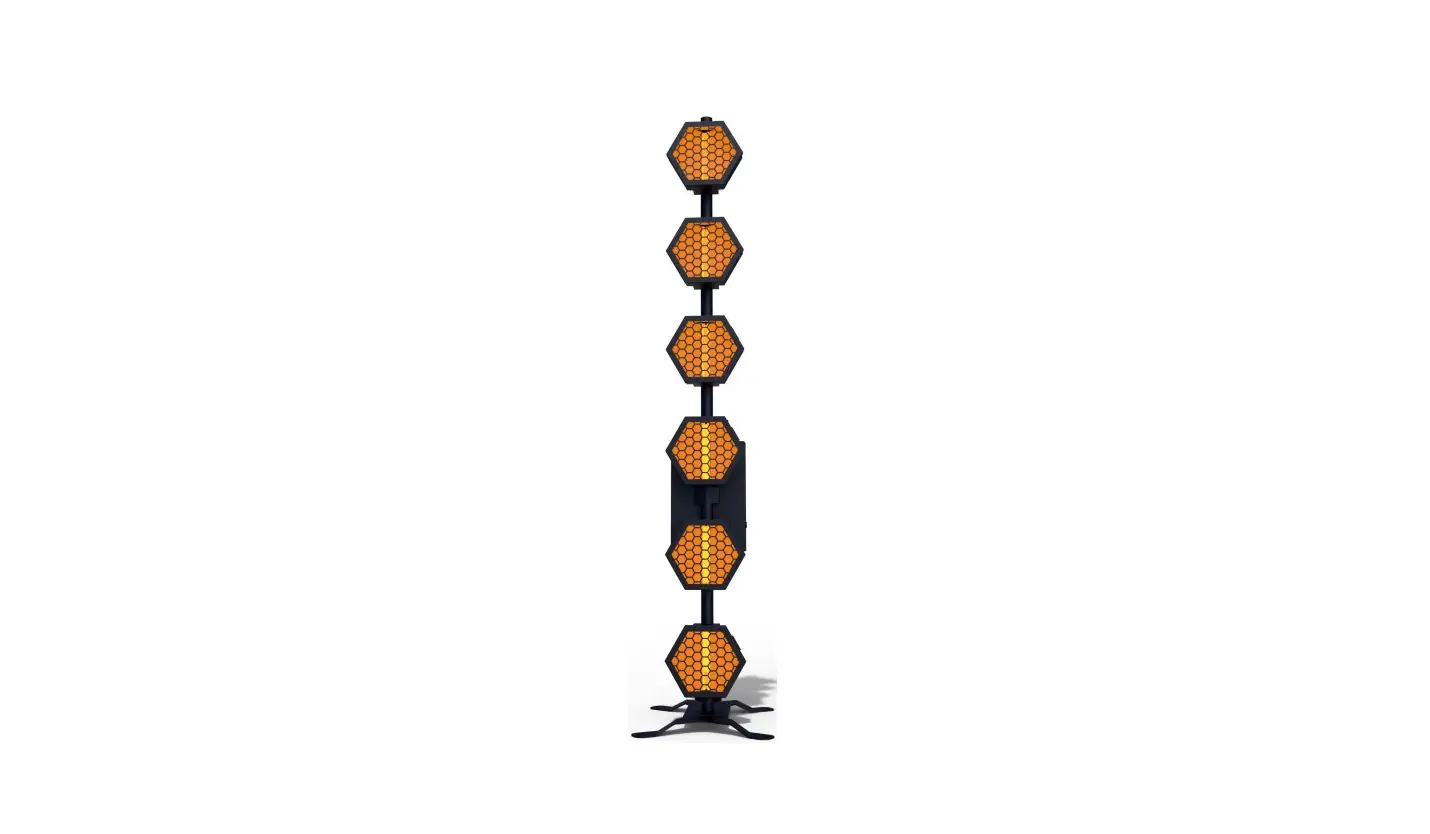
sistema RETROB600L Floor Party Light User Manual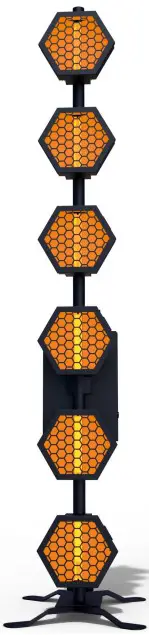
Safety Notes
Note: To ensure reasonable consistency of operation, please read this instruction carefully. Any damages caused by the non-observance of this manual or any unauthorized modification to this product are not be subject to warranty .
- This product belongs to high temperature products. Do not touch the lamp body when working, carefully scalds!
- Maintain a 50CM space at the back of the lamp body for dissipate heat.
- When installing/replacing the lamp tube, turn off the lamp power!
- This lamp is used for indoor lighting, not waterproof ! When lamp works, lamp tube at high temperature.
- Make sure the voltage and frequency of power supply match the power require of this devise.
- Please do not operate the equipment in the condition of wire damage or wear.
- Do not remove any part of the equipment during the use of lamps.
- Any unauthorized modification to this product are not be subject to warranty.
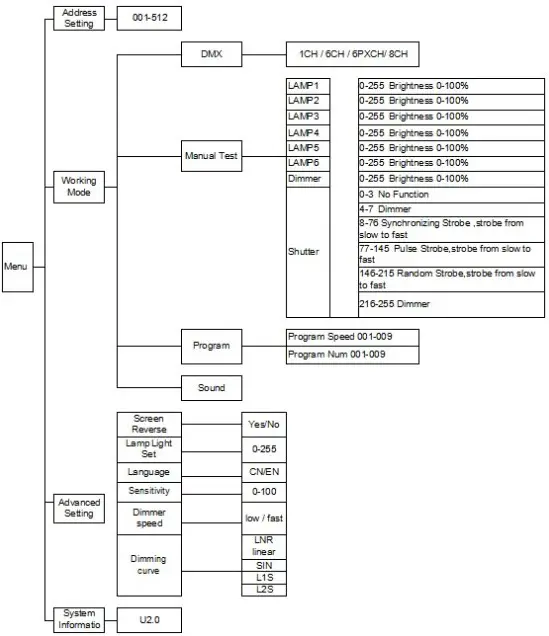
Function Operation
Keys diagram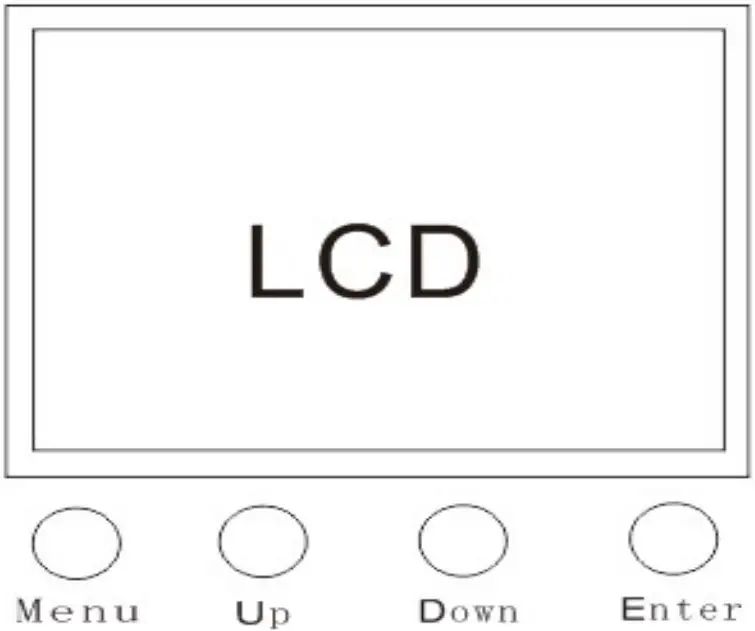
built-in program Automatic function
- Select the working mode menu.
- Select automatic mode.
- Choose one of nine programs.
- Setting program speed.
manual mode function
The manual mode function is consistent with the Pixel control 6CH channel but in manual mode DMX address is not working in that condition . The six submenus correspond to six functions.
Sound control function
- Select the working mode menu.
- Select automatic mode. Because sound control is based on the automatic program, so you need to choose the automatic program before you turn on the sound control .
- Choose one of nine programs .
- Select the working mode menu.
- Select sound control mode.
- Set the sound control sensitivity. From 0 to 100 sound control will more and more sensitive
Channel Function
1CH DMX general function
- Select the working mode menu.
- Select DMX mode.
- Set to 1 channel mode.
- Exit the working mode menu, select the DMX menu, and set the DMX menu address.
The DMX address can be set to 001.
| Channel | Function | From | To | Feature |
| 1 | Dimmer | 0 | No function | |
| 1 | 255 | Master dimmer |
6CH DMX general function
- Select the working mode menu.
- Select DMX mode.
- Set to 6 channel mode.
- Exit the working mode menu, select the DMX menu, and set the DMX menu address.
The DMX address can be set to 001.
| Channel | Function | From | To | Feature |
| 1 | Dimmer | 0 | 255 | Brightness 1—100% |
| 2 | Strobe | 0 | 3 | No function |
| 4 | 7 | Dimmer | ||
| 8 | 76 | Synchronizing strobe;Strobe from slow to fast | ||
| 77 | 145 | Pulse strobe ;Strobe from slow to fast | ||
| 146 | 215 | Random strobe ;strobe from slow to fast | ||
| 216 | 255 | Dimmer | ||
| 3 | Auto run-1 | 0 | 15 | No function |
| 16 | 31 | Program 1 | ||
| 32 | 47 | Program 2 | ||
| 48 | 63 | Program3 | ||
| 64 | 79 | Program4 | ||
| 80 | 95 | Program5 | ||
| 96 | 111 | Program6 | ||
| 112 | 127 | Program7 | ||
| 128 | 143 | Program8 | ||
| 144 | 159 | Program9 | ||
| 160 | 175 | Program10 | ||
| 176 | 191 | Program11 | ||
| 192 | 207 | Program12 | ||
| 208 | 223 | Program13 | ||
| 224 | 239 | Program14 | ||
| 240 | 255 | Program15 | ||
| 4 | Auto run-2 | 0 | 15 | No function |
| 16 | 31 | Program 16 | ||
| 32 | 47 | Program 17 | ||
| 48 | 63 | Program18 | ||
| 64 | 79 | Program19 | ||
| 80 | 95 | Program20 | ||
| 96 | 111 | Program21 | ||
| 112 | 127 | Program22 | ||
| 128 | 143 | Program23 | ||
| 144 | 159 | Program24 | ||
| 160 | 175 | Program25 | ||
| 176 | 191 | Program26 | ||
| 192 | 207 | Program27 | ||
| 208 | 223 | Program28 | ||
| 224 | 239 | Program29 | ||
| 240 | 255 | Program30 | ||
| 5 | Speed | 0 | No function | |
| 1 | 255 | Program speed from slow to fast | ||
| 6 | Sound | 0 | No function | |
| 1 | 255 | Sensitivity increases gradually |
6PXCH DMX Pixel Control function
- Select the working mode menu.
- Select DMX mode.
- Set to 6 channel mode.
- Exit the working mode menu, select the DMX menu, and set the DMX menu address.
The DMX address can be set to 001
| Channel | Function | From | To | Feature |
| 1 | LAMP 1 | 0 | No function | |
| 1 | 255 | Brightness 1—100% | ||
| 2 | LAMP2 | 0 | No function | |
| 1 | 255 | Brightness 1—100% | ||
| 3 | LAMP3 | 0 | No function | |
| 1 | 255 | Brightness 1—100% | ||
| 4 | LAMP4 | 0 | No function | |
| 1 | 255 | Brightness 1—100% | ||
| 5 | LAMP5 | 0 | No function | |
| 1 | 255 | Brightness 1—100% | ||
| 6 | LAMP6 | 0 | No function | |
| 1 | 255 | Brightness 1—100% | ||
| 1 | 255 | Brightness 1—100% |
8CH DMX general function
- Select the working mode menu.
- Select DMX mode.
- Set to 8 channel mode.
- Exit the working mode menu, select the DMX menu, and set the DMX menu address.
The DMX address can be set to 001.
| Channel | Function | From | To | Feature |
| 1 | LAMP1 | 0 | No function | |
| 1 | 255 | Brightness 1—100% | ||
| 2 | LAMP2 | 0 | No function | |
| 1 | 255 | Brightness 1—100% | ||
| 3 | LAMP3 | 0 | No function | |
| 1 | 255 | Brightness 1—100% | ||
| 4 | LAMP4 | 0 | No function | |
| 1 | 255 | Brightness 1—100% | ||
| 5 | LAMP5 | 0 | No function | |
| 1 | 255 | Brightness 1—100% | ||
| 6 | LAMP6 | 0 | No function | |
| 1 | 255 | Brightness 1—100% | ||
| 7 | Dimmer | 0 | 255 | Brightness 1—100% |
| 8 | Strobe | 0 | 3 | No function |
| 4 | 7 | Dimmer | ||
| 8 | 76 | Synchronizing strobe;Strobe from slow to fast | ||
| 77 | 145 | Pulse strobe ;Strobe from slow to fast | ||
| 146 | 215 | Random strobe ;strobe from slow to fast | ||
| 216 | 255 | Dimmer |
Product Dimension Drawing
As below: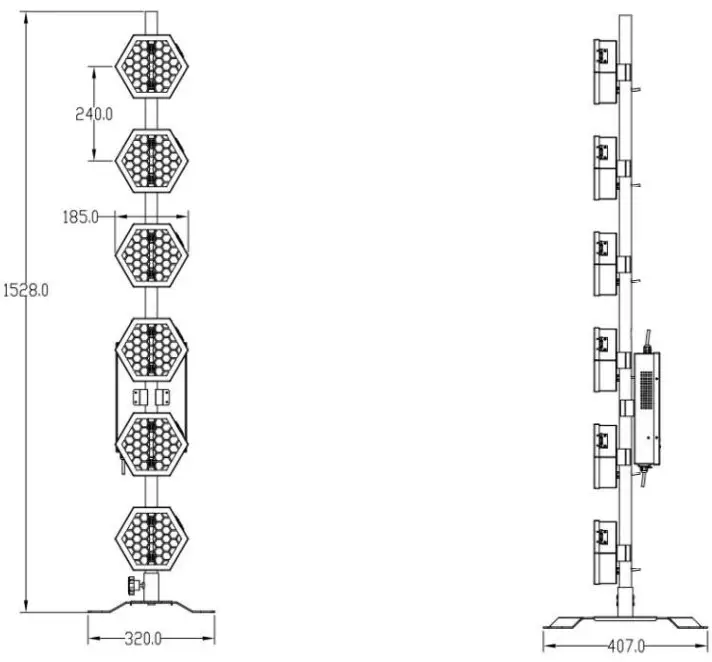
Technical Parameter Diagram
Technical Parameter Diagram:
| Item | Technical Parameter |
| Work voltage | 110 ~ 230V50/60HZ |
| Power consumption | 360W |
| Light source | 6×60W LED |
| DMX channel | 1CH/6CH /6PXCH/8CH |
| Control Mode | Auto-run , Sound control ,DMX control |
| Color temperature | 2200K |
| Dimension | 1530×320×410MM |
| Wight | 8.5Kg |
| Packing | Carton/2pcs , Flight case/4pcs |