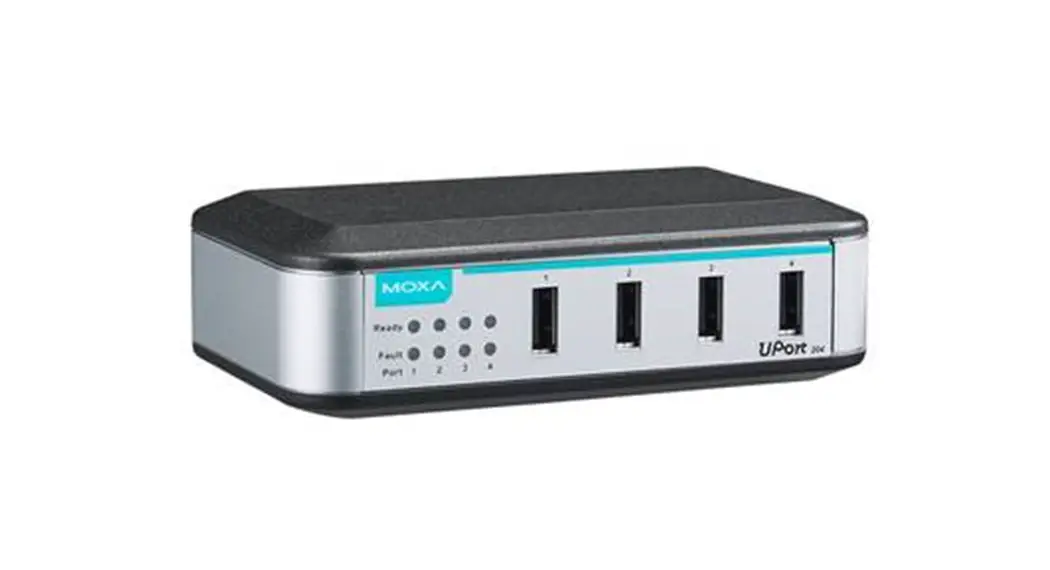
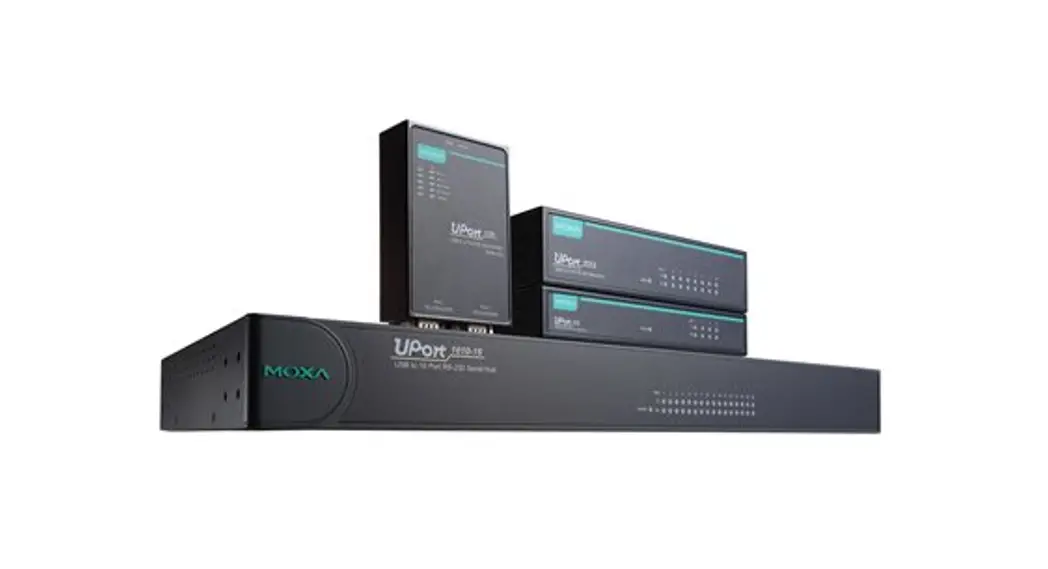
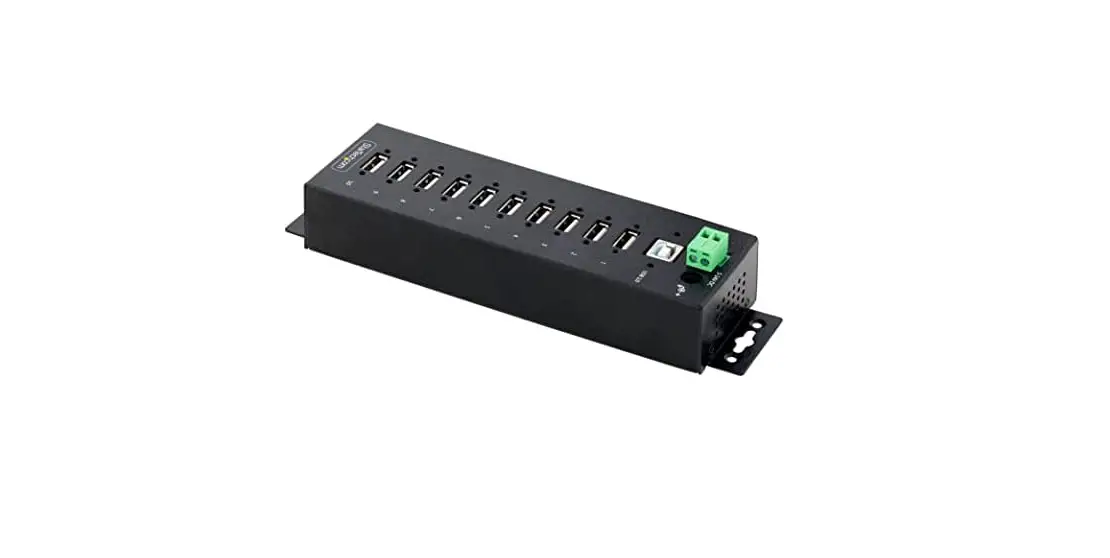
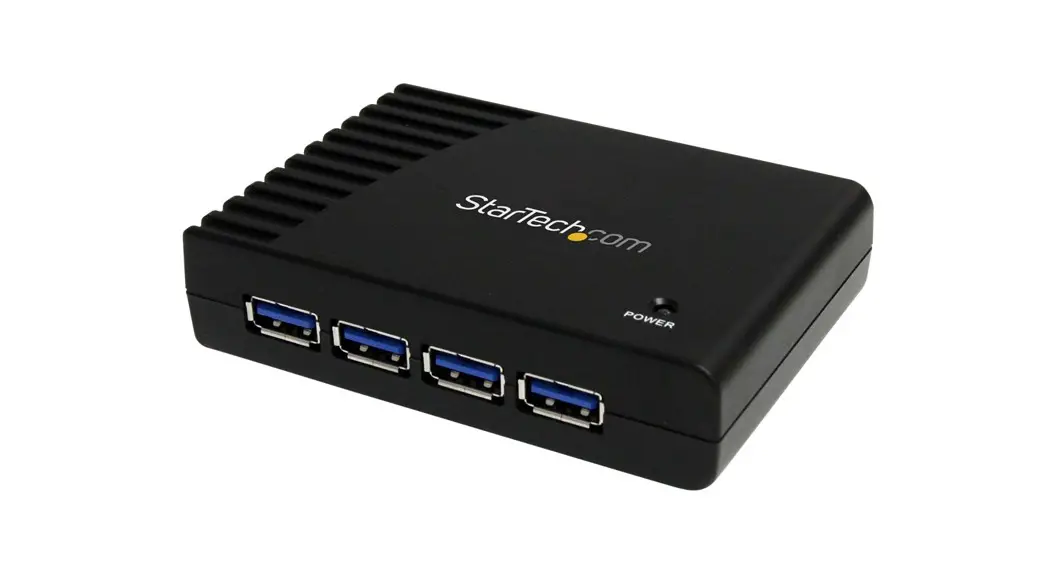
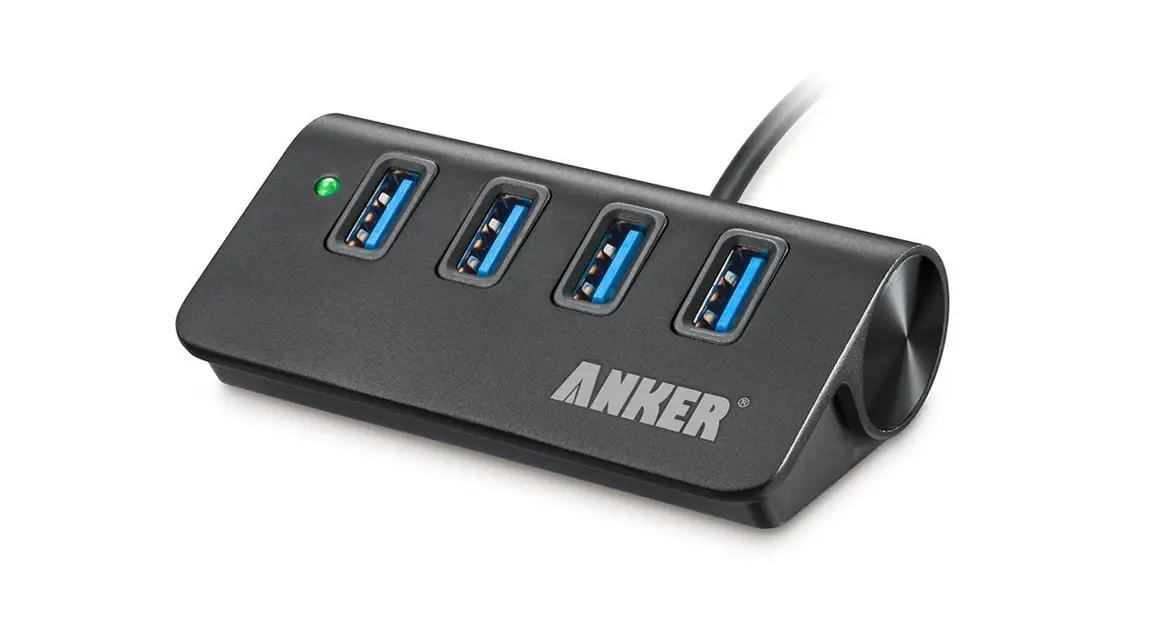
UPort 204A Industrial Grade USB Hubs
Product Information
| Product Name | UPortTM 200A Series |
|---|---|
| Version | 1.0 |
| Date | December 2022 |
| Manufacturer | Moxa Inc. |
| Contact Information | www.moxa.com/support |
Overview
The UPortTM 200A Series is a general-purpose USB 3.2 Gen 1 hub
that expands 1 USB port to either 4 or 7 ports. It provides true
USB 3.2 SuperSpeed 5 Gbps data transmission through each port and
is USB-IF compatible. The UPortTM 200A Series offers ESD level 4
protection from static damage and surge protection level 2 for
power input. It also features a power jack power input solution for
general environments.
Features
- Expands 1 USB port to 4 or 7 ports
- True USB 3.2 SuperSpeed 5 Gbps data transmission
- USB-IF compatible
- ESD level 4 protection
- Surge protection level 2 for power input
- Power jack power input solution
Package Checklist
The UPortTM 200A Series package should contain the following
items:
- UPortTM 200A hub
- Power supply
- Installation guide
If any of these items are missing or damaged, please contact
Moxa for replacement.
Hardware Introduction
An example of the UPortTM 204A front panel:

Side View – Power Input 12 VDC

Installation Guide
Power Input Supply
The UPortTM 200A requires a minimum input of 12 VDC. For the
UPort 207A models, the minimum required current is 4.5 A @ 12 VDC.
For the UPort 204A models, the minimum required current is 2.65 A @
12 VDC.
LED Indicators
The LED indicators on the front panel display the following
status:
| Type | Power | Color | Definition |
|---|---|---|---|
| Power on | Unit is not powered or out of operation | Green | Off |
Wall Mounting
UPortTM 204A
The mounting kit is 2 mm in height, and the two centers of the
mounting kit on each plate are 163 mm (UPort 207A) and 123 mm
(UPort 204A) apart.
First, attach the brackets at the bottom of the UPortTM 200A
with the screws, as shown in the circles. The recommended screw
tightening torque is 4.5 kgf-cm +/- 0.5, screw type: type F, PH2.
Next, mount the unit to a wall with the screws.
The wall screws should use the M3 type, and the length should be
no less than 7 mm.
UPortTM 207A
The mounting kit is 2 mm in height, and the two centers of the
mounting kit on each plate are 168 mm (for UPort 207A) and 128 mm
(for UPort 204A) apart.
DIN-Rail Mounting
The UPortTM 200A Series has a DIN-rail kit option (DK-UP-42A) to
allow installation on a DIN Rail. DIN-rail attachments can be
purchased separately to attach the product to a DIN Rail. The
DIN-rail attachments should be oriented with the metal springs on
top.
First, attach the DIN-rail attachments to the rear of the
UPortTM 200A with screws, as shown in the circles. The recommended
screw tightening torque is 4.5 kgf-cm +/- 0.5, screw type: type F,
PH2.
Next, mount the UPortTM 200A onto the mounting rail:
STEP 1:
Insert the upper lip of the DIN-rail kit into the mounting
rail.
STEP 2:
Press the UPortTM 200A towards the mounting rail until it snaps
into place.
To remove the UPortTM 200A from the DIN Rail, follow these
steps:
STEP 1:
Pull down the latch on the DIN-rail kit with a screwdriver.
STEP 2 & 3:
Slightly pull the UPortTM 200A forward and lift it up to remove
it from the mounting rail.
UPortTM 200A Series Quick Installation Guide
Version 1.0, December 2022
Technical Support Contact Information www.moxa.com/support
2022 Moxa Inc. All rights reserved. P/N: 1802002004001 *1802002004001*
Overview
The UPortTM 200A Series general-purpose USB 3.2 Gen 1 hubs expand 1 USB port to 4 or 7 ports. The hubs provide true USB 3.2 SuperSpeed 5 Gbps data transmission through each port and are USB-IF compatible products. Besides providing ESD level 4 protection from static damage and surge protection level 2 for power input, the UPortTM 200A Series offers a power jack power input solution for general environments.
The following models comprise the UPortTM 200A Series:
UPortTM 204A: 4-port general-purpose USB hub, standard temperature 0 to 60°C (32 to 140°F), adapter included
UPortTM 207A: 7-port general-purpose USB hub, standard temperature 0 to 60°C (32 to 140°F), adapter included
Features
· SuperSpeed USB 3.2 Gen 1 for up to 5 Gbps USB transmission · Provides level 4 ESD protection and level 2 surge protection for
power input · Rugged metal housing · Side-mount DIN Rail and wall mountable
Package Checklist
The UPortTM 200A Series package should contain the following items. If any of these items are missing or damaged, please contact Moxa for replacement.
· UPort 200A USB hub · USB 3.2 Gen 1 cable: CBL-USB3-BA-BLK-120, 1.2 m · 100 to 240 VAC, 0 to 40°C (32 to 104°F) power adapter suitable for
your region · Quick installation guide (printed) · Warranty card Optional Accessories (can be purchased separately) · Standard USB cable: CBL-USB3-BA-BK-120, 1.2 m · WK-UP200A-BAK-SI: Wall-mounting kit for the back side of the
UPort 200A with 2 plates (60 x 27 x 2 mm/2.36 x 1.06 x 0.08 in) and 6 screws (M3x5mm) · WK-UP200A-BOT-SI: Wall-mounting kit for the bottom side of the UPort 200A with 2 plates (43 x 30 x 2 mm/1.69 x 1.18 x 0.08 in) and 6 screws (M3 x 5 mm) · DK-UP-42A: Side-mount DIN Rail (107 x 29 mm/4.21 x 1.14 in) with 4 screws (M3 x 5 mm).
NOTE
The operating temperature of the power adapter in the box is from 0 to 40°C (32 to 104 °F). If your application is not in this range, please use a power adapter supplied by UL Listed External Power Supply (The power output meets SELF/ES1 and LPS and rated 12 VDC, 4.5 A @ 12 VDC minimum for the UPort 207A models, 2.65 A @ 12 VDC minimum for the UPort 204A models), highest minimum temperature 60°C (140°F). If using a Class I adapter, the power cord must be connected to a socket-outlet with an earthing connection.
– 2 –
Hardware Introduction
An example of the UPortTM 204A front panel: Front View
Side View – Power Input 12 VDC
Installation Guide
Power Input Supply
The UPort 200A comes with self-power, minimum required 12 V input, 4.5 A @ 12 VDC minimum for the UPort 207A models, 2.65 A @ 12 VDC minimum for the UPort 204A models.
LED Indicators
The LED indicators on the front panel are used to display status as follows:
Type Power
Color Green Off
Definition Power on Unit is not powered or out of operation
– 3 –
Wall Mounting
The UPortTM 200A Series comes with two options of wall mounting, and both have metal attachment plates to allow installation on a wall. Option 1 Bottom-mounting with WK-UP200A-BOT-SI UPortTM 207A Unit: mm (inches)
UPortTM 204A
The mounting kit is 2 mm in height, and the two centers of the mounting kit on each plate is 163 mm (UPort 207A) and 123 mm (UPort 204A) apart.
First, attach the brackets at the bottom of the UPortTM 200A with the screws, as the circles show. The recommended screw tightening torque: 4.5 kgf-cm +/- 0.5, screw type: type F, PH2. Next, mount the unit to a wall with the screws.
– 4 –
The wall screws should use the M3 type, and the length should no less than 7 mm.
Option 2 Rear-mounting with WK-UP200A-BAK-SI UPortTM 207A Unit: mm (inches)
UPortTM 204A
First, attach the brackets at the rear of the UPortTM 200A with the screws, as the circles show. The recommended screw tightening torque: 4.5 kgf-cm +/- 0.5, screw type: type F, PH2. Next, mount the unit to a wall with the screws. The wall screws should use the M3 type, and the length should be no less than 7 mm.
The mounting kit is 2 mm in height, and the two centers of mounting kit on each plate is 168 mm (for UPort 207A) and 128 mm (for UPort 204A) apart.
– 5 –
UPortTM 207A Unit: mm (inches)
UPortTM 204A
DIN-Rail Mounting
The UPortTM 200A Series has a DIN-rail kit option (DK-UP-42A) to allow installation on a DIN Rail. DIN-rail attachments can be purchased separately to attach the product to a DIN Rail. The DIN-rail attachments should be oriented with the metal springs on top.
First, attach the DIN-rail attachments to the rear of the UPortTM 200A with screws, showed by the circles. The recommended screw tightening torque: 4.5 kgf-cm +/- 0.5, screw type: type F, PH2.
UPortTM 207A
UPortTM 204A
Next, mount the UPortTM 200A onto the mounting rail.
STEP 1: Insert the upper lip of the DIN-rail kit into the mounting rail.
STEP 2: Press the UPortTM 200A towards the mounting rail until it snaps into place.
– 6 –
To remove the UPortTM 200A from the DIN Rail, do the following: STEP 1: Pull down the latch on the DIN-rail kit with a screwdriver. STEP 2 & 3: Slightly pull the UPortTM 200A forward and lift it up to remove it from the mounting rail.
Dimensions
UPortTM 207A
– 7 –
UPortTM 204A
Specification
USB Interface
Compliance
USB 3.2/2.0/1.1, BC 1.2 compatible
Upstream
1 USB Type-B port
Downstream
UPortTM 204A: 4 USB Type-A ports
UPortTM 207A: 7 USB Type-A ports
Speed
5 Gbps (SuperSpeed USB), 480 Mbps (Hi-speed
USB) and 12 Mbps (Full-speed USB)
Physical Characteristics
Housing
Metal
Dimensions
UPortTM 204A: 85 x 27 x 100 mm (3.35 x 1.06
x 3.94 in)
UPortTM 207A: 80 x 27 x 140 mm (3.15 x 1.06
x 5.51 in)
Environmental Limits
Operating
0 to 60°C (32 to 140°F)
Temperature
Operating Humidity 5 to 95% RH
(For use in Pollution Degree 2 environments)
Storage Temperature -20 to 75°C (-4 to 167°F)
– 8 –
Power Requirements
Input Voltage
12 VDC (external power)
Power Consumption UPortTM 204A: 2650 mA @ 12 VDC
UPortTM 207A: 4500 mA @ 12 VDC
Warranty
Warranty Period
5 years
Details
See www.moxa.com/warranty
Compliance Notice
CE Warning This is a Class A product. In a domestic environment, this product may cause radio interference in which case the user may be required to take appropriate measures.
Federal Communications Commission Statement
FCC – This device complies with part 15 of the FCC Rules. Operation is subject to the following two conditions: (1) This device may not cause harmful interference, and (2) this device must accept any interference received, including interference that may cause undesired operation.
FCC Warning
This equipment has been tested and found to comply with the limits for a Class A digital device, pursuant to part 15 of the FCC Rules. These limits are designed to provide reasonable protection against harmful interference when the equipment is operated in a commercial environment. This equipment generates, uses, and can radiate radio frequency energy and, if not installed and used in accordance with the instruction manual, may cause harmful interference to radio communications. Operation of this equipment in a residential area is likely to cause harmful interference in which case the user will be required to correct the interference at his own expense
– 9 –
(User Guide)
.
(This equipment has KC approval for use in industrial environmentsand could possibly interfere with household equipment.)
Type of Equipment A ( )
Class A Equipment (Broadcasting and Communication Equipment for Industrial and Commercial Use)
User Guide (A ) .
This equipment is the EMC conformity equipment (Class A) for Industrial and Commercial Use. The seller or user should take note of this as this equipment can be used in places that exclude homes.
B ( )
Class B Equipment (Broadcasting and Communication Equipment for Home Use)
(B ) , .
This equipment is the EMC conformity equipment (Class B) for Home Use and can be used mainly at homes, as well as in other areas.
FAQ
Q: Does the UPortTM 200A require a software driver?
A: UPortTM 200A is USB-IF compatible; it works with major operation systems and does not require an additional driver.
Q: How many USB devise cascade can the UPort 200A support?
A: Five layers. By the definition of USB-IF, there should be seven layers for USB device cascading. The host computer and the UPort 200A have each taken one layer already; therefore, five layers remain available for cascading. There are some cases the host computer design may take more than one layer; the availability of cascading layers may vary.
– 10 –
Q: When I plug my USB device into the UPort 200A, why cannot it be detected by the host computer or recognized as an USB 2.0 device?
A: Interoperability issues can arise among devices made by different manufacturers. The chance of this happening is higher if your USB device is over/under SPEC design. 1. Please ensure the UPort 200A is recognized by the host computer first. 2. Plug your device to different USB port on the hub to rule out USB port being damaged. 3. Please check if it is a cable-related issue; change to a different cable to rule out a broken cable issue. 4. Unplug the USB device or restart the device in computer management like Windows Driver Manager.
Q: What is the output power of each port? A: Port 1 provides 1.5 A if your USB device supports BC 1.2;
otherwise, each port provides 0.9 A power. Q: What is BC 1.2 shown in port 1? What does it do? A: BC 1.2 AKA Battery Charging v1.2, defined by USB-IF, is designed
to charge mobile devices and support up to 1.5 A if the mobile device supports CDP or DCP mode. Q: What if I require a USB hub with a firm cable connection and higher protection level? A: You may consider the UPort 400A Series that comes with a latching cable. The UPort 400A also comes with surge level 3 protection, providing you peace of mind in terms of reliability.
– 11 –
 Moxa - Support