 Beyond An Immersive Experience
User Manual Outdoor Series
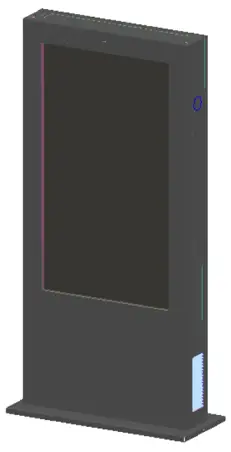
65SOA25PT Digital Signage Display
Thank you for choosing our products. We are hoping that this manual can help you understand and to use our products. We strive to be accurate and reliable when compiling the manual. We may modify or change the contents of this manual at any time without prior notice. If you have any questions or suggestions in the process of using, please feel free to contact us, we will contact you as soon as possible. We sincerely appreciate your suggestions.
Foreword
1.1 Product overview
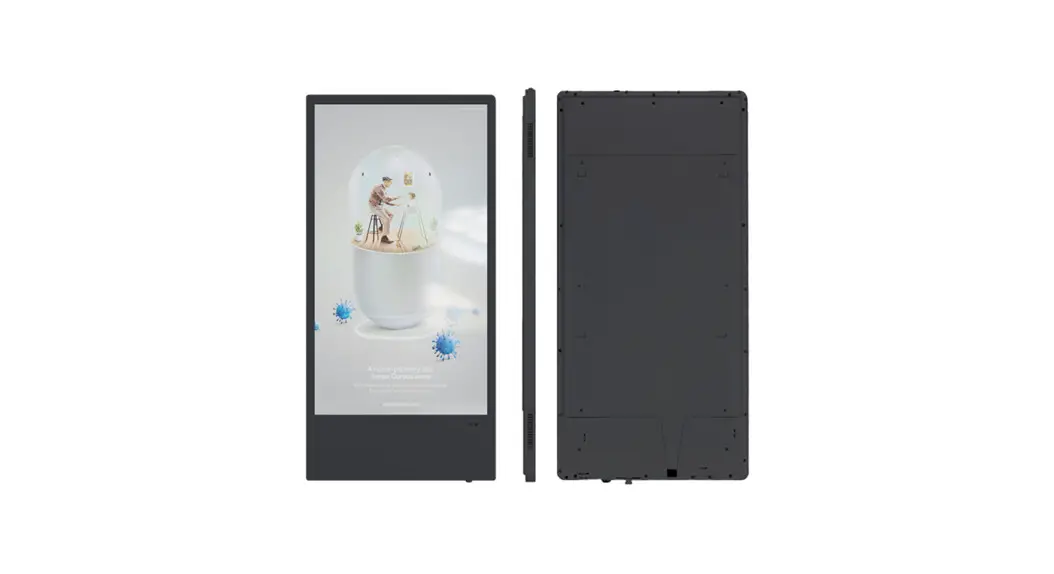
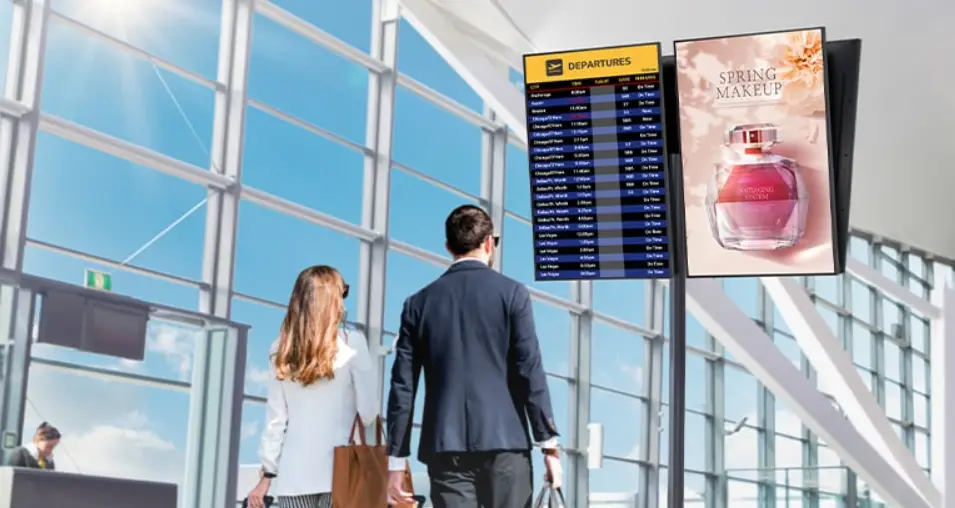
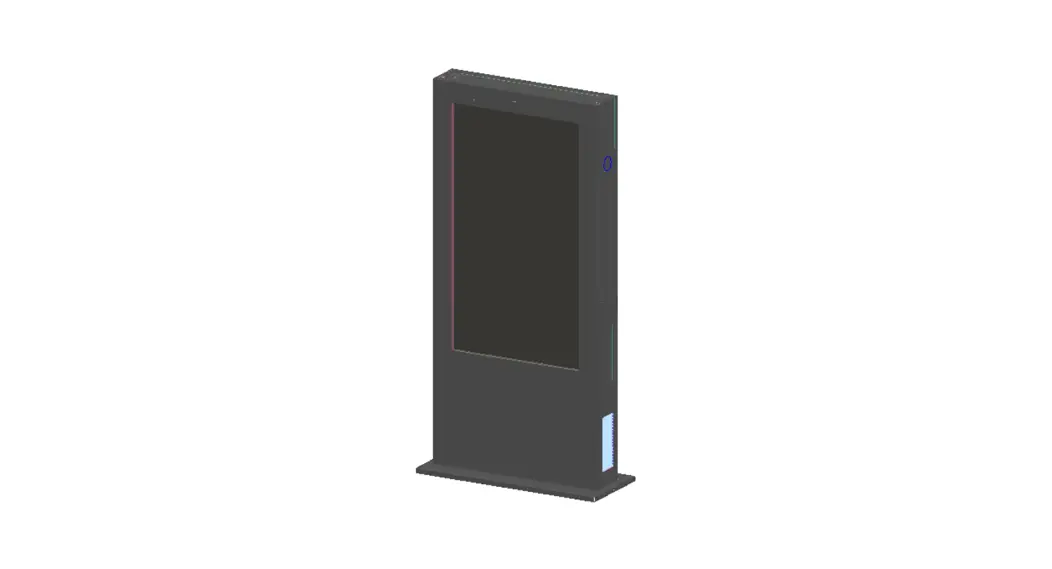
The model 65SOA25PT is 65” outdoor totem with vertical screen, the sunlight readable LCD panel with IP65 enclosure is suited for any outdoor environment which can be widely used in commercial street, stadium, scenic spots, hospital, schools, bus station, etc
1.2 Content
This manual is introduction for 65SOA25PT , include structure, technical parameters, installation, usage, maintenance as well as troubleshooting.
1.3 Operation instructions
Please make sure installation and debugging is under the guidance of professional electrical engineers, software engineers to prevent any personal injury or equipment damage due to improper operation.
Safety Caution
2.1 Before Installation
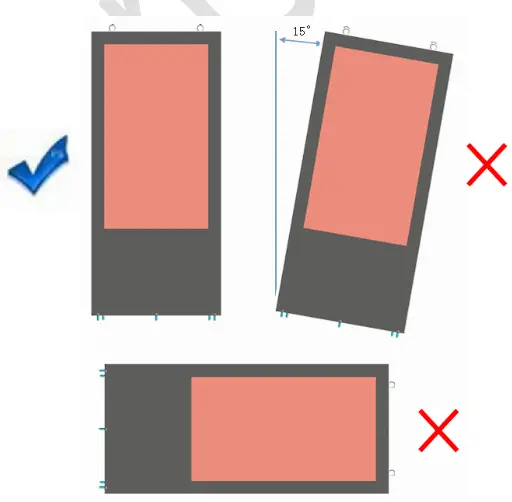
The product has air conditioner, please don’t lean during installation.
2.2 Power Voltage
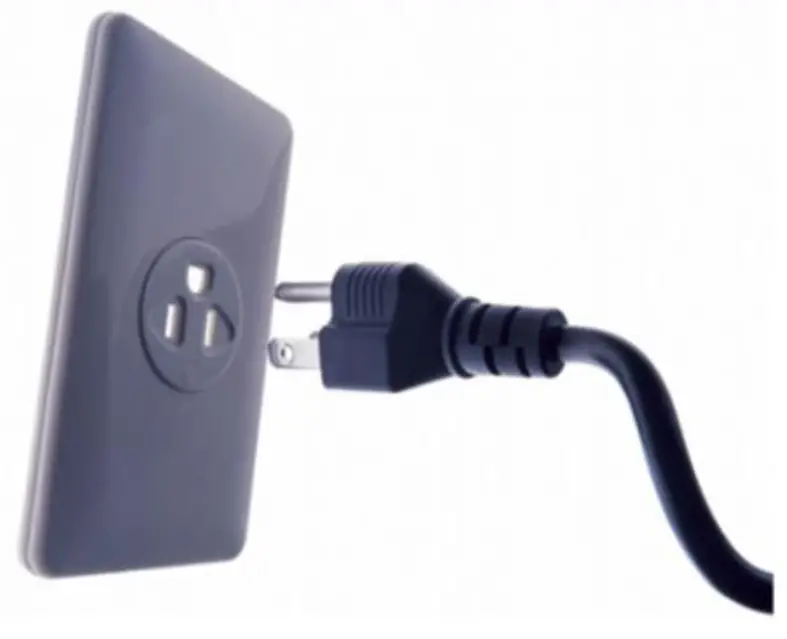
Please read the manual before installation, make sure the power voltage at the construction site is compatible to the display.
2.3 Avoid Water
The kiosk has been tested to meet IP65 for outdoor environment, but please do not immerse the kiosk in the water.
2.4 No Touch
Do not touch LCD display or cabinet which may scald due to long time sunlight exposure.
2.5 Avoid Open Flame
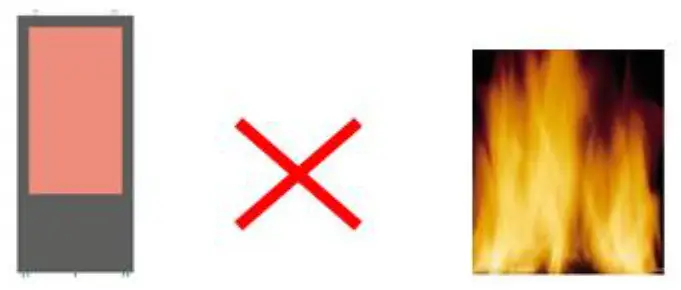
Do not install it nearby open flame area and no fire closed to the display.
2.6 Installation Place
Please follow the instructions and install it firmly on the ground or bracket to prevent any LCD damage.
2.7 Cooling Performance
There is air inlet & outlet in the rear of cabinet do not cover any object that will impact cooling performance.
2.8 Clean or Maintenance
Shut down power before clean or maintenance.
2.9 Cleaning
Use wet cloth to clean rather than liquid cleaners or aerosol cleaners direct on the monitor casing or glass.
2.10 Expert Engineer Required
Manufacturer has no responsibility for any damaged if some change or disassembling inside the cabinet without any guidance from expert or engineers.
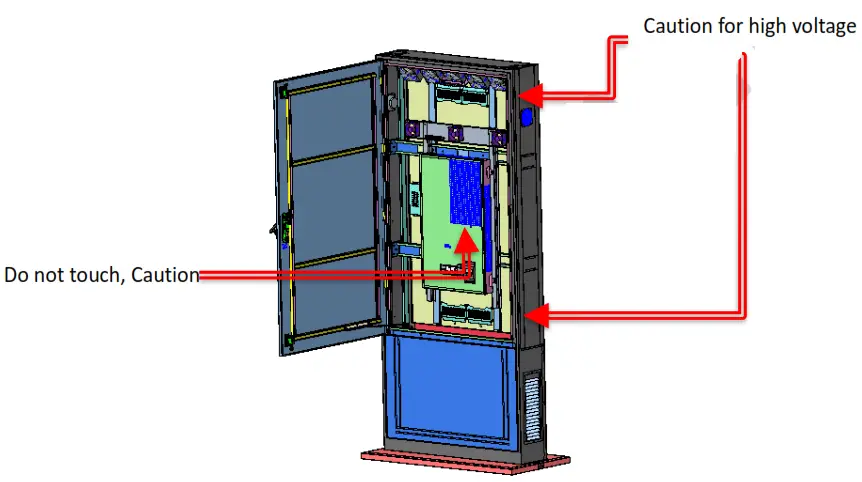
2.11 Avoid Touching Electric Device
Do not touch inside electric device when display is running, otherwise, manufacturer has no responsibility for any personal injury
Power cable
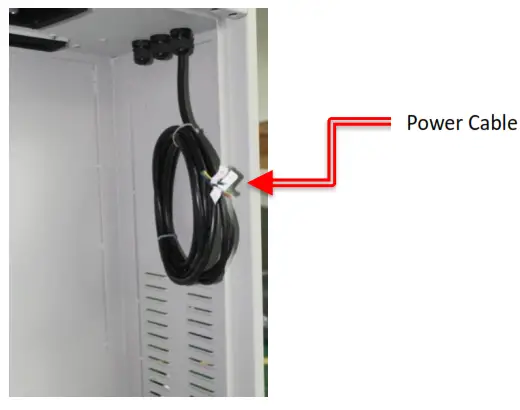
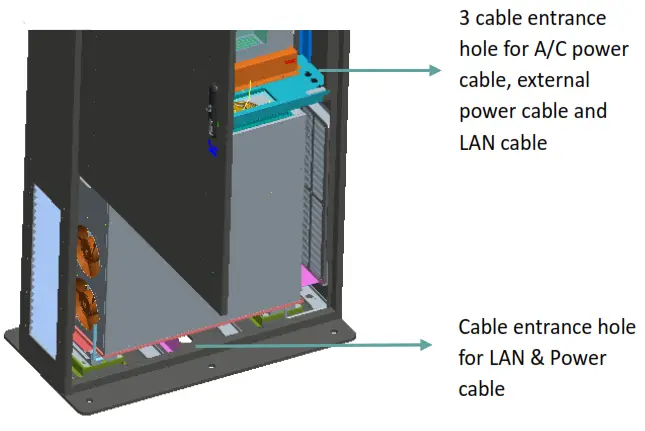
The power cable is 3 meters if no particular request. The cable is placed in the bottom of cabinet under display. Customer can use or change different cable length as per need, but the power cord diameter shall noless than the standard cable. When connecting the external power supply, please note wire connection correspondingly per the marks, ensure reliable earthing, must take guidance of professional electrical engineers.
4 Overall size(mm)
Technical parameter
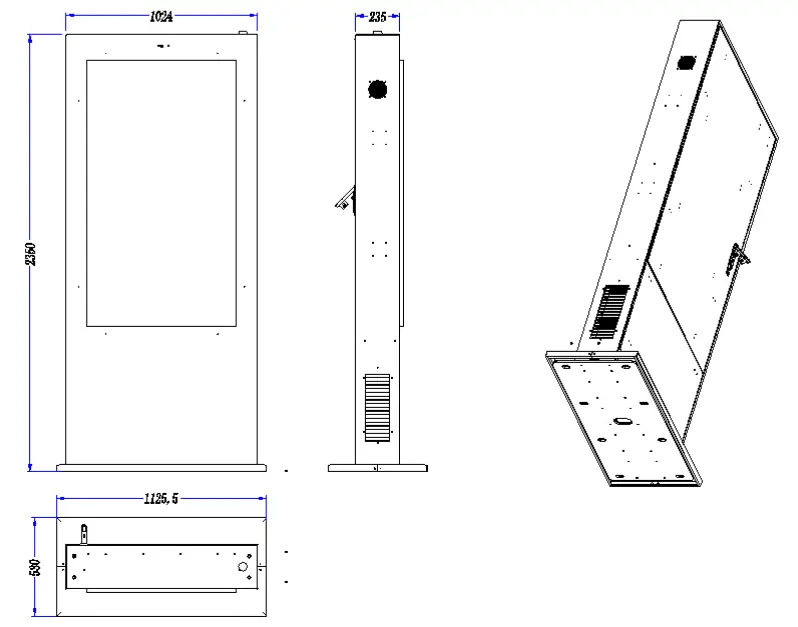
| Overall size | 2350mmx1125.5mmx530mm |
| LCD size | 65” |
| Resolution | 3840*2160 |
| Brightness | 2500cd/m2 |
| Viewing angle | 178° |
| Contrast ratio | 3000:1 |
| IP rating | IP65 |
| Cooling system | Air conditioner |
| Working temp. | -40℃~+50℃ |
| Working Humidity | 5%~100% |
| Working Voltage | 220V±10%,50HZ |
| Consumption (max) | 1200W |
Diagram
6.1 3D
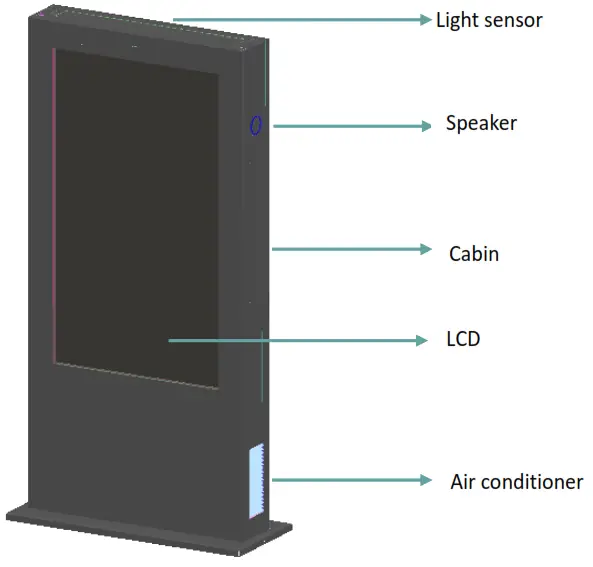
6.2 2D
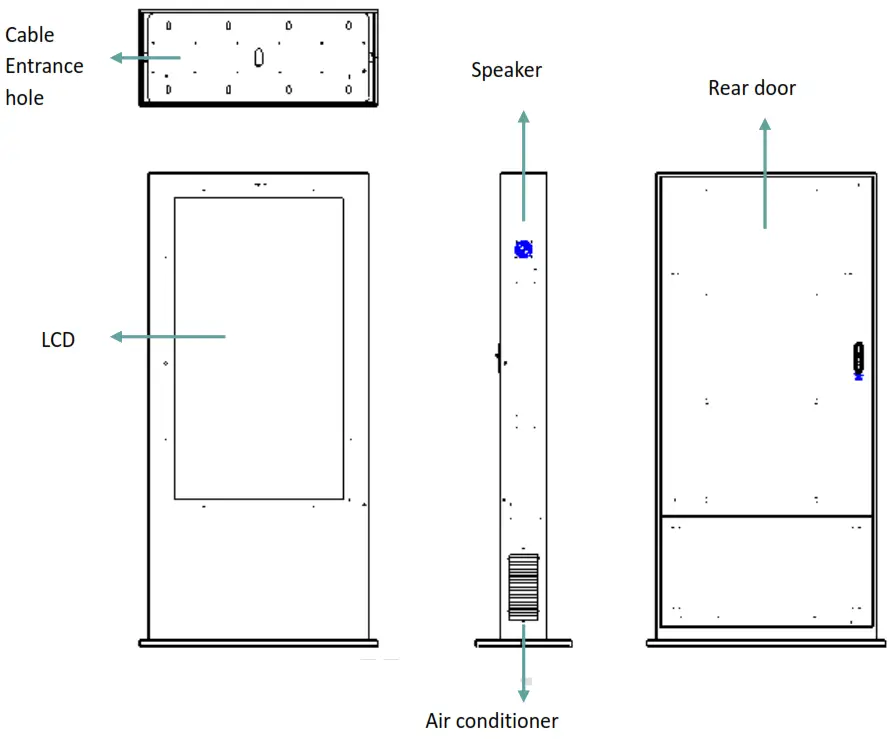
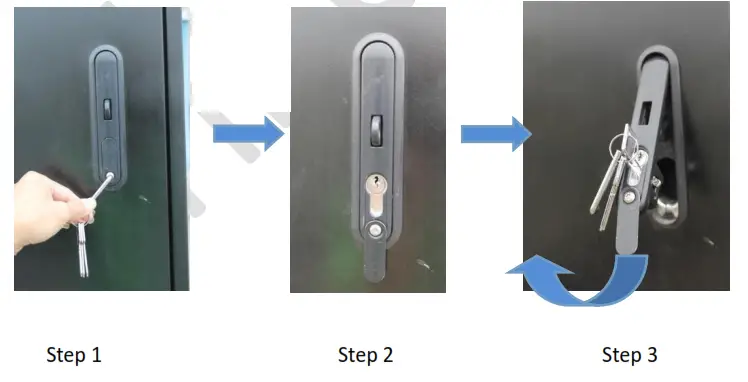
6.3 Door opening
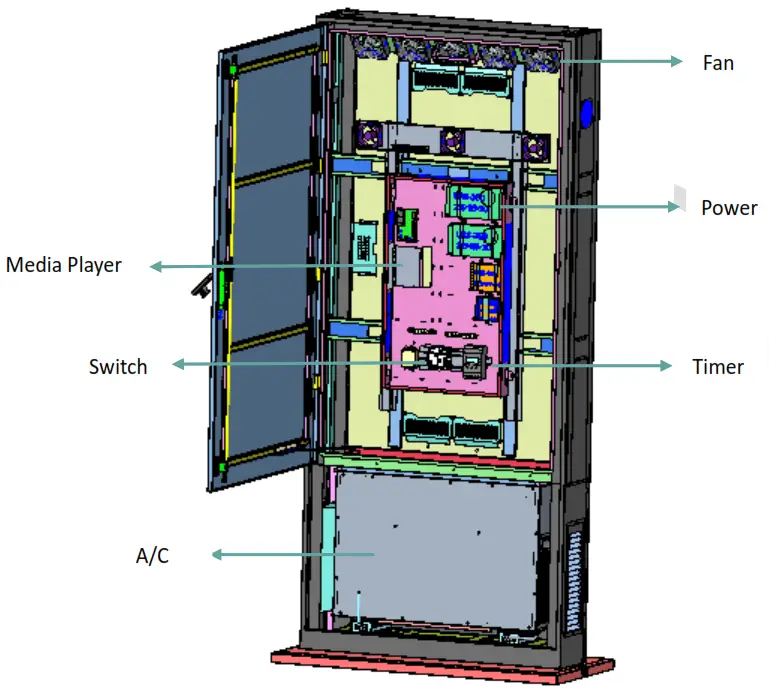
6.4 Structure inside
6.5 Cable entrance hole
A/C Installation
7.1 A/C Removal
7.1.1 Open the A/C door
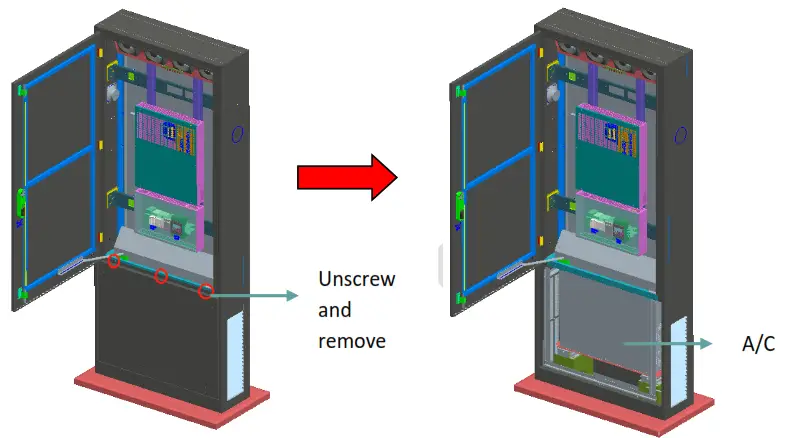
7.1.2 Disconnect power cable to A/C
7.1.3 Take out A/C
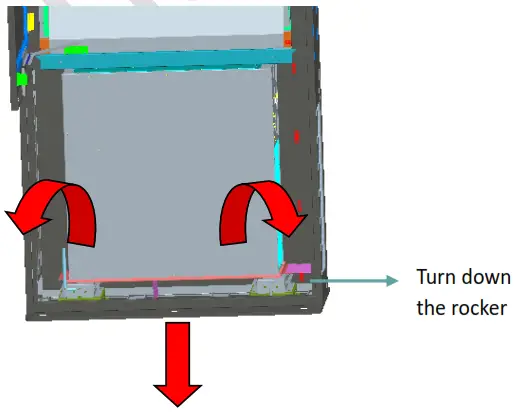
7.1.4 Draw out tray and take out A/C
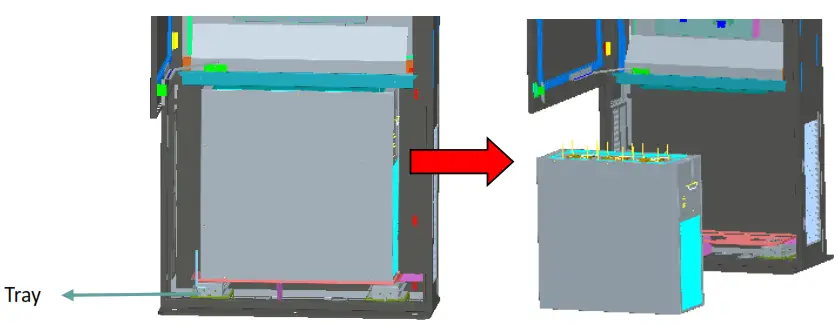
7.2 A/C installation
7.2.1 Put A/C in the tray and fix it by rocker
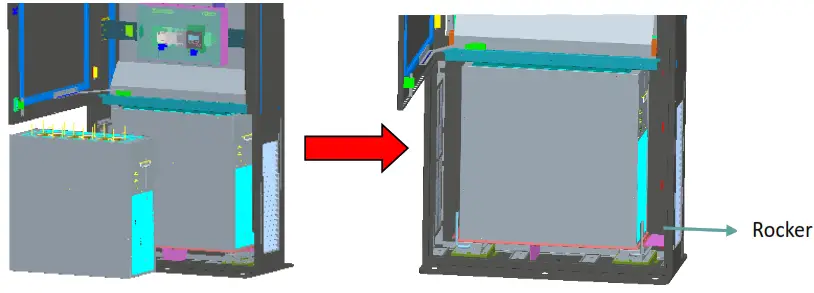
7.2.2 Connect power cable to A/C as below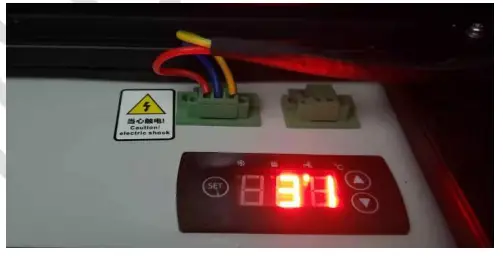
Installation
8.1 Caution before installation
8.1.1 Installation Place & Environment
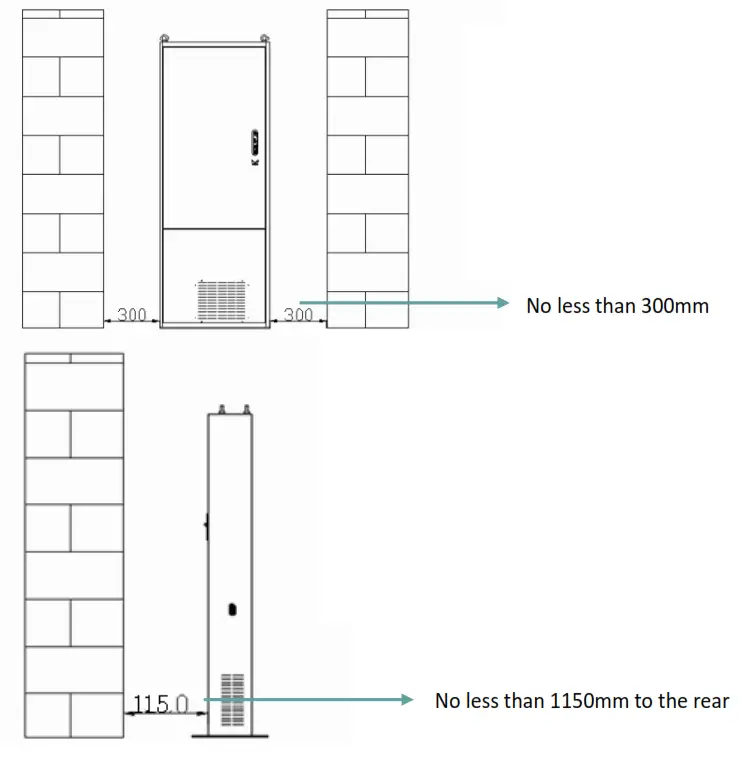
This is floor standing mount, ensure the concrete must be solid and we propose custom concrete foundation.
8.2 Custom concrete foundation
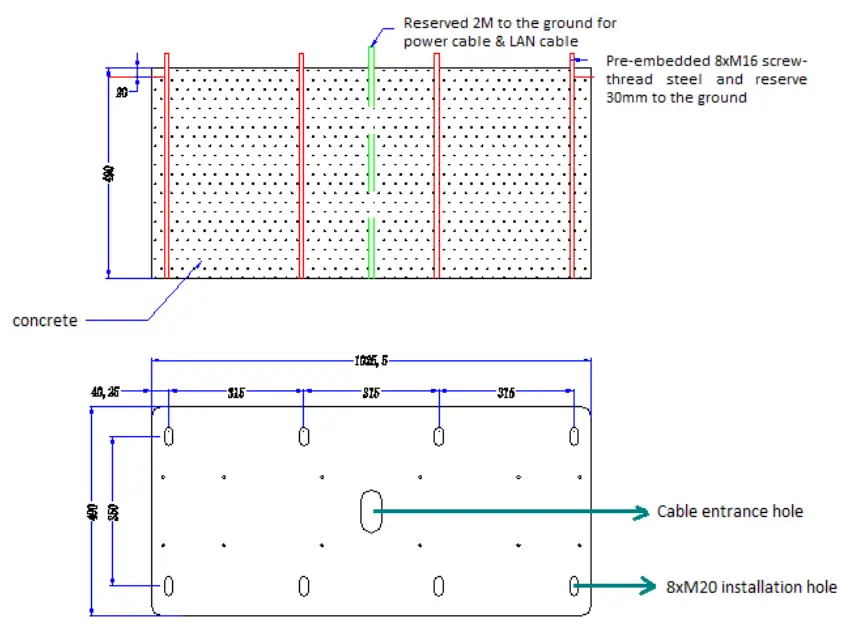
See size(mm) below to custom concrete foundation, the overall size should be larger than base plate size, recommended depth of concrete>400mm,podium>20mm,please make cable entrance hole in
8.3 Lift product
Use crane or other tool to lift up product to the concrete and align to installation hole in concrete, make sure the reserved cables pass through the entrance hole in base plate.
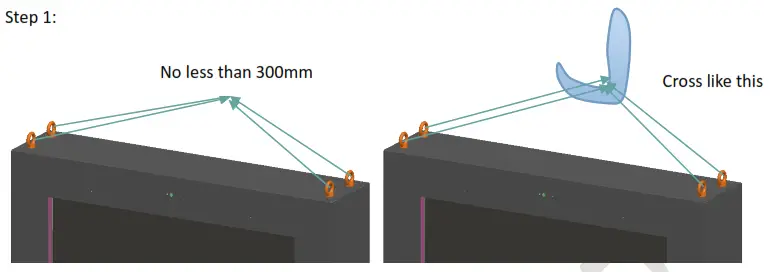
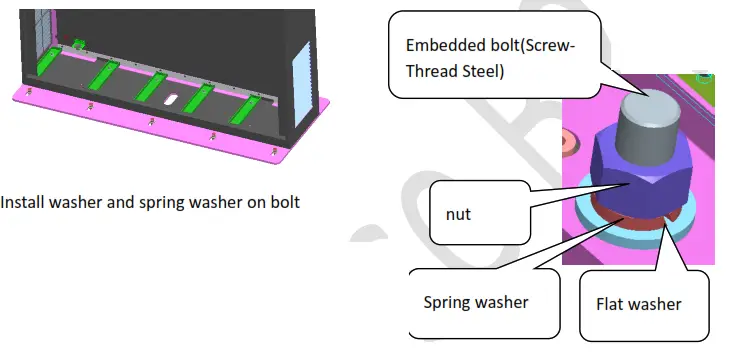
Step 2: After installation, remove eyebolt and replace it with rubber plug.
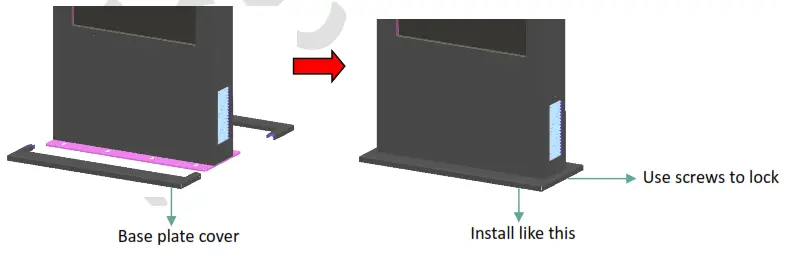
Step 3: take out 2 base plate cover in accessories and install it to hide installation hole
Power on testing
9.1 safety testing
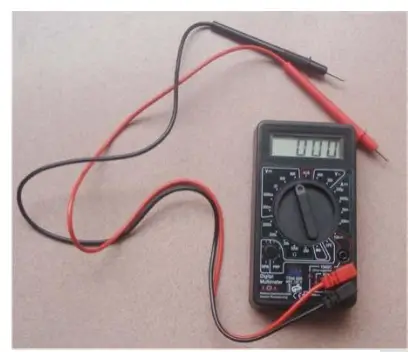
Safety testing already done before shipping. If customers want to change wiring and other parts (like change power cable, increase other electrical parts, etc.), please make safety testing before power-on to check any short circuit. This operation shall be implemented under the guidance of professional electrical engineer with multi-meter.
9.2 Power-on procedure
9.2.1 External power supply
Make sure voltage of power supply is compatible with the product before power on.
9.2.2 Switch off power
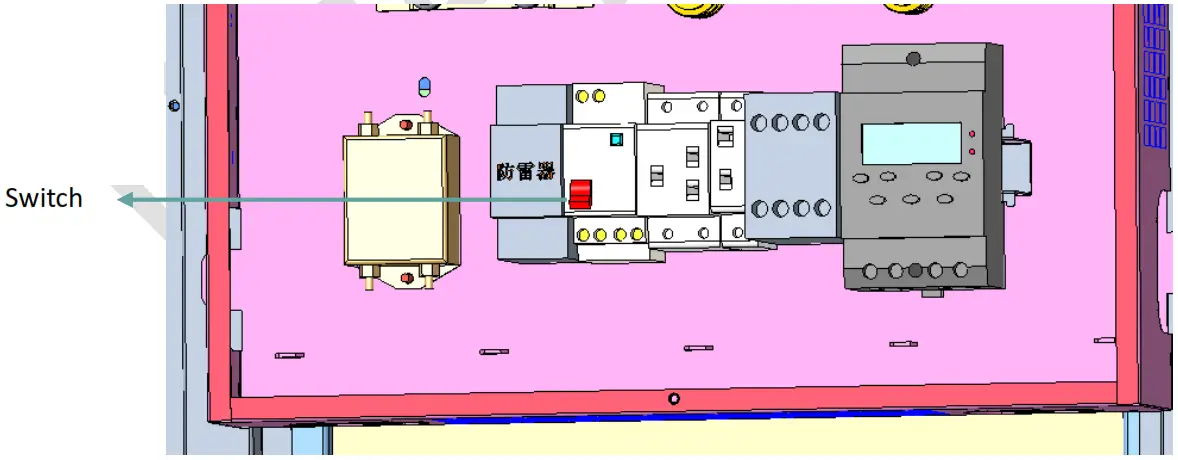
After switch off, the display is inactive state, the default state is switch on, please shut down and switch off before maintenance
9.2.3 Display status test
The screen is in blue or playing content in normal condition and the internal fan start running.
Thermal management
The product with air conditioner cooling, when inside temperature up to a certain degree the A/C will start working, please clean the mesh in air vent after long time running.
Media player
Android media player (2G+16G) with HDMI IN port.
OS
Android OS.