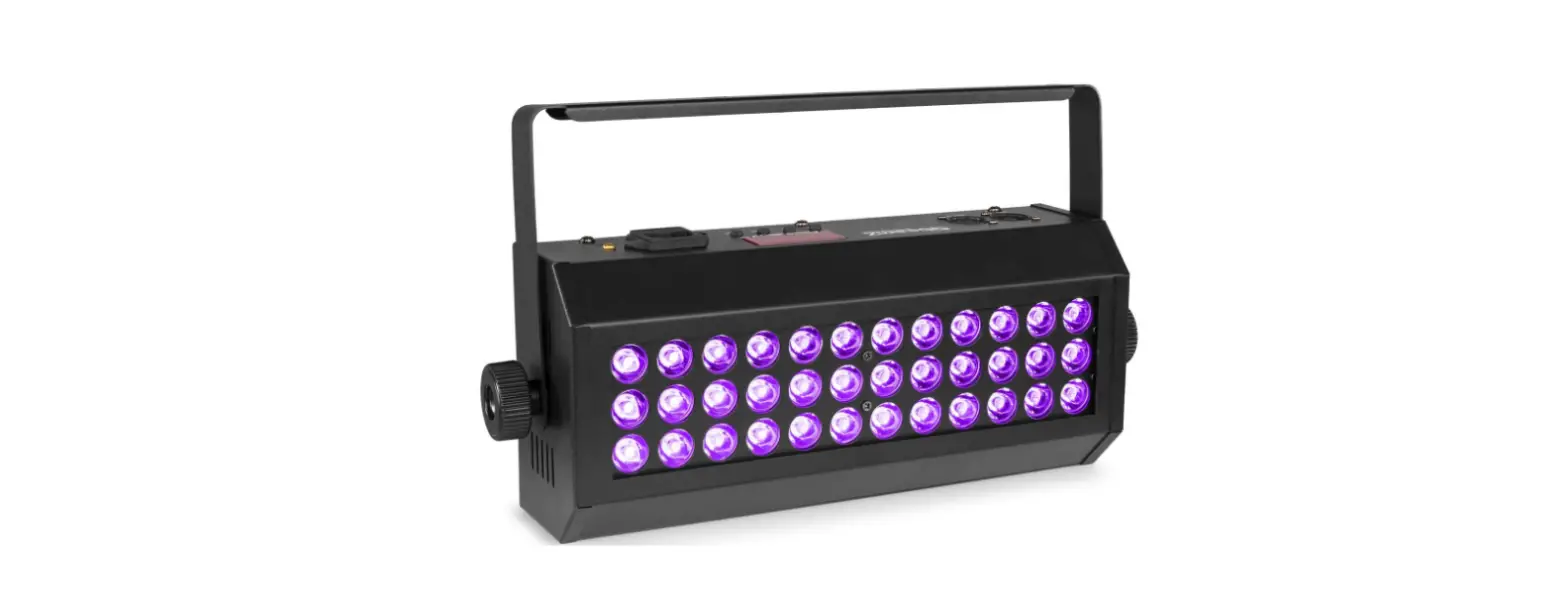
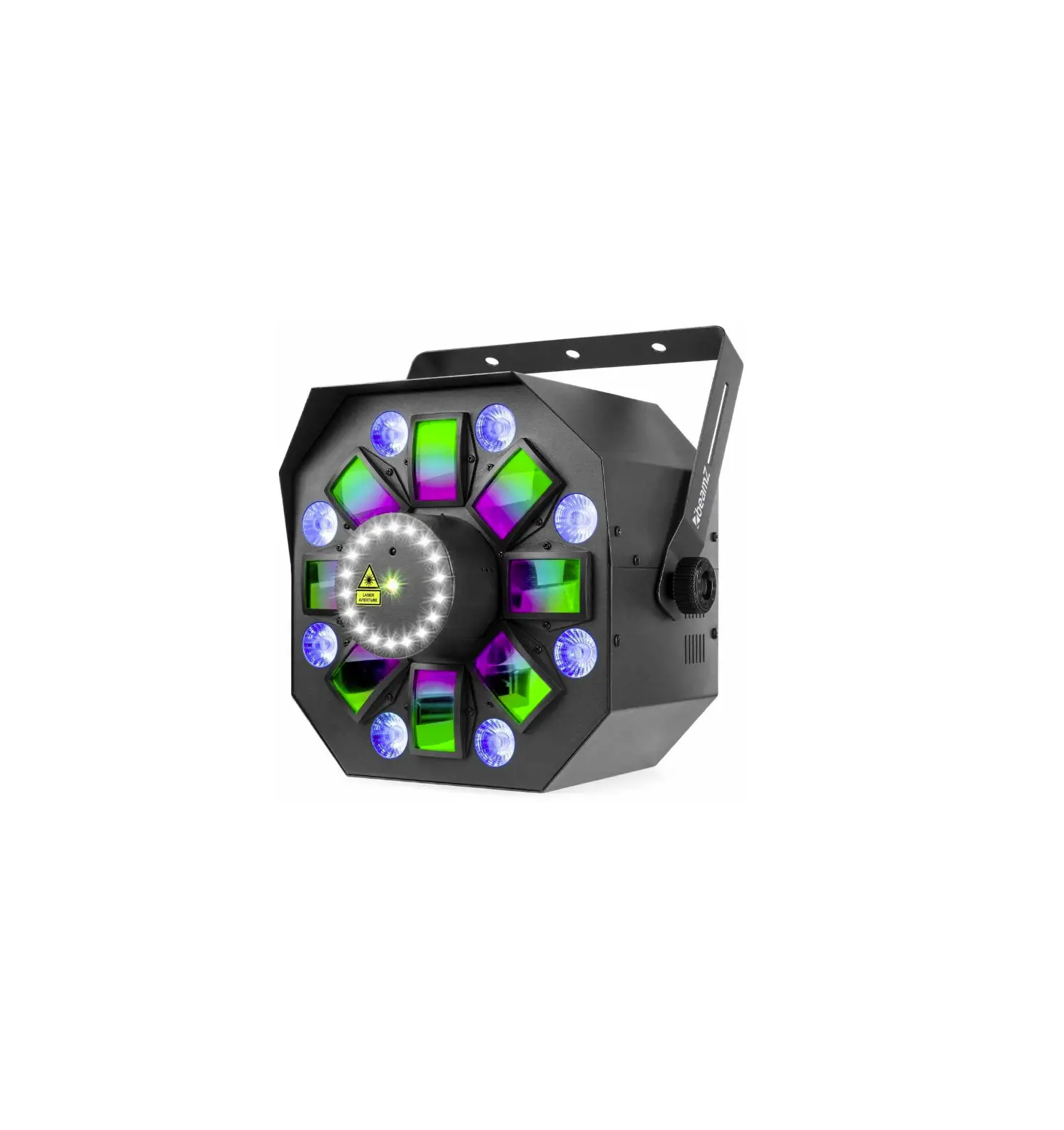
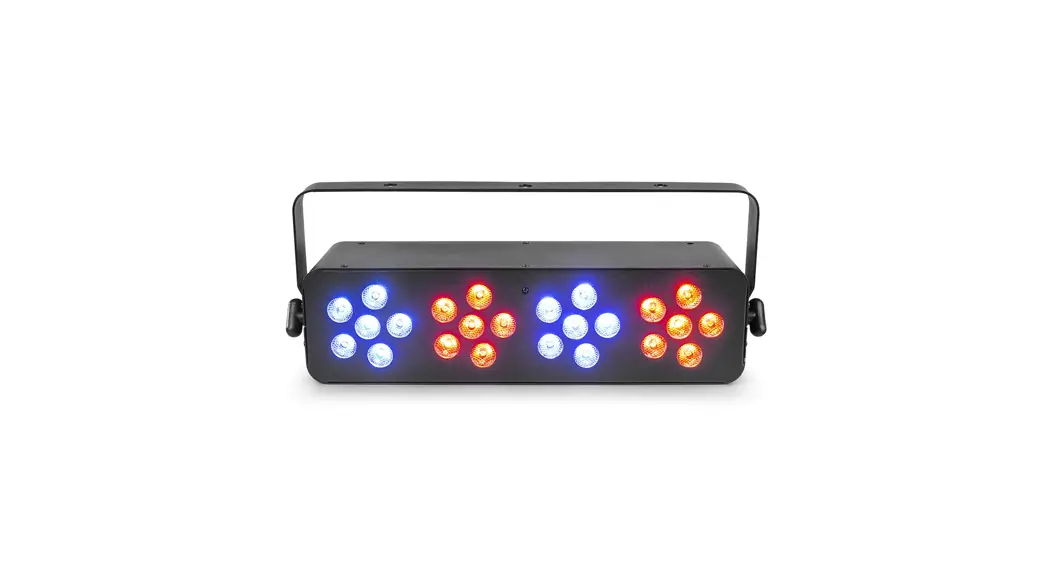
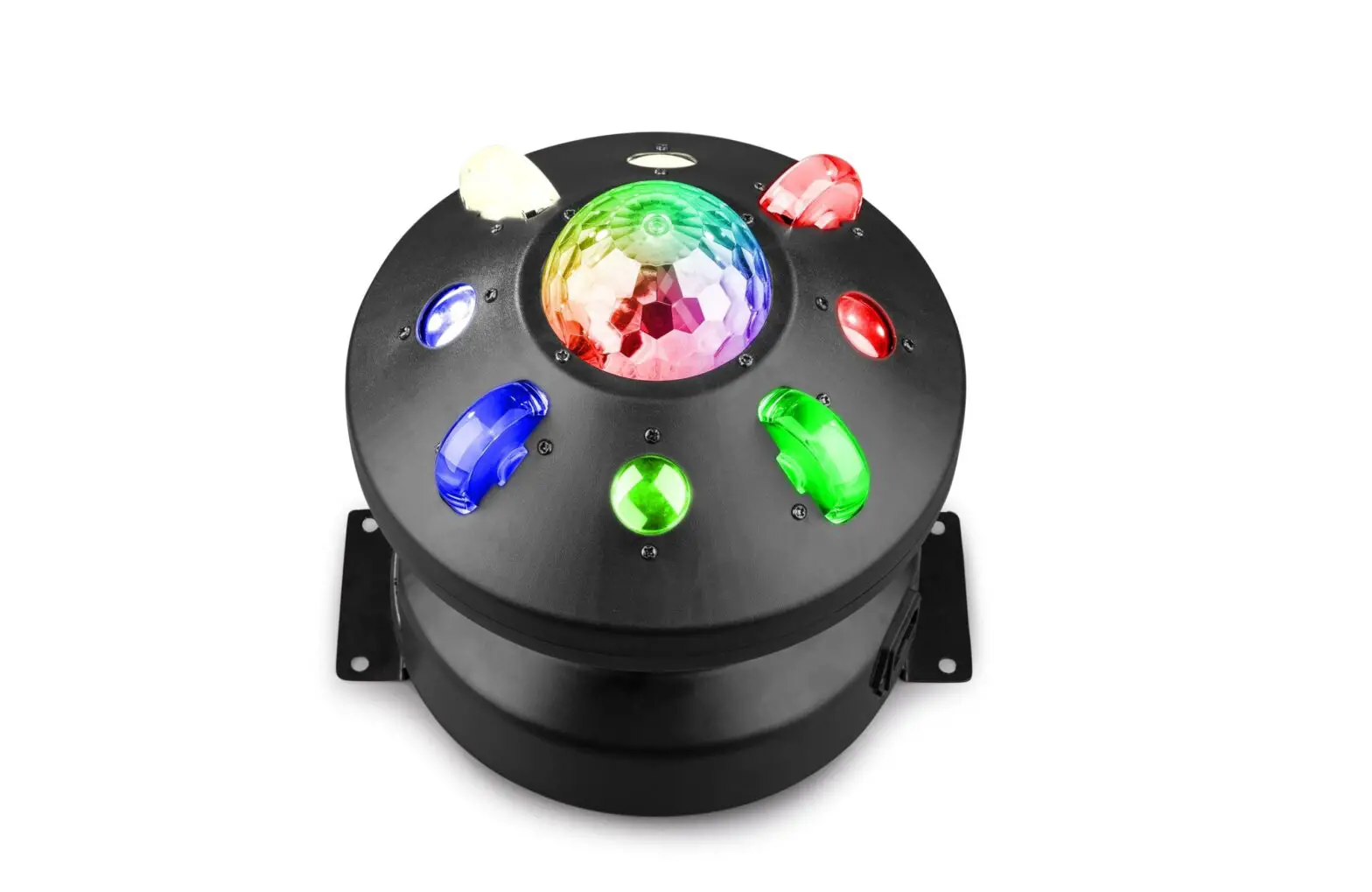
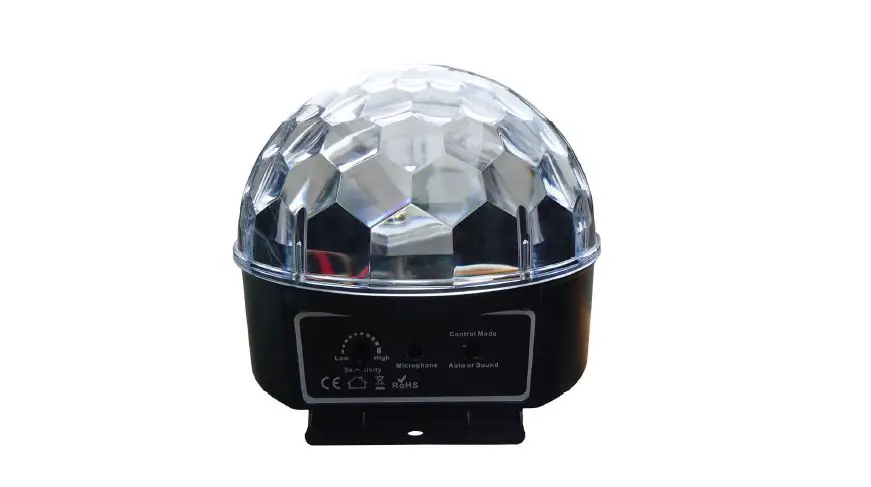
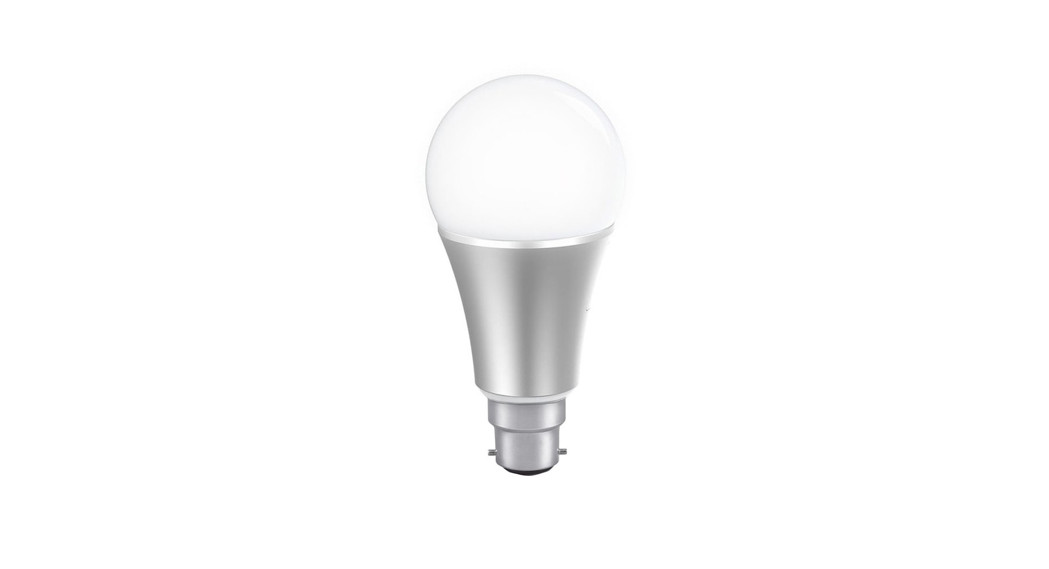
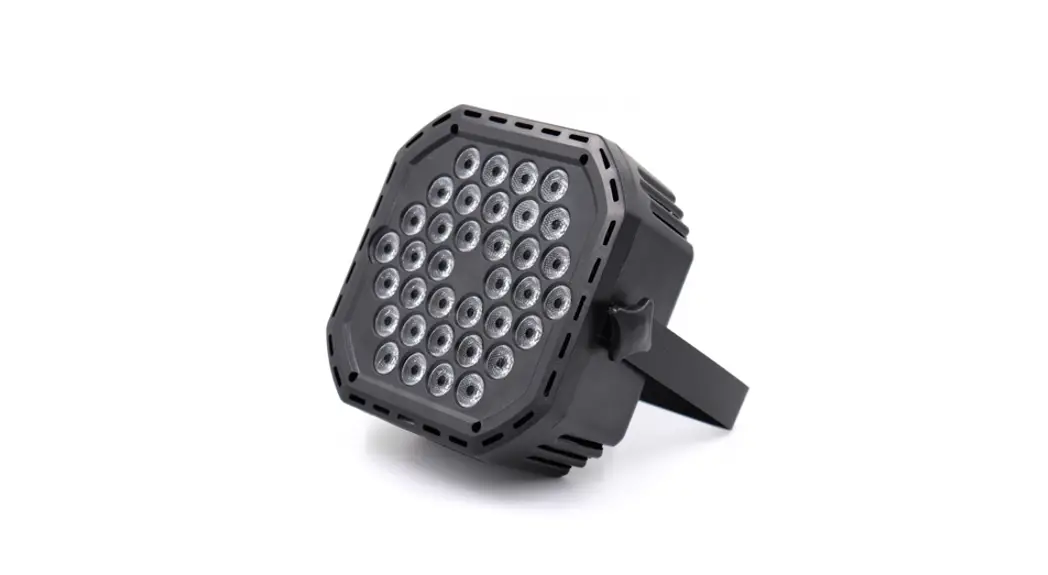
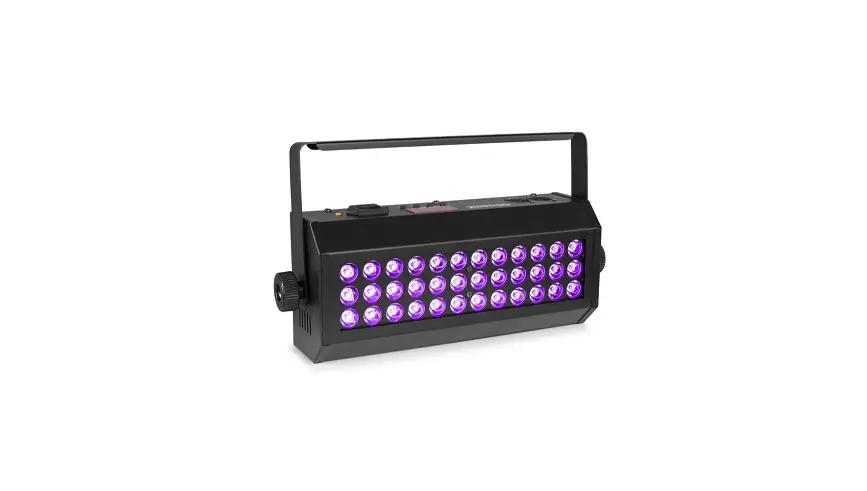
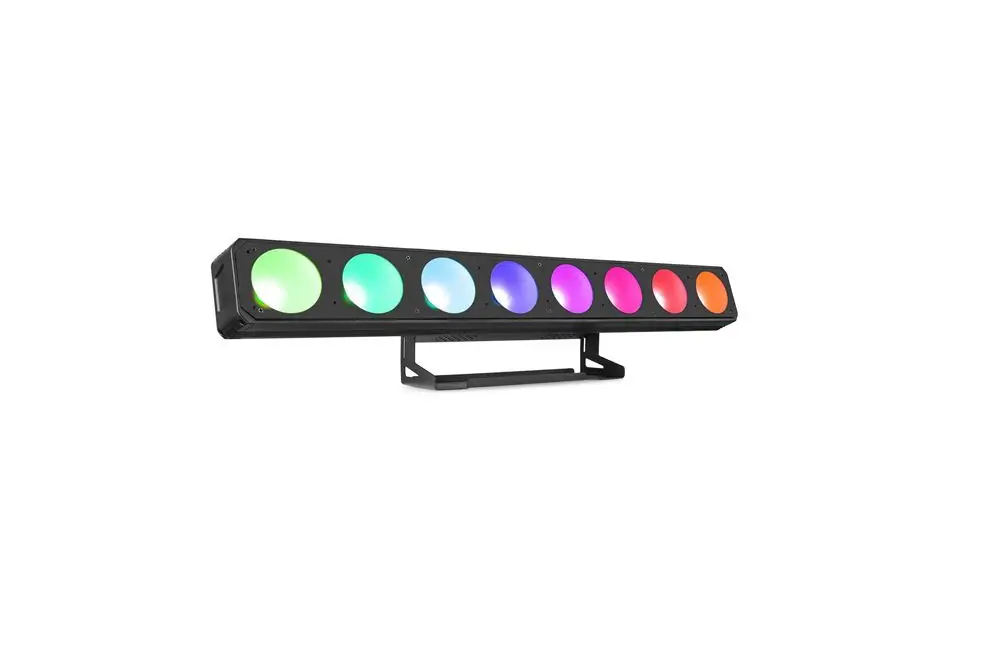
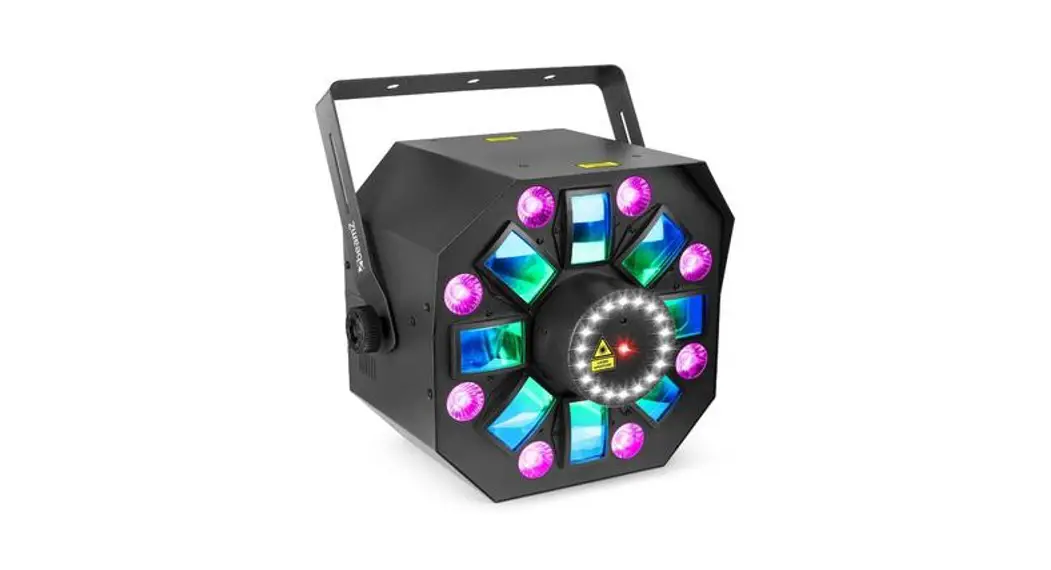
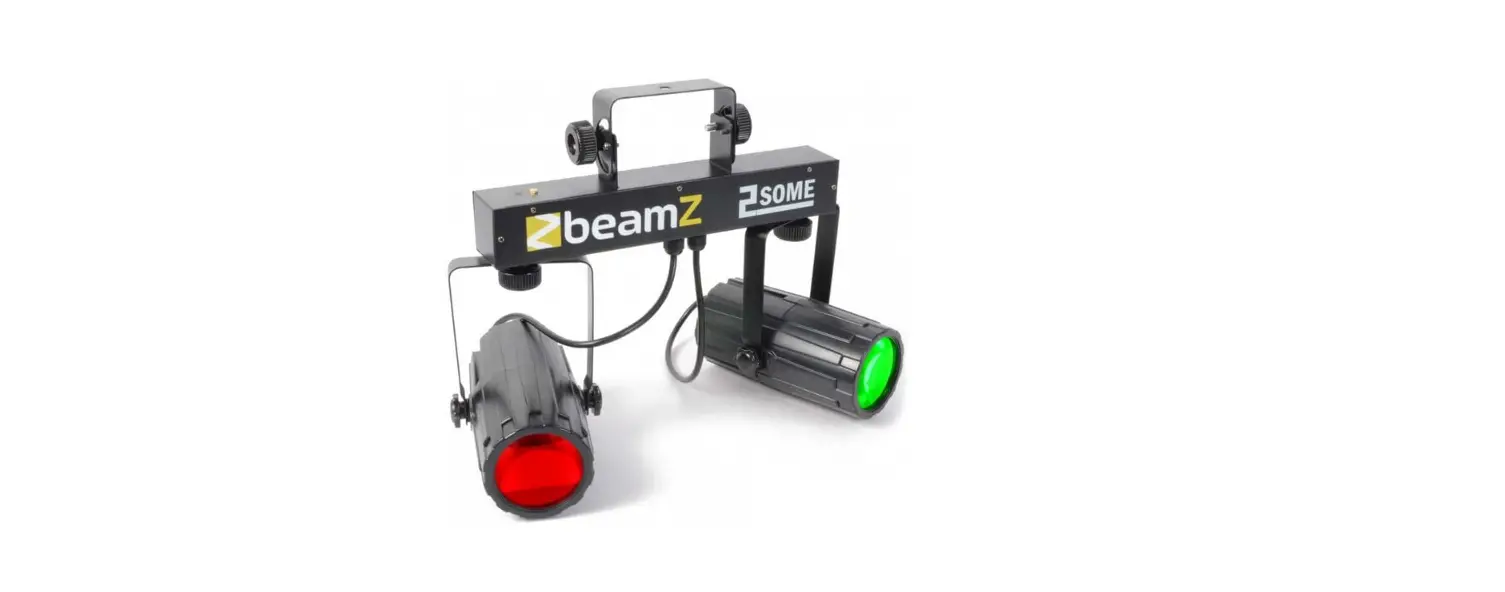
153.683 V2.0 LEDWAVE LED Jellyball Water Wave and UV Effect
Product Information: LEDWave Strobe Light
Model Number: 153.683 V2.0
The LEDWave Strobe Light is a lighting device that produces
bright, flashing light in various colors. It has multiple modes,
including Automatic and Sound-Active modes. The strobe light also
features a UV light option, which can be turned on or off using the
remote controller. The strobe light should be connected to a
protected circuit and must have an appropriate electrical ground to
avoid the risk of electrocution or fire.
Technical Specifications
The technical specifications of the LEDWave Strobe Light are
listed below:
- Model Number: 153.683 V2.0
- Power Supply: AC 100-240V 50/60Hz
- Power Consumption: 20W
- LEDs: 12 x 1W (4 x Red, 4 x Green, 4 x Blue)
- Strobe Rate: 0-10Hz
- Dimensions: 200 x 92 x 142mm
- Weight: 0.6kg
Usage Instructions
Before using the LEDWave Strobe Light, carefully read the
instruction manual provided and keep it for future reference. The
following usage instructions should be followed:
- Before connecting the strobe light to the power outlet, verify
that the mains voltage and frequency match the values specified on
the equipment. - If the included power cord or power adapter does not fit in
your wall outlet, contact your electrician. - Connect the strobe light to a protected circuit (circuit
breaker or fuse) and ensure it has an appropriate electrical ground
to avoid the risk of electrocution or fire. - Press the red button on the strobe light to turn it on. Press
again to turn it to standby mode. - To turn on Automatic mode, press the corresponding button on
the remote controller. - To change the color of the strobe, press the corresponding
button on the remote controller. - To turn on the UV light, press the corresponding button on the
remote controller. Press again to turn it off. - To turn on Sound-Active mode, press the corresponding button on
the remote controller. - To change the strobe with LEDs, press the corresponding button
on the remote controller. - To change the derby effect, press the corresponding button on
the remote controller.
153.683 V2.0
ledwave
SAFETY INSTRUCTIONS……………………………………………………………………………………………………………………………………………………………………………………………………………………………………………………….3 UNPACKING INSTRUCTION…………………………………………………………………………………………………………………………………………………………………………………………………………………………………………………. 4 POWERSUPPLY……………………………………………………………………………………………………………………………………………………………………………………………………………………………………………………………………… 4 REMOTE CONTROLLER………………………………………………………………………………………………………………………………………………………………………………………………………………………………………………………… 4 CLEANING………………………………………………………………………………………………………………………………………………………………………………………………………………………………………………………………………………… 5 REPLACING THE FUSE………………………………………………………………………………………………………………………………………………………………………………………………………………………………………………………….5 TROUBLE SHOOTING …………………………………………………………………………………………………………………………………………………………………………………………………………………………………………………………….6
VEILIGHEIDSINSTRUCTIES …………………………………………………………………………………………………………………………………………………………………………………………………………………………………………………. 7 UITPAKKEN ……………………………………………………………………………………………………………………………………………………………………………………………………………………………………………………………………………… 8 AANSLUITSPANNING ……………………………………………………………………………………………………………………………………………………………………………………………………………………………………………………………. 8 AFSTANDSBEDIENING …………………………………………………………………………………………………………………………………………………………………………………………………………………………………………………………. 8 REINIGEN ………………………………………………………………………………………………………………………………………………………………………………………………………………………………………………………………………………….9 VERVANGEN ZEKERING……………………………………………………………………………………………………………………………………………………………………………………………………………………………………………………….9 PROBLEMEN OPLOSSEN …………………………………………………………………………………………………………………………………………………………………………………………………………………………………………………… 10
SICHERHEITSHINWEISE………………………………………………………………………………………………………………………………………………………………………………………………………………………………………………………. 11 AUSPACKEN …………………………………………………………………………………………………………………………………………………………………………………………………………………………………………………………………………… 12 NETZANSCHLUSS …………………………………………………………………………………………………………………………………………………………………………………………………………………………………………………………………12 FERNBEDIENUING ………………………………………………………………………………………………………………………………………………………………………………………………………………………………………………………………… 12 REINIGUNG ……………………………………………………………………………………………………………………………………………………………………………………………………………………………………………………………………………… 13 SICHERUNGWECHSEL …………………………………………………………………………………………………………………………………………………………………………………………………………………………………………………………13 FEHLERSUCHE ………………………………………………………………………………………………………………………………………………………………………………………………………………………………………………………………………14
INSTRUCCIONES DE SEGURIDAD……………………………………………………………………………………………………………………………………………………………………………………………………………………………………..15 INSTRUCCIONES DE DESEMBALAJE …………………………………………………………………………………………………………………………………………………………………………………………………………………………….. 16 FUENTE DE ALIMENTACIÓN …………………………………………………………………………………………………………………………………………………………………………………………………………………………………………….. 16 MANDO A DISTANCIA …………………………………………………………………………………………………………………………………………………………………………………………………………………………………………………………. 16 LIMPIEZA…………………………………………………………………………………………………………………………………………………………………………………………………………………………………………………………………………………. 17 CAMBIANDO EL FUSIBLE ……………………………………………………………………………………………………………………………………………………………………………………………………………………………………………………17 SOLUCIÓN DE PROBLEMAS ……………………………………………………………………………………………………………………………………………………………………………………………………………………………………………….18
INSTRUCTIONS DE SECURITE ………………………………………………………………………………………………………………………………………………………………………………………………………………………………………….. 19 INSTRUCTIONS DE DEBALLAGE ……………………………………………………………………………………………………………………………………………………………………………………………………………………………………..20 ALIMENTATION ……………………………………………………………………………………………………………………………………………………………………………………………………………………………………………………………………. 20 TELECOMMANDE ………………………………………………………………………………………………………………………………………………………………………………………………………………………………………………………………… 20 NETTOYAGE ……………………………………………………………………………………………………………………………………………………………………………………………………………………………………………………………………………21 REMPLACEMENT DU FUSIBLE ………………………………………………………………………………………………………………………………………………………………………………………………………………………………………….21 RESOLUTION DE PROBLEMES ………………………………………………………………………………………………………………………………………………………………………………………………………………………………………… 22
INSTRUKCJA BEZPIECZENSTWA ………………………………………………………………………………………………………………………………………………………………………………………………………………………………….. 23 ROZPAKOWYWANIE INSTRUKCJI …………………………………………………………………………………………………………………………………………………………………………………………………………………………………. 24 ZASILACZ………………………………………………………………………………………………………………………………………………………………………………………………………………………………………………………………………………. 24 PILOT ZDALNEGO STEROWANIA……………………………………………………………………………………………………………………………………………………………………………………………………………………………………. 24 CZYSZCZENIE………………………………………………………………………………………………………………………………………………………………………………………………………………………………………………………………………. 25 WYMIANA BEZPIECZNIKA ……………………………………………………………………………………………………………………………………………………………………………………………………………………………………………….. 25 ROZWIAZYWANIE PROBLEMÓW…………………………………………………………………………………………………………………………………………………………………………………………………………………………………….26
TECHNICAL SPECIFICATIONS …………………………………………………………………………………………………………………………………………………………………………………………………………………………………………. 27
Before carrying out any operations with the unit, carefully read this instruction manual and keep it with care for future reference. It contains important information about the installation, usage and maintenance of the unit.
· Unpack and check carefully that there is no transportation damage before using the unit · Please read these instructions carefully and follow the instructions. · Observe all safety warnings. Never remove safety warnings or other information from the equipment. · Be sure that no ventilation slots are blocked; otherwise the unit will overheated.
Before connecting the equipment to the power outlet, first verify that the mains voltage and frequency match the values specified on the equipment. If the equipment has a voltage selection switch, connect the equipment to the power outlet only if the equipment values and the mains power values match. If the included power cord or power adapter does not fit in your wall outlet, contact your electrician.
· After connecting the unit, check all cables in order to prevent damage or accidents, e.g., due to tripping hazards. · Make sure that the power cord is never crimped or damaged. Check the unit and the power cord from time to time. · Always disconnect power from the mains, when unit is not used or before cleaning! Only handle the power cord by the plug. Never pull out the
plug by tugging the power cord. · Unplug the power cord and power adapter from the power outlet if there is a risk of a lightning strike or before extended periods of disuse. · Do not switch the unit on and off in short intervals. · Do not connect the unit to a dimmerpack. · Install the unit in a well ventilated place. · Never place any material over the lens. · Never let the sunlight lights directly to the front lens , even when the unit is not working. · Always allow free air space of at least 50 cm around the unit for ventilation. · Make sure that the area below the installation place is blocked when rigging, derigging or servicing the unit. · For mounting height >100 cm, always fix the unit with an appropriate safety-rope. Fix the safety-rope at the correct fixation points only. The
safety-rope must never be fixed at the transport handles! · Never look directly at the light beam. Please note that fast changes in lighting, e. g. flashing light, may trigger epileptic seizures in photosensitive
persons or persons with epilepsy. · This unit is not designed for permanent operation. Consistent operation breaks will ensure that the unit will serve you for a long time without
defects.
If the power cord of the unit is equipped with an earthing contact, then it must be connected to an outlet with a protective ground. Never deactivate the protective ground of a power cord.
· Make sure that the unit is not exposed to extreme heat, moisture or dust. · Clean the unit using a dry cloth. · Do not touch the unit bare-handed during its operation (housing becomes very hot). Allow the unit to cool for at least 5 minutes before
handling. · This unit is designed exclusively for indoor use, do not use this equipment in the immediate vicinity of fluid (does not apply to special outdoor
equipment – in this case, observe the special instructions noted below). Do not expose this unit to flammable materials, fluids or gases. · If the unit has been exposed to drastic temperature fluctuation (e.g. after transportation), do not switch it on immediately. The arising
condensation water might damage your unit. Leave the unit switched off until it has reached room temperature. · Never attempt to bypass the thermostatic switch or fuses. · Do not dismantle or modify the unit. · For replacement use fuses/bulb of same type and rating only. · Repairs, servicing and electric connection must be carried out by a qualified technician. · The ambient temperature must always be between -5° C and +45° C. · If this unit is operated in any other way, than the one described in this manual, the product may suffer damages and the warranty becomes
void. · Plastic bags must be kept out of reach of children. · Unit must be installed out of the reach of children. Never leave the unit running unattended.
This symbol on the product or on its packaging indicates that this product shall not be treated as household waste. Instead it shall be handed over to the applicable collection point for the recycling of electrical and electronic equipment.
By ensuring this product is disposed of correctly, you will help prevent potential negative consequences for the environment and human health, which could otherwise be caused by inappropriate waste handling of this product. The recycling of materials will help to conserve natural resources. For more detailed information about recycling of this product, please contact your local Civic Office, your household waste disposal service or the shop where you purchased the product.
Immediately upon receiving the product, carefully unpack the carton, check the contents to ensure that all parts are present, and have been received in good condition. Notify the shipper immediately and retain packing material for inspection if any parts appear damage from shipping or the package itself shows signs of mishandling. Save the package and all packing materials. In the event that the product must be returned to the factory, it is important that the product be returned in the original factory box and packing.
If the unit has been exposed to drastic temperature fluctuation (e.g. after transportation), do not switch it on immediately. The arising condensation water might damage your unit. Leave the unit switched off until it has reached room temperature.
The label on the backside of the unit indicates the mains voltage to which it must be connected. Check that the mains voltage corresponds to this. Any other voltage than the one indicated may cause irreparable damage to the unit. The unit must also be connected directly to the mains voltage and no dimmer or adjustable power supply may be used.
Always connect the unit to a protected circuit (circuit breaker or fuse). Make sure the unit has an appropriate electrical ground to avoid the risk of electrocution or fire.
Press the red button to turn the device on, press again to turn in standby mode.
Automatic mode will enable you to run the automatic programs on the product.
To turn on Automatic mode, press
on the remote controller.
To change the colour of the strobe, press
.
To put the UV light on press , to put the UV light off press
once again.
To turn on Sound-Active mode, press
on the remote controller.
No function.
To change the strobe with LEDs, press
.
To change the derby effect.
1. Press
on the remote controller.
2. Press or to change effect.
To change the speed of colour change, colour fade, sound active and strobe modes.
1. Press
on the remote controller.
2. Press or to increase or decrease the speed of colour change.
To adjust sound sensitivity for in Sound-Active mode
1. Press
on the remote controller.
2. Press or to either increase or decrease sound sensitivity(note: only available in sound active mode).
The remote control is supplied with a battery inserted. An insulating foil between the battery and the battery contacts prevents the battery from being discharged during storage. Prior to the first operation remove the foil from the battery support on the rear side of the remote control. Otherwise operation of the remote control is not possible.
If the range of the remote control decreases, replace the battery. For this purpose, on the rear side of the remote control press the small bar with the groove to the right (1) and at the same time remove the battery support (2). For operation, one 3 V button cell type CR 2025 is required. When inserting, pay attention that the positive pole of the button cell shows upwards in the support.
The buildup of dust, dirt and other airborne particles will reduce the unit’s light output. It will also prevent the unit from cooling correctly, and this will reduce the unit’s lifetime. The rate of dirt buildup will vary depending on environmental factors such as airborne dust, use of smoke machines, airflow from ventilation systems, etc. The unit’s cooling fans will accelerate buildup, and any smoke particles that are present in the atmosphere will increase the tendency for dirt to clog.
To get the best performance and lifetime from the unit, inspect it regularly and clean it as soon as you see signs of dirt buildup.
Assess the operating environment each time you begin to use the unit. In dusty or smoky conditions, inspect the unit after a few hours and check it frequently the unit may attract dirt faster than you expect. Draw up a cleaning schedule that will make sure that dirt is removed before it can build up.
Use the following guidelines: · Disconnect the unit from power and allow it to cool completely before cleaning. · Do not use solvents, abrasives or any other aggressive product to clean the unit. · Vacuum or use low-pressure compressed air to remove dust and loose particles from surfaces and air vents. Prevent the blades of cooling fans from turning before you aim a vacuum or air jet at the fan, or you may spin the fan too fast and damage it. · Clean glass components by wiping gently with a soft, clean, lint-free cloth moistened with a weak detergent solution. Put the solution on the cloth and not on the surface to be cleaned. Avoid rubbing glass surfaces. · Dry the unit with a soft, clean, lint-free cloth or low-pressure compressed air before reapplying power.
If the fuse is defective, replace the fuse with a fuse of the same type and value. Before replacing the fuse, unplug mains lead.
Procedure: Step 1: Open the fuse holder on the rear panel with a fitting screwdriver. Step 2: Remove the old fuse from the fuse holder. Step 3: Install the new fuse in the fuse holder. Step 4: Replace the fuse holder in the housing.
The checklist below may help you troubleshoot in the unlikely event that a problem occurs while using the product:
No response from unit.
No power to unit. Fuse blown or internal fault.
Light output cuts out intermittently.
Unit too hot.
LEDs damaged.
The power supply settings do not match local AC voltage and frequency.
Check that power is turned on. Check cables and connections. Replace mean fuse or contact Beamz support or Beamz authorized service partner. Do not remove base or yoke covers. Do not attempt to replace a fuse or carry out any repairs or service that are not described in this User Manual unless you have both authorization from Beamz support or Beamz authorized service partner.
Allow unit to cool. Reduce ambient temperature. Ensure free airflow around unit. Clean unit if necessary.
Disconnect unit and contact Beamz support or Beamz authorized service partner.
Disconnect unit. Check settings and correct if necessary.
Lees deze gebruiksaanwijzing zorgvuldig door voordat u met het apparaat gaat werken en bewaar deze handleiding voor toekomstig gebruik. Het bevat belangrijke informatie over de installatie, het gebruik en het onderhoud van het apparaat.
· Uitpakken en zorgvuldig controleren of er geen transportschade is voordat u het apparaat gebruikt. · Lees deze instructies aandachtig door en volg de instructies op. · Neem alle veiligheidswaarschuwingen in acht. Verwijder nooit veiligheidswaarschuwingen of andere informatie van het apparaat. · Zorg ervoor dat er geen ventilatiesleuven geblokkeerd zijn, anders zal het apparaat oververhit raken.
Voordat u het apparaat verbind met een contactdoos, moet u eerst controleren of de netspanning en -frequentie overeenkomen met de op de apparatuur aangegeven waarden. Als het apparaat een spanningsselectieschakelaar heeft, sluit het apparaat alleen aan op het stopcontact als de waarden van het apparaat en de waarden van de netspanning overeenkomen. Als het bijgeleverde netsnoer of de voedingsadapter niet in uw stopcontact past, neem dan contact op met uw elektricien.
· Controleer na het aansluiten van het apparaat alle kabels om schade of ongevallen, bijv. door struikelgevaar, te voorkomen. · Zorg ervoor dat het netsnoer nooit gekrompen of beschadigd raakt. Controleer het apparaat en het netsnoer van tijd tot tijd. · Trek altijd de stekker uit het stopcontact wanneer het apparaat niet wordt gebruikt of voordat u het apparaat schoonmaakt! Pak het netsnoer
alleen bij de stekker vast en trek nooit aan het netsnoer. · Haal de stekker van het netsnoer en de voedingsadapter uit het stopcontact als er gevaar bestaat voor blikseminslag of voor langere perioden
van buitengebruikstelling. · Schakel het apparaat niet snel achter elkaar in en uit. · Sluit het apparaat niet aan op een dimmerpack. · Installeer het apparaat op een goed geventileerde plaats. · Plaats nooit materiaal over de lens. · Laat het zonlicht nooit direct op de lens schijnen, ook niet als het apparaat niet in werking is. · Zorg altijd voor een vrije luchtruimte van minstens 50 cm rondom het apparaat voor ventilatie. · Zorg ervoor dat de ruimte rondom en onder de montageplek wordt afgezet tijdens het (de)monteren of onderhoud van het apparaat. · Voor gebruik bij montagehoogte >100 cm, bevestig het apparaat altijd met een geschikte veiligheidskabel. Bevestig de veiligheidskabel alleen op
de juiste bevestigingspunten. De veiligheidskabel mag nooit aan de transporthandgrepen worden bevestigd! · Kijk nooit direct naar de lichtbundel. Houd er rekening mee dat snelle veranderingen in de verlichting, bijv. knipperlicht, epileptische aanvallen
kunnen veroorzaken bij lichtgevoelige personen of personen met epilepsie. · Dit apparaat is niet ontworpen voor permanent gebruik. Consistente bedieningspauzes zullen ervoor zorgen dat het apparaat lang zonder
defecten van dienst zal zijn.
Als het netsnoer van het apparaat is voorzien van een aardingscontact, moet het worden aangesloten op een stopcontact met een beschermende aarding. Deactiveer nooit de beschermende aarding van een netsnoer.
· Zorg ervoor dat het apparaat niet wordt blootgesteld aan extreme hitte, vocht of stof. · Reinig het apparaat met een droge doek. · Raak het apparaat tijdens de werking ervan niet met blote handen aan (de behuizing kan zeer heet worden). Laat het apparaat ten minste 5
minuten afkoelen alvorens deze te hanteren. · Dit apparaat is uitsluitend ontworpen voor gebruik binnenshuis, gebruik deze apparatuur niet in de onmiddellijke nabijheid van vloeistof (niet
van toepassing op speciale buitenapparatuur – in dit geval, neem de speciale instructies hieronder in acht). Stel dit apparaat niet bloot aan brandbare materialen, vloeistoffen of gassen. · Als het apparaat is blootgesteld aan drastische temperatuurschommelingen (bijv. na transport), schakel het dan niet onmiddellijk in. Het ontstane condenswater kan uw apparaat beschadigen. Laat het apparaat uitgeschakeld tot het op kamertemperatuur is. · Probeer nooit de thermostaatschakelaar of zekeringen te omzeilen. · Demonteer of wijzig het apparaat niet. · Gebruik voor vervanging alleen zekeringen/lampen van hetzelfde type en vermogen. · Reparaties, onderhoud en elektrische aansluiting moeten worden uitgevoerd door een gekwalificeerde technicus. · De omgevingstemperatuur moet altijd tussen -5° C en +45° C liggen. · Als dit apparaat op een andere manier wordt gebruikt dan beschreven in deze handleiding, kan het product beschadigd raken en vervalt de garantie. · Plastic zakken moeten buiten het bereik van kinderen worden gehouden. · Het apparaat moet buiten het bereik van kinderen worden geïnstalleerd. Laat het apparaat nooit zonder toezicht draaien.
Dit symbool op het product of op de verpakking geeft aan dat dit product niet als huishoudelijk afval mag worden behandeld. In plaats daarvan moet het worden overhandigd aan het toepasselijke inzamelpunt voor de recycling van elektrische en elektronische apparatuur.
Door ervoor te zorgen dat dit product op de juiste wijze wordt afgevoerd, helpt u mogelijke negatieve gevolgen voor het milieu en de menselijke gezondheid te voorkomen, die anders zouden kunnen worden veroorzaakt door ongepaste afvalverwerking van dit product. Het recyclen van materialen draagt bij tot het behoud van natuurlijke hulpbronnen. Voor meer gedetailleerde informatie over het recyclen van dit product kunt u contact opnemen met uw plaatselijke gemeente, uw huisvuildienst of de winkel waar u het product hebt gekocht.
Onmiddellijk na ontvangst, zorgvuldig uitpakken van de doos, controleer de inhoud om ervoor te zorgen dat alle onderdelen aanwezig zijn en zijn in goede staat zijn ontvangen. Bij transportschade of ontbreken van onderdelen onmiddellijk de verkopende partij inlichten. Bewaar de verpakking en het verpakkingsmateriaal. Indien het product moet worden teruggestuurd, is het belangrijk dat het product in originele verpakking wordt geretourneerd.
Als het apparaat is blootgesteld aan drastische temperatuurverschillen (bv. na het transport), schakel het apparaat niet onmiddellijk in. De ontstane condensatie kan het apparaat beschadigen. Zorg ervoor dat het apparaat op kamertemperatuur komt en steek vervolgens de voeding stekker in het stopcontact.
Op achterzijde van het apparaat staat aangegeven op welke netspanning deze moet worden aangesloten. Controleer of de netspanning hiermee overeenkomt, bij alle andere netspanningen dan aangegeven kan het apparaat onherstelbaar worden beschadigd. Tevens moet het apparaat direct op de netspanning worden aangesloten en mag géén dimmer of regelbare voeding worden gebruikt.
Sluit het apparaat altijd aan op een beschermd circuit (aardlekschakelaar of zekering). Zorg ervoor dat het apparaat voldoende elektrisch is geaard om het risico op elektrocutie of brand te vermijden.
Druk op de rode knop om het apparaat aan te zetten, druk nogmaals om het in stand-by te zetten.
Met de automatische modus kunt u de automatische programma’s op het product uitvoeren.
Druk op
op de afstandsbediening om de automatische modus in te schakelen.
Om de kleur van de stroboscoop te veranderen, druk op
.
Om het UV-licht aan te zetten drukt u op .
, om het UV-licht uit te zetten drukt u nogmaals op
Om de geluidsmodus in te schakelen, druk op
op de afstandsbediening.
Geen functie.
Om de stroboscoop met LED’s aan te zetten, druk op
.
Om het derby-effect te veranderen.
1. Druk op
op de afstandsbediening.
2. Druk op of om het effect te veranderen.
Om de snelheid van kleurverandering, kleurvervaging, geluid actief en stroboscoop modes te veranderen.
1. Druk op
op de afstandsbediening.
2. Druk op of om de snelheid van de kleurverandering te verhogen of te verlagen.
Om de geluidsgevoeligheid aan te passen voor in de Sound-Active modus
1. Druk op
op de afstandsbediening.
2. Druk op of om de geluidsgevoeligheid te verhogen of te verlagen (opmerking: alleen beschikbaar in sound mode).
De afstandsbediening is voorzien van een batterij. Een isolerende folie tussen de batterij en de batterij contacten voorkomt dat de batterij tijdens transport ontlaad. Voorafgaand aan het eerste gebruik, verwijder de folie van de batterijhouder aan de achterzijde van de afstandsbediening. Anders wordt de werking van de afstandsbediening is niet mogelijk.
Indien het bereik van de afstandsbediening afneemt, vervang dan de batterij. Aan de achterzijde van de afstandsbediening drukt de schuif met inkeping naar rechts (1) tegelijkertijd verwijdert de batterijhouder (2). Voor de werking, is een 3V knop cel type CR2025 nodig. Let op, bij de het vervangen van de batterij dat u de positieve pool van de knoopcel omhoog plaatst.
De opeenhoping van stof, vuil en andere zwevende deeltjes verminderen de lichtopbrengst van het apparaat. Het zal ook voorkomen dat het apparaat correct koelt, en dit zal de levensduur van het apparaat verkorten. De snelheid van de vuilafzetting zal variëren afhankelijk van omgevingsfactoren zoals stof in de lucht, gebruik van rookmachines, luchtstroom van ventilatiesystemen, enz. De koelventilatoren van het apparaat zullen de opbouw versnellen, en alle rookdeeltjes die in de atmosfeer aanwezig zijn, zullen de neiging tot verstopping van vuil vergroten.
Om de beste prestaties en levensduur van het apparaat te krijgen, inspecteer het apparaat regelmatig en maak deze schoon zodra u tekenen van vuilophoping ziet.
Beoordeel de gebruiksomgeving elke keer dat u het apparaat begint te gebruiken. In stoffige of rokerige omstandigheden, inspecteer het apparaat na enkele uren en controleer het regelmatig of het apparaat mogelijk sneller vuil aantrekt dan u verwacht. Stel een reinigingsschema op dat ervoor zorgt dat het vuil wordt verwijderd voordat het zich kan ophopen.
Gebruik de volgende richtlijnen: · Ontkoppel het apparaat van het stroomnet en laat hem volledig afkoelen voordat u hem schoonmaakt. · Gebruik geen oplosmiddelen, schuurmiddelen of andere agressieve producten om het apparaat te reinigen. · Stofzuig of gebruik lage druk perslucht om stof en losse deeltjes van oppervlakken en luchtopeningen te verwijderen. Voorkom dat de bladen van de koelventilatoren draaien voordat u een vacuüm of luchtstraal op de ventilator richt, anders kunt u de ventilator te snel laten draaien en deze beschadigen. · Reinig glazen onderdelen door ze voorzichtig af te vegen met een zachte, schone, pluisvrije doek, bevochtigd met een zwakke reinigingsoplossing. Leg de oplossing op de doek en niet op het te reinigen oppervlak. Vermijd het wrijven van glazen oppervlakken. · Droog het apparaat met een zachte, schone, pluisvrije doek of perslucht onder lage druk voordat u het apparaat opnieuw van stroom voorziet.
Indien de zekering defect is, dient u de zekering te vervangen door een zekering van hetzelfde type en waarde. Voor het vervangen van de zekering, schakel eerst de stroom uit en volg de onderstaande stappen.
Procedure: Stap 1: Open de zekeringhouder op het achterpaneel met een passende platte schroevendraaier. Stap 2: Verwijder de oude zekering uit de zekeringhouder. Stap 3: Installeer de nieuwe zekering in de zekeringhouder. Stap 4: Plaats de zekeringhouder in de behuizing.
De onderstaande checklist kan u hulp bieden in het onwaarschijnlijke geval dat zich een probleem voordoet tijdens het gebruik van het product:
Geen reactie van het apparaat.
Geen lichtopbrengst of licht valt met tussenpozen uit.
Geen stroomvoorziening. Zekering doorgebrand of interne fout.
Apparaat te warm. LED’s defect Instellingen van de voedingsspanning komen niet overeenkomen met de lokale wisselspanning en frequentie.
Controleer of de voeding is ingeschakeld. Controleer de kabels en aansluitingen. Vervang de hoofdzekering of neem contact op met de Beamz Support of de door Beamz geautoriseerde servicepartner. Demonteer geen onderdelen van de behuizing. Probeer geen zekering te vervangen of reparaties of onderhoud uit te voeren die niet in deze gebruikershandleiding worden beschreven, tenzij u hiervoor toestemming hebt van de Beamz Support of een door Beamz geautoriseerde servicepartner.
Laat het apparaat afkoelen. Verlaag de omgevingstemperatuur. Zorg voor een vrije luchtstroom rond het apparaat. Reinig het apparaat indien nodig.
Ontkoppel het apparaat en neem contact op met de Beamz Support of met een door Beamz geautoriseerde servicepartner.
Ontkoppel het apparaat. Controleer de instellingen en corrigeer mogelijke fouten
Lesen Sie diese Anleitung sorgfältig durch, bevor Sie das Gerät in Betrieb nehmen, und bewahren Sie sie zum späteren Gebrauch auf. Sie enthält wichtige Informationen über die Installation, den Gebrauch und die Wartung des Gerätes.
· Vor der Inbetriebnahme des Gerätes auspacken und sorgfältig auf Transportschäden prüfen. · Lesen Sie diese Anleitung sorgfältig durch und befolgen Sie sie. · Beachten Sie alle Sicherheitshinweise. Entfernen Sie niemals Sicherheitshinweise oder andere Informationen vom Gerät. · Achten Sie darauf, dass keine Lüftungsschlitze blockiert sind, da das Gerät sonst überhitzt.
Bevor Sie das Gerät an eine Steckdose anschließen, überprüfen Sie, ob die Netzspannung und -frequenz mit den auf dem Gerät angegebenen Werten übereinstimmen. Wenn das Gerät über einen Spannungswahlschalter verfügt, schließen Sie das Gerät nur dann an das Netz an, wenn die Gerätewerte und die Netzspannungswerte übereinstimmen. Wenn das mitgelieferte Netzkabel oder -adapter nicht in Ihre Steckdose passt, wenden Sie sich an Ihren Elektriker.
· Überprüfen Sie nach dem Anschluss des Gerätes alle Kabel, um Schäden oder Unfälle, z.B. durch Stolperfallen, zu vermeiden. · Das Netzkabel darf niemals geschrumpft oder beschädigt werden. Überprüfen Sie das Gerät und das Netzkabel von Zeit zu Zeit. · Ziehen Sie immer den Netzstecker, wenn Sie das Gerät nicht benutzen oder vor der Reinigung! Fassen Sie das Netzkabel nur am Stecker und
ziehen Sie niemals am Netzkabel. · Ziehen Sie das Netzkabel und das Netzteil aus der Steckdose, wenn die Gefahr von Blitzschlag oder längerer Inaktivität besteht. · Schalten Sie die Maschine nicht in schneller Folge ein und aus. · Schließen Sie das Gerät nicht an ein Dimmerpack an. · Installieren Sie das Gerät an einem gut belüfteten Ort. · Legen Sie niemals Material über die Linse. · Lassen Sie niemals Sonnenlicht direkt auf die Linse scheinen, auch wenn das Gerät nicht in Betrieb ist. · Achten Sie immer auf einen Freiraum von mindestens 50 cm um das Gerät, um eine Belüftung zu gewährleisten. · Achten Sie darauf, dass der Raum um und unter dem Montageort während der (Aus-)Montage oder Wartung des Geräts verschlossen ist. · Bei Verwendung mit einer Montagehöhe >100 cm ist die Leuchte immer mit einem geeigneten Sicherungsdraht zu befestigen. Befestigen Sie
den Sicherungsdraht nur an den richtigen Befestigungspunkten. Der Sicherungsdraht darf niemals an den Transportgriffen befestigt werden! · Niemals direkt in den Lichtstrahl schauen. Bitte beachten Sie, dass schnelle Veränderungen in der Beleuchtung, z.B. Blinklichter, bei
lichtempfindlichen oder epileptischen Patienten epileptische Anfälle verursachen können. · Dieses Gerät ist nicht für den Dauerbetrieb ausgelegt. Durch konsequente Betriebspausen wird sichergestellt, dass das Gerät lange Zeit
störungsfrei arbeitet.
Wenn das Netzkabel des Geräts mit einer Erdungsklemme ausgestattet ist, schließen Sie es an eine Steckdose mit einer Schutzerdungsklemme an. Deaktivieren Sie niemals die Schutzerdung eines Netzkabels.
· Achten Sie darauf, dass das Gerät keiner extremen Hitze, Feuchtigkeit oder Staub ausgesetzt ist. · Reinigen Sie das Gerät mit einem trockenen Tuch. · Berühren Sie das Gerät während des Betriebs nicht mit bloßen Händen (das Gehäuse kann sehr heiß werden). Lassen Sie das Gerät vor der
Handhabung mindestens 5 Minuten abkühlen. · Dieses Gerät ist nur für den Innenbereich bestimmt, verwenden Sie es nicht in unmittelbarer Nähe von Flüssigkeiten (gilt nicht für spezielle
Außengeräte – in diesem Fall befolgen Sie die folgenden besonderen Anweisungen). Setzen Sie dieses Gerät keinen brennbaren Stoffen, Flüssigkeiten oder Gasen aus. · Wenn das Gerät starken Temperaturschwankungen ausgesetzt war (z.B. nach dem Transport), schalten Sie es nicht sofort ein. Die dabei entstehende Kondensation kann Ihr Gerät beschädigen. Lassen Sie das Gerät ausgeschaltet, bis es Raumtemperatur erreicht hat. · Versuchen Sie niemals, den Thermostatschalter oder die Sicherungen zu umgehen. · Demontieren oder modifizieren Sie das Gerät nicht. · Verwenden Sie für den Austausch nur Sicherungen/Leuchten gleichen Typs und gleicher Leistung. · Reparaturen, Wartungen und der elektrische Anschluss dürfen nur von einem qualifizierten Techniker durchgeführt werden. · Die Umgebungstemperatur muss immer zwischen -5°C und +45°C liegen. · Wenn dieses Gerät auf eine andere Weise als in dieser Anleitung beschrieben verwendet wird, kann das Produkt beschädigt werden und die Garantie erlischt. · Plastiktüten sollten außerhalb der Reichweite von Kindern aufbewahrt werden. · Das Gerät muss außerhalb der Reichweite von Kindern installiert werden. Betreiben Sie das Gerät niemals unbeaufsichtigt.
Dieses Symbol auf dem Produkt oder der Verpackung weist darauf hin, dass dieses Produkt nicht als normaler Haushaltsabfall behandelt werden darf. Es muss stattdessen an die entsprechende Sammelstelle für das Recycling von elektrischen und elektronischen Geräten abgegeben werden.
Indem Sie sicherstellen, dass dieses Gerät ordnungsgemäß entsorgt wird, tragen Sie dazu bei, mögliche negative Auswirkungen auf die Umwelt und die menschliche Gesundheit zu vermeiden, die sonst durch eine unsachgemäße Entsorgung dieses Produkts verursacht werden könnten. RecyclingMaterialien tragen zur Schonung der natürlichen Ressourcen bei. Für weitere Informationen zur Wiederverwertung dieses Produkts wenden Sie sich bitte an Ihre Gemeinde, Ihren Hausmüllentsorger oder an den Laden, in dem Sie das Produkt gekauft haben.
Tronios BV Registrierungsnummer : DE93980108 (ElektroG) / 21003000 (BatterieG)
Packen Sie den Karton sofort nach Erhalt sorgfältig aus, überprüfen Sie seinen Inhalt, um sicherzustellen, dass alle Teile vorhanden sind und in gutem Zustand erhalten wurden. Bei Transportschäden oder fehlenden Teilen ist der Verkäufer unverzüglich zu informieren. Lagern Sie die Verpackung und das Verpackungsmaterial. Wenn das Produkt zurückgegeben werden muss, ist es wichtig, dass das Produkt in der Originalverpackung zurückgegeben wird.
Wenn das Gerät drastischen Temperaturunterschieden ausgesetzt war (z.B. nach dem Transport), schalten Sie es nicht sofort ein. Die dabei entstehende Kondensation kann das Gerät beschädigen. Vergewissern Sie sich, dass das Gerät Raumtemperatur hat, und stecken Sie dann den Netzstecker in die Steckdose.
Auf der Rückseite von das Gerät wird angezeigt, an welche Netzspannung es angeschlossen werden muss. Prüfen Sie, ob die Netzspannung mit dieser übereinstimmt. Wenn die Netzspannung von der angegebenen abweicht, kann das Gerät irreparabel beschädigt werden. Das Gerät muss auch direkt an die Netzspannung angeschlossen werden. Es darf kein Dimmer oder eine einstellbare Stromversorgung verwendet werden.
Schließen Sie das Gerät immer an einen geschützten Stromkreis an (Fehlerstromschutzschalter oder Sicherung). Vergewissern Sie sich, dass das Gerät ausreichend elektrisch geerdet ist, um die Gefahr eines Stromschlags oder Brandes zu vermeiden.
Drücken Sie die rote Taste, um das Gerät einzuschalten, drücken Sie erneut, um in den StandbyModus zu wechseln.
Im Automatikmodus können Sie die automatischen Programme des Geräts ausführen.
Um den Automatikmodus zu aktivieren, drücken Sie
auf der Fernbedienung.
Um die Farbe des Stroboskops zu ändern, drücken Sie
.
Um das UV-Licht einzuschalten, drücken Sie noch einmal .
, um das UV-Licht auszuschalten, drücken Sie
Um den Sound-Active-Modus zu aktivieren, drücken Sie
auf der Fernbedienung.
Keine Funktion.
Um das Stroboskop mit LEDs zu ändern, drücken Sie
.
So ändern Sie den Derby-Effekt.
1. Drücken Sie
auf der Fernbedienung.
2. Drücken Sie oder , um den Effekt zu ändern.
So ändern Sie die Geschwindigkeit des Farbwechsels, der Farbüberblendung, des aktiven Tons und des Stroboskop-Modus.
1. Drücken Sie
auf der Fernbedienung.
2. Drücken Sie oder , um die Geschwindigkeit des Farbwechsels zu erhöhen oder zu verringern.
So stellen Sie die Tonempfindlichkeit im Ton-Aktiv-Modus ein
1. Drücken Sie
auf der Fernbedienung.
2. Drücken Sie oder , um die Tonempfindlichkeit zu erhöhen oder zu verringern (Hinweis: nur im Ton-Aktiv-Modus verfügbar).
Fernbedienung wird mit eingesetzter Batterie geliefert. Damit die Batterie während der Lagerung nicht entladen werden kann, befindet sich eine Isolierfolie zwischen der Batterie und den Batteriekontakten. Ziehen Sie vor dem ersten Betrieb die Folie auf der Rückseite der Fernbedienung aus dem Batteriehalter heraus. Anderenfalls ist die Fernbedienung nicht funktionstüchtig.
Wenn die Reichweite der Fernbedienung abnimmt, ersetzen Sie die Batterie. Drücken Sie dazu auf der Rückseite der Fernbedienung den kleinen Riegel mit der Kerbe nach rechts drücken (1) und ziehen Sie gleichzeitig den Batteriehalter heraus (2). Für den Betrieb der Fernbedienung wird eine 3-V-Knopfzelle Typ CR 2025 benötigt. Achten Sie beim Einsetzen darauf, dass der Pluspol der Knopfzelle im Halter nach oben zeigt.
Die Ansammlung von Staub, Schmutz und anderen Schwebstoffen reduziert die Lichtleistung der Leuchte. Es verhindert auch, dass das Gerät richtig abkühlt, was die Lebensdauer des Geräts verkürzt. Die Rate der Schmutzansammlung variiert je nach Umgebungsfaktoren wie luftgetragener Staub, Einsatz von Nebelmaschinen, Luftstrom aus Lüftungsanlagen usw. Die Rate der Schmutzansammlung variiert je nach Umgebung. Die Kühlgebläse des Gerät beschleunigen den Aufbau, und alle in der Atmosphäre vorhandenen Rauchpartikel erhöhen die Tendenz zur Verschmutzung.
Um die beste Leistung und Lebensdauer des Geräts zu erhalten, überprüfen und reinigen Sie das Gerät regelmäßig, sobald Sie Anzeichen von Schmutzansammlung feststellen.
Überprüfen Sie die Betriebsumgebung jedes Mal, wenn Sie das Gerät in Betrieb nehmen. Unter staubigen oder rauchigen Bedingungen sollte das Gerät nach einigen Stunden überprüft werden und regelmäßig überprüft werden, ob das Gerät schneller als erwartet Schmutz anziehen kann. Stellen Sie einen Reinigungsplan auf, der sicherstellt, dass Schmutz entfernt wird, bevor er sich ansammeln kann.
Verwenden Sie die folgenden Richtlinien: · Trennen Sie das Gerät vom Stromnetz und lassen Sie es vor der Reinigung vollständig abkühlen. · Verwenden Sie zur Reinigung des Geräts keine Lösungsmittel, Scheuermittel oder andere aggressive Produkte. · Staubsaugen oder Niederdruck-Druckluft verwenden, um Staub und lose Partikel von Oberflächen und Lüftungsöffnungen zu entfernen. Vermeiden Sie es, die Lüfterblätter zu drehen, bevor Sie einen Vakuum- oder Luftstrom auf den Lüfter richten, da der Lüfter sonst zu schnell laufen und ihn beschädigen könnte. · Reinigen Sie Glasteile, indem Sie sie vorsichtig mit einem weichen, sauberen, fusselfreien Tuch abwischen, das mit einer schwachen Reinigungslösung befeuchtet ist. Die Lösung auf das Tuch und nicht auf die zu reinigende Oberfläche geben. Vermeiden Sie es, Glasflächen zu reiben. · Trocknen Sie das Gerät mit einem weichen, sauberen, fusselfreien Tuch oder Niederdruck-Druckluft, bevor Sie das Gerät wieder mit Strom versorgen.
Wenn die Sicherung defekt ist, ersetzen Sie sie durch eine Sicherung gleichen Typs und gleicher Leistung. Um die Sicherung auszutauschen, schalten Sie zuerst die Stromversorgung aus und führen Sie die folgenden Schritte aus.
Vorgehensweise: Schritt 1: Öffnen Sie den Sicherungshalter auf der Rückseite mit einem geeigneten flachen Schraubendreher. Schritt 2: Entfernen Sie die alte Sicherung aus dem Sicherungshalter. Schritt 3: Setzen Sie die neue Sicherung in den Sicherungshalter ein. Schritt 4: Setzen Sie den Sicherungshalter in das Gehäuse ein.
Die folgende Checkliste kann Ihnen im unwahrscheinlichen Fall helfen, dass während der Verwendung des Produkts ein Problem auftritt:
Das Gerät reagiert nicht. Kein Lichtaustritt oder Licht ist intermittierend.
Keine Stromversorgung. Sicherung durchgebrannt oder interner Fehler.
Gerät zu heiß LEDs defekt Die Stromversorgungseinstellungen passen nicht zur örtlichen Netzspannung unf Frequenz,
Vergewissern Sie sich, dass das Gerät eingeschaltet ist. Überprüfen Sie die Kabel und Anschlüsse. Tauschen Sie die Hauptsicherung aus oder wenden Sie sich an den Beamz Support oder den autorisierten Beamz Servicepartner. Demontieren Sie keine Teile des Gehäuses. Versuchen Sie nicht, eine Sicherung auszutauschen oder Reparaturen oder Wartungsarbeiten durchzuführen, die nicht in dieser Bedienungsanleitung beschrieben sind, es sei denn, Sie haben die Erlaubnis von Beamz Support oder einem von Beamz autorisierten Servicepartner.
Lassen Sie das Gerät abkühlen. Reduzieren Sie die Umgebungstemperatur. Achten Sie auf einen freien Luftstrom um das Gerät herum. Reinigen Sie das Gerät bei Bedarf.
Trennen Sie das Gerät und kontaktieren Sie den Beamz Support oder einen von Beamz autorisierten Servicepartner.
Trennen Sie das Gerät vom Stromnetz. Überprüfen Sie die Einstellungen und beheben Sie mögliche Fehler.
Antes de realizar cualquier operación con la unidad, lea atentamente este manual de instrucciones y guárdelo con cura para futuras consultas. Contiene información importante sobre la instalación, uso y mantenimiento de la unidad.
· Desembale y compruebe cuidadosamente que no haya daños de transporte antes de usar la unidad · Lea atentamente estas instrucciones y siga las instrucciones. · Observe todas las advertencias de seguridad. Nunca elimine las advertencias de seguridad u otra información del equipo. · Asegúrese de que no haya ranuras de ventilación bloqueadas; de lo contrario la unidad se sobrecalentará.
Antes de conectar el equipo a la toma de corriente, primero verifique que la tensión y la frecuencia de la red coincidan con los valores especificados en el equipo. Si el equipo tiene un interruptor de selección de voltaje, conecte el equipo a la toma de corriente solo si los valores del equipo y los valores de la red eléctrica coinciden. Si el cable de alimentación incluido o el adaptador de corriente no encaja en el tomacorriente de pared, comuníquese con su electricista.
· Después de conectar la unidad, verifique todos los cables para evitar daños o accidentes debido a peligros de tropiezos. · Asegúrese de que el cable de alimentación nunca esté rizado o dañado. Compruebe el dispositivo y el cable de alimentación de vez en cuando. · ¡Desconecte siempre la alimentación de la red eléctrica, cuando no se utilice el dispositivo o antes de limpiarlo! Sólo manipule el cable de
alimentación por el enchufe. Nunca desenchufe el cable tirando del cable de alimentación. · Desenchufe el cable de alimentación y el adaptador de alimentación de la toma de corriente si existe riesgo de que se caiga un rayo o antes de
períodos prolongados de desuso. · No encienda y apague la unidad en intervalos cortos. · No conecte la unidad a un dimmerpack. · Instale la unidad en un lugar bien ventilado. · Nunca coloque ningún material sobre los leds o las lentes. · Nunca deje que la luz del sol ilumine directamente a la lente, incluso cuando la unidad no esté funcionando. · Permita siempre un espacio libre de aire de al menos 50 cm alrededor de la unidad para la ventilación. · Asegúrese de que el área que se encuentra debajo del lugar de instalación esté bloqueada al instalar, desmontar o reparar el accesorio. · Para una altura de montaje superior a un metro, fije siempre el accesorio con una cuerda de seguridad adecuada. Fije la cuerda de seguridad
únicamente en los puntos de fijación correctos. ¡La cuerda de seguridad no debe fijarse nunca en las asas de transporte! · Nunca mire directamente al haz de luz. Tenga en cuenta que los cambios rápidos en la iluminación, y la luz intermitente, pueden desencadenar
ataques epilépticos en personas fotosensibles o personas con epilepsia. · Esta unidad no está diseñada para una operación permanente. Las interrupciones constantes de la operación garantizarán que el dispositivo le
servirá durante mucho tiempo sin defectos.
Si el cable de alimentación del dispositivo está equipado con un contacto de conexión a tierra, debe conectarse a una toma de corriente con una conexión a tierra de protección. Nunca desactive la conexión a tierra protectora de un cable de alimentación.
· Asegúrese de que la unidad no esté expuesta a calor extremo, humedad o polvo. · Limpie la unidad con un paño seco. · No toque el aparato con las manos descubiertas durante su funcionamiento (la carcasa se calienta mucho). Deje que el aparato se enfríe
durante al menos 5 minutos antes de manipularlo. · Esta unidad está diseñada exclusivamente para uso en interiores, no use este equipo en las inmediaciones del fluido (no se aplica a equipos
especiales para exteriores, en este caso, siga las instrucciones especiales que se indican a continuación). No exponga esta unidad a materiales, líquidos o gases inflamables. · Si la unidad ha estado expuesta a una fluctuación drástica de la temperatura (por ejemplo, después del transporte), no la encienda de inmediato. El agua de condensación que surge puede dañar su unidad. Deje la unidad apagada hasta que alcance la temperatura ambiente. · Nunca intente pasar por alto el interruptor termostático o los fusibles. · No desmonte ni modifique la unidad. · Para reemplazo, use fusibles / bombilla del mismo tipo y clasificación solamente. · Las reparaciones, el servicio y la conexión eléctrica deben ser llevados a cabo por un técnico calificado. · La temperatura ambiente siempre debe estar entre -5 ° C y + 45 ° C. · Si esta unidad se opera de una manera diferente a la descrita en este manual, el producto podría sufrir daños y la garantía quedará anulada. · Las bolsas de plástico deben mantenerse fuera del alcance de los niños. · La unidad debe instalarse fuera del alcance de los niños. Nunca deje la unidad funcionando sin supervisión..
Este símbolo en el producto o en su empaque indica que este producto no debe ser tratado como basura doméstica. En su lugar, se entregará al punto de recolección correspondiente para el reciclaje de equipos eléctricos y electrónicos.
Al garantizar que este producto se elimine correctamente, ayudará a evitar posibles consecuencias negativas para el medio ambiente y la salud humana, que de otro modo podrían ser causadas por el manejo inadecuado de los desechos de este producto. El reciclaje de materiales ayudará a conservar los recursos naturales. Para obtener información más detallada sobre el reciclaje de este producto, comuníquese con su Oficina Cívica local, el servicio de eliminación de desechos domésticos o la tienda donde adquirió el producto.
Inmediatamente después de recibir el producto, desembale la caja con cuidado, verifique el contenido para asegurarse de que todas las partes estén presentes y se hayan recibido en buenas condiciones. Notifique al remitente de inmediato y guarde el material de empaque para inspeccionarlo si aparecen piezas dañadas por el envío o si el propio paquete muestra signos de mal manejo. Guarde el paquete y todos los materiales de embalaje. En el caso de que el producto deba devolverse a la fábrica, es importante que el producto se devuelva en la caja y empaque originales de fábrica.
Si el dispositivo ha estado expuesto a una drástica fluctuación de la temperatura (por ejemplo, después del transporte), no lo encienda de inmediato. El agua de condensación que surge podría dañar su dispositivo. Deje el dispositivo apagado hasta que alcance la temperatura ambiente.
En la etiqueta que se encuentra en la parte posterior del producto, se indica que este tipo de fuente de alimentación debe estar conectada. Verifique que la tensión de la red corresponda a esto, todos los demás voltajes que los especificados, el efecto de la luz puede dañarse irreparablemente. El producto también debe estar conectado directamente a la red eléctrica y se puede utilizar.
Siempre conecte el dispositivo a un circuito protegido (disyuntor o fusible). Asegúrese de que el dispositivo tenga una toma de tierra eléctrica adecuada para evitar el riesgo de electrocución o incendio.
Pulsa el botón rojo para encender el aparato, vuelve a pulsarlo para activar el modo de espera.
El modo automático le permitirá ejecutar los programas automáticos del producto.
Para activar el modo automático, pulse
en el mando a distancia.
Para cambiar el color de la luz estroboscópica, pulse
.
Para encender la luz UV pulse , para apagar la luz UV pulse
una vez más.
Para activar el modo Sound-Active, pulse
en el mando a distancia.
Sin función.
Para cambiar la luz estroboscópica con LEDs, pulse
.
Para cambiar el efecto derby.
1. Pulse
en el mando a distancia.
2. Pulse o para cambiar el efecto.
Para cambiar la velocidad de los modos de cambio de color, fundido de color, sonido activo y estroboscópico.
1. Pulse
en el mando a distancia.
2. Pulse o para aumentar o disminuir la velocidad del cambio de color.
Para ajustar la sensibilidad del sonido en el modo Sound-Active
1. 1. Pulse
en el mando a distancia.
2. Pulse o para aumentar o disminuir la sensibilidad del sonido(nota: sólo disponible en el modo de sonido activo).
Para prevenir la descarga durante el transporte, una hoja aislante esta insertada entre la batería y los contactos. Antes de poner en marcha el aparato por primera vez, retire esta hoja aislante de la parte trasera del mando. En caso contrario el mando no funcionara.
Si el rango de actuación del mando disminuye, cambie la pila por una nueva. Para hacer esto, pulse la pequeña barra de la trasera del mando y desplace a la derecha y retire la pila de su soporte (2). El mando utiliza pilas 3 V de tipo botón.
La acumulación de polvo, suciedad y otras partículas en el aire reducirá la salida de luz del accesorio. También evitará que el dispositivo se enfríe correctamente, y esto reducirá la vida útil del dispositivo. La tasa de acumulación de suciedad variará según los factores ambientales, como el polvo en el aire, el uso de máquinas de humo, el flujo de aire de los sistemas de ventilación, etc. Los ventiladores de enfriamiento del dispositivo acelerarán la acumulación, y cualquier partícula de humo que esté presente en la atmósfera aumentará la tendencia para que la suciedad se atasque.
Para obtener el mejor rendimiento y vida útil del accesorio, inspeccione regularmente y límpielo tan pronto como vea signos de acumulación de suciedad.
Evalúe el entorno operativo cada vez que comience a utilizar el dispositivo. En condiciones de mucho polvo o humo, inspeccione el dispositivo después de unas horas y verifique si el dispositivo atrae la suciedad más rápido de lo que usted espera. Elabore un programa de limpieza que asegure que se elimine la suciedad antes de que se acumule.
Utilice las siguientes pautas: · Desconecte el artefacto del aparato y deje que se enfríe completamente antes de limpiarlo. · No utilice disolventes, abrasivos ni ningún otro producto agresivo para limpiar el accesorio. · Aspire o utilice aire comprimido a baja presión para eliminar el polvo y las partículas sueltas de las superficies y las salidas de aire. Evite que las aspas de los ventiladores de enfriamiento giren antes de apuntar una aspiradora o chorro de aire hacia el ventilador, o puede girar el ventilador demasiado rápido y dañarlo. · Limpie los componentes de vidrio con un paño suave, limpio y sin pelusa humedecido con una solución detergente suave. Ponga la solución en el paño y no en la superficie a limpiar. Evite frotar las superficies de vidrio. · Seque el accesorio con un paño suave, limpio y sin pelusas o con aire comprimido a baja presión antes de volver a aplicar la energía.
Si el fusible está defectuoso, sustitúyalo por un fusible del mismo tipo y valor. Antes de cambiar el fusible, desenchufe el cable de alimentación.
Procedimiento: Paso 1: Abra el portafusibles del panel trasero con un destornillador adecuado. Paso 2: Retire el fusible viejo del portafusibles. Paso 3: Instale el fusible nuevo en el portafusibles. Paso 4: Vuelva a colocar el portafusibles en la caja.
La siguiente lista de verificación puede ayudarle a resolver problemas en el caso de que ocurra un fallo al utilizar el producto:
No hay respuesta del aparato.
La salida de luz se corta intermitentemente.
No llega alimentación. Fusible quemado o fallo interno.
El aparato está muy caliente.
LEDs dañados. La configuración de la fuente de alimentación no coincide con la tensión de CA local y frecuencia.
Compruebe que la alimentación esté encendida. Comprobar cables y conexiones.
Reemplace el fusible o póngase en contacto con el servicio técnico de Beamz o con un servicio autorizado de Beamz. No quite las cubiertas de la base. No intente reemplazar un fusible ni realizar reparaciones o reparaciones que no se describen en este Manual del usuario, a menos que cuente con la autorización del servicio técnico de Beamz o de un servicio autorizado de Beamz.
Permita que el accesorio se enfríe. Reducir la temperatura ambiente. Asegure el flujo de aire libre alrededor del accesorio. Limpie el accesorio si es necesario.
Desconecte el accesorio y póngase en contacto con el servicio técnico de Beamz
Desconecte el accesorio. Compruebe la configuración y corregir si es necesario.
Avant d’effectuer toute manipulation sur l’appareil, lisez avec attention la présente notice et conservez-la pour pouvoir vous y reporter ultérieurement. Elle contient des informations importantes sur l’installation, l’utilisation et l’entretien de l’appareil.
· Déballez l’appareil, vérifiez soigneusement qu’il n’y a pas de dommages dus au transport avant de l’utiliser. · Veuillez lire attentivement ces instructions et les suivre. · Respectez tous les avertissements de sécurité. Ne retirez jamais les avertissements de sécurité ou autres informations figurant sur l’appareil. · Assurez-vous qu’aucune ouïe d’aération n’est obstruée, sinon il y a risque de surchauffe de l’appareil.
Avant de brancher l’appareil à une prise d’alimentation, assurez-vous tout d’abord que la tension et la fréquence du secteur correspondent aux valeurs spécifiées sur l’appareil. S’il est équipé d’un sélecteur de tension, ne branchez l’appareil à la prise de courant que si les valeurs de l’appareil et celles de l’alimentation secteur correspondent. Si le cordon d’alimentation ou l’adaptateur secteur fourni ne s’adapte pas à votre prise murale, contactez votre électricien.
· Après avoir branché l’appareil, vérifiez tous les câbles afin d’éviter tout dommage ou accident, par exemple pour ne pas trébucher. · Assurez-vous que le cordon d’alimentation n’est jamais serti ou endommagé. Vérifiez régulièrement l’appareil et le cordon d’alimentation. · Débranchez toujours le cordon d’alimentation du secteur lorsque l’appareil n’est pas utilisé ou avant de le nettoyer ! Ne manipulez le cordon
d’alimentation que par la fiche. Ne débranchez jamais la fiche en tirant sur le cordon d’alimentation. · Débranchez le cordon d’alimentation et l’adaptateur secteur de la prise de courant s’il y a un risque de foudre ou avant une longue période
d’inutilisation. · N’allumez et n’éteignez pas l’appareil à intervalles rapprochés. · Ne connectez pas l’appareil à un gradateur. · Installez l’appareil dans un endroit bien ventilé. · Ne placez jamais de matériau sur l’objectif. · Ne laissez jamais la lumière du soleil s’allumer directement sur l’objectif, même lorsque l’appareil ne fonctionne pas. · Laissez toujours un espace libre de 50 cm au moins autour de l’appareil pour assurer une ventilation correcte. · Veillez à ce que la zone située sous le lieu de montage soit toujours inaccessible au public lors de l’installation ou de l’entretien de l’appareil. · Pour une hauteur de montage >100 cm, fixez toujours l’appareil avec une élingue de sécurité idoine. Fixez l’élingue uniquement aux points de
fixation. L’élingue de sécurité ne doit jamais être fixée aux poignées de transport! · Ne regardez jamais directement le faisceau lumineux. Gardez présent à l’esprit que des changements rapides de lumière, par exemple une
lumière clignotante, peuvent déclencher des crises d’épilepsie chez les personnes photosensibles ou épileptiques. · Cet appareil n’est pas conçu pour fonctionner en permanence. Des pauses d’utilisation régulières assureront un fonctionnement sans problème
sur le long terme.
Si le cordon d’alimentation de l’appareil est équipé d’un contact de mise à la terre, il doit être connecté à une prise de courant avec une terre de protection. Ne jamais désactiver la terre de protection d’un cordon d’alimentation.
· Assurez-vous que l’appareil n’est pas exposé à une chaleur extrême, à l’humidité ou à la poussière. · Nettoyez l’appareil à l’aide d’un chiffon sec. · Ne touchez pas le projecteur à mains nues pendant son fonctionnement (le boîtier devient très chaud). Laissez le projecteur refroidir pendant 5
minutes au moins avant de le manipuler. · Cet appareil est conçu exclusivement pour une utilisation à l’intérieur, n’utilisez pas cet appareil à proximité immédiate d’un liquide (ne
s’applique pas aux équipements extérieurs spéciaux – dans ce cas, respectez les instructions spéciales indiquées ci-dessous). N’exposez pas cet appareil à des matériaux, liquides ou gaz inflammables. · Si l’appareil a été exposé à des variations de température importantes (par ex. après un transport), ne l’allumez pas immédiatement. La condensation pourrait endommager votre appareil. Laissez l’appareil éteint jusqu’à ce qu’il atteigne la température ambiante. · N’essayez jamais de bridger l’interrupteur thermostatique ou les fusibles. · Ne démontez pas ou ne modifiez pas l’appareil. · Pour le remplacement, utilisez uniquement des fusibles/ampoules de même type et de même puissance. · Les réparations, l’entretien et le raccordement électrique ne doivent être effectués que par un technicien qualifié. · La température ambiante doit toujours être comprise entre -5° C et +45° C. · Si cet appareil est utilisé dans un but autre que celui décrit dans ce manuel, il peut subir des dommages, dans ce cas, la garantie est caduque. · Les sacs en plastique doivent être gardés hors de portée des enfants. · L’appareil doit être installé hors de portée des enfants. Ne laissez jamais l’appareil en marche sans surveillance.
Ce symbole sur le produit ou sur son emballage indique que ce produit ne doit pas être traité comme un déchet ménager. Il doit être déposé au point de collecte approprié pour le recyclage des équipements électriques et électroniques.
En vous assurant que ce produit est éliminé correctement, vous contribuerez à prévenir les conséquences négatives potentielles pour l’environnement et la santé humaine, qui pourraient autrement être causées par une manipulation inappropriée des déchets de ce produit. Le recyclage des matériaux contribuera à préserver les ressources naturelles. Pour de plus amples informations sur le recyclage de ce produit, veuillez contacter votre bureau municipal local, votre service d’élimination des déchets ménagers ou le magasin où vous avez acheté le produit.
Dès réception du produit, déballez soigneusement le carton, vérifiez son contenu pour vous assurer que toutes les pièces sont présentes et qu’elles ont été reçues en bon état. Avisez immédiatement l’expéditeur et conservez le matériel d’emballage ; contrôlez si des pièces semblent endommagées lors de l’expédition ou si le colis lui-même montre des signes de mauvaise manipulation. Conservez l’emballage et tout le matériel d’emballage. Dans le cas où le produit doit être retourné à l’usine, il est important que le produit soit retourné dans son emballage d’origine.
Si l’appareil a été exposé à des variations de température importantes (par ex. après un transport), ne l’allumez pas immédiatement. La condensation pourrait endommager votre appareil. Laissez l’appareil éteint jusqu’à ce qu’il atteigne la température ambiante.
Le type d’alimentation auquel le produit doit être connecté est indiqué sur l’étiquette à l’arrière du produit. Vérifiez que la tension secteur corresponde à cette tension, toutes les autres tensions que celles spécifiées peuvent endommager l’appareil. Le produit doit également être branché directement sur le secteur et peut être utilisé. Pas de gradateur ni d’alimentation réglable.
Reliez toujours l’appareil à un circuit protégé (disjoncteur ou fusible). Assurez-vous que l’appareil dispose d’une mise à la terre électrique appropriée pour éviter tout risque d’électrocution ou d’incendie.
Appuyez sur le bouton rouge pour allumer l’appareil, appuyez à nouveau pour passer en mode veille.
Le mode automatique vous permettra d’exécuter les programmes automatiques du produit.
Pour activer le mode automatique, appuyez sur
sur la télécommande.
Pour changer la couleur du stroboscope, appuyez sur
.
Pour allumer la lumière UV, appuyez sur nouvelle fois sur .
, pour éteindre la lumière UV, appuyez une
Pour activer le mode Son-Actif, appuyez sur
sur la télécommande
Aucune fonction.
Pour changer le stroboscope à LEDs, appuyez sur
.
Pour modifier l’effet derby.
1. Appuyez sur
sur la télécommande.
2. Appuyez sur ou pour modifier l’effet.
Pour modifier la vitesse des modes changement de couleur, fondu de couleur, son actif et stroboscopique.
1. Appuyez sur
sur la télécommande.
2. Appuyez sur ou pour augmenter ou diminuer la vitesse du changement de couleur.
Pour régler la sensibilité au son en mode Sound-Active
1. Appuyez sur
sur la télécommande.
2. Appuyez sur ou pour augmenter ou diminuer la sensibilité du son(note : uniquement disponible en mode son actif).
La télécommande est livrée avec une batterie. Une feuille de protection placée entre la batterie et les contacts évite que la batterie ne se décharge pendant le stockage. Avant la première utilisation, retirez la feuille de protection du support de batterie sur la face arrière de la télécommande. Sinon, la télécommande ne peut pas fonctionner.
Si la portée de la télécommande diminue, remplacez la batterie. Sur la face arrière de la télécommande, appuyez sur la petite languette avec la fente vers la droite (1) et simultanément, retirez le support de batterie (2). Une pile bouton 3 V, type CR2025 est nécessaire. Veillez à respecter la polarité, pôle plus de la pile bouton vers le haut.
L’accumulation de poussière, de saleté et d’autres particules en suspension dans l’air réduira le rendement lumineux de l’appareil. Cela empêchera également le projecteur de refroidir correctement, ce qui réduira sa durée de vie. Le taux d’accumulation de saleté varie en fonction de facteurs environnementaux tels que la poussière en suspension dans l’air, l’utilisation de machines à fumée, le débit d’air des systèmes de ventilation, etc. Les ventilateurs de refroidissement de l’appareil accélèrent l’accumulation et les particules de fumée présentes dans l’atmosphère augmentent la tendance à l’encrassement.
Pour obtenir le meilleur rendement et la meilleure durée de vie de l’appareil, inspectez-le régulièrement et nettoyez-le dès que vous voyez des signes d’accumulation de saleté.
Évaluez l’environnement de fonctionnement à chaque utilisation du projecteur. Dans des conditions poussiéreuses ou enfumées, inspectez le projecteur après quelques heures et vérifiez fréquemment s’il capte la saleté plus rapidement que vous ne le pensez. Établissez un calendrier de nettoyage qui permettra d’éliminer la saleté avant qu’elle ne s’accumule.
Suivez les directives suivantes : · Débranchez le projecteur du secteur et laissez-le refroidir complètement avant de le nettoyer. · N’utilisez pas de solvants, d’abrasifs ou tout autre produit agressif pour nettoyer l’appareil. · Passez l’aspirateur ou utilisez de l’air comprimé à basse pression pour enlever la poussière et les particules libres des surfaces et des ouïes d’aération. Empêchez les pales des ventilateurs de tourner avant de diriger un aspirateur ou un jet d’air vers le ventilateur, sinon vous risquez de faire tourner le ventilateur trop rapidement et de l’endommager. · Nettoyez les composants en verre en les essuyant doucement avec un chiffon doux, propre, non pelucheux et humidifié avec une solution détergente douce. Posez la solution sur le chiffon et non sur la surface à nettoyer. Évitez de frotter les surfaces vitrées. · Séchez le projecteur avec un chiffon doux, propre et non pelucheux ou avec de l’air comprimé basse pression avant de le remettre sous tension..
Si le fusible est défectueux, il faut le remplacer par un fusible de même type et de même valeur. Avant de le remplacer, veillez à débrancher l’appareil. Procédure: Etape 1: Ouvrez le porte-fusible sur le panneau arrière avec un petit tournevis. Etape 2: Retirez l’ancien fusible. Etape 3: Placez le nouveau fusible dans le porte-fusible. Etape 4: Remettez le porte-fusible dans le boîtier.
La liste ci-dessous peut vous aider en cas de problèmes lors de l’utilisation du produit.
Pas de réponse de l’appareil.
Le flux lumineux coupe de manière intermittente.
L’appareil n’est pas alimenté. Le fusible a fondu ou problème interne.
L’appareil est trop chaud. Les LEDs sont endommagées. Les réglages de l’alimentation ne correspondent pas à la tension AC et à la fréquence locales.
Vérifiez que l’appareil est sous tension. Vérifiez les câbles et branchements. Remplacer le fusible moyen ou contacter le support Beamz ou un partenaire de service agréé Beamz. N’enlevez pas les couvercles de la base. N’essayez pas de remplacer un fusible ou d’effectuer des réparations ou un entretien qui ne sont pas décrits dans ce manuel d’utilisation à moins d’avoir l’autorisation du support Beamz ou du service autorisé Beamz.
Laisser refroidir l’appareil. Réduire la température ambiante. Veillez à ce que l’air circule librement autour de l’appareil. Nettoyer l’appareil si nécessaire.
Débrancher l’appareil et contacter le service après-vente Beamz ou un partenaire agréé Beamz..
Débranchez l’appareil. Vérifiez les réglages et corrigez si besoin.
Przed przystpieniem do jakichkolwiek czynnoci zwizanych z urzdzeniem, naley uwanie przeczyta niniejsz instrukcj i zachowa j z lekarstwem na przyszlo. Zawiera wane informacje dotyczce instalacji, uytkowania i konserwacji urzdzenia.
· Rozpakuj i sprawd dokladnie, czy nie ma adnych uszkodze transportowych przed uyciem urzdzenia · Przeczytaj uwanie te instrukcje i postpuj zgodnie z instrukcjami. · Przestrzegaj wszystkich ostrzee dotyczcych bezpieczestwa. · Upewnij si, e adne otwory wentylacyjne nie s zablokowane; w przeciwnym razie urzdzenie si przegrzeje.
Przed podlczeniem urzdzenia do gniazdka sieciowego naley najpierw sprawdzi, czy napicie i czstotliwo sieci s zgodne z wartociami podanymi na urzdzeniu. Jeli urzdzenie ma przelcznik wyboru napicia, podlcz urzdzenie do gniazdka sieciowego tylko wtedy, gdy wartoci urzdze i wartoci sieciowe s zgodne. Jeli dolczony przewód zasilajcy lub zasilacz nie pasuj do gniazdka ciennego, skontaktuj si z elektrykiem.
· Po podlczeniu urzdzenia sprawd wszystkie kable, aby zapobiec uszkodzeniom lub wypadkom, na przyklad z powodu potkni. · Upewnij si, e przewód zasilajcy nie jest zacinity ani uszkodzony. Od czasu do czasu sprawdzaj urzdzenie i przewód zasilajcy. · Zawsze odlczaj zasilanie z sieci, gdy urzdzenie nie jest uywane lub przed czyszczeniem! Obsluguj przewód zasilajcy tylko za wtyczk. Nigdy
nie wycigaj wtyczki, cignc za przewód zasilajcy. · Odlcz przewód zasilajcy i zasilacz od gniazdka, jeli istnieje ryzyko uderzenia pioruna lub przed dluszymi przerwami w pracy. · Nie wlczaj i wylczaj urzdzenia w krótkich odstpach czasu. · Nie podlczaj urzdzenia do dimmerpada. · Zainstaluj urzdzenie w dobrze wentylowanym miejscu. · Nigdy nie kla adnych materialów na obiektywie. · Nigdy nie pozwól, aby wiatlo sloneczne wiecilo bezporednio na obiektywie, nawet jeli urzdzenie nie dziala. · Zawsze naley zapewni swobodn przestrze powietrzn o wysokoci co najmniej 50 cm wokól urzdzenia w celu wentylacji. · Upewnij si, e obszar pod miejscem instalacji jest zablokowany podczas montau, opróniania lub serwisowania urzdzenia. · W przypadku wysokoci montau> 100 cm zawsze naley zamocowa urzdzenie odpowiedni lin zabezpieczajc. Przymocuj lin
zabezpieczajc tylko w poprawnych punktach mocowania. Linka zabezpieczajca nie moe by nigdy zamocowana na uchwytach transportowych! · Nigdy nie patrz bezporednio na wizk wiatla. Zwró uwag, e szybkie zmiany w owietleniu, np. szybko migajce wiatlo, moe wywolywa napady padaczkowe u osób wiatloczulych lub z padaczk. · To urzdzenie nie jest przeznaczone do ciglej pracy. Spójne przerwy w dzialaniu zapewni, e urzdzenie bdzie sluy przez dlugi czas bez wad.
Jeli przewód zasilajcy urzdzenia jest wyposaony w styk uziemiajcy, naley go podlczy do gniazda z uziemieniem ochronnym. Nigdy nie naley dezaktywowa uziemienia ochronnego przewodu zasilajcego.
· Upewnij si, e urzdzenie nie jest naraone na dzialanie wysokich temperatur, wilgoci lub kurzu. · Wyczy urzdzenie za pomoc suchej szmatki. · Nie naley dotyka urzdzenia golymi rkoma podczas pracy (obudowa staje si bardzo gorca). Odczekaj przynajmniej 5 minut, a urzdzenie
ostygnie. · To urzdzenie jest przeznaczone wylcznie do uytku w pomieszczeniach, nie naley uywa tego sprztu w bezporednim ssiedztwie plynu
(nie dotyczy specjalnych urzdze zewntrznych – w takim przypadku naley przestrzega specjalnych instrukcji podanych poniej). Nie naley wystawia tego urzdzenia na latwopalne materialy, plyny lub gazy. · Jeli urzdzenie zostalo naraone na drastyczne wahania temperatury (np. Po transporcie), nie wlczaj go natychmiast. Powstajca woda kondensacyjna moe uszkodzi urzdzenie. Pozostaw urzdzenie wylczone, a osignie temperatur pokojow. · Nigdy nie próbuj omin przelcznika termostatycznego ani bezpieczników. · Nie demontuj ani nie modyfikuj urzdzenia. · Do wymiany uywa bezpieczników / arówek tego samego typu i tylko tego samego typu. · Naprawy, serwisowanie i podlczenie elektryczne musz by wykonywane przez wykwalifikowanego technika. · Temperatura otoczenia musi zawsze wynosi od -5 ° C do + 45 ° C. · Jeli urzdzenie jest eksploatowane w inny sposób ni opisany w niniejszej instrukcji, produkt moe ulec uszkodzeniu, a gwarancja traci wano. · Plastikowe torby musz by przechowywane w miejscu niedostpnym dla dzieci. · Urzdzenie musi by zainstalowane w miejscu niedostpnym dla dzieci. Nigdy nie pozostawiaj urzdzenia bez nadzoru.
Ten symbol umieszczony na produkcie lub jego opakowaniu oznacza, e produkt ten nie moe by traktowany jako odpad komunalny. Zamiast tego naley przekaza go do odpowiedniego punktu zbiórki w celu recyklingu sprztu elektrycznego i elektronicznego.
Zapewniajc prawidlow utylizacj tego produktu, pomagasz zapobiega potencjalnym negatywnym konsekwencjom dla rodowiska i zdrowia ludzkiego, które moglyby zosta spowodowane przez niewlaciwe postpowanie z odpadami tego produktu. Recykling materialów pomoe chroni zasoby naturalne. Aby uzyska bardziej szczególowe informacje na temat recyklingu tego produktu, naley skontaktowa si z lokalnym biurem obywatelskim, slubami oczyszczania miasta lub sklepem, w którym produkt zostal zakupiony.
Natychmiast po otrzymaniu produktu ostronie rozpakuj karton, sprawd zawarto, aby upewni si, e wszystkie czci s obecne i zostaly odebrane w dobrym stanie. Natychmiast powiadomi dostawc i zachowa material do pakowania w celu sprawdzenia, czy jakakolwiek cz wyglda na uszkodzon przez przesylk lub samo opakowanie wykazuje oznaki niewlaciwego postpowania. Zapisz pakiet i wszystkie materialy do pakowania. W przypadku, gdy produkt musi zosta zwrócony do fabryki, wane jest, aby produkt zostal zwrócony w oryginalnym opakowaniu fabrycznym i opakowaniu.
Jeli urzdzenie zostalo wystawione na drastyczne wahania temperatury (np. Po transporcie), nie wlczaj go natychmiast. Powstajca woda kondensacyjna moe uszkodzi twoje urzdzenie. Pozostaw urzdzenie wylczone, a osignie temperatur pokojow.
Na etykiecie z tylu produktu jest wskazany jakiego typu zasilacz musi by podlczony. Sprawd, czy napicie w sieci jest wlaciwe do uytego zasilacza. Kade inne napicie ni podane, moe sprawi nieodwracalne uszkodzenie owietlenia. Produkt musi by równie bezporednio podlczony do sieci zasilajcej i wtedy dopiero moe by uywany. Brak ciemniacza lub regulowany zasilacz.
Zawsze podlczaj urzdzenie do zabezpieczonego obwodu (wylcznik lub bezpiecznik). Upewnij si, e urzdzenie ma odpowiednie uziemienie elektryczne, aby unikn ryzyka poraenia prdem lub poaru.
l
l
Nacinij czerwony przycisk, aby wlczy urzdzenie, nacinij ponownie, aby wlczy tryb czuwania
Tryb automatyczny umoliwi Ci uruchomienie programów automatycznych w produkcie.
Aby wlczy tryb automatyczny, nacinij
na pilocie.
Aby zmieni kolor stroboskopu, nacinij
Aby wlczy wiatlo UV nacinij
, aby wylczy wiatlo UV nacinij ponownie
.
Aby wlczy tryb Sound-Active, nacinij
na pilocie.
Brak funkcji.
Aby zmieni stroboskop z diodami LED, nacinij
.
Aby zmieni efekt derby.
1. Nacinij
na pilocie zdalnego sterowania.
2. Nacinij lub , aby zmieni efekt.
Aby zmieni prdko trybów zmiany koloru, zanikania koloru, aktywnego dwiku i
stroboskopu.
1. Nacinij przycisk
na pilocie zdalnego sterowania.
2. Nacinij lub , aby zwikszy lub zmniejszy prdko zmiany koloru.
Aby dostosowa czulo dwiku w trybie Sound-Active
1. Nacinij przycisk
na pilocie zdalnego sterowania.
2. Nacinij przycisk lub , aby zwikszy lub zmniejszy czulo dwiku (uwaga: dostpne tylko w trybie sound active).
Pilot zdalnego sterowania jest dostarczany wraz z bateri. Aby unikn rozladowywania baterii podczas magazynowania sprztu, pomidzy bateri a stykami pilota znajduje si folia. Przed pierwszym uyciem naley wycign foli
znajdujc si na dole pilota.
Jeli zasig dzialania pilota spada, wymie bateri. W tym celu, z tylu urzdzenia, przesu w prawo malutki plastik (1) oraz w tym czasie wycignij tack baterii (2). Do uywania pilota wymagana jest jedna bateria CR 2025 3V. Podczas wkladania baterii <+> powinien by na górze.
Nagromadzenie kurzu, brudu i innych czstek unoszcych si w powietrzu zmniejszy moc wietln urzdzenia. Uniemoliwi to równie prawidlowe chlodzenie urzdzenia, co skróci ywotno urzdzenia. Szybko gromadzenia si zanieczyszcze bdzie si róni w zalenoci od czynników rodowiskowych, takich jak pyl unoszcy si w powietrzu, uycie maszyn do dymu, przeplyw powietrza z systemów wentylacyjnych itp. Wentylatory chlodzce urzdzenia przyspiesz gromadzenie si, a wszelkie czstki dymu obecne w atmosferze zwiksz tendencj aby brud si zatkal.
Aby uzyska najlepsz wydajno i ywotno urzdzenia, naley go regularnie sprawdza i czyci, gdy tylko pojawi si oznaki gromadzenia si brudu.
Oceniaj rodowisko operacyjne za kadym razem, gdy zaczniesz korzysta z urzdzenia. W warunkach duego zapylenia lub zadymienia, sprawdzaj urzdzenie po kilku godzinach i sprawdzaj czsto, czy urzdzenie moe przycign brud szybciej, ni si spodziewasz. Sporzd harmonogram czyszczenia, który zapewni, e brud zostanie usunity, zanim zacznie si gromadzi.
Skorzystaj z nastpujcych wskazówek: · Odlcz urzdzenie od zasilania i pozwól mu calkowicie ostygn przed czyszczeniem. · Do czyszczenia urzdzenia nie naley uywa rozpuszczalników, materialów ciernych ani adnych innych agresywnych rodków. · Odkurz lub uyj spronego powietrza o niskim cinieniu, aby usun kurz i lune czsteczki z powierzchni i otworów wentylacyjnych. Zapobiegaj obracaniu si lopatek wentylacyjnych przed skierowaniem odkurzacza lub strumienia powietrza do wentylatora, lub moesz obraca wentylator zbyt szybko i go uszkodzi. · Czy elementy szklane wycierajc delikatnie mikk, czyst, niestrzpic si szmatk zwilon slabym roztworem detergentu. Umie roztwór na szmatce, a nie na czyszczonej powierzchni. Unikaj tarcia szklanych powierzchni. · Przed ponownym uyciem naley osuszy urzdzenie mikk, czyst, niestrzpic si szmatk lub spronym powietrzem pod niskim cinieniem.
Jeli bezpiecznik jest uszkodzony, naley wymieni bezpiecznik tego samego rodzaju i wartoci. Przed wymian bezpiecznika odlcz przewód zasilajcy.
Procedura: Krok 1: Otwórz rubokrtem zaslonk bezpiecznika na tylnym panelu. Krok 2: Wycignij bezpiecznik. Krok 3: Wló nowy bezpiecznik w obudow. Krok 4: Zaslo obudow bezpiecznika oryginalnym plastikiem.
Ponisza lista kontrolna moe pomóc w rozwizaniu problemu w malo prawdopodobnym przypadku wystpienia problemu podczas korzystania z produktu:
Brak odpowiedzi z urzdzenia.
Strumie wietlny odcina si z przerwami.
Brak zasilania urzdzenia. Przepalony bezpiecznik lub bld wewntrzny.
Urzdzenie zbyt gorce.
Diody LED uszkodzone. Ustawienia zasilania nie pasuje do lokalnego napicia przemiennego i czstotliwoci.
L
Sprawd, czy zasilanie jest wlczone. Sprawd kable i polczenia. Wymieni redni bezpiecznik lub skontaktowa si z pomoc techniczn Beamz lub autoryzowanym partnerem serwisowym Beamz. Nie zdejmuj oslon podstawy lub jarzma. Nie naley wymienia bezpieczników ani przeprowadza napraw lub uslug, które nie s opisane w niniejszej instrukcji obslugi, chyba e posiadasz autoryzacj od Beamz lub autoryzowanego partnera serwisowego Beamz.
Pozwól urzdzeniu ostygn. Zmniejsz temperatur otoczenia. Zapewnij swobodny przeplyw powietrza wokól oprawy. W razie potrzeby wyczy urzdzenie.
Odlcz urzdzenie i skontaktuj si z pomoc techniczn Beamz lub autoryzowanym partnerem serwisowym Beamz.
Odlcz urzdzenie. Sprawd ustawienia i poprawi w razie potrzeby.
Light source LED colours Quantity of strobe LEDs Beam angle Modes Power consumption Power supply Dimensions (L x W x H) Weight
: 5-in-1 LED : Red, Green, Blue, White, Ultra Violet : 4 : 6 : Automatic programs : 0.5 – 0.2A : 100-240VAC 50/60Hz : 240 x 130 x 112 : 1.60 kg
Design and product specifications are subject to change without prior notice.
The products referred to in this manual conform to the European Community Directives to which they are subject:
European Union Tronios B.V., Bedrijvenpark Twente Noord 18, 7602KR Almelo, The Netherlands
2014/35/EU 2014/30/EU 2011/65/EC
United Kingdom Tronios Ltd., 130 Harley Street, London W1G 7JU, United Kingdom
S.I. 2016:1101 S.I. 2016:1091 S.I. 2012:3032
. . . . . . . . . . . . . . . . . . . . . . . . . . . . . . . . . . . . . . . . . . . . . . . . . . . . . . . . . . . . . . . . . . . . . . . . . . . . . . . . . . . . . . . . . . . . . . . . . . . . . . . . . . . . . . . . . . . . . . . . . . . . . . . . . . . . . . . . . . . . . . . . . . . . . . . . . . . . . . . . . . . . . . . . . . . . . . . . . . . . . . . . . . . . . . . . . . . . . . . . . . . . . . . . . . . . . . . . . . . . . . . . . . . . . . . . . . . . . . . . . . . . . . . . . . . . . . . . . . . . . . . . . . . . . . . . . . . . . . . . . . . . . . . . . . . . . . . . . . . . . . . . . . . . . . . . . . . . . . . . . . . . . . . . . . . . . . . . . . . . . . . . . . . . . . . . . . . . . . . . . . . . . . . . . . . . . . . . . . . . . . . . . . . . . . . . . . . . . . . . . . . . . . . . . . . . . . . . . . . . . . . . . . . . . . . . . . . . . . . . . . . . . . . . . . . . . . . . . . . . . . . . . . . . . . . . . . . . . . . . . . . . . . . . . . . . . . . . . . . . . . . . . . . . . . . . . . . . . . . . . . . . . . . . . . . . . . . . . . . . . . . . . . . . . . . . . . . . . . . . . . . . . . . . . . . . . . . . . . . . . . . . . . . . . . . . . . . . . . . . . . . . . . . . . . . . . . . . . . . . . . . . . . . . . . . . . . . . . . . . . . . . . . . . . . . . . . . . . . . . . . . . . . . . . . . . . . . . . . . . . . . . . . . . . . . . . . . . . . . . . . . . . . . . . . . . . . . . . . . . . . . . . . . . . . . . . . . . . . . . . . . . . . . . . . . . . . . . . . . . . . . . . . . . . . . . . . . . . . . . . . . . . . . . . . . . . . . . . . . . . . . . . . . . . . . . . . . . . . . . . . . . . . . . . . . . . . . . . . . . . . . . . . . . . . . . . . . . . . . . . . . . . . . . . . . . . . . . . . . . . . . . . . . . . . . . . . . . . . . . . . . . . . . . . . . . . . . . . . . . . . . . . . . . . . . . . . . . . . . . . . . . . . . . . . . . . . . . . . . . . . . . . . . . . . . . . . . . . . . . . . . . . . . . . . . . . . . . . . . . . . . . . . . . . . . . . . . . . . . . . . . . . . . . . . . . . . . . . . . . . . . . . . . . . . . . . . . . . . . . . . . . . . . . . . . . . . . . . . . . . . . . . . . . . . . . . . . . . . . . . . . . . . . . . . . . . . . . . . . . . . . . . . . . . . . . . . . . . . . . . . . . . . . . . . . . . . . . . . . . . . . . . . . . . . . . . . . . . . . . . . . . . . . . . . . . . . . . . . . . . . . . . . . . . . . . . . . . . . . . . . . . . . . . . . . . . . . . . . . . . . . . . . . . . . . . . . . . . . . . . . . . . . . . . . . . . . . . . . . . . . . . . . . . . . . . . . . . . . . . . . . . . . . . . . . . . . . . . . . . . . . . . . . . . . . . . . . . . . . . . . . . . . . . . . . . . . . . . . . . . . . . . . . . . . . . . . . . . . . . . . . . . . . . . . . . . . . . . . . . . . . . . . . . . . . . . . . . . . . . . . . . . . . . . . . . . . . . . . . . . . . . . . . . . . . . . . . . . . . . . . . . . . . . . . . . . . . . . . . . . . . . . . . . . . . . . . . . . . . . . . . . . . . . . . . . . . . . . . . . . . . . . . . . . . . . . . . . . . . . . . . . . . . . . . . . . . . . . . . . . . . . . . . . . . . . . . . . . . . . . . . . . . . . . . . . . . . . . . . . . . . . . . . . . . . . . . . . . . . . . . . . . . . . . . . . . . . . . . . . . . . . . . . . . . . . . . . . . . . . . . . . . . . . . . . . . . . . . . . . . . . . . . . . . . . . . . . . . . . . . . . . . . . . . . . . . . . . . . . . . . . . . . . . . . . . . . . . . . . . . . . . . . . . . . . . . . . . . . . . . . . . . . . . . . . . . . . . . . . . . . . . . . . . . . . . . . . . . . . . . . . . . . . . . . . . . . . . . . . . . . . . . . . . . . . . . . . . . . . . . . . . . . . . . . . . . . . . . . . . . . . . . . . . . . . . . . . . . . . . . . . . . . . . . . . . . . . . . . . . . . . . . . . . . . . . . . . . . . . . . . . . . . . . . . . . . . . . . . . . . . . . . . . . . . . . . . . . . . . . . . . . . . . . . . . . . . . . . . . . . . . . . . . . . . . . . . . . . . . . . . . . . . . . . . . . . . . . . . . . . . . . . . . . . . . . . . . . . . . . . . . . . . . . . . . . . . . . . . . . . . . . . . . . . . . . . . . . . . . . . . . . . . . . . . . . . . . . . . . . . . . . . . . . . . . . . . . . . . . . . . . . . . . . . . . . . . . . . . . . . . . . . . . . . . . . . . . . . . . . . . . . . . . . . . . . . . . . . . . . . . . . . . . . . . . . . . . . . . . . . . . . . . . . . . . . . . . . . . . . . . . . . . . . . . . . . . . . . . . . . . . . . . . . . . . . . . . . . . . . . . . . . . . . . . . . . . . . . . . . . . . . . . . . . . . . . . . . . . . . . . . . . . . . . . . . . . . . . . . . . . . . . . . . . . . . . . . . . . . . . . . . . . . . . . . . . . . . . . . . . . . . . . . . . . . . . . . . . . . . . . . . . . . . . . . . . . . . . . . . . . . . . . . . . . . . . . . . . . . . . . . . . . . . . . . . . . . . . . . . . . . . . . . . . . . . . . . . . . . . . . . . . . . . . . . . . . . . . . . . . . . . . . . . . . . . . . . . . . . . . . . . . . . . . . . . . . . . . . . . . . . . . . . . . . . . . . . . . . . . . . . . . . . . . . . . . . . . . . . . . . . . . . . . . . . . . . . . . . . . . . . . . . . . . . . . . . . . . . . . . . . . . . . . . . . . . . . . . . . . . . . . . . . . . . . . . . . . . . . . . . . . . . . . . . . . . . . . . . . . . . . . . . . . . . . . . . . . . . . . . . . . . . . . . . . . . . . . . . . . . . . . . . . . . . . . . . . . . . . . . . . . . . . . . . . . . . . . . . . . . . . . . . . . . . . . . . . . . . . . . . . . . . . . . . . . . . . . . . . . . . . . . . . . . . . . . . . . . . . . . . . . . . . . . . . . . . . . . . . . . . . . . . . . . . . . . . . . . . . . . . . . . . . . . . . . . . . . . . . . . . . . . . . . . . . . . . . . . . . . . . . . . . . . . . . . . . . . . . . . . . . . . . . . . . . . . . . . . . . . . . . . . . . . . . . . . . . . . . . . . . . . . . . . . . . . . . . . . . . . . . . . . . . . . . . . . . . . . . . . . . . . . . . . . . . . . . . . . . . . . . . . . . . . . . . . . . . . . . . . . . . . . . . . . . . . . . . . . . . . . . . . . . . . . . . . . . . . . . . . . . . . . . . . . . . . . . . . . . . . . . . . . . . . . . . . . . . . . . . . . . . . . . . . . . . . . . . . . . . . . . . . . . . . . . . . . . . . . . . . . . . . . . . . . . . . . . . . . . . . . . . . . . . . . . . . . . . . . . . . . . . . . . . . . . . . . . . . . . . . . . . . . . . . . . . . . . . . . . . . . . . . . . . . . . . . . . . . . . . . . . . . . . . . . . . . . . . . . . . . . . . . . . . . . . . . . . . . . . . . . . . . . . . . . . . . . . . . . . . . . . . . . . . . . . . . . . . . . . . . . . . . . . . . . . . . . . . . . . . . . . . . . . . . . . . . . . . . . . . . . . . . . . . . . . . . . . . . . . . . . . . . . . . . . . . . . . . . . . . . . . . . . . . . . . . . . . . . . . . . . . . . . . . . . . . . . . . . . . . . . . . . . . . . . . . . . . . . . . . . . . . . . . . . . . . . . . . . . . . . . . . . . . . . . . . . . . . . . . . . . . . . . . . . . . . . . . . . . . . . . . . . . . . . . . . . . . . . . . . . . . . . . . . . . . . . . . . . . . . . . . . . . . . . . . . . . . . . . . . . . . . . . . . . . . . . . . . . . . . . . . . . . . . . . . . . . . . . . . . . . . . . . . . . . . . . . . . . . . . . . . . . . . . . . . . . . . . . . . . . . . . . . . . . . . . . . . . . . . . . . . . . . . . . . . . . . . . . . . . . . . . . . . . . . . . . . . . . . . . . . . . . . . . . . . . . . . . . . . . . . . . . . . . . . . . . . . . . . . . . . . . . . . . . . . . . . . . . . . . . . . . . . . . . . . . . . . . . . . . . . . . . . . . . . . . . . . . . . . . . . . . . . . . . . . . . . . . . . . . . . . . . . . . . . . . . . . . . . . . . . . . . . . . . . . . . . . . . . . . . . . . . . . . . . . . . . . . . . . . . . . . . . . . . . . . . . . . . . . . . . . . . . . . . . . . . . . . . . . . . . . . . . . . . . . . . . . . . . . . . . . . . . . . . . . . . . . . . . . . . . . . . . . . . . . . . . . . . . . . . . . . . . . . . . . . . . . . . . . . . . . . . . . . . . . . . . . . . . . . . . . . . . . . . . . . . . . . . . . . . . . . . . . . . . . . . . . . . . . . . . . . . . . . . . . . . . . . . . . . . . . . . . . . . . . . . . . . . . . . . . . . . . . . . . . . . . . . . . . . . . . . . . . . . . . . . . . . . . . . . . . . . . . . . . . . . . . . . . . . . . . . . . . . . . . . . . . . . . . . . . . . . . . . . . . . . . . . . . . . . . . . . . . . . . . . . . . . . . . . . . . . . . . . . . . . . . . . . . . . . . . . . . . . . . . . . . . . . . . . . . . . . . . . . . . . . . . . . . . . . . . . . . . . . . . . . . . . . . . . . . . . . . . . . . . . . . . . . . . . . . . . . . . . . . . . . . . . . . . . . . . . . . . . . . . . . . . . . . . . . . . . . . . . . . . . . . . . . . . . . . . . . . . . . . . . . . . . . . . . . . . . . . . . . . . . . . . . . . . . . . . . . . . . . . . . . . . . . . . . . . . . . . . . . . . . . . . . . . . . . . . . . . . . . . . . . . . . . . . . . . . . . . . . . . . . . . . . . . . . . . . . . . . . . . . . . . . . . . . . . . . . . . . . . . . . . . . . . . . . . . . . . . . . . . . . . . . . . . . . . . . . . . . . . . . . . . . . . . . . . . . . . . . . . . . . . . . . . . . . . . . . . . . . . . . . . . . . . . . . . . . . . . . . . . . . . . . . . . . . . . . . . . . . . . . . . . . . . . . . . . . . . . . . . . . . . . . . . . . . . . . . . . . . . . . . . . . . . . . . . . . . . . . . . . . . . . . . . . . . . . . . . . . . . . . . . . . . . . . . . . . . . . . . . . . . . . . . . . . . . . . . . . . . . . . . . . . . . . . . . . . . . . . . . . . . . . . . . . . . . . . . . . . . . . . . . . . . . . . . . . . . . . . . . . . . . . . . . . . . . . . . . . . . . . . . . . . . . . . . . . . . . . . . . . . . . . . . . . . . . . . . . . . . . . . . . . . . . . . . . . . . . . . . . . . . . . . . . . . . . . . . . . . . . . . . . . . . . . . . . . . . . . . . . . . . . . . . . . . . . . . .
. . . . . . . . . . . . . . . . . . . . . . . . . . . . . . . . . . . . . . . . . . . . . . . . . . . . . . . . . . . . . . . . . . . . . . . . . . . . . . . . . . . . . . . . . . . . . . . . . . . . . . . . . . . . . . . . . . . . . . . . . . . . . . . . . . . . . . . . . . . . . . . . . . . . . . . . . . . . . . . . . . . . . . . . . . . . . . . . . . . . . . . . . . . . . . . . . . . . . . . . . . . . . . . . . . . . . . . . . . . . . . . . . . . . . . . . . . . . . . . . . . . . . . . . . . . . . . . . . . . . . . . . . . . . . . . . . . . . . . . . . . . . . . . . . . . . . . . . . . . . . . . . . . . . . . . . . . . . . . . . . . . . . . . . . . . . . . . . . . . . . . . . . . . . . . . . . . . . . . . . . . . . . . . . . . . . . . . . . . . . . . . . . . . . . . . . . . . . . . . . . . . . . . . . . . . . . . . . . . . . . . . . . . . . . . . . . . . . . . . . . . . . . . . . . . . . . . . . . . . . . . . . . . . . . . . . . . . . . . . . . . . . . . . . . . . . . . . . . . . . . . . . . . . . . . . . . . . . . . . . . . . . . . . . . . . . . . . . . . . . . . . . . . . . . . . . . . . . . . . . . . . . . . . . . . . . . . . . . . . . . . . . . . . . . . . . . . . . . . . . . . . . . . . . . . . . . . . . . . . . . . . . . . . . . . . . . . . . . . . . . . . . . . . . . . . . . . . . . . . . . . . . . . . . . . . . . . . . . . . . . . . . . . . . . . . . . . . . . . . . . . . . . . . . . . . . . . . . . . . . . . . . . . . . . . . . . . . . . . . . . . . . . . . . . . . . . . . . . . . . . . . . . . . . . . . . . . . . . . . . . . . . . . . . . . . . . . . . . . . . . . . . . . . . . . . . . . . . . . . . . . . . . . . . . . . . . . . . . . . . . . . . . . . . . . . . . . . . . . . . . . . . . . . . . . . . . . . . . . . . . . . . . . . . . . . . . . . . . . . . . . . . . . . . . . . . . . . . . . . . . . . . . . . . . . . . . . . . . . . . . . . . . . . . . . . . . . . . . . . . . . . . . . . . . . . . . . . . . . . . . . . . . . . . . . . . . . . . . . . . . . . . . . . . . . . . . . . . . . . . . . . . . . . . . . . . . . . . . . . . . . . . . . . . . . . . . . . . . . . . . . . . . . . . . . . . . . . . . . . . . . . . . . . . . . . . . . . . . . . . . . . . . . . . . . . . . . . . . . . . . . . . . . . . . . . . . . . . . . . . . . . . . . . . . . . . . . . . . . . . . . . . . . . . . . . . . . . . . . . . . . . . . . . . . . . . . . . . . . . . . . . . . . . . . . . . . . . . . . . . . . . . . . . . . . . . . . . . . . . . . . . . . . . . . . . . . . . . . . . . . . . . . . . . . . . . . . . . . . . . . . . . . . . . . . . . . . . . . . . . . . . . . . . . . . . . . . . . . . . . . . . . . . . . . . . . . . . . . . . . . . . . . . . . . . . . . . . . . . . . . . . . . . . . . . . . . . . . . . . . . . . . . . . . . . . . . . . . . . . . . . . . . . . . . . . . . . . . . . . . . . . . . . . . . . . . . . . . . . . . . . . . . . . . . . . . . . . . . . . . . . . . . . . . . . . . . . . . . . . . . . . . . . . . . . . . . . . . . . . . . . . . . . . . . . . . . . . . . . . . . . . . . . . . . . . . . . . . . . . . . . . . . . . . . . . . . . . . . . . . . . . . . . . . . . . . . . . . . . . . . . . . . . . . . . . . . . . . . . . . . . . . . . . . . . . . . . . . . . . . . . . . . . . . . . . . . . . . . . . . . . . . . . . . . . . . . . . . . . . . . . . . . . . . . . . . . . . . . . . . . . . . . . . . . . . . . . . . . . . . . . . . . . . . . . . . . . . . . . . . . . . . . . . . . . . . . . . . . . . . . . . . . . . . . . . . . . . . . . . . . . . . . . . . . . . . . . . . . . . . . . . . . . . . . . . . . . . . . . . . . . . . . . . . . . . . . . . . . . . . . . . . . . . . . . . . . . . . . . . . . . . . . . . . . . . . . . . . . . . . . . . . . . . . . . . . . . . . . . . . . . . . . . . . . . . . . . . . . . . . . . . . . . . . . . . . . . . . . . . . . . . . . . . . . . . . . . . . . . . . . . . . . . . . . . . . . . . . . . . . . . . . . . . . . . . . . . . . . . . . . . . . . . . . . . . . . . . . . . . . . . . . . . . . . . . . . . . . . . . . . . . . . . . . . . . . . . . . . . . . . . . . . . . . . . . . . . . . . . . . . . . . . . . . . . . . . . . . . . . . . . . . . . . . . . . . . . . . . . . . . . . . . . . . . . . . . . . . . . . . . . . . . . . . . . . . . . . . . . . . . . . . . . . . . . . . . . . . . . . . . . . . . . . . . . . . . . . . . . . . . . . . . . . . . . . . . . . . . . . . . . . . . . . . . . . . . . . . . . . . . . . . . . . . . . . . . . . . . . . . . . . . . . . . . . . . . . . . . . . . . . . . . . . . . . . . . . . . . . . . . . . . . . . . . . . . . . . . . . . . . . . . . . . . . . . . . . . . . . . . . . . . . . . . . . . . . . . . . . . . . . . . . . . . . . . . . . . . . . . . . . . . . . . . . . . . . . . . . . . . . . . . . . . . . . . . . . . . . . . . . . . . . . . . . . . . . . . . . . . . . . . . . . . . . . . . . . . . . . . . . . . . . . . . . . . . . . . . . . . . . . . . . . . . . . . . . . . . . . . . . . . . . . . . . . . . . . . . . . . . . . . . . . . . . . . . . . . . . . . . . . . . . . . . . . . . . . . . . . . . . . . . . . . . . . . . . . . . . . . . . . . . . . . . . . . . . . . . . . . . . . . . . . . . . . . . . . . . . . . . . . . . . . . . . . . . . . . . . . . . . . . . . . . . . . . . . . . . . . . . . . . . . . . . . . . . . . . . . . . . . . . . . . . . . . . . . . . . . . . . . . . . . . . . . . . . . . . . . . . . . . . . . . . . . . . . . . . . . . . . . . . . . . . . . . . . . . . . . . . . . . . . . . . . . . . . . . . . . . . . . . . . . . . . . . . . . . . . . . . . . . . . . . . . . . . . . . . . . . . . . . . . . . . . . . . . . . . . . . . . . . . . . . . . . . . . . . . . . . . . . . . . . . . . . . . . . . . . . . . . . . . . . . . . . . . . . . . . . . . . . . . . . . . . . . . . . . . . . . . . . . . . . . . . . . . . . . . . . . . . . . . . . . . . . . . . . . . . . . . . . . . . . . . . . . . . . . . . . . . . . . . . . . . . . . . . . . . . . . . . . . . . . . . . . . . . . . . . . . . . . . . . . . . . . . . . . . . . . . . . . . . . . . . . . . . . . . . . . . . . . . . . . . . . . . . . . . . . . . . . . . . . . . . . . . . . . . . . . . . . . . . . . . . . . . . . . . . . . . . . . . . . . . . . . . . . . . . . . . . . . . . . . . . . . . . . . . . . . . . . . . . . . . . . . . . . . . . . . . . . . . . . . . . . . . . . . . . . . . . . . . . . . . . . . . . . . . . . . . . . . . . . . . . . . . . . . . . . . . . . . . . . . . . . . . . . . . . . . . . . . . . . . . . . . . . . . . . . . . . . . . . . . . . . . . . . . . . . . . . . . . . . . . . . . . . . . . . . . . . . . . . . . . . . . . . . . . . . . . . . . . . . . . . . . . . . . . . . . . . . . . . . . . . . . . . . . . . . . . . . . . . . . . . . . . . . . . . . . . . . . . . . . . . . . . . . . . . . . . . . . . . . . . . . . . . . . . . . . . . . . . . . . . . . . . . . . . . . . . . . . . . . . . . . . . . . . . . . . . . . . . . . . . . . . . . . . . . . . . . . . . . . . . . . . . . . . . . . . . . . . . . . . . . . . . . . . . . . . . . . . . . . . . . . . . . . . . . . . . . . . . . . . . . . . . . . . . . . . . . . . . . . . . . . . . . . . . . . . . . . . . . . . . . . . . . . . . . . . . . . . . . . . . . . . . . . . . . . . . . . . . . . . . . . . . . . . . . . . . . . . . . . . . . . . . . . . . . . . . . . . . . . . . . . . . . . . . . . . . . . . . . . . . . . . . . . . . . . . . . . . . . . . . . . . . . . . . . . . . . . . . . . . . . . . . . . . . . . . . . . . . . . . . . . . . . . . . . . . . . . . . . . . . . . . . . . . . . . . . . . . . . . . . . . . . . . . . . . . . . . . . . . . . . . . . . . . . . . . . . . . . . . . . . . . . . . . . . . . . . . . . . . . . . . . . . . . . . . . . . . . . . . . . . . . . . . . . . . . . . . . . . . . . . . . . . . . . . . . . . . . . . . . . . . . . . . . . . . . . . . . . . . . . . . . . . . . . . . . . . . . . . . . . . . . . . . . . . . . . . . . . . . . . . . . . . . . . . . . . . . . . . . . . . . . . . . . . . . . . . . . . . . . . . . . . . . . . . . . . . . . . . . . . . . . . . . . . . . . . . . . . . . . . . . . . . . . . . . . . . . . . . . . . . . . . . . . . . . . . . . . . . . . . . . . . . . . . . . . . . . . . . . . . . . . . . . . . . . . . . . . . . . . . . . . . . . . . . . . . . . . . . . . . . . . . . . . . . . . . . . . . . . . . . . . . . . . . . . . . . . . . . . . . . . . . . . . . . . . . . . . . . . . . . . . . . . . . . . . . . . . . . . . . . . . . . . . . . . . . . . . . . . . . . . . . . . . . . . . . . . . . . . . . . . . . . . . . . . . . . . . . . . . . . . . . . . . . . . . . . . . . . . . . . . . . . . . . . . . . . . . . . . . . . . . . . . . . . . . . . . . . . . . . . . . . . . . . . . . . . . . . . . . . . . . . . . . . . . . . . . . . . . . . . . . . . . . . . . . . . . . . . . . . . . . . . . . . . . . . . . . . . . . . . . . . . . . . . . . . . . . . . . . . . . . . . . . . . . . . . . . . . . . . . . . . . . . . . . . . . . . . . . . . . . . . . . . . . . . . . . . . . . . . . . . . . . . . . . . . . . . . . . . . . . . . . . . . . . . . . . . . . . . . . . . . . . . . . . . . . . . . . . . . . . . . . . . . . . . . . . . . . . . . . . . . . . . . . . . . . . . . . . . . . . . . . . . . . . . . . . . . . . . . . . . . . . . . . . . . . . . . . . . . . . . . . . . . . . . . . . . . . . . . . . . . . . . . . . . . . . . . . . . . . . . . . . . . . . . . . . . . . . . . . . . . . . . . . . . . . . . . . . . . . . . . . . . . . . . . . . . . . . . . . . . . . . . . . . . . . . . . . . . . . . . . . . . . . . . . . . . . . . . . . . . . . . . . . . . . . . . . . . . . . . . . . . . . . . . . . . . . . . . . . . . . . . . . . . . . . . . . . . . . . . . . . . . . . . . . . . . . . . . . . . . . . . . . . . . . . . . . . . . . . . . . . . . . . . . . . . . . . . . . . . . . . . . . . . . . . . . . . . . . . . . . . . . . . . . . . . . . . . . . . . . . . . . . . . . . . . . . . . . . . . . . . . . . . . . . . . . . .
. . . . . . . . . . . . . . . . . . . . . . . . . . . . . . . . . . . . . . . . . . . . . . . . . . . . . . . . . . . . . . . . . . . . . . . . . . . . . . . . . . . . . . . . . . . . . . . . . . . . . . . . . . . . . . . . . . . . . . . . . . . . . . . . . . . . . . . . . . . . . . . . . . . . . . . . . . . . . . . . . . . . . . . . . . . . . . . . . . . . . . . . . . . . . . . . . . . . . . . . . . . . . . . . . . . . . . . . . . . . . . . . . . . . . . . . . . . . . . . . . . . . . . . . . . . . . . . . . . . . . . . . . . . . . . . . . . . . . . . . . . . . . . . . . . . . . . . . . . . . . . . . . . . . . . . . . . . . . . . . . . . . . . . . . . . . . . . . . . . . . . . . . . . . . . . . . . . . . . . . . . . . . . . . . . . . . . . . . . . . . . . . . . . . . . . . . . . . . . . . . . . . . . . . . . . . . . . . . . . . . . . . . . . . . . . . . . . . . . . . . . . . . . . . . . . . . . . . . . . . . . . . . . . . . . . . . . . . . . . . . . . . . . . . . . . . . . . . . . . . . . . . . . . . . . . . . . . . . . . . . . . . . . . . . . . . . . . . . . . . . . . . . . . . . . . . . . . . . . . . . . . . . . . . . . . . . . . . . . . . . . . . . . . . . . . . . . . . . . . . . . . . . . . . . . . . . . . . . . . . . . . . . . . . . . . . . . . . . . . . . . . . . . . . . . . . . . . . . . . . . . . . . . . . . . . . . . . . . . . . . . . . . . . . . . . . . . . . . . . . . . . . . . . . . . . . . . . . . . . . . . . . . . . . . . . . . . . . . . . . . . . . . . . . . . . . . . . . . . . . . . . . . . . . . . . . . . . . . . . . . . . . . . . . . . . . . . . . . . . . . . . . . . . . . . . . . . . . . . . . . . . . . . . . . . . . . . . . . . . . . . . . . . . . . . . . . . . . . . . . . . . . . . . . . . . . . . . . . . . . . . . . . . . . . . . . . . . . . . . . . . . . . . . . . . . . . . . . . . . . . . . . . . . . . . . . . . . . . . . . . . . . . . . . . . . . . . . . . . . . . . . . . . . . . . . . . . . . . . . . . . . . . . . . . . . . . . . . . . . . . . . . . . . . . . . . . . . . . . . . . . . . . . . . . . . . . . . . . . . . . . . . . . . . . . . . . . . . . . . . . . . . . . . . . . . . . . . . . . . . . . . . . . . . . . . . . . . . . . . . . . . . . . . . . . . . . . . . . . . . . . . . . . . . . . . . . . . . . . . . . . . . . . . . . . . . . . . . . . . . . . . . . . . . . . . . . . . . . . . . . . . . . . . . . . . . . . . . . . . . . . . . . . . . . . . . . . . . . . . . . . . . . . . . . . . . . . . . . . . . . . . . . . . . . . . . . . . . . . . . . . . . . . . . . . . . . . . . . . . . . . . . . . . . . . . . . . . . . . . . . . . . . . . . . . . . . . . . . . . . . . . . . . . . . . . . . . . . . . . . . . . . . . . . . . . . . . . . . . . . . . . . . . . . . . . . . . . . . . . . . . . . . . . . . . . . . . . . . . . . . . . . . . . . . . . . . . . . . . . . . . . . . . . . . . . . . . . . . . . . . . . . . . . . . . . . . . . . . . . . . . . . . . . . . . . . . . . . . . . . . . . . . . . . . . . . . . . . . . . . . . . . . . . . . . . . . . . . . . . . . . . . . . . . . . . . . . . . . . . . . . . . . . . . . . . . . . . . . . . . . . . . . . . . . . . . . . . . . . . . . . . . . . . . . . . . . . . . . . . . . . . . . . . . . . . . . . . . . . . . . . . . . . . . . . . . . . . . . . . . . . . . . . . . . . . . . . . . . . . . . . . . . . . . . . . . . . . . . . . . . . . . . . . . . . . . . . . . . . . . . . . . . . . . . . . . . . . . . . . . . . . . . . . . . . . . . . . . . . . . . . . . . . . . . . . . . . . . . . . . . . . . . . . . . . . . . . . . . . . . . . . . . . . . . . . . . . . . . . . . . . . . . . . . . . . . . . . . . . . . . . . . . . . . . . . . . . . . . . . . . . . . . . . . . . . . . . . . . . . . . . . . . . . . . . . . . . . . . . . . . . . . . . . . . . . . . . . . . . . . . . . . . . . . . . . . . . . . . . . . . . . . . . . . . . . . . . . . . . . . . . . . . . . . . . . . . . . . . . . . . . . . . . . . . . . . . . . . . . . . . . . . . . . . . . . . . . . . . . . . . . . . . . . . . . . . . . . . . . . . . . . . . . . . . . . . . . . . . . . . . . . . . . . . . . . . . . . . . . . . . . . . . . . . . . . . . . . . . . . . . . . . . . . . . . . . . . . . . . . . . . . . . . . . . . . . . . . . . . . . . . . . . . . . . . . . . . . . . . . . . . . . . . . . . . . . . . . . . . . . . . . . . . . . . . . . . . . . . . . . . . . . . . . . . . . . . . . . . . . . . . . . . . . . . . . . . . . . . . . . . . . . . . . . . . . . . . . . . . . . . . . . . . . . . . . . . . . . . . . . . . . . . . . . . . . . . . . . . . . . . . . . . . . . . . . . . . . . . . . . . . . . . . . . . . . . . . . . . . . . . . . . . . . . . . . . . . . . . . . . . . . . . . . . . . . . . . . . . . . . . . . . . . . . . . . . . . . . . . . . . . . . . . . . . . . . . . . . . . . . . . . . . . . . . . . . . . . . . . . . . . . . . . . . . . . . . . . . . . . . . . . . . . . . . . . . . . . . . . . . . . . . . . . . . . . . . . . . . . . . . . . . . . . . . . . . . . . . . . . . . . . . . . . . . . . . . . . . . . . . . . . . . . . . . . . . . . . . . . . . . . . . . . . . . . . . . . . . . . . . . . . . . . . . . . . . . . . . . . . . . . . . . . . . . . . . . . . . . . . . . . . . . . . . . . . . . . . . . . . . . . . . . . . . . . . . . . . . . . . . . . . . . . . . . . . . . . . . . . . . . . . . . . . . . . . . . . . . . . . . . . . . . . . . . . . . . . . . . . . . . . . . . . . . . . . . . . . . . . . . . . . . . . . . . . . . . . . . . . . . . . . . . . . . . . . . . . . . . . . . . . . . . . . . . . . . . . . . . . . . . . . . . . . . . . . . . . . . . . . . . . . . . . . . . . . . . . . . . . . . . . . . . . . . . . . . . . . . . . . . . . . . . . . . . . . . . . . . . . . . . . . . . . . . . . . . . . . . . . . . . . . . . . . . . . . . . . . . . . . . . . . . . . . . . . . . . . . . . . . . . . . . . . . . . . . . . . . . . . . . . . . . . . . . . . . . . . . . . . . . . . . . . . . . . . . . . . . . . . . . . . . . . . . . . . . . . . . . . . . . . . . . . . . . . . . . . . . . . . . . . . . . . . . . . . . . . . . . . . . . . . . . . . . . . . . . . . . . . . . . . . . . . . . . . . . . . . . . . . . . . . . . . . . . . . . . . . . . . . . . . . . . . . . . . . . . . . . . . . . . . . . . . . . . . . . . . . . . . . . . . . . . . . . . . . . . . . . . . . . . . . . . . . . . . . . . . . . . . . . . . . . . . . . . . . . . . . . . . . . . . . . . . . . . . . . . . . . . . . . . . . . . . . . . . . . . . . . . . . . . . . . . . . . . . . . . . . . . . . . . . . . . . . . . . . . . . . . . . . . . . . . . . . . . . . . . . . . . . . . . . . . . . . . . . . . . . . . . . . . . . . . . . . . . . . . . . . . . . . . . . . . . . . . . . . . . . . . . . . . . . . . . . . . . . . . . . . . . . . . . . . . . . . . . . . . . . . . . . . . . . . . . . . . . . . . . . . . . . . . . . . . . . . . . . . . . . . . . . . . . . . . . . . . . . . . . . . . . . . . . . . . . . . . . . . . . . . . . . . . . . . . . . . . . . . . . . . . . . . . . . . . . . . . . . . . . . . . . . . . . . . . . . . . . . . . . . . . . . . . . . . . . . . . . . . . . . . . . . . . . . . . . . . . . . . . . . . . . . . . . . . . . . . . . . . . . . . . . . . . . . . . . . . . . . . . . . . . . . . . . . . . . . . . . . . . . . . . . . . . . . . . . . . . . . . . . . . . . . . . . . . . . . . . . . . . . . . . . . . . . . . . . . . . . . . . . . . . . . . . . . . . . . . . . . . . . . . . . . . . . . . . . . . . . . . . . . . . . . . . . . . . . . . . . . . . . . . . . . . . . . . . . . . . . . . . . . . . . . . . . . . . . . . . . . . . . . . . . . . . . . . . . . . . . . . . . . . . . . . . . . . . . . . . . . . . . . . . . . . . . . . . . . . . . . . . . . . . . . . . . . . . . . . . . . . . . . . . . . . . . . . . . . . . . . . . . . . . . . . . . . . . . . . . . . . . . . . . . . . . . . . . . . . . . . . . . . . . . . . . . . . . . . . . . . . . . . . . . . . . . . . . . . . . . . . . . . . . . . . . . . . . . . . . . . . . . . . . . . . . . . . . . . . . . . . . . . . . . . . . . . . . . . . . . . . . . . . . . . . . . . . . . . . . . . . . . . . . . . . . . . . . . . . . . . . . . . . . . . . . . . . . . . . . . . . . . . . . . . . . . . . . . . . . . . . . . . . . . . . . . . . . . . . . . . . . . . . . . . . . . . . . . . . . . . . . . . . . . . . . . . . . . . . . . . . . . . . . . . . . . . . . . . . . . . . . . . . . . . . . . . . . . . . . . . . . . . . . . . . . . . . . . . . . . . . . . . . . . . . . . . . . . . . . . . . . . . . . . . . . . . . . . . . . . . . . . . . . . . . . . . . . . . . . . . . . . . . . . . . . . . . . . . . . . . . . . . . . . . . . . . . . . . . . . . . . . . . . . . . . . . . . . . . . . . . . . . . . . . . . . . . . . . . . . . . . . . . . . . . . . . . . . . . . . . . . . . . . . . . . . . . . . . . . . . . . . . . . . . . . . . . . . . . . . . . . . . . . . . . . . . . . . . . . . . . . . . . . . . . . . . . . . . . . . . . . . . . . . . . . . . . . . . . . . . . . . . . . . . . . . . . . . . . . . . . . . . . . . . . . . . . . . . . . . . . . . . . . . . . . . . . . . . . . . . . . . . . . . . . . . . . . . . . . . . . . . . . . . . . . . . . . . . . . . . . . . . . . . . . . . . . . . . . . . . . . . . . . . . . . . . . . . . . . . . . . . . . . . . . . . . . . . . . . . . . . . . . . . . . . . . . . . . . . . . . . . . . . . . . . . . . . . . . . . . . . . . . . . . . . . . . . . . . . . . . . . . . . . . . . . . . . . . . . . . . . . . . . . . . . . . . . . . . . . . . . . . . . . . . . . . . . . . . . . . . . . . . . . . . . . . . . . . . . . . . . . . . . . . . . . . . . . . . . . . . . . . . . . . . . . . . . . . . . . . . . . . . . . . . . . . . . . . . . . . . . . . . . . . . . . . . . . . . . . . . . . . . . . . . . . . . . . . . . . . . . . . . . . . . . . . . . . . . . . . . . . . . . . . . . . . . . . . . . . . . . . . . . . . . . . . . . . . . . . . . . . . . . . . . . . . . . . . . . . . . . . . . . . . . . . . . .