WizFi360 Application Note SPI
Product Information:
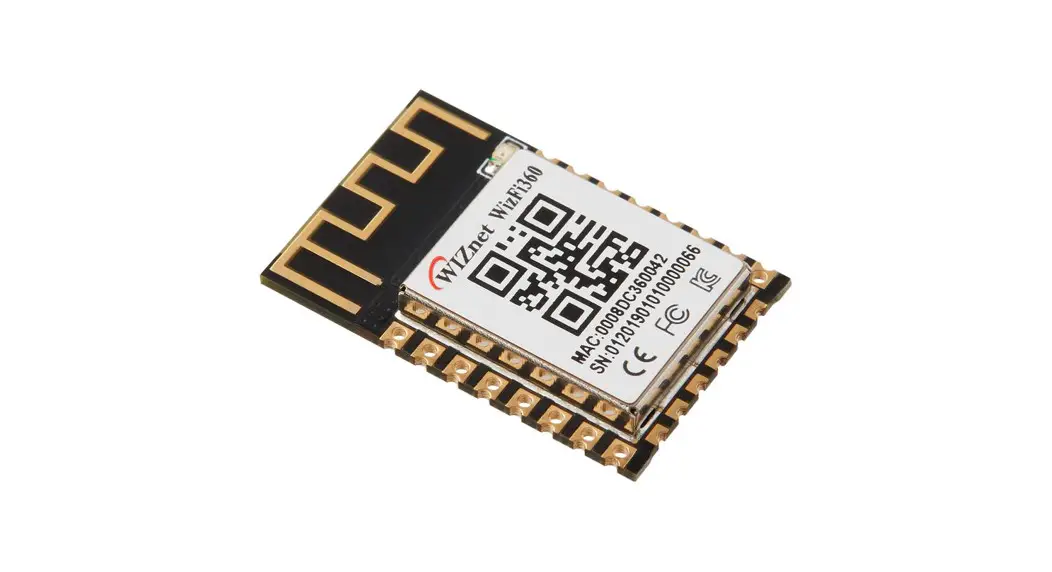
Product Name: WizFi360
Version: 1.0.1
Manufacturer: WIZnet Co., Ltd.
Website: http://www.wiznet.io/
Copyright: 2022 WIZnet Co., Ltd. All rights reserved.
Product Usage Instructions:
Introduction:
The WizFi360 operates in SPI slave mode and can be controlled
via AT commands. To communicate with the MCU, the SPI pins must be
connected, and the SPI_EN(PB13) pin must be set to Low for SPI.
Refer to Figure 1 in the WizFi360 Pinout section to locate the SPI
pins. When the SPI_INT(PB14) pin is set to low, the SPI master can
read the received data.
Pinout:
The SPI pins are located from PB13 to PB17 as shown in Figure 1
in the WizFi360 Pinout section.
SPI Frame Format:
The WizFi360 is controlled by the SPI frame format sent from the
SPI master. The SPI frame consists of the following frames:
- SPI Control Frame
- AT CMD Frame
- Data Frame
The Data Frame consists of RX DATA Frame and TX DATA Frame.
During the control phase, users can select the default status,
buffer save size, CMD, DATA SEND, and DATA RECEIVE.
SPI Control Frame:
Before writing or reading data into the WizFi360, the following
information must be read from the SPI Control Frame:
- TX BUFF AVAIL
- RX DATA LEN
- INT STATUS
The SPI Control Frame sends 1 byte of control byte and reads 2
bytes of status data.
WizFi360
Application Note SPI
Version 1.0.1
http://www.wiznet.io/ Copyright 2022 WIZnet Co., Ltd. All rights reserved.
Contents
1 Document Revision History…………………………………………………………………………………………………………………. 2
2 Introduction ……………………………………………………………………………………………………………………………………… 3
3 Pinout………………………………………………………………………………………………………………………………………………. 3
4 SPI Frame Format………………………………………………………………………………………………………………………………. 4
4.1
SPI Control Frame ……………………………………………………………………………………………………………….. 4
4.2
AT CMD Frame ……………………………………………………………………………………………………………………. 5
4.3
Data Frame…………………………………………………………………………………………………………………………. 5
4.3.1 TX Data Frame……………………………………………………………………………………………………………… 5
4.3.2 RX DATA Frame…………………………………………………………………………………………………………….. 6
5 Operation…………………………………………………………………………………………………………………………………………. 7
5.1
AT CMD Operation ………………………………………………………………………………………………………………. 7
5.2
DATA Operation…………………………………………………………………………………………………………………… 8
WizFi360 Application Note
1 Document Revision History
Version
Date
Ver. 1.0.0
19NOV2019
Initial Release
Ver. 1.0.1
05APR2022
Modify Figure 1
Descriptions
WizFi360 Application Note
2 Introduction
WizFi360 operates in SPI slave mode and can be controlled via AT commands. In order to communicate with the MCU, the SPI pins must be connected and set the SPI_EN(PB13) pin to Low for SPI. Refer to Figure 1. WizFi360 Pinout to locate the SPI pins. If the SPI_INT(PB14) pin is set to low when WizFi360 has received data, the SPI master can read the data.
3 Pinout
SPI pins are from PB13 to PB17 in the below Figure 1. WizFi360 Pinout.
Figure 1. WizFi360 Pinout
WizFi360 Application Note
4 SPI Frame Format
WizFi360 is controlled by the SPI frame format sent from the SPI master. The SPI frame is controlled by CSn and composed of SPI Control Frame, AT CMD Frame, and DATA Frame . DATA Frame composed RX DATA Frame and TX DATA Frame. Users can select the default status, buffer save size, CMD, DATA SEND, and DATA RECEIVE during the control phase.
4.1 SPI Control Frame
TX BUFF AVAIL, RX DATA LEN, and INT STATUS must be read before users write or read data into WizFi360. The SPI Control Frame sends 1Byte of control byte and reads 2Byte of status data.
· 0x03(TX BUFF AVAIL) : checks whether the peer buffer is ready to write date before transmission. · 0x02(RX DATA LEN) : reads the data length accumulated in the peer buffer before the data is received. · 0x06(INT STATUS) : reads the interrupt status of slave.
Figure 2 SPI Control Frame
Figure 3 SPI Timing Graph (SPI Control Frame)
WizFi360 Application Note
4.2 AT CMD Frame
The AT CMD frame reads the TX BUFF AVAIL from the SPI Control Frame and sets the Control Byte as 0x91 during the Control Phase if 0x0002 or bit 2 is high. Then the CMD length is set in units of 4bytes and AT CMD messages are included in the data for transmission. AT CMD reply uses the RX Data Frame method when receiving data. Please refer to the AT instruction set for more details on AT-CMD.
Figure 4 AT CMD Frame
4.3 Data Frame
Figure 5 SPI Timing Graph (AT CMD Frame)
4.3.1 TX Data Frame
AT+CIPSEND, AT+CIPSENDEX, and AT+CIPSENDBUF must be transmitted from the AT CMD Frame and users must follow the next steps to prepare TCP or UDP data transmission in DATA trans mode.
The TX data frame reads the TX BUFF AVAIL from the SPI Control Frame and sets the Control Byte as 0x90 during the Control Phase if 0x0002 or bit 2 is high. Then the CMD length is set in units of 4bytes and DATA messages are included in the data for transmission. DATA reply uses the RX Data Frame method when receiving data.
Figure 6 TX DATA Frame WizFi360 Application Note
Figure 7 SPI Timing Graph (TX DATA Frame)
4.3.2 RX Data Frame
When a reply or data is received after the AT CMD Frame is transmitted, check whether the interrupt pin is low or not. If the interrupt pin is low, users read the value of INT STATUS using the SPI Control Frame. If the value of INT STATUS is 0x0002 or bit 2 is high, users read the value of RX DATA LEN using the SPI Control Frame. And if the value of RX Data Len is not zero, users set the Control Byte as 0x10 during the control phase and read data. The total data count is the value of RX DATA LEN.
Figure 8 RX Data Frame
Figure 9 SPI Timing Graph (RX Data Frame)
WizFi360 Application Note
5 Operation
5.1 AT CMD Operation
Use AT CMD to set WizFi360 or follow the steps below to set SEND mode and request data.
START
Read TX BUFF AVAIL
TX BUFF AVAIL&0x02 True AT CMD SEND
False
AT CMD Send
Operation
Read Interrupt Pin
Interrupt Pin == 0 True Read INTn STA True
INTn STA & 0x01
False False
Read RX DAT LEN
RX DAT LEN > 0
False
AT CMD RESPONSE Operation (RX DATA
Frame)
Receive DATA FINISH
Figure 10 AT CMD Operation Flowchart
WizFi360 Application Note
5.2 DATA Operation
Data can be sent if AT+CIPSEND, AT+CIPSENDEX, OR AT+CIPSENDBUF is entered in AT CMD or in DATA TRANS mode.
START
AT CMD Operation
Read TX BUFF AVAIL
TX BUFF AVAIL&0x02 True DATA SEND
False
Read Interrupt Pin
Interrupt Pin == 0 True Read INTn STA True
INTn STA & 0x01
False False
Read RX DAT LEN
RX DAT LEN > 0
False
DATA Send Operation
DATA Receive Operation
Receive DATA
FINISH
Figure 11 DATA Operation Flowchart
WizFi360 Application Note
Copyright Notice
Copyright 2022 WIZnet Co., Ltd. All Rights Reserved. Technical Support: https://forum.wiznet.io/ Document: https://docs.wiznet.io/ Sales & Distribution: mailto:[email protected] For more information, visit our website at http://www.wiznet.io/
WizFi360 Application Note
 WIZnet : Internet Offload Processor Provider
 Products | WIZnet Document System
 WIZnet Developer Forum
 wizwiki.net