PNY NVIDIA Omniverse Enterprise Revolutionizing 3D Workflows
Terminology
The following table lists the terms that will be used throughout this guide.
Table 1: Terminology
| Term | Meaning |
| Concurrent User (CCU) License | A method of allocating licenses based on the number of users that are concurrently using the software. As an example, one CCU license allows only one concurrent user to use the software. |
| Floating User License | For licensing, same as Concurrent User License. |
| Named User License | A method of licensing based on the number of named authorized users who may not re-assign or share the license with any other person. |
| Subscription | A software license that is active for a fixed period as defined by the terms of the subscription. An annual subscription includes SUMS for the duration of the license term. |
About This Guide
NVIDIA Omniverse™ Enterprise is a simple to deploy, end-to-end collaboration and true-to-reality simulation platform that fundamentally transforms complex design workflows for organizations of any scale.
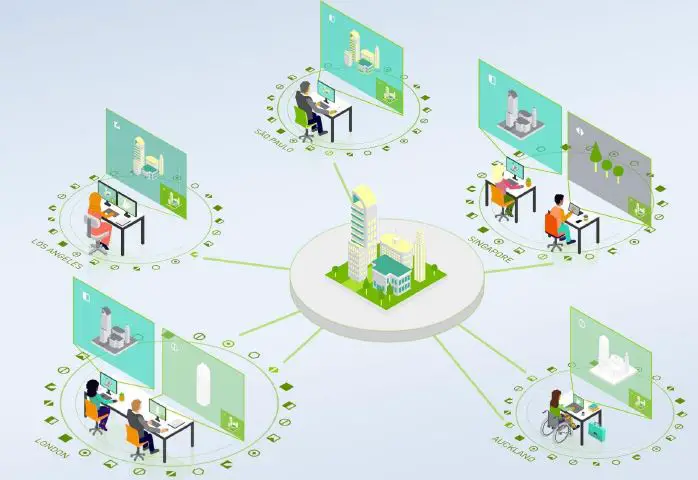
Omniverse Enterprise unites teams, their assets, and software tools in a shared virtual space, enabling diverse workgroups to collaborate on a single project file simultaneously.
With real-time interoperability across applications, infinite iterations come at no opportunity cost. Design teams can maximize creative risks to achieve new heights of quality and innovation with faster time-to-market.
The platform is optimized and certified to run on NVIDIA RTX™ professional mobile workstations and NVIDIA-Certified Systems™ including desktops and servers on the NVIDIA EGX™ platform.
This guide covers subscriptions, pricing, and ordering of NVIDIA Omniverse Enterprise. It is intended to be a quick reference to understand the offering at a high level, with the corresponding pricing and licensing information.
Additional product or technical information are available at the NVIDIA Omniverse Enterprise website at:
https://www.pny.com/commercial/learn-more/omniverse/nvidia-omniverse-enterprise
Omniverse Platform Overview
Omniverse Platform Components
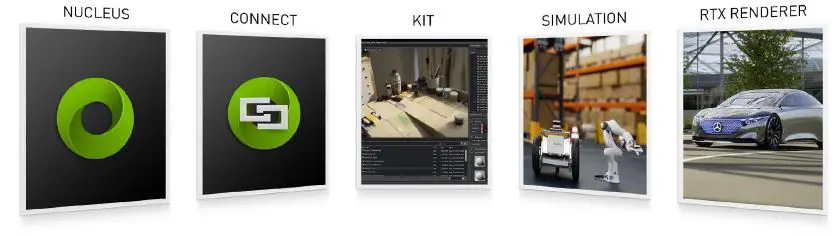
The Omniverse platform is designed for maximum flexibility and scalability. The platform consists of five core components.
| Component | Description |
| Omniverse Nucleus
| Collaboration service which enables a variety of Omniverse Enterprise-enabled client applications (Apps, Connectors, and others) to share and modify authoritative representations of virtual worlds in USD. Omniverse Nucleus is built for collaboration across multiple users. |
| Omniverse Connectors
| Omniverse Connectors open the portals that allow popular content creation tools to connect to the Omniverse platform and save USD and MDL content. With Omniverse Connectors, users continue to work in their favorite industry software applications. Libraries that allow client applications to connect to Omniverse Nucleus, publish and subscribe to individual assets and worlds. Connectors are provided for the most popular 3D applications, including 3ds Max, Maya, Revit, SketchUp, Rhino, and Unreal Engine 4. |
| Omniverse Kit
| Toolkit for building native Omniverse applications, extensions, and microservices. |
Omniverse RTX Renderer | An advanced, multi-GPU renderer based on NVIDIA RTX that powers both real-time ray tracing and referenced path tracing. |



Omniverse Simulation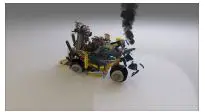 | Powerful suite of tools and SDKs that simulate a physically accurate world, including PhysX 5, Flow, Blast for rigid and soft body dynamics, combustible fluid, smoke and fire, and fracture and destruction. |
Omniverse Launcher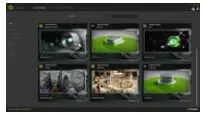 | Easy-to-use client tool to download, install, and update Omniverse Apps, Extensions and Connectors. Omniverse Launcher is provided in version for single users (Omniverse Launcher Workstation) and for IT- managed environments (Omniverse Enterprise Launcher). |
Omniverse Extensions | Plug-ins to Omniverse Kit that extend its capabilities—typically for UI or workflows. Extensions are offered with complete source code to help developers easily create, add, and modify the tools and workflows they need to be productive. |
Omniverse Apps
Omniverse Enterprise provides the foundational capabilities for collaboration and simulation, and ready-to-use apps for both Creators and Reviewers.
The Omniverse Apps include:
| App | Description |
Omniverse Create | App for accelerated, advanced scene composition, world building, simulation, and rendering. |
Omniverse View | Simple app designed to visualize projects in stunning, physically-accurate photorealism and enable minor editing and comment permissions. |
Omniverse Versions
Omniverse is available to users and organizations in two versions:
- NVIDIA Omniverse for Individuals – Free version of Omniverse for developers and enthusiasts to use Omniverse-enabled client applications to create 3D assets and scenes on their workstation or laptop. Licensed for a single user to collaborate with one other user on the same content. Does not include simulation, microservices, or technical support.
- NVIDIA Omniverse Enterprise – Commercial offering for teams and organizations building scenes and 3D pipelines. Includes Omniverse software for both
clients/workstations, collaboration and simulation via Nucleus, rendering, and other microservices. Also includes updates and NVIDIA Enterprise support.
Table 2: Comparison of NVIDIA Omniverse for Individuals and NVIDIA Omniverse Enterprise
| NVIDIA Omniverse for Individuals | NVIDIA Omniverse Enterprise | |
| Collaboration | Between multiple apps and one other user | Between multiple apps and licensed Creators |
| Licensing | Free for individuals | Subscription Licenses, Annual, and Multi-Year |
| Support | Public forums, Training Videos | NVIDIA Enterprise Support |
| Nucleus | Nucleus Workstation only | Enterprise Nucleus Server Nucleus Workstation |
| Connectors | Use of all Connectors, including beta | Use of all production Connectors |
| Apps | All Omniverse apps, including beta | Omniverse Create (license per Creator) Omniverse View (license per user) |
Omniverse Enterprise Subscriptions
NVIDIA Omniverse Enterprise consists of 3 subscriptions:
- Two are targeted at a specific user persona – Creators and Reviewers.
- One is to enable collaboration via Nucleus.
- Each subscription includes selected Omniverse software components needed for the user persona, technical support, and updates.
- Both Creators and Reviewers can use Nucleus, which requires a separate Nucleus subscription.
- All subscriptions include the Launcher installer tool and Connectors, which allows users to connect their existing applications to Nucleus.
Table 3: NVIDIA Omniverse Enterprise Subscriptions
| Subscription | Description |
| Omniverse Enterprise Nucleus Subscription
$1,000 / Named User / Year | Collaboration and scalable core microservices deployed on servers and/or workstations. Includes: · Nucleus Workstation · Enterprise Nucleus Server · NVIDIA Enterprise Support The Omniverse Enterprise Nucleus Subscription is priced and licensed per named user. |
| Omniverse Enterprise Creator Subscription
$2,000 / Floating User License / Year | Enables scene composition, simulation, and rendering on workstations and virtual workstations. Includes: · Omniverse Create · Omniverse Kit · Omniverse Extensions · Batch microservices (on up to 64 GPUs) · NVIDIA Enterprise Support Note: Collaboration via Nucleus requires a Nucleus subscription. |
| Omniverse Enterprise Reviewer Subscription
$100 / Floating User License / Year | Review and approval application for workstations and virtual workstations. Includes: · Omniverse View · NVIDIA Enterprise Support Note: Editing and commenting via Nucleus requires a Nucleus subscription. |
Table 4: Software Components Included in Omniverse Enterprise
| Enterprise Launcher |
| Omniverse Workstation Launcher (for user workstations) |
| Omniverse Enterprise Launcher (for IT Deployment) |
| Omniverse Enterprise Connectors and Client App Versions |
| Autodesk 3ds Max |
| Autodesk Maya |
| Autodesk Revit |
| Epic Games Unreal Engine 4 |
| McNeel & Associates Rhino |
| Trimble SketchUp |
| Supported Formats for Conversion (Alembic, E57, FBX, GLB, GLTF, IGES, LXO, MD5, OBJ, STP, USD, USDZ) |
| Apps |
| Omniverse Create |
| Omniverse View |
| Nucleus |
| Nucleus Workstation |
| Enterprise Nucleus Server |
| Enterprise User Accounts SAML / Active Directory |
| Nucleus Self-Service Cloud Hosting |
| Enterprise Nucleus Microservices |
| Authentication Microservice |
| Tagging Microservice |
| Search and Index Microservice |
| Image Thumbnail Generation Microservice |
| Navigator Microservice (Web Interface) |
| Large File Transfer – LFT Microservice |
| Extended Microservices and Batch |
| Web Pixel Streaming |
| CloudXR |
| Extensibility |
| Omniverse Kit SDK |
| Support |
| Included Support: Enterprise 8×5 |
Licensing and Pricing
Licensing for Omniverse Enterprise is structured as follows:
- NVIDIA Omniverse Enterprise – Nucleus Subscriptions are priced on a per named user basis.
- NVIDIA Omniverse Enterprise – Creator and Reviewer Subscriptions are priced on a Concurrent User basis (CCU/floating license). As an example, one CCU license allows only one concurrent user to use the Omniverse software that is part of the subscription.
NVIDIA Omniverse Enterprise subscriptions can be purchased as either single or multi-year subscriptions through NVIDIA Partner Network (NPN) channel partners and select OEMs. Pricing is suggested pricing only. Contact your authorized NVIDIA partner for final pricing.
Table 5: Omniverse Enterprise Subscription Pricing
| Subscription Term | Omniverse Enterprise Nucleus Subscription | Omniverse Enterprise Creator Subscription | Omniverse Enterprise Reviewer Subscription |
| 1 Year | $1,000 / Named User License | $2,000 / Floating User (CCU) License | $100 / Floating User (CCU) License |
| 3 Years | $3,000 / Named User License | $6,000 / Floating User (CCU) License | $300 / Floating User (CCU) License |
| 4 Years | $4,000 / Named User License | $8,000 / Floating User (CCU) License | $400 / Floating User (CCU) License |
| 5 Years | $5,000 / Named User License | $10,000 / Floating User (CCU) License | $500 / Floating User (CCU) License |
An Omniverse Enterprise subscription is active for a fixed period as defined by the terms of the subscription license. To be kept active, the license will need to be renewed at the end of the subscription period. The subscription license includes the software license and production level support for the duration of the license subscription period.
In most cases, order one Creator or Reviewer subscription for each user in the team. For larger and/or geographically distributed teams, you can optimize pricing by only ordering for the estimated number of concurrent users.
Table 6: Which Subscription(s) do you need to order?
| User Persona / Activity | Omniverse Enterprise Creator Subscription | Omniverse Enterprise Reviewer Subscription | Omniverse Enterprise Nucleus Subscription |
| Designing with Kit/Create, 3rd party tool(s) and collaborating via Nucleus | ü | ü | |
| Designing using only 3rd party tool(s) and connecting to Nucleus for collaborating | ü | ||
| Viewing, commenting, and making minor edits; e.g., textures, using View | ü | ü | |
| Viewing only using Omniverse View with no editing | ü |
Table 7: Minimum Initial Order Quantities
| Omniverse Enterprise Nucleus Subscription | Omniverse Enterprise Creator Subscription | Omniverse Enterprise Reviewer Subscription | |
| Minimum Initial Order Quantities | 4 | 2 | 10 |
| Annual Subscription Price | $1,000 | $2,000 | $100 |
| TOTAL | $9,000 | ||
Example Scenarios
The following table provides sample user scenarios and hardware configurations to help decide how many Omniverse subscriptions are required based on the desired entitlement and capability. This is not an all-inclusive list of possible scenarios.
Scenario #1: Workgroup of 5 3D Designers
Small design firm with 5 3D designers and 10 reviewers would like to purchase an annual Omniverse Enterprise subscription.
They expect that 5 of their designers will be creating concurrently.
They expect that 5 reviewers will comment and make edits via Nucleus.
Table 8: Small Omniverse Enterprise Deployment Example
| What does the customer order? | List Pricing |
| 10 Omniverse Enterprise Nucleus Subscriptions 5 Omniverse Enterprise Creator Subscriptions 10 Enterprise Reviewer Subscriptions | Nucleus: 10 x $1,000 = $10,000 / year Creators: 5 x $2,000 = $10,000 / year Reviewers: 10 x $100 = $1,000 / year Total: $21,000 / year Customer is also entitled to run Omniverse batch nodes on servers with a total of up to 320 GPUs (5 x 64 GPUs per Creator subscription) |
Scenario #2: Global AEC Organization with 100 3D Designers
Global AEC organization with 100 3D designers located in US, Europe and APAC would like to purchase an annual Omniverse Enterprise subscription. They also have 150 other users.
They expect that a maximum of 30 of their designers will be working concurrently.
They expect that a maximum of 60 of their reviewers will comment and make edits via Nucleus.
Table 9: Large Omniverse Enterprise Deployment Example
| What does the customer order? | List Pricing |
| 60 Omniverse Enterprise Nucleus Subscriptions 30 Omniverse Enterprise Creator Subscriptions 150 Enterprise Reviewer Subscriptions | Nucleus: 60 x $1,000 = $60,000 / year Creators: 30 x $2,000 = $60,000 / year Viewers: 150 x $100 = $15,000 / year Total: $135,000 / year Customer is also entitled to run Omniverse batch nodes on servers with a total of up to 1,920 GPUs (30 x 64 GPUs per Creator subscription) |
FAQs
| Question | Answer |
| When will NVIDIA Omniverse Enterprise subscriptions be made available for ordering? | NVIDIA Omniverse Enterprise subscriptions will be available for ordering after they are published in the September 2021 NVIDIA Price List. |
| How do I order NVIDIA Omniverse Enterprise subscriptions? | NVIDIA Omniverse Enterprise subscriptions can be ordered from NVIDIA solution and OEM partners. To find a partner, see https://www.nvidia.com/en- us/omniverse/enterprise/. |
| What is a floating/concurrent user? | The Creator and Reviewer subscriptions are licensed on a floating license basis. This means the number of users that are concurrently using the software. As an example, one concurrent user license allows only one concurrent user to use the software. |
| Why is the Nucleus subscription licensed on a Named User basis while the Creator and Reviewer subscriptions are licensed on a floating/concurrent user basis? | Nucleus is the persistent data store in Omniverse and each user that writes data to a Nucleus needs to have an account, which persists independent of the number of concurrent users. |
| Can Omniverse Enterprise be installed in a public cloud, e.g., on AWS or GCP virtual machine instances? | Yes, Omniverse Enterprise can be installed on public cloud instances for use by your organization. |
| Can I host Omniverse Enterprise and deliver a service to third parties? | No, this is not allowed under the Omniverse license. Please contact your NVIDIA representative with any additional questions. |
| Can Omniverse Create and other software provided in the Omniverse Enterprise Creator Subscription be virtualized? | Yes, client software provided with the Omniverse Enterprise Creator Subscription can be virtualized, using VDI solutions from VMware and other NVIDIA |
| partners. This will also require a license to NVIDIA vGPU software, which can be purchased separately. | |
| If I create my own application on Kit, do I still need to purchase a Creator subscription? | Yes, if a user is using any of the components of the Creator subscription, such as Kit, a Creator subscription is required. |
| How do I transition from Omniverse for Individuals to Omniverse Enterprise? Do I need to reinstall my software? | Since the underlying software components are the same, to transition from Omniverse for Individuals to Omniverse Enterprise, you only have to purchase an Omniverse Enterprise subscription to enable those capabilities. A re-install is not required. |
| Does NVIDIA offer a free evaluation of Omniverse Enterprise? | Yes, an evaluation of Omniverse Enterprise will be made available in November 2021. |
Notice
This document is provided for information purposes only and shall not be regarded as a warranty of a certain functionality, condition, or quality of a product. NVIDIA Corporation (“NVIDIA”) makes no representations or warranties, expressed or implied, as to the accuracy or completeness of the information contained in this document and assumes no responsibility for any errors contained herein. NVIDIA shall have no liability for the consequences or use of such information or for any infringement of patents or other rights of third parties that may result from its use. This document is not a commitment to develop, release, or deliver any Material (defined below), code, or functionality.
NVIDIA reserves the right to make corrections, modifications, enhancements, improvements, and any other changes to this document, at any time without notice.
Customer should obtain the latest relevant information before placing orders and should verify that such information is current and complete.
NVIDIA products are sold subject to the NVIDIA standard terms and conditions of sale supplied at the time of order acknowledgment unless otherwise agreed in an individual sales agreement signed by authorized representatives of NVIDIA and customer (“Terms of Sale”). NVIDIA hereby expressly objects to applying any customer general terms and conditions with regards to the purchase of the
NVIDIA product referenced in this document. No contractual obligations are formed either directly or indirectly by this document.
NVIDIA products are not designed, authorized, or warranted to be suitable for use in medical, military, aircraft, space, or life support equipment, nor in applications where failure or malfunction of the NVIDIA product can reasonably be expected to result in personal injury, death, or property or environmental damage. NVIDIA accepts no liability for inclusion and/or use of NVIDIA products in such equipment or applications and therefore such inclusion and/or use is at customer’s own risk.
NVIDIA makes no representation or warranty that products based on this document will be suitable for any specified use. Testing of all parameters of each product is not necessarily performed by NVIDIA. It is customer’s sole responsibility to evaluate and determine the applicability of any information contained in this document, ensure the product is suitable and fit for the application planned by customer, and perform the necessary testing for the application in order to avoid a default of the application or the product. Weaknesses in customer’s product designs may affect the quality and reliability of the NVIDIA product and may result in additional or different conditions and/or requirements beyond those contained in this document. NVIDIA accepts no liability related to any default, damage, costs, or problem which may be based on or attributable to: (i) the use of the NVIDIA product in any manner that is contrary to this document or (ii) customer product designs.
No license, either expressed or implied, is granted under any NVIDIA patent right, copyright, or other NVIDIA intellectual property right under this document. Information published by NVIDIA regarding third-party products or services does not constitute a license from NVIDIA to use such products or services or a warranty or endorsement thereof. Use of such information may require a license from a third party under the patents or other intellectual property rights of the third party, or a license from NVIDIA under the patents or other intellectual property rights of NVIDIA.
Reproduction of information in this document is permissible only if approved in advance by NVIDIA in writing, reproduced without alteration and in full compliance with all applicable export laws and regulations, and accompanied by all associated conditions, limitations, and notices.
THIS DOCUMENT AND ALL NVIDIA DESIGN SPECIFICATIONS, REFERENCE BOARDS, FILES, DRAWINGS, DIAGNOSTICS, LISTS, AND OTHER DOCUMENTS (TOGETHER AND SEPARATELY, “MATERIALS”) ARE BEING PROVIDED “AS IS.” NVIDIA MAKES NO WARRANTIES, EXPRESSED, IMPLIED, STATUTORY, OR OTHERWISE WITH RESPECT TO THE MATERIALS, AND EXPRESSLY DISCLAIMS ALL IMPLIED WARRANTIES OF NON-INFRINGEMENT, MERCHANTABILITY, AND FITNESS FOR A PARTICULAR PURPOSE. TO THE EXTENT NOT PROHIBITED BY LAW, IN NO EVENT WILL NVIDIA BE LIABLE FOR ANY DAMAGES, INCLUDING WITHOUT LIMITATION ANY DIRECT, INDIRECT, SPECIAL, INCIDENTAL, PUNITIVE, OR CONSEQUENTIAL DAMAGES, HOWEVER CAUSED AND REGARDLESS OF THE THEORY OF LIABILITY, ARISING OUT OF ANY USE OF THIS DOCUMENT, EVEN IF NVIDIA HAS BEEN ADVISED OF THE POSSIBILITY OF SUCH DAMAGES. Notwithstanding any damages that customer might incur for any reason whatsoever, NVIDIA’s aggregate and cumulative liability towards customer for the products described herein shall be limited in accordance with the Terms of Sale for the product.
OpenCL
OpenCL is a trademark of Apple Inc. used under license to the Khronos Group Inc.
Trademarks
NVIDIA, the NVIDIA logo, CUDA, NVIDIA GRID, NVIDIA Maxwell, NVIDIA Omniverse, NVIDIA Turing, NVLink, Quadro, and Quadro RTX are trademarks and/or registered trademarks of NVIDIA Corporation in the U.S. and other countries. Other company and product names may be trademarks of the respective companies with which they are associated.
Copyright
© 2021 NVIDIA Corporation & affiliates. All rights reserved.
NVIDIA Corporation | 2788 San Tomas Expressway, Santa Clara, CA 95051 http://www.nvidia.com
 World Leader in Artificial Intelligence Computing | NVIDIA
 NVIDIA Omniverse Enterprise