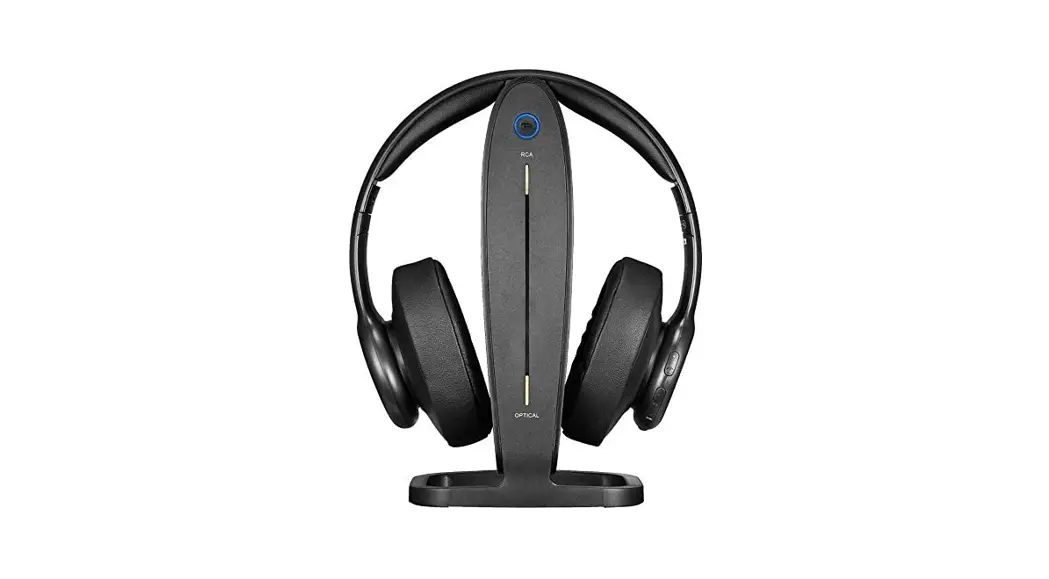
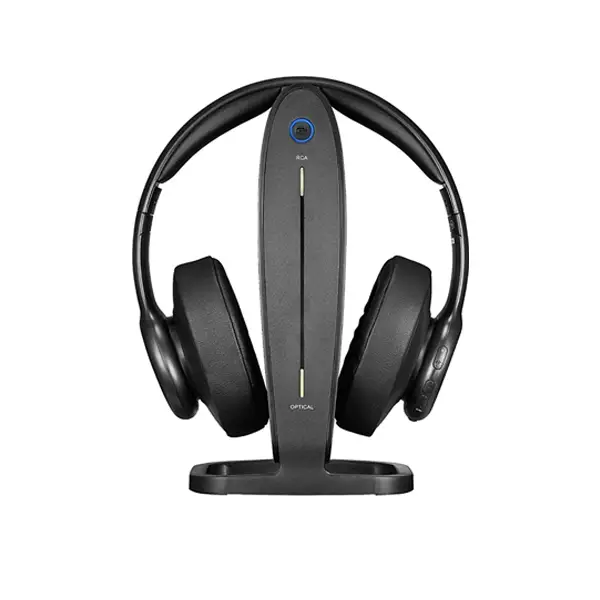
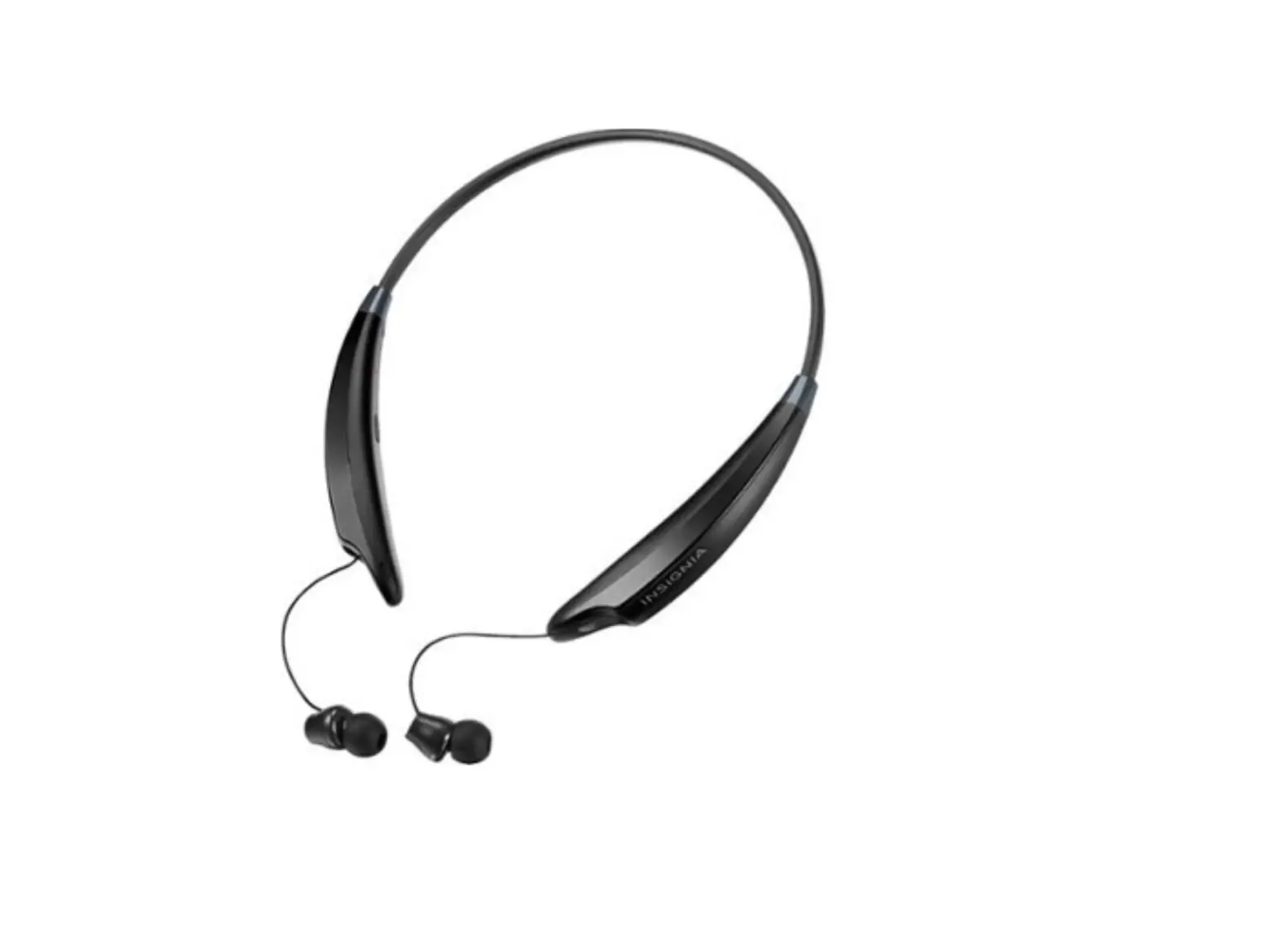
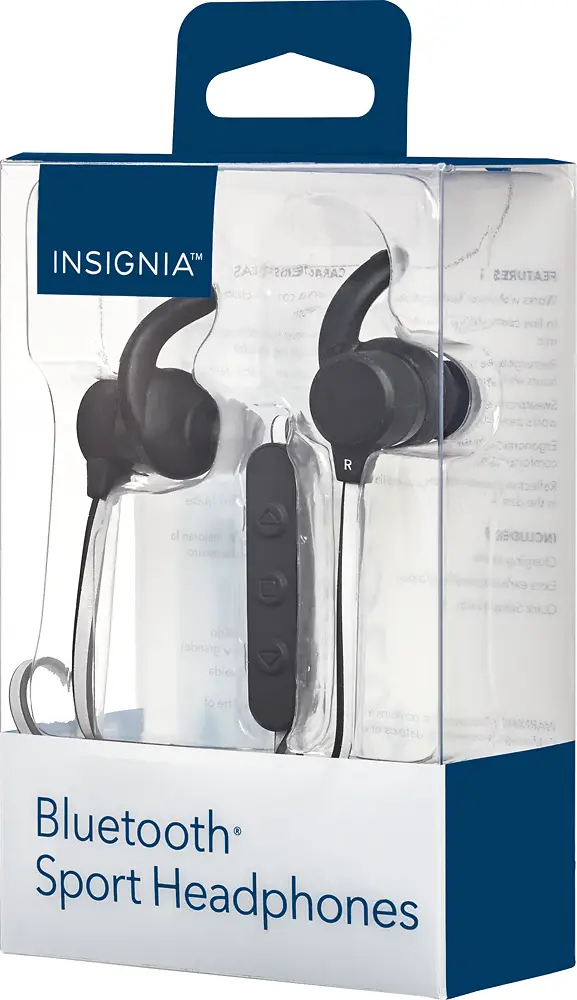
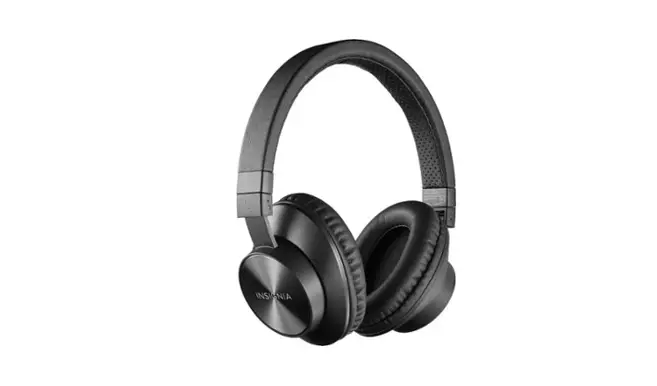
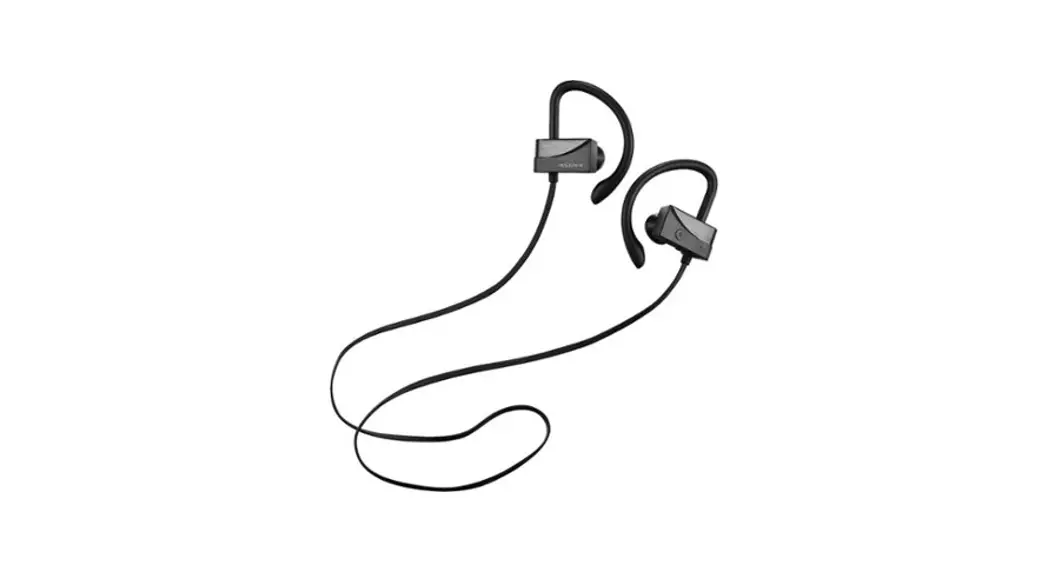
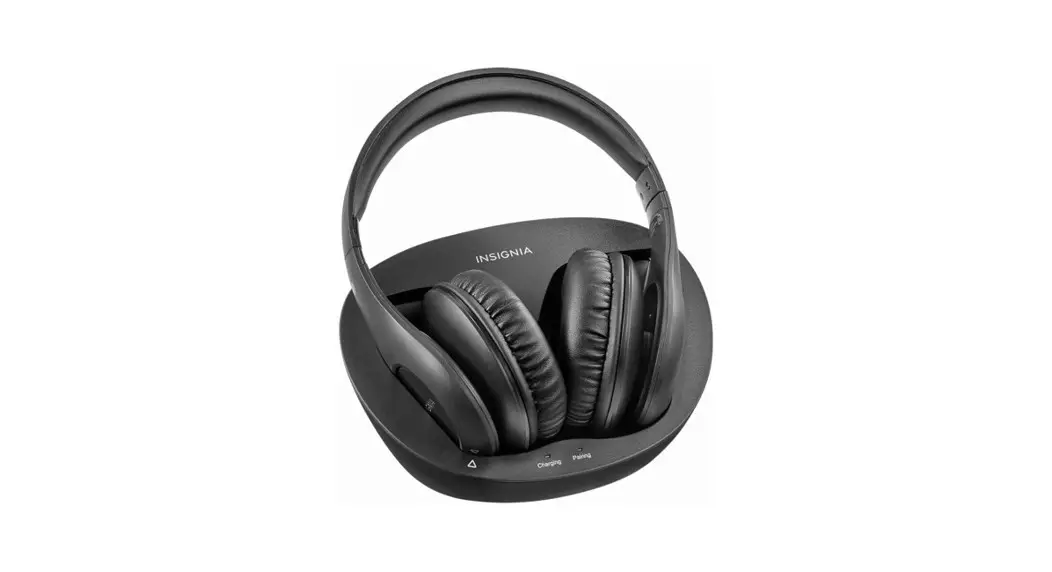
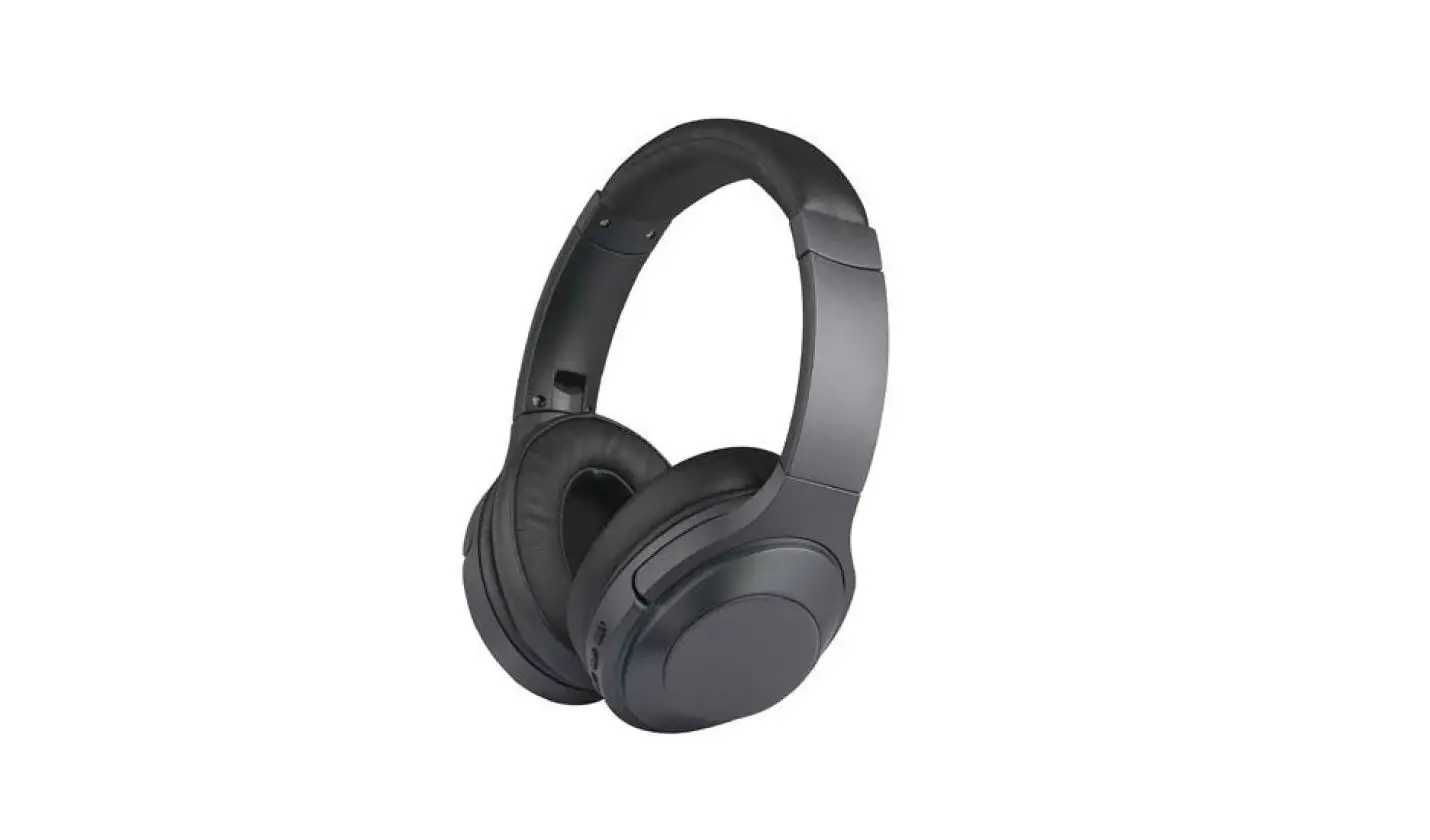
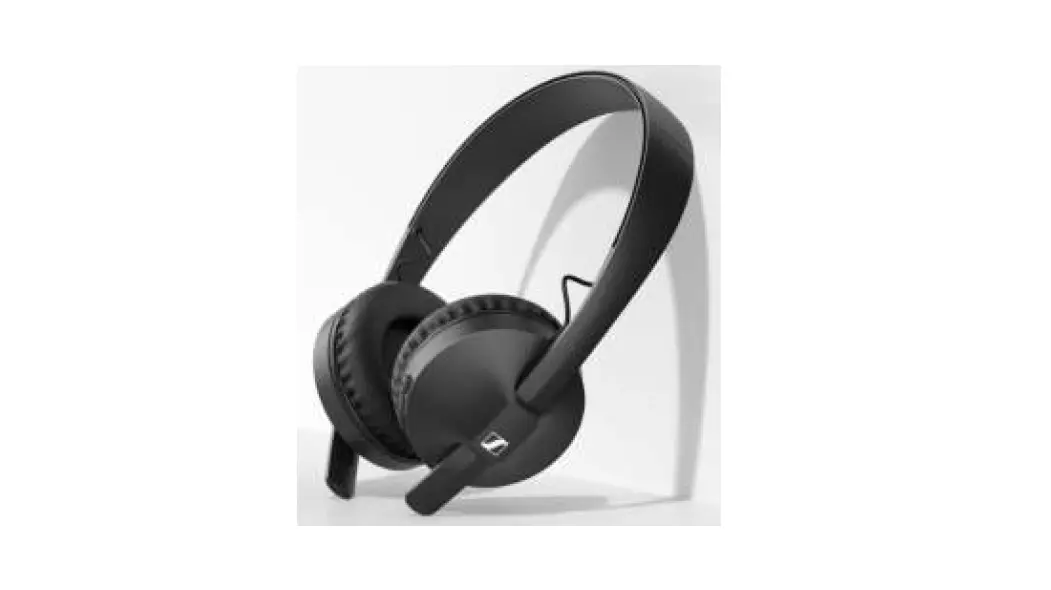
NS-CAHBT02-BL Wireless On-Ear Headphones
Product Information
Package Contents
The package includes:
- NS-CAHBT02-BL/NS-CAHBT02-BK Bluetooth Over-the-Ear
Headphone - Quick Setup Guide
Features
- Volume Up/Down buttons for adjusting the volume
- Reflective strip for extra safety in low-light conditions
- Indicator LED to show the current status of the headphones
- Power/Talk/Play/Pause/Pairing button for various functions
- Microphone for phone calls
- Micro USB port for charging
Using Your Stereo Headphones
- Place the headphones around your neck.
- Press and hold the Power/Talk/Play/Pause/Pairing button for
three seconds. The LED will blink blue (when turned on) or red
(when turned off), and a voice prompt will say “Power on” or “Power
off”.
Bluetooth Basic Indication
| ACTION | OPERATION |
|---|---|
| Power on | Press and hold the button for more than two seconds |
| Power off | Press and hold the button for more than three seconds |
| Pairing mode | Press and hold the button for more than four seconds in power off mode |
| Play/Pause | Press and release the button |
| Volume Up/Down | Press and release the +/- buttons |
| Next Track/Previous Track | Press and release the / buttons |
| Fast Forward/Fast Rewind | Press and hold the / buttons |
| Incoming call | Press and release the / button when a call is incoming |
| Answer call | Press and hold the / button when a call is incoming |
| Reject call | Double press the button |
| Redial | Long press the button for more than 10 seconds in power off mode |
Pairing Your Stereo Headphones
Notes:
- The LED will light blue for 1.5 seconds or red for 1.5 seconds
to indicate power on or power off respectively. - Two short beeps indicate power on, and two high beeps indicate
maximum volume. Two low beeps indicate minimum volume. - The blue LED blinks three times every five seconds when a call
is received. - All LEDs turn off during the ring tone.
Pairing with a Cell Phone or MP3 Player
- Make sure your stereo headphones are turned off.
- Press and hold the Power/Talk/Play/Pause/Pairing button for
four seconds. The blue and red LEDs will blink alternately. - On your phone or MP3 player, select “INSIGNIA NS-CAHBT02” from
the list of discovered devices. - If prompted, enter the password “0000” (four zeros) to pair
your headphones.
Note: After successfully pairing with a cell
phone or MP3 player, the headphones will automatically reconnect to
the device.
Pairing with a Computer Running Windows
Note: Before pairing the headphones with the
computer, make sure that the
PACKAGE CONTENTS
· Bluetooth over-the-ear headphone · Sweatproof earpads
· USB charging cable
· Quick Setup Guide
FIND YOUR USER GUIDE ONLINE! Go to www.insigniaproducts.com, then click Support & Service. Enter NS-CAHBT02 in the box under Manual, Firmware, Drivers &
Product Information, then click .
FEATURES
· Sweatproof earpads for sports use · Comfortable foam earpads · Reflective headband · Volume control · Listen to music and talk on the phone wirelessly.
Music playback: 10 hours · Echo cancellation and noise suppression · Voice prompts and easy pairing · High quality sound
CHARGING YOUR STEREO HEADPHONES
· When the red indicator LED blinks three times every one minute, the battery is low. To charge the battery, plug the microUSB charging cable into your computer and into the microUSB port on your headphones. The red LED turns on to indicate that the battery is charging and turns off when fully charged.
REPLACING THE EARPADS
1 Turn counter-clockwise to disassemble. 2 Take it out and replace with another pair of earpads. 3 Turn clockwise to assemble.
Before using your new product, please read these instructions to prevent any damage.
Quick Setup Guide | NS-CAHBT02-BL/NS-CAHBT02-BK Bluetooth Over-the-Ear Headphone
# DESCRIPTION FUNCTION
1 +/- Volume Up Press + to increase the volume. Volume Down Press – to decrease the volume.
2 Reflective strip Provides extra safety in low-light conditions.
3 Indicator LED Shows current status of the headphones.
4
(Power/Talk/ Press to turn on your stereo headphones.
Play/Pause/ If you receive a phone call, press to talk.
Pairing) button
5 Microphone Allows you to talk on the telephone.
6
/
Next Track
Previous Track
Press to skip to the next track/fast forward. Press to skip to the previous track/fast rewind.
7 Micro USB port Plug the micro USB connector into this port to charge your headphones.
USING YOUR STEREO HEADPHONES
Turning your stereo headphones on and off 1 Place the headphones around your neck. 2 Press and hold the button for three seconds. The LED blinks blue
(when turned on) or red (when turned off) and the voice prompt says
“Power on”, or”Power off.”
BLUETOOTH BASIC INDICATION
Bluetooth function indication
ACTION Power on Power off Pairing mode
Play/Pause Volume Up/Down
OPERATION Press and hold more than two seconds Press and hold more than three seconds Press and hold more than four seconds in power off mode Press and release button Press and release + / – button
Next Track/Previous Track Fast Forward/Fast Rewind Incoming call
Press and release / button Press and hold / button
Answer call Reject call Redial Reset device list
Press and release when a call is incoming Press and hold when a call is incoming Double press Long press button more than 10 seconds in power off mode
PAIRING YOUR STEREO HEADPHONES
Notes:
· Range is 33 feet (10 meters)
· Supports easy pairing · Prompts you by saying”Device Connected,”when connected
· Supports a battery indicator icon on an iOS device
LED INDICATION Blue LED lights for 1.5 seconds Red LED lights for 1.5 seconds Blue and red LED blinking alternately
SOUND “power on” “power off” Two short beeps
Two high beeps for maximum volume. Two low beeps for minimum volume
Blue LED blinks three times every five seconds when a call is received
All LEDs turn off
Ring tone
One short beep One long beep Two short beeps
Pairing with a cell phone or MP3 player 1 With your stereo headphones turned off, press and hold for four
seconds. The blue and red LEDs blink alternately. 2 On your phone or MP3 player, select INSIGNIA NS-CAHBT02 from the
list of discovered devices, then enter the password 0000 (four zeros) (if
required) to pair your headphones.
For more information on pairing Bluetooth devices to your cell phone
or MP3 player, see the device’s documentation. Note: After the headphones have been successfully paired with the cell phone or MP3 player, the headphones will automatically reconnect to the phone or MP3 player.
Pairing with a computer running Windows Note: Before you pair the headphones with the computer, make sure that the
computer is equipped with Bluetooth. Refer to the computer’s documentation or
contact the computer manufacturer for more information. If your computer is not
Bluetooth compatible, install a Bluetooth USB adapter (dongle). 1 Turn on Bluetooth on the computer. For instructions, see the
computer’s documentation or contact the computer manufacturer. 2 Double-click the Bluetooth icon in the system tray, then click Add a
device (Add Wireless Device using Windows Vista). 3 With the headphones turned off, press and hold for four seconds.
The LED blinks blue and red alternately. Pairing mode is activated. 4 Double-click the INSIGNIA NS-CAHBT02 icon on the computer or
highlight the icon, then click Next. Note: If you are unable to locate the INSIGNIA NS-CAHBT02 icon, click the Search Again button. 5 If required, enter 0000 (four zeros) in the Bluetooth security code field, then click Next. 6 After the headphones have been paired, click Close. If you are using
Windows XP, continue with steps 7 through 9. 7 Select one of the Bluetooth hands-free types shown on the Add a
Bluetooth Device Wizard screen, then click Next. 8 Select the services shown on the wizard screen to use with your
Bluetooth headphones, then click Finish. 9 To connect the device, double-click the INSIGNIA NS-CAHBT02
Hands-Free Unit icon or the INSIGNIA NS-CAHBT02 Stereo Audio icon. Note: The headphones should be automatically selected as the default playback
device (Windows® 8, Windows® 7, or Windows Vista®) or the default recording
and playback device (Windows XP). To make those settings manually, refer to the
User Guide.
Pairing with a Mac computer Note: Before you pair the headphones with the computer, make sure that the computer is Bluetooth compatible. Refer to the computer’s documentation or contact the computer manufacturer for more information. If your computer is not Bluetooth compatible, install a Bluetooth USB adapter (dongle). 1 Turn on Bluetooth on the computer. For instructions, see the
computer’s documentation or contact the computer manufacturer. 2 Click the Bluetooth status menu. 3 Click Set up Bluetooth Device. The Bluetooth Setup Assistant opens. 4 Click Continue. 5 Select Headset as the device type, then click Continue. 6 With the headphones turned off, press and hold for four seconds.
The LED blinks blue and red alternately. Pairing mode is activated. 7 Select INSIGNIA NS-CAHBT02, then click Continue. The computer
gathers information. 8 Click Continue. 9 Enter 0000 (four zeros) into the Passkey field, then click Continue. 10 Click Quit to finish.
Note: To use the headphones, they must be selected as the default input and output device on the computer. 11 Click System Preferences, then click Sound. 12 Under Input, select INSIGNIA NS-CAHBT02, then under Output, select INSIGNIA NS-CAHBT02. For more information on using your headphones with Skype, refer to your User Guide.
RESETTING YOUR STEREO HEADPHONES
· To reset your headphones, with your stereo headphones turned off, press and hold for 10 seconds.
SPECIFICATIONS
Bluetooth version: Supported profiles: Frequency spectrum: Working distance: Operating temperature: Operating time:
Standby time: Size:
Weight: Average charging time:
Bluetooth 4.1 A2DP, AVRCP, HFP, HSP 2.4 ~ 2.4835 GHz ISM Band Up to 33 ft. (10 m) 23 ~ 122° F (-5 ~ 50° C) Talk: 10 hours Music: 10 hours, playback music track Up to 250 hours 2.3 × 4.49 × 5.39 inches (5.85 × 11.4 × 13.7 cm) 1.64 oz (46.5 g) 2.5 hours
TROUBLESHOOTING
· Reset your BT headphone · Plug micro USB cable for charging
LEGAL NOTICES
FCC statement: This device complies with Part 15 of the FCC Rules. Operation is subject to the following two conditions: (1) this device may not cause harmful interference, and (2) this device must accept any interference received, including interference that may cause undesired operation. FCC Caution: Changes or modifications not expressly approved by the party responsible for compliance could void the user’s authority to operate the equipment. FCC Statement: Note: This equipment has been tested and found to comply with the limits for a Class B digital device, pursuant to Part 15 of the FCC Rules. These limits are designed to provide reasonable protection against harmful interference in a residential installation. This equipment generates,
uses and can radiate radio frequency energy and, if not installed and used in accordance with the instructions, maybe cause harmful interference to radio communications. However, there is no guarantee that interference will not occur in a particular installation. If this equipment does cause harmful interference to radio or television reception, which can be determined by turning the equipment off and on, the user is encouraged to try to correct the interference by one or more of the following measures: · Reorient or relocate the receiving antenna. · Increase the separation between the equipment and receiver. · Connect the equipment into an outlet on a circuit different form that to which the
receiver is connected. · Consult the dealer or an experienced radio/TV technician for help. RSS-Gen & RSS-247 Statement: This device complies with Industry Canada licence-exempt RSS standard(s). Operation is subject to the following two conditions: (1) this device may not cause interference, and (2) this device must accept any interference, including interference that may cause undesired operation of the device. Le présent appareil est conforme aux CNR d’Industrie Canada applicables aux appareils radio exempts de licence. L’exploitation est autorisée aux deux conditions suivantes : (1) l’appareil ne doit pas produire de brouillage, et (2) l’utilisateur de l’appareil doit accepter tout brouillage radioélectrique subi, même si le brouillage est susceptible d’en compromettre le fonctionnement. RSS-102 Statement This equipment complies with Industry Canada radiation exposure limits set forth for an uncontrolled environment. Cet équipement est conforme à l’exposition aux rayonnements Industry Canada limites établies pour un environnement non contrôlé.
ONE YEAR LIMITED WARRANTY
Visit www.insigniaproducts.com for details.
CONTACT INSIGNIA:
1-877-467-4289 (U.S. and Canada) 01-800-926-3000 (Mexico) www.insigniaproducts.com
INSIGNIA is a trademark of Best Buy and its affiliated companies. Distributed by Best Buy Purchasing, LLC ©2016 Best Buy. All rights reserved. Made in China
V2 ENGLISH 16-0289
Guía de instalación rápida | NS-CAHBT02-BL/NS-CAHBT02-BK Auriculares sobre el oído con Bluetooth
CONTENIDO DEL PAQUETE
· Auriculares sobre el oído con Bluetooth
· Almohadillas resistentes al sudor
· Cable USB de carga · Guía de instalación rápida
¡CONSULTE SU GUÍA DEL USUARIO EN LÍNEA! Visite www.insigniaproducts.com, haga clic en Support & Service (Asistencia y servicio). Ingrese NS-CAHBT02 en el campo Manual, Firmware, Drivers &
Product Information (Guía, Firmware, Controladores e Información del producto), y haga clic en .
CARACTERÍSTICAS
· Almohadillas resistentes al sudor para la práctica deportiva · Almohadillas de espuma cómodas · Banda de cabeza reflectante · Control del volumen · Permiten escuchar música y hablar por teléfono
inalámbricamente. Reproducción de música: 10 horas · Cancelación de eco y reducción de ruido · Indicaciones de voz y emparejamiento fácil · Sonido de alta calidad
CARGA DE SUS AURICULARES ESTÉREO
· Cuando el indicador LED rojo parpadea tres veces por un minuto, la batería está baja. Para cargar la batería, conecte el cable de carga micro USB en su computadora y en el puerto micro USB en sus auriculares. El indicador LED rojo se enciende para indicar que la batería se está cargando y se apaga cuando está completamente cargada.
REEMPLAZO DE LAS ALMOHADILLAS
1 Gire en el sentido contrario a las agujas del reloj para el desmontaje. 2 Sáquelas y reemplácelas con otro par de almohadillas.
3 Gire en el sentido de las agujas del reloj para montarlas.
Antes de usar su producto nuevo, lea este instructivo para prevenir cualquier daño.
N.° DESCRIPCIÓN FUNCIÓN
1 +/- Subir volumen Presione + para subir el volumen. Bajar volumen Presione para bajar el volumen.
2 Franja reflectante Proporciona mayor seguridad en condiciones de poca luz.
3 Indicador LED Muestra el estado actual de los auriculares.
4 Botón
Permite encender sus auriculares estéreo.
(Encendido/ Si recibe una llamada telefónica,
Hablar/Reproducir/ presiónelo para hablar.
Pausar/Emparejar)
5 Micrófono
Le permite hablar por el teléfono.
6
/
Presione para saltar a la siguiente
Pista siguiente pista o avanzar rápidamente.
Pista Anterior Presione para saltar a la pista anterior
o rebobinar rápidamente.
7 Puerto micro USB Conecte el conector micro USB en este puerto para cargar sus auriculares.
UTILIZACIÓN DE SUS AURICULARES ESTÉREO
Encendido y apagado de sus auriculares estéreo 1 Coloque los auriculares alrededor de su cuello. 2 Mantenga presionado el botón por tres segundos. El indicador
LED parpadea en azul (cuando se enciende) o rojo (cuando están
apagados) y la instrucción de voz dice “Power on” o “Power off”
(Encendido o Apagado).
INDICACIÓN BÁSICA DEL BLUETOOTH
Indicación de la función Bluetooth
QUÉ HACER
OPERACIÓN
INDICACIÓN DEL LED
SONIDO
Encendido
Mantenga presionado por más de dos segundos ElindicadorLEDseiluminaenazulpor1.5segundos “power on”(encendido)
Apagada
Mantenga presionado por más de tres segundos ElindicadorLEDseiluminaenrojopor1.5segundos “power off”(apagado)
Modo de emparejamiento Mantenga presionado por más de cuatro El indicador LED parpadea
segundos en el modo de apagado
alternativamente en azul y rojo
Dos pitidos cortos
Reproducir/Pausar
Presione y suelte el botón
Volumen +/-
Presione y suelte el botón + / –
Dos pitidos altos para el volumen máximo. Dos pitidos bajos para el volumen mínimo
Pista siguiente/Pista anterior Presione y suelte el botón /
Avanzar rápidamente
Mantenga presionado el botón /
/Rebobinar rápidamente
Llamada entrante
El indicador LED parpadea en azul tres veces cada Tonos cinco segundos cuando se recibe una llamada
Contestar la llamada
Presione y suelte el botón al entrar una llamada
Un pitido corto
Rechazar la llamada
Mantenga presionado al entrar una llamada
Un pitido largo
Volver a marcar
Presione dos veces
Dos pitidos cortos
Restablecer la lista de dispositivos
Mantenga presionado el botón por más de Todos los indicadores LEDs se apagan 10 segundos en el modo de apagado
EMPAREJAMIENTO SUS AURICULARES ESTÉREO
Notas:
· El rango es de 33 pies (10 m)
· Admiten el emparejamiento fácil · Le dice”Device Connected”(Dispositivo Conectado), al conectarse
· Admiten un icono indicador de batería en un dispositivo iOS
Emparejamiento con un teléfono celular o reproductor de MP3 1 Con sus auriculares estéreo apagados, mantenga presionado por
cuatro segundos. Los indicadores LED azul y rojo parpadean alternativamente. 2 En su teléfono o reproductor de MP3, seleccione INSIGNIA NS-CAHBT02
en la lista de los dispositivos detectados e ingrese la contraseña 0000
[cuatro ceros] (si es requerida) para emparejar sus auriculares.
Para más información acerca del emparejamiento de dispositivos
Bluetooth con el teléfono celular, o el reproductor de MP3, consulte la
documentación del dispositivo. Nota: después del emparejamiento de los auriculares con el teléfono celular o el reproductor de MP3, los auriculares se conectarán automáticamente al teléfono o al reproductor MP3.
Emparejamiento con una computadora con Windows Nota: antes de emparejar los auriculares con la computadora, asegúrese de que la computadora cuenta con la tecnología Bluetooth. Refiérase a la documentación de la computadora o contacte con el fabricante de esa para más información. Si su computadora no es compatible con Bluetooth, instale un adaptador USB Bluetooth (llave). 1 Active el Bluetooth en la computadora. Refiérase a la documentación de
la computadora o contacte con el fabricante para obtener instrucciones. 2 Haga doble clic en el icono Bluetooth en la bandeja del sistema y
haga clic en Add a device [Agregue un equipo] (Add Wireless Device [Agregue un equipo inalámbrico] usando Windows Vista). 3 Con los auriculares estéreo apagados, mantenga presionado
por cuatro segundos. El indicador LED parpadea en azul y rojo
alternativamente. El modo de emparejamiento está activado. 4 Haga doble clic en el icono INSIGNIA NS-CAHBT02 en la
computadora o resalte el icono y haga clic en Next (Siguiente). Nota: si no puede localizar el icono INSIGNIA NS-CAHBT02, haga clic en el botón Search Again (Buscar de nuevo). 5 Ingrese 0000 (cuatro ceros) en el campo Bluetooth security code (Código de seguridad de Bluetooth) y haga clic en Next (Siguiente). 6 Haga clic en Close (Cerrar) después que los auriculares se emparejen.
Si está usando Windows XP, continúe con los pasos 7 a 9. 7 Seleccione una de las categorías de manos libres Bluetooth que se
muestran en la pantalla del Asistente para agregar dispositivos Bluetooth (Add a Bluetooth Device Wizard) y haga clic en Next
(Siguiente). 8 Seleccione el servicio mostrado en la pantalla del asistente para usar
sus auriculares Bluetooth y haga clic en Finish (Finalizar). 9 Para conectar el dispositivo, haga clic en el icono INSIGNIA
NS-CAHBT02 Hands-Free Unit (Unidad de manos libres INSIGNIA NS-CAHBTEP02) o el icono INSIGNIA NS-CAHBT02 Stereo Audio
(Audio estéreo INSIGNIA NS-CAHBT02). Nota: los auriculares tienen que estar automáticamente seleccionados como dispositivo de reproducción predeterminado (Windows® 8, Windows® 7, o Windows Vista®) o el dispositivo de grabación y reproducción predeterminado (Windows XP). Para hacer esos ajustes manualmente, refiérase a la Guía del usuario.
Emparejamiento con una computadora Mac Nota: antes de emparejar los auriculares con la computadora, asegúrese de que la computadora es compatible con Bluetooth. Refiérase a la documentación de la computadora o contacte con el fabricante de esa para más información. Si su computadora no es compatible con Bluetooth, instale un adaptador USB Bluetooth (llave). 1 Active el Bluetooth en la computadora. Refiérase a la documentación de
la computadora o contacte con el fabricante para obtener instrucciones. 2 Haga clic en el menú Bluetooth status (Estado Bluetooth). 3 Haga clic en Set up Bluetooth Device (Configurar un dispositivo Bluetooth).
El Asistente de configuración de Bluetooth (Bluetooth Setup Assistant) se abre. 4 Haga clic en Continue (Continuar). 5 Seleccione Headset (Auriculares) como tipo de dispositivo y haga clic
en Continue. 6 Con los auriculares estéreo apagados, mantenga presionado
por cuatro segundos. El indicador LED parpadea en azul y rojo
alternativamente. El modo de emparejamiento está activado. 7 Seleccione INSIGNIA NS-CAHBT02 y haga clic en Continue. La
computadora recoge la información. 8 Haga clic en Continue (Continuar). 9 Ingrese 0000 (cuatro ceros) en el campo Passkey (Contraseña) y haga
clic en Continue. 10 Haga clic en Quit (Salir) para terminar.
Nota: para usar los auriculares, tienen que estar seleccionados como dispositivos de entrada (Input) y de salida (output) predeterminados en la computadora. 11 Haga clic en System Preferences (Preferencias del sistema) y en Sound (Sonido). 12 En Input (Entrada) seleccione INSIGNIA NS-CAHBT02, y en Output (Salida) seleccione INSIGNIA NS-CAHBT02. Para más información sobre cómo usar sus auriculares con Skype, refiérase a su Guía del usuario.
RESTABLECIMIENTO DE SUS AURICULARES ESTÉREO
· Para restablecer sus auriculares estéreo, con sus auriculares
apagados, mantenga presionado por 10 segundos.
ESPECIFICACIONES
Versión Bluetooth:
Bluetooth 4.1
Perfiles admitidos:
A2DP, AVRCP, HFP, HSP
Espectro de frecuencia: Banda ISM de 2.4 ~ 2.4835 GHz
Alcance de funcionamiento: Hasta 33 pies (10 m)
Temperatura de operación: 23 a 122 °F (-5 a 50 °C)
Autonomía:
Hablar: 10 horas Música: 10 horas, reproducción de pistas de música
Autonomía en suspensión: Hasta 250 horas
Tamaño:
2.3 × 4.49 × 5.39 pulg. (5.85 × 11.4 × 13.7 cm)
Peso:
1.64 onzas (46.5 g)
Tiempo de carga promedio: 2.5 horas
LOCALIZACIÓN Y CORRECCIÓN DE FALLAS
· Restablezca el Bluetooth de sus auriculares · Enchufe el cable micro USB para cargar
AVISOS LEGALES
Declaración de la FCC: Este dispositivo satisface la parte 15 del reglamento FCC. Su utilización está sujeta a las siguientes dos condiciones: (1) este dispositivo no puede causar interferencia dañina, y (2) este dispositivo debe aceptar cualquier interferencia recibida incluyendo interferencias que puedan causar una operación no deseada. Advertencia de la FCC: Cualquier cambio o modificación que no esté aprobada expresamente por la parte responsable por el cumplimiento puede anular la autoridad del usuario para operar el equipo. Declaración de la FCC: Nota: este equipo ha sido sometido a pruebas y se ha determinado que satisface los límites
establecidos para clasificarlo como dispositivo digital de Clase B de acuerdo con la Parte 15 del reglamento FCC. Estos límites están diseñados para proporcionar una protección razonable contra interferencias dañinas en un ambiente residencial. Este equipo genera, usa y puede emitir energía de radiofrecuencia y si no se instala y usa de acuerdo con las instrucciones, puede causar interferencias perjudiciales a las comunicaciones de radio. Sin embargo, no se garantiza que no ocurrirá interferencia en una instalación particular. Si el equipo causa interferencias perjudiciales en la recepción de la señal de radio o televisión, lo cual puede comprobarse entendiéndolo y apagándolo alternativamente, se recomienda al usuario corregir la interferencia por uno de los siguientes procedimientos: · Cambie la orientación o la ubicación de la antena receptora. · Aumente la distancia entre el equipo y el receptor. · Conecte el equipo a un tomacorriente de un circuito distinto de aquel al que está conectado el
receptor. · Solicite consejo al distribuidor o a un técnico experto en radio y televisión para obtener ayuda. Declaración RSS-Gen y RSS-247: Este dispositivo cumple con las normas RSS de Industria Canadá de las unidades exentas de licencia. Su utilización está sujeta a las siguientes dos condiciones: (1) este dispositivo no puede causar interferencia dañina, y (2) este dispositivo debe aceptar cualquier interferencia recibida incluyendo interferencias que puedan causar una operación no deseada. Le présent appareil est conforme aux CNR d’Industrie Canada applicables aux appareils radio exempts de licence. L’exploitation est autorisée aux deux conditions suivantes : (1) l’appareil ne doit pas produire de brouillage, et (2) l’utilisateur de l’appareil doit accepter tout brouillage radioélectrique subi, même si le brouillage est susceptible d’en compromettre le fonctionnement. Declaración RSS-102 Este equipo cumple con los límites de exposición a la radiación de Industria Canadá especificados para un ambiente de acceso libre. Cet équipement est conforme aux limites d’exposition aux rayonnements définies par Industrie Canada pour un environnement non contrôlé.
GARANTÍA LIMITADA DE UN AÑO
Visite www.insigniaproducts.com para obtener más detalles.
COMUNÍQUESE CON INSIGNIA:
1-877-467-4289 (EE.UU. y Canadá) 01-800-926-3000 (México) www.insigniaproducts.com
INSIGNIA es una marca comercial de Best Buy y sus compañías asociadas. Distribuido por Best Buy Purchasing, LLC. ©2016 Best Buy. Todos los derechos reservados. Hecho en China
V2 ESPAÑOL 16-0289
 Insignia Consumer Electronic Products