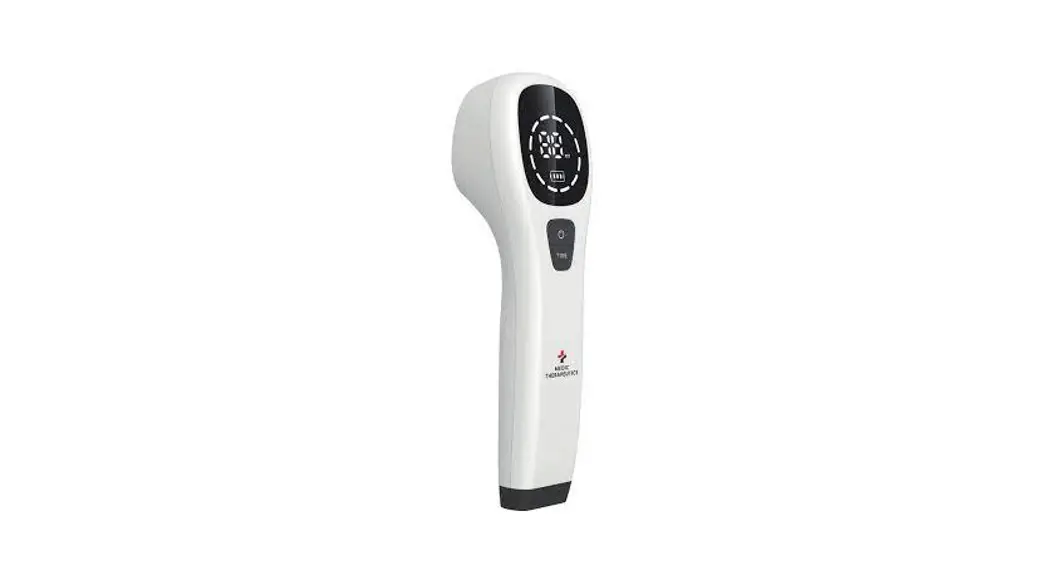

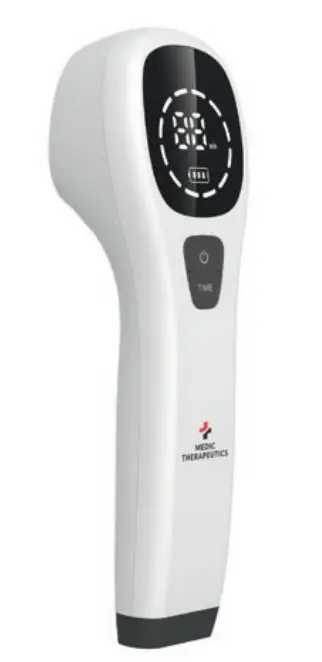
MEDIC THERAPEUTICS MT-PAINLASER-001 Handheld Pain Management Laser Therapy
ABOUT
Laser therapy delivers non-thermal photons of light to injured cells; the cells are stimulated and develop a higher rate of metabolism. This results in pain relief, improved circulation and anti-inflammation, accelerating the healing process.
CAUTIONS
- Avoid looking directly at the light.
- Keep out of reach of children to prevent injuries to their eyes.
- Do not use if you have a pacemaker, as the laser can interfere with the performance of the pacemaker.
- While using the device, overall wellness and exercise will help support and enhance your metabolism.
- When using the device, please keep light emitting ports clean. Otherwise, the loss of light during treatment time will increase, decreasing the effectiveness of the therapy.
- Symptoms like: thirst, dry eyes, dizziness or increased pulse rate are normal following use.
- If the device is not used over a long period of time, make sure to charge the device every 4-6 months to preserve and maintain the battery.
PRODUCT SPECIFICATIONS
| Laser medium | GaAIAs Semiconductor |
| Laser wavelength | 650nm±20nm/808nm±20nm |
| Number of laser diodes | 808nm laser diode X1 pc 650nm laser diodes X12 pcs |
| Maximum output power per 808nm laser diode | 180mW±20% |
| Maximum output power per 650nm laser diode | 5mW±20% |
| Time setting | 5-30 minutes 5 minutes as an interval |
| Battery voltage | DC 3.7V |
| Battery capacity | 2600 mAh |
| Input power | <10VA |
| Environmental temperature | 5°C~40°C |
| Relative humidity | <80% |
| Atmospheric pressure | 860hpa~1060hpa |
| Voltage | 100-240V |
PARTS OVERVIEW
OPERATING INSTRUCTIONS
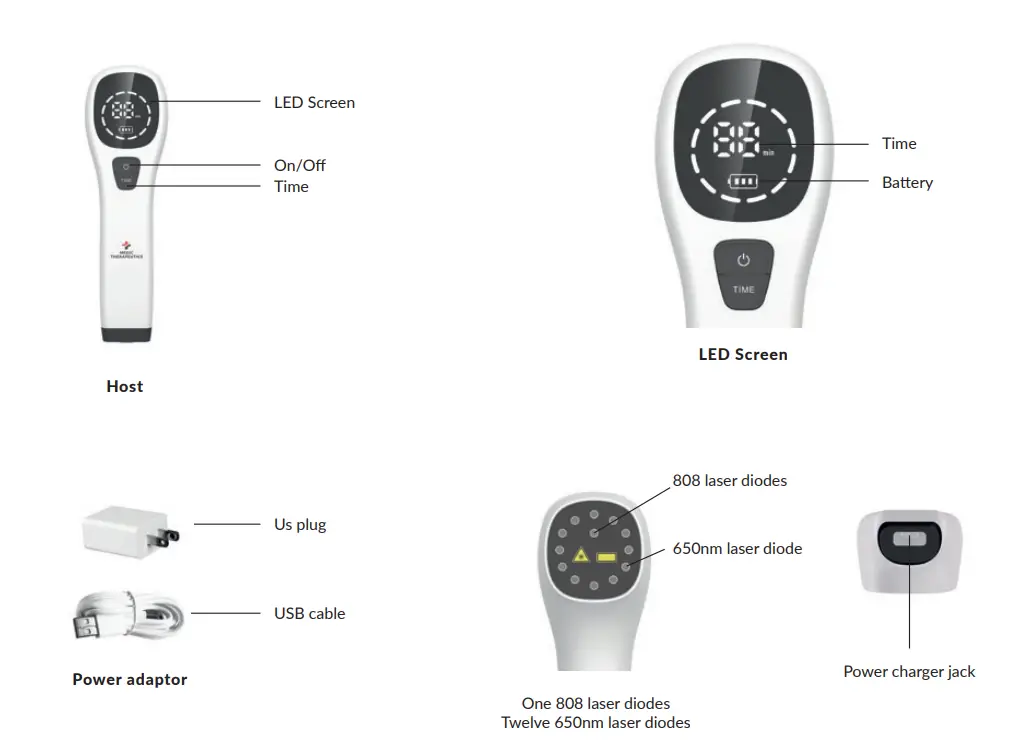
FUNCTION SETTING AND KEY OPERATIONS
Turn on
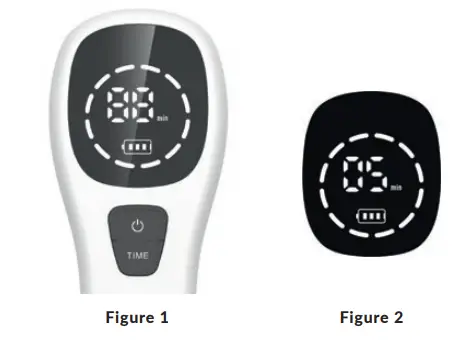
- Press and hold “ “ (Figure 1).
- As the device turns on, the buzzer will make a “tick” sound.
- All the icons on the LED screen will light up briefly when turned on, then the default settings will be displayed on the screen (default settings: 05 minutes as shown in Figure 2).

Time Settings
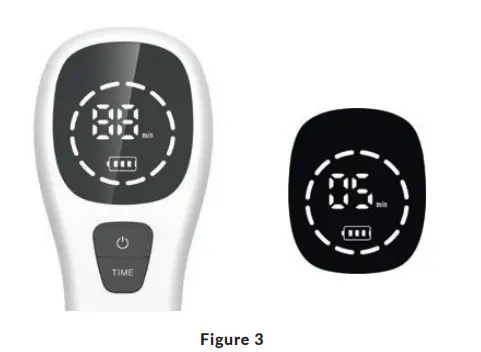
- Press “Time” to adjust the treatment time. Time increases in increment of 5 minutes; treatment time is adjustable from 5 to 30 minutes ( Figure 3 ).

- When “Time” is pressed, the buzzer will make a “tick” sound, and the time icon on the LED screen will change.
Treatment Start and Pause
- After setting the time, short press “Power“ to initiate the treatment.
- After the treatment has been completed, the buzzer will “tick” , the laser will stop and the LED screen will return to the settings status.
- To pause during treatment, short press “Power”. The buzzer will “tick” and the time display will pause.
Notes:
Time cannot be adjusted during treatment process.
Use the included protective glasses during treatment to avoid impairing your eyes. - Shutdown
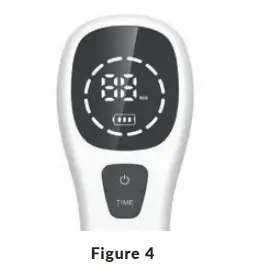
Press and hold “ “ to turn the device off. The buzzer will “tick”. (Figure 4).
Note:
The device has an automatic shutdown function to save energy; the device will automatically turn off after 2 minutes if not in use.
Treatment Recommendation
Hover the handheld laser over the desired treatment area at a distance of 0.42in – 0.78in away from your skin. Do not perform the treatment over clothing or any creams/ointments/dressings. Feeling a warm sensation during use is normal. Recommended use is once or twice a day for 20 minutes at a time. 10-15 days is considered one full treatment course. Take 5-7 day intervals between treatment courses.
Charging Instruction
- Charge when the icon appears on the LED screen to preserve the battery life of the device.
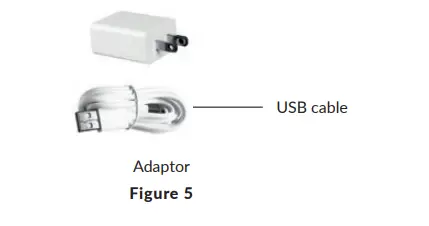
- Insert end A of the power adaptor to a household socket (110V-220V) and insert end B of the power adaptor to the device for charging (Figure 5).
 The buzzer will “ tick” twice and the battery icon on the LED screen will show that the device is charging. When the device is fully charged, the battery icon displays:
 The buzzer will “ tick” twice and the battery icon on the LED screen will show that the device is charging. When the device is fully charged, the battery icon displays:
Note:
- The charging time should last 10 hours for the first 3 uses.
- Only use the included power adaptor to avoid damaging the device.
IMPORTANT SIGNS AND SYMBOLS:
According to regulation in EN60825-1 : 2014 standard, each 3B laser product must be accompanied by a radiation warning sign and a radiation declarative sign.
Radiation warning sign
Radiation declarative sign
Other Signs & Symbols 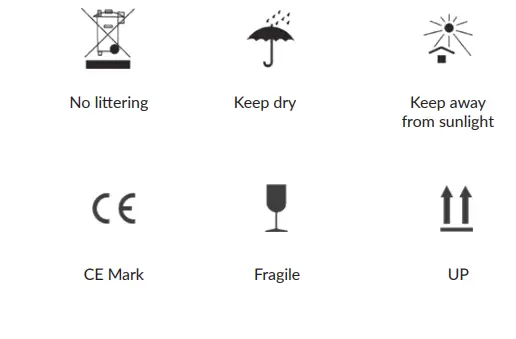
PRODUCT SPECIFICATIONS
| Laser medium | Causes | Solutions |
| Device does not turn on. | 1. Insufficient time of pressing “ ”
2. Battery is low. | 1. Press & hold ” “ for over 3 seconds.
2. Plug in “power adapter ° to charge. |
| Laser light not working. | “ ” is not pressed quickly enough. | 1. Short press “ ”. |
| Weak or no laser output. | Damaged laser. | Return the device to the factory for replacing or repairing. |
MAINTENANCE AND PRESERVATION:
- If the device malfunctions, check the “Trouble-shooting Instructions”. If the problems aren’t listed, contact the authorized service provider. Don’t disassemble or repair by yourself or risk voiding the warranty.
- Dampen a cotton bud with a gentle neutral cleaner to clean the dirty surface of the device. Don’t use organic solvents, gas etc. to clean.
- Dampen a cotton bud with alcohol to gently clean the light emitting ports or lasers. Never soak or scrape to clean.
- Keep the device away from humidity, high temperatures and direct exposure to sunlight to extend the life of device.
- Do not place device against hard objects to avoid scratches or damage to the lasers.
- If the device is not used for a long time, please charge it at least every 4 to 6 months, which is beneficial for battery maintenance. If the battery isn’t operating properly, it should be returned to the manufacturer for re-activation or replacement.
TRANSPORTATION AND STORAGE
Avoid exposure to strong shocks, vibration, snow and rain. Always store in a dry, well-ventilated room, free from corrosive gas.
PRODUCT LIST
- Host 1 unit
- Adaptor 1 pc
- USB cable 1 pc
- Manual 1 pc
- Protective glasses 1 pc
- Carrying pouch 1 pc
LIMITED LIFETIME WARRANTY
Your Medic Therapeutics Handheld Pain Management Laser Therapy Device is backed by a limited lifetime manufacturer’s warranty. Medic Therapeutics will repair or replace your device at any time should it fail due to a defect in material or workmanship, subject to certain limitations. This limited warranty does not cover any damage that results from unauthorized or improper use, service, or repair. Further, it does not cover damage caused by accident, impact, negligence, or normal wear and tear. Should you discover your Medic Therapeutics Handheld Pain Management Laser Therapy Device is not functioning properly, please send your device to our repair center for evaluation. If your product cannot be repaired or serviced, we will reserve the right to change it for a similar or newer model.
Please note that a flat rate of $35.00 will be charged to cover a service evaluation fee and return shipping of your device. All warranty claims must be accompanied by a copy of your proof of purchase from an authorized retailer. Please send your device, proof of purchase, and a check or money order in the amount of $35.00 made out to Medic
- Therapeutics to:
- Address:
- Medic Therapeutics Service Center
- 3069 Taft Street
- Hollywood, FL 33021
- Contact:
- [email protected]