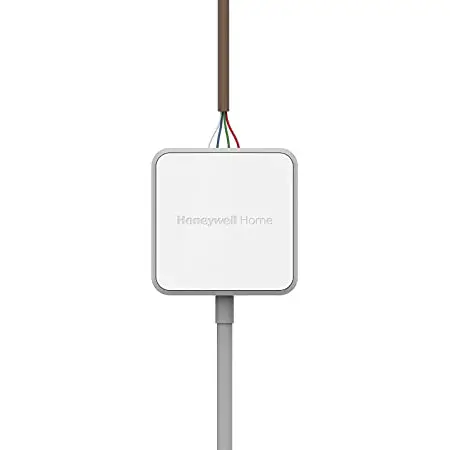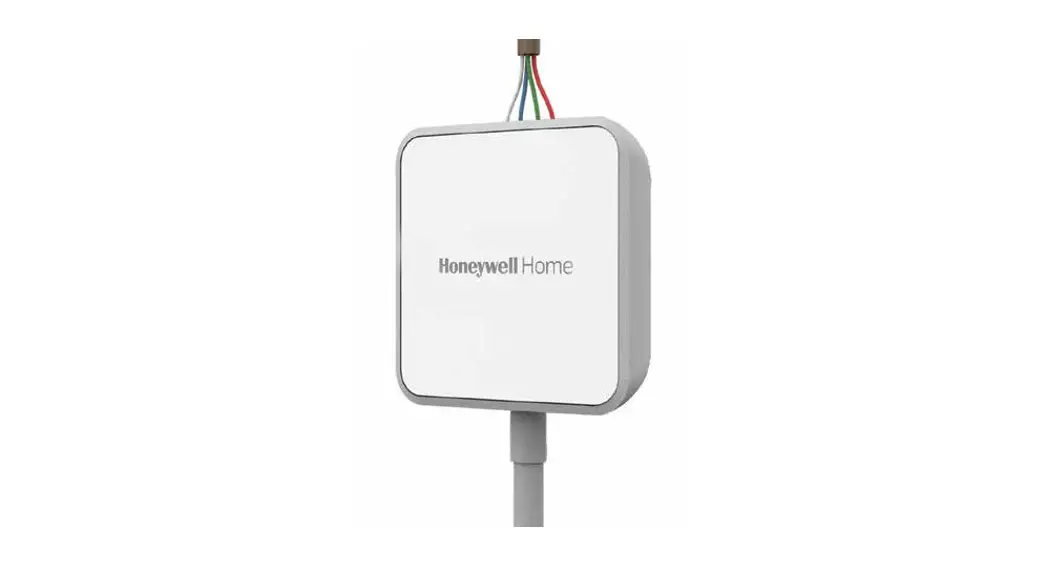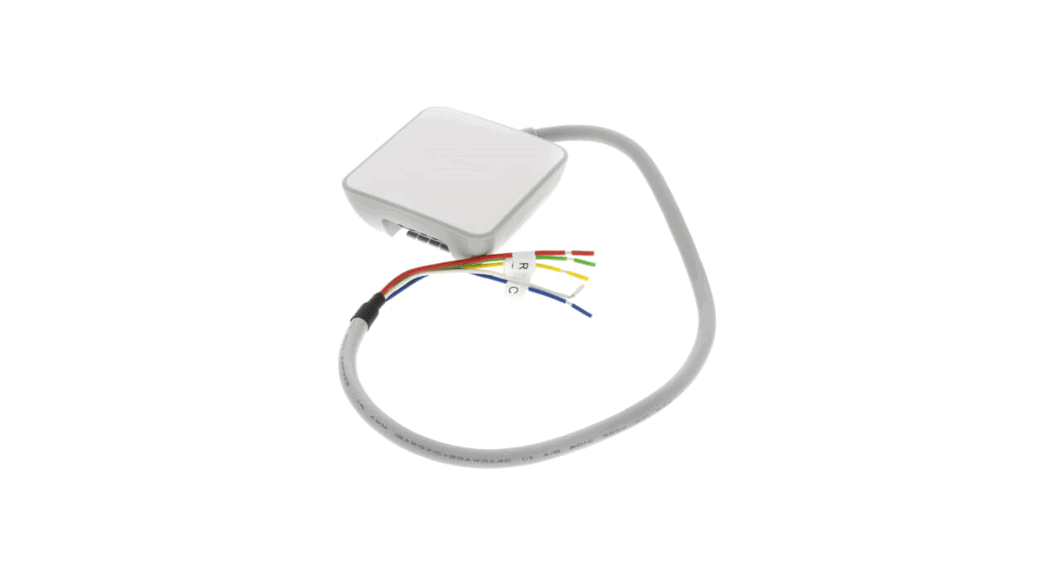
 C-WIRE ADAPTER
Installation Guide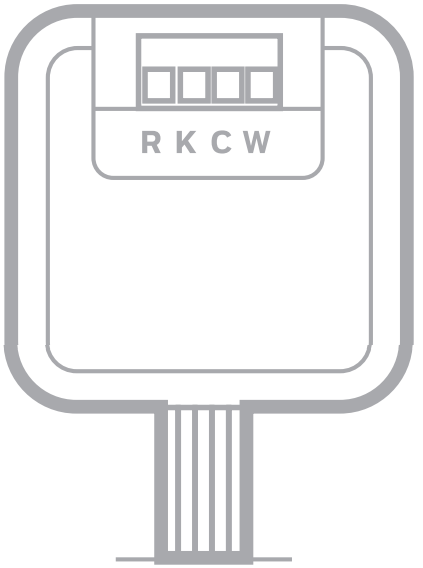 M38945
Overview
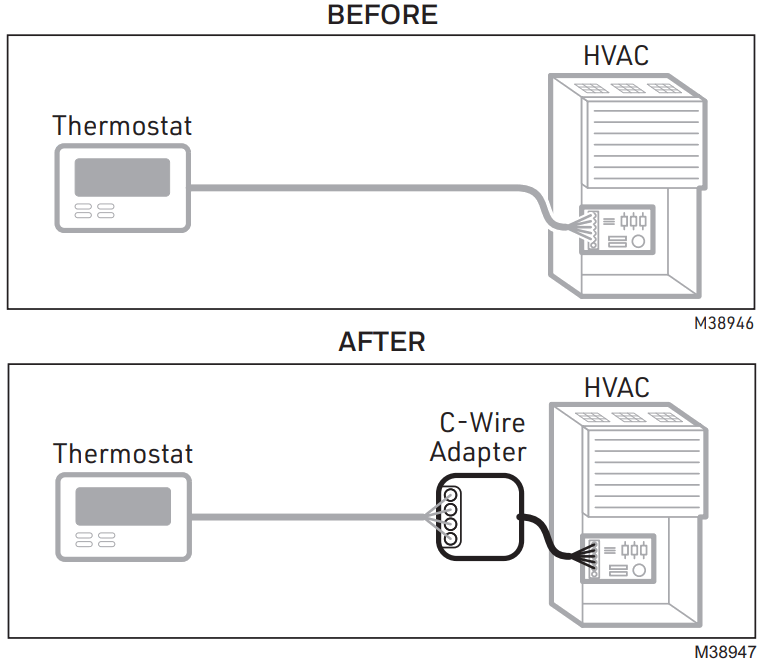
This product provides a C wire (common wire) to power a thermostat. Only install if you do not have a C wire available to connect to your thermostat.
ZONING CONTROL PANEL CHECK For zoned systems, install the C Wire Adapter between the thermostat and the zoning panel, NOT between the zoning panel and HVAC equipment.
Turn the power off at the breaker box or control switch for your HVAC* system.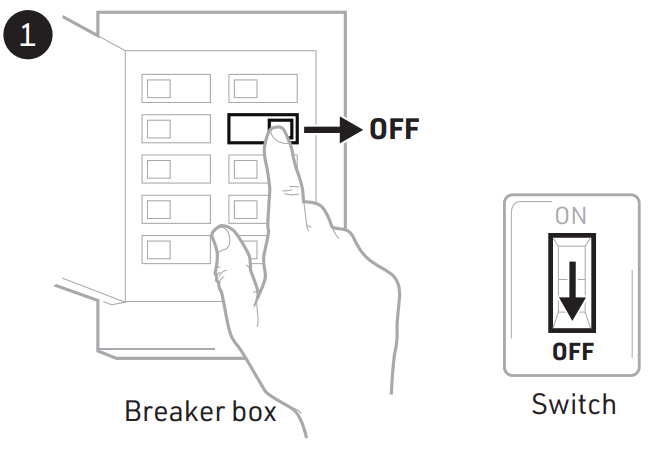 M38948
*Heating, ventilation, and air conditioning
Remove your old thermostat from the wall plate.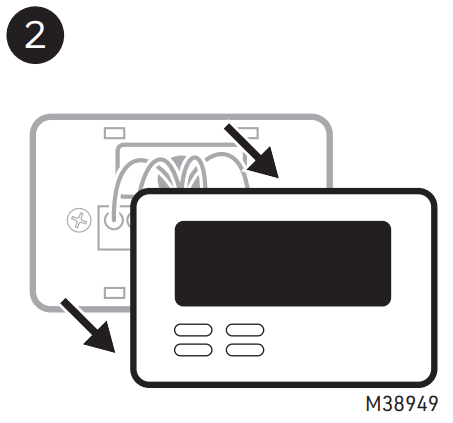
Do not remove any wires at this time!
Take a picture of the wiring.
Ensure the terminal labels and wires are in the image.
You may need to reference the picture later.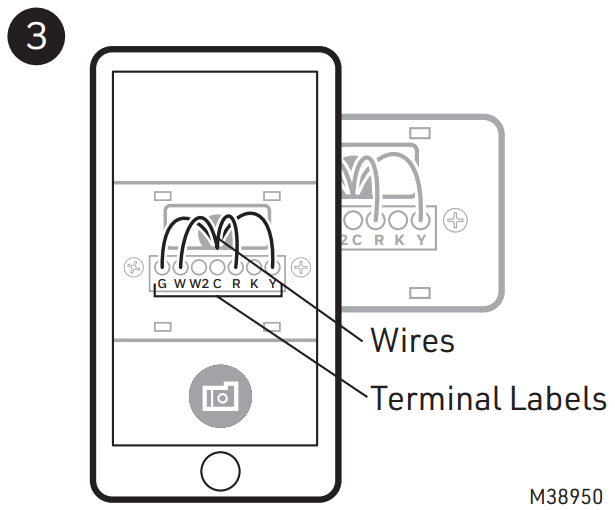
Confirm that you do not have a wire in the C terminal. If you have a wire in the
C terminal, then you do not need this product.
Look for an unused wire. If you have an unused wire, then you do not need this product. Connect one end of that wire to the C terminal at the HVAC and the other to the C terminal at the new thermostat.
* The C wire (common) might be labeled as B rather than C on certain thermostats.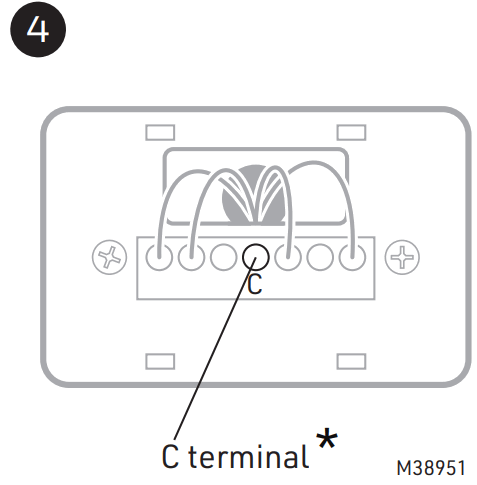
 Go to your HVAC system. It may be located in your attic, crawl space, or basement.
Open the HVAC system’s cover to reveal the control board.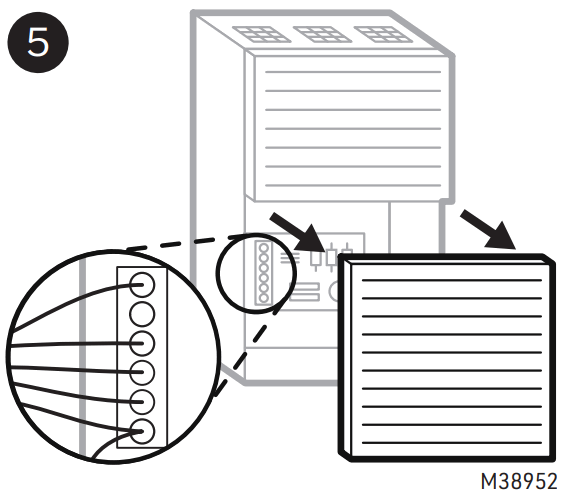 Take a picture of the wires on the control board. Ensure the terminal labels and wires are in the image.
You may need to reference the picture later.
* O or B terminal may also be used.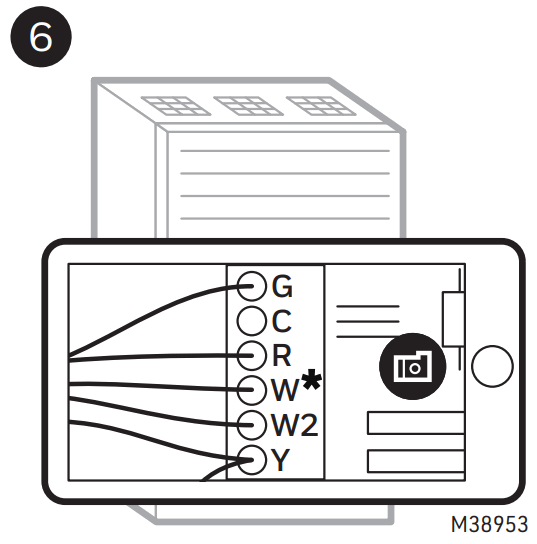
Use stickers to label the following connected wires:
| • G • R or Rc | • W or W1 • Y or Y1 |
* Not all systems will have a W or W1-wire. On a heat pump application, the wire coming from O/B on the old thermostat would match to either O or B at equipment rather than W.
** If multiple wires are connected to a terminal, only label the the wire running to your thermostat.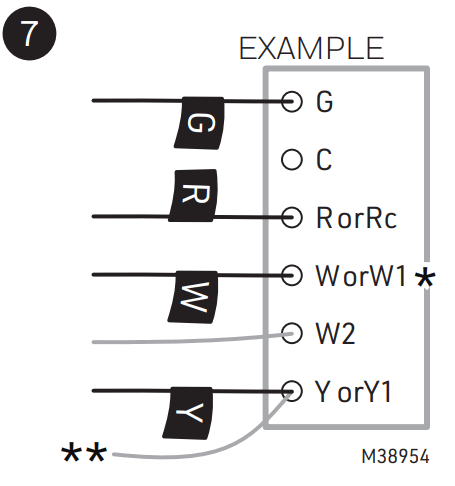
Disconnect ONLY the wires that you just labeled:
| • G • R or Rc | • W or W1 • Y or Y1 |
* Do NOT disconnect wires that you did not label.
** If multiple wires are connected to a terminal, only remove the wire running to your thermostat.
*** On a heat pump application, the wire coming from O/B on the old thermostat would match to either O or B at equipment rather than W.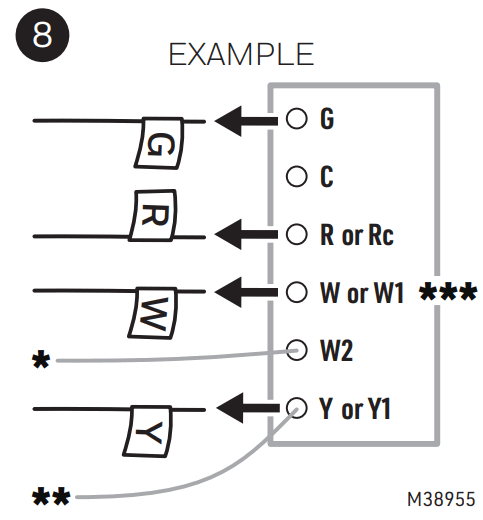
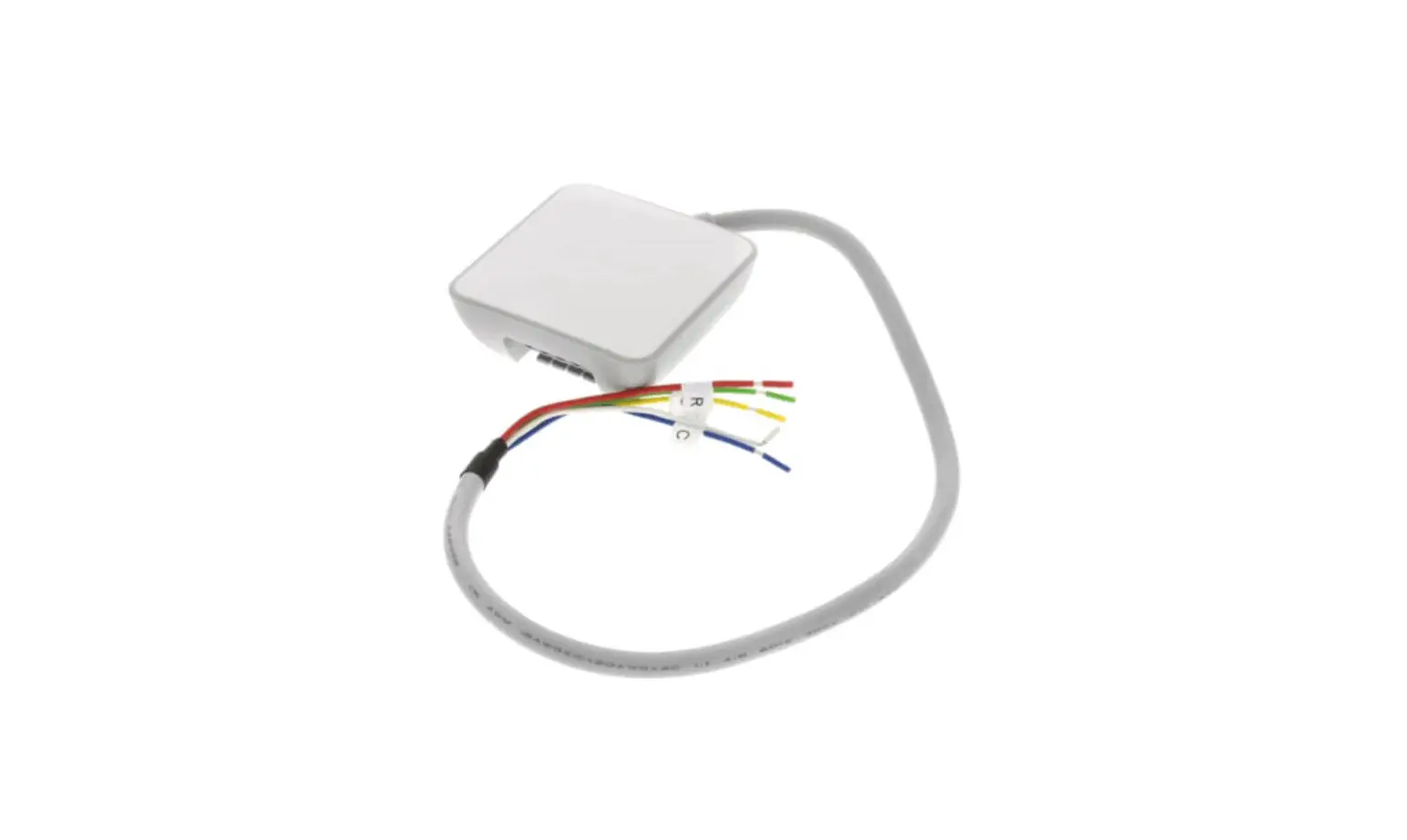
Insert the wires you just disconnected into the C-Wire Adapter terminals.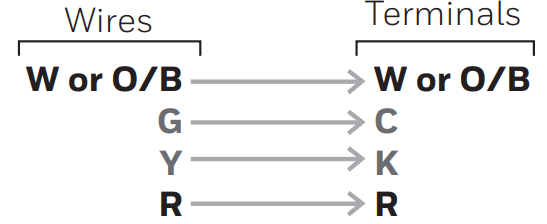
This will convert the G and Y-wires into C and K-wires.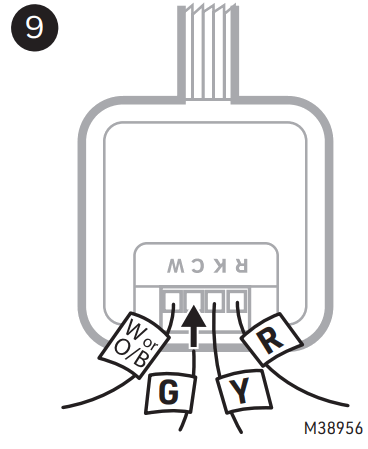 Take a picture of the wires you inserted into the C-Wire Adapter.
Ensure the terminal labels and wires are in the image.
You may need to reference the picture later.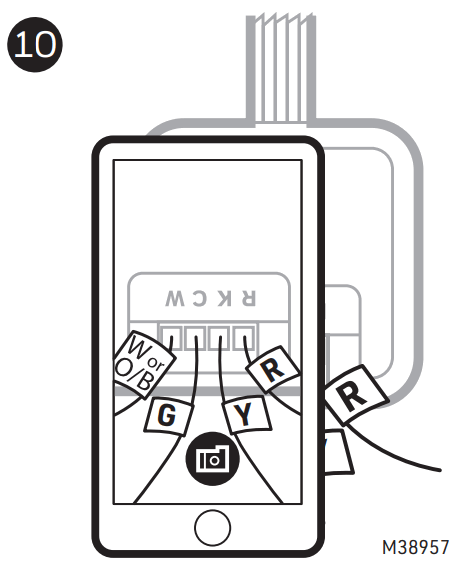
Connect the wires from the “Equipment” labeled side of the C-Wire Adapter to the matching terminals on the control board.
* If there are separate wires to W and O, leave the W and O wires attached to HVAC and do not connect them to the C-Wire Adapter.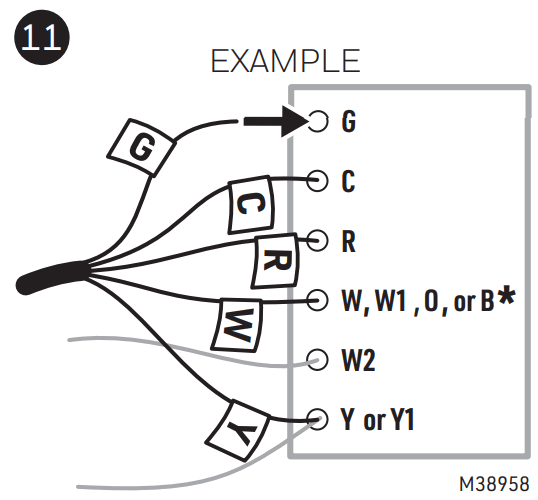
12 CHECKPOINT
Your C-Wire Adapter should now be installed between your thermostat wiring and the control board.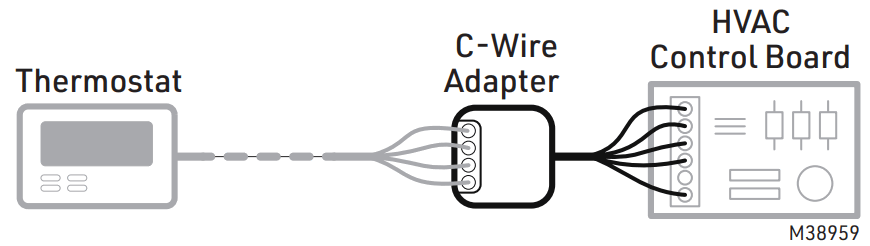
Before mounting, check to make sure the surface is clean enough to ensure good adhesion.
Attach the C-Wire Adapter to the inside wall of the furnace using the magnet on the back of the C-Wire Adapter.
Note: Earlier versions of this product had an adhesive pad and mount rather than a magnet.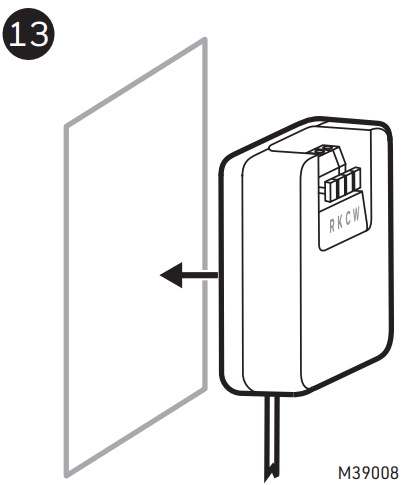
Close the HVAC system’s cover.
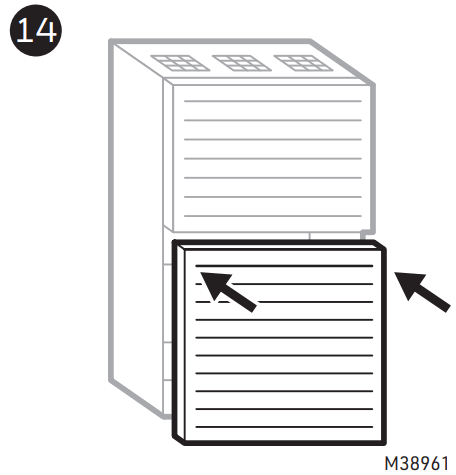
Leave the power off.
Go back to your thermostat.
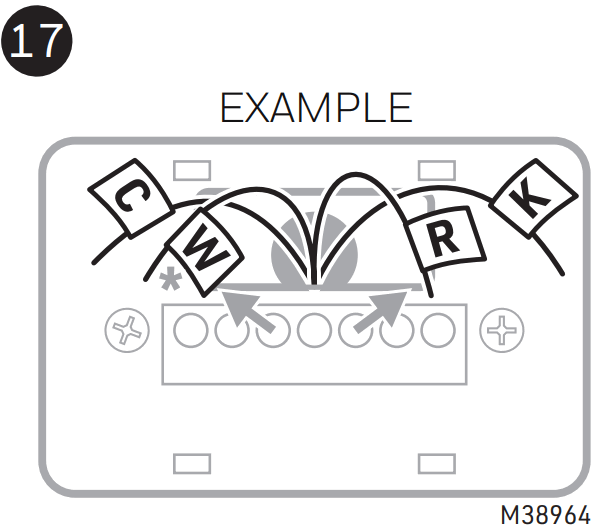
Label your now converted wires as shown.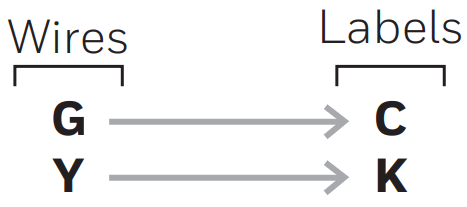
The wires you label C and K are the wires you inserted into the C and K terminals in step 9.
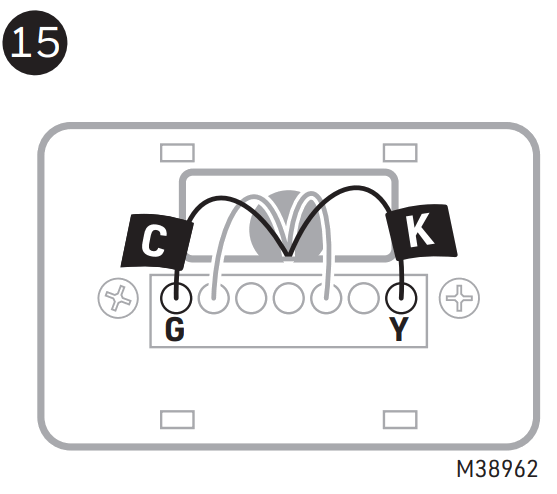
Label ALL of the remaining wires according to their terminals.
* O/B terminal may also be used.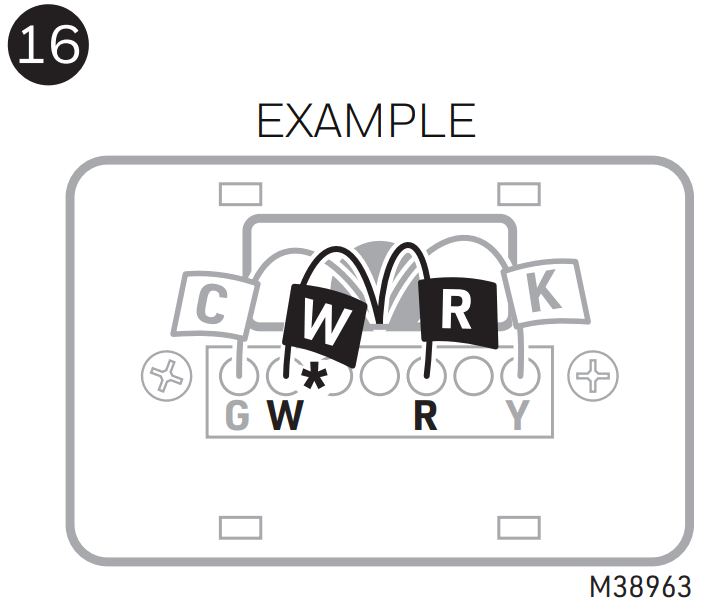
Confirm you have labeled ALL of your wirings.
Disconnect the wires from the old wall plate.
* O/B terminal may also be used.
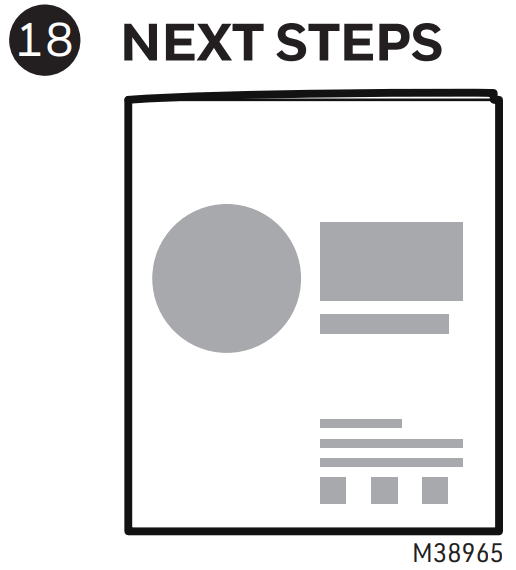
Refer to your new thermostat’s installation guide for detailed instructions to complete the following tasks below.
A Remove the old wall plate and mount the new one.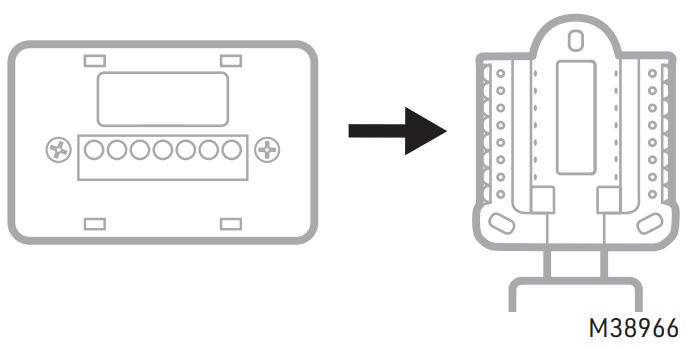
B Wire the new thermostat.
Refer to the labels you applied when inserting the wires.
When done wiring, you should have wires in the C and K-terminals.
You should not have wires in the Y or G-terminals.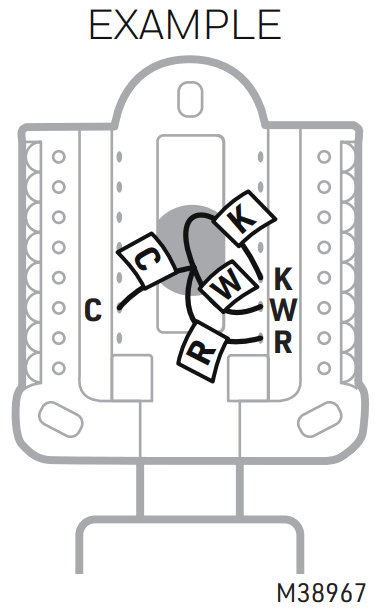 C Complete your new thermostat installation by attaching the thermostat to the wall plate, restoring the power, and configuring the thermostat.
 Resideo Technologies, Inc.
1985 Douglas Drive North, Golden Valley, MN 55422
1-800-468-1502
33-00618—01 M.S. Rev. 05-22 | Printed in the United States
www.resideo.com
© 2022 Resideo Technologies, Inc. All rights reserved.
This product is manufactured by Resideo Technologies, Inc. and its affiliates.
Online Guides and Support resideo.com
 Smart Home Products and Systems | Resideo
 Smart Home Products and Systems | Resideo