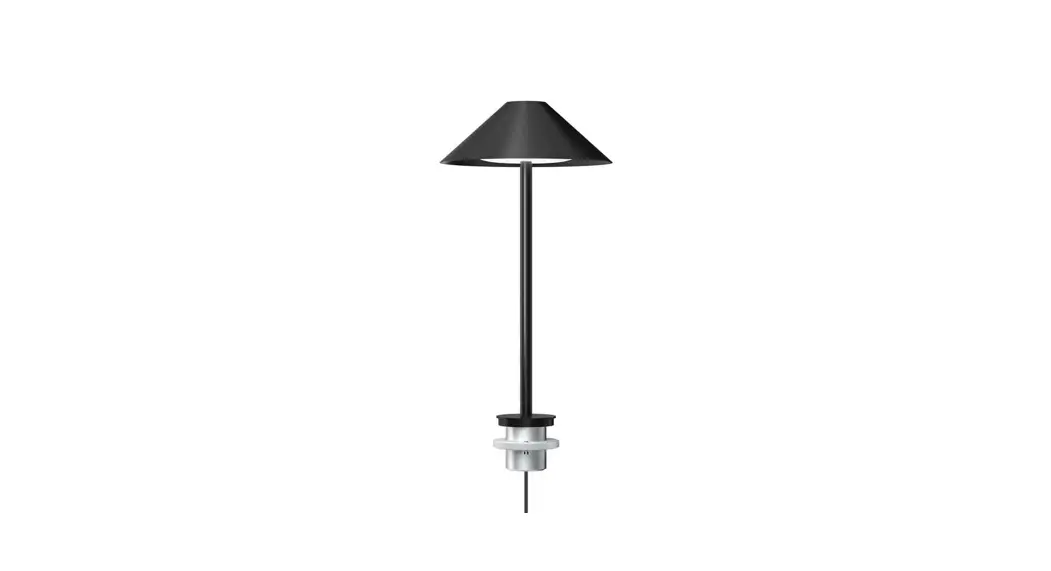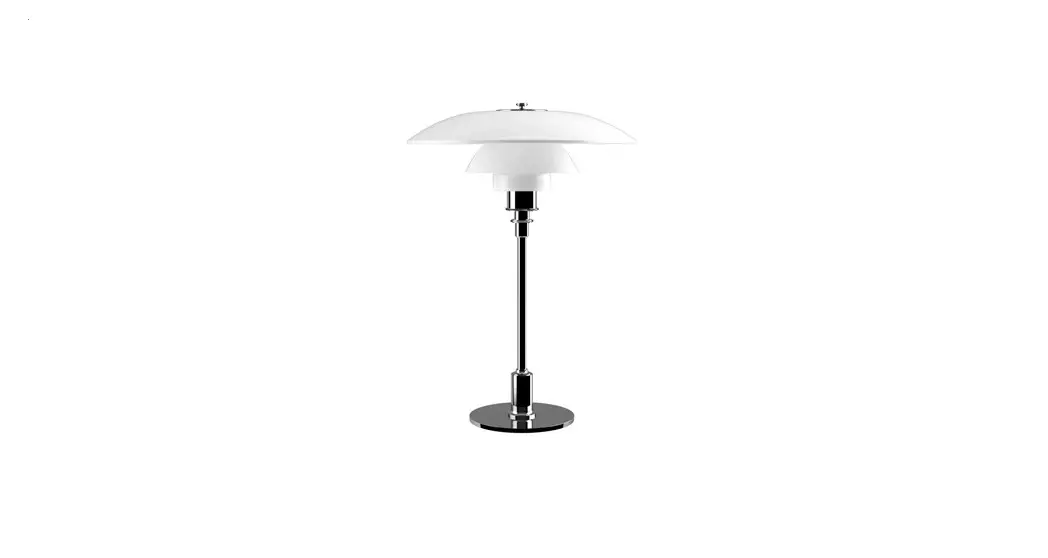

Keglen 175 Table Pin
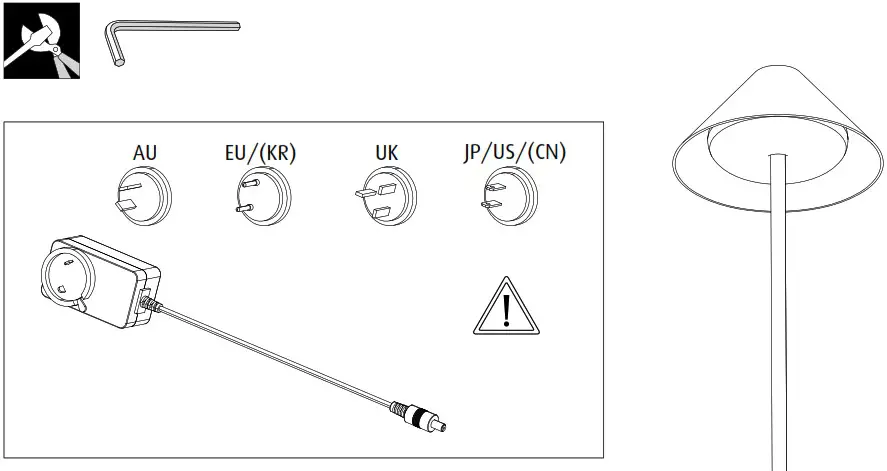
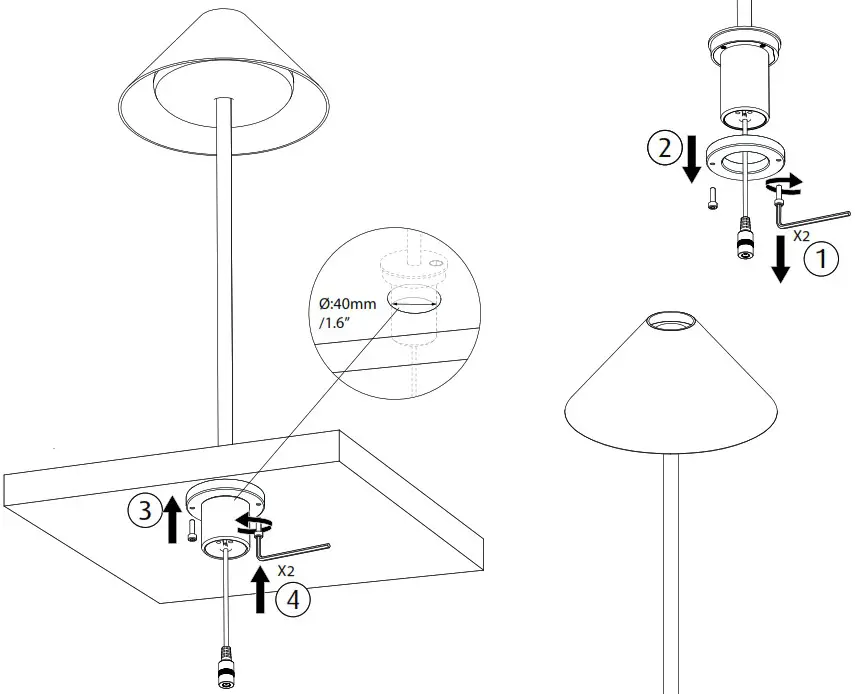
Mounting Instruction Version 2
Design BIG
Keglen 175 Table Pin
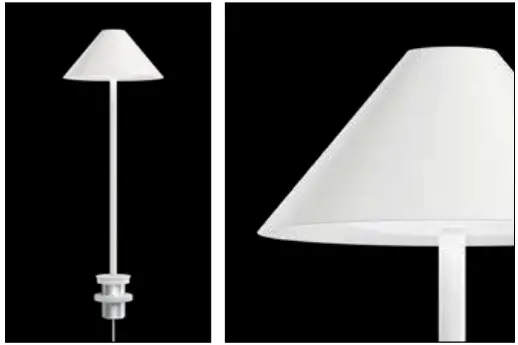
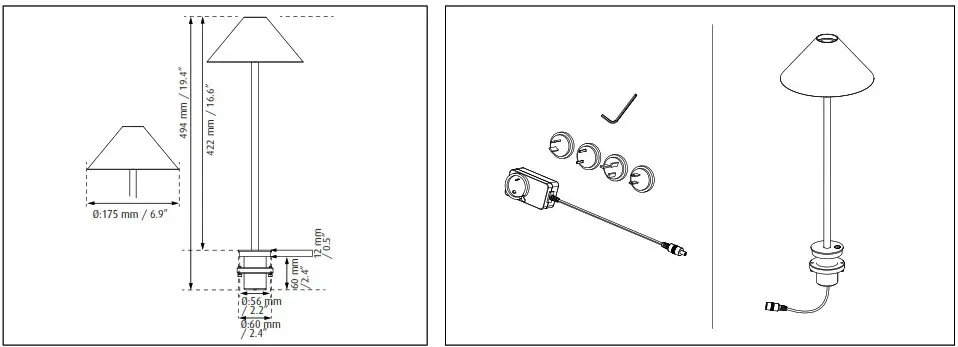
| Light source | Voltage/frequency | Weight | Electric shock protection | Ingress protection | 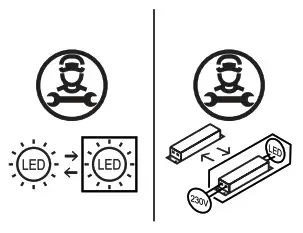 |
| LED | AC100-240V, 50/60HZ | 0,6kg / 1.3 Lbs | Cl. II | IP20 | |
| LED | DC 12V  SELV SELV | 0,6kg / 1.3 Lbs | Cl. III | IP20 |
Wipe off dust with a dry, soft cloth. Remove greasy spots etc. with a soft cloth dampened in lukewarm water (<50° C) with a mild detergent.
Never use detergents containing abrasives and solvents.
 The light source contained in this luminaire shall only be replaced by the manufacturer or a qualified electrician.
If the external flexible cable or cord of this luminaire is damaged, it shall be exclusively replaced by the manufacturer or his service agent or a similar qualified person in order to avoid a hazard.
Reinforced insulation between LV supply and control.
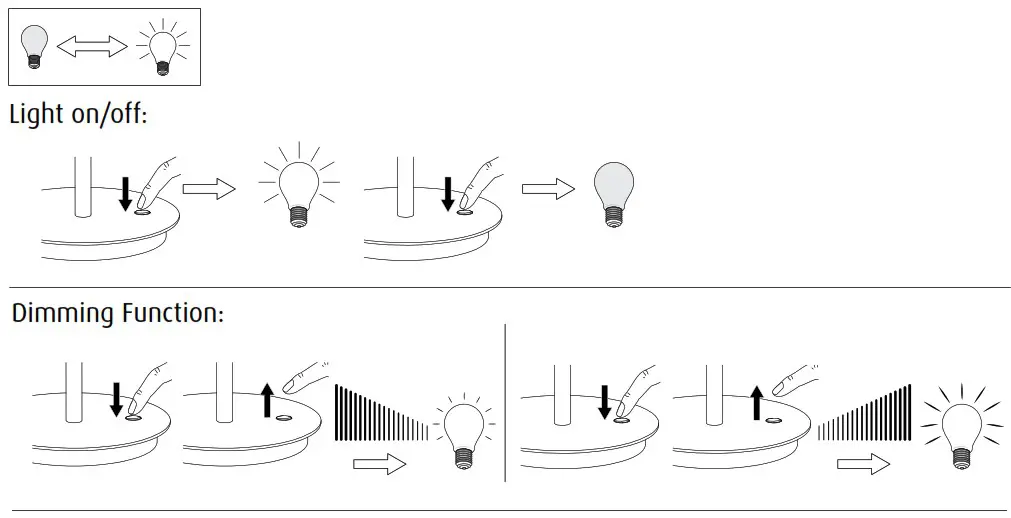
 Keglen Table Pin – Electronic Functions
Additional User Settings
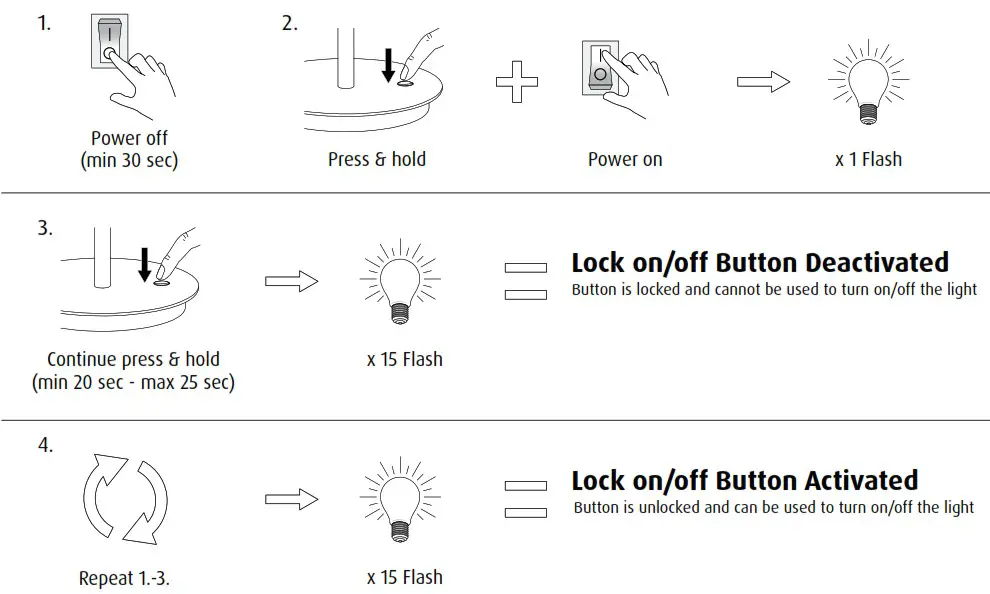
 Lock on/off Button Function
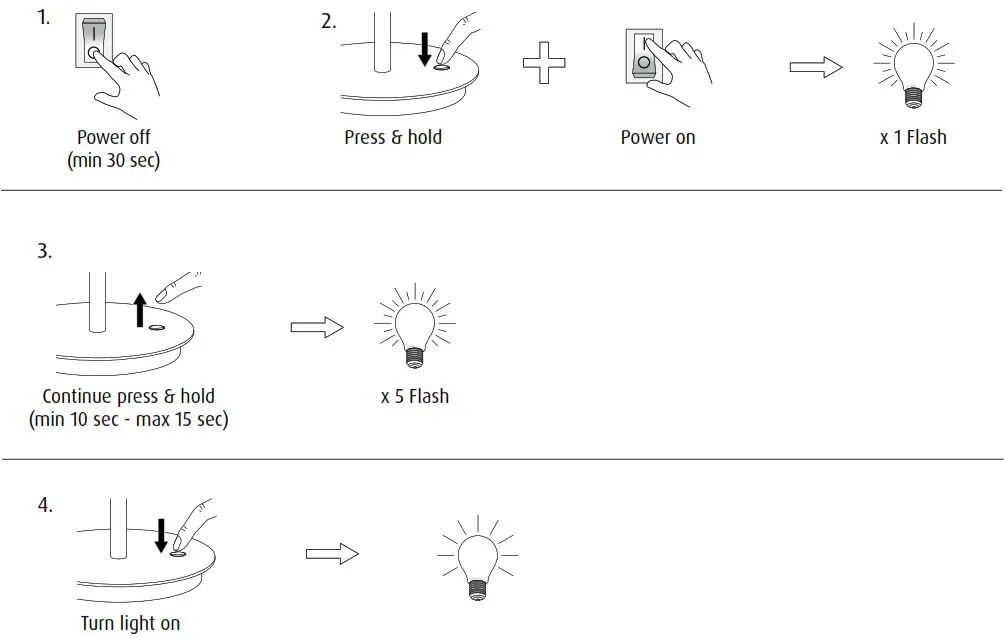
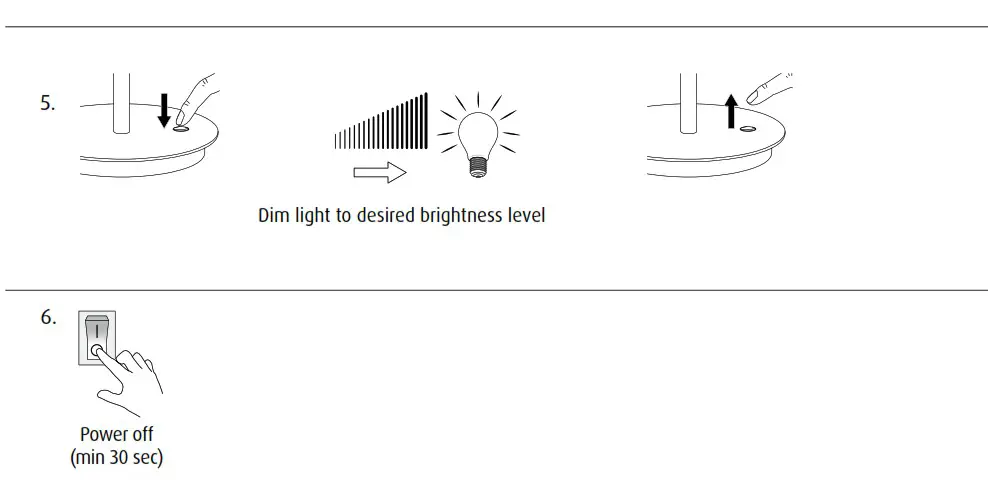
 Set default brightness level (User Function)
Factory reset to deactivate brightness level when set
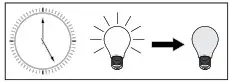
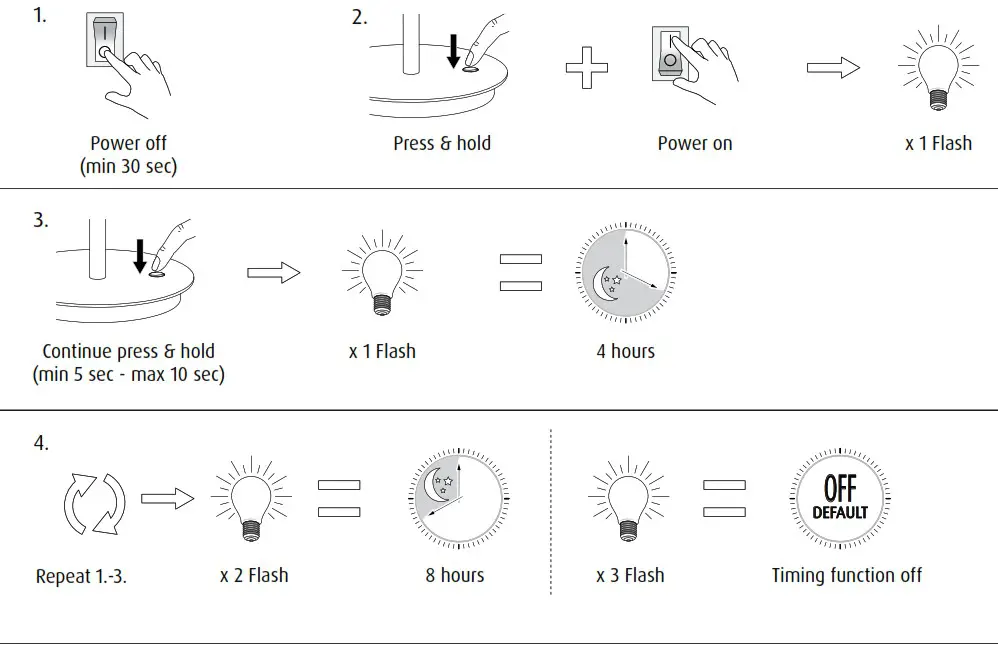
 Timing Function (User Function)
Set timer to automatically turn off after period of time
 Dimming Function: Deactivate (User Function)
Factory reset to activate dimming function
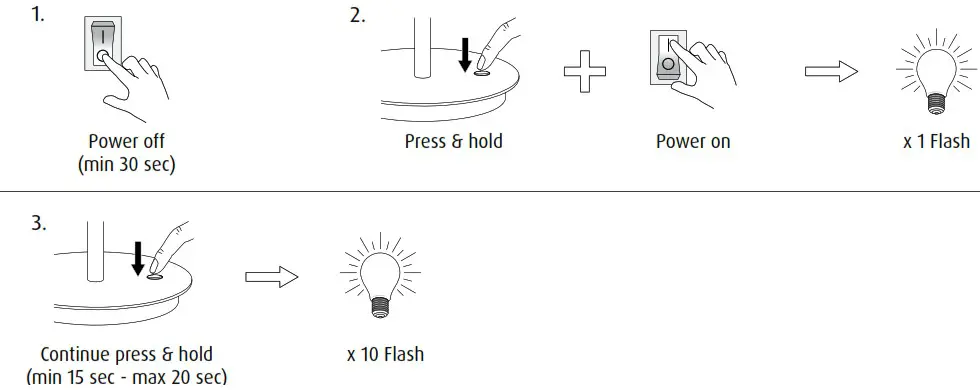

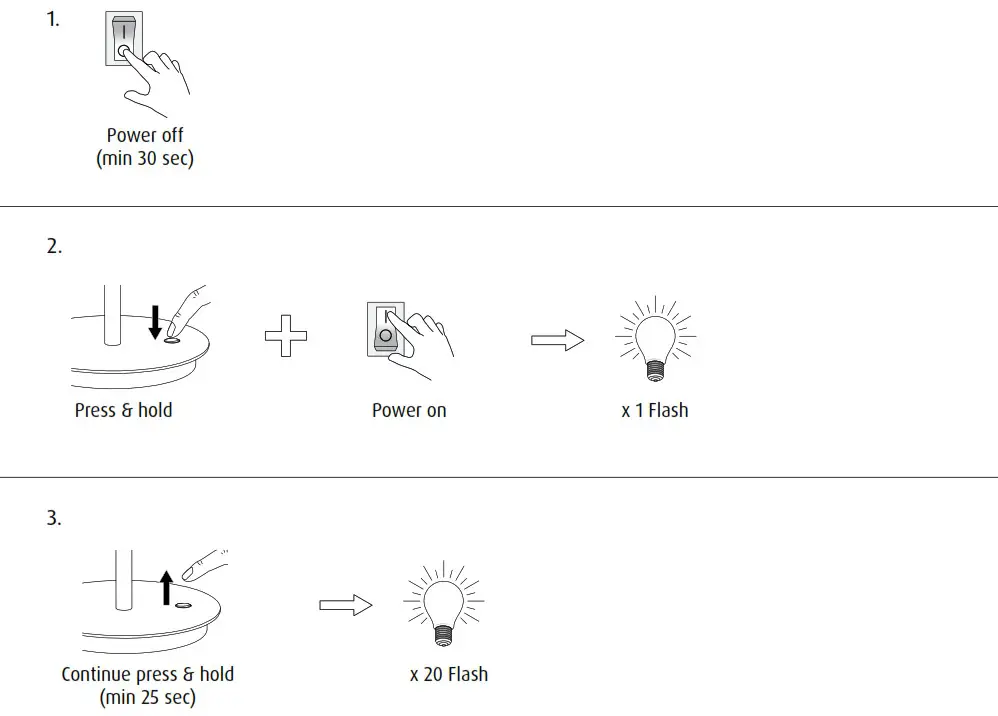
Restore factory default settings:
This is the standard setting for this product.
With this setting the on/off button and dimming function is active.