cerascreen 99090872 Allergy Test

Allergy Test
The cerascreen® Allergy Test is a send-in home test kit, which screens for suspected sensitivities. The test is used to determine IgE antibodies in capillary blood
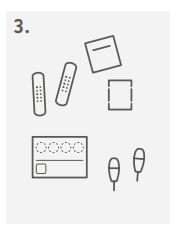
Your test kit contains
A 1 alcohol wipe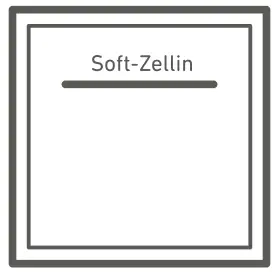
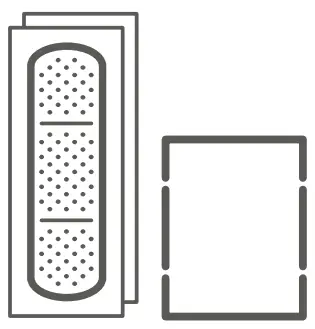
B 2 plasters  1 swab
C 1 dried blood spot card 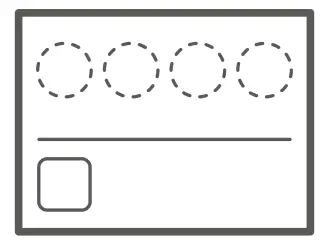
D 2 lancets 0050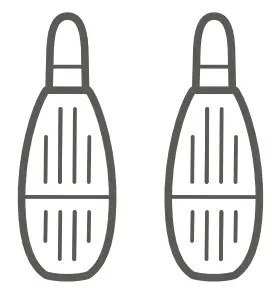
E 1 return envelope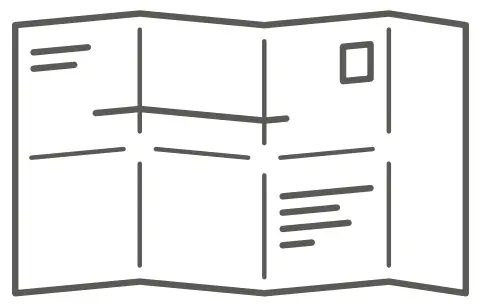
F 1 test ID card with sticker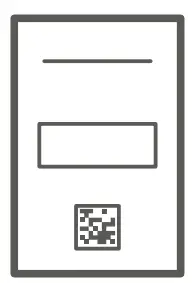
Information and tips
 Read the instructions for use carefully before you begin and follow the listed steps.
IMPORTANT
- The sample should only be taken between Sunday and Tuesday (at the latest) and sent off on the same day. Please take into account any public holidays.
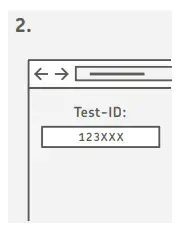
- Please enter your test ID to activate the test before sending us your sample. Our laboratory needs this in order to identify your sample and send you the test result. You will find more detailed information in step 2. Please note that a meaningful result can only be obtained if you have been in regular contact with the allergen beforehand (approx. 2 weeks). Please also note that some medications (e.g. antihistamines) can influence the result. But be careful: Avoid contact with allergens where you know that a strong reaction can occur (anaphylactic shock possible!). You can find information about this on our website in the FAQ.
GENERAL INFORMATION
- Do not take a blood sample immediately after strenuous physical activity.
- If you have any difficulties performing the blood sample or if the kit is incomplete, contact our customer service department, who will treat this matter confidentially (help.cerascreen.com).
- The product is for single use only.
- Do not touch the dried blood spot card within the markings and keep it dust free.
- Unfortunately, it is not possible to analyse blood samples that contain less than the required amount of blood.
CONTAGIOUS ILLNESSES
Do not use this kit if you suffer from a blood-borne contagious illness such as hepatitis or HIV.
RISKS AND SIDE EFFECTS
- After taking a sample of your blood, pressure sores may occur around the wound for a few days and/or a bruise may form at the injection site. Additionally, the puncture site may be visible for a few days.
- Note: Any serious incident related to the product should be reported to the manufacturer and to the competent authority of the Member State where the user is established.
WARNINGS
- Store this kit out of reach of children.
- The kit may only be used by adults aged 18 and older.
- If you are pregnant or are breastfeeding, use the kit only after consultation with your medical professional or pharmacist.
- If you suffer from a congenital or acquired blood-clotting disorder or are taking anticoagulant medication, use the kit only after consultation with your medical professional.
- Use the lancets only as described in the instructions for use.
- If you have problems with the sight of blood or blood sampling, take the sample only in the presence of another person or contact your medical professional or pharmacist.
If you have any questions, please visit our help website: help. cerascreen.com
Directions for Use
- Check that all conditions are fulfilled for sample taking. Please read the section ‘Information and tips’ carefully.

- If you are a new customer, create your user account on my.cerascreen.com or in the my cerascreen® App. In our “Frequently Asked Questions” in help.cerascreen.com you will find a guide for that. To create your result report, log in via the my cerascreen® App (Android, iOS) or on my.cerascreen.com. Insert your six-digit ID-number according to your test-ID card under “Activate Test”and follow the instructions.
- Place all contents of the test kit on a clean surface. Before you begin, choose a spot for the prick. TIP: the middle or ring finger of the left hand usually works best.
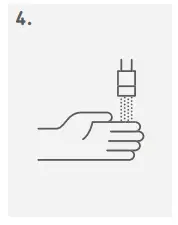
- Wash your hands with soap and warm water. Hold your preferred hand under warm water for at least 15 seconds to stimulate blood circulation. Dry your hand carefully with a clean towel.

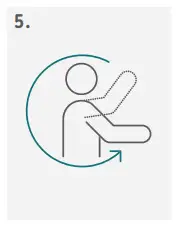
- Swing your preferred arm around in a circle 5 to 10 times, fully extended if possible, in large movements to stimulate blood circulation.

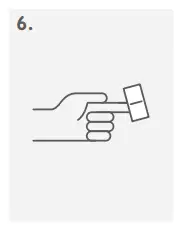
- Remove the alcohol wipe from its film and use it to disinfect the tip of the preferred finger. Wait until the finger is dry again (15 sec).
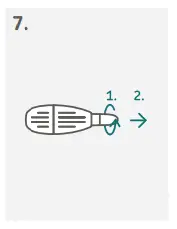
- Take the lancet. (1) Rotate the protective cover once around its axis. (2) Carefully remove the protective cover. CAUTION: Do not use a lancet with a loose or missing protective cover.
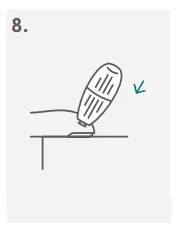
- Place your hand on a firm surface. Place the lancet diagonally on the tip of your finger as shown in the illustration. Using the side of your fingertip will reduce discomfort. Press the lancet firmly against the finger until it releases.
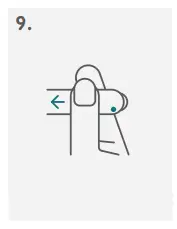
CAUTION: The lancet can only be released once! - Press the thumb of your other hand below the sampling spot and pull back on the skin slightly.
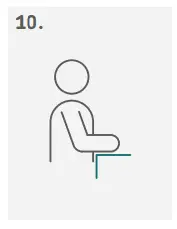
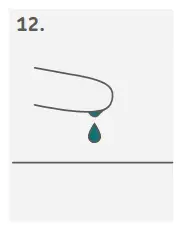
- Encourage blood flow by standing up and holding your hand below the heart. Gently massage your finger from the palm of your hand to your fingertip until a drop of blood forms.
- Before you start collecting the blood, take the swab (NOT the alcohol wipe) and wipe off the first drop of blood. Wait until a big drop has formed again.
- Let a large blood drop fall onto the marked circle on the dried blood spot card. In case the drop doesn’t fall on its own from your finger, hold the dried blood spot card carefully against the drop without touching the paper to your finger.
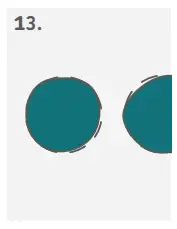
- For the best evaluation of the sample, the largest possible drop of blood is required. The blood drop should cover the circle inside the marking completely.
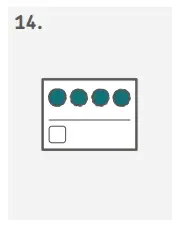
- Repeat this process until you have completed four circles.
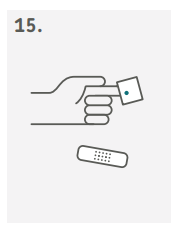
- After taking the blood, use the swab and plaster to clean and cover the wound.
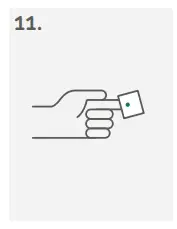
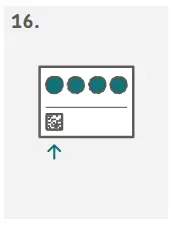
- Remove the square code sticker from the test-ID card and stick it on the dried blood spot card in the area intended for the test-ID sticker.
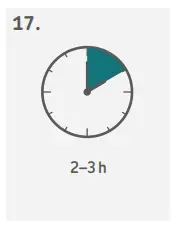
- Allow the dried blood spot card to dry for 2 to 3 hours at room temperature. Make sure that you place it flat on a dry surface, protected from direct sunlight. Make sure the blood is completely dried before putting the dried blood card in the envelope.
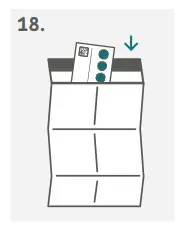
- Place the dried blood spot card in the preadressed return envelope. Close the envelope carefully and send it immediately by post free of charge.
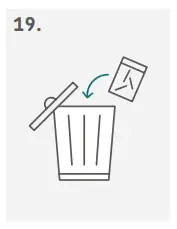
- Please check if the test has been activated and dispose of the used parts of the test kit in the transparent plastic bag in the household waste.
Symbols
 In vitro diagnostics
 Manufacturer
Conformité Européenne
LOT Batch Number
Read the Instructions for Use before taking the sample.
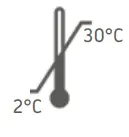 Store at a temperature between 2 °C and 30 °C
PZN Pharmaceutical Registration Number
 Attention!
 For single use only
 Contains 1 kit
 Expiration Date
SKU Item Number
Customer Support
Supplier: B: PAUL HARTMANN AG, Paul-Hartmann-Straße 12, 89522 Heidenheim, Germany C: Ahlstrom-Munksjö Germany GmbH, Niederschlag 1, 09471 Bärenstein, Germany D: Becton Dickinson GmbH, Tullastrasse 8–12, Postfach 101629, 6900 Heidelberg, Germany
Manufacturer:
cerascreen GmbH
Güterbahnhofstrasse 16
19059 Schwerin
Germany
SKU: 99090872
CRS3-Allergy_INT_002
Valid from December 2022

 cerascreen® | At-home health diagnostics, advice & solutions
 Support
 Contact Us
 my cerascreen® Kundenbereich - Tests aktivieren, Ergebnisse abrufen
 my cerascreen® Kundenbereich - Tests aktivieren, Ergebnisse abrufen
 cerascreen® | At-home health diagnostics, advice & solutions
 Support