D850 REFLEX Water Housing
Product Information:
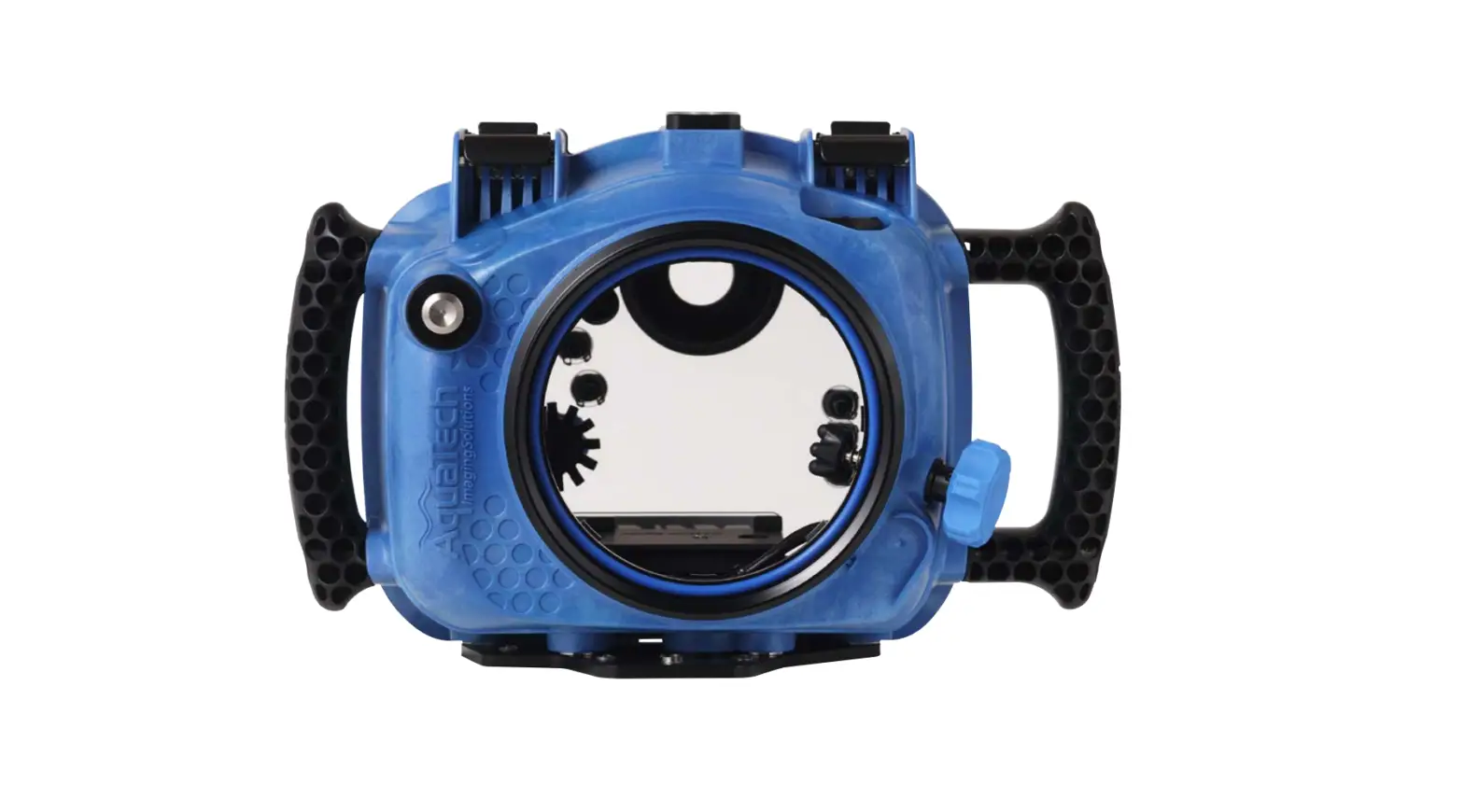
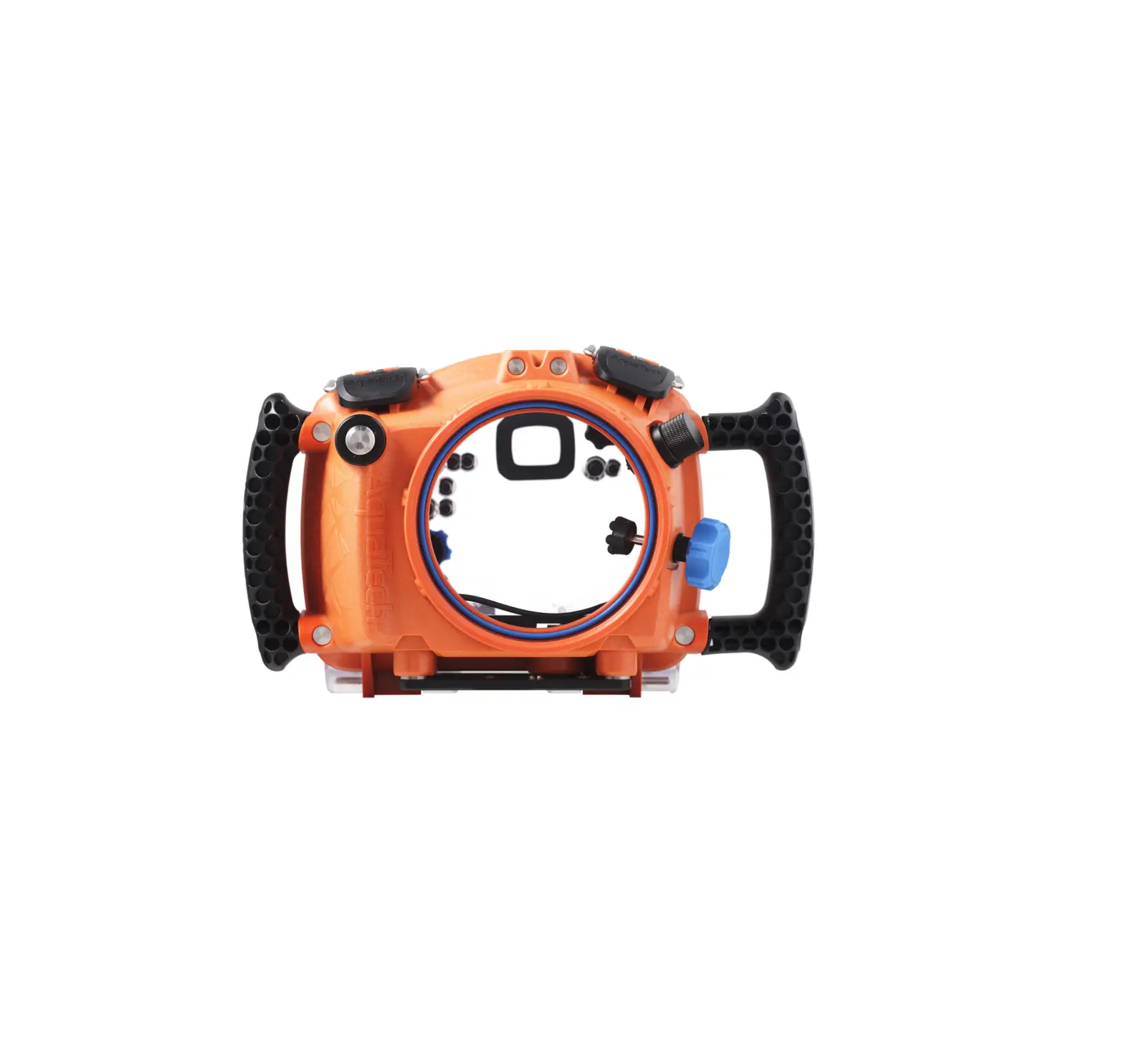
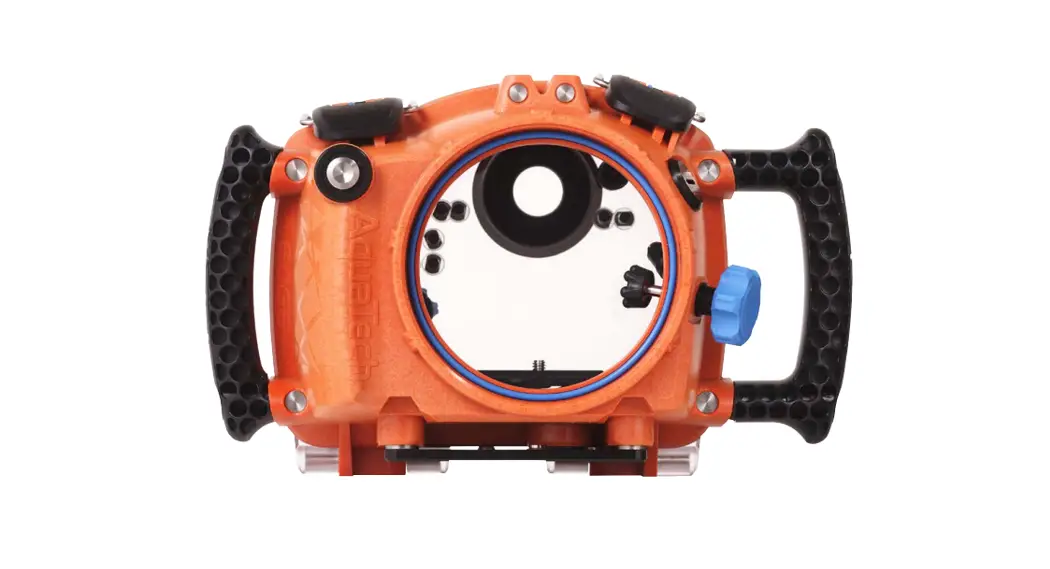
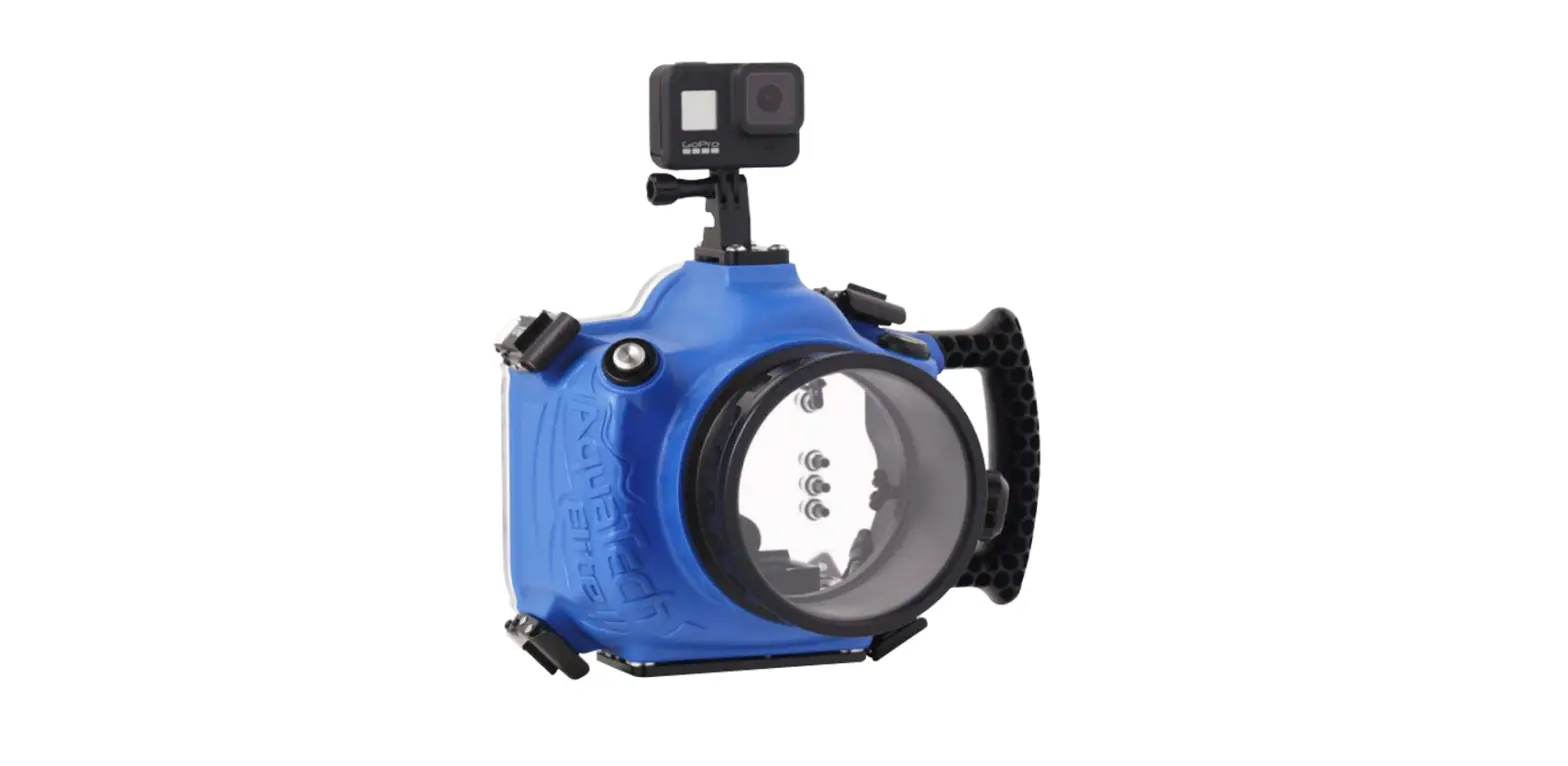
The REFLEX Water Housing is a high-strength polycarbonate
housing designed for use with compatible cameras. It features a top
mount landing, safety clip protector, palm stopper side handle,
shutter button, and a backplate with camera controls. The housing
is compatible with PSeries lens ports and comes with a camera
plate, 1/4-20 insert, dual safety clips, flash bulkhead plug, and a
left side handle. It also includes a glass viewfinder and a cable
release. The housing is compatible with the M3 pistol grip and has
a zoom gear control for adjusting the focal length of the lens (if
applicable). It has a front port O-ring and backplate hooks for
secure attachment.
Product Usage Instructions:
- Remove the camera plate from the mount by sliding it towards
you. - Zoom Gear Control: Located on the front left of the Water
Housing, this control engages the zoom gear to change the focal
length of the lens (if applicable). - Lens Port Installation: Before installing the lens port, ensure
that the O-ring is present. Place the port inside the front water
housing and turn it clockwise until it is secure. Use both hands to
tightly seal the lens port with the water housing to ensure a good
seal between the port and the front O-ring. - Securing the Housing:
- Open the backplate and remove the port. Make sure that O-rings
and seals are present and in the assigned grooves. - Attach the camera plate to the bottom of your camera and slide
it into the water housing’s mount. - With the water housing facing downward, put the backplate on
following the same steps as detailed in the initial setup. - Position the buttons over the camera’s controls correctly and
clamp down the two safety clips to secure the backplate. - Check the main seal to ensure a tight seal all around and that
it is not pinched. - Ensure that the safety clips are parallel with the safety clip
protector. Pull up against the clip to confirm that it is locked
and will not release. - Screw the lens port onto the water housing, aligning the thread
on the base of the port with the front of the water housing.
Tighten the port clockwise, taking care not to pinch the
compression O-ring. Repeat these steps before every use to ensure a
watertight seal.
- Open the backplate and remove the port. Make sure that O-rings
- Water Testing:
- Fill up a bathtub, use a swimming pool, or submerge your
equipment in the ocean for testing purposes. - Hold your equipment underwater for 5-10 seconds while pressing
all the buttons. Then hold the water housing above your head at a
tilted angle so that any water inside can gather at the bottom
right back corner.
- Fill up a bathtub, use a swimming pool, or submerge your
REFLEX Water Housing
Instruction manual
1
Congratulations for purchasing your AQUATECH REFLEX Water Housing. Borrowing elements from the hugely popular Elite II Water Housing and moving forward with a new hinged back design, the REFLEX is the next step in the evolution of AQUATECH’s DSLR Water Housings. Our housings have been tested and rated to 10 meters (33 feet). Our products are NOT designed for diving below 10M/33 feet. Overview: Please read the following instructions and care tips before using your REFLEX Water Housing for the first time. You can also visit our website and as well as this YouTube video walk through for additional information and help.
Compatible Cameras
Please view our list of compatible cameras here
What’s in the Box · REFLEX Water
Housing · Cable Release · Camera Plate · Instructions · Tool kit
Table of Contents · What’s in the box · Compatible cameras · Nomenclature · Initial setup · Lens port seal · Securing the Water Housing · Water testing · Cleaning and storage · Using the REFLEX Water Housing
underwater · Safety information · Maintenance and repair · Limit of liability · Warranty · Servicing · Returns · Legal
1
Nomenclature
Top Mount Landing
Safety Clip Protector Palm Stopper Side Handle
Shutter Button
High Strength Polycarbonate Body
Compatible with PSeries Lens Ports
Camera Plate
1/4-20 Insert
Dual Safety Clips
Flash Bulkhead Plug
Left Side Handle
Backplate and Controls
Zoom Gear Control
Front Port O-Ring
Compatible with M3 Pistol Grip
2
Glass Viewfinder
Cable Release
Backplate
Camera Controls(varies
by model)
Camera Model
Backplate Hooks 3
Initial Setup · After removing your Water Housing from the box,
place it face down on a soft level surface. · Proceed to unlock the safety clips one by one
by pressing the safety latch forward (when the Backplate is facing up), and pulling the clip up to release it from the body of the housing. Now repeat the process with the second clip, and open the Backplate. · Do a quick inspection of the inside of the Water Housing to ensure the Camera Plate and Cable Release are installed and ready for use. · Next, inspect your backplate. The main camera controls are located here. The push button controls are adjustable to suit the camera by winding out the black tips on the inside of the Backplate . You can increase or decrease sensitivity this way. Keeping the Backplate clean will also help when reviewing images. · To close your backplate push it firmly against the body of Water Housing making sure the safety clips are raised up and out of the way. Place your safety clips over the Backplate Hooks and push the clips forward locking the Backplate securely to the housing. Double check to make sure your two clips are secure and locked.
Installing your Camera Plate · When receiving your AQUATECH Water Housing
remove the Camera Plate from the mount by sliding the Camera Plate towards you.
· Double check the Camera Plate is correct and includes a 1/4″-20 screw. Each Camera Plate has the camera model it suits engraved on the top side. To install the Camera Plate on your Water Housing you will need a flat head screwdriver.
· Lineup the top side of the Camera Plate to the bottom of your camera ensuring the screw hole opening on the Camera Plate is lined up with the tripod mount thread under the camera body.
· Screw in the Camera Plate Bolt and tighten it to the right until you feel some resistance, be careful not to over tighten the bolt.
Installing the Cable Release · Inside the Water Housing you will find a Cable
Release connected to a PCB board on the left hand side. Be sure the Cable Release is fully plugged into the female end on the PCB board. The male end of the Cable Release will be plugged into the remote control input on your camera. Each camera has a different spot for this input, most times you will find this input on the left hand side of the camera. · Ensure the Cable Release is fully plugged into the camera. This will now enable the electronic shutter buttons and pistol to activate your camera shutter to focus/fire or start/stop video. What the Grease is used for: The main purpose for the grease provided is to keep the controls and shafts on your Water Housing working nice and smooth
4
Zoom Gear Control
Located on the front left of our Water Housing, this control drive gear engages our Zoom Gear to change the focal length of the lens, where applicable.
Lens Port
Before installing your Lens Port make sure the O Ring is present. Then place your port inside the front Water Housing and turn clockwise until its secure. Remember to seal your Lens Port very tight with both hands to ensure a good seal on the front O-Ring between your Lens Port and Water Housing.
Securing the Housing
When you first receive your gear we recommend that you do these steps without the camera and lens inside the Water Housing:
1. Open your Backplate and remove the port. Ensure O-Rings and Seals are present and in the assigned grooves.
2. Attach the Camera Plate to the bottom of your camera and slide it into the Water Housings Manny Mount.
3. With the Water Housing facing downward put the Backplate on following the same steps detailed in the Initial Setup.
4. Once the buttons are positioned over the cameras’ controls correctly you can then clamp down the two safety clips, making sure the two clips are firmly locked and your Backplate is secure.
5. Check the Main Seal to ensure that you have a nice seal all around and that the Main Seal is not pinched.
6. When your Backplate is securely fastened, your safety clips should be parallel with the Safety Clip Protector. The important final check with the clip is to pull up against it to make sure it does not come undone and is locked. When the safety clip is locked the clip will not release,
7. Screw your Lens Port onto the Water Housing. Your Port should screw on with ease and never feel as if it is being forced. Ensure the thread on the base of your Port and the Front of the Water Housing are aligned. Tighten the port clockwise making sure not to pinch the Compression O-Ring. Before every use please repeat these steps to make sure your Water Housing has a watertight seal.
Water testing
Water testing is a very important process before entering the water in all types of conditions. Once you have followed “Securing the Water Housing” instructions we recommend that you perform a water test yourself without the camera and lens inside.
1. Fill up a bathtub, use a swimming pool or hop in the ocean to test. The choice is yours just as long as you have a body of water where you can fully submerge your equipment.
2.Hold your equipment under the water for 5-10 seconds while also pressing all the buttons. Then hold the Water Housing above your head at a tilted angle so that if there is any water inside it will gather at the bottom right back corner.
5
3. Repeat process for 20 seconds then 30 seconds.
Cleaning and storage
· With your Water Housing assembled wash it off with fresh water. *Do not get the inside wet.
· Dry off the REFLEX Water Housing with a clean towel and unlock the clips. If you have access to an air gun gently blow underneath the clips. If you do not have access to an air gun you can use water pressure to flush out the area. Just make sure not to get any water inside the Water Housing.
· While holding the REFLEX Water Housing under fresh water push all the buttons and turn all the shafts.
· While holding the REFLEX Water Housing under fresh water push and turn the AF-Shutter buttons.
· Using an air gun gently blow away any debris that may be in the hinge of the back plate. If you do not have access to air you can flush it out with water. Just make sure not to get any water on the inside of the Water Housing.
· If you are using a M3 pistol make sure to remove it after each use to clean away any debris or salt water.
DO
· Clean the outside of your Water Housing with fresh water after each use.
· Wipe away any debris that may have gathered on the threads, buttons, or O-Ring grooves.
· Regularly take off and clean with fresh water any accessories you may purchase (i.e. Pistol or Flash Mount) to help keep corrosion from occurring.
· Carefully wipe down the inside of the Water Housing with a wet cloth. Make sure not to get any of the electronics wet.
DO NOT
· Do not Store your Water Housing fully clamped down for long periods of time. Doing this will put unneeded strain on your Clips and O-Rings.
· Do not leave your Water Housing gear in temperatures greater than 50 C (125 F)
· Do not use alcohol-based products to clean the Backplate or port element as this may damage the product.
· Do not leave any accessories like Pistol Grips, Poles or Flash Mounts attached on the Water Housing while storing. Doing so can cause them to seize up and be extremely difficult to remove.
· Do not travel with your Water Housing clamped down with Lens Ports attached. Remove all parts and safely store.
Using your REFLEX Water Housing underwater
For best results please make sure you have carefully followed all initial setup instructions prior to taking your REFLEX Water Housing underwater.
Safety information and warning
· Do not exceed depths of 10m/33ft. 6
· Do not leave your gear in temperatures greater than 50 C (125 F)
Maintenance and repair
With proper care your Water Housing will last for many years. If in time you do notice any problems that come up or if there is any damage to the equipment please contact AQUATECH directly at [email protected] for repairs or servicing.
If your Water Housing is used on a regular basis (more than 100 times a year) an annual service by one of our qualified team members should considered. Especially those working in saltwater, one of the most corrosive environments.
Limit of liability
In the event of a product warranty claim, AQUATECH is only liable up to the value originally paid for the product.
Losses of associated equipment, income or any other financial costs are not covered under this warranty, under any circumstances.
Warranty – 1 year product warranty
We make every effort to ensure that our products are made from the highest quality materials and workmanship. Should you not be completely satisfied with one of our products, we encourage you to contact us so that we can promptly resolve any problem you may be experiencing. Our company representatives will deal with your issue quickly and decisively.
As many AQUATECH products are often used in extreme
and volatile environments, we are unable to cover for loss or damage of equipment, personal injury or financial loss.
To reduce the risk of these losses occurring, we strongly recommend you read the relevant product instructions carefully and test the product before use.
What does the warranty cover?
This warranty covers any defects in materials or workmanship, with exceptions stated below
What is not covered?
The warranty does not cover damage as the result of normal wear and tear. Determination of what constitutes normal wear and tear will be at the discretion of AQUATECH service centers. The warranty guarantee only applies to the original purchaser of the product when purchased from AQUATECH direct or through one of our authorized dealers. Therefore, we may ask for proof of purchase. This warranty does not cover for any loss of associated equipment such as cameras, lenses or other associated equipment not sold by AQUATECH.
Loss of income, reputation or other financial expenses, such as personal injury are also not covered by this warranty. Shipping costs for returned products are the responsibility of the customer.
How long does the coverage last?
This warranty runs for 1 year from the date your product is received.
7
What will AQUATECH do?
AQUATECH will repair any defect that proves defective in materials and workmanship. If repairing is not possible, AQUATECH will replace the product, or, offer a store credit for the original purchase price, whichever is agreed to by the customer and AQUATECH / Retailer store. How to get service?
Email [email protected] and we will advise where to send your product. Alternatively, you may call:
competent for the prevailing conditions. AQUATECH (NSW) Pty. Ltd., incorporated in Australia. Australian Business Number: 84 062 580 796
USA: + 1 714 968 6946 Australia: + 61 2 4268 3550 Returns policy – AQUATECH online customers only:
AQUATECH offers a 14 day return policy for new items purchased directly through our online store or at our physical store. AQUATECH will only provide exchanges or store credit for change of mind or incorrectly ordered products. AQUATECH will not refund any shipping and credit card costs. Please see our full return policy here. The customer is responsible for shipping cost of the returned items. A restocking charge may be applied in some countries How state law applies:
This warranty gives you specific legal rights, and you may have other rights which vary according to the state or country in which you are located.
Legals Please practice extreme caution when diving into deep water. Only use this product in settings that are within yours or other’s capabilities. Serious injuries or drowning could occur if you or others are not
8
 Water Housing for Camera, iPhone - AQUATECH