t:connect Mobile App
Product Information:
The t:connect web application is a tool designed to help manage
diabetes. It allows users to view data from their insulin pump,
generate reports, and share them with healthcare providers. The
application provides colorful reports displaying blood glucose
levels, insulin boluses, insulin on board (IOB), and more, making
it easier for users to spot blood glucose trends and make informed
decisions.
The t:connect web application user guide provides comprehensive
information on how to use the application. It can be accessed at
tconnect.tandemdiabetes.com/help.
Product Usage Instructions:
- Install Software & Drivers:
- Visit tconnect.tandemdiabetes.com.
- Click on “GET STARTED” to download the t:connect uploader.
- Follow the online steps to install the uploader on your
computer.
- Create an Account:
- Run the t:connect uploader software. Note: The software should
automatically start after installation. If not, double click the
program’s icon on your desktop. - Connect the t:slim X2 pump to your computer using the Tandem
USB cable. Note: You do not need to disconnect your infusion set or
stop insulin delivery. - Start the upload process by clicking the “Start Upload” button
on the t:connect uploader. The uploader will detect your pump and
display its serial number on the computer screen.
- Run the t:connect uploader software. Note: The software should
If you need further assistance, visit support.tandemdiabetes.com.
Getting Started Guide
DASHBOARD
REPORTS
SETTINGS
HELP
Dashboard
3 Days 1 Week 2 Weeks 1 Month Custom
Feb 10 -16
BG Summary
CGM Summary
Continuous Glucose Monitoring Summary
Highest CGM Reading
230
Average CGM Reading
140
Lowest CGM Reading
68
Average CGM Readings 274.57 times / day
Above Target > 180 mg/dL Target Range 70-180 mg/dL Below Target < 70 mg/dL
Number of Days CGM in Use: 6 days 17 hrs. 17 min.
14% 265 times 84% 1607 times
2% 38 times
Control-I Average Time in U
Control-IQ CGM Ina Pump Ina Average Daily Sle Weekly E
Average Daily Insulin Summary
My Noti
Welcome to a positively di erent way to actively manage your diabetes.
The t:connect web application allows you to easily view data from your insulin pump and generate reports that you can share with your healthcare providers, helping you uncover meaningful insights and trends. This guide
provides the basic steps to help you get started.
For more comprehensive information, please refer to the t:connect web application user guide available at
tconnect.tandemdiabetes.com/help
SAVE & PRINT
IQ Technology
Reading
127 mg/dL
Use
99% 6 d 20 hrs.
Q Set to Off active* active**
0%
0 min.
1% 3 hrs. 53 min.
0%
7 min.
Sleep & Exercise ep Exercise
7 hrs. 31 min. 4
fications
View: Unread
Two Simple Steps
01 Install Software & Drivers 02 Create Account
What You Need
t:slim X2 pump
Desktop Computer
Tandem USB Cable
Suggested Items
Compatible Smartphone
Glucose Meter
Visit tandemdiabetes.com/tconnect for a list of compatible browsers and operating systems.
Need help? We are here for you. Visit support.tandemdiabetes.com
01 Install the Uploader
Welcome to t:connect
The t:connectTM Diabetes Management Application is a simple tool to help manage your diabetes. Colorful reports displaying blood glucose levels, insulin boluses, insulin on board (IOB), and more make it easy to help you spot blood glucose trends and make informed decisions.
Personal
For Tandem Diabetes insulin pumpers.
Email Address
Password
Remember my Email Address
GET STARTED
Forg Forg
SIGN
1 To download the t:connect uploader, click GET STARTED on tconnect.tandemdiabetes.com
Note: The software download experience may vary depending on the operating system and web browser you are using.
Software and Drivers
HCP
For clinicians, nurses, and medical staff.
got?
The t:connect Diabetes Management Application for
Healthcare Professionals is a simple tool to view all
your patients currently using Tandem pumps. got?
IN
CREATE ACCOUNT
GO
2 Click on the green button to download the t:connect uploader, and follow the online steps to install it on your computer.
02 Create an Account a
1 Run the t:connect uploader software
Note: The uploader software should automatically start after you complete the installation. If it does not automatically start, double click the program’s icon on your desktop.
2 Connect the pump to your computer
Connect the micro-USB end of the Tandem USB cable to your insulin pump and the other end to a USB port on your computer.
Note: You do not need to disconnect your infusion set or stop insulin delivery.
3 Start upload
The t:connect uploader will detect your pump and display its serial number on the computer screen. Click Start Upload button.
4 Get started
The uploader will prompt you to create a new account. Click the Get Started button.
and Upload Your Pump
5 Select account type*
Personal Parent, Guardian
Note: If you already have an account, just sign in with your username (email address) and password to add your new pump to your existing t:connect account.
6 Fill in the necessary details to create your t:connect account*
My First Name
My Last Name
Confirm Email
My Password (8 characters minimum) Confirm Password
7 Define how often your cartridge and infusion set should be changed*
Target Glucose Range (mg/dL) Low Glucose Limit (mg/dL)
My pump cartridge should be changed: My infusion set site should be changed:
70
180
69
Congratulations! You have created your account.
Note: Check your email inbox for a welcome message from Tandem Diabetes Care, and click the link to confirm your email address.
* Interface may vary slightly based on your operating system.
Now that you have a t:connect account, download the free t:connect mobile app!
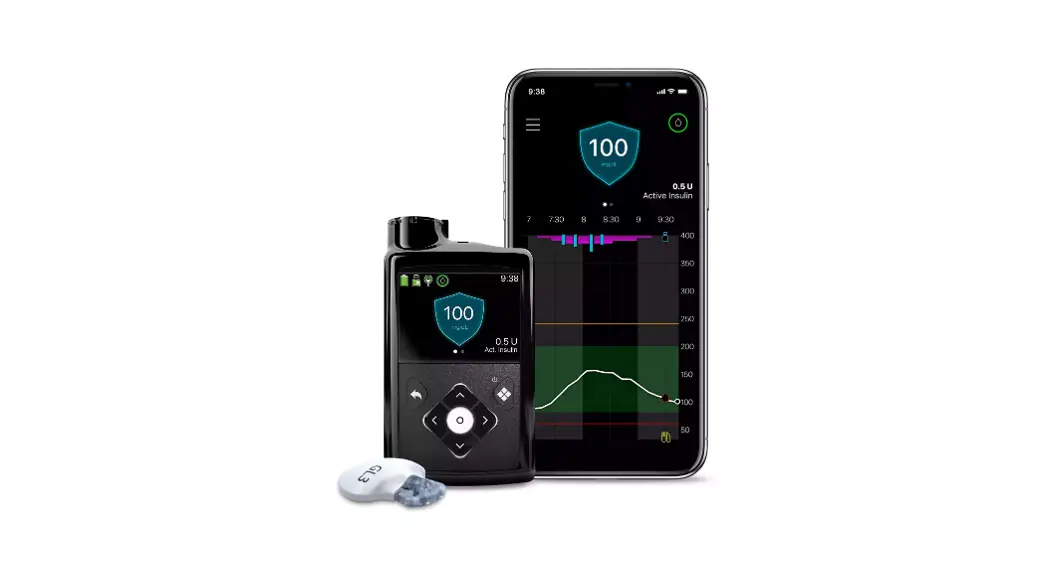
Give yourself the freedom to more easily manage your diabetes with the t:slim X2TM insulin pump and t:connect mobile app:
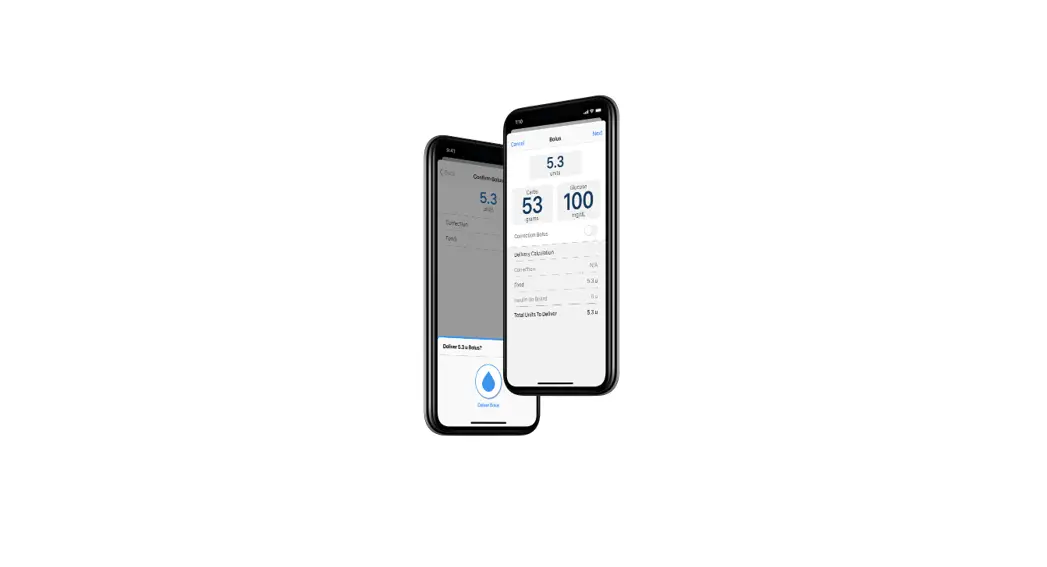
Bolus from your smartphone without touching your pump
Use your phone as a secondary display for your insulin pump
Wirelessly upload your t:slim X2 pump and therapy data.
Note: We recommend using the USB cable that came with your pump to download your pump data to your computer before using the t:connect mobile app. This will expedite wireless uploads. Visit support.tandemdiabetes.com to see a list of supported devices and frequently asked questions.
Bolus delivery from the t:connect mobile app requires a compatible smartphone model and operating system, an app update, a remote software update on the customer’s t:slim X2 insulin pump and additional training. Only available to customers who reside in the United States and who are in warranty at the time they update their pump. Uploads to the t:connect web application do not take place in real time and should not be relied upon by healthcare providers or caregivers for remote patient monitoring. Standard carrier data rates may apply. Smartphone sold separately.
Important Safety Information: RX ONLY. The t:slim X2 pump and Control-IQTM technology are intended for single patient use. The t:slim X2 pump and Control-IQ technology are indicated for use with NovoLog or Humalog U-100 insulin. t:slim X2 insulin pump: The t:slim X2 insulin pump with interoperable technology is an alternate controller enabled (ACE) pump that is intended for the subcutaneous delivery of insulin, at set and variable rates, for the management of diabetes mellitus in people requiring insulin. The pump is able to reliably and securely communicate with compatible, digitally connected devices, including automated insulin dosing software, to receive, execute, and confirm commands from these devices. The t:slim X2 pump is indicated for use in individuals six years of age and greater. Control-IQ technology: Control-IQ technology is intended for use with a compatible integrated continuous glucose monitor (iCGM, sold separately) and ACE pump to automatically increase, decrease, and suspend delivery of basal insulin based on iCGM readings and predicted glucose values. It can also deliver correction boluses when the glucose value is predicted to exceed a predefined threshold. Control-IQ technology is intended for the management of Type 1 diabetes mellitus in persons six years of age and greater.
WARNING: Control-IQ technology should not be used by anyone under the age of six years old. It should also not be used in patients who require less than 10 units of insulin per day or who weigh less than 55 pounds.
Control-IQ technology is not indicated for use in pregnant women, people on dialysis, or critically ill patients. Do not use Control-IQ technology if using hydroxyurea. Users of the t:slim X2 pump and Control-IQ technology must: use the insulin pump, CGM, and all other system components in accordance with their respective instructions for use; test blood glucose levels as recommended by their healthcare provider; demonstrate adequate carb-counting skills; maintain sufficient diabetes self-care skills; see healthcare provider(s) regularly; and have adequate vision and/or hearing to recognize all functions of the pump, including alerts, alarms, and reminders. The t:slim X2 pump, and the CGM transmitter and sensor must be removed before MRI, CT, or diathermy treatment. Visit tandemdiabetes.com/safetyinfo for additional important safety information.
t:connect mobile app: The feature set available within the t:connect mobile app is dependent on the pump software version and the compatible smartphone’s model and operating system (OS). · The Display and Data Upload feature set provides a secondary display of pump and continuous glucose
monitoring (CGM) information, including display of your pump alerts and alarms, and enables wireless uploading of pump and CGM data to the Tandem cloud through an internet or wireless data connection. Standard carrier data rates may apply. · The Bolus Delivery plus Display and Data Upload feature set additionally allows users to request, stop, and cancel a bolus on the pump from the t:connect mobile app. At least one smartphone security setting must be enabled to utilize the Bolus Delivery feature of the t:connect mobile app. · WARNING: Always rely on your pump to make therapy decisions when using a smartphone that is incompatible with the Bolus Delivery feature. · PRECAUTIONS: Always rely on your pump to make therapy decisions if using a smartphone that is incompatible, the smartphone is lost or damaged, or the smartphone loses Bluetooth® Connectivity with your pump. Important pump alerts and alarms are only received as app notifications when enabled and the app is either active or running in the background.
© 2022 Tandem Diabetes Care, Inc. All rights reserved. Tandem Diabetes Care, Control-IQ, t:connect, and t:slim X2 are either registered trademarks or trademarks of Tandem Diabetes Care, Inc. in the United States and/or other countries. The Bluetooth® wordmark and logos are registered trademarks owned by Bluetooth SIG, Inc. and any use of such marks by Tandem Diabetes Care, Inc. is under license. Apple and the Apple logo are trademarks of Apple Inc., registered in the U.S. and other countries. App Store is a service mark of Apple Inc. Google Play and the Google Play logo are trademarks of Google LLC. All third-party marks are the property of their respective owners.
11075 Roselle Street · San Diego, CA 92121 tandemdiabetes.com
007835_G
AW-1002787_F
 Min.in
 Diabetes Management | Insulin Pumps | Tandem Diabetes Care
 Tandem Diabetes Care, Inc | t:connect