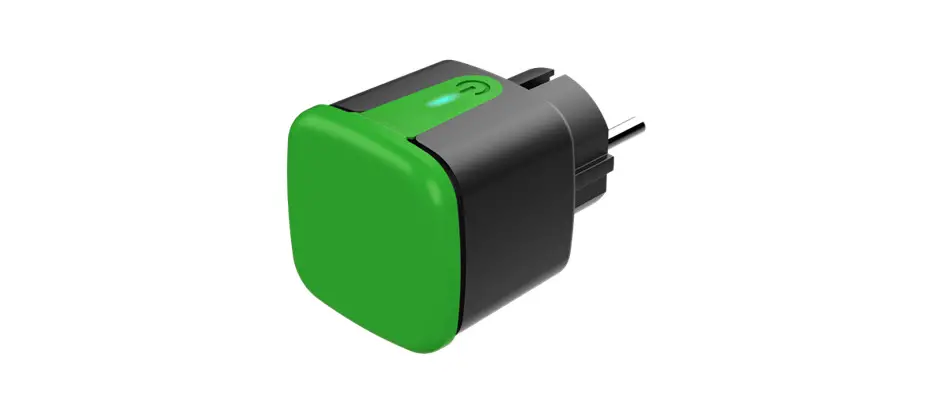
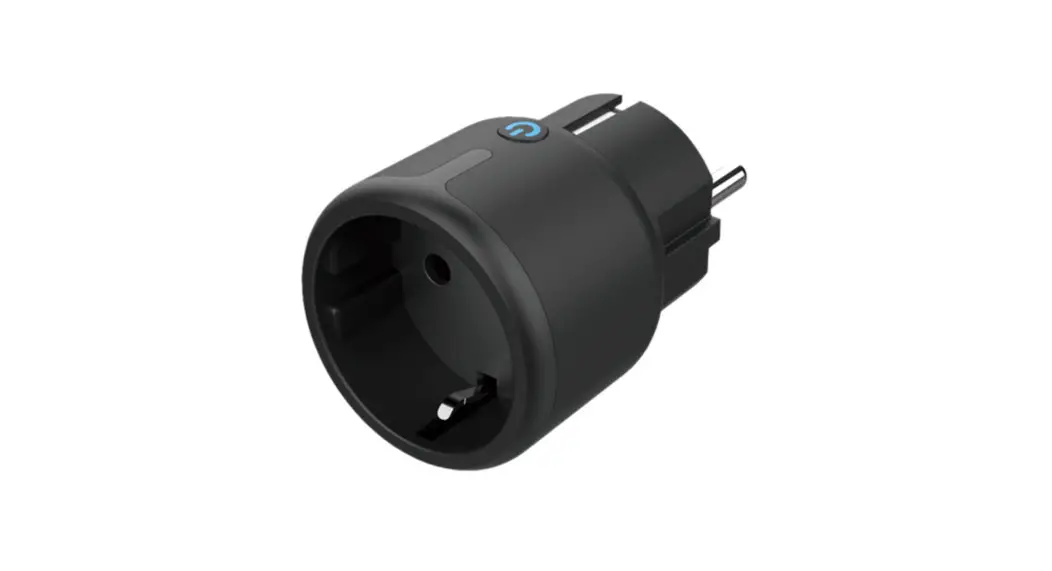
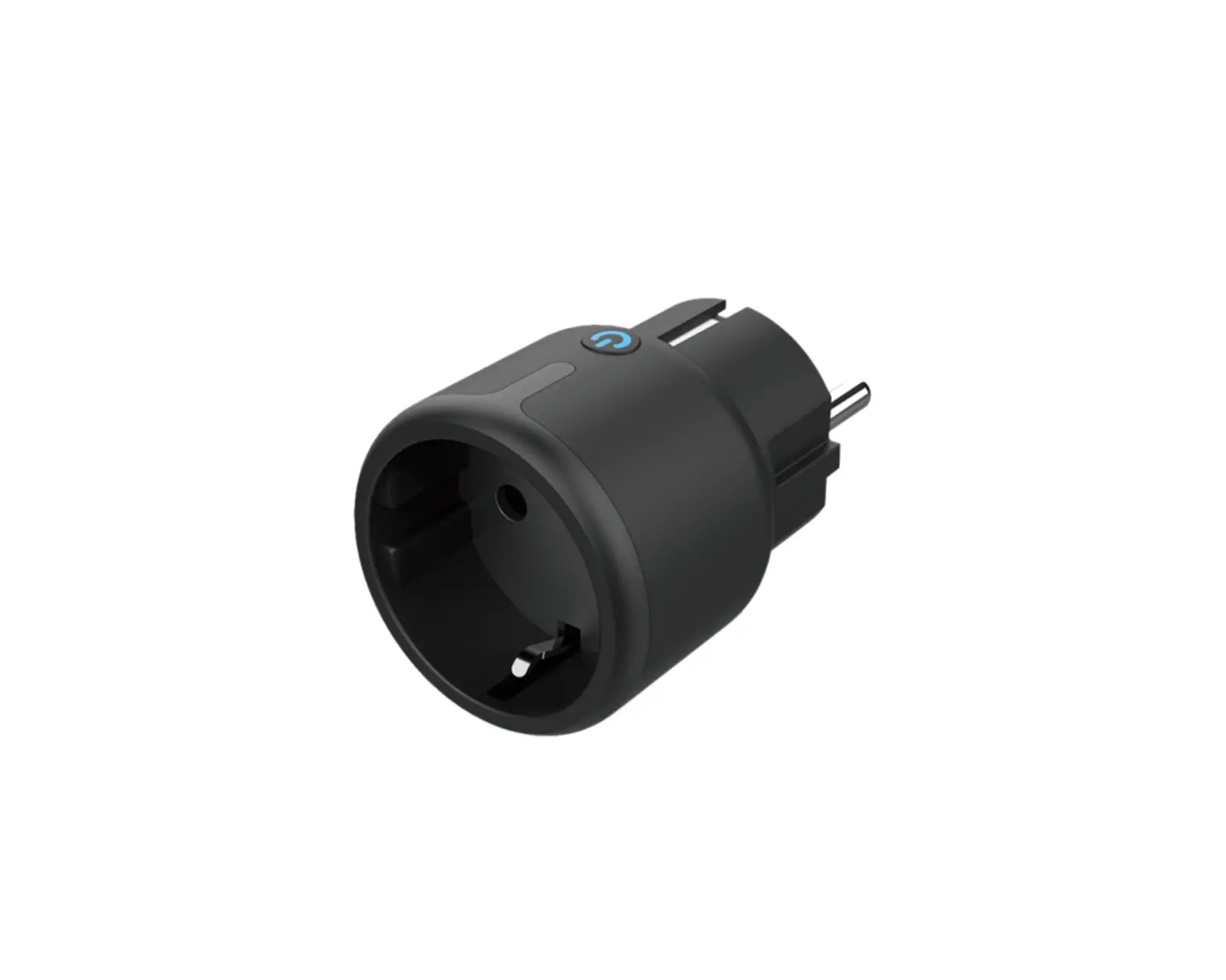
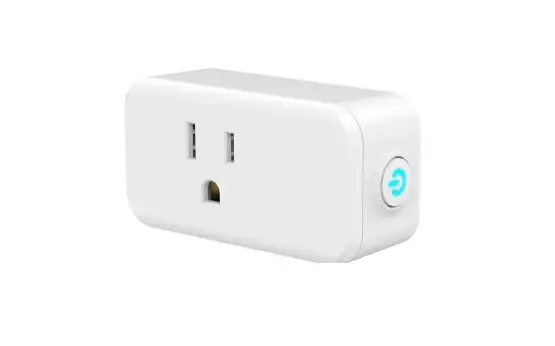
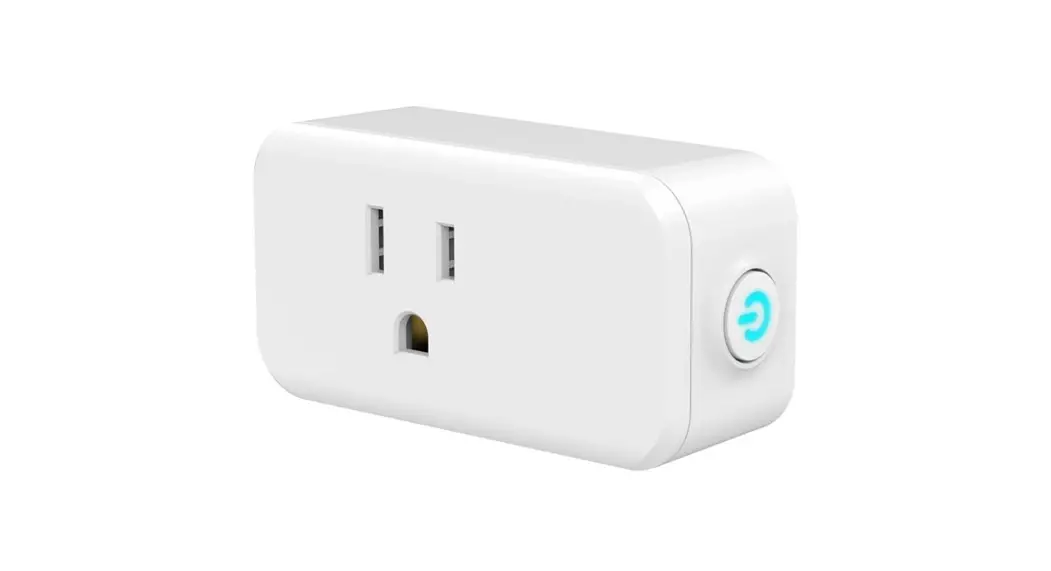
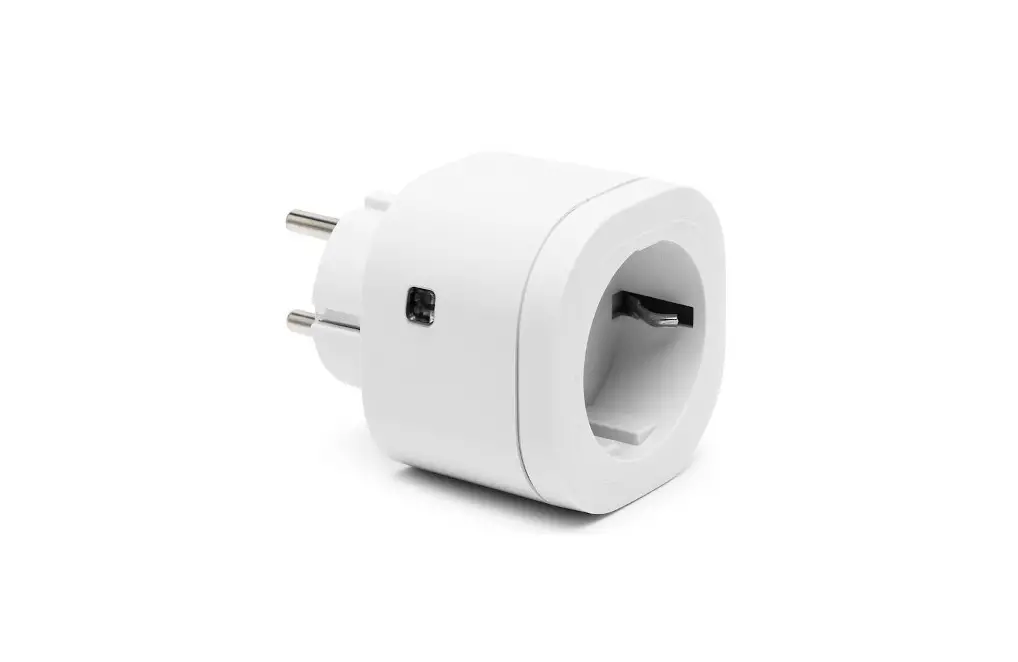
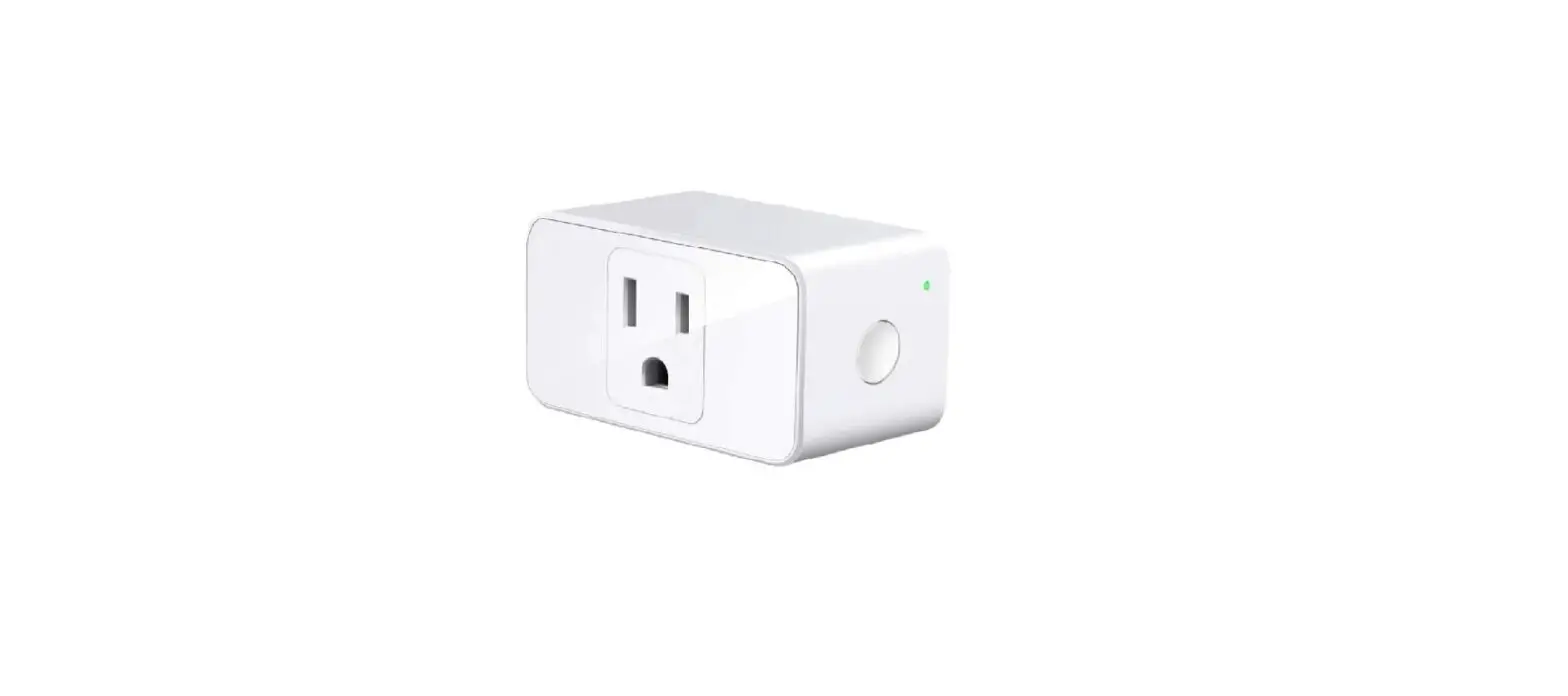
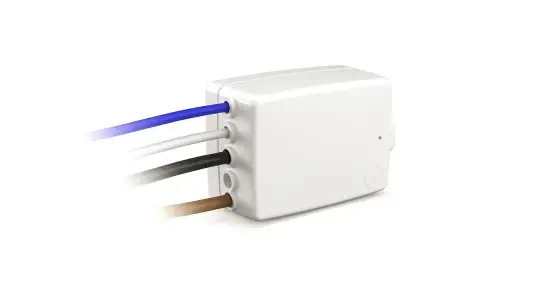
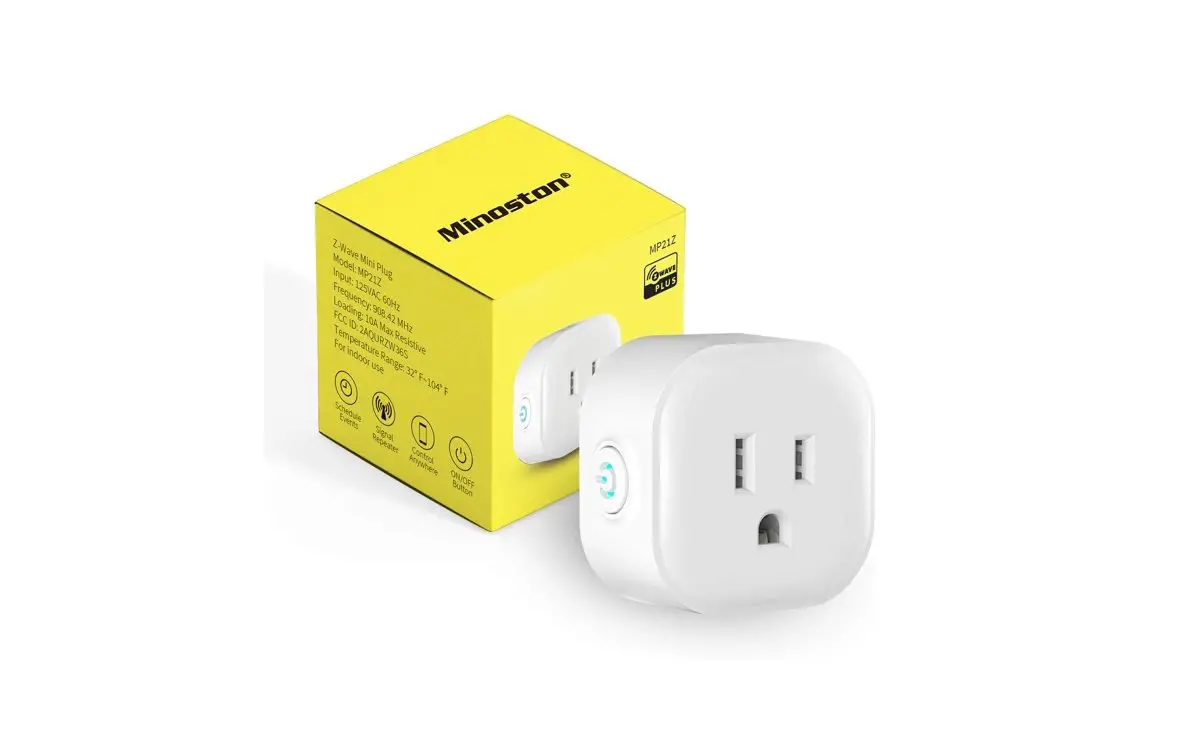
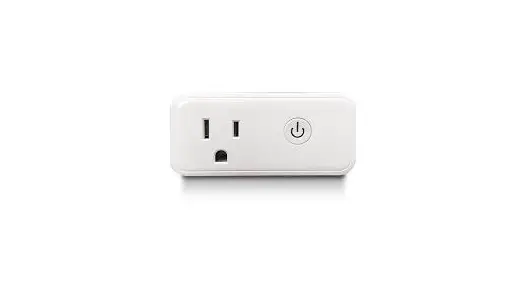
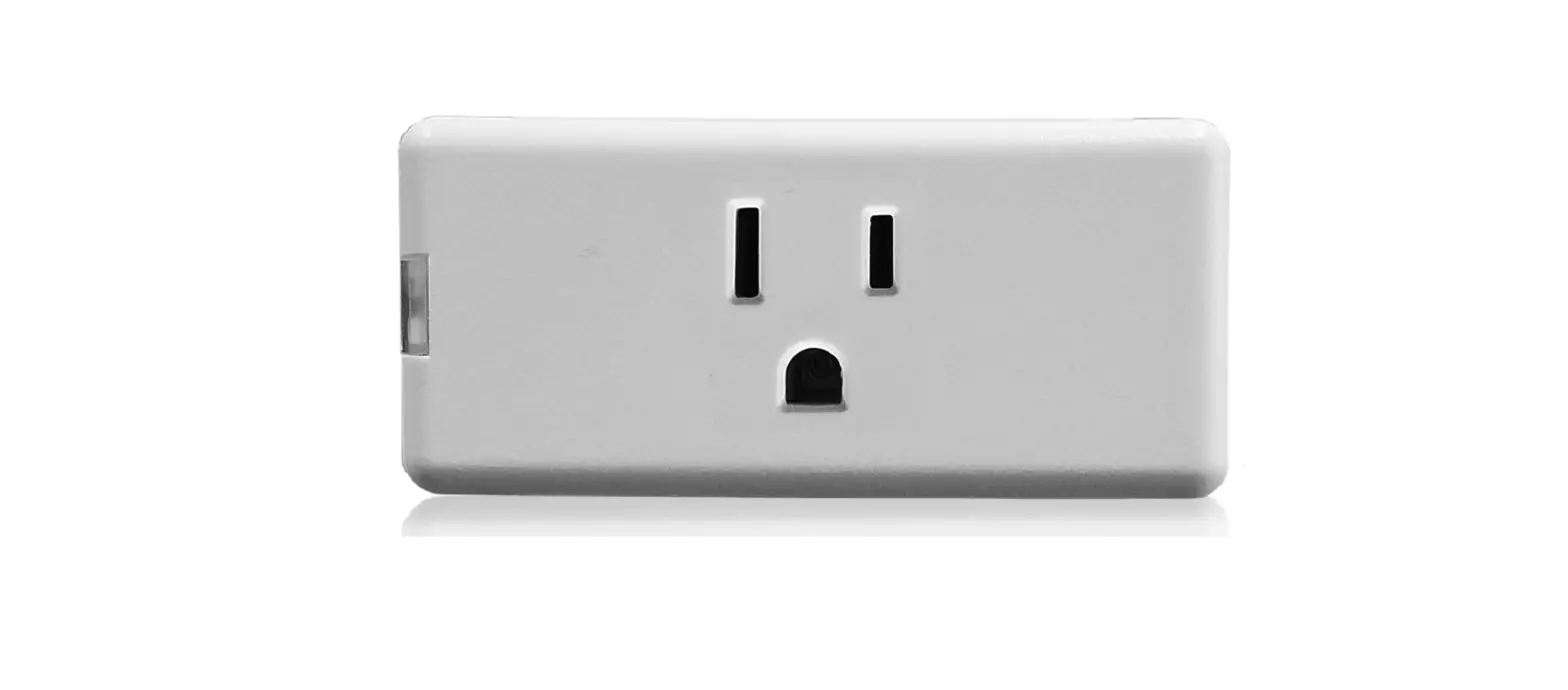
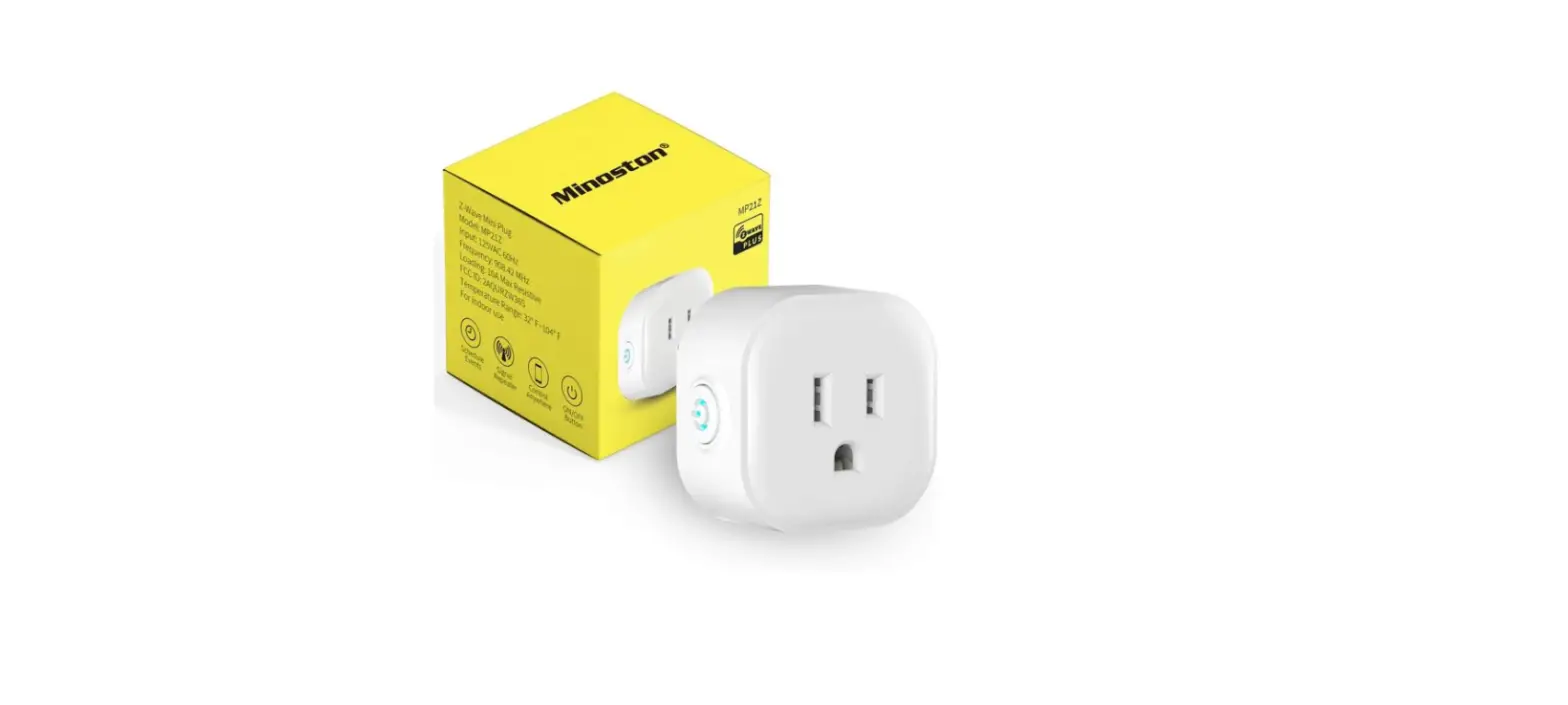
SH Series Smart Mini Plug
Product Information
- Brand: Deltaco
- Country of Origin: Nordic
- Product Type: Smart Home Device
For more information about the product, visit the website
www.deltaco.eu. For assistance, contact us via email at
[email protected].
Product Usage Instructions
- To turn on/off/reset the device, press the corresponding
button. - The LED indicator shows the device’s status (on/off).
- To reset the device, press and hold the reset button for about
5 seconds until the LED blinks quickly. - Download and install the “Deltaco Smart Home” app from the
Apple App Store or Google Play Store on your mobile device. - Create a new account or log in to your existing account in the
app. - To add a device, tap the “+” button and select the category and
type of device from the list. - Connect the device to a power source.
- If the LED light does not blink, reset the device. If it
blinks, confirm it in the app. - Confirm your Wi-Fi network and password in the app.
- Name your device.
- If you want to add the product to Google Home or Amazon Alexa,
search for “Deltaco Smart Home” in the respective app and log in to
your Deltaco Smart Home account. You may need to select “Discover
devices” or manually add the product in the Google Home or Amazon
Alexa app. - To clean the device, use a soft cloth. Do not use cleaning
solutions or abrasive materials. Do not attempt to repair the
device. If it malfunctions, replace it with a new one.
DAN
Tak fordi du har valgt Deltaco! 1. Tænd/sluk/nulstil knap 2. LED indikator som viser tænd/sluk status Nulstil Tryk og hold knappen need I 5 sekunder for at nulstille. LED dioden blinker hurtigt. Installer enheden 1. Download appen “Deltaco smart home” i Apple App store eller Google Play på din mobile enhed. 2. Åben appen “Deltaco smart home”. 3. Opret en ny konto eller login på en eksisterende konto. 4. Tryk på “+” for at tilføje en enhed. 5. Vælg kategorien og herefter produkt typen på listen. 6. Tilslut strøm til enheden. 7. Hvis LED/pæren ikke blinker: Nulstil enheden. Hvis status indikatoren blinker: Bekræft i appen. 8. Bekræft wifi netværket og koden. 9. Indsæt enhedens navn. Hvis du vil tilføje produktet til Google Home eller Amazon Alexa, skal du søge efter “Deltaco Smart Home” i Google Home eller Amazon Alexa-appen og logge ind på din Deltaco Smart Home-konto. Du skal muligvis vælge “opdag enheder” eller tilføje produktet manuelt i Google Home- eller Amazon Alexa-appen, før du kan bruge det. Tilføj til Google home Tilføj enheden til google home. Tilføj servicen “Deltaco Smart Home”.
2
A NORDIC BRAND
Tilføj til Amazon Alexa Gå til menuen “Skills & Games” og søg på “Deltaco Smart Home”. Åben appen og log ind. Brug discover til at tilføje en enhed. Rengøring og vedligeholdelse Brug ikke rengøringsmidler eller slibemiddel. Rengør ikke indersiden af produktet. Forsøg ikke at reparere enheden. Hvis produktet ikke virker korrekt, skal du udskifte den. Rengør ydersiden af enheden med en blød klud. Support Yderlige informationer kan findes her: www.deltaco.eu. Kontakt os på e-mail: [email protected].
DEU
Vielen Dank, dass Sie sich für Deltaco entschieden haben! 1. Ein / Aus / Zurücksetzen-Taste 2. LED-Anzeige für Ein / Aus-Status Zurücksetzen Halten Sie zum Zurücksetzen etwa 5 Sekunden lang gedrückt. LED blinkt schnell. Installieren und verwenden 1. Laden Sie die App ,,Deltaco Smart Home” aus dem Apple App Store oder Google Play Store auf Ihr Mobilgerät herunter und installieren Sie sie. 2. Klicken sie auf die App ,,Deltaco Smart Home”. 3. Erstellen Sie ein neues Konto oder melden Sie sich bei Ihrem vorhandenen Konto an. 4. Klicken Sie auf ,,+”, um das Gerät hinzuzufügen. 5. Wählen Sie eine Kategorie und dann den Produkttyp aus der Liste aus.
6. Schließen Sie das Gerät an die Stromversorgung an. 7. Wenn die LED / Lampe nicht blinkt, setzen Sie das Gerät zurück. Wenn die Statusanzeige blinkt, bestätigen Sie in der App. 8. Bestätigen Sie das WiFi-Netzwerk und das Passwort. 9. Geben Sie den Gerätenamen ein. Wenn Sie das Produkt zu Google Home oder Amazon Alexa hinzufügen möchten, suchen Sie in der Google Home- oder Amazon Alexa-App nach “Deltaco Smart Home” und melden Sie sich bei Ihrem Deltaco Smart Home-Konto an. Möglicherweise müssen Sie “Geräte erkennen” auswählen oder das Produkt manuell in der Google-Startseite oder in der Amazon Alexa-App hinzufügen, bevor Sie es verwenden können. Service zur Google-Startseite hinzufügen Fügen Sie das Gerät zu Google Home hinzu. Fügen Sie den Service ,,Deltaco Smart Home” hinzu. Gerät zu Amazon Alexa hinzufügen Verwenden Sie das Menü ,,Skills & Games” und suchen Sie nach ,,Deltaco Smart Home”. Aktivieren Sie die App und melden Sie sich an. Verwenden Sie ,,Discover”, um das Gerät hinzuzufügen. Reinigung und Instandhaltung Verwenden Sie keine Reinigungsmittel oder Scheuermittel. Reinigen Sie nicht das Innere des Geräts. Versuchen Sie nicht, das Gerät selbst zu reparieren. Wenn das Gerät nicht ordnungsgemäß funktioniert, ersetzen Sie es durch ein neues Gerät. Reinigen Sie die Außenseite des Geräts mit einem weichen Tuch.
A NORDIC BRAND
Unterstützung Weitere Produktinformationen finden Sie unter www.deltaco.eu. Kontaktieren Sie uns per E-Mail [email protected].
ENG
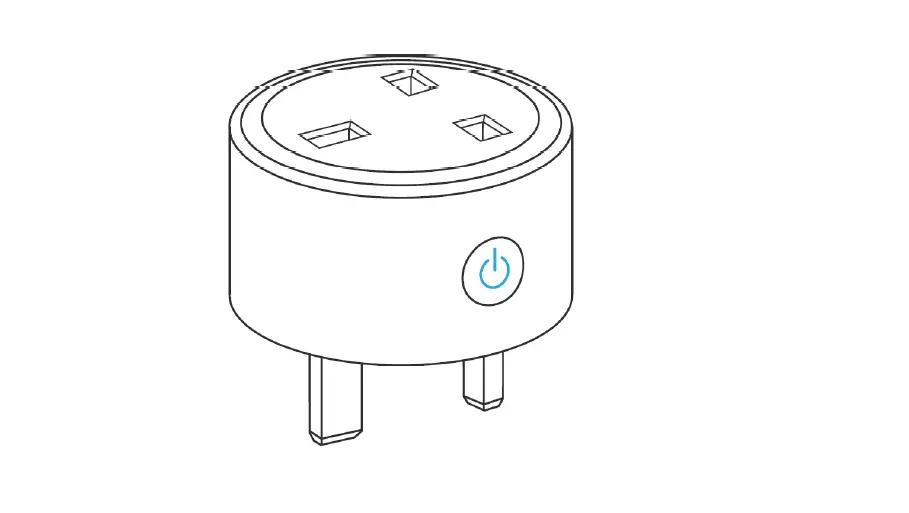
Thank you for choosing Deltaco! 1. On/off/reset button 2. LED indicator for on/off status Reset Press and hold about 5 seconds for reset. LED flashes quickly. Install and use 1. Download and install the app “Deltaco smart home” from Apple App Store or Google Play Store on your mobile device. 2. Launch the app “Deltaco smart home”. 3. Create a new account or log in to your existing account. 4. Tap “+” to add the device. 5. Choose category and then the type of product from the list. 6. Connect the device to power. 7. If the LED/lamp does not flash: Reset the device. If the status indicator flashes: Confirm in the app. 8. Confirm the Wi-Fi network and password. 9. Enter the device name. If you want to add the product to Google Home or Amazon Alexa, search for “Deltaco Smart Home” in the Google Home or Amazon Alexa app and login to your Deltaco Smart Home account. You might need to choose “discover devices” or add
3
the product manually in the Google Home or Amazon Alexa app before you can use it. Add service to Google home Add the device to google home. Add the service “Deltaco Smart Home”. Add device to Amazon Alexa Use the menu “Skills & Games” and search for “Deltaco Smart Home”. Enable the app and login. Use discover to add the device. Cleaning and maintenance Do not use cleaning solvents or abrasives. Do not clean the inside of the device. Do not attempt to repair the device. If the device does not operate correctly, replace it with a new device. Clean the outside of the device using a soft cloth. Support More product information can be found at www.deltaco.eu. Contact us by e-mail: [email protected].
EST
Täname teid Deltaco valimise eest! 1. Sisse/välja/lähtestamise nupp 2. Sees/väljas oleku valgusdioodindikaator Lähtestamine Lähtestamiseks vajutage ja hoidke umbes 5 sekundit. Valgusdiood vilgub kiirelt.
Tarkvara paigaldamine ja kasutamine 1. Laadige alla ja paigaldage rakendus ,,Deltaco smart home” Apple App Store’ist või Google Play Store’ist oma mobiilseadmele.
4
A NORDIC BRAND
2. Käivitage rakendus ,,Deltaco smart home”. 3. Looge uus konto või logige sisse oma olemasoleva kontoga. 4. Puudutage seadme lisamiseks ,,+”. 5. Valige loendist kategooria ning seejärel toote tüüp. 6. Ühendage seade vooluvõrku. 7. Kui valgusdiood/lamp ei vilgu: lähtestage seade. Kui olekuindikaator vilgub: Kinnitage see seadmes. 8. Kinnitage Wi-Fi võrk ja salasõna. 9. Sisestage seadme nimi. Kui soovite toote tootele Google Home või Amazon Alexa lisada, otsige Google Home’i või Amazon Alexa rakendusest sõna “Deltaco Smart Home” ja logige sisse oma Deltaco Smart Home kontole. Võimalik, et peate enne selle kasutamist valima “seadmete avastamise” või lisama toote käsitsi rakendusse Google Home või Amazon Alexa. Teenuse lisamine Google Home’i Lisage seade Google Home’i. Lisage teenus ,,Deltaco Smart Home”. Seadme lisamine Amazon Alexale Kasutage menüüd ,,Skills & Games” ja otsige sealt ,,Deltaco Smart Home”. Lubage rakendus ja logige sisse. Kasutage seadme lisamiseks leidmist. Puhastamine ja hooldus Ärge kasutage puhastuslahusteid ega abrasiivseid vahendeid. Ärge puhastage seadme sisemust. Ärge proovige seadet parandada. Kui seade korralikult ei tööta, asendage see uue seadmega. Puhastage seadme väliskülge pehme lapiga.
Tugi Täiendavat tooteteavet leiate aadressil www.deltaco.eu. Võtke meiega ühendust e-posti teel: [email protected].
FIN
Kiitos, kun valitsit Deltaco-tuotteen! 1. Virtakytkin 2. Virran merkkivalo Tehdasasetusten palautus Jos haluat palauttaa tehdasasetukset, pidä virtakytkintä pohjassa n. 5 sekunnin ajan. Merkkivalo alkaa tämän jälkeen vilkkua nopeassa tahdissa. Asennus ja käyttö 1. Asenna “Deltaco smart home” -sovellus Applen tai Googlen sovelluskaupasta. 2. Käynnistä “Deltaco smart home” -sovellus. 3. Luo uusi käyttäjätili tai kirjaudu olemassa olevalle. 4. Lisää laite “+”-painikkeen avulla. 5. Valitse luettelosta kategoria ja tuotetyyppi. 6. Kytke laite sähköverkkoon. 7. Ellei merkkivalo/lamppu välky: palauta tehdasasetukset. Jos merkkivalo välkkyy, vahvista valinta sovelluksessa. 8. Vahvista Wi-Fi-verkko ja sen salasana. 9. Anna laitteelle nimi. Jos haluat lisätä tuotteen Google Home- tai Amazon Alexa -sovellukseen, etsi “Deltaco Smart Home” Google Home- tai Amazon Alexa sovelluksessa ja kirjaudu Deltaco Smart Home –
A NORDIC BRAND
tiliisi. Saatat joutua valitsemaan “löydä laitteita” tai lisäämään tuote manuaalisesti Google Home- tai Amazon Alexa -sovellukseen, ennen kuin voit käyttää sitä. Laitteen käyttö Google Homessa Lisää laite Google Home -palveluun. Asenna “Deltaco Smart Home” -palvelu. Laitteen käyttö Amazon Alexassa Mene “Skills & Games” -valikkoon ja asenna sovellus “Deltaco Smart Home”. Kirjaudu sovellukseen ja lisää laite järjestelmään automaattisen haun avulla. Puhdistus ja kunnossapito Älä käytä puhdistusaineita, mukaan lukien hankausaineet. Laitteen sisäosia ei tule puhdistaa. Vaihda laite uuteen, jos se ei toimi oikein. Älä yritä korjata tuotetta. Laitteen ulkopinnat on mahdollista pyyhkiä kostealla liinalla. Tuotetuki Tuotteesta on lisätietoja osoitteessa www.deltaco.eu. Tukipalvelun sähköpostiosoite on [email protected].
FRA
Merci de choisir Deltaco ! 1. Bouton marche / arrêt / réinitialisation 2. Témoin DEL marche / arrêt Réinitialisation Presser et maintenir environ 5 secondes pour réinitialiser. La DEL clignote rapidement.
5
Installation et utilisation 1. Téléchargez et installez sur votre appareil mobile l’application « Deltaco smart home » à partir d’Apple App Store ou de Google Play Store. 2. Lancez l’application « Deltaco smart home ». 3. Créez un nouveau compte ou connectez-vous à votre compte existant. 4. Appuyez sur « + » pour ajouter l’appareil. 5. Choisissez une catégorie, puis le type de produit dans la liste. 6. Connectez l’appareil à l’alimentation. Si la DEL / la lampe ne clignote pas : réinitialisez l’appareil. 7. Si l’indicateur d’état clignote : confirmez dans l’application. 8. Confirmez le réseau Wi-Fi et le mot de passe. 9. Entrez le nom de l’appareil. Si vous souhaitez ajouter le produit à Google Home ou à Amazon Alexa, recherchez “Deltaco Smart Home” dans l’application Google Home ou Amazon Alexa et connectez-vous à votre compte Deltaco Smart Home. Vous devrez peut-être reconnaître l´appareil ou ajouter le produit manuellement dans l’application Google Home ou Amazon Alexa avant de pouvoir l’utiliser. Ajouter le service à Google home Ajouter l’appareil à Google Home. Ajouter le service « Deltaco Smart Home ». Ajouter l’appareil à Amazon Alexa Utiliser le menu « Jeux et aptitudes » et recherchez « Deltaco Smart Home ». Activer l’application et se connecter. Utiliser « découvrir » pour ajouter le périphérique. Nettoyage et entretien N’utilisez pas de solvants de nettoyage ou d’abrasifs. Ne nettoyez pas l’intérieur de l’appareil. N’essayez pas de réparer l’appareil. Si le périphérique ne fonctionne pas correctement, remplacez-le par un nouveau. Nettoyez l’extérieur de l’appareil avec un chiffon doux.
6
A NORDIC BRAND
Assistance Plus d’information sur le produit disponible sur le site www.deltaco.eu. Contactez-nous par e-mail : [email protected].
HUN
Köszönjük, hogy a Deltaco-t választotta! 1.Bekapcsológomb/Kikapcsológomb/Alaphelyzetb e állító (reset) gomb 2. A be- és kikapcsolt állapot LED jelzfénye Alaphelyzetbe állítás Az alaphelyzetbe állításhoz tartsa lenyomva körülbelül 5 másodpercig. A LED gyorsan villog. Telepítés és használat 1. Töltse le az Apple App Store-on vagy a Google Play Store-on keresztül a ,,Deltaco smart home” alkalmazást, majd és telepítse mobilkészülékén. 2. Indítsa el a ,,Deltaco smart home” alkalmazást. 3. Készítsen új fiókot, vagy jelentkezzen be a már meglév fiókjába. 4. Nyomja meg a ,,+” gombot az eszköz hozzáadásához. 5. Válassza ki a listából a termék kategóriáját, majd pedig a termék típusát. 6. Kapcsolja áramforráshoz az eszközt. 7. Ha a LED lámpa nem villan fel: Állítsa alaphelyzetbe az eszközt. Ha az állapotjelz villan fel: Hagyja jóvá az alkalmazást. 8. Hagyja jóvá a Wi-Fi hálózatot és a jelszót. 9. Írja be az eszköz nevét. Ha hozzá akarja adni a terméket a Google Home vagy az Amazon Alexa-hoz, keresse meg a “Deltaco Smart Home” kifejezést a Google Home
vagy az Amazon Alexa alkalmazásban, és jelentkezzen be a Deltaco Smart Home-fiókjába. Lehetséges, hogy választania kell az ,,eszközök felfedezése” lehetséget, vagy manuálisan kell hozzáadnia a terméket a Google Home vagy az Amazon Alexa alkalmazáshoz, mieltt felhasználhatja. Szolgáltatás hozzáadása a Google Home-hoz
Adja hozzá az eszközt a Google Home-hoz. Adja hozzá a ,,Deltaco Smart Home” szolgáltatást. Eszköz hozzáadása az Amazon Alexához
Használja a ,,Skills & Games” menüpontot, majd keressen rá a ,,Deltaco Smart Home”-ra. Engedélyezze az alkalmazást, és jelentkezzen be. Használja a felfedezés opciót az eszköz hozzáadásához. Tisztítás és karbantartás
Ne használjon vegyi oldószereket vagy csiszolóanyagokat. Ne tisztítsa meg az eszköz belsejét. Ne próbálja megszerelni az eszközt. Ha az eszköz helytelenül mködik, cserélje ki egy újra. Az eszköz küls részeit puha ronggyal tisztítsa meg. Terméktámogatás
További termékinformációt az alábbi honlapon talál: www.deltaco.eu. Keressen minket e-mail címünkön: [email protected].
LAV
A NORDIC BRAND
Paldies, ka izvljties Deltaco! 1. Ieslgsanas/izslgsanas/atiestatsanas poga 2. Ieslgta/izslgta statusa LED indikators
Atiestatsana Nospiediet un apmram 5 sekundes turiet, lai atiestattu. LED tri mirgos. Instalsana un izmantosana 1. Lejupieldjiet un instaljiet sav mobilaj ierc lietotni “Deltaco smart home” no Apple App Store vai Google Play Store. 2. Palaidiet lietotni “Deltaco smart home”. 3. Izveidojiet jaunu kontu vai pierakstieties sav esosaj kont. 4. Piespiediet “+”, lai pievienotu ierci. 5. Izvlieties kategoriju un tad sarakst atlasiet preces veidu. 6. Piesldziet ierci strvai. 7. Ja LED/lampa nemirgo: Atiestatiet ierci. Ja mirgo statusa indikators: Apstipriniet lietotn. 8. Apstipriniet Wi-Fi tklu un paroli. 9. Ievadiet ierces nosaukumu. Ja vlaties pievienot produktu Google Home vai Amazon Alexa, Google Home vai Amazon Alexa lietotn mekljiet “Deltaco Smart Home” un piesakieties sav Deltaco Smart Home kont. Lai vartu to izmantot, iespjams, bs jizvlas “atklt ierces” vai manuli jpievieno produkts Google mjas lap vai Amazon Alexa lietotn. Pakalpojuma pievienosana Google
Home
Pievienojiet ierci Google Home. Pievienojiet pakalpojumu “Deltaco Smart Home”.
7
Ierces pievienosanas Amazon Alexa Izmantojiet izvlni “Skills & Games” (Prasmes un sples) un mekljiet “Deltaco Smart Home”. Iespjojiet lietotni un pierakstieties. Izmantojiet meklsanu, lai pievienotu ierci. Trsana un apkope Neizmantojiet trsanas sdumus vai abrazvus materilus. Netriet ierces iekspusi. Neminiet remontt ierci. Ja ierce nedarbojas pareizi, aizvietojiet to ar jaunu ierci. Notriet ierces rpusi, izmantojot mkstu drnu. Atbalsts Vairk informcijas par precm varat atrast tmeka vietn www.deltaco.eu. Sazinieties ar mums, izmantojot e-pastu: [email protected].
LIT
Aci, kad renkats ,,Deltaco”! 1. jungimo/isjungimo/paleidimo is naujo mygtukas 2. LED indikatorius, rodantis bsen jungta/isjungta Paleidimas is naujo Paspauskite ir laikykite 5 sekundes, kad renginys bt paleistas is naujo. LED greitai sumirkss. rengimas ir eksploatacija 1. mobilj rengin is ,,Apple” programli parduotuvs arba ,,Google Play” parduotuvs atsisiskite ir diekite programl ,,Deltaco smart home” 2. junkite programl ,,Deltaco smart home”.
8
A NORDIC BRAND
3. Sukurkite nauj paskyr arba prisijunkite prie jau turimos paskyros.
4. Nordami pridti rengin bakstelkite ,,+”. 5. Is sraso pasirinkite kategorij ir renginio tip. 6. Prijunkite rengin prie maitinimo. 7. Jei LED/lemput nemirksi, paleiskite rengin is naujo.
Jei bsenos indikatorius sumirksi: programlje paspauskite ,,Patvirtinti”.
8. Patvirtinkite ,,Wi-Fi” tinkl ir jo slaptazod. 9. rasykite renginio pavadinim. Jei norite pridti produkt prie ,,Google Home” ar ,,Amazon Alexa”, ,,Google Home” arba ,,Amazon
Alexa” programoje ieskokite ,,Deltaco Smart
Home” ir prisijunkite prie savo ,,Deltaco Smart
Home” paskyros. Jums gali reikti pasirinkti ,,atrasti renginius” arba rankiniu bdu pridti produkt ,,Google Home” arba ,,Amazon Alexa” programoje, kad galtumte juo naudotis. Pridti paslaug ,,Google Home” Pridkite rengin ,,Google Home”. Pridkite paslaug ,,Deltaco Smart Home”. Pridti paslaug ,,Amazon Alexa” Per ,,gdziai ir zaidimai” meniu (angl. ,,Skills & Games) ieskokite pasirinkimo ,,Deltaco Smart
Home”. Aktyvuokite programl ir prisijunkite. Naudodami funkcij ,,Aptikti (angl. ,,Discover”) pridkite rengin. Valymas ir technin priezira Nenaudokite valomj tirpikli ar abrazyvini medziag. Nevalykite renginio vidaus. Nebandykite pataisyti renginio. Jei renginys veikia netinkamai, pakeiskite j nauju. renginio isorinius pavirsius valykite svelnia sluoste.
Pagalba
Daugiau informacijos apie gamin galite rasti www.deltaco.eu.
Su mumis susisiekti galite el. pastu:
[email protected].
NLD
Hartelijk dank dat u Deltaco heeft gekozen! 1. Aan-/uit-/resetknop 2. LED-indicator voor aan/uit status Resetten Houd gedurende ongeveer 5 seconden ingedrukt om te resetten. LED knippert snel. Installeren en gebruiken 1. Download en installeer de app “Deltaco smart home” van Apple App Store of Google Play Store naar uw mobiele toestel. 2. Start de app “Deltaco smart home”. 3. Maak een nieuw account aan of log in op uw account. 4. Tik op “+” om een nieuwe toestel toe te voegen. 5. Kies een categorie en daarna een producttype van de lijst. 6. Sluit de toestel aan op de voeding. 7. Als de LED/lamp knippert niet: reset de toestel. Als de statusindicator knippert: bevestig in de app. 8. Bevestig een Wi-Fi netwerk en wachtwoord. 9. Voer de toestelnaam in. Als u het product wilt toevoegen aan Google Home of Amazon Alexa, zoekt u naar “Deltaco Smart Home” in de Google Home of Amazon Alexa-app en logt u in op uw Deltaco Smart Home-account. Mogelijk moet u ‘apparaten ontdekken’ kiezen of het product handmatig toevoegen in de Google Home of Amazon Alexaapp voordat u het kunt gebruiken. Voeg de dienst aan Google home toe Voeg de toestel aan Google home toe.
A NORDIC BRAND
Voeg de dienst “Deltaco Smart Home” toe. Voeg de toestel aan Amazon Alexa toe Gebruik het menu “Skills & Games” en zoek “Deltaco Smart Home”. Activeer de app en log in. Gebruik Discover om de toestel toe te voegen. Reiniging en onderhoud Gebruik geen oplos- of schuurmiddelen om de toestel te reinigen. Reinig de binnenkant van de toestel niet. Probeer niet de toestel te repareren. Als de toestel niet juist werkt, vervang deze door een nieuwe. Reinig de buitenkant van de toestel met een zachte doek. Ondersteuning Meer informatie over product vindt u op www.deltaco.eu. Neem contact met ons op via e-mail: [email protected].
NOR
1. På / av / tilbakestillingsknapp 2. Lysdiode statusindikator for på / av Tilbakestill Trykk og hold inne i ca. 5 sekunder for å tilbakestille. Lysdioden begynner blinke hurtig. Installering og bruk 1. Last ned og installer appen “Deltaco smart home” fra Apples App Store eller Google Play Store på din mobile enhet. 2. Start appen “Deltaco smart home”. 3. Opprett en ny konto eller logg inn på din eksisterende konto. 4. Trykk på “+” for å legge til enheten.
9
5. Velg kategori og derettet type produkt fra listen. 6. Koble enheten til strøm. 7. Om lysdioden / lampen ikke blinker: Tilbakestill enheten. Om statusindikatoren blinker: Bekreft i appen. 8. Bekreft Wi-Fi-nettverk og passord. 9. Angi enheten sitt navn. Hvis du vil legge produktet til Google Home eller Amazon Alexa, kan du søke etter “Deltaco Smart Home” i Google Home eller Amazon Alexa-appen og logge på Deltaco Smart Home-kontoen. Du må kanskje velge “oppdag enheter” eller legge til produktet manuelt i Google Home eller Amazon Alexa-appen før du kan bruke det. Legg til service i Google Home Legg til enheten i Google Home. Legg til tjenesten “Deltaco Smart Home”. Legg til enhet i Amazon Alexa Bruk menyen “Skills & Games” og søk etter “Deltaco Smart Home”. Aktiver appen og logg inn. Bruk “oppdag” for å legge til enheten. Rengjøring og vedlikehold Ikke bruk rengjøringsmiddel eller slipemiddel. Ikke rengjør innsiden av enheten. Forsøk ikke å reparere enheten. Om enheten ikke fungerer korrekt, bytt den ut med en ny enhet. Rengjør utsiden av enheten med en myk klut. Support Mer produktinformasjon finnes på www.deltaco.eu. Kontakt oss via e-post: [email protected].
POL
A NORDIC BRAND
Dzikujemy, e wybrale Deltaco! 1. Przycisk wl./wyl./reset 2. Wskanik LED statusu wl./wyl. Reset
Nacinij i przytrzymaj przez okolo 5 sekund, aby zresetowa. Dioda LED szybko zamiga. Instalacja i uywanie 1. Pobierz i zainstaluj aplikacj ,,Deltaco smart home” z Apple App Store lub Google Play Store
na swoim urzdzeniu mobilnym. 2. Uruchom aplikacj ,,Deltaco smart home”. 3. Utwórz nowe konto lub zaloguj si na ju istniejce. 4. Dotknij ,,+”, aby doda urzdzenie. 5. Wybierz kategori, a nastpnie typ produktu z listy.
6. Podlcz urzdzenie do zasilania. 7. Jeli dioda LED/lampka nie miga: Zresetuj urzdzenie. Jeli wskanik statusu miga: Zatwierd w aplikacji.
8. Zatwierd sie Wi-Fi i haslo. 9. Wprowad nazw urzdzenia. Jeli chcesz doda produkt do Google Home lub Amazon Alexa, wyszukaj ,,Deltaco Smart Home”
w aplikacji Google Home lub Amazon Alexa i
zaloguj si do swojego konta Deltaco Smart Home. Przed uyciem moe by konieczne wybranie opcji ,,odkryj urzdzenia” lub rczne dodanie produktu w aplikacji Google Home lub
Amazon Alexa.
10
Dodawanie uslugi do Google Home Dodaj uslug do Google Home. Dodaj uslug ,,Deltaco Smart Home”. Dodawanie urzdzenia do Amazon Alexa Uyj z menu ,,Skills & Games” i wyszukaj ,,Deltaco Smart Home”. Uruchom aplikacj i zaloguj si. Uyj odkrywania, aby doda urzdzenie. Czyszczenie i konserwacja Nie uywaj rozpuszczalników ani proszków do czyszczenia. Nie czy wntrza urzdzenia. Nie próbuj naprawia urzdzenia. Jeli urzdzenie dziala nieprawidlowo, wymie je na nowe. Zewntrzn cz urzdzenia czy za pomoc mikkiej szmatki. Pomoc Wicej informacji o produkcie mona znale na stronie www.deltaco.eu. Skontaktuj si z nami poprzez e-mail: [email protected].
SPA
¡Gracias por elegir Deltaco! 1. Botón de encendido / apagado / reinicio 2. Indicador LED para estado encendido / apagado Reinicio Para reiniciar mantenga presionado unos 5 segundos. LED parpadeará rápidamente.
A NORDIC BRAND
Instalación y uso 1. Descargue e instale en su dispositivo móvil la aplicación «Deltaco smart home» desde «Apple App Store» o «Google Play Store». 2. Entre en la aplicación «Deltaco smart home». 3. Cree una cuenta nueva o inicie sesión en su cuenta existente. 4. Toque «+» para agregar el dispositivo. 5. Elija de la lista la categoría y luego el tipo de producto. 6. Conecte el dispositivo a la alimentación. 7. Si el LED / luz no parpadea: reinicie el dispositivo. Si el indicador de estado parpadea: en la aplicación pulse «confirmar». 8. Confirme la red Wi-Fi y la contraseña. 9. Introduzca el nombre del dispositivo. Si desea agregar el producto a Google Home o Amazon Alexa, busque “Deltaco Smart Home” en la aplicación Google Home o Amazon Alexa e inicie sesión en su cuenta Deltaco Smart Home. Es posible que deba elegir “descubrir dispositivos” o agregar el producto manualmente en la aplicación Google Home o Amazon Alexa antes de poder usarlo. Añadir servicio a «Google home» Añadir el dispositivo a «Google home». Añadir el servicio a «Deltaco Smart Home». Añadir el dispositivo a «Amazon Alexa» Utilice el menú «Skills & Games» y busque «Deltaco Smart Home». Habilite la aplicación e inicie la sesión. Utilice «Descubrir» (en inglés «Discover») para agregar el dispositivo. Limpieza y mantenimiento No utilice productos de limpieza disolventes o abrasivos. No limpie el interior del dispositivo. No intente reparar el dispositivo. Si el dispositivo no funciona correctamente, reemplácelo con un nuevo dispositivo. Limpie el exterior del dispositivo con un paño suave.
11
Servicio técnico Más información sobre el producto encontrará en la página web www.deltaco.eu. Contacte con nosotros a través de correo el.: [email protected].
SWE
Tack för att ditt val av Deltaco! 1. På / av / återställnings-knapp 2. Lysdiods statusindikator för på / av Återställ Tryck och håll in ca 5 sekunder för att återställa. Lysdioden börjar blinka snabbt. Installering och användning 1. Hämta och installera appen “Deltaco smart home” från Apples App Store eller Google Play Store på din mobila enhet. 2. Starta appen “Deltaco smart home”. 3. Skapa ett nytt konto eller logga in på ditt befintliga konto. 4. Tryck på “+” för att lägga till enheten. 5. Välj kategori och sedan typen av produkt från listan. 6. Anslut enheten till ström. 7. Om lysdioen / lampan inte blinkar: Återställ enheten. Om statusindikatorn blinkar: Bekräfta i appen. 8. Bekräfta Wi-Fi-nätverk och lösenord. 9. Ange enhetens namn. Om du vill lägga till produkten till Google Home eller Amazon Alexa, söker du efter “Deltaco Smart Home” i Google Home eller Amazon Alexaappen och loggar in på ditt Deltaco Smart Homekonto. Du kan behöva välja “upptäck enheter” 12
A NORDIC BRAND
eller lägga till produkten manuellt i appen Google Home eller Amazon Alexa innan du kan använda den. Lägg till service i Google Home Lägg till enheten till Google Home. Lägg till tjänsten “Deltaco Smart Home”. Lägg till enhet i Amazon Alexa Använd menyn “Skills & Games” och sök efter “Deltaco Smart Home”. Aktivera appen och logga in. Använd upptäck för att lägga till enheten. Rengöring och underhåll Använd inte rengöringsmedel eller slipandemedel. Rengör inte insidan av enheten. Försök inte reparera enheten. Om enheten inte fungerar korrekt, byt den ut med en ny enhet. Rengör utsidan av enheten med en mjuk trasa. Support Mer produktinformation finns på www.deltaco.eu. Kontakta oss via e-post: [email protected].
Maximum RF output (EIRP): <20dBm. RF: 2.4 GHz
DAN
FORENKLET EU-OVERENSSTEMMELSESERKLÆRING Den forenklede EU-overensstemmelseserklæring, som omhandlet i artikel 10, stk. 9, udformes som følger: Hermed erklærer DistIT Services AB, at radioudstyrstypen trådløse enhed er i overensstemmelse med direktiv 2014/53/EU. EU-overensstemmelse-
For at få adgang til det gå til: https://www.deltaco.se/produkter/xx (bare skift xx til varenummeret, for eksempel https://www.deltaco.se/produkter/TWS-111).
DEU
VEREINFACHTE EU-KONFORMITÄTSERKLÄRUNG Die vereinfachte EU-Konformitätserklärung gemäß Artikel 10 Absatz 9 hat folgenden Wortlaut: Hiermit erklärt DistIT Services AB, dass der Funkanlagentyp drahtlose Gerät der Richtlinie 2014/53/EU entspricht. Der vollständige Text der EU-Konformitätserklärung ist unter der folgenden Internetadresse verfügbar: https://www.deltaco. se/produkter
site des Produkts. Um darauf zuzugreifen, gehen Sie zu https://www.deltaco.se/produkter/xx (ändern Sie einfach xx in die Artikelnummer, zum Beispiel https://www.deltaco.se/produkter/TWS-111).
ELL
10 9 : / DistIT Services AB, 2014/53/. : , : https://www.deltaco.se/produkter/xx ( xx , https://www.deltaco.se/produkter/TWS-111).
ENG
SIMPLIFIED EU DECLARATION OF CONFORMITY
10(9) shall be provided as follows: Hereby, DistIT Services AB declares that the radio equipment type wireless device is in compliance with Directive 2014/53/EU. The full text of the EU declaration of conformity is available at the following internet address:
it go to: https://www.deltaco.se/produkter/xx (just change xx to the article number, for example https://www.deltaco.se/produkter/TWS-111)
EST
LIHTSUSTATUD ELI VASTAVUSDEKLARATSIOON Artikli 10 lõikes 9 osutatud lihtsustatud vastavusdeklaratsioon esitatakse järgmisel kujul: Käesolevaga deklareerib DistIT Services AB, et käesolev raadioseadme tüüp juhtmeta sidet kasutav seade vastab direktiivi 2014/53/EL nõuetele. ELi vastavusdeklaratsiooni täielik tekst on kättesaadav järgmisel internetiaadressil:
veebisaidilt, sellele ligi pääsemiseks minge: https://www.deltaco.se/produkter/xx (lihtsalt asendage xx artikli numbriga, näiteks https://www.deltaco.se/produkter/TWS-111).
FIN
YKSINKERTAISTETTU EU-VAATIMUSTENMUKAISUUSVAKUUTUS Edellä 10 artiklan 9 kohdassa tarkoitettu yksinkertaistettu EU-vaatimustenmukaisuusvakuutus on annettava seuraavasti: DistIT Services AB vakuuttaa, että radiolaitetyyppi langaton laite on direktiivin 2014/53/EU mukainen. EU-vaatimustenmukaisuusvakuutuksen täysimittainen teksti on saatavilla seuraavassa internetosoitteessa: Kaikki vaatimustenmukaisuustodistukset ovat tuotekohtaisella sivulla. Pääset tietoihin, kun näppäilet osoitteeksi seuraavan: https://www.deltaco.se/produkter/xx (vaihda xx tuotenumeroon, esim. https://www.deltaco.se/produkter/TWS-111).
FRA
DECLARATION UE DE CONFORMITE SIMPLIFIEE
paragraphe 9, est établie comme suit: Le soussigné, DistIT Services AB, déclare que l’équipement radioélectrique du type
complet de la déclaration UE de conformité est disponible à l’adresse internet suivante: Toutes les déclarations de conformité se trouvent sur le site web
https://www.deltaco.se/produkter/xx (remplacez simplement xx par la référence de l’article, par exemple https://www.deltaco.se/produkter/TWS-111 ).
HUN
EGYSZERSÍTETT EU-MEGFELELSÉGI NYILATKOZAT A 10. cikk (9) bekezdésében említett egyszersített megfelelségi nyilatkozat szövege a következ: DistIT Services AB igazolja, hogy a vezeték nélküli eszköz típusú rádióberendezés megfelel a 2014/53/EU irányelvnek. Az EU-megfelelségi nyilatkozat teljes szövege elérhet a következ internetes címen:
lyen, mely a https://www.deltaco.se/produkter/xx címen érhet el (egyszeren csak cserélje ki a sor végi xx-et a termék típusszámára, például: https://www.deltaco.se/produkter/TWS-111).
LAV
VIENKRSOTA ES ATBILSTBAS DEKLARCIJA Vienkrsota ES atbilstbas deklarcija saska ar 10. panta 9. punktu ir sda: Ar so DistIT Services AB deklar, ka radioiekrta bezvadu ierce atbilst Direktvai 2014/53/ES. Pilns ES atbilstbas deklarcijas teksts ir pieejams sd interneta vietn: Visus DoC var atrast produkta pasaj tmeka vietn, lai tai piektu, apmekljiet: https://www.deltaco.se/produkter/xx (vienkrsi mainiet xx uz izstrdjuma numuru, piemram, https://www.deltaco.se/produkter/TWS-111).
LIT
SUPAPRASTINTA ES ATITIKTIES DEKLARACIJA Supaprastinta ES atitikties deklaracija, nurodyta 10 straipsnio 9 dalyje, suformuluojama taip: As, DistIT Services AB, patvirtinu, kad radijo rengini tipas belaidis prietaisas atitinka Direktyv 2014/53/ES. Visas ES atitikties deklaracijos tekstas prieinamas siuo interneto adresu: Atitikties deklaracij (angl. “Declaration of Conformity) galima atsisisti is produkto puslapio adresu https://www.deltaco.se/produkter/xx (adrese vietoje xx rasykite preks model, pavyzdziui, https://www.deltaco.se/produkter/TWS-111).
NLD
VEREENVOUDIGDE EU-CONFORMITEITSVERKLARING De in artikel 10, lid 9, bedoelde vereenvoudigde EU-conformiteitsverklaring wordt als volgt geformuleerd: Hierbij verklaar ik, DistIT Services AB, dat het type radioapparatuur draadloze apparaat conform is met Richtlijn 2014/53/EU. De volledige tekst van de EU-conformiteitsverklaring kan worden geraadpleegd op het volgende internetadres:
ga naar: https://www.deltaco.se/produkter/xx (wijzig gewoon xx in het artikelnummer, bijvoorbeeld https://www.deltaco.se/produkter/TWS-111).
NOR
See other languages.
tilgang til den gå til: https://www.deltaco.no/produkter/xx (bare endre xx til artikkelnummeret, for eksempel https://www.deltaco.no/produkter/TWS-111).
pris og lagerstatus.
POL
UPROSZCZONA DEKLARACJA ZGODNOCI UE Uproszczon deklaracj zgodnoci UE, o której mowa w art. 10 ust. 9, naley poda w nastpujcy sposób: DistIT Services AB niniejszym owiadcza, e typ urzdzenia radiowego urzdzenie bezprzewodowe jest zgodny z dyrektyw 2014/53/UE. Pelny tekst deklaracji zgodnoci UE jest dostpny pod nastpujcym adresem internetowym: Wszystkie dokumenty DOC mona znale na stronie internetowej danego produktu. Aby uzyska do niej dostp, przejd do: https://www.deltaco.se/produkter/xx (po prostu zmie xx na numer artykulu, np. https://www.deltaco.se/produkter/TWS-111).
POR
DECLARAÇÃO UE DE CONFORMIDADE SIMPLIFICADA
o artigo 10.o, n.o 9, deve conter os seguintes dados: O(a) abaixo assinado(a) DistIT Services AB declara que o presente tipo de
com a Diretiva 2014/53/UE. O texto integral da declaração de conformidade está disponível no seguinte endereço de Internet:
do produto, para aceder ao mesmo: https://www.deltaco.se/produkter/xx (basta mudar xx para o número do artigo, por exemplo https://www.deltaco.se/produkter/TWS-111).
SPA
DECLARACIÓN UE DE CONFORMIDAD SIMPLIFICADA
artículo 10, apartado 9, se ajustará a lo siguiente: Por la presente, DistIT Services AB declara que el tipo de equipo radioeléctrico dispositivo inalámbrico es conforme con la Directiva 2014/53/ UE. El texto completo de la declaración UE de conformidad está disponible en la dirección Internet siguiente: https://www.deltaco. se/produkter Puede encontrar todos los DoC en la página web del producto, para acceder entre a: https://www.deltaco.se/produkter/xx (simplemente cambie xx al número de artículo, por ejemplo https://www.deltaco.se/produkter/TWS-111).
SWE
FÖRENKLAD EU-FÖRSÄKRAN OM ÖVERENSSTÄMMELSE Den förenklade EU-försäkran om överensstämmelse som avses i artikel 10.9 ska lämnas in enligt följande: Härmed försäkrar DistIT Services AB att denna typ av radioutrustning trådlös enhet överensstämmer med direktiv 2014/53/EU. Den fullständiga
webbadress:
åt den gå till: https://www.deltaco.se/produkter/xx (byt bara ut xx till artikelnumret, till exempel https://www.deltaco.se/ produkter/ TWS-111)
DAN
Bortskaffelse af elektriske og elektroniske apparater EU-direktiv 2012/19/EU Dette produkt skal ikke behandles som almindeligt
genanvendelse af elektriske og elektroniske apparater. Du kan indhente yderligere oplysninger hos din kommune, de kommunale bortskaffelsesvirksomheder eller den forretning, hvor du har købt produktet.
DEU
Entsorgung von elektrischen und elektronischen Geräten WEEE-Richtlinie 2012/19 / EU. Entsorgen Sie das Gerät am Ende der Lebensdauer nicht im normalen Haushaltsmüll. Bringen Sie es
Informationen erhalten Sie von Ihrer Gemeinde, den Entsorgungsdiensten oder dem Händler, bei dem Sie das Gerät gekauft haben.
ELL
2012/19/ . , . , .
ENG
Disposal of electric and electronic devices EC Directive 2012/19/ EU This product is not to be treated as regular household waste but must be returned to a collection point for recycling electric and electronic devices. Further information is available from your municipality, your municipality’s waste disposal services, or the retailer where you purchased your product.
EST
Elektri- ja elektroonikaseadmete kõrvaldamine EÜ direktiiv 2012/19/EU Seda toodet ei aa käidelda olmejäätmena, vaid tuleb viia elektri- ja elektroonikajäätmete kogumispunkti. Lisateavet saate kohalikust omavalitsusest või edasimüüjalt, kellelt toote ostsite.
FIN
Sähkö- ja elektronisten laitteiden hävittäminen EU-direktiivi 2012/19/EU Tätä tuotetta ei saa käsitellä tavallisena kotitalousjätteenä, vaan se on toimitettava sähkö- ja elektronisten laitteiden kierrätystä hoitavaan keräyspisteeseen. Lisätietoja saat kunnalta, kunnallisesta jätehuoltoyhtiöstä tai liikkeestä, josta olet hankkinut tuotteen.
FRA
Élimination des appareils électriques et électroniques. Directive CE 2012/19/UE. Ce produit ne doit pas être traité comme un déchet ménager ordinaire mais doit être renvoyé à un point de collecte pour le recyclage des appareils électriques et électroniques. Vous pouvez obtenir de plus amples renseignements auprès de votre municipalité, des services d’élimination des déchets de votre municipalité ou du détaillant où vous avez acheté votre produit.
Trier l’emballage comme carton et disposer du produit dans les déchets d’équipements électriques et électroniques (DEEE).
HUN
Elektromos és elektronikus eszközök ártalmatlanítása 2012/19/EU irányelv Ez a termék nem kezelhet általános háztartási hulladékként. A leselejtezéséhez el kell juttatni egy kifejezetten az elektromos és elektronikus eszközökhöz fenntartott gyjtpontra. További információkat a helyi önkormányzat, a helyi önkormányzat hulladékkezel szolgáltatói vagy az a keresked adhat, akitl a terméket megvásárolta.
LAV
EK direktva 2012/19/EU So izstrdjumu nedrkst izmest sadzves atkritumos. Tas ir jnodod savksanas punkt elektrisko un elektronisko iercu otrreizjai prstrdei. Papildinformciju Js saemsiet Jsu pagast, komunlaj dienest vai veikal, kur iegdjties izstrdjumu.
LIT
Elektrini ir elektronini prietais salinimo EB direktyva 2012/19/ EU Sio gaminio negalima tvarkyti kaip prastini buitini atliek, bet reikia palikti elektrini ir elektronini prietais perdirbimu uzsiimanciame primimo punkte. Daugiau informacijos gausite savo savivaldybje, komunalinse atliek tvarkymo monse arba parduotuvje, kurioje pirkote gamin.
NLD
Verwijdering van elektrische en elektronische apparatuur volgens EG-richtlijn 2012/19/EU. Dit product mag niet worden behandeld als gewoon huishoudelijk afval, maar moet worden ingeleverd bij een inzamelpunt voor de recycling van elektrische en elektronische apparatuur. Meer informatie is beschikbaar bij uw plaatselijke gemeente, de afvalverwerkingsdienst van uw gemeente of de handelaar waar u uw product heeft gekocht.
NOR
Kasting av elektrisk og elektronisk utstyr EU-direktiv 2012/19/EU Dette produktet er ikke å bli behandlet som vanlig husholdningsavfall , men må leveres til et innsamlingssted for resirkulering av elektrisk og elektronisk utstyr. Ytterligere informasjon er tilgjengelig fra din kommune, din kommunes avfallshåndtering tjenester, eller forhandleren der du kjøpte produktet.
POL
Usuwanie urzdze elektrycznych i elektronicznych Dyrektywa WEEE 2012/19/WE Ten produkt nie moe by traktowany jak zwykle odpady gospodarcze, ale musi by zwrócony do punktu zbiórki, w celu recyklingu urzdze elektrycznych i elektronicznych. Dalsze informacje dostpne s w Twojej gminie, w gminnych zakladach utylizacji odpadów lub w punkcie sprzeday, w którym produkt zostal zakupiony.
POR
Eliminação de dispositivos elétricos e eletrónicos da Directiva CE 2012/19/EU. Este produto não deve ser tratado como lixo doméstico normal, mas deve ser devolvido a um ponto de recolha para reciclagem de dispositivos elétricos e eletrónicos. Mais informações estão disponíveis no seu município, nos serviços de eliminação de resíduos do seu município ou no concessionário onde adquiriu o seu produto.
SPA
Directiva CE 2012/19/UE sobre residuos de aparatos eléctricos y electrónicos Este aparato no debe tratarse como basura doméstica normal, sino que debe ser entregado en un punto de recogida para reciclaje de dispositivos eléctricos y electrónicos. Más información encontrará en su municipio, los servicios de eliminación de residuos de su municipio, o en el establecimiento donde adquirió el aparato.
SWE
Avfallshantering av elektriska och elektroniska apparater EU-direktiv 2012/19/EU Denna produkt ska inte behandlas som vanligt hushållsavfall, utan lämnas till ett speciellt mottagningsställe för återvinning av elektriska och elektroniska apparater. Utförligare information lämnas av kommunen, de kommunala avfallshanteringsföretagen eller företaget som sålt produkten.
DistIT Services AB, Glasfibergatan 8, 125 45 Älvsjö, Sweden
 Aurdel - Distributør av den nyeste og beste teknologien
 deltaco.se/