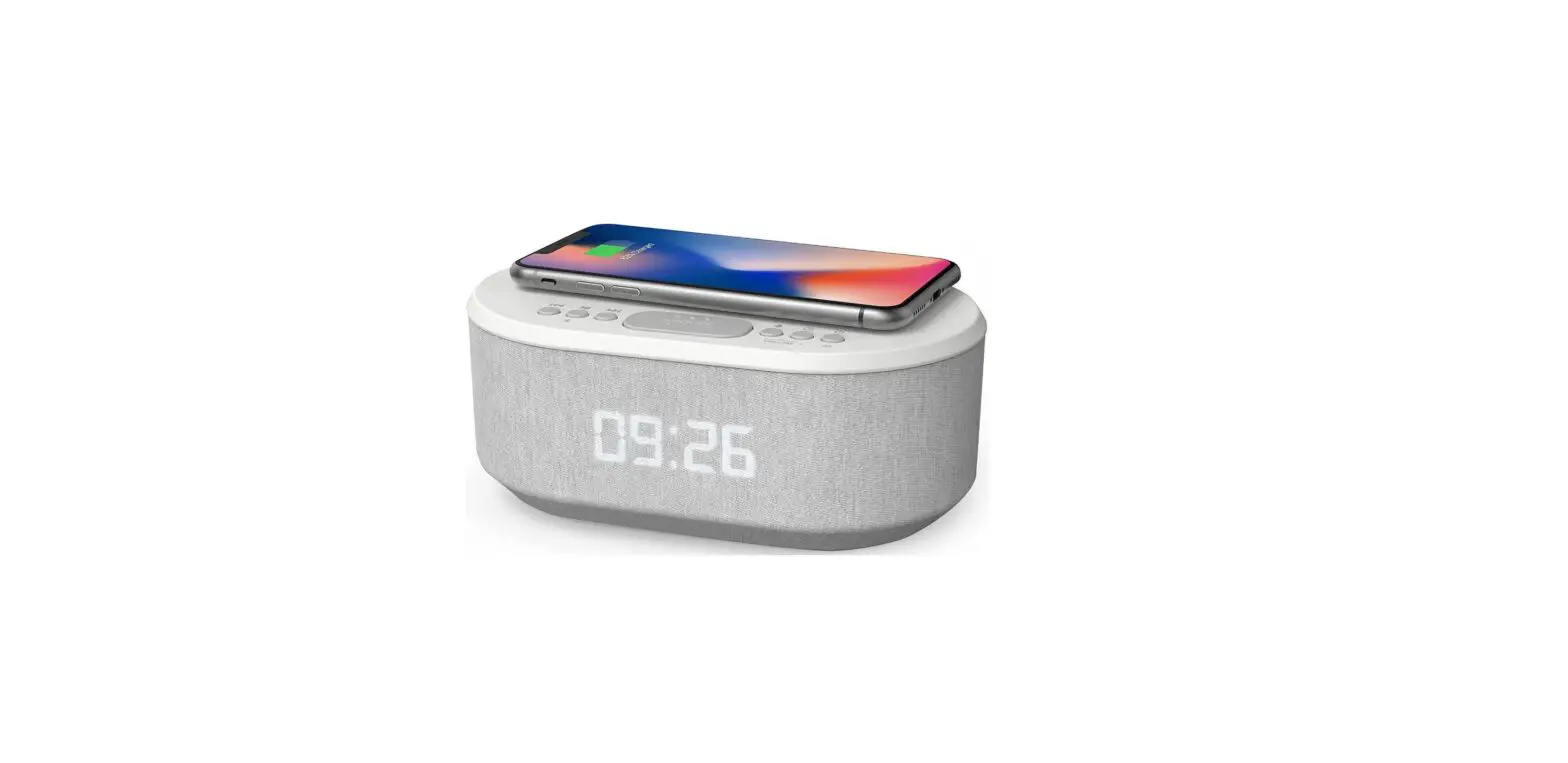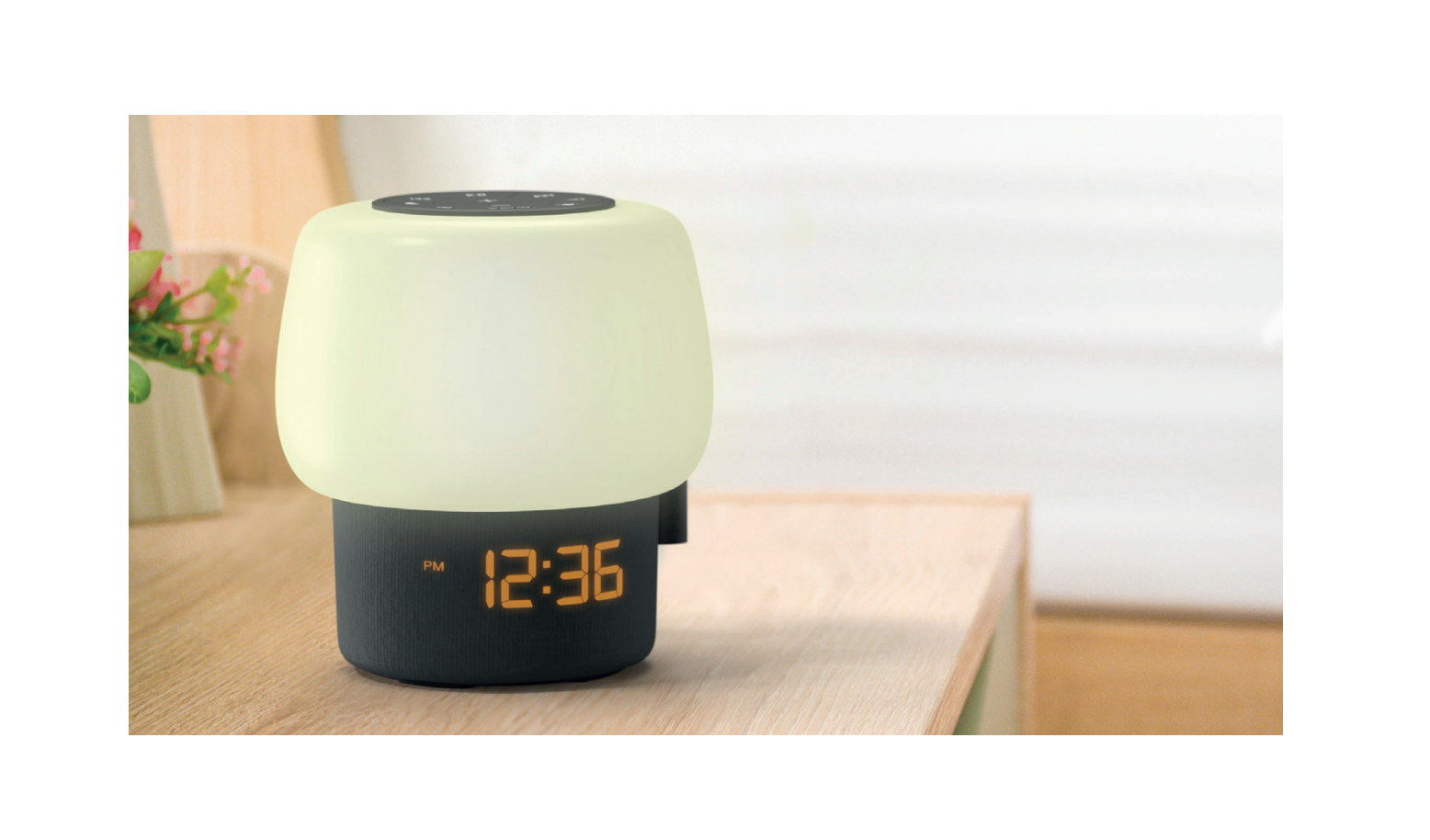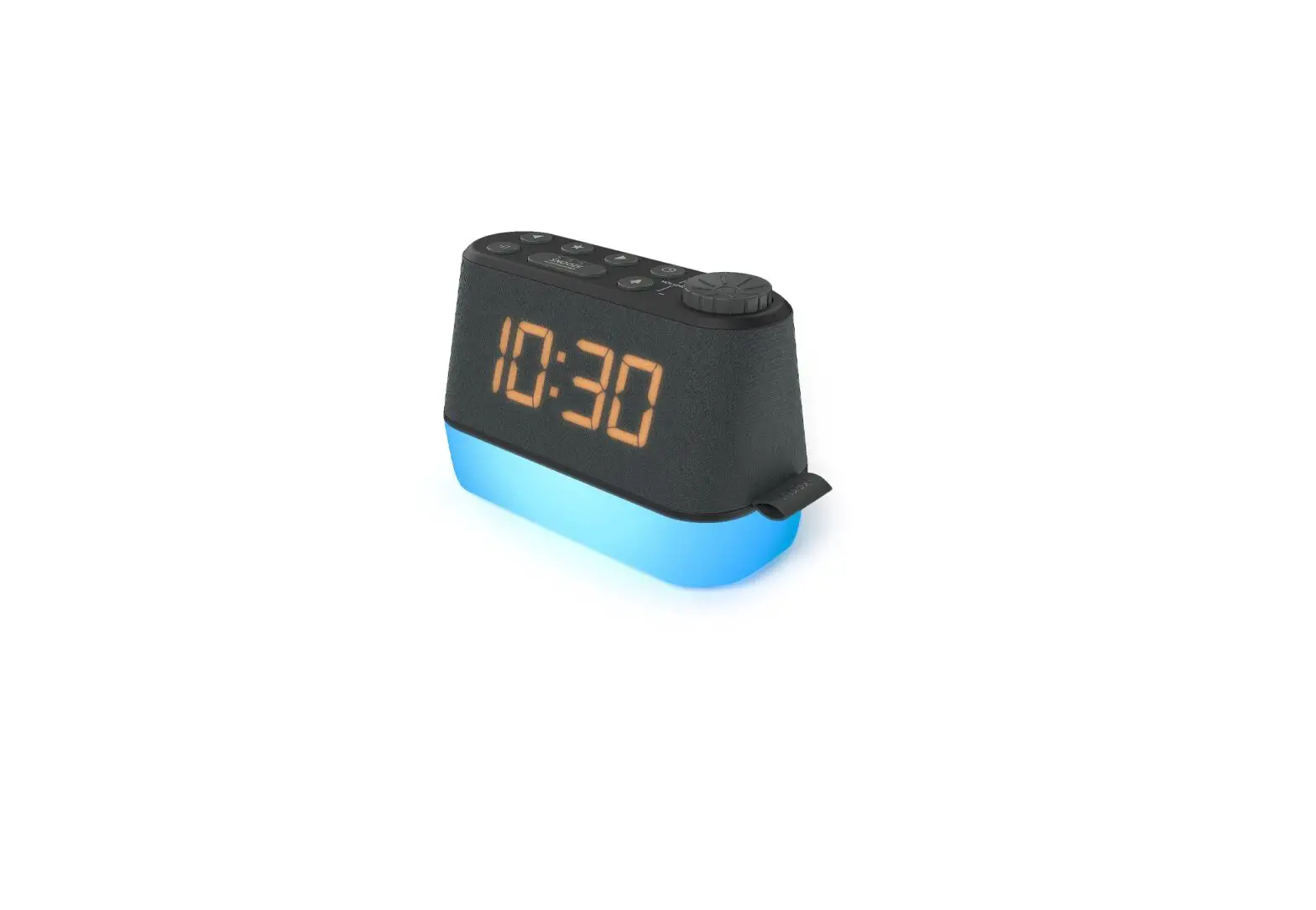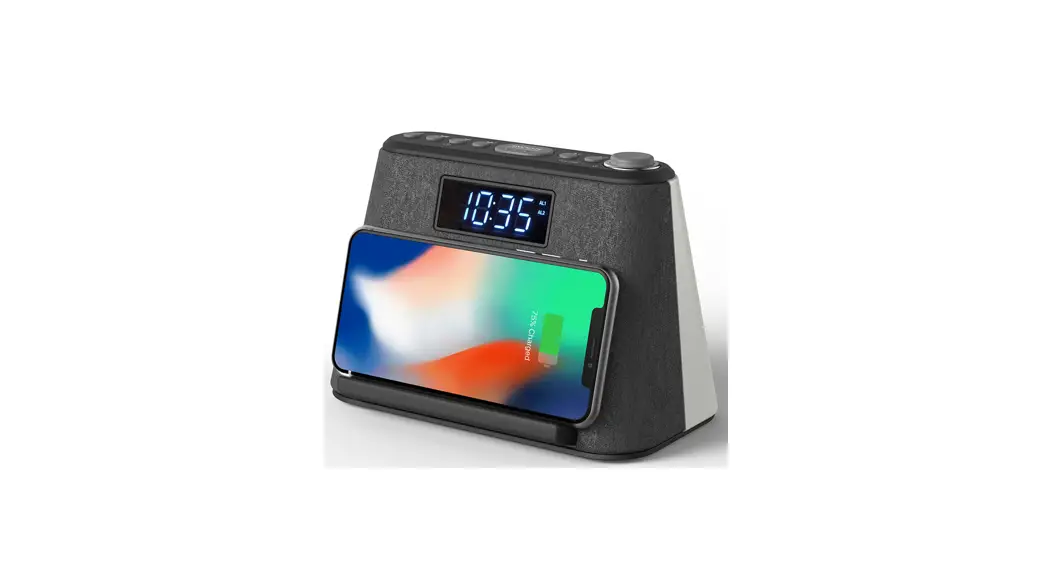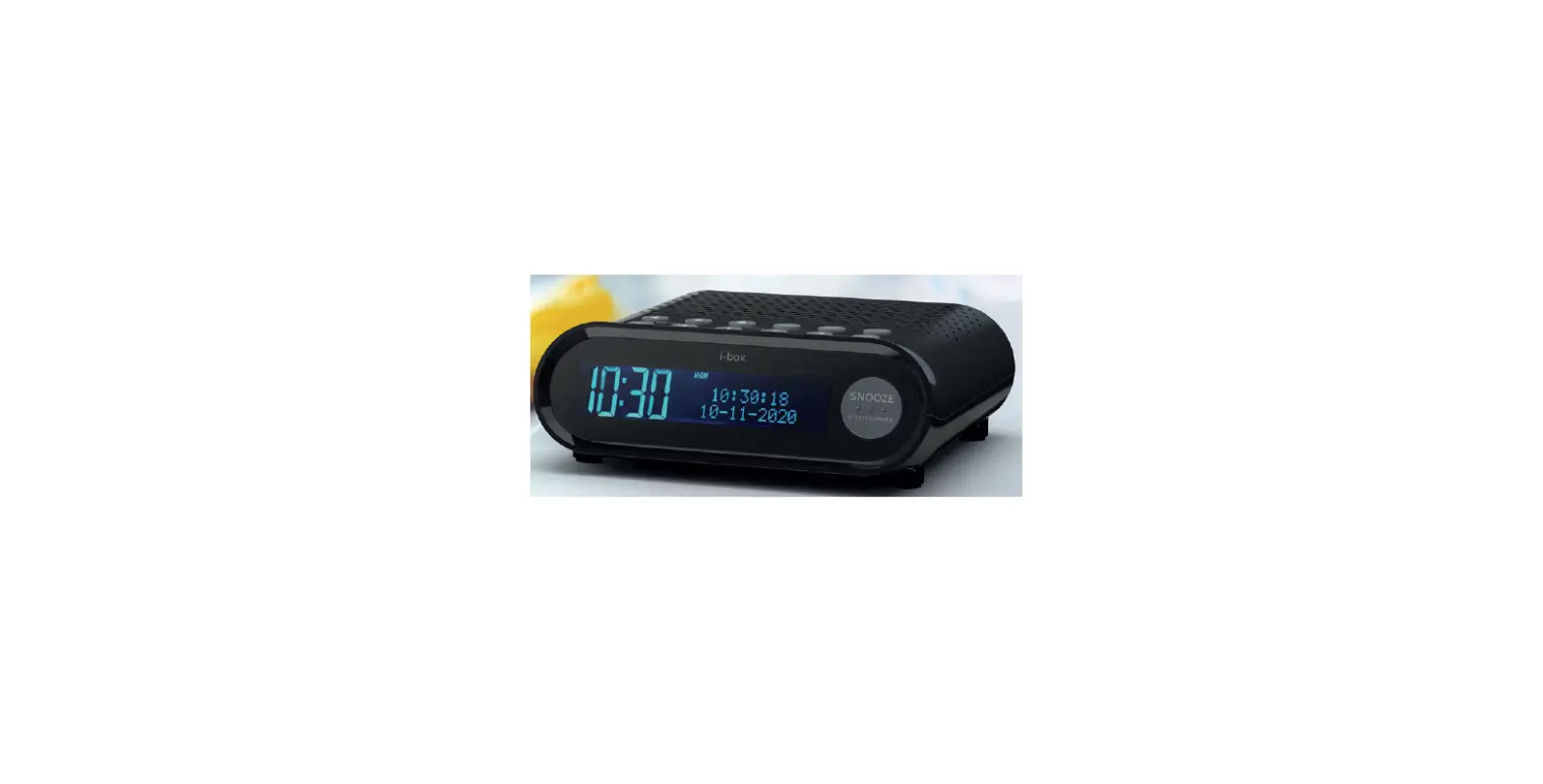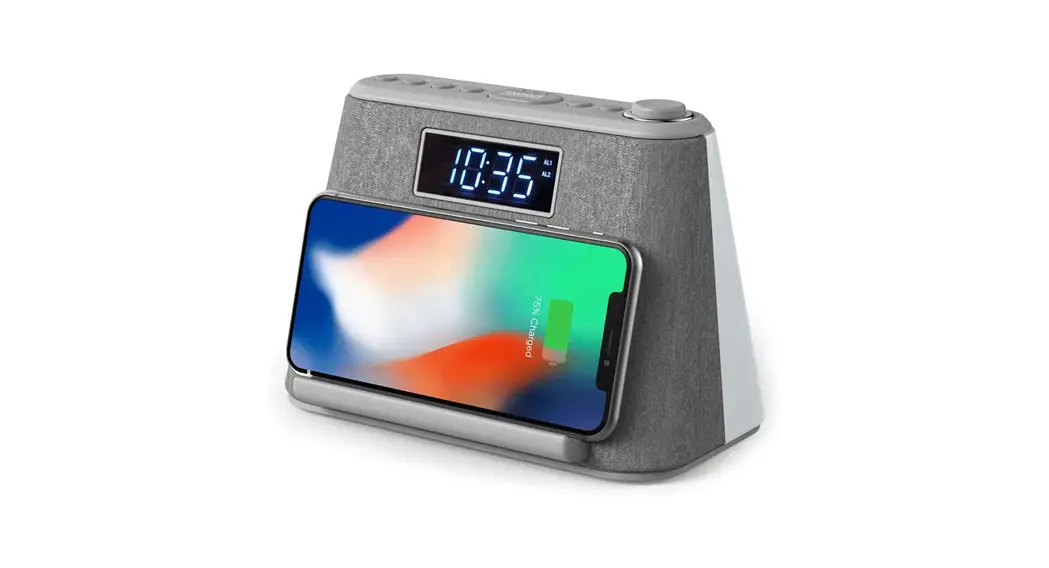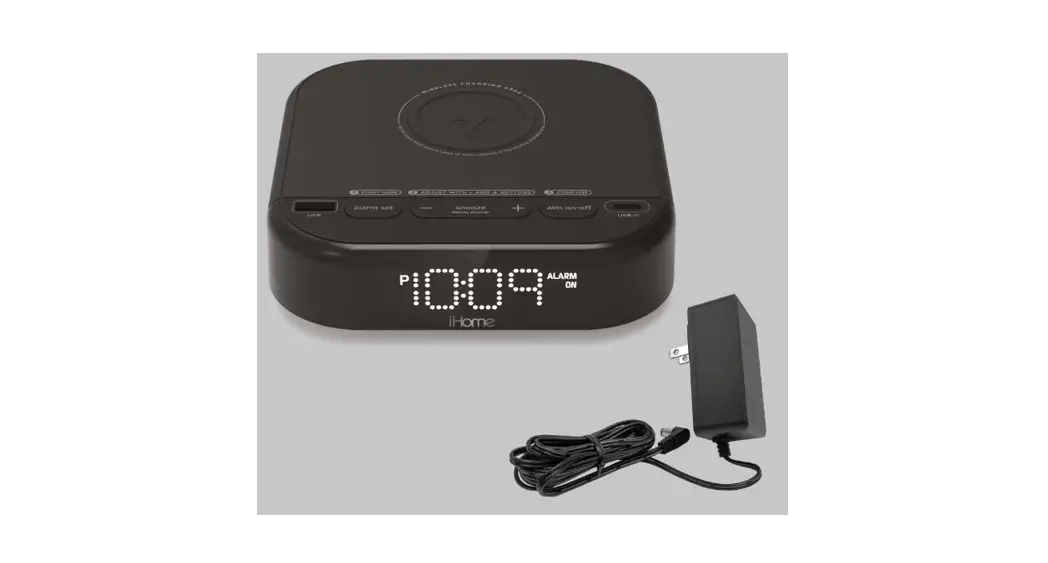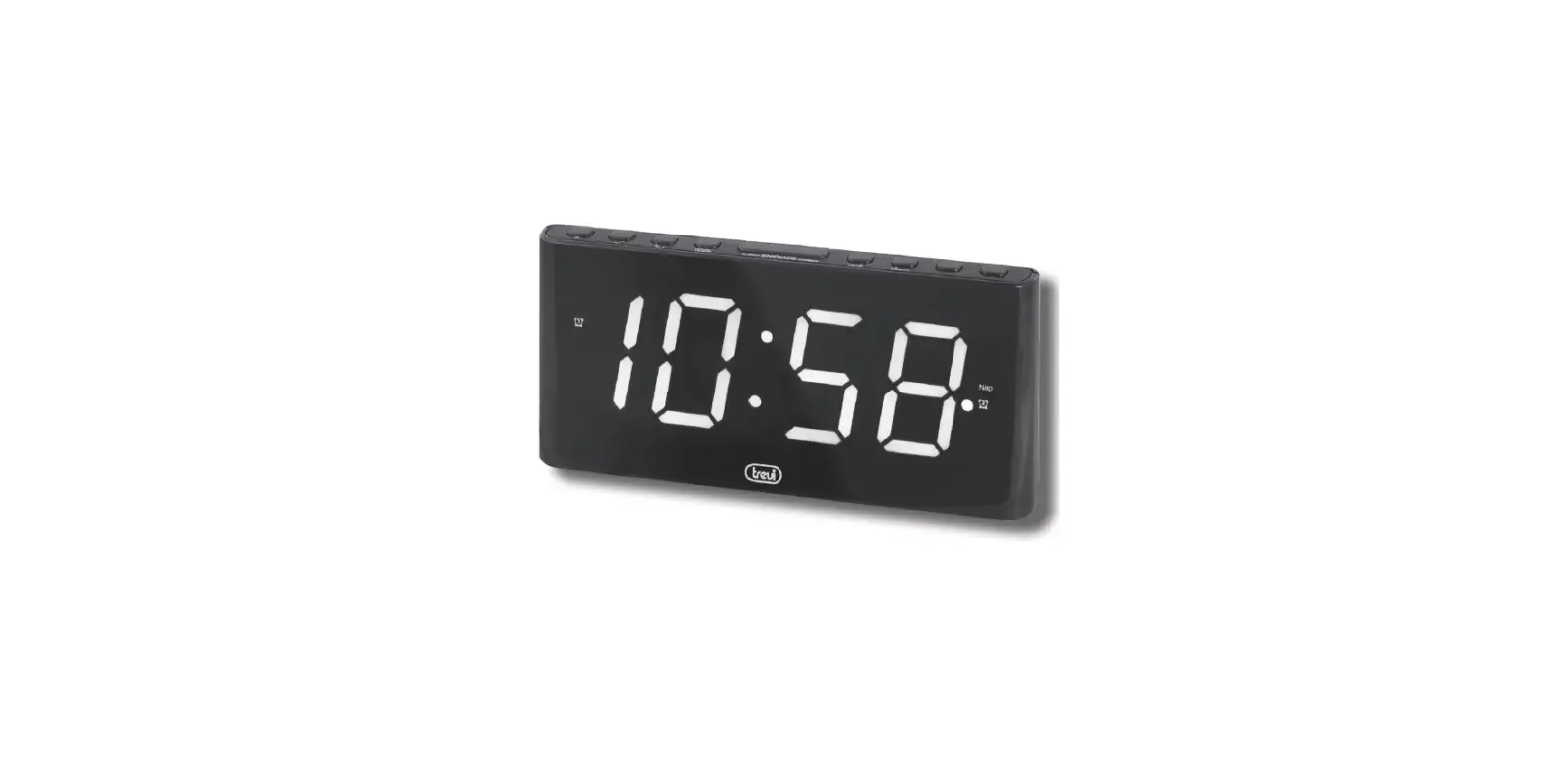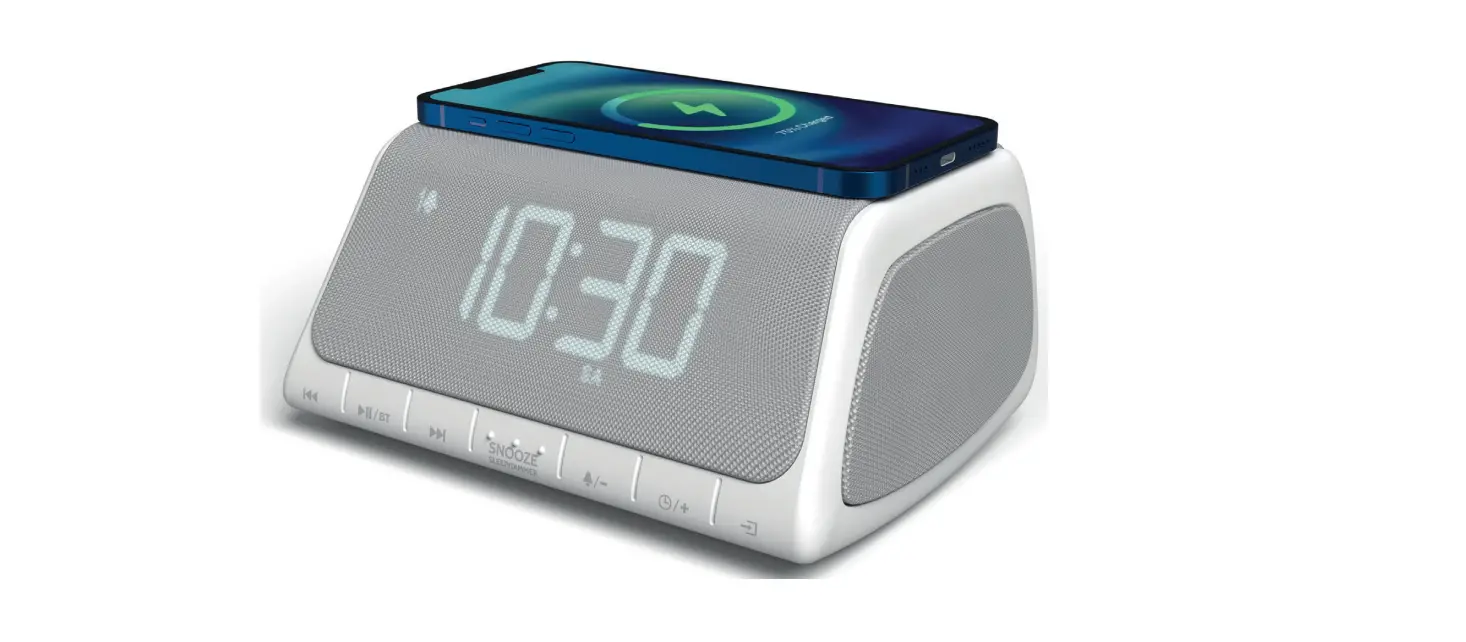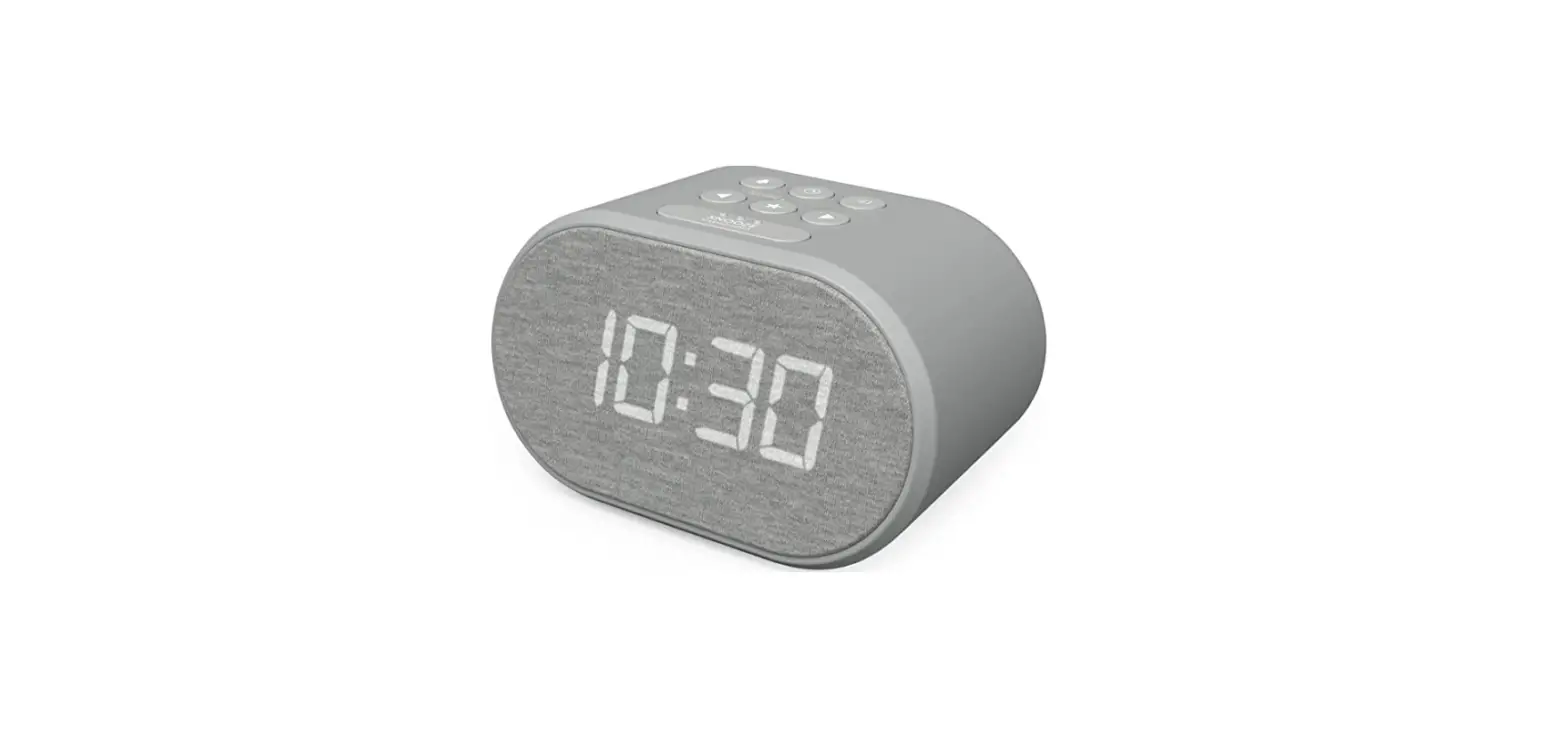

I-BOX 79264PI-17 Bedside Non-Ticking LED Backlit Alarm Clock
Box contents
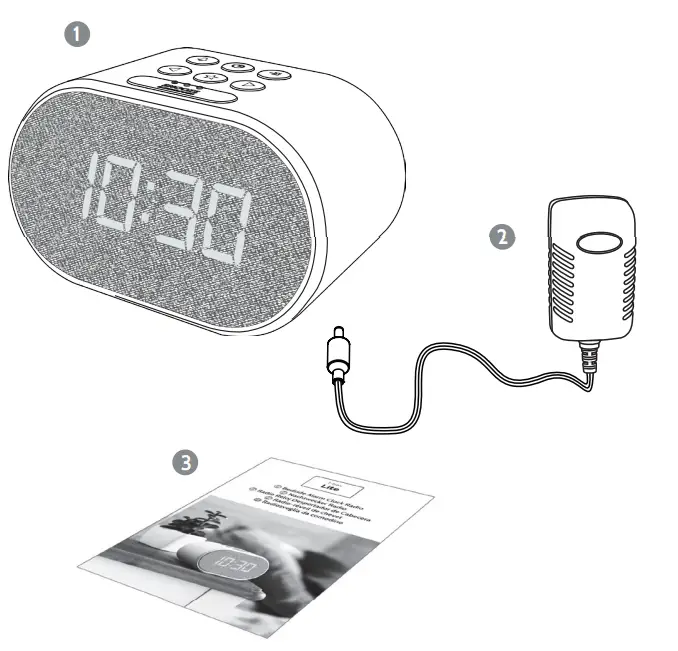
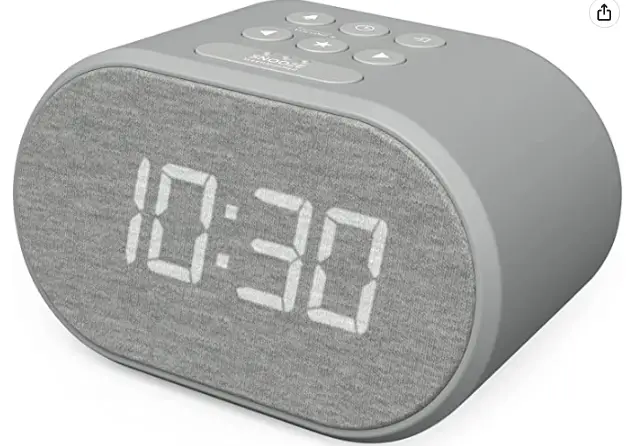
- Bedside Alarm Clock Radio
- Power supply
- User manual
Controls & Features
Top Panel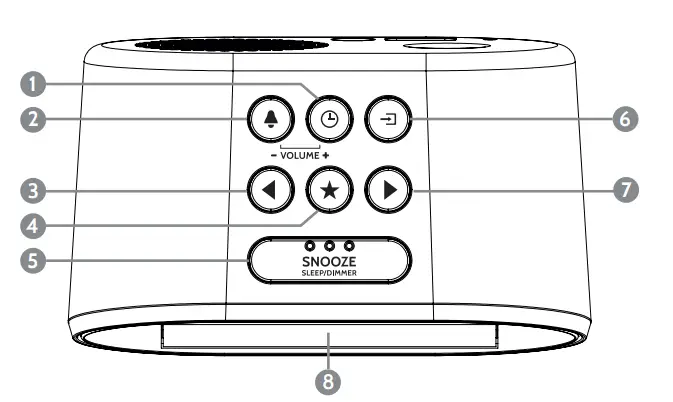
- VOLUME
 / Time Set, Lauter
 - VOLUME
 Alarm set, Leiser
 - Skip
- Preset Key
 Snooze
- Standby/Function Key
- Skip +. Weiter-taste
- LED Display
- Speaker
- Speaker port tube
- DC adaptor jack
- Wire Antenna
- USB charging port
Bottom Panel
- Back up the battery door
 / Time Set, Lauter
 Alarm set, Leiser
 Snooze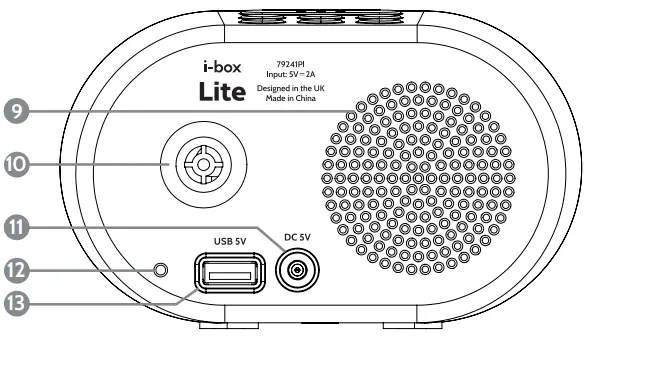
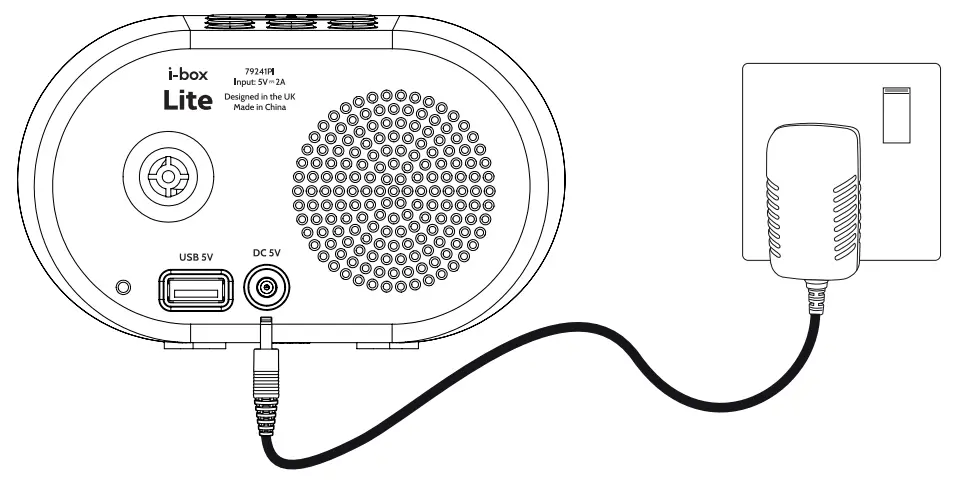
Power connection  Clock setting
 Clock setting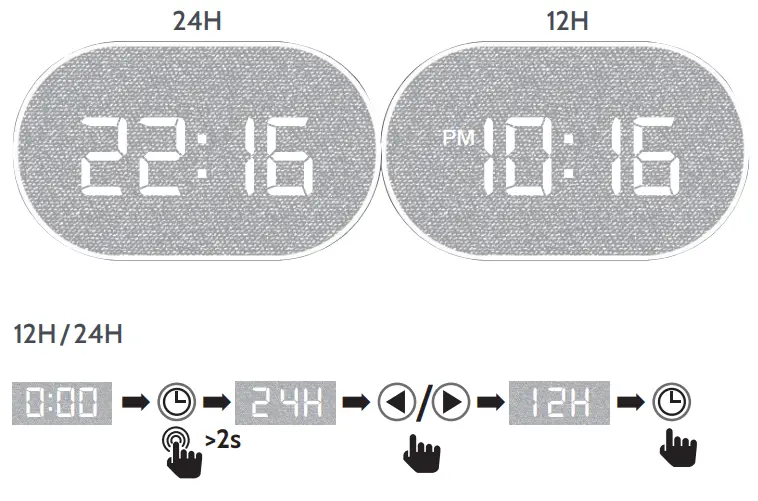
Hour 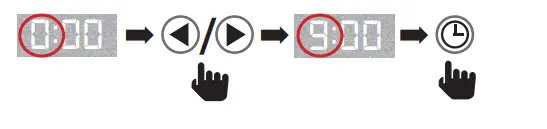 Minute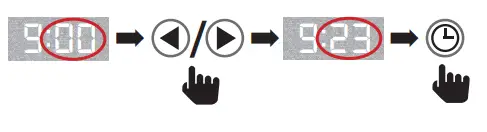
Alarm setting

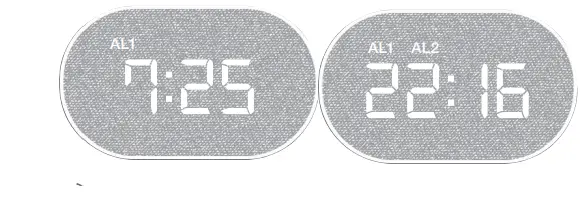
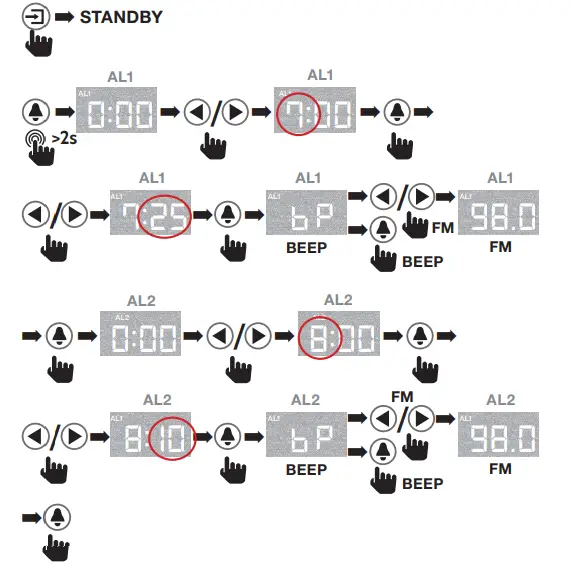
Alarm enable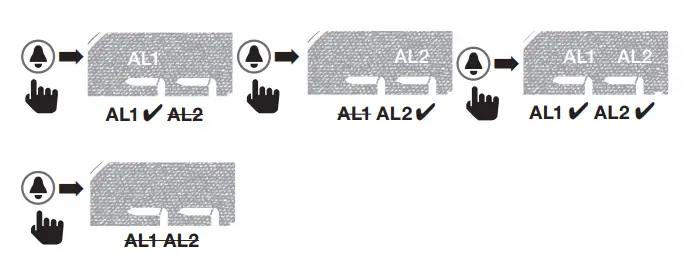
Alarm Stop & Snooze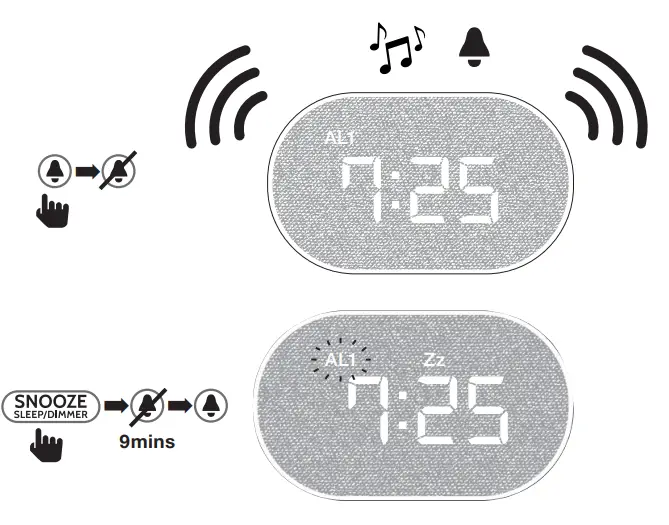
LED Display Dimmer

FM radio operation
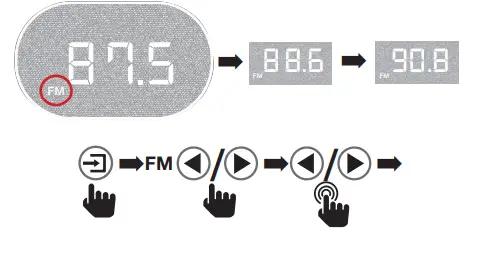
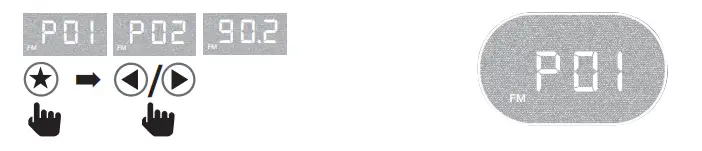
FM radio memory
There are 10 preset spaces available for you to store your favourite stations.
Set preset station
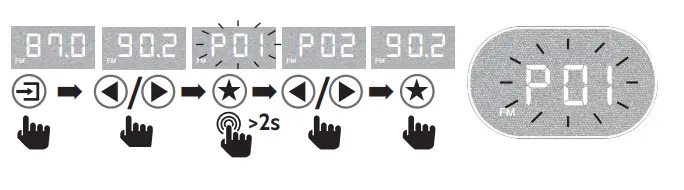
Play preset station 
Sleep mode 
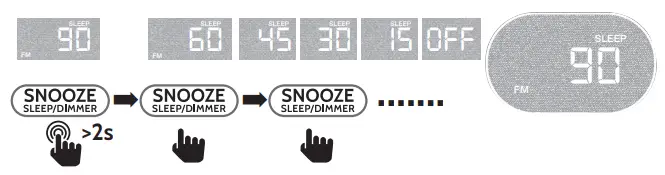
The radio switches off after the selected time (in minutes) has elapsed.
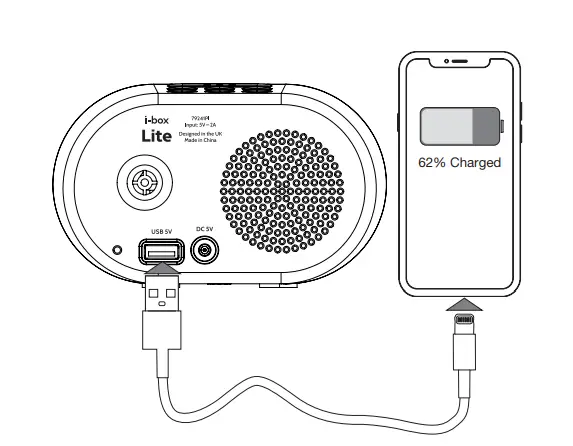
USB charging port Backup batteries
 Backup batteries
The i-box Lite has a backup battery feature where 2x AAA batteries (not included) will allow it to remember time and alarm settings if unplugged or power is cut.
Caring for your Alarm Clock
Important – Please read these instructions fully before installing or operating your alarm clock.
- Keep away from flame sources such as lighted candles.
- Do not expose to dripping or splashing fluids. Objects filled with liquids, such as vases, must not be placed close to the speaker.
- The unit should not be exposed to direct sunlight, very high or low temperatures, moisture, vibrations, strong magnetic fields, high frequencies and dusty environments.
- Do not place the product in enclosed bookcases or racks without proper ventilation. Ventilation should not be impeded by covering the ventilation openings with items, such as newspapers, table-cloths, curtains, etc.
- Never attempt to insert wires, pins or other such objects into the vents or openings of the unit.
- Do not disassemble or modify the alarm clock, there are no user-serviceable parts.
- If the alarm clock is damaged in any way or malfunctions do not use. Consult a qualified service engineer.
- Do not use abrasives, benzene, thinner or other solvents to clean the surface of the unit. To clean, wipe with a clean soft cloth and a mild detergent solution.
- Do not dispose of this product with household waste at the end of its life cycle; hand it over to a collection centre for the recycling of electrical and electronic appliances.
Troubleshooting
| Problem | Solution |
| Alarm doesn’t switch on | Check power adaptor is connected to the alarm and mains |
| Check mains is switched on | |
| No sound | Turn up the volume of the speaker |
| Check the radio has not been set to Sleep mode | |
| No LED display | Check dimmer is not set to OFF |
Disclaimer
Updates to Firmware and/or hardware components are made regularly.
Therefore some of the instructions, specifications and pictures in this documentation may differ slightly from your particular situation. All items described in this guide are for illustration purposes only and may not apply to your particular situation. No legal right or entitlements may be obtained from the description made in this manual.
Declaration of conformity
Hereby, Philex Electronic Ltd. declares that the radio equipment: Lite Bedside Alarm Clock Radio for radio broadcast reception in domestic premises is in compliance with the Radio Equipment Directive 2014/53/EU. The full text of the EU declaration of conformity is available at the following internet address: www.philex.com/doc
Technical support
For further help, advice, information or live chat visit www.iboxstyle.com
Specifications
| Power Input: | 5V2A, 10W |
| Backup batteries: | 2x 1.5W AAA |
| USB Output: | 5V1A max. |
| Speaker output: | <= 5m. |
| Dimensions W x H x D: | 135 x 85 x 83 mm |
ErP/EuP directive No. (EU) 2019(1782)
Power Supply
| Manufacturer/Address Hersteller Fabricante Fabricant / Addresse Produttore / indirizzo | Philex Electronic Ltd.
Kingfisher Wharf, London Road, Bedford, United Kingdom. Registration No. 339123 | |||
| Model identifier / Modellkennung Identificador del modelo Référence du modèle Identificatore del modello | AK12WA-0500200VW | |||
| EN | DE | |||
| Input voltage | 100-240V | Eingangsspannung | 100-240V | |
| Input AC frequency | 50/60Hz | Eingangs AC frequenz | 50/60 Hz | |
| Output voltage | 5VDC | Ausgangsspannung | 5 V DC | |
| Output current | 2.0A | Strom | 2.0 A | |
| Output power | 10W | Leistung | 10 W | |
| Average active efficiency | 80.12% | Durchschnittlich Netzteileffizienz | 80.12 % | |
| Efficiency at low load (10 %) | 76.98% | Effizienz bei geringer Last (10 %) | 76.98 % | |
| No-load power consumption | 0.06W | Standby-Leistung | 0.06 W | |
| ES | FR | |||
| Tensión de entrada | 100-240V | Tension d’entrée | 100-240V | |
| Frecuencia de la CA de entrada | 50/60 Hz | Fréquence du CA d’entrée | 50/60 Hz | |
| Tensión de salida | 5 V CC | Tension de sortie | 5 VCC | |
| Intensidad de salida | 2.0 A | Courant de sortie | 2.0 A | |
| Potencia de salida | 10 W | Puissance de sortie | 10 W | |
| Eficiencia media en activo | 80.12 % | Rendement moyen en mode actif | 80.12 % | |
| Eficiencia a baja carga (10 %). | 76.98 % | Rendement à faible charge (10 %) | 76.98 % | |
| Consumo eléctrico en vacío | 0.06 W | Consommation électrique hors charge | 0.06 W | |
| IT | ||||
| Tensione di ingresso | 100-24 V | |||
| Ingresso frequenza AC | 50/60 Hz | |||
| Tensione di uscita | 5 V CC | |||
| Corrente di uscita | 2.0 A | |||
| Potenza di uscita | 10 W | |||
| Efficienza attiva media | 80.12 % | |||
| Efficienza a basso carico (10%) | 76.98 % | |||
| Consumo energetico a vuoto | 0.06 W | |||
FAQS
does the colon between the hour and minutes always blink?
Yes, it does always blink. The blinking doesn’t bother me… I’m happy with this Clock, but wish the glow could be dimmed more at night time.
Can I purchase a power adapter? There wasn’t one in the alarm clock I purchased.
The clock I purchased definetly had an adapter in the box because I installed the clock on my wife’s bedside night stand
please check with the company and try to find out happened to the missing adapter.
What are the dimensions of the clock itself? (Not the package)
About 4x4x6
Clock sets time all buy itself using blutooth
How do you change the time on a wireless charger clock?
To enter the alarm setting mode, press the Menu button (3) repeatedly until you see alarm modes A1, A2 and A3. In any of these modes, long press the Menu button (3) to adjust the time setting, then use the up adjust and down adjust buttons (2 and 4) and Menu button (3) to confirm the required time.
How do you set an alarm on I box?
First long press the mode key (1) to enter standby mode, press and hold 1 alarm 1 key (8) for 3 seconds, to start setting the time for alarm 1. 2. Press (2) or (4) to change the hour then press 1 alarm 1 key (8) to select.
Why are my alarms only vibrating?
If your alarm only vibrates on your Android phone, you might have enabled the vibration mode from the alarm clock settings or the alarm volume is at zero.
Where is my alarm clock app?
A standard alarm on an Android device is usually found in the Clock application. Open the App Drawer by swiping up on your phone, then select the Clock icon. Make sure Alarm is selected on the bottom left, then select the plus (+) sign. Pick the time you want your alarm to go off, then select OK.
Why do my alarms keep snoozing?
Work on your timing. Although you’re typically in REM sleep by wake-up time, there’s a chance your alarm will go off during a deeper sleep cycle instead. The resulting grogginess can be one reason you’re especially tempted to hit snooze.
Will my alarm still go off on silent mode?
Feature phones can play the alarm even when the phone is powered off, but iOS and Android smartphones don’t have this feature yet as the alarm in modern phones is dependent on the OS inside.
Why wont my alarms go off?
Users setting the alarm for the first time might face this problem. If your clock app doesn’t have permission to send notifications, your alarm won’t go off. To prevent this, follow the steps below to grant access to your clock app to send notifications. This is only possible for Android devices.
What if my alarm doesn’t wake me up?
If nothing wakes you up anymore, you may not be getting enough sleep. Most adults need between 7 and 9 hours of sleep every night. If you don’t get the recommended hours, try going to bed earlier several nights in a row and see if it makes a difference.
What does it mean if you sleep through your alarm?
Sleeping through the alarm is fairly common. You might do this for a number of reasons: you are not getting enough sleep, your sleep schedule is off (which means your inner alarm system is off), or you may have a poor mindset.