
APEX MEDICAL CORP.
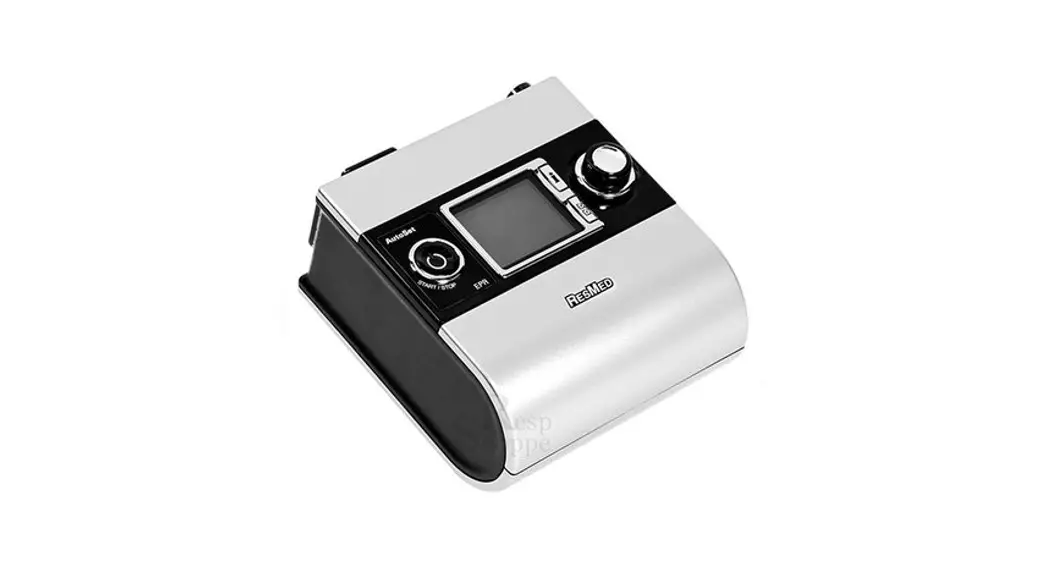
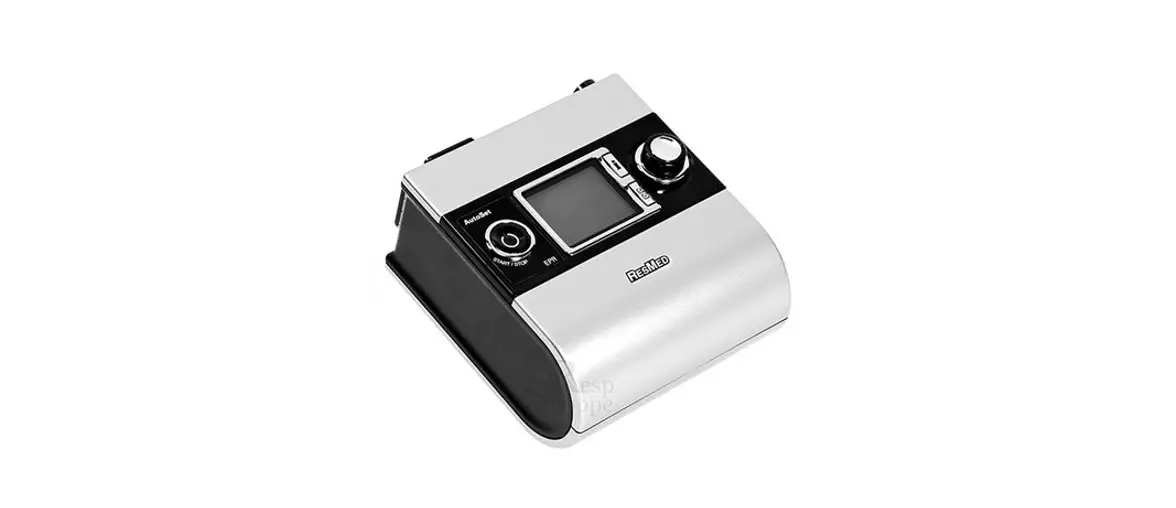
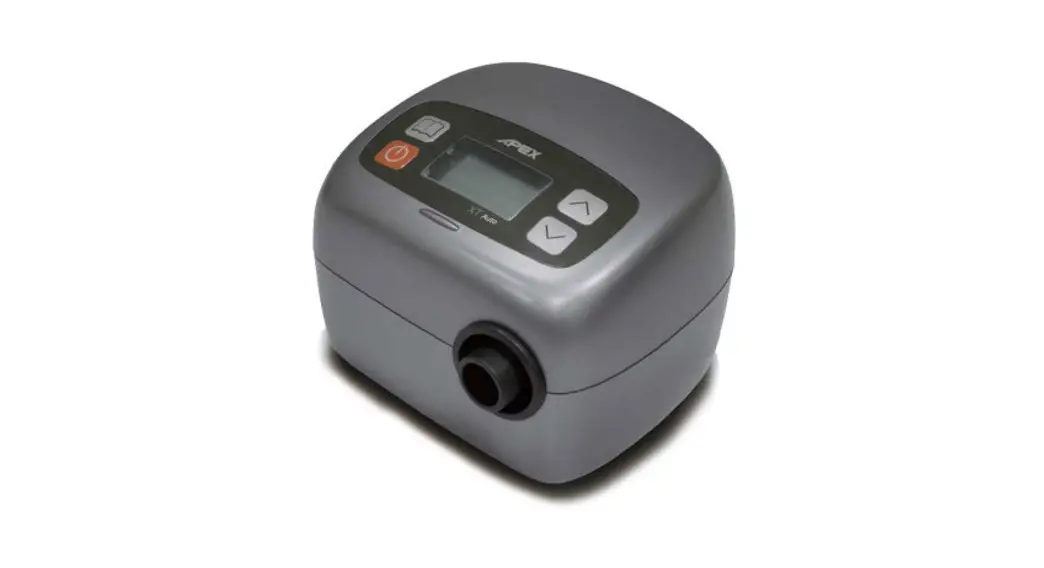
XT Auto
Notice! Please remove the guide before giving the device to the patient. Only medical professionals could adjust pressure settings.
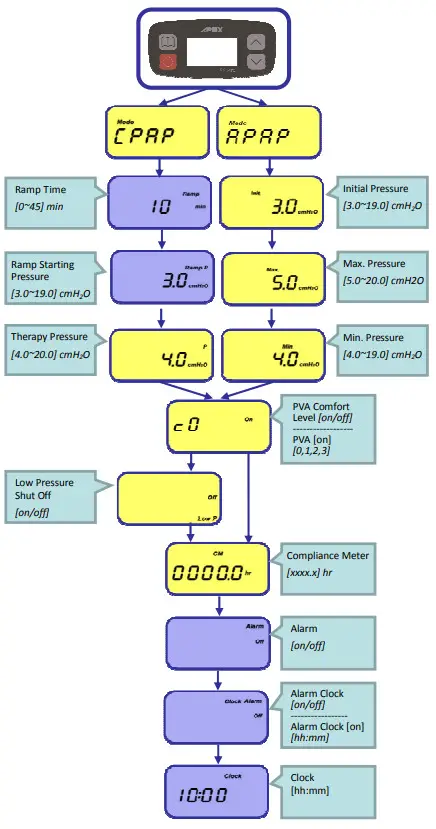
Provider Setup Navigation
- Press “Menu”
 to any
  Menu (See Operation Flow on the right) while in the Standby screen.
 - Hold down both the “UP”
 & ”Down”
  buttons, and then simultaneously press the “Menu” for 1 second. When the screen starts blinking, the Provider Mode would be unlocked.
 - Press “UP” and ”Down” to adjust the settings.
- Press “Menu” to confirm the settings.
- Press the “Start/Standby”
 to go back to the standby screen.
 Menu (See Operation Flow on the right) while in the Standby screen.
 & ”Down”
  buttons, and then simultaneously press the “Menu”
Provider Mode Quick Guide
Re-set the Compliance Meter
- In the standby screen, press “Menu” to select [CM xxxx.x hr] menu.
- Accessing the Provider Mode first (Press
 ), then the screen starts blinking.
 - Press “UP” or ”Down” , then the screen will show [Clear].
- Press “Menu” to confirm the settings, and the Compliance Meter record will be erased. The screen will show [Clear OK] when finishing the process.
 ), then the screen starts blinking.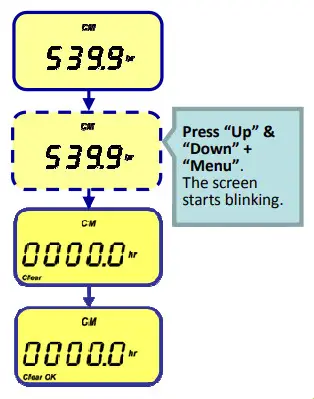
Engineering Mode Quick Guide
Accessing the Engineering Mode
1. Plug the power supply into the iCH device.
2. Before it shows [Standby] screen, hold down both the “Starts/Standby”  and “Menu”
  buttons for 1 second, the
Engineering Mode would be unlocked.
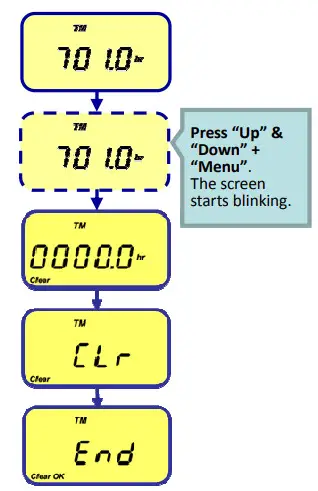
Re-set the Total Meter
- Accessing the Engineering Mode first, then the screen will show [TM xxxx.x hr] menu.
- Hold down both the “UP” & ”Down” buttons, and simultaneously press the “Menu” , and then the screen starts blinking.
- Press “UP” or ”Down” , then the screen will show [Clear].
- Press “Menu” to confirm the settings, and the screen will show [TM CLr Clear],and the Total Meter record will be erased.
- The screen will show [TM End Clear OK] when finishing the process.
Care for a Healthy Life.