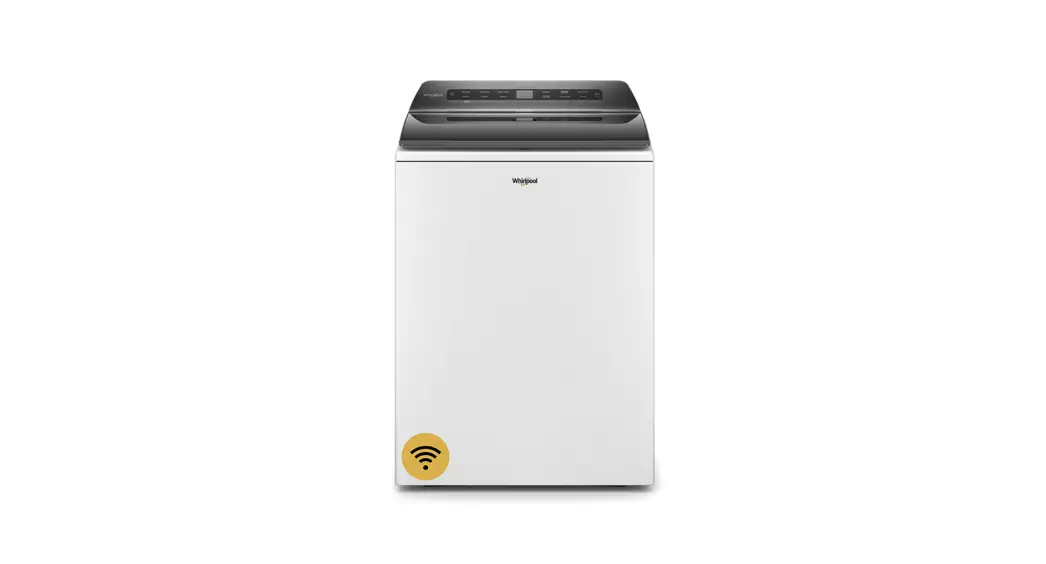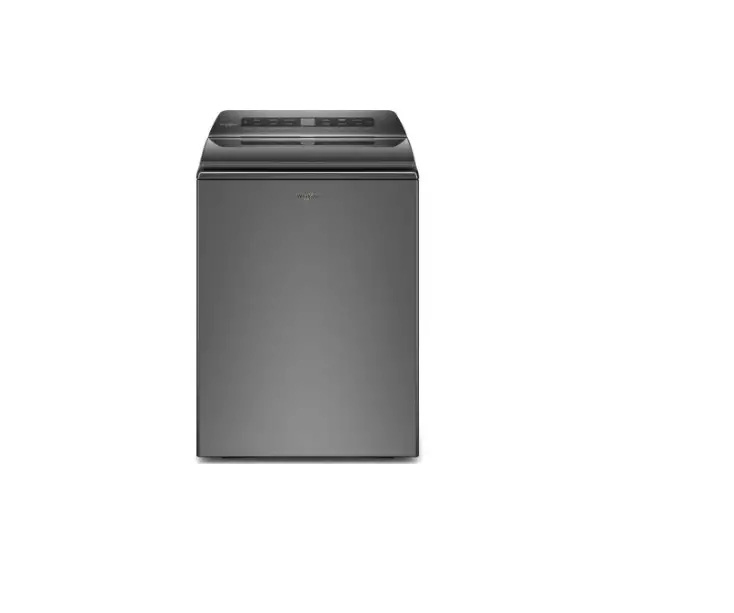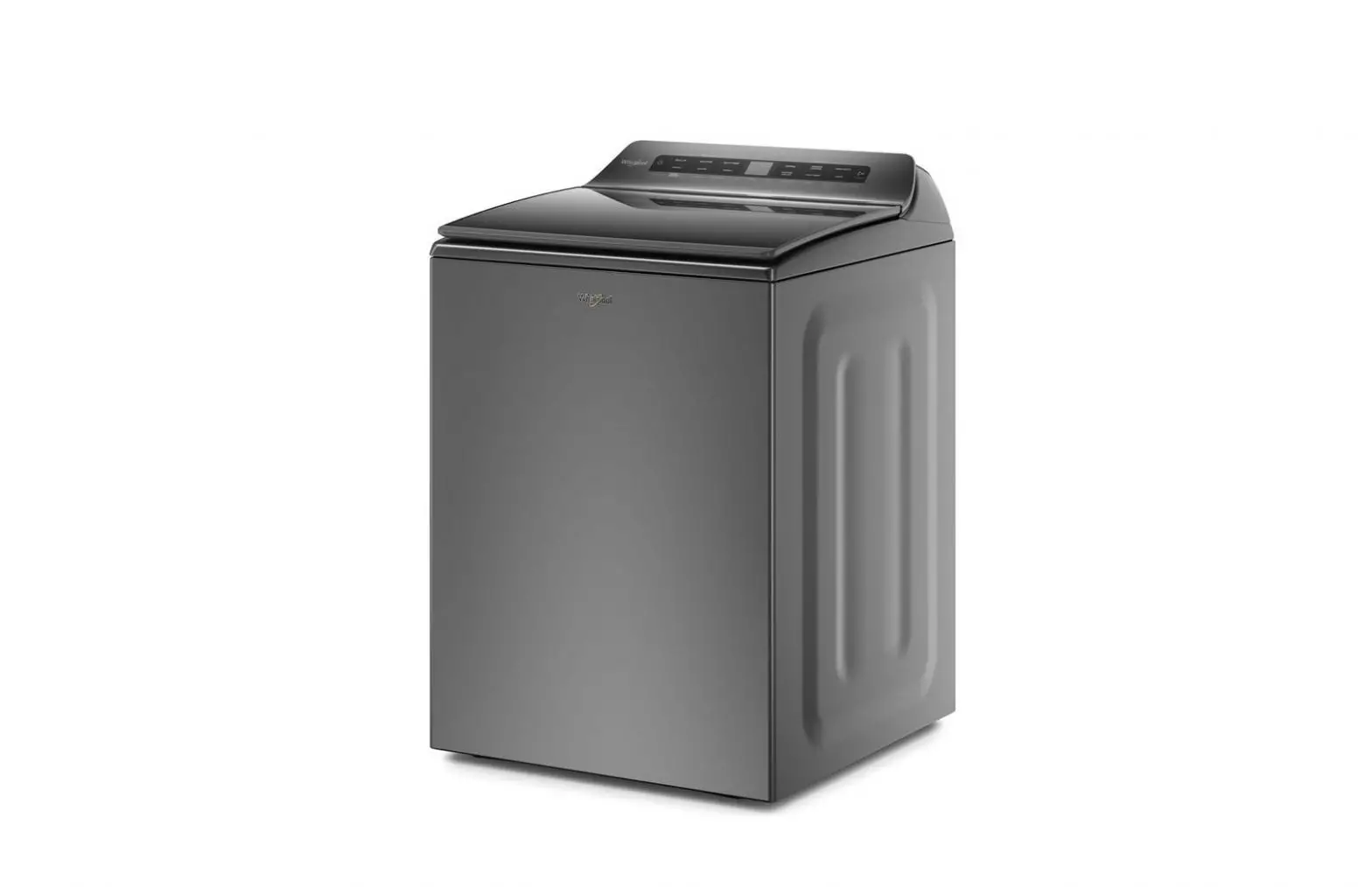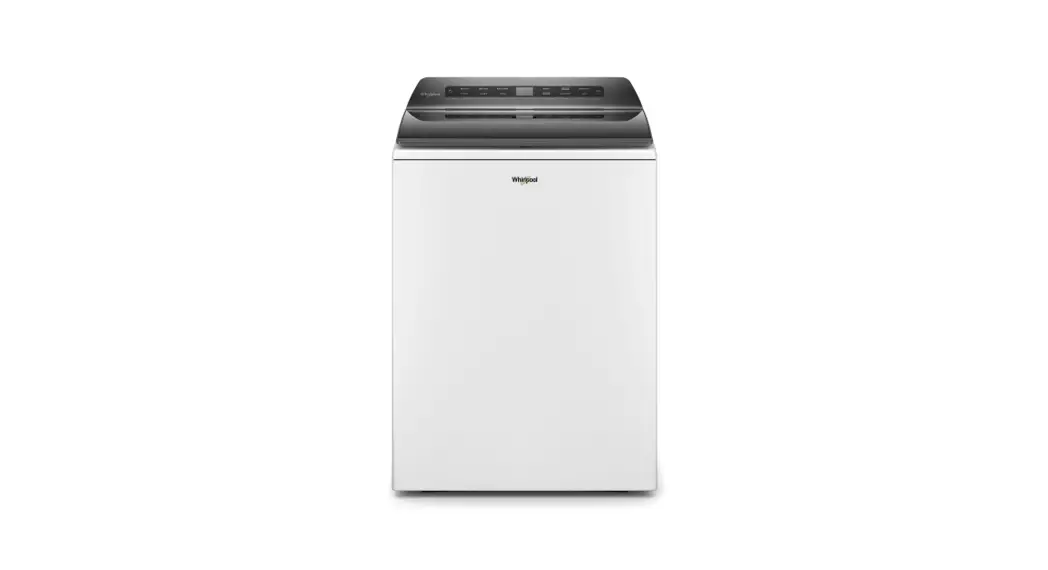
QUICK REFERENCE GUIDE WHIRLPOOL® TOP-LOADING WASHING MACHINE
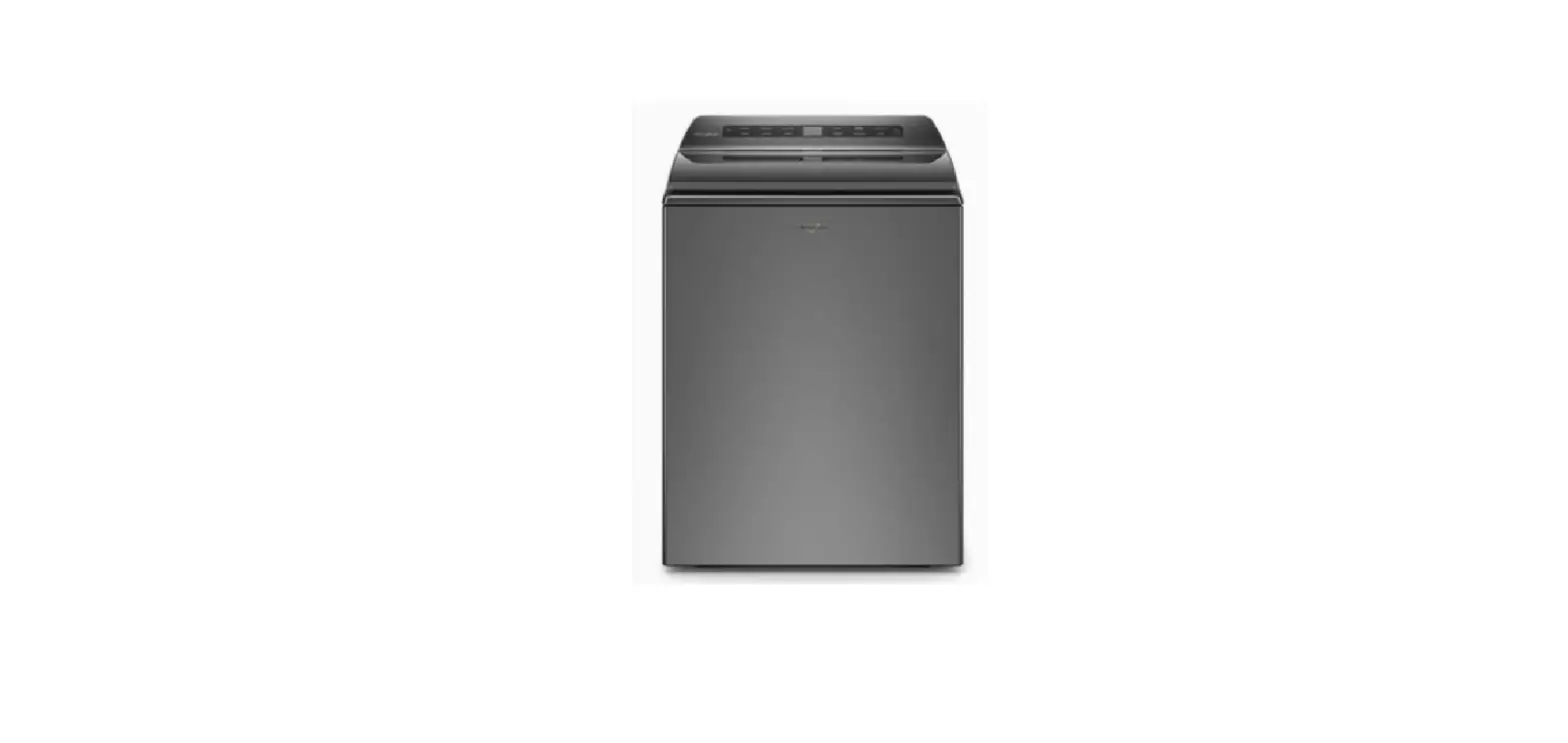
CONTROL PANEL AND FEATURE
W11445523A 1
Appearance may vary depending on the model.
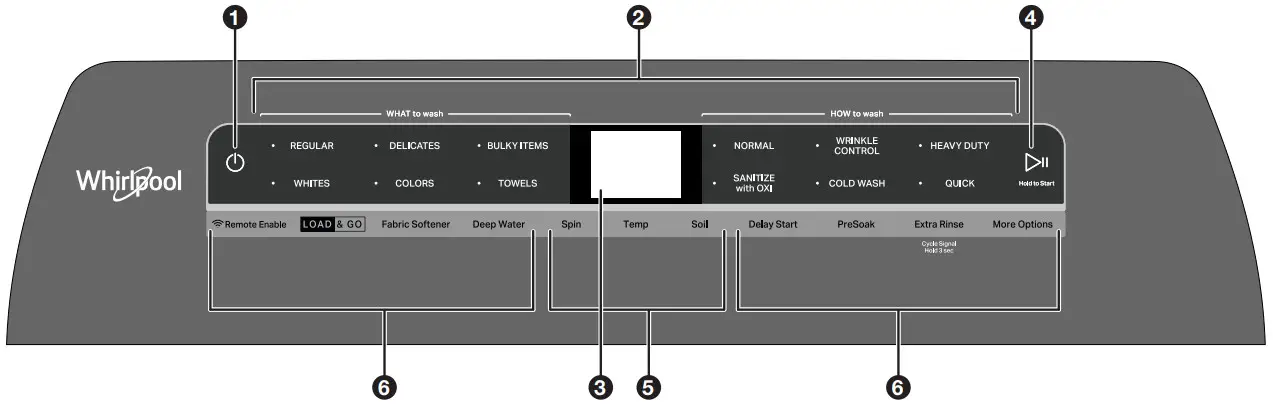
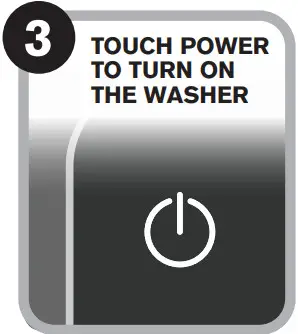
- POWER Touch to turn on/off or to stop/cancel a cycle.
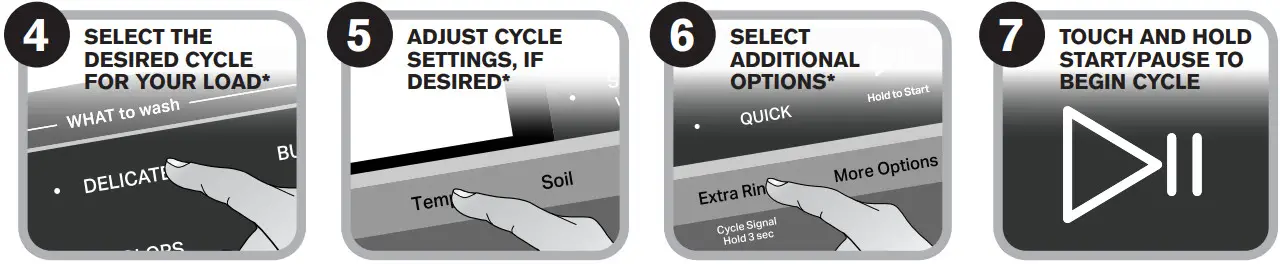
- WHAT TO WASH/HOW TO WASH First select a cycle from the “What to Wash” and then select the “How to Wash” to get the best combination cycle available for the type of items you are going to wash. See “Cycle Guide” for cycle details.
- LCD TIME/STATUS DISPLAY The display shows the time required for the cycle to complete. Factors such as load size and water pressure may affect the time shown in the display. Tightly packed loads, unbalanced loads, or excessive suds may cause the washer to adjust the cycle time as well. If you have set a delayed start to the cycle, the display will show the delay time adjusted. ADD GARMENT When Add Garment is lit, you may pause the cycle, open the lid, and add items. Touch and hold the START/PAUSE button to start the cycle again.
- START/PAUSE Touch and hold the START/PAUSE to start the cycle. Touch during a cycle to pause the cycle and unlock the lid. NOTE: If the machine is spinning it may take longer to unlock the lid.
- CYCLE MODIFIERS (Not all modifiers are available on all cycles)
SPIN Touch to modify the cycle’s available spin speeds (Off, Medium, Fast).
TEMP Touch to modify the cycle’s available water temperatures (Tap Cold, Cold, Cool, Warm, Hot).
SOIL Touch to modify the cycle’s available soil levels. Increase soil level for heavily soiled items and decrease soil level for lightly soiled items (Extra Light, Light, Normal, Heavy, Extra Heavy). - CYCLE OPTIONS (Not all options are available on all cycles)
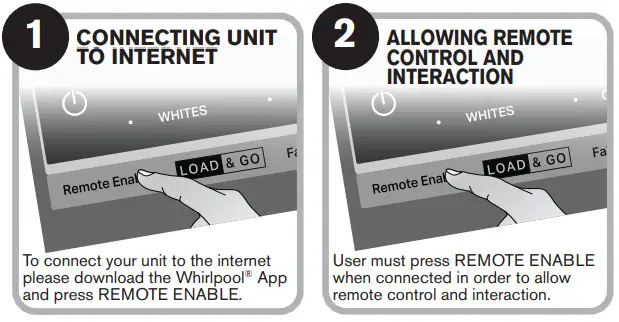
REMOTE ENABLE Touch each time you want to remotely control via the Whirlpool® app. Follow the instructions in the “GET THE WHIRLPOOL® APP AND GET CONNECTED” section below for more details. Opening the lid cancels “remote enable”.
LOAD & GOTM Bulk Dispenser The Load & GoTM dispenser holds 1L of detergent and determines the best time and amount to add detergent to the load. See the “Using the Dispensers” section for more information.
FABRIC SOFTENER Touch the “Fabric Softener” button to let the machine know when you have added fabric softener to the appropriate dispenser.
DEEP WATER Touch the “Deep Water” button to add more water to the washer from the cycle’s auto sensed level (Auto, Medium, High, Max Fill). NOTE: Expect longer cycle times due to extended fill times when using the Deep Water option.
DELAY START Touch to delay the start of the wash cycle for up to 12 hours.
PRESOAK Touch to add a presoak period to any cycle to help loosen tough stains. The washer will fill, pause to soak, and then begin the selected cycle (15 mins, 30 mins, 60 mins, 120 mins).
EXTRA RINSE Touch to automatically add a second rinse available on most cycles.
CYCLE SIGNAL Touch to turn the end-of-cycle signal on/off and adjust the tone volume when a button is touched.
MORE OPTIONS
• Drain & Spin
• Rinse & Spin
• Clean Washer with affresh®
• Favorite Cycle
GET THE WHIRLPOOL® APP AND GET CONNECTED With your mobile device download the Whirlpool® app. You can get subscription and connectivity instructions, terms of use, and privacy policy at www.whirlpool.com/connect or in Canada www.whirlpool.ca/connect.
Once installed, launch the app and you will be guided through the steps to subscribe and create your user account to connect to your appliance. If you have any problems or questions, call Whirlpool® Connected Appliances at 1-866-333-4591.
USING YOUR WASHER
 |  |  |
 | ||
|
 |
Fire Hazard Never place items in the washer that are dampened with gasoline or other flammable fluids. |
 WARNING
*NOTE: Not all cycles, settings or options are available with all models.
LOADING RECOMMENDATION
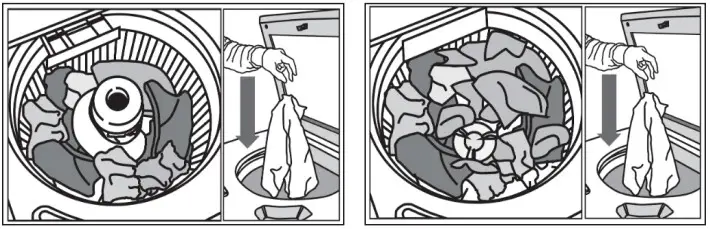
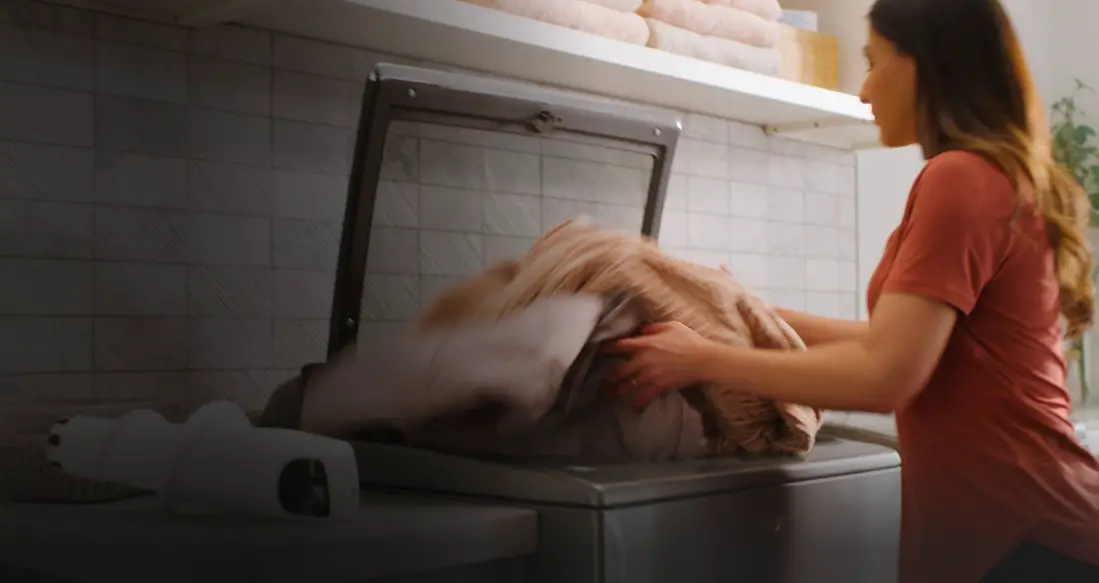
For best performance, it is recommended to load items by dropping them in loose heaps evenly around the washplate and agitator. Do not lay items length-wise around the swashplate or agitator.
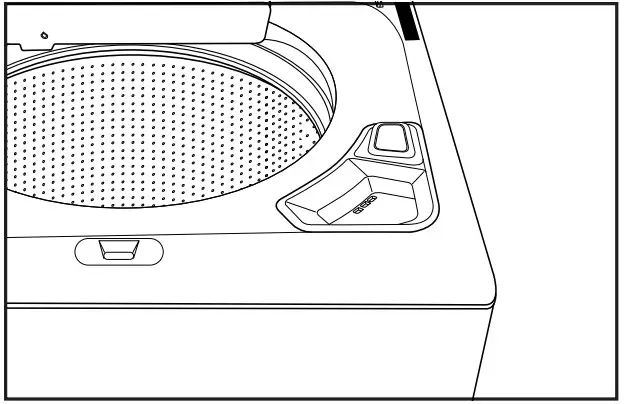
RINSING BEFORE RUNNING A WASH CYCLE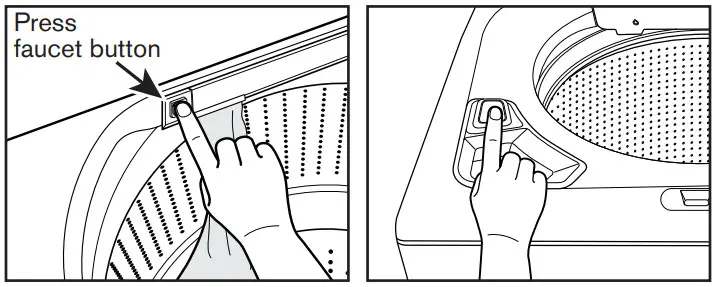
Water Faucet Operation
■ Press the faucet button once to turn it on and press it again to turn it off.
■ The faucet will automatically shut off after 10 minutes or when the max water level is reached.
■ Water will automatically drain if the water level becomes too high or if the lid is left open for 10 minutes.
■ On Load & Go™ models when the faucet is on touch the TEMP button to select water temperature or touch the LOAD & GO button to manually dispense a dose of detergent.
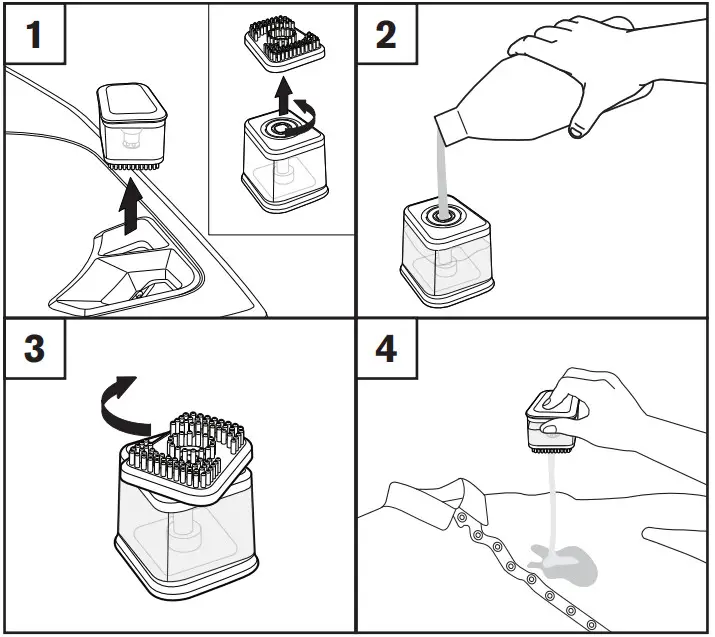
Fabric Brush
- Turn brush from the body to open.
- Add liquid laundry detergent.
- Turn to close.
- To dispense detergent from fabric brush push button.
MORE WATER WHEN YOU WANT IT
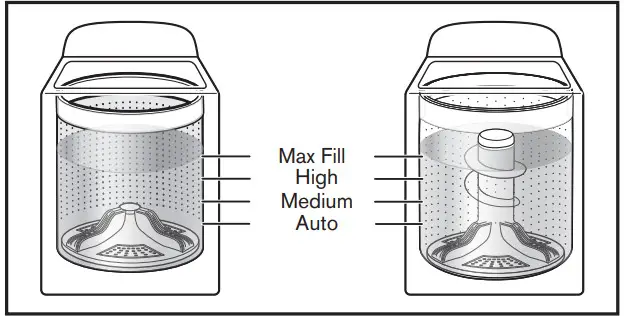
Auto-Sensing & Deep Water Wash
- The washer will adjust the water level to the optimal amount for a High-Efficiency wash of the detected load size.
- Touch “DEEP WATER” to add more water to the wash load.
- There are four levels of deepwater “Auto”, “Medium”, “High”, “Max Fill”.
- Not all levels are available on all cycles.
- The washer dampens and moves the load, the level of the items will settle in the basket. This is normal and does not indicate that more items should be added.
IMPORTANT: You will not see a washer basket full of water as with your past agitator-style washer. It is normal for some of the load to be above the waterline.
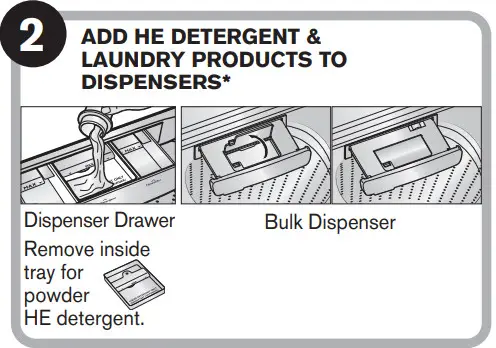
USING THE DISPENSER
- Load & GoTM feature will default On for each cycle unless disabled.
- Touch the LOAD & GO button to view detergent dispensing options.
- Hold the LOAD & GO button on the control panel to choose a detergent concentration between 2X and 10X. Hold for 3 seconds.
- Pull the drawer completely out for easy refilling.
CYCLE GUIDE
Your Whirlpool® washer has a unique user interface to help you select the best cycle you need for your load. The “What to Wash”, “How to Wash” layout guides you to the optimal cycle in two easy steps: First, determine what items are in the load that you are trying to wash. Use that to guide your “What to Wash” selection. Then determine how you want the washer to wash them and select the appropriate “How to Wash” selection. See the chart below for more details.
For best fabric care, choose the cycle that best fits the load being washed.
R Recommended Cycle|
a Alternate Cycle
Blank Cycle is available but not optimal
| How do you want to wash? | |||||||
| “How to Wash” Cycle Selection | |||||||
| Normal | Wrinkle Control | Heavy Duty | Sanitize with Oxi | Cold Wash | Quick | ||
| Energy Conscious | Reduce Wrinkles | Powerful Sol] Removal | Eliminate Elastane | Energy Saving | Fast | ||
| What do you want to wash? | “What to Wash” Cycle Selection | ||||||
| Cottons/Linens | Regular | R | a | a | a | a | a |
| Mixed | R | a | a | a | a | a | |
| Pajamas | R | a | a | a | a | a | |
| Sweatshirts | R | a | a | a | a | a | |
| T-Shirts | R | a | a | a | a | a | |
| AtMetic Wear | Colors | R | a | a | a | a | |
| Bright Cobra | R | a | a | a | a | a | |
| Business Casual | a | R | a | a | a | a | |
| Casuals | a | R | a | a | a | a | |
| Dark Colors | R | a | a | a | a | a | |
| Dress Shirts/Pants | a | R | a | a | a | a | |
| Jeans | R | a | a | a | a | a | |
| No-lron Fabrics | a | R | a | a | a | a | |
| Baby Clothes | Whites | R | a | a | a | ||
| Handkerchiefs | R | a | a | a | a | ||
| Napkins | R | a | a | a | a | ||
| Socks | R | a | a | a | a | ||
| Tablecloth | R | a | a | a | a | a | |
| Undergarments | R | a | a | a | a | a | |
| White Clothing | R | a | a | a | a | ||
| White Shirts | R | a | a | a | a | ||
| Whits Towels | R | a | a | a | a | ||
| White T-Shins | R | a | a | a | a | ||
| Bras | Delicates | R | a | a | a | a | a |
| Delicates | R | a | a | a | a | a | |
| Handwash Fabrics | R | a | a | a | a | a | |
| Lingerie | R | a | a | a | a | a | |
| Machine Wash Siks | R | a | a | a | a | a | |
| Wool | R | a | a | a | a | a | |
| Blankets | Bulky Items | R | a | a | a | a | a |
| Coats &Jackets | R | a | a | a | a | a | |
| Comforters | R | a | a | a | a | ||
| Machine Wash Curlers | R | a | a | a | a | a | |
| Machine Wash Sty Coyly • | R | a | a | a | a | ||
| Non-Rubber Lined Rugs N Mats | R | a | a | a | a | ||
| Sheets | R | a | a | a | a | ||
| Stooping Bags | R | a | a | a | a | ||
| Dish Cloths | Towels | R | a | a | a | a | |
| Tern/ Goths | R | a | a | a | a | ||
| Towels | R | a | a | a | a | ||
*Use this cycle to eliminate 99.9% of bacteria when used in conjunction with Oxi additives. Preset cycle settings must be used to achieve proper sanitization. Be sure to add an Oxi product to the basket before starting the cycle.
WASHER ICONS
| Image | Description | Status |
 | Door Locked | Alert State |
 | Load & Go Warning | Off One Cycle |
 | Off Always | |
 | Detergent Low | |
 | Remote Enable | On |
 | Delay Start | On |
 | PreSoak | On |
 | Deep Water | On – Auto |
 | On – Auto Medium | |
 | On – Auto High | |
 | On – Max Fill | |
 | Fabric Softener | On |
 | Extra Rinse | On |
 | Load & Go | 50% |
 | 75% | |
 | Full |
 | Smartgrid, Peak rates in effect | On |
 | Smart Delay | |
 | Smart Pause | |
 | WiFi Status Indicator | Connected |
 | Disconnected | |
 | Fabric Softener | Off |
 | Extra Rinse | Off |
 | PreSoak | Off |
 | Favorite Cycle | |
 | Download & Go Cycle | |
 | Cycle Signal | Off |
 | Low | |
 | Medium | |
 | High | |
 | Clean Washer | |
 | Remote Enable | Off |
 | Faucet | On |
 | Off |
NOTE: Not all features and options are available on all models.
ASSISTANCE OR SERVICE AND ADDITIONAL INFORMATION
| For detailed installation instructions and maintenance information, winter storage and transportation, please see the INSTALLATION AND CARE INSTRUCTIONS MANUAL included with your machine. For detailed product dimensions, please see the DIMENSION GUIDE that can be found at www.whirlpool.com/owners or in Canada www.whirlpool.ca/owners. | |||||||
| For information on any of the following items please visit www.whirlpool.com/owners or in Canada www.whirlpool.ca/owners. This may save you the cost of a service call. | |||||||
| REGISTER PRODUCT | SCHEDULE SERVICE | HOW TO’S & FAQ | MANUALS & DOWNLOADS | ADD SERVICE PLAN | PARTS | ACCESSORIES | |
 |  |  |  |  |  |  | |
 | To speak with a customer service representative or if you have additional questions, call us toll-free at 1-866-698-2538 or in Canada call 1-800-688-2002.You can write with any questions or concerns at: | ||||||
| Whirlpool Brand Appliances Customer eXperience Center 533 Benson Road Benton Harbor, MI 49022-2692 | Whirlpool Brand Appliances Customer eXperience Center Unit 200-6750 Century Ave Mississauga, Ontario L5N 0B7 | ||||||
Please include a daytime phone number in your correspondence. | |||||||
NOTES
®/TM©2020 All rights reserved.
Tous droits réservés.
Todos los derechos reservados.
 Connected Appliances | Whirlpool
 Connect Your Smart Appliance | Whirlpool