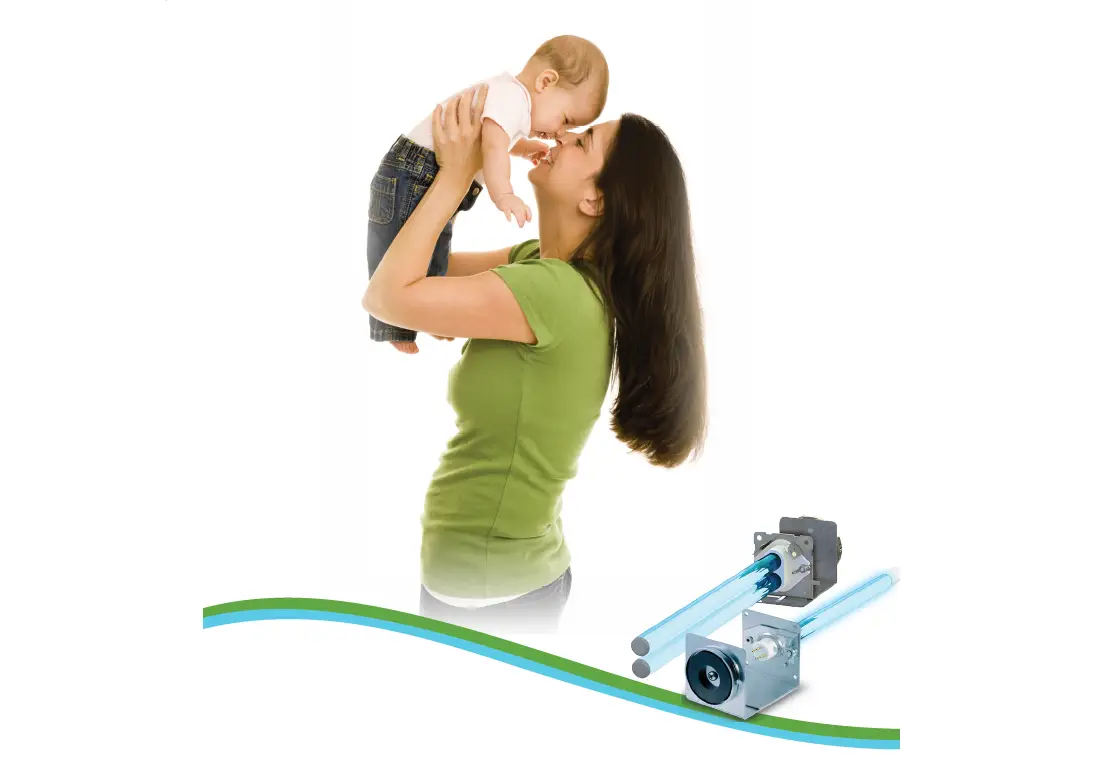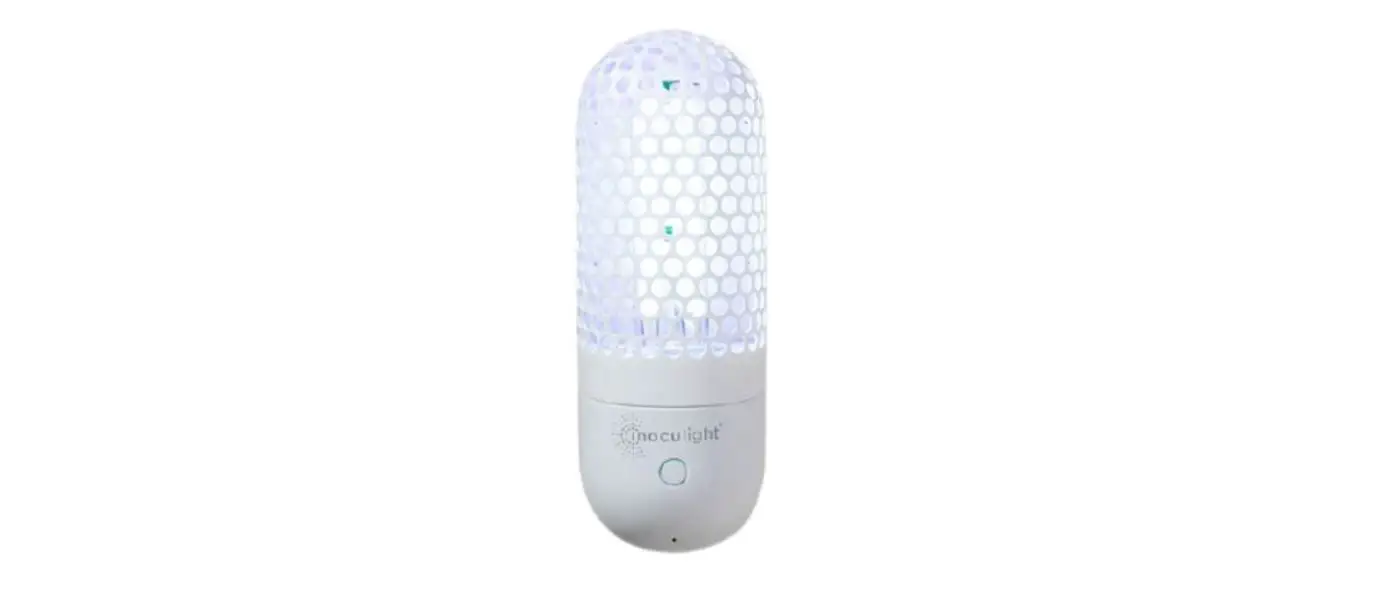

inoculight R15 Smart UV Sanitizer and Air Purifier
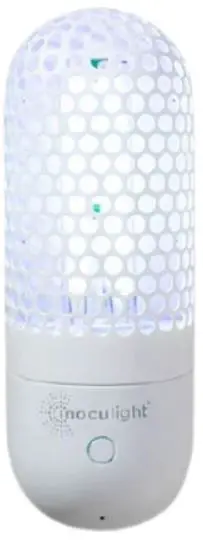
Product Service Card
Warning: Direct exposure to UV rays may hurt your eyes and skin. Please DO NOT explore yourself and your pets to the working light – DO NOT present at the scene; DO NOT look directly at the operating light bulb.
Product Instruction Manual
- Our products are suitable for indoor places. Based upon the indoor places that you want to apple to, please choose an appropriate model in order to achieve the most effective result.
- Before use, check whether the power supply voltage matches the product voltage (110V or 240V AC), and whether the electric current access meets the safety standards.
- The recommended duration for one disinfection session is 30 minutes, and the disinfection timer can be customized according to the applied area. Doors and windows need to be closed during disinfection.
- Ozone is an unstable gas and usually breaks down into oxygen within half hours. After disinfecting with an ozone UVC device, enter the applied area at least 10-20 minutes after the disinfection session or 10-20 minutes after opening the doors and windows for air ventilation.
- People and pets MUST NOT be present at the scene when the product is operating.
List of Items
- Inoculight-R15 (1)
- Manual (1)
- Wall Plug Adapter (1)
- Wi-Fi Pin (1)
Product Specifications
| Name of the Product | Inoculight | Model Number | R15 |
|
Features of the Product | Ø High-efficiency air and surface sterilization & disinfection Ø Odor elimination and formaldehyde removal Ø Remove peculiar smell and purify air effectively Ø Built-in dynamic movement sensor, wireless & app control, portable & wall plug Ø Suitable for various scenarios Ø Safe for both the human body and environment | ||
| Color of the Product | Pearl White | UV Wavelength | Dual UVC Wavelength |
| Applicable Area | Indoor – home, dormitories, foyers, corridors, bedrooms, living rooms, kitchens, restrooms, cabinets, etc. | ||
| Rated Voltage | 110V or 240V | Rated Power | 15W |
| Rated Frequency | 50/60 Hz | Sterilization Area | 1-15 m³ / 35-530 ft3 |
| Working Current | 110v/160 mA 240V/80 mA | UVC Blub Life Hours | 8000 hours |
| Operation Control | App Remote Control | Google Play (Android) or App Store (iOS) | |
| Dynamic Sensor | Automatically turn off the light when people or pets are detected. Automatically turn on the light after people or pets leave. | ||
| Item Weight | 560g | Package Gross Weight | 730g |
| Product Size | 196.5×70.5×56.5mm | Package Dimensions | 270x100x65mm |
Precautions
When this product is on, people and animals are NOT allowed to be present in the area to avoid damages to eyes and skin caused by UVC light. Avoid using this product in high temperature (above 38°C / 100°F) environment for more than 45 minutes to prevent injuries from device overheating.
Operations
- Simply plug the device into a wall outlet.
- Remotely control this device through your mobile phone app – on/off, or automatic mode with scheduled timing and recurring options.
- If this device is operating, the built-in dynamic sensor will automatically turn off this device when the movement of people or animals is detected. The device will automatically turn back on when the people or animals leave.
Wireless Network / App Control Instructions
- Wireless network/app installation:
- Download the app “eWeLink” on your smartphone from Google Play (Android) or App Store (iOS).
- Pairing mode for the device: after powering on (red indicator), the device will enter the quick pairing mode (Touch) by default for the first use. If the pairing is not successful within 3 minutes, the device will exit the quick pairing mode (Touch). To enter this mode again, please press and hold the manual button for about 5 seconds until the LED indicator (blue indicator) displays in a cycle of two short flashes and one long flash.
- To add the device on the app: open the eWeLink app, tap “+” and follow the prompt on the app.
- Instructions for wireless network / app control system:
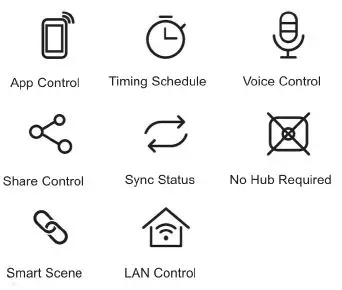
- App Control Features Turn on/off the Inoculight from anywhere with your smartphone, schedule a session and set a timer, share control with your family, etc.

- App Control Features Turn on/off the Inoculight from anywhere with your smartphone, schedule a session and set a timer, share control with your family, etc.
- Factory Reset
- When switching to a new network environment, please reset the device to factory settings and reconnect to the network.
- Press and hold the pairing button for about 5 seconds until the LED indicator displays in a cycle of two short flashes and one long flash. Then the reset is successful, and the device will enter the quick pairing mode (Touch) by default.

- Common Problems
- Q: Why does my device displays “offline” on the app?
A: The newly added device needs 1 – 2 minutes to connect to the network. If it stays offline for a long time, please identify the following problems by the blue Wi-Fi indicator status: - The blue wire indicator quickly flashes once per second, which means that the switch failed to connect your wireless network router.
- You might have entered a wrong wireless network password.
- The device might be too far away from your router, or there might be network interference within the environment, causing a weak signal. Consider getting the device close to the router. If the attempt fails, please add the device on the app again.
- The device does not support 5GHz wireless networks router. Please try to add the device again with a 2.4GHz wireless network router.
- Your router might have MAC address filtering on. If so, please turn this setting off.
- Blue indicator quickly flashes twice per second, which means your device is connected to wireless network but failed to connect to the server. Ensure a stable connection with your network. If double flash occurs frequently, your network is unstable. In this case, the product is not defective.
- Q: Why does my device displays “offline” on the app?
Note
- Keep away from children, people, and animals.
- Do not replace UV light bulb with power on.
- Avoid water contact.
- Do not use it if the device is damaged externally.
- Avoid using this product in high temperature (above 38oC / 100oF) environment for more than 45 minutes to prevent the device from overheating.
- Enter the room at least 10-20 minutes after the disinfection session is finished or 10-20 minutes after opening the doors and windows for air ventilation.
Suggested Areas to Use
Indoor – dormitories, foyers, corridors, bedrooms, living rooms, kitchens, restrooms, cabinets, etc.
Warranty Card
Thank you very much for your support to our products. For your satisfactory after-sales service, please read the warranty terms in the warranty card carefully.
| Product Model | Date of Purchase | ||
| Problem Description | |||
| Customer Name | |||
| Cell Phone | Home Phone | ||
| Address | |||
| RMA Records | Date of RMA | ||
If the product has upgrades on technology, functionality, or structure, changes to the product will not be notified. Please refer to the actual product as basis.
Warranty Terms
- Inoculight products: the device and the light tube warranty period is one month from the date of purchase.
- From the date of purchase, in the event of a failure under normal use, the product, sales receipt, and product service card will be used for warranty service in accordance with the warranty terms.
- Due to the following and similar situations, failures caused by the customers’ personal factors are not covered by the warranty:
- Damage caused by incorrect or abnormal use or unauthorized modification or disassembly.
- Failure and damage due to abnormal voltage or lack of reasonable maintenance. 3.3 Failure and damage caused by accidental fall during use and removal.
- If the problem cannot be solved after the technical exchange, our company will arrange to return to the factory for repair.
- After the product is repaired, the delivery will be rescheduled.
FAQ
| Problem Description | Answer |
| Principle of disinfection | The ultraviolet type C light irradiates microorganisms to destroy the DNA (deoxyribonucleic acid) and PNA (ribonucleic acid) of the pathogens so that the pathogens lose their survival and reproduction ability to achieve disinfection and sterilization effects. |
| Is the disinfection effective? | It is safe to use. Currently, most hospital disinfection uses ultraviolet disinfection devices. This product is also suitable for household disinfection and has good effects on disinfection, sterilization, and deodorization. After the disinfection is completed, the result is the same as sun exposure. |
| Disinfection precautions | Warning: After the disinfection with the ozone ultraviolet device is completed, the doors and windows need to be closed for another 30-40 minutes. Then, you can enter the room. Alternatively, you can open the windows for air ventilation for 10-20 minutes, and then enter the room. When in use: plants, animals, and people MUST NOT be present at the scene. |
| Can Inoculight be used to disinfect quilts? | Yes, the ultraviolet rays emitted by Inoculight work like sunlight. If your location rains often or outdoor drying conditions are not suitable, you can use Inoculight instead. |
| How often should you use Inoculight? | Generally, Inoculight can be used 1-3 times a week, but it is recommended to use it once or twice a day during the COVID-19 pandemic. |
| How long can Inoculight last after-sales? | The light bulb can be used for 8000 hours, (Except for artificial damages) |
| Will the occasional sound from inside of | Sometimes small white particles appear in |
| the light tube affect the performance? | the light tubes. These particles are mercury particles. Since the working principle of the ultraviolet disinfection lamp is to stimulate the mercury inside the light tube to emit light, it is normal that there exits little precipitate in the light tube, and the performance of Inoculight will not be affected. |
| Environment requirements for the use of Inoculight | When disinfecting with Inoculight, the room should be kept clean and dry to reduce dust and humidity. When the indoor temperature is lower than 20°C and higher than 40°C, the irradiation time should be appropriately extended. |
| Daily maintenance of the light tube | During use, the surface of the Inoculight should be kept clean. When dust or oil is found on the surface of the light tube, Inoculight should be turned off and wiped at any time, otherwise, it will affect the sterilization effect. |
Product Registration
- FCC ID: 2AXXI-R15
- EPA Establishment #: 97361-GA-1

- UL Med Inc, USA
- Phone: 1-770-715-3634
- Email Address: [email protected]
- Official website: www.inoculight.com
- Address: 3865 Rainforest Circle
FCC Warning
Changes or medications not expressly approved by the party responsible for compliance could avoid the user’s authority to operate the equipment. This device complies with part 15 of the FCC Rules. Operation is subject to the following two conditions: (1) This device may not cause harmful interference, and (2) this device must accept any interference received, including interference that may cause undesired operation.
FCC Radiation Exposure Statement
This equipment complies with FCC radiation exposure limits set forth for an uncontrolled environment. This equipment should be installed and operated with minimum distance 20cm between the radiator & your body. This transmitter must not be co-located or operating in conjunction with any other antenna or transmitter.
Note: This equipment has been tested and found to comply with the limits for a Class B digital device, pursuant to part 15 of the FCC Rules. These limits are designed to provide reasonable protection against harmful interference in a residential installation. This equipment generates, uses and can radiate radio frequency energy and, if not installed and used in accordance with the instructions, may cause harmful internet or adios communications. However, there is no guarantee that interference will not occur in a particular installation. If this equipment does cause harmful interference to radio or television reception, which can be determined by turning the equipment off and on, the user is encouraged to try to correct the interference by one or more of the following measures:
- Reorient or relocate the receiving antenna.
- Increase the separation between the equipment and receiver.
- Connect the equipment into an outlet on a circuit different from that to which the receiver is connected.
- Consult the dealer or an experienced radio/TV technician for help.
NOTE: This device and its antenna(s) must not be co-located or operation in conjunction with any other antenna or transmitter
RF Exposure Statement To maintain compliance with FCC’s RF Exposure guidelines, This equipment should be installed and operated with minimum distance of 20cm the radiator your body. This device and its antenna(s) must not be co-located or operation in conjunction with any other antenna or tansmitter
 Smart UV Sanitizer & Air Purifier | Inoculight -- UL Med Inc.